Category: How To

Learn how to solve tech problems with Unorthodox Digital, Africa’s most popular technology how to website. We write well-written step by step articles to solve all your tech problems

  • How to Use a Phone Number to Track Someone’s Location

    How to Use a Phone Number to Track Someone’s Location

    Let’s say you’re trying to find your cousin because they promised to meet you but aren’t picking up their phone. Or maybe your mom misplaced her phone again, and it’s on silent. Wouldn’t it be cool if you could just type in their phone number and find out where they are?

    Well, that’s what this guide is all about. I’ll show you how you can track someone’s location using their phone number—with tools that are both helpful and legal. No complicated tech talk, no confusing steps. Just real, clear help.

    Is It Really Possible to Track Someone by Their Phone Number?

    Yes, but with a big asterisk: you usually need permission or access to the person’s device at least once. And no, you can’t just Google someone’s number and magically see where they are like a spy movie. But with the right apps or tools—and if it’s someone you know—it’s totally doable.

    Let’s break it down.

    Why Would Someone Want to Track a Person’s Phone?

    People use phone tracking for everyday reasons, like:

    • Finding a lost or stolen phone
    • Keeping kids safe when they’re out alone
    • Checking if a loved one made it home
    • Helping older family members who might get lost
    • Tracking employees in the field

    If any of those sound familiar, keep reading—you’re in the right place.

    The Two Main Ways to Track a Location by Phone Number

    There are two big ways people usually go about this:

    1. With Tracking Apps (like mSpy, Life360, etc.)
    2. With Built-In Tools (like Google’s “Find My Device” or Apple’s “Find My”)

    Let’s take a closer look at each.

    1. Using Tracking Apps: The Supercharged Option

    These apps are like mini-detectives that live on your phone. Once installed on someone’s device (with their permission or knowledge), they let you see where the phone is anytime.

    Here’s a quick comparison of the most popular ones:

    AppBest ForStandout FeaturesPrice (Monthly)
    mSpyParents, employersReal-time tracking, social media monitoring$48.99 (monthly)
    Scannero.ioGlobal number trackingTrack via number directly, no jailbreak$1.19 (24-hour trial)
    Life360FamiliesLive location, driving reportsFree / $4.99 for premium
    SpyicStealth trackingHidden tracking, calls & messages$10.83+
    GeoZillaMultiple device trackingBattery alerts, crash detectionFree / $4.99+

    Let’s go over the top three in more detail.

    mSpy

    mSpy is like a digital babysitter. It tracks where someone is, shows call logs, and even alerts you if they leave a specific area (like school or home).

    How it works:

    • You install it on the phone you want to track.
    • It runs quietly in the background.
    • You log in to your dashboard and see real-time updates.

    Good to know: You’ll need physical access to the phone during setup. So it’s best for parents monitoring kids or companies with company-issued devices.

    Life360

    Life360 is more of a “we’re all in this together” app. Families create a group (called a “Circle”), and everyone can see each other’s location.

    Why people love it:

    • It shows driving habits (like speeding or hard braking).
    • You can set alerts for when someone arrives somewhere.
    • It works on both Android and iPhone.

    Bonus: There’s a free version with decent features!

    Scannero.io

    The Scannero Phone Tracker is interesting because it doesn’t need an app installed on your phone or theirs. You enter a number, send a special link, and once the person clicks it—you get their location.

    Important note: This only works if they click the link. So this is better for checking in on someone with their consent, not for secret tracking.
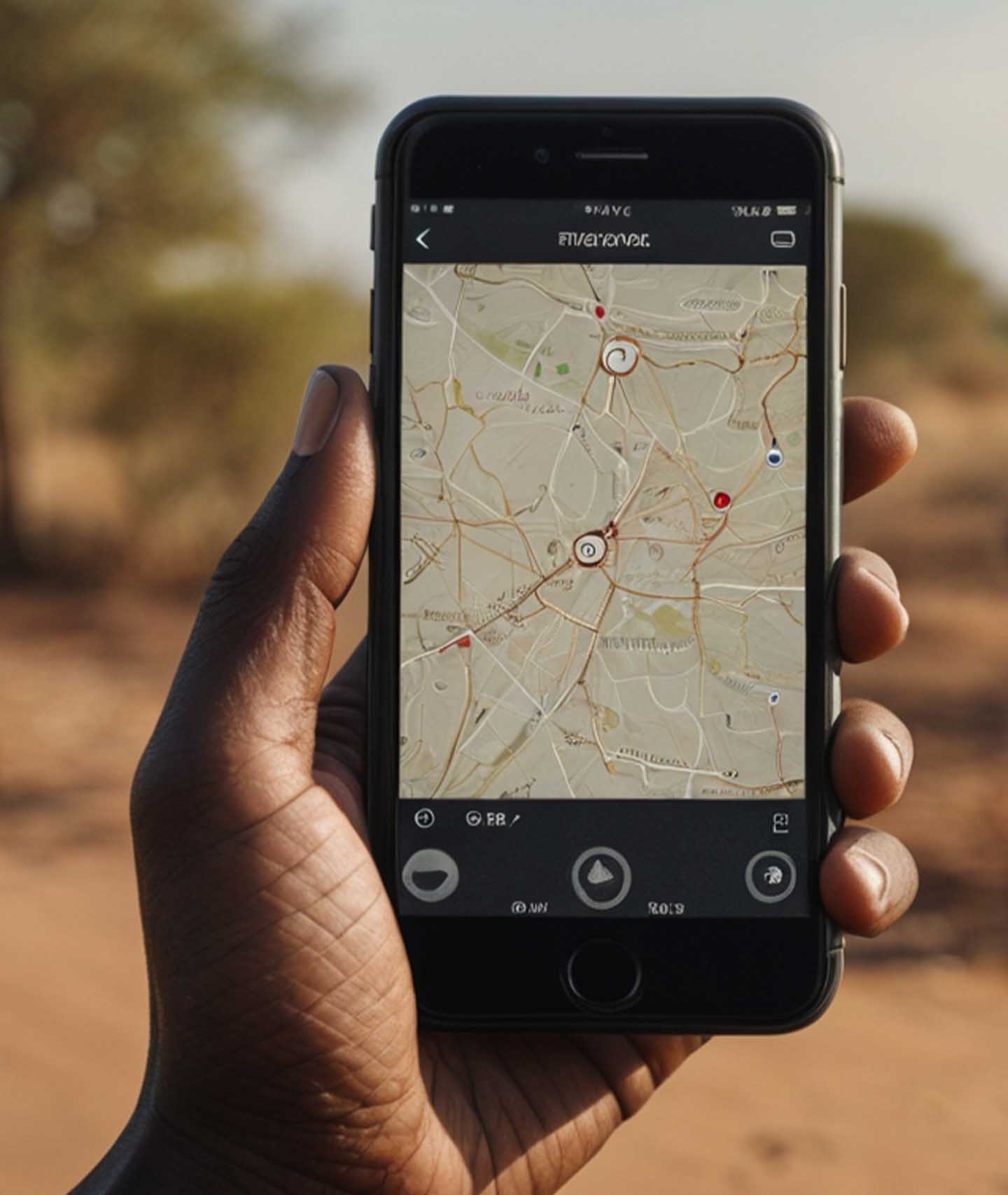
    How to Use a Phone Number to Track Someone’s Location

    2. Using Free Built-In Tools (for Android and iPhone)

    If you’ve ever misplaced your phone and used “Find My iPhone” or “Find My Device,” then congrats—you’ve already used phone tracking!

    These are free, built-in features made by Google and Apple.

    Here’s a side-by-side:

    FeatureAndroid (Google)iPhone (Apple)
    NameFind My DeviceFind My
    Real-time trackingYesYes
    Remote lock & wipeYesYes
    Requires loginGoogle accountApple ID
    PlatformAndroid onlyApple only

    How to Use Them

    For Android:

    1. Go to Find My Device
    2. Sign in with the Google account linked to the phone
    3. You’ll see the phone’s location on a map

    For iPhone:

    1. Go to iCloud.com
    2. Sign in with your Apple ID
    3. Click on “Find iPhone”
    4. You’ll see the phone’s location, plus the option to lock or erase it

    These are lifesavers if your phone goes missing—or if you’re helping someone who’s lost theirs.

    FAQs

    Can I track someone without them knowing?

    Technically, yes, with some stealth apps like Spyic or mSpy. But legally? Only if you own the device or have their permission. Otherwise, it’s a no-go in most countries.

    Can I track someone with just a number and no app?

    Not directly. Services like Scannero.io can help, but they still require the person to click a tracking link.

    Is it legal to track somebody’s phone number?

    As long as you’re tracking:

    • Your own device
    • A device you own (like a child’s phone)
    • With consent

    …it’s usually legal. But always double-check your local laws just to be sure.

    What to Watch Out For

    • Scams: If a website says it can track anyone’s location just from a number instantly—without any permission—be careful. That’s a big red flag.
    • Battery Drain: Some apps (especially free ones) can use up battery fast.
    • Privacy: Use these tools responsibly. Tracking should always be about safety, not spying.

    So, What’s the Best Option?

    Here’s a simple cheat sheet:

    Your SituationBest Tool
    Lost Android phoneFind My Device
    Lost iPhoneApple’s Find My
    Keeping track of kids or employeesmSpy or Life360
    One-time check with consentScannero.io
    Track multiple family membersLife360 or GeoZilla

    So now you know: yes, you can use a phone number to track someone’s location—but it’s not magic. You’ll usually need their cooperation or access to their phone, and you’ll need the right tool for the job.

    Think of these apps and services like a safety net. Whether it’s helping your little brother make it home from school or finding your phone in the couch cushions (again), tracking technology is a pretty helpful backup.

    And hey, now that you know how it works, you’re basically the “tech whiz” in your circle. Use that power wisely.

  • How to Quickly Borrow Telecel Airtime in Ghana

    How to Quickly Borrow Telecel Airtime in Ghana

    Quick Summary

    Here’s everything at a glance:

    FeatureDetails
    Code to borrow airtime*505# or *700*8#
    App methodTelecel Play app > Airtime Topup > SOS
    Who can borrowUsers active for 3+ months with regular recharges
    RepaymentAutomatic on next recharge
    Service fee10% of borrowed amount
    Can you buy data?Yes, with borrowed airtime
    Borrowing limitBased on usage & repayment history

    How to Quickly Borrow Telecel Airtime in Ghana

    You’re in the middle of an important phone call—maybe you’re ordering food, chatting with your mum, or about to send mobile money—and suddenly, your airtime runs out. Frustrating, right?

    But guess what? If you’re using Telecel in Ghana, there’s a simple way to fix that problem in seconds. It’s called the SOS Credit service, and I’m going to walk you through it like you’re my younger cousin who just got their first phone. It’s that easy.

    Let’s dive in, step by step, and by the end, you’ll be a pro at borrowing airtime on Telecel—even if you’ve never done it before.

    What’s SOS Credit?

    First things first. SOS Credit is Telecel’s way of saying, “Hey, we’ve got your back when your airtime finishes.” It lets you borrow airtime now and pay it back later when you recharge.

    Think of it like when your friend lends you GHS 5 to buy Fan Ice because you forgot your wallet. You still get the Fan Ice today, but you’ll return the money tomorrow.

    Who Can Use SOS Credit?

    Now, before you try to borrow airtime, there are a few things Telecel checks to make sure you qualify. It’s a bit like needing to pass the ball to someone you trust on your football team.

    Here’s what you need:

    RequirementWhat it means
    Active for 3+ monthsYou’ve been using your Telecel SIM for at least 90 days
    Recharge regularlyYou top up now and then, not once in a blue moon
    No unpaid SOS loansYou’ve paid back any airtime you borrowed before

    So if you just got your SIM card last week, you might need to chill for a bit before you can use SOS Credit.

    How to Borrow Telecel Airtime in Ghana

    Two Easy Ways to Borrow Airtime from Telecel

    Alright, now let’s get to the fun part. There are two ways to borrow airtime: using a USSD code or the Telecel Play app. We’ll go over both, step by step.

    Option 1: Using USSD Code (*505# or *700*8#)

    This is the fastest way—especially if your data is off or your phone is acting slow.

    Steps:

    1. Open your dialer (where you usually type phone numbers).
    2. Dial *505# and press the call button.
    3. You’ll see a menu with airtime amounts to borrow. Pick the one you want.
    4. You’ll get a message confirming the airtime was added.

    Done! You can now make that call, send that text, or buy data.

    Bonus Option: You can also dial *700#, choose option 8, and follow similar steps.

    Option 2: Using the Telecel Play App

    If you like using apps or you’ve already downloaded Telecel Play, this is another simple way.

    Steps:

    1. Open the Telecel Play app.
    2. Scroll and tap on Airtime Topup.
    3. Choose SOS.
    4. Pick how much airtime you want to borrow.
    5. Tap Confirm Payment.

    You’ll instantly see the borrowed airtime in your balance. The app also keeps track of how much you owe if you forget.

    Tip: If the app says something like “We can’t process your request right now”, just use the USSD method instead. It almost always works.

    How Much Airtime Can You Borrow?

    Now you might be wondering, “Can I borrow any amount I want?” Not exactly.

    Your SOS Credit Limit is like an allowance. It depends on how much you usually spend and how good you are at paying back what you borrow.

    Here’s a rough idea of how it works:

    Your BehaviorYour Borrowing Power
    You recharge often and pay back fastYou can borrow more airtime
    You recharge rarely or don’t repayYour limit will be low (or zero)

    So, if you normally top up GHS 10 every few days and you pay back on time, Telecel might let you borrow GHS 5, GHS 10, or more. But if you ghost them after borrowing, your limit will shrink.

    How Do You Pay Back SOS Credit?

    Good news—you don’t need to do anything extra to repay. Telecel does it automatically.

    Here’s how it works:

    Let’s say you borrow GHS 5. When you recharge again, Telecel will take back:

    • The GHS 5 you borrowed
    • Plus 10% service fee, which is GHS 0.50

    So your next top-up will look like this:

    You RechargeWhat Telecel TakesWhat’s Left for You
    GHS 10GHS 5 + GHS 0.50GHS 4.50
    GHS 8GHS 5 + GHS 0.50GHS 2.50

    You see? It’s automatic and clear. But remember, if you recharge less than what you owe, Telecel might keep all of it and wait until your balance fully clears.

    What Can You Do with Borrowed Airtime?

    Once you borrow, you can use the airtime like any regular top-up. That means:

    • Making calls
    • Sending SMS
    • Buying data bundles
    • Paying for shortcodes (like TV subscriptions, if they use airtime)

    And yes, you can buy data with borrowed airtime. That’s a common question, and the answer is a solid YES.

    Helpful Tips to Stay Eligible

    Now, if you want to keep using SOS Credit smoothly, here are some friendly tips:

    • Recharge at least once every two weeks—even if it’s small
    • Pay back your borrowed airtime quickly
    • Don’t borrow and disappear; Telecel remembers!

    Think of it like being in good standing with a trusted shop. If you borrow and pay back on time, they’ll trust you with more next time.

    Why This Feature Is a Life Saver

    Imagine you’re stranded somewhere with no airtime and you need to call a friend, or your mobile money app needs a little airtime to work. Instead of panicking or begging someone to send you credit, just dial *505# and boom—you’re back online.

    It’s especially useful at night, during holidays, or in places where buying airtime physically isn’t possible. And the fact that repayment is automatic makes life even easier.

    Borrowing airtime on Telecel is one of the simplest things you can do on your phone once you get the hang of it. Whether you use *505#, *700#, or the Telecel Play app, it only takes a few taps to reconnect.

    So next time you run out of airtime, do not panic. Just borrow some SOS credit, handle your business, and pay it back later.

  • How to Use the Telecel Play App in Ghana

    How to Use the Telecel Play App in Ghana

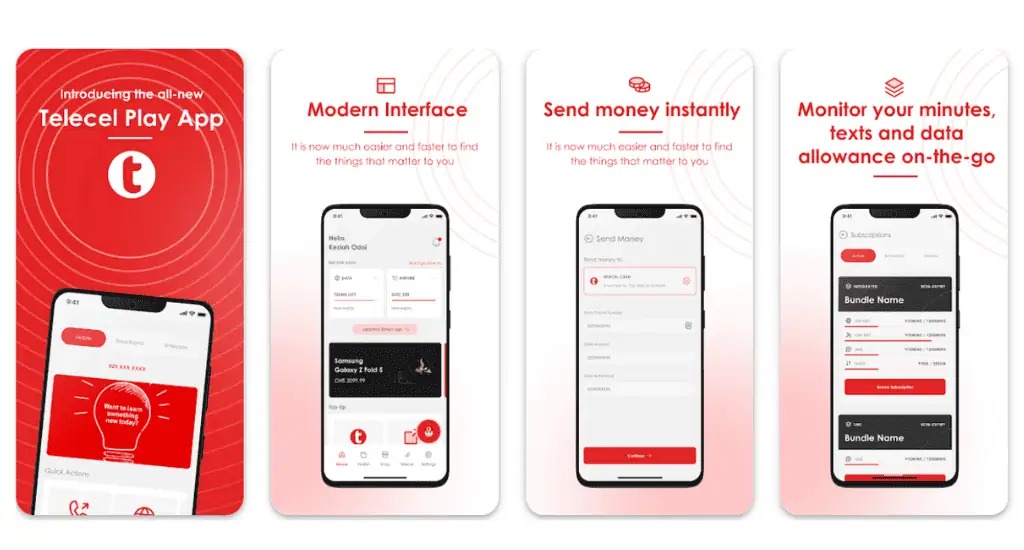
    The Telecel Play app is like your personal control center for everything Telecel.

    You can buy data, check your balance, send money, or even book a ride with ease. If you’ve ever wondered, “How do I manage my Telecel account without stress?”—this guide is for you!

    What Is the Telecel Play App?

    Think of the Telecel Play app as a remote control for your Telecel mobile services. Instead of dialing codes or visiting an agent, you can do everything right from your phone. Here’s what it helps you with:

    • Buy data and voice bundles
    • Send and receive money with Telecel Cash
    • Pay utility bills (electricity, water, DStv, GOtv, etc.)
    • Manage subscriptions and track usage
    • Book a Yango ride
    • Access special deals and loyalty rewards

    There’s also a web version of the app, but it’s mainly for broadband users and businesses.

    How to Use the Telecel Play App in Ghana

    How to Download the Telecel Play App

    Getting the app is as easy as downloading any other app. Just follow these steps:

    1. Open the Google Play Store (for Android users) or the Apple App Store (for iPhone users).
    2. Type Telecel Play Ghana in the search bar.
    3. Look for the official app and tap Install (on Android) or Get (on iPhone).
    4. Wait a few moments for the installation to complete.

    That’s it! You’re ready to set up your account.

    How to Sign Up on the Telecel Play App

    Once the app is installed, follow these steps to create an account:

    1. Open the app.
    2. Tap I don’t have an account (if you’re new) or I already have an account (if you’ve signed up before).
    3. Select your account type:
      • Mobile (for regular phone users)
      • Broadband (for fixed internet users)
    4. Enter your Telecel mobile number or broadband user ID.
    5. You’ll receive a one-time password (OTP) via SMS. Enter the code and tap Next.
    6. Create a secure password or set up biometric login (fingerprint or Face ID).
    7. Log in with your new details.

    And that’s it—you’re in! Now, let’s explore what you can do with the app.

    How to Use the Telecel Play App in Ghana

    What Can You Do on the Telecel Play App?

    The app is packed with features that make managing your mobile account super convenient. Here’s a breakdown:

    1. Buy Voice and Data Bundles

    Running out of airtime or data? No problem. The app lets you buy bundles in just a few taps.

    Bundle TypeDescription
    FlexiChoose exactly how much airtime or data you need.
    No ExpiryYour data or airtime won’t expire. Use it whenever you want.
    Special OffersExclusive promotions available only on the app.
    Roaming BundlesStay connected when traveling outside Ghana.
    Made4MePersonalized data and voice deals based on your usage.

    You can also track your remaining balance from the homepage.

    2. Send and Receive Money with Telecel Cash

    Telecel Cash is built into the app, so you can:

    • Send money to friends and family.
    • Withdraw cash from an agent.
    • Pay bills (electricity, water, DStv, GOtv, etc.).
    • Buy airtime and data directly from your wallet.
    • Check your transaction history.

    It’s like having a mobile bank in your pocket!

    3. Manage Your Account and Settings

    Want to personalize your experience? The settings menu lets you:

    • Turn notifications on/off so you’re only alerted about what matters.
    • Switch app themes to light or dark mode.
    • Change language preferences to use the app in a language you’re comfortable with.
    • Enhance security with PINs or biometrics.
    • Contact customer support directly from the app.

    4. Pay Bills and Access Extra Services

    Forget long queues! You can pay utility bills with just a few taps. The app also provides access to:

    • Yango Ride – Book a ride directly from the app.
    • Betway – Access sports betting services.
    • Red Loyalty Rewards – Earn and redeem points for using Telecel services.
    • SOS Airtime – Borrow airtime when you run low.

    Need Help? Use TERi, the Virtual Assistant

    At the bottom right of the app, you’ll see TERi, a chatbot that can answer your questions instantly. Whether you need help buying a bundle or checking your balance, TERi has you covered.

    How to Use the Telecel Play App in Ghana

    The Telecel Play app makes managing your mobile account effortless. Whether you’re buying data, sending money, or booking a ride, everything is in one place. If you haven’t downloaded it yet, now’s the time to do it. Once you start using it, you’ll wonder how you ever managed without it!

    Got questions? Open the app and give TERi a try!

  • How to Cancel a Wrong Telecel Cash Payment in Ghana

    How to Cancel a Wrong Telecel Cash Payment in Ghana

    Quick Summary

    • USSD Code (*110#): Fastest method; go to Self-Service, select reversal, enter details, and confirm.
    • Telecel Play App: Use the TERi chatbot to request a reversal.
    • Customer Care (100): Call and provide transaction details for assistance.
    • Contact the Recipient: If possible, ask the recipient for a refund.
    • Reversal Time: Telecel-to-Telecel transactions take 24 hours; other networks may take up to 5 working days.
    • Important Notes: Minimum reversal amount is GHS 20; only one request per day; act within 24-72 hours.

    Sending money to the wrong person or entering the wrong amount on Telecel Cash can be frustrating. But don’t worry—there’s a way to fix it! Whether you sent money to the wrong number, overpaid, or simply made a mistake, this guide will walk you through the steps to cancel or reverse the transaction.

    Let’s break it down step by step in the simplest way possible, so you can get your money back without stress.

    Quick Overview of Telecel Cash Reversal Options

    MethodBest ForSpeed
    USSD Code (*110#)Quick and easy self-service reversalsFastest
    Telecel Play AppTech-savvy users who prefer appsModerate
    Customer Care (100)If USSD and app failCan take longer
    Contacting the RecipientIf the recipient is cooperativeVaries

    Now, let’s dive into each method in detail.

    Method 1: Using the USSD Code (*110#)

    This is the fastest and easiest way to reverse a wrong Telecel Cash transaction. Here’s how:

    1. Dial *110# on your phone.
    2. Select “Self-Service.”
    3. Choose the type of reversal:
      • Select Self-Reversal for transactions between Telecel Cash accounts or voucher transactions.
      • Select Request Reversal if the money was sent to a different network.
    4. Enter your T-Cash PIN.
    5. Provide the transaction details:
      • Enter the transaction ID (found in your Telecel Cash confirmation SMS). Ignore any leading zeros.
    6. Confirm the details. A pop-up will show the transaction amount, date, and time.
    7. Submit your request. You’ll get an SMS from Telecel confirming that they’re working on your request.

    Heads up: Telecel might call you for more details before approving the reversal. If you don’t respond or provide unclear answers, your request may be denied.

    Method 2: Using the Telecel Play App

    If you prefer using an app, the Telecel Play app offers a chatbot named “TERi” that can help with reversals.

    1. Open the Telecel Play app and log in.
    2. Tap on TERi (Chatbot) at the bottom right corner.
    3. Select Telecel Cash Self-Reversal.
    4. Choose the type of transaction you want to reverse.
    5. Enter the Telecel number used for the transaction.
    6. Enter the OTP (One-Time Password) sent to your phone.
    7. Select the transaction ID you wish to reverse. If it doesn’t appear, enter it manually.
    8. Confirm the transaction details and submit.

    You’ll receive an SMS once Telecel has received your request. If you experience errors, try using the USSD method or contact customer care.

    Method 3: Calling Telecel Customer Care

    If the USSD and app methods don’t work, you can speak directly to a Telecel customer care representative.

    1. Dial 100 on your Telecel line.
    2. Choose your preferred language.
    3. Press 5 for Telecel Cash services.
    4. Press 4 to speak to an agent.
    5. Provide these details:
      • Your Ghana Card (for identity verification)
      • The mobile number used for the transaction
      • The transaction details (ID, amount, recipient’s number)

    The agent will process your request and send you an SMS confirmation. If the case requires further investigation, it may take some time to resolve.

    Method 4: Contacting the Recipient

    Sometimes, the simplest way to fix a wrong transaction is by reaching out to the recipient directly. If you accidentally sent money to the wrong person, call or text them and politely explain the mistake.

    This method is entirely dependent on the recipient’s willingness to return the money. If they refuse or ignore your request, you’ll have to rely on Telecel’s official reversal process.

    How to Cancel a Wrong Telecel Cash Payment in Ghana

    How Long Does a Telecel Cash Reversal Take?

    Transaction TypeReversal Time
    Telecel to Telecel24 hours
    Telecel to other networksUp to 5 working days

    What If Your Reversal Request Is Denied?

    If your request is denied, try these steps:

    1. Double-check your details (transaction ID, recipient’s number, amount) and submit the request again.
    2. Call Telecel customer care at 100 and escalate the issue.
    3. Visit a Telecel office if the problem isn’t resolved over the phone.

    Important Notes:

    • You cannot reverse transactions below GHS 20.
    • You can only request one reversal per day.
    • Requests should be made within 24 to 72 hours for the best chances of success.

    Mistakes happen, but Telecel gives you multiple ways to correct them. If you act fast and follow the right steps, you have a good chance of getting your money back. Start with the USSD method for a quick fix, and if that doesn’t work, try the app or call customer service.

    Got your money back? Great! If not, stay persistent and make sure to double-check your transaction details next time. Also, explore our list of other useful Telecel short codes for quick solutions.

  • How to Retrieve Lost ECG Prepaid Token After Payment

    How to Retrieve Lost ECG Prepaid Token After Payment

    Quick Summary

    If you lose your ECG prepaid token after purchasing via Mobile Money, expressPay, or other platforms, retrieve it through the ECG PowerApp, customer service, or an ECG district office.

    Be ready to provide your meter number, MoMo transaction ID, and amount purchased. You can also call ECG using the number +233 302 611 611, and reach out via email, and social media.

    Steps to Retrieve a Lost ECG Prepaid Token

    1. Check Your SMS Messages

    Before taking further steps, check your text messages from ECG or your mobile network provider. The token is usually sent as an SMS after a successful purchase.

    2. Use the ECG PowerApp

    If you used the ECG PowerApp for the transaction, you can retrieve your token by:

    • Opening the app and logging in.
    • Checking your transaction history for the last purchase.

    3. Contact ECG Customer Service

    If you can’t find the token, contact ECG customer support for assistance through any of these methods:

    • Call Center: Dial 0302 611 611 for assistance.
    • WhatsApp: Send a message to +233 302 611 611 for help.
    • Email: Contact ECG at [email protected], [email protected], or [email protected].
    • Social Media: Message ECG on their official social media pages.
    • Visit an ECG District Office: If other methods fail, visit your nearest ECG office with your transaction details.

    4. Provide the Necessary Details

    When contacting ECG, have the following information ready to speed up the retrieval process:

    • Meter number (to identify your prepaid account).
    • Mobile Money number (used for the payment).
    • ECG Transaction ID (if available).
    • MoMo transaction ID (found in your Mobile Money transaction history).
    • Amount purchased and date of transaction.
    How to Retrieve Lost ECG Prepaid Token After Payment

    Although rare, it is still possible to lose your token after topping up your ECG prepaid meter. You can easily retrieve it by checking your SMS, using the ECG PowerApp, or contacting ECG through their call center, social media, or email. Always keep a record of your transaction details to make the process smoother.

  • How to Buy ECG Prepaid with Mobile Money in Ghana

    How to Buy ECG Prepaid with Mobile Money in Ghana

    You can easily buy ECG prepaid with MoMo by dialing *226#, using the ECG PowerApp, or through MTN, Telecel, and AT Ghana services.

    Keeping your electricity prepaid meter topped up shouldn’t feel like a chore. Thanks to mobile money (MoMo), you don’t have to stand in long queues or scramble for a vendor late at night when the lights go off. Whether you’re using the ECG Power App, a USSD code, or your mobile network provider’s MoMo service, this guide will walk you through the process in the simplest way possible.

    By the end of this article, you’ll know exactly how to buy ECG prepaid with MoMo, troubleshoot common issues, and keep your electricity running smoothly. Let’s dive in!

    Buying ECG Prepaid Using the ECG Power App

    The ECG Power App is a straightforward way to purchase prepaid electricity. Here’s how to use it:

    1. Download and Install the ECG Power App
      • If you haven’t already, download the ECG Power App from the Google Play Store or Apple App Store.
      • Open the app and register or log in with your details.
    2. Add Your Meter (If Not Already Added)
      • Tap on the Meters tab at the bottom of the screen.
      • Swipe through and select Add Prepaid Meter.
      • Enter your meter number and follow the prompts to register it.
    3. Buy Prepaid Credit
      • In the Meters section, select the meter you want to top up.
      • Tap Buy Credit.
      • Enter the amount you want to purchase.
      • Select Top Up.
    4. Choose a Payment Method
      • Select your preferred MoMo wallet (MTN, AirtelTigo, or Telecel).
      • If you haven’t added a wallet, tap the + icon to link one.
    5. Confirm and Complete Payment
      • Review your transaction details and tap This Is Correct.
      • Wait for the MoMo prompt and enter your PIN.
      • Tap I Have Paid to confirm.
    6. Receive Your Token
      • After payment, tap Check Status to view your token number.
      • ECG will also send a confirmation SMS with the token.
      • If your credit doesn’t load automatically, enter the token manually into your meter.
    How to Buy ECG Prepaid with Mobile Money in Ghana

    Buying ECG Prepaid Using the ECG USSD Code (*226#)

    If you don’t have access to the app, you can use ECG’s USSD code to buy prepaid. First, ensure your MoMo wallet is linked by logging into the ECG Power App and adding it. Then, follow these steps:

    1. Dial *226# on your phone.
    2. Select Pay Prepaid/Postpaid.
    3. Choose your meter or select Add Meter to register a new one.
    4. Enter the amount you want to purchase.
    5. Select your MoMo wallet.
    6. Enter 1 to confirm transaction details.
    7. Enter your MoMo PIN.
    8. Select 1 to approve the payment.
    9. Wait for an SMS confirmation and the token from ECG.

    Buying ECG Prepaid Through Mobile Network Providers

    Each mobile network in Ghana (MTN, Telecel, and AT Ghana) allows you to buy ECG prepaid directly through their MoMo platforms. Here’s how:

    Buying ECG Prepaid with MTN MoMo

    1. Dial *170# on your phone.
    2. Select MoMoPay & Pay Bills.
    3. Choose Pay Bill.
    4. Select Utilities.
    5. Choose ECG.
    6. Select Pay ECG Bill.
      • If your meter is not linked, select ECG Link Meter to add it.
    7. Choose your meter.
    8. Enter the amount you want to buy.
    9. Enter your MoMo PIN to confirm.
    10. Wait for ECG’s SMS with your token.

    Buying ECG Prepaid with Telecel T-Cash

    1. Dial *110#.
    2. Select Make Payments.
    3. Choose Pay Bill.
    4. Select Utilities.
    5. Choose ECG.
    6. Select Make Payment.
      • If your meter is not linked, select Add Meter first.
    7. Choose your meter.
    8. Enter the amount to buy.
    9. Enter your PIN to confirm.
    10. Wait for the SMS confirmation and ECG token.

    Buying ECG Prepaid with ATMoney

    1. Dial *110#.
    2. Select Pay Bill.
    3. Choose Pay Bill again.
    4. Select Utilities.
    5. Choose ECG.
    6. Select Prepaid.
    7. Choose Pay Bill.
      • If your meter is not linked, select Add a Meter first.
    8. Choose your meter.
    9. Enter the amount.
    10. Enter your PIN to confirm.

    Note: Some users experience failed transactions with ATMoney. If this happens, try using ECG’s direct payment options.

    How to Buy ECG Prepaid with Mobile Money in Ghana

    Troubleshooting Common Issues

    IssueSolution
    No token received after paymentCheck the ECG app or dial *226# to retrieve your token. If still missing, contact ECG support.
    Payment deducted but no credit addedWait a few minutes and check again. If unresolved, call ECG customer service with your transaction details.
    Token not loading onto the meterEnsure you’re entering the correct token. If it still doesn’t work, restart the meter or contact ECG.

    Tips to Manage Your Electricity Usage

    • Track your balance: Use the ECG Power App to check your remaining credit.
    • Set usage limits: The app’s Daily Consumption Calculator helps identify power-hungry appliances.
    • Unplug devices: Leaving appliances on standby mode still uses electricity.
    • Use energy-efficient appliances: LED bulbs and inverter air conditioners save power.

    Safety and Security Tips

    • Always double-check your meter number before making a payment.
    • Never share your MoMo PIN with anyone.
    • Beware of fraud: ECG will never ask for your MoMo PIN via SMS or call.
    • Save receipts: Keep transaction records for reference in case of issues.

    Retrieving Lost ECG Prepaid Tokens After Payment

    You can retrieve your ECG prepaid token through the ECG PowerApp, customer service, or by visiting an ECG district office. Have your meter number, MoMo transaction ID, and purchase amount ready. You can also reach ECG for assistance via phone call at (+233 302 611 611), email, or social media.

    Frequently Asked Questions (FAQs)

    Does MoMo charge a transaction fee for ECG prepaid purchases?

    No, ECG does not charge a transaction fee for prepaid purchases via MoMo.

    How long does it take for my purchase to show up?

    Purchases usually reflect immediately. In rare cases, it may take a few minutes due to network delays.

    What should I do if my ECG prepaid payment doesn’t go through?

    If your payment goes through but you don’t receive credit, contact ECG at +233 302 611 611 with your transaction ID and meter details.

    Now that you know how to buy ECG prepaid with mobile money, keeping your electricity running is easier than ever. Whether you prefer using the ECG app, USSD codes, or your network provider’s MoMo service, you have multiple hassle-free options. Try it out and say goodbye to last-minute power cut panic!

  • How to Book Appointments Online with Home Affairs in South Africa

    How to Book Appointments Online with Home Affairs in South Africa

    Quick Summary

    Booking an appointment with Home Affairs online in South Africa allows you to avoid long queues and save time. Follow these steps to book your appointment:

    1. Visit the Official Website – Go to the South African Home Affairs Website.
    2. Create an Account – Register with your ID number and email.
    3. Log In – Use your credentials to access the system.
    4. Choose a Service – Select Smart ID, passport, or other services.
    5. Pick a Branch – Choose a nearby Home Affairs office.
    6. Select Date & Time – Choose an available appointment slot.
    7. Confirm Details – Double-check all information.
    8. Make Payment (If Required) – Pay online for services like passports.
    9. Receive Confirmation – Check your email for booking details.
    10. Attend the Appointment – Arrive early with necessary documents.

    How to Book Appointments Online with Home Affairs in South Africa

    Booking an appointment with Home Affairs in South Africa no longer means standing in long, frustrating queues. Thanks to the Home Affairs online booking system, you can schedule your visit ahead of time and avoid unnecessary delays. If you’re applying for a Smart ID, renewing a passport, or handling other official matters, this guide will walk you through the process step by step.

    Let’s break it down in a way that’s easy to follow, like having a chat with a friend.

    What is Home Affairs Online Booking?

    The Home Affairs online booking system is an official platform that allows South Africans to schedule appointments for services such as:

    • Applying for or renewing a Smart ID card
    • Getting or renewing a passport
    • Registering a birth, marriage, or death
    • Other Home Affairs services requiring in-person visits

    Instead of showing up at a Home Affairs branch and waiting in a long line, you pick a date and time that works for you, making the process more efficient.

    Step-by-Step Guide to Booking an Appointment Online

    Follow these steps to schedule your appointment quickly and easily.

    Step 1: Visit the Official Home Affairs Website

    Start by opening your web browser and going to the Department of Home Affairs (DHA) website.

    Be sure to double-check that you’re on the official site to avoid scams.

    Step 2: Create an Account (If You Don’t Have One)

    If this is your first time using the system, you’ll need to register for an account:

    • Click on the “eHomeAffairs” option.
    • Enter your ID number, email address, and create a secure password.
    • Follow the prompts to verify your email.

    Once registered, you can log in anytime to manage your bookings.

    Step 3: Log In to the Online Booking System

    Use your registered email and password to log in. If you ever forget your password, you can reset it through the “Forgot Password” link.

    Step 4: Choose the Service You Need

    Once logged in, navigate to the booking section and select the service you need. The most common options include:

    Service TypeWhat It Covers
    Smart ID CardFirst-time application, replacement for lost or damaged ID
    PassportNew passport, renewal, replacement for lost passport
    Birth RegistrationRegistering a newborn, getting a birth certificate
    Marriage ServicesMarriage registration, applying for a marriage certificate
    Death RegistrationRegistering a death, obtaining a death certificate

    Select the service that applies to you.

    Step 5: Pick a Home Affairs Branch

    You’ll be asked to choose a Home Affairs office where you’ll attend your appointment. Try to select a branch close to you to make things easier. Keep in mind that some branches get fully booked quickly, so you might have to look at nearby options if your first choice isn’t available.

    Step 6: Select a Date and Time

    The system will show you available appointment slots. Choose a date and time that fits your schedule.

    Tip: Mornings tend to have fewer delays, so book an early slot if possible!

    Step 7: Confirm Your Details

    Before you proceed, review everything carefully:

    ✔ Your name and ID number are correct.
    ✔ The service type matches what you need.
    ✔ The branch, date, and time are what you selected.

    If everything looks good, click Confirm Appointment.

    Step 8: Make Payment (If Required)

    Some services require payment. If you’re applying for a passport or Smart ID, you’ll need to pay online. The system will guide you through secure payment options.

    ServiceFee (Approximate)
    Smart ID (First-time)Free
    Smart ID (Replacement)R140
    Passport (Adult)R600
    Passport (Child)R400

    Tip: Keep a copy of your payment confirmation as proof.

    Step 9: Receive Appointment Confirmation

    After booking, you’ll get an email confirmation with your appointment details and a reference number. Save this email because you’ll need it when you arrive at Home Affairs.

    Step 10: Go to Your Appointment

    On the day of your appointment, arrive at least 15 minutes early and bring:

    • Your ID book or birth certificate (if applicable)
    • Any supporting documents required for your service
    • Your appointment reference number
    • A printed payment confirmation (if you paid online)

    Once you check in, the Home Affairs staff will assist you with your application.

    How to Book an Appointment Online with Home Affairs in South Africa

    Frequently Asked Questions (FAQs)

    1. Can I reschedule my appointment?

    Yes, you can reschedule by logging into your account and selecting a new date and time.

    2. What if I miss my appointment?

    If you miss your appointment, you’ll need to book a new one online. Home Affairs does not allow walk-ins for missed bookings.

    3. Can I book for someone else?

    Yes, parents or guardians can book for their children, and family members can assist elderly relatives.

    4. What if my preferred branch is fully booked?

    Try selecting a nearby branch with available slots.

    5. Do I need to print my appointment confirmation?

    It’s best to have a printed or digital copy on your phone.

    The Home Affairs online booking system is a game changer, making it easier to handle essential documents without spending hours in line. By following this simple guide, you can book your appointment quickly and avoid unnecessary stress.

    So, if you’ve been putting off your Smart ID or passport renewal, now’s the time to schedule your visit hassle-free!

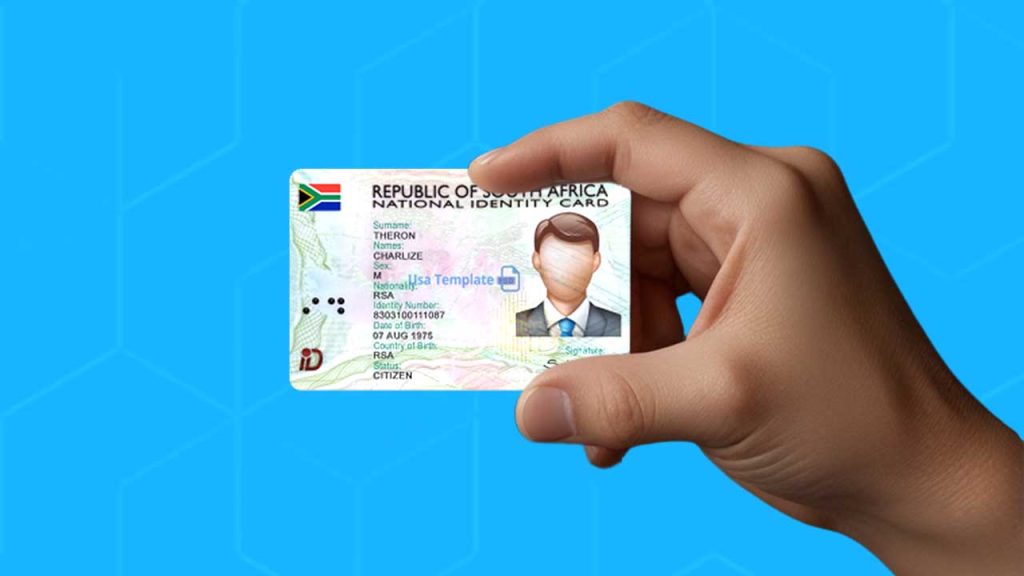
  • How to Apply for a Smart ID Online in South Africa

    How to Apply for a Smart ID Online in South Africa

    Quick Summary

    Applying for a Smart ID online in South Africa is simple:

    1. Register on eHomeAffairs – Register on the Official Department of Home Affairs Website.
    2. Fill out the application form – Provide your personal details.
    3. Book a biometric appointment – Choose a participating bank branch.
    4. Pay the application fee – R140 (free for first-time applicants).
    5. Visit the bank for biometrics – Fingerprints and photo will be taken.
    6. Wait for processing – Usually takes 10-14 working days.
    7. Collect your Smart ID – Pick it up from the same bank.

    Now, let’s go into the details.

    What Is a Smart ID, and Why Do You Need One?

    A Smart ID is South Africa’s modern version of the traditional green barcoded ID book. It’s a more secure card with embedded technology that helps prevent fraud. If you’re 16 or older, you need one—it’s essential for opening a bank account, applying for jobs, and proving who you are.

    Who Can Apply for a Smart ID Online?

    You can apply online if you meet these conditions:

    • You’re a South African citizen.
    • You’re applying for your first Smart ID or replacing a lost or damaged one.
    • You’re 16 years or older.
    • You have internet access to complete the online process.

    Now, let’s go step by step.

    Step 1: Register on the Department of Home Affairs Website

    The first thing you need to do is create an account on the Department of Home Affairs eHomeAffairs portal. Here’s how:

    1. Go to the official website: Visit the ehomeAffairs website (always use the official site to avoid scams!).
    2. Click on ‘Register’: You’ll need to provide your ID number, email address, and phone number.
    3. Create a password: Make sure it’s something secure but easy to remember.
    4. Verify your account: A confirmation email will be sent to you—click the link inside to activate your account.

    Once your account is set up, you’re ready for the next step.

    Step 2: Fill Out the Smart ID Online Application Form

    Now that you’re registered, log in and complete the application form. Here’s what to expect:

    • Personal Details: Full name, date of birth, and contact information.
    • Address: Where you currently live.
    • Reason for Application: First-time application, replacement, or renewal.

    Tip: Double-check all the information before you submit—mistakes could cause delays!

    Step 3: Book an Appointment for Biometrics

    After submitting your application, you’ll need to schedule an appointment at a participating bank branch to complete the process. Why? Because the government needs to take your fingerprints and a photo to verify your identity.

    Where Can You Go for Biometrics?

    Not all banks offer this service, but some branches of Absa, FNB, Nedbank, and Standard Bank participate. The online system will show you available options.

    How to Book Your Appointment:

    1. Select your preferred bank branch.
    2. Choose a date and time that works for you.
    3. Confirm your booking.

    Important: You must go to the bank in person for this step—no online shortcuts here!

    Step 4: Pay the Application Fee

    Applying for a Smart ID isn’t free (unless it’s your first time). Here’s what you need to know:

    Application TypeCost (ZAR)
    First-time Smart IDFree
    Replacement (Lost/Damaged)R140

    How to Pay:

    You can pay online using:

    Credit or debit card.
    EFT (Electronic Funds Transfer) if your bank supports it.

    Once you’ve paid, save the proof of payment—you’ll need it later.

    Step 5: Visit the Bank for Biometrics

    Now comes the only in-person step: your visit to the bank.

    What Happens at the Bank?

    • They’ll scan your fingerprints.
    • They’ll take a digital photo.
    • You’ll confirm your details one last time.

    What to Bring:

    • Your proof of payment (if applicable).
    • Your current ID book (if replacing it).
    • Any additional documents the system requested.

    After this, the bank sends your application to Home Affairs for processing.

    Step 6: Wait for Processing

    Once your biometrics are captured, your application is officially in motion! Processing usually takes 10-14 working days, but it can sometimes be faster or slower depending on demand.

    Want to check your application status? Log in to eHomeAffairs and track your progress.

    Step 7: Collect Your Smart ID

    Once your Smart ID is ready, you’ll get a notification. Pick it up from the same bank where you did your biometrics.

    What to Bring When Collecting:

    • Your old ID book (if applicable).
    • The SMS or email notification that says your ID is ready.
    • Any other requested documents.

    Note: Only YOU can collect your Smart ID—no one else can pick it up on your behalf!

    How to Apply for a Smart ID Online in South Africa

    FAQs

    QuestionAnswer
    Can I apply online if I don’t have internet?No, you’ll need to visit a Home Affairs office instead.
    What if I don’t have a bank account?You can still apply, but you must visit a Home Affairs office for biometrics.
    How long does it take to get a Smart ID?Usually 10-14 working days after biometric capture.
    Can I change my appointment date?Yes, log in to eHomeAffairs and reschedule.

    Applying for a Smart ID online in South Africa is a huge time-saver. Instead of waiting in long queues at Home Affairs, you can complete most of the process from your phone or computer. The only time you need to leave home is for biometrics—and even that is at a bank, not a government office!

    By following these simple steps, you’ll have your Smart ID in no time. If you’re ready to start, head over to the eHomeAffairs website and get going!

    Have questions? Drop them in the comments, and I’ll be happy to help!

  • How To Check Your Airtel Number in Nigeria

    How To Check Your Airtel Number in Nigeria

    If you’ve forgotten your Airtel number in Nigeria, dial *121*3*4# to retrieve it instantly. This guide explains alternative methods too.

    Ever found yourself needing to give someone your Airtel number but suddenly realizing you have no idea what it is? Maybe you just bought a new SIM, or you don’t use the number often enough to remember it. Don’t worry—you’re not alone! A lot of people have multiple SIM cards, and it’s easy to forget which number belongs to which one. You can also check all Airtel codes to find other useful USSD shortcuts for your Airtel line.

    Luckily, Airtel makes it super easy to check your number in just a few seconds. This guide will walk you through the different ways to find your Airtel number quickly and effortlessly. Let’s dive in!

    1. Use a USSD Code (The Fastest Method!)

    The simplest and quickest way to check your Airtel number is by dialing a special USSD code. Here’s how:

    1. Open your phone’s dialer.
    2. Dial *121*3*4#.
    3. Press the call button.
    4. Your Airtel number will instantly pop up on your screen.
    5. Jot it down or take a screenshot so you don’t forget!

    This method is perfect when you need your number on the spot without any hassle.

    2. Check Through the Airtel Menu

    If you prefer a step-by-step approach or can’t remember the USSD code above, you can navigate through Airtel’s service menu:

    1. Dial *121# on your Airtel line.
    2. Select Option 3 (‘My Account’).
    3. Choose Option 4 (‘My Number’).
    4. Your Airtel phone number will be displayed on your screen.

    It’s a slightly longer process, but still very easy to follow.

    3. Call or Text a Friend

    Sometimes, the simplest solutions are the best! If you have airtime, you can use your phone to check your Airtel number by doing one of the following:

    • Call a friend: Just dial their number, and once they pick up, ask them to tell you your number.
    • Send an SMS: Text a friend and ask them to send your number back to you.

    If you don’t have airtime, don’t worry—Airtel has a way for you to still reach out to someone.

    How To Check Your Airtel Number in Nigeria

    4. Use Airtel’s “Call Me Back” Feature (If You Have No Airtime)

    If you’re out of airtime and can’t call or text, Airtel allows you to send a free “Call Me Back” message. Here’s how:

    1. Dial *140*Friend’s Number#.
    2. Your friend will receive a message asking them to call you back.
    3. Once they call, ask them to read out your number.

    It’s a handy trick when you’re in a pinch!

    5. Check Your SIM Pack

    If you still have the original SIM pack your Airtel line came in, your phone number is printed on it. Look for the part where the SIM was attached—it usually has the number listed there.

    Quick Comparison of Methods

    MethodRequires Airtime?Steps InvolvedSpeed
    USSD Code *121*3*4#No1 stepFast
    Airtel Menu *121#No3 stepsMedium
    Calling a FriendYes1 stepFast
    Sending an SMSYes1 stepFast
    “Call Me Back” *140*Number#No1 stepFast
    Checking SIM PackNo1 stepInstant

    Now that you know how to check your Airtel number in Nigeria, you’ll never have to struggle with remembering it again. The fastest method is the USSD code *121*3*4#, but if you ever forget it, calling or texting a friend works just as well. If you’re out of airtime, the “Call Me Back” feature is a lifesaver.

    Save this guide for later, or better yet, write your Airtel number down somewhere handy so you always have it when you need it!

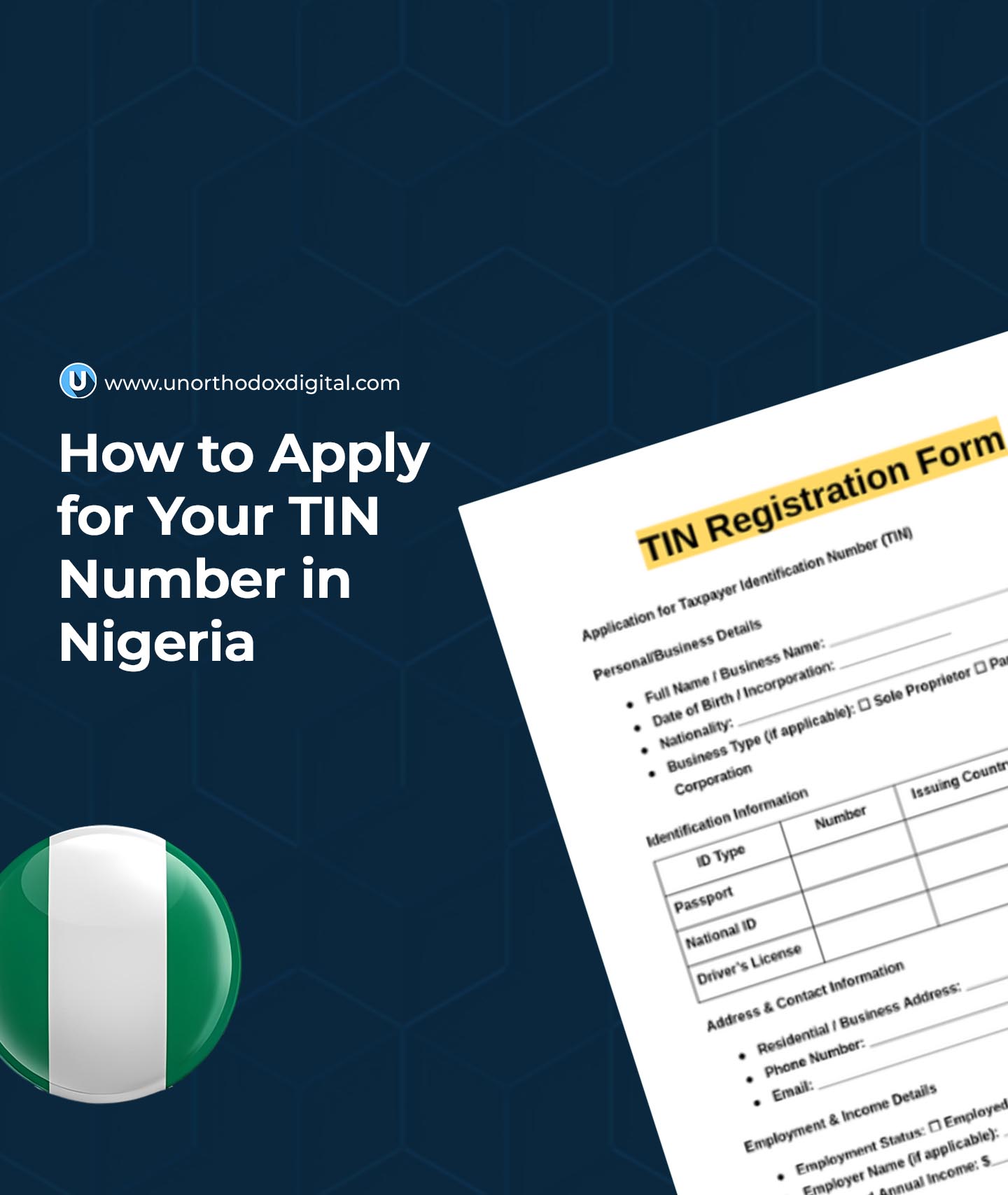
  • How to Get Your TIN Number in Nigeria Fast

    How to Get Your TIN Number in Nigeria Fast

    If you’re planning to open a business, apply for a government loan, or even just open a bank account in Nigeria, you need a Tax Identification Number (TIN).

    It’s like a unique ID that helps the government track taxes and ensures you’re eligible for certain financial transactions. But don’t worry—it’s not as complicated as it sounds! This guide breaks down everything you need to know in a simple, easy-to-follow way.

    What is a TIN, and Why Do You Need It?

    A Tax Identification Number (TIN) is a unique number issued by the Federal Inland Revenue Service (FIRS) to individuals and businesses for tax purposes. Think of it like a student ID, but instead of tracking your school activities, it tracks tax payments and financial transactions.

    Here’s why you need a TIN:

    • Opening a Business Bank Account – Banks require a TIN before setting up a corporate account.
    • Applying for Government Loans – If you’re hoping to get financial assistance from the government, you must have a TIN.
    • Filing and Paying Taxes – Whether you run a business or work for yourself, having a TIN keeps you compliant with tax laws.
    • Registering a Business – If you want to legally operate a business, you’ll need a TIN to complete the process.
    • Engaging in Import/Export Activities – Businesses that import or export goods need a TIN to obtain licenses.

    Who Needs a TIN in Nigeria?

    Anyone involved in financial activities needs a TIN. That includes:

    • Individuals who earn taxable income
    • Freelancers and self-employed professionals
    • Business owners
    • Companies registered with the Corporate Affairs Commission (CAC)
    • Importers and exporters

    Documents Required for TIN Application

    The documents you need depend on whether you’re applying as an individual, a business, or an incorporated company. Here’s a breakdown:

    CategoryRequired Documents
    Individuals– Valid ID (National ID, Driver’s License, or Passport)
                          - Recent utility bill (Electricity bill, water bill, etc.)  
                          - Completed TIN application form |

    | Registered Businesses | – Business registration certificate
    – Utility bill
    – Completed TIN application form | | Incorporated Companies | – Certificate of Incorporation
    – Memorandum and Articles of Association (MEMART)
    – Particulars of directors and share capital statement |

    Make sure all your documents are accurate and up to date to avoid delays.

    How to Get Your TIN in Nigeria Fast: Step-by-Step Guide

    There are two main ways to apply for a TIN—online and in person. The online process is faster and more convenient.

    For Individuals

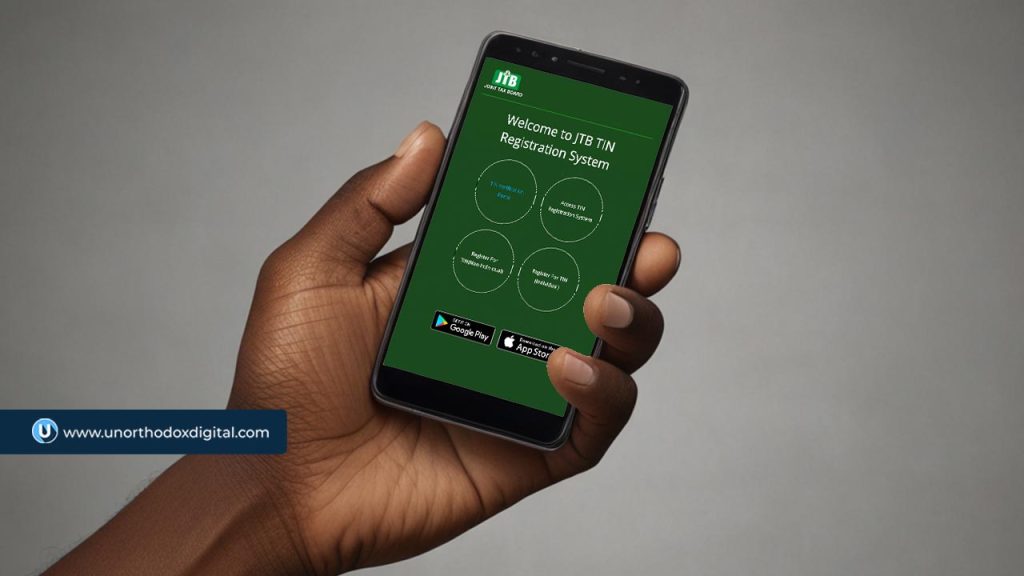
    1. Visit the Joint Tax Board (JTB) Website – Go to JTB TIN Registration portal and click on “Register For TIN (Individual).”
    2. Fill Out the Application Form – Provide your personal details, such as your name, date of birth, BVN (Bank Verification Number), and NIN (National Identification Number).
    3. Upload Your Documents – Attach a scanned copy of your ID and a recent utility bill.
    4. Submit the Application – Review your details and submit the form.
    5. Get Your TIN – If your application is approved, you’ll receive your TIN via email or SMS within a few days.

    👉 Tip: If you already have a BVN or NIN, you might already have a TIN assigned to you. You can check on the JTB’s TIN Verification Portal before applying.

    For Businesses and Companies

    1. Visit the FIRS Tax Office or JTB Website – Go to Register For TIN (Non-Individual) on the JTB TIN Registration Portal or visit the nearest Federal Inland Revenue Service (FIRS) office.
    2. Provide Business Details – Enter your business name, registration number, and company address.
    3. Upload Required Documents – Submit copies of your CAC registration certificate, MEMART, and director details.
    4. Submit the Application – Double-check all details and send in your application.
    5. Receive Your TIN – If everything is in order, your TIN will be issued within 7–10 business days.

    👉 Tip: If there’s a delay, follow up with the FIRS office where you applied.

    How to Get Your TIN Number in Nigeria Fast

    How to Verify Your TIN

    Once you’ve gotten your TIN, you should confirm that it’s valid and properly registered. Here’s how:

    1. Go to the FIRS Trade Portal – Click on the TIN Verification Portal.
    2. Enter Your TIN and Email Address – Provide your details in the verification form.
    3. Complete the Security Check – Solve the CAPTCHA to verify you’re not a robot.
    4. Click “Validate” – If your TIN is valid, you’ll receive a confirmation message and an email with final registration details.

    Common TIN Application Issues & How to Fix Them

    Even though the process is straightforward, some applicants face issues. Here’s how to solve them:

    IssuePossible CauseSolution
    Delayed ProcessingHigh application volumeFollow up with FIRS office
    Incorrect DetailsMistyped name or ID numberDouble-check and reapply
    Missing DocumentsIncomplete submissionEnsure all documents are provided
    No Response After SubmissionSystem error or wrong emailVisit FIRS office to confirm status

    Final Tips for a Smooth TIN Application

    To make sure you get your TIN without any stress, keep these tips in mind:

    Provide Accurate Information – Errors can delay processing. Double-check all entries.

    Use Online Platforms – Applying online is usually faster than going in person.

    Keep Copies of Your Documents – Always save digital and physical copies of your submitted documents.

    Follow Up If Needed – If you don’t get a response within the expected timeframe, contact the FIRS office.

    Verify Your TIN – Check the JTB portal to ensure your TIN is active before using it for transactions.

    Getting a TIN in Nigeria doesn’t have to be complicated. Whether you’re an individual or a business, following the right steps can make the process fast and stress-free. By applying online, ensuring your documents are accurate, and verifying your TIN after registration, you’ll be ready to access essential financial services without any issues. If you haven’t gotten your TIN yet, now is the time to do it!

    Need more help? Visit the Federal Inland Revenue Service (FIRS) website or your nearest tax office for additional support.

  • How to Flash Your Android Phone Without a PC

    How to Flash Your Android Phone Without a PC

    Flashing your Android phone without a computer might sound like a high-tech hacker move, but it’s actually something you can do yourself if you follow the right steps.

    Think of it like giving your Samsung or Xiaomi phone a fresh start, like resetting a video game when things aren’t going your way. Whether your device is sluggish, buggy, or you want a new custom ROM, this guide will walk you through everything in a simple, easy-to-follow way. Let’s get started!

    What Does Flashing Mean?

    Flashing your phone means installing a new version of its operating system (called a ROM) or fixing software issues by replacing the current system files. It’s like wiping off an old chalkboard and drawing something new. Sometimes, flashing is needed to:

    • Fix software issues and crashes.
    • Remove bloatware that slows your phone down.
    • Install a custom ROM for more features and better performance.

    And the best part? You don’t need a computer to do it!

    Things to Do Before Flashing

    Before we jump in, there are a few important steps to take. Skipping these could lead to losing your data or even bricking your phone (which means turning it into an expensive paperweight).

    1. Back Up Your Data

    Flashing erases everything, so you’ll want to back up your contacts, messages, photos, and apps. Here’s how:

    Data TypeHow to Back Up
    ContactsSync with Google Account
    PhotosUse Google Photos, OneDrive, or an SD card
    MessagesUse SMS Backup & Restore app
    Apps & SettingsUse your phone’s built-in backup feature

    2. Charge Your Phone

    Your phone should have at least 70% battery to avoid shutting down in the middle of flashing, which could cause major issues.

    3. Enable Developer Options

    Developer Options give you access to settings that aren’t usually available. Here’s how to enable them:

    1. Go to Settings > About Phone.
    2. Find Build Number and tap it 7 times until you see “You are now a developer!”
    3. Go back to Settings, and you’ll see Developer Options.

    4. Enable OEM Unlocking and USB Debugging

    Still in Developer Options:

    • Turn on OEM Unlocking (this allows you to unlock your bootloader).
    • Turn on USB Debugging (this lets your phone communicate with external tools).

    Steps to Flash Your Android Phone Without a PC

    1. Download Required Files

    You’ll need:

    • Custom Recovery (like TWRP) to install the new ROM.
    • A new ROM (official firmware or a custom ROM like LineageOS).

    Make sure the files match your phone model exactly!

    2. Move Files to Your Phone

    Once downloaded, move the files to your phone’s internal storage or SD card so they’re easy to find later.

    3. Boot into Recovery Mode

    This step lets you access special tools for flashing your phone. Here’s how:

    1. Power off your phone.
    2. Press and hold Volume Up + Power (or Volume Down + Power depending on your phone model).
    3. Keep holding until the Recovery Mode menu appears.

    4. Backup Your Current ROM (Optional but Recommended)

    If anything goes wrong, you can restore your phone to how it was.

    • In TWRP recovery, select Backup and choose System, Data, and Boot.
    • Swipe to start the backup process.

    5. Wipe Data and Cache

    Before flashing the new ROM, you need to clean out the old files:

    • In recovery mode, select Wipe > Advanced Wipe.
    • Check Dalvik Cache, System, Data, and Cache.
    • Swipe to confirm the wipe.

    6. Flash the New ROM

    Now comes the main part!

    1. Go back to the main recovery menu.
    2. Select Install.
    3. Navigate to where you saved the ROM file.
    4. Tap it and swipe to flash.

    Wait a few minutes while the ROM installs.

    7. Reboot Your Phone

    After installation, go back to the main menu and tap Reboot System. Your phone will restart, and the first boot might take 5-10 minutes—that’s normal!

    What to Expect After Flashing

    • Your phone will feel fresh and clean.
    • You may need to reinstall apps and log into your accounts.
    • If you flashed a custom ROM, you’ll have new features and a different interface.

    Troubleshooting Common Problems

    ProblemSolution
    Phone stuck on logoTry booting into recovery mode and wiping cache and data.
    Can’t boot into recoveryCheck if you installed a compatible TWRP version.
    No SIM detectionFlash the correct modem firmware for your ROM.

    Flashing your Android phone without a PC might seem intimidating, but once you understand the steps, it’s pretty straightforward. Just remember to back up your data, download the right files, and follow each step carefully.

    Now go ahead—breathe new life into your phone and enjoy the freedom of customizing your Android experience!

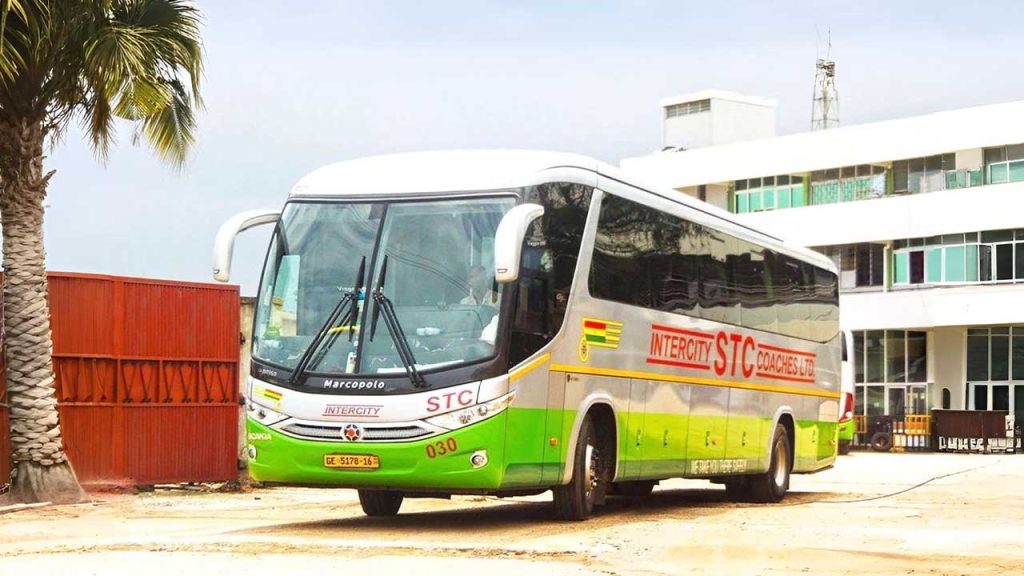
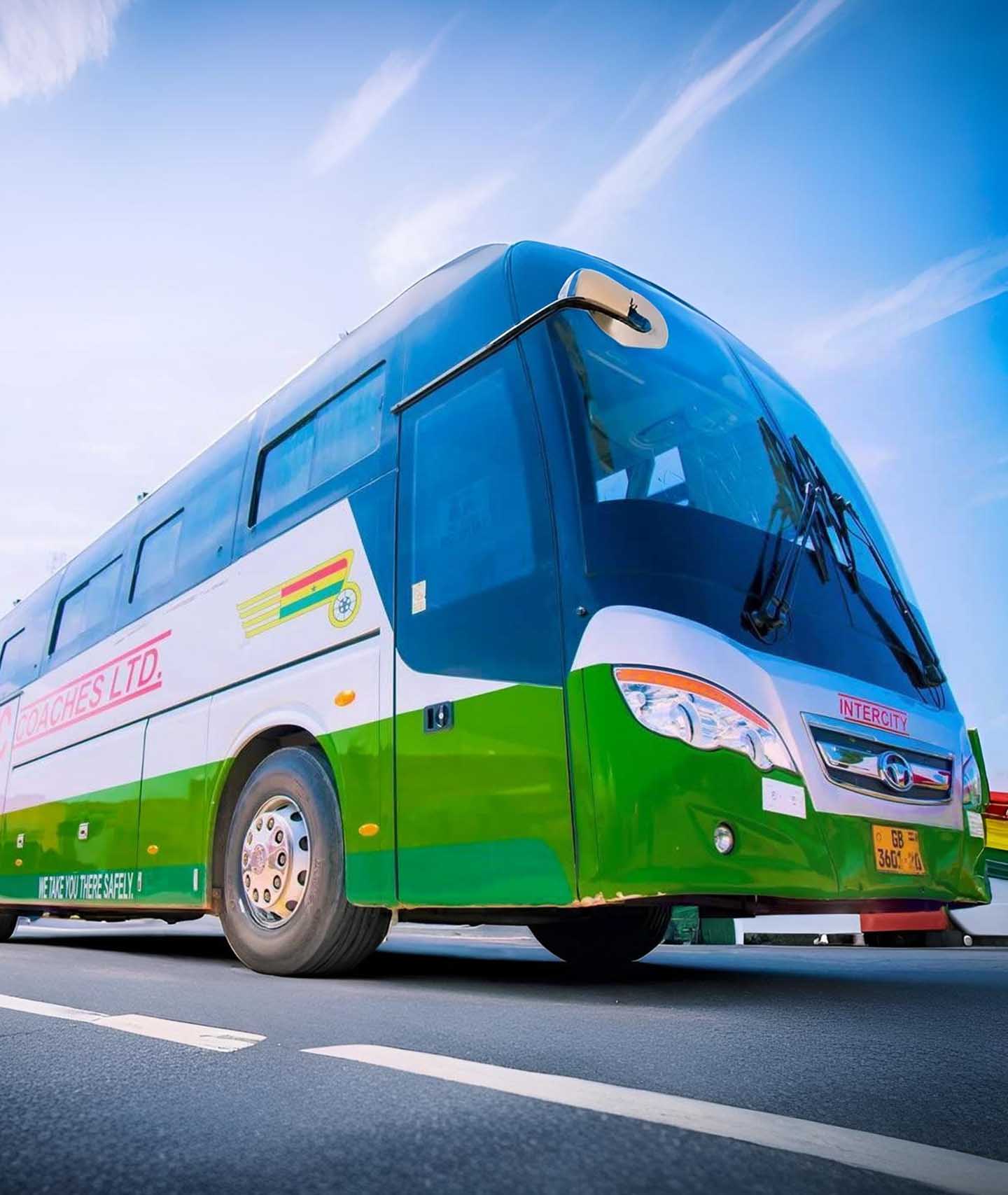
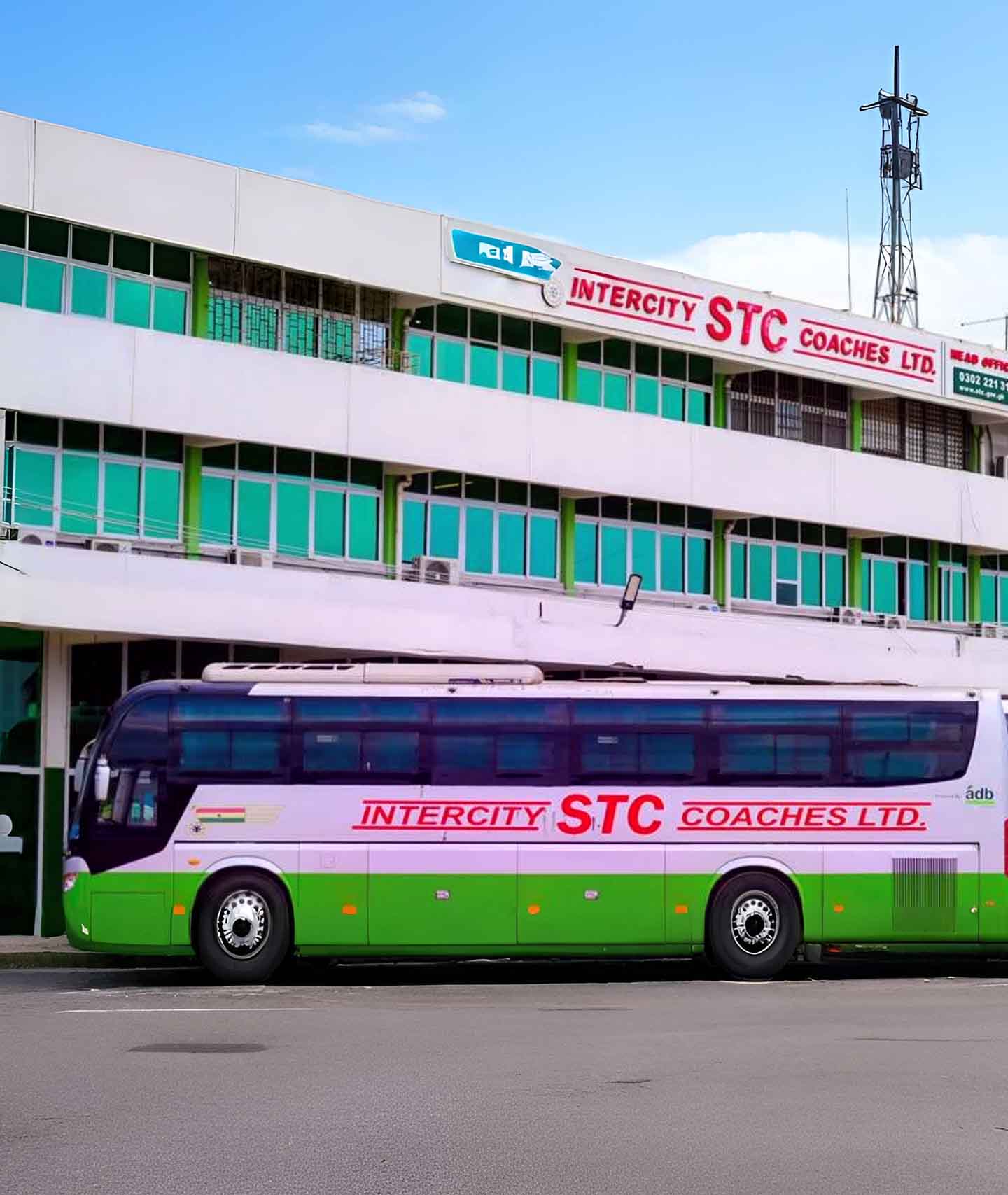
  • How to Book an STC Bus Ticket Online in Ghana

    How to Book an STC Bus Ticket Online in Ghana

    Traveling by bus in Ghana can be an easy and enjoyable experience, especially with the State Transport Corporation (STC).

    STC buses are known for their comfort, reliability, and excellent customer service. The best part? You don’t have to stand in long queues at the bus terminal to buy your ticket. Instead, you can book it online from your phone or computer in just a few minutes.

    In this guide, we’ll walk you through the simple steps to book an STC bus ticket online, answer common questions, and give you some extra tips to make your trip smoother.

    Why Book Your STC Bus Ticket Online?

    Before we dive into the steps, let’s look at why online booking is a great option:

    • No Long Queues: You don’t have to waste time standing in line at the station.
    • Convenience: Book your ticket from anywhere—home, office, or even while on the go.
    • Secure Payments: Pay safely using mobile money or bank card.
    • Choose Your Seat: Some STC buses allow you to select your preferred seat.

    Now, let’s get into how you can book your ticket online.

    How to Book an STC Bus Ticket Online in Ghana

    Step-by-Step Guide to Booking Your STC Bus Ticket Online

    1. Visit the STC Ticketing Website

    Open your web browser and go to stcticketing.gov.gh. This is the official website for booking STC tickets online.

    2. Enter Your Travel Details

    On the homepage, you’ll see fields where you need to enter:

    • Traveling From: Type in your current location (e.g., Accra, Kumasi, Takoradi).
    • Traveling To: Enter your destination.
    • Departure Date: Select the date you want to travel.

    3. Search for Available Buses

    After entering your details, click the Search button. The system will show you a list of available buses for your chosen date, along with the departure times and ticket prices.

    Bus TypeDeparture TimeFare (GHS)
    Express6:00 AM100
    Standard9:00 AM80
    VIP12:00 PM150

    If there are no buses available for your selected date, the system will notify you.

    4. Choose Your Bus and Seat

    Select the bus that suits your schedule and budget. Some buses allow you to pick your seat from a seating chart.

    5. Make Payment

    To confirm your booking, you’ll need to pay for your ticket. STC accepts payments through:

    • Mobile Money (MTN, Vodafone, AirtelTigo)
    • Debit/Credit Card

    Follow the on-screen instructions to complete your payment.

    6. Receive Your Ticket

    Once payment is successful, STC will send your ticket receipt to the email or mobile number you provided. Your ticket will contain important details like:

    • Booking reference number
    • Bus departure time
    • Seat number (if applicable)
    • Bus terminal location

    Make sure to save this ticket or print it out for your trip.

    What to Do If You Encounter Issues

    Sometimes, things don’t go as planned. If you have trouble booking your ticket online or have any questions, you can visit an STC office or call customer support.

    STC Physical Offices & Contact Information

    Here are some key STC offices where you can get assistance:

    STC Main Office (Accra)

    STC Kumasi Branch

    • Location: Adum Oforikrom Terminal, Workshop and Administration
    • Phone: 0557943607 / 0573100383 / 0573100390

    Tudu Station (Accra)

    • Location: Opposite Kimbu Senior High School, Central Business District
    • Phone: 0573100340

    Tips for a Smooth Travel Experience

    • Arrive Early: Even with an online ticket, it’s best to get to the terminal at least 30 minutes before departure.
    • Carry a Valid ID: Some trips may require identification for verification.
    • Keep Your Phone Charged: You might need to show your e-ticket on your phone.
    • Double-Check Your Travel Date & Time: Mistakes can happen, so always confirm your details before making payment.
    How to Book an STC Bus Ticket Online in Ghana

    Booking an STC bus ticket online in Ghana is fast, easy, and convenient. With just a few clicks, you can secure your seat and avoid the hassle of long queues at the terminal. Whether you’re traveling for business, school, or leisure, this online system makes planning your trip stress-free.

    Now that you know how to book your ticket, go ahead and give it a try for your next journey. Safe travels!

  • How To Reset MTN MoMo PIN If You Forget It In Nigeria

    How To Reset MTN MoMo PIN If You Forget It In Nigeria

    Learn how to reset your MTN MoMo PIN in Nigeria using *671# with simple steps for secure access to your account.

    Forgetting your MTN MoMo PIN can be frustrating, but don’t worry—you can reset it quickly and easily. Think of it like forgetting the key to your piggy bank. You wouldn’t throw the whole piggy bank away, right? Instead, you’d find a way to get a new key. That’s exactly what we’re going to do with your MoMo PIN.

    In this guide, I’ll show you the simple steps to reset your MTN MoMo PIN in Nigeria, plus a few tips to keep it safe in the future.

    What is an MTN MoMo PIN, and Why is it Important?

    Your MTN MoMo PIN is a four-digit number that protects your mobile money account. It’s like the secret code you use to unlock a treasure chest. Without it, no one (not even you!) can access your MoMo wallet.

    If you enter the wrong PIN too many times, your account may be blocked for security reasons. That’s why it’s important to reset your PIN as soon as you forget it.

    Steps to Reset Your MTN MoMo PIN in Nigeria

    MTN makes it easy to reset your MoMo PIN using a simple USSD code. Follow these steps:

    1. Dial *671# on your MTN line.
      Think of this as knocking on the MoMo door—it gets you started!
    2. Select option 8 for ‘Account Management’.
      This is like choosing the right tool for the job. You’re telling the system that you want to manage your account.
    3. Choose option 3 to reset your PIN.
      This is where you get to set up a new PIN. Just follow the prompts on your screen.
    4. Enter a new four-digit PIN.
      Pick something you’ll remember but that’s hard for others to guess. Avoid birthdays or easy sequences like 1234.
    5. Confirm your new PIN.
      Enter it again to make sure there are no mistakes. Think of this as double-checking a padlock before walking away.

    Once you complete these steps, your new PIN is ready to use. Easy, right?

    What If You Can’t Reset Your PIN Using USSD?

    Sometimes, things don’t go as planned. If you run into any issues while trying to reset your MoMo PIN, here’s what to do:

    ProblemSolution
    You forgot your phone number is linked to MoMoDial *671# to check if your number is registered.
    USSD code isn’t workingEnsure you have good network coverage and enough airtime.
    Your account is lockedCall MTN customer support at 180 for assistance.
    You didn’t receive a confirmation messageWait a few minutes and try again.
    How To Reset MTN MoMo PIN If You Forget It In Nigeria

    Tips to Keep Your MoMo PIN Safe

    Now that you have a new PIN, let’s make sure you don’t forget it or let it fall into the wrong hands.

    1. Memorize it, don’t write it down.
      Think of your PIN like the secret ingredient in your favorite recipe—keep it safe!
    2. Avoid using easy-to-guess numbers.
      No birthdays, phone numbers, or repeating numbers like 0000.
    3. Change your PIN regularly.
      Just like changing passwords, updating your PIN now and then keeps your account secure.
    4. Never share your PIN.
      Not with friends, family, or even people claiming to be from MTN. MTN will NEVER ask for your PIN.
    5. Be careful where you enter your PIN.
      If someone is standing too close while you’re entering your PIN, wait until they move away.

    Forgetting your MTN MoMo PIN doesn’t have to be stressful. With the simple USSD code *671#, you can reset your PIN in just a few steps. If you ever have trouble, MTN’s customer support is there to help.

    Now that you know how to reset your MoMo PIN, you can enjoy worry-free mobile money transactions. Just remember to keep your PIN safe and secure!

    Got any more questions? Drop them in the comments, and let’s chat!

  • How to Renew NHIS Membership on Your Phone in Ghana

    How to Renew NHIS Membership on Your Phone in Ghana

    Learn how to renew your NHIS (National Health Insurance Scheme) membership in Ghana quickly by dialing *929# on your phone for renewal.

    Renewing your National Health Insurance Scheme (NHIS) membership in Ghana used to mean long, frustrating queues at NHIS offices. But not anymore! Now, you can do it quickly and easily from your phone, no matter where you are.

    If you’ve ever wondered how to renew your NHIS membership without the stress, this guide will walk you through the entire process in a way that’s simple and easy to follow. By the end, you’ll be renewing your NHIS membership like a pro!

    Why Renew Your NHIS Membership?

    The NHIS gives you access to healthcare services at hospitals, clinics, and pharmacies without paying out-of-pocket for every visit. But here’s the catch: if you don’t renew your membership on time, you lose access to these benefits.

    So, if you want to keep enjoying free or affordable healthcare, renewing your NHIS membership every year is a must. And the good news? You can do it right from your phone, using just a few taps.

    What You Need Before Renewing

    Before you start, make sure you have:

    • A phone with a working AirtelTigo, MTN, or Telecel SIM card
    • Enough money in your mobile money account to pay the renewal fee
    • Your NHIS card number (the 8-digit number found on your NHIS membership ID, just below your date of birth)

    Step-by-Step Guide to Renewing NHIS Membership on Your Phone

    Follow these steps to renew your NHIS membership using your phone:

    Step 1: Dial the NHIS Renewal Code

    • Open your phone’s dialer and type *929#, then press the call button.

    Step 2: Select ‘Renew Membership’

    • You’ll see a menu on your screen with different options.
    • Choose Option 2 (Renew Membership) and press send.

    Step 3: Choose NHIS Card

    • Next, select Option 1 (NHIS Card) when prompted.

    Step 4: Enter Your NHIS Card Number

    • Type in your 8-digit NHIS card number (this is on your membership ID, just below your date of birth).
    • Double-check the number and enter it again to confirm.

    Step 5: Make Payment

    • Follow the on-screen prompts to complete payment using your MTN Mobile Money, AirtelTigo Money, or Telecel Cash.

    Step 6: Confirmation

    • Once payment is successful, you’ll receive an SMS confirming your renewal.

    And that’s it! Your NHIS membership is now active for another year.

    How Much Does NHIS Renewal Cost?

    The renewal cost depends on your age and category. Here’s a breakdown:

    CategoryRenewal Fee (GHS)
    Children (Below 18)6.00
    Adults (18 – 69)28.00
    The Aged (70+)6.00
    SSNIT Contributors6.00
    How to Renew NHIS Membership on Your Phone in Ghana

    Important Things to Know About NHIS Renewal

    • Renewal is valid for one year. You’ll need to renew it every year to continue enjoying NHIS benefits.
    • Renew early to avoid delays. If you renew at least one month before expiry, your coverage will remain uninterrupted.
    • If your membership has expired for more than three months, renewal might take up to one month before it becomes active again.

    Extra NHIS Services You Can Access with *929#

    Besides renewal, the *929# short code allows you to:

    • Check your NHIS policy validity (to confirm if your membership is active)
    • Check NHIS medicine list (to see which medicines are covered)
    • Check benefit package (to know the services covered by NHIS)

    Why This Mobile Renewal System is a Game-Changer

    Before this system, renewing NHIS meant traveling to an NHIS office, standing in long queues, and waiting hours just to pay a renewal fee. Now, with a simple short code, you can renew your membership in minutes—no stress, no long waits, and no transport costs.

    If you haven’t renewed your NHIS yet, don’t wait until you need it for a hospital visit. Dial *929# today and renew from the comfort of your home. Stay covered, stay healthy!

  • How to Get a Loan from AirtelTigo in Ghana Fast

    How to Get a Loan from AirtelTigo in Ghana Fast

    This article explains how to borrow money from AirtelTigo in Ghana fast using its Fido Loan and Speed Loan options.

    If you’re an AirtelTigo user in Ghana and need quick cash, AirtelTigo’s loan service has got you covered. Whether you need money for an emergency, a last-minute bill, or just to hold you over until payday, this guide will show you exactly how to get a loan fast using AirtelTigo Money.

    Let’s break it down step by step so it’s super easy to understand.

    What is the AirtelTigo Loan?

    AirtelTigo, in partnership with Speed Microfinance Limited, offers short-term loans to eligible users through AirtelTigo Money (AT Money). These loans can be used for anything you need—whether it’s settling a bill, covering transport costs, or making a quick purchase.

    Here’s how it works:

    • You borrow money through your AT Money account.
    • You repay the loan within 30 days.
    • There’s a small interest charge on the amount borrowed.

    The money is deposited into your AirtelTigo Money wallet within an hour after approval, so it’s a quick and convenient option when you need funds fast.

    Who Can Apply for an AirtelTigo Loan?

    Not everyone is eligible for an AirtelTigo loan. You must meet these basic requirements:

    RequirementDetails
    AgeYou must be at least 18 years old.
    AT Money AccountYour AT Money wallet must be active and registered in your name.
    Ghana CardYour AirtelTigo SIM must be linked to your Ghana Card.

    If you meet these criteria, you’re good to go!

    How to Borrow Money from AirtelTigo Money

    Applying for an AirtelTigo loan is easy and takes just a few minutes. Follow these steps:

    1. Dial *110# on your AirtelTigo line.
    2. Select “Savings and Loans.”
    3. Choose “Loans and Pay Back Loan.”
    4. Select “Speed Loan.”
    5. Follow the prompts to complete your loan request.
    6. If approved, you’ll receive an SMS confirmation, and the money will be credited to your AT Money wallet within 60 minutes.

    That’s it! No paperwork, no long waiting times—just a quick loan when you need it.

    How Much Can You Borrow?

    The amount you can borrow depends on your AirtelTigo Money transaction history. If you regularly use AT Money for payments and transfers, you’re more likely to qualify for a higher loan amount.

    AirtelTigo Loan Interest Rate and Fees

    Just like any loan, borrowing from AirtelTigo comes with interest. Here’s a simple breakdown:

    Loan Amount (GH₵)Interest (5.9%)Total Repayment (GH₵)
    502.9552.95
    1005.90105.90
    20011.80211.80
    50029.50529.50

    If you don’t repay your loan on time, AirtelTigo will charge a penalty fee of 15.5% on the outstanding amount. So, it’s best to pay back your loan on time to avoid extra charges.

    How to Get a Loan from AirtelTigo in Ghana Fast

    How to Repay Your AirtelTigo Loan

    There are two ways to repay your AirtelTigo loan: manual repayment and automatic deduction.

    1. Manual Repayment

    If you want to repay the loan yourself, follow these steps:

    1. Dial *110# on your AirtelTigo line.
    2. Select “Savings and Loans.”
    3. Choose “Loans and Pay Back Loan.”
    4. Select “Speed Loan.”
    5. Follow the prompts to repay the loan.

    If you took a Fido Loan, you can repay it through AirtelTigo Money by selecting “Pay Back Fido Loan” in the loan repayment menu.

    2. Automatic Deduction

    AirtelTigo also makes repayment easy by automatically deducting the loan amount from your AT Money wallet on the due date. Just make sure you have enough money in your wallet when the time comes!

    Tips to Increase Your Loan Limit

    Want to borrow more next time? Here’s how to improve your loan limit:

    • Use AirtelTigo Money Regularly: The more you use AT Money for transactions, the better your chances of getting a higher loan limit.
    • Repay on Time: Paying back your loans promptly builds trust and increases your borrowing limit.
    • Keep Your Account Active: If your AT Money account is dormant, you may not qualify for a loan.

    AirtelTigo loans are a lifesaver when you need quick cash. They’re fast, convenient, and easy to apply for. Just remember to borrow responsibly and repay on time to avoid penalties.

    Now that you know how to get a loan from AirtelTigo in Ghana fast, you can confidently access emergency funds whenever you need them!

    Need help? If you experience any issues, contact AirtelTigo customer support by dialing 100 or visiting an AirtelTigo shop near you.

  • How to Stop Unwanted AirtelTigo Subscriptions in Ghana

    How to Stop Unwanted AirtelTigo Subscriptions in Ghana

    Easily check and cancel your AirtelTigo subscriptions to avoid extra charges. Dial *100*3*5# to view and *100*4# to cancel.

    Have you ever checked your AirtelTigo balance and thought, “Wait, where did my airtime go?” You’re not alone! Many people unknowingly subscribe to services that silently eat up their credit. These can be caller tunes, data plans, or promotional offers you didn’t even realize you signed up for. But don’t worry—I’ll show you exactly how to check and cancel these unwanted subscriptions so you can keep your airtime for things you actually need.

    How to Check Your AirtelTigo Subscriptions

    Before canceling anything, you first need to see what subscriptions are currently active on your line. Here’s how to check:

    Using USSD Code

    1. Dial *100# on your AirtelTigo line.
    2. Select “Usage & Subscriptions History.”
    3. Choose “Promos & Product Subscription.”
    4. Wait for an SMS message listing your active subscriptions.

    After following these steps, AirtelTigo will send you a message showing all the services you’re currently subscribed to. If you see something you don’t recognize or no longer need, it’s time to cancel it!

    How to Cancel Unwanted AirtelTigo Subscriptions

    Once you’ve identified the unwanted subscriptions, follow these steps to remove them:

    Using USSD Code to Unsubscribe

    1. Dial *100# again.
    2. Select “Content Manager.”
    3. Choose “Deactivate Content Subscriptions.”
    4. Select “Deactivate Content Services.”
    5. Pick the subscription you want to cancel from the list.
    6. Enter 1 to confirm cancellation.
    7. Wait for a confirmation SMS.

    This method works for most services, but sometimes you might still see deductions even after unsubscribing. If that happens, don’t panic—there are other ways to fix it.

    How to Stop Unwanted AirtelTigo Subscriptions in Ghana

    What If You’re Still Being Charged?

    If you’re still losing airtime even after unsubscribing, it could be due to hidden subscriptions or system issues. Here’s what you can do:

    1. Contact AirtelTigo Customer Support

    You can reach out to AirtelTigo’s customer care team for assistance:

    • Call 100 on your AirtelTigo number.
    • Explain that you’re being charged for a service you didn’t subscribe to or one you already canceled.
    • Ask them to manually cancel all unwanted subscriptions on your line.

    2. Visit an AirtelTigo Office

    If calling doesn’t resolve the issue, visiting a nearby AirtelTigo office can be more effective. A representative can check your account and ensure all unwanted services are removed.

    3. Use the MyAirtelTigo App

    If you have a smartphone, the MyAirtelTigo app is another great way to manage your subscriptions. Just download the app, log in, and navigate to the subscriptions section to cancel any unwanted services.

    Summary Table: Checking and Cancelling AirtelTigo Subscriptions

    ActionSteps
    Check active subscriptionsDial *100# > Select “Usage & Subscriptions History” > Choose “Promos & Product Subscription”
    Cancel unwanted subscriptionsDial *100# > “Content Manager” > “Deactivate Content Subscriptions” > Choose service > Confirm cancellation
    Contact AirtelTigo for helpCall 100 or visit an AirtelTigo office
    Use MyAirtelTigo AppOpen app > Navigate to subscriptions > Cancel unwanted services

    Final Tips to Avoid Unwanted Subscriptions

    1. Be careful when clicking pop-ups or SMS links – Some subscriptions activate when you click on promotional messages.
    2. Avoid dialing random shortcodes – These sometimes enroll you in paid services.
    3. Regularly check your subscriptions – Make it a habit to check every few weeks to catch any new unwanted charges early.
    4. Use the Do Not Disturb (DND) feature – This helps block promotional messages that might auto-subscribe you to services.

    No one likes losing airtime to services they don’t need. By following the steps in this guide, you can easily check and cancel unwanted AirtelTigo subscriptions in Ghana. If you ever notice unexpected deductions, don’t hesitate to contact customer support or visit an AirtelTigo office. Stay in control of your airtime and only pay for what you actually use!

  • How to Buy an SMS Bundle on MTN Ghana

    How to Buy an SMS Bundle on MTN Ghana

    Buy MTN SMS bundles in Ghana from GHS 0.62 for 20 SMS to GHS 11.29 for 900 SMS. Dial *138# now.

    Staying connected is essential, and sometimes, a good old-fashioned SMS is the best way to reach someone. Maybe you need to text a friend, send a reminder, or chat with someone who doesn’t use social media. Whatever the reason, buying an SMS bundle on MTN Ghana is a smart way to save money instead of paying per text. But how do you get one?

    Don’t worry, I’ve got you covered. This guide will walk you through the entire process—step by step—in the simplest way possible. By the end, you’ll be an expert at buying SMS bundles, checking your balance, and even exploring other MTN offers that include SMS. Let’s dive in!

    Why Buy an SMS Bundle?

    If you send SMS messages often, buying a bundle is a great idea. Instead of paying GHS 0.0658 per SMS, you get a much better deal with an SMS bundle. Here’s a quick look at the available options:

    Price (GHS)Number of SMS
    0.6220
    1.2550
    2.52150
    6.27400
    11.29900

    See? You get more value when you buy in bulk!

    How to Buy an MTN SMS Bundle

    Now, let’s go through the steps to buy an SMS bundle on MTN Ghana. Follow these instructions carefully:

    1. Dial *138# on your MTN phone and press the call button.
    2. Select ‘Proceed to Buy Bundle’ from the menu.
    3. Select 99 for ‘More’ (MTN likes to keep things hidden, but we know the way!).
    4. Select 7 for ‘More’ again.
    5. Choose ‘Buy Combo Bundle’ (this is where SMS bundles live).
    6. Select ‘Buy for Self’ (if you’re buying for your own number).
    7. Pick ‘SMS Bundles’ from the list.
    8. Choose your preferred SMS bundle from the pricing options.
    9. Select ‘Buy’ to confirm your choice.
    10. Choose a payment method—either airtime or Mobile Money (MoMo).
    11. If using Mobile Money, wait for the prompt and enter your PIN to confirm payment.
    12. Once approved, you’ll receive a confirmation SMS with your new SMS balance.

    That’s it! You’re all set to start texting at a lower cost.

    How to Check Your MTN SMS Balance

    After buying an SMS bundle, you might want to check how many messages you have left. Here’s how:

    • Dial *124#, and a pop-up notification will show your available SMS balance.
    • Use the MyMTN App, where your balances for SMS, data, and airtime are displayed on the homepage.

    Other MTN Offers That Include SMS Bundles

    If you’re looking for bundles that give you a mix of SMS, data, and voice minutes, MTN has some great options. Here are a few worth checking out:

    Bundle NameSMS IncludedExtra Features
    AFA Bundle10-25 SMSData + Voice
    Sunday Special10 SMSValid for two Sundays
    SME Plus44-131 SMSDesigned for businesses
    Association Bundle50-100 SMSFor groups and associations
    MTN Mashup50 SMSVoice + Data + Free SMS

    If you need a more flexible plan, one of these combo bundles might be a better fit for you!

    How to Buy an SMS Bundle on MTN Ghana

    Frequently Asked Questions (FAQs)

    1. Does the MTN SMS bundle expire?

    Yes, all MTN SMS bundles expire 30 days after purchase. Make sure to use your messages before they expire.

    2. Can I borrow an SMS bundle on MTN?

    No, MTN does not allow you to borrow an SMS bundle directly. However, you can borrow airtime on MTN Ghana using *506# and then use that credit to buy an SMS bundle.

    3. Can I convert my SMS bundle into a data bundle?

    No, SMS bundles cannot be converted into data or voice minutes. Once you buy an SMS bundle, it can only be used for sending text messages.

    Buying an SMS bundle on MTN Ghana is easy when you know the steps. Whether you need to send a quick text to a friend or manage a business with bulk messaging, MTN has options to fit your needs. Now that you’re equipped with all the knowledge, go ahead and grab the SMS bundle that works for you!

    If this guide was helpful, don’t keep it to yourself—share it with someone who might need it too!

  • How to Buy Data on Telecel Ghana Without Hassle

    How to Buy Data on Telecel Ghana Without Hassle

    Buy affordable Telecel Ghana data bundles with *700#. Check your balance with *126#. Enjoy fast, reliable internet for seamless browsing.

    Buying data on Telecel Ghana is quick and easy—if you know the right steps. Whether you’re a first-time user or just looking for the simplest way to top up, this guide will walk you through the process in a way that makes sense. Think of it like ordering your favorite snack—you pick what you want, choose how to pay, and within seconds, it’s yours. Let’s dive in.

    Three Easy Ways to Buy Data on Telecel Ghana

    Telecel gives you three main options to buy data:

    1. USSD Code – A simple dial-and-select method.
    2. Telecel Play App – A smartphone-friendly way to purchase data.
    3. T-Cash – A mobile money option for seamless transactions.

    Let’s break each method down step by step.

    Method 1: Buying Data Using the USSD Code

    This is the fastest and most straightforward method. If you can dial a number, you can buy data. Here’s how:

    1. Dial *700# on your phone.
    2. Select “Buy Data” from the menu.
    3. Choose the type of data bundle you want.
    4. Enter the amount of data you wish to buy (for Flexi bundles).
    5. Pick a package that suits your needs.
    6. Select a payment method: Airtime or Telecel Cash.
    7. Confirm your purchase and wait for a confirmation message.

    That’s it! Your data is ready to use. If you paid via Telecel Cash, you may need to enter your PIN to confirm the payment.

    Method 2: Buying Data Using the Telecel Play App

    If you love apps and want a more visual experience, the Telecel Play App is for you. Follow these simple steps:

    1. Open the Telecel Play App on your phone.
    2. Tap “Telecel” at the bottom-right corner.
    3. Go to “Data Offers” under the “Offers” section.
    4. Select your preferred data package.
    5. Tap “Proceed to Payment”.
    6. Choose the recipient (your number or another Telecel number).
    7. Select a payment method and enter the required details.
    8. Input the OTP (One-Time Password) sent to your number.
    9. Tap “Confirm” to finalize your purchase.

    You’ll receive a notification confirming your transaction. Done!

    How to Buy Data on Telecel Ghana Without Hassle

    Method 3: Buying Data Using T-Cash

    T-Cash is Telecel’s mobile money service, and it lets you buy data quickly without needing airtime. Here’s how:

    1. Dial *110# on your phone.
    2. Select “Airtime and Bundles”.
    3. Choose “Data Bundles”.
    4. Select “Buy for Self” if you’re purchasing for your own number.
    5. Pick a data package that fits your budget.
    6. Choose T-Cash as your payment method.
    7. Enter your T-Cash PIN to confirm.
    8. Wait for an SMS confirming your purchase.

    That’s all! Your data is now active.

    Telecel Data Packages at a Glance

    Telecel offers various data bundles based on different needs. Whether you want a one-time plan, a no-expiry plan, or a night bundle, there’s something for you.

    Flexi Bundles

    These bundles let you buy as much or as little data as you want, from GHS 0.02 to GHS 999.99.

    Night Bundles

    These are ideal for late-night browsing (12:00 AM – 5:00 AM). They never expire.

    Data SizePrice (GHS)
    3.5 GB2
    9 GB3

    Non-Expiry Bundles

    If you don’t want your data to expire, check out these bundles:

    Data SizePrice (GHS)
    20 MB0.5
    45 MB1
    100 MB2
    500 MB5
    800 MB10
    1.5 GB20
    4 GB50
    9 GB100
    30 GB200
    90 GB300
    190 GB400

    Special Offers

    Telecel also provides exclusive one-day deals that are available on the Telecel Play App or via T-Cash.

    Data SizePrice (GHS)
    450 MB2.5
    800 MB3.5
    1.3 GB4.5

    Smart Tips to Make Your Data Last Longer

    Buying data is great, but saving it is even better! Here are some tricks to stretch your data usage:

    • Use Wi-Fi when possible – Connect to free Wi-Fi at home, school, or work to save mobile data.
    • Limit background data usage – Stop apps from consuming data in the background by adjusting settings.
    • Reduce video streaming quality – Lower the resolution when watching videos on YouTube or Netflix.
    • Enable data-saving mode – Many apps (like Chrome) have settings to reduce data usage.

    FAQs About Buying Data on Telecel Ghana

    1. How do I check my data balance?

    Dial *126#, and your current data balance will appear on your screen.

    2. Can I share my data with another Telecel user?

    No, but you can buy a new data bundle for them using USSD, the Telecel Play App, or T-Cash.

    3. Does Telecel offer free data?

    Yes! Telecel runs promotions from time to time. For example, downloading the Telecel Play App rewards new users with 1 GB of free data.

    Now that you know how to buy data on Telecel Ghana, staying connected should be effortless. Whether you prefer the quick USSD method, the feature-rich Telecel Play App, or the seamless T-Cash option, there’s a method that works for you. Here’s a list of essential Telecel short codes you might find useful.

    So, go ahead—buy your data, browse, stream, and stay in touch without hassle!

  • How to Claim Telecel’s Special Offer in Ghana

    How to Claim Telecel’s Special Offer in Ghana

    Get Telecel’s special offer for affordable data and call bundles. Dial *110# or use the Telecel Play app to buy now.

    If you’re in Ghana and looking for an affordable way to stay connected, Telecel’s Special Offer is just what you need! Whether you want budget-friendly data or voice bundles, this offer has got you covered. But how do you claim it? Don’t worry—I’ll walk you through the process step by step, in a way that’s easy to understand and follow.

    What is Telecel’s Special Offer?

    Think of the Telecel Special Offer as a discount deal that gives you more for less. With just a few cedis, you can grab data or call bundles that are perfect for your daily or weekly needs. Here’s a breakdown of what’s available:

    Price (GHS)PackageValidity Period
    2.50450MB Data1 Day
    3.50800MB Data1 Day
    4.501.3GB Data1 Day
    5.00200 Minutes (All Networks)7 Days

    How to Claim Telecel’s Special Offer

    There are two main ways to get the Telecel Special Offer:

    1. Using T-CASH (Telecel Mobile Money)
    2. Through the Telecel Play App

    Let’s go through each method in detail.

    Method 1: Claiming the Special Offer via T-CASH

    T-CASH is Telecel’s mobile money service, and it makes purchasing bundles super easy. Just follow these steps:

    1. Dial *110# on your phone (this is the T-CASH menu code).
    2. Select Airtime and Bundles from the options.
    3. Choose Special Offers from the menu.
    4. Select Special Offers again (this confirms you want one of the discounted packages).
    5. Decide whether you’re buying for yourself (Self) or someone else (Other).
    6. Pick your preferred bundle from the list.
    7. Enter your T-CASH PIN to confirm the purchase.
    8. You’ll receive a confirmation SMS once the transaction is successful.

    That’s it! You now have your Telecel Special Offer bundle activated.

    Method 2: Claiming the Special Offer via the Telecel Play App

    If you prefer using an app instead of USSD codes, the Telecel Play app is your go-to option. Here’s how to do it:

    1. Open the Telecel Play App on your phone (download it if you haven’t already).
    2. Log in and go to the Airtime & Bundles section.
    3. Select Mobile Bundles.
    4. Tap on Data (for internet bundles) or Voice and Data Combo (for the 200-minute bundle).
    5. Choose Special Offers from the options.
    6. Select the bundle you want.
    7. Tap Proceed to Payment.
    8. Enter your payment details and tap Next.
    9. You’ll receive a one-time password (OTP) via SMS. Enter it to confirm.
    10. If paying with T-CASH, enter your PIN and confirm the transaction.
    11. Once done, you’ll get an SMS confirming that your bundle is active.

    Simple, right? Now you can enjoy your data or voice bundle without hassle!

    How to Claim Telecel's Special Offer in Ghana

    FAQs

    How long do these special bundles last?

    • The data bundles are valid for one day.
    • The voice bundle (200 minutes) is valid for seven days.

    Can I buy multiple special offers at once?

    Yes! If one bundle isn’t enough, you can purchase multiple offers and stack them up.

    What if my purchase doesn’t go through?

    • First, check if you have enough balance in your T-CASH wallet.
    • If you’re using the Telecel Play App, ensure you have a stable internet connection.
    • If the issue persists, contact Telecel customer support for assistance.

    Telecel’s Special Offer is one of the best ways to save money while staying connected in Ghana. Whether you prefer dialing a short code or using an app, claiming your bundle is quick and easy. Now that you know how to do it, go ahead and grab yours today!

  • How to Unlock MTN’s Special Offer Bundle in Ghana

    How to Unlock MTN’s Special Offer Bundle in Ghana

    Learn how to unlock MTN Ghana’s Special Offer Bundle, getting 2.5 GB for GHS 10 on special occasions, plus activation details.

    Staying connected is a big deal, especially on special occasions when you want to send messages, stream videos, or keep up with friends and family. If you use MTN in Ghana, you might have heard of the MTN Special Offer Bundle—a limited-time data deal that gives you more data at a cheaper price. But how do you unlock this bundle, and what should you know before subscribing? Let’s break it down in a simple, step-by-step guide.

    What Is the MTN Special Offer Bundle?

    The MTN Special Offer Bundle, also called the “MTN Special Day” bundle, is a promotional data package available on selected days such as public holidays, special celebrations, and events like Mother’s Day and Father’s Day.

    What Makes It Special?

    • More Data for Less: You get 2.5GB for just GHS 10.
    • Limited Availability: The offer is only available on specific special days.
    • Short Validity: The data lasts only 24 hours, so you need to use it before it expires.

    How to Subscribe to the MTN Special Offer Bundle

    If you want to grab this special data deal, you need to subscribe first. Don’t worry; it’s quick and easy!

    Steps to Subscribe

    1. Open the MyMTN App – If you don’t have it, download the MyMTN App from the Google Play Store or Apple App Store.
    2. Go to the “Shop” Section – This option is at the bottom of the homepage.
    3. Select “Data” – You will see different data options available.
    4. Choose “Special Day Offer” – This will take you to the subscription page.
    5. Tap “Join Offer” – Once you join, you will be charged GHS 10 and receive 2.5GB of data.
    6. Start Enjoying Your Data – Use it for social media, video streaming, or browsing before it expires in 24 hours.

    Quick Tip: How to Unsubscribe

    If you ever want to stop receiving the MTN Special Offer Bundle, follow the same steps up to step 4, then tap the three dots in the top-right corner and select “Unsubscribe from Offer.”

    How to Buy MTN’s Special Offer Bundle in Ghana

    Frequently Asked Questions (FAQs)

    When Is the MTN Special Offer Bundle Available?

    The bundle is only available on special occasions, including public holidays, Mother’s Day, Father’s Day, and other selected events. MTN does not announce these days in advance, so you have to check on the app to see if the offer is live.

    How Much Data Do I Get, and What Does It Cost?

    Bundle TypeData AllowancePriceValidity
    MTN Special Offer2.5GBGHS 1024 Hours

    Can I Use the Bundle After the Promo Ends?

    No. The special offer is valid for 24 hours only. Once the day ends, any unused data will disappear. If you want more data, you’ll have to wait for the next eligible day.

    Can I Subscribe More Than Once on the Same Day?

    No. The offer is limited to one subscription per special day. If you use up the 2.5GB before the day ends, you’ll need to purchase another data bundle at the regular price.

    Why Should You Get the MTN Special Offer Bundle?

    This bundle is perfect if you:

    • Love watching videos – Stream your favorite TikTok or YouTube videos without worrying about high costs.
    • Use social media a lot – Stay connected on WhatsApp, Instagram, and Facebook with more affordable data.
    • Need extra data for work or school – If you have a project or an assignment due, this can be a cost-effective way to get more internet access.

    The MTN Special Offer Bundle is a great deal if you need more data at a lower price, but you have to grab it when it’s available. Now that you know how to unlock it, you’re all set to enjoy more browsing, streaming, and social media at a discount.

    So, next time there’s a holiday or special occasion, don’t forget to check your MyMTN app—you might just find this sweet deal waiting for you!

  • How to Activate Telecel SMS Bundle in Ghana

    How to Activate Telecel SMS Bundle in Ghana

    Dial *700# to get Telecel Ghana SMS bundles—30 SMS for 0.5 GHS to 800 SMS for 5 GHS, all valid for 30 days.

    If you love texting but hate running out of SMS, Telecel has you covered! Whether you want to send quick updates to friends or chat all day without worrying about airtime, Telecel’s SMS bundles are a budget-friendly way to stay connected.

    In this guide, I’ll show you exactly how to activate a Telecel SMS bundle in Ghana—step by step, with no confusing jargon. By the end, you’ll be able to buy an SMS bundle in less than a minute, just like a pro!

    What Is a Telecel SMS Bundle?

    An SMS bundle is a special package that lets you send a set number of text messages at a discounted price instead of paying per SMS. It’s like buying snacks in bulk—you get more for less!

    Telecel’s SMS bundles are affordable and last for 30 days, meaning you don’t have to rush to use them all at once.

    Here’s a quick look at the available packages:

    SMS BundlePrice (GHS)Validity
    30 SMS0.5030 days
    80 SMS1.0030 days
    200 SMS2.0030 days
    800 SMS5.0030 days

    Now, let’s get into how you can buy one.

    How to Activate a Telecel SMS Bundle

    To activate an SMS bundle, make sure you have enough airtime loaded on your phone. If not, you can top up using mobile money, scratch cards, or any other recharge method you prefer.

    Once you have airtime, follow these simple steps:

    Step 1: Dial the USSD Code

    • Open your phone’s dialer (where you usually type phone numbers).
    • Dial *700# and press the call button.

    Step 2: Select SMS Packs

    • A menu will pop up with different options.
    • Look for SMS Packs in the list (usually listed under data, voice, and other services).
    • Enter the number corresponding to SMS Packs and press send.

    Step 3: Choose Your Preferred SMS Bundle

    • Another menu will appear showing the available SMS bundles.
    • Type the number that matches the bundle you want. (For example, if 30 SMS for GHS 0.50 is option 1, enter 1.)
    • Press send.

    Step 4: Confirm Activation

    • The system will ask you to confirm your purchase.
    • Enter 1 to confirm.
    • If your purchase is successful, you’ll receive a confirmation SMS, and the cost will be deducted from your airtime.

    That’s it! You can now start sending SMS messages using your bundle.

    How to Check Your SMS Balance

    Wondering how many SMS you have left? It’s super easy to check:

    1. Dial *126# on your phone.
    2. A message will appear showing your remaining SMS, data, and call bundles.

    Make it a habit to check your balance so you know when it’s time to renew your bundle.

    How to Buy Telecel SMS Bundle in Ghana

    Frequently Asked Questions (FAQs)

    1. Can I share my SMS bundle with another Telecel user?

    No, Telecel SMS bundles cannot be transferred or shared with another user. Each bundle is linked to the phone number that purchased it.

    2. What happens if I use all my SMS before the 30 days?

    If you run out of SMS before the 30-day period ends, you can buy another bundle anytime using the same steps above.

    3. Will my unused SMS roll over if I buy a new bundle before the old one expires?

    No, any unused SMS from your current bundle will not carry over when you buy a new one. To avoid losing messages, try to use them up before purchasing a new bundle.

    4. Can I activate an SMS bundle without airtime?

    No, you need enough airtime to cover the cost of your chosen bundle before activating it.

    Why Use a Telecel SMS Bundle?

    Still wondering if an SMS bundle is worth it? Here’s why you should consider getting one:

    • Saves Money: Buying a bundle is cheaper than paying per SMS.
    • Lasts Longer: Your SMS doesn’t expire daily, so you have a whole month to use them.
    • Simple Activation: You can buy a bundle in seconds using *700#.
    • No Data Needed: Unlike messaging apps that require internet, SMS bundles work even without data.

    Now that you know how to activate a Telecel SMS bundle, you’ll never have to worry about running out of texts again. Whether you need just a few messages or enough to last all month, Telecel’s SMS bundles offer a convenient and cost-effective way to stay in touch.

    So go ahead, dial *700#, grab your SMS bundle on Telecel, and start texting!

  • How to Share Airtime on AirtelTigo Ghana Easily

    How to Share Airtime on AirtelTigo Ghana Easily

    The short code for transferring airtime on AirtelTigo is *100*2#. Easily send airtime to friends and family in seconds.

    Sharing airtime on AirtelTigo Ghana is quick and simple. Whether you’re helping a friend in need or just spreading some extra credit, you have two easy methods to transfer airtime: using the AirtelTigo mobile app or the USSD code. This guide will walk you through both options step by step.

    How to Transfer Airtime Using the AirtelTigo Mobile App

    If you prefer a smooth and interactive experience, the AirtelTigo (AT) mobile app is the way to go. Here’s how to use it to send airtime:

    Step-by-Step Guide:

    1. Open the AirtelTigo app on your phone. If you don’t have it, download it from the Google Play Store or Apple App Store.
    2. Log in with your AirtelTigo number.
    3. Select “Airtime – Topup.”
    4. Swipe through the options and choose “Transfer to a Friend.”
    5. Enter the recipient’s number and the amount you want to send.
    6. Tap “Transfer” and confirm the transaction.
    7. Wait for a confirmation SMS from AirtelTigo.

    That’s it! Your friend or family member will receive the airtime instantly.

    Why Use the AirtelTigo App?

    FeatureBenefit
    User-friendly interfaceMakes transfers quick and easy
    No need to memorize codesEverything is right on your screen
    Secure transactionsReduces the risk of errors

    How to Transfer Airtime Using the USSD Code

    For those who prefer a more traditional method, USSD codes are the perfect alternative. They work on any phone, even if you don’t have internet access.

    Step-by-Step Guide:

    1. Dial *100# on your AirtelTigo line.
    2. Select “Transfer Airtime.”
    3. Enter the recipient’s number.
    4. Enter the amount you want to transfer.
    5. Confirm the transaction by entering ‘1’ when prompted.
    6. Receive an SMS confirmation that the transfer was successful.

    This method is fast, reliable, and works on all types of mobile phones.

    Why Use the USSD Method?

    FeatureBenefit
    Works on all phonesNo smartphone required
    No internet neededGreat for areas with poor connectivity
    Quick and easyJust a few steps to complete the transfer

    Can You Transfer Airtime to Other Networks?

    Unfortunately, AirtelTigo does not allow direct airtime transfers to other networks. However, you can still buy airtime for someone using your ATMoney account.

    How to Buy Airtime for Other Networks Using ATMoney

    Via the AirtelTigo App:

    1. Open the AirtelTigo app and log in.
    2. Select “Airtime – Topup.”
    3. Choose “ATMoney” as your payment method.
    4. Enter the amount you want to buy.
    5. Enable “Topup for another number” and enter the recipient’s phone number.
    6. Tap “Recharge” and enter your ATMoney PIN to confirm.

    Via USSD Code:

    1. Dial *110# on your AirtelTigo line.
    2. Select “Buy Airtime/Data.”
    3. Choose “Airtime.”
    4. Select “Other Networks.”
    5. Choose the recipient’s network.
    6. Enter the recipient’s phone number and amount.
    7. Enter your ATMoney PIN to complete the transaction.

    Now, your recipient will receive the airtime, even if they’re on a different network.

    How to Transfer Airtime on AirtelTigo Ghana Easily

    FAQs About AirtelTigo Airtime Transfers

    1. What is the shortcode for transferring airtime on AirtelTigo?

    The shortcode to transfer airtime on AirtelTigo is *100*2#.

    2. Can you transfer data on AirtelTigo?

    Yes! You can share data by dialing *585# or *111*1# and selecting Option 13 for Data Sharing. Then, follow the prompts to share your data.

    3. Are there charges for airtime transfers?

    Yes, AirtelTigo charges GHS 0.05 for each airtime transfer to another AirtelTigo number.

    Sharing airtime on AirtelTigo Ghana is super easy, whether you use the mobile app or the USSD code. If you’re sending airtime to another AirtelTigo number, just choose the method that works best for you. And if your recipient is on a different network, use ATMoney to buy them airtime instead. Now you’re all set to help friends and family stay connected!

  • How to Check If Your MTN Ghana SIM Supports 4G

    How to Check If Your MTN Ghana SIM Supports 4G

    So, you’re wondering if your MTN Ghana SIM card supports 4G. Maybe you’re trying to enjoy faster internet, stream videos without buffering, or just make sure you’re getting the best network speeds possible. Whatever the reason, you’ve come to the right place! This guide will walk you through the process step by step, in a way that’s simple, clear, and easy to follow.

    What is 4G, and Why Does It Matter?

    4G is the fourth generation of mobile network technology. It’s much faster than 3G, allowing you to:

    • Load web pages almost instantly
    • Stream videos without annoying buffering
    • Download large files quickly
    • Enjoy smoother online gaming

    If your MTN SIM doesn’t support 4G, you might be stuck with slower internet speeds. Let’s find out if your SIM is 4G-enabled!

    Method 1: Check Through Your Phone Settings

    The easiest way to check if your MTN SIM supports 4G is through your phone’s network settings. Let’s break it down for both Android and iPhone users.

    For Android Users

    Since Android phones vary by brand and model, the steps might look slightly different. Here’s a general guide:

    1. Open Settings on your phone.
    2. Tap on “SIM card & mobile network” (this may also be called “Connections” or “Network & Internet”).
    3. Select the SIM you are using for MTN.
    4. Find “Preferred network type” or “Network mode”.
    5. If you see an option that includes 4G/LTE, your SIM supports 4G!

    Example for Infinix Users:

    StepAction
    1Open Settings
    2Tap “SIM card & mobile network”
    3Select your MTN SIM
    4Find “Preferred network type”
    5Look for 4G/LTE in the options

    For iPhone Users

    1. Open Settings.
    2. Tap “Mobile Data”.
    3. Select “Mobile Data Options”.
    4. Tap “Voice & Data”.
    5. If 4G or LTE appears as an option, your MTN SIM is 4G-enabled!

    Method 2: Look at Your Signal Bar

    Take a quick glance at your phone’s status bar (the top-right corner for most phones). If you see 4G or LTE next to your network signal, congratulations—your SIM is already 4G-enabled!

    However, if you only see 3G or H+, your SIM might not support 4G, or your phone’s settings may need adjustment.

    Method 3: Dial *156# to Check

    MTN has a USSD code to verify if your device and SIM are compatible with 4G.

    Steps:

    1. Dial *156# on your phone.
    2. Select Internet Settings.
    3. Choose “LTE Check”.
    4. Wait for a message confirming whether your SIM and device support 4G.

    Method 4: Contact MTN Customer Care

    If you’re still unsure, you can always ask MTN directly. Here’s how:

    • Call MTN Customer Care at 100.
    • Visit an MTN service center and ask a representative to check.
    • Message MTN on social media (Twitter, Facebook, or WhatsApp at +233554300000).

    When contacting MTN, have your phone number ready. If reaching out via email or social media, include your phone number in the message for a quicker response.

    What If My SIM is Not 4G?

    If your MTN SIM is not 4G-enabled, don’t worry! You can easily upgrade it.

    How to Check If Your MTN Ghana SIM Supports 4G

    How to Upgrade Your MTN SIM to 4G

    1. Get a new, unregistered MTN SIM card.
    2. Visit the MTN E-Request Customer Portal.
      • Enter your phone number and request an OTP.
      • Verify your OTP.
    3. Fill out the SIM Swap Request form:
      • Your name
      • Last MoMo transaction amount and date
      • Last recharge amount
      • Frequently called numbers
      • A picture of your valid National ID
      • Your digital address
      • An alternative number for verification
      • The new SIM’s serial number
    4. Submit your request and receive a ticket number.
    5. Send the ticket number to MTN’s WhatsApp support (+233554300000).
    6. MTN will process the request and activate 4G on your number.

    Important Notes:

    • MTN will reject the request if the provided details are incorrect or falsified.
    • If you visit an MTN service center, carry your original ID.

    By now, you should know how to check if your MTN Ghana SIM supports 4G. Whether you’re checking through your phone settings, dialing *156#, or contacting MTN directly, it’s a quick and simple process. If your SIM isn’t 4G-enabled, upgrading is straightforward and worth it for the faster internet speeds.

    Now go ahead—check your SIM and enjoy a smoother, faster browsing experience!

  • How to Transfer Money from MTN MoMo to Banks in Ghana

    How to Transfer Money from MTN MoMo to Banks in Ghana

    Moving money from your MTN MoMo wallet to your bank account in Ghana is easy once you know how. Whether you need to pay bills, save money, or send funds to a business account, this guide will show you three simple ways to get it done.

    Let’s break it down step by step, so you can follow along without stress.

    Method 1: Wallet-to-Bank Transfer (Direct Transfer)

    This is the simplest way to move money from your MTN MoMo wallet to your bank. It requires that your MoMo wallet is linked to your bank account. Once linked, transferring money takes just a few steps.

    Steps to transfer money using Wallet-to-Bank

    1. Dial *170# on your phone.
    2. Select Financial Services (usually option 5).
    3. Choose Bank Services (option 1).
    4. Select Transfer to Bank.
    5. Choose your bank from the list.
      • If your bank is not listed, enter # to see more options.
    6. Select the specific bank account you want to send money to.
    7. Enter the amount you want to transfer.
    8. Confirm by entering your MoMo PIN.
    9. You’ll receive a confirmation message when the transaction is successful.

    Why use this method?

    ✅ No extra charges when your MoMo wallet is linked to your bank.
    ✅ Fast and convenient.
    ✅ Works with most major banks in Ghana.

    Tip: If your bank account is not linked to your MoMo wallet, visit your bank to set it up for future transactions.

    Method 2: GhIPSS Bank Transfer (For Unlinked Accounts)

    If your MoMo wallet is not linked to your bank account, you can still send money using Ghana’s GhIPSS interoperability service. This method allows you to transfer money to any bank account, even if it’s not connected to MoMo.

    Steps to transfer using GhIPSS

    1. Dial *170# on your phone.
    2. Select Transfer Money (option 1).
    3. Choose Bank Account.
    4. Select Wallet to Bank Account.
    5. Pick the bank you want to send money to.
    6. Enter the recipient’s bank account number.
    7. Confirm the account number to avoid errors.
    8. Enter the amount you want to transfer.
    9. Type a reference note (e.g., “School Fees” or “Rent Payment”).
    10. Enter your MoMo PIN to confirm the transfer.
    11. You’ll receive a confirmation message.

    Why use this method?

    ✅ Works even if your bank account is not linked to MoMo.
    ✅ Allows transfers to most banks in Ghana.
    ✅ Great for sending money to others who need a bank deposit.

    Heads up: You’ll pay a small fee for this method

    Method 3: Using Your Bank’s USSD Code

    Some banks in Ghana have their own shortcodes (USSD codes) that allow you to transfer money from MoMo directly into your bank account. However, you must link your MoMo wallet to your bank first.

    How to transfer using a bank USSD code

    1. Dial your bank’s USSD code (e.g., *776# for Fidelity Bank, *422# for GCB).
    2. Select the MoMo to Bank transfer option.
    3. Enter the amount you want to send.
    4. Confirm your account number.
    5. Approve the transaction with your MoMo PIN.
    6. Wait for a confirmation message.

    Why use this method?

    ✅ You don’t need to dial *170# every time.
    ✅ Some banks offer additional transfer benefits.
    ✅ Fast and straightforward if you frequently send money to your bank.

    MTN MoMo to Bank Transfer Charges

    If you transfer money from your MoMo wallet to a bank that is not linked, you will pay a small fee. Below is a breakdown of charges:

    Amount (GHS)Charge (GHS)E-Levy (1.5%)
    0.01 – 500.38No levy
    50 – 1000.75%No levy
    100 – 1,0001.5%Applied
    Above 1,0007.5Applied

    Daily Tax-Free Limit: You can transfer up to GHS 100 per day without paying the E-Levy. ✅ No Charges for Linked Accounts: If your MoMo wallet is linked to your bank, you can transfer money for free using Method 1.

    Important Security Tips for MoMo Transfers

    When using MoMo to send money to a bank, always prioritize security. Here’s how:

    Keep your MoMo PIN secret – Never share it with anyone, not even MTN staff.
    Verify recipient details – Always double-check the bank account number before confirming the transfer.
    Watch out for scams – Be cautious of messages or calls asking for your MoMo details.
    Report suspicious activity – If you suspect fraud, contact MTN customer support immediately.

    Transferring money from MTN MoMo to a bank in Ghana is simple when you know the right steps. Whether you use the direct Wallet-to-Bank method, GhIPSS, or your bank’s USSD code, the process is fast and reliable.

    If you want free transfers, make sure your MoMo wallet is linked to your bank. But if you need to send money to a different account quickly, GhIPSS and bank USSD codes are great alternatives.

    Now that you know how it works, go ahead and transfer money with confidence!

    How to Transfer Money from MTN MoMo to Banks in Ghana

    FAQs

    How long does it take for an MTN MoMo bank transfer to reflect in my account?

    Transfers from MTN MoMo to a bank account are typically processed instantly. However, in some cases, it may take up to 24 hours, depending on your bank’s processing time.

    What are the transaction limits for MTN MoMo bank transfers?

    The limits for sending money from MTN MoMo to a bank account vary based on your account type:

    Account TypeDaily Limit (GHS)Monthly Limit (GHS)
    Minimum3,00010,000
    Medium15,000Unlimited
    Enhanced25,000Unlimited

    Keep in mind that banks may have their own transfer limits. It’s best to check with your bank for any additional restrictions.

    Are there any fees for transferring money from MTN MoMo to a bank account?

    Yes, MTN MoMo charges a small transaction fee when sending money to a bank account. The fee varies based on the transfer amount and is deducted at the time of the transaction. You can check the exact charges within the MoMo app or by dialing the MoMo service code.

    Can I cancel a bank transfer after initiating it?

    Once a transfer has been processed, it cannot be reversed. If the money has not yet been credited to the recipient’s account, you may contact MTN MoMo customer support for assistance, but a reversal is not guaranteed.

  • How to Buy Telecel Weekend Bundle in Ghana

    How to Buy Telecel Weekend Bundle in Ghana

    What is the Telecel Bossu Weekend Bundle?

    Imagine you’ve got a weekend ahead, and you need enough data and talk time to stay connected without breaking the bank. That’s where Telecel’s Bossu Weekend Bundle comes in! It’s a special offer that gives you 4GB of data and 100 minutes of talk time to call any network in Ghana. The best part? It costs just GHS 6 and is valid from Saturday to Sunday.

    But there’s a small catch—you don’t get all the data and minutes at once. Telecel splits them between the two days:

    DayData AllowanceTalk Time
    Saturday2GB50 minutes
    Sunday2GB50 minutes

    So, if you’re planning to stream movies or chat with friends for hours, you’ll need to pace yourself!

    How to Buy the Telecel Bossu Weekend Bundle

    There are two easy ways to buy the Telecel Weekend Bundle:

    1. Using a USSD code (for those who prefer dialing codes)
    2. Through the Telecel Play App (for those who like apps)

    Method 1: Buying via USSD Code

    USSD codes are simple and don’t require internet access. Just follow these steps:

    1. Dial *5588# on your Telecel number.
    2. A menu will pop up—select “Bossu Weekend” from the list.
    3. Enter 1 to confirm your purchase.
    4. Choose your payment method:
      • Airtime (deducted from your phone credit)
      • Telecel Cash (Telecel’s mobile money service)
    5. If you select Telecel Cash, enter your PIN to authorize the payment.
    6. Decide whether you want:
      • Automatic Renewal – The bundle will renew every weekend, and any unused data or minutes will roll over.
      • One-Time Purchase – The bundle applies only to the current weekend, and leftover data won’t roll over.
    7. You’ll receive a confirmation SMS once the bundle is activated.

    Pro Tip: If you often run out of data on weekends, choose the Automatic Renewal option so you never miss out!

    Method 2: Buying via the Telecel Play App

    If you prefer using apps, the Telecel Play App makes purchasing your bundle super easy. Just follow these steps:

    1. Open the Telecel Play App on your smartphone.
    2. Tap “Telecel” at the bottom of the screen.
    3. Select “Data Offers” from the menu.
    4. Scroll through the offers until you find “Bossu Weekend” and tap on it.
    5. Tap “Proceed to Payment.”
    6. Enter your payment details and tap “Next.”
    7. You’ll receive a One-Time Password (OTP) via SMS—enter it and tap “Confirm.”
    8. If paying via Telecel Cash, enter your PIN to complete the transaction.
    9. You’ll get an SMS confirming your bundle purchase.

    Did You Know? The Telecel Play App also lets you track your data usage and explore other cool bundles!

    How to Check Your Telecel Bossu Weekend Balance

    Want to see how much data or talk time you have left? No problem! To check your data balance on Telecel, just dial *126#, and you’ll get a message showing all your available balances, including your Bossu Weekend bundle.

    How to Buy Telecel Weekend Bundle in Ghana

    FAQs About the Telecel Weekend Bundle

    1. Can I buy the Bossu Weekend bundle on Friday?

    No, the bundle is only available for purchase on Saturdays and Sundays.

    2. What happens if I don’t use all my data or minutes?

    • If you selected Automatic Renewal, your unused data and minutes will roll over to the next weekend.
    • If you chose One-Time Purchase, any leftover data and minutes expire on Sunday night.

    3. Can I buy the bundle more than once in a weekend?

    No, you can only activate the Bossu Weekend Bundle once per weekend.

    4. What if my purchase fails?

    • Make sure you have at least GHS 6 airtime or enough funds in your Telecel Cash account.
    • If the problem persists, restart your phone and try again.
    • Still not working? Call Telecel Customer Care at 100.

    If you love staying connected over the weekend without worrying about running out of data or call minutes, Telecel’s Bossu Weekend Bundle is a great deal. For just GHS 6, you get enough talk time and data to keep up with your friends, watch videos, or scroll through social media. Whether you use the USSD code or the Telecel Play App, buying the bundle is quick and hassle-free.

    Give it a try this weekend—you won’t regret it!

  • How to Check Your Apple Gift Card Balance

    How to Check Your Apple Gift Card Balance

    Apple gift cards are a great way to buy apps, music, movies, and even Apple devices. But before making a purchase, you might want to check how much money is left on your card. Whether you received the card as a gift or bought it yourself, checking your balance is quick and easy. In this guide, I’ll walk you through the process step by step, using simple terms so anyone can follow along.

    What Is an Apple Gift Card?

    An Apple gift card is like a prepaid debit card, but specifically for Apple products and services. It comes in two types:

    1. Physical Apple Gift Card – A plastic card you can hold in your hand, just like a bank or credit card. You scratch off the back to reveal the code.
    2. Digital Apple Gift Card – An e-card sent to your email with a code you enter online when making purchases.

    Both types let you buy apps, movies, music, subscriptions, and even Apple hardware like iPhones and iPads.

    How to Check Your Apple Gift Card Balance Without Redeeming It

    You don’t have to redeem your Apple gift card to see its balance. Apple allows you to check how much money is left without adding it to your account. Here’s how:

    Method 1: Checking Online (Fastest & Easiest Way)

    1. Visit Apple’s Gift Card Website – Go to Apple’s official gift card balance page.
    2. Sign in with Your Apple ID – If prompted, enter your Apple ID and password.
    3. Enter Your Gift Card Code – Carefully type in the code from the back of your physical card or the email if you have a digital card.
    4. Click “Check Balance” – Apple will instantly show your remaining balance.

    Method 2: Checking on an iPhone, iPad, or Mac

    If you prefer checking through your Apple device, follow these steps:

    1. Open the App Store – On your iPhone, iPad, or Mac, open the App Store app.
    2. Tap Your Profile Picture – You’ll find this in the upper-right corner of the screen.
    3. Select “Redeem Gift Card or Code” – Don’t worry, you’re not redeeming yet.
    4. Enter the Gift Card Code – Type the code manually or use your camera to scan it.
    5. Check the Balance – Before you redeem, Apple will show you how much money is left.

    Method 3: Calling Apple Support

    If you have trouble checking online, you can call Apple Support:

    1. Dial 1-800-MY-APPLE (1-800-692-7753).
    2. Follow the voice prompts and select the option for gift card inquiries.
    3. Provide the gift card code when requested.
    4. The support agent will tell you your balance.

    Where Can You Use an Apple Gift Card?

    Apple gift cards are incredibly flexible and can be used for:

    Purchase TypeExamples
    Digital PurchasesApps, music, movies, iCloud storage, Apple Music subscriptions
    Apple DevicesiPhones, iPads, MacBooks, accessories
    Apple ServicesApple TV+, Apple Arcade, in-app purchases

    The only place you can’t use an Apple gift card is at non-Apple retailers.

    How to Add Your Apple Gift Card Balance to Your Apple ID

    If you want to keep your balance stored in your Apple ID for future purchases, follow these steps:

    1. Go to Settings on your iPhone or iPad.
    2. Tap [Your Name] > Payment & Shipping.
    3. Select Apple Account Balance and tap Add Funds.
    4. Enter the gift card code and tap Done.

    Now, whenever you make a purchase, Apple will use your balance first before charging another payment method.

    How to Check Your Apple Gift Card Balance

    What If My Apple Gift Card Code Isn’t Working?

    If your card isn’t working, try these troubleshooting steps:

    • Double-check the code – Some letters and numbers look alike (e.g., 0 vs. O, 1 vs. I).
    • Make sure it hasn’t already been redeemed – Once added to an Apple ID, a gift card can’t be used again.
    • Check for region restrictions – Apple gift cards are country-specific, so a U.S. card won’t work in the U.K.
    • Contact Apple Support – If you’re sure the code is valid but still won’t work, reach out to Apple for help.

    Checking your Apple gift card balance is easy, whether you do it online, through your device, or by calling Apple Support. By following these steps, you’ll always know how much you have left to spend. If you run into any issues, Apple’s customer support is just a call away. Now that you know how to check your balance, you can enjoy your Apple gift card without any surprises!

  • How to Redeem Telecel Points (Red Coins) in Ghana

    How to Redeem Telecel Points (Red Coins) in Ghana

    Telecel Ghana rewards its loyal customers with Red Coins, a special kind of loyalty point that you can use to get free airtime, data, and other discounts. But how exactly do you redeem these points? Don’t worry—I’ll walk you through everything step by step, making it super easy to understand. Let’s dive in!

    What Are Telecel Red Coins?

    Think of Telecel Red Coins as reward points you earn whenever you use Telecel services. Whether you’re buying airtime, subscribing to a data bundle, or using Telecel Cash, you’re earning these points without even thinking about it. The more you use Telecel, the more Red Coins you collect!

    How Do You Earn Telecel Red Coins?

    Here’s a simple breakdown of how you accumulate Red Coins:

    ActivityRed Coins Earned
    Recharge GHS 0.101 Red Coin
    Buy a bundleVaries
    Use Telecel CashVaries
    Transfer creditVaries

    The best part? You don’t need to sign up for anything! As long as you’re a prepaid or hybrid Telecel user, you’re automatically earning points.

    How to Check Your Red Coins Balance

    Before redeeming your points, it’s a good idea to check how many you have. Here’s how:

    1. Dial *533# on your Telecel line.
    2. Select Check Red Coins from the menu.
    3. You’ll receive a message with your current Red Coins balance.

    Simple, right? Now let’s get to the fun part—redeeming your points!

    How to Redeem Your Telecel Red Coins

    There are two easy ways to redeem your Telecel Red Coins:

    • Via USSD Code (Dialing a simple code on your phone)
    • Using the Telecel Play App (For those who prefer apps)

    Method 1: Redeeming Red Coins via USSD Code

    If you prefer dialing codes (which is quick and doesn’t require internet), follow these steps:

    1. Dial *533# on your Telecel phone.
    2. Select Redeem Red Coins from the menu.
    3. Choose a reward category (Airtime, Data Bundles, or Discounts).
    4. Pick your preferred package.
    5. Confirm your selection and wait for the confirmation SMS.

    And just like that, you’ve successfully redeemed your Red Coins!

    Method 2: Redeeming Red Coins via the Telecel Play App

    If you’re comfortable using apps, the Telecel Play App makes it even easier:

    1. Open the Telecel Play App on your phone.
    2. Scroll down and select Red Loyalty under Value Added Services.
    3. Choose the reward category you want (airtime, data, etc.).
    4. Select the specific package you want.
    5. Tap Redeem and wait for the confirmation SMS.

    Both methods work smoothly, so just pick the one that’s most convenient for you!

    Important Things to Know About Telecel Red Coins

    Here are some key points to keep in mind:

    QuestionAnswer
    Do Red Coins expire?Yes, they expire one year after they are earned. If you earned points in January 2024, they will expire in January 2025.
    Can I transfer my Red Coins?No, Red Coins cannot be transferred to another Telecel user.
    Do I have to sign up to earn Red Coins?No, you earn them automatically when using Telecel services.
    Can I use Red Coins for anything other than airtime and data?Right now, they are mainly for airtime, data, and Telecel service discounts.
    How to Redeem Telecel Points (Red Coins) in Ghana

    How to Make the Most of Your Telecel Red Coins

    Now that you know how to earn and redeem Red Coins, here are some pro tips to maximize your rewards:

    1. Use Telecel regularly – The more you recharge and buy bundles, the more points you earn.
    2. Keep track of your balance – Check your Red Coins often so you don’t let them expire.
    3. Redeem them early – Don’t wait too long to use your points. They expire after a year, so spend them before they disappear!
    4. Use the app for convenience – The Telecel Play App makes it easier to manage and redeem your rewards.

    Final Thoughts

    Telecel’s Red Coins are a great way to get free airtime, data, and discounts just by using your phone as you normally would. Whether you prefer dialing *533# or using the Telecel Play App, redeeming your points is quick and hassle-free.

    Now that you know how to check, earn, and redeem your Telecel Red Coins, why not go ahead and use your points today? You might just get some extra airtime or data for free!

  • How to Easily Apply for Your Tax Identification Number in Nigeria

    How to Easily Apply for Your Tax Identification Number in Nigeria

    If you live in Nigeria and earn money, whether as an individual or a business, you need a Tax Identification Number (TIN).

    It’s like an ID card for taxes, helping the government track who is paying and ensuring you can access important services. Without a TIN, you might run into trouble when trying to open a business bank account, apply for government contracts, or even get tax incentives. But don’t worry—getting your TIN is free, and the process is simpler than you might think!

    What is a Tax Identification Number (TIN)?

    A TIN is a unique number assigned to individuals and businesses for tax purposes. Think of it like a student ID at school—you need it to prove you’re registered and to access resources. In this case, your TIN allows you to pay taxes, get tax benefits, and do business legally in Nigeria.

    Who Needs a TIN in Nigeria?

    You need a TIN if you:

    • Own a business (registered or unregistered)
    • Work and pay taxes
    • Want to open a business bank account
    • Apply for a government contract or loan
    • Import or export goods

    Basically, if money is involved and the government needs to track it, a TIN is necessary.

    What Documents Do You Need?

    Before you start the application, gather the right documents based on who you are:

    Applicant TypeRequired Documents
    IndividualsNational ID card, international passport, or driver’s license, utility bill, completed TIN application form
    Registered BusinessesBusiness name registration certificate, utility bill, completed TIN application form
    Incorporated CompaniesCertificate of incorporation, Memorandum & Articles of Association, particulars of directors, share capital statement

    How to Apply for a TIN as an Individual

    If you’re applying as an individual, the process is simple and can be done online. Here’s a step-by-step breakdown:

    1. Visit the Joint Tax Board (JTB) Website
      Go to the Joint Tax Board website.
    2. Fill Out the Online Form
      Provide personal details like your name, address, and Bank Verification Number (BVN) or National Identification Number (NIN).
    3. Upload Required Documents
      You’ll need a form of identification (passport, driver’s license, or national ID) and a recent utility bill to prove your address.
    4. Submit Your Application
      Double-check everything, then hit submit. Your details will be reviewed, and you’ll get a confirmation email.
    5. Wait for Your TIN
      If everything checks out, your TIN will be generated within a few business days. You can check the status on the JTB website.

    How to Apply for a TIN as a Business

    Businesses have a slightly different process since they must register with the Federal Inland Revenue Service (FIRS). Here’s how:

    1. Go to the FIRS TIN Registration Portal
      Visit the Joint Tax Board website and select “Register for TIN (Non-individual).”
    2. Provide Business Information
      Enter your business name, registration number, address, and other key details.
    3. Upload Required Documents
      Businesses need to upload their certificate of incorporation, Memorandum & Articles of Association, and a utility bill.
    4. Submit and Wait for Review
      FIRS will review your application, which usually takes around 10 business days. In some cases, it can take longer.
    5. Get Your TIN
      Once approved, your business will be issued a TIN, which you can verify online.

    How to Verify Your TIN

    You can verify using your TIN number, Registration number, or Phone number. If you’ve already applied and want to check your TIN, follow these steps:

    1. Visit FIRS Trade Portal
    2. Select TIN from the drop-down menu
    3. Enter your TIN Number
    4. Click “Search”
    5. If your TIN is valid, a confirmation message will appear

    Why is a TIN Important?

    Having a TIN isn’t just about taxes—it unlocks several benefits:

    BenefitWhy It Matters
    Opening a Business Bank AccountMost banks require a TIN to create a corporate account.
    Government Loans & ContractsYou can’t apply for certain grants, loans, or contracts without it.
    Tax Clearance CertificateEssential for business transactions and legal compliance.
    Trade LicensesNeeded for import/export businesses and large transactions.
    How to Easily Apply for Your Tax Identification Number in Nigeria

    Common Questions About TIN Application

    1. Is getting a TIN free?

    Yes! You don’t have to pay anyone to get a TIN—it’s completely free.

    2. How long does it take to get a TIN?

    For individuals, it takes a few days. For businesses, it can take up to 10 business days or longer.

    3. Can I apply without a BVN or NIN?

    No. You need at least one of them to register online.

    4. Do I need a TIN if I don’t own a business?

    If you earn taxable income, it’s advisable to get one.

    Applying for a TIN in Nigeria is an important step for individuals and businesses alike. It’s free, straightforward, and necessary for financial and legal transactions. Whether you’re starting a business or just need to stay tax-compliant, having a TIN makes everything smoother.

    If you haven’t gotten yours yet, now’s the time to do it. Visit the JTB website, follow the steps, and get your TIN hassle-free!

  • How to Check MTN 5G Router Data Balance in Nigeria

    How to Check MTN 5G Router Data Balance in Nigeria

    So, you got yourself an MTN 5G router? That’s great! It’s fast, reliable, and makes streaming, gaming, and working from home a breeze. But like any internet plan, you need to keep an eye on your data balance to avoid running out at the worst possible time (like during a live football match or an important Zoom meeting!).

    If you’re wondering how to check your MTN 5G router data balance in Nigeria, don’t worry—I’ve got you covered. By the time you’re done reading this, you’ll know exactly what to do, and it’ll be as easy as checking the time on your phone.

    Method 1: Using the MTN USSD Code

    This is the easiest way to check your router’s data balance. The good news? You don’t even need to remove the SIM card from your router. You just need a phone linked to the router’s SIM. Here’s how:

    Step-by-Step Guide

    1. Link your phone to your router’s SIM (if you haven’t done so before)
      • Dial *131*500# on your phone.
      • Select Option 1 (Link Device) and send.
      • Enter the phone number of the SIM inside the router (e.g., 080XXXXXXXX).
      • You’ll get a confirmation message saying the linking was successful.
    2. Check your data balance
      • Dial *131*500# again.
      • Select Option 4 (Check Device Balance) or Option 3 (Broadband Balance).
      • Choose your router’s number from the list.
      • Your remaining data balance will be displayed on your screen.

    Quick Summary Table

    ActionUSSD Code & Options
    Link your phone to the router*131*500# > Option 1 > Enter router SIM number
    Check data balance*131*500# > Option 4 (Device Balance) or Option 3 (Broadband Balance)

    Method 2: Using the MyMTN App

    If you love having everything in one place, the MyMTN app is a great option for checking your router’s data balance. Here’s how:

    Step-by-Step Guide

    1. Download and install the MyMTN app from the Google Play Store or Apple App Store.
    2. Log in using the router’s SIM number.
    3. Go to the “Check Data Balance” section, and your remaining data will be displayed.

    Quick Summary Table

    ActionSteps
    Download MyMTN AppFrom Play Store or App Store
    Log inUse router SIM number
    Check Data BalanceGo to “Check Data Balance” section
    How to Check MTN 5G Router Data Balance in Nigeria

    Which Method Should You Use?

    • For quick checks → Use the USSD code.
    • If you want an all-in-one solution → Use the MyMTN app.

    Now you know how to check your MTN 5G router data balance like a pro! No more running out of data unexpectedly. Try one of these methods and keep surfing without interruptions.

  • How to Quickly Recharge Your Prepaid Meter in Nigeria

    How to Quickly Recharge Your Prepaid Meter in Nigeria

    Owning a prepaid meter in Nigeria is a game-changer. It puts you in charge of your electricity usage, ensuring you never have to deal with surprise bills. But if you’ve ever found yourself in the dark because your meter ran out of units, you know how crucial it is to recharge quickly and easily.

    This guide will show you exactly how to top up your prepaid meter in Nigeria using both online and offline methods. Whether you’re new to prepaid meters or just need a refresher, you’ll find everything you need right here.

    What You Need Before Recharging

    Before you start, make sure you have the following:

    1. Your Meter Number – This is a unique number assigned to your meter. You can find it on the body of your meter or on past electricity receipts.
    2. Internet Access – Required for online recharges.
    3. A Payment Method – This can be:
      • ATM/Debit Card (for online recharges)
      • Bank App (if your bank supports prepaid meter payments)
      • Cash (if paying at a bank or an electricity distribution office)
    4. A Phone Number & Email Address – Online transactions often require these for confirmation and token delivery.

    Finding Your Electricity Distribution Company (DisCo)

    Nigeria is served by multiple electricity distribution companies (DisCos). It’s important to know which one serves your area because each has its own payment portals. Below is a quick reference:

    DisCoCoverage Areas
    PHEDCRivers, Cross River, Akwa Ibom, Bayelsa
    JEDCPlateau, Bauchi, Benue, Gombe
    KEDCKano, Jigawa, Katsina
    KAEDCKaduna, Sokoto, Zamfara, Kebbi
    IKEDCLagos, parts of Ogun
    IBEDCOyo, Ogun, Osun, Kwara, parts of Ekiti, parts of Niger
    AEDCFCT, Niger, Kogi, Nasarawa

    How to Recharge Your Prepaid Meter

    1. Online Methods (Fast & Convenient)

    These methods are quick, allowing you to recharge from anywhere.

    A. Using Your Electricity Company’s Website

    1. Visit your DisCo’s official website.
    2. Log in or create an account using your meter number.
    3. Select “Recharge Now.”
    4. Enter your meter number and recharge amount.
    5. Make payment using your debit card or online banking.
    6. Receive your 20-digit token via SMS or email.
    7. Enter the token into your meter to complete the recharge.

    B. Using a Bank Mobile App

    1. Open your bank’s mobile app (GTBank, Zenith, Access, etc.).
    2. Select “Bills Payment” or “Prepaid Meter Recharge.”
    3. Choose your DisCo from the list.
    4. Enter your meter number and desired amount.
    5. Confirm and make payment.
    6. Get your token via SMS.
    7. Enter the token on your meter to load the units.

    C. Using Third-Party Platforms (Like Selar, BuyPower, or Quickteller)

    1. Visit the website or mobile app of the platform.
    2. Select “Prepaid Meter Recharge.”
    3. Enter your meter number and amount.
    4. Pay using your debit card or bank transfer.
    5. Receive your token instantly.
    6. Enter the token on your meter.

    2. Offline Methods (For Those Without Internet Access)

    If you prefer in-person payments, here’s how:

    A. At Your DisCo Office

    1. Visit the nearest office of your electricity company.
    2. Provide your meter number and amount.
    3. Make payment and collect your printed token.
    4. Enter the token into your meter.

    B. At a Partner Bank

    1. Walk into a bank that processes prepaid meter payments.
    2. Request a recharge for your meter.
    3. Provide your meter number and amount.
    4. Pay at the counter and receive a printed token.
    5. Enter the token into your meter.

    How to Load the Token Into Your Prepaid Meter

    Once you receive your token, follow these steps to load it:

    1. Ensure your meter is powered on.
    2. Enter the 20-digit token carefully on the meter’s keypad.
    3. Press the “Enter” button (usually blue or green).
    4. Your units should update immediately. If they don’t, try entering the token again.
    How to Quickly Recharge Your Prepaid Meter in Nigeria

    Frequently Asked Questions

    What is NEPA called now in Nigeria?

    NEPA was renamed the Power Holding Company of Nigeria (PHCN) in March 2005 as part of the government’s power sector reform. This change was aimed at restructuring and eventually privatizing the country’s electricity generation and distribution systems.

    What Is a Prepaid Meter?

    A prepaid meter allows you to pay for electricity before using it. You load money into your meter, and it deducts from your balance as you consume electricity.

    Why Is My Token Not Working?

    A few reasons why your token might be rejected:

    • You entered the wrong number. Double-check the digits.
    • The token has already been used.
    • The token is expired.
    • There’s a connection issue with your meter. Try again after a few minutes or contact your DisCo.

    How Do I Check My Meter Balance?

    The simplest way to check your balance is typically via your electricity company’s website or app. You canalso check your balance using the keypad on your meter:

    • Press 07 and then the “Enter” button.
    • Your remaining balance will appear on the screen.

    How Many Units Will I Get for My Money?

    The number of units depends on your electricity tariff, which varies based on your location and DisCo.

    Amount (₦)Estimated Units
    ₦10,000146 units
    ₦20,000294 units
    ₦50,000730 units

    (Note: Tariffs change, so check with your DisCo for current rates.)

    How Much Does a Prepaid Meter Cost?

    The cost of a prepaid meter depends on your DisCo. You can visit their office or website to get the latest prices and application process.

    Now that you know exactly how to recharge your prepaid meter, you’ll never have to worry about being left in the dark. Whether you prefer online or offline methods, there’s always a quick and easy way to top up your meter. Just keep your meter number handy, choose the method that works best for you, and stay connected!

  • How to Link Your NIN to MTN in Nigeria

    How to Link Your NIN to MTN in Nigeria

    If you use an MTN line in Nigeria, you’ve probably heard about the government’s directive to link your National Identification Number (NIN) to your SIM card. This requirement is part of a national effort to improve security and track fraudulent activities. If you haven’t linked your NIN yet, don’t worry! This guide will walk you through the process step by step in the simplest way possible.

    What is NIN and Why is it Important?

    NIN stands for National Identification Number. It’s an 11-digit number issued by the National Identity Management Commission (NIMC) to every Nigerian who registers for it. Think of it like a digital fingerprint—it’s unique to you and connects your personal details, including your name, age, fingerprints, and other important records.

    In 2020, the Nigerian government made it mandatory for all mobile network users to link their NIN to their phone numbers. Why? Because it helps curb fraud, improve national security, and ensure that only properly registered individuals have access to mobile services. If you don’t link your NIN, your MTN line could be blocked.

    What You Need Before Linking Your NIN

    Before you start, make sure you have the following:

    1. An MTN SIM card (registered in your name)
    2. Your NIN (if you don’t have one, you’ll need to register for it at a NIN enrollment center)
    3. A Virtual NIN (VNIN) (MTN now requires this for linking instead of the regular NIN)

    How to Get Your NIN: If you’ve registered for a NIN but don’t remember it, dial *346# on your MTN line and select “NIN Retrieval.” A pop-up will display your NIN (this service costs N20).

    How to Generate Your VNIN: Dial *346# and select “Virtual NIN.” Enter your NIN, and your VNIN will be sent via text.

    How to Link Your NIN to MTN

    You can link your NIN to your MTN number in two ways:

    1. Using the MTN NIN Portal
    2. Via USSD Code

    Method 1: Linking NIN to MTN via the MTN Portal

    Follow these simple steps:

    1. Visit the MTN NIN portal
    2. Enter your MTN phone number and your VNIN
    3. Follow the prompts to verify your details
    4. Enter the OTP (One-Time Password) sent to your phone
    5. Submit the request and wait for confirmation

    This method is easy and works best if you have internet access.

    Method 2: Linking NIN to MTN via USSD Code

    If you don’t have internet access, you can link your NIN using a simple USSD code:

    1. Dial *996# on your MTN line
    2. Select option 1 (Submit Virtual NIN)
    3. Enter your VNIN and follow the prompts
    4. Wait for confirmation

    That’s it! You should receive a message confirming that your NIN has been successfully linked.

    How to Link Your NIN to MTN in Nigeria

    Troubleshooting Common Issues

    Even though the process is straightforward, some users run into issues. Here’s how to fix them:

    IssueSolution
    I don’t have a NINVisit a NIMC enrollment center with a valid ID to register for one.
    My SIM is not registeredVisit an MTN service center to register your SIM before linking.
    My line is barredTry linking your NIN. If unsuccessful, contact MTN customer support or visit an MTN office.
    My NIN isn’t linkingEnsure you are using your VNIN instead of your regular NIN. If the issue persists, visit an MTN service center.
    I’ve linked my NIN, but it’s still not workingWait a few hours or contact MTN customer support.

    Why You Should Link Your NIN to Your MTN Line

    Still wondering why this is important? Here are the key reasons:

    • Avoid Disconnection: If you don’t link your NIN, your MTN line might be blocked, meaning you won’t be able to make or receive calls.
    • Stay Secure: The government is using NIN-SIM linkage to reduce fraud and improve security.
    • Easier Identification: Your NIN makes it easier for banks, government agencies, and telecom providers to verify your identity.

    Linking your NIN to your MTN line is simple and quick, whether you use the MTN portal or the USSD code. Make sure you have your VNIN ready, follow the steps above, and complete the process today to keep your line active.

    If you run into any issues, MTN customer care is available to assist you. So don’t wait—link your NIN now and keep your MTN line running smoothly!

  • How to Make Money Selling Digital Products in Nigeria

    How to Make Money Selling Digital Products in Nigeria

    Imagine you could sell something over and over again without ever running out of stock. That’s the magic of digital products! If you’ve ever bought an eBook, downloaded a printable planner, or purchased an online course, you’ve already seen how digital products work. Now, let’s talk about how you can make money selling them in Nigeria.

    What Are Digital Products?

    Digital products are things you can sell online that don’t have a physical form. Unlike a T-shirt or a bag of rice, you don’t need a warehouse to store them. Once created, you can sell them repeatedly without worrying about running out of inventory. Some popular digital products include:

    CategoryExamples
    eBooksGuides, novels, educational books
    Online CoursesVideo lessons, tutorials, workshops
    PrintablesCalendars, planners, worksheets
    Software & AppsMobile apps, website themes, plugins
    Stock MediaPhotos, videos, music tracks
    Digital TemplatesResumes, business plans, PowerPoint designs

    Now, let’s break down how to get started and actually make money.

    Step 1: Choose a Profitable Digital Product

    Not all digital products sell well. The best ones solve a problem or make life easier for people. Here’s how to choose:

    • Think about what you’re good at. Are you great at writing? Try eBooks. Love designing? Sell templates.
    • Check what people need. Are students struggling with exam prep? An online course on study techniques might sell well.
    • Look at trends. Digital planners, CV templates, and social media content packs are hot right now.

    Step 2: Create Your Digital Product

    Once you have an idea, it’s time to create! This part takes effort, but don’t worry—you don’t need to be a pro. There are tools to help:

    Product TypeTools to Create It
    eBooksMicrosoft Word, Canva, Google Docs
    Online CoursesTeachable, Udemy, Zoom (for live classes)
    PrintablesCanva, Adobe Illustrator
    Apps & SoftwareFlutter, React Native, WordPress
    Stock MediaPhotoshop, Lightroom, Final Cut Pro
    TemplatesCanva, PowerPoint, Google Slides

    If you’re not skilled in a particular area, you can hire freelancers from sites like Fiverr or Upwork to help.

    Step 3: Set Up Your Online Store

    Now that your digital product is ready, you need a place to sell it. Here are your options:

    • Sell on Your Own Website – Platforms like Shopify, WooCommerce, or Flutterwave Store let you create an online store.
    • Use Marketplaces – Websites like Selar, Paystack Commerce, and Gumroad help Nigerians sell digital products easily.
    • Sell on Social Media – Instagram, Twitter, and Facebook are great for marketing, and you can use WhatsApp for direct sales.
    How to Make Money Selling Digital Products in Nigeria

    Step 4: Price Your Product

    Pricing can be tricky, but here are some tips:

    • Check what others are charging. If similar eBooks sell for ₦2,000, yours should be in the same range.
    • Consider the value. If your course teaches a skill that helps people earn money, you can charge higher.
    • Use tiered pricing. Offer a basic version at a lower price and a premium version with extra features at a higher price.

    Step 5: Market Your Digital Product

    You can’t just upload your product and expect people to find it. You need to market it!

    Ways to Promote Your Digital Products:

    MethodHow It Works
    Social MediaShare tips, testimonials, and promotions on platforms like Instagram, Twitter, and TikTok.
    Email MarketingCollect emails and send updates, offers, and valuable content to potential buyers.
    BloggingWrite useful articles related to your product and include a link to buy.
    YouTubeCreate videos that teach or demonstrate your product’s value.
    Influencer MarketingPartner with influencers who can promote your product to their followers.

    Step 6: Automate and Scale

    Once your product is selling, automate the process so you can make money while you sleep!

    • Set up automatic delivery. Platforms like Selar and Gumroad handle automatic file delivery after payment.
    • Use chatbots. Tools like ManyChat can answer questions from potential buyers even when you’re offline.
    • Create more products. If your first product does well, expand your catalog with related items.

    Why Selling Digital Products in Nigeria is a Great Idea

    • No physical inventory – No need to rent storage space.
    • Low startup cost – You don’t need much money to get started.
    • Scalability – You can sell to people across Nigeria and even internationally without extra effort.
    • Passive income – Once your product is created, it keeps earning you money.

    Selling digital products in Nigeria is a smart way to make money online. Whether you’re a writer, designer, teacher, or tech enthusiast, there’s a digital product you can create and sell. In Nigeria, you can sell digital and even physical products on platforms like Selar and Hawkit. The key is to pick something valuable, create it well, market it effectively, and automate where possible.

    So, what digital product are you going to sell first? Start today and turn your skills into profit!

  • How To Check BVN On MTN in Nigeria

    How To Check BVN On MTN in Nigeria

    What is a BVN and Why Does It Matter?

    Imagine having a special key that unlocks all your bank accounts, no matter which bank you use. That key is your Bank Verification Number (BVN). It’s an 11-digit number assigned to you by the Central Bank of Nigeria (CBN) to protect your identity and make banking safer. Think of it like a fingerprint for your finances—unique and impossible to duplicate.

    Why is BVN important? Well, it helps prevent fraud, makes transactions easier, and ensures that banks can verify who you are without confusion. Without a BVN, you may not be able to open a bank account, apply for a loan, or even use certain banking services.

    Now, if you’re using an MTN line and need to check your BVN, here’s the easiest way to do it.

    How to Check Your BVN on MTN

    Method 1: Using a USSD Code

    The fastest way to check your BVN on MTN is by dialing a simple code on your phone. This method works on any mobile device, whether it’s a basic feature phone or a smartphone.

    Steps:

    1. Open your phone’s dialer.
    2. Dial *565*0# and press the call button.
    3. Wait a few seconds, and your BVN will appear on the screen.
    4. Write it down or save it in a secure place.

    Note: This service is not free. MTN charges a small fee (usually around ₦20) for each BVN request.

    Method 2: Checking via SMS (Alternative Option)

    Some banks and telecom providers allow BVN retrieval via SMS, but this option is not always available on MTN. If you’re unable to use the USSD code, check with your bank for SMS options.

    Things to Keep in Mind

    FactorDetails
    Service Fee₦20 per request
    Works OnAny MTN-connected phone
    BVN Length11 digits
    Availability24/7, anytime, anywhere

    What If You Can’t Retrieve Your BVN?

    If you dial *565*0# and don’t get your BVN, here’s what might be wrong:

    • Your phone number isn’t linked to your BVN – The MTN number you’re using must be the one linked to your BVN during registration.
    • Insufficient airtime – Ensure you have at least ₦20 on your MTN line.
    • Network issues – Try again later if the service is temporarily unavailable.

    Can You Check Your BVN Online?

    Currently, there’s no direct way to check your BVN online via MTN. However, you can retrieve it through:

    1. Your Bank’s Mobile App – Many banks display your BVN when you log in.
    2. Internet Banking – Log in to your bank’s online portal and check your profile details.
    3. Visiting a Bank Branch – If all else fails, walk into any branch of your bank with a valid ID, and they’ll provide your BVN.
    How To Check BVN On MTN in Nigeria

    Frequently Asked Questions (FAQs)

    1. Can I check my BVN for free on MTN?

    No, checking your BVN using *565*0# costs ₦20 per request.

    2. Can I check my BVN on another person’s phone?

    No, you must use the MTN number linked to your BVN during registration.

    3. What should I do if I forget my BVN?

    You can retrieve it by dialing *565*0# on your registered MTN line or checking via your bank’s mobile app.

    4. Can I change my BVN?

    No, your BVN remains the same for life. However, you can update your personal details linked to it at your bank.

    5. Is my BVN safe to share?

    Never share your BVN with anyone unless it’s a trusted bank representative. Fraudsters may try to use it to access your banking details.

    Checking your BVN on MTN is quick and easy. Just dial *565*0#, pay a small fee, and retrieve your BVN instantly. Make sure to keep it safe because it’s one of the most important banking details you’ll ever have!

    If you have any issues retrieving your BVN, ensure you’re using the right MTN number, have enough airtime, and are in a good network coverage area. Stay informed and secure your financial identity!

  • How to Check and Deactivate Call Forwarding on MTN Nigeria

    How to Check and Deactivate Call Forwarding on MTN Nigeria

    Ever had that moment when your phone seems to have a mind of its own, sending calls to another number without your permission? Or maybe you’ve wondered why some calls never reach you but end up somewhere else? Well, you’re about to become an expert in managing call forwarding on your MTN line!

    What is Call Forwarding, Anyway?

    Think of call forwarding like having a personal secretary for your phone. When someone calls you, this “secretary” (the call forwarding service) can send the call to a different phone number based on rules you set up. It’s like telling your friends, “If you can’t find me in the classroom, I’ll be in the library!”

    Why Should You Care About Call Forwarding?

    Sometimes call forwarding can be super helpful – like when you’re expecting an important call but your phone’s battery is dying, so you forward calls to your other phone. But there are times when you might want to turn it off:

    • You might be missing important calls without realizing it
    • Your phone bill could be higher than usual because forwarded calls cost extra
    • You could be sending calls to an old number you don’t use anymore

    Types of Call Forwarding on MTN Nigeria

    Let’s break down the different types of call forwarding available. Think of these as different “rules” you can set up for your phone secretary:

    Type of ForwardingWhat It DoesActivation CodeWhen to Use It
    All CallsForwards every single call**21*number#When you’re temporarily using another phone
    No AnswerForwards calls only when you don’t pick up**61*number#When you might be busy but don’t want to miss calls
    BusyForwards calls when your line is busy**67*number#When you’re on another call
    Not ReachableForwards calls when your phone is off or out of network**62*number#When you’re in areas with poor network

    How to Check if Call Forwarding is Active

    Here’s a little secret many people don’t know: sometimes call forwarding might be active on your phone without you even realizing it! To check if any call forwarding is active, you can:

    1. Watch for these signs:
    • Calls rarely come through directly to your phone
    • You notice a small icon (usually an arrow) in your phone’s status bar
    • People tell you they reached a different number when trying to call you
    1. Ask MTN customer service to check your line settings

    The Ultimate Guide to Deactivating Call Forwarding

    Now, here’s the part you’ve been waiting for – how to turn off call forwarding! It’s easier than solving a math problem, I promise.

    The Master Code: ##002

    Think of ##002# as the “reset button” for all your call forwarding settings. It’s like telling your phone secretary, “Thanks for your help, but I’ll take my calls directly now!” When you dial this code:

    1. Open your phone’s dialer (where you type phone numbers)
    2. Type ##002#
    3. Press the call button
    4. Wait for the confirmation message

    Deactivating Specific Types of Call Forwarding

    If you want to be more selective about which call forwarding services to turn off, here’s what you need to know:

    • To cancel all-calls forwarding: ##21#
    • To cancel no-answer forwarding: ##61#
    • To cancel busy-call forwarding: ##67#
    • To cancel not-reachable forwarding: ##62#
    How to Check and Deactivate Call Forwarding on MTN Nigeria

    Pro Tips for Managing Call Forwarding

    Here are some expert tips that will make you a call forwarding wizard:

    1. Regular Check-ups: Make it a habit to check your call forwarding status once a month, just like you’d check your homework for mistakes.
    2. Network Issues: If you’re having trouble deactivating call forwarding, try moving to an area with better network coverage before trying again.
    3. Keep Track: Write down any forwarding numbers you set up, so you know exactly what to deactivate later.
    4. Customer Service: If you’re still having trouble, don’t hesitate to contact MTN customer service by dialing 180. They’re like your backup teachers when you need extra help!

    Common Problems and Solutions

    Sometimes things don’t work exactly as planned. Here are some common issues and how to fix them:

    1. Deactivation Code Not Working
    • Make sure you have good network coverage
    • Try restarting your phone
    • Double-check that you typed the code correctly
    1. Still Receiving Voicemail Messages
    • Remember that voicemail is a separate service
    • You might need to deactivate voicemail separately
    1. Confirmation Message Not Showing
    • Wait a few minutes and try again
    • Check if you have enough airtime
    • Ensure your SIM card is properly inserted

    Managing call forwarding doesn’t have to be complicated. Just like learning to ride a bike, once you understand the basics, it becomes second nature. Remember, you’re in control of your calls, and now you have all the tools you need to manage them effectively.

    Keep this guide handy, and don’t be afraid to experiment with different call forwarding options. Just remember: when in doubt, ##002# is your friend – it’s like having an “undo” button for all call forwarding settings!

  • How to Contact MTN Customer Care in Nigeria

    How to Contact MTN Customer Care in Nigeria

    If you’ve ever had an issue with your MTN line—maybe your data stopped working out of nowhere or you were overcharged for a call—you know how frustrating it can be. The good news? MTN has several ways for you to get help, whether you prefer calling, texting, or even chatting online. In this guide, we’ll break down all the ways you can contact MTN customer care in Nigeria, making it easy for you to get support whenever you need it.

    1. Call MTN Customer Care Directly

    The fastest and most direct way to reach MTN customer service is by calling their official support numbers. Here’s how:

    MethodNumber to DialWho Can Use It?
    MTN Customer Care Number180MTN users in Nigeria
    Alternative Number300MTN users in Nigeria
    International Support+23480310180Customers outside Nigeria
    • Dial 180: If you’re an MTN user in Nigeria, just dial 180 on your phone. You’ll be connected to an MTN support agent who can assist you.
    • Dial 300: This is another support number available to MTN users in Nigeria.
    • For International Users: If you’re outside Nigeria and need to reach MTN, dial +23480310180.

    When calling, be ready to provide your MTN phone number, details of the issue, and any relevant information to speed up the process.

    2. Contact MTN via WhatsApp

    Not a fan of phone calls? You can chat with MTN customer care on WhatsApp. This is a great option if you prefer texting or if your issue isn’t urgent. Simply send a message to +234 903 300 0001, and an MTN representative will respond to assist you.

    3. Reach MTN Customer Care via Email

    If you need detailed assistance or have a complex issue, sending an email is a good option. MTN’s official customer care email is [email protected]. When sending an email, be sure to include:

    • Your MTN phone number
    • A clear description of your issue
    • Screenshots (if applicable)
    • Your contact details for follow-up

    This method is ideal for issues that require written documentation, such as billing disputes or service complaints.

    4. Contact MTN via Social Media

    MTN is active on several social media platforms, where you can send direct messages or leave comments to get support. Here’s where you can reach them:

    PlatformHandle/Link
    Twitter (X)@MTNNG
    FacebookMTN Nigeria
    Instagram@mtnng

    If you reach out on social media, avoid sharing sensitive personal details publicly. Instead, send a direct message for privacy.

    5. Use the MyMTN App

    MTN offers a self-service mobile app called MyMTN App, which allows you to:

    • Check your balance
    • Buy data and airtime
    • Manage your subscriptions
    • Chat with customer care

    You can download the app from the Google Play Store or Apple App Store.

    6. Visit an MTN Service Center

    If your issue requires in-person support, you can visit an MTN service center near you. Common reasons to visit a physical MTN office include:

    • SIM card replacement
    • Biometric registration updates
    • Device troubleshooting

    To find the closest service center, visit the MTN Nigeria website and use their store locator.

    7. Use MTN’s USSD Code for Quick Help

    Sometimes, you don’t even need to speak to a representative—MTN has USSD codes that help with common issues. Here are some useful ones:

    ServiceUSSD Code
    Check Balance*310#
    Buy Data*131#
    MTN Customer Care Menu*123#
    Borrow Airtime*606#

    If your issue isn’t listed above, dial *123# and follow the prompts to get assistance.

    How to Contact MTN Customer Care in Nigeria

    MTN provides multiple ways to contact customer care, so you can choose the method that suits you best. Whether you prefer calling, texting, or reaching out on social media, help is always available. Next time you have an issue, just use one of these methods and get the support you need—quick and easy!

    FAQs

    1. What is MTN’s official customer care number?

    MTN’s main customer care number is 180, but you can also dial 300 or +23480310180 if calling from outside Nigeria.

    2. How do I chat with MTN on WhatsApp?

    Send a message to +234 903 300 0001 on WhatsApp, and an MTN representative will assist you.

    3. Can I contact MTN through social media?

    Yes! MTN is active on Twitter (@MTNNG), Facebook (MTN Nigeria), and Instagram (@mtnng).

    4. What’s the best way to get a quick response?

    Calling 180 is the fastest, but WhatsApp and social media are great alternatives if you prefer texting.

    5. Can I visit an MTN office for help?

    Yes, MTN has service centers across Nigeria where you can get in-person assistance.

  • How To Hide Your Number on MTN Nigeria

    How To Hide Your Number on MTN Nigeria

    Ever wanted to make a call without revealing your phone number? Maybe you’re planning a surprise or just prefer some privacy. Whatever your reason, hiding your number on MTN Nigeria is easier than you think. This guide will walk you through simple and effective methods to keep your number private when making calls. Let’s get started!

    Why Would You Want to Hide Your Number?

    Before diving into the methods, let’s quickly talk about why you might want to hide your number:

    • Privacy Protection: You may not want strangers or businesses to have your number.
    • Surprises & Pranks: Need to call a friend without ruining the surprise? This trick comes in handy.
    • Business & Professional Use: Sometimes, professionals need to keep their personal numbers private.

    Now that we know the why, let’s get to the how.

    Methods to Hide Your Number on MTN Nigeria

    MTN offers multiple ways to make your number invisible to the person you’re calling. Below are three easy methods you can use:

    Method 1: Using MTN Caller ID Blocking Code

    This is the quickest and easiest method. Just dial a simple code before the number you want to call.

    How to Use It:

    1. Open your phone’s dialer.
    2. Dial #31# followed by the recipient’s number.
      • Example: #31#08012345678
    3. Press the call button.

    Your number will now appear as “Private Number” or “Unknown” on the recipient’s phone.

    Limitations:

    • May not work for international calls.
    • Some people may have settings that block private numbers.

    Method 2: Permanent Caller ID Blocking via Phone Settings

    If you always want your number to be hidden, you can change your phone’s settings.

    Steps for Android Users:

    1. Open the Phone app.
    2. Tap the three-dot menu (⋮) > Settings.
    3. Select Call Settings or Additional Settings.
    4. Tap Caller ID.
    5. Choose Hide Number.

    Steps for iPhone Users:

    1. Go to Settings.
    2. Scroll down and tap Phone.
    3. Select Show My Caller ID.
    4. Toggle off the switch to hide your number.

    Limitations:

    • Some networks may not support this feature.
    • You may need to manually enable it again if you reset your phone.

    Method 3: Using Third-Party Apps

    There are apps available that let you mask your number for specific calls.

    Recommended Apps:

    App NameFeaturesAvailability
    DingtoneVirtual numbers & caller ID blockingAndroid & iOS
    TextMeTemporary numbers for callsAndroid & iOS
    HushedPrivate calling & textingAndroid & iOS

    How to Use These Apps:

    1. Download the app from the Play Store or App Store.
    2. Create an account.
    3. Follow the instructions to make calls while keeping your number private.

    Limitations:

    • Some apps require a paid subscription.
    • Not all apps work with MTN.

    Troubleshooting & Common Issues

    Even with these methods, you might run into some hiccups. Here are some solutions:

    IssuePossible Solution
    Caller ID is still showingDouble-check that you dialed #31# before the number.
    Feature not workingRestart your phone and try again.
    Some contacts still see your numberThey may have settings that block hidden numbers.

    Privacy & Security Tips

    Hiding your number is great, but here are some extra tips to stay safe:

    • Use It Responsibly: Don’t use this feature for harassment or scams.
    • Know When It Won’t Work: Emergency numbers will always see your caller ID.
    • Avoid Unknown Callers: If someone is hiding their number when calling you, be cautious before answering.
    How To Hide Your Number on MTN Nigeria

    Legal & Ethical Considerations

    Hiding your number is perfectly legal in Nigeria, but there are some ethical considerations:

    • Respect Others’ Privacy: Don’t use private calls to bother or mislead people.
    • Be Aware of Call Traceability: Law enforcement agencies can still trace calls if necessary.
    • Check MTN Policies: MTN may change policies at any time, so stay updated.

    By now, you know exactly how to hide your number on MTN Nigeria using codes, phone settings, or apps. Whether you need it for privacy, business, or just a little fun, you now have full control over your caller ID.

    Just remember—with great power comes great responsibility! Use this feature wisely and always respect the privacy of others.

    Happy calling!

  • How To Activate MTN Share in Nigeria

    How To Activate MTN Share in Nigeria

    If you’ve ever wanted to send airtime from your MTN line to a friend or family member, MTN Share (formerly Share ‘N’ Sell) is the feature for you! This service lets you transfer airtime from your MTN balance to another MTN user—quick, easy, and free of charge. Whether you’re helping a friend in need or just sharing some extra airtime, this guide will walk you through everything step by step.

    What You Need to Know Before You Start

    Before you can use MTN Share, there’s one important thing to do: change your default PIN. MTN sets every customer’s transfer PIN to 0000 by default, but you must change it to something secure before making any transfers.

    How to Change Your MTN Share PIN

    There are two ways to change your PIN: via SMS or USSD. Here’s how:

    MethodSteps
    SMSSend an SMS with 0000 NewPIN NewPIN to 321. Example: Send 0000 1234 1234 to 321.
    USSDDial *321*0000*NewPIN*NewPIN# and press OK. Example: *321*0000*1234*1234#.

    Once you’ve changed your PIN successfully, MTN will send you a confirmation message.

    How to Transfer Airtime Using MTN Share

    You can transfer airtime using SMS or USSD. Let’s go through both methods.

    Method 1: Transfer Airtime via SMS

    1. Open your messaging app.
    2. Send an SMS with the format: Transfer RecipientNumber Amount PIN to 321.
      • Example: To send ₦1,500 to 08031234567, type Transfer 08031234567 1500 1234 and send it to 321.
    3. You’ll receive a confirmation message asking you to reply with YES to complete the transaction.

    Method 2: Transfer Airtime via USSD

    1. Dial *321*RecipientNumber*Amount*PIN# and press OK.
      • Example: *321*08031234567*1500*1234#.
    2. You’ll receive a confirmation message once the transfer is successful.

    Important MTN Share Rules & Limits

    Before you start sending airtime left and right, here are some important rules you should know:

    RuleDetails
    Minimum Transfer Amount₦50 per transaction
    Maximum Transfer Amount per Transaction₦10,000
    Daily Transfer Limit₦100,000 total per day
    Transfer DenominationsYou can only transfer whole Naira amounts (e.g., ₦71, not ₦71.99).
    Postpaid CustomersYou can only transfer airtime if your account is in a positive balance.
    Transaction LimitNo limit on the number of transactions per day, as long as you stay within ₦100,000 total.
    How To Activate MTN Share in Nigeria

    Common Issues & How to Fix Them

    1. Forgotten Your Transfer PIN?

    If you forget your PIN, dial MTN Customer Care by calling 300 and request a PIN reset.

    2. Not Enough Airtime?

    Ensure you have enough balance before transferring. If you don’t, the transfer will fail.

    3. Incorrect PIN?

    If you enter the wrong PIN multiple times, MTN may temporarily block your transfer feature for security reasons. Double-check your PIN before trying again.

    4. Wrong Recipient Number?

    Once airtime is transferred, it CANNOT be reversed. Always double-check the number before confirming the transaction.

    Why Use MTN Share?

    • Fast and convenient – No need for recharge cards when you can send airtime instantly.
    • No extra charges – MTN Share is completely free.
    • Works for both prepaid and postpaid customers – As long as postpaid users have a positive balance.

    MTN Share is a handy feature that makes it easy to send airtime to friends, family, or even yourself (if you have multiple MTN lines). By following these steps, you can activate and use MTN Share effortlessly. Now that you know how to transfer airtime, go ahead and try it out!

  • How to Quickly Borrow Airtime on MTN Nigeria

    How to Quickly Borrow Airtime on MTN Nigeria

    Stuck without airtime when you need to make an urgent call? MTN Nigeria has a simple solution for you: airtime borrowing. This guide will walk you through everything you need to know—how it works, who’s eligible, and the fastest ways to borrow. Let’s dive in!

    What is MTN Airtime Borrowing?

    Airtime borrowing is a service that lets MTN prepaid users get airtime on credit when they run out. Instead of rushing to buy airtime, you can borrow a certain amount and pay it back later when you recharge.

    Why is Airtime Borrowing Useful?

    BenefitDescription
    Emergency CallsHelps you make urgent calls even when your balance is zero.
    No Missed MessagesEnsures you can send important texts when needed.
    ConvenienceSaves you the stress of finding a recharge vendor late at night.
    Flexible RepaymentThe amount is automatically deducted from your next recharge.

    How MTN Airtime Borrowing Works

    When you borrow airtime from MTN, the amount is credited to your line immediately. The next time you recharge, MTN automatically deducts the borrowed amount plus a small service charge.

    Eligibility Criteria: Can You Borrow?

    Not everyone can borrow airtime on MTN. To qualify, you must:

    • Be an MTN prepaid subscriber.
    • Have an active and registered MTN SIM.
    • Regularly recharge and use your line.
    • Have no outstanding airtime loan from MTN.

    If you meet these criteria, you’re good to go!

    How to Borrow Airtime on MTN

    There are two main ways to borrow airtime from MTN: using a USSD code or the MTN mobile app. Let’s break them down.

    1. Borrowing Airtime Using USSD Code

    This is the quickest and easiest method. Just follow these simple steps:

    1. Dial *606# on your MTN line.
    2. Select “XtraTime” from the menu.
    3. Choose the amount you want to borrow.
    4. Confirm your request.
    5. You’ll receive the airtime instantly.
    USSD CodeAction
    *606#Main airtime borrowing menu
    *321#Alternative borrowing code

    Troubleshooting USSD Issues

    If the USSD method isn’t working, try:

    • Checking if your SIM is registered and active.
    • Ensuring you have no unpaid loans from previous airtime borrowing.
    • Restarting your phone and dialing the code again.

    2. Borrowing Airtime Using the MTN Mobile App

    Prefer using an app? Follow these steps:

    1. Download the MTN mobile app from your app store.
    2. Log in with your MTN number.
    3. Go to “Airtime”, then select “XtraTime”.
    4. Pick the amount you want to borrow.
    5. Confirm your request.
    6. You’ll get the airtime immediately.

    How Much Can You Borrow?

    Your borrowing limit depends on your recharge and usage history. Here’s an estimate:

    Recharge HistoryBorrowing Limit
    Frequent recharges (₦5,000+ monthly)Up to ₦2,000
    Moderate recharges (₦1,000 – ₦4,999)Up to ₦500 – ₦1,000
    Occasional recharges (₦500 – ₦999)Up to ₦200 – ₦500

    MTN determines your exact limit based on your past recharges.

    Airtime Repayment: What You Need to Know

    Once you borrow, MTN will deduct the amount from your next recharge, along with a service fee.

    Example:

    • You borrow ₦100.
    • A service fee of 15% applies (₦15).
    • When you recharge ₦100, MTN deducts ₦115, leaving you with ₦0 balance.
    Borrowed AmountService Fee (15%)Total Repayment
    ₦100₦15₦115
    ₦200₦30₦230
    ₦500₦75₦575
    How to Quickly Borrow Airtime on MTN Nigeria

    Frequently Asked Questions (FAQs)

    1. Can I borrow airtime if I still owe MTN?

    No, you need to clear your previous loan before borrowing again.

    2. Can I use borrowed airtime for data bundles?

    Yes, you can use it for calls, SMS, and data purchases.

    3. What happens if I don’t recharge soon?

    MTN will keep deducting from any future recharges until the full amount is repaid.

    4. Can postpaid users borrow airtime?

    No, this service is only available for prepaid customers.

    5. Can I borrow airtime multiple times?

    Yes, but only if you haven’t hit your borrowing limit.

    Borrowing airtime on MTN is simple, fast, and convenient—perfect for those moments when you urgently need to stay connected. Just remember to pay back on time to keep enjoying the service. Try it out next time you run out of airtime!

  • How To Check Airtime On MTN in Nigeria

    How To Check Airtime On MTN in Nigeria

    Imagine you’re about to make an important call, but suddenly, the call drops. You try again, and the same thing happens. Then it hits you—your airtime is gone! We’ve all been there, and it’s frustrating. But don’t worry, checking your MTN airtime balance is super easy, and I’m here to walk you through every single way you can do it. Whether you’re using a basic phone, a smartphone, or even a computer, I’ll show you how to check your airtime so you never get caught off guard again.

    1. Using USSD Code (The Fastest Method)

    If you want a quick and hassle-free way to check your airtime balance, USSD is your best bet. Here’s how:

    1. Dial *310# on your MTN line.
    2. Press the call button.
    3. In a few seconds, a message will pop up showing your current airtime balance.

    That’s it! It works instantly, and the best part? You don’t need internet access to use this method.

    MethodStepsInternet Required?
    USSD CodeDial *310# and press callNo

    2. Checking Airtime Balance via SMS

    If you prefer using SMS, you can still check your airtime balance with a simple text message. Here’s what to do:

    1. Open your phone’s messaging app.
    2. Type 2 in the message box.
    3. Send it to 312.
    4. Wait a few seconds, and you’ll receive a message with your airtime balance.

    This method is just as easy as USSD, and it works even if you’re offline. However, it may take a few extra seconds compared to the USSD method.

    3. Checking Airtime via the MTN Mobile App

    For those who like a more interactive way to check airtime, MTN has an official mobile app. Here’s how you can use it:

    1. Download the MyMTN App from Google Play Store or Apple App Store.
    2. Open the app and log in using your MTN phone number.
    3. On the dashboard, you’ll see your airtime balance displayed prominently.

    The app isn’t just for checking airtime; you can also buy data, recharge, and manage your MTN account in one place. The only catch? You’ll need an internet connection.

    MethodStepsInternet Required?
    MyMTN AppDownload app, log in, check balance on dashboardYes

    4. Checking Airtime Through MTN Online Portal

    If you prefer using a web browser, MTN allows you to check your balance online. Here’s how:

    1. Visit the MTN website on your browser.
    2. Log in using your MTN phone number and password.
    3. Navigate to the Balance section.
    4. Your airtime balance will be displayed on the screen.

    This method is great for those who spend a lot of time on a computer and want a convenient way to manage their MTN account.

    5. Using MTN Customer Care

    If none of the above methods work for you, you can always call MTN customer care for assistance.

    1. Dial 300 from your MTN line.
    2. Follow the voice prompts and select the option to check your balance.
    3. The system will either tell you your balance or send it via SMS.

    This method is useful if you need extra help or if other methods aren’t working due to technical issues.

    Troubleshooting: What If You Can’t Check Your Airtime?

    Sometimes, you might run into problems while trying to check your balance. Here’s what you can do:

    1. Check Your Network Signal

    If your signal is weak, USSD and SMS methods might not work properly. Try moving to a different location or waiting a few minutes before trying again.

    2. Double-Check the Code or Message Format

    If you’re using USSD, ensure you’re dialing exactly *310#. If using SMS, make sure you type 2 and send it to 312 without extra spaces or typos.

    3. Restart Your Phone

    Sometimes, a simple phone restart can fix minor network glitches.

    4. Contact MTN Support

    If nothing else works, call 300 or visit an MTN service center for help.

    How To Check Airtime On MTN in Nigeria

    Frequently Asked Questions (FAQs)

    Q1: Do I need internet to check my MTN airtime?

    No! USSD and SMS methods work without internet. The mobile app and online portal require internet access.

    Q2: Will I be charged for checking my airtime balance?

    No, checking your MTN airtime balance is free.

    Q3: What should I do if I dial *310# but don’t see my balance?

    Wait a few minutes and try again. If the issue persists, restart your phone or use an alternative method like SMS.

    Q4: Can I check my airtime balance on another phone?

    Yes! If you have your MTN SIM card in another phone, you can use USSD, SMS, or the MyMTN app.

    Q5: How often should I check my balance?

    It’s a good habit to check your balance before making calls or using mobile data to avoid unexpected disruptions.

    Checking your airtime balance on MTN is super easy and takes just a few seconds. Whether you prefer the instant USSD method, the SMS option, the MyMTN app, or the online portal, you have plenty of choices. If you ever run into issues, follow the troubleshooting tips, and you’ll be back on track in no time.

    Now, go ahead and check your balance so you never run out of airtime when you need it most!

  • How To Cancel Your MTN Caller Tunes in Nigeria

    How To Cancel Your MTN Caller Tunes in Nigeria

    Have you ever called someone and instead of hearing the usual ringing sound, you’re met with a song or jingle? That’s a caller tune! It might be fun for a while, but if you’ve subscribed to an MTN caller tune and now want to get rid of it, you’re in the right place. Maybe you’re tired of the song, want to save money, or just prefer the default ringing sound. Whatever the reason, I’ll walk you through several easy ways to cancel your MTN caller tunes in Nigeria.

    What is a Caller Tune?

    A caller tune (also called a ring-back tone) is the sound that a caller hears while waiting for you to pick up their call. Instead of the normal “ring ring” sound, they hear music or a recorded message. MTN offers this as a paid service, and while it can be entertaining, many people eventually want to cancel it.

    Why Would You Want to Cancel Your MTN Caller Tune?

    • Saving Money: Caller tunes come with a subscription fee, and canceling it means one less charge on your account.
    • Privacy: Not everyone wants their callers to hear their music preferences.
    • Annoyance: Sometimes, a caller tune can get old, or you might not even remember subscribing to it.
    • Accidental Subscription: Some people realize they subscribed by mistake and just want to opt out.

    How to Cancel MTN Caller Tunes

    There are multiple ways to cancel an MTN caller tune, so you can choose the one that’s easiest for you.

    Method 1: Cancel via USSD Code

    USSD codes are simple and quick. Follow these steps:

    1. Dial *123# on your phone.
    2. Navigate through the menu and select the option for “Caller Tunes.”
    3. Look for the option that allows you to “Cancel Caller Tunes.”
    4. Follow the on-screen instructions to confirm the cancellation.

    Your caller tune should be removed instantly or within a few minutes. If it doesn’t work, try restarting your phone and checking again.

    Method 2: Cancel via SMS

    If you prefer sending a message, this method is for you:

    1. Open your SMS app.
    2. Type “STOP” in the message body.
    3. Send it to 4100 (this is MTN’s official caller tunes cancellation number).
    4. You should receive a confirmation message once your caller tune is canceled.

    Method 3: Cancel via MTN Mobile App

    MTN has an official app that lets you manage all your subscriptions. Here’s how to use it:

    1. Download and install the MTN NG app from the Google Play Store or Apple App Store.
    2. Log in with your MTN number.
    3. Navigate to Caller Tunes Settings.
    4. Look for the “Cancel Subscription” option and tap on it.
    5. Follow any prompts to confirm the cancellation.

    Method 4: Call MTN Customer Care

    If the other methods don’t work, or you prefer speaking to a person, you can call MTN’s customer service:

    1. Dial 300 on your MTN line.
    2. Follow the voice prompts and select the option to speak with a representative.
    3. Request cancellation of your caller tune.
    4. The agent will assist you in removing the service from your account.

    Method 5: Cancel via Website

    MTN also provides an online platform for managing services.

    1. Visit the MTN Website.
    2. Log into your account.
    3. Navigate to “Caller Tunes” settings.
    4. Select the option to cancel the service.

    Quick Comparison of Cancellation Methods

    MethodStepsSpeed
    USSD CodeDial *123# and follow promptsInstant
    SMSSend “STOP” to 4100A few minutes
    MTN AppManage through settingsInstant or within minutes
    Customer CareCall 300 and request cancellationVaries, depending on wait time
    WebsiteLog in and manage subscriptionsInstant or within minutes

    Common Issues and Fixes

    Here are some issues you might face and how to fix them:

    IssuePossible Fix
    Caller tune is still active after cancelingRestart your phone and check again. If it persists, retry the cancellation method.
    USSD or SMS method didn’t workTry an alternative method like the MTN app or calling customer care.
    Not sure if you have a caller tuneDial *123# and check your subscriptions.
    Error message when cancelingEnsure you have enough credit balance if needed, or contact customer support.
    How To Cancel Your MTN Caller Tunes in Nigeria

    Frequently Asked Questions

    Will canceling my caller tune affect my ability to receive calls?

    No. It only removes the music or tone that plays when someone calls you. You’ll still receive calls as usual.

    Can I cancel my caller tune for free?

    Yes! Canceling your caller tune does not require any airtime or charges.

    I canceled my caller tune, but it’s still playing. What should I do?

    Give it a little time, restart your phone, and check again. If the problem continues, try another cancellation method or contact MTN.

    How do I avoid accidental subscriptions in the future?

    Be careful when responding to promotional messages or dialing shortcodes. If you receive an SMS about caller tunes, ignore it unless you intentionally want to subscribe.

    Canceling your MTN caller tune is quick and easy, whether you use USSD, SMS, the MTN app, or customer support. If you no longer enjoy your caller tune or want to save money, follow any of the steps above and take back control of your phone. Now, when someone calls, they’ll hear the good old-fashioned ringing sound instead of music or a jingle you no longer want!

  • How to Send Airtime on MTN Nigeria Instantly

    How to Send Airtime on MTN Nigeria Instantly

    To transfer airtime on MTN Nigeria, just dial *321*Recipient’s Number*Amount*PIN# on your phone and press send. It’s that easy!

    Airtime is like the fuel that keeps your phone running—without it, making calls, sending texts, or browsing the internet is impossible. But what happens when you or someone you know runs out of airtime at the worst possible moment? That’s where MTN’s airtime transfer feature comes in. Whether you want to help a friend, assist a family member, or even use airtime as a form of payment, MTN makes it easy to transfer credit from one MTN line to another. In this guide, I’ll show you how to do it quickly and securely.

    What is MTN Airtime Transfer?

    MTN Airtime Transfer, also known as MTN Share, is a service that allows MTN users to send airtime to other MTN subscribers. It works on both prepaid and postpaid accounts and ensures that no one gets stranded without airtime. You can send as little as ₦50 or as much as ₦5,000 in a single transaction.

    Why Would You Need to Transfer Airtime?

    There are plenty of situations where airtime transfer can be a lifesaver:

    • Your friend is out of airtime and needs to make an urgent call.
    • A family member in a different city needs credit but can’t buy airtime at the moment.
    • You want to send airtime as a small gift or token of appreciation.
    • You’re in a location where buying airtime physically isn’t possible, but someone can send it to you.

    No matter the reason, the process is simple and quick!

    How to Transfer Airtime on MTN in Nigeria

    To transfer airtime from one MTN line to another, follow these steps:

    Step 1: Change Your Default Transfer PIN

    Before you can start sending airtime, you need to set up a secure four-digit PIN. The default PIN for every MTN SIM is 0000, but you need to change it for security reasons.

    To change your PIN,

    • Dial *321#
    • Select Option 1 for Airtime Share
    • Select Option 3 to Reset PIN
    • Enter Your Mother’s maiden name
    • Enter your Date of Birth
    • State Your Origin

    You’ll receive a confirmation message once your new PIN is set.

    Alternatively, you can change your PIN using the myMTN app:

    Open the myMTN app and sign in. Tap the “Share” option, then select “Create PIN.” Provide answers to the security questions and set your new PIN.

    Step 2: Transfer Airtime Using USSD

    Once your PIN is set, transferring airtime is simple. Just dial:
    *321*Recipient’s Number*Amount*PIN# then press Send
    For example, to send ₦500 to 08034567890, you’d dial:
    *321*08034567890*500*1234#

    After sending, you’ll receive a confirmation message, and the recipient will get the airtime instantly.

    Step 3: Transfer Airtime Using SMS (Alternative Method)

    You can also transfer airtime via SMS by sending a message in this format:
    Transfer Recipient’s Number Amount PIN to 321
    For example, send:
    Transfer 08034567890 500 1234 to 321

    You’ll receive an SMS asking you to confirm the transfer by replying with YES.

    MTN Airtime Transfer Limits and Charges

    There are limits to how much airtime you can transfer per transaction and per day. Here’s a breakdown:

    Transaction AmountService Fee
    ₦50 – ₦100₦3
    ₦101 – ₦500₦5
    ₦501 – ₦5,000₦10

    You can transfer a maximum of ₦100,000 per day, but each transaction cannot exceed ₦5,000.

    Important Things to Keep in Mind

    1. MTN to MTN Only: You can only send airtime to other MTN numbers, not Glo, Airtel, or 9mobile.
    2. Correct Details Matter: Double-check the recipient’s number before confirming the transfer to avoid mistakes.
    3. No Reversal: Once airtime is sent, it cannot be reversed, so be extra careful!
    4. Keep Your PIN Secure: Don’t share your transfer PIN with anyone to prevent unauthorized transactions.
    5. Active SIM Required: Both the sender and recipient must have active MTN lines to use this service.
    How to Send Airtime on MTN Nigeria Instantly

    How to Keep Your Airtime Transfers Safe

    Since airtime is as good as money, it’s important to keep your transactions secure:

    • Use a Strong PIN – Choose a PIN that isn’t easy to guess, like 1234 or 0000.
    • Don’t Save Your PIN on Your Phone – If your phone gets lost, someone could access your airtime.
    • Report Fraudulent Activity – If you suspect unauthorized transfers, contact MTN customer support immediately.
    • Lock Your SIM Card – You can set up a SIM lock so that only your PIN can authorize changes.

    Benefits of MTN Airtime Transfer

    Using MTN Share to send airtime has several advantages:

    Convenience – No need to buy recharge cards when you can send or receive airtime instantly.

    Instant Transactions – Transfers take just a few seconds to complete.

    Supports Family & Friends – Perfect for emergencies when someone runs out of airtime.

    Alternative to Cash – Airtime can be exchanged for cash in some cases.

    MTN’s airtime transfer service is a handy tool that ensures you and your loved ones never run out of credit. Whether you’re helping a friend, assisting a family member, or just making life easier, knowing how to send airtime quickly is an essential skill for every MTN user in Nigeria. Just remember to keep your PIN safe, double-check numbers before confirming, and enjoy the convenience of seamless airtime sharing!

    Now that you know how to send airtime on MTN instantly, go ahead and try it out. If you have any questions, MTN’s customer service is always available to help!

  • How To Play Aviator on 1xBet and Bet9ja NG

    How To Play Aviator on 1xBet and Bet9ja NG

    The popular crash game Aviator has found its way into prominent platforms like Bet9ja NG and 1xBet. Aviator offers something new for Nigerian punters seeking something different from the classic slots, roulette, and card games.

    Aviator is all about time and excitement, unlike other casino games where you fight against the house or other players. This guide covers certain information you should be aware of if you want to play Aviator on 1xBet or Bet9ja in Nigeria.

    Understanding the Aviator Game

    In the exciting crash-style game Aviator, you wager, witness a virtual aircraft take flight, and then decide when to pay out before it disappears. The amount of time the aircraft stays in the air determines your probable winnings. However, if you wait too long and the plane crashes, you lose everything.

    This is how the Aviator game works.

    1. Place your bets: You have to determine how much money you want to stake before every game starts. Aviator’s dual betting feature—which lets you make two simultaneous bets—is one of its cool features. You can cash out one bet early for a safe win while letting the other bet ride for a bigger risk (and reward).
    1. Monitor the progress: Once the round gets underway, a little red aircraft shows on the screen and starts to ascend. A multiplier begins ticking from 1x as it soars higher. This multiplier shows your profits if you cash out at that point.
    1. Cash out: This is when the actual fun comes in! You can cash out whenever the aircraft vanishes. The possible payoff increases with increasing patience but if you wait too long, you walk away with nothing.

    Features That Make Aviator Exciting

    FeaturesDescription
    Auto Bet & Auto Cash OutIn every round, the auto bet lets the game place bets for you automatically. The auto cash-out allows you to choose a multiplier at which your wager will be paid out automatically.
    Fair and Transparent GameplayAviator relies on provably fair technology—that is, the result of each round is random and cannot be controlled.
    Live Multiplayer & Chat FeatureAviator lets you see real-time bets and cash-outs of other players. You may even converse with other players, exchange tactics, and find out who is most likely to take the biggest chances. 

    Tips and Strategies for Playing Aviator on Bet9ja and 1xBet

    While the game is based on chance, there are smart strategies you can use to improve your odds and maximize your winnings. Some of them are listed below.

    1. Start Small and Observe the Game

    Jumping in with large bets is risky. A smart approach is starting with modest stakes and seeing how the game unfolds. Observe the average multipliers throughout numerous rounds at which the aircraft falls. This will enable you to see patterns and guide your timing for cashing out.

    2. Create a Target Multiplier

    Have a predefined multiplier at which you will pay out rather than acting impulsively. If you choose to always pay out at 2x or 3x, for instance, you remove emotions from the game and follow a plan that will enable you to win regularly over time.

    3. Use Auto Cash-Out

    An auto cash-out function is available on Aviator in Bet9ja and 1xBet, which allows you to choose a multiplier at which your wager will be automatically withdrawn. This is a good strategy for those who prefer not to engage in unwarranted risk. Set it at a reasonable level (e.g., 2x to 3x) to secure steady profits.

    4. Manage Your Bankroll Wisely

    One of the biggest mistakes players make is betting too much at once. To stay in the game longer and avoid losing everything quickly, set a budget and stick to it. 

    How to Play Aviator on Bet9ja

    How to Play Aviator on Bet9ja
    How to Play Aviator on Bet9ja

    Ready to play Aviator on Bet9ja NG? Let us walk you through the entire process, step by step.

    • Visit the official Bet9ja website to register for an account.
    • Use your Bet9ja Aviator login details to access your account and make your first deposit.
    • Click on the Aviator game icon to open it.
    • You will see choices for placing bets before the round begins after the game launches. 
    • As the virtual plane ascends and the multiplier increases, decide the optimal moment to cash out before the plane flies away to secure your winnings.

    How to Play Aviator on 1xBet

    How to Play Aviator on 1xBet
    How to Play Aviator on 1xBet

    Though the approach is somewhat similar to Bet9ja, let’s go over the particular steps to get you playing the Aviator game 1xBet.

    • Create an account on the 1xBet official website using one of the registration methods.
    • Go to the “Deposit” area to make your initial deposit using any of the available choices.
    • Launching the game by clicking on the aviator game link.
    • One Aviator hack for 1xBet is to try the demos to become acquainted with the game principles before making any money bets. 
    • When ready, choose your wager amount and choose whether to make single or many bets.

    We have gone over what you need to know about playing Aviator on 1xBet and Bet9ja. Just follow the registration procedure we have described for your selected platform if you are ready to start playing. Remember to keep to a strategy, play responsibly, and most importantly—have fun playing!

  • How to Claim MTN Loyalty Rewards Points in Ghana

    How to Claim MTN Loyalty Rewards Points in Ghana

    MTN Ghana rewards its loyal customers with points every time they use MTN services like making calls, sending SMS, browsing the internet, or using Mobile Money (MoMo). If you’ve been racking up these points, you might be wondering how to turn them into something useful—like free airtime, data bundles, or even discounts at partner stores. Don’t worry, I’ve got you covered! In this guide, I’ll walk you through the easy steps to check your balance and redeem your rewards quickly.

    What Are MTN Loyalty Rewards Points?

    MTN Rewards is a loyalty program that gives you points based on your activity on the MTN network. The more you use MTN services, the more points you earn. You can redeem these points for:

    Reward TypeDescription
    AirtimeUse your points to get free call credit.
    Data BundlesExchange points for internet bundles.
    DiscountsGet special offers at partner stores.

    These points accumulate automatically, so you don’t have to sign up separately. However, they do expire at the end of each year, so it’s a good idea to redeem them before they reset.

    How to Check Your MTN Rewards Points Balance

    Before redeeming your points, you need to check how many you have. Here’s how to do it:

    Using USSD Code:

    1. Dial *550# on your MTN phone.
    2. Select Option 7 for MTN Rewards.
    3. Select 99 for “More.”
    4. Choose Check Points Balance.
    5. Wait for an SMS showing your total points.

    Using the MyMTN App:

    1. Open the MyMTN app (download it if you don’t have it).
    2. Tap Shop at the bottom.
    3. Select Rewards to see your points balance.

    Once you know your balance, you’re ready to redeem your points!

    How to Redeem Your MTN Loyalty Points

    You can redeem your points using two methods: the USSD code or the MyMTN app.

    Method 1: Redeeming Points via USSD

    Follow these steps to claim your reward:

    1. Dial *550# on your phone.
    2. Select Option 7 for MTN Rewards.
    3. Choose 99 for “More.”
    4. Select Redeem Points.
    5. Pick your preferred reward:
      • Airtime
      • Data Bundles
      • Other Rewards (partner discounts)
    6. Select a validity period (e.g., daily, weekly, or monthly package).
    7. Choose your preferred package based on your available points.
    8. Confirm the transaction by selecting 1.
    9. You’ll receive an SMS within 48 hours confirming your reward.

    Method 2: Redeeming Points via MyMTN App

    If you prefer using an app, follow these steps:

    1. Open the MyMTN app and log in.
    2. Tap Shop at the bottom of the screen.
    3. Select Rewards to view your points balance.
    4. Under Redeem Points, choose your preferred reward.
    5. Pick a validity period and package based on your points balance.
    6. Confirm the transaction.
    7. You’ll receive a confirmation message once the redemption is successful.

    3 Tips to Maximize Your MTN Rewards

    Want to get the most out of your MTN loyalty points? Keep these tips in mind:

    TipExplanation
    Use MTN Services OftenThe more you make calls, browse, or use MoMo, the more points you earn.
    Check Your Points Balance RegularlyThis helps you plan your redemptions and avoid missing out on rewards.
    Redeem Before They ExpirePoints reset every December 20, so claim your rewards before the deadline.
    How to Claim MTN Loyalty Rewards Points in Ghana

    Frequently Asked Questions (FAQs)

    Do MTN Loyalty Points Expire?

    Yes, all unredeemed points expire on December 20 every year. New points start accumulating from January 1.

    Can I Convert My MTN Points to Cash?

    No, you cannot convert points to cash. However, you can redeem them for airtime, data, or discounts.

    Can I Transfer My MTN Points to Someone Else?

    Yes, MTN allows you to transfer your points to another MTN user.

    Claiming your MTN Loyalty Rewards Points in Ghana is quick and easy. Whether you prefer using a USSD code or the MyMTN app, you can redeem your points for airtime, data, or exclusive discounts. Keep using MTN services regularly, track your points, and redeem them before they expire to enjoy all the benefits!

    Now go ahead—check your points and claim your well-deserved rewards today!

  • How to Check Your MTN Mobile Money Limit in Ghana

    How to Check Your MTN Mobile Money Limit in Ghana

    MTN Mobile Money (MoMo) is one of the easiest ways to send, receive, and store money in Ghana. But did you know that your MoMo account has limits on how much you can transact daily or even hold in your account? Whether you use MoMo for small transactions or big business payments, knowing your limits can help you avoid surprises. In this guide, we’ll break it all down for you in simple, clear steps.

    What Are MTN Mobile Money Limits?

    Your MoMo limit determines the maximum amount of money you can send, receive, or keep in your wallet. MTN Ghana has three types of MoMo accounts, each with different limits:

    KYC Account TypeMaximum Account Balance (GHS)Daily Transaction Limit (GHS)Monthly Transaction Limit (GHS)
    Minimum5,0003,00010,000
    Medium40,00015,000Unlimited
    Enhanced75,00025,000Unlimited

    What Determines Your Account Limit?

    Your MoMo limit depends on the level of Know Your Customer (KYC) verification you’ve completed with MTN Ghana. Here’s how it works:

    • Minimum Account – The most basic account type. You only need a Ghana Card to register.
    • Medium Account – Requires extra details like your next of kin and the source of your funds.
    • Enhanced Account – The highest level, requiring proof of address (such as a utility bill or bank statement) plus the Medium Account requirements.

    If you’re not sure which type of account you have, don’t worry—you can check it in just a few seconds!

    How to Check Your MTN MoMo Limit

    Want to know your MoMo limit? Follow these easy steps on your phone:

    1. Dial *170# on your MTN line.
    2. Select “My Wallet” from the menu.
    3. Scroll down and enter # for more options.
    4. Choose “Check Wallet Limits” from the list.
    5. Enter your MoMo PIN to confirm.
    6. You’ll receive a message showing your MoMo account type and limits.

    That’s it! Now you know exactly how much you can send, receive, or keep in your MoMo account.

    How to Increase Your MTN MoMo Limit

    If your current MoMo limit isn’t enough for your needs—maybe you run a business or frequently make large transactions—you can request an upgrade. Here’s how to do it:

    Step-by-Step Guide to Upgrading Your MoMo Limit

    1. Visit the MTN eRequest portal.
    2. Enter your MTN phone number and click “Request OTP”.
    3. Check your phone for the One-Time Password (OTP) and enter it on the portal.
    4. Select “MoMo Profile Enhancement Form” from the options.
    5. Accept the disclaimer and proceed to fill out the form.
    6. Attach any required documents, such as a utility bill (for enhanced accounts).
    7. Click “Submit Request” to send your application.
    8. You will receive a ticket number via SMS.
    9. Send this ticket number to MTN Ghana’s WhatsApp support at +233554300000 for further processing.

    Your request will be reviewed, and once approved, your new limits will take effect.

    How to Check Your MTN Mobile Money Limit in Ghana

    FAQs About MTN MoMo Limits

    1. Can I increase my MoMo limit without visiting an MTN office?

    Yes! You can request a limit upgrade online via the MTN eRequest portal. However, for higher limits, you may need to submit additional documents.

    2. Are the MoMo limits the same for everyone?

    No, your limits depend on your KYC verification level. If you’ve provided only basic details, you’ll have a lower limit than someone who has completed full verification.

    3. How long does it take to upgrade my MoMo limit?

    It usually takes a few business days for MTN to process your request. If there are delays, you can follow up using your ticket number.

    4. Can I downgrade my MoMo limit if I want to?

    No, once you upgrade to a higher limit, you cannot downgrade it. However, you can manage your spending by keeping track of your transactions.

    Knowing your MTN MoMo limits helps you plan your transactions wisely. Whether you’re sending money to family, paying for goods, or running a business, understanding your account limits ensures you don’t run into unexpected restrictions. If your current limit isn’t enough, upgrading is easy—just follow the steps above.

    Now that you know how to check and increase your MoMo limit, managing your mobile money transactions will be a breeze!

  • How to Enjoy Free Browsing on MTN Ghana

    How to Enjoy Free Browsing on MTN Ghana

    The cost of internet data keeps rising, but what if you could browse for free on MTN Ghana? While MTN doesn’t officially offer unlimited free browsing, there are several ways you can get free data through rewards, promotions, and smart usage. This guide breaks it down step by step in a simple, practical way so you can stay connected without spending extra money.

    Ways to Access Free Browsing on MTN Ghana

    MTN Ghana provides various ways to earn and enjoy free data. Let’s explore them in detail:

    1. MTN Rewards – Earn Free Data for Being a Loyal User

    MTN Rewards is a loyalty program that gives you points when you use your MTN number for calls, data, and Mobile Money transactions. You can exchange these points for free data.

    How to Check Your MTN Rewards Points:
    1. Dial *550#.
    2. Select MTN Rewards.
    3. Select 99 for More.
    4. Select Check Point Balance.
    5. You will receive an SMS with your available points.
    How to Redeem Free Data Using MTN Rewards Points:
    1. Dial *550#.
    2. Select MTN Rewards.
    3. Select 99 for More.
    4. Select Redeem Points.
    5. Select Data Bundle.
    6. Choose a package (daily, weekly, or monthly).
    7. Select the data amount based on your points.
    8. Confirm your selection.
    9. You’ll receive an SMS confirming your free data credit.
    Points RequiredData Bundle
    500 Points50MB
    1000 Points100MB
    2500 Points250MB
    5000 Points500MB
    10,000 Points1GB

    2. myMTN App – Get Free 500MB Just for Signing In

    MTN offers a simple way to earn free browsing data through the myMTN Ghana app.

    How to Get 500MB Free Data:
    1. Download the myMTN Ghana app from the Google Play Store or Apple App Store.
    2. Open the app and sign in with your MTN number.
    3. Once you successfully log in for the first time, you’ll receive 500MB free data.
    4. The free data is valid for three days.

    3. Ayoba App – 1GB Free Every Month

    MTN partners with Ayoba, a messaging app similar to WhatsApp. If you’re an MTN user, you automatically get 1GB of free data every month to use on the Ayoba app.

    How to Access Free 1GB on Ayoba:
    1. Download the Ayoba App from the Play Store or App Store.
    2. Register with your MTN number.
    3. Enjoy 1GB of free data monthly (limited to 250MB per day).
    4. The data can only be used within the Ayoba app.
    MTN Free Data OptionAmount of Free DataHow to Get ItValidity
    MTN RewardsUp to 2.5GBRedeem pointsVaries
    myMTN App500MBFirst-time login3 Days
    Ayoba App1GB (250MB/day)Use Ayoba app1 Month

    How to Make Your Free Data Last Longer

    Getting free data is great, but making it last even longer is even better! Here’s how:

    1. Use Data-Saving Modes – Apps like YouTube, Facebook, and Instagram have data-saver settings. Turn them on!
    2. Reduce Streaming Quality – Lowering video resolution from HD to 480p can save huge amounts of data.
    3. Restrict Background Data – Prevent apps from using data in the background by turning off auto-sync and updates.
    4. Set Data Limits – Use your phone’s settings to limit data usage and avoid unnecessary consumption.
    5. Connect to Wi-Fi When Possible – Always switch to Wi-Fi when available to preserve your mobile data.
    How to Enjoy Free Browsing on MTN Ghana

    FAQs About Free Browsing on MTN Ghana

    1. Can I get unlimited free browsing on MTN Ghana?

    No, MTN Ghana doesn’t provide unlimited free browsing. However, you can take advantage of promotions, rewards, and partner apps to enjoy free data.

    2. Does MTN’s free data expire?

    Yes. Ayoba’s free data lasts for a month, myMTN’s 500MB expires in three days, and MTN Rewards data has different expiry options (daily, weekly, monthly).

    3. How can I borrow data on MTN Ghana?

    If you run out of data, you can borrow using MTN XtraTime:

    • Dial *506#.
    • Follow the prompts to borrow data (up to your available limit).
    • The borrowed data will be deducted from your next recharge.

    Staying connected doesn’t have to break the bank. By using MTN Rewards, the myMTN app, and Ayoba, you can enjoy free browsing on MTN Ghana. Be smart with your data, use saving techniques, and maximize every free MB you get. Try out these methods today and browse without stress!

  • How to Save Money with MTN Yello Save in Ghana

    How to Save Money with MTN Yello Save in Ghana

    Saving money is one of the smartest things you can do for your future, and MTN Yello Save makes it easy for anyone with an MTN MoMo account in Ghana. Whether you’re setting aside money for emergencies, a big purchase, or just for peace of mind, Yello Save gives you a hassle-free way to save and earn interest at the same time. Let’s break it down in a simple and engaging way.

    What is MTN Yello Save?

    MTN Yello Save is a savings service created by MTN Ghana in partnership with Fidelity Bank. It works just like a regular savings account, except it’s entirely digital and linked to your MTN MoMo wallet. This means you can save money directly from your phone and even earn interest on your savings.

    The best part? You don’t need to visit a bank to open an account. You can do everything from registration to withdrawals using your mobile phone. Plus, your savings earn interest every month!

    Interest Rates for MTN Yello Save

    The interest you earn depends on how much money you save. Here’s a quick breakdown:

    Account Balance (GHS)Interest Rate (%)
    1 – 1,0005%
    1,001 – 5,0006%
    5,001 – 15,0007%
    Above 15,0008%

    One important thing to note: If you withdraw money more than three times in a month, your interest rate drops to a flat 3% per year.

    How to Save Money with MTN Yello Save in Ghana

    How to Register for MTN Yello Save

    Setting up your Yello Save account is easy and takes just a few minutes. Here’s how to do it:

    1. Dial *170# on your MTN line.
    2. Select Financial Services.
    3. Choose Savings.
    4. Select Yello Save.
    5. Choose Register.
    6. Read and accept the Terms & Conditions.
    7. Set a 4-digit PIN (different from your MoMo PIN for extra security).
    8. Confirm with your MoMo PIN and make an initial deposit of at least GHS 2.
    9. You will receive a confirmation SMS.

    That’s it! You’re now officially a Yello Save user and can start saving immediately.

    How to Deposit Money into Your Yello Save Account

    Once your account is set up, adding money is straightforward:

    1. Dial *170#.
    2. Select Financial Services.
    3. Choose Savings.
    4. Select Yello Save.
    5. Choose Deposit.
    6. Enter the amount you want to save.
    7. Confirm with your MoMo PIN.
    8. Receive an SMS confirmation of your deposit.

    If you want to make saving easier, you can set up an automatic savings plan. This allows you to schedule daily, weekly, or monthly deposits directly from your MoMo wallet. To do this, follow the steps above and select Savings Plan instead of Deposit.

    How to Withdraw Money from MTN Yello Save

    Although the idea is to keep saving, life happens, and you might need to withdraw your money. Here’s how:

    1. Dial *170#.
    2. Select Financial Services.
    3. Choose Savings.
    4. Select Yello Save.
    5. Choose Withdraw.
    6. Enter the amount you want to withdraw.
    7. Confirm with your Yello Save PIN.
    8. Wait for the SMS confirmation and check your MoMo wallet.

    Remember, making more than three withdrawals in a month will lower your interest rate, so try to keep your savings intact unless necessary.

    Benefits of Using MTN Yello Save

    Still wondering why you should use Yello Save? Here are some solid reasons:

    • Convenient: Save money anytime, anywhere using your phone.
    • Interest Earnings: Get up to 8% annual interest on your savings.
    • Security: Your money is safe with Fidelity Bank.
    • No Bank Visits: Everything is done from your MoMo wallet.
    • Flexible Withdrawals: Access your money whenever you need it.

    Important Terms You Should Know

    Before you start using Yello Save, here are a few things to keep in mind:

    • Withdrawing money more than 3 times a month lowers your interest rate to 3% per year.
    • If you decide to close your account, you must give one month’s written notice.
    • Fidelity Bank can change the interest rates based on market conditions.
    • Your savings are protected, but Fidelity Bank can terminate accounts in cases of fraud or impersonation.

    Other MTN MoMo Savings Options

    Aside from Yello Save, MTN Ghana also offers other savings plans like:

    • MTN MoMo Savings – Earn interest on your MoMo wallet balance every quarter.
    • SIKA Save & Pesewa Susu – These services are expected to launch soon.
    How to Save Money with MTN Yello Save in Ghana

    FAQs

    1. Should I set up a savings plan on Yello Save?

    Yes! Automating your savings helps you build discipline and reach your financial goals faster.

    2. How do I check my Yello Save balance?

    Dial *170#, go to Financial Services → Savings → Yello Save, then select Check Balance.

    3. Is there a limit on how much I can save?

    No, there is no limit on MTN Yello Save. You can save as much as you want!

    MTN Yello Save is an excellent way to build your savings effortlessly. It’s simple, secure, and rewarding—perfect for anyone in Ghana looking to grow their money without the stress of traditional banking.

    So why wait? Dial *170# and start saving today!

  • How to Get MTN’s Free After 1 Voice Deal in Ghana

    How to Get MTN’s Free After 1 Voice Deal in Ghana

    Staying connected with friends and family is important, but let’s be honest—airtime runs out fast, especially when you love long conversations. MTN Ghana has a special offer that lets you talk more while spending less. It’s called MTN Free After 1, and if you’re an MTN user, you need to know how it works!

    In this guide, I’ll break it down in the simplest way possible. Whether you’re new to MTN or just hearing about this offer, by the time you finish reading, you’ll know exactly how to activate it, how it works, and why it’s a smart deal. Let’s dive in!

    What is MTN Free After 1?

    MTN Free After 1 (also known as Nkomode) is a voice offer that lets you enjoy free call minutes after paying for just the first minute of your call.

    Sounds good, right? Here’s how it works:

    • You pay for the first minute of your call (GHS 0.3539).
    • After that, you get free minutes to continue your conversation.
    • You can call any network in Ghana without extra charges.

    MTN offers two versions of this package:

    PackageFree After 1Free After 1 Extra
    Free Call Minutes10 minutes60 minutes
    BillingPay for the 1st minute onlyPay for the 1st minute after every 10 minutes
    Bonus Data70MB (valid for 1 day)70MB (valid for 1 day)

    This means that with the Free After 1 Extra package, if your call goes beyond 10 minutes, you’ll pay for just another minute before enjoying another set of free minutes.

    How to Activate MTN Free After 1

    Activating the MTN Free After 1 offer is quick and easy. Just follow these steps:

    1. Dial *550# on your MTN phone.
    2. Select option 6 (Free After 1 Extra).
    3. Choose your preferred package (Free After 1 or Free After 1 Extra).
    4. Confirm activation, and you’ll receive a message that your subscription is successful.

    And that’s it! The next time you make a call, you’ll be charged for only the first minute, and the rest will be free, depending on your chosen package.

    How to Cancel MTN Free After 1

    Maybe you tried the offer and decided it’s not for you, or you just want to switch to another plan. Here’s how to cancel it:

    1. Dial *550# on your MTN phone.
    2. Select option 6 (Free After 1 Extra).
    3. Choose your active package (Free After 1 or Free After 1 Extra).
    4. Select “Deactivate” to cancel the offer.
    5. You’ll receive a message confirming that the service has been deactivated.

    After canceling, your calls will be charged at the normal MTN rates.

    How to Get MTN’s Free After 1 Voice Deal in Ghana

    Why You Should Use MTN Free After 1

    This offer is perfect for people who love talking without checking their airtime balance every few minutes. Here’s why you should consider it:

    1. Save Money on Calls

    Instead of paying per minute, you only pay for the first minute and get up to 60 minutes free. That’s a huge saving!

    2. Talk Without Worries

    No need to cut your calls short just to save airtime. Chat as long as you want without stress.

    3. Bonus Data

    Each time you subscribe, you get 70MB of free data valid for one day—perfect for quick browsing or checking messages online.

    4. Call Any Network

    Unlike some offers that work only for on-net calls, MTN Free After 1 works for all networks in Ghana.

    FAQs

    1. Can I Use This Offer for International Calls?

    No. The Free After 1 offer is only for local calls within Ghana. International calls are billed separately.

    2. Can I Use Free After 1 on Every Call?

    Yes! As long as your subscription is active, every call you make follows the Free After 1 billing system.

    3. Does the Offer Expire?

    Your subscription remains active until you cancel it. However, the bonus 70MB data expires after one day.

    4. What Happens If I Don’t Have Enough Airtime for the First Minute?

    The call won’t connect. You need at least GHS 0.3539 to start a call on this plan.

    5. Can I Switch Between Free After 1 and Free After 1 Extra?

    Yes! You can switch between the two packages by following the activation steps and choosing your preferred option.

    MTN’s Free After 1 is a great way to enjoy long calls while saving airtime. Whether you prefer 10 free minutes or 60 free minutes, this deal makes staying connected more affordable. If you make frequent calls, this offer is definitely worth activating.

    Now that you know how it works, go ahead and try it out! Dial 550# and activate your preferred package today. Happy calling!

  • How to Borrow Airtime or Data on AirtelTigo in Ghana

    How to Borrow Airtime or Data on AirtelTigo in Ghana

    Running out of airtime or data when you need it most can be frustrating. Whether you’re in the middle of an important call or about to send an urgent message, not having credit can leave you stranded. Thankfully, AirtelTigo offers a simple solution: borrowing airtime or data. This guide will walk you through the process step by step, making it easy to understand—even if you’ve never done it before. Let’s dive in!

    Who Can Borrow Airtime or Data on AirtelTigo?

    Before you try to borrow airtime or data, you need to meet AirtelTigo’s eligibility requirements. Here’s what you need to qualify:

    Eligibility RequirementDetails
    Active SubscriptionMust be an AirtelTigo user for at least 90 days
    Top-Up HistoryMust have recharged at least GHS 2.00 in the last 30 days
    No Outstanding DebtAll previously borrowed airtime or data must be fully repaid

    If you don’t meet these conditions, you won’t be able to borrow airtime or data until you do.

    How to Borrow Airtime on AirtelTigo

    There are two easy ways to borrow airtime: using a USSD code or the AirtelTigo mobile app.

    Method 1: Borrowing Airtime Using a USSD Code

    This is the fastest way to borrow airtime, even if you don’t have internet access. Just follow these simple steps:

    1. Dial *588# on your phone.
    2. Follow the on-screen instructions.
    3. You will receive an SMS confirming the amount of airtime credited to your account.

    That’s it! The airtime is now available for calls, SMS, or other services.

    Method 2: Borrowing Airtime Using the AirtelTigo App

    If you prefer using an app, follow these steps:

    1. Open the AirtelTigo App on your phone.
    2. Select Airtime from the menu.
    3. Swipe to the Borrow Airtime section and tap it.
    4. Choose the amount you want to borrow.
    5. Tap Borrow Airtime and confirm by selecting Recharge.

    Your account will be credited immediately with the borrowed airtime.

    How to Borrow Data on AirtelTigo

    Just like airtime, borrowing data is straightforward and can be done using a USSD code or the AirtelTigo app.

    Method 1: Borrowing Data Using a USSD Code

    1. Dial *554# on your phone.
    2. Follow the on-screen instructions.
    3. A notification will confirm the amount of data credited to your account.

    You can now continue browsing, streaming, or chatting online!

    Method 2: Borrowing Data Using the AirtelTigo App

    1. Open the AirtelTigo App on your phone.
    2. Scroll down and select Internet.
    3. Tap on Borrow Data.
    4. Choose the data amount you need.
    5. Confirm by selecting Proceed.

    Your borrowed data will be credited instantly.

    How to Borrow Airtime or Data on AirtelTigo in Ghana

    How Much Airtime or Data Can You Borrow?

    The amount you can borrow depends on your account activity, repayment history, and frequency of borrowing.

    Borrowing MethodAirtime AmountData Amount
    USSD Code (*588# / *554#)Automatically assignedAutomatically assigned
    AirtelTigo AppChoose from available optionsChoose from available options

    If you want more control over the amount you borrow, using the AirtelTigo app is the better option.

    How Much Does Borrowing Airtime or Data Cost?

    AirtelTigo charges a 20% service fee on borrowed amounts. Here’s how it works:

    Amount BorrowedTotal Payable (Including 20% Fee)
    GHS 1.00GHS 1.20
    GHS 2.00GHS 2.40
    GHS 5.00GHS 6.00

    For example, if you borrow GHS 1.00 of airtime, you’ll need to pay back GHS 1.20 on your next top-up.

    How to Repay Borrowed Airtime or Data

    Repayment is automatic! The next time you recharge your account, AirtelTigo will deduct the borrowed amount plus the 20% service fee. Make sure to top up with enough credit to cover the deduction.

    Why Should You Use the AirtelTigo App to Borrow?

    While the USSD code method is quick, using the AirtelTigo App gives you more benefits:

    • You can see all available borrowing options.
    • You choose the exact amount you want to borrow.
    • It’s easier to track your borrowed airtime and data history.

    If you haven’t already, download the AirtelTigo App from the Google Play Store or Apple App Store.

    Borrowing airtime or data on AirtelTigo is a lifesaver when you run out at the worst time. Whether you use the USSD code for a quick fix or the AirtelTigo app for more control, you now know exactly how to get connected again in seconds. Just remember to top up regularly and repay on time to stay eligible for future borrowing!

    Now, go ahead and try it out—you’ll never be caught off guard without airtime or data again!

  • How to Activate MTN Just4U Bundle in Ghana

    How to Activate MTN Just4U Bundle in Ghana

    Imagine walking into a store where everything on the shelves is customized just for you—your favorite snacks, drinks, and even discounts based on what you love to buy. That’s exactly what MTN’s Just4U bundles do for your mobile data and airtime needs.

    If you’ve ever wondered why some people get cheaper data offers while yours seem different, it’s because MTN Just4U is a personalized service. It gives each user a special set of offers based on their data, call, and airtime usage patterns. In this guide, I’ll show you exactly how to activate your Just4U bundle using simple, clear steps. Let’s dive in!

    What Is MTN Just4U and How Does It Work?

    MTN Just4U is a special offer designed to give you tailored data and airtime packages based on how you use your phone. If you buy data frequently, you might get special discounts on data. If you make lots of calls, you could see better call bundles.

    Think of it like a VIP treatment where MTN studies your habits and rewards you with exclusive deals that fit your needs. The best part? These offers are often cheaper than regular bundles.

    But here’s the catch—Just4U offers change from time to time. What you see today might be different tomorrow, so always check back for new deals.

    How to Activate MTN Just4U Bundle in Ghana

    There are three main ways to activate MTN Just4U bundles:

    1. Using the USSD Code (Quick and easy, no internet needed)
    2. Via the MyMTN App (Best if you prefer a visual experience)
    3. Through MTN MoMo (Convenient if you want to pay directly from your MoMo account)

    Let’s break each method down step by step.

    Method 1: Activating Just4U via USSD Code

    This is the simplest way, and all you need is your phone.

    Steps:

    1. Dial *141# on your MTN number.
    2. A menu will pop up showing your personalized Just4U offers.
    3. Select the package you want.
    4. Confirm your purchase by selecting Option 1.
    5. Wait for an SMS confirming your purchase and enjoy your bundle!

    This method is great because it works on any phone—smartphones and basic feature phones alike. No internet required!

    Method 2: Activating Just4U via the MyMTN App

    If you prefer using apps and want a visual way to select your offers, the MyMTN App is the best option.

    Steps:

    1. Open the MyMTN App (download it from the Play Store or App Store if you don’t have it).
    2. On the home screen, tap on “Just4U” under Quick Access.
    3. You’ll see your personalized Just4U offers.
    4. Select your preferred package.
    5. Scroll down and tap “Pay” to confirm your purchase.
    6. Wait for an SMS confirming your purchase.

    This method is user-friendly and allows you to see multiple offers at once, making it easier to compare options before buying.

    Method 3: Activating Just4U via MTN MoMo

    If you prefer paying directly from your MTN Mobile Money (MoMo) account, this method is perfect.

    Steps:

    1. Dial *170# to access the MoMo menu.
    2. Select Option 3: Airtime & Bundles.
    3. Choose Option 2: Just4U.
    4. Select your preferred Just4U bundle.
    5. Confirm your purchase and wait for a payment prompt.
    6. Enter your MoMo PIN to complete the transaction.
    7. You’ll receive an SMS confirmation with your credited data or airtime.

    If you’re someone who keeps most of your money in MoMo, this method makes purchasing Just4U bundles super convenient.

    How to Activate MTN Just4U Bundle in Ghana

    How Long Do MTN Just4U Bundles Last?

    MTN Just4U bundles have expiration dates, and they vary depending on the type of bundle you choose. Some are valid for a day, while others last a week.

    Bundle TypeValidity Period
    Daily Just4U Offer24 Hours
    Weekly Just4U Offer7 Days
    Special OffersVaries

    One important thing to note is unused data does NOT roll over. If you don’t use your bundle before it expires, it’s gone. So, always check the validity period when purchasing.

    Frequently Asked Questions (FAQs)

    1. Is MTN Just4U Available for Everyone?

    No. Just4U is only available for MTN prepaid users. Also, the offers are different for each user, meaning what you see might not be the same as what your friend gets.

    2. Can I Buy More Than One Just4U Offer at a Time?

    Yes, you can buy multiple Just4U bundles, but each will have its own expiration date. Be mindful of when they expire!

    3. What If I Don’t See Any Just4U Offers?

    If you dial *141# and don’t see any offers, it could mean:

    • You haven’t been using your MTN number actively.
    • Your previous Just4U offers expired, and new ones haven’t been generated yet.
    • MTN hasn’t assigned you a new personalized offer at the moment.

    Try checking back later or using the MyMTN App for updates.

    MTN Just4U is a fantastic way to get personalized, discounted bundles based on your usage. Whether you use USSD, the MyMTN App, or MoMo, activating a Just4U bundle is quick and easy. Just remember:

    • Offers vary from person to person.
    • Bundles expire, so use them before they’re gone.
    • If you don’t see any offers, keep using your MTN number actively and check back later.

    Now that you know how to activate MTN Just4U in Ghana, go ahead and grab the best deal for yourself. Happy browsing!

  • How to Buy an MTN IDD Bundle in Ghana

    How to Buy an MTN IDD Bundle in Ghana

    Staying connected with family, friends, or business partners abroad can be expensive. But what if you could make international calls without worrying about high costs? That’s where MTN’s International Direct Dial (IDD) bundles come in! These bundles let you call selected countries at affordable rates. Whether you’re chatting with a loved one in Canada, discussing business in the USA, or checking in with family in China or India, MTN has you covered. Let’s break down how to buy an IDD bundle in the simplest way possible.

    What Is an MTN IDD Bundle?

    Think of an IDD bundle as a special ticket that gives you discounted minutes to make international calls. Instead of using your regular airtime and paying high rates per minute, you buy a bundle that gives you more minutes for less money. MTN offers different bundles to suit different needs, whether you make frequent long calls or just need a few minutes now and then.

    MTN IDD Bundle Options

    Here are the available MTN IDD bundles and their prices:

    Price (GHS)MinutesValidity (Days)
    2.50303
    6.22707
    12.4315015

    Now, let’s go step by step on how you can buy one.

    3 Easy Ways to Buy an MTN IDD Bundle

    There are three simple ways to purchase an IDD bundle:

    1. Using the USSD code (*138#)
    2. Through the MyMTN App
    3. Via MTN MoMo (*170#)

    Let’s go through each method in a way that even a 5th grader would understand.

    1. Buying an MTN IDD Bundle via USSD Code (*138#)

    This method is like ordering your favorite snack by dialing a code on your phone. Here’s how to do it:

    1. Dial *138# on your phone.
    2. Select “1” to proceed to buy a bundle.
    3. Scroll down and enter “99” for more options.
    4. Choose “IDD Bundles” from the list.
    5. Select “Buy for Self” (or “Buy for Others” if you’re purchasing for someone else).
    6. Pick a country (Canada, China, USA, or India).
    7. Select the bundle you want (based on the price and minutes available).
    8. Confirm your purchase.
    9. Choose your payment method (Airtime or Mobile Money).
    10. If paying with MoMo, enter your PIN when prompted.

    Boom! You’re now ready to make international calls.

    2. Buying an MTN IDD Bundle via MyMTN App

    If you love using apps, this method is for you. The MyMTN App is like a small shop where you can buy bundles, check balances, and do more with just a few taps. Here’s how:

    1. Open the MyMTN App (Download it if you don’t have it yet!).
    2. Tap “Shop” at the bottom of the home screen.
    3. Select “Call Abroad” to find IDD bundles.
    4. Choose your phone number if buying for yourself.
    5. Pick the destination country.
    6. Select the bundle that fits your needs.
    7. Choose a payment method (Airtime or Mobile Money).
    8. Scroll down and tap “Pay” to complete your purchase.

    That’s it! You can now start making international calls instantly.

    3. Buying an MTN IDD Bundle via MTN MoMo (*170#)

    If you’re a Mobile Money (MoMo) user, you can buy an IDD bundle directly from your MoMo account. Here’s how:

    1. Dial *170# on your phone.
    2. Select “Airtime & Bundles.”
    3. Choose “Internet Bundles.”
    4. Enter “99” for more options and select “IDD Bundles.”
    5. Choose “Buy for Self” (or “Buy for Others” if needed).
    6. Pick the destination country.
    7. Select your preferred bundle.
    8. Confirm your purchase.
    9. Enter your MoMo PIN to complete the transaction.

    And just like that, your IDD bundle is activated!

    How to Buy an MTN IDD Bundle in Ghana

    How to Check Your Remaining IDD Bundle Balance

    Want to know how many minutes you have left? Here’s what to do:

    1. Dial *138#.
    2. Select “1” to proceed to buy a bundle.
    3. Enter “99” for more options.
    4. Choose “IDD Bundles.”
    5. Select “Check IDD Bundle Balance.”
    6. Your remaining minutes will be displayed on your screen.

    Can I Buy More Than One IDD Bundle?

    Yes! If you run out of minutes before your bundle expires, you can buy another one. The minutes will add up, so you don’t have to wait for one bundle to expire before purchasing another.

    Frequently Asked Questions (FAQs)

    1. What happens if I don’t use all my minutes before the expiry date?

    Unfortunately, unused minutes do not roll over. Be sure to use them before the bundle expires.

    2. Can I use my IDD bundle to call other countries apart from Canada, China, the USA, and India?

    No. The IDD bundle is specifically for these four countries. If you need to call other places, your call will be charged from your regular airtime.

    3. Can I buy an IDD bundle for someone else?

    Yes! When buying, just select “Buy for Others” and enter the recipient’s number.

    4. How do I know which bundle to choose?

    It depends on how much you plan to talk. If you make short calls occasionally, the GHS 2.50 bundle might be enough. But if you chat often, the GHS 12.43 bundle gives you the most value.

    MTN’s IDD bundles make international calling easy, affordable, and convenient. Whether you’re keeping in touch with family, checking in with friends, or handling business abroad, there’s a bundle that fits your needs. With three simple ways to buy—USSD, MyMTN App, and MoMo—you can stay connected no matter where you are.

    So go ahead, grab an IDD bundle today, and make that call! You’ve got this!

  • How to Withdraw MTN MoMo from an ATM in Ghana

    How to Withdraw MTN MoMo from an ATM in Ghana

    Imagine you need cash urgently, but there’s no MoMo agent in sight. You start stressing out, wondering where to find one. What if I told you there’s an easier way? You can withdraw your MTN Mobile Money (MoMo) straight from an ATM—no bank card needed! Sounds great, right? This guide will walk you through the entire process step by step, making sure you understand everything like a pro.

    What is MTN MoMo ATM Withdrawal?

    MTN Mobile Money ATM withdrawal is a feature that lets you withdraw cash from your MoMo wallet at select ATMs without needing a physical bank card. Instead, you generate a special code on your phone, use it at the ATM, and voila! Your money is in your hands.

    What You’ll Need

    Before heading to the ATM, make sure you have the following:

    • A registered MTN MoMo account with enough balance.
    • A mobile phone to generate the withdrawal code.
    • A supported ATM from an MTN partner bank (we’ll list them later).

    Step-by-Step Guide to Withdrawing MTN MoMo at an ATM

    This process happens in two parts: first, you generate a withdrawal code on your phone, then you complete the transaction at an ATM. Let’s go through both parts in detail.

    Part 1: Generating the Withdrawal Token on Your Phone

    Follow these steps to start the withdrawal process:

    1. Dial *170# on your MTN line.
    2. Select option 5 for Financial Services.
    3. Choose Bank Services from the menu.
    4. Select ATM CashOut.
    5. Tap on Generate Token.
    6. Enter any four-digit secret code of your choice (you’ll use this later at the ATM, so note it down!).
    7. Enter the amount you want to withdraw.
    8. Wait for a prompt to enter your MoMo PIN to confirm the transaction.
    9. You will receive a nine-digit token via SMS.

    Quick Fix: Didn’t receive a prompt to enter your MoMo PIN? No worries! Simply dial *170# again, select My Wallet (option 6), go to My Approvals, and approve the pending transaction.

    Part 2: Completing the Withdrawal at the ATM

    Once you have your token, it’s time to get your cash! Follow these steps at the ATM:

    1. Select Cardless Services or Mobile Money Services on the ATM screen.
    2. Choose MTN Mobile Money.
    3. Enter the nine-digit token you received via SMS.
    4. Enter the four-digit secret code you created earlier.
    5. Input the exact amount you selected on your phone.
    6. The ATM will process your request and dispense your cash!

    Tip: If you can’t find the MoMo option on the ATM, ask a bank staff or security guard for guidance.

    How to Withdraw MTN MoMo from an ATM in Ghana

    MTN MoMo ATM Withdrawal Charges

    MTN MoMo ATM withdrawals come with charges similar to agent withdrawals. Here’s a general breakdown:

    Amount Withdrawn (GHS)Estimated Fee (GHS)
    5 – 500.50 – 2.00
    51 – 1002.50 – 5.00
    101 – 4006.00 – 20.00

    Charges may vary slightly based on MTN’s current rates.

    Which Banks Support MTN MoMo ATM Withdrawals?

    Not every bank allows MoMo ATM withdrawals, so make sure you visit a supported ATM. Here’s a list of banks in Ghana where you can withdraw MTN MoMo:

    • Ecobank
    • ABSA
    • Zenith Bank
    • UBA
    • Access Bank
    • ADB
    • Bank of Africa
    • GT Bank
    • CBG
    • Fidelity Bank
    • FBN
    • GCB
    • First Atlantic Bank
    • Republic Bank
    • UMB
    • CAL Bank
    • Prudential Bank
    • FNB
    • OmniBSIC
    • Stanbic Bank

    If you’re unsure whether an ATM supports MoMo withdrawals, look for the MTN Mobile Money option on the screen before proceeding.

    How to Withdraw MTN MoMo from an ATM in Ghana

    FAQs

    1. Do I need a bank account to withdraw MTN MoMo at an ATM?

    Nope! You don’t need a bank account. As long as you have an MTN MoMo wallet, you can withdraw cash from a supported ATM.

    2. What happens if I enter the wrong token or secret code?

    If you enter the wrong token or secret code too many times, the transaction may be blocked for security reasons. If this happens, generate a new token and try again.

    3. Is there a minimum and maximum withdrawal amount?

    Yes. The minimum amount you can withdraw is GHS 5, and the maximum is GHS 400 per transaction.

    4. What if my transaction fails but my money is deducted?

    If your money is deducted but the ATM doesn’t dispense cash, contact MTN Customer Care at 100 or visit the nearest MTN office to report the issue.

    MTN MoMo ATM withdrawals are a lifesaver when you need cash but can’t find an agent. The process is simple: generate a token on your phone, head to a supported ATM, enter the details, and grab your cash. Easy, right?

    So, next time you’re in a hurry and need cash, remember this guide—you’ve got the know-how to withdraw MTN MoMo like a pro!

  • MTN Ghana Shares: How to Buy and Invest Successfully

    MTN Ghana Shares: How to Buy and Invest Successfully

    So, you’ve heard that MTN Ghana allows people to buy shares, and you’re curious about how to get in on it. Maybe you’re thinking, “Is this really for me? Do I need to be some kind of stock market genius?” The good news is—you don’t! Buying MTN shares is easier than you think, and by the time you finish reading this, you’ll know exactly how to do it.

    What Are Shares, and Why Should You Care?

    Imagine you and your friends want to start a small business selling snacks. You all contribute money, and each of you owns a piece of the business. That piece? That’s basically what a share is! When you buy MTN Ghana shares, you’re buying a tiny part of the company.

    And why is this exciting? Well, if MTN continues to do well, your shares can increase in value. Plus, MTN may give you a little bonus called dividends—extra money just for owning shares! Not a bad deal, right?

    MTN Ghana Shares: What You Need to Know

    • MTN is currently the only telecom company in Ghana offering shares to the public.
    • The share price changes over time. In 2018, the price started at GHS 0.75 per share. By April 2024, it was GHS 1.56.
    • You can buy shares through MTN Mobile Money (MoMo) or a licensed brokerage firm.

    Two Ways to Buy MTN Shares

    MTN has made buying shares super convenient. You can either use your phone with MoMo or go through a brokerage firm. Let’s break both down.

    Method 1: Buying MTN Shares via Mobile Money (MoMo)

    This is the easiest method, especially if you already use MoMo. Here’s how:

    1. Dial *170# on your phone.
    2. Select Financial Services, then Trade Shares.
    3. Enter your MoMo PIN.
    4. You’ll receive an SMS with a link to register.
    5. Click on the link, sign up, and select your account type.
    6. Once registered, you can buy shares directly from your MoMo wallet.

    Your shares will be stored in your Central Securities Depository (CSD) account with the Ghana Stock Exchange. That’s basically your digital piggy bank for shares!

    Method 2: Buying MTN Shares Through a Brokerage Firm

    A brokerage firm is like a middleman that helps you buy and sell shares. If you want a more traditional way to invest, this is a solid option.

    Here’s how to do it:

    1. Choose a brokerage firm. Some licensed brokers in Ghana include IC Securities, Fidelity Bank, CalBank, and Black Star Brokerage Limited.
    2. Open an account. You’ll need to provide some personal details like your name, address, and a valid ID.
    3. Fund your account. You can transfer money via bank, MoMo, or even a debit/credit card.
    4. Buy your MTN shares. Use the broker’s online platform or speak with them directly to place your order.
    5. Get confirmation. Your broker will send you a confirmation once your shares are successfully purchased.

    Why Buy MTN Shares?

    Great question! Here are a few reasons:

    • You become a part-owner of MTN Ghana.
    • You earn dividends. Twice a year, MTN gives shareholders a portion of their profits.
    • Your shares can increase in value over time. If MTN continues to grow, your investment grows too.
    How to buy MTN shares in Ghana

    Common Questions About Buying MTN Shares

    How many MTN shares can I buy?

    There’s no limit! You can buy as many as you want, but the minimum is 10 shares.

    Does MTN pay dividends?

    Yes! Shareholders receive dividends twice a year, depending on how well the company performs.

    Can I sell my MTN shares later?

    Absolutely! If you ever want to cash out, you can sell your shares through your brokerage firm or the Ghana Stock Exchange.

    Should You Invest?

    Like any investment, buying shares comes with risks. The stock price can go up or down, so it’s always a good idea to do your research and think about your long-term goals.

    But if you’re looking for a straightforward way to start investing, MTN Ghana shares are a great option. Whether you use MoMo for a quick and easy purchase or go through a brokerage firm for a more traditional experience, you’re taking a smart step towards growing your money.

    So, are you ready to become a shareholder? Give it a shot—your future self might thank you!

  • How to Open Foreign Bank Accounts in South Africa With Grey

    How to Open Foreign Bank Accounts in South Africa With Grey

    Need an Easy Way to Receive International Payments?

    Imagine you’re a freelancer in South Africa, and a client from the U.S. wants to pay you in dollars. Or maybe you run an online store, and international customers prefer paying in euros or pounds. Normally, you’d deal with slow bank transfers, high fees, and exchange rate confusion. But what if you had a simple way to receive and manage foreign currencies right from South Africa?

    That’s where Grey comes in! Grey lets you open a US, UK, or EU foreign bank account from South Africa, making it easy to receive international payments, exchange currencies, and withdraw in South African Rand (ZAR)—all without the usual banking headaches.

    Let’s dive into how you can open a Grey foreign account today!

    What is Grey, and Why Should You Use It?

    Grey is a fintech platform that provides foreign bank accounts without the hassle of traditional banks. With Grey, you can open a USD, GBP, or EUR account in minutes—no need to travel or deal with complicated paperwork.

    Here’s what you can do with a Grey foreign account:

    • Receive money from international clients easily
    • Convert foreign currency to ZAR at competitive rates
    • Withdraw to your local South African bank account instantly
    • Use virtual cards for online payments in different currencies

    Basically, it’s like having a bank account in the U.S., U.K., or Europe—without leaving South Africa!

    Why Open a Foreign Bank Account With Grey?

    Grey makes international banking simple, fast, and affordable. Here’s why South Africans are using Grey:

    • Get paid like a local in multiple currencies – Receive payments in USD, GBP, or EUR directly into your foreign bank account.
    • Instant withdrawals to South African Rand (ZAR) – No more long wait times to access your funds.
    • No hidden fees – Traditional banks charge unnecessary fees, but Grey is transparent and cost-effective.
    • Virtual cards for international payments – Need to pay for global services like Netflix, Amazon, or Spotify? Grey makes it easy.
    • Perfect for freelancers, remote workers, and businesses – If you earn or spend in foreign currencies, Grey helps you save time and money.

    How to Open a Foreign Bank Account in South Africa With Grey (3 Simple Steps!)

    Unlike traditional banks that require tons of paperwork, Grey’s process is fully online and takes just a few minutes. Here’s how to get started:

    Step 1: Sign Up on Grey

    Visit Grey’s website or download the Grey mobile app. Create an account using your name, email, and phone number—it’s just like signing up for any other online service.

    Step 2: Complete KYC Verification

    To keep everything secure, Grey requires a quick verification process. You’ll need to:

    • Upload a government-issued ID (South African ID, Passport, or Driver’s License)
    • Take a quick selfie for identity verification
    • Provide proof of address (like a bank statement or utility bill)

    This process ensures that your account is secure and compliant with regulations.

    Step 3: Get Your Foreign Bank Account

    Once verified, Grey provides you with a foreign bank account (USD, GBP, or EUR), and you’re good to go! Now, you can send and receive international payments like a pro.

    How to Use Your Grey Foreign Bank Account

    Now that you have your foreign account, here’s how to make the most of it:

    1. Receive Payments From Anywhere

    Freelancers, remote workers, and businesses can share their Grey account details with international clients and get paid seamlessly.

    2. Convert and Withdraw Money Easily

    Got paid $500 in your Grey USD account? Convert it to ZAR at competitive exchange rates and withdraw it instantly to your local South African bank account.

    3. Make International Payments

    Need to buy software, subscribe to services, or shop online? Use Grey’s virtual cards to make payments in foreign currencies without restrictions.

    Frequently Asked Questions About Grey

    1. Is Grey a Bank?

    No, Grey is a fintech platform that partners with licensed financial institutions to provide foreign bank accounts and payment services.

    2. Is Grey Safe?

    Yes! Grey uses encryption, identity verification, and other security measures to protect your money and personal data.

    3. How Long Does It Take to Open an Account?

    Signing up takes just a few minutes, and KYC verification is usually completed within a few hours.

    4. Are There Any Hidden Fees?

    Nope! Grey is transparent with its fees, and you’ll always see the exchange rates before making a conversion.

    Why You Should Open a Grey Foreign Account Today

    If you earn or spend money in multiple currencies, Grey is the easiest way to manage international transactions from South Africa.

    No paperwork.
    No hidden fees.
    Works anywhere in South Africa.
    Instant withdrawals.

    Ready to simplify your international banking? Sign up on Grey today and start managing your foreign payments effortlessly!

  • How to Make Free Calls on MTN Ghana

    How to Make Free Calls on MTN Ghana

    Imagine never worrying about airtime while chatting with your best friend or catching up with family. Sounds great, right? Well, if you’re using MTN Ghana, you can actually make free calls—yes, free! No tricks, no complicated hacks, just legit offers from MTN that let you talk without constantly reloading airtime.

    In this guide, I’ll walk you through exactly how to enjoy these free call offers in the simplest way possible. Whether you’re new to MTN or a longtime user, by the end of this article, you’ll know exactly how to call for free, just like a pro.

    1. The MTN Free Call Offers

    MTN Ghana offers two main ways to make free calls:

    1. Magic Number (Akwaaba Offer) – Perfect for new SIM users, letting you call one special MTN number for free.
    2. Free After One (Nkomode Offer) – Lets you talk for free to any local network after paying for just the first minute.

    Both of these are straightforward to activate and can save you a lot of airtime. Let’s break them down.

    2. Magic Number: Unlimited Free Calls to One Person

    This offer is like having a ‘best friend’ number that you can call as much as you want—without paying a pesewa! But, there’s a small catch:

    • You must be a new MTN Ghana SIM user.
    • The free calls last for six months after activating your SIM.
    • You can only pick one MTN number to call for free.

    How to Activate the Magic Number Offer:

    1. Dial *550# on your MTN number.
    2. Select option 8 (More options).
    3. Choose option 1 for “Magic Number.”
    4. Select MTN Free Call Offer.
    5. Enter the MTN number you want to call for free.
    6. Done! You can now call this number free for six months.

    Example: Let’s say you just bought a new MTN SIM and activated it today. You can add your mom’s MTN number as your Magic Number, and for the next six months, you can call her anytime without spending a cedi!

    How to Make Free Calls on MTN Ghana

    3. Free After One (Nkomode): Pay for a Minute, Talk for Longer

    This is a fantastic option for everyone—not just new users. It works like this:

    • You pay for the first minute of your call.
    • After that, you get extra free minutes to continue talking.
    • You also receive free mobile data to browse the internet.

    There are two versions of this offer:

    1. Free After 1 (FA1) – After paying for the first minute, you get 10 free minutes on that call + 70MB of data (valid for one day).
    2. Free After 1 Extra (FA1 Extra) – You pay for the first minute after every 10 minutes, and in return, you get 60 extra free minutes + 70MB of data (valid for one day).

    How to Activate Free After One (Nkomode):

    1. Dial *550# on your MTN number.
    2. Select Free After One.
    3. Choose your preferred package (FA1 or FA1 Extra).
    4. Confirm by selecting Activate.
    5. You’ll receive a confirmation message, and the charge for the first minute will be deducted from your airtime.

    Example: Imagine you’re calling your friend to catch up. You pay for the first minute, and suddenly, you get an extra 10 minutes for free. That means more time to chat without worrying about your balance running out.

    4. Do These Free Call Offers Expire?

    • Magic Number: Yes, it expires six months after you activate your new SIM.
    • Free After One: No, this does not expire! You can keep using it as long as you stay subscribed to the package.

    This means if you’re a new MTN user, you can enjoy Magic Number for six months and also use Free After One for as long as you want.

  • How to Start an MTN MoMo Agent Business in Ghana

    How to Start an MTN MoMo Agent Business in Ghana

    Imagine you’re standing in line at a shop, waiting to send money to a friend. You glance at your watch—this queue is taking forever. Now, imagine if you were the one running a MoMo business, making it super easy for people to send and receive money while earning a steady income yourself. Sounds good, right?

    If you’re curious about how to start an MTN Mobile Money (MoMo) agent business in Ghana, you’re in the right place. Let’s break it down step by step in a way that makes sense.

    What is an MTN MoMo Agent?

    An MTN MoMo agent is someone who helps customers deposit and withdraw money using MTN’s mobile money service. Think of it as running a mini-bank—people come to you to send cash, receive payments, and sometimes even pay bills. In return, you earn a commission for every transaction.

    What You Need to Become a MoMo Agent

    Before you get started, there are some basic requirements. Here’s what you’ll need:

    1. A Registered Business

    MTN doesn’t just hand out MoMo agent SIMs to anyone. You need to have a registered business. This means having a business certificate or permit from the Registrar General’s Department or your local municipal office.

    Tip: If you’re just starting and don’t have a certificate, you can use a business constitution or write an application letter to MTN.

    2. A Valid Ghana Card

    This is the official national ID, and you’ll need it to prove you own the business.

    3. A Physical Location

    You need a proper structure for your MoMo business. This could be a shop, a kiosk, or a MoMo booth. MTN will inspect your location, so make sure it looks professional and secure.

    4. Startup Capital

    While registering as a MoMo agent is free, you’ll need at least GHS 4,000 as working capital. This ensures you have enough money to handle transactions.

    How to Register as an MTN MoMo Agent

    There are three main ways to register:

    1. USSD Registration (Quickest Option)

    Want a simple way to start? Just grab your phone and follow these steps:

    • Dial *5051#
    • Select “Register”
    • Choose your region
    • MTN will send you an SMS with a reference number
    • Within 72 hours, an MTN agent will contact you for the next steps, including an inspection of your business location

    2. Online Registration

    Prefer to do things online? Follow these steps:

    • Visit the MTN MoMo Merchant Application Website
    • Accept the terms and conditions
    • Click Sign Up, enter your phone number, and verify with an OTP code
    • Create a username and password
    • Choose a security question for account recovery
    • Log in and navigate to “Request SIM”
    • Select Merchant (MoMo Pay) and complete the form

    MTN will review your request, schedule an online training session, and later invite you to their office to collect your agent SIM.

    3. Register at an MTN Office

    If you prefer face-to-face assistance, visit an MTN branch with your documents. You’ll need to fill out three forms:

    1. Merchant/Agent Form – Business details (name, registration number, etc.)
    2. Account Handler Form – Personal details (name, date of birth, etc.)
    3. Merchant/Agent Agreement – Terms of your partnership with MTN

    Once processed, you’ll receive your MoMo agent SIM and be ready to start your business!

    How to Start an MTN MoMo Agent Business in Ghana

    Best Locations for a MoMo Business

    Where you set up your MoMo business can make or break its success. Here’s what to look for:

    Busy areas: Markets, bus stations, and shopping centers attract lots of customers.

    Less competition: Avoid areas overcrowded with MoMo agents. MTN requires at least a 50-100 meter distance between agents.

    Visibility & accessibility: Set up in an easy-to-spot location with good foot traffic.

    Security: Choose well-lit, safe areas with nearby security services.

    Complementary businesses: Positioning your MoMo booth near grocery stores, prepaid electricity centers, or eateries can bring in more customers.

    Challenges MoMo Agents Face

    Starting a MoMo business is great, but it’s not always smooth sailing. Here are some common challenges and how to handle them:

    Fraud & Scams – Fraudsters may pose as MTN officials. Always verify before making transactions or sharing information.

    Network Issues – Sometimes, transactions get delayed due to system downtimes. Keep customers informed and have a backup plan.

    Cash Flow Problems – If you don’t have enough money (either cash or electronic), you might struggle to serve customers. Plan your liquidity wisely.
    How Much Do MoMo Agents Earn?

    MTN pays MoMo agents based on transactions. Here’s a breakdown:

    Cash-Out Commissions:

    • Below GHS 50GHS 0.20 per transaction
    • GHS 50 – GHS 2,0000.4% of the transaction amount
    • GHS 2,000 and aboveGHS 8 per transaction

    Example: If you process GHS 1,000 in cash-out transactions daily, that’s GHS 4 per day or GHS 120 per month—just from one type of transaction!

    Frequently Asked Questions (FAQs)

    1. Who can become an MTN MoMo agent?

    Anyone with a registered business, a Ghana Card, and a proper location can apply.

    2. How long does it take to get an agent SIM?

    Usually 15 to 20 working days, depending on how quickly you meet the requirements.

    3. Is MoMo agent registration free?

    Yes, but you’ll need at least GHS 4,000 as startup capital.

    4. Can I run a MoMo business from home?

    No, MTN requires agents to have a physical location like a shop or booth.

    Starting an MTN MoMo agent business in Ghana is a great way to earn money while providing an essential service to your community. If you follow the steps above, get the right documents, and choose a good location, you’ll be on your way to success.

    Need help? Contact MTN customer support at 100 or chat with their WhatsApp bot, ZiGi, at 0554300000.

    Now, go out there and build your MoMo empire!

  • Easy Way to Buy an AirtelTigo SMS Bundle

    Easy Way to Buy an AirtelTigo SMS Bundle

    Staying connected through text messages is still important, whether it’s for a quick “Hey, where are you?” or sending reminders to friends and family. If you use AirtelTigo in Ghana and need SMS bundles, you might be wondering how to get one. Well, here’s the thing: AirtelTigo doesn’t offer standalone SMS bundles, but they do have something called the Too Much Pack, which gives you SMS along with voice minutes and data.

    So, if you’re looking to buy an SMS bundle, this guide will show you the quick and easy way to do it—step by step, without any confusion. Let’s dive in!

    What Is the AirtelTigo Too Much Pack?

    Think of the Too Much Pack as a combo deal. Instead of just buying SMS, you get a package of benefits that includes:

    • SMS (for AirtelTigo numbers)
    • Voice minutes (both on-net and off-net)
    • Mobile data
    • International Direct Dialing (IDD) minutes on higher plans

    It’s like ordering a meal at a restaurant—you don’t just get rice; you get rice, chicken, and maybe even a drink. More value for your money!

    AirtelTigo Too Much Pack Options

    Here’s a breakdown of the different Too Much Pack options you can buy:

    Price (GHS)On-net MinutesSMS (AirtelTigo Only)DataOff-net MinutesIDD MinutesExpiry (Days)
    0.50185 mins1
    1.0090 mins100 SMS15MB4 mins1
    3.50145 mins60 SMS80MB10 mins7
    5.00925 mins100 SMS185MB15 mins3 mins7
    10.001855 mins100 SMS370MB45 mins5 mins30
    20.002785 mins100 SMS695MB95 mins10 mins30

    As you can see, the SMS you get depends on the package you choose. The higher the package, the more benefits you get!

    How to Buy the AirtelTigo Too Much Pack (Step-by-Step Guide)

    You have two easy ways to buy the Too Much Pack: using a shortcode or through the AirtelTigo mobile app. Let’s go through both options.

    Method 1: Buying with a USSD Code

    This is the quickest way to subscribe—just dial a code and follow the steps. Here’s how:

    1. Dial *111# on your AirtelTigo phone. This brings up the main menu.
    2. Enter 0 to go to the next page.
    3. Select Voice & Combo Bundles from the options.
    4. Choose Too Much Packs from the next menu.
    5. Pick your payment method—either Airtime or AirtelTigo Money (AT Money). If you use AT Money, you get a 5% discount!
    6. Select your validity period (Daily, Weekly, or Monthly).
    7. Choose the Too Much Pack you want based on your budget and needs.
    8. Confirm your purchase (if using AT Money, enter your PIN to complete the payment).

    That’s it! You’re all set with your SMS bundle plus extra perks!

    How to Buy an AirtelTigo SMS Bundle

    Method 2: Buying via the AirtelTigo Mobile App

    If you prefer apps over dialing codes, you can also purchase the Too Much Pack through the AirtelTigo app. Here’s how:

    1. Open the AirtelTigo mobile app (download it if you don’t have it yet).
    2. Tap on Products at the bottom left of the homepage.
    3. Choose Voice & Combo Bundles from the menu.
    4. Swipe through the options and select Too Much Packs.
    5. Pick the bundle that suits you best.
    6. Tap Buy Combo and choose to pay with Airtime or AT Money.

    Done! You’ve successfully subscribed.

    How to Check Your SMS Balance

    After purchasing the Too Much Pack, you might want to know how many SMS messages you have left.

    • To check your SMS balance, dial *504# and wait for a text message showing your remaining SMS, call minutes, and data balance.

    FAQs (Frequently Asked Questions)

    Can I buy just an SMS bundle on AirtelTigo?

    No, AirtelTigo doesn’t sell standalone SMS bundles. The Too Much Pack is your best option for getting SMS, along with call minutes and data.

    Does the SMS in the Too Much Pack work for all networks?

    No, the SMS in the Too Much Pack can only be used to send messages to other AirtelTigo numbers.

    What if I run out of SMS before my bundle expires?

    You can buy another Too Much Pack or use regular airtime to send SMS at the standard rate.

    How do I access all AirtelTigo services?

    Just dial *111#, and you’ll see all the available options, including data bundles, call packages, and more.

    The AirtelTigo Too Much Pack is an affordable way to stay connected with text messages, calls, and data—all in one bundle. While you can’t buy SMS separately, this package gives you more value for your money.

    So, the next time you need an SMS bundle, just dial *111# or use the AirtelTigo app to grab a Too Much Pack that works for you!

    Happy texting!

  • How to Open Foreign Bank Accounts in Nigeria With Grey

    How to Open Foreign Bank Accounts in Nigeria With Grey

    Ever Struggled With Receiving International Payments?

    Let’s say you’re a graphic designer in Nigeria, and a client from the U.K. wants to pay you in pounds. Or maybe you sell products online, but your customers prefer paying in dollars or euros. Normally, this means dealing with high transfer fees, slow processing times, or exchange rate headaches. But what if there was a simpler way?

    That’s where Grey comes in! Grey lets you open a US, UK, or EU foreign bank account from Nigeria, making it super easy to send and receive international payments, exchange currencies, and withdraw in Naira (NGN) without stress.

    Let’s break it down so you can start using Grey today!

    What is Grey, and Why Should You Use It?

    Grey is a fintech platform that gives you foreign bank accounts without needing to travel. With Grey, you can open a USD, GBP, or EUR account from Nigeria and use it just like a local account in those countries.

    This means:

    • You can receive money from international clients hassle-free
    • Convert your foreign currency to Naira instantly
    • Withdraw to your local bank or mobile wallet with no hidden charges
    • Use virtual cards to make payments in dollars or euros

    Basically, it’s like having an international bank account—but 100% online and way easier to set up.

    Why Open a Foreign Bank Account With Grey?

    Here’s why Nigerians are switching to Grey for international banking:

    • Get paid like a local in multiple currencies – Whether it’s USD, GBP, or EUR, Grey lets you receive payments directly into your foreign bank account.
    • Instant withdrawals to Naira – No more waiting days to access your money.
    • No unnecessary fees – Traditional banks charge crazy fees, but Grey keeps it simple and affordable.
    • Virtual cards for global payments – Shopping online or subscribing to international services? Grey makes it easy.
    • Perfect for freelancers, remote workers, and businesses – If you earn or spend in foreign currencies, Grey saves you time and money.

    How to Open a Foreign Bank Account in Nigeria With Grey (In 3 Easy Steps!)

    Unlike traditional banks, which require tons of paperwork, Grey’s process is completely online and takes just a few minutes. Here’s how:

    Step 1: Sign Up on Grey

    Visit Grey’s website or download the Grey mobile app. Create an account with your name, email, and phone number—it’s just like signing up for any other online service.

    Step 2: Complete KYC Verification

    To keep everything safe and compliant, Grey needs to verify your identity. You’ll need to:

    • Upload a government-issued ID (National ID, Passport, or Driver’s License)
    • Take a quick selfie for identity verification
    • Provide proof of address (like a bank statement or utility bill)

    This process ensures your account is secure and prevents fraud.

    Step 3: Get Your Foreign Bank Account

    Once verified, Grey provides you with a foreign bank account (USD, GBP, or EUR), and you’re ready to go! You can now send and receive international payments like a local.

    How to Use Your Grey Foreign Bank Account

    Now that you have your foreign account, what can you do with it?

    1. Receive Payments From Anywhere

    Freelancers, remote workers, and businesses can share their Grey account details with clients and get paid in their preferred currency.

    2. Convert and Withdraw Money Easily

    Received $500 in your Grey USD account? Convert it to Naira (NGN) at competitive exchange rates and withdraw it instantly to your local bank or mobile money wallet.

    3. Make International Payments

    Need to pay for Netflix, buy software, or shop online? Use Grey’s virtual cards to make payments in foreign currencies without any restrictions.

    Frequently Asked Questions About Grey

    1. Is Grey a Bank?

    No, Grey is a fintech platform that partners with licensed financial institutions to provide foreign bank accounts and payment services.

    2. Is Grey Safe?

    Yes! Grey follows strict security measures, including encryption and identity verification, to keep your money and data safe.

    3. How Long Does It Take to Open an Account?

    Signing up takes a few minutes, and KYC verification usually takes between a few minutes to a few hours.

    4. Are There Any Hidden Fees?

    Nope! Grey is transparent about its fees, and you’ll always see the exchange rates before making a conversion.

    Why You Should Open a Grey Foreign Account Today

    If you earn or spend money in different currencies, Grey is the easiest and most affordable way to manage international transactions from Nigeria.

    No paperwork.
    No hidden fees.
    Works from anywhere in Nigeria.
    Instant withdrawals.

    Ready to take control of your international finances? Sign up on Grey now and start receiving and sending payments like a pro! 🚀

  • How to Cancel/Reverse an MTN MoMo Transaction in Ghana

    How to Cancel/Reverse an MTN MoMo Transaction in Ghana

    Mistakes happen. Maybe you meant to send GHS 50 but accidentally sent GHS 500. Or maybe you typed in a friend’s number but ended up sending money to a total stranger. It’s frustrating, right? The good news is that if you act fast, you might be able to get your money back.

    MTN Ghana has a process for reversing incorrect Mobile Money (MoMo) transactions, but it’s not instant. You need to follow the right steps and act quickly. In this guide, we’ll break it all down in a simple and easy-to-follow way—like explaining it to a friend who just started using MoMo.

    What You Should Know About MoMo Reversals

    Before we dive into the step-by-step process, here are a few key things to keep in mind:

    • You have up to 30 days to report a mistaken transaction. After that, a reversal may not be possible.
    • If the recipient has already spent or withdrawn the money, getting it back becomes tricky.
    • The process isn’t instant—it can take up to 15 working days for MTN to investigate and process the reversal.
    • Not all transactions are reversible. Payments to businesses or service providers (like ECG or Ghana Water) are usually final.

    So, if you realize you’ve sent money to the wrong number, don’t wait—take action immediately!

    How to Reverse an MTN MoMo Transaction

    There are three main ways to try and get your money back:

    Method 1: Using the USSD Code (Quickest Option)

    This is the fastest way to report a wrong transaction, and you can do it directly from your phone. Follow these steps:

    1. Dial *170# on your phone.
    2. Select Option 6 (My Wallet).
    3. Choose Report Fraud.
    4. Select New Reversal Process.
    5. Enter the recipient’s phone number (the person who received the money).
    6. Confirm that you actually sent the money.
    7. Enter the exact amount that was sent.
    8. Enter the date of the transaction.
    9. Wait for an SMS confirmation from MTN that your report has been received.

    Method 2: Calling MTN Customer Care (Best for Complex Cases)

    If you prefer speaking to a real person, or if the USSD method doesn’t work, calling MTN customer care is a great option.

    Here’s what to do:

    1. Dial 100 (MTN Customer Care).
    2. Select your preferred language (English, Twi, Ewe, Ga, etc.).
    3. Press 3 for Mobile Money.
    4. Choose Option 1 for information on Mobile Money.
    5. Press (*) to speak to a customer service representative.
    6. Provide the following details:
      • Your phone number
      • The recipient’s phone number
      • The date and time of the transaction
      • The exact amount sent
      • The transaction ID (if available)
    7. After your report is lodged, you will receive an SMS confirming your complaint.

    Now, you wait. MTN will investigate the case, and if the transaction meets the conditions for a reversal, they’ll process it.

    Method 3: Contacting the Recipient (If They’re Honest)

    Sometimes, the simplest solution is to just call the person who received your money and ask for a refund.

    Here’s how to handle the conversation:

    • Stay calm and polite. No one likes to be accused of theft right away.
    • Explain that you sent the money by mistake and ask if they can send it back.
    • If they refuse, remind them that MTN has a process for reversals and that keeping the money might not end well for them.

    This method only works if the recipient is honest and willing to cooperate. If they refuse, you’ll have to rely on MTN’s official reversal process.

    How to Cancel or Reverse an MTN MoMo Transaction in Ghana

    How Long Does a Reversal Take?

    MTN takes up to 15 working days to investigate and process reversals.

    Why so long? Because they need to:

    • Verify that the claim is valid.
    • Confirm that the recipient hasn’t withdrawn the money.
    • Contact the recipient and ensure they have enough balance to reverse the transaction.

    If the recipient has already used the money, you might have to wait longer until they deposit funds back into their account.

    When Can’t a Transaction Be Reversed?

    Not all transactions can be undone. A reversal won’t work if:

    • More than 30 days have passed since the transaction.
    • The recipient has already withdrawn or spent the money.
    • The payment was made to a business or service provider (like ECG or DSTV).
    • The case is disputed, and MTN cannot verify wrongdoing.

    So, your best chance of getting your money back is to report the issue immediately!

    FAQs

    Can I reverse a MoMo payment to a business?

    No, payments to businesses or service providers (like ECG, Ghana Water, or DSTV) are usually final. Always double-check before confirming such payments.

    What if the recipient refuses to return the money?

    If the recipient refuses, MTN will investigate. If they find that the money was wrongly sent and the recipient has enough balance, they’ll process the reversal. However, if the money has already been withdrawn, it becomes difficult to recover.

    Can I reverse a MoMo transaction linked to a bank?

    It’s not straightforward. If your MoMo transaction was linked to a bank, you should call MTN and your bank immediately for assistance.

    Sending money via MoMo is super convenient, but mistakes happen. That’s why you should always double-check the number and amount before pressing send. If you do make an error, don’t panic—just follow the right steps quickly, and you might be able to get your money back.

  • MTN Ghana Customer Care: How to Contact Them for Support

    MTN Ghana Customer Care: How to Contact Them for Support

    Need to reach MTN Ghana’s customer care? Whether it’s a missing data bundle, a Mobile Money (MoMo) issue, or a general inquiry, MTN provides multiple ways to get support. Here’s a quick guide to help you connect with them easily.

    1. Call MTN Ghana’s Customer Care Number

    For instant support, calling MTN is the fastest option:

    • Dial 100 from an MTN number (free of charge).
    • Dial +233 244 300 000 if calling from another network or abroad.

    Follow the voice prompts to speak to an agent or get self-service assistance.

    Tip: To reach an agent quickly, select your preferred language and listen for the option to talk to customer care.

    2. Contact MTN Ghana via Email

    Prefer to send a message? Reach them at:

    For a faster response, include your MTN number, issue details, and relevant screenshots. Replies typically take 24-48 hours.

    3. Use the myMTN Ghana App

    The myMTN Ghana app allows you to chat with support, check your balance, or resolve common issues. To contact customer care:

    1. Open the myMTN Ghana app (download from Play Store or App Store if needed).
    2. Tap More > Contact Us.
    3. Choose Live Chat, Email, or Call.

    You can also chat with Zigi, MTN’s virtual assistant, in the app.

    4. Reach MTN on Social Media

    MTN Ghana is responsive on social media platforms:

    Tip: Twitter (X) and Facebook often get faster responses.

    MTN Ghana Customer Care- How to Contact Them for Support

    5. Use the MTN Ghana Website Contact Form

    You can also send an inquiry via MTN’s website:

    1. Visit MTN Ghana’s website.
    2. Click Contact Us.
    3. Fill in the form and submit it.

    Responses usually arrive within 24 hours.

    6. Chat with Zigi, MTN’s Virtual Assistant

    Zigi, MTN’s chatbot, can help with basic queries like checking your balance, troubleshooting network issues, or explaining services. Find Zigi on:

    • The myMTN App
    • MTN Ghana’s website (chat icon at the bottom right corner)
    • WhatsApp: +233 554 300 000

    Tip: If Zigi can’t help, request to speak with a live agent.

    7. Visit an MTN Ghana Service Center

    For in-person support, find an MTN service center near you for SIM replacements, device repairs, and other complex issues.

    Locate a service center:

    1. Visit the MTN Ghana website.
    2. Use the Store Locator to find the nearest branch.

    Tip: Avoid peak hours (lunchtime) for shorter wait times.

    8. Browse the MTN Ghana Help Centre

    Before contacting support, check the MTN Ghana Help Centre for answers to common questions about:

    • MoMo (Mobile Money)
    • SIM-related issues
    • Network settings
    • Data bundles

    Frequently Asked Questions (FAQs):

    Q: How do I speak directly to an MTN Ghana customer service agent?

    A: Dial 100 from an MTN number or +233 244 300 000 from another network, then follow the prompts.

    Q: How long does it take for MTN to respond to emails?

    A: Typically 24-48 hours, depending on request volume.

    Q: Can I chat with MTN customer care on WhatsApp?

    A: Yes, try +233 554 300 000, but responses are mostly automated.

    MTN Ghana Customer Care- How to Contact Them for Support

    MTN Ghana offers multiple ways to get help—calling 100 is best for urgent issues, while email, social media, and the myMTN app work well for less urgent matters. And if all else fails, a visit to an MTN service center should resolve things.

  • How to Quickly Check Your AirtelTigo Data Balance

    How to Quickly Check Your AirtelTigo Data Balance

    Picture this: You’re in the middle of streaming your favorite song or sending an important email, and suddenly—bam!—your internet stops working. You check your phone, but there’s no sign of what went wrong. Could it be? Yep, your data is gone.

    We’ve all been there, and it’s frustrating. That’s why knowing how to quickly check your AirtelTigo data balance is a lifesaver. Whether you’re using a smartphone or a simple feature phone, checking your data balance is easy. In this guide, I’ll walk you through the fastest ways to do it—step by step—so you never get caught off guard again.

    Method 1: Using the USSD Code (Fastest Way!)

    If you want to check your AirtelTigo data balance in the simplest way possible, USSD codes are your best friend. No need for the internet, no need to install an app—just a few taps, and you’re good to go.

    Here’s how:

    1. Open your phone’s dialer (just like you’re making a call).
    2. Dial *504# and hit the call button.
    3. Wait a few seconds for a message to pop up saying your data balance will be sent via SMS.
    4. Check your messages—you’ll receive a text with your current data balance details.

    That’s it! Quick, right? This method works on any phone, whether it’s a basic Nokia or the latest iPhone.

    Method 2: Using the My AirtelTigo Mobile App

    If you love using apps and prefer a more detailed view of your data usage, the My AirtelTigo app is a great option. However, keep in mind that this method requires an internet connection (so make sure you’re on WiFi if you’re low on data!).

    Follow these steps:

    1. Download the My AirtelTigo app from the Google Play Store or Apple App Store.
    2. Open the app and log in using your AirtelTigo phone number.
    3. Tap on Balance Details to see your data balance.
    4. A new screen will show you a full breakdown of your data usage and available balance.

    This method is perfect if you want more insights into your data consumption.

    Bonus: How to Check Your Data Usage History

    Ever wondered where all your data went? Did you binge-watch too many videos, or did an app quietly eat up your MBs in the background? AirtelTigo lets you track your usage so you can stay in control.

    Here’s how to check:

    1. Dial *100# and press call.
    2. Select Option 3 for Usage & Subscription History.
    3. Choose Data to see details of your internet consumption.
    4. You’ll get an SMS with a breakdown of your data usage for social media, browsing, and total usage.

    This is super useful if you’re trying to manage your data better and avoid running out unexpectedly.

    How to Quickly Check Your AirtelTigo Data Balance

    FAQs:

    Q: Is it free to check my AirtelTigo data balance?

    A: Yes! Checking your balance with *504# or the AirtelTigo app is completely free. However, using the app requires an internet connection.

    Q: Can I check multiple data bundles at once?

    A: Absolutely. The USSD code *504# and the My AirtelTigo app will both show you all active data bundles on your line.

    Q: What if I don’t receive an SMS after dialing 504#?

    A: This is rare, but if it happens, try again after a few minutes. If you still don’t get a response, restart your phone or contact AirtelTigo customer care.

    Staying on top of your data balance is key to avoiding unwanted surprises. Whether you use the USSD code for quick checks or the AirtelTigo app for a detailed view, you now have all the tools to stay connected without stress.

    So next time you’re about to stream a movie or start a video call, take a second to check your data balance—you’ll thank yourself later!

    Now, go ahead and give it a try. Dial *504# right now and see how easy it is!