Category: How To

Learn how to solve tech problems with Unorthodox Digital, Africa’s most popular technology how to website. We write well-written step by step articles to solve all your tech problems

  • How to Borrow Airtime or Data on MTN in Ghana

    How to Borrow Airtime or Data on MTN in Ghana

    Learn how to borrow airtime or data from MTN Ghana using *506# and stay connected with minimal fees.

    Have you ever been in a situation where you’re trying to make an urgent call or stream your favorite music, but your airtime or data runs out? It can be super frustrating, especially when you don’t have any credit left and you need to stay connected. But don’t worry! MTN Ghana has got you covered with a service called XtraTime, which lets you borrow both airtime and data. That means, even if you’re out of credit, you can still make calls, send texts, or browse the web until you top up your balance.

    Let’s walk through how you can easily borrow airtime and data from MTN. Trust me, it’s way simpler than you think!

    What is MTN XtraTime?

    MTN XtraTime is a super helpful service that allows you to borrow airtime or data when you’re running low. Whether you’re making an important call or need to finish that last bit of browsing, XtraTime has your back. However, there are a few things to know before you can start using this service.

    Who Can Borrow Airtime or Data on MTN?

    Before you start borrowing, make sure you meet the following criteria:

    • Registered MTN SIM: You need to be using an MTN SIM that’s properly registered.
    • Prepaid Customer: The service is available to prepaid or pay-as-you-go customers.
    • On the MTN Network for 3 Months: You should have been using MTN for at least three months.
    • Low Balance: If you have less than GHS 4 worth of airtime or data, you’re eligible to borrow.
    • No Unpaid Loans: If you have an outstanding loan from a previous XtraTime borrowing, you need to clear that first.

    How to Borrow Airtime on MTN?

    Imagine you’ve run out of airtime and need to make a quick call. Here’s what you need to do:

    1. Dial the Code: On your phone, dial *506#. This is the magic number that gets you into the MTN XtraTime service.
    2. Select Airtime Option: After dialing, you’ll see a menu with different options. Choose the one that says “Borrow Airtime” or, if you’re unsure, select Option 3 to see more choices.
    3. Pick the Amount: You’ll be shown different amounts of airtime that you can borrow. Select the one that suits your needs. Don’t worry; there’s something for everyone!
    4. Confirm Your Borrowing: Once you’ve selected your amount, MTN will ask you to confirm. Just press 1 to confirm your choice.
    5. Get Your Airtime: Within a few seconds, you’ll get a message confirming the airtime has been added to your balance. You’re all set!
    How to Borrow Airtime or Data on MTN in Ghana

    How to Borrow Data on MTN?

    Now, let’s say you need some extra data to finish browsing or watching a video. Borrowing data from MTN is just as simple as borrowing airtime. Here’s how:

    1. Dial the Code: Dial *506# to access the XtraTime service.
    2. Select Data Option: Choose “Request Data Advance” from the menu.
    3. Pick Your Data Bundle: You’ll see a list of data bundles you can borrow. Pick the one that fits your needs. Whether it’s a small amount for checking social media or a bigger bundle for streaming, MTN has you covered.
    4. Confirm the Data Borrowing: After choosing your preferred bundle, you’ll need to confirm by pressing 1.
    5. Receive Your Data: Just like with airtime, MTN will send you a message confirming that your data has been added to your account. Now you can browse to your heart’s content!

    How Much Can You Borrow?

    The amount of airtime or data you can borrow depends on a few things:

    • How Much You Use: If you often buy a lot of airtime or data, you’ll have a higher limit to borrow.
    • Your Repayment History: If you’ve been quick to repay your previous loans, MTN will trust you more and give you the option to borrow more in the future.
    • Your Limit: Everyone has a specific borrowing limit, which can grow over time if you’re a loyal MTN customer.

    So, while you might not be able to borrow a huge amount at first, the more you use and repay XtraTime, the more you can borrow in the future.

    How Much Does Borrowing Cost?

    While XtraTime is super helpful, it’s not entirely free. MTN charges a small 10% service fee on everything you borrow.

    For example, if you borrow GHS 1 worth of airtime, you’ll need to pay back GHS 1.10 when you recharge. If you borrow GHS 10 worth of data, the total cost will be GHS 11.

    Here’s a quick tip: When you select the amount to borrow, always double-check the total cost before confirming your transaction. MTN will show you how much you’ll need to repay, so you can decide if it’s okay with you.

    How Do You Pay Back the Borrowed Airtime or Data?

    You don’t have to worry about remembering to repay your loan. MTN makes it easy by automatically deducting what you owe from your next airtime or data recharge. So, when you top up your balance, the borrowed amount will be deducted first. If you borrow data, the equivalent airtime will be deducted from your next recharge.

    For example, if you borrow 500MB of data for GHS 3, plus a service fee of GHS 0.30, you’ll repay the total of GHS 3.30 the next time you top up.

    Can You Borrow 1GB of Data?

    Yes, but there’s a catch! Borrowing 1GB or more of data is usually reserved for long-time, loyal customers who frequently use the service. Your limit depends on how active you are on MTN’s network and your borrowing history. The more you use XtraTime and pay back on time, the higher your limit will get.

    Borrowing airtime or data on MTN in Ghana is a quick and easy way to stay connected when you need it most. With just a few simple steps, you can borrow airtime for calls or get some extra data for browsing, all without having to wait for a top-up.

    So next time you’re caught without airtime or data, just dial *506#, follow the simple prompts, and you’re good to go! Don’t forget to repay your loan the next time you recharge to keep your borrowing limit growing.
  • Best Gift Cards to Sell in Nigeria for High Rates

    Best Gift Cards to Sell in Nigeria for High Rates

    If you’ve ever received a gift card you didn’t need, you’re not alone. Many people in Nigeria choose to sell their unwanted gift cards for cash, but not all gift cards are equal. Some fetch way higher rates than others, making them more profitable to sell. So, which gift cards should you be looking out for in 2025? Let’s break it down in the simplest way possible.

    Why Do Gift Cards Have Different Rates?

    Gift card rates fluctuate based on demand, supply, and market conditions. The more people want a specific gift card, the higher its resale value. Think of it like sneakers—a rare pair from a popular brand sells for much more than an average pair you can find anywhere. The same goes for gift cards.

    Top 10 Gift Cards with the Highest Rates in Nigeria (2025)

    1. Steam Gift Card

    Gamers love Steam, making Steam gift cards one of the most valuable in Nigeria. Whether it’s for purchasing new games or in-game items, the demand for these cards remains high. A $100 Steam card can sell for around 80,000 to 85,000 Naira.

    2. Apple / iTunes Gift Card

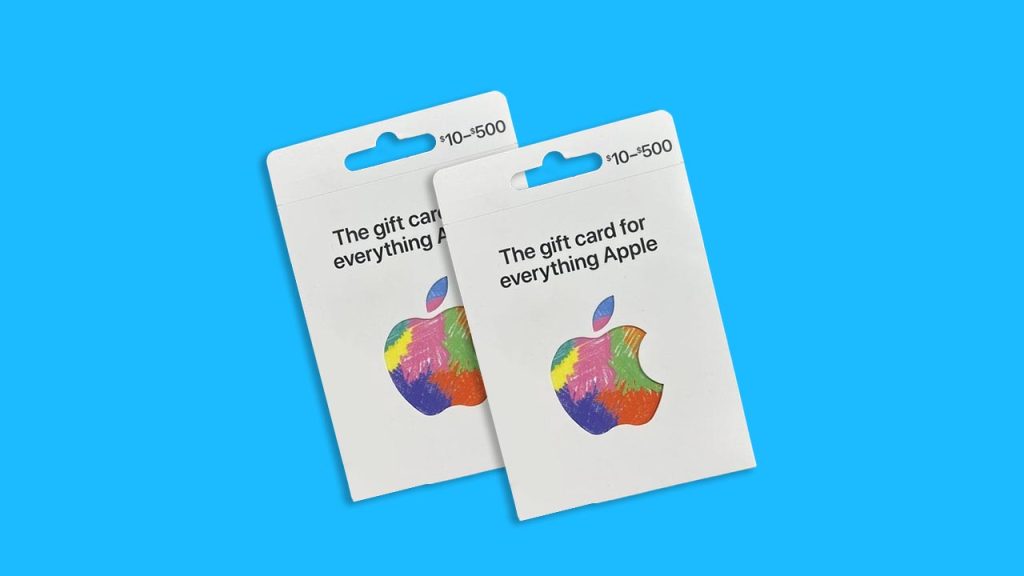
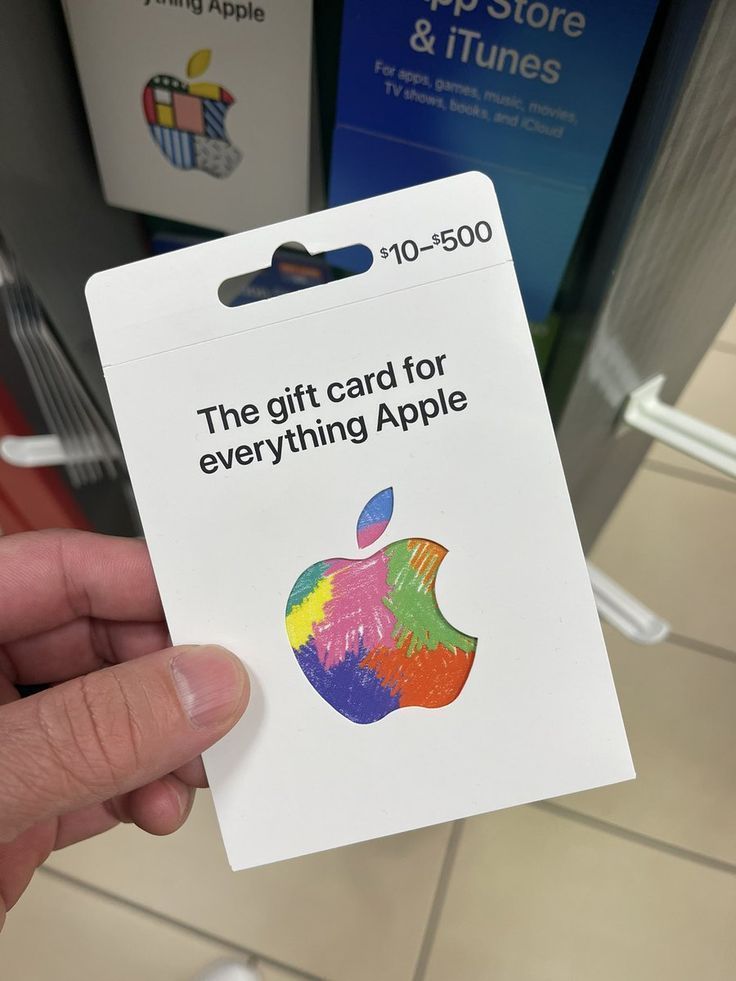
    Apple or iTunes Gift Card

    Apple products and services are always in demand, which makes iTunes gift cards highly valuable. These cards are used for buying apps, music, and subscriptions. A $100 iTunes gift card typically sells for about 75,000 to 85,000 Naira.

    3. Google Play Gift Card

    Just like Apple gift cards, Google Play cards are widely used for buying apps and games on Android devices. A $100 Google Play gift card can sell for around 70,000 to 90,000 Naira.

    4. Amazon Gift Card

    Amazon is one of the biggest online shopping platforms in the world, so Amazon gift cards hold strong value. If you have a cash receipt, you can sell a $100 Amazon gift card for up to 75,000 Naira.

    5. Razer Gold Gift Card

    Razer Gold is another favorite among gamers, especially those who buy in-game items. The high demand for these cards means they trade for excellent rates. A $100 Razer Gold gift card can go for about 82,000 Naira.

    6. Sephora Gift Card

    Beauty enthusiasts and makeup lovers drive the demand for Sephora gift cards. A $100 Sephora gift card sells for about 65,000 to 75,000 Naira.

    7. eBay Gift Card

    eBay gift cards allow users to shop for a variety of items online. Due to their demand, they sell for high rates. A $100 eBay gift card can trade for around 75,000 Naira.

    8. AMEX (American Express) Gift Card

    AMEX gift cards are widely accepted for purchases in different stores, making them a valuable option for resale. A $100 AMEX gift card can be sold for around 70,000 to 90,000 Naira.

    9. Walmart Gift Card

    Walmart gift cards can be used to buy products online or in physical Walmart stores. Their versatility keeps their resale value high. A $100 Walmart gift card sells for about 70,000 Naira.

    10. Nike Gift Card

    Nike gift cards are a great option for people who love sneakers and sportswear. They can be used on the Nike website or in stores. A $100 Nike gift card can be sold for about 65,000 Naira.

    Other Notable Mentions

    • Footlocker Gift Card – Popular among sneaker lovers, trades for good rates.
    • Vanilla Gift Card – A great alternative to Visa/MasterCard gift cards.

    FAQs About Selling Gift Cards in Nigeria

    Q: Where Can I Buy Gift Cards in Nigeria?

    A: In Nigeria, you can easily buy gift cards on Grey. You place an order and receive your gift card details almost instantly at the best rates.

    Q: Where Can I Sell Gift Cards in Nigeria?

    A: You can sell gift cards on various online platforms that offer high rates and fast payouts like GiftCardsToNaira. Be sure to check for a reliable platform with good customer reviews.

    Q: How Do I Check My Gift Card’s Current Rate?

    A: Gift card rates fluctuate, so it’s best to use an online gift card rate checker to see the latest prices before selling.

    Q: What Affects the Value of a Gift Card?

    A: Factors like brand popularity, market demand, and whether you have a cash receipt can influence how much your gift card is worth.

    Selling gift cards in Nigeria can be a great way to make extra cash, especially if you know which cards fetch the highest rates. Whether you’re trading gaming cards like Steam and Razer Gold or shopping cards like Amazon and Walmart, always check the latest rates to maximize your earnings.

    Now that you know which gift cards are worth the most, which one do you have sitting in your wallet? It might be time to cash in!

  • How to Load a Glo Card Using USSD Code & More

    How to Load a Glo Card Using USSD Code & More

    This article explains how to load a Glo card in Nigeria using the USSD code *311*Voucher PIN# and other available methods.

    Stuck with a Glo recharge card and unsure how to load it? No worries! Whether you’re new to Glo or just need a refresher, this guide will walk you through the easiest ways to load your Glo airtime. We’ll cover USSD codes, online methods, and even some troubleshooting tips—so by the end, you’ll know exactly how to recharge your Glo line like a pro.

    How to Load a Glo Recharge Card Using USSD

    The most common way to recharge your Glo line is through a USSD code. This method works on all mobile phones, whether it’s a basic feature phone or the latest smartphone.

    Step-by-Step Guide:

    1. Scratch the silver panel on your Glo recharge card to reveal the 15-digit PIN.
    2. Dial *311*Voucher PIN# on your phone (replace “PIN” with the actual numbers on your card).
    3. Press OK/Send and wait for a confirmation message.
    4. Dial *310# to check your new balance.

    Example: If your Glo recharge card PIN is 123456789012345, you’ll dial:

    *311*123456789012345#

    That’s it! Your Glo line is now recharged.

    Alternative Recharge Methods

    If you don’t have a physical recharge card, don’t worry! There are other ways to add airtime to your Glo number.

    1. Online Recharge (Via Bank USSD or Website)

    If you prefer a cashless method, you can recharge Glo airtime directly from your bank or the Glo website.

    • Via Bank USSD: Dial *805#, select your bank, and enter the amount you want to recharge.
    • Via Glo Website:
      1. Visit www.gloworld.com.
      2. Click on Recharge Now.
      3. Enter your Glo phone number and amount.
      4. Choose a payment method and complete the transaction.

    How to Load Glo Card Using the Glo 4X Code

    Want four times the value of your recharge? Use the special Glo 4X recharge code:

    1. Buy a Glo recharge card.
    2. Dial *323*PIN# (replace “PIN” with your 15-digit recharge code).
    3. Press OK/Send and enjoy 4X your recharge amount!

    For example, if you recharge ₦500, you’ll receive ₦2,000 in airtime bonuses.

    Loading a Glo Card Using USSD Code & More

    Common Issues & How to Fix Them

    Even though recharging Glo airtime is simple, sometimes things go wrong. Here are some common problems and how to solve them.
    1. Invalid Recharge Code

    • Double-check that you entered the correct 15-digit PIN.
    • Make sure you scratched the card properly and didn’t misread any numbers.
    • Ensure you’re dialing *311*Voucher PIN# and not another code.

    2. Airtime Not Credited

    • Sometimes, there’s a delay due to network issues. Wait a few minutes and check your balance by dialing *310#.
    • If the airtime is still missing, contact Glo customer support by dialing 121.

    3. Recharging a Glo Card on the Wrong Network

    • Glo recharge cards only work on Glo lines. If you mistakenly try loading it on another network, you’ll get an error message.
    • Always confirm your SIM card before entering the recharge code.

    FAQs

    What is the USSD code to load Glo recharge card?

    The code to load a Glo recharge card is *311*Voucher PIN#.

    How do I recharge Glo airtime with a bank USSD code?

    Dial *805#, select your bank, and follow the instructions to complete your recharge.

    What is the Glo 4X recharge code?

    To get 4X your airtime, use *323*PIN# instead of the regular recharge code.

    Can I recharge my Glo line online?

    Yes! You can recharge via the Glo website or through your bank’s mobile app.

    Now that you know how to load a Glo recharge card, you can stay connected anytime, anywhere. Whether you prefer using a physical recharge card, a bank USSD code, or online methods, Glo makes it easy to top up your line.

    Next time someone asks, “How do I load a Glo card?” you’ll have the answer ready. Happy recharging!

  • How to Activate the AirtelTigo 30 GB Data Bundle

    How to Activate the AirtelTigo 30 GB Data Bundle

    So, you’re looking to grab the AirtelTigo 30 GB data bundle, right? You’ve heard that it’s a fantastic deal, and you want to know exactly how to get it. Well, here’s the thing: the 30 GB bundle is no longer available, but don’t worry—there’s still a way to get lots of data with AirtelTigo. In this article, I’ll walk you through the details of how you can check if you’re eligible for AirtelTigo’s exclusive offers, how to buy the best available data bundles, and how to make sure you’re getting the most out of your internet.

    Understanding the AirtelTigo Data Bundles

    Before we dive into the steps for getting your data, let’s quickly go over the data packages AirtelTigo currently offers. That way, you’ll know exactly what’s available.

    AirtelTigo Data Packages Available Right Now

    • 15 GB for GHS 30 – Valid for 10 days
    • 10 GB for GHS 20 – Valid for 5 days
    • 5 GB for GHS 10 – Valid for 3 days

    These options are perfect if you’re someone who loves to stream, game, or simply browse the internet. And while the 30 GB bundle isn’t available anymore, these packages still offer great value for your money.

    Is the 30 GB Bundle Gone Forever?

    Yep, the AirtelTigo 30 GB data offer is no longer available. But don’t panic! The good news is that you can still get a 15 GB bundle, which can be purchased twice if you want a total of 30 GB (though the 30 GB won’t be valid for 30 days like before). So, if you’re someone who loves streaming or downloading, these new packages should have you covered.

    Step-by-Step: How to Check Your Eligibility for the 15 GB Data Bundle

    Now, let’s talk about how to get started. The first thing you’ll need to do is check if you’re eligible for the 15 GB data bundle. AirtelTigo offers this bundle to selected customers, so it’s not available to everyone—yet! Here’s how you can check:

    1. Dial *499#

    This is the magic number. Dial it, and the system will tell you if you’re eligible for the bundle. Don’t worry, you won’t be charged for dialing this number.

    2. Wait for a Text Message

    Once you’ve dialed *499#, you’ll receive a text message. This text will confirm whether you’re eligible to get the bundle. If you’re eligible, you’ll be good to go. If not, don’t stress—it might just be a matter of time until you become eligible.

    3. What if You’re Not Eligible?

    If you’re not eligible for the bundle yet, don’t give up! The eligibility is decided randomly by AirtelTigo’s system. To increase your chances, just keep using your AirtelTigo number regularly, and stay connected. Over time, you may get selected for the bundle.

    4. Check for Other Offers

    If you’re not eligible for the 15 GB bundle, there might be other offers available to you. AirtelTigo sometimes has different promotions running, so it’s a good idea to keep an eye on their website or dial *499# from time to time to see if something new pops up.

    AirtelTigo 30 GB Data Bundle

    How to Buy the AirtelTigo 15 GB Data Bundle

    If you get that “You’re eligible!” message, congratulations! You can now go ahead and purchase the 15 GB bundle. Here’s how to do it:

    1. Dial *499# Again

    Dial *499# once more, and this time, you’ll see options on your screen. It’s as simple as following the prompts to get your data.

    2. Select Option 1 for the 15 GB Data Bundle

    Once you’ve dialed *499# and seen the options, choose Option 1 to select the 15 GB data bundle.

    3. Choose Your Payment Method

    AirtelTigo gives you a couple of ways to pay for your data bundle. You can either use your airtime balance or pay through AirtelTigo Money (if you have an account set up). Pick whichever option is easiest for you.

    4. Confirm Your Purchase

    Once you’ve selected your payment method, you’ll be asked to confirm your purchase. Double-check everything, and once you confirm, the data will be added to your account.

    5. Start Enjoying Your Data!

    That’s it! You’ll receive a confirmation SMS saying your data is ready to use. Enjoy surfing the web, streaming videos, or whatever else you do with your data.

    What if You Want More Than 15 GB?

    So, let’s say you’re really craving 30 GB of data. If you’re eligible for the 15 GB offer, you can actually purchase it twice! By doing so, you’ll have 30 GB of data, though the validity period won’t extend. It’s still a pretty good option if you really need a lot of data.

    However, if you don’t want to deal with buying multiple bundles, there’s an alternative. AirtelTigo offers a 30 GB BigTime bundle for GHS 200. This bundle lasts for 30 days, so it might be the perfect option if you need lots of data without the worry of buying smaller bundles.

    Keep an Eye on Your AirtelTigo Offers

    The AirtelTigo 30 GB data bundle is no longer available, but don’t worry! There are still great options out there for getting plenty of data, like the 15 GB bundle. Whether you’re eligible or not, the most important thing is to stay connected, keep using your AirtelTigo number, and check for offers regularly.

    Remember, these bundles are perfect for people who need a lot of data for things like streaming movies, playing games, or working from home. By following the steps above, you’ll be able to get the best AirtelTigo data package that suits your needs.

    So, go ahead and dial *499# to see what’s available to you today. And hey, if you’re not eligible yet, don’t worry—your time will come! Keep enjoying your AirtelTigo services, and soon, you’ll be surfing the web with ease.

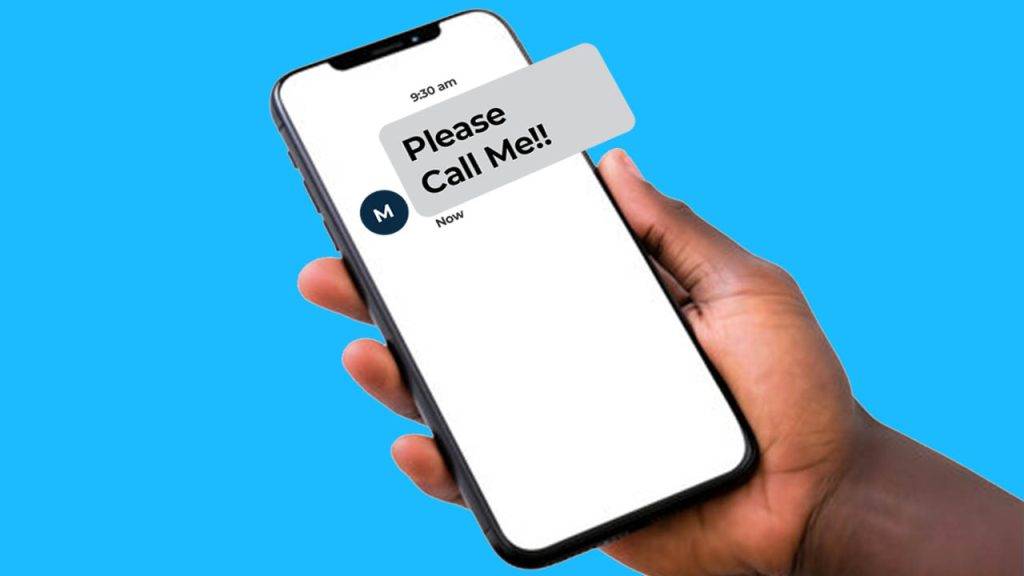
  • How to Send a ‘Please Call Me’ on MTN, Cell C, Vodacom, & Telkom in South Africa

    How to Send a ‘Please Call Me’ on MTN, Cell C, Vodacom, & Telkom in South Africa

    Ever been out of airtime but really needed to call someone? Maybe you just needed a quick chat with a friend, or you had to let a family member know something urgent. That’s where the “Please Call Me” service comes in handy! It’s a free way to ask someone to call you back when you can’t make a call yourself.

    The best part? All major networks in South Africa—MTN, Vodacom, Telkom, and Cell C—offer this feature. In this guide, I’ll walk you through exactly how to send a “Please Call Me” on each network in the easiest way possible. Let’s get into it!

    What Is a “Please Call Me” Message?

    A “Please Call Me” message is a free SMS that you can send to someone when you don’t have airtime. It simply tells them to call you back. Think of it like knocking on someone’s door when you can’t enter their house—you’re letting them know you’re there and need their attention.

    Each mobile network in South Africa has a unique code you can dial to send this message. Let’s go through each one step by step.

    How to Send a “Please Call Me” on MTN

    Follow these steps to send a “Please Call Me” on MTN:

    1. Dial *121*recipient’s number# (For example: *121*0831234567#)
    2. Press call/send.
    3. The recipient will get a message saying “Please Call Me” with your phone number attached.
    4. MTN allows you to send up to 5 “Please Call Me” messages per day.

    How to Send a “Please Call Me” on Vodacom

    Follow these steps to send a “Please Call Me” on Vodacom:

    1. Dial *140*recipient’s number# (For example: *140*0767124511#)
    2. Press call/send.
    3. The recipient will receive a message with your number and the text “Please Call Me.”

    Vodacom allows you to send up to 10 “Please Call Me” messages per day.

    How to Send 'Please Call Me' on Any Network in South Africa

    How to Send a “Please Call Me” on Telkom

    Follow these steps to send a “Please Call Me” on Telkom:

    1. Dial *140*recipient’s number# (For example: *140*0814557562#)
    2. Press call/send.
    3. The recipient will receive a “Please Call Me” SMS with your phone number.

    Telkom also allows up to 10 “Please Call Me” messages per day.

    How to Send a “Please Call Me” on Cell C

    Follow these steps to send a “Please Call Me” on Cell C:

    1. Dial *111*recipient’s number# (For example: *111*0841435391#)
    2. Press call/send.
    3. The recipient will receive a message asking them to call you back.

    Cell C allows you to send up to 10 “Please Call Me” messages per day.

    Extra Tips & Things to Keep in Mind

    • You can send “Please Call Me” messages to any number, even if they’re on a different network.
    • This service is completely free, so you won’t be charged for sending the message.
    • If you’ve reached your daily limit, you’ll have to wait until the next day to send more.
    • “Please Call Me” messages are useful in emergencies when you have no airtime.
    • Some networks may not allow international “Please Call Me” messages.

    Why Use “Please Call Me”?

    Still wondering why this service is so popular? Here are some real-life situations where “Please Call Me” can save the day:

    You run out of airtime – You’re about to call someone, but your airtime is finished. Instead of stressing, just send a “Please Call Me” and wait for them to call you.

    Emergency situations – Maybe you need to reach someone urgently but have no data or airtime. This is a quick way to let them know you need help.

    You’re borrowing someone’s phone – If you don’t have your phone with you but need to contact someone, you can use this trick on a borrowed phone (as long as it’s on your network).

    The “Please Call Me” service is one of the most useful features offered by South African mobile networks. Whether you’re out of airtime, in an emergency, or just need someone to call you back, this free service is a lifesaver.

    Now that you know exactly how to send a “Please Call Me” on MTN, Vodacom, Telkom, and Cell C, you’ll never be stuck without a way to communicate. Try it out the next time you need a callback!

    Did this guide help you? Share it with friends who might need it too!

  • How to Send a ‘Please Call Me’ on MTN in South Africa

    How to Send a ‘Please Call Me’ on MTN in South Africa

    So, you’re out and about, and your phone battery is running low, or maybe you’re just out of airtime, but you really need someone to call you back. That’s where the “Please Call Me” feature on MTN comes in handy! It’s like sending a quick, friendly tap on the shoulder saying, “Hey, can you give me a call when you get a chance?”

    Here’s how you can send a “Please Call Me” on MTN in South Africa:

    1. Open your phone dialer – the place where you make calls (don’t worry, it’s not hard to find!).
    2. Type in this code: *121* followed by the phone number of the person you want to reach. For example, if you want to ask your friend with the number 0834511923 to call you, you’d dial *121*0834511923#.
    3. Hit the call button – like you’re calling them, but it’s really just sending a request for them to call you!
    4. That’s it! The person you sent it to will receive a message saying “Please Call Me” with your phone number. Easy, right?

    Just keep in mind, you can send up to 5 “Please Call Me” messages on MTN every day. So if you’re out of airtime a few times in the day, you’ve got a bit of room to work with.

    And just like that, you’ve sent a simple request asking for a call back—no airtime needed, just a little tap on the digital shoulder! Simple, right?

    Now you’ve got this down, and you’re ready to stay connected—no matter where you are or what’s going on with your phone.

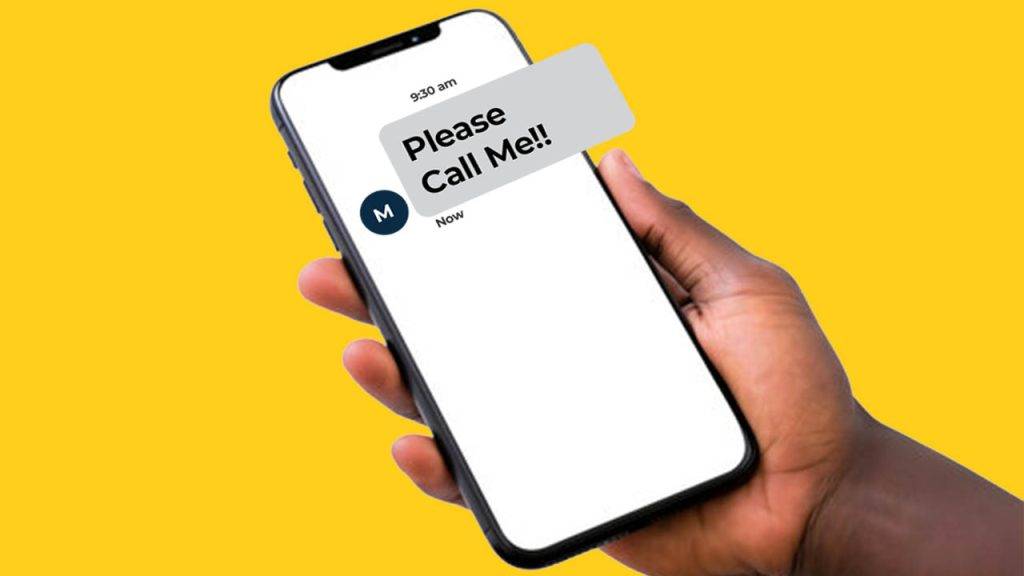
    Please Call Me on MTN in South Africa
  • How Do I Send a “Please Call Me” on Cell C?

    How Do I Send a “Please Call Me” on Cell C?

    Ever been out of airtime but really needed to reach someone? Maybe you’re trying to call your mom, a friend, or even your ride home, but your balance is sitting at a big fat zero. Don’t worry—Cell C’s “Please Call Me” feature has got your back!

    This handy service lets you send a free message asking someone to call you. It’s like tapping them on the shoulder and saying, “Hey, I need to talk!” without spending a cent.

    Let’s break it down step by step, so you’ll never be stuck without a way to get in touch again.

    How to Send a ‘Please Call Me’ on Cell C

    Sending a “Please Call Me” is super easy. Here’s what you need to do:

    1. Open your phone’s dialer (the screen where you type in phone numbers).
    2. Dial *111*, followed by the phone number of the person you want to contact. For example, if you want to send a “Please Call Me” to 0812345678, you would dial:*111*0812345678#
    3. Press the call/send button.
    4. That’s it! The person will receive a message saying, “Please Call Me,” along with your phone number so they know who’s trying to reach them.

    How Many ‘Please Call Me’ Messages Can You Send?

    Cell C lets you send up to 10 ‘Please Call Me’ messages per day. So, if you’re in a tight spot and need to reach multiple people, you’re covered. Just use them wisely—you don’t want to spam your contacts!

    Why Is This Feature Useful?

    Imagine these situations:

    • You’re out of airtime and need a ride home. You can send a ‘Please Call Me’ to your friend or taxi service.
    • Your phone bill isn’t paid yet, but you need to talk to someone urgently. Just shoot them a message so they can call you back.
    • You’re in an emergency situation. Maybe you’re stuck somewhere, and you need help. This quick message could be a lifesaver.

    What If the Person Doesn’t Call Back?

    Sometimes, people miss messages or don’t check their phones right away. If it’s urgent, try sending a second ‘Please Call Me’ (as long as you haven’t hit your daily limit). If they still don’t respond, you might need to find another way to contact them—maybe borrow a phone or send a text if you have a little airtime left.

    Please Call Me on Cell C

    Does It Work on Any Phone?

    Yes! Whether you’re using a simple feature phone (those old-school ones with buttons) or a fancy smartphone, the ‘Please Call Me’ works just the same.

    The ‘Please Call Me’ feature is one of those little lifesavers that everyone should know about. It’s quick, free, and incredibly useful when you’re out of airtime but still need to reach someone. Now that you know how to use it, you’ll never be stuck without a way to get in touch again!

    So, next time you’re low on airtime, just dial *111*[phone number]#, hit send, and wait for that callback!

  • How Do I Send a “Please Call Me” on Vodacom?

    How Do I Send a “Please Call Me” on Vodacom?

    Have you ever found yourself in a situation where you needed to reach someone but didn’t have enough airtime to make a call? Or maybe you’re just in an area with bad signal and can’t get through? Well, Vodacom’s “Please Call Me” feature is a lifesaver for times like these! It’s a quick and free way to ask someone to call you back—perfect for when you’re low on airtime or can’t make a direct call. Don’t worry if this sounds confusing, though! By the end of this article, you’ll know exactly how to use it like a pro.

    What is a “Please Call Me”?

    Let’s break it down. A “Please Call Me” is a service from Vodacom that allows you to send a text to anyone asking them to call you back. It’s like knocking on someone’s door and saying, “Hey, can you please give me a call when you get a chance?” without actually making the call yourself. Super handy, right? This service works even when you’re out of airtime or have a poor network connection.

    The best part? It works on any network. So whether the person you’re trying to reach uses Vodacom, MTN, Cell C, or Telkom, you can send them a request to call you back.

    Why Would You Need “Please Call Me”?

    There are plenty of reasons why you might need this service:

    • Running low on airtime: We’ve all been there, right? You’re trying to make an urgent call but realize you have no airtime. Instead of stressing, you can simply send a “Please Call Me” message and wait for the call to come to you!
    • Bad signal or no reception: Sometimes you’re in a place with no signal or a super weak connection. In those moments, calling is out of the question, but you can still send a “Please Call Me” to let someone know you’re trying to reach them.
    • Emergency situations: If you’re in a situation where you need help but can’t make a call, a “Please Call Me” message can be your way of asking someone to check in on you.

    How to Send a “Please Call Me” on Vodacom: Step-by-Step

    Now that you understand what “Please Call Me” is, let’s get into how to send one. It’s super easy, and I’m going to walk you through it step by step.

    Step 1: Open the Dialer or Messaging App

    First, you’ll need to open the phone’s dialer or messaging app. You know, the usual app you use to make calls or send texts.

    Step 2: Enter the Recipient’s Number

    Once the app is open, it’s time to enter the number of the person you want to contact. Here’s where you’ll input their phone number, but make sure it’s correct! You don’t want to accidentally send your message to the wrong person.

    • Dial the following code: *140* followed by the recipient’s phone number, and then close it with #.

    For example, if you want to send a “Please Call Me” to the number 0821502903, you would type this into the dialer: *140*0821502903#.

    Step 3: Optional: Add a Personal Message

    Some versions of the service allow you to add a little personal note to your “Please Call Me” message. If you need to make the request more urgent or just want to explain why you need the call, feel free to add a brief message.

    For instance, you could say, “Please call me back ASAP!” or “I need to talk to you about something important.” But remember, keep it short—there’s not a lot of space for long messages.

    Step 4: Hit Send

    Once you’ve entered the number and added a custom message (if you want), double-check to make sure everything is right. Then, press send, and the “Please Call Me” message will be delivered to the recipient.

    That’s it! You’re done. It’s really that simple.

    What Happens Next?

    Once you’ve sent the “Please Call Me” message, the person you contacted will get a text saying that you need them to call you back. They don’t need to worry about calling you at a specific time or worrying about their airtime—they can just call you back when they’re able to.

    If they’re on Vodacom, it’s free for both of you! If they’re on a different network, they might be charged for the call, but it’s still a great way to get in touch without worrying about airtime on your end.

    How To Send Please Call Me on Vodacom?

    Alternatives to “Please Call Me”

    While the “Please Call Me” feature is super useful, there are also other ways to reach out if you can’t make a call. Let’s take a look at some of them:

    • Direct Calls: If you have airtime, the fastest way to reach someone is just to call them directly.
    • Text Messages (SMS): If you can’t make a call but have enough airtime, you can always send a text. It’s quick and gets your message across.
    • Instant Messaging Apps: If you’re on Wi-Fi, you can use apps like WhatsApp or Facebook Messenger to send messages or even make voice calls.
    • Email: For non-urgent or more detailed communication, email is another option.

    Frequently Asked Questions (FAQs)

    1. How long does it take for the recipient to get the message?

    The “Please Call Me” message usually gets delivered almost immediately. But if there are network issues or the recipient’s phone is off, there might be a slight delay.

    2. Can I send a “Please Call Me” message more than once?

    You can! However, Vodacom might put a limit on how many messages you can send in a certain period, so be mindful of that.

    3. What if the person doesn’t call me back?

    If they don’t respond right away, you can try sending a follow-up text or, if possible, calling them again later. You can also consider using other ways to get in touch, like messaging them through social media or WhatsApp.

    4. Can I send a “Please Call Me” internationally?

    Unfortunately, the “Please Call Me” feature typically works only within the same country or network. If you’re trying to contact someone overseas, you might want to use another method, like WhatsApp or email.

    Pros and Cons of “Please Call Me”

    Like anything, the “Please Call Me” service has its ups and downs. Here’s a quick look at the advantages and potential drawbacks:

    Pros:

    • Free: Sending a “Please Call Me” is completely free, which makes it an affordable option when you don’t have airtime.
    • Quick: It’s an instant way to let someone know you need them to call you back.
    • Great for Emergencies: If you need help but can’t call directly, it’s a useful backup plan.
    • Works on all networks: Whether your friend uses Vodacom, MTN, or any other network, you can send them a request.

    Cons:

    • Message Length: The message is short, so you can’t explain everything in detail.
    • Recipient’s Response: It’s up to the recipient to respond, and sometimes they might not be able to call back right away.
    • Privacy: Sending a “Please Call Me” will reveal your phone number, which might be a concern for some people.
    • Network Issues: If there are network problems, your message might not go through.

    Vodacom’s “Please Call Me” is a simple, free, and effective way to get in touch with someone when you can’t make a call yourself. Whether you’re out of airtime, have a weak signal, or just need someone to get back to you, this feature is a great tool to have in your phone. By following the easy steps above, you’ll be able to send your request in no time, and stay connected with those who matter most.

    So, the next time you find yourself needing a quick call back, just send a “Please Call Me”!

  • How Do I Send “Please Call Me” on Telkom?

    How Do I Send “Please Call Me” on Telkom?

    Imagine this: You need to call someone urgently, but your airtime balance is sitting at a big fat zero. No problem! Telkom has a nifty little trick up its sleeve called the “Please Call Me” service. It’s a simple, free way to ask someone to call you back when you can’t make the call yourself. Whether it’s an emergency or you just ran out of airtime at the worst possible moment, this guide will show you exactly how to send a “Please Call Me” on Telkom.

    What is a “Please Call Me”?

    A “Please Call Me” is a free message you can send from your Telkom phone to someone else, asking them to call you back. It’s like tapping a friend on the shoulder and saying, “Hey, call me when you can!” This is super useful when you:

    • Run out of airtime and need to contact someone.
    • Need to reach a friend, family member, or even a co-worker in a pinch.
    • Are you in an emergency and can’t make a call yourself?

    Now, let’s get straight to the point—how do you actually send one?

    Step-by-Step Guide to Sending a “Please Call Me” on Telkom

    Step 1: Open Your Phone’s Dialer

    This is the app you use to make calls. It usually looks like a little phone icon on your screen. Open it up!

    Step 2: Dial the Special Code

    Here’s the magic number: 140 followed by the person’s phone number. It looks like this:

    *140*Recipient’s Number#

    For example, if you want to send a “Please Call Me” to someone with the number 0702244424, you would dial:

    *140*0702244424#

    Once you’ve typed that in, press the call button.

    Step 3: Wait for Confirmation

    You’ll get a confirmation message letting you know that your request has been sent. At the same time, the person you’re trying to reach will get a message that says something like:

    “Please call [Your Number] back.”

    And that’s it! Now you just wait for them to call you back.

    How to Send Please Call Me on Telkom

    Pro Tips for Using “Please Call Me” Effectively

    Sending a “Please Call Me” is easy, but here are some tips to make sure you’re using it the right way:

    • Use it when it really matters – If you keep spamming someone with “Please Call Me” messages, they might start ignoring them. Keep it for times when you actually need a callback.
    • Make sure you have the right number – Double-check before you send it! You don’t want to send your callback request to the wrong person (awkward!).
    • Know the limits – Some networks limit the number of “Please Call Me” messages you can send per day. If it’s not working, you might have hit your daily cap.

    When Should You Use “Please Call Me”?

    Now that you know how to send a “Please Call Me,” when should you actually use it? Here are a few real-life examples:

    • You’re out of airtime but need to talk to a friend – Maybe you just want to catch up, but you’re low on credit. No worries, send them a quick “Please Call Me” and wait for them to ring you back.
    • You’re in an emergency – If you find yourself in a situation where you really need help and can’t make a call, this feature can be a lifesaver.
    • You’re coordinating plans – Maybe you’re trying to meet up with someone and need a quick chat but ran out of airtime. A “Please Call Me” can let them know to get in touch.

    The “Please Call Me” feature on Telkom is one of those small but super handy tools that can save the day when you’re out of airtime. It’s free, easy to use, and can help you stay connected even when your balance says otherwise.

    Next time you’re stuck without airtime, just remember: *140*Recipient’s Number#, hit the call button, and let Telkom do the rest!

  • How to Activate the MTN Hourly Bundle in Ghana

    How to Activate the MTN Hourly Bundle in Ghana

    Are you looking to grab an hourly data bundle from MTN Ghana? If so, you might have already realized that MTN doesn’t actually offer an hourly data bundle. But don’t worry—there are still plenty of affordable data bundles MTN offers that work for all kinds of internet needs, and in this article, I’m going to tell you all about them!

    In this easy-to-follow guide, I’ll explain some of the best alternatives to an hourly bundle, like the Midnight bundle, Kokrokoo, and Social Media bundles. I’ll also show you exactly how to activate these packages, step-by-step, so you can be surfing the web in no time. Let’s dive in!

    Why Doesn’t MTN Ghana Have an Hourly Bundle?

    You may be wondering, “Why doesn’t MTN Ghana offer an hourly data bundle?” The truth is, MTN doesn’t have a specific package that’s priced just for each hour. But here’s the cool part: They still have bundles that are really affordable and give you plenty of data for your browsing, even though they’re not structured by the hour.

    Instead of an hourly bundle, MTN offers data packages that last for different periods of time, with some bundles designed for specific hours of the day. These bundles are super flexible and can be activated whenever you need them.

    Let’s Explore the MTN Data Bundles You Can Activate

    Since there isn’t an hourly bundle, let’s look at the great alternatives you can use throughout the day to stay connected. I’m going to break down these bundles, so you can pick the one that fits your needs best.

    1. Midnight Bundle (12 AM – 5 AM)

    One of the most popular bundles MTN Ghana offers is the Midnight Bundle. This special package gives you access to internet data from 12 AM to 5 AM. It’s perfect for night owls who love browsing the web late into the night or for those who want to do some serious downloading while they sleep.

    Here’s how it works:

    • Flexi Option: You choose how much data you want! For example:
      • GHS 0.01 = 17.67 MB
      • GHS 2.99 = 5.16 GB
    • Standard Option: Fixed price for 7.27 MB at GHS 3.

    How to Activate the Midnight Bundle:

    • Dial *138#
    • Choose the Midnight bundle option.
    • Pick the plan that works best for you (either the Flexi or Standard package).
    • You can use this bundle until 5 AM, and if you don’t use up all your data, you can save it for the next night!

    This bundle is really great if you want to get things done during the quiet hours, like binge-watching your favorite shows, downloading files, or browsing social media without using up all your daytime data.

    2. Kokrokoo Bundle (5 AM – 8 AM)

    If you’re an early bird and need some data to kick-start your day, the Kokrokoo Bundle is for you! This package is available between 5 AM and 8 AM, so it’s perfect for checking emails, scrolling through your social media feed, or catching up on the news in the morning.
    Here’s what you get with the Kokrokoo Bundle:

    • GHS 1.24 gets you 400 MB of data and 30 minutes of free on-net calls. How cool is that?
    How to Activate the Kokrokoo Bundle:

    • Dial *138#
    • Select the Kokrokoo option.
    • Once activated, you’ll have 400 MB of data and 30 minutes of talk time to use between 5 AM and 8 AM.

    This is a perfect choice if you don’t want to burn through your daytime data first thing in the morning. It’s also a good option if you’re someone who loves to make early morning calls or video chats with friends and family.

    MTN Hourly Bundle in Ghana

    3. Social Media Bundles (Unlimited Social Media Browsing)

    We all know how much time we spend scrolling through social media these days—whether it’s Facebook, Instagram, WhatsApp, Twitter, or TikTok. MTN Ghana has got you covered with Social Media Bundles that allow you to stay connected without worrying about your regular data usage.

    Here’s what MTN offers:

    • Flexi option: You can choose your own data amount, and the bundle can be customized based on your needs.
    • Standard options: These are affordable, set-priced bundles:
      • GHS 1 = 70.87 MB
      • GHS 5 = 354.36 MB
      • GHS 10 = 708.72 MB

    How to Activate the Social Media Bundles:

    • Dial *138#
    • Enter 99 for More options.
    • Select Social Media bundles from the list and choose the one that fits your social browsing habits.

    Whether you want to post an update on Facebook, reply to messages on WhatsApp, or scroll through TikTok videos, these bundles give you plenty of data for just social media usage. Perfect for when you’re just interested in catching up on your feeds without burning through your main data.

    How to Check Your Data Balance

    It’s always good to keep an eye on how much data you have left, especially if you’re using one of these bundles. To check how much data you have remaining, you can do the following:

    This way, you’ll always know when to top-up or when you can switch to a different bundle.

    A Quick Recap: MTN’s Best Data Alternatives to the Hourly Bundle

    Even though MTN Ghana doesn’t offer a specific hourly data bundle, they’ve got some awesome alternatives that will still keep you connected at all hours of the day.

    • Midnight Bundle: Data from 12 AM – 5 AM. Ideal for late-night browsing or downloading.
    • Kokrokoo Bundle: Data from 5 AM – 8 AM. Perfect for early morning browsing and calling.
    • Social Media Bundles: Keep your social feeds updated without using up your regular data.

    Stay Connected with MTN’s Affordable Bundles

    While MTN Ghana doesn’t have an hourly bundle per se, their other bundles are an excellent way to get affordable, flexible data throughout the day. Whether you’re an early riser, a night owl, or a social media enthusiast, MTN has a data package that will suit your needs.

    Just follow the steps I’ve shared to activate the bundles, and you’ll be browsing, chatting, and streaming with ease. Don’t forget to check your data balance often, and you’ll always know exactly when it’s time to grab another bundle. So go ahead, pick the bundle that fits your lifestyle, and enjoy the internet with MTN Ghana!

  • How to Buy MTN’s Kokrokoo Bundle

    How to Buy MTN’s Kokrokoo Bundle

    Ever wished you could get cheap data and talk time just when you need it most? Well, MTN’s Kokrokoo Bundle is like a secret morning treasure! For just GHS 1.24, you get 400MB of data and 20 minutes of voice calls, available daily from 5 AM to 8 AM. That’s perfect for catching up on messages, streaming music, or making quick morning calls.

    But how do you buy it? Don’t worry—it’s super easy! I’ll walk you through the steps, like explaining to a friend, so you can start enjoying this early bird offer right away.

    Method 1: Buying the Kokrokoo Bundle Using a USSD Code

    This method is great if you want something quick and don’t have internet access. Here’s how you do it:

    1. Dial *138# on your MTN line.
    2. A menu will pop up. Select 1 to proceed with buying a bundle.
    3. Look for “Kokrokoo Bundle” and select it.
    4. A message will appear showing the terms. Choose 1 to confirm.
    5. Next, select 1 to buy for yourself (or choose another option if buying for someone else).
    6. Select 1 for the GHS 1.24 package.
    7. Choose 1 to confirm the purchase.
    8. Pick your preferred payment method (MTN MoMo is the easiest).
    9. If you chose MoMo, enter your PIN to complete the payment.
    10. You’ll receive an SMS confirming your Kokrokoo bundle purchase!

    Quick Tip: An Even Faster Shortcut!

    You can also buy the Kokrokoo bundle directly through MTN MoMo by dialing *170#, selecting the right option, and following the prompts. This saves you a few extra clicks!

    Method 2: Buying the Kokrokoo Bundle Using the MTN Mobile App

    If you prefer using an app instead of dialing codes, MTN’s mobile app has you covered. Here’s what to do:

    1. Open the MTN Mobile App (download it if you haven’t already).
    2. Tap on Shop (it’s at the bottom left).
    3. Select Data from the menu.
    4. Choose Others.
    5. Find Kokrokoo Bundle and tap it.
    6. Select the package (GHS 1.24 for 400MB + 20 minutes).
    7. Choose your number and tap Next.
    8. Pick your payment method (MoMo, Airtime, etc.).
    9. If using MoMo, you’ll receive a prompt—just approve it to complete the purchase.
    10. You’ll get a confirmation message that your bundle is active.

    Why Use the MTN App?

    • No need to memorize codes.
    • A clean, simple interface makes it easy to find your data bundles.
    • You can track your usage and balances in real time!
    MTN Kokrokoo Bundle

    How to Check Your Kokrokoo Bundle Balance

    Now that you’ve activated the bundle, how do you check how much data or talk time you have left? Simple!

    Option 1: Using a USSD Code

    1. Dial *124# to see your general data balance.
    2. If you have multiple active data plans, dial *138#, then:
      • Select 1 to proceed.
      • Choose 99 for More options.
      • Select 7 for More again.
      • Tap on Check Bundle Balance.
    3. You’ll receive a pop-up showing your remaining Kokrokoo bundle balance.

    Option 2: Using the MTN App

    • Open the MTN App and go to the Balances section.
    • Tap on Data to view all your active bundles, including Kokrokoo.

    Frequently Asked Questions (FAQs)

    1. Does the MTN Kokrokoo bundle expire?

    Yes, but only at 8 AM! Any unused data or talk time vanishes, so make sure to use it within the active period.

    2. Can I buy the Kokrokoo bundle for someone else?

    Absolutely! Just follow the USSD method above, and instead of selecting “Buy for Self,” choose the option to buy for another MTN number.

    3. What happens if I already have another active data plan?

    No worries! From 5 AM to 8 AM, your internet will automatically switch to the Kokrokoo bundle. After 8 AM, it will go back to your normal data plan.

    4. Can I buy the bundle at any time of the day?

    Yes! You can purchase it at any time, but remember, you can only use it between 5 AM and 8 AM.

    Is the Kokrokoo Bundle Worth It?

    If you’re an early riser who loves catching up on social media, reading emails, or making quick calls in the morning, the Kokrokoo Bundle is an absolute steal—perfect for continuing your browsing after using MTN Midnight Bundles.

    For just GHS 1.24, you get enough data to scroll through TikTok, watch YouTube tutorials, or even send a couple of voice notes without stressing about your main data balance. Plus, those 20 free minutes of calls? Perfect for checking in with friends, family, or even making business calls before the day gets hectic.

    So, why not give it a try? Activate your MTN Kokrokoo Bundle today and make your mornings brighter!

  • How to Buy MTN’s Midnight Bundle in Ghana

    How to Buy MTN’s Midnight Bundle in Ghana

    If you’re a night owl who loves streaming, downloading, or browsing when the world is quiet, MTN’s Midnight Bundle is a game-changer.

    This affordable data plan gives you more for less between 12 a.m. and 5 a.m., making it perfect for students, remote workers, and anyone who enjoys uninterrupted late-night internet access. The best part? You can buy it in seconds using *138# or the MyMTN app. Here’s everything you need to know.

    MTN Midnight Bundle Options

    MTN Ghana offers two types of Midnight Bundles:

    1. Flexi Bundle – This lets you choose how much data to buy, starting from as little as GHS 0.01 for 17.67 MB, up to GHS 2.99 for 5.16 GB.
    2. Standard Bundle – This is a fixed package priced at GHS 3, giving you 7.27 GB of data.

    You can buy as many as you need in a single night, and any unused data rolls over to the next day. Pretty cool, right?

    How to Buy MTN Midnight Bundle

    You have two simple ways to purchase the Midnight Bundle: via USSD code or the MyMTN app.

    Option 1: Using USSD Code (*138#)

    This is the best method if you don’t have internet access. Follow these steps:

    1. Dial *138# on your phone.
    2. Select 1 to proceed with buying a bundle.
    3. Choose Midnight Bundles from the menu.
    4. Press 1 to agree to the terms.
    5. Select Buy for Self (or choose another option if buying for someone else).
    6. Pick your preferred bundle option:
      • Flexi – Enter the amount you want to spend.
      • Standard – Select the GHS 3 package.
    7. Confirm your purchase.
    8. Select your payment method (MoMo, airtime, etc.).
    9. Complete the payment, and you’ll receive a confirmation message.

    Quick and easy!

    How to Buy MTN’s Midnight Bundle in Ghana

    Option 2: Using the MyMTN App

    If you have internet access, this method gives you a smoother experience with a visual interface.

    1. Open the MyMTN app on your phone.
    2. Tap Shop at the bottom menu.
    3. Select Data.
    4. Scroll down and choose Others.
    5. Tap Midnight Bundle and select either Flexi or Standard.
    6. If choosing Flexi, enter the amount you want to buy and press Continue.
    7. Choose Me (your number) and tap Next.
    8. Select your payment method and complete the purchase.

    Boom! Your Midnight Bundle is ready to use.

    How to Check Your Midnight Data Balance

    Keeping track of your data usage is just as easy. You can check your balance using either USSD or the MyMTN app.

    Option 1: USSD Code

    1. Dial *138#.
    2. Select 1 to proceed.
    3. Choose 99 for more options.
    4. Select 7 for additional options.
    5. Choose Check Bundle Balance.
    6. A pop-up will display your data balance, including the Midnight Bundle.

    Option 2: MyMTN App

    1. Open the MyMTN app.
    2. Tap on Data under the Balances section.
    3. Your Midnight Bundle balance will be displayed along with your other data balances.

    Easy, right?

    Frequently Asked Questions (FAQs)

    1. When can I use the Midnight Bundle?

    The MTN Midnight bundle is only valid between 12 a.m. and 5 a.m.

    2. Can I buy multiple Midnight Bundles in one night?

    Yes, you can purchase multiple bundles if you need more data.

    3. Does the MTN Midnight Bundle expire?

    No, unused data rolls over to the next day.

    4. Can I use the Midnight Bundle during the day?

    No, the data can only be used between 12 a.m. and 5 a.m.

    MTN’s Midnight Bundle is a fantastic way to enjoy affordable, high-speed data when the network is less congested. Whether you’re downloading movies, attending late-night Zoom calls, or simply scrolling through social media, this bundle has you covered. Just dial *138# or use the MyMTN app to get started!

    Now go ahead and grab your Midnight Bundle—happy browsing!

  • How to Activate and Use MTN Data Zone Bundle

    How to Activate and Use MTN Data Zone Bundle

    Learn how to activate, buy, and manage your MTN Data Zone Bundle in Ghana using the *135# shortcode with our easy guide.

    Ever found yourself with no data or stuck with expensive calls when you need them most? We’ve all been there, right? Luckily, MTN Ghana has a solution that can help you save some cash and stay connected with the MTN Data Zone Bundle. Whether you’re chatting with friends, browsing the web, or checking social media, this bundle has some cool perks. Let me walk you through everything you need to know—step by step—on how to activate and use this bundle like a pro!

    What Is the MTN Data Zone Bundle?

    Before we dive into the “how-to,” let’s quickly go over what this bundle is all about. The MTN Data Zone Bundle is a super handy way to get discounts on calls and cheap data, which can save you a lot of money. With the Zone Bundle, you get up to 75% off on your call rates, so it’s perfect if you need to make those quick calls without burning through your airtime. Plus, it lets you grab affordable data bundles that can last you the whole day, but remember—they expire after 24 hours. So, use them wisely!

    What Do You Need to Get Started?

    To start using the MTN Data Zone Bundle, you need a few basic things:

    1. A registered MTN number – This means your number should be registered under your name (simple stuff!).
    2. A bit of airtime – You need to have enough balance on your phone to buy the bundle, so top-up your airtime first.
    3. A little patience – Don’t worry; it’ll only take a few minutes to set up!

    Got these things ready? Awesome, let’s get into the fun part: activating and using the bundle.

    How to Activate the MTN Data Zone Bundle

    Activating the MTN Data Zone Bundle is super simple. If you’ve ever used USSD codes before, you’ll be right at home here! Follow these steps:

    1. Dial *135# on your phone.
      This is the magic code that opens up the MTN Zone menu.
    2. Select “Activate.”
      Once you dial *135#, you’ll see a menu pop up on your screen. Choose the Activate option.
    3. Wait for the confirmation message.
      After you activate it, you should get a message confirming that you’ve successfully joined the MTN Zone Bundle. Simple, right?

    That’s it! You’re officially in the MTN Zone, and now you’re ready to buy your data bundle and enjoy those sweet savings.

    MTN Data Zone Bundle Activation

    How to Buy MTN Data Zone Bundles

    Now that you’ve activated the MTN Zone, let’s grab some data! Here’s how you can buy data bundles through the MTN Zone:

    1. Dial *135# again.
    2. Yes, you’ll dial the same *135# to access the MTN Zone menu again.
    3. Choose “Zone Bundles.”
      From the list, select the Zone Bundles option. This will take you to the data offers available.
    4. Select “Data Zone Bundles.”
      Once you’re in the Zone Bundles section, choose Data Zone Bundles to view the different data options.
    5. Pick the data bundle that suits you.
      You’ll see a list of data bundles with their prices and the amount of data you get. For example, you might see options like 281MB for GHS 2.09 or 692MB for GHS 4.19. Choose the one that fits your needs!
    6. Confirm your purchase.
      After selecting your bundle, it will ask you to confirm the purchase. Select Yes to buy your data.

    Once you’ve confirmed, your data bundle will be activated, and you’ll receive a text message with all the details of your new bundle. Yay, you’re all set!

    How to Check Your MTN Data Zone Balance

    It’s always good to know how much data you’ve used and how much is left, right? Here’s how you can check your MTN Data Zone balance:

    1. Dial *135# again.
    2. Choose “Zone Bundles.”
    3. Select “Zone Balance” from the options.
      This will show you how much data you have left in your MTN Data Zone Bundle.

    After that, you’ll get a message showing your remaining balance. If you’re running low, you can always buy more data bundles, so you’re never caught without.

    MTN Data Zone Bundle Pricing

    Now, let’s talk about the prices. MTN has recently updated the Zone Bundles, so the options are a little different than before. Here are the current offers:

    • 281MB for GHS 2.09 (Good for browsing or light social media use)
    • 425MB for GHS 3.19 (Perfect for browsing and checking emails)
    • 692MB for GHS 4.19 (Great if you need to stream videos or download apps)

    You can buy these bundles whenever you want, and they’re valid for 24 hours from the time of purchase, so use them up within a day!

    MTN Data Zone Bundle

    Some Important Things to Know About MTN Data Zone Bundles

    Before you start using the MTN Zone Bundle, here are a few quick things to keep in mind:

    • Expiry: Your data will expire after 24 hours. Make sure to use it up before it disappears!
    • Non-transferable: You can’t share your data or airtime with others. It’s all for you!
    • No MoMo payments: You can’t use MTN Mobile Money (MoMo) to pay for your Zone Bundles. Just make sure you’ve got enough airtime.
    • Unlimited? The MTN Zone Bundle isn’t unlimited, but it’s still a pretty great deal for the price.

    Frequently Asked Questions (FAQs)

    1. Can I share my MTN Zone Bundle with others?

    Unfortunately, you can’t share your MTN Zone Bundle with other people. It’s a personal bundle just for you!

    2. Is there an unlimited data option in the MTN Zone?

    Nope, the MTN Zone Bundle doesn’t offer unlimited data. But it’s still a great deal for the amount of data you get!

    3. What if I want 1GB of data?

    Currently, there’s no 1GB data bundle in the MTN Zone. But don’t worry! You can check out other data options through the *138# or *141# codes for different bundles.

    The MTN Data Zone Bundle is a great way to save money on data and calls when you’re low on airtime. It’s affordable, easy to use, and gives you great discounts on calls, plus cheap data bundles for your daily needs. Whether you’re making calls or browsing the web, this bundle helps you stay connected without the stress of running out of credit.

    So, next time you find yourself needing some extra data or airtime, remember: MTN’s Zone Bundle has your back. Just dial *135#, pick your bundle, and you’re good to go!

    Enjoy the savings, and stay connected!

  • MTN Internet Settings for Android and iPhones in Ghana

    MTN Internet Settings for Android and iPhones in Ghana

    If you’re setting up MTN internet on your phone, you need the right Access Point Name (APN) settings. Follow this guide to configure your device for seamless browsing, whether you use Android or iPhone.

    MTN Ghana APN Settings Summary

    SettingValue
    NameMTN
    APNinternet
    MCC620
    MNC01
    APN Typedefault, supl, email
    APN ProtocolIPv4
    APN Roaming ProtocolIPv4
    BearerUnspecified

    Setting Up MTN Internet on Android

    1. Go to Settings > Network & Internet.
    2. Tap Mobile Network > Advanced > Access Point Names (APN).
    3. Tap the + sign to add a new APN.
    4. Enter the APN settings from the table above.
    5. Save the settings and set this APN as default.
    6. Restart your phone if necessary.

    Setting Up MTN Internet on iPhone

    1. Go to Settings > Mobile Data > Mobile Data Network.
    2. Under APN, enter internet.
    3. Leave Username and Password blank.
    4. Exit settings (changes are saved automatically).
    5. Restart your iPhone if needed.
    MTN Internet Settings for Android and iPhones in Ghana

    MTN Ghana MMS Settings

    SettingValue
    NameMTN Ghana MMS
    APNmtn mms internet
    MMSC172.17.3.7
    MMS Proxy172.17.3.5
    MMS Port8080
    MCC620
    MNC01
    APN Typemms
    APN ProtocolIPv4
    APN Roaming ProtocolIPv4

    Setting Up MMS on Android

    1. Go to Settings > Mobile Network > Access Point Names.
    2. Add a new APN and enter the MMS settings above.
    3. Save and set it as default.

    Setting Up MMS on iPhone

    1. Go to Settings > Messages.
    2. Enable MMS Messaging.

    How to Improve MTN Internet Speed in Ghana

    • Update your phone’s software to ensure optimal performance.
    • Clear cache to free up storage and improve speed.
    • Close background apps to reduce bandwidth usage.
    • Use a signal booster if you’re in a low-signal area.

    Frequently Asked Questions (FAQs)

    1. What’s the APN for MTN Ghana?

    The APN is internet.

    2. How Do I Know if My SIM Is 4G-Enabled?

    Check Settings > Mobile Network > Preferred Network Type. If you see 4G or LTE, your SIM supports 4G.

    By following these steps, you’ll be able to enjoy seamless browsing on MTN Ghana. If you experience any issues, contact MTN customer service for further assistance. Happy browsing!

  • How To Find Remote Software Development Jobs in Africa

    How To Find Remote Software Development Jobs in Africa

    In today’s digitally-driven world, the landscape of work, especially in the tech industry, is rapidly evolving. With the rise of remote work, software developers across Africa have an unprecedented opportunity to connect with global job markets right from their homes. This guide will walk you through finding remote software development opportunities and provide insight into potential earnings.

    Best Websites for Finding Remote Developer Jobs

    Finding the right platform is the first step towards landing a great remote software development job. Here are some top websites where you can begin your search:

    1. WeAreDevelopers.com: This site offers a plethora of job listings specifically targeted at developers. It’s a goldmine for those looking to work with European and global tech companies.
    2. Remote.co: A robust resource for finding remote jobs across various sectors, including tech. The site is well-curated and updated regularly with new openings.
    3. WeWorkRemotely.com: As one of the largest remote work communities, WeWorkRemotely provides a wide range of job postings that cater specifically to software developers.
    4. Remotive.io: This platform is fantastic for developers interested in startups and tech companies that are fully remote. The site also offers valuable resources to help you succeed in the remote work environment.
    5. Tunga.io: Particularly beneficial for African developers, Tunga.io focuses on connecting talent from Africa with tech companies in need of skilled developers.
    6. Glassdoor: While not exclusively for remote jobs, Glassdoor offers a comprehensive listing of job opportunities, including remote positions. It also provides reviews and salary data, which can be incredibly helpful.
    How To Find Remote Software Development Jobs in Africa

    How Much Do Remote Software Developers Make?

    The earning potential for remote software developers can vary widely based on several factors, including geographical location, experience, the specific technologies mastered, and the nature of the contract or company hiring. Generally, salaries for remote developers can range from moderate to highly competitive, reflecting traditional in-office roles.

    • Entry-Level Developers: Beginners without much experience might find opportunities that offer learning on the job with starting salaries ranging from $15,000 to $30,000 annually.
    • Mid-Level Developers: Developers with a few years of experience and a good grasp of multiple programming languages or specializations in high-demand technologies can expect salaries ranging from $30,000 to $70,000.
    • Senior Developers: Experienced developers who can manage teams, architect software solutions, or have expertise in niche areas might earn anywhere from $70,000 to over $100,000 annually.

    Maximizing Your Chances

    While knowing where to look is crucial, securing a remote job also requires you to stand out. Here are a few tips to enhance your visibility and appeal to prospective employers:

    1. Build a Strong Portfolio: Showcase your projects, especially those that you’ve taken from concept to completion. Include a variety of works that demonstrate your versatility and skill depth.
    2. Continuously Learn: The tech field is ever-evolving. Keeping up with the latest programming languages, tools, and technologies is crucial.
    3. Cultural Fit and Communication: For remote roles, employers often look for candidates who can seamlessly integrate into their teams. Demonstrating strong communication skills and an ability to work independently are crucial.
    4. Optimize Your Application: Tailor your resume and cover letter to highlight your remote work skills and previous remote work experience if any.

    Frequently Asked Questions (FAQs)

    1. What are the best websites to find remote software development jobs in Africa?

    Some excellent websites include WeAreDevelopers.com, Remote.co, WeWorkRemotely.com, Remotive.io, Tunga.io, and Glassdoor.

    2. How much can I expect to earn as a remote software developer in Africa?

    Salaries vary widely but typically range from $15,000 to over $100,000 annually, depending on experience and expertise.

    3. What skills increase my chances of getting a remote software development job?

    Proficiency in high-demand programming languages, experience with popular development tools and platforms, strong communication skills, and a proven track record with remote work can significantly enhance your prospects.

    4. How can I stand out when applying for remote developer jobs?

    Build a strong portfolio, keep your skills up-to-date, ensure your application materials are customized for each job, and showcase any previous remote work experience.

    With these tips and resources, you’re well on your way to finding a rewarding remote software development job that not only pays well but also offers the flexibility and challenges that come with working from anywhere.

  • How to Check BVN With Phone on Any Network in Nigeria

    How to Check BVN With Phone on Any Network in Nigeria

    Alright, let’s talk about something super important but ridiculously easy to forget—your BVN! If you’ve ever tried to complete a bank transaction and got stuck because you couldn’t remember those 11 digits, you’re not alone. The good news? You don’t need to visit a bank or dig through old messages to find it. You can check your BVN right from your phone, no matter what network you use—MTN, GLO, Airtel, or 9mobile.

    Now, let’s break it down in a way that makes perfect sense.

    What is a BVN, and Why Does It Matter?

    Think of your BVN (Bank Verification Number) as your financial fingerprint. It’s a unique 11-digit number assigned to you when you register with any Nigerian bank. Just like your fingerprints are one-of-a-kind, your Bank Verification Number ensures that only you can access your bank account, no matter how many banks you use. It helps prevent fraud, identity theft, and all that messy stuff banks deal with daily.

    In simple terms: No Bank Verification Number, no banking.

    So, whether you’re opening a new account, applying for a loan, or making a big transfer, you’ll likely need to provide your Bank Verification Number. That’s why it’s important to always have it handy!

    How to Check Your BVN on Any Network

    Here’s the easiest way to check your BVN on any mobile network in Nigeria:

    1. Pick up the phone you used to register for your BVN (this is important—if you try using a different line, it won’t work!).
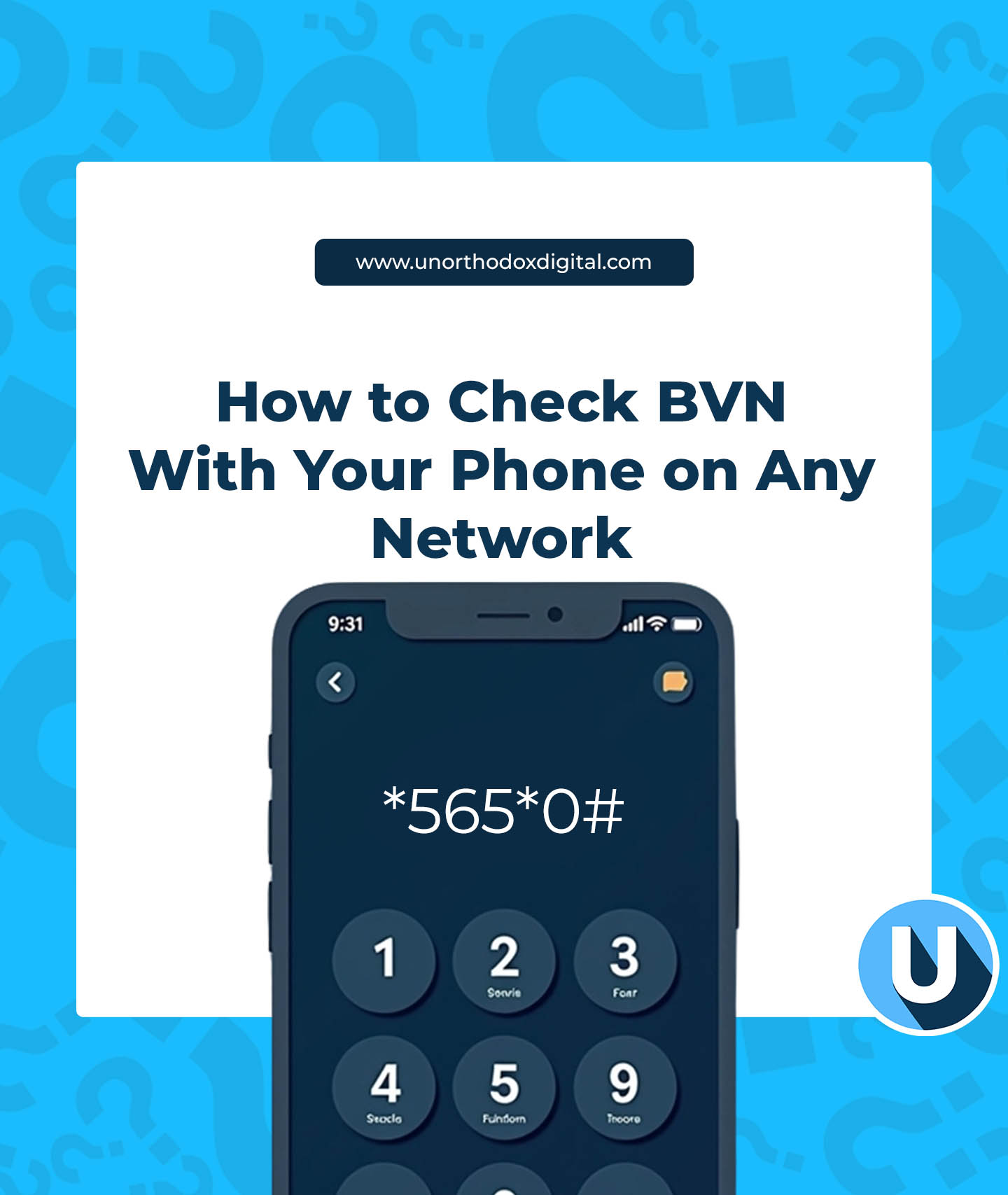
    2. Dial *565*0# on your phone.
    3. Wait a few seconds for your 11-digit BVN to pop up on your screen.
    4. Write it down or save it somewhere secure (you don’t want to keep paying to check it again and again!).

    That’s it! Super simple, right?

    Heads Up: It’s Not Free

    Checking your BVN costs ₦20 per request, so try not to do it more than necessary. If you’re the forgetful type, take a screenshot, save it in your notes, or write it down in a safe place.

    How to Check BVN With Phone on Any Network

    Common Issues and How to Fix Them

    Sometimes, things don’t go as smoothly as expected. If you run into issues, here’s what might be happening:

    You’re using the wrong phone number – Remember, you must use the number linked to your BVN registration. If you registered your Bank Verification Number with an MTN line, using an Airtel line won’t work.

    You have insufficient balance – If you don’t have at least ₦20 airtime, the request won’t go through. Make sure you have enough credit before dialing the code.

    Network issues – If the code doesn’t work immediately, don’t panic. Wait a bit and try again, especially if your network signal is weak.

    • Your line isn’t registered for BVN – If your phone number was never linked to your Bank Verification Number, you might need to visit your bank to update your details.

    Frequently Asked Questions (FAQs)

    1. Can I check my BVN online?

    No, Bank Verification Numbers aren’t publicly available online for security reasons. However, some banks allow you to check through their mobile apps.

    2. Is my BVN the same across all my bank accounts?

    Yes! No matter how many bank accounts you have, your Bank Verification Number stays the same.

    3. Can I change my BVN?

    Nope. Your Bank Verification Number is yours for life. But if there’s an issue, like a name mismatch, you can update your details at your bank.

    4. Is it safe to share my BVN?

    Not really. Your Bank Verification Number alone won’t let someone steal your money, but combined with other personal details, it could be risky. Only share it when necessary.

    Your BVN is a big deal, but checking it doesn’t have to be. With one simple USSD code (*565*0#), you can find your Bank Verification Number in seconds—no long queues, no stress. Just make sure to use the right phone number, have ₦20 airtime, and keep your Bank Verification Number safe.

    Now that you know how to check your BVN anytime, anywhere, you’ll never have to panic when a bank form asks for it. Easy, right?

  • How to Transfer MTN to MTN Data in Ghana

    How to Transfer MTN to MTN Data in Ghana

    Have you ever wanted to send some of your mobile data to a friend or family member on MTN? Maybe your sibling ran out of data while streaming their favorite show, or your best friend just needs a little extra for WhatsApp. If you’re wondering how to transfer data from MTN to MTN in Ghana, here’s the deal—you can’t. But don’t worry, there’s still a way to help!

    Wait… MTN Data Transfer Isn’t Available?

    That’s right. MTN Ghana no longer allows direct data transfers between users. It might sound disappointing, especially if you’ve done it in the past, but MTN has made sure there’s still a simple way to share data with others. Instead of transferring, you can buy data bundles directly for someone else. It works just as well, and the best part? It’s super easy.

    How to Buy Data for Another MTN User in Ghana

    Think of it as buying airtime for someone, but instead, you’re sending them data. Whether your friend needs a small bundle for a quick internet check or a big package for heavy browsing, here’s how you can do it:

    Method 1: Using USSD Code (138#)

    This is the fastest way to send data. Just follow these steps:

    1. Dial *138# on your phone.
    2. Select “Proceed to Buy Bundle.”
    3. Choose “Buy Data Bundle.”
    4. Select option 2 to buy for someone else.
    5. Enter the recipient’s phone number and confirm it.
    6. Pick the data bundle you want to buy.
    7. Confirm your selection.
    8. Choose your payment method (MoMo or airtime balance).
    9. If you’re using MoMo, enter your PIN when prompted.
    10. You’ll receive a confirmation message once the purchase is successful.

    Easy, right? Now, your friend has data, and they can keep browsing without interruption!

    Method 2: Using the MyMTN App

    If you prefer using an app instead of dialing codes, MTN has got you covered.

    1. Open the MyMTN App (Download it from the Google Play Store or App Store if you don’t have it yet).
    2. Log in with your MTN number.
    3. Navigate to the “Buy Data” section.
    4. Choose “Buy for Others.”
    5. Enter the recipient’s phone number.
    6. Select the data bundle you want to purchase.
    7. Choose your payment method and confirm.
    8. That’s it! The data will be sent instantly.
    How to Transfer MTN to MTN Data in Ghana

    Method 3: Using MoMo USSD Code (170#)

    If you have MTN Mobile Money, you can also buy data for someone using this method:

    1. Dial *170# on your phone.
    2. Select “Buy Airtime & Bundles.”
    3. Choose “Data Bundles.”
    4. Select “Buy for Others.”
    5. Enter the recipient’s MTN number.
    6. Pick a data package.
    7. Confirm your selection and enter your MoMo PIN.
    8. You’ll get a confirmation message once the transaction is successful.

    MTN Data Bundles You Can Buy for Others

    MTN Ghana offers different types of data packages you can gift to friends and family:

    • Standard Data Bundles – These are your regular data packages that work for browsing, social media, and streaming.
    • MTN Mashup – The MTN Mashup bundle is a combination of data and voice minutes. Perfect if the person needs both internet and call time.
    • AFA Bundle – The AFA Bundle is a combination of data, voice minutes, and SMS. Ideal for people who love texting and calling as much as they browse.

    FAQs About MTN Data Transfers

    1. Can I transfer my MTN data bonus to another user?

    No, MTN doesn’t allow you to share bonus data with others.

    2. Can I share my MTN data with someone on another network?

    No, data sharing only works within MTN. You can’t send data to AirtelTigo or Vodafone users.

    3. What if I send data to the wrong number?

    Unfortunately, data purchases are non-refundable. Double-check the recipient’s number before confirming the transaction.

    Even though MTN Ghana no longer offers direct data transfers, you can still help your loved ones stay connected by buying data for them. It’s quick, easy, and just as effective. Next time a friend runs out of data, you’ll know exactly what to do!

    So, go ahead—be the hero your friends and family need. Happy browsing!

  • How MTN Ghana’s AFA Bundle Works

    How MTN Ghana’s AFA Bundle Works

    What is the MTN AFA Bundle?

    Imagine you and your friends have a secret club where calling each other costs way less than usual. That’s kind of what MTN Ghana’s AFA Bundle is like—but for professionals! It’s a special bundle offered by MTN in partnership with Prepeez Limited, designed to help people like farmers, traders, healthcare workers, and drivers stay connected affordably.

    With the AFA Bundle, once you’re signed up, you get extra minutes to call other registered members in your group, plus data, SMS, and voice minutes to use however you like. And the best part? It’s pretty cheap!

    AFA Bundle Packages and Pricing

    You can choose between weekly and monthly bundles, with or without data. Here’s a simple breakdown:

    PackageCost (GHS)On-net MinutesOff-net MinutesCUG Minutes*SMSData
    Weekly (No Data)360720010
    Weekly (With Data)345720010100MB
    Monthly (No Data)102503050025
    Monthly (With Data)101803050025250MB

    *CUG (Closed User Group) minutes let you call other AFA bundle users at no extra cost.

    Quick Example:

    Think of CUG minutes like a family plan. If you and your coworkers all sign up for AFA, you can talk to each other a lot more without worrying about running out of airtime.

    How to Register for the AFA Bundle

    Here’s where it gets a bit tricky. You can’t just dial a code and sign up like before. Now, you need to register through Prepeez Limited or an AFA agent.

    Registration Steps:

    1. Contact Prepeez Limited directly (if you can reach them). Their phone number is 030 397 0927, and their email is [email protected].
    2. If you don’t hear back from them, you can register through an AFA agent for a small fee (between GHS 10 and GHS 20).
    3. Be careful—only use agents recommended by people you trust to avoid scams.

    How to Buy an AFA Bundle

    Once you’re registered, buying a bundle is super easy:

    1. Dial *1848#.
    2. Choose “Buy AFA Bundle.”
    3. Select the package you want (weekly or monthly, with or without data).
    4. Confirm your selection.
    5. Enter your MoMo PIN when prompted for payment.
    6. You’ll get a confirmation SMS once your purchase is successful.

    How to Become an AFA Agent

    Want to make some extra cash? You can become an AFA agent and help others sign up while earning commissions.

    Unfortunately, MTN doesn’t handle this directly—it’s managed by Prepeez Limited. Since reaching them can be difficult, your best bet is to visit an MTN office for more details.

    How to Buy MTN’s AFA Bundle

    Frequently Asked Questions (FAQs)

    1. Can I share my AFA bundle with other MTN users?

    Nope! The AFA bundles can not be shared. They are strictly for the use of the one who purchased it.

    2. Does unused data or minutes roll over?

    No, any unused balance for the MTN AFA bundle does not roll over. It expires at the end of the subscription period.

    3. How do I check my AFA bundle balance?

    To check your AFA bundle balance, just dial *124#, and your remaining balance will pop up on your screen.

    4. Can I buy multiple AFA bundles in a month?

    Yes, you can buy as many AFA bundles you need! There are no restrictions when buying more than one bundle in a month.

    The MTN AFA bundle is a great way to save money while staying connected. Whether you’re a market trader calling suppliers, a farmer coordinating with buyers, or a driver staying in touch with customers, this bundle keeps your communication costs low.

    Just be sure to register with a trusted source and choose the best package for your needs. Ready to get started? Dial *1848# after registering and enjoy your affordable calls and data!

  • AirtelTigo Short Codes You Should Know

    AirtelTigo Short Codes You Should Know

    If you’re an AirtelTigo user, you already know how handy it is to get things done with just a few simple taps on your phone. But did you know you can save time by using some super useful short codes? Short codes are special numbers you dial to quickly access services like checking your balance, sending money, or even buying data—all without having to dig through menus or apps. Pretty cool, right?

    In this article, we’ll break down all the key AirtelTigo short codes you need to know so you can breeze through your phone tasks. Whether you’re making calls, managing data, or checking your account balance, these short codes will make life so much easier.

    What Are Short Codes?

    Think of short codes like secret shortcuts that let you get to what you need quickly. Imagine you’re at a restaurant, and instead of telling the waiter your order in long sentences, you just point at the menu item number. That’s what short codes do for your phone—they take you straight to the right service, saving you time and effort. They’re like your quick-pass ticket to doing stuff faster on your AirtelTigo phone.

    The Most Important AirtelTigo Short Codes

    Here’s a list of all the most useful short codes you’ll need. Don’t worry, we’ll explain each one in detail so you’ll know exactly what to use when you need it.

    General AirtelTigo Short Codes

    These codes are great for basic services like checking your balance, managing your account, and accessing customer support.

    ServiceShort Code
    Know Your Number*703# or 100*1*3#
    AirtelTigo Premier Packs*703# or *111*7*2#
    Customer Care100
    Check Number Registration*400#
    Check SIMs Linked to Your Ghana Card*402*1#
    Access All Products*111#
    Self-Service Menu*100#
    Insurance Services*550#
    AirtelTigo Number Reservation*100# → Option 0 → Option 6
    Manage Paid Subscriptions*100# → Option3 → Option 5

    AirtelTigo Call & Voice Service Short Codes

    Need to make calls or manage your voice services? These codes are here to help:

    ServiceShort Code
    Check Balance*124#
    Recharge Airtime*134*XXX XXX XXXX#
    Unlimited On-Net Calls*111*3*3#
    Sunday Offer*111*4*6#
    Add Special Number*450*2#
    Welcome Voice Bundle*450*1#
    Fuse Voice Only*111*2# → Option 1
    International Call Bundle*111*5#
    SOS Credit*130# or *588#
    AirtelTigo Short Codes You Need

    AirtelTigo Data Bundle Short Codes

    Need data? These codes let you manage your data bundles with ease.

    ServiceShort Code
    Buy Data with Recharge Card*126*CardPinNumber#
    Check Data Balance*504#
    Fuse Bundles (No Expiry)*567*2# or *111*2#
    Made Just For You Data*533#
    Welcome Data Bundle*450*1#
    Family Pack Internet*111*4*4#
    Unlimited Night Data (11 pm – 5 am)*111*3*2#
    Sika Kokoo Data*111*4*1#
    Non-Expiry Night Pack*111*4*3#
    Borrow Data*554#
    Bigtime Data*111*1#

    AirtelTigo Mobile Money Short Codes

    AirtelTigo Money lets you send and receive money, pay bills, and more—all from your phone. These short codes make everything easier.

    ServiceShort Code
    AirtelTigo Money Services*110#
    Send Money to Another AirtelTigo Number*110# → Option 1 → Option 1
    Send Money to Other Networks (MTN/Telecel)*110# → Option 1 → Option 2 (Telecel) or → Option 3 (MTN)
    Pay Bills*110*4#
    Buy Airtime or Data*110*2#
    Withdraw Cash from Agent/ATM*100*3#

    Why Use Short Codes?

    So, you might be wondering: Why should I bother remembering all these codes?

    Well, using short codes is faster and more efficient. Imagine you’re in the middle of something important—maybe you’re texting a friend or watching a video—and you suddenly need to check your balance or buy data. Instead of opening an app or browsing through the menu, you just dial a quick code, and boom, you’re done!

    Short codes also help you save time and avoid frustration, especially when you need to get something done quickly. Plus, they make your phone feel like a super-powered tool that’s always ready to help.

    Some Handy Examples

    Let’s say you’re out of credit and need to send money to a friend. Instead of going through your banking app or searching through the AirtelTigo app, all you need to do is dial *110# to access AirtelTigo Money. From there, you can easily send money to any AirtelTigo number with just a few more taps. Simple!

    Or, imagine you’re enjoying a late-night Netflix binge, and suddenly your data runs out. No need to stress—just dial *111*3*2# to activate the unlimited night data plan (11 pm – 5 am), and you’re back to streaming in no time!

    How to Remember These Codes

    It might seem like a lot of short codes to remember, but don’t worry! Here’s how you can keep track:

    1. Bookmark the List: You can save this article in your bookmarks so you can always come back to it when you need a quick reference.
    2. Write It Down: Some people prefer writing down their most-used short codes on a piece of paper or in a note on their phone.
    3. Practice: The more you use these codes, the easier it will be to remember them. Try using a new code every time you need a service!

    AirtelTigo short codes are an easy, fast, and efficient way to manage your phone services. From checking your balance to sending money, all these shortcuts make it simple to do what you need in just a few seconds. Now that you know the key short codes, you can navigate your phone like a pro, saving time and making everything more convenient.

    So next time you need to check your data balance or make a quick payment, just remember: there’s a short code for that! Happy dialing!

  • MTN Ghana Short Codes You Should Know

    MTN Ghana Short Codes You Should Know

    If you use MTN in Ghana, you’ve probably noticed that everything you need is just a short code away. But remembering all those codes? That’s another story. Don’t worry—this guide breaks everything down into simple categories so you’ll never be scratching your head again. Let’s dive in and make your life easier!

    What Are Short Codes and Why Should You Care?

    Think of short codes as tiny keys that unlock MTN’s services. Instead of heading to an MTN office or navigating a confusing app, you can dial a simple code to do things like buy airtime, check your data balance, or transfer money. It’s like having a remote control for your phone services. Pretty neat, right?

    MTN Short Codes for Voice Calls and Airtime

    Note that (02XXXXXXXX) represents a phone number. Some MTN Ghana phone numbers begin with 05 by the way so take note.

    ServiceShort Code
    Recharge Airtime for Someone Else*170#
    Borrow Airtime*506#
    Check Your Balance*124#
    Share Airtime (MTN Me2U)*198#
    Activate Free Calls (New Users)*550#
    MTN Free After 1 (Nkomode)*550# → Option 6
    Divert Calls When Busy**67*02XXXXXXXX*11#
    Divert Calls When No Answer**61*02XXXXXXXX*11#
    Divert Calls When Unreachable**62*02XXXXXXXX*11#
    Divert All Calls**21*02XXXXXXXX*11#
    Deactivate All Diversions##21#
    MTN Pay4Me Service*140#
    Caller Tunez (Subscribe)*1355#
    Caller Tunez (Unsubscribe)Send “STOP” to 1355
    MTN Pay4Me (let the recipient cover call cost)15402XXXXXXXX
    Sending a Voicemail108
    Receiving a Voicemail109
    MTN Jara (calls and SMS)*550#
    Check MTN Mashup balance*567# → Option 99 → Option 7

    MTN Short Codes for Internet and Data Bundles

    ServiceShort Code
    Buy Data*138#
    Social Bundles*138# → Option 99 → Option 4
    Midnight Bundles*138# → Option 2
    Video Bundles*138# → Option 99 → Option 5
    Kokrokoo Bundle*138# → Option 3
    Data Usage Summary*156# → Option 3
    Just4U Offers*141#
    MTN Zone Bundles*135#
    Check Data Balance*138# → Option 99 → Option 7 → Option 3
    Activate MTN Mashup/Pulse*567#
    Convert Minutes to Data*567# → Option 3
    Activate MTN Zone Snapi Bundle*135*55*1#
    IDD Bundles*138# → Option 99 → Option 6
    Data Usage Summary*156# → Option 3

    MTN Mobile Money (MoMo) Short Codes

    ServiceShort Code
    Access MoMo Portal*170#
    Transfer Money*170# → Option 1
    MoMoPay & Paybill*170# → Option 2
    Transfer to Other Networks*170# → Option 1 → Option 5
    Get a mobile money ATM token*511#
    Financial Services*170# → Option 5
    Check Wallet Balance*170# → Option 6

    Pro Tip: If you ever suspect mobile money fraud, call 100 immediately to report it.

    General MTN Short Codes

    ServiceShort Code
    Customer Care100
    Access MTN Info Portal*156#
    Check Your Mobile Number*156# → Option 1
    Request Internet Settings*156# → Option 2
    4G SIM Change*156# → Option 4
    Check Promo Points*156# → Option 5
    Number Registration Status*400#
    Exclude from MoMo Interest Payments*595#

    Why Bookmark This Guide?

    Think of this as your ultimate cheat sheet. Whether you’re buying data, transferring money, or just checking your balance, these codes are your shortcuts to a hassle-free experience. Bookmark this guide so you’re never stuck wondering what to do.

    MTN short codes are like magic spells for your phone. The more you know, the easier life gets. Now that you’ve got this guide, you’re practically an MTN pro.

  • How to Activate and Use the MTN Mashup Bundle

    How to Activate and Use the MTN Mashup Bundle

    To activate the MTN Mashup bundle, dial *567#, select Mashup for Self or Others, and enjoy flexible airtime and data options.

    Let’s talk about the MTN Mashup Bundle! Whether you’re the kind of person who loves chatting for hours or you’re all about surfing the internet, this bundle has got your back. It’s super easy to use, and the best part? It’s affordable and doesn’t expire. So, let’s dive in and break it all down step by step—like we’re just sitting together and figuring this out.

    What Is the MTN Mashup Bundle?

    The MTN Mashup Bundle, also known as Pulse, is a special package that gives you both data and call minutes in one neat deal. You get to decide how much you want to spend, with prices starting from GHS 1 to GHS 30. And guess what? You’ll also get some free SMS and access to social media platforms like WhatsApp, Instagram, Facebook, TikTok, and more. Cool, right?

    Why Should You Care About the MTN Mashup Bundle?

    Here’s why the Mashup Bundle is a great deal:

    • Affordable: You can start with as little as GHS 1.
    • Flexible Packages: Want data? Got it. Want call minutes? Done. Need both? Even better.
    • No Expiry: Use your bundle at your own pace.
    • Extra Perks: Free access to social media and a free SMS bundle.

    Now that we’ve hyped it up, let’s show you how to activate it.

    How to Activate the MTN Mashup Bundle (The Easy Way)

    Option 1: Using the USSD Code (*567#)

    The USSD code *567# is your magic wand for activating the Mashup Bundle. Here’s how it works:

    1. Dial *567# on your phone.
    2. Select Mashup for Self (or Mashup for Others if you’re buying it for a friend).
    3. Choose the amount you want to spend (e.g., GHS 1, GHS 5, GHS 10).
    4. Pick your package:
      • Fixed packages (e.g., GHS 1, GHS 5, etc.)
      • Flexi offers (custom amounts from GHS 0.07 to GHS 29.99).
    5. Confirm your choice.
    6. Choose your payment method (e.g., MoMo or airtime).
    7. Follow the payment prompts—and you’re done!
    How to Activate and Use the MTN Mashup Bundle

    Option 2: Using the MyMTN App

    If you’re more of an app person, the MyMTN app makes things even smoother. Here’s how:

    1. Download and open the MyMTN app (available on Google Play Store and Apple App Store).
    2. Go to the Shop section and select Mashup.
    3. Pick your package—Fixed or Flexi.
    4. Choose your number or enter the recipient’s number.
    5. Select your payment method and authorize the payment.

    Boom, you’re good to go.

    What’s in the MTN Mashup Packages?

    Here’s a quick look at what you’ll get for your money:

    • GHS 1: 13.10 MB + 15.42 minutes OR 43.67 MB data only.
    • GHS 5: 73.92 MB + 82.17 minutes OR 246.43 MB data only.
    • GHS 10: 155.12 MB + 171.15 minutes OR 517.06 MB data only.
    • GHS 30: 2.63 GB (data only).

    Bonus: All packages come with free WhatsApp access, and the higher bundles include Instagram, TikTok, and Facebook data.

    Buying a Mashup Bundle for Someone Else

    Want to surprise a friend or family member? It’s simple:

    1. Dial ‪*567#.
    2. Select Mashup for Others.
    3. Enter their phone number.
    4. Choose the amount/package you want to send.
    5. Confirm your selection and make the payment.

    You can also do this on the MyMTN app by selecting Shop > Mashup > Add a Recipient and following the steps.

    Checking Your Mashup Balance

    Now, you might be wondering: how do I keep track of what’s left in my bundle?

    1. Dial ‪*567#.
    2. Select 99 for More Options.
    3. Choose Check Balance.
    4. Your balance will show up on your screen and will also be sent to you via SMS.

    How to Stop or Deactivate the Mashup Bundle

    Not feeling the Mashup anymore? You can deactivate it in seconds:

    • Send STOP as an SMS to 567.
    • You’ll get a confirmation message that you’ve unsubscribed.

    And don’t worry, you can always re-subscribe anytime by dialing *567#.

    Cool Extra Features

    The MTN Mashup Bundle comes with some sweet bonuses that you don’t want to miss:

    1. Pulse Loyalty Offers: Get discounts on movie tickets at Silverbird Cinema or meals at Potbelly Shack. Just dial *567# and select Pulse Loyalty to access these offers.
    2. Convert Minutes to Data: Have more call minutes than you need? Convert them to data! Simply dial *567#, select Convert Minutes to Data, and follow the prompts.
    3. Promo Points: Earn points every time you buy a Mashup bundle. Accumulate enough points, and you can win monthly prizes. To check your points, dial *567#, select 99 for More, and choose Check Promo Points.

    Why the Mashup Bundle Is a Game-Changer

    Here’s the bottom line: the MTN Mashup Bundle makes life easier. Whether you’re streaming videos, scrolling through TikTok, chatting on WhatsApp, or catching up with family over calls, this bundle has something for everyone.

    It’s flexible, budget-friendly, and loaded with extras. So, go ahead, give it a try, and enjoy the best of both worlds: data and call minutes.

    Got questions? Just dial *567#, and MTN’s got you covered!

  • Steps to Check Airtel Data Balance in Nigeria

    Steps to Check Airtel Data Balance in Nigeria

    Hey there! So you’ve got an Airtel SIM, and you’re wondering, “How much data do I even have left?” Don’t worry—I’ve got you covered. Checking your Airtel data balance in Nigeria is super easy, and by the time you’re done with this guide, you’ll feel like a pro. Let’s dive in!

    Why Check Your Data Balance?

    Imagine you’re streaming your favorite show or chatting with friends, and suddenly, boom—your internet stops. Frustrating, right? Knowing how much data you have left helps you avoid that. Plus, it’s always good to stay on top of things so you don’t blow through your data unexpectedly.

    Step-by-Step Guide: How to Check Your Airtel Data Balance

    Here’s a super simple breakdown:

    Step 1: Open Your Phone’s Dialer

    First things first, unlock your phone and head to your dialer app. That’s the app you use to make calls. Easy peasy.

    Step 2: Dial *323#

    Now, type *323# into your dialer. Think of this as the secret code to unlock your data information. Once you’ve entered the code, hit the call button. Don’t worry—you won’t get charged for this.

    Step 3: Check the Menu Options

    After pressing call, you’ll see a pop-up menu on your screen. This menu will have options like “Check Data Balance” or something similar. It’s like a digital vending machine for your data info. Select the option for checking your balance (usually it’s labeled clearly).

    Step 4: Wait for the Message

    The system will process your request in a few seconds. Once it’s done, you’ll get an SMS. This message is your golden ticket to knowing how much data you’ve got left. It’ll tell you the remaining data in MB or GB and when it’s set to expire. Keep an eye out for that!

    Step 5: Use the Airtel App (Optional)

    If you’re more of a tech-savvy person, you can also check your balance using the Airtel app. It’s free to download from your app store. Once installed, log in with your phone number, and voila—you can view not just your data balance but also detailed usage stats. This is great if you want to know which apps are gobbling up your data.

    Step 6: Troubleshooting (If Needed)

    Sometimes, things don’t go as planned. If the USSD code doesn’t work or you’re having issues, don’t panic. You can call Airtel customer support by dialing 300 from your phone number. Their team will sort you out in no time.

    Pro Tips for Managing Your Data

    Here are a few extra tips to keep you ahead of the game:

    1. Check Regularly: Make it a habit to check your data balance often, especially if you’re streaming or downloading large files.
    2. Monitor Usage: Use the Airtel app or your phone’s built-in data tracker to see where your data is going. Is it social media? Streaming? Knowing this helps you manage your usage better.
    3. Activate Data Alerts: Some phones allow you to set data usage alerts. These will notify you when you’ve used up a certain percentage of your data.
    4. Save Data: Switch to Wi-Fi when possible, and turn off background data for apps you don’t use often.

    Why Use the Airtel App?

    The Airtel app isn’t just for checking data balances. It’s like your digital personal assistant for all things relating to the network provider. You can:

    • Recharge your account.
    • Buy new data bundles.
    • View detailed usage stats.
    • Access exclusive offers.

    Plus, it’s user-friendly and saves you the hassle of remembering USSD codes. If you haven’t tried it yet, give it a shot—it’s worth it!

    Wrapping Up

    And there you have it—checking your Airtel data balance is as simple as dialing *323# or opening the Airtel app. Whether you’re a casual user or someone who’s online 24/7, keeping tabs on your data ensures you stay connected without interruptions. Got any questions or tips of your own? Feel free to share them. Happy browsing!

    Frequently Asked Questions (FAQs)

    1. Which other countries does Airtel operate in?

    Airtel operates in over 14 African countries, serving more than 300 million users. These countries include Nigeria, Ghana, Uganda, Madagascar, Kenya, Tanzania, Malawi, Zambia, and more.

    2. What types of services does Airtel offer?

    Airtel provides services such as mobile voice calls, data plans, SMS, mobile money, and broadband internet, catering to various customer needs.

    3. Does Airtel offer roaming services?

    Yes, Airtel offers roaming services that allow you to stay connected while traveling abroad. You can activate roaming by contacting customer care or enabling it through the Airtel app.

  • Virtual Dollar Cards for Africa: How to Pay for Netflix, AliExpress, and Shop Globally

    Virtual Dollar Cards for Africa: How to Pay for Netflix, AliExpress, and Shop Globally

    In many African countries, there are restrictions on using international payment systems. Local bank cards sometimes don’t work on platforms like Netflix, especially when payments are required in dollars. Additionally, fees for currency conversion can be high. Virtual dollar cards solve these problems by providing access to international payments without unnecessary complications.

    For example, imagine subscribing to Netflix, but your bank card fails. Or you find a great deal on AliExpress, but you face issues during payment. With a virtual dollar card, such situations can be avoided.

    How to choose a virtual card

    Before applying for a card, it’s important to consider:

    • Payment currency. Dollars allow you to pay without conversion. This is convenient if you frequently shop on international platforms.
    • Fees. Some cards have low maintenance costs, helping you save money.
    • Limits. These are crucial for those who often make large payments.
    • Availability. Make sure the card supports your region.

    For instance, if you regularly buy clothing or electronics on AliExpress, check the card’s limits—both maximum and minimum. Keep in mind that limits are listed in dollars. Plan your expenses, including shipping and currency conversion.

    If your main goal is a Netflix subscription, ensure the card is suitable for recurring monthly payments.

    Top 3 virtual card services

    The market offers many options, but we’ve selected three that provide reliability, ease of use, and favorable conditions. Here’s a breakdown of these services:

    1. PSTNET

    PSTNET

    Ultima is a virtual dollar card from PSTNET. The service imposes no restrictions: Ultima cards let you spend as much as you want and issue an unlimited number of cards. There are no fees for payments or declined transactions. Funding costs 2% of the amount, and withdrawals in USDT are commission-free.

    The cards operate on Visa and Mastercard networks, making them suitable for all kinds of online expenses. You can shop on platforms like AliExpress, Amazon, or eBay, pay for Netflix or Spotify, book hotels, buy plane tickets, and cover business expenses.

    Key features:

    • Security: 3D Secure and two-factor authentication are used.
    • Flexible plans: Pay weekly or opt for an annual plan at a discounted rate of $99.
    • Convenient bot: Use Telegram to receive 3D Secure codes and payment status updates.
    • Funding options: Supports 18 cryptocurrencies, SWIFT/SEPA bank transfers, and other Visa or Mastercard cards.
    • Easy registration: Sign up via Google, Telegram, Apple ID, or email.
    • 24/7 support: Contact the team through Telegram, WhatsApp, or the website chat.

    2. PayDay

    PayDay

    PayDay is a platform for issuing virtual dollar cards for users in Africa. The service allows card management through a user-friendly mobile app. These cards are suitable for subscriptions, international purchases, and other online transactions.

    Key features:

    • Security: 3D Secure technology protects payments.
    • Flexible plans: Available via the mobile app.
    • Limits: The maximum spending limit per card is $10,000 per month.
    • Convenient app: Issue cards, make payments, and manage finances with ease.
    • Funding options: Popular cryptocurrencies and SWIFT/SEPA bank transfers are supported.
    • Easy registration: Sign up through the app; verification requires documents.
    • 24/7 support: Contact the team via the app or email.

    3. Geegpay

    Geegpay

    Geegpay is a financial platform designed for freelancers, remote workers, and professionals in Africa. The service offers virtual dollar cards, multi-currency accounts, and convenient payment solutions for popular shopping platforms and digital marketplaces. Fees include $0.50 per transaction, with top-up rates starting at 2%.

    Key features:

    • Security: 3D Secure technology ensures payment safety.
    • Flexible plans: Manage cards and payments through the app.
    • Limits: Depend on the card’s plan.
    • Convenient app: Issue cards, make payments, and manage finances via a digital wallet.
    • Funding options: Includes support for some local bank cards.
    • Easy registration: Create and top up a digital wallet through the mobile app.
    • 24/7 support: Reach the team through the app.

    How to ensure safety

    Virtual cards have built-in protection mechanisms, but users should also stay vigilant:

    • Never share your virtual card details with strangers
    • Use two-factor authentication whenever possible
    • Do not disclose your 3D Secure code to anyone
    • Verify websites before entering your card details

    For safe payments on AliExpress, always check seller reviews and choose trusted stores.

    Virtual dollar cards help people in Africa make payments and subscriptions where local bank cards don’t work. They enable payments for Netflix, shopping on AliExpress, booking hotels, and buying tickets. Cards should be chosen based on three factors: fees, limits, and supported regions.

    For example, PSTNET offers unlimited spending, PayDay provides management through a user-friendly app, and Geegpay offers multi-currency accounts.To use cards safely, enable two-factor authentication, don’t share your card details, and verify websites before making payments. Virtual cards simplify access to international purchases and save time, making online shopping convenient and secure.

  • How To Cancel Showmax Subscriptions

    How To Cancel Showmax Subscriptions

    Showmax, a popular streaming service, offers a vast library of TV shows, movies, and original content for viewers across various regions. For those unfamiliar with Showmax, it’s essentially an on-demand entertainment platform similar to Netflix but with a focus on showcasing local and international content tailored to specific markets.

    What is Showmax?

    Showmax provides subscribers with access to a diverse range of entertainment, including blockbuster movies, exclusive series, and documentaries. It caters to different tastes by offering content from around the globe, making it a versatile choice for streaming enthusiasts.

    Examples of Shows Available on Showmax

    Showmax boasts an impressive lineup of shows and movies that cater to diverse audiences. For instance, subscribers can enjoy popular series like “The Mommy Club”, “The Real Housewives of Durban”, “The Real Housewives of Lagos”, “Flawsome” and “House of the Dragon”. These titles, alongside a wealth of other options, ensure there’s something for everyone.

    Countries with Access to Showmax

    Showmax availability varies by region, with its services tailored to specific countries. For example, viewers in South Africa have access to a different catalog than those in Ghana, Kenya or Nigeria. The platform customizes its content offerings to suit local preferences and licensing agreements, ensuring a rich and relevant streaming experience.

    How to Cancel Your Showmax Subscription

    If you’re considering canceling your Showmax subscription, the process is straightforward:

    1. Sign in on the Showmax website: Log in using your credentials to access your account.
    2. Navigate to Account: Click on “Account” located on the top menu bar of the website.
    3. Select Plans and Payments: Within the account settings, locate and click on “Plans and Payments.”
    4. Manage Plan: Look for the option to “Manage Plan” and click on it to proceed.
    5. Cancel Plan: Finally, select “Cancel Plan” to initiate the cancellation process. Follow any additional prompts or confirmations that may be required to complete the cancellation.

    By following these steps, you can effectively cancel your Showmax subscription at any time, ensuring flexibility and ease of use for subscribers.

    Showmax offers a comprehensive streaming experience with a wide array of content options tailored to different regions. Whether you’re into international hits or local favorites, Showmax aims to deliver quality entertainment accessible at your convenience.

    For more information on Showmax or assistance with managing your subscription, visit their official website or contact their customer support for personalized assistance.

  • How to Reset MTN MoMo PIN If You Forget It in Ghana

    How to Reset MTN MoMo PIN If You Forget It in Ghana

    Dial the USSD code *170# in Ghana to reset your MTN MoMo PIN if you forget it. Select ‘My Wallet’ → ‘Change & Reset PIN’ → ‘Reset’.

    In the digital age, the convenience of mobile money services like MTN Mobile Money, commonly known as MoMo, has transformed financial transactions in numerous countries. However, like any secure service, it requires a PIN (Personal Identification Number), and forgetting this PIN can disrupt your ability to carry out transactions. Fortunately, resetting your MTN MoMo PIN is straightforward and can be done without needing to visit an agent.

    This guide will walk you through the steps to reset your PIN using the MyMTN App and the USSD code, ensuring you can continue to enjoy seamless mobile money services.

    Resetting Your MTN MoMo PIN Using the MyMTN App

    The MyMTN App offers a user-friendly interface for managing your MoMo transactions. Here’s how you can reset your PIN through the app:

    1. Launch the MyMTN App: Open the app on your mobile device.
    2. Access the MoMo Feature: Select the MoMo option from the main menu to access your mobile money account.
    3. Authentication: For security, you will be prompted to enter your current MoMo PIN. Following this, an OTP (One-Time Password) will be sent to your registered number for further validation.
    4. Navigate to Wallet Settings: Choose ‘My Wallet’ and then select ‘Change Pin’.
    5. Change Your PIN: You will be asked to enter your current PIN again followed by your new PIN choice. Confirm the new PIN by entering it a second time to complete the process.

    How To Change MTN Mobile Money PIN in Ghana via USSD:

    For those who prefer using USSD codes or do not have access to the MyMTN App, here is how you can reset your PIN:

    Adding a Recovery Number:

    1. Dial the USSD Code: Start by dialing *170# from your MTN mobile number.
    2. Wallet Menu: Select option 6 for ‘My Wallet’, then choose option 6 again for ‘Change & Reset PIN’.
    3. Reset PIN: Choose option 2 for ‘Reset Pin’, then option 1 for ‘Self PIN Reset’.
    4. Add Recovery Contact: Select option 1 to add a recovery contact, enter your MoMo PIN to confirm, and complete the process with the OTP sent via SMS. A confirmation SMS will be received once the contact is added.

    To Reset the PIN:

    1. Access the Reset Menu: Dial *170#, choose option 6 for ‘My Wallet’, followed by option 6 for ‘Change & Reset PIN’, and then option 2 to reset the pin.
    2. Self PIN Reset: Select option 1 for ‘Self PIN Reset’ and then option 4 for ‘PIN Reset’. Follow the prompts to complete the reset process.

    These methods provide a secure and convenient way to regain control of your MTN MoMo account if you forget your PIN.

    How To Keep Your MTN MoMo PIN Secure in Ghana

    Never Share Your PIN – Keep your MoMo PIN private and do not disclose it to anyone, including MTN staff or family members.

    Use a Strong, Unique PIN – Avoid using easily guessable numbers like birthdates or repetitive sequences (e.g., 1234, 0000).

    Change Your PIN Regularly – Update your PIN periodically to reduce the risk of unauthorized access.

    Beware of Scams and Phishing – Do not enter your PIN on suspicious links, and avoid responding to unknown callers claiming to be MTN representatives.

    Keep Your Phone Secure – Lock your phone with a password or fingerprint and avoid leaving it unattended, especially in public places.

    Frequently Asked Questions (FAQs)

    Q1: Why is MTN Mobile Money called MoMo?

    MTN Mobile Money is affectionately called MoMo, which is short for Mobile Money. This nickname reflects its role as a quick and mobile-centric money management and transaction service.

    Q2: How do I recover my MTN PIN?

    To recover your MTN PIN, you can use the MyMTN App or the USSD service to reset it. Follow the detailed steps provided in this guide to reset your PIN securely.

    Q3: What is the code for MTN Mobile Money in Ghana?

    The primary USSD code for MTN Mobile Money in Ghana is *170#. This code provides access to various MoMo services including transfers, bill payments, and PIN management.

    Q4: How many digits is an MTN Mobile Money PIN?

    An MTN Mobile Money PIN typically consists of 4 digits. This PIN is crucial for securing your transactions and protecting your account.

    Q5: How do I reactivate my MTN MoMo account?

    To reactivate your MTN MoMo account, you may need to visit an MTN service center or contact customer service for specific reactivation procedures, which might include identity verification and updating your details.

    Q6: How to unlock a mobile money PIN?

    If your mobile money PIN is locked, resetting your PIN via the MyMTN App or using the USSD reset option can unlock it. Ensure you have a recovery contact set up for easier resetting.

    Q7: How do I reset my MoMo PIN online?

    You can reset your MoMo PIN online through the MyMTN App by accessing the MoMo features within the app and following the steps to change or reset your PIN.

    Q8: Can I request a new MoMo PIN with MTN’S E-Request Portal?

    Yes, you can request a new MoMo PIN using the MTN E-Request Portal. Fill out the Mobile Money PIN Reset Form, verify your OTP, and submit the request. After submission, send the ticket number to MTN Ghana’s WhatsApp at +233554300000 for further assistance.

    These steps and guidelines should help MTN Mobile Money (MoMo) users in Ghana and manage their accounts more effectively, ensuring they can continue enjoying the convenience of MoMo services without interruption.

  • How Nigerians Digitally Invest in Real Estate With Cribstock

    How Nigerians Digitally Invest in Real Estate With Cribstock

    In the bustling landscape of Nigeria‘s real estate market, a digital revolution is underway, opening doors for young professionals to embark on the journey of property ownership like never before. Enter Cribstock, a groundbreaking platform that is reshaping the way Nigerians invest in real estate, offering a pathway to wealth creation and societal development.

    Unlocking Real Estate Ownership for the Younger Generation

    The traditional narrative of real estate ownership in Africa has long been one reserved for the older demographic. However, with Cribstock, the age-old barriers are crumbling, and a new era of inclusivity is dawning. At its core, Cribstock is a community-driven platform that empowers individuals, regardless of gender or race, to become stakeholders in the real estate market.

    A Seamless Digital Experience

    Cribstock simplifies every step of the real estate investment journey, from learning and research to acquisition and management. Through the platform, users can access a diverse portfolio of properties and invest with confidence, knowing that their funds are safeguarded by Cardinalstone trustees, a SEC-licensed entity.

    How Does Cribstock Work?

    At the heart of Cribstock lies the concept of fractional ownership. Users can purchase shares of properties, becoming part-owners and reaping the benefits of rental income and property appreciation over time. The process is straightforward: invest early, earn passive income, and potentially realize capital gains when properties are sold after a predetermined period.

    Earning Passive Income in Nigeria

    One of the most attractive features of Cribstock is its ability to generate passive income for investors. Through fractional ownership, users receive a share of the rental income generated by properties, providing a steady stream of earnings. With returns of up to 10% per annum, investing in real estate has never been more lucrative.

    Meet the Visionary Behind Cribstock

    At the helm of Cribstock stands Harold Nno, a visionary leader committed to democratizing real estate ownership in Nigeria. With a passion for innovation and social impact, Harold spearheads the platform’s mission to empower individuals and drive economic growth through property investment.

    Navigating Risks and Rewards

    While investing in real estate in Nigeria offers promising opportunities, it’s essential to acknowledge the associated risks. Property values can fluctuate, and there’s no guarantee of profits. However, by diversifying your investment portfolio and adopting a long-term perspective, you can mitigate risks and capitalize on the potential for growth.

    Your Journey with Cribstock

    From the moment you invest to the eventual payout, Cribstock provides a seamless experience every step of the way. Your earnings are deposited directly into your Cribstock main wallet, giving you full control over your finances. And with a low entry price starting at just NGN 50,000, real estate investment has never been more accessible.

    Frequently Asked Questions (FAQs)

    Q1: What is Cribstock?

    Cribstock is a peer-to-peer commercial real estate and digital asset trading platform that enables individuals to invest in real estate digitally.

    Q2: Can I invest or own property digitally in Nigeria?

    Yes, Cribstock allows you to invest in real estate digitally, becoming a part-owner of properties and earning passive income in Nigeria.

    Q3: How does Cribstock work?

    Cribstock enables users to purchase shares of properties, earning rental income and potentially realizing capital gains over time.

    Q4: Who is the CEO of Cribstock?

    The CEO of Cribstock is Harold Nno.

    Q5: Is Cribstock a risky investment?

    As with any investment, there are risks involved, including fluctuations in property values. However, real estate has historically shown resilience and the potential for long-term growth.

    Q6: How do I withdraw my money from Cribstock?

    Your payout is sent directly to your Cribstock main wallet, from which you can withdraw funds to any bank account in your name.

    Q7: Can Ghanaians invest with Cribstock?

    While Cribstock primarily features properties in Nigeria, it’s inclusive, welcoming Ghanaians and individuals from diverse backgrounds to invest.

    Q8: How much money do I need to start investing?

    The entry price for each property investment may vary, but you can begin investing with as little as NGN 50,000.

    Q9: What is “price appreciation,” and how does it benefit me?

    Price appreciation refers to the increase in the value of properties over time, resulting in potential profits when you decide to sell your investment.

    Q10: Can I exit my investment before 5 years if needed?

    No, the investment term is generally set at 5 years to maximize potential gains from property appreciation.

    Q11: Who manages the properties and takes care of maintenance?

    The properties are professionally managed by experts in the field, handling maintenance, tenant management, and other operational aspects.

  • How to Fix a Cracked or Shattered Phone Screen

    How to Fix a Cracked or Shattered Phone Screen

    Dealing with a cracked or shattered phone screen can be frustrating, but it’s a common issue faced by many smartphone users. Whether caused by accidental drops, impacts, or mishandling, understanding how to repair your phone screen can save you both time and money. Here’s a detailed guide on diagnosing, repairing, and preventing phone screen damage.

    1. Identifying the Causes of Screen Damage

    The most frequent causes of phone screen damage are drops, impacts, and mishandling. Not using a protective case or screen protector significantly increases the risk of your phone’s screen cracking or shattering upon impact.

    2. Evaluating the Screen Damage

    Before deciding on a repair strategy, it’s crucial to assess the extent of the damage. Check for visible cracks, lines, or a completely shattered screen. Minimize the use of your phone if the screen is damaged to prevent further complications.

    3. DIY Repair Techniques for Minor Damage

    • Adhesive Tape or Screen Protectors: For slight cracks, placing a clear adhesive tape or a screen protector can temporarily prevent the damage from spreading.
    • Toothpaste or Baking Soda: These household items can sometimes minimize the visibility of small scratches. Apply a small amount on the screen and gently rub it in a circular motion. However, this method is not suitable for deep cracks.
    • Specialty Glue or Resin: For small cracks, screen-specific glue or resin can be applied. After application, allowing it to dry thoroughly can help stabilize the damage temporarily.

    4. Home Remedies for Screen Repair

    • The Rice Method: Often used for moisture removal, storing your phone in a bag of uncooked rice might help minor moisture-related screen issues.
    • Vegetable Oil: Applying a small amount of vegetable oil can make cracks less visible temporarily. This method should be used cautiously as it’s not a long-term solution.
    • Egg Whites: Some claim that egg whites can help bind minor cracks temporarily, but this method offers limited effectiveness and is not recommended for serious damage.

    5. Seeking Professional Repair Services

    • Authorized Service Centers: If your phone is under warranty, visiting an authorized service center is advisable. They provide expert service and genuine parts, ensuring your repair is handled correctly.
    • Third-Party Repair Shops: These can be a cost-effective alternative for out-of-warranty repairs. Ensure that the shop has a good reputation and uses quality parts.

    6. Making the Decision: Repair or Replace?

    Consider the following when deciding whether to repair or replace your phone:

    • Assess Overall Phone Condition: Consider the age, performance, and any other existing issues.
    • Cost Analysis: Compare the cost of repairs versus buying a new device.
    • Environmental Considerations: Repairing your phone is often more environmentally friendly than replacing it.

    7. Preventative Measures to Avoid Future Screen Damage

    • Use Protective Accessories: Invest in a high-quality phone case and tempered glass screen protector.
    • Careful Handling: Always handle your phone with care, avoiding risky places where it might fall.
    • Regular Maintenance: Check your phone regularly for any minor damages and address them promptly.

    A cracked screen doesn’t have to mean a trip to buy a new phone. With the right tools and knowledge, you can repair minor damages at home or opt for professional services for more severe cases. Prevention is key, so take proactive steps to protect your phone and extend its lifespan.

    Frequently Asked Questions (FAQs)

    Q1: Can I use super glue on my cracked phone screen?

    Using super glue is not recommended as it can further damage the screen and internal components, potentially voiding any existing warranty.

    Q2: What is the typical repair time for a cracked screen at a service center?

    Repair times vary but generally range from a few hours to several days, depending on the severity of the damage and part availability.

    Q3: Does a screen protector fully protect my phone screen from cracking?

    A screen protector mainly protects against scratches and minor impacts; however, it might not prevent the screen from cracking from significant drops or severe impacts.

    Q4: Is it economically sensible to repair an older phone with a cracked screen?

    Repairing an older phone can be cost-effective if the phone still meets your needs and the repair costs less than replacing it.

    Q5: Does repairing my phone screen at a third-party shop affect my warranty?

    Yes, third-party repairs can void your manufacturer’s warranty. It’s best to check the warranty conditions before proceeding with third-party repairs.

  • How to Disable Call Forwarding on Android Phones

    How to Disable Call Forwarding on Android Phones

    In this digital age, call forwarding has become a handy feature, allowing users to redirect incoming calls to another number. However, there may come a time when you need to disable this feature. Whether you activated call forwarding previously and no longer require it, or you suspect unauthorized use causing your number to be unreachable, this article provides a comprehensive guide on how to cancel call forwarding on your Android device.

    Understanding Call Forwarding

    Indications of Call Forwarding

    • A persistent notification that reads “Forwarding all calls” indicates that call forwarding is active on your device.
    • If callers hear a message such as “Please wait while your call is forwarded,” it’s a sign that your calls are being diverted.
    • Complaints from callers about your number being unreachable can also suggest that your calls are being forwarded.

    You can also check for call forwarding directly from your phone’s settings, which we will cover in detail below.

    Disabling Call Forwarding on Android Devices

    Different Android phones might have variations in their settings due to diverse brands and models, but the basic steps to disable call forwarding are generally the same.

    Steps to Cancel Call Forwarding:

    1. Access the Phone App: Open the Phone application on your Android device.
    2. Navigate to Settings: Tap on the three dots in the top-right corner to access the menu, then select ‘Settings’.
    3. Go to Calling Accounts: Tap on ‘Calling Accounts’ and select the SIM card for which you want to cancel call forwarding.
    4. Select Call Forwarding: You will see options such as ‘Always forward’, ‘When busy’, ‘When unanswered’, and ‘When unreachable’.
    5. Disable Each Option: Tap on each forwarding option you wish to disable and select ‘TURN OFF’.

    Repeat these steps for each SIM card if your phone supports dual SIMs.

    Using Network Provider Codes to Cancel Call Forwarding

    If you prefer using USSD codes to disable call forwarding, here are general steps applicable across various networks:

    1. Open the Phone App: Launch the dialer app on your Android phone.
    2. Enter the Deactivation Code: Dial the universal deactivation code ##002#.
    3. Make the Call: Press the call or send button to deactivate all types of call forwarding.

    This code is effective across different carriers and immediately cancels any active call forwards.

    Network-Specific Instructions to Cancel Call Forwarding

    Different network providers often support the universal deactivation code, but here’s how you can use it specifically for major carriers:

    • MTN: Dial ##002# and press call/send.
    • Airtel: Enter ##002# on your phone’s dialer and hit the call/send button.
    • Glo: Just like with other networks, dial ##002#, and press the call/send button.

    Verifying Deactivation of Call Forwarding

    To ensure that call forwarding has been successfully deactivated:

    1. Check Notifications: Ensure the call forwarding notification is no longer displayed in your notification shade.
    2. Test with a Call: Ask a friend or family member to call you. If the call comes directly to your phone without any diversions, call forwarding is successfully disabled.
    3. Review Settings: You can also revisit the Call Forwarding settings in your Phone app to confirm that all options are turned off.

    Disabling call forwarding on your Android phone is straightforward and can be done either through the phone settings or using USSD codes. This feature, while useful in many scenarios, can be easily managed to suit your current needs. Whether you use the manual method through the Phone app or quick dial codes, you have the flexibility to control and manage your incoming calls effectively.

  • How to Download YouTube Videos on Android: A Complete Guide

    How to Download YouTube Videos on Android: A Complete Guide

    Whether you’re dealing with unreliable internet access or simply want to save your favorite YouTube videos for offline viewing, downloading videos on your Android device is a practical solution. This article provides a comprehensive guide on three different methods to download YouTube videos directly to your Android phone, catering to various needs and preferences.

    Method 1: Using Official YouTube Apps

    The most straightforward method to download YouTube videos for offline viewing is by using the official YouTube app or YouTube Go. Here’s how you can do it:

    1. Open the YouTube or YouTube Go app on your Android device.
    2. Find the video you want to download.
    3. Tap on the download button below the video player (look for the download icon).
    4. Select the desired video quality. Options typically include Low (144p), Medium (360p), and High (720p).
    5. Confirm the download.

    This feature is available for YouTube Premium subscribers in most regions, allowing downloads for offline playback directly within the app. Additionally, YouTube allows you to manage download settings, such as requiring Wi-Fi to save on data.

    Method 2: Using Third-Party Apps

    For users without a YouTube Premium subscription, or if you need to share the downloaded files, third-party applications like TubeMate, Ymusic, or VideoMate are beneficial. These apps enable you to download videos in various formats directly to your device’s storage.

    Using Ymusic as an example, follow these steps:

    1. Download and install Ymusic from their official website (Ymusic.io).
    2. Open the YouTube app and find the video you wish to download.
    3. Tap the share button and select Ymusic from the sharing options.
    4. Choose the video quality and start the download.

    Ymusic not only allows you to download videos but also lets you play YouTube videos in the background.

    Method 3: Downloading Via Web Browser

    Downloading YouTube videos directly through a web browser is another viable option, especially if you prefer not to install additional apps:

    1. Open your web browser and go to YouTube.com.
    2. Navigate to the video you want to download.
    3. In the address bar, add ‘ss’ before ‘youtube.com…’ (e.g., https://ssyoutube.com/watch?v=xxxx).
    4. Press Enter, and you’ll be redirected to the Savefromnet website.
    5. On Savefromnet, select your preferred video format and quality.
    6. Click the download button. The video will be saved to your device, accessible through your video player or file manager.

    This method works across all devices, including Android phones, iPhones, and computers, making it universally applicable.

    Frequently Asked Questions (FAQs)

    Q1: Can I legally download YouTube videos?

    Downloading YouTube videos is legally gray and is officially allowed only via YouTube’s own apps and features, such as YouTube Premium. Be cautious with third-party apps, as downloading videos without permission may violate YouTube’s terms of service.

    Q2: Are third-party YouTube video downloader apps safe?

    While many third-party apps are safe, there is always a risk of security issues. Always download apps from reputable sources and read user reviews beforehand. Be wary of apps requiring unnecessary permissions.

    Q3: How can I ensure high-quality downloads?

    Most apps and services allow you to choose the quality of the video before downloading. Higher resolutions will provide better quality but will take up more storage space.

    Q4: What happens if the video doesn’t download?

    Ensure you have a stable internet connection and sufficient storage on your device. If problems persist, try restarting the app or using a different method.

    By understanding these various methods to download YouTube videos on Android, you can easily save your favorite content for offline viewing or personal use. Whether you opt for the convenience of official apps, the flexibility of third-party applications, or the simplicity of browser downloads, you have multiple strategies to suit your needs.

  • 3 Simple Ways to Wirelessly Connect Your Phone to a TV

    3 Simple Ways to Wirelessly Connect Your Phone to a TV

    In today’s digital era, the versatility of smartphones extends beyond their compact screens. Whether you’re looking to enhance your video streaming experience, share content with friends and family, or leverage bigger displays for online courses, connecting your smartphone to your TV wirelessly is an invaluable capability. This guide explores three effective methods to connect your phone to a TV, allowing you to enjoy a bigger display from the comfort of your couch.

    How to Connect a Phone to a TV Wirelessly

    Connecting your phone to your TV can be achieved either with wires or wirelessly. Opting for a wireless connection offers the convenience of not having to keep your phone tethered to your TV. You might wonder, “How can I connect my phone to my TV without a USB cord?” This section will address that question by detailing several wireless methods to connect your phone to your TV, keeping in mind that compatibility depends on both your phone and TV models.

    Method 1: Using Google Chromecast

    Chromecast is a compact device that plugs into the HDMI port of your TV and allows you to stream content directly from your phone. Here’s how to set it up:

    1. Connect Chromecast: Plug the Chromecast device into your TV’s HDMI port.
    2. Wi-Fi Connection: Ensure that both your TV and your phone are connected to the same Wi-Fi network.
    3. Open a Supported App: On your phone, open any app that supports casting (like YouTube).
    4. Initiate Casting: Look for the Cast icon, which appears as a rectangle with a Wi-Fi symbol at the corner. Tap on this icon.
    5. Select Your Device: Choose your Chromecast from the list of available devices.
    6. Start Streaming: Your TV will now display the content from your phone.

    Method 2: Screen Mirroring with Android

    Screen mirroring is available on most Android phones, although the specific terms and settings can vary by manufacturer.

    1. Access Quick Settings: Swipe down twice from the top of your screen to open the Quick Settings panel.
    2. Find Screen Cast Option: If the Cast option isn’t visible, tap on the Edit button and add the Screen Cast toggle to your Quick Settings.
    3. Enable Screen Casting: Tap the Screen Cast button and select your smart TV from the list of available devices.
    4. Enjoy: Your phone’s screen will now be mirrored to your TV.

    Method 3: Using AirPlay for Apple Devices

    AirPlay is a feature integrated into Apple devices that allows wireless streaming to your TV.

    1. Connect to the Same Wi-Fi: Ensure your Apple device and Apple TV are connected to the same Wi-Fi network.
    2. Open a Compatible App: Open an app that supports AirPlay (like Apple TV or YouTube).
    3. Select AirPlay: Tap the AirPlay icon (a rectangle with a triangle at the bottom).
    4. Choose Your TV: Select your Apple TV from the list.
    5. Start Viewing: Your selected content should now play on your TV.

    Connecting your phone to your TV wirelessly is simpler than ever with these methods. Whether you use Chromecast, Android’s screen mirroring, or Apple’s AirPlay, each provides a seamless way to enjoy your phone’s content on a bigger screen. No longer bound by cables, you can effortlessly stream videos, share presentations, or enhance your learning experience on your TV.

    This guide has answered how to pair your phone with your TV, broken down into straightforward steps. By leveraging these wireless methods, you can maximize the utility of your mobile devices and enhance your viewing experience.

    Frequently Asked Questions (FAQs) About Connecting Your Phone to a TV

    Q1: How to connect phone to TV wirelessly?

    To connect your phone to a TV wirelessly, you can use a streaming device like Google Chromecast, Apple TV, or Roku. These devices allow you to cast or mirror content from your phone to the TV over a Wi-Fi network. Simply plug the device into your TV’s HDMI port, set up the device on your Wi-Fi network, and use the casting feature on your phone to begin streaming your content to the TV.

    Q2: Can I connect my phone directly to the TV?

    Yes, you can connect your phone directly to your TV using wireless methods such as Chromecast, Apple AirPlay, or screen mirroring features on Android. These require your TV to either have built-in smart capabilities or be connected to a smart device that supports these functions.

    Q3: How do I connect my phone to my TV without a cord?

    Connecting your phone to a TV without a cord can be done using wireless casting or mirroring technologies. Use Chromecast (with Google Home app), Apple TV (using AirPlay for iPhones), or Miracast (for Android phones) to connect without needing any physical cables.

    Q4: How do I connect my phone to my TV without WiFi?

    To connect your phone to your TV without Wi-Fi, you can use technologies like Miracast that create a direct wireless connection between your phone and the TV—this doesn’t require an internet connection. Ensure both your phone and TV support Miracast or similar direct connection technologies. Samsung phones and TVs often support a feature called Smart View or Samsung Connect.

    Q5: How can I connect my phone to my TV without HDMI or Wi-Fi?

    If you need to connect your phone to your TV without HDMI or Wi-Fi, you can use older technologies such as AV cables with adapters. For instance, if your phone has a USB-C port, you can use a USB-C to AV adapter to connect to your TV’s composite (AV) input ports. Keep in mind that this will not support HD video and audio quality.

    Q6: How to connect non-smart TV to Wi-Fi wirelessly?

    To connect a non-smart TV to Wi-Fi wirelessly, you’ll need an external device that turns your TV into a smart TV. Devices such as Google Chromecast, Amazon Fire Stick, or Roku can be plugged into your TV’s HDMI port. These devices connect to Wi-Fi and allow you to stream content from the internet directly to your TV.

    These solutions cover a range of scenarios for connecting your phone to a TV, with or without wires, HDMI, or Wi-Fi. Choose the method that best suits your device capabilities and your specific needs.

  • How to Restore a Hacked WhatsApp Account on Android

    How to Restore a Hacked WhatsApp Account on Android

    Having your WhatsApp account hacked can be an unsettling experience, risking not only your personal data but also the integrity of your contacts. Fortunately, WhatsApp offers several tools to help you recover your account and safeguard it against future threats. This guide provides a detailed walkthrough to help you reclaim a hacked WhatsApp account on your Android device, covering everything from initial signs of compromise to complete recovery.

    Recovering a Compromised WhatsApp Account

    If you suspect that your WhatsApp account has been taken over by someone else—for instance, if your contacts report receiving unusual messages from you, or you notice unfamiliar statuses or group posts—take immediate action. First, ensure that no other devices are connected to your account via WhatsApp Web:

    1. Disconnect WhatsApp Web:
    • Open WhatsApp and tap the three dots at the top right.
    • Go to ‘WhatsApp Web’ and log out from all sessions.

    If no devices are connected, or the problem persists, proceed with the following steps:

    1. Reclaim Your Account:
    • Log out of WhatsApp and log back in using your phone number.
    • Enter the six-digit code sent to you via SMS to regain access. This will automatically log out any other user.
    • If prompted for a two-step verification code you did not set, you must wait seven days to log in without it.

    By logging in with the SMS code, you will immediately end the hacker’s access to your account.

    Actions for a Lost or Stolen Phone

    Losing physical access to your phone complicates the recovery process:

    1. Notify Your Contacts: Inform them that your phone and WhatsApp account may be compromised.
    2. Contact WhatsApp Support:
    • Email [email protected].
    • Use the subject line “Lost/Stolen: Please deactivate my account” and include your phone number in full international format.
    • Send this from your email associated with your two-step verification, or any email if you haven’t set this up.

    Deactivating your account stops it from being used, and you have 30 days to reactivate it before losing all data.

    Securing Your WhatsApp Account

    Enhancing the security of your WhatsApp account is crucial to prevent future incidents. Here are some effective strategies:

    1. Enable Two-Step Verification:
    • Adds a layer of security requiring a PIN when registering your phone number with WhatsApp.
    • Accessible via Settings > Account > Two-step verification.
    1. Regularly Update WhatsApp:
    • Keep your app up-to-date to benefit from the latest security patches and improvements.
    1. Be Wary of Links and Downloads:
    • Avoid clicking on suspicious links or downloading files from untrusted sources.
    1. Secure Your Phone:
    • Use a strong password or PIN for your device.
    • Consider biometric options like fingerprint or facial recognition for enhanced security.
    1. Manage WhatsApp Web Sessions:
    • Regularly check and log out of active sessions that you do not recognize.
    1. Adjust Privacy Settings:
    • Restrict who can see your profile info, status updates, and last seen timestamps via the Privacy settings in WhatsApp.

    By implementing these measures, you can significantly bolster the security of your WhatsApp account and protect yourself from future vulnerabilities.

    Frequently Asked Questions (FAQs)

    Q1: Can I recover a hacked WhatsApp account?

    Yes, follow the recovery steps outlined above to regain access and secure your account.

    Q2: Who do I contact if my WhatsApp is hacked?

    Initially, contact WhatsApp support via email to secure or deactivate your account.

    Q3: What if my WhatsApp number has been hacked?

    Recover your account using the SMS code verification process and secure it with two-step verification.

    Q4: How do I get my WhatsApp account back?

    Verify your phone number via SMS and configure two-step verification to prevent unauthorized access.

    Q5: Why can’t I retrieve my WhatsApp account?

    If unable to verify within 30 days after deactivation, or if issues with two-step verification arise, contact WhatsApp support.

    Q6: Can I reactivate my old WhatsApp account?

    Yes, as long as it’s within 30 days of deactivation and you can verify your phone number.

    Adhering to these steps and recommendations ensures that you maintain control over your WhatsApp account, keeping your communications secure and private.

  • How To Check Your MTN Number in Ghana

    How To Check Your MTN Number in Ghana

    Check your MTN Ghana number easily by dialing *156#, checking your SIM case, calling a friend, or MTN’s toll-free 100.

    Have you ever found yourself in the awkward situation where you’re filling out a form, and suddenly, you need to provide your phone number, but you just can’t remember it? Or perhaps you’ve just gotten a new SIM card and the number hasn’t quite stuck in your memory yet. If you’re an MTN Ghana user, there’s an easy solution to this. Here’s a quick guide on how to retrieve your phone number using a simple USSD code.

    Why Knowing Your MTN Number Is Important

    Your mobile number is more than just a string of digits—it’s your identity in the mobile world. It’s essential for everything from registering for online services to staying connected with friends and family. Especially in today’s digital age, where our phone numbers tie into everything from our social media accounts to banking services, having this number at your fingertips is crucial.

    The Simple Step to Retrieve Your MTN Number

    MTN Ghana has provided a convenient USSD code to help customers check their phone numbers easily. This service is handy, especially for new subscribers who may not have memorized their numbers yet or existing customers who have multiple lines.

    To check your MTN phone number, simply follow these steps:

    1. Access the Phone App: Open the dialer app on your mobile phone where you usually enter telephone numbers.
    2. Dial the USSD Code: Enter the short code *156# and press the call or send button.
    3. Follow the On-Screen Prompts: Upon dialing the code, a menu will appear on your screen. Choose the option to view your number. Your MTN number will then be displayed on the screen.

    This method is not only straightforward but also free of charge, making it accessible for all MTN users regardless of their mobile plan.

    Benefits of Using USSD Codes

    USSD (Unstructured Supplementary Service Data) codes are a vital feature of mobile networks in Ghana. They provide a direct line of communication between the service provider and the user for various services, including balance checks, data bundle subscriptions, and more. The “code to check MTN phone number” is just one example of how these codes make mobile usage more convenient.

    Using USSD codes means that you don’t need an internet connection, which is particularly useful in areas with unreliable internet service. The response is almost instantaneous, and the simplicity ensures that anyone, regardless of their tech savviness, can use it.

    What Else Should You Know?

    While checking your MTN number is a breeze, it’s also a good practice to save it for easy access. You can find your number on your SIM card case—taking a picture and adding it to your favorites can help. Some people also save their number under “Me” or their name in their contacts list, while others jot it down in a personal planner or digital note-taking app.

    Frequently Asked Questions (FAQs)

    Q1: Is there a fee for using the USSD code to check your MTN number?

    No, MTN Ghana does not charge any fees for using the USSD code *156# to check your number. It’s completely free.

    Q2: Can I use this code on any mobile device?

    Yes, the USSD code works on any mobile device that has MTN service, from basic feature phones to the latest smartphones.

    Q3: How often can I use the USSD code to check my number?

    You can use the USSD code as often as necessary. There are no restrictions on the number of times you can check your MTN number.

    Q4: What should I do if the USSD code does not work?

    If the USSD code doesn’t work, it might be a temporary network issue. Try again after some time. If the problem persists, contact MTN Customer Care for assistance.

    Q5: Are there any other methods to check my MTN number?

    The primary method to check your MTN number in Ghana is through the USSD code mentioned. However, if you have the original SIM card packet, your phone number is often printed on the holder the SIM came in.

    Remembering your phone number shouldn’t have to be a hassle. With MTN Ghana’s USSD code service, you’re just a few taps away from knowing your number at any time. It’s quick, easy, and free, ensuring you’re always connected and ready to fill out any form without a hitch. Whether you’re a new user or just need a quick reminder, keep this guide handy for when you need it most.

  • How to Set Up a Mobile Money Wallet for Easy Transactions in Ghana

    How to Set Up a Mobile Money Wallet for Easy Transactions in Ghana

    In today’s fast-paced digital world, mobile wallets have become an indispensable tool for managing personal finances efficiently. Ghana is at the forefront of this technology within Africa, with several providers offering robust mobile money services that make transactions simple, quick, and secure. Here’s a detailed guide on how to set up mobile wallets like MTN Mobile Money, Telecel Cash (formerly Vodafone Cash), and AirtelTigo Money in Ghana, along with tips on managing your transactions securely and the benefits of mobile banking.

    Step-by-Step Guide to Setting Up Your Mobile Wallet

    1. Choose Your Service Provider

    • MTN Mobile Money: Widely used across Ghana, known for its reliability and extensive agent network.
    • Telecel Cash: Offers competitive transaction fees and is widely accepted for payments.
    • AirtelTigo Money: Known for providing innovative services like interest on wallet balances and micro-loans.

    2. Register for an Account

    • Visit any authorized mobile money agent or the nearest branch of your service provider.
    • Provide a valid government-issued ID (Driver’s License, Passport, Voter ID).
    • The agent will set up your account and link it to your mobile number.

    3. Activate Your Mobile Wallet

    • You will receive an SMS from your service provider once your account is set up.
    • Follow the instructions to create your own secure PIN.
    • Change the default PIN sent to you immediately to secure your account.

    4. Loading Money into Your Wallet

    • Deposit cash with any authorized mobile money agent.
    • Transfer money from a bank account to your mobile wallet via internet banking.
    • Receive money from another mobile money user directly into your wallet.

    5. Accessing Your Funds

    • Withdraw cash at any mobile money agent.
    • Pay for goods and services at registered merchants using your mobile number.
    • Send money to other users instantly using the mobile money transfer feature.

    Managing Transactions Securely

    To ensure the security of your transactions, always keep the following in mind:

    • Never share your PIN with anyone. Your PIN is the key to your account.
    • Always confirm the recipient’s number twice before sending money. Transactions are instant and often irreversible.
    • Check SMS confirmations. Always check the confirmation SMS for the correctness of the transaction immediately after completing any operation.
    • Use trusted Wi-Fi networks for transactions. Avoid public Wi-Fi networks when accessing mobile banking or making transactions online.

    Benefits of Mobile Banking in Ghana

    • Convenience: Perform transactions from anywhere, anytime. No need to visit a bank or wait in queues.
    • Safety: Carrying less cash reduces the risk of theft.
    • Speed: Transactions are completed in seconds.
    • Accessibility: Extensive network of agents makes it easy to access your funds across the country.
    • Financial Inclusion: Brings banking services to the unbanked, increasing their access to financial services.

    Frequently Asked Questions (FAQs)

    Q: What do I need to set up a mobile wallet in Ghana?

    You need a valid government-issued ID and a mobile phone number. Registration must be done through an authorized agent or branch of the service provider.

    Q: How secure are mobile money services in Ghana?

    Mobile money services are very secure as long as you protect your PIN and verify transactions carefully. Providers use advanced security measures to protect user data and funds.

    Q: Can I link my mobile wallet to my bank account?

    Yes, most mobile wallets can be linked to a bank account for seamless transfers between your bank and mobile wallet.

    Q: Are there charges for using mobile wallets?

    Yes, transaction fees apply when sending money, withdrawing cash, and sometimes when making payments. Fees vary by provider and transaction type.

    Q: What should I do if I forget my mobile wallet PIN?

    Contact your service provider’s customer care immediately for assistance. Do not attempt to guess your PIN, as multiple incorrect attempts can lead to account suspension.

    Mobile wallets in Ghana offer a practical solution to daily financial transactions, providing speed, security, and convenience that traditional banking methods often fail to match. With the continued growth and improvement in mobile banking technology, more Ghanaians are embracing this modern approach to finance, making mobile wallets an essential part of economic life in Ghana.

  • How to Set Up a Mobile Money Wallet for Easy Transactions in Rwanda

    How to Set Up a Mobile Money Wallet for Easy Transactions in Rwanda

    In Rwanda, the rise of mobile technology has revolutionized the way people handle money, transforming the nation into one of Africa’s most rapidly advancing digital economies. Mobile wallets have become a cornerstone of this transformation, providing Rwandans with a secure, fast, and convenient way to perform financial transactions without the need for physical cash. This guide will walk you through the steps to set up a mobile wallet in Rwanda, highlighting the benefits and offering tips on how to use it effectively.

    Choosing a Mobile Wallet Provider

    The first step in setting up a mobile wallet is selecting the right provider. In Rwanda, several key players offer reliable mobile wallet services:

    • MTN Mobile Money: Known for its widespread use across Rwanda, MTN Mobile Money (also known as MoMo) offers a comprehensive range of services including sending and receiving money, paying bills, and buying goods and services.
    • Airtel Money/Tigo Cash: A consolidated service that offers a user-friendly interface and a wide range of services including money transfers, bill payments, and financial services. Airtel Money and Tigo Cash merged operations to streamline services and expand their reach.

    Each provider has its unique strengths, so your choice will depend on your specific needs, such as the types of transactions you anticipate conducting most frequently.

    Step-by-Step Setup Process

    1. Registration:

    • Visit a nearby authorized agent or store of your chosen mobile wallet provider.
    • Bring a valid government-issued ID such as a national ID card or passport.
    • The agent will register your account using your phone number and ID. This process includes filling out a registration form with your personal details.

    2. Activation:

    • Once registered, you will receive an SMS confirmation that your account is set up.
    • First-time users will often be prompted to create a personal identification number (PIN). Choose a secure PIN that you can remember but is not easy for others to guess.

    3. Adding Funds to Your Wallet:

    • You can load money into your mobile wallet by visiting any authorized agent. Simply give them cash, and they will credit your mobile wallet account.
    • Alternatively, you can transfer money from your bank account to your mobile wallet if your bank supports this service.

    4. Using Your Mobile Wallet:

    • To start using your wallet, access the service menu on your phone. This is usually done through a USSD code, such as *182# for MTN Mobile Money.
    • Follow the on-screen prompts to send money, make payments, or purchase airtime.

    Securing Your Mobile Wallet

    Security is paramount when it comes to digital transactions. Here are some essential tips to keep your mobile wallet secure:

    • Keep your PIN confidential: Never share your PIN with anyone and avoid writing it down.
    • Monitor your transactions: Regularly check your transaction history for any unauthorized activity.
    • Be cautious of scams: Be wary of messages or calls asking for your PIN or personal information.

    Benefits of Using a Mobile Wallet in Rwanda

    • Convenience: Conduct transactions from anywhere at any time, right from your mobile phone.
    • Speed: Transactions are almost instantaneous, saving you time and hassle.
    • Safety: Less cash handling reduces the risk of theft.
    • Financial inclusion: Mobile wallets provide financial services to those without access to traditional banking.

    Frequently Asked Questions (FAQs)

    Q: What do I need to open a mobile wallet in Rwanda?

    You will need a valid Rwandan phone number and a government-issued ID.

    Q: Are there fees associated with using a mobile wallet in Rwanda?

    Yes, there are typically small fees for transactions such as sending money or withdrawing cash. However, checking your balance or receiving money is usually free.

    Q: Can I use a mobile wallet to make in-store purchases in Rwanda?

    Yes, many retailers in Rwanda accept mobile money payments directly from your wallet.

    Q: What should I do if I forget my mobile wallet PIN in Rwanda?

    Contact your service provider’s customer support immediately. They will guide you through the process of resetting your PIN.

    Q: Is it safe to keep large amounts of money in my mobile wallet?

    Mobile wallets are designed to be secure, but it is advisable to only keep amounts necessary for daily transactions and use other banking services for larger sums.

    The integration of mobile wallets into daily life in Rwanda is more than just a technological advancement; it’s a lifestyle change that enhances how Rwandans access and manage their finances. By understanding the setup and proper use of mobile wallets, users can embrace this digital revolution safely and effectively.

  • How to Secure Admission into the University of KwaZulu-Natal

    How to Secure Admission into the University of KwaZulu-Natal

    Navigating the admission process for universities can be a daunting task, but with the right information and preparation, the process can be much smoother. If you’re aiming for a spot at the University of KwaZulu-Natal (UKZN), one of South Africa’s leading universities, understanding the specific criteria and procedures is crucial.

    This article will guide you through the key steps to maximize your chances of getting into How to Secure Admission into the University of KwaZulu-Natal (UKZN).

    Understanding the Early Selection Process

    UKZN offers an early selection option for applicants who have demonstrated outstanding academic performance in their Grade 11 and mid-year Grade 12 (June, trial or mock) results. To be considered for early selection, applicants must submit certified copies of these results. Those selected early will secure their spot provided they achieve a National Senior Certificate (NSC) with a degree pass and meet the faculty-specific requirements in their final exams.

    For those already holding a Senior Certificate, an early admission offer may be possible upon the submission of an application accompanied by the required documents.

    Selection Based on Admission Point Score (APS)

    The bulk of the selection process begins once the final Grade 12 results are released. University of KwaZulu-Natal uses the Admission Point Score (APS) system to rank applicants. Here’s how it works:

    1. Calculation of APS: Your APS is calculated based on your best six subject performances in the NSC exams, excluding Life Orientation. If you have more than seven subjects, the scores from your best subjects are used, including mandatory subjects relevant to your chosen program.
    2. Ranking Applicants: Applicants are ranked according to their APS, and selection is made from the top down until all available places for each program are filled.
    3. Minimum Score Requirement: Each program has a minimum APS required for consideration. Applicants scoring below this minimum are generally not selected.

    Additional Selection Criteria

    For 2024, at least 15% of new entrants in each program will be selected from students who completed their schooling at Quantile 1 or 2 schools and meet the entry requirements. Within set quotas, selection is based on academic merit. Certain programs, particularly competitive ones like Medicine, may have additional criteria such as portfolios, auditions, or interviews.

    For International or Non-NSC Applicants

    Applicants with qualifications other than the NSC will be evaluated based on the guidelines provided by Universities South Africa (USAf) for equivalent performance levels. This ensures a fair assessment based on the respective educational standards.

    Final Steps Upon Offer

    If you receive an offer from the University of KwaZulu-Natal:

    • You will be notified via SMS and a formal letter.
    • You must complete an Acceptance of Offer form and pay a R500 fee directly to the University of KwaZulu-Natal to confirm your spot.

    Frequently Asked Questions (FAQs)

    Q: What documents do I need to apply for early selection at the University of KwaZulu-Natal?

    For early selection, you need to submit certified copies of your outstanding Grade 11 or mid-year Grade 12 results.

    Q: How is the Admission Point Score (APS) calculated?

    The APS is calculated by adding the performance levels (1-8) of your six best subjects from the NSC, excluding Life Orientation.

    Q: Does achieving the minimum APS guarantee admission?

    No, meeting the minimum APS does not guarantee admission due to the high volume of applications and limited spots available.

    Q: What happens if I do not meet the minimum APS?

    Applicants below the minimum APS are normally not considered for admission and are advised against applying.

    Q: How can I secure my place after receiving an admission offer?

    To secure your place, you must complete the Acceptance of Offer form and pay an acceptance fee of R500.

    Navigating your way into the University of KwaZulu-Natal involves timely preparation and a clear understanding of the admission process. By meeting the early selection criteria or ensuring a high APS score, and carefully following through with the acceptance procedures, you can enhance your chances of embarking on your academic journey at UKZN. Good luck!

  • How To Fix Your Phone’s Network Connection Issues

    How To Fix Your Phone’s Network Connection Issues

    It’s a frustrating scenario familiar to many smartphone users: your device repeatedly loses network connection, regardless of whether you wield an Android phone like those from Samsung and Huawei or an iPhone. While rebooting the device often serves as a quick fix, there are instances where the problem persists, prompting the need for further troubleshooting. Today, we explore several remedies to fix phone network connection issues.

    Solution 1: Assess Wi-Fi Coverage

    When confronted with a phone that keeps losing network connection, it’s prudent to evaluate the strength of the Wi-Fi or cellular signal in your vicinity. A quick glance at the Wi-Fi signal bars or the network service indicator can offer insights. If the signal appears weak, characterized by one or two bars, it’s plausible that your phone’s connectivity issues stem from this deficiency. Moving closer to a robust Wi-Fi or network signal should resolve the problem.

    Solution 2: Disable Wi-Fi

    A common workaround that has proven effective involves toggling off the Wi-Fi feature. Mobile devices are often programmed to prioritize Wi-Fi connections, sometimes to the detriment of cellular connectivity. In bustling urban areas with numerous open Wi-Fi networks, your device may inadvertently switch to a slower hotspot, causing disruptions. Disabling Wi-Fi ensures that your device connects only to designated networks, mitigating the risk of intermittent disconnections.

    Solution 3: Adjust Smart Network Switch Settings

    While Apple’s iOS 11 introduced measures to prevent iPhones from connecting to weak Wi-Fi signals automatically, android users may encounter similar challenges. Adjusting the smart network switch settings can offer a remedy. For android users, navigating through settings to deactivate the smart network switch feature can prevent unwanted Wi-Fi transitions. Likewise, iPhone users can enable the “Ask to Join Network” option to exert control over Wi-Fi connections.

    Should these settings fail to resolve the issue or if your android device lacks analogous features to Samsung’s settings, a pragmatic approach involves keeping Wi-Fi disabled until required.

    Solution 4: Reset Network Settings

    In cases where previous interventions prove ineffectual, resetting the network settings to default may offer a resolution. This process entails navigating through the device’s settings menu to access the network settings reset option. By reverting to default configurations, potential discrepancies within the network settings can be rectified, potentially alleviating the recurring network disconnection issue.

    Navigating through network connectivity challenges on your mobile device demands a systematic approach, from assessing signal strength to implementing targeted adjustments and, if necessary, resorting to network settings resets. By leveraging these strategies, users can mitigate disruptions and ensure seamless connectivity experiences.

  • How to Select the Perfect Niche for Your New Blog

    How to Select the Perfect Niche for Your New Blog

    Unlock the secrets to choosing the perfect niche for your new blog with these 7 essential tips.

    Before diving into the process of selecting the ideal niche for your new tech blog, let’s define what a niche actually is. A niche refers to a specific topic, subject, or area of focus within a broader industry or market. Choosing the right niche is crucial for establishing your blog’s identity, attracting your target audience, and distinguishing yourself from competitors.

    When starting a new blog, one of the most critical decisions you’ll make is selecting the right niche. As discussed in our previous article “10 Things to Know Before Starting a Blog,” your niche plays a pivotal role in shaping the direction and success of your blog. Now, let’s delve into the steps you can take to choose the perfect niche for your new tech blog.

    The Benefits of Choosing the Right Niche:

    Before we proceed, let’s highlight some of the benefits of selecting the right niche for your blog:

    1. More Organic Traffic From Search Engines:

    By targeting a specific niche, you can optimize your content for relevant keywords and attract more organic traffic from search engines. This targeted approach improves your blog’s visibility and increases the likelihood of ranking higher in search engine results pages (SERPs).

    2. Your Blog Attracts A Loyal Following:

    A niche-focused blog tends to attract more loyal users who are genuinely interested in your content. These users are more likely to engage with your blog, share your posts, and become valuable advocates for your brand.

    3. You Will Become an Authority in Your Niche:

    Focusing on a specific niche allows you to delve deep into the subject matter and become an authority in your field. Over time, you’ll gain expertise and credibility, further solidifying your position as a trusted source of information within your niche.

    4. Marketing Becomes Easier:

    With a clearly defined niche, marketing your blog becomes more straightforward and targeted. You can tailor your marketing efforts to reach your niche audience effectively, whether through social media, email marketing, or other channels.

    5. Your Blog Generates More Money:

    Selecting the right niche can lead to higher monetization opportunities for your blog. A niche with a dedicated audience and high demand for relevant products or services can translate into increased revenue through affiliate marketing, sponsored content, advertising, and other monetization strategies.

    Now that we’ve explored the benefits of choosing the right niche, let’s proceed with the steps to help you select the perfect niche for your new tech blog.

    1. Assess Your Interests and Expertise:

    Begin by evaluating your interests, passions, and areas of expertise within the tech industry. Consider the topics that you enjoy learning about and discussing with others. Your blog will require consistent content creation, so selecting a niche that aligns with your interests will keep you motivated and engaged in the long run.

    2. Research Market Demand:

    Once you’ve identified potential niches, conduct thorough market research to assess the demand and competition within each niche. Use tools like Google Trends, keyword research tools, and social media platforms to gauge the level of interest and engagement surrounding different topics. Look for niches that have a sizable audience but aren’t oversaturated with competitors.

    3. Define Your Target Audience:

    Understanding your target audience is essential for tailoring your content to meet their needs and preferences. Consider the demographics, interests, and pain points of your ideal readers. Choose a niche that resonates with your target audience and allows you to provide valuable solutions, insights, or entertainment that they’re seeking.

    4. Evaluate Monetization Opportunities:

    While passion and audience appeal are important, it’s also essential to consider the monetization potential of your chosen niche. Research different monetization strategies such as affiliate marketing, sponsored content, digital products, and advertising revenue. Choose a niche that offers opportunities for monetization without compromising the integrity and quality of your content.

    5. Consider Long-Term Viability:

    When selecting a niche, think about its long-term viability and sustainability. Avoid niches that are overly trendy or reliant on short-term fads, as they may lose relevance over time. Instead, focus on niches that have enduring appeal and potential for growth and evolution in the future.

    6. Stay Flexible and Open-Minded:

    Keep in mind that your chosen niche isn’t set in stone and can evolve as your interests and expertise develop. Stay flexible and open-minded to exploring new topics or adjusting your niche based on feedback from your audience and changes in the tech industry landscape.

    7. Trust Your Instincts:

    Ultimately, trust your instincts and intuition when making the final decision on your blog’s niche. Choose a niche that genuinely excites and inspires you, as your passion and enthusiasm will shine through in your content and resonate with your audience.

    Selecting the perfect niche for your new tech blog requires careful consideration and research. By assessing your interests, researching market demand, defining your target audience, evaluating monetization opportunities, considering long-term viability, staying flexible, and trusting your instincts, you can choose a niche that sets you up for success in the competitive world of blogging.

  • How to Quickly Search for Emojis on iPad/iPhone

    How to Quickly Search for Emojis on iPad/iPhone

    Emojis are a more expressive way of conveying messages via text. It becomes a Herculean task finding the perfect one to send to receive that reaction you so crave for from that special friend or work colleague.

    There is however a very easy way to easily find that emoji you are looking for without having to scroll through thousands of emojis.

    This method is compatible with some apps available on the iPhone and iPad such as Whatsapp, Slack and Messages but may not work for all apps.

    First of all, you’d have to ensure that predictive text is turned on. For most times, it’s turned on by default, but you can crosscheck by opening “Settings” and navigating to General > Keyboard. Then find the “Predictive” option, and tap on the switch until it is green.

    See picture below:

    predictive text switch

    After this is done, launch an app like Whatsapp or the Messages app, and head over to the chat you’d like to add an emoji to.

    To easily search for an emoji, you type a word that best describes the emoji you’d like to send in the text input area that you usually use to send messages.

    For example, you could type “launch or rocket” to see the rocket emoji or type in “Cat” to see the cat emoji. You’d see the emoji displayed on the right side of the predictive text suggestion bar above the on-screen keyboard.

    Type to search

    You can delete it if that isn’t the emoji you had in mind and try it out with other keywords till you find the emoji you are looking for. When you find that emoji, tap on it in the predictive text area to put it into action.

    press emoji to insert

    After tapping on the emoji, it will automatically be inserted into text input field ready to be sent to your friend.

    emoji inserted

    Sometimes, you may not know the exact name of the emoji you are looking for. You can easily type in a collective name. For instance, you can search by typing in the collective term “Fruit” and you’d be given an array of popular fruit emojis in the suggestion area.

    fruit emoji

    When you find the emoji you were looking for, you can go ahead and hit that send button and rock your friend’s world!

    Don’t keep this to yourself, do share this new tech knowledge with your friends and family.

    Follow Unorthodox Digital on Twitter and Facebook and Instagram.

  • How To Easily Repost on Instagram

    How To Easily Repost on Instagram

    How do I repost on Instagram has to be one of the most frequently asked questions of all time since Kevin Systrom and Mike Krieger founded the photo-sharing app in 2010.

    On other social media apps like Twitter, sharing a friend’s content is just a Retweet away but it’s always been difficult to share someone else’s post on Instagram.

    We put together this article to give you an easy to follow guide on how to repost that touching quote or funny dog video on Instagram without infringing any community guidelines or copyright claims.

    1. First seek permission

    This is the most important step. According to Instagram’s strict community guidelines, reposting an already existing content could infringe copyright law. Seeking the permission of the rightful owner is very necessary to avoid any strikes.

    In Instagram’s own words, “It’s generally a good idea to get permission before posting content, and to get that permission in writing.” Most people aren’t aware that taking someone’s content and just reuploading it can cause the owner of the content to report your account which can lead to it getting banned or suspended.

    What we recommend is that you reach out to the user whose post you’d want to repost and be patient as it can take some time before they reply that is if they even do reply. When you do get permission, be sure to provide an image credit instead of just tagging the user.

    2. Download an Instagram repost app

    Unfortunately, Instagram doesn’t allow users to directly repost with the app. You’d have to download a third-part app. The apps we would recommend are the Repost+ app for iOS devices and the Regram Posts on Android devices. There are a lot of other apps you can choose from if you do not enjoy these recommendations.

    After seeking permission and downloading the repost app, open up Instagram and head to the post you’d like to repost. On iOS tap on the ‘’ icon, tap the ‘Share’ option, and then tap ‘Copy Link’. If you’re an Android user, tap ‘Copy Share URL’.

    3. Repost on Instagram

    After successfully copying the link, open the reposting app. Most of these reposting apps read your copy clipboard automatically and paste the post’s link. If this does not happen, go ahead and paste in the link where appropriate. 

    You should be redirected to the Instagram app. Where you’d be given the option to either repost the content to your feed or as a story. You’d also be asked to make some changes to the image with a change of filters. We advise you to leave the image as it is to avoid any violation of copyright laws.

    4. How to share a user’s post from your feed to your Instagram Story

    It is very easy to share someone’s post to your Instagram story.

    Simply tap the arrow icon located next to the comment bubble, tap ‘Add post to your story’, embellish it however you like, then tap ‘Send To > Share @ Your Story > Done’.

    PS: You are allowed to only share a post from a user’s feed if that account is public and they’ve allowed their posts to be reshared.

    If you’d like to enable resharing, go to your profile and tap the hamburger menu. Tap ‘Settings > Privacy > Story’ and then tap ‘Allow Resharing to Stories’.

    Source: unorthodoxdigital.com