Category: Vodacom

Discover everything about Vodacom in Africa, from mobile plans and bundles to network updates, customer service, and latest promotions.

  • How to Use Airtime to Buy a Voucher in South Africa

    How to Use Airtime to Buy a Voucher in South Africa

    Buying a voucher using airtime in South Africa is like using pocket money to get what you need—except in this case, your mobile phone balance does the job.

    Whether you’re topping up data, paying for services, or even buying prepaid electricity, this method is simple, quick, and convenient. If you’ve ever wondered how it works, this guide will break it down in a way that makes complete sense. By the end, you’ll be able to do it confidently, just like sending a text message.

    Why Buy Vouchers with Airtime?

    Before we get into the steps, let’s quickly talk about why using airtime to buy vouchers is a smart option:

    BenefitWhy It Matters
    ConvenienceNo need for a bank card or cash. Just use your airtime balance.
    Instant AccessBuy vouchers anytime, anywhere, even without internet access.
    No Extra FeesAvoid transaction fees that often come with other payment methods.
    Works in Rural AreasEven in places with no banking services, you can still buy vouchers easily.

    This method is perfect for people who don’t have access to bank accounts, don’t want to deal with extra charges, or just prefer a simpler way to make payments.

    Step-by-Step Guide to Buying a Voucher with Airtime

    Step 1: Check Your Airtime Balance

    Before you start, make sure you have enough airtime to cover the cost of the voucher. To check your balance, dial the USSD code for your mobile network:

    NetworkUSSD Code to Check Balance
    Vodacom*100#
    MTN*136#
    Cell C*101#
    Telkom*188#

    If you don’t have enough airtime, you’ll need to top up before continuing.

    Step 2: Choose a Voucher Provider

    Different providers sell vouchers for various services. Decide what kind of voucher you need—mobile data, airtime, prepaid electricity, or even gaming credits. Some common providers include:

    • Vodacom
    • MTN
    • Cell C
    • Telkom
    • Electricity providers (like Eskom)

    Each provider has its own way of selling vouchers, but the process is quite similar.

    Step 3: Dial the USSD Code for Purchasing Vouchers

    Once you know which voucher you want, dial the right USSD code to start the process:

    ProviderUSSD Code for Voucher Purchase
    Vodacom*135#
    MTN*136#
    Cell C*147#
    Telkom*180#

    After dialing, a menu will appear on your screen with different voucher options.

    Step 4: Select Your Voucher

    Using the on-screen menu, navigate to the voucher you need. Most USSD menus work by responding with a number to choose an option. For example, you might see something like this:

    1. R5 Airtime Voucher
    2. R10 Airtime Voucher
    3. R20 Data Voucher
    4. Prepaid Electricity
    5. More Options

    Simply enter the number that matches the voucher you want.

    Step 5: Confirm the Purchase

    Before finalizing the transaction, double-check the details:

    • Is the voucher amount correct?
    • Are you using the right airtime balance?
    • Do you understand any terms or expiry dates?

    If everything looks good, confirm the purchase by following the prompts.

    Step 6: Receive Your Voucher Code

    Once the transaction is complete, you’ll get a confirmation SMS with your voucher details. This message will include:

    • The voucher code
    • How to redeem the voucher
    • Expiry date (if applicable)

    Make sure to save this SMS or write down the code somewhere safe.

    How to Use Airtime to Buy a Voucher in South Africa

    FAQs

    1. What if I don’t receive my voucher SMS?

    Sometimes there’s a short delay. Wait a few minutes and check your messages again. If it doesn’t arrive, try these steps:

    • Restart your phone.
    • Check if your airtime was deducted.
    • Contact your mobile network’s customer service.

    2. Can I buy a voucher if I’m out of airtime?

    No, you must have enough airtime before you start the process. If you’re out of airtime, borrow some using these codes:

    NetworkAirtime Advance Code
    Vodacom*135#
    MTN*136#
    Cell C*147#
    Telkom*180#

    You’ll need to repay the borrowed airtime when you next recharge.

    3. Can I use airtime to buy other things online?

    Yes! Some platforms let you pay for digital services using airtime. Look out for services like:

    • Google Play Store purchases (on some networks)
    • Streaming services (if they allow airtime billing)
    • Online gaming vouchers

    4. Are there limits to how much airtime I can use for vouchers?

    Yes, different networks have daily or monthly limits on airtime transactions. If you hit a limit, you’ll need to wait or use another payment method.

    Using airtime to buy vouchers in South Africa is an easy and hassle-free way to pay for services without needing cash or a bank card. Whether you’re getting a data top-up, paying for electricity, or buying a gaming voucher, the process is straightforward and quick. Now that you know exactly how to do it, try it out the next time you need a voucher—you might be surprised at how simple it is!


  • MTN to Vodacom Airtime Transfer in South Africa

    MTN to Vodacom Airtime Transfer in South Africa

    Sharing airtime between networks can feel confusing, but don’t worry—I’ve got you covered! If you’re an MTN user in South Africa and need to send airtime to someone on Vodacom, this guide will walk you through everything you need to know in the simplest way possible. I’ll break it down step by step so you can transfer airtime with confidence.

    Can You Transfer Airtime from MTN to Vodacom?

    Before we jump in, let’s get one thing straight: Airtime transfers between different networks aren’t always allowed. Mobile operators have their own policies on this, so it’s essential to check if MTN currently allows airtime transfers to Vodacom. Here’s how:

    1. Visit the MTN and Vodacom websites – Check for any updates on cross-network airtime transfers.
    2. Call Customer Service – Dial MTN South Africa’s helpline on 135 and ask if transfers to Vodacom are supported.
    3. Try the Transfer – Sometimes, the best way to find out is to attempt a transfer. If it doesn’t go through, you’ll get a notification explaining why.
    MTN to Vodacom Airtime Transfer in South Africa

    Sending MTN Airtime to Vodacom

    Transferring Airtime via the MTN Mobile App

    You can transfer airtime using the MTN Mobile Money app not only to MTN users but also to Vodacom users in just a few taps.

    Step-by-Step Guide:

    1. Download the MTN Mobile Money App – Available on Google Play Store or Apple App Store.
    2. Log in using your phone number and PIN.
    3. Find the ‘Transfer Airtime’ option in the app menu.
    4. Enter the Vodacom recipient’s number and the amount of airtime to send.
    5. Confirm the transfer – Double-check the details before hitting “Confirm.”
    6. Enter your MTN Mobile Money PIN when prompted.
    7. Wait for the confirmation message – Once you receive it, the airtime is sent!
    ProsCons
    User-friendly interfaceRequires internet connection
    Can track past transfersMust download the app

    Important Things to Keep in Mind

    1. Transfer Limits

    MTN has daily and monthly limits on airtime transfers. These limits may vary, so check with customer support or try a test transfer.

    2. Transfer Fees

    MTN may charge a small fee for transferring airtime to another network. Before confirming a transfer, check if there are any extra charges.

    3. Double-Check Numbers

    A simple typo in the recipient’s number can send your airtime to the wrong person. Always verify before confirming the transfer!

    4. Sufficient Balance Required

    You can’t send airtime if your balance is too low. Ensure you have enough airtime before attempting a transfer.

    MTN to Vodacom Airtime Transfer in South Africa

    FAQs

    1. How long does the airtime transfer take?

    Airtime transfers are usually instant. If it doesn’t reflect immediately, ask the recipient to restart their phone.

    2. Can I reverse an airtime transfer?

    No. Once airtime is sent, it cannot be reversed. That’s why it’s crucial to double-check the recipient’s number.

    3. What happens if I enter the wrong PIN?

    If you enter the wrong PIN multiple times, your transfer may be blocked temporarily. Reset your PIN via MTN customer support if needed.

    4. Can I send airtime from MTN to Vodacom using a banking app?

    Some South African banks allow customers to purchase airtime for any network, including Vodacom. However, this is different from a direct MTN-to-Vodacom transfer.

    5. Does the recipient need to do anything to receive the airtime?

    No, once the transfer is successful, the recipient will receive a confirmation message and can use the airtime immediately.

    Transferring airtime from MTN to Vodacom is simple when you know the right steps. With the MTN MoMo SA App, you can send airtime smoothly. Just remember to double-check the recipient’s number, be aware of possible fees, and ensure you have enough balance before making the transfer. Happy airtime sharing!

  • USSD Codes Every South African Mobile User Needs

    USSD Codes Every South African Mobile User Needs

    Ever been stuck without data, trying to check your airtime, or needing to buy a bundle ASAP? That’s where USSD codes come in—they’re like secret cheat codes for your phone that let you get things done in seconds, no app or internet needed!

    USSD (Unstructured Supplementary Service Data) might sound fancy, but it’s really just a simple way to talk to your mobile network using short number combos with * and #. Need to check your balance? There’s a code for that. Want to send a “Please Call Me” when you’re out of airtime? Yep, there’s a code for that too.

    Even with mobile apps and online banking making recharges easier, USSD codes are still a lifesaver—especially when your internet is down or you’re in a hurry. Whether you’re on Vodacom, MTN, Telkom, or Cell C, knowing the right codes can save you time, money, and stress.

    Below, we’ve gathered the must-know USSD codes for South Africa’s biggest mobile networks, so you’ll always be in control of your airtime, data, and more!

    MTN South Africa USSD Codes (Short Codes)

    MTN South Africa USSD CodesDescription
    *136#Airtime balance summary
    *136*0#Master USSD Menu
    *135*5#Check WASP subscriptions
    *#06#View your device IMEI
    *123*888#View your MSISDN
    *121*number#Please Call Me
    *136*1#Detailed balances
    *136*2#Buy data, voice, or SMS bundles
    *136*3#Buy or send airtime to another user
    *136*4#Change Tariff
    *136*5#Check your account details
    *136*10#Recharge balance with bank card
    *135#International roaming, voicemail, SIM swap, RICA SIM card
    *141*voucher number*cellphone number to be chargedRecharge another prepaid number using a voucher
    *127*number#Request reverse-charged call
    *155#Check digital subscriptions
    *136*5*6622#Out-of-bundle barring
    *136*5*7852#Usage limit management

    Vodacom USSD Codes (Short Codes)

    Vodacom USSD CodesDescription
    *100#Airtime balance summary
    *135#Master USSD menu
    *120#Check WASP subscriptions
    *#06#View your device IMEI
    *111*501#View your MSISDN
    *136*01*Recharge voucher PIN#Recharge Prepaid Airtime
    *140#number#Please Call Me
    *140*02*MSISDN#Request airtime from another user
    *135#Send airtime to another user
    *135#Change Tariff
    *135*082#Airtime Advance

    Cell C USSD Codes (Short Codes)

    Cell C USSD CodesDescription
    *101#Airtime balance
    *147#Master USSD menu
    *133*1#Check WASP subscriptions
    *#06#View your device IMEI
    *147*100#View your device MSISDN
    *102*Recharge voucher PIN#Recharge Prepaid Airtime
    *111*recipient cellphone number#Please Call Me
    *147*01*cellphone number of other useramount#Request airtime from another user
    *147*333*cellphone number to be recharged#Send airtime to another user
    *147*8#Change Tariff

    Telkom USSD Codes (Short Codes)

    Telkom USSD CodesDescription
    *188#Airtime balance summary
    *180#Master USSD menu
    *#06#View your device IMEI
    *1#View your device MSISDN
    *188*Recharge voucher PIN#Recharge Prepaid Airtime
    *140*number#Please Call Me
    *180#Request airtime from another user
    *180#Send airtime to another user
    *180#Change Tariff
  • How to Send a ‘Please Call Me’ on MTN, Cell C, Vodacom, & Telkom in South Africa

    How to Send a ‘Please Call Me’ on MTN, Cell C, Vodacom, & Telkom in South Africa

    Ever been out of airtime but really needed to call someone? Maybe you just needed a quick chat with a friend, or you had to let a family member know something urgent. That’s where the “Please Call Me” service comes in handy! It’s a free way to ask someone to call you back when you can’t make a call yourself.

    The best part? All major networks in South Africa—MTN, Vodacom, Telkom, and Cell C—offer this feature. In this guide, I’ll walk you through exactly how to send a “Please Call Me” on each network in the easiest way possible. Let’s get into it!

    What Is a “Please Call Me” Message?

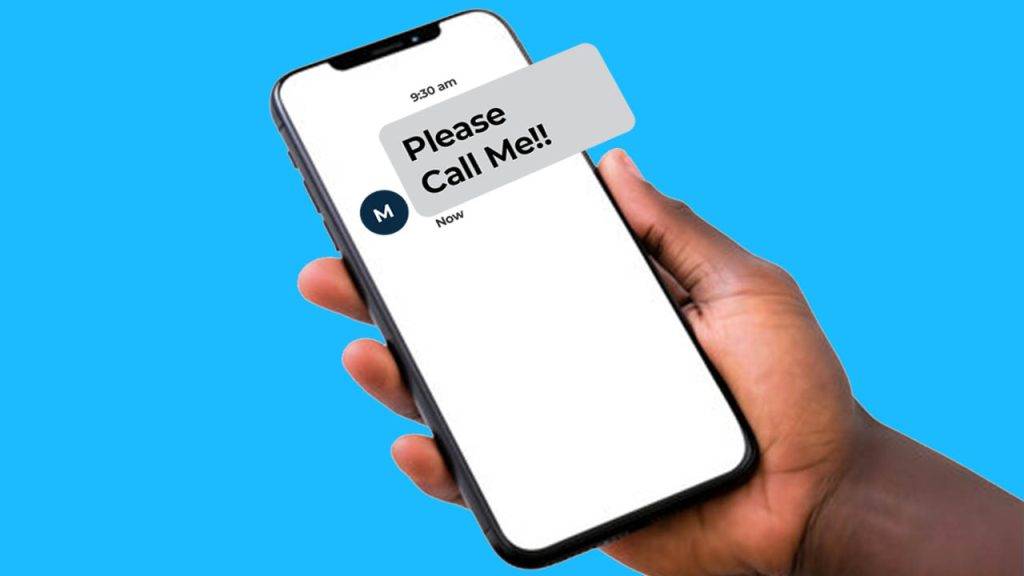
    A “Please Call Me” message is a free SMS that you can send to someone when you don’t have airtime. It simply tells them to call you back. Think of it like knocking on someone’s door when you can’t enter their house—you’re letting them know you’re there and need their attention.

    Each mobile network in South Africa has a unique code you can dial to send this message. Let’s go through each one step by step.

    How to Send a “Please Call Me” on MTN

    Follow these steps to send a “Please Call Me” on MTN:

    1. Dial *121*recipient’s number# (For example: *121*0831234567#)
    2. Press call/send.
    3. The recipient will get a message saying “Please Call Me” with your phone number attached.
    4. MTN allows you to send up to 5 “Please Call Me” messages per day.

    How to Send a “Please Call Me” on Vodacom

    Follow these steps to send a “Please Call Me” on Vodacom:

    1. Dial *140*recipient’s number# (For example: *140*0767124511#)
    2. Press call/send.
    3. The recipient will receive a message with your number and the text “Please Call Me.”

    Vodacom allows you to send up to 10 “Please Call Me” messages per day.

    How to Send 'Please Call Me' on Any Network in South Africa

    How to Send a “Please Call Me” on Telkom

    Follow these steps to send a “Please Call Me” on Telkom:

    1. Dial *140*recipient’s number# (For example: *140*0814557562#)
    2. Press call/send.
    3. The recipient will receive a “Please Call Me” SMS with your phone number.

    Telkom also allows up to 10 “Please Call Me” messages per day.

    How to Send a “Please Call Me” on Cell C

    Follow these steps to send a “Please Call Me” on Cell C:

    1. Dial *111*recipient’s number# (For example: *111*0841435391#)
    2. Press call/send.
    3. The recipient will receive a message asking them to call you back.

    Cell C allows you to send up to 10 “Please Call Me” messages per day.

    Extra Tips & Things to Keep in Mind

    • You can send “Please Call Me” messages to any number, even if they’re on a different network.
    • This service is completely free, so you won’t be charged for sending the message.
    • If you’ve reached your daily limit, you’ll have to wait until the next day to send more.
    • “Please Call Me” messages are useful in emergencies when you have no airtime.
    • Some networks may not allow international “Please Call Me” messages.

    Why Use “Please Call Me”?

    Still wondering why this service is so popular? Here are some real-life situations where “Please Call Me” can save the day:

    You run out of airtime – You’re about to call someone, but your airtime is finished. Instead of stressing, just send a “Please Call Me” and wait for them to call you.

    Emergency situations – Maybe you need to reach someone urgently but have no data or airtime. This is a quick way to let them know you need help.

    You’re borrowing someone’s phone – If you don’t have your phone with you but need to contact someone, you can use this trick on a borrowed phone (as long as it’s on your network).

    The “Please Call Me” service is one of the most useful features offered by South African mobile networks. Whether you’re out of airtime, in an emergency, or just need someone to call you back, this free service is a lifesaver.

    Now that you know exactly how to send a “Please Call Me” on MTN, Vodacom, Telkom, and Cell C, you’ll never be stuck without a way to communicate. Try it out the next time you need a callback!

    Did this guide help you? Share it with friends who might need it too!

  • How Do I Send a “Please Call Me” on Vodacom?

    How Do I Send a “Please Call Me” on Vodacom?

    Have you ever found yourself in a situation where you needed to reach someone but didn’t have enough airtime to make a call? Or maybe you’re just in an area with bad signal and can’t get through? Well, Vodacom’s “Please Call Me” feature is a lifesaver for times like these! It’s a quick and free way to ask someone to call you back—perfect for when you’re low on airtime or can’t make a direct call. Don’t worry if this sounds confusing, though! By the end of this article, you’ll know exactly how to use it like a pro.

    What is a “Please Call Me”?

    Let’s break it down. A “Please Call Me” is a service from Vodacom that allows you to send a text to anyone asking them to call you back. It’s like knocking on someone’s door and saying, “Hey, can you please give me a call when you get a chance?” without actually making the call yourself. Super handy, right? This service works even when you’re out of airtime or have a poor network connection.

    The best part? It works on any network. So whether the person you’re trying to reach uses Vodacom, MTN, Cell C, or Telkom, you can send them a request to call you back.

    Why Would You Need “Please Call Me”?

    There are plenty of reasons why you might need this service:

    • Running low on airtime: We’ve all been there, right? You’re trying to make an urgent call but realize you have no airtime. Instead of stressing, you can simply send a “Please Call Me” message and wait for the call to come to you!
    • Bad signal or no reception: Sometimes you’re in a place with no signal or a super weak connection. In those moments, calling is out of the question, but you can still send a “Please Call Me” to let someone know you’re trying to reach them.
    • Emergency situations: If you’re in a situation where you need help but can’t make a call, a “Please Call Me” message can be your way of asking someone to check in on you.

    How to Send a “Please Call Me” on Vodacom: Step-by-Step

    Now that you understand what “Please Call Me” is, let’s get into how to send one. It’s super easy, and I’m going to walk you through it step by step.

    Step 1: Open the Dialer or Messaging App

    First, you’ll need to open the phone’s dialer or messaging app. You know, the usual app you use to make calls or send texts.

    Step 2: Enter the Recipient’s Number

    Once the app is open, it’s time to enter the number of the person you want to contact. Here’s where you’ll input their phone number, but make sure it’s correct! You don’t want to accidentally send your message to the wrong person.

    • Dial the following code: *140* followed by the recipient’s phone number, and then close it with #.

    For example, if you want to send a “Please Call Me” to the number 0821502903, you would type this into the dialer: *140*0821502903#.

    Step 3: Optional: Add a Personal Message

    Some versions of the service allow you to add a little personal note to your “Please Call Me” message. If you need to make the request more urgent or just want to explain why you need the call, feel free to add a brief message.

    For instance, you could say, “Please call me back ASAP!” or “I need to talk to you about something important.” But remember, keep it short—there’s not a lot of space for long messages.

    Step 4: Hit Send

    Once you’ve entered the number and added a custom message (if you want), double-check to make sure everything is right. Then, press send, and the “Please Call Me” message will be delivered to the recipient.

    That’s it! You’re done. It’s really that simple.

    What Happens Next?

    Once you’ve sent the “Please Call Me” message, the person you contacted will get a text saying that you need them to call you back. They don’t need to worry about calling you at a specific time or worrying about their airtime—they can just call you back when they’re able to.

    If they’re on Vodacom, it’s free for both of you! If they’re on a different network, they might be charged for the call, but it’s still a great way to get in touch without worrying about airtime on your end.

    How To Send Please Call Me on Vodacom?

    Alternatives to “Please Call Me”

    While the “Please Call Me” feature is super useful, there are also other ways to reach out if you can’t make a call. Let’s take a look at some of them:

    • Direct Calls: If you have airtime, the fastest way to reach someone is just to call them directly.
    • Text Messages (SMS): If you can’t make a call but have enough airtime, you can always send a text. It’s quick and gets your message across.
    • Instant Messaging Apps: If you’re on Wi-Fi, you can use apps like WhatsApp or Facebook Messenger to send messages or even make voice calls.
    • Email: For non-urgent or more detailed communication, email is another option.

    Frequently Asked Questions (FAQs)

    1. How long does it take for the recipient to get the message?

    The “Please Call Me” message usually gets delivered almost immediately. But if there are network issues or the recipient’s phone is off, there might be a slight delay.

    2. Can I send a “Please Call Me” message more than once?

    You can! However, Vodacom might put a limit on how many messages you can send in a certain period, so be mindful of that.

    3. What if the person doesn’t call me back?

    If they don’t respond right away, you can try sending a follow-up text or, if possible, calling them again later. You can also consider using other ways to get in touch, like messaging them through social media or WhatsApp.

    4. Can I send a “Please Call Me” internationally?

    Unfortunately, the “Please Call Me” feature typically works only within the same country or network. If you’re trying to contact someone overseas, you might want to use another method, like WhatsApp or email.

    Pros and Cons of “Please Call Me”

    Like anything, the “Please Call Me” service has its ups and downs. Here’s a quick look at the advantages and potential drawbacks:

    Pros:

    • Free: Sending a “Please Call Me” is completely free, which makes it an affordable option when you don’t have airtime.
    • Quick: It’s an instant way to let someone know you need them to call you back.
    • Great for Emergencies: If you need help but can’t call directly, it’s a useful backup plan.
    • Works on all networks: Whether your friend uses Vodacom, MTN, or any other network, you can send them a request.

    Cons:

    • Message Length: The message is short, so you can’t explain everything in detail.
    • Recipient’s Response: It’s up to the recipient to respond, and sometimes they might not be able to call back right away.
    • Privacy: Sending a “Please Call Me” will reveal your phone number, which might be a concern for some people.
    • Network Issues: If there are network problems, your message might not go through.

    Vodacom’s “Please Call Me” is a simple, free, and effective way to get in touch with someone when you can’t make a call yourself. Whether you’re out of airtime, have a weak signal, or just need someone to get back to you, this feature is a great tool to have in your phone. By following the easy steps above, you’ll be able to send your request in no time, and stay connected with those who matter most.

    So, the next time you find yourself needing a quick call back, just send a “Please Call Me”!