Category: MTN

Discover everything about MTN in Africa, from mobile plans and bundles to network updates, customer service, and latest promotions.

  • Guide to Requesting MTN MoMo Statements in Ghana

    Guide to Requesting MTN MoMo Statements in Ghana

    Get your MTN MoMo (Mobile money) statement in Ghana for 7 to 180 days using the shortcode *170#, MyMoMo app, or the myMTN app.

    Let’s say you’ve been using MTN Mobile Money (MoMo) to send and receive money, buy airtime, or pay bills. After a while, you might start wondering: “Where’s all my money going?” or “I need proof of this payment!”

    That’s where your MTN MoMo Statement comes in. Think of it like your money’s report card. It shows you exactly how much money came in, how much went out, when it happened, and what it was for.

    In this guide, we’ll walk through how to get that statement—step by step—without stress. Whether you’re a regular MoMo user or a merchant/agent, this guide has you covered.

    What Is an MTN MoMo Statement?

    It’s a detailed list of all your MoMo transactions within a period of time. This includes:

    Transaction TypeExample
    Money sentSending money to your cousin in Kumasi
    Money receivedGetting a payment from your friend
    Airtime/dataBuying airtime or bundles for yourself or others
    Bill paymentsPaying ECG, DStv, etc.
    WithdrawalsTaking cash out from an agent
    DepositsPutting money into your MoMo account

    You’ll receive the statement in PDF format by email, and you can use it for budgeting, loan applications, audits, or just to double-check your spending.

    Who Can Request a MoMo Statement?

    There are two types of MoMo users:

    1. Regular users (like you and me)
    2. Merchants or agents (those who use MoMo to run a business)

    The good news? Both can get MoMo statements, but the process is slightly different.

    How Long Back Can You Go?

    Here’s how far back you can request statements:

    User TypeTime Limit
    Regular userUp to 3 years
    Merchant/AgentUp to 2 years

    But each statement can only cover a maximum of 180 days (6 months) at a time.
    Guide to Requesting MTN MoMo Statements in Ghana

    How to Request Your MTN MoMo Statement (Regular User)

    Let’s say you’re a regular user. You’ve been buying airtime and sending money here and there. Now you want to see where your cash has been going. Here are three easy ways to request your statement:

    Option 1: Using the MTN USSD Code (*170#)

    This is the easiest method. Here’s what to do:

    1. Dial *170# on your phone.
    2. Choose option 6 (My Wallet).
    3. Select 3 (Statements).
    4. Tap 1 (Statement Request).
    5. Enter your MoMo PIN (that 4-digit code you always use).
    6. Type in your email address and confirm it.
    7. Choose the duration you want:
      • 7 days
      • 30 days
      • 60 days
      • 180 days
      • Or select “Specify Date” if you want a custom range (format: 01 01 2024 for Jan 1, 2024).
    8. Confirm by typing 1.

    Done! Now wait a few minutes for the email from MTN with your statement attached.

    Option 2: Using the MyMoMo App

    If you’ve got a smartphone and don’t feel like typing codes, the MyMoMo app works great too.

    Here’s how:

    1. Open the MyMoMo app.
    2. Tap on Statements.
    3. Select a duration (30, 60, or 180 days), or pick a custom range using the calendar.
    4. Tap Get Statement.
    5. Your PDF statement will be ready. You can save it or send it to yourself via WhatsApp, email, or even Google Drive.

    Option 3: Using the myMTN App

    Already have the myMTN app? You can use it too:

    1. Open the app and go to the MoMo section.
    2. Tap Statement.
    3. Enter your email and follow the prompts.
    4. Choose the date range and submit.

    Same result: You’ll get your statement in your inbox shortly.

    How to Request a MoMo Statement (Merchants/Agents)

    If you’re running a MoMo business (like being an agent or merchant), here’s your route:

    1. Dial *170# using your agent/merchant SIM.
    2. Select My Wallet.
    3. Tap on Statements.
    4. Choose 2 (Merchant/Agent Statement).
    5. Select either My Agent Account or My Merchant Account.
    6. Enter the email address where the statement should be sent.
    7. Pick a start and end date (maximum: 180 days).
    8. Type 1 to confirm.

    Your statement will arrive via email. If there are no linked accounts, the system will let you know.

    Why Would You Even Need a MoMo Statement?

    Here are some common situations:

    SituationWhy the Statement Helps
    Applying for a loanShows proof of regular income or cash flow
    BudgetingHelps you understand where your money goes
    Fighting fraudYou can spot strange transactions
    Tax filing or auditsGives a paper trail of your transactions
    Record-keeping for businessShows payment history to suppliers/customers

    Things You Can’t Do with a MoMo Statement

    Let’s clear up some myths:

    Can I delete a transaction I don’t like?
    Nope. MoMo statements are read-only. Once a transaction is recorded, it can’t be changed or erased.

    Can I get a statement for someone else’s MoMo account?
    Not directly. You can only request statements for the number you’re using. If it’s someone else’s number, they have to request it themselves.

    Quick Summary Table

    FeatureDetails
    Max date range per request180 days
    Full history available3 years (users), 2 years (merchants/agents)
    Delivery methodEmail in PDF format
    Access methodUSSD (*170#), MyMoMo app, myMTN app
    Who can request itOnly the account holder

    Always double-check your email address before submitting your request. If you type it wrong, you won’t get the statement—and you’ll have to start over.

    Also, it’s a good idea to save your statement PDF somewhere safe (like your Google Drive or your email inbox), especially if you’re using it for business or official paperwork.

    If you ever get stuck or your statement doesn’t arrive, you can walk into any MTN service center for help. And now that you know how to request it like a pro, you’ve got one less thing to worry about.


  • How to Buy a Smartphone with MTN Pick and Pay Later

    How to Buy a Smartphone with MTN Pick and Pay Later

    Quick Summary

    • MTN Pick and Pay Later allows you to get a smartphone now and pay in smaller amounts over time.
    • Eligibility depends on your MTN usage and MoMo transaction history.
    • Registration is done via *170# without visiting a store.
    • Phones available include Samsung Galaxy A05, A15, and A25.
    • Interest rates are fixed and displayed before purchase.
    • Late payments lead to phone locking until dues are settled.

    What Is MTN Pick and Pay Later?

    MTN Pick and Pay Later is a simple way to buy a smartphone without paying the full amount upfront. If you’re an eligible MTN Ghana customer, you can pick a device, pay part of the price immediately, and cover the rest in smaller payments over four or six months using MTN Mobile Money (MoMo).

    Think of it like buying a school bag on credit—you pay a little now and the rest later, but you still get to use the bag immediately. The same applies here: you get the phone now and pay in installments.

    How to Buy a Smartphone with MTN Pick and Pay Later

    Who Can Use MTN Pick and Pay Later?

    Not everyone can use this service. MTN has a system to check if you qualify, mainly based on how you use your MTN line and Mobile Money. Here’s what you need:

    • Be an active MTN Ghana customer.
    • Have a history of using MTN services regularly.
    • Use MTN Mobile Money frequently and responsibly.
    • Maintain a good payment record.

    If you meet these requirements, MTN considers you a reliable customer and allows you to buy a phone through this service.

    How to Sign Up for MTN Pick and Pay Later

    Getting started is easy, and you don’t even have to visit a store first. Just follow these steps:

    1. Dial *170# on your MTN phone.
    2. Select Financial Services from the menu.
    3. Choose Loans.
    4. Select Device Pick and Pay Later.
    5. Tap on Device Lending.
    6. Read and accept the Terms & Conditions.
    7. Select Get a Device.
    8. Enter your MoMo PIN to confirm.
    9. Follow the instructions to make your initial payment.

    Once MTN confirms your payment, you can pick up your new phone from one of these MTN service centers:

    MTN Service Centers
    Accra Mall
    Junction Mall
    West Hills Mall
    Osu Supreme
    Achimota Mall

    Remember, you must bring your Ghana Card when collecting your device.

    What Phones Can You Get with MTN Pick and Pay Later?

    The available smartphones may change based on stock and your eligibility. Right now, MTN offers Samsung devices such as:

    Available Smartphones
    Samsung Galaxy A05
    Samsung Galaxy A15
    Samsung Galaxy A25
    How to Buy a Smartphone with MTN Pick and Pay Later

    How Much Interest Do You Pay?

    The total cost of your phone includes a fixed interest rate, which depends on the device and payment plan you choose. When you request a device using the MoMo shortcode, MTN will show you the exact interest amount before you confirm.

    What Happens If You Miss a Payment?

    If you don’t make your payment on time, MTN gives you a 24-hour grace period to catch up. If you still don’t pay, your phone will be locked, making it unusable until you clear the outstanding balance.

    If you’re looking for a new smartphone but can’t pay the full price upfront, MTN Pick and Pay Later is a great way to spread out the cost while staying connected.

    How to Buy a Smartphone with MTN Pick and Pay Later
  • MTN South Africa Makes History with Africa’s First Satellite Phone Call

    MTN South Africa Makes History with Africa’s First Satellite Phone Call

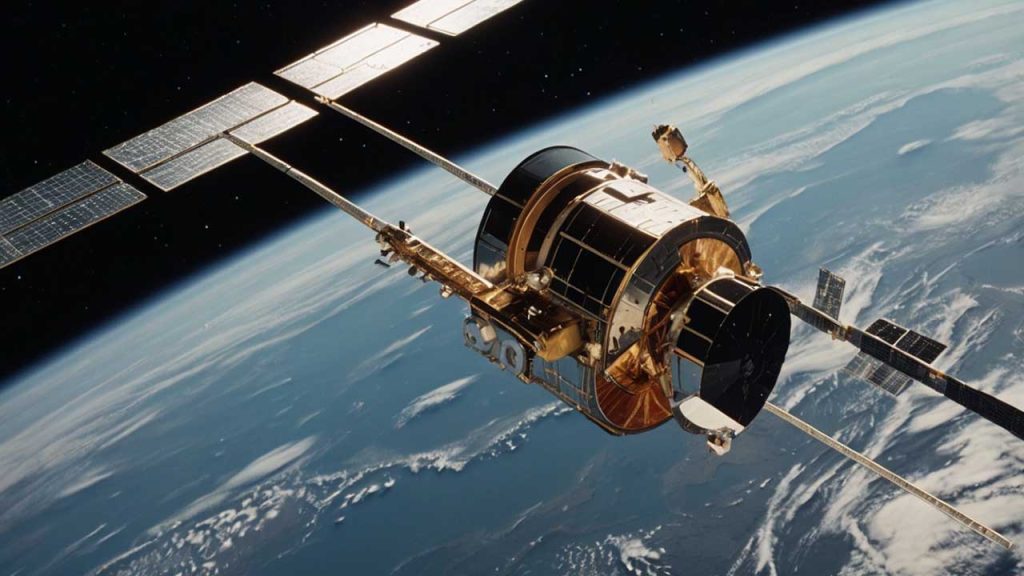
    MTN South Africa and Lynk Global just pulled off something big—they made Africa’s first phone call via satellite.

    This could be a game-changer for people in remote areas who struggle with poor network coverage.

    Think about it: If you live in a big city, you rarely worry about dropped calls. But in rural areas, building cell towers is expensive and not always practical. That’s where satellites—especially low-earth orbit (LEO) satellites—come in. They can beam network signals directly to your phone, no extra equipment needed.

    The test call happened in Vryburg, a town in South Africa’s North West province. And here’s the cool part—it was made using a regular smartphone. No fancy satellite phone, no extra gadgets. Just a normal phone connecting to an LEO satellite. MTN South Africa’s CEO, Charles Molapisi, said the trial was part of the company’s mission to improve network access in hard-to-reach areas. The test had the green light from South Africa’s telecom regulator, ICASA, which means it was all official.

    MTN isn’t the only company looking at satellites for better coverage. They’ve been in talks with big names like Omnispace, OneWeb, Starlink, and AST SpaceMobile. Other telecom giants like Vodacom and Cell C are also moving in the same direction. In 2023, Vodacom teamed up with Amazon’s Project Kuiper to explore satellite connectivity. Meanwhile, Starlink, the company owned by Elon Musk’s SpaceX, recently announced its direct-to-cell service, which lets standard phones connect directly to its satellites.

    If satellite connectivity becomes widely available, it could unlock a massive market. According to GSMA Intelligence, telcos across Sub-Saharan Africa could tap into a $30 billion opportunity by 2035. That’s a huge deal, especially for regions where traditional network expansion has been slow or impossible. For now, the technology is still being tested, but this successful call is proof that satellite-powered mobile networks aren’t just science fiction—they’re becoming reality. If things go as planned, making a call from the middle of nowhere might soon be as easy as calling from downtown Johannesburg or Lagos.

  • MTN and Airtel Join Forces to Cut Costs and Expand Coverage in Nigeria and Uganda

    MTN and Airtel Join Forces to Cut Costs and Expand Coverage in Nigeria and Uganda

    MTN Group and Airtel Africa are teaming up to share network infrastructure in Nigeria and Uganda.

    This move is all about cutting costs and expanding coverage, especially in areas that don’t yet have strong mobile networks. It’s not every day you see two big competitors working together like this, but with economic challenges and currency devaluation hitting profits, telecom giants are rethinking how they operate.

    Nigeria is the biggest market for both companies, but it hasn’t been smooth sailing. MTN Group makes 40% of its revenue there, while Airtel Africa pulls in 34.4% from the country. The problem? The naira’s devaluation has made everything more expensive, from setting up towers to maintaining fiber networks. Instead of each company building its own infrastructure, they’re now looking to share resources—towers, base stations, and fiber-optic networks—to keep costs under control while improving service quality.

    MTN Group CEO Ralph Mupita pointed out that demand for data and digital financial services keeps growing across Africa. In Nigeria, MTN’s market share hit 51% in January, with over 3 million new subscribers bringing its total to 87.5 million. Airtel Nigeria also saw an increase, going from 56.6 million subscribers in December 2024 to 57.6 million by January 2025.

    “We continue to see strong structural demand for digital and financial services across our markets,” Mupita said. “To meet this demand, we continue to invest in coverage and capacity to ensure high-quality connectivity for our customers.”

    Before signing this deal with Airtel, MTN Nigeria had been in talks with 9mobile, a struggling telecom operator that has been losing customers. That potential agreement, which is still under discussion, would allow 9mobile to use MTN’s network in certain areas while MTN would gain access to 9mobile’s spectrum.

    This new partnership fits right in with regulatory requirements. When the Nigerian Communications Commission (NCC) approved telecom tariff hikes in January, it told operators they had to roll out additional infrastructure within three months to improve service. Since the new tariffs kicked in this February, that means telecoms have just two months left to meet the deadline.

    MTN and Airtel aren’t stopping at Nigeria and Uganda. They’re looking at other African markets too—places like Congo-Brazzaville, Rwanda, and Zambia—where they could also share networks. The companies are considering different approaches, from radio access network (RAN) sharing to joint investments in fiber infrastructure.

    “As we compete fiercely in the market on the strength of our brand, services, and offerings, we are building common infrastructure within the permissible regulatory framework,” Airtel Africa CEO Sunil Taldar said. “This allows us to provide a more robust and extensive digital highway while avoiding the costly duplication of infrastructure.”

    If this collaboration works well, it could pave the way for more network-sharing deals across Africa, helping telecom operators manage costs while expanding their reach.

  • How to Buy ECG Prepaid with Mobile Money in Ghana

    How to Buy ECG Prepaid with Mobile Money in Ghana

    You can easily buy ECG prepaid with MoMo by dialing *226#, using the ECG PowerApp, or through MTN, Telecel, and AT Ghana services.

    Keeping your electricity prepaid meter topped up shouldn’t feel like a chore. Thanks to mobile money (MoMo), you don’t have to stand in long queues or scramble for a vendor late at night when the lights go off. Whether you’re using the ECG Power App, a USSD code, or your mobile network provider’s MoMo service, this guide will walk you through the process in the simplest way possible.

    By the end of this article, you’ll know exactly how to buy ECG prepaid with MoMo, troubleshoot common issues, and keep your electricity running smoothly. Let’s dive in!

    Buying ECG Prepaid Using the ECG Power App

    The ECG Power App is a straightforward way to purchase prepaid electricity. Here’s how to use it:

    1. Download and Install the ECG Power App
      • If you haven’t already, download the ECG Power App from the Google Play Store or Apple App Store.
      • Open the app and register or log in with your details.
    2. Add Your Meter (If Not Already Added)
      • Tap on the Meters tab at the bottom of the screen.
      • Swipe through and select Add Prepaid Meter.
      • Enter your meter number and follow the prompts to register it.
    3. Buy Prepaid Credit
      • In the Meters section, select the meter you want to top up.
      • Tap Buy Credit.
      • Enter the amount you want to purchase.
      • Select Top Up.
    4. Choose a Payment Method
      • Select your preferred MoMo wallet (MTN, AirtelTigo, or Telecel).
      • If you haven’t added a wallet, tap the + icon to link one.
    5. Confirm and Complete Payment
      • Review your transaction details and tap This Is Correct.
      • Wait for the MoMo prompt and enter your PIN.
      • Tap I Have Paid to confirm.
    6. Receive Your Token
      • After payment, tap Check Status to view your token number.
      • ECG will also send a confirmation SMS with the token.
      • If your credit doesn’t load automatically, enter the token manually into your meter.
    How to Buy ECG Prepaid with Mobile Money in Ghana

    Buying ECG Prepaid Using the ECG USSD Code (*226#)

    If you don’t have access to the app, you can use ECG’s USSD code to buy prepaid. First, ensure your MoMo wallet is linked by logging into the ECG Power App and adding it. Then, follow these steps:

    1. Dial *226# on your phone.
    2. Select Pay Prepaid/Postpaid.
    3. Choose your meter or select Add Meter to register a new one.
    4. Enter the amount you want to purchase.
    5. Select your MoMo wallet.
    6. Enter 1 to confirm transaction details.
    7. Enter your MoMo PIN.
    8. Select 1 to approve the payment.
    9. Wait for an SMS confirmation and the token from ECG.

    Buying ECG Prepaid Through Mobile Network Providers

    Each mobile network in Ghana (MTN, Telecel, and AT Ghana) allows you to buy ECG prepaid directly through their MoMo platforms. Here’s how:

    Buying ECG Prepaid with MTN MoMo

    1. Dial *170# on your phone.
    2. Select MoMoPay & Pay Bills.
    3. Choose Pay Bill.
    4. Select Utilities.
    5. Choose ECG.
    6. Select Pay ECG Bill.
      • If your meter is not linked, select ECG Link Meter to add it.
    7. Choose your meter.
    8. Enter the amount you want to buy.
    9. Enter your MoMo PIN to confirm.
    10. Wait for ECG’s SMS with your token.

    Buying ECG Prepaid with Telecel T-Cash

    1. Dial *110#.
    2. Select Make Payments.
    3. Choose Pay Bill.
    4. Select Utilities.
    5. Choose ECG.
    6. Select Make Payment.
      • If your meter is not linked, select Add Meter first.
    7. Choose your meter.
    8. Enter the amount to buy.
    9. Enter your PIN to confirm.
    10. Wait for the SMS confirmation and ECG token.

    Buying ECG Prepaid with ATMoney

    1. Dial *110#.
    2. Select Pay Bill.
    3. Choose Pay Bill again.
    4. Select Utilities.
    5. Choose ECG.
    6. Select Prepaid.
    7. Choose Pay Bill.
      • If your meter is not linked, select Add a Meter first.
    8. Choose your meter.
    9. Enter the amount.
    10. Enter your PIN to confirm.

    Note: Some users experience failed transactions with ATMoney. If this happens, try using ECG’s direct payment options.

    How to Buy ECG Prepaid with Mobile Money in Ghana

    Troubleshooting Common Issues

    IssueSolution
    No token received after paymentCheck the ECG app or dial *226# to retrieve your token. If still missing, contact ECG support.
    Payment deducted but no credit addedWait a few minutes and check again. If unresolved, call ECG customer service with your transaction details.
    Token not loading onto the meterEnsure you’re entering the correct token. If it still doesn’t work, restart the meter or contact ECG.

    Tips to Manage Your Electricity Usage

    • Track your balance: Use the ECG Power App to check your remaining credit.
    • Set usage limits: The app’s Daily Consumption Calculator helps identify power-hungry appliances.
    • Unplug devices: Leaving appliances on standby mode still uses electricity.
    • Use energy-efficient appliances: LED bulbs and inverter air conditioners save power.

    Safety and Security Tips

    • Always double-check your meter number before making a payment.
    • Never share your MoMo PIN with anyone.
    • Beware of fraud: ECG will never ask for your MoMo PIN via SMS or call.
    • Save receipts: Keep transaction records for reference in case of issues.

    Retrieving Lost ECG Prepaid Tokens After Payment

    You can retrieve your ECG prepaid token through the ECG PowerApp, customer service, or by visiting an ECG district office. Have your meter number, MoMo transaction ID, and purchase amount ready. You can also reach ECG for assistance via phone call at (+233 302 611 611), email, or social media.

    Frequently Asked Questions (FAQs)

    Does MoMo charge a transaction fee for ECG prepaid purchases?

    No, ECG does not charge a transaction fee for prepaid purchases via MoMo.

    How long does it take for my purchase to show up?

    Purchases usually reflect immediately. In rare cases, it may take a few minutes due to network delays.

    What should I do if my ECG prepaid payment doesn’t go through?

    If your payment goes through but you don’t receive credit, contact ECG at +233 302 611 611 with your transaction ID and meter details.

    Now that you know how to buy ECG prepaid with mobile money, keeping your electricity running is easier than ever. Whether you prefer using the ECG app, USSD codes, or your network provider’s MoMo service, you have multiple hassle-free options. Try it out and say goodbye to last-minute power cut panic!

  • MTN Nigeria Short Codes You Should Know

    MTN Nigeria Short Codes You Should Know

    If you use MTN Nigeria, you’ve probably seen or used short codes—those simple numbers you dial on your phone to get things done quickly.

    Think of them as magic keys that unlock different services without needing the internet or customer care agents. Whether you want to check your airtime, buy data, or even borrow credit, there’s a short code for that!

    In this guide, we’ll break everything down in a way that’s super easy to understand. By the end, you’ll know exactly which codes to use, when to use them, and why they matter. Let’s dive in!

    What Are MTN Short Codes?

    MTN short codes (also known as USSD codes) are quick commands you dial on your phone to perform different tasks. Instead of stressing over customer care or searching for options in an app, just punch in a few numbers, and boom—you’re sorted!

    Imagine your phone is like a remote control, and these codes are buttons that get things done instantly. Need airtime? Press the right “button” (dial the right code), and your problem is solved in seconds.

    Essential MTN Short Codes You Should Know

    Here’s a handy table with some of the most useful MTN short codes:

    ActionUSSD Code
    Recharge Airtime*311*Voucher PIN#
    Check Airtime Balance*310#
    Borrow Airtime*303#
    Buy Data*312#
    Share Data*321#
    Check Data Balance*323#
    MTN Value-added Services*305#
    Link NIN to MTN Line*785#

    Now let’s break down some of these codes further so you can understand exactly how they work.

    MTN Nigeria Short Codes You Should Know

    How to Recharge Airtime on MTN

    Running low on airtime? No problem! Here’s how to top up in seconds:

    1. Buy an MTN recharge card.
    2. Scratch off the silver coating to reveal the PIN.
    3. Dial *311*PIN# and hit send.
    4. You’ll get a confirmation message that your airtime has been credited.

    If you prefer buying airtime online or through your bank, this short code won’t be necessary. But when you have a scratch card, this is the fastest way to load it!

    How to Check Your MTN Airtime Balance

    Not sure how much credit you have left? Dial *310#, and your balance will pop up on your screen. You’ll also get an SMS with the details.

    It’s always smart to check your balance before making calls or browsing the internet to avoid surprises.

    How to Borrow Airtime on MTN

    Sometimes, you need airtime urgently, but your wallet says, “Not today!” That’s where MTN’s “XtraTime” service comes in—you can borrow airtime and pay later.

    Steps to Borrow Airtime:

    1. Dial *303#.
    2. Select the amount you want to borrow (MTN will show you how much you qualify for).
    3. Confirm your request.
    4. The borrowed amount will be credited to your account, minus a small service charge.

    Remember, the next time you recharge, MTN will automatically deduct what you owe!

    How to Buy Data on MTN

    Want to browse the internet, stream videos, or chat on WhatsApp? You’ll need data! Here’s how to buy a data bundle:

    1. Dial *312#.
    2. Choose from the list of available data plans.
    3. Select your preferred plan and confirm.
    4. You’ll receive an SMS confirming your purchase.

    Simple, right? Now you’re all set to surf the web without stress.

    How to Share Data with Friends and Family

    Got extra data? You can share it with friends using MTN Data Gifting.

    To Transfer Data:

    1. Dial *321#.
    2. Select “Gift Data.”
    3. Enter the recipient’s MTN number.
    4. Choose the amount of data you want to send.
    5. Confirm your transfer.

    Boom! Your friend now has data, thanks to you.

    How to Check Your Data Balance

    If you want to know how much data you have left, just dial *323#, and MTN will send you a message with your current data balance. This helps you manage your internet usage so you don’t run out unexpectedly.

    How to Link Your NIN to Your MTN Line

    In Nigeria, linking your National Identification Number (NIN) to your MTN line is a must. If you haven’t done this yet, here’s how:

    1. Dial *785#.
    2. Enter your 11-digit NIN.
    3. Confirm the submission.
    4. You’ll get a message confirming that your NIN has been linked.

    If you run into any issues, you may need to visit an MTN office to complete the process.

    Other Important MTN Short Codes

    Some short codes haven’t changed and still serve their usual functions:

    ServiceUSSD Code
    Check Your MTN Phone Number*123*1*1# or *663#
    Verify SIM Registration or NIN Linkage*996#
    Manage Do-Not-Disturb (DND) Settings2442
    Mobile Number Portability (Porting)3232

    Why MTN Short Codes Matter

    Short codes save you time. Imagine you need to borrow airtime but don’t know the code—you’d have to search online, ask a friend, or call customer care. With this guide, you have all the essential codes in one place, so you can get things done fast.

    Now that you know the most important MTN short codes, navigating your mobile services should be a breeze. Whether it’s buying airtime, checking your balance, or linking your NIN, you now have the “cheat codes” to do it all effortlessly.

    Bookmark this page or save these codes somewhere handy—you never know when you’ll need them. And if you found this helpful, share it with someone who might need it too!

    Stay connected and enjoy your MTN experience!

  • How To Reset MTN MoMo PIN If You Forget It In Nigeria

    How To Reset MTN MoMo PIN If You Forget It In Nigeria

    Learn how to reset your MTN MoMo PIN in Nigeria using *671# with simple steps for secure access to your account.

    Forgetting your MTN MoMo PIN can be frustrating, but don’t worry—you can reset it quickly and easily. Think of it like forgetting the key to your piggy bank. You wouldn’t throw the whole piggy bank away, right? Instead, you’d find a way to get a new key. That’s exactly what we’re going to do with your MoMo PIN.

    In this guide, I’ll show you the simple steps to reset your MTN MoMo PIN in Nigeria, plus a few tips to keep it safe in the future.

    What is an MTN MoMo PIN, and Why is it Important?

    Your MTN MoMo PIN is a four-digit number that protects your mobile money account. It’s like the secret code you use to unlock a treasure chest. Without it, no one (not even you!) can access your MoMo wallet.

    If you enter the wrong PIN too many times, your account may be blocked for security reasons. That’s why it’s important to reset your PIN as soon as you forget it.

    Steps to Reset Your MTN MoMo PIN in Nigeria

    MTN makes it easy to reset your MoMo PIN using a simple USSD code. Follow these steps:

    1. Dial *671# on your MTN line.
      Think of this as knocking on the MoMo door—it gets you started!
    2. Select option 8 for ‘Account Management’.
      This is like choosing the right tool for the job. You’re telling the system that you want to manage your account.
    3. Choose option 3 to reset your PIN.
      This is where you get to set up a new PIN. Just follow the prompts on your screen.
    4. Enter a new four-digit PIN.
      Pick something you’ll remember but that’s hard for others to guess. Avoid birthdays or easy sequences like 1234.
    5. Confirm your new PIN.
      Enter it again to make sure there are no mistakes. Think of this as double-checking a padlock before walking away.

    Once you complete these steps, your new PIN is ready to use. Easy, right?

    What If You Can’t Reset Your PIN Using USSD?

    Sometimes, things don’t go as planned. If you run into any issues while trying to reset your MoMo PIN, here’s what to do:

    ProblemSolution
    You forgot your phone number is linked to MoMoDial *671# to check if your number is registered.
    USSD code isn’t workingEnsure you have good network coverage and enough airtime.
    Your account is lockedCall MTN customer support at 180 for assistance.
    You didn’t receive a confirmation messageWait a few minutes and try again.
    How To Reset MTN MoMo PIN If You Forget It In Nigeria

    Tips to Keep Your MoMo PIN Safe

    Now that you have a new PIN, let’s make sure you don’t forget it or let it fall into the wrong hands.

    1. Memorize it, don’t write it down.
      Think of your PIN like the secret ingredient in your favorite recipe—keep it safe!
    2. Avoid using easy-to-guess numbers.
      No birthdays, phone numbers, or repeating numbers like 0000.
    3. Change your PIN regularly.
      Just like changing passwords, updating your PIN now and then keeps your account secure.
    4. Never share your PIN.
      Not with friends, family, or even people claiming to be from MTN. MTN will NEVER ask for your PIN.
    5. Be careful where you enter your PIN.
      If someone is standing too close while you’re entering your PIN, wait until they move away.

    Forgetting your MTN MoMo PIN doesn’t have to be stressful. With the simple USSD code *671#, you can reset your PIN in just a few steps. If you ever have trouble, MTN’s customer support is there to help.

    Now that you know how to reset your MoMo PIN, you can enjoy worry-free mobile money transactions. Just remember to keep your PIN safe and secure!

    Got any more questions? Drop them in the comments, and let’s chat!

  • How to Transfer MTN Airtime in South Africa Instantly

    How to Transfer MTN Airtime in South Africa Instantly

    Learn how to transfer MTN airtime in South Africa instantly using simple USSD codes or SMS, with step-by-step instructions.

    Have you ever needed to send airtime to a friend or family member on MTN but weren’t sure how? Maybe your sibling ran out of airtime while chatting, or a friend needed an urgent top-up. Whatever the case, transferring airtime on MTN in South Africa is quick and easy. In this guide, I’ll walk you through the different ways to transfer airtime instantly. No complicated jargon—just simple steps you can follow right away!

    What You Need to Know Before Transferring Airtime

    Before we dive into the methods, here are some key points about MTN airtime transfers:

    • You can only transfer airtime to another MTN number.
    • The minimum transfer amount is R2.
    • The maximum transfer per transaction is R1,000.
    • You can transfer up to R10,000 per month.
    • The recipient can receive a maximum of R200 per day and R1,000 per month.
    • Transfers are free—no extra charges!

    Method 1: Transfer Airtime Using USSD

    One of the fastest ways to send airtime is through USSD. You don’t need an internet connection, just your phone’s dialer.

    Steps:

    1. Dial *136*3# on your MTN phone.
    2. Follow the prompts to enter the recipient’s number and the amount you want to send.
    3. Confirm the transaction.
    4. You and the recipient will receive an SMS confirmation.

    Quick Shortcut: If you want to skip the menu and send airtime instantly, use this direct code:

    *136*6328*RecipientNumber*Amount#

    Example: To send R10 to 0831234567, dial:

    *136*6328*0831234567*10#

    Simple, right? Now let’s move on to the next method.

    Method 2: Transfer Airtime Using the myMTN App

    If you prefer apps over USSD, the myMTN app makes it easy to transfer airtime. Here’s how:

    Steps:

    1. Download and install the myMTN app from the Google Play Store or Apple App Store.
    2. Open the app and log in with your MTN number.
    3. On the home screen, tap Airtime Share.
    4. Enter the recipient’s MTN number and the amount you want to send.
    5. Confirm the transfer using your app PIN.
    6. The recipient will receive an SMS notification.

    The myMTN app is a great option if you send airtime frequently and want to keep track of your transactions.

    Method 3: Transfer Airtime as a PayAsYouGo Customer

    If you’re an MTN PayAsYouGo user, you can send airtime just like regular MTN users. But here’s something to note: the airtime you transfer will be deducted from your available balance.

    Steps:

    1. Ensure you have enough airtime in your balance.
    2. Use the USSD method (*136*3#) or the myMTN app to complete the transfer.
    3. After the transfer, you’ll receive an SMS with the transaction details and your remaining balance.

    Important: If you have an airtime expiry wallet, transfers will be deducted from that first before your main balance.

    How to Request Airtime from Another MTN User

    Running low on airtime and need someone to send you some? You can request airtime using the Me2U Request feature.

    Steps:

    1. Dial *136*3# and select the option to request airtime.
    2. Enter the MTN number of the person you’re requesting from.
    3. They will receive an SMS request and can approve the transfer.

    Quick Shortcut: Use this code to request airtime directly:

    *136*6328*SenderNumber#

    Example: To request airtime from 0837654321, dial:

    *136*6328*0837654321#
    How to Transfer MTN Airtime in South Africa

    MTN Airtime Transfer Limits and Rules

    To keep things clear, here’s a table summarizing the key limits:

    Transfer LimitAmount
    Minimum transferR2
    Maximum per transactionR1,000
    Maximum per dayR1,000
    Maximum per monthR10,000
    Max amount recipient can receive per dayR200
    Max amount recipient can receive per monthR1,000

    Frequently Asked Questions (FAQs)

    1. How do I check my airtime balance on MTN?

    Dial *136*1# to check your airtime balance instantly.

    2. Is there a fee for transferring airtime?

    No, MTN airtime transfers are free.

    3. Can I transfer airtime to a non-MTN number?

    No, you can only transfer airtime to another MTN user.

    4. What happens if I enter the wrong number?

    Unfortunately, airtime transfers are non-reversible, so always double-check the recipient’s number before confirming.

    5. Can I transfer bonus airtime?

    No, you can only transfer main account airtime, not bonus or promotional airtime.

    Transferring MTN airtime in South Africa is simple, whether you use USSD or the myMTN app. Now that you know how it works, you’ll never have to worry about helping out a friend or family member who’s run out of airtime. Try it out today and stay connected!

    If you found this guide helpful, share it with others who might need it. Happy airtime sharing!

  • How to Use Airtime to Buy a Voucher in South Africa

    How to Use Airtime to Buy a Voucher in South Africa

    Buying a voucher using airtime in South Africa is like using pocket money to get what you need—except in this case, your mobile phone balance does the job.

    Whether you’re topping up data, paying for services, or even buying prepaid electricity, this method is simple, quick, and convenient. If you’ve ever wondered how it works, this guide will break it down in a way that makes complete sense. By the end, you’ll be able to do it confidently, just like sending a text message.

    Why Buy Vouchers with Airtime?

    Before we get into the steps, let’s quickly talk about why using airtime to buy vouchers is a smart option:

    BenefitWhy It Matters
    ConvenienceNo need for a bank card or cash. Just use your airtime balance.
    Instant AccessBuy vouchers anytime, anywhere, even without internet access.
    No Extra FeesAvoid transaction fees that often come with other payment methods.
    Works in Rural AreasEven in places with no banking services, you can still buy vouchers easily.

    This method is perfect for people who don’t have access to bank accounts, don’t want to deal with extra charges, or just prefer a simpler way to make payments.

    Step-by-Step Guide to Buying a Voucher with Airtime

    Step 1: Check Your Airtime Balance

    Before you start, make sure you have enough airtime to cover the cost of the voucher. To check your balance, dial the USSD code for your mobile network:

    NetworkUSSD Code to Check Balance
    Vodacom*100#
    MTN*136#
    Cell C*101#
    Telkom*188#

    If you don’t have enough airtime, you’ll need to top up before continuing.

    Step 2: Choose a Voucher Provider

    Different providers sell vouchers for various services. Decide what kind of voucher you need—mobile data, airtime, prepaid electricity, or even gaming credits. Some common providers include:

    • Vodacom
    • MTN
    • Cell C
    • Telkom
    • Electricity providers (like Eskom)

    Each provider has its own way of selling vouchers, but the process is quite similar.

    Step 3: Dial the USSD Code for Purchasing Vouchers

    Once you know which voucher you want, dial the right USSD code to start the process:

    ProviderUSSD Code for Voucher Purchase
    Vodacom*135#
    MTN*136#
    Cell C*147#
    Telkom*180#

    After dialing, a menu will appear on your screen with different voucher options.

    Step 4: Select Your Voucher

    Using the on-screen menu, navigate to the voucher you need. Most USSD menus work by responding with a number to choose an option. For example, you might see something like this:

    1. R5 Airtime Voucher
    2. R10 Airtime Voucher
    3. R20 Data Voucher
    4. Prepaid Electricity
    5. More Options

    Simply enter the number that matches the voucher you want.

    Step 5: Confirm the Purchase

    Before finalizing the transaction, double-check the details:

    • Is the voucher amount correct?
    • Are you using the right airtime balance?
    • Do you understand any terms or expiry dates?

    If everything looks good, confirm the purchase by following the prompts.

    Step 6: Receive Your Voucher Code

    Once the transaction is complete, you’ll get a confirmation SMS with your voucher details. This message will include:

    • The voucher code
    • How to redeem the voucher
    • Expiry date (if applicable)

    Make sure to save this SMS or write down the code somewhere safe.

    How to Use Airtime to Buy a Voucher in South Africa

    FAQs

    1. What if I don’t receive my voucher SMS?

    Sometimes there’s a short delay. Wait a few minutes and check your messages again. If it doesn’t arrive, try these steps:

    • Restart your phone.
    • Check if your airtime was deducted.
    • Contact your mobile network’s customer service.

    2. Can I buy a voucher if I’m out of airtime?

    No, you must have enough airtime before you start the process. If you’re out of airtime, borrow some using these codes:

    NetworkAirtime Advance Code
    Vodacom*135#
    MTN*136#
    Cell C*147#
    Telkom*180#

    You’ll need to repay the borrowed airtime when you next recharge.

    3. Can I use airtime to buy other things online?

    Yes! Some platforms let you pay for digital services using airtime. Look out for services like:

    • Google Play Store purchases (on some networks)
    • Streaming services (if they allow airtime billing)
    • Online gaming vouchers

    4. Are there limits to how much airtime I can use for vouchers?

    Yes, different networks have daily or monthly limits on airtime transactions. If you hit a limit, you’ll need to wait or use another payment method.

    Using airtime to buy vouchers in South Africa is an easy and hassle-free way to pay for services without needing cash or a bank card. Whether you’re getting a data top-up, paying for electricity, or buying a gaming voucher, the process is straightforward and quick. Now that you know exactly how to do it, try it out the next time you need a voucher—you might be surprised at how simple it is!

  • How to Get MTN’s Sunday Special Offer in Ghana

    How to Get MTN’s Sunday Special Offer in Ghana

    Enjoy budget-friendly calls, SMS, and data every Sunday—exclusive to prepaid users. Dial *550# to activate or cancel anytime.

    Imagine waking up on a Sunday morning, grabbing your phone, and knowing you have extra airtime, SMS, and data to chat, call, or browse at a super low price. That’s exactly what MTN’s Sunday Special offer gives you! If you’re an MTN prepaid user in Ghana, this is your golden ticket to making the most of your Sundays without breaking the bank.

    Let’s walk through everything you need to know about the MTN Sunday Special: what it is, how to subscribe, how to manage your package, and why it’s a deal worth grabbing.

    What is MTN’s Sunday Special Offer?

    MTN’s Sunday Special is a promotional bundle that gives prepaid customers discounted rates for calls, SMS, and data, but only on Sundays. If you love talking to friends, sending texts, or browsing the internet, this offer helps you do all that for much less.

    Key things to know:

    • The bundle is only for prepaid MTN customers.
    • It automatically renews every week unless you unsubscribe or don’t have enough airtime.
    • You can activate more than one package in a week.
    • The offer is valid for two consecutive Sundays after activation.

    Here are the available packages:

    Price (GHS)SMSVoice (Minutes)Data
    0.761020
    1.41103720MB
    2.63107050MB

    Each package gives you a mix of talk time, SMS, and data. You choose what works best for you!

    How to Subscribe to MTN’s Sunday Special Offer

    Subscribing is simple. Just follow these easy steps:

    1. Make sure you have enough airtime. You need at least GHS 0.76 to get the smallest package.
    2. Dial *550# on your phone. This opens the MTN special offers menu.
    3. Select option 8 for “More.” This takes you to additional promotions.
    4. Choose “Sunday Special.” You’re now in the right place!
    5. Pick your preferred package. If you want more options, enter 99 for the next page.
    6. Press # to continue. This confirms your selection.
    7. Enter 1 to accept. The cost will be deducted from your airtime, and you’ll get a confirmation SMS.

    That’s it! Your Sunday Special bundle is now active.

    How to Check Your Sunday Special Balance

    After subscribing, you might want to check how much airtime, SMS, or data you have left. Here’s how:

    • Dial *124# and press call.
    • Your remaining balance will be displayed on your screen.

    How to Unsubscribe from the MTN Sunday Special Offer

    If you ever want to stop using the Sunday Special bundle, follow these steps:

    1. Dial *550# again.
    2. Select “More” (option 8).
    3. Go to the “Sunday Special” menu.
    4. Scroll until you find “Unsub.” and select it.
    5. You will receive a message confirming your unsubscription.

    Once you unsubscribe, your package won’t renew automatically. If you change your mind, you can subscribe again at any time.

    How to Get MTN’s Sunday Special Offer in Ghana

    FAQs About MTN’s Sunday Special

    1. Does the MTN Sunday Special bundle expire?

    Yes. The bundle expires at 11:59 PM on the Sunday after activation.

    2. Can I use the bundle on any day apart from Sunday?

    No. The Sunday Special package is only valid on Sundays.

    3. Can I subscribe to more than one package?

    Yes! You can buy multiple Sunday Special packages within the same week if you need more talk time, SMS, or data.

    4. Can I change my Sunday Special package?

    Yes. If you want a different package, you’ll need to unsubscribe from your current one and then subscribe to a new package.

    5. What happens if I don’t have enough airtime for renewal?

    If your balance is too low, your Sunday Special bundle won’t renew. You’ll need to manually subscribe again after recharging.

    Why You Should Try the MTN Sunday Special Offer

    If you love staying connected but don’t want to spend too much, the MTN Sunday Special is a great deal. Here’s why:

    • It’s affordable. You get more value for less money.
    • It’s flexible. Choose the package that fits your needs.
    • It’s easy to use. Activating and checking your balance is simple.
    • It renews automatically. No need to resubscribe every week (unless you want to stop).

    So, if you haven’t tried it yet, give it a shot! Dial *550# and activate your Sunday Special today.

    Now you know everything about the MTN Sunday Special offer in Ghana. Whether you want to chat, text, or browse, this bundle gives you a pocket-friendly way to do it all. Happy Sunday saving!

  • How to Buy an SMS Bundle on MTN Ghana

    How to Buy an SMS Bundle on MTN Ghana

    Buy MTN SMS bundles in Ghana from GHS 0.62 for 20 SMS to GHS 11.29 for 900 SMS. Dial *138# now.

    Staying connected is essential, and sometimes, a good old-fashioned SMS is the best way to reach someone. Maybe you need to text a friend, send a reminder, or chat with someone who doesn’t use social media. Whatever the reason, buying an SMS bundle on MTN Ghana is a smart way to save money instead of paying per text. But how do you get one?

    Don’t worry, I’ve got you covered. This guide will walk you through the entire process—step by step—in the simplest way possible. By the end, you’ll be an expert at buying SMS bundles, checking your balance, and even exploring other MTN offers that include SMS. Let’s dive in!

    Why Buy an SMS Bundle?

    If you send SMS messages often, buying a bundle is a great idea. Instead of paying GHS 0.0658 per SMS, you get a much better deal with an SMS bundle. Here’s a quick look at the available options:

    Price (GHS)Number of SMS
    0.6220
    1.2550
    2.52150
    6.27400
    11.29900

    See? You get more value when you buy in bulk!

    How to Buy an MTN SMS Bundle

    Now, let’s go through the steps to buy an SMS bundle on MTN Ghana. Follow these instructions carefully:

    1. Dial *138# on your MTN phone and press the call button.
    2. Select ‘Proceed to Buy Bundle’ from the menu.
    3. Select 99 for ‘More’ (MTN likes to keep things hidden, but we know the way!).
    4. Select 7 for ‘More’ again.
    5. Choose ‘Buy Combo Bundle’ (this is where SMS bundles live).
    6. Select ‘Buy for Self’ (if you’re buying for your own number).
    7. Pick ‘SMS Bundles’ from the list.
    8. Choose your preferred SMS bundle from the pricing options.
    9. Select ‘Buy’ to confirm your choice.
    10. Choose a payment method—either airtime or Mobile Money (MoMo).
    11. If using Mobile Money, wait for the prompt and enter your PIN to confirm payment.
    12. Once approved, you’ll receive a confirmation SMS with your new SMS balance.

    That’s it! You’re all set to start texting at a lower cost.

    How to Check Your MTN SMS Balance

    After buying an SMS bundle, you might want to check how many messages you have left. Here’s how:

    • Dial *124#, and a pop-up notification will show your available SMS balance.
    • Use the MyMTN App, where your balances for SMS, data, and airtime are displayed on the homepage.

    Other MTN Offers That Include SMS Bundles

    If you’re looking for bundles that give you a mix of SMS, data, and voice minutes, MTN has some great options. Here are a few worth checking out:

    Bundle NameSMS IncludedExtra Features
    AFA Bundle10-25 SMSData + Voice
    Sunday Special10 SMSValid for two Sundays
    SME Plus44-131 SMSDesigned for businesses
    Association Bundle50-100 SMSFor groups and associations
    MTN Mashup50 SMSVoice + Data + Free SMS

    If you need a more flexible plan, one of these combo bundles might be a better fit for you!

    How to Buy an SMS Bundle on MTN Ghana

    Frequently Asked Questions (FAQs)

    1. Does the MTN SMS bundle expire?

    Yes, all MTN SMS bundles expire 30 days after purchase. Make sure to use your messages before they expire.

    2. Can I borrow an SMS bundle on MTN?

    No, MTN does not allow you to borrow an SMS bundle directly. However, you can borrow airtime on MTN Ghana using *506# and then use that credit to buy an SMS bundle.

    3. Can I convert my SMS bundle into a data bundle?

    No, SMS bundles cannot be converted into data or voice minutes. Once you buy an SMS bundle, it can only be used for sending text messages.

    Buying an SMS bundle on MTN Ghana is easy when you know the steps. Whether you need to send a quick text to a friend or manage a business with bulk messaging, MTN has options to fit your needs. Now that you’re equipped with all the knowledge, go ahead and grab the SMS bundle that works for you!

    If this guide was helpful, don’t keep it to yourself—share it with someone who might need it too!

  • How to Unlock MTN’s Special Offer Bundle in Ghana

    How to Unlock MTN’s Special Offer Bundle in Ghana

    Learn how to unlock MTN Ghana’s Special Offer Bundle, getting 2.5 GB for GHS 10 on special occasions, plus activation details.

    Staying connected is a big deal, especially on special occasions when you want to send messages, stream videos, or keep up with friends and family. If you use MTN in Ghana, you might have heard of the MTN Special Offer Bundle—a limited-time data deal that gives you more data at a cheaper price. But how do you unlock this bundle, and what should you know before subscribing? Let’s break it down in a simple, step-by-step guide.

    What Is the MTN Special Offer Bundle?

    The MTN Special Offer Bundle, also called the “MTN Special Day” bundle, is a promotional data package available on selected days such as public holidays, special celebrations, and events like Mother’s Day and Father’s Day.

    What Makes It Special?

    • More Data for Less: You get 2.5GB for just GHS 10.
    • Limited Availability: The offer is only available on specific special days.
    • Short Validity: The data lasts only 24 hours, so you need to use it before it expires.

    How to Subscribe to the MTN Special Offer Bundle

    If you want to grab this special data deal, you need to subscribe first. Don’t worry; it’s quick and easy!

    Steps to Subscribe

    1. Open the MyMTN App – If you don’t have it, download the MyMTN App from the Google Play Store or Apple App Store.
    2. Go to the “Shop” Section – This option is at the bottom of the homepage.
    3. Select “Data” – You will see different data options available.
    4. Choose “Special Day Offer” – This will take you to the subscription page.
    5. Tap “Join Offer” – Once you join, you will be charged GHS 10 and receive 2.5GB of data.
    6. Start Enjoying Your Data – Use it for social media, video streaming, or browsing before it expires in 24 hours.

    Quick Tip: How to Unsubscribe

    If you ever want to stop receiving the MTN Special Offer Bundle, follow the same steps up to step 4, then tap the three dots in the top-right corner and select “Unsubscribe from Offer.”

    How to Buy MTN’s Special Offer Bundle in Ghana

    Frequently Asked Questions (FAQs)

    When Is the MTN Special Offer Bundle Available?

    The bundle is only available on special occasions, including public holidays, Mother’s Day, Father’s Day, and other selected events. MTN does not announce these days in advance, so you have to check on the app to see if the offer is live.

    How Much Data Do I Get, and What Does It Cost?

    Bundle TypeData AllowancePriceValidity
    MTN Special Offer2.5GBGHS 1024 Hours

    Can I Use the Bundle After the Promo Ends?

    No. The special offer is valid for 24 hours only. Once the day ends, any unused data will disappear. If you want more data, you’ll have to wait for the next eligible day.

    Can I Subscribe More Than Once on the Same Day?

    No. The offer is limited to one subscription per special day. If you use up the 2.5GB before the day ends, you’ll need to purchase another data bundle at the regular price.

    Why Should You Get the MTN Special Offer Bundle?

    This bundle is perfect if you:

    • Love watching videos – Stream your favorite TikTok or YouTube videos without worrying about high costs.
    • Use social media a lot – Stay connected on WhatsApp, Instagram, and Facebook with more affordable data.
    • Need extra data for work or school – If you have a project or an assignment due, this can be a cost-effective way to get more internet access.

    The MTN Special Offer Bundle is a great deal if you need more data at a lower price, but you have to grab it when it’s available. Now that you know how to unlock it, you’re all set to enjoy more browsing, streaming, and social media at a discount.

    So, next time there’s a holiday or special occasion, don’t forget to check your MyMTN app—you might just find this sweet deal waiting for you!

  • How to Reactivate Your MTN SIM in Ghana

    How to Reactivate Your MTN SIM in Ghana

    Did your MTN SIM card stop working? Maybe you forgot to re-register it, or it was inactive for too long. Either way, you probably need it back—whether for making calls, sending messages, or just keeping your number active. Don’t worry, getting your MTN SIM reactivated is easier than you might think! Let’s walk through the process step by step.

    Why Your MTN SIM Might Be Deactivated

    Before we jump into reactivating your SIM, let’s look at the common reasons why your number might be deactivated:

    ReasonExplanation
    SIM Not Re-RegisteredThe Ghanaian government requires all SIMs to be linked to a Ghana Card. If you missed the deadline, your SIM was deactivated.
    Long Period of InactivityIf you haven’t used your SIM for months, MTN might deactivate it.
    Unpaid Bills (for Postpaid Users)Postpaid customers who fail to pay their bills may face deactivation.
    Wrongful DeactivationSometimes, a SIM may be deactivated due to system errors or mistakes.

    Now that you know why your SIM might be inactive, let’s bring it back to life.

    How to Reactivate Your MTN SIM Online

    The good news is that you don’t always have to visit an MTN office. MTN Ghana has made the process easier with its E-Request Customer Portal. Here’s how you can reactivate your SIM from the comfort of your home:

    Step 1: Visit the MTN E-Request Portal

    Step 2: Enter Your Deactivated Number

    • Type in your MTN number that was deactivated.
    • Click on Request OTP (One-Time Password).
    • You’ll receive an OTP via email or SMS if your number is still partially active.

    Step 3: Verify Your Identity

    • Enter the OTP in the space provided.
    • Click Verify to access the portal.

    Step 4: Fill Out the Reactivation Form

    Once verified, you need to fill out the Terminated Number Reactivation Request Form. Here’s what you’ll need to provide:

    Required InformationDetails
    First Name & SurnameMust match your Ghana Card details.
    Deactivated MTN NumberThe number you want to reactivate.
    Date of BirthEnsure it matches your Ghana Card records.
    Ghana Card NumberRequired for verification.
    SIM Serial NumberFound at the back of your SIM pack.
    Email AddressMTN will use this to contact you.
    Alternative MTN NumberA backup number in case they need to reach you.

    Step 5: Submit Your Request

    • Double-check your details to ensure accuracy.
    • Click on Submit Request.
    • MTN will review your application and contact you via email within 72 hours.

    What If You Can’t Access the Online Portal?

    If you face issues with the online portal or don’t receive an OTP, you may need to visit an MTN service center for assistance.

    How to Reactivate Your SIM at an MTN Office

    If the online method doesn’t work, follow these steps:

    1. Visit the nearest MTN service center – Locate an official MTN office in your area.
    2. Go with your Ghana Card – This is the main form of ID required for verification.
    3. Provide your SIM details – The customer service team may ask for your SIM serial number.
    4. Complete biometric verification – If your SIM was deactivated due to incomplete registration, they’ll need to capture your fingerprints.
    5. Wait for activation – If everything is correct, your SIM should be reactivated within 24 to 72 hours.
    How to Reactivate Your MTN SIM in Ghana

    Frequently Asked Questions (FAQs)

    1. How do I check my MTN SIM status?

    • Dial *404# on your phone to check if your SIM is active or deactivated.

    2. How long does SIM reactivation take?

    • MTN usually processes reactivation requests within 72 hours. However, it may take longer if additional verification is needed.

    3. What if I lost my Ghana Card?

    • You’ll need to get a replacement from the National Identification Authority (NIA) before attempting SIM reactivation.

    4. Can I reactivate my MTN SIM after a year of inactivity?

    • If your SIM has been inactive for too long, MTN may have permanently recycled your number. If that happens, you might have to get a new SIM.

    Reactivating your MTN SIM in Ghana isn’t as complicated as it seems. Whether you choose the online method or visit an MTN office, following these steps should get your SIM back up and running in no time. If you’re unsure about anything, don’t hesitate to reach out to MTN customer care for help. Now, go ahead and get your number working again!

  • MTN MiFi vs. TurboNet: Which is Better in Ghana?

    MTN MiFi vs. TurboNet: Which is Better in Ghana?

    If you’re looking for a reliable internet connection in Ghana, you’ve probably come across two popular options from MTN: the MTN MiFi and the MTN TurboNet. But which one should you choose? It depends on what you need! Let’s break it down in a way that makes sense, whether you’re a student, remote worker, or just someone who loves fast internet.

    Quick Overview: Key Differences Between MTN MiFi and TurboNet

    FeatureMTN MiFiMTN TurboNet
    Primary FocusMobile hotspotHome/office broadband
    PortabilityHighly portableLess portable
    Max Connected DevicesUp to 10Up to 32
    Speed10-15 MbpsUp to 300 Mbps
    PriceGH₵300 – GH₵600GH₵1,500 – GH₵2,500
    Power SourceBattery (6-8 hours)Direct power (with optional backup battery)

    Which One is Easier to Use?

    Both the MTN MiFi and TurboNet are easy to set up. All you have to do is insert an MTN SIM card, turn on the device, and connect your gadgets using the Wi-Fi name and password. But there are a few key differences:

    • MTN MiFi works just like a mobile hotspot. It’s small, wireless, and charges via a USB cable. You can move around with it, making it great for students, travelers, or anyone on the go.
    • MTN TurboNet is more like a mini router for your home or office. It needs to be plugged into a power source to work, but it offers stronger and more stable internet, especially in areas with good MTN 4G coverage.

    Internet Speed: Which One is Faster?

    Speed is one of the biggest differences between these two devices.

    Speed FactorMTN MiFiMTN TurboNet
    Download Speed10-15 MbpsUp to 300 Mbps
    Upload Speed5-10 MbpsUp to 50 Mbps
    • MTN MiFi is good for basic tasks like browsing, social media, and emails. It can also handle YouTube and video calls but may struggle with HD streaming and gaming.
    • MTN TurboNet is much faster. If you love watching Netflix in HD, playing online games, or need strong internet for Zoom meetings, TurboNet is the better option.

    However, speed depends on network coverage in your area. If MTN’s 4G signal is weak, neither device will perform well.

    Data Costs: Which One Gives You More for Your Money?

    Both devices require MTN data bundles, but they have different pricing and data options.

    Cost (GHS)MTN MiFi (GB)MTN TurboNet (GB)
    251.492.41
    432.564.30
    875.198.69
    25333.5291.82
    516Not Available350.54
    • MTN MiFi uses a regular MTN SIM card, so you can buy normal MTN data bundles (*138#). However, there’s a limit—once you buy GHS 350 worth of data, you can’t go higher.
    • MTN TurboNet has special data bundles (*5057#) with better value. For example, with GHS 516, you get 350GB, while the MiFi can’t even reach that amount.

    Battery Life & Power: Which One Lasts Longer?

    • MTN MiFi runs on a rechargeable battery that lasts 6-8 hours. This makes it perfect for people who move around a lot.
    • MTN TurboNet needs a direct power source, but some versions come with a backup battery that can last 10-12 hours during power outages.

    If you experience frequent power cuts, the MiFi might be more convenient unless you have a backup power solution for TurboNet.

    MTN MiFi vs. TurboNet- Which is Better in Ghana?

    Portability: Which One is Easier to Carry Around?

    This is where MTN MiFi wins hands down. It’s small, lightweight, and fits in your pocket. You can use it anywhere—at home, school, in a car, or even at the beach!

    MTN TurboNet, on the other hand, is designed to stay in one place. You can carry it if needed, but it’s bulkier and requires a power source.

    Price: Which One is More Affordable?

    DevicePrice Range (GHS)
    MTN MiFiGH₵300 – GH₵600
    MTN TurboNetGH₵1,500 – GH₵2,500

    If you’re on a tight budget, MTN MiFi is the better choice because it’s much cheaper. However, if you can afford the higher price, TurboNet offers better value in the long run with faster speeds and bigger data bundles.

    Which One Should You Choose?

    It all depends on what you need:

    • Choose MTN MiFi if:
      • You want something small and portable
      • You don’t want to rely on electricity
      • You only need internet for basic browsing, social media, and emails
      • You’re on a budget
    • Choose MTN TurboNet if:
      • You need fast and reliable internet for home or office use
      • You do a lot of streaming, gaming, or video calls
      • You have multiple devices to connect (up to 32)
      • You want better value on data packages

    Both MTN MiFi and TurboNet are great choices, but they serve different needs. If you’re always on the move, the MiFi is your best bet. But if you want a fast and stable connection for multiple users, TurboNet is the way to go. Either way, make sure to check MTN’s 4G coverage in your area before buying.

    Still not sure? Think about your internet habits and pick the one that fits your lifestyle best!

  • MTN TurboNet: Pricing, Plans, And Coverage Areas in Ghana

    MTN TurboNet: Pricing, Plans, And Coverage Areas in Ghana

    What is MTN TurboNet?

    MTN TurboNet is a high-speed 4G router designed to provide reliable internet access for homes and small businesses. Think of it as a supercharged Wi-Fi box that runs on MTN’s 4G network instead of fiber cables. If you live in an area with strong MTN 4G coverage, this device can give you fast internet without the need for complex installations.

    Unlike regular mobile internet, TurboNet comes with a special MTN data SIM that delivers better speed and stability. In ideal conditions, you can get speeds of up to 150 Mbps, which is fast enough to stream HD movies, play online games, and handle video calls without buffering.

    Why Choose MTN TurboNet?

    • Super Fast Internet – Up to 150 Mbps speeds.
    • Plug-and-Play – No need for complicated setup.
    • Supports Many Devices – Connect up to 32 devices at once.
    • Comes with an External Antenna – Improves signal reception for better speeds.

    MTN TurboNet Pricing and Plans

    MTN offers different data packages for TurboNet users, so you can choose one based on your internet needs. Below is a table showing the current data plans:

    Data BundlePrice (GHS)
    4.30 GB43
    8.69 GB87
    91.82 GB253
    350.54 GB516

    These plans cater to different types of users:

    • Light users – The 4.30 GB or 8.69 GB plans work well if you only browse the web and use social media.
    • Heavy users – If you stream movies, work from home, or play online games, the 91.82 GB or 350.54 GB plans are better options.

    Where to Buy MTN TurboNet

    You can buy the MTN TurboNet router from any MTN Service Centre across Ghana. The device currently costs GHS 1,200, and it comes with a free MTN 4G SIM card and 5GB of data, valid for six months.

    You can also buy the TurboNet from third-party sellers on Jumia, Jiji, and other online marketplaces. However, prices from these sellers can range between GHS 1,500 and GHS 2,500, so be cautious and verify the authenticity before making a purchase.

    How to Set Up Your MTN TurboNet

    Setting up your TurboNet is quick and simple. Here’s what to do:

    1. Insert the SIM Card – Ensure the device is turned off before inserting the special TurboNet SIM.
      • Important: Do not use micro or nano SIM cards as they may damage the device.
    2. Plug It In – Connect the power adapter to the router and switch it on.
    3. Connect Your Device – There are two ways to do this:
      • Wi-Fi: Press the WLAN button to enable wireless connections. The default Wi-Fi name (SSID) and password are printed on the bottom of the router.
      • LAN Cable: Use an Ethernet cable to connect directly to a laptop or desktop for a wired connection.
    4. Improve Signal Strength – Attach the external antennas that come with the router for better signal reception.

    That’s it! Your TurboNet is now ready to use.

    MTN TurboNet- Pricing, Plans, And Coverage Areas

    How to Buy Data for MTN TurboNet

    Before buying data, you need to link your TurboNet SIM to your personal MTN number. This is usually done by the vendor when you purchase the device.

    Buying Data via USSD Code

    1. Dial *5057# on your linked MTN number.
    2. Select “Data Bundle”.
    3. Choose your preferred data package.
    4. Confirm the purchase.
    5. Select your payment method (Mobile Airtime or MoMo).
    6. You’ll receive an SMS confirming your purchase.

    Buying Data via MyMTN App

    1. Open the MyMTN App.
    2. Select “Data Bundle”.
    3. Choose “Fibre & TurboNet Bundles”.
    4. Select your TurboNet account.
    5. Pick a data package and payment method.
    6. Click “Pay” to complete the transaction.

    How to Check Your MTN TurboNet Balance

    To check how much data you have left:

    1. Dial *5057# on your linked MTN number.
    2. Select “Check Balance”.
    3. Choose “Data Balance”.
    4. Your remaining data balance will appear on the screen, and you’ll also receive an SMS notification.

    MTN TurboNet Coverage Areas

    MTN TurboNet works best in areas with strong MTN 4G coverage. The device is currently available in major cities and towns across Ghana, including:

    • Accra – (Osu, Madina, East Legon, Tema, etc.)
    • Kumasi – (Adum, Asokwa, Bantama, etc.)
    • Takoradi – (Market Circle, Anaji, etc.)
    • Tamale – (Sakasaka, Lamashegu, etc.)

    For the best experience, check your 4G signal strength before purchasing TurboNet.

    Frequently Asked Questions (FAQs)

    1. How do I reset my MTN TurboNet password?

    If you forget your Wi-Fi password or want to change it:

    • Open a web browser and enter http://192.168.8.1 (Huawei routers) or http://192.168.0.1 (ZTE routers).
    • Login with “admin” as the default password.
    • Navigate to Settings and update your Wi-Fi password.

    2. Can I use any SIM card in the TurboNet device?

    No. The TurboNet router only works with an MTN TurboNet SIM card, which is specially designed for the service.

    3. Do I need to link my MTN number to my TurboNet?

    Yes. You must link your personal MTN number to your TurboNet SIM at an MTN Service Centre or with a verified vendor before you can buy data.

    MTN TurboNet is a great option for those who need fast, reliable, and easy-to-use internet at home or work. Whether you’re streaming, gaming, or working remotely, it provides a convenient alternative to fiber broadband. Just make sure you check the 4G coverage in your area before getting one!

  • How to Check If Your MTN Ghana SIM Supports 4G

    How to Check If Your MTN Ghana SIM Supports 4G

    So, you’re wondering if your MTN Ghana SIM card supports 4G. Maybe you’re trying to enjoy faster internet, stream videos without buffering, or just make sure you’re getting the best network speeds possible. Whatever the reason, you’ve come to the right place! This guide will walk you through the process step by step, in a way that’s simple, clear, and easy to follow.

    What is 4G, and Why Does It Matter?

    4G is the fourth generation of mobile network technology. It’s much faster than 3G, allowing you to:

    • Load web pages almost instantly
    • Stream videos without annoying buffering
    • Download large files quickly
    • Enjoy smoother online gaming

    If your MTN SIM doesn’t support 4G, you might be stuck with slower internet speeds. Let’s find out if your SIM is 4G-enabled!

    Method 1: Check Through Your Phone Settings

    The easiest way to check if your MTN SIM supports 4G is through your phone’s network settings. Let’s break it down for both Android and iPhone users.

    For Android Users

    Since Android phones vary by brand and model, the steps might look slightly different. Here’s a general guide:

    1. Open Settings on your phone.
    2. Tap on “SIM card & mobile network” (this may also be called “Connections” or “Network & Internet”).
    3. Select the SIM you are using for MTN.
    4. Find “Preferred network type” or “Network mode”.
    5. If you see an option that includes 4G/LTE, your SIM supports 4G!

    Example for Infinix Users:

    StepAction
    1Open Settings
    2Tap “SIM card & mobile network”
    3Select your MTN SIM
    4Find “Preferred network type”
    5Look for 4G/LTE in the options

    For iPhone Users

    1. Open Settings.
    2. Tap “Mobile Data”.
    3. Select “Mobile Data Options”.
    4. Tap “Voice & Data”.
    5. If 4G or LTE appears as an option, your MTN SIM is 4G-enabled!

    Method 2: Look at Your Signal Bar

    Take a quick glance at your phone’s status bar (the top-right corner for most phones). If you see 4G or LTE next to your network signal, congratulations—your SIM is already 4G-enabled!

    However, if you only see 3G or H+, your SIM might not support 4G, or your phone’s settings may need adjustment.

    Method 3: Dial *156# to Check

    MTN has a USSD code to verify if your device and SIM are compatible with 4G.

    Steps:

    1. Dial *156# on your phone.
    2. Select Internet Settings.
    3. Choose “LTE Check”.
    4. Wait for a message confirming whether your SIM and device support 4G.

    Method 4: Contact MTN Customer Care

    If you’re still unsure, you can always ask MTN directly. Here’s how:

    • Call MTN Customer Care at 100.
    • Visit an MTN service center and ask a representative to check.
    • Message MTN on social media (Twitter, Facebook, or WhatsApp at +233554300000).

    When contacting MTN, have your phone number ready. If reaching out via email or social media, include your phone number in the message for a quicker response.

    What If My SIM is Not 4G?

    If your MTN SIM is not 4G-enabled, don’t worry! You can easily upgrade it.

    How to Check If Your MTN Ghana SIM Supports 4G

    How to Upgrade Your MTN SIM to 4G

    1. Get a new, unregistered MTN SIM card.
    2. Visit the MTN E-Request Customer Portal.
      • Enter your phone number and request an OTP.
      • Verify your OTP.
    3. Fill out the SIM Swap Request form:
      • Your name
      • Last MoMo transaction amount and date
      • Last recharge amount
      • Frequently called numbers
      • A picture of your valid National ID
      • Your digital address
      • An alternative number for verification
      • The new SIM’s serial number
    4. Submit your request and receive a ticket number.
    5. Send the ticket number to MTN’s WhatsApp support (+233554300000).
    6. MTN will process the request and activate 4G on your number.

    Important Notes:

    • MTN will reject the request if the provided details are incorrect or falsified.
    • If you visit an MTN service center, carry your original ID.

    By now, you should know how to check if your MTN Ghana SIM supports 4G. Whether you’re checking through your phone settings, dialing *156#, or contacting MTN directly, it’s a quick and simple process. If your SIM isn’t 4G-enabled, upgrading is straightforward and worth it for the faster internet speeds.

    Now go ahead—check your SIM and enjoy a smoother, faster browsing experience!

  • How to Transfer Money from MTN MoMo to Banks in Ghana

    How to Transfer Money from MTN MoMo to Banks in Ghana

    Moving money from your MTN MoMo wallet to your bank account in Ghana is easy once you know how. Whether you need to pay bills, save money, or send funds to a business account, this guide will show you three simple ways to get it done.

    Let’s break it down step by step, so you can follow along without stress.

    Method 1: Wallet-to-Bank Transfer (Direct Transfer)

    This is the simplest way to move money from your MTN MoMo wallet to your bank. It requires that your MoMo wallet is linked to your bank account. Once linked, transferring money takes just a few steps.

    Steps to transfer money using Wallet-to-Bank

    1. Dial *170# on your phone.
    2. Select Financial Services (usually option 5).
    3. Choose Bank Services (option 1).
    4. Select Transfer to Bank.
    5. Choose your bank from the list.
      • If your bank is not listed, enter # to see more options.
    6. Select the specific bank account you want to send money to.
    7. Enter the amount you want to transfer.
    8. Confirm by entering your MoMo PIN.
    9. You’ll receive a confirmation message when the transaction is successful.

    Why use this method?

    ✅ No extra charges when your MoMo wallet is linked to your bank.
    ✅ Fast and convenient.
    ✅ Works with most major banks in Ghana.

    Tip: If your bank account is not linked to your MoMo wallet, visit your bank to set it up for future transactions.

    Method 2: GhIPSS Bank Transfer (For Unlinked Accounts)

    If your MoMo wallet is not linked to your bank account, you can still send money using Ghana’s GhIPSS interoperability service. This method allows you to transfer money to any bank account, even if it’s not connected to MoMo.

    Steps to transfer using GhIPSS

    1. Dial *170# on your phone.
    2. Select Transfer Money (option 1).
    3. Choose Bank Account.
    4. Select Wallet to Bank Account.
    5. Pick the bank you want to send money to.
    6. Enter the recipient’s bank account number.
    7. Confirm the account number to avoid errors.
    8. Enter the amount you want to transfer.
    9. Type a reference note (e.g., “School Fees” or “Rent Payment”).
    10. Enter your MoMo PIN to confirm the transfer.
    11. You’ll receive a confirmation message.

    Why use this method?

    ✅ Works even if your bank account is not linked to MoMo.
    ✅ Allows transfers to most banks in Ghana.
    ✅ Great for sending money to others who need a bank deposit.

    Heads up: You’ll pay a small fee for this method

    Method 3: Using Your Bank’s USSD Code

    Some banks in Ghana have their own shortcodes (USSD codes) that allow you to transfer money from MoMo directly into your bank account. However, you must link your MoMo wallet to your bank first.

    How to transfer using a bank USSD code

    1. Dial your bank’s USSD code (e.g., *776# for Fidelity Bank, *422# for GCB).
    2. Select the MoMo to Bank transfer option.
    3. Enter the amount you want to send.
    4. Confirm your account number.
    5. Approve the transaction with your MoMo PIN.
    6. Wait for a confirmation message.

    Why use this method?

    ✅ You don’t need to dial *170# every time.
    ✅ Some banks offer additional transfer benefits.
    ✅ Fast and straightforward if you frequently send money to your bank.

    MTN MoMo to Bank Transfer Charges

    If you transfer money from your MoMo wallet to a bank that is not linked, you will pay a small fee. Below is a breakdown of charges:

    Amount (GHS)Charge (GHS)E-Levy (1.5%)
    0.01 – 500.38No levy
    50 – 1000.75%No levy
    100 – 1,0001.5%Applied
    Above 1,0007.5Applied

    Daily Tax-Free Limit: You can transfer up to GHS 100 per day without paying the E-Levy. ✅ No Charges for Linked Accounts: If your MoMo wallet is linked to your bank, you can transfer money for free using Method 1.

    Important Security Tips for MoMo Transfers

    When using MoMo to send money to a bank, always prioritize security. Here’s how:

    Keep your MoMo PIN secret – Never share it with anyone, not even MTN staff.
    Verify recipient details – Always double-check the bank account number before confirming the transfer.
    Watch out for scams – Be cautious of messages or calls asking for your MoMo details.
    Report suspicious activity – If you suspect fraud, contact MTN customer support immediately.

    Transferring money from MTN MoMo to a bank in Ghana is simple when you know the right steps. Whether you use the direct Wallet-to-Bank method, GhIPSS, or your bank’s USSD code, the process is fast and reliable.

    If you want free transfers, make sure your MoMo wallet is linked to your bank. But if you need to send money to a different account quickly, GhIPSS and bank USSD codes are great alternatives.

    Now that you know how it works, go ahead and transfer money with confidence!

    How to Transfer Money from MTN MoMo to Banks in Ghana

    FAQs

    How long does it take for an MTN MoMo bank transfer to reflect in my account?

    Transfers from MTN MoMo to a bank account are typically processed instantly. However, in some cases, it may take up to 24 hours, depending on your bank’s processing time.

    What are the transaction limits for MTN MoMo bank transfers?

    The limits for sending money from MTN MoMo to a bank account vary based on your account type:

    Account TypeDaily Limit (GHS)Monthly Limit (GHS)
    Minimum3,00010,000
    Medium15,000Unlimited
    Enhanced25,000Unlimited

    Keep in mind that banks may have their own transfer limits. It’s best to check with your bank for any additional restrictions.

    Are there any fees for transferring money from MTN MoMo to a bank account?

    Yes, MTN MoMo charges a small transaction fee when sending money to a bank account. The fee varies based on the transfer amount and is deducted at the time of the transaction. You can check the exact charges within the MoMo app or by dialing the MoMo service code.

    Can I cancel a bank transfer after initiating it?

    Once a transfer has been processed, it cannot be reversed. If the money has not yet been credited to the recipient’s account, you may contact MTN MoMo customer support for assistance, but a reversal is not guaranteed.

  • How to Buy Treasury Bills in Ghana Using MTN Mobile Money

    How to Buy Treasury Bills in Ghana Using MTN Mobile Money

    Treasury bills (T-bills) are one of the safest and easiest ways to grow your money in Ghana. If you’ve ever wondered how to invest in them without visiting a bank, you’re in luck. Thanks to MTN Mobile Money (MoMo), you can now buy Treasury bills from your phone in just a few minutes. Let’s break it down step by step so you can start investing with confidence.

    What Are Treasury Bills, and Why Should You Care?

    Think of Treasury bills like a savings plan where you lend money to the government for a short period, and they pay you back with some extra cash (interest). It’s like giving a friend money today and getting back a little more after a few months. The best part? Since the government guarantees T-bills, they are one of the safest investments out there.

    Key Benefits of Treasury Bills

    BenefitExplanation
    Safe InvestmentBacked by the Ghanaian government, making them low risk.
    Flexible PeriodsChoose between 91-day, 182-day, or 364-day durations.
    Low Entry BarrierStart investing with as little as GH₵5.
    Easy AccessBuy and manage your investment right from your phone.
    Guaranteed ReturnsYour profit is known upfront, so there are no surprises.

    Now that you understand why T-bills are worth considering, let’s get into how to buy them using MTN MoMo.

    Step 1: Register for a Treasury Bill Account on MTN MoMo

    Before you can buy T-bills, you need to register. Here’s how:

    1. Dial *170# on your MTN phone.
    2. Select Financial Services.
    3. Choose Pensions and Investments.
    4. Select Buy Treasury Bills.
    5. Choose Register.
    6. Enter your full name (as it appears on your ID).
    7. Enter your next of kin’s full name.
    8. Provide your next of kin’s phone number.

    Once you complete these steps, your Treasury bill account will be set up, and you can start investing.

    Step 2: Buy a Treasury Bill Using MTN MoMo

    Now that your account is ready, follow these simple steps to buy your first Treasury bill:

    1. Dial *170#.
    2. Select Financial Services.
    3. Choose Pensions and Investments.
    4. Select Buy Treasury Bills.
    5. Choose Apply.
    6. Pick a duration: 91 days, 182 days, or 364 days.
    7. Enter the amount you want to invest.
    8. Confirm your next of kin details.
    9. Approve the purchase to complete the transaction.

    Once done, the money will be deducted from your MoMo wallet, and you’ll receive a confirmation message.

    Step 3: Check Your Treasury Bill Balance

    Want to see how your investment is doing? Here’s how:

    1. Dial *170#.
    2. Select Financial Services.
    3. Choose Pensions and Investments.
    4. Select Buy Treasury Bills.
    5. Choose More Options.
    6. Select View Bills.

    You will see all your active T-bills and their details.

    Step 4: Cash Out When Your Treasury Bill Matures

    When your Treasury bill matures, your money (plus interest) is automatically sent to your MoMo wallet. No need to do anything! You’ll get a notification once the funds are deposited.

    Can You Withdraw Before Maturity?

    Yes! If you ever need your money before the Treasury bill matures, you can rediscount it. However, keep in mind:

    • You cannot withdraw within the last week before maturity.
    • You might receive a lower payout if you withdraw early.

    Important Treasury Bill Terms You Should Know

    TermMeaning
    Face ValueThe amount you’ll receive at the end of the term.
    Discount RateThe percentage at which the T-bill is sold at a discount.
    Interest RateThe return you earn on your investment.
    MaturityThe length of time before you get your money back.
    How to Buy Treasury Bills in Ghana Using MTN Mobile Money

    Frequently Asked Questions (FAQs)

    What is the minimum amount I can invest?

    You can start with as little as GH₵5.

    How do I know when my Treasury bill matures?

    You will receive an SMS notification when your investment matures.

    What happens when my Treasury bill matures?

    Your principal + interest will be automatically deposited into your MTN MoMo wallet.

    Who can I contact for help?

    If you have any issues, contact Ecobank at:

    • Toll-Free: 3225 (MTN, AirtelTigo, Telecel)
    • Other Networks: 0302213999 (charges may apply)
    • Email: [email protected]

    Buying Treasury bills with MTN Mobile Money is one of the easiest and safest ways to grow your money in Ghana. Whether you’re saving for something big or just want to invest smartly, T-bills are a great choice. Now that you know how it works, why not give it a try? Your future self will thank you!

  • How to Use MTN Grow For Me to Invest in Ghana

    How to Use MTN Grow For Me to Invest in Ghana

    Invest in farming in Ghana with MTN Grow For Me using Mobile Money. Dial *170# to start your agricultural investment today.

    Investing can seem complicated, but what if you could help farmers grow crops while making money? That’s exactly what MTN Grow For Me offers. It’s an easy way to invest in agriculture without getting your hands dirty. If you’ve ever wondered how to turn your money into more money while supporting local farmers, you’re in the right place. Let’s break it down step by step.

    What is MTN Grow For Me?

    MTN Grow For Me is a partnership between MTN Ghana and Grow For Me, an agricultural crowdfunding platform. It connects investors with farmers who need financial support to cultivate crops. You invest money, the farmers use it to grow crops, and when the crops are sold, you get a share of the profits. Simple, right?

    Here’s how it works in a nutshell:

    1. You invest money in crops through MTN MoMo (Mobile Money).
    2. Farmers use your investment to plant and grow crops.
    3. When the crops are harvested and sold, you receive a percentage of the profit.

    Your return on investment (ROI) depends on the crop you choose, market prices, and farming conditions. Returns typically range from 4% to 35%, which is much higher than what most savings accounts offer.

    How to Use MTN Grow For Me to Invest in Ghana

    How Does MTN Grow For Me Work?

    Think of this as a simple three-step process:

    Step 1: Choose What to Invest In

    You can invest in either:

    • Farming – Funding the entire growing process from planting to harvest.
    • Trading – Funding the packaging and selling of already-grown crops.

    Here’s a quick comparison:

    Investment TypeReturnsRisk LevelCommitment Level
    FarmingPotentially higherHigher (crop failure, weather conditions)Longer-term (months)
    TradingQuicker but lowerLower (since crops are already grown)Short-term (weeks)

    Step 2: Fund Your Investment

    Once you’ve decided whether to fund a farm or trade, you’ll choose the crop you want to invest in. Options include maize, soybeans, pepper, cocoa, cashew, and more. You’ll then select the number of units to fund.

    For example, if you choose maize farming, one unit equals 1/8th of an acre. The more units you fund, the larger your potential returns.

    Step 3: Harvest and Profit

    After the crops are sold, the profits are shared as follows:

    • 50% goes to you, the investor.
    • 35% goes to the farmer.
    • 15% goes to Grow For Me for operations.

    That means if the farm makes a GHS 1,000 profit, you get GHS 500, the farmer gets GHS 350, and Grow For Me keeps GHS 150.

    How to Register and Invest Using MTN Grow For Me

    If you have an MTN MoMo account, signing up is straightforward. Just follow these steps:

    1. Dial *170# on your MTN line.
    2. Select Financial Services.
    3. Choose Pensions and Investments.
    4. Select Grow For Me.
    5. Choose I want to Fund/Invest.
    6. Enter 1 to agree to the terms and conditions.
    7. Select Fund a Farm or Fund a Trade.
    8. Pick a crop or trade option.
    9. Enter the number of units you want to fund.
    10. Confirm your selection.
    11. Approve the payment via MoMo.

    Once completed, you’ll receive a confirmation SMS with details of your investment.

    Alternative Method: You can also invest by dialing *800*008# on any local network or visit the Grow For Me website.

    How to Use MTN Grow For Me to Invest in Ghana

    Why Invest with MTN Grow For Me?

    If you’re still on the fence, here are a few reasons why MTN Grow For Me is a great investment choice:

    • Earn Passive Income: Your money works for you without requiring hands-on involvement.
    • Support Ghanaian Farmers: Your investment helps farmers access resources they might not afford otherwise.
    • Better Returns than Savings Accounts: With potential returns of up to 35%, this beats most traditional bank savings rates.
    • Transparent and Easy to Use: You can track your investment progress through regular updates.

    Important Terms to Know

    Before investing, here are some key terms you should understand:

    TermMeaning
    Return on SponsorshipThe percentage of profit you earn from your investment.
    UnitThe measure of a farm or trade you’re investing in. For farming, one unit is 1/8th acre.
    Investment RiskThe possibility of losing your money due to factors like crop failure or price drops.

    Risks to Consider

    No investment is risk-free, and agriculture comes with its own challenges. Here are some potential risks:

    • Weather Conditions: Droughts or floods can affect crop yields.
    • Market Prices: If crop prices drop, returns may be lower than expected.
    • Crop Diseases: Pests and diseases can reduce harvest sizes.

    While these risks exist, Grow For Me works with experienced farmers and agricultural experts to minimize them as much as possible.

    MTN Grow For Me is a great way to invest in Ghana’s agricultural sector while earning potential profits. Whether you choose farming or trading, this investment model lets you support farmers and make money at the same time. It’s simple, transparent, and accessible through MTN MoMo.

    If you’re looking for a way to grow your money while making a real impact, why not give it a try?

  • How to Check Your MTN Data Balance in Ghana

    How to Check Your MTN Data Balance in Ghana

    Check your MTN Ghana data balance using USSD (*124# or *138#) or the myMTN app for quick and easy access.

    Staying on top of your MTN data balance in Ghana is crucial, especially when you rely on mobile internet for work, school, or entertainment. Imagine streaming your favorite video or chatting with friends, and suddenly—boom! Your data runs out. Annoying, right?

    Good news! Checking your data balance on MTN is super easy. In this guide, I’ll walk you through step-by-step methods using a simple USSD code and the MyMTN app. Whether you’re new to MTN or just need a refresher, you’ll have your data balance at your fingertips in no time.

    Checking Your MTN Data Balance Using a USSD Code

    USSD codes are like secret phone codes that let you access information quickly. Think of it like dialing a special number to get instant updates about your data balance. Here’s how:

    Method 1: Quick Data Balance Check

    1. Open your phone’s dialer (where you normally enter a phone number).
    2. Dial *124# and press the call button.
    3. Wait a few seconds, and a pop-up message will show your current data balance.

    Method 2: Detailed Data Balance Breakdown

    Sometimes, you may want a more detailed breakdown of your data, especially if you’ve purchased multiple bundles like Kokrokoo, Midnight, or Mashup. Here’s what to do:

    1. Dial *138# and press call.
    2. Select 1 to proceed to buy a bundle.
    3. Scroll down and select 99 for More options.
    4. Again, scroll down and select 7 for More.
    5. Finally, select Check Bundle Balance.
    6. You’ll receive a prompt with all available bundle balances and an SMS summary.

    Important: Some special bundles like Zone bundles or Just4U offers may not appear in the balance summary.

    USSD CodePurpose
    *124#Quick data balance check
    *138# → More Options → Check BalanceDetailed data balance breakdown

    Checking Your MTN Data Balance Using the MyMTN App

    If you prefer a visual interface with more details, the MyMTN App is a great option. It provides a real-time breakdown of all your active bundles, including special offers. Here’s how to use it:

    1. Download the MyMTN App: If you haven’t already, get the MyMTN app from the Google Play Store or Apple App Store.
    2. Log in: Open the app and sign in with your MTN number.
    3. Check your balance: On the home screen, tap Data under the Balances section.
    4. Refresh if needed: Tap the refresh icon (circular arrow) to get the latest balance.

    Why Use the MyMTN App?

    • It shows all your data balances, including special bundles like Mashup and Just4U.
    • You can track your data usage history.
    • It helps you monitor which apps consume the most data.
    FeatureUSSD CodeMyMTN App
    Quick balance checkYesYes
    Detailed balance breakdownYesYes
    View past usage historyNoYes
    Track app data usageNoYes

    How to Track Your Data Usage

    Ever wondered why your data disappears so fast? The MyMTN App allows you to track your data usage history:

    1. Open the MyMTN App.
    2. Tap Data under Balances.
    3. Select View History at the bottom.
    4. Tap a date to see your detailed data usage for that day.

    Another way to check data usage is through your phone’s built-in settings:

    • On Android: Go to Settings > Network & Internet > Data Usage.
    • On iPhone: Navigate to Settings > Cellular > Cellular Data Usage.
    How to Check Your MTN Data Balance in Ghana

    How to Make Your Data Last Longer

    Now that you know how to check your balance, let’s talk about saving data so it doesn’t run out too quickly. Here are some smart tips:

    1. Use Wi-Fi When Possible – Connect to Wi-Fi whenever available to save mobile data.
    2. Restrict Background Data – Some apps keep using data even when you’re not using them. Turn off background data for non-essential apps.
    3. Lower Video Streaming Quality – Watching YouTube or Netflix? Reduce video quality from HD to 480p to save data.
    4. Turn Off Automatic App Updates – Stop your apps from updating over mobile data. Instead, set them to update only on Wi-Fi.
    5. Check Your Balance Regularly – Keep an eye on your usage to avoid surprises.

    Frequently Asked Questions (FAQs)

    Can I check someone else’s MTN data balance from my phone?

    No, you can only check the data balance of the MTN number registered on your phone.

    Does checking my balance cost money?

    No, checking your MTN data balance using USSD codes or the MyMTN App is completely free.

    What happens if my data runs out?

    MTN will notify you when your data is low. You can then purchase a new bundle using *138# or through the MyMTN App.

    Checking your MTN data balance in Ghana is quick and easy, whether you use a simple USSD code for instant updates or the MyMTN App for a detailed breakdown. By keeping track of your usage and applying smart data-saving tips, you can avoid unexpected disconnections and enjoy uninterrupted browsing.

    Try both methods today and see which one works best for you!

  • How to Activate MTN Weekend Bundle in Ghana

    How to Activate MTN Weekend Bundle in Ghana

    If you love streaming movies, scrolling through social media, or catching up on YouTube videos, weekends are probably your favorite time to do it. But let’s be real—regular data bundles can be expensive, and nobody wants to run out of data right when a video is buffering. That’s where the MTN Weekend Bundle comes in!

    MTN Ghana offers a special Weekend Bundle that gives you unlimited browsing at an affordable price. Whether you’re working from home, binge-watching your favorite shows, or just chatting with friends, this package ensures you stay connected all weekend long.

    What is the MTN Weekend Bundle?

    The MTN Weekend Bundle is a special offer available for MTN Fibre Broadband users. For GHS 34.50, you get unlimited internet access from midnight on Saturday to 11:59 PM on Sunday. That means two full days of browsing, streaming, and downloading without worrying about running out of data.

    How to Activate the MTN Weekend Bundle

    Activating the MTN Weekend Bundle is simple and takes just a few steps. Follow the guide below to get started:

    Step-by-Step Guide to Activate the MTN Weekend Bundle

    StepAction
    1Dial *5057# on your linked MTN mobile number.
    2Select Promo Offers from the menu.
    3Choose Weekend UNLT @ GHS 34.5.
    4Select option 1 to confirm the offer.
    5Choose a payment method (we recommend Mobile Money).
    6Enter your MTN Mobile Money PIN to authorize payment.
    7Choose option 1 to approve the transaction.
    8Wait for an SMS confirmation that your bundle has been activated.

    Once you’ve received the confirmation message, you’re all set! You can now enjoy unlimited internet access all weekend.

    When Does the MTN Weekend Bundle Expire?

    The MTN Weekend Bundle starts at 12:00 AM on Saturday and ends at 11:59 PM on Sunday. After this period, any unused data will not roll over—so be sure to make the most of it while it lasts!

    How to Activate MTN Weekend Bundle in Ghana

    Frequently Asked Questions (FAQs)

    1. Can I activate the MTN Weekend Bundle in advance?

    No, you can only activate the Weekend Bundle when the offer is available. If you try to purchase it outside the weekend window, the option might not appear in the menu.

    2. Is there a difference between the MTN Weekend Bundle and the Holiday Offer?

    Yes! Here’s a quick comparison:

    OfferPriceValidity Period
    Weekend BundleGHS 34.50Midnight on Saturday to 11:59 PM on Sunday
    Holiday OfferGHS 23.00Available only on Ghanaian statutory holidays

    While the Weekend Bundle is available every weekend, the Holiday Offer is only active on specific public holidays.

    3. Can I use the MTN Weekend Bundle on my phone?

    No, this bundle is strictly for MTN Fibre Broadband users. If you need a weekend data package for your phone, you’ll have to check out MTN’s other mobile data offers.

    4. What happens if I run out of data before the weekend ends?

    Good news—you won’t run out of data because this is an unlimited plan! Once you activate the package, you get unrestricted access to the internet for the entire weekend.

    5. Can I share my MTN Weekend Bundle with others?

    Yes! If your MTN Fibre Broadband supports multiple devices, your family and friends can connect and enjoy unlimited browsing as well.

    The MTN Weekend Bundle is a great way to enjoy fast, affordable internet without stressing about data limits. Whether you’re working, watching movies, or just catching up on social media, this package ensures you stay connected all weekend. Just follow the simple steps to activate it, and you’re good to go!

    If you have any issues with activation, you can contact MTN Ghana’s customer support for assistance. Enjoy your unlimited internet weekend!

  • How To Borrow Airtime From MTN, GLO, Airtel & 9Mobile In Nigeria

    How To Borrow Airtime From MTN, GLO, Airtel & 9Mobile In Nigeria

    Sometimes, you need to make an urgent call or send an important text, but you’re out of airtime. Maybe you’re in a place where you can’t buy a recharge card or your banking app is acting up. That’s where borrowing airtime comes in handy! Nigerian mobile networks allow customers to borrow airtime and pay it back later when they recharge. Let’s break it down so you know exactly how to do it for MTN, Glo, Airtel, and 9Mobile.

    General Requirements To Borrow Airtime

    Before you jump in, here are a few things you should know:

    • You must be a prepaid user (postpaid users are not eligible).
    • Your line must be active for a certain period (varies per network).
    • You should have a history of regular recharges.
    • You must have repaid any previous borrowed airtime.
    • There is always a service charge (usually 15%), so you’ll receive less than what you borrow.

    Now, let’s get into the specifics for each network.

    How To Borrow Airtime From MTN

    MTN calls its airtime loan service MTN XtraTime. To check your eligibility, dial *303# and select “Check Eligibility.” If you’re eligible, follow these steps:

    Borrow Airtime From MTN Using USSD Code

    1. Dial *303# on your MTN line.
    2. Select “Borrow Airtime.”
    3. Choose an amount from the options displayed (eligibility depends on your usage history).
    4. Confirm the request.
    5. You’ll receive an SMS confirming the transaction.

    Borrow Airtime From MTN Using The MTN App

    1. Open the MTN app and log in.
    2. Tap “Borrow.”
    3. Select “Airtime” from the options.
    4. Choose the amount you want to borrow.
    5. Review the service charge and confirm.
    6. The borrowed airtime will be credited to your account.

    Borrow Airtime From MTN Via Customer Support

    • Call 300, follow the prompts, or request to speak with an agent.
    Borrowed AmountService Charge (15%)Amount Received
    ₦50₦7.50₦42.50
    ₦100₦15₦85
    ₦200₦30₦170
    ₦500₦75₦425

    How To Borrow Airtime From Airtel

    Airtel calls its airtime loan service Airtel Extra Credit. You need to be an active user for at least three months and recharge a minimum of ₦200 per month to qualify.

    Borrow Airtime From Airtel Using USSD Code

    1. Dial *303# on your Airtel line.
    2. Select “Borrow Credit.”
    3. Choose an amount (eligibility depends on your past usage).
    4. Confirm the request.
    5. You’ll receive an SMS notification once the airtime is credited.

    Borrow Airtime From Airtel Using myAirtel App

    1. Log into the myAirtel app.
    2. Click on “Borrow Airtime.”
    3. Select an amount based on your eligibility.
    4. Click “Confirm.”
    5. The airtime will be credited instantly.

    Borrow Airtime From Airtel Via Customer Support

    • Call 300 and follow the prompts.
    Borrowed AmountService Charge (15%)Amount Received
    ₦50₦7.50₦42.50
    ₦100₦15₦85
    ₦200₦30₦170
    ₦500₦75₦425

    How To Borrow Airtime From Glo

    Glo’s airtime loan service is called Glo Borrow Me Credit. To qualify, you must have been active on the network for at least four months.

    Borrow Airtime From Glo Using USSD Code

    1. Dial *303# on your Glo line.
    2. Select “Borrow Credit.”
    3. Choose an amount from the available options.
    4. Confirm the transaction.
    5. Your account will be credited instantly.

    Borrow Airtime From Glo Using The Glo Cafe App

    1. Log into the Glo Cafe app.
    2. Click “Show All,” then tap “Borrow Me.”
    3. Choose the amount you want to borrow.
    4. Click “Subscribe” to confirm.
    Borrowed AmountService Charge (15%)Amount Received
    ₦50₦7.50₦42.50
    ₦100₦15₦85
    ₦200₦30₦170
    ₦500₦75₦425

    How To Borrow Airtime From 9Mobile

    9Mobile’s airtime loan service is called 9Mobile More Credit. To qualify, you must have been using your SIM for at least three months and recharge a minimum of ₦200 monthly.

    Borrow Airtime From 9Mobile Using USSD Code

    1. Dial *303# on your 9Mobile line.
    2. Select “Borrow Airtime.”
    3. Choose the amount you want to borrow.
    4. Confirm the request.
    5. The airtime will be credited instantly.

    Borrow Airtime From 9Mobile Using The 9Mobile App

    1. Log into the 9Mobile app.
    2. Tap the menu icon.
    3. Select “Borrow Airtime” under the Services section.
    4. Choose the amount and confirm the request.
    5. The borrowed airtime will be added to your balance.
    Borrowed AmountService Charge (15%)Amount Received
    ₦50₦7.50₦42.50
    ₦100₦15₦85
    ₦200₦30₦170
    ₦500₦75₦425

    How to Repay Borrowed Airtime on MTN, GLO, Airtel, and 9Mobile

    To repay borrowed airtime, just top up your line, and the amount you owe will be deducted automatically. The 15% service fee is already factored in when you take the loan, so there’s no extra charge during repayment.

    Airtime Deduction Process

    For example, if you borrow ₦500, you’ll receive ₦425 after the service fee is deducted. Once you recharge, the full ₦500 will be taken from your balance.

    Borrowing airtime is a lifesaver when you’re in a pinch, but remember, it’s not free money! Always check your eligibility, be aware of the service charges, and repay as soon as you recharge. Now that you know how to borrow from MTN, Airtel, Glo, and 9Mobile, you’ll never be stuck without airtime when you need it most!

    FAQs

    1. How Much Airtime Can I Borrow?

    The amount you can borrow depends on your network provider and your credit limit. To know your eligible loan amount, you’ll need to check with your service provider.

    2. Can Borrowed Airtime Be Used to Purchase Data?

    Yes, you can use borrowed airtime to buy data on most networks. However, MTN, GLO, Airtel, and 9Mobile also allow users to borrow data directly and repay when they recharge.

    3. Can I Take Another Loan If I Haven’t Repaid the Previous One?

    This depends on your network. 9Mobile and MTN let users borrow airtime even with an unpaid balance, as long as they haven’t exceeded their credit limit. On the other hand, GLO and Airtel require you to settle any outstanding debt before requesting another loan.

    4. What Happens If I Don’t Repay My Borrowed Airtime?

    Each network has its own rules. GLO, for example, blocks you from borrowing more airtime until you clear your debt. It may also lower your credit score, limiting how much you can borrow in the future. MTN, however, allows users to take another loan if they haven’t exceeded their borrowing limit. It’s best to check with your provider to know their specific policy.

    5. How Do I Borrow Data on MTN, GLO, Airtel, and 9Mobile?

    The process is similar to borrowing airtime. Simply dial *303# and follow the instructions. You can also borrow through the network’s mobile app or by contacting customer service.

    6. Can I Repay Borrowed Airtime Even If I Haven’t Used It?

    Yes, you can repay borrowed airtime by recharging, even if you haven’t used it. However, the 15% service fee is non-refundable.

  • How To Send Airtime on MTN, Airtel, Glo, and 9mobile in Nigeria

    How To Send Airtime on MTN, Airtel, Glo, and 9mobile in Nigeria

    Sending airtime to family and friends in Nigeria is now easier than ever. Whether someone needs credit urgently or you just want to surprise them, you can quickly share airtime using USSD codes or mobile apps. The Nigerian Communications Commission (NCC) has made it even simpler by unifying the USSD code for airtime transfers across all networks. Now, you can use *321# for MTN, Airtel, Glo, and 9mobile. If you’re wondering how to go about it, this guide breaks it all down in a clear and easy-to-follow way.

    How To Share Airtime on MTN

    If you’re an MTN user, you can send airtime in two ways: via USSD or the MyMTN app.

    A. Using USSD Code

    1. Change Your Default PIN (first-time users only)
      • Dial *321*0000*NewPIN*NewPIN# and press OK.
      • Example: If you want to set your PIN to 1234, dial *321*0000*1234*1234#.
    2. Transfer Airtime
      • Dial *321*Recipient’s Number*Amount*PIN# and press OK.
      • Example: To send ₦200 to 08012345678, dial *321*08012345678*200*1234#.

    B. Using the MyMTN App

    1. Open the MyMTN App and log in.
    2. Tap “Share”.
    3. If you haven’t set an airtime share PIN, create one.
    4. Tap “Airtime Share”.
    5. Enter the recipient’s number and amount.
    6. Confirm the transaction by entering your PIN.
    7. Press “Share” to complete the transfer.

    MTN Airtime Transfer Limits

    Minimum TransferMaximum Per TransactionDaily Limit
    ₦50₦5,000₦50,000

    How To Share Airtime on Airtel

    Airtel users can also transfer airtime via USSD or the MyAirtel app.

    A. Using USSD Code

    1. Change Your Default PIN (if needed)
      • Dial *321# and follow the instructions to create a new PIN.
    2. Transfer Airtime
      • Dial *321*Recipient’s Number*Amount*PIN# and press OK.
      • Example: To send ₦500 to 08098765432, dial *321*08098765432*500*1234#.

    B. Using the MyAirtel App

    1. Open the MyAirtel App and log in.
    2. Select “ME2U Share Airtime” under “View All.”
    3. Enter the recipient’s number and amount.
    4. Review details and confirm with your PIN.
    5. Press “Transfer” to complete the transaction.

    Airtel Airtime Transfer Limits

    Minimum TransferMaximum Per TransactionDaily Limit
    ₦50₦5,000₦10,000

    How To Share Airtime on Glo

    Glo only allows airtime transfers through USSD. Their mobile app doesn’t support this feature yet.

    A. Using USSD Code

    1. Change Your Default PIN (first-time users)
      • Dial *321*00000*NewPIN*NewPIN# and press OK.
      • Example: If you want your new PIN to be 12345, dial *321*00000*12345*12345#.
    2. Transfer Airtime
      • Dial *321*Recipient’s Number*Amount*PIN# and press OK.
      • Example: To send ₦300 to 08034567890, dial *321*08034567890*300*12345#.

    Glo Airtime Transfer Limits

    Minimum TransferMaximum Per TransactionDaily Limit
    ₦50₦1,000₦5,000

    How To Share Airtime on 9mobile

    9mobile allows airtime transfers through both USSD and its mobile app.

    A. Using USSD Code

    1. Change Your Default PIN
      • Dial *321*0000*NewPIN*NewPIN# to change your default PIN.
      • Example: If you want to set your PIN to 5678, dial *321*0000*5678*5678#.
    2. Transfer Airtime
      • Dial *312*Recipient’s Number*Amount*PIN# and press OK.
      • Example: To send ₦400 to 08023456789, dial *312*08023456789*400*5678#.

    B. Using the 9mobile App

    1. Open the 9mobile App (ig9ite) and log in.
    2. Select “Transfer Airtime”.
    3. Enter the recipient’s number and amount.
    4. Confirm with your PIN and complete the transfer.

    9mobile Airtime Transfer Limits

    Minimum TransferMaximum Per TransactionDaily Limit
    ₦50₦5,000Varies

    Now that you know how to send airtime on MTN, Airtel, Glo, and 9mobile, you’ll never have to worry when someone needs credit. Whether you use USSD or mobile apps, the process is quick and easy. Just remember to keep your PIN safe to prevent unauthorized transfers. Try it out today and help a friend or family member stay connected!

    How To Send Airtime on MTN, Airtel, Glo, and 9mobile in Nigeria

    FAQs

    How Can I Create a PIN to Share Airtime on MTN?

    Setting up a PIN is simple. Send an SMS to 321 in this format: “Default PIN New PIN New PIN.” For example, to set 1234 as your PIN, text “0000 1234 1234” to 321. You can also use *321*0000*New PIN*New PIN# to do it instantly.

    How Can I Transfer Airtime From MTN to MTN Without a PIN?

    A PIN is required for airtime transfers. Without it, you won’t be able to complete the transaction, as it helps prevent unauthorized transfers.

    How Do I Know My MTN Transfer PIN Code?

    If you forgot your PIN, you can reset it easily. Dial *321#, select “Airtime Share,” then choose “Forgot PIN” from the options and follow the instructions.

    Where Can I Buy Airtime and Data Online in Nigeria?

    Platforms like Prestmit and Cardtonic provide a quick and secure way to buy airtime and data online in Nigeria. These services also allow you to pay utility bills and shop for gadgets conveniently.

    What Is the New Code for MTN in Nigeria?

    The NCC has unified the codes for major networks, so MTN now uses *321# for airtime transfers. Simply dial *321# and follow the prompts.

  • Codes to Check Airtime & Data Balance on MTN, Airtel, GLO & 9Mobile in Nigeria

    Codes to Check Airtime & Data Balance on MTN, Airtel, GLO & 9Mobile in Nigeria

    Ever run out of airtime or data at the worst possible moment? We’ve all been there. Whether you’re streaming your favorite show, in the middle of an important call, or just browsing the web, knowing how to quickly check your balance is essential. In this guide, we’ll break it all down so simply that even a curious 5th grader could follow along!

    How to Check Airtime and Data Balance on Any Network in Nigeria

    There are several ways to check your airtime and data balance, and we’ll go through all of them:

    1. USSD Codes – The quickest and most common method
    2. SMS – Just send a message and get your balance as a reply
    3. Mobile Apps – Use the official network apps
    4. Customer Support – Call your network provider
    5. Website and Chatbots – Some networks let you check online

    Let’s break it down by network.

    MTN: Checking Your Airtime & Data Balance

    MTN is Nigeria’s largest telecom provider, so if you’re using an MTN line, here’s how to check your data and airtime balance on MTN in Nigeria:

    MethodSteps
    USSD CodeDial *310# for airtime balance and *323# for data balance.
    SMSSend “2” to 312 for data balance.
    MyMTN AppDownload the MyMTN app, log in, and see your balance on the homepage.
    Zigi ChatbotVisit the MTN website and chat with Zigi to check your balance.
    WhatsAppUse MTN’s WhatsApp chatbot to request your balance.

    Airtel: Checking Your Airtime & Data Balance

    Airtel has updated its USSD codes, so here’s how to check your balance:

    MethodSteps
    USSD CodeDial *310# for airtime balance and *323# for data balance.
    My Airtel AppDownload My Airtel App, register, and log in to view your balance.

    GLO: Checking Your Airtime & Data Balance

    GLO, known for its generous data plans, also has multiple ways to check your balance:

    MethodSteps
    USSD CodeDial *310# for airtime balance and *323# for data balance.
    SMSSend “INFO” to 127 for data balance.
    Glo Café AppDownload the Glo Café App, log in, and check your balance.
    Self-Care PortalVisit the Glo Self-Care Portal, sign up/log in, and check your balance online.

    9Mobile: Checking Your Airtime & Data Balance

    9Mobile (formerly Etisalat) has simplified its balance-checking process. Here’s how:

    MethodSteps
    USSD CodeDial *310# for airtime balance and *323# for data balance.
    SMSSend “BAL” to 228 for airtime balance and “INFO” to 228 for data balance.
    9Mobile AppDownload the 9Mobile App (ig9ite) and log in to view your balance.
    Codes to Check Airtime & Data Balance on MTN, Airtel, GLO & 9Mobile in Nigeria

    Frequently Asked Questions

    1. What if I forget the USSD code?

    No worries! Just remember:

    • *310# for airtime balance (All networks)
    • *323# for data balance (All networks)

    Or save this guide for quick access!

    2. Are there any charges for checking my balance?

    No, checking your airtime or data balance is completely free on all Nigerian networks.

    3. What if the USSD code isn’t working?

    • Restart your phone and try again.
    • Check if you have network coverage.
    • Contact your network’s customer support.

    4. How often should I check my balance?

    It depends! If you use a lot of data or make frequent calls, checking daily helps avoid unexpected cut-offs. Otherwise, a few times a week should be fine.

    Now, you’ll never be caught off guard by an empty balance! Whether you prefer using USSD codes, SMS, mobile apps, or customer support, you have multiple ways to stay on top of your airtime and data. Keep this guide handy, and you’ll always know how much credit or data you have left. Happy browsing!

  • How to Unblock Your MTN & Airtel Line in Nigeria

    How to Unblock Your MTN & Airtel Line in Nigeria

    So, you woke up one day, tried making a call, and boom—your MTN or Airtel line isn’t working. No calls, no texts, no data. Frustrating, right? If your SIM got blocked due to the ongoing NIN-SIM linkage requirements, don’t worry. Fixing it is easier than you think. Let’s break it down step by step, so you can get back online in no time.

    Why Did Your Line Get Blocked?

    The Nigerian Communications Commission (NCC) made it mandatory for all SIM cards to be linked with the National Identification Number (NIN). If your line is blocked, it’s most likely because you haven’t linked your NIN, or the process wasn’t completed properly.

    Now, let’s move on to how you can unblock it.

    How to Unblock Your Line on MTN & Airtel

    For MTN Users

    MTN makes it easy to check and link your NIN. Here’s what you need to do:

    1. Check if your NIN is linked:
      • Visit nin.mtn.ng on your phone.
      • Enter your phone number to see if your NIN is linked.
    2. If Not Linked, Follow These Steps to Fix It:
      • Dial *785#, follow the prompts, and enter your NIN.
      • Or, send your NIN as a text message to 785.
      • If you prefer online, visit nin.mtn.ng and enter your details.
      • You’ll receive an OTP (One-Time Password) to confirm the process.

    For Airtel Users

    1. Dial *121# and follow these steps:
      • Select the option for NIN linking.
      • Enter your 11-digit NIN.
      • Wait for a confirmation message that your SIM has been successfully unbarred.
    2. If you still experience issues, visit the nearest Airtel service center with your NIN slip for assistance.

    What About Other Networks?

    If you use multiple SIMs, here’s a quick guide for other networks:

    NetworkUnblocking Steps
    9mobileDial *200*8# and follow the instructions.
    GloDial *109*NIN# (e.g., *109*12345678901#) and follow the prompts.
    SmileEmail your NIN to [email protected] or call 07020444444.
    SpectranetCall 8002345678 or email [email protected]. You’ll need to visit a Spectranet store for final verification.
    NtelVisit any Ntel store with your NIN for fingerprint verification.

    How Long Does It Take to Get Unblocked?

    Most of the time, once your NIN is successfully linked, your line should be restored within a few hours. In rare cases, it might take up to 24–48 hours. If it takes longer, contact your network’s customer care.

    How to Unblock Your MTN & Airtel Line in Nigeria

    Getting blocked can be annoying, but now you know exactly what to do. Whether you’re on MTN, Airtel, or any other network, linking your NIN is the fastest way to restore your line. If you’re still having trouble, visit a service center for help.

    Need your line unblocked fast? Follow these steps now and get back to making calls, texting, and browsing without stress!

  • How to Convert MTN Points to Data in Nigeria

    How to Convert MTN Points to Data in Nigeria

    If you’ve been using MTN Pulse in Nigeria, you’ve probably heard of Pulse Points, also called MTN Points. These points are basically MTN’s way of saying, “Thanks for using our services!” But instead of just letting them sit there, did you know you can convert them into data? Yes! You can turn those points into extra data for browsing, streaming, and chatting.

    In this guide, I’ll walk you through everything you need to know about MTN Points—how to earn them, check your balance, and most importantly, convert them into data. Let’s dive in!

    What Are MTN Points?

    MTN Points (or Pulse Points) are loyalty rewards given to customers on the MTN Pulse tariff plan. You earn these points by performing certain activities like making calls, buying data, or using the MyMTN NG app. These points can then be redeemed for free data.

    Here’s a quick breakdown of how you earn MTN Points:

    ActivityPoints Earned
    Making calls on MTN PulseEarns points per minute
    Buying data bundlesEarns points per purchase
    Using the MyMTN NG appEarns points for transactions
    Staying on the MTN Pulse planRequired to keep earning points

    The more you use MTN Pulse, the more points you earn. But remember, these points expire after a year, so don’t let them go to waste!

    How to Check Your MTN Points Balance

    Before you can redeem your points for data, you need to check how many you have. Here’s how:

    Method 1: Using USSD Code

    1. Dial *406# on your phone.
    2. Select Pulse Points (Option 7).
    3. Select Pulse Points Balance (Option 4).
    4. Your total Pulse Points will be displayed on your screen.

    Method 2: Using the MyMTN NG App

    1. Open the MyMTN NG app (download it if you don’t have it).
    2. Log in with your MTN number.
    3. Navigate to the Pulse Points section to see your balance.

    Checking your balance regularly helps ensure you use your points before they expire.

    How to Convert MTN Points to Data

    Now that you know your balance, let’s get to the good part—converting your MTN Points to data. There are two main ways to do this: via USSD or SMS.

    Method 1: Using USSD Code

    Follow these simple steps:

    1. Dial *406# on your MTN line.
    2. Select Pulse Points (Option 7).
    3. Select Redeem Data Bundles (Option 1).
    4. Choose the type of data bundle you want:
      • Daily Plan
      • Weekly Plan
      • Monthly Plan
    5. Follow the prompts to confirm your selection.
    6. You will receive a confirmation message, and your data bundle will be activated.

    Method 2: Using SMS

    If you prefer SMS, follow these steps:

    1. Type the keyword for your preferred data bundle (e.g., “1GB” for 1GB of data).
    2. Send the keyword as an SMS to 312.
    3. You’ll receive a confirmation message once your data is activated.

    Tip: The SMS method works best if you already know the correct bundle keyword. You can find these keywords on MTN’s official website or customer support.

    How to Convert MTN Points to Data in Nigeria

    Important Terms & Conditions

    Before converting your points, keep these rules in mind:

    • You must be on the MTN Pulse tariff plan to earn and redeem Pulse Points.
    • Points expire after 12 months, so use them before they disappear.
    • You won’t earn new points for converting your existing points to data.
    • Switching from MTN Pulse to another plan will cause you to lose all accumulated points.
    • You can combine your Pulse Points with airtime if your points aren’t enough for a data bundle.

    Pro Tips to Maximize Your MTN Points

    Want to get the most out of your MTN Points? Here are some expert tips:

    TipBenefit
    Make calls of at least 5 minutes dailyEarns more points faster
    Buy data bundles regularlyIncreases point accumulation
    Use the MyMTN NG app for transactionsEarns extra points
    Check your balance oftenPrevents points from expiring

    If you’ve been using MTN Pulse but ignoring your Pulse Points, you’re leaving free data on the table! Now that you know how to check your balance and convert your points, you can start enjoying extra data without spending extra money.

    Try it out today—dial *406#, check your points, and redeem them for data. Happy browsing!

  • How to Stop MTN Auto Renewal in Nigeria

    How to Stop MTN Auto Renewal in Nigeria

    Have you ever subscribed to an MTN data or call plan, only to wake up one day and realize your airtime just vanished? That’s auto renewal at work! MTN automatically renews your subscription once it expires, as long as you have enough credit. While this is great if you always want to stay connected, it can be frustrating when you don’t need the plan anymore.

    Luckily, stopping MTN auto renewal is simple. In this guide, I’ll walk you through the easiest methods to cancel it—whether you prefer using USSD codes, SMS, or talking to a customer care representative. By the end, you’ll know exactly what to do to take control of your MTN subscriptions.

    Method 1: Cancel Auto Renewal Using USSD Code (The Fastest Way)

    The easiest and fastest way to cancel auto renewal is through USSD codes. Here’s how:

    1. Dial *312# – This is the main MTN menu for managing services.
    2. Select the option for “Data Plans” or “Bundles” – Depending on your subscription type, you’ll see a list of available plans.
    3. Look for “Manage Auto Renewal” – Scroll through the options and select it.
    4. Choose “Cancel Auto Renewal” – MTN will confirm that auto renewal has been turned off.
    5. Receive a Confirmation Message – You’ll get an SMS from MTN confirming that auto renewal has been deactivated.

    Why This Method Works:

    • It’s fast (takes less than a minute).
    • You don’t need internet access.
    • You get instant confirmation.

    Method 2: Cancel Auto Renewal via SMS (Great for Those Who Prefer Texting)

    If you’d rather send a text message, follow these steps:

    1. Open your messaging app.
    2. Type “STOP” (without quotes).
    3. Send the message to 131.
    4. Wait for a confirmation SMS from MTN.

    That’s it! MTN will send you a message confirming that auto renewal has been canceled.

    Why This Method Works:

    • No need to memorize USSD codes.
    • Works even if your phone menu is slow or unresponsive.
    • Provides clear confirmation via text message.

    Method 3: Call MTN Customer Care (If You Need Extra Help)

    If for some reason the above methods don’t work, you can always talk to a real person at MTN customer service. Here’s how:

    1. Dial 300 on your MTN line.
    2. Follow the voice prompts to speak to a customer care representative.
    3. Tell them you want to cancel auto renewal.
    4. They may ask for your details to verify your identity.
    5. Wait for confirmation via SMS once they disable auto renewal.

    Why This Method Works:

    • Ideal if the USSD and SMS methods don’t work.
    • Useful if you have multiple subscriptions and need clarification.
    • You get direct assistance from MTN staff.

    How to Check If Auto Renewal Is Off

    After canceling, you might wonder: “Did it actually work?” To be sure, you can check your subscription status:

    MethodHow to Check
    USSD CodeDial *312# and navigate to “Manage Auto Renewal” to confirm if it’s still active.
    SMSSend “STATUS” to 131 to get a report on your active subscriptions.
    Customer CareCall 300 and ask a representative to check for you.

    If auto renewal is still active, try canceling again or call customer care for help.

    How to Stop MTN Auto Renewal in Nigeria

    Pro Tips to Avoid Auto Renewal Issues

    Here are some extra tips to make sure you don’t run into auto renewal problems in the future:

    1. Always Read Subscription Messages – Before subscribing, check if auto renewal is enabled.
    2. Opt-Out Immediately After Subscribing – If you don’t want renewal, disable it right away.
    3. Keep Track of Your Active Subscriptions – Regularly check your status using the USSD or SMS methods.
    4. Use MTN’s Self-Service Portal – If you have internet access, visit myMTN app to manage subscriptions.

    FAQs About Stopping MTN Auto Renewal

    1. Will canceling auto-renewal delete my remaining data or minutes?

    No. Canceling auto renewal only stops automatic renewal—it won’t delete your remaining balance.

    2. Can I turn auto-renewal back on after canceling it?

    Yes. If you change your mind, just subscribe to a plan again and choose the “Auto Renew” option.

    3. Does canceling auto-renewal work if I have no airtime?

    Yes. Even if you have zero credit, you can still cancel auto renewal to stop future deductions.

    4. How do I stop auto-renewal for a specific subscription?

    Follow the same cancellation steps for each individual plan you want to remove from auto renewal.

    5. Will I be charged for canceling auto renewal?

    No. Stopping auto renewal is completely free.

    Auto renewal can be convenient, but it’s frustrating when it eats up your airtime unexpectedly. Thankfully, stopping it on MTN is easy—whether through USSD, SMS, or customer service. Now that you know the steps, you have full control over your MTN subscriptions. No more surprise deductions!

    If you found this guide helpful, share it with others who might need it.

  • How to Check MTN Fibre Data Balance in Ghana

    How to Check MTN Fibre Data Balance in Ghana

    Imagine you’re watching your favorite YouTube video or streaming a movie, and suddenly—boom!—the video starts buffering. Annoying, right? That’s probably because your MTN Fibre data is running low. But don’t worry! Checking your MTN Fibre data balance is super easy, and I’ll walk you through it step by step. Think of me as your tech-savvy friend who explains things without all the confusing jargon.

    Why You Need to Check Your MTN Fibre Data Balance

    Knowing your data balance helps you avoid unexpected cutoffs in the middle of an important Zoom meeting or while binge-watching your favorite show. It also ensures you can top up before you run out, so you’re always connected.

    Quick and Easy Way to Check Your MTN Fibre Data Balance

    MTN has made it simple to check your Fibre Broadband balance using your linked MTN mobile number. Just follow these steps:

    Step-by-Step Guide

    StepAction
    Step 1Dial *5057# on your linked MTN number
    Step 2Select Option 2 – Manage Account
    Step 3Choose Option 1 – Select Your Linked Number
    Step 4Enter your MTN Fibre Broadband PIN (The default PIN is 0000)
    Step 5Select Option 3 – Check Balance

    That’s it! In a few seconds, MTN will display your remaining data balance on your screen. Easy, right?

    How to Check MTN Fibre Data Balance in Ghana

    What If You Forgot Your MTN Fibre PIN?

    Don’t panic. If you’ve forgotten your MTN Fibre PIN, it’s recommended to contact MTN Customer Care for assistance. They will guide you through the process, which may involve providing some personal information to verify your identity.

    Alternative Ways to Check Your MTN Fibre Data Balance

    If you prefer using the internet instead of USSD codes, you can check your balance online through the MTN Fibre Broadband portal. Here’s how:

    1. Visit the MTN Fibre Broadband portal.
    2. Log in with your account details.
    3. Click on Check Balance to see your remaining data.

    Pro Tips to Manage Your MTN Fibre Data Effectively

    • Set Data Usage Alerts: Some devices allow you to set data usage warnings so you know when you’re running low.
    • Monitor Devices Connected to Your Network: If multiple people use your Wi-Fi, they might be eating up your data faster than you expect.
    • Turn Off Auto-Updates: Apps and software updates can consume a lot of data in the background. Adjust your settings to update only when necessary.

    Checking your MTN Fibre data balance doesn’t have to be a mystery. With these simple steps, you can stay on top of your usage and avoid unexpected disconnections. Now, go ahead and check your balance—it only takes a minute!

  • How to Unlock Free Data on MTN Nigeria

    How to Unlock Free Data on MTN Nigeria

    Who doesn’t love free data? Whether you want to stream, chat, or scroll endlessly, getting free data on MTN Nigeria can save you money while keeping you connected. The best part? It’s totally possible if you know where to look.

    In this guide, I’ll break down how to unlock free data on MTN using simple, legit methods that anyone can follow. Think of it like finding hidden treasure—except the treasure is extra data for browsing, downloading, or gaming. Let’s dive in.

    1. MTN Promotions: The Easiest Way to Get Free Data

    MTN regularly runs special promotions that give users free data. These promos might require you to recharge a specific amount, buy certain bundles, or participate in a contest.

    How to Find MTN Promotions:

    • Dial *121# and check the available offers.
    • Follow MTN Nigeria on social media (Twitter, Facebook, Instagram).
    • Visit the MTN website to see current deals.

    Example: Last year, MTN introduced a promo where users who recharged ₦500 or more got 1GB of free data. If you don’t check often, you might miss out on offers like this!

    2. MTN Welcome Back Offer: Data for Returning Customers

    If you haven’t used your MTN SIM in a while, you might qualify for the MTN Welcome Back Offer, which includes free data bonuses.

    How to Check Eligibility:

    1. Insert your old MTN SIM into your phone.
    2. Dial *131# and look for special offers.
    3. Recharge your line with at least ₦100 and check if you get a data reward.

    Bonus Tip: If you don’t use your SIM for 30 days, MTN might send you a special offer to encourage you to reactivate it!

    3. MTN Referral Program: Invite Friends, Get Free Data

    MTN sometimes runs referral programs where both you and your friend get free data when they join the network.

    How It Works:

    1. MTN gives you a unique referral code.
    2. Share the code with friends or family.
    3. Once they register and meet the requirements (like buying a data plan), you both receive free data.

    Check MTN’s website or social media pages for updates on active referral programs.

    4. MTN Data Bonuses for Recharges

    MTN has a habit of rewarding customers who recharge their lines with data bonuses.

    Recharge AmountBonus DataValidity
    ₦200100MB3 Days
    ₦500500MB7 Days
    ₦10001GB7 Days

    To check if your recharge qualifies for a bonus, dial *131*4#.

    5. MTN Loyalty Rewards: Data for Long-Term Users

    If you’ve been using MTN for a while, you might qualify for loyalty rewards through MTN Pulse Points or other special promotions.

    How to Check and Redeem Your Loyalty Points:

    • Dial *406# and check for offers under “Pulse Points.”
    • Redeem points for free data or discounts.

    6. Data Gifting & Sharing: Get Free Data from Friends

    Did you know MTN lets you ask friends for data? If someone you know has extra data, they can send it to you.

    How to Request or Receive Data from a Friend:

    • To request data from a friend on MTN, you can dial *312*8# or *321*2#. Then, select option 3 and enter your friend’s number to send a request for data.

    Sometimes, MTN gives extra data for first-time data sharers—so it’s worth trying!

    How to Unlock Free Data on MTN Nigeria

    7. Free Data from MTN Apps and Partnerships

    MTN has partnerships with certain apps that reward you with free data.

    Examples include:

    • MyMTN App: Download and register on the MyMTN app, and you might get a free data bonus.
    • Opera Mini & Phoenix Browser: Sometimes, MTN partners with these browsers to offer free browsing packages.
    • Task-Based Apps: Some apps offer free data for completing surveys, watching ads, or referring users.

    Check the MyMTN app or dial *460# for available app-based data bonuses.

    8. MTN Free YouTube Night Data

    If you love watching YouTube, you can take advantage of MTN’s free YouTube Night bonus that comes with some data plans.

    How to Get It:

    • Buy a qualifying data bundle (e.g., 1.5GB for ₦500).
    • Get free YouTube data to use at night (11 PM – 6 AM).
    • Dial *131# and look under “Night Bundles” to check eligibility.

    Frequently Asked Questions (FAQs)

    Is MTN free data legit?

    Yes, MTN offers legit free data through promotions, loyalty rewards, and special offers. Always check official sources to avoid scams.

    Can I transfer my free data to someone else?

    Most free data bonuses cannot be transferred, but standard purchased data can be gifted.

    How do I check my free data balance?

    Dial 1314# to see your free data balance and validity.

    Do I need to pay anything to unlock free data?

    No! MTN’s free data offers are legit rewards for customers. However, some offers may require minimal actions like recharging your line or referring a friend.

    By following these methods, you can unlock free data on MTN Nigeria and enjoy more browsing without extra costs. Keep checking MTN’s updates so you never miss a free data opportunity!

  • How to Check MTN 5G Router Data Balance in Nigeria

    How to Check MTN 5G Router Data Balance in Nigeria

    So, you got yourself an MTN 5G router? That’s great! It’s fast, reliable, and makes streaming, gaming, and working from home a breeze. But like any internet plan, you need to keep an eye on your data balance to avoid running out at the worst possible time (like during a live football match or an important Zoom meeting!).

    If you’re wondering how to check your MTN 5G router data balance in Nigeria, don’t worry—I’ve got you covered. By the time you’re done reading this, you’ll know exactly what to do, and it’ll be as easy as checking the time on your phone.

    Method 1: Using the MTN USSD Code

    This is the easiest way to check your router’s data balance. The good news? You don’t even need to remove the SIM card from your router. You just need a phone linked to the router’s SIM. Here’s how:

    Step-by-Step Guide

    1. Link your phone to your router’s SIM (if you haven’t done so before)
      • Dial *131*500# on your phone.
      • Select Option 1 (Link Device) and send.
      • Enter the phone number of the SIM inside the router (e.g., 080XXXXXXXX).
      • You’ll get a confirmation message saying the linking was successful.
    2. Check your data balance
      • Dial *131*500# again.
      • Select Option 4 (Check Device Balance) or Option 3 (Broadband Balance).
      • Choose your router’s number from the list.
      • Your remaining data balance will be displayed on your screen.

    Quick Summary Table

    ActionUSSD Code & Options
    Link your phone to the router*131*500# > Option 1 > Enter router SIM number
    Check data balance*131*500# > Option 4 (Device Balance) or Option 3 (Broadband Balance)

    Method 2: Using the MyMTN App

    If you love having everything in one place, the MyMTN app is a great option for checking your router’s data balance. Here’s how:

    Step-by-Step Guide

    1. Download and install the MyMTN app from the Google Play Store or Apple App Store.
    2. Log in using the router’s SIM number.
    3. Go to the “Check Data Balance” section, and your remaining data will be displayed.

    Quick Summary Table

    ActionSteps
    Download MyMTN AppFrom Play Store or App Store
    Log inUse router SIM number
    Check Data BalanceGo to “Check Data Balance” section
    How to Check MTN 5G Router Data Balance in Nigeria

    Which Method Should You Use?

    • For quick checks → Use the USSD code.
    • If you want an all-in-one solution → Use the MyMTN app.

    Now you know how to check your MTN 5G router data balance like a pro! No more running out of data unexpectedly. Try one of these methods and keep surfing without interruptions.

  • How to Send Money from Ghana to Nigeria and Neighboring Countries With MTN MoMo

    How to Send Money from Ghana to Nigeria and Neighboring Countries With MTN MoMo

    Sending money across borders used to be a complicated process, but with MTN MoMo, it’s now quick, easy, and seamless. This service allows you to send money from Ghana to Nigeria, Cameroon, Benin, and Ivory Coast in just a few steps. Whether you’re supporting family, paying for services, or handling business transactions, MTN MoMo’s Cross-Border Payment feature ensures that your money gets where it needs to go securely and without hassle.

    Step-by-Step Guide to Sending Money from Ghana to Nigeria (and Other Countries)

    If you have an MTN MoMo account and need to send money to someone in Nigeria, Cameroon, Benin, or Ivory Coast, follow these simple steps:

    1. Dial *170# on your MTN phone.
    2. Select Option 1 (Transfer Money).
    3. Choose Option 7 (Cross Border Payment).
    4. Select Option 1 (Transfer to Wallet).
    5. Choose the country you want to send money to (Nigeria, Cameroon, Benin, or Ivory Coast).
    6. Enter the receiver’s phone number. For Nigeria, it should be in this format: 234XXXXXXXXXX.
    7. Enter the amount you want to send.
    8. Confirm the transaction details.
    9. Enter your MoMo PIN to authorize the payment.
    10. You will receive a confirmation message once the transfer is successful.

    It’s that simple! No need for bank accounts or long queues—just your phone and an MTN MoMo wallet.

    Requirements for Sending Money Across Borders

    Before you start sending money internationally with MTN MoMo, ensure you meet these requirements:

    RequirementDetails
    Active MTN MoMo AccountYou must have an MTN Mobile Money wallet with sufficient funds.
    Valid Receiver NumberThe recipient’s number should be registered with MTN in the receiving country.
    Transaction FeesMTN MoMo may charge a small fee for the transaction, depending on the amount sent.
    Transaction LimitsThere are daily and monthly limits on how much you can send. Check with MTN for specific limits.
    Correct Country CodeMake sure to use the right country code when entering the recipient’s phone number.

    Benefits of Using MTN MoMo for Cross-Border Transfers

    MTN MoMo is one of the most convenient ways to send money across African countries. Here’s why:

    1. Fast and Reliable

    Money transfers happen almost instantly, so your recipient doesn’t have to wait long to access the funds.

    2. Affordable

    Compared to traditional money transfer services, MTN MoMo offers lower transaction fees, making it cost-effective.

    3. Safe and Secure

    With PIN authentication and transaction confirmations, your money is always protected.

    4. No Bank Account Required

    Your recipient doesn’t need a bank account—just an active MTN mobile wallet.

    5. Widely Available

    MTN MoMo is accessible in multiple African countries, making it a great option for international payments within the region.

    With MTN MoMo’s Cross-Border Transfer feature, sending money from Ghana to Nigeria, Cameroon, Benin, or Ivory Coast is incredibly simple and efficient. No long processes, no unnecessary paperwork—just a few taps on your phone, and your money is sent securely. If you haven’t tried it yet, give it a go and enjoy hassle-free international payments with MTN MoMo.

    FAQs

    Can I send MTN MoMo from Ghana to Nigeria?

    Yes! You can send money from Ghana to Nigeria using MTN MoMo’s Cross-Border Transfer feature by following the steps outlined above.

    Can Ghanaians receive money from Nigeria with MTN MoMo?

    Yes. Ghanaians can send and receive money via MTN MoMo from Nigeria, Cameroon, Benin, and Ivory Coast.

    Can I send MTN MoMo from Ghana to Cameroon?

    Yes, MTN MoMo allows you to send and receive money from Ghana to Cameroon using the Cross-Border Payment option.

    Can I send MTN MoMo from Ghana to Benin?

    Yes, you can transfer and receive money from Ghana to Benin with MTN MoMo by selecting Benin as the destination country during the transaction process.

    Can I send MTN MoMo from Ghana to Ivory Coast?

    Yes, Ivory Coast is one of the supported countries for MTN MoMo’s Cross-Border Transfers, making it easy to send money there.

    With MTN MoMo, sending money internationally within Africa has never been easier. Try it today and experience the convenience firsthand!

  • How to Link Your NIN to MTN in Nigeria

    How to Link Your NIN to MTN in Nigeria

    If you use an MTN line in Nigeria, you’ve probably heard about the government’s directive to link your National Identification Number (NIN) to your SIM card. This requirement is part of a national effort to improve security and track fraudulent activities. If you haven’t linked your NIN yet, don’t worry! This guide will walk you through the process step by step in the simplest way possible.

    What is NIN and Why is it Important?

    NIN stands for National Identification Number. It’s an 11-digit number issued by the National Identity Management Commission (NIMC) to every Nigerian who registers for it. Think of it like a digital fingerprint—it’s unique to you and connects your personal details, including your name, age, fingerprints, and other important records.

    In 2020, the Nigerian government made it mandatory for all mobile network users to link their NIN to their phone numbers. Why? Because it helps curb fraud, improve national security, and ensure that only properly registered individuals have access to mobile services. If you don’t link your NIN, your MTN line could be blocked.

    What You Need Before Linking Your NIN

    Before you start, make sure you have the following:

    1. An MTN SIM card (registered in your name)
    2. Your NIN (if you don’t have one, you’ll need to register for it at a NIN enrollment center)
    3. A Virtual NIN (VNIN) (MTN now requires this for linking instead of the regular NIN)

    How to Get Your NIN: If you’ve registered for a NIN but don’t remember it, dial *346# on your MTN line and select “NIN Retrieval.” A pop-up will display your NIN (this service costs N20).

    How to Generate Your VNIN: Dial *346# and select “Virtual NIN.” Enter your NIN, and your VNIN will be sent via text.

    How to Link Your NIN to MTN

    You can link your NIN to your MTN number in two ways:

    1. Using the MTN NIN Portal
    2. Via USSD Code

    Method 1: Linking NIN to MTN via the MTN Portal

    Follow these simple steps:

    1. Visit the MTN NIN portal
    2. Enter your MTN phone number and your VNIN
    3. Follow the prompts to verify your details
    4. Enter the OTP (One-Time Password) sent to your phone
    5. Submit the request and wait for confirmation

    This method is easy and works best if you have internet access.

    Method 2: Linking NIN to MTN via USSD Code

    If you don’t have internet access, you can link your NIN using a simple USSD code:

    1. Dial *996# on your MTN line
    2. Select option 1 (Submit Virtual NIN)
    3. Enter your VNIN and follow the prompts
    4. Wait for confirmation

    That’s it! You should receive a message confirming that your NIN has been successfully linked.

    How to Link Your NIN to MTN in Nigeria

    Troubleshooting Common Issues

    Even though the process is straightforward, some users run into issues. Here’s how to fix them:

    IssueSolution
    I don’t have a NINVisit a NIMC enrollment center with a valid ID to register for one.
    My SIM is not registeredVisit an MTN service center to register your SIM before linking.
    My line is barredTry linking your NIN. If unsuccessful, contact MTN customer support or visit an MTN office.
    My NIN isn’t linkingEnsure you are using your VNIN instead of your regular NIN. If the issue persists, visit an MTN service center.
    I’ve linked my NIN, but it’s still not workingWait a few hours or contact MTN customer support.

    Why You Should Link Your NIN to Your MTN Line

    Still wondering why this is important? Here are the key reasons:

    • Avoid Disconnection: If you don’t link your NIN, your MTN line might be blocked, meaning you won’t be able to make or receive calls.
    • Stay Secure: The government is using NIN-SIM linkage to reduce fraud and improve security.
    • Easier Identification: Your NIN makes it easier for banks, government agencies, and telecom providers to verify your identity.

    Linking your NIN to your MTN line is simple and quick, whether you use the MTN portal or the USSD code. Make sure you have your VNIN ready, follow the steps above, and complete the process today to keep your line active.

    If you run into any issues, MTN customer care is available to assist you. So don’t wait—link your NIN now and keep your MTN line running smoothly!

  • MTN to Vodacom Airtime Transfer in South Africa

    MTN to Vodacom Airtime Transfer in South Africa

    Sharing airtime between networks can feel confusing, but don’t worry—I’ve got you covered! If you’re an MTN user in South Africa and need to send airtime to someone on Vodacom, this guide will walk you through everything you need to know in the simplest way possible. I’ll break it down step by step so you can transfer airtime with confidence.

    Can You Transfer Airtime from MTN to Vodacom?

    Before we jump in, let’s get one thing straight: Airtime transfers between different networks aren’t always allowed. Mobile operators have their own policies on this, so it’s essential to check if MTN currently allows airtime transfers to Vodacom. Here’s how:

    1. Visit the MTN and Vodacom websites – Check for any updates on cross-network airtime transfers.
    2. Call Customer Service – Dial MTN South Africa’s helpline on 135 and ask if transfers to Vodacom are supported.
    3. Try the Transfer – Sometimes, the best way to find out is to attempt a transfer. If it doesn’t go through, you’ll get a notification explaining why.
    MTN to Vodacom Airtime Transfer in South Africa

    Sending MTN Airtime to Vodacom

    Transferring Airtime via the MTN Mobile App

    You can transfer airtime using the MTN Mobile Money app not only to MTN users but also to Vodacom users in just a few taps.

    Step-by-Step Guide:

    1. Download the MTN Mobile Money App – Available on Google Play Store or Apple App Store.
    2. Log in using your phone number and PIN.
    3. Find the ‘Transfer Airtime’ option in the app menu.
    4. Enter the Vodacom recipient’s number and the amount of airtime to send.
    5. Confirm the transfer – Double-check the details before hitting “Confirm.”
    6. Enter your MTN Mobile Money PIN when prompted.
    7. Wait for the confirmation message – Once you receive it, the airtime is sent!
    ProsCons
    User-friendly interfaceRequires internet connection
    Can track past transfersMust download the app

    Important Things to Keep in Mind

    1. Transfer Limits

    MTN has daily and monthly limits on airtime transfers. These limits may vary, so check with customer support or try a test transfer.

    2. Transfer Fees

    MTN may charge a small fee for transferring airtime to another network. Before confirming a transfer, check if there are any extra charges.

    3. Double-Check Numbers

    A simple typo in the recipient’s number can send your airtime to the wrong person. Always verify before confirming the transfer!

    4. Sufficient Balance Required

    You can’t send airtime if your balance is too low. Ensure you have enough airtime before attempting a transfer.

    MTN to Vodacom Airtime Transfer in South Africa

    FAQs

    1. How long does the airtime transfer take?

    Airtime transfers are usually instant. If it doesn’t reflect immediately, ask the recipient to restart their phone.

    2. Can I reverse an airtime transfer?

    No. Once airtime is sent, it cannot be reversed. That’s why it’s crucial to double-check the recipient’s number.

    3. What happens if I enter the wrong PIN?

    If you enter the wrong PIN multiple times, your transfer may be blocked temporarily. Reset your PIN via MTN customer support if needed.

    4. Can I send airtime from MTN to Vodacom using a banking app?

    Some South African banks allow customers to purchase airtime for any network, including Vodacom. However, this is different from a direct MTN-to-Vodacom transfer.

    5. Does the recipient need to do anything to receive the airtime?

    No, once the transfer is successful, the recipient will receive a confirmation message and can use the airtime immediately.

    Transferring airtime from MTN to Vodacom is simple when you know the right steps. With the MTN MoMo SA App, you can send airtime smoothly. Just remember to double-check the recipient’s number, be aware of possible fees, and ensure you have enough balance before making the transfer. Happy airtime sharing!

  • How To Check BVN On MTN in Nigeria

    How To Check BVN On MTN in Nigeria

    What is a BVN and Why Does It Matter?

    Imagine having a special key that unlocks all your bank accounts, no matter which bank you use. That key is your Bank Verification Number (BVN). It’s an 11-digit number assigned to you by the Central Bank of Nigeria (CBN) to protect your identity and make banking safer. Think of it like a fingerprint for your finances—unique and impossible to duplicate.

    Why is BVN important? Well, it helps prevent fraud, makes transactions easier, and ensures that banks can verify who you are without confusion. Without a BVN, you may not be able to open a bank account, apply for a loan, or even use certain banking services.

    Now, if you’re using an MTN line and need to check your BVN, here’s the easiest way to do it.

    How to Check Your BVN on MTN

    Method 1: Using a USSD Code

    The fastest way to check your BVN on MTN is by dialing a simple code on your phone. This method works on any mobile device, whether it’s a basic feature phone or a smartphone.

    Steps:

    1. Open your phone’s dialer.
    2. Dial *565*0# and press the call button.
    3. Wait a few seconds, and your BVN will appear on the screen.
    4. Write it down or save it in a secure place.

    Note: This service is not free. MTN charges a small fee (usually around ₦20) for each BVN request.

    Method 2: Checking via SMS (Alternative Option)

    Some banks and telecom providers allow BVN retrieval via SMS, but this option is not always available on MTN. If you’re unable to use the USSD code, check with your bank for SMS options.

    Things to Keep in Mind

    FactorDetails
    Service Fee₦20 per request
    Works OnAny MTN-connected phone
    BVN Length11 digits
    Availability24/7, anytime, anywhere

    What If You Can’t Retrieve Your BVN?

    If you dial *565*0# and don’t get your BVN, here’s what might be wrong:

    • Your phone number isn’t linked to your BVN – The MTN number you’re using must be the one linked to your BVN during registration.
    • Insufficient airtime – Ensure you have at least ₦20 on your MTN line.
    • Network issues – Try again later if the service is temporarily unavailable.

    Can You Check Your BVN Online?

    Currently, there’s no direct way to check your BVN online via MTN. However, you can retrieve it through:

    1. Your Bank’s Mobile App – Many banks display your BVN when you log in.
    2. Internet Banking – Log in to your bank’s online portal and check your profile details.
    3. Visiting a Bank Branch – If all else fails, walk into any branch of your bank with a valid ID, and they’ll provide your BVN.
    How To Check BVN On MTN in Nigeria

    Frequently Asked Questions (FAQs)

    1. Can I check my BVN for free on MTN?

    No, checking your BVN using *565*0# costs ₦20 per request.

    2. Can I check my BVN on another person’s phone?

    No, you must use the MTN number linked to your BVN during registration.

    3. What should I do if I forget my BVN?

    You can retrieve it by dialing *565*0# on your registered MTN line or checking via your bank’s mobile app.

    4. Can I change my BVN?

    No, your BVN remains the same for life. However, you can update your personal details linked to it at your bank.

    5. Is my BVN safe to share?

    Never share your BVN with anyone unless it’s a trusted bank representative. Fraudsters may try to use it to access your banking details.

    Checking your BVN on MTN is quick and easy. Just dial *565*0#, pay a small fee, and retrieve your BVN instantly. Make sure to keep it safe because it’s one of the most important banking details you’ll ever have!

    If you have any issues retrieving your BVN, ensure you’re using the right MTN number, have enough airtime, and are in a good network coverage area. Stay informed and secure your financial identity!

  • How to Check and Deactivate Call Forwarding on MTN Nigeria

    How to Check and Deactivate Call Forwarding on MTN Nigeria

    Ever had that moment when your phone seems to have a mind of its own, sending calls to another number without your permission? Or maybe you’ve wondered why some calls never reach you but end up somewhere else? Well, you’re about to become an expert in managing call forwarding on your MTN line!

    What is Call Forwarding, Anyway?

    Think of call forwarding like having a personal secretary for your phone. When someone calls you, this “secretary” (the call forwarding service) can send the call to a different phone number based on rules you set up. It’s like telling your friends, “If you can’t find me in the classroom, I’ll be in the library!”

    Why Should You Care About Call Forwarding?

    Sometimes call forwarding can be super helpful – like when you’re expecting an important call but your phone’s battery is dying, so you forward calls to your other phone. But there are times when you might want to turn it off:

    • You might be missing important calls without realizing it
    • Your phone bill could be higher than usual because forwarded calls cost extra
    • You could be sending calls to an old number you don’t use anymore

    Types of Call Forwarding on MTN Nigeria

    Let’s break down the different types of call forwarding available. Think of these as different “rules” you can set up for your phone secretary:

    Type of ForwardingWhat It DoesActivation CodeWhen to Use It
    All CallsForwards every single call**21*number#When you’re temporarily using another phone
    No AnswerForwards calls only when you don’t pick up**61*number#When you might be busy but don’t want to miss calls
    BusyForwards calls when your line is busy**67*number#When you’re on another call
    Not ReachableForwards calls when your phone is off or out of network**62*number#When you’re in areas with poor network

    How to Check if Call Forwarding is Active

    Here’s a little secret many people don’t know: sometimes call forwarding might be active on your phone without you even realizing it! To check if any call forwarding is active, you can:

    1. Watch for these signs:
    • Calls rarely come through directly to your phone
    • You notice a small icon (usually an arrow) in your phone’s status bar
    • People tell you they reached a different number when trying to call you
    1. Ask MTN customer service to check your line settings

    The Ultimate Guide to Deactivating Call Forwarding

    Now, here’s the part you’ve been waiting for – how to turn off call forwarding! It’s easier than solving a math problem, I promise.

    The Master Code: ##002

    Think of ##002# as the “reset button” for all your call forwarding settings. It’s like telling your phone secretary, “Thanks for your help, but I’ll take my calls directly now!” When you dial this code:

    1. Open your phone’s dialer (where you type phone numbers)
    2. Type ##002#
    3. Press the call button
    4. Wait for the confirmation message

    Deactivating Specific Types of Call Forwarding

    If you want to be more selective about which call forwarding services to turn off, here’s what you need to know:

    • To cancel all-calls forwarding: ##21#
    • To cancel no-answer forwarding: ##61#
    • To cancel busy-call forwarding: ##67#
    • To cancel not-reachable forwarding: ##62#
    How to Check and Deactivate Call Forwarding on MTN Nigeria

    Pro Tips for Managing Call Forwarding

    Here are some expert tips that will make you a call forwarding wizard:

    1. Regular Check-ups: Make it a habit to check your call forwarding status once a month, just like you’d check your homework for mistakes.
    2. Network Issues: If you’re having trouble deactivating call forwarding, try moving to an area with better network coverage before trying again.
    3. Keep Track: Write down any forwarding numbers you set up, so you know exactly what to deactivate later.
    4. Customer Service: If you’re still having trouble, don’t hesitate to contact MTN customer service by dialing 180. They’re like your backup teachers when you need extra help!

    Common Problems and Solutions

    Sometimes things don’t work exactly as planned. Here are some common issues and how to fix them:

    1. Deactivation Code Not Working
    • Make sure you have good network coverage
    • Try restarting your phone
    • Double-check that you typed the code correctly
    1. Still Receiving Voicemail Messages
    • Remember that voicemail is a separate service
    • You might need to deactivate voicemail separately
    1. Confirmation Message Not Showing
    • Wait a few minutes and try again
    • Check if you have enough airtime
    • Ensure your SIM card is properly inserted

    Managing call forwarding doesn’t have to be complicated. Just like learning to ride a bike, once you understand the basics, it becomes second nature. Remember, you’re in control of your calls, and now you have all the tools you need to manage them effectively.

    Keep this guide handy, and don’t be afraid to experiment with different call forwarding options. Just remember: when in doubt, ##002# is your friend – it’s like having an “undo” button for all call forwarding settings!

  • How to Contact MTN Customer Care in Nigeria

    How to Contact MTN Customer Care in Nigeria

    If you’ve ever had an issue with your MTN line—maybe your data stopped working out of nowhere or you were overcharged for a call—you know how frustrating it can be. The good news? MTN has several ways for you to get help, whether you prefer calling, texting, or even chatting online. In this guide, we’ll break down all the ways you can contact MTN customer care in Nigeria, making it easy for you to get support whenever you need it.

    1. Call MTN Customer Care Directly

    The fastest and most direct way to reach MTN customer service is by calling their official support numbers. Here’s how:

    MethodNumber to DialWho Can Use It?
    MTN Customer Care Number180MTN users in Nigeria
    Alternative Number300MTN users in Nigeria
    International Support+23480310180Customers outside Nigeria
    • Dial 180: If you’re an MTN user in Nigeria, just dial 180 on your phone. You’ll be connected to an MTN support agent who can assist you.
    • Dial 300: This is another support number available to MTN users in Nigeria.
    • For International Users: If you’re outside Nigeria and need to reach MTN, dial +23480310180.

    When calling, be ready to provide your MTN phone number, details of the issue, and any relevant information to speed up the process.

    2. Contact MTN via WhatsApp

    Not a fan of phone calls? You can chat with MTN customer care on WhatsApp. This is a great option if you prefer texting or if your issue isn’t urgent. Simply send a message to +234 903 300 0001, and an MTN representative will respond to assist you.

    3. Reach MTN Customer Care via Email

    If you need detailed assistance or have a complex issue, sending an email is a good option. MTN’s official customer care email is [email protected]. When sending an email, be sure to include:

    • Your MTN phone number
    • A clear description of your issue
    • Screenshots (if applicable)
    • Your contact details for follow-up

    This method is ideal for issues that require written documentation, such as billing disputes or service complaints.

    4. Contact MTN via Social Media

    MTN is active on several social media platforms, where you can send direct messages or leave comments to get support. Here’s where you can reach them:

    PlatformHandle/Link
    Twitter (X)@MTNNG
    FacebookMTN Nigeria
    Instagram@mtnng

    If you reach out on social media, avoid sharing sensitive personal details publicly. Instead, send a direct message for privacy.

    5. Use the MyMTN App

    MTN offers a self-service mobile app called MyMTN App, which allows you to:

    • Check your balance
    • Buy data and airtime
    • Manage your subscriptions
    • Chat with customer care

    You can download the app from the Google Play Store or Apple App Store.

    6. Visit an MTN Service Center

    If your issue requires in-person support, you can visit an MTN service center near you. Common reasons to visit a physical MTN office include:

    • SIM card replacement
    • Biometric registration updates
    • Device troubleshooting

    To find the closest service center, visit the MTN Nigeria website and use their store locator.

    7. Use MTN’s USSD Code for Quick Help

    Sometimes, you don’t even need to speak to a representative—MTN has USSD codes that help with common issues. Here are some useful ones:

    ServiceUSSD Code
    Check Balance*310#
    Buy Data*131#
    MTN Customer Care Menu*123#
    Borrow Airtime*606#

    If your issue isn’t listed above, dial *123# and follow the prompts to get assistance.

    How to Contact MTN Customer Care in Nigeria

    MTN provides multiple ways to contact customer care, so you can choose the method that suits you best. Whether you prefer calling, texting, or reaching out on social media, help is always available. Next time you have an issue, just use one of these methods and get the support you need—quick and easy!

    FAQs

    1. What is MTN’s official customer care number?

    MTN’s main customer care number is 180, but you can also dial 300 or +23480310180 if calling from outside Nigeria.

    2. How do I chat with MTN on WhatsApp?

    Send a message to +234 903 300 0001 on WhatsApp, and an MTN representative will assist you.

    3. Can I contact MTN through social media?

    Yes! MTN is active on Twitter (@MTNNG), Facebook (MTN Nigeria), and Instagram (@mtnng).

    4. What’s the best way to get a quick response?

    Calling 180 is the fastest, but WhatsApp and social media are great alternatives if you prefer texting.

    5. Can I visit an MTN office for help?

    Yes, MTN has service centers across Nigeria where you can get in-person assistance.

  • How to Activate and Use MTN Pulse in Nigeria

    How to Activate and Use MTN Pulse in Nigeria

    If you’re looking for a way to save money on calls and data while enjoying cool bonuses, MTN Pulse is a great option. In fact, we covered it in our Cheapest MTN Call Tariff Plans in Nigeria Right Now article as one of the best value-packed plans available. This guide will show you exactly how to activate and use MTN Pulse in Nigeria—no complicated jargon, just simple steps and useful tips!

    What is MTN Pulse?

    MTN Pulse is a prepaid tariff plan designed for people who love making calls and using data without spending too much. It gives you lower call rates, special data bundles, and exciting bonuses like free social media data and Nightlife Bundles for late-night browsing.

    Here’s a quick breakdown of the key benefits of MTN Pulse:

    FeatureDetails
    Call Rate23 kobo/sec (after the first 90 seconds at 30 kobo/sec)
    Data Rate₦3.07 per MB
    SMS Rate₦6 per SMS
    750MB (3-day plan)₦450
    1.2GB Weekly + 1-hour Bolt-On Bonus₦700
    Pulse Nightlife Bundles500MB for ₦80, up to 2GB
    Social Media Bundles (IG, TikTok, YouTube)1GB for ₦300
    Best ForFrequent callers and data users
    Migration CodeDial *406*1# or text “406” to 312

    Why Choose MTN Pulse?

    If you love long conversations with friends or spend hours on TikTok, Instagram, or YouTube, MTN Pulse is designed for you. Here’s why it stands out:

    1. Cheaper Calls – The longer you talk, the cheaper it gets! After the first 90 seconds, you pay less.
    2. Affordable Data Plans – Get 750MB for ₦450 or 1.2GB for ₦700, among other great offers.
    3. Night Browsing Bonuses – Use up to 2GB at night for just ₦320 (₦80 per 500MB).
    4. Social Media Perks – Special Instagram, TikTok, and YouTube bundles so you can stream and post more.
    5. No Hidden Charges – Unlike some plans, MTN Pulse doesn’t sneak in extra fees.

    How to Activate MTN Pulse

    Activating MTN Pulse is super easy and takes just a few seconds. Here’s how:

    Method 1: Using the USSD Code

    1. Open your phone dialer.
    2. Dial *406*1#.
    3. Wait for a confirmation message that you have successfully migrated.

    Method 2: Using SMS

    1. Open your messaging app.
    2. Type “406” and send it to 312.
    3. You’ll receive a confirmation message when the migration is successful.

    Important Note: Migration is free if you have been on your current plan for at least 30 days. If not, you’ll be charged ₦102.

    How to Use MTN Pulse Effectively

    Making Calls on MTN Pulse

    • When you call someone, the first 90 seconds cost 30 kobo per second.
    • After that, the rate drops to 23 kobo per second—so long conversations cost less!

    Buying MTN Pulse Data Plans

    You can enjoy exclusive data offers designed for Pulse users. Here’s how to subscribe:

    1. Dial *406# and select your preferred data plan.
    2. Follow the on-screen instructions to complete the purchase.
    3. You’ll receive a confirmation message once your data is active.

    Nightlife Bundles (For Late-Night Browsing)

    Want cheap data for streaming, gaming, or downloads at night? MTN Pulse Nightlife Bundles are perfect!

    Data BundlePrice
    500MB₦80
    1GB₦160
    2GB (Max per night)₦320

    To Subscribe:

    • Dial *406#, select “Nightlife Bundles,” and choose your preferred option.
    • These bundles work between 11 PM and 6 AM and do not roll over.

    Social Media Bundles (IG, TikTok, YouTube)

    If you love social media, you can get 1GB for ₦300 to use on Instagram, TikTok, or YouTube.

    To Subscribe:

    • Dial *406#, select “Special Bundles,” and choose your preferred option.
    How to Activate and Use MTN Pulse in Nigeria

    How to Check Your MTN Pulse Balance

    To track your remaining airtime, data, or bonuses, use these simple codes:

    ServiceUSSD Code
    Check Airtime Balance*310#
    Check Data Balance*323#
    Check Pulse Bonuses*406# and select “Balance”

    FAQs About MTN Pulse

    1. Who Can Migrate to MTN Pulse?

    Any MTN prepaid user can switch to MTN Pulse. If you’re on a postpaid plan, you’ll need to switch to prepaid first.

    2. Can I Migrate to MTN Pulse Multiple Times?

    Yes, but if you migrate more than once in 30 days, you’ll be charged ₦102.

    3. Do MTN Pulse Data Plans Work on All Devices?

    Yes! You can use them on smartphones, tablets, and even MiFi devices.

    4. Can I Use Pulse Nightlife Bundles During the Day?

    No, Nightlife Bundles only work between 11 PM and 6 AM.

    5. How Do I Cancel My MTN Pulse Subscription?

    You don’t need to cancel—just migrate to another plan by dialing its activation code.

    MTN Pulse is one of the best prepaid plans in Nigeria for people who make lots of calls and use a lot of data. With cheaper call rates, special data bundles, and awesome bonuses, it’s a smart choice for staying connected without spending too much.

    Now that you know how to activate and use MTN Pulse, why not switch today and start enjoying the benefits? Just dial *406*1# or send “406” to 312—it’s that easy!

  • How to Send ‘Please Call Me’ on MTN in Nigeria

    How to Send ‘Please Call Me’ on MTN in Nigeria

    Have you ever been stuck without airtime but really needed to call someone? Maybe you wanted to reach a friend, a family member, or even a business contact, but you had no credit on your MTN line. That’s where the ‘Please Call Me’ service comes in! This simple, free service lets you send a message to someone, asking them to call you back. In this guide, I’ll show you exactly how to do it in a super easy way, whether you use a USSD code, an SMS, or the MTN mobile app. Let’s dive in!

    Method 1: Using a USSD Code

    This is the quickest and most popular way to send a ‘Please Call Me’ on MTN. Just follow these simple steps:

    StepAction
    1Open your phone’s dialer (the app you use to make calls).
    2Dial *133# and press the call button.
    3Follow the on-screen instructions to enter the recipient’s phone number.
    4Confirm and send.

    Once you do this, the recipient will receive an SMS saying, “Please call me,” with your phone number included. That way, they know it’s you and can call back.

    Alternative USSD Method

    Another way to send the request is by dialing:

    *133*RecipientNumber#

    For example, if you want to send a ‘Please Call Me’ to 08031234567, you would dial:

    *133*08031234567#

    Press the call button, and your message will be sent instantly.

    Method 2: Sending an SMS

    If you prefer using text messages, MTN provides an alternative way to send a ‘Please Call Me.’ Here’s how:

    StepAction
    1Open your phone’s messaging app.
    2Start a new message.
    3Type the recipient’s number in the “To” field.
    4In the message body, type “Please Call Me.”
    5Press send.

    However, keep in mind that this method may use up your SMS balance. The USSD method is always free.

    Method 3: Using the MTN Mobile App

    If you have internet access, the MTN mobile app provides another convenient way to send a ‘Please Call Me.’

    StepAction
    1Download and install the MTN mobile app from the Google Play Store or Apple App Store.
    2Log in with your MTN number. If you don’t have an account, register first.
    3Navigate to the ‘Please Call Me’ feature (usually in the messaging or communication section).
    4Enter the recipient’s number and send the request.

    This method is useful if you prefer using an app for most of your phone’s services.

    How to Send 'Please Call Me' on MTN in Nigeria

    Frequently Asked Questions (FAQs)

    Can I send a ‘Please Call Me’ to numbers on other networks?

    No, this service only works for MTN-to-MTN numbers. If the person you want to contact is on another network, you’ll need to find another way to reach them.

    Is there a daily limit on ‘Please Call Me’ messages?

    Yes, MTN allows you to send a limited number of these messages per day—usually about 5. If you exceed this limit, you’ll have to wait until the next day to send more.

    What happens if the recipient doesn’t respond?

    If the person you sent the request to doesn’t call back, it could mean they’re busy or unavailable. You might need to try again later or find another way to reach them.

    Can I change the message content?

    No, the message is fixed. MTN doesn’t allow customization, so the recipient will always receive the standard ‘Please Call Me’ message.

    Why can’t I send a ‘Please Call Me’?

    If you’re having trouble, it could be due to one of the following reasons:

    • You’ve reached the daily limit.
    • There’s a temporary network issue.
    • Your MTN SIM card is inactive or blocked.

    The ‘Please Call Me’ feature is a lifesaver when you’re out of airtime but still need to contact someone urgently. Whether you use the USSD code, SMS, or the MTN app, the process is simple and free. Now that you know how to do it, you’ll never be stuck in a situation where you can’t reach someone just because you don’t have credit!

    So next time you find yourself with no airtime, just send a ‘Please Call Me’—it’s quick, easy, and totally free!

  • How To Hide Your Number on MTN Nigeria

    How To Hide Your Number on MTN Nigeria

    Ever wanted to make a call without revealing your phone number? Maybe you’re planning a surprise or just prefer some privacy. Whatever your reason, hiding your number on MTN Nigeria is easier than you think. This guide will walk you through simple and effective methods to keep your number private when making calls. Let’s get started!

    Why Would You Want to Hide Your Number?

    Before diving into the methods, let’s quickly talk about why you might want to hide your number:

    • Privacy Protection: You may not want strangers or businesses to have your number.
    • Surprises & Pranks: Need to call a friend without ruining the surprise? This trick comes in handy.
    • Business & Professional Use: Sometimes, professionals need to keep their personal numbers private.

    Now that we know the why, let’s get to the how.

    Methods to Hide Your Number on MTN Nigeria

    MTN offers multiple ways to make your number invisible to the person you’re calling. Below are three easy methods you can use:

    Method 1: Using MTN Caller ID Blocking Code

    This is the quickest and easiest method. Just dial a simple code before the number you want to call.

    How to Use It:

    1. Open your phone’s dialer.
    2. Dial #31# followed by the recipient’s number.
      • Example: #31#08012345678
    3. Press the call button.

    Your number will now appear as “Private Number” or “Unknown” on the recipient’s phone.

    Limitations:

    • May not work for international calls.
    • Some people may have settings that block private numbers.

    Method 2: Permanent Caller ID Blocking via Phone Settings

    If you always want your number to be hidden, you can change your phone’s settings.

    Steps for Android Users:

    1. Open the Phone app.
    2. Tap the three-dot menu (⋮) > Settings.
    3. Select Call Settings or Additional Settings.
    4. Tap Caller ID.
    5. Choose Hide Number.

    Steps for iPhone Users:

    1. Go to Settings.
    2. Scroll down and tap Phone.
    3. Select Show My Caller ID.
    4. Toggle off the switch to hide your number.

    Limitations:

    • Some networks may not support this feature.
    • You may need to manually enable it again if you reset your phone.

    Method 3: Using Third-Party Apps

    There are apps available that let you mask your number for specific calls.

    Recommended Apps:

    App NameFeaturesAvailability
    DingtoneVirtual numbers & caller ID blockingAndroid & iOS
    TextMeTemporary numbers for callsAndroid & iOS
    HushedPrivate calling & textingAndroid & iOS

    How to Use These Apps:

    1. Download the app from the Play Store or App Store.
    2. Create an account.
    3. Follow the instructions to make calls while keeping your number private.

    Limitations:

    • Some apps require a paid subscription.
    • Not all apps work with MTN.

    Troubleshooting & Common Issues

    Even with these methods, you might run into some hiccups. Here are some solutions:

    IssuePossible Solution
    Caller ID is still showingDouble-check that you dialed #31# before the number.
    Feature not workingRestart your phone and try again.
    Some contacts still see your numberThey may have settings that block hidden numbers.

    Privacy & Security Tips

    Hiding your number is great, but here are some extra tips to stay safe:

    • Use It Responsibly: Don’t use this feature for harassment or scams.
    • Know When It Won’t Work: Emergency numbers will always see your caller ID.
    • Avoid Unknown Callers: If someone is hiding their number when calling you, be cautious before answering.
    How To Hide Your Number on MTN Nigeria

    Legal & Ethical Considerations

    Hiding your number is perfectly legal in Nigeria, but there are some ethical considerations:

    • Respect Others’ Privacy: Don’t use private calls to bother or mislead people.
    • Be Aware of Call Traceability: Law enforcement agencies can still trace calls if necessary.
    • Check MTN Policies: MTN may change policies at any time, so stay updated.

    By now, you know exactly how to hide your number on MTN Nigeria using codes, phone settings, or apps. Whether you need it for privacy, business, or just a little fun, you now have full control over your caller ID.

    Just remember—with great power comes great responsibility! Use this feature wisely and always respect the privacy of others.

    Happy calling!

  • How To Recharge Airtime on MTN in Nigeria

    How To Recharge Airtime on MTN in Nigeria

    Staying connected is important, and in Nigeria, recharging your MTN line should be as simple as saying your name. Whether you’re loading airtime for calls, data, or text messages, this guide will walk you through every method in a way that makes perfect sense—even if you’re completely new to it. Let’s dive in.

    Method 1: Using USSD Codes (Quick and Offline)

    This is the fastest and most common way to recharge your MTN airtime. It doesn’t require an internet connection, making it perfect when you’re on the go.

    Steps to Load Airtime via USSD

    1. Dial *311*PIN# on your phone (replace “PIN” with the actual recharge card PIN).
    2. Press the call button.
    3. Wait for a confirmation message from MTN.

    Example:

    Imagine you just bought an MTN recharge card with the PIN 1234 5678 9012 345. To load it, you simply dial:

    *311*123456789012345#

    and press the call button. In seconds, you’ll receive a message confirming your balance update. Simple, right?

    Pro Tip: If your recharge card PIN is scratched and unreadable, don’t panic! Call MTN customer care at 180 and provide them with the serial number on the card.

    Method 2: Using the MTN Mobile App (For Smartphone Users)

    If you have internet access, the MTN mobile app is another hassle-free way to recharge airtime. Plus, it offers additional features like checking your balance and buying data.

    Steps to Load Airtime via the MTN Mobile App:

    1. Download and install the MyMTN NG app from the Google Play Store or Apple App Store.
    2. Open the app and log in with your MTN phone number.
    3. Navigate to the “Airtime Recharge” section.
    4. Enter the voucher PIN or choose to load via your bank.
    5. Confirm your transaction and wait for a success message.

    Why This is Great: You can also recharge for family and friends, plus you get notified of bonuses and promotions directly within the app.

    Method 3: Recharging Online (Using Bank Apps or Websites)

    With online banking, you don’t even need a recharge card! If you have a bank account, you can buy airtime from your bank’s mobile app or USSD banking.

    Steps to Load Airtime Using Bank Apps:

    1. Open your bank’s mobile app (GTBank, Access Bank, Zenith, etc.).
    2. Look for “Airtime Recharge” or “Buy Airtime.”
    3. Enter your MTN number and select the amount.
    4. Confirm the transaction with your PIN or OTP.
    5. You’ll receive an SMS confirming your successful top-up.

    Bank USSD Recharge Codes

    BankUSSD Code
    GTBank*737*Amount#
    Access Bank*901*Amount#
    Zenith Bank*966*Amount*Phone Number#
    UBA*919*Amount#
    First Bank*894*Amount#

    Example: If you bank with GTBank and want to load ₦500, dial *737*500# and follow the prompts.

    Method 4: Buying Airtime from Online Recharge Platforms

    There are many online platforms like Quickteller, Opay, and Paga that allow you to recharge in just a few clicks.

    Steps to Load Airtime via Online Platforms:

    1. Visit a trusted recharge website (e.g., quickteller.com or opayweb.com).
    2. Select “MTN Airtime” and enter your phone number.
    3. Choose the amount you want to load.
    4. Enter your payment details (ATM card, bank transfer, etc.).
    5. Confirm the transaction and check your phone for the airtime credit.

    Why Use This? Online platforms often offer bonuses and cashback deals!

    Troubleshooting Common Airtime Recharge Issues

    Sometimes, things don’t go as planned. Here’s how to fix some common problems:

    1. Airtime Not Reflecting After Recharge

    • Wait a few minutes and check your balance again by dialing *310#.
    • If it still doesn’t show, restart your phone.
    • If nothing works, call MTN’s customer support at 180.

    2. Entered the Wrong PIN?

    • If you mistakenly enter the wrong PIN more than 3 times, the recharge will be blocked.
    • Call 180 and provide the card’s serial number to recover your airtime.

    3. Can’t Recharge via Bank?

    • Ensure you have enough funds.
    • Check if your bank’s USSD or mobile app services are down.
    • Contact your bank’s customer service if the issue persists.

    Best Practices to Make the Most of Your Airtime

    1. Look out for promotions – MTN sometimes offers extra bonuses when you recharge a certain amount.
    2. Use MTN XtraTime – If you run out of airtime and need to borrow, dial *606# to access MTN XtraTime (eligibility required).
    3. Bundle Your Airtime for Data – Instead of spending all your credit on data, buy a data bundle directly to save costs. Dial *312# for options.
    How To Recharge Airtime on MTN in Nigeria

    Frequently Asked Questions (FAQs)

    Q: How do I check my airtime balance?

    A: Dial *310# and press call. Your balance will be displayed on the screen and sent as a message.

    Q: Can I recharge someone else’s MTN line?

    A: Yes! Simply dial *311*Recipient’s Number*Amount# to send airtime directly from your balance.

    Q: What’s the minimum airtime I can recharge?

    A: The minimum amount varies, but for most platforms, you can recharge as low as ₦50.

    Q: Can I load airtime from my bank without internet?

    A: Yes! Use your bank’s USSD code (listed above) to recharge without needing an internet connection.

    Recharging your MTN airtime in Nigeria doesn’t have to be complicated. Whether you’re using USSD codes, mobile apps, bank USSD services, or online platforms, you have multiple options to stay connected effortlessly. The next time you need to top up, pick the method that works best for you and enjoy uninterrupted calls, texts, and internet browsing.

    Stay connected, and happy recharging!

  • How To Activate MTN Share in Nigeria

    How To Activate MTN Share in Nigeria

    If you’ve ever wanted to send airtime from your MTN line to a friend or family member, MTN Share (formerly Share ‘N’ Sell) is the feature for you! This service lets you transfer airtime from your MTN balance to another MTN user—quick, easy, and free of charge. Whether you’re helping a friend in need or just sharing some extra airtime, this guide will walk you through everything step by step.

    What You Need to Know Before You Start

    Before you can use MTN Share, there’s one important thing to do: change your default PIN. MTN sets every customer’s transfer PIN to 0000 by default, but you must change it to something secure before making any transfers.

    How to Change Your MTN Share PIN

    There are two ways to change your PIN: via SMS or USSD. Here’s how:

    MethodSteps
    SMSSend an SMS with 0000 NewPIN NewPIN to 321. Example: Send 0000 1234 1234 to 321.
    USSDDial *321*0000*NewPIN*NewPIN# and press OK. Example: *321*0000*1234*1234#.

    Once you’ve changed your PIN successfully, MTN will send you a confirmation message.

    How to Transfer Airtime Using MTN Share

    You can transfer airtime using SMS or USSD. Let’s go through both methods.

    Method 1: Transfer Airtime via SMS

    1. Open your messaging app.
    2. Send an SMS with the format: Transfer RecipientNumber Amount PIN to 321.
      • Example: To send ₦1,500 to 08031234567, type Transfer 08031234567 1500 1234 and send it to 321.
    3. You’ll receive a confirmation message asking you to reply with YES to complete the transaction.

    Method 2: Transfer Airtime via USSD

    1. Dial *321*RecipientNumber*Amount*PIN# and press OK.
      • Example: *321*08031234567*1500*1234#.
    2. You’ll receive a confirmation message once the transfer is successful.

    Important MTN Share Rules & Limits

    Before you start sending airtime left and right, here are some important rules you should know:

    RuleDetails
    Minimum Transfer Amount₦50 per transaction
    Maximum Transfer Amount per Transaction₦10,000
    Daily Transfer Limit₦100,000 total per day
    Transfer DenominationsYou can only transfer whole Naira amounts (e.g., ₦71, not ₦71.99).
    Postpaid CustomersYou can only transfer airtime if your account is in a positive balance.
    Transaction LimitNo limit on the number of transactions per day, as long as you stay within ₦100,000 total.
    How To Activate MTN Share in Nigeria

    Common Issues & How to Fix Them

    1. Forgotten Your Transfer PIN?

    If you forget your PIN, dial MTN Customer Care by calling 300 and request a PIN reset.

    2. Not Enough Airtime?

    Ensure you have enough balance before transferring. If you don’t, the transfer will fail.

    3. Incorrect PIN?

    If you enter the wrong PIN multiple times, MTN may temporarily block your transfer feature for security reasons. Double-check your PIN before trying again.

    4. Wrong Recipient Number?

    Once airtime is transferred, it CANNOT be reversed. Always double-check the number before confirming the transaction.

    Why Use MTN Share?

    • Fast and convenient – No need for recharge cards when you can send airtime instantly.
    • No extra charges – MTN Share is completely free.
    • Works for both prepaid and postpaid customers – As long as postpaid users have a positive balance.

    MTN Share is a handy feature that makes it easy to send airtime to friends, family, or even yourself (if you have multiple MTN lines). By following these steps, you can activate and use MTN Share effortlessly. Now that you know how to transfer airtime, go ahead and try it out!

  • How to Quickly Borrow Airtime on MTN Nigeria

    How to Quickly Borrow Airtime on MTN Nigeria

    Stuck without airtime when you need to make an urgent call? MTN Nigeria has a simple solution for you: airtime borrowing. This guide will walk you through everything you need to know—how it works, who’s eligible, and the fastest ways to borrow. Let’s dive in!

    What is MTN Airtime Borrowing?

    Airtime borrowing is a service that lets MTN prepaid users get airtime on credit when they run out. Instead of rushing to buy airtime, you can borrow a certain amount and pay it back later when you recharge.
    Why is Airtime Borrowing Useful?

    BenefitDescription
    Emergency CallsHelps you make urgent calls even when your balance is zero.
    No Missed MessagesEnsures you can send important texts when needed.
    ConvenienceSaves you the stress of finding a recharge vendor late at night.

    Flexible RepaymentThe amount is automatically deducted from your next recharge.

    How MTN Airtime Borrowing Works

    When you borrow airtime from MTN, the amount is credited to your line immediately. The next time you recharge, MTN automatically deducts the borrowed amount plus a small service charge.

    Eligibility Criteria: Can You Borrow?

    Not everyone can borrow airtime on MTN. To qualify, you must:

    • Be an MTN prepaid subscriber.
    • Have an active and registered MTN SIM.
    • Regularly recharge and use your line.
    • Have no outstanding airtime loan from MTN.

    If you meet these criteria, you’re good to go!

    How to Borrow Airtime on MTN

    There are two main ways to borrow airtime from MTN: using a USSD code or the MTN mobile app. Let’s break them down.

    1. Borrowing Airtime Using USSD Code

    This is the quickest and easiest method. Just follow these simple steps:

    1. Dial *606# on your MTN line.
    2. Select “XtraTime” from the menu.
    3. Choose the amount you want to borrow.
    4. Confirm your request.
    5. You’ll receive the airtime instantly.
    USSD CodeAction
    *606#Main airtime borrowing menu
    *321#Alternative borrowing code

    Troubleshooting USSD Issues

    If the USSD method isn’t working, try:

    • Checking if your SIM is registered and active.
    • Ensuring you have no unpaid loans from previous airtime borrowing.
    • Restarting your phone and dialing the code again.

    2. Borrowing Airtime Using the MTN Mobile App

    Prefer using an app? Follow these steps:

    1. Download the MTN mobile app from your app store.
    2. Log in with your MTN number.
    3. Go to “Airtime”, then select “XtraTime”.
    4. Pick the amount you want to borrow.
    5. Confirm your request.
    6. You’ll get the airtime immediately.

    How Much Can You Borrow?

    Your borrowing limit depends on your recharge and usage history. Here’s an estimate:

    Recharge HistoryBorrowing Limit
    Frequent recharges (₦5,000+ monthly)Up to ₦2,000
    Moderate recharges (₦1,000 – ₦4,999)Up to ₦500 – ₦1,000
    Occasional recharges (₦500 – ₦999)Up to ₦200 – ₦500

    MTN determines your exact limit based on your past recharges.

    Airtime Repayment: What You Need to Know

    Once you borrow, MTN will deduct the amount from your next recharge, along with a service fee.

    Example:

    • You borrow ₦100.
    • A service fee of 15% applies (₦15).
    • When you recharge ₦100, MTN deducts ₦115, leaving you with ₦0 balance.
    Borrowed AmountService Fee (15%)Total Repayment
    ₦100₦15₦115
    ₦200₦30₦230
    ₦500₦75₦575
    How to Quickly Borrow Airtime on MTN Nigeria

    Frequently Asked Questions (FAQs)

    1. Can I borrow airtime if I still owe MTN?

    No, you need to clear your previous loan before borrowing again.

    2. Can I use borrowed airtime for data bundles?

    Yes, you can use it for calls, SMS, and data purchases.

    3. What happens if I don’t recharge soon?

    MTN will keep deducting from any future recharges until the full amount is repaid.

    4. Can postpaid users borrow airtime?

    No, this service is only available for prepaid customers.

    5. Can I borrow airtime multiple times?

    Yes, but only if you haven’t hit your borrowing limit.

    Borrowing airtime on MTN is simple, fast, and convenient—perfect for those moments when you urgently need to stay connected. Just remember to pay back on time to keep enjoying the service. Try it out next time you run out of airtime!

  • How To Check Airtime On MTN in Nigeria

    How To Check Airtime On MTN in Nigeria

    Imagine you’re about to make an important call, but suddenly, the call drops. You try again, and the same thing happens. Then it hits you—your airtime is gone! We’ve all been there, and it’s frustrating. But don’t worry, checking your MTN airtime balance is super easy, and I’m here to walk you through every single way you can do it. Whether you’re using a basic phone, a smartphone, or even a computer, I’ll show you how to check your airtime so you never get caught off guard again.

    1. Using USSD Code (The Fastest Method)

    If you want a quick and hassle-free way to check your airtime balance, USSD is your best bet. Here’s how:

    1. Dial *310# on your MTN line.
    2. Press the call button.
    3. In a few seconds, a message will pop up showing your current airtime balance.

    That’s it! It works instantly, and the best part? You don’t need internet access to use this method.

    MethodStepsInternet Required?
    USSD CodeDial *310# and press callNo

    2. Checking Airtime Balance via SMS

    If you prefer using SMS, you can still check your airtime balance with a simple text message. Here’s what to do:

    1. Open your phone’s messaging app.
    2. Type 2 in the message box.
    3. Send it to 312.
    4. Wait a few seconds, and you’ll receive a message with your airtime balance.

    This method is just as easy as USSD, and it works even if you’re offline. However, it may take a few extra seconds compared to the USSD method.

    3. Checking Airtime via the MTN Mobile App

    For those who like a more interactive way to check airtime, MTN has an official mobile app. Here’s how you can use it:

    1. Download the MyMTN App from Google Play Store or Apple App Store.
    2. Open the app and log in using your MTN phone number.
    3. On the dashboard, you’ll see your airtime balance displayed prominently.

    The app isn’t just for checking airtime; you can also buy data, recharge, and manage your MTN account in one place. The only catch? You’ll need an internet connection.

    MethodStepsInternet Required?
    MyMTN AppDownload app, log in, check balance on dashboardYes

    4. Checking Airtime Through MTN Online Portal

    If you prefer using a web browser, MTN allows you to check your balance online. Here’s how:

    1. Visit the MTN website on your browser.
    2. Log in using your MTN phone number and password.
    3. Navigate to the Balance section.
    4. Your airtime balance will be displayed on the screen.

    This method is great for those who spend a lot of time on a computer and want a convenient way to manage their MTN account.

    5. Using MTN Customer Care

    If none of the above methods work for you, you can always call MTN customer care for assistance.

    1. Dial 300 from your MTN line.
    2. Follow the voice prompts and select the option to check your balance.
    3. The system will either tell you your balance or send it via SMS.

    This method is useful if you need extra help or if other methods aren’t working due to technical issues.

    Troubleshooting: What If You Can’t Check Your Airtime?

    Sometimes, you might run into problems while trying to check your balance. Here’s what you can do:

    1. Check Your Network Signal

    If your signal is weak, USSD and SMS methods might not work properly. Try moving to a different location or waiting a few minutes before trying again.

    2. Double-Check the Code or Message Format

    If you’re using USSD, ensure you’re dialing exactly *310#. If using SMS, make sure you type 2 and send it to 312 without extra spaces or typos.

    3. Restart Your Phone

    Sometimes, a simple phone restart can fix minor network glitches.

    4. Contact MTN Support

    If nothing else works, call 300 or visit an MTN service center for help.

    How To Check Airtime On MTN in Nigeria

    Frequently Asked Questions (FAQs)

    Q1: Do I need internet to check my MTN airtime?

    No! USSD and SMS methods work without internet. The mobile app and online portal require internet access.

    Q2: Will I be charged for checking my airtime balance?

    No, checking your MTN airtime balance is free.

    Q3: What should I do if I dial *310# but don’t see my balance?

    Wait a few minutes and try again. If the issue persists, restart your phone or use an alternative method like SMS.

    Q4: Can I check my airtime balance on another phone?

    Yes! If you have your MTN SIM card in another phone, you can use USSD, SMS, or the MyMTN app.

    Q5: How often should I check my balance?

    It’s a good habit to check your balance before making calls or using mobile data to avoid unexpected disruptions.

    Checking your airtime balance on MTN is super easy and takes just a few seconds. Whether you prefer the instant USSD method, the SMS option, the MyMTN app, or the online portal, you have plenty of choices. If you ever run into issues, follow the troubleshooting tips, and you’ll be back on track in no time.

    Now, go ahead and check your balance so you never run out of airtime when you need it most!

  • How To Cancel Your MTN Caller Tunes in Nigeria

    How To Cancel Your MTN Caller Tunes in Nigeria

    Have you ever called someone and instead of hearing the usual ringing sound, you’re met with a song or jingle? That’s a caller tune! It might be fun for a while, but if you’ve subscribed to an MTN caller tune and now want to get rid of it, you’re in the right place. Maybe you’re tired of the song, want to save money, or just prefer the default ringing sound. Whatever the reason, I’ll walk you through several easy ways to cancel your MTN caller tunes in Nigeria.

    What is a Caller Tune?

    A caller tune (also called a ring-back tone) is the sound that a caller hears while waiting for you to pick up their call. Instead of the normal “ring ring” sound, they hear music or a recorded message. MTN offers this as a paid service, and while it can be entertaining, many people eventually want to cancel it.

    Why Would You Want to Cancel Your MTN Caller Tune?

    • Saving Money: Caller tunes come with a subscription fee, and canceling it means one less charge on your account.
    • Privacy: Not everyone wants their callers to hear their music preferences.
    • Annoyance: Sometimes, a caller tune can get old, or you might not even remember subscribing to it.
    • Accidental Subscription: Some people realize they subscribed by mistake and just want to opt out.

    How to Cancel MTN Caller Tunes

    There are multiple ways to cancel an MTN caller tune, so you can choose the one that’s easiest for you.

    Method 1: Cancel via USSD Code

    USSD codes are simple and quick. Follow these steps:

    1. Dial *123# on your phone.
    2. Navigate through the menu and select the option for “Caller Tunes.”
    3. Look for the option that allows you to “Cancel Caller Tunes.”
    4. Follow the on-screen instructions to confirm the cancellation.

    Your caller tune should be removed instantly or within a few minutes. If it doesn’t work, try restarting your phone and checking again.

    Method 2: Cancel via SMS

    If you prefer sending a message, this method is for you:

    1. Open your SMS app.
    2. Type “STOP” in the message body.
    3. Send it to 4100 (this is MTN’s official caller tunes cancellation number).
    4. You should receive a confirmation message once your caller tune is canceled.

    Method 3: Cancel via MTN Mobile App

    MTN has an official app that lets you manage all your subscriptions. Here’s how to use it:

    1. Download and install the MTN NG app from the Google Play Store or Apple App Store.
    2. Log in with your MTN number.
    3. Navigate to Caller Tunes Settings.
    4. Look for the “Cancel Subscription” option and tap on it.
    5. Follow any prompts to confirm the cancellation.

    Method 4: Call MTN Customer Care

    If the other methods don’t work, or you prefer speaking to a person, you can call MTN’s customer service:

    1. Dial 300 on your MTN line.
    2. Follow the voice prompts and select the option to speak with a representative.
    3. Request cancellation of your caller tune.
    4. The agent will assist you in removing the service from your account.

    Method 5: Cancel via Website

    MTN also provides an online platform for managing services.

    1. Visit the MTN Website.
    2. Log into your account.
    3. Navigate to “Caller Tunes” settings.
    4. Select the option to cancel the service.

    Quick Comparison of Cancellation Methods

    MethodStepsSpeed
    USSD CodeDial *123# and follow promptsInstant
    SMSSend “STOP” to 4100A few minutes
    MTN AppManage through settingsInstant or within minutes
    Customer CareCall 300 and request cancellationVaries, depending on wait time
    WebsiteLog in and manage subscriptionsInstant or within minutes

    Common Issues and Fixes

    Here are some issues you might face and how to fix them:

    IssuePossible Fix
    Caller tune is still active after cancelingRestart your phone and check again. If it persists, retry the cancellation method.
    USSD or SMS method didn’t workTry an alternative method like the MTN app or calling customer care.
    Not sure if you have a caller tuneDial *123# and check your subscriptions.
    Error message when cancelingEnsure you have enough credit balance if needed, or contact customer support.
    How To Cancel Your MTN Caller Tunes in Nigeria

    Frequently Asked Questions

    Will canceling my caller tune affect my ability to receive calls?

    No. It only removes the music or tone that plays when someone calls you. You’ll still receive calls as usual.

    Can I cancel my caller tune for free?

    Yes! Canceling your caller tune does not require any airtime or charges.

    I canceled my caller tune, but it’s still playing. What should I do?

    Give it a little time, restart your phone, and check again. If the problem continues, try another cancellation method or contact MTN.

    How do I avoid accidental subscriptions in the future?

    Be careful when responding to promotional messages or dialing shortcodes. If you receive an SMS about caller tunes, ignore it unless you intentionally want to subscribe.

    Canceling your MTN caller tune is quick and easy, whether you use USSD, SMS, the MTN app, or customer support. If you no longer enjoy your caller tune or want to save money, follow any of the steps above and take back control of your phone. Now, when someone calls, they’ll hear the good old-fashioned ringing sound instead of music or a jingle you no longer want!

  • How to Check Your MTN Number in Nigeria

    How to Check Your MTN Number in Nigeria

    Check your MTN number in Nigeria by dialing *123*1*1# or *663#. You can also call a friend or check phone settings.

    Have you ever needed your MTN number but couldn’t remember it? Maybe you just got a new SIM card, or you rarely use the number. Don’t worry—you’re not alone! Many people forget their phone numbers, especially if they don’t use them often. Luckily, MTN provides several easy ways to check your number in seconds. Whether you prefer dialing a quick code, checking your phone settings, or using the MTN mobile app, we’ve got you covered.

    Let’s break it down in a way that’s super easy to follow, even if you’re not a tech expert.

    Method 1: Dial a USSD Code (Fastest Method)

    USSD codes are like secret shortcuts to access information quickly. To check your MTN number using a USSD code, follow these simple steps:

    1. Open your phone’s dialer (where you usually type phone numbers to call someone).
    2. Dial one of these codes:
      • *123*1*1#
      • *663#
      • *156#
      • *1#
    3. Press the call button.
    4. Your MTN number will appear on the screen.

    Why use this method?

    • It’s free and instant.
    • No need for an internet connection.
    • Works on any type of phone (Android, iPhone, keypad phones).

    If one code doesn’t work, simply try another. Make sure your MTN SIM is active before dialing.

    Method 2: Call or Text a Friend

    Another quick way to find out your number is by calling or texting someone nearby. Here’s what to do:

    1. Open your phone’s messaging app or dialer.
    2. Send a short text or make a call to a friend or family member.
    3. Ask them to read out or send back your number.

    When is this method useful?

    • If you have airtime or a free call/text plan.
    • When you’re with someone who can help you instantly.

    Method 3: Check Your Phone’s Settings

    Your phone stores your SIM card information, including your phone number. Here’s how to find it:

    For Android Users:

    1. Open Settings.
    2. Scroll down and tap About Phone.
    3. Select Status or SIM Status.
    4. Look for My Phone Number—your MTN number should be displayed there.

    For iPhone Users:

    1. Go to Settings.
    2. Tap Phone.
    3. Your number will be displayed next to My Number.

    Why use this method?

    • No need for internet, codes, or a second phone.
    • Works even if you don’t have airtime.

    Method 4: Use the MTN Mobile App or Website

    If you’re comfortable using apps, the MTN mobile app is a great option. It not only shows your number but also helps you manage your account, check your data balance, and more.

    How to use the MTN mobile app to check your number:

    1. Download MyMTN App from the Google Play Store or Apple App Store.
    2. Open the app and log in (or register if you haven’t already).
    3. Navigate to your Profile or Account Details.
    4. Your MTN number will be displayed on the screen.

    Alternatively, you can visit the MTN Nigeria website, log in, and check your profile.

    Why use this method?

    • Ideal if you regularly use the app for managing your MTN account.
    • Works as a backup if other methods fail.

    Comparison of Methods

    MethodRequires Airtime?Requires Internet?Works on Any Phone?Speed
    USSD CodeNoNoYesFast
    Call/Text a FriendYesNoYesFast
    Phone SettingsNoNoNo (smartphones only)Medium
    MTN App/WebsiteNoYesNo (smartphones only)Medium

    Extra Tips to Remember Your Number

    Once you’ve found your number, here are some smart ways to make sure you don’t forget it again:

    • Save it in Your Contacts: Store your number under “My MTN Number” in your phone.
    • Write it Down: Jot it in a notebook or save it in a notes app.
    • Use a Sticky Note: Place a small sticky note in your wallet or on your phone case.
    • Label Your SIM Card: If you use multiple SIMs, write your number on the SIM card case.
    How to Check Your MTN Number in Nigeria

    FAQs

    Can I check my MTN number online?

    Yes! You can check your number using the MTN mobile app or the MTN website under your account profile.

    What if none of these methods work?

    If you’ve tried all the methods and still can’t find your number, contact MTN customer support by dialing 180 from an MTN line.

    How do I check my MTN number on a dual SIM phone?

    Go to your phone’s SIM settings and find the section labeled SIM Card Information or SIM Management. Your number should be listed under your MTN SIM slot.

    I changed my SIM recently. How do I check my new MTN number?

    Use the USSD method (*123*1*1#, *663#, or *156#) to retrieve your new number instantly.

    There you have it! No more guessing or asking around for your own phone number. Whether you prefer a quick USSD code, checking your phone settings, or using the MTN app, you now have multiple ways to find your MTN number anytime. Just pick the method that works best for you and save your number to avoid future trouble!

    Now, go ahead and check your MTN number—it’s easier than you thought!

  • How to Send Airtime on MTN Nigeria Instantly

    How to Send Airtime on MTN Nigeria Instantly

    To transfer airtime on MTN Nigeria, just dial *321*Recipient’s Number*Amount*PIN# on your phone and press send. It’s that easy!

    Airtime is like the fuel that keeps your phone running—without it, making calls, sending texts, or browsing the internet is impossible. But what happens when you or someone you know runs out of airtime at the worst possible moment? That’s where MTN’s airtime transfer feature comes in. Whether you want to help a friend, assist a family member, or even use airtime as a form of payment, MTN makes it easy to transfer credit from one MTN line to another. In this guide, I’ll show you how to do it quickly and securely.

    What is MTN Airtime Transfer?

    MTN Airtime Transfer, also known as MTN Share, is a service that allows MTN users to send airtime to other MTN subscribers. It works on both prepaid and postpaid accounts and ensures that no one gets stranded without airtime. You can send as little as ₦50 or as much as ₦5,000 in a single transaction.

    Why Would You Need to Transfer Airtime?

    There are plenty of situations where airtime transfer can be a lifesaver:

    • Your friend is out of airtime and needs to make an urgent call.
    • A family member in a different city needs credit but can’t buy airtime at the moment.
    • You want to send airtime as a small gift or token of appreciation.
    • You’re in a location where buying airtime physically isn’t possible, but someone can send it to you.

    No matter the reason, the process is simple and quick!

    How to Transfer Airtime on MTN in Nigeria

    To transfer airtime from one MTN line to another, follow these steps:

    Step 1: Change Your Default Transfer PIN

    Before you can start sending airtime, you need to set up a secure four-digit PIN. The default PIN for every MTN SIM is 0000, but you need to change it for security reasons.

    To change your PIN,

    • Dial *321#
    • Select Option 1 for Airtime Share
    • Select Option 3 to Reset PIN
    • Enter Your Mother’s maiden name
    • Enter your Date of Birth
    • State Your Origin

    You’ll receive a confirmation message once your new PIN is set.

    Alternatively, you can change your PIN using the myMTN app:

    Open the myMTN app and sign in. Tap the “Share” option, then select “Create PIN.” Provide answers to the security questions and set your new PIN.

    Step 2: Transfer Airtime Using USSD

    Once your PIN is set, transferring airtime is simple. Just dial:
    *321*Recipient’s Number*Amount*PIN# then press Send
    For example, to send ₦500 to 08034567890, you’d dial:
    *321*08034567890*500*1234#

    After sending, you’ll receive a confirmation message, and the recipient will get the airtime instantly.

    Step 3: Transfer Airtime Using SMS (Alternative Method)

    You can also transfer airtime via SMS by sending a message in this format:
    Transfer Recipient’s Number Amount PIN to 321
    For example, send:
    Transfer 08034567890 500 1234 to 321

    You’ll receive an SMS asking you to confirm the transfer by replying with YES.

    MTN Airtime Transfer Limits and Charges

    There are limits to how much airtime you can transfer per transaction and per day. Here’s a breakdown:

    Transaction AmountService Fee
    ₦50 – ₦100₦3
    ₦101 – ₦500₦5
    ₦501 – ₦5,000₦10

    You can transfer a maximum of ₦100,000 per day, but each transaction cannot exceed ₦5,000.

    Important Things to Keep in Mind

    1. MTN to MTN Only: You can only send airtime to other MTN numbers, not Glo, Airtel, or 9mobile.
    2. Correct Details Matter: Double-check the recipient’s number before confirming the transfer to avoid mistakes.
    3. No Reversal: Once airtime is sent, it cannot be reversed, so be extra careful!
    4. Keep Your PIN Secure: Don’t share your transfer PIN with anyone to prevent unauthorized transactions.
    5. Active SIM Required: Both the sender and recipient must have active MTN lines to use this service.
    How to Send Airtime on MTN Nigeria Instantly

    How to Keep Your Airtime Transfers Safe

    Since airtime is as good as money, it’s important to keep your transactions secure:

    • Use a Strong PIN – Choose a PIN that isn’t easy to guess, like 1234 or 0000.
    • Don’t Save Your PIN on Your Phone – If your phone gets lost, someone could access your airtime.
    • Report Fraudulent Activity – If you suspect unauthorized transfers, contact MTN customer support immediately.
    • Lock Your SIM Card – You can set up a SIM lock so that only your PIN can authorize changes.

    Benefits of MTN Airtime Transfer

    Using MTN Share to send airtime has several advantages:

    Convenience – No need to buy recharge cards when you can send or receive airtime instantly.

    Instant Transactions – Transfers take just a few seconds to complete.

    Supports Family & Friends – Perfect for emergencies when someone runs out of airtime.

    Alternative to Cash – Airtime can be exchanged for cash in some cases.

    MTN’s airtime transfer service is a handy tool that ensures you and your loved ones never run out of credit. Whether you’re helping a friend, assisting a family member, or just making life easier, knowing how to send airtime quickly is an essential skill for every MTN user in Nigeria. Just remember to keep your PIN safe, double-check numbers before confirming, and enjoy the convenience of seamless airtime sharing!

    Now that you know how to send airtime on MTN instantly, go ahead and try it out. If you have any questions, MTN’s customer service is always available to help!

  • Cheapest MTN Call Tariff Plans in Nigeria Right Now

    Cheapest MTN Call Tariff Plans in Nigeria Right Now

    Staying connected in Nigeria doesn’t have to cost a fortune. If you’re an MTN user, you have plenty of call tariff plans to choose from, each offering different rates and benefits. However, it’s important to note that MTN Nigeria has recently increased its tariff prices, including adjustments to internet plans that have led to higher costs for subscribers. But with so many options, how do you find the most cost-effective plan that fits your needs? In this guide, we’ll break down the cheapest MTN call tariff plans, their benefits, and how to switch, so you can talk more while spending less.

    What Are MTN Call Tariff Plans?

    MTN call tariff plans determine how much you’re charged per second or minute when making calls. Some plans offer lower call rates, while others provide airtime bonuses, free data, or discounted international calls. The key is to pick a plan that aligns with your calling habits.

    By default, every new MTN SIM comes with a tariff plan. However, you can switch to another plan anytime. Keep in mind that your first migration within a month is free, but subsequent migrations cost ₦102.

    Top Cheapest MTN Call Tariff Plans

    Below are the best MTN tariff plans that offer the lowest call rates and the best value for money.

    1. MTN Pulse

    FeatureDetails
    Call Rate23 kobo/sec (after the first 90 seconds at 30 kobo/sec)
    Data Rate₦3.07/MB
    SMS Rate₦6/SMS
    750MB₦450 (3 day plan)
    1.2GB Weekly + 1 hour bolt-on service bonus₦700
    Pulse Nightlife bundles500MB for ₦80, up to 2GB
    Special IG/TikTok/YouTube Bundles1GB for ₦300
    Best ForPeople who make frequent calls and use data
    Migration CodeDial *406*1# or text “406” to 312

    MTN Pulse is one of the best choices if you want affordable call rates and data bonuses. After the first 90 seconds of calls each day, the rate drops significantly, making it an excellent option for those who talk a lot.
    2. MTN TruTalk
    FeatureDetails
    Call Rate14 kobo/sec
    Daily Fee₦10
    Best ForPeople who make long local calls
    Migration CodeDial *400*1# or text “TT” to 312

    MTN TruTalk charges a flat rate of 11.26k/sec for local calls after a ₦10 daily fee. If you spend a lot of time talking on the phone, this plan can save you money in the long run.

    3. MTN XtraSpecial Prepaid

    FeatureDetails
    Call Rate22 kobo/sec (local calls), 33.33k/sec for Zone 1 and 80k/sec for Zone 2(to 6 international destinations)
    Data₦3.07/MB
    SMS₦6.00/SMS
    Daily FeeNone
    Best ForMaking international calls at reduced rates
    Migration CodeDial *408*1# or text “408” to 312

    The MTN XtraSpecial Prepaid is great if you frequently call family, friends, or business contacts abroad. It offers reduced call rates to 6 countries, including the US, Canada, India and Norway.

    4. MTN AWUF4U

    FeatureDetails
    Call Rate68.80 kobo/sec (from bonus airtime)
    Bonus600% on recharges from ₦100+, 350% on recharges below ₦100
    Best ForPeople who want extra airtime for calls
    Migration CodeDial *888*PIN# when recharging

    With MTN AWUF4U, every time you recharge, you get up to six times your airtime amount (for recharges of ₦100 and above) While the call rate is higher than other plans, the bonus airtime makes it worthwhile.

    5. MTN BetaTalk – Best for Bonus Airtime and Data

    FeatureDetails
    Call Rate32.50 kobo/sec
    Airtime BonusYou get a 250% airtime bonus on every recharge from ₦1 to ₦999, and for recharges of ₦1,000 or more, you also receive an extra ₦2,500 for data usage.
    Data BonusAn additional 250% data bonus is included with every recharge from ₦1 to ₦999
    Best ForPeople who need both airtime and data bonuses
    Migration CodeDial *123*2*1# or text “BT” to 312

    MTN BetaTalk gives you massive airtime bonuses on every recharge, but the call rate is higher than Pulse or TruTalk. This plan is best for those who want a balance of talk time and data.

    Cheapest MTN Call Tariff Plans in Nigeria Right Now

    How to Choose the Best MTN Call Tariff Plan

    When selecting an MTN tariff plan, consider these factors:

    1. Call Rates – If you make long calls often, choose a plan with the lowest call rates (e.g., MTN Pulse or TruTalk).
    2. Bonuses – If you prefer extra airtime or data with each recharge, go for BetaTalk or AWUF4U.
    3. International Calls – If you frequently call abroad, XtraSpecial Prepaid is the best option.
    4. Daily Fees – Some plans, like TruTalk, require a daily fee, which may not be ideal if you don’t make calls every day.

    How to Check Your Current MTN Tariff Plan

    If you’re unsure which MTN plan you’re currently on, you can check using the myMTN NG App or simply dial:

    *323*4#

    This will display your current plan and help you decide if switching is necessary.

    MTN offers a variety of call tariff plans designed to suit different needs. Whether you’re looking for the lowest call rates, international call discounts, or airtime bonuses, there’s a plan for you. By choosing the right plan, you can maximize your talk time and minimize costs.

    If you make frequent long calls, MTN Pulse or TruTalk are your best bets. For international calls, XtraSpecial Prepaid is the way to go. And if you love airtime bonuses, BetaTalk and AWUF4U are great options.

    Take a few minutes to evaluate your calling habits and switch to the plan that saves you the most money. Happy calling!

  • Difference Between MTN MoMo Agent & Merchant

    Difference Between MTN MoMo Agent & Merchant

    MTN Mobile Money (MoMo) is a game-changer for digital transactions in Ghana. But have you ever wondered about the difference between an MTN MoMo agent and a merchant? If so, you’re not alone! Many people mix up these two roles, but they serve very different purposes. Think of it this way: a merchant is like a store cashier, while an agent is more like a bank teller. Let’s break it down step by step.

    What is an MTN MoMo Agent?

    An MTN MoMo agent is a business or individual authorized by MTN to provide cash-in (deposits) and cash-out (withdrawals) services to mobile money users. Their primary role is to facilitate financial transactions in the community, making it easy for people to send and receive money.

    Services Provided by MTN MoMo Agents:

    • Depositing money into a customer’s MoMo wallet
    • Withdrawing money from a customer’s MoMo wallet
    • Assisting with MoMo account registration
    • Helping customers check their account balances
    • Selling airtime and data bundles

    Example: Think of an MTN MoMo agent like an ATM but with a human touch. Instead of inserting a card, you hand over cash, and they process the transaction for you.

    What is an MTN MoMo Merchant?

    An MTN MoMo merchant is a business that accepts mobile money payments for goods and services. They do not handle deposits or withdrawals but act as a payment point where customers can buy things without using physical cash.

    Services Provided by MTN MoMo Merchants:

    • Accepting MoMo payments for products or services
    • Offering a cashless payment solution for customers
    • Facilitating easy transactions without the need for change

    Example: Imagine walking into a grocery store and paying for your items using MoMo instead of cash. The cashier enters your phone number, you confirm the payment, and the transaction is done.

    Key Differences Between an MTN MoMo Agent and a Merchant

    Here’s a side-by-side comparison to make things even clearer:

    FeatureMTN MoMo AgentMTN MoMo Merchant
    Primary RoleHelps with deposits and withdrawalsAccepts payments for goods and services
    CommissionEarns commission on transactionsDoes not earn commission
    Can Register MoMo SIMs?YesNo
    Business SizeSmall kiosks or community-based businessesLarger businesses or retail shops
    Can Assist with Account Issues?YesNo
    Can Use SIM for Calls?YesNo

    Transaction Limits

    MTN MoMo agents and merchants have different transaction limits. Here’s how it works for agents:

    Account TierWallet Limit (GHS)Daily Limit (GHS)Monthly Limit (GHS)
    Tier 11,000,000200,000700,000
    Tier 210,000,0001,000,00010,000,000
    Tier 330,000,000Unlimited30,000,000
    Tier 4UnlimitedUnlimitedUnlimited

    Merchants, on the other hand, have flexible transaction limits that depend on their business category. For details on specific merchant limits, it’s best to contact MTN customer service.

    How to Register as an MTN MoMo Agent or Merchant

    Requirements for MTN MoMo Agents:

    • A valid business registration certificate
    • A secure shop or kiosk
    • A government-issued ID (e.g., Ghana Card)
    • A completed MoMo agent application form

    Requirements for MTN MoMo Merchants:

    • A registered business name and certificate
    • A business bank account
    • A valid national ID
    • A letter of application to MTN

    Which One Should You Choose?

    • If you want to earn commissions by handling MoMo transactions for people, becoming an MTN MoMo agent is a great option.
    • If you run a business and want to offer a convenient way for customers to pay, registering as an MTN MoMo merchant makes more sense.

    Revenue and Commission Structure for Agents

    Unlike merchants, MoMo agents earn commissions on cash-out transactions. Here’s how much they earn:

    Transaction Amount (GHS)Commission Earned (GHS)
    Below 500.20
    50 – 2,0000.4% of the amount
    Above 2,0008.00

    Merchants do not earn commissions but benefit from increased sales by offering MoMo as a payment option.

    Difference Between MTN MoMo Agent & Merchant

    FAQs

    1. Can an MTN MoMo agent also be a merchant?

    No, the roles are separate. Agents handle financial transactions, while merchants only accept payments for goods and services.

    2. How do I contact MTN for registration?

    You can visit an MTN service center or call MTN customer service for guidance.

    3. What happens if an agent runs out of cash?

    Agents must manage their cash flow carefully. If they run out of money for withdrawals, they may need to deposit more funds into their MoMo business account.

    4. Do I need a business to become a merchant?

    Yes, you must have a registered business to qualify as a merchant.

    MTN MoMo agents and merchants both play important roles in Ghana’s mobile money ecosystem, but they serve different purposes. Agents handle cash transactions and earn commissions, while merchants accept MoMo payments for goods and services without earning commissions. Whether you want to become an agent or a merchant depends on what you want to achieve. Hopefully, this guide has made things clear—now you know exactly who to go to for what!

  • How to Register for MTN Mobile Money in Ghana

    How to Register for MTN Mobile Money in Ghana

    If you live in Ghana and want an easy way to send money, pay bills, and shop without cash, then MTN Mobile Money (MoMo) is for you! It’s a simple and secure mobile wallet service that allows you to make financial transactions right from your phone. In this guide, I’ll walk you through everything you need to know about registering for MTN Mobile Money in Ghana—step by step, no confusion.

    What is MTN Mobile Money?

    MTN Mobile Money, often called MoMo, is a digital financial service offered by MTN Ghana. It allows users to send and receive money, pay bills, buy airtime, and even save money—all from their mobile phones. Think of it as a wallet on your phone, but way more convenient!

    Why Should You Use MTN Mobile Money?

    Here’s why MoMo is such a game-changer:

    FeatureBenefit
    Send & receive moneyInstantly transfer money to anyone, anywhere in Ghana.
    Pay billsSettle electricity, water, and other utility bills from your phone.
    Buy airtime & dataNo need to scratch cards—just top up directly.
    Online & in-store paymentsUse MoMo to shop and pay for services.
    Safe & secureYour transactions are protected with a PIN.

    With MoMo, you don’t need a bank account to handle digital payments. Now, let’s get you registered!

    Requirements for MTN Mobile Money Registration

    Before you start, make sure you have the following:

    1. A registered MTN SIM card (It must be in your name.)
    2. A valid Ghana Card (ECOWAS card) – This is the official ID required for MoMo registration.

    If you have these two things, you’re ready to sign up!

    How to Register for MTN Mobile Money in Ghana

    MTN offers two main ways to register for MoMo:

    Option 1: Register at an MTN Authorized Agent

    This is the most common way to sign up. Here’s how:

    1. Find an MTN MoMo agent – Look for a kiosk or shop with the MTN MoMo sign.
    2. Go with your Ghana Card and registered MTN SIM – The agent will verify your identity.
    3. Provide your details – The agent will capture your name, Ghana Card number, and biometric information.
    4. Set up your MoMo PIN – You’ll choose a 4-digit PIN to secure your account. Keep this secret!
    5. Receive confirmation – MTN will send you a message confirming your registration.

    That’s it! You’re now ready to start using MoMo.

    Option 2: Register via the MyMTN App

    If you prefer doing things yourself, you can register using the MyMTN app. Here’s how:

    1. Insert your registered MTN SIM into your phone.
    2. Download the MyMTN app from the Google Play Store or Apple App Store.
    3. Open the app and select ‘MoMo’ to begin registration.
    4. Follow the on-screen instructions – Enter your details as required.
    5. Set up your MoMo PIN – This will be used for all transactions.
    6. Receive confirmation – MTN will notify you once your registration is successful.

    Note: As of now, direct online registration through the MTN E-Request Customer Portal is not available.

    How to Activate Your MTN Mobile Money Account

    After registration, you need to activate your account before you can start using MoMo.

    Follow these steps to activate:

    1. Dial *170# on your MTN phone.
    2. Select “Choose PIN” from the menu.
    3. Enter a 4-digit PIN of your choice and confirm it.
    4. You will receive an SMS confirmation that your MoMo account is now active.

    Your MoMo wallet is now ready to go!

    Troubleshooting & Customer Support

    If you run into any issues during registration, don’t worry—MTN has several ways to help you out:

    • Call MTN Customer Care at 100 (toll-free).
    • Chat on WhatsApp at 0554300000.
    • Visit an MTN Service Center near you.
    How to Register for MTN Mobile Money in Ghana

    Frequently Asked Questions (FAQs)

    1. What is the MTN Mobile Money code?

    The USSD code to access MTN Mobile Money services is *170#.

    2. How much does it cost to register for MTN Mobile Money?

    Registration is completely free! However, some agents may charge a small service fee.

    3. Can I register MTN Mobile Money without a Ghana Card?

    No, a Ghana Card is mandatory for registration as per current MTN and government regulations.

    4. Can I register for MoMo with a SIM that isn’t in my name?

    No, your MTN SIM must be registered in your name to register for Mobile Money.

    5. What should I do if I forget my MoMo PIN?

    If you forget your PIN, dial *170#, select “Forgot PIN”, and follow the steps to reset it. You can also visit an MTN agent for help.

    Registering for MTN Mobile Money in Ghana is simple and gives you access to a world of financial convenience. Whether you’re sending money to family, paying for groceries, or handling bills, MoMo makes it easy. Just follow the steps above, and you’ll be up and running in no time.

    So, what are you waiting for? Get your Ghana Card, visit an agent or use the MyMTN app, and start enjoying the benefits of MTN Mobile Money today!

  • How to Claim MTN Loyalty Rewards Points in Ghana

    How to Claim MTN Loyalty Rewards Points in Ghana

    MTN Ghana rewards its loyal customers with points every time they use MTN services like making calls, sending SMS, browsing the internet, or using Mobile Money (MoMo). If you’ve been racking up these points, you might be wondering how to turn them into something useful—like free airtime, data bundles, or even discounts at partner stores. Don’t worry, I’ve got you covered! In this guide, I’ll walk you through the easy steps to check your balance and redeem your rewards quickly.

    What Are MTN Loyalty Rewards Points?

    MTN Rewards is a loyalty program that gives you points based on your activity on the MTN network. The more you use MTN services, the more points you earn. You can redeem these points for:

    Reward TypeDescription
    AirtimeUse your points to get free call credit.
    Data BundlesExchange points for internet bundles.
    DiscountsGet special offers at partner stores.

    These points accumulate automatically, so you don’t have to sign up separately. However, they do expire at the end of each year, so it’s a good idea to redeem them before they reset.

    How to Check Your MTN Rewards Points Balance

    Before redeeming your points, you need to check how many you have. Here’s how to do it:

    Using USSD Code:

    1. Dial *550# on your MTN phone.
    2. Select Option 7 for MTN Rewards.
    3. Select 99 for “More.”
    4. Choose Check Points Balance.
    5. Wait for an SMS showing your total points.

    Using the MyMTN App:

    1. Open the MyMTN app (download it if you don’t have it).
    2. Tap Shop at the bottom.
    3. Select Rewards to see your points balance.

    Once you know your balance, you’re ready to redeem your points!

    How to Redeem Your MTN Loyalty Points

    You can redeem your points using two methods: the USSD code or the MyMTN app.

    Method 1: Redeeming Points via USSD

    Follow these steps to claim your reward:

    1. Dial *550# on your phone.
    2. Select Option 7 for MTN Rewards.
    3. Choose 99 for “More.”
    4. Select Redeem Points.
    5. Pick your preferred reward:
      • Airtime
      • Data Bundles
      • Other Rewards (partner discounts)
    6. Select a validity period (e.g., daily, weekly, or monthly package).
    7. Choose your preferred package based on your available points.
    8. Confirm the transaction by selecting 1.
    9. You’ll receive an SMS within 48 hours confirming your reward.

    Method 2: Redeeming Points via MyMTN App

    If you prefer using an app, follow these steps:

    1. Open the MyMTN app and log in.
    2. Tap Shop at the bottom of the screen.
    3. Select Rewards to view your points balance.
    4. Under Redeem Points, choose your preferred reward.
    5. Pick a validity period and package based on your points balance.
    6. Confirm the transaction.
    7. You’ll receive a confirmation message once the redemption is successful.

    3 Tips to Maximize Your MTN Rewards

    Want to get the most out of your MTN loyalty points? Keep these tips in mind:

    TipExplanation
    Use MTN Services OftenThe more you make calls, browse, or use MoMo, the more points you earn.
    Check Your Points Balance RegularlyThis helps you plan your redemptions and avoid missing out on rewards.
    Redeem Before They ExpirePoints reset every December 20, so claim your rewards before the deadline.
    How to Claim MTN Loyalty Rewards Points in Ghana

    Frequently Asked Questions (FAQs)

    Do MTN Loyalty Points Expire?

    Yes, all unredeemed points expire on December 20 every year. New points start accumulating from January 1.

    Can I Convert My MTN Points to Cash?

    No, you cannot convert points to cash. However, you can redeem them for airtime, data, or discounts.

    Can I Transfer My MTN Points to Someone Else?

    Yes, MTN allows you to transfer your points to another MTN user.

    Claiming your MTN Loyalty Rewards Points in Ghana is quick and easy. Whether you prefer using a USSD code or the MyMTN app, you can redeem your points for airtime, data, or exclusive discounts. Keep using MTN services regularly, track your points, and redeem them before they expire to enjoy all the benefits!

    Now go ahead—check your points and claim your well-deserved rewards today!

  • How to Check Your MTN Mobile Money Limit in Ghana

    How to Check Your MTN Mobile Money Limit in Ghana

    MTN Mobile Money (MoMo) is one of the easiest ways to send, receive, and store money in Ghana. But did you know that your MoMo account has limits on how much you can transact daily or even hold in your account? Whether you use MoMo for small transactions or big business payments, knowing your limits can help you avoid surprises. In this guide, we’ll break it all down for you in simple, clear steps.

    What Are MTN Mobile Money Limits?

    Your MoMo limit determines the maximum amount of money you can send, receive, or keep in your wallet. MTN Ghana has three types of MoMo accounts, each with different limits:

    KYC Account TypeMaximum Account Balance (GHS)Daily Transaction Limit (GHS)Monthly Transaction Limit (GHS)
    Minimum5,0003,00010,000
    Medium40,00015,000Unlimited
    Enhanced75,00025,000Unlimited

    What Determines Your Account Limit?

    Your MoMo limit depends on the level of Know Your Customer (KYC) verification you’ve completed with MTN Ghana. Here’s how it works:

    • Minimum Account – The most basic account type. You only need a Ghana Card to register.
    • Medium Account – Requires extra details like your next of kin and the source of your funds.
    • Enhanced Account – The highest level, requiring proof of address (such as a utility bill or bank statement) plus the Medium Account requirements.

    If you’re not sure which type of account you have, don’t worry—you can check it in just a few seconds!

    How to Check Your MTN MoMo Limit

    Want to know your MoMo limit? Follow these easy steps on your phone:

    1. Dial *170# on your MTN line.
    2. Select “My Wallet” from the menu.
    3. Scroll down and enter # for more options.
    4. Choose “Check Wallet Limits” from the list.
    5. Enter your MoMo PIN to confirm.
    6. You’ll receive a message showing your MoMo account type and limits.

    That’s it! Now you know exactly how much you can send, receive, or keep in your MoMo account.

    How to Increase Your MTN MoMo Limit

    If your current MoMo limit isn’t enough for your needs—maybe you run a business or frequently make large transactions—you can request an upgrade. Here’s how to do it:

    Step-by-Step Guide to Upgrading Your MoMo Limit

    1. Visit the MTN eRequest portal.
    2. Enter your MTN phone number and click “Request OTP”.
    3. Check your phone for the One-Time Password (OTP) and enter it on the portal.
    4. Select “MoMo Profile Enhancement Form” from the options.
    5. Accept the disclaimer and proceed to fill out the form.
    6. Attach any required documents, such as a utility bill (for enhanced accounts).
    7. Click “Submit Request” to send your application.
    8. You will receive a ticket number via SMS.
    9. Send this ticket number to MTN Ghana’s WhatsApp support at +233554300000 for further processing.

    Your request will be reviewed, and once approved, your new limits will take effect.

    How to Check Your MTN Mobile Money Limit in Ghana

    FAQs About MTN MoMo Limits

    1. Can I increase my MoMo limit without visiting an MTN office?

    Yes! You can request a limit upgrade online via the MTN eRequest portal. However, for higher limits, you may need to submit additional documents.

    2. Are the MoMo limits the same for everyone?

    No, your limits depend on your KYC verification level. If you’ve provided only basic details, you’ll have a lower limit than someone who has completed full verification.

    3. How long does it take to upgrade my MoMo limit?

    It usually takes a few business days for MTN to process your request. If there are delays, you can follow up using your ticket number.

    4. Can I downgrade my MoMo limit if I want to?

    No, once you upgrade to a higher limit, you cannot downgrade it. However, you can manage your spending by keeping track of your transactions.

    Knowing your MTN MoMo limits helps you plan your transactions wisely. Whether you’re sending money to family, paying for goods, or running a business, understanding your account limits ensures you don’t run into unexpected restrictions. If your current limit isn’t enough, upgrading is easy—just follow the steps above.

    Now that you know how to check and increase your MoMo limit, managing your mobile money transactions will be a breeze!

  • How to Enjoy Free Browsing on MTN Ghana

    How to Enjoy Free Browsing on MTN Ghana

    The cost of internet data keeps rising, but what if you could browse for free on MTN Ghana? While MTN doesn’t officially offer unlimited free browsing, there are several ways you can get free data through rewards, promotions, and smart usage. This guide breaks it down step by step in a simple, practical way so you can stay connected without spending extra money.

    Ways to Access Free Browsing on MTN Ghana

    MTN Ghana provides various ways to earn and enjoy free data. Let’s explore them in detail:

    1. MTN Rewards – Earn Free Data for Being a Loyal User

    MTN Rewards is a loyalty program that gives you points when you use your MTN number for calls, data, and Mobile Money transactions. You can exchange these points for free data.

    How to Check Your MTN Rewards Points:
    1. Dial *550#.
    2. Select MTN Rewards.
    3. Select 99 for More.
    4. Select Check Point Balance.
    5. You will receive an SMS with your available points.
    How to Redeem Free Data Using MTN Rewards Points:
    1. Dial *550#.
    2. Select MTN Rewards.
    3. Select 99 for More.
    4. Select Redeem Points.
    5. Select Data Bundle.
    6. Choose a package (daily, weekly, or monthly).
    7. Select the data amount based on your points.
    8. Confirm your selection.
    9. You’ll receive an SMS confirming your free data credit.
    Points RequiredData Bundle
    500 Points50MB
    1000 Points100MB
    2500 Points250MB
    5000 Points500MB
    10,000 Points1GB

    2. myMTN App – Get Free 500MB Just for Signing In

    MTN offers a simple way to earn free browsing data through the myMTN Ghana app.

    How to Get 500MB Free Data:
    1. Download the myMTN Ghana app from the Google Play Store or Apple App Store.
    2. Open the app and sign in with your MTN number.
    3. Once you successfully log in for the first time, you’ll receive 500MB free data.
    4. The free data is valid for three days.

    3. Ayoba App – 1GB Free Every Month

    MTN partners with Ayoba, a messaging app similar to WhatsApp. If you’re an MTN user, you automatically get 1GB of free data every month to use on the Ayoba app.

    How to Access Free 1GB on Ayoba:
    1. Download the Ayoba App from the Play Store or App Store.
    2. Register with your MTN number.
    3. Enjoy 1GB of free data monthly (limited to 250MB per day).
    4. The data can only be used within the Ayoba app.
    MTN Free Data OptionAmount of Free DataHow to Get ItValidity
    MTN RewardsUp to 2.5GBRedeem pointsVaries
    myMTN App500MBFirst-time login3 Days
    Ayoba App1GB (250MB/day)Use Ayoba app1 Month

    How to Make Your Free Data Last Longer

    Getting free data is great, but making it last even longer is even better! Here’s how:

    1. Use Data-Saving Modes – Apps like YouTube, Facebook, and Instagram have data-saver settings. Turn them on!
    2. Reduce Streaming Quality – Lowering video resolution from HD to 480p can save huge amounts of data.
    3. Restrict Background Data – Prevent apps from using data in the background by turning off auto-sync and updates.
    4. Set Data Limits – Use your phone’s settings to limit data usage and avoid unnecessary consumption.
    5. Connect to Wi-Fi When Possible – Always switch to Wi-Fi when available to preserve your mobile data.
    How to Enjoy Free Browsing on MTN Ghana

    FAQs About Free Browsing on MTN Ghana

    1. Can I get unlimited free browsing on MTN Ghana?

    No, MTN Ghana doesn’t provide unlimited free browsing. However, you can take advantage of promotions, rewards, and partner apps to enjoy free data.

    2. Does MTN’s free data expire?

    Yes. Ayoba’s free data lasts for a month, myMTN’s 500MB expires in three days, and MTN Rewards data has different expiry options (daily, weekly, monthly).

    3. How can I borrow data on MTN Ghana?

    If you run out of data, you can borrow using MTN XtraTime:

    • Dial *506#.
    • Follow the prompts to borrow data (up to your available limit).
    • The borrowed data will be deducted from your next recharge.

    Staying connected doesn’t have to break the bank. By using MTN Rewards, the myMTN app, and Ayoba, you can enjoy free browsing on MTN Ghana. Be smart with your data, use saving techniques, and maximize every free MB you get. Try out these methods today and browse without stress!

  • MTN MoMo Interest Rates & Payout in Ghana

    MTN MoMo Interest Rates & Payout in Ghana

    What is MTN MoMo Interest, and How Does It Work?

    Imagine you have a small piggy bank at home. Every time you put money in it and leave it there, someone comes by every three months to add a little extra cash as a reward for saving. That’s basically how MTN MoMo interest works!

    MTN Ghana allows its Mobile Money (MoMo) users to earn interest on the money they keep in their MoMo wallets. This means your balance isn’t just sitting there—it’s actually growing! Unlike traditional bank accounts where you have to actively save in a special account to earn interest, MTN MoMo automatically rewards you based on your wallet balance.

    Who Can Earn Interest on MTN MoMo?

    Earning interest on your MoMo balance is pretty straightforward. You qualify if:

    • You have a registered and verified MTN MoMo account.
    • You actively use your MoMo wallet for transactions.
    • You maintain a balance in your wallet (the more you save, the more you earn!).

    There’s no extra sign-up needed because MTN automatically includes all eligible MoMo users in the interest program. However, if you want to double-check or activate it manually, keep reading!

    How to Activate MTN MoMo Interest

    Most MoMo users are automatically enrolled, but if you suspect you’re not earning interest, here’s how to activate it yourself:

    1. Dial *595# on your phone.
    2. Select the option to activate MoMo interest.
    3. Confirm your selection by choosing ‘Yes’.
    4. Wait for a confirmation message that your interest feature is active.

    That’s it! You’re now set up to earn free money just for keeping a balance in your wallet.

    How is MTN MoMo Interest Calculated?

    Now, let’s talk about how much interest you can actually earn. Your MoMo interest is based on:

    • Your average balance over a three-month period.
    • Your transaction activity (the more you use your wallet, the better your rates may be).
    • Regulatory guidelines set by the Bank of Ghana.

    MTN does not set a fixed interest rate for all users. Instead, your rate is calculated dynamically based on your wallet activity.

    Example Breakdown:

    Let’s say you keep GHS 1,000 in your MoMo wallet for an entire quarter (three months). If the interest rate for that period is 3% per annum (0.75% per quarter), then your earnings will be:

    • GHS 1,000 x 0.75% = GHS 7.50 paid at the end of the quarter.

    If you withdraw often and maintain a lower balance, your interest earnings will be lower.

    When Does MTN MoMo Pay Interest?

    MTN pays out MoMo interest quarterly, meaning once every three months. Your earned interest is automatically added to your wallet without you needing to do anything.

    Interest PeriodPayout Month
    January – MarchApril
    April – JuneJuly
    July – SeptemberOctober
    October – DecemberJanuary

    Each quarter, you get a little reward for keeping money in your MoMo wallet!

    MTN MoMo vs. Yello Save: Which One is Better?

    MTN offers another savings product called Yello Save, which works a little differently from MoMo interest. Here’s a quick comparison:

    FeatureMTN MoMo InterestYello Save
    EligibilityAll MoMo usersMoMo users who sign up
    ActivationMostly automaticRequires manual registration
    Payout FrequencyEvery 3 monthsMonthly
    Interest RateVariableUp to 8% per year (reduces with withdrawals)
    PartnerMTN GhanaFidelity Bank

    If you want a hands-free way to earn interest, MoMo wallet interest is great. But if you’re looking for higher interest rates and don’t mind signing up, Yello Save might be a better option.

    MTN MoMo Interest Rates & Payout in Ghana

    How to Stop MTN MoMo Interest Payments

    Maybe you don’t want to receive MoMo interest (though we can’t imagine why!). To opt-out:

    1. Contact MTN customer support via 100.
    2. Request to deactivate interest payments.

    This will stop future interest payouts to your wallet.

    Is MTN MoMo Interest Worth It?

    Absolutely! MTN MoMo interest is a great way to earn passive income while keeping your money accessible for daily transactions. Whether you use MoMo for business, personal savings, or just as a convenient way to store money, earning interest is a nice bonus.

    Want to maximize your earnings? Try keeping a stable balance and using MoMo frequently to qualify for better rates. If you’re looking for even higher savings potential, consider Yello Save alongside your MoMo wallet.

    Now that you know how it works, go ahead and check if your MoMo interest is active—you might have some extra cash waiting for you!

  • How to Save Money with MTN Yello Save in Ghana

    How to Save Money with MTN Yello Save in Ghana

    Saving money is one of the smartest things you can do for your future, and MTN Yello Save makes it easy for anyone with an MTN MoMo account in Ghana. Whether you’re setting aside money for emergencies, a big purchase, or just for peace of mind, Yello Save gives you a hassle-free way to save and earn interest at the same time. Let’s break it down in a simple and engaging way.

    What is MTN Yello Save?

    MTN Yello Save is a savings service created by MTN Ghana in partnership with Fidelity Bank. It works just like a regular savings account, except it’s entirely digital and linked to your MTN MoMo wallet. This means you can save money directly from your phone and even earn interest on your savings.

    The best part? You don’t need to visit a bank to open an account. You can do everything from registration to withdrawals using your mobile phone. Plus, your savings earn interest every month!

    Interest Rates for MTN Yello Save

    The interest you earn depends on how much money you save. Here’s a quick breakdown:

    Account Balance (GHS)Interest Rate (%)
    1 – 1,0005%
    1,001 – 5,0006%
    5,001 – 15,0007%
    Above 15,0008%

    One important thing to note: If you withdraw money more than three times in a month, your interest rate drops to a flat 3% per year.

    How to Save Money with MTN Yello Save in Ghana

    How to Register for MTN Yello Save

    Setting up your Yello Save account is easy and takes just a few minutes. Here’s how to do it:

    1. Dial *170# on your MTN line.
    2. Select Financial Services.
    3. Choose Savings.
    4. Select Yello Save.
    5. Choose Register.
    6. Read and accept the Terms & Conditions.
    7. Set a 4-digit PIN (different from your MoMo PIN for extra security).
    8. Confirm with your MoMo PIN and make an initial deposit of at least GHS 2.
    9. You will receive a confirmation SMS.

    That’s it! You’re now officially a Yello Save user and can start saving immediately.

    How to Deposit Money into Your Yello Save Account

    Once your account is set up, adding money is straightforward:

    1. Dial *170#.
    2. Select Financial Services.
    3. Choose Savings.
    4. Select Yello Save.
    5. Choose Deposit.
    6. Enter the amount you want to save.
    7. Confirm with your MoMo PIN.
    8. Receive an SMS confirmation of your deposit.

    If you want to make saving easier, you can set up an automatic savings plan. This allows you to schedule daily, weekly, or monthly deposits directly from your MoMo wallet. To do this, follow the steps above and select Savings Plan instead of Deposit.

    How to Withdraw Money from MTN Yello Save

    Although the idea is to keep saving, life happens, and you might need to withdraw your money. Here’s how:

    1. Dial *170#.
    2. Select Financial Services.
    3. Choose Savings.
    4. Select Yello Save.
    5. Choose Withdraw.
    6. Enter the amount you want to withdraw.
    7. Confirm with your Yello Save PIN.
    8. Wait for the SMS confirmation and check your MoMo wallet.

    Remember, making more than three withdrawals in a month will lower your interest rate, so try to keep your savings intact unless necessary.

    Benefits of Using MTN Yello Save

    Still wondering why you should use Yello Save? Here are some solid reasons:

    • Convenient: Save money anytime, anywhere using your phone.
    • Interest Earnings: Get up to 8% annual interest on your savings.
    • Security: Your money is safe with Fidelity Bank.
    • No Bank Visits: Everything is done from your MoMo wallet.
    • Flexible Withdrawals: Access your money whenever you need it.

    Important Terms You Should Know

    Before you start using Yello Save, here are a few things to keep in mind:

    • Withdrawing money more than 3 times a month lowers your interest rate to 3% per year.
    • If you decide to close your account, you must give one month’s written notice.
    • Fidelity Bank can change the interest rates based on market conditions.
    • Your savings are protected, but Fidelity Bank can terminate accounts in cases of fraud or impersonation.

    Other MTN MoMo Savings Options

    Aside from Yello Save, MTN Ghana also offers other savings plans like:

    • MTN MoMo Savings – Earn interest on your MoMo wallet balance every quarter.
    • SIKA Save & Pesewa Susu – These services are expected to launch soon.
    How to Save Money with MTN Yello Save in Ghana

    FAQs

    1. Should I set up a savings plan on Yello Save?

    Yes! Automating your savings helps you build discipline and reach your financial goals faster.

    2. How do I check my Yello Save balance?

    Dial *170#, go to Financial Services → Savings → Yello Save, then select Check Balance.

    3. Is there a limit on how much I can save?

    No, there is no limit on MTN Yello Save. You can save as much as you want!

    MTN Yello Save is an excellent way to build your savings effortlessly. It’s simple, secure, and rewarding—perfect for anyone in Ghana looking to grow their money without the stress of traditional banking.

    So why wait? Dial *170# and start saving today!

  • How to Get MTN’s Free After 1 Voice Deal in Ghana

    How to Get MTN’s Free After 1 Voice Deal in Ghana

    Staying connected with friends and family is important, but let’s be honest—airtime runs out fast, especially when you love long conversations. MTN Ghana has a special offer that lets you talk more while spending less. It’s called MTN Free After 1, and if you’re an MTN user, you need to know how it works!

    In this guide, I’ll break it down in the simplest way possible. Whether you’re new to MTN or just hearing about this offer, by the time you finish reading, you’ll know exactly how to activate it, how it works, and why it’s a smart deal. Let’s dive in!

    What is MTN Free After 1?

    MTN Free After 1 (also known as Nkomode) is a voice offer that lets you enjoy free call minutes after paying for just the first minute of your call.

    Sounds good, right? Here’s how it works:

    • You pay for the first minute of your call (GHS 0.3539).
    • After that, you get free minutes to continue your conversation.
    • You can call any network in Ghana without extra charges.

    MTN offers two versions of this package:

    PackageFree After 1Free After 1 Extra
    Free Call Minutes10 minutes60 minutes
    BillingPay for the 1st minute onlyPay for the 1st minute after every 10 minutes
    Bonus Data70MB (valid for 1 day)70MB (valid for 1 day)

    This means that with the Free After 1 Extra package, if your call goes beyond 10 minutes, you’ll pay for just another minute before enjoying another set of free minutes.

    How to Activate MTN Free After 1

    Activating the MTN Free After 1 offer is quick and easy. Just follow these steps:

    1. Dial *550# on your MTN phone.
    2. Select option 6 (Free After 1 Extra).
    3. Choose your preferred package (Free After 1 or Free After 1 Extra).
    4. Confirm activation, and you’ll receive a message that your subscription is successful.

    And that’s it! The next time you make a call, you’ll be charged for only the first minute, and the rest will be free, depending on your chosen package.

    How to Cancel MTN Free After 1

    Maybe you tried the offer and decided it’s not for you, or you just want to switch to another plan. Here’s how to cancel it:

    1. Dial *550# on your MTN phone.
    2. Select option 6 (Free After 1 Extra).
    3. Choose your active package (Free After 1 or Free After 1 Extra).
    4. Select “Deactivate” to cancel the offer.
    5. You’ll receive a message confirming that the service has been deactivated.

    After canceling, your calls will be charged at the normal MTN rates.

    How to Get MTN’s Free After 1 Voice Deal in Ghana

    Why You Should Use MTN Free After 1

    This offer is perfect for people who love talking without checking their airtime balance every few minutes. Here’s why you should consider it:

    1. Save Money on Calls

    Instead of paying per minute, you only pay for the first minute and get up to 60 minutes free. That’s a huge saving!

    2. Talk Without Worries

    No need to cut your calls short just to save airtime. Chat as long as you want without stress.

    3. Bonus Data

    Each time you subscribe, you get 70MB of free data valid for one day—perfect for quick browsing or checking messages online.

    4. Call Any Network

    Unlike some offers that work only for on-net calls, MTN Free After 1 works for all networks in Ghana.

    FAQs

    1. Can I Use This Offer for International Calls?

    No. The Free After 1 offer is only for local calls within Ghana. International calls are billed separately.

    2. Can I Use Free After 1 on Every Call?

    Yes! As long as your subscription is active, every call you make follows the Free After 1 billing system.

    3. Does the Offer Expire?

    Your subscription remains active until you cancel it. However, the bonus 70MB data expires after one day.

    4. What Happens If I Don’t Have Enough Airtime for the First Minute?

    The call won’t connect. You need at least GHS 0.3539 to start a call on this plan.

    5. Can I Switch Between Free After 1 and Free After 1 Extra?

    Yes! You can switch between the two packages by following the activation steps and choosing your preferred option.

    MTN’s Free After 1 is a great way to enjoy long calls while saving airtime. Whether you prefer 10 free minutes or 60 free minutes, this deal makes staying connected more affordable. If you make frequent calls, this offer is definitely worth activating.

    Now that you know how it works, go ahead and try it out! Dial 550# and activate your preferred package today. Happy calling!

  • MTN Ghana Rates for Local and International Calls

    MTN Ghana Rates for Local and International Calls

    Staying connected is important, whether you’re calling a friend across the street or a family member overseas. If you’re an MTN Ghana user, you might be wondering: How much do calls cost? What’s the best way to save money? Let’s break it all down in simple, clear terms.

    Local Call Rates

    MTN Ghana charges for calls per minute, whether you’re calling another MTN number or a different network within Ghana. Here’s what you need to know:

    Regular Call Rates

    These are the standard rates deducted from your airtime when you make a call without a special bundle or offer:

    Call TypeRate per Minute (GHS)
    MTN to MTN0.1440
    MTN to Other Networks (Telecel, AT)0.1464

    Special Call Rates

    If you want better deals, MTN offers special call packages that give you more minutes at a lower cost. Here are some of the popular ones:

    OfferDurationTotal Cost (GHS)Rate per Minute (GHS)
    MTN Free After OneCharged for only the first minute0.3539Only the first minute is charged
    Sunday Special20 mins0.760.038
    37 mins1.410.038
    70 mins2.630.038
    MTN Jara20 mins0.760.038
    37 mins1.410.038
    70 mins2.630.038
    Pulse0.47 mins – 76.93 mins0.07 – 4.990.0454
    35.22 mins – 164.15 mins5 – 9.990.0426
    73.35 mins – 513.28 mins10 – 29.990.0409

    Tip: If you make a lot of calls, these special offers can save you a lot of money!

    Roaming Call Rates

    What if you travel outside Ghana but still want to use your MTN number? That’s called roaming, and MTN charges different rates based on the country you’re in.

    Here’s what you need to know:

    ZoneCall TypeRate per Minute (GHS)
    Zone 1Calls made from MTN Ghana to a foreign network (MOC)2.3258
    Calls received on your MTN Ghana number from a foreign number (MTC)0.8986
    Zone 2Calls made from MTN Ghana to a foreign network (MOC)4.2286
    Calls received on your MTN Ghana number from a foreign number (MTC)1.0042
    • MOC (Mobile Originating Calls): Calls you make while roaming.
    • MTC (Mobile Terminating Calls): Calls you receive while roaming.

    Tip: Roaming can be expensive! If you travel frequently, consider using an international calling bundle or a local SIM card in the country you visit.

    International Direct Dialling (IDD) Rates

    What if you’re in Ghana and want to call another country? That’s called International Direct Dialling (IDD), and MTN offers special bundles for this too.

    MTN IDD Bundle for the USA, Canada, China, and India

    Price (GHS)MinutesValidityRate per Minute (GHS)
    2.50303 days0.0833
    6.22707 days0.0889
    12.4315015 days0.0829

    If you want to call other countries, you’ll be charged from your regular airtime. The exact rate varies by country, so it’s best to dial MTN’s toll-free number 100 to check the specific rate before calling.

    Tip: If you make frequent international calls, these IDD bundles are a great way to cut costs!

    MTN Ghana Rates for Local and International Calls

    How to Check MTN Call Rates & Subscribe to Offers

    If you’re unsure about the rates or want to activate a package, here’s what you can do:

    • Dial 100 – Speak to an MTN agent for up-to-date rates.
    • Use the MTN App – Check offers and activate bundles easily.
    • Dial MTN shortcodes:

    MTN Ghana offers various call rates and packages to fit different needs, whether you’re making local calls, roaming, or dialing internationally.

    • If you make short calls, the MTN Free After One plan might work best.
    • If you call a lot on weekends, the Sunday Special gives great value.
    • If you travel, check roaming rates before you go.
    • If you make international calls often, the IDD bundle is a great way to save money.

    Since call rates can change, it’s always a good idea to check with MTN before making long calls. Stay connected, stay informed, and make the most of your airtime!

    Need Help? Call 100 for customer service or visit MTN Ghana’s website for more details.

  • MTN Nigeria Revises Data Prices, Some Plans See Over 200% Increase

    MTN Nigeria Revises Data Prices, Some Plans See Over 200% Increase

    MTN Nigeria has adjusted its internet tariffs, implementing a price increase that has sparked mixed reactions among subscribers. While the Nigerian Communications Commission (NCC) approved a 50% hike, some plans saw significantly steeper increases.

    A closer look at the telco’s new pricing structure reveals that only four out of its 18 internet plans were directly affected by the 50% increase. However, other adjustments resulted in some plans doubling—or even tripling—in cost.

    For instance, the 2GB hourly bundle, previously available for ₦200, has been replaced with a 400MB hourly plan priced at ₦100. This effectively raises the cost per gigabyte by 156%. Similarly, the 400GB three-month plan, which used to cost ₦50,000, has been revised to 480GB for ₦120,000—marking a 100% increase.

    Subscribers using digital-only bundles also saw price adjustments. The 2.5GB digital channels-only plan jumped from ₦500 to ₦750, reflecting a 50% increase. Meanwhile, the most dramatic shift came with the 15GB digital channels-only bundle, which previously cost ₦2,000. It has now been rebranded as a 15GB PGW Weekly bundle and is priced at ₦6,000—an increase of 200%.

    Responding to concerns over the steep increases, an MTN Nigeria spokesperson explained that the affected plans had originally been offered at heavily discounted rates to cater to specific subscriber segments.

    “What we have done now is to price the bundle properly since the period for the discounted price ended a long time ago. We then added the 50% tariff increase on the standard market price,” the spokesperson stated.

    Of the 18 data plans MTN offers, 13 experienced price hikes below 40%. Among these, the largest adjustment was to the 25GB monthly plan, which went from ₦6,500 to ₦9,000.

    While MTN has defended the changes as a necessary correction of previously discounted rates, the new pricing has sparked debate among users, particularly those who now face significantly higher costs for the same data volume.

  • MTN UP2U Data Bundle: How to Activate & Use

    MTN UP2U Data Bundle: How to Activate & Use

    Imagine you’re part of a big family, and your parents buy a giant box of chocolates for everyone to share. Instead of giving each person their own box, they let everyone take chocolates from the big box as needed. This way, everyone gets their fair share, and it’s more convenient than managing individual boxes. That’s similar to how the MTN UP2U Data Bundle, officially known as MTN Group Share, works for businesses and organizations in Ghana.

    What is MTN Group Share?

    MTN Group Share is a service designed for businesses and organizations to manage their communication resources—like voice minutes, SMS, and data—in a shared pool. Instead of providing separate bundles to each employee, the organization purchases a bulk package at discounted rates and distributes it as needed among its members. This approach ensures efficient use of resources and cost savings.

    How Does MTN Group Share Work?

    Let’s break it down step by step:

    1. Bulk Purchase: The organization buys a large amount of voice minutes, SMS, and data from MTN at discounted prices.
    2. Shared Pool Creation: These purchased resources are stored in a central pool accessible to all authorized members of the organization.
    3. Administration: An appointed administrator within the organization manages this pool. They can allocate specific amounts to individuals or allow members to draw from the pool as needed.
    4. Monthly Reloads: The pool is replenished monthly based on the organization’s chosen package, ensuring continuous access to necessary resources.

    This system is like having a communal pantry where everyone can take what they need, and it’s restocked regularly to keep up with demand.

    Benefits of MTN Group Share

    Why would an organization choose MTN Group Share? Here are some key advantages:

    • Cost Savings: Buying in bulk often comes with discounts, reducing the overall expenditure on communication services.
    • Flexibility: Resources can be allocated based on individual needs, ensuring that heavy users have enough, while lighter users don’t waste unused resources.
    • Simplified Management: With a centralized system, tracking and managing usage becomes more straightforward, reducing administrative hassles.
    • Secure Connectivity: The service includes APN (Access Point Name) services, providing a secure internet environment for sensitive business operations.

    How to Register for MTN Group Share

    If your organization is interested in adopting this service, here’s how you can get started:

    1. Contact MTN Business Support: Reach out via email at [email protected] or WhatsApp/call 0244308111.
    2. Visit an MTN Office: Discuss your organization’s specific needs in person with MTN representatives.
    3. Consult Your Account Manager: If you already have an MTN Business Account Manager, they can assist with the setup process.

    During registration, MTN will guide you through signing agreements, determining the appropriate bundle size, and setting up portal access for resource management.

    Note: As of now, the MTN Group Share service is temporarily on hold due to feature enhancements, and MTN is not onboarding new customers to this service.

    How to Activate & Use MTN UP2U Data Bundle

    Packages and Pricing

    MTN Group Share offers customizable packages that include voice minutes, SMS, data bundles, and APN services. These packages are designed to be flexible, allowing organizations to tailor them to their specific needs.

    Here’s a breakdown of the rates:

    PackageRate (GH₵)
    Voice0.092
    SMS0.046
    Data (<10 GB)0.041
    Data (10-50 GB)0.0062
    Data (50-100 GB)0.0031

    Note: These rates are subject to change. It’s advisable to contact MTN directly for the most current pricing.

    Managing Your Resources

    Once registered, your organization will receive login credentials to the MTN Group Share portal. This portal allows the administrator to:

    • Allocate Resources: Distribute voice minutes, SMS, and data to employees based on their roles and needs.
    • Monitor Usage: Keep track of how resources are being used to ensure efficiency and prevent misuse.
    • Add or Remove Users: Easily manage who has access to the shared resources, accommodating new hires or removing former employees.

    This self-service approach empowers organizations to have full control over their communication resources without relying heavily on external support.

    Important Considerations

    Before diving in, here are some essential points to keep in mind:

    • Non-Commercial Use: The MTN Group Share service is designed exclusively for businesses and organizations. Reselling or using the service for commercial purposes is prohibited and can lead to termination.
    • No USSD Codes: Unlike individual data bundles, the Group Share service doesn’t operate through USSD codes. All management is done via the web portal provided upon registration.
    • Service Availability: Currently, the service is on hold for new customers due to ongoing enhancements. Existing users should stay in touch with their MTN representatives for updates.

    Frequently Asked Questions

    Q: Can individuals subscribe to the MTN Group Share service?

    No, this service is tailored for organizations and isn’t available for individual subscriptions.

    Q: How does the monthly reload work?

    Each month, the organization’s chosen bundle is automatically replenished, ensuring continuous access to communication resources.

    Q: What happens if our organization exceeds the allocated resources?

    The administrator can monitor usage through the portal and adjust allocations as needed. If additional resources are required, they can be purchased to supplement the existing pool.

  • How to Activate MTN Just4U Bundle in Ghana

    How to Activate MTN Just4U Bundle in Ghana

    Imagine walking into a store where everything on the shelves is customized just for you—your favorite snacks, drinks, and even discounts based on what you love to buy. That’s exactly what MTN’s Just4U bundles do for your mobile data and airtime needs.

    If you’ve ever wondered why some people get cheaper data offers while yours seem different, it’s because MTN Just4U is a personalized service. It gives each user a special set of offers based on their data, call, and airtime usage patterns. In this guide, I’ll show you exactly how to activate your Just4U bundle using simple, clear steps. Let’s dive in!

    What Is MTN Just4U and How Does It Work?

    MTN Just4U is a special offer designed to give you tailored data and airtime packages based on how you use your phone. If you buy data frequently, you might get special discounts on data. If you make lots of calls, you could see better call bundles.

    Think of it like a VIP treatment where MTN studies your habits and rewards you with exclusive deals that fit your needs. The best part? These offers are often cheaper than regular bundles.

    But here’s the catch—Just4U offers change from time to time. What you see today might be different tomorrow, so always check back for new deals.

    How to Activate MTN Just4U Bundle in Ghana

    There are three main ways to activate MTN Just4U bundles:

    1. Using the USSD Code (Quick and easy, no internet needed)
    2. Via the MyMTN App (Best if you prefer a visual experience)
    3. Through MTN MoMo (Convenient if you want to pay directly from your MoMo account)

    Let’s break each method down step by step.

    Method 1: Activating Just4U via USSD Code

    This is the simplest way, and all you need is your phone.

    Steps:

    1. Dial *141# on your MTN number.
    2. A menu will pop up showing your personalized Just4U offers.
    3. Select the package you want.
    4. Confirm your purchase by selecting Option 1.
    5. Wait for an SMS confirming your purchase and enjoy your bundle!

    This method is great because it works on any phone—smartphones and basic feature phones alike. No internet required!

    Method 2: Activating Just4U via the MyMTN App

    If you prefer using apps and want a visual way to select your offers, the MyMTN App is the best option.

    Steps:

    1. Open the MyMTN App (download it from the Play Store or App Store if you don’t have it).
    2. On the home screen, tap on “Just4U” under Quick Access.
    3. You’ll see your personalized Just4U offers.
    4. Select your preferred package.
    5. Scroll down and tap “Pay” to confirm your purchase.
    6. Wait for an SMS confirming your purchase.

    This method is user-friendly and allows you to see multiple offers at once, making it easier to compare options before buying.

    Method 3: Activating Just4U via MTN MoMo

    If you prefer paying directly from your MTN Mobile Money (MoMo) account, this method is perfect.

    Steps:

    1. Dial *170# to access the MoMo menu.
    2. Select Option 3: Airtime & Bundles.
    3. Choose Option 2: Just4U.
    4. Select your preferred Just4U bundle.
    5. Confirm your purchase and wait for a payment prompt.
    6. Enter your MoMo PIN to complete the transaction.
    7. You’ll receive an SMS confirmation with your credited data or airtime.

    If you’re someone who keeps most of your money in MoMo, this method makes purchasing Just4U bundles super convenient.

    How to Activate MTN Just4U Bundle in Ghana

    How Long Do MTN Just4U Bundles Last?

    MTN Just4U bundles have expiration dates, and they vary depending on the type of bundle you choose. Some are valid for a day, while others last a week.

    Bundle TypeValidity Period
    Daily Just4U Offer24 Hours
    Weekly Just4U Offer7 Days
    Special OffersVaries

    One important thing to note is unused data does NOT roll over. If you don’t use your bundle before it expires, it’s gone. So, always check the validity period when purchasing.

    Frequently Asked Questions (FAQs)

    1. Is MTN Just4U Available for Everyone?

    No. Just4U is only available for MTN prepaid users. Also, the offers are different for each user, meaning what you see might not be the same as what your friend gets.

    2. Can I Buy More Than One Just4U Offer at a Time?

    Yes, you can buy multiple Just4U bundles, but each will have its own expiration date. Be mindful of when they expire!

    3. What If I Don’t See Any Just4U Offers?

    If you dial *141# and don’t see any offers, it could mean:

    • You haven’t been using your MTN number actively.
    • Your previous Just4U offers expired, and new ones haven’t been generated yet.
    • MTN hasn’t assigned you a new personalized offer at the moment.

    Try checking back later or using the MyMTN App for updates.

    MTN Just4U is a fantastic way to get personalized, discounted bundles based on your usage. Whether you use USSD, the MyMTN App, or MoMo, activating a Just4U bundle is quick and easy. Just remember:

    • Offers vary from person to person.
    • Bundles expire, so use them before they’re gone.
    • If you don’t see any offers, keep using your MTN number actively and check back later.

    Now that you know how to activate MTN Just4U in Ghana, go ahead and grab the best deal for yourself. Happy browsing!

  • How to Reverse Airtime Back to Your MTN Mobile Money Account

    How to Reverse Airtime Back to Your MTN Mobile Money Account

    Have you ever accidentally purchased airtime instead of transferring money through your MTN MoMo wallet? Don’t panic! MTN has made it super easy to reverse airtime purchases and get the funds back into your MoMo wallet. Whether you’re new to MTN or you’ve been using it for years, understanding how to do an airtime reversal can save you time and frustration. This article will break it all down in a simple and easy-to-follow way—no complicated tech terms, just clear steps anyone can follow.

    What You Need to Know Before Reversing Airtime

    Before diving into the process of reversing airtime, let’s get a few important details straight. Here are some things you should know:

    1. You Have 72 Hours to Reverse: If you made the wrong purchase, don’t wait too long to request a reversal. MTN only allows reversals within 72 hours (3 days) of the transaction.
    2. One Reversal Per Week: You can only reverse one airtime purchase per week. So, if you’ve already reversed airtime this week, you’ll need to wait until next week for another reversal.
    3. The Minimum Reversal Amount: To reverse airtime, the minimum amount eligible for a reversal is GHS 10. Unfortunately, if you purchased less than this amount, you won’t be able to reverse it.
    4. Full Reversals Only: MTN only allows full reversals. You can’t reverse just part of the airtime you bought. So, if you purchased GHS 20 worth of airtime, the entire GHS 20 will be refunded—not a smaller portion.
    5. You Must Not Have Used the Airtime: If you’ve used any part of the airtime, you need to top up your account to make sure the full amount is still available in your airtime balance before you can reverse it.
    6. Reversals Apply Only to MoMo Purchases: Airtime purchased through your MoMo wallet or from an MTN number can be reversed. However, airtime wrongly sent to other networks (like Vodafone or Airtel) cannot be reversed. Additionally, airtime bought from an agent cannot be reversed.

    Knowing these details will help you avoid any confusion later on.

    How to Reverse Airtime Using the MTN MoMo USSD Code

    One of the easiest ways to reverse airtime is by using the MTN MoMo USSD code. If you prefer not to use an app and want a quick method, follow these simple steps:

    Step-by-Step Guide for the USSD Code:

    1. Dial the USSD Code: Start by dialing *170# on your phone to access the MoMo menu.
    2. Choose the Wallet Option: Once the MoMo menu appears, select Option 6 (Wallet).
    3. Proceed to Next Step: You’ll then be asked to press # to move to the next screen.
    4. Select ‘Reversals’: From the menu options, choose Option 8 (Reversals).
    5. Choose ‘Airtime Reversal’: After that, select Airtime Reversal.
    6. Select the Transaction to Reverse: You’ll now see a list of your recent transactions. Select the airtime purchase you want to reverse.
    7. Confirm the Reversal: The system will ask you to confirm the transaction. Select 1 to confirm and initiate the reversal.

    How to Reverse Airtime Using the MyMTN App

    If you prefer using an app, MTN has made it just as easy to reverse airtime through the MyMTN App. Here’s how to do it:

    Step-by-Step Guide for the MyMTN App:

    1. Open the MyMTN App: Start by opening the MyMTN App on your phone. Make sure you’re logged in.
    2. Select ‘More’: Once inside the app, tap the More button at the bottom-right corner of the screen.
    3. Choose ‘Airtime Reversal’: In the new menu, you’ll see an option called Airtime Reversal. Select this option.
    4. Pick the Transaction: A list of your recent transactions will appear. Choose the airtime purchase you wish to reverse.
    5. Confirm the Reversal: After selecting the transaction, tap Top-up and then confirm the reversal.
    6. Wait for Confirmation: The system will process your reversal, and once complete, you will receive a confirmation message.

    What to Do if You Encounter Problems

    Sometimes things don’t go as planned. If you run into an issue while reversing your airtime, here’s what you can do:

    Error Message: “Y’ello, Kindly note that 054XXXXXXX has less than …”

    If you see this error message, it means that the recipient’s balance is too low for the reversal to go through. Don’t worry—MTN customer care can help.

    • Contact Customer Service: If you face this issue, contact MTN customer support immediately. They’ll log the complaint for you, and the airtime should be reversed within 24-48 hours.
    How to reverse airtime back to MTN mobile money account

    What Happens After a Successful Reversal?

    Once your airtime has been successfully reversed, the amount (plus a bonus) will be credited back to your MoMo wallet. MTN typically credits a 50% bonus (formerly 100%) of the airtime purchased through your MoMo wallet.

    Example: If you bought GHS 20 worth of airtime, you’ll get a GHS 20 refund back to your MoMo wallet, plus a GHS 10 bonus—making a total of GHS 30 back in your MoMo account.

    Frequently Asked Questions (FAQs)

    1. Is There a Charge for Airtime Reversals?

    No, MTN does not charge any fees for reversing airtime. The full amount of airtime you purchased will be refunded back into your MoMo wallet.

    2. Can I Reverse the MTN Airtime I Wrongly Transferred?

    Yes! If you mistakenly transferred airtime to the wrong person, you can reverse it. However, the airtime must still be unused. If the recipient used the airtime, the reversal will not be possible.

    3. Is There a Limit on the Amount of Airtime I Can Reverse?

    Yes, there is a minimum limit of GHS 10 for any airtime reversal. This means you can only reverse purchases that are GHS 10 or more.

    4. Can I Reverse Part of My Airtime Purchase?

    No, MTN only allows full airtime reversals. If you bought GHS 50 worth of airtime, you must reverse the full amount. Partial reversals are not allowed.

    Things to Keep in Mind

    • Double-Check Your Transactions: Always double-check the details before confirming any airtime purchases or transfers to avoid errors.
    • Don’t Use the Airtime: If you realize you made a mistake, don’t use the airtime. If any part of the airtime is used, you won’t be able to reverse it.

    Reversing airtime on MTN is a simple process that can help you get your money back into your MoMo wallet if you made a mistake. Whether you’re using the USSD code or the MyMTN App, the process is straightforward and quick—just remember to act within 72 hours and ensure the airtime hasn’t been used.

    By following the steps outlined in this guide, you’ll be able to reverse any airtime purchase with ease and get your funds back in no time. And remember, if you ever run into any trouble, MTN customer service is always there to help you out.

    Now that you know the ins and outs of reversing airtime on MTN, you can confidently handle any mistakes and keep your MoMo wallet in check!