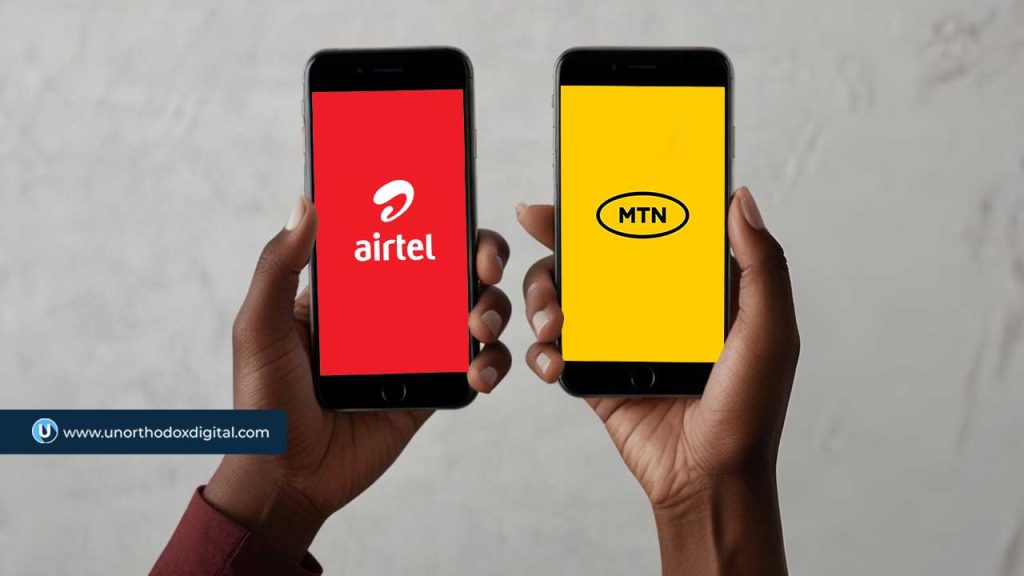
MTN Group and Airtel Africa are teaming up to share network infrastructure in Nigeria and Uganda.
This move is all about cutting costs and expanding coverage, especially in areas that don’t yet have strong mobile networks. It’s not every day you see two big competitors working together like this, but with economic challenges and currency devaluation hitting profits, telecom giants are rethinking how they operate.
Nigeria is the biggest market for both companies, but it hasn’t been smooth sailing. MTN Group makes 40% of its revenue there, while Airtel Africa pulls in 34.4% from the country. The problem? The naira’s devaluation has made everything more expensive, from setting up towers to maintaining fiber networks. Instead of each company building its own infrastructure, they’re now looking to share resources—towers, base stations, and fiber-optic networks—to keep costs under control while improving service quality.
MTN Group CEO Ralph Mupita pointed out that demand for data and digital financial services keeps growing across Africa. In Nigeria, MTN’s market share hit 51% in January, with over 3 million new subscribers bringing its total to 87.5 million. Airtel Nigeria also saw an increase, going from 56.6 million subscribers in December 2024 to 57.6 million by January 2025.
“We continue to see strong structural demand for digital and financial services across our markets,” Mupita said. “To meet this demand, we continue to invest in coverage and capacity to ensure high-quality connectivity for our customers.”
Before signing this deal with Airtel, MTN Nigeria had been in talks with 9mobile, a struggling telecom operator that has been losing customers. That potential agreement, which is still under discussion, would allow 9mobile to use MTN’s network in certain areas while MTN would gain access to 9mobile’s spectrum.
This new partnership fits right in with regulatory requirements. When the Nigerian Communications Commission (NCC) approved telecom tariff hikes in January, it told operators they had to roll out additional infrastructure within three months to improve service. Since the new tariffs kicked in this February, that means telecoms have just two months left to meet the deadline.
MTN and Airtel aren’t stopping at Nigeria and Uganda. They’re looking at other African markets too—places like Congo-Brazzaville, Rwanda, and Zambia—where they could also share networks. The companies are considering different approaches, from radio access network (RAN) sharing to joint investments in fiber infrastructure.
“As we compete fiercely in the market on the strength of our brand, services, and offerings, we are building common infrastructure within the permissible regulatory framework,” Airtel Africa CEO Sunil Taldar said. “This allows us to provide a more robust and extensive digital highway while avoiding the costly duplication of infrastructure.”
If this collaboration works well, it could pave the way for more network-sharing deals across Africa, helping telecom operators manage costs while expanding their reach.
If you’ve forgotten your Airtel number in Nigeria, dial *121*3*4# to retrieve it instantly. This guide explains alternative methods too.
Ever found yourself needing to give someone your Airtel number but suddenly realizing you have no idea what it is? Maybe you just bought a new SIM, or you don’t use the number often enough to remember it. Don’t worry—you’re not alone! A lot of people have multiple SIM cards, and it’s easy to forget which number belongs to which one. You can also check all Airtel codes to find other useful USSD shortcuts for your Airtel line.
Luckily, Airtel makes it super easy to check your number in just a few seconds. This guide will walk you through the different ways to find your Airtel number quickly and effortlessly. Let’s dive in!
1. Use a USSD Code (The Fastest Method!)
The simplest and quickest way to check your Airtel number is by dialing a special USSD code. Here’s how:
Open your phone’s dialer.
Dial *121*3*4#.
Press the call button.
Your Airtel number will instantly pop up on your screen.
Jot it down or take a screenshot so you don’t forget!
This method is perfect when you need your number on the spot without any hassle.
2. Check Through the Airtel Menu
If you prefer a step-by-step approach or can’t remember the USSD code above, you can navigate through Airtel’s service menu:
Your Airtel phone number will be displayed on your screen.
It’s a slightly longer process, but still very easy to follow.
3. Call or Text a Friend
Sometimes, the simplest solutions are the best! If you have airtime, you can use your phone to check your Airtel number by doing one of the following:
Call a friend: Just dial their number, and once they pick up, ask them to tell you your number.
Send an SMS: Text a friend and ask them to send your number back to you.
If you don’t have airtime, don’t worry—Airtel has a way for you to still reach out to someone.
4. Use Airtel’s “Call Me Back” Feature (If You Have No Airtime)
If you’re out of airtime and can’t call or text, Airtel allows you to send a free “Call Me Back” message. Here’s how:
Dial *140*Friend’s Number#.
Your friend will receive a message asking them to call you back.
Once they call, ask them to read out your number.
It’s a handy trick when you’re in a pinch!
5. Check Your SIM Pack
If you still have the original SIM pack your Airtel line came in, your phone number is printed on it. Look for the part where the SIM was attached—it usually has the number listed there.
Quick Comparison of Methods
Method
Requires Airtime?
Steps Involved
Speed
USSD Code *121*3*4#
No
1 step
Fast
Airtel Menu *121#
No
3 steps
Medium
Calling a Friend
Yes
1 step
Fast
Sending an SMS
Yes
1 step
Fast
“Call Me Back” *140*Number#
No
1 step
Fast
Checking SIM Pack
No
1 step
Instant
Now that you know how to check your Airtel number in Nigeria, you’ll never have to struggle with remembering it again. The fastest method is the USSD code *121*3*4#, but if you ever forget it, calling or texting a friend works just as well. If you’re out of airtime, the “Call Me Back” feature is a lifesaver.
Save this guide for later, or better yet, write your Airtel number down somewhere handy so you always have it when you need it!
Imagine needing airtime urgently, but you’re out of credit and have no physical recharge card. Or maybe you want to check your data balance before an important Zoom call. That’s where Airtel short codes come in. These codes are like magic keys—they help you quickly access Airtel services without calling customer care or searching online.
But here’s the catch: The Nigerian Communications Commission (NCC) changed many of these USSD codes to make them uniform across all networks. That means some of the codes you’ve used for years are now different.
No worries, though! In this guide, I’ll walk you through all the important Airtel short codes you should know, breaking them down so they’re easy to remember.
Updated Airtel USSD Codes (New Codes You Must Know)
Airtel users now have a new set of short codes for everyday actions like recharging, checking balance, borrowing airtime, and more. Here’s a handy table with the updated codes:
Breaking Down These Codes (So They Stick in Your Memory!)
If you’re wondering, How do I remember all these? Don’t worry—I’ve got you! Let’s go over them one by one in a way that makes sense.
1. Recharging Airtime – *311*PIN#
You buy a recharge card, scratch off the silver panel, and find a 16-digit PIN. Dial 311PIN# and hit call. Your airtime is loaded instantly!
2. Checking Airtime Balance – *310#
Want to know how much credit you have left? Just dial *310#, and your balance will pop up on your screen. Simple!
3. Buying Data – *312#
Whether you’re streaming, chatting, or browsing, data is a must. Dial *312# to see different data plans, choose one, and boom—you’re connected.
4. Checking Data Balance – *323#
Not sure how much data you have left? Avoid getting cut off mid-video by dialing *323# to check your remaining data balance.
5. Borrowing Airtime – *303#
Ever been stuck without airtime and can’t top up immediately? Dial *303# to borrow credit and pay back later. Think of it as a mini loan from Airtel.
6. Sharing Data – *321#
Want to be a lifesaver? Share your data with family or friends by dialing *321#. It’s a great way to keep loved ones connected!
7. Stop Services – 305#
Want to cancel caller tunes, sports updates, or news alerts? Dial *305# to manage and stop Airtel’s extra services.
8. Linking Your NIN – *996#
The Nigerian government requires everyone to link their National Identification Number (NIN) to their SIM card. If you haven’t done it yet, just dial *996# and follow the steps.
USSD Codes That Stayed the Same
Not all codes changed! Some remained exactly as they were before. Here’s a quick list:
Service
USSD Code
SIM Registration/NIN-SIM Link Verification
*996#
Do-Not-Disturb (DND) to Stop Spam SMS
*2442#
Why These Changes Matter
The NCC made these changes so that all Nigerian networks—MTN, Glo, Airtel, and 9mobile—use the same USSD codes. This means if you ever switch networks, you won’t have to learn new codes all over again. Pretty smart, right?
Now that you know the latest Airtel short codes, using your phone just got a whole lot easier! Whether you’re recharging, checking your balance, buying data, or linking your NIN, these simple codes save you time and effort.
Bookmark this guide or take a screenshot so you always have these codes handy. And if you ever forget, just check back here!
Sometimes, you need to make an urgent call or send an important text, but you’re out of airtime. Maybe you’re in a place where you can’t buy a recharge card or your banking app is acting up. That’s where borrowing airtime comes in handy! Nigerian mobile networks allow customers to borrow airtime and pay it back later when they recharge. Let’s break it down so you know exactly how to do it for MTN, Glo, Airtel, and 9Mobile.
General Requirements To Borrow Airtime
Before you jump in, here are a few things you should know:
You must be a prepaid user (postpaid users are not eligible).
Your line must be active for a certain period (varies per network).
You should have a history of regular recharges.
You must have repaid any previous borrowed airtime.
There is always a service charge (usually 15%), so you’ll receive less than what you borrow.
Now, let’s get into the specifics for each network.
How To Borrow Airtime From MTN
MTN calls its airtime loan service MTN XtraTime. To check your eligibility, dial *303# and select “Check Eligibility.” If you’re eligible, follow these steps:
Borrow Airtime From MTN Using USSD Code
Dial *303# on your MTN line.
Select “Borrow Airtime.”
Choose an amount from the options displayed (eligibility depends on your usage history).
Confirm the request.
You’ll receive an SMS confirming the transaction.
Borrow Airtime From MTN Using The MTN App
Open the MTN app and log in.
Tap “Borrow.”
Select “Airtime” from the options.
Choose the amount you want to borrow.
Review the service charge and confirm.
The borrowed airtime will be credited to your account.
Borrow Airtime From MTN Via Customer Support
Call 300, follow the prompts, or request to speak with an agent.
Borrowed Amount
Service Charge (15%)
Amount Received
₦50
₦7.50
₦42.50
₦100
₦15
₦85
₦200
₦30
₦170
₦500
₦75
₦425
How To Borrow Airtime From Airtel
Airtel calls its airtime loan service Airtel Extra Credit. You need to be an active user for at least three months and recharge a minimum of ₦200 per month to qualify.
Borrow Airtime From Airtel Using USSD Code
Dial *303# on your Airtel line.
Select “Borrow Credit.”
Choose an amount (eligibility depends on your past usage).
Confirm the request.
You’ll receive an SMS notification once the airtime is credited.
Borrow Airtime From Airtel Using myAirtel App
Log into the myAirtel app.
Click on “Borrow Airtime.”
Select an amount based on your eligibility.
Click “Confirm.”
The airtime will be credited instantly.
Borrow Airtime From Airtel Via Customer Support
Call 300 and follow the prompts.
Borrowed Amount
Service Charge (15%)
Amount Received
₦50
₦7.50
₦42.50
₦100
₦15
₦85
₦200
₦30
₦170
₦500
₦75
₦425
How To Borrow Airtime From Glo
Glo’s airtime loan service is called Glo Borrow Me Credit. To qualify, you must have been active on the network for at least four months.
Borrow Airtime From Glo Using USSD Code
Dial *303# on your Glo line.
Select “Borrow Credit.”
Choose an amount from the available options.
Confirm the transaction.
Your account will be credited instantly.
Borrow Airtime From Glo Using The Glo Cafe App
Log into the Glo Cafe app.
Click “Show All,” then tap “Borrow Me.”
Choose the amount you want to borrow.
Click “Subscribe” to confirm.
Borrowed Amount
Service Charge (15%)
Amount Received
₦50
₦7.50
₦42.50
₦100
₦15
₦85
₦200
₦30
₦170
₦500
₦75
₦425
How To Borrow Airtime From 9Mobile
9Mobile’s airtime loan service is called 9Mobile More Credit. To qualify, you must have been using your SIM for at least three months and recharge a minimum of ₦200 monthly.
Borrow Airtime From 9Mobile Using USSD Code
Dial *303# on your 9Mobile line.
Select “Borrow Airtime.”
Choose the amount you want to borrow.
Confirm the request.
The airtime will be credited instantly.
Borrow Airtime From 9Mobile Using The 9Mobile App
Log into the 9Mobile app.
Tap the menu icon.
Select “Borrow Airtime” under the Services section.
Choose the amount and confirm the request.
The borrowed airtime will be added to your balance.
Borrowed Amount
Service Charge (15%)
Amount Received
₦50
₦7.50
₦42.50
₦100
₦15
₦85
₦200
₦30
₦170
₦500
₦75
₦425
How to Repay Borrowed Airtime on MTN, GLO, Airtel, and 9Mobile
To repay borrowed airtime, just top up your line, and the amount you owe will be deducted automatically. The 15% service fee is already factored in when you take the loan, so there’s no extra charge during repayment.
Airtime Deduction Process
For example, if you borrow ₦500, you’ll receive ₦425 after the service fee is deducted. Once you recharge, the full ₦500 will be taken from your balance.
Borrowing airtime is a lifesaver when you’re in a pinch, but remember, it’s not free money! Always check your eligibility, be aware of the service charges, and repay as soon as you recharge. Now that you know how to borrow from MTN, Airtel, Glo, and 9Mobile, you’ll never be stuck without airtime when you need it most!
FAQs
1. How Much Airtime Can I Borrow?
The amount you can borrow depends on your network provider and your credit limit. To know your eligible loan amount, you’ll need to check with your service provider.
2. Can Borrowed Airtime Be Used to Purchase Data?
Yes, you can use borrowed airtime to buy data on most networks. However, MTN, GLO, Airtel, and 9Mobile also allow users to borrow data directly and repay when they recharge.
3. Can I Take Another Loan If I Haven’t Repaid the Previous One?
This depends on your network. 9Mobile and MTN let users borrow airtime even with an unpaid balance, as long as they haven’t exceeded their credit limit. On the other hand, GLO and Airtel require you to settle any outstanding debt before requesting another loan.
4. What Happens If I Don’t Repay My Borrowed Airtime?
Each network has its own rules. GLO, for example, blocks you from borrowing more airtime until you clear your debt. It may also lower your credit score, limiting how much you can borrow in the future. MTN, however, allows users to take another loan if they haven’t exceeded their borrowing limit. It’s best to check with your provider to know their specific policy.
5. How Do I Borrow Data on MTN, GLO, Airtel, and 9Mobile?
The process is similar to borrowing airtime. Simply dial *303# and follow the instructions. You can also borrow through the network’s mobile app or by contacting customer service.
6. Can I Repay Borrowed Airtime Even If I Haven’t Used It?
Yes, you can repay borrowed airtime by recharging, even if you haven’t used it. However, the 15% service fee is non-refundable.
Sending airtime to family and friends in Nigeria is now easier than ever. Whether someone needs credit urgently or you just want to surprise them, you can quickly share airtime using USSD codes or mobile apps. The Nigerian Communications Commission (NCC) has made it even simpler by unifying the USSD code for airtime transfers across all networks. Now, you can use *321# for MTN, Airtel, Glo, and 9mobile. If you’re wondering how to go about it, this guide breaks it all down in a clear and easy-to-follow way.
How To Share Airtime on MTN
If you’re an MTN user, you can send airtime in two ways: via USSD or the MyMTN app.
A. Using USSD Code
Change Your Default PIN (first-time users only)
Dial *321*0000*NewPIN*NewPIN# and press OK.
Example: If you want to set your PIN to 1234, dial *321*0000*1234*1234#.
Transfer Airtime
Dial *321*Recipient’s Number*Amount*PIN# and press OK.
Example: To send ₦200 to 08012345678, dial *321*08012345678*200*1234#.
B. Using the MyMTN App
Open the MyMTN App and log in.
Tap “Share”.
If you haven’t set an airtime share PIN, create one.
Tap “Airtime Share”.
Enter the recipient’s number and amount.
Confirm the transaction by entering your PIN.
Press “Share” to complete the transfer.
MTN Airtime Transfer Limits
Minimum Transfer
Maximum Per Transaction
Daily Limit
₦50
₦5,000
₦50,000
How To Share Airtime on Airtel
Airtel users can also transfer airtime via USSD or the MyAirtel app.
A. Using USSD Code
Change Your Default PIN (if needed)
Dial *321# and follow the instructions to create a new PIN.
Transfer Airtime
Dial *321*Recipient’s Number*Amount*PIN# and press OK.
Example: To send ₦500 to 08098765432, dial *321*08098765432*500*1234#.
B. Using the MyAirtel App
Open the MyAirtel App and log in.
Select “ME2U Share Airtime” under “View All.”
Enter the recipient’s number and amount.
Review details and confirm with your PIN.
Press “Transfer” to complete the transaction.
Airtel Airtime Transfer Limits
Minimum Transfer
Maximum Per Transaction
Daily Limit
₦50
₦5,000
₦10,000
How To Share Airtime on Glo
Glo only allows airtime transfers through USSD. Their mobile app doesn’t support this feature yet.
A. Using USSD Code
Change Your Default PIN (first-time users)
Dial *321*00000*NewPIN*NewPIN# and press OK.
Example: If you want your new PIN to be 12345, dial *321*00000*12345*12345#.
Transfer Airtime
Dial *321*Recipient’s Number*Amount*PIN# and press OK.
Example: To send ₦300 to 08034567890, dial *321*08034567890*300*12345#.
Glo Airtime Transfer Limits
Minimum Transfer
Maximum Per Transaction
Daily Limit
₦50
₦1,000
₦5,000
How To Share Airtime on 9mobile
9mobile allows airtime transfers through both USSD and its mobile app.
A. Using USSD Code
Change Your Default PIN
Dial *321*0000*NewPIN*NewPIN# to change your default PIN.
Example: If you want to set your PIN to 5678, dial *321*0000*5678*5678#.
Transfer Airtime
Dial *312*Recipient’s Number*Amount*PIN# and press OK.
Example: To send ₦400 to 08023456789, dial *312*08023456789*400*5678#.
B. Using the 9mobile App
Open the 9mobile App (ig9ite) and log in.
Select “Transfer Airtime”.
Enter the recipient’s number and amount.
Confirm with your PIN and complete the transfer.
9mobile Airtime Transfer Limits
Minimum Transfer
Maximum Per Transaction
Daily Limit
₦50
₦5,000
Varies
Now that you know how to send airtime on MTN, Airtel, Glo, and 9mobile, you’ll never have to worry when someone needs credit. Whether you use USSD or mobile apps, the process is quick and easy. Just remember to keep your PIN safe to prevent unauthorized transfers. Try it out today and help a friend or family member stay connected!
FAQs
How Can I Create a PIN to Share Airtime on MTN?
Setting up a PIN is simple. Send an SMS to 321 in this format: “Default PIN New PIN New PIN.” For example, to set 1234 as your PIN, text “0000 1234 1234” to 321. You can also use *321*0000*New PIN*New PIN# to do it instantly.
How Can I Transfer Airtime From MTN to MTN Without a PIN?
A PIN is required for airtime transfers. Without it, you won’t be able to complete the transaction, as it helps prevent unauthorized transfers.
How Do I Know My MTN Transfer PIN Code?
If you forgot your PIN, you can reset it easily. Dial *321#, select “Airtime Share,” then choose “Forgot PIN” from the options and follow the instructions.
Where Can I Buy Airtime and Data Online in Nigeria?
Platforms like Prestmit and Cardtonic provide a quick and secure way to buy airtime and data online in Nigeria. These services also allow you to pay utility bills and shop for gadgets conveniently.
What Is the New Code for MTN in Nigeria?
The NCC has unified the codes for major networks, so MTN now uses *321# for airtime transfers. Simply dial *321# and follow the prompts.
Ever run out of airtime or data at the worst possible moment? We’ve all been there. Whether you’re streaming your favorite show, in the middle of an important call, or just browsing the web, knowing how to quickly check your balance is essential. In this guide, we’ll break it all down so simply that even a curious 5th grader could follow along!
How to Check Airtime and Data Balance on Any Network in Nigeria
SMS – Just send a message and get your balance as a reply
Mobile Apps – Use the official network apps
Customer Support – Call your network provider
Website and Chatbots – Some networks let you check online
Let’s break it down by network.
MTN: Checking Your Airtime & Data Balance
MTN is Nigeria’s largest telecom provider, so if you’re using an MTN line, here’s how to check your data and airtime balance on MTN in Nigeria:
Method
Steps
USSD Code
Dial *310# for airtime balance and *323# for data balance.
SMS
Send “2” to 312 for data balance.
MyMTN App
Download the MyMTN app, log in, and see your balance on the homepage.
Zigi Chatbot
Visit the MTN website and chat with Zigi to check your balance.
WhatsApp
Use MTN’s WhatsApp chatbot to request your balance.
Airtel: Checking Your Airtime & Data Balance
Airtel has updated its USSD codes, so here’s how to check your balance:
Method
Steps
USSD Code
Dial *310# for airtime balance and *323# for data balance.
My Airtel App
Download My Airtel App, register, and log in to view your balance.
GLO: Checking Your Airtime & Data Balance
GLO, known for its generous data plans, also has multiple ways to check your balance:
Method
Steps
USSD Code
Dial *310# for airtime balance and *323# for data balance.
SMS
Send “INFO” to 127 for data balance.
Glo Café App
Download the Glo Café App, log in, and check your balance.
Self-Care Portal
Visit the Glo Self-Care Portal, sign up/log in, and check your balance online.
9Mobile: Checking Your Airtime & Data Balance
9Mobile (formerly Etisalat) has simplified its balance-checking process. Here’s how:
Method
Steps
USSD Code
Dial *310# for airtime balance and *323# for data balance.
SMS
Send “BAL” to 228 for airtime balance and “INFO” to 228 for data balance.
9Mobile App
Download the 9Mobile App (ig9ite) and log in to view your balance.
Frequently Asked Questions
1. What if I forget the USSD code?
No worries! Just remember:
*310# for airtime balance (All networks)
*323# for data balance (All networks)
Or save this guide for quick access!
2. Are there any charges for checking my balance?
No, checking your airtime or data balance is completely free on all Nigerian networks.
3. What if the USSD code isn’t working?
Restart your phone and try again.
Check if you have network coverage.
Contact your network’s customer support.
4. How often should I check my balance?
It depends! If you use a lot of data or make frequent calls, checking daily helps avoid unexpected cut-offs. Otherwise, a few times a week should be fine.
Now, you’ll never be caught off guard by an empty balance! Whether you prefer using USSD codes, SMS, mobile apps, or customer support, you have multiple ways to stay on top of your airtime and data. Keep this guide handy, and you’ll always know how much credit or data you have left. Happy browsing!
So, you woke up one day, tried making a call, and boom—your MTN or Airtel line isn’t working. No calls, no texts, no data. Frustrating, right? If your SIM got blocked due to the ongoing NIN-SIM linkage requirements, don’t worry. Fixing it is easier than you think. Let’s break it down step by step, so you can get back online in no time.
Why Did Your Line Get Blocked?
The Nigerian Communications Commission (NCC) made it mandatory for all SIM cards to be linked with the National Identification Number (NIN). If your line is blocked, it’s most likely because you haven’t linked your NIN, or the process wasn’t completed properly.
Now, let’s move on to how you can unblock it.
How to Unblock Your Line on MTN & Airtel
For MTN Users
MTN makes it easy to check and link your NIN. Here’s what you need to do:
Call 8002345678 or email [email protected]. You’ll need to visit a Spectranet store for final verification.
Ntel
Visit any Ntel store with your NIN for fingerprint verification.
How Long Does It Take to Get Unblocked?
Most of the time, once your NIN is successfully linked, your line should be restored within a few hours. In rare cases, it might take up to 24–48 hours. If it takes longer, contact your network’s customer care.
Getting blocked can be annoying, but now you know exactly what to do. Whether you’re on MTN, Airtel, or any other network, linking your NIN is the fastest way to restore your line. If you’re still having trouble, visit a service center for help.
Need your line unblocked fast? Follow these steps now and get back to making calls, texting, and browsing without stress!
Under the new pricing structure, Airtel’s most affordable monthly data package now offers 2GB for ₦1,500, replacing the previous 1.2GB plan that cost ₦1,000. Other notable changes include:
3GB for ₦2,000 (previously 1.5GB at ₦1,200)
4GB for ₦2,500 (up from 3GB at ₦1,500)
8GB for ₦3,000 (previously 4.5GB at ₦2,000)
10GB for ₦4,000 (formerly 6GB at ₦2,500)
13GB for ₦5,000 (up from 10GB at ₦3,000)
18GB for ₦6,000 (previously 15GB at ₦4,000)
25GB for ₦8,000 (replacing the former 18GB plan at ₦5,000)
This price revision aligns with the broader industry trend of telecom operators adjusting their tariffs after the Nigerian Communications Commission (NCC) approved a 50% increase on January 20, 2025.
MTN Nigeria was the first to implement the changes, which led to significant public backlash after some of its data plans exceeded the approved hike. The company defended its decision, stating that it was merely removing subsidies from certain special plans. However, following the criticism, MTN later issued an apology to its customers.
Alongside data price adjustments, Airtel Nigeria has also revised its call rates, now charging a flat rate of 25 kobo per second. This means a one-minute call on the network now costs approximately ₦15, up from ₦11. Despite the increase, many daily and weekly plans remain unchanged, including the one-week 5GB plan, which still costs ₦1,500.
Airtel’s unlimited plans remain available at existing rates. For instance, the ₦20,000 plan offers 200GB for 30 days, with an additional 10GB available daily once the main data is exhausted. Similarly, the ₦30,000 plan provides 300GB for 30 days.
If you use an Airtel line in Nigeria, you’ve probably heard about the need to link your National Identification Number (NIN) to your SIM card. Sounds complicated? It’s actually pretty simple! Think of it like registering your phone number so it’s officially tied to you—just like writing your name inside your favorite book to show it’s yours.
Why Do You Need to Link Your NIN to Your Airtel Line?
Imagine you had a bunch of SIM cards and no one knew who owned which one. That’s a problem! The Nigerian Communications Commission (NCC) wants to make sure every active mobile number is connected to a real person. This helps reduce fraud, identity theft, and even crime. Plus, if you don’t link your NIN, Airtel might block your line. That means no calls, no texts, and no internet. Yikes!
So, let’s get this done the easy way—with a simple USSD code.
What is a NIN?
Your National Identification Number (NIN) is an 11-digit number assigned to you when you register with the National Identity Management Commission (NIMC). It’s like a digital fingerprint that helps confirm your identity. Just like how your house has a unique address, your NIN is your unique ID in Nigeria’s system.
If you don’t have a NIN yet, don’t worry! You can get one by visiting a NIMC registration center, filling out a form, and getting your biometric data (fingerprints, photo, etc.) captured. After a few weeks, you’ll receive your NIN.
How to Link Your NIN to Your Airtel Line Using USSD
The easiest way to link your NIN is by using a USSD code. No internet needed—just your phone! Follow these steps:
Make sure you have your NIN number.
Dial *346*3*NIN*121097# to generate your Virtual NIN (VNIN).
Dial *996# and follow the prompts to confirm linkage using the VNIN.
Once your NIN is validated, Airtel will send you a final confirmation message.
That’s it! You’ve successfully linked your NIN to your Airtel line. If everything is correct, you won’t have to worry about your line being blocked.
Other Ways to Link Your NIN to Your Airtel Line
While the USSD method is the easiest, there are two other ways to do it: online and via the NIMC mobile app.
1. Link NIN to Airtel Online
If you have internet access, you can link your NIN online:
If you followed the steps and your NIN still isn’t linking, here’s what you can do:
Incorrect details? Double-check your NIN and SIM registration details. If your SIM is registered under a different name, update your details at an Airtel store.
Delayed confirmation? Sometimes, it takes a while for the system to update. Wait a few hours and try again.
SIM registration issues? If you have an old SIM card, it might need a registration update. Visit an Airtel store for assistance.
FAQs
1. Is linking my NIN to Airtel free?
Yes! Airtel won’t charge you for linking your NIN.
2. How long does it take to link?
Most times, it happens instantly. If not, you’ll get a confirmation SMS within a few hours.
3. What happens if I don’t link my NIN?
Airtel may block your line, and you won’t be able to make calls, send texts, or browse the internet.
Linking your NIN to your Airtel line is a quick and necessary process. Using the USSD method takes less than a minute, and if you ever run into issues, Airtel support is there to help.
Hey there! So you’ve got an Airtel SIM, and you’re wondering, “How much data do I even have left?” Don’t worry—I’ve got you covered. Checking your Airtel data balance in Nigeria is super easy, and by the time you’re done with this guide, you’ll feel like a pro. Let’s dive in!
Why Check Your Data Balance?
Imagine you’re streaming your favorite show or chatting with friends, and suddenly, boom—your internet stops. Frustrating, right? Knowing how much data you have left helps you avoid that. Plus, it’s always good to stay on top of things so you don’t blow through your data unexpectedly.
Step-by-Step Guide: How to Check Your Airtel Data Balance
Here’s a super simple breakdown:
Step 1: Open Your Phone’s Dialer
First things first, unlock your phone and head to your dialer app. That’s the app you use to make calls. Easy peasy.
Step 2: Dial *323#
Now, type *323# into your dialer. Think of this as the secret code to unlock your data information. Once you’ve entered the code, hit the call button. Don’t worry—you won’t get charged for this.
Step 3: Check the Menu Options
After pressing call, you’ll see a pop-up menu on your screen. This menu will have options like “Check Data Balance” or something similar. It’s like a digital vending machine for your data info. Select the option for checking your balance (usually it’s labeled clearly).
Step 4: Wait for the Message
The system will process your request in a few seconds. Once it’s done, you’ll get an SMS. This message is your golden ticket to knowing how much data you’ve got left. It’ll tell you the remaining data in MB or GB and when it’s set to expire. Keep an eye out for that!
Step 5: Use the Airtel App (Optional)
If you’re more of a tech-savvy person, you can also check your balance using the Airtel app. It’s free to download from your app store. Once installed, log in with your phone number, and voila—you can view not just your data balance but also detailed usage stats. This is great if you want to know which apps are gobbling up your data.
Step 6: Troubleshooting (If Needed)
Sometimes, things don’t go as planned. If the USSD code doesn’t work or you’re having issues, don’t panic. You can call Airtel customer support by dialing 300 from your phone number. Their team will sort you out in no time.
Pro Tips for Managing Your Data
Here are a few extra tips to keep you ahead of the game:
Check Regularly: Make it a habit to check your data balance often, especially if you’re streaming or downloading large files.
Monitor Usage: Use the Airtel app or your phone’s built-in data tracker to see where your data is going. Is it social media? Streaming? Knowing this helps you manage your usage better.
Activate Data Alerts: Some phones allow you to set data usage alerts. These will notify you when you’ve used up a certain percentage of your data.
Save Data: Switch to Wi-Fi when possible, and turn off background data for apps you don’t use often.
Why Use the Airtel App?
The Airtel app isn’t just for checking data balances. It’s like your digital personal assistant for all things relating to the network provider. You can:
Recharge your account.
Buy new data bundles.
View detailed usage stats.
Access exclusive offers.
Plus, it’s user-friendly and saves you the hassle of remembering USSD codes. If you haven’t tried it yet, give it a shot—it’s worth it!
Wrapping Up
And there you have it—checking your Airtel data balance is as simple as dialing *323# or opening the Airtel app. Whether you’re a casual user or someone who’s online 24/7, keeping tabs on your data ensures you stay connected without interruptions. Got any questions or tips of your own? Feel free to share them. Happy browsing!
Frequently Asked Questions (FAQs)
1. Which other countries does Airtel operate in?
Airtel operates in over 14 African countries, serving more than 300 million users. These countries include Nigeria, Ghana, Uganda, Madagascar, Kenya, Tanzania, Malawi, Zambia, and more.
2. What types of services does Airtel offer?
Airtel provides services such as mobile voice calls, data plans, SMS, mobile money, and broadband internet, catering to various customer needs.
3. Does Airtel offer roaming services?
Yes, Airtel offers roaming services that allow you to stay connected while traveling abroad. You can activate roaming by contacting customer care or enabling it through the Airtel app.