
Category: Telkom

Get the latest on Telkom in South Africa, from mobile plans and data bundles to network coverage and customer service updates.

  • How to Use Airtime to Buy a Voucher in South Africa

    How to Use Airtime to Buy a Voucher in South Africa

    Buying a voucher using airtime in South Africa is like using pocket money to get what you need—except in this case, your mobile phone balance does the job.

    Whether you’re topping up data, paying for services, or even buying prepaid electricity, this method is simple, quick, and convenient. If you’ve ever wondered how it works, this guide will break it down in a way that makes complete sense. By the end, you’ll be able to do it confidently, just like sending a text message.

    Why Buy Vouchers with Airtime?

    Before we get into the steps, let’s quickly talk about why using airtime to buy vouchers is a smart option:

    BenefitWhy It Matters
    ConvenienceNo need for a bank card or cash. Just use your airtime balance.
    Instant AccessBuy vouchers anytime, anywhere, even without internet access.
    No Extra FeesAvoid transaction fees that often come with other payment methods.
    Works in Rural AreasEven in places with no banking services, you can still buy vouchers easily.

    This method is perfect for people who don’t have access to bank accounts, don’t want to deal with extra charges, or just prefer a simpler way to make payments.

    Step-by-Step Guide to Buying a Voucher with Airtime

    Step 1: Check Your Airtime Balance

    Before you start, make sure you have enough airtime to cover the cost of the voucher. To check your balance, dial the USSD code for your mobile network:

    NetworkUSSD Code to Check Balance
    Vodacom*100#
    MTN*136#
    Cell C*101#
    Telkom*188#

    If you don’t have enough airtime, you’ll need to top up before continuing.

    Step 2: Choose a Voucher Provider

    Different providers sell vouchers for various services. Decide what kind of voucher you need—mobile data, airtime, prepaid electricity, or even gaming credits. Some common providers include:

    • Vodacom
    • MTN
    • Cell C
    • Telkom
    • Electricity providers (like Eskom)

    Each provider has its own way of selling vouchers, but the process is quite similar.

    Step 3: Dial the USSD Code for Purchasing Vouchers

    Once you know which voucher you want, dial the right USSD code to start the process:

    ProviderUSSD Code for Voucher Purchase
    Vodacom*135#
    MTN*136#
    Cell C*147#
    Telkom*180#

    After dialing, a menu will appear on your screen with different voucher options.

    Step 4: Select Your Voucher

    Using the on-screen menu, navigate to the voucher you need. Most USSD menus work by responding with a number to choose an option. For example, you might see something like this:

    1. R5 Airtime Voucher
    2. R10 Airtime Voucher
    3. R20 Data Voucher
    4. Prepaid Electricity
    5. More Options

    Simply enter the number that matches the voucher you want.

    Step 5: Confirm the Purchase

    Before finalizing the transaction, double-check the details:

    • Is the voucher amount correct?
    • Are you using the right airtime balance?
    • Do you understand any terms or expiry dates?

    If everything looks good, confirm the purchase by following the prompts.

    Step 6: Receive Your Voucher Code

    Once the transaction is complete, you’ll get a confirmation SMS with your voucher details. This message will include:

    • The voucher code
    • How to redeem the voucher
    • Expiry date (if applicable)

    Make sure to save this SMS or write down the code somewhere safe.

    How to Use Airtime to Buy a Voucher in South Africa

    FAQs

    1. What if I don’t receive my voucher SMS?

    Sometimes there’s a short delay. Wait a few minutes and check your messages again. If it doesn’t arrive, try these steps:

    • Restart your phone.
    • Check if your airtime was deducted.
    • Contact your mobile network’s customer service.

    2. Can I buy a voucher if I’m out of airtime?

    No, you must have enough airtime before you start the process. If you’re out of airtime, borrow some using these codes:

    NetworkAirtime Advance Code
    Vodacom*135#
    MTN*136#
    Cell C*147#
    Telkom*180#

    You’ll need to repay the borrowed airtime when you next recharge.

    3. Can I use airtime to buy other things online?

    Yes! Some platforms let you pay for digital services using airtime. Look out for services like:

    • Google Play Store purchases (on some networks)
    • Streaming services (if they allow airtime billing)
    • Online gaming vouchers

    4. Are there limits to how much airtime I can use for vouchers?

    Yes, different networks have daily or monthly limits on airtime transactions. If you hit a limit, you’ll need to wait or use another payment method.

    Using airtime to buy vouchers in South Africa is an easy and hassle-free way to pay for services without needing cash or a bank card. Whether you’re getting a data top-up, paying for electricity, or buying a gaming voucher, the process is straightforward and quick. Now that you know exactly how to do it, try it out the next time you need a voucher—you might be surprised at how simple it is!

  • USSD Codes Every South African Mobile User Needs

    USSD Codes Every South African Mobile User Needs

    Ever been stuck without data, trying to check your airtime, or needing to buy a bundle ASAP? That’s where USSD codes come in—they’re like secret cheat codes for your phone that let you get things done in seconds, no app or internet needed!

    USSD (Unstructured Supplementary Service Data) might sound fancy, but it’s really just a simple way to talk to your mobile network using short number combos with * and #. Need to check your balance? There’s a code for that. Want to send a “Please Call Me” when you’re out of airtime? Yep, there’s a code for that too.

    Even with mobile apps and online banking making recharges easier, USSD codes are still a lifesaver—especially when your internet is down or you’re in a hurry. Whether you’re on Vodacom, MTN, Telkom, or Cell C, knowing the right codes can save you time, money, and stress.

    Below, we’ve gathered the must-know USSD codes for South Africa’s biggest mobile networks, so you’ll always be in control of your airtime, data, and more!

    MTN South Africa USSD Codes (Short Codes)

    MTN South Africa USSD CodesDescription
    *136#Airtime balance summary
    *136*0#Master USSD Menu
    *135*5#Check WASP subscriptions
    *#06#View your device IMEI
    *123*888#View your MSISDN
    *121*number#Please Call Me
    *136*1#Detailed balances
    *136*2#Buy data, voice, or SMS bundles
    *136*3#Buy or send airtime to another user
    *136*4#Change Tariff
    *136*5#Check your account details
    *136*10#Recharge balance with bank card
    *135#International roaming, voicemail, SIM swap, RICA SIM card
    *141*voucher number*cellphone number to be chargedRecharge another prepaid number using a voucher
    *127*number#Request reverse-charged call
    *155#Check digital subscriptions
    *136*5*6622#Out-of-bundle barring
    *136*5*7852#Usage limit management

    Vodacom USSD Codes (Short Codes)

    Vodacom USSD CodesDescription
    *100#Airtime balance summary
    *135#Master USSD menu
    *120#Check WASP subscriptions
    *#06#View your device IMEI
    *111*501#View your MSISDN
    *136*01*Recharge voucher PIN#Recharge Prepaid Airtime
    *140#number#Please Call Me
    *140*02*MSISDN#Request airtime from another user
    *135#Send airtime to another user
    *135#Change Tariff
    *135*082#Airtime Advance

    Cell C USSD Codes (Short Codes)

    Cell C USSD CodesDescription
    *101#Airtime balance
    *147#Master USSD menu
    *133*1#Check WASP subscriptions
    *#06#View your device IMEI
    *147*100#View your device MSISDN
    *102*Recharge voucher PIN#Recharge Prepaid Airtime
    *111*recipient cellphone number#Please Call Me
    *147*01*cellphone number of other useramount#Request airtime from another user
    *147*333*cellphone number to be recharged#Send airtime to another user
    *147*8#Change Tariff

    Telkom USSD Codes (Short Codes)

    Telkom USSD CodesDescription
    *188#Airtime balance summary
    *180#Master USSD menu
    *#06#View your device IMEI
    *1#View your device MSISDN
    *188*Recharge voucher PIN#Recharge Prepaid Airtime
    *140*number#Please Call Me
    *180#Request airtime from another user
    *180#Send airtime to another user
    *180#Change Tariff
  • How to Send a ‘Please Call Me’ on MTN, Cell C, Vodacom, & Telkom in South Africa

    How to Send a ‘Please Call Me’ on MTN, Cell C, Vodacom, & Telkom in South Africa

    Ever been out of airtime but really needed to call someone? Maybe you just needed a quick chat with a friend, or you had to let a family member know something urgent. That’s where the “Please Call Me” service comes in handy! It’s a free way to ask someone to call you back when you can’t make a call yourself.

    The best part? All major networks in South Africa—MTN, Vodacom, Telkom, and Cell C—offer this feature. In this guide, I’ll walk you through exactly how to send a “Please Call Me” on each network in the easiest way possible. Let’s get into it!

    What Is a “Please Call Me” Message?

    A “Please Call Me” message is a free SMS that you can send to someone when you don’t have airtime. It simply tells them to call you back. Think of it like knocking on someone’s door when you can’t enter their house—you’re letting them know you’re there and need their attention.

    Each mobile network in South Africa has a unique code you can dial to send this message. Let’s go through each one step by step.

    How to Send a “Please Call Me” on MTN

    Follow these steps to send a “Please Call Me” on MTN:

    1. Dial *121*recipient’s number# (For example: *121*0831234567#)
    2. Press call/send.
    3. The recipient will get a message saying “Please Call Me” with your phone number attached.
    4. MTN allows you to send up to 5 “Please Call Me” messages per day.

    How to Send a “Please Call Me” on Vodacom

    Follow these steps to send a “Please Call Me” on Vodacom:

    1. Dial *140*recipient’s number# (For example: *140*0767124511#)
    2. Press call/send.
    3. The recipient will receive a message with your number and the text “Please Call Me.”

    Vodacom allows you to send up to 10 “Please Call Me” messages per day.

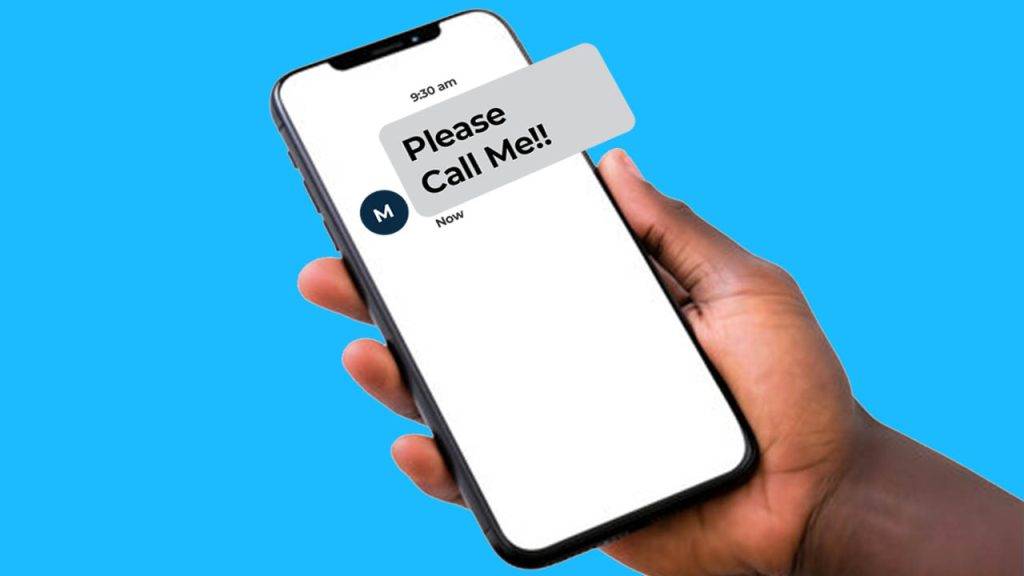
    How to Send 'Please Call Me' on Any Network in South Africa

    How to Send a “Please Call Me” on Telkom

    Follow these steps to send a “Please Call Me” on Telkom:

    1. Dial *140*recipient’s number# (For example: *140*0814557562#)
    2. Press call/send.
    3. The recipient will receive a “Please Call Me” SMS with your phone number.

    Telkom also allows up to 10 “Please Call Me” messages per day.

    How to Send a “Please Call Me” on Cell C

    Follow these steps to send a “Please Call Me” on Cell C:

    1. Dial *111*recipient’s number# (For example: *111*0841435391#)
    2. Press call/send.
    3. The recipient will receive a message asking them to call you back.

    Cell C allows you to send up to 10 “Please Call Me” messages per day.

    Extra Tips & Things to Keep in Mind

    • You can send “Please Call Me” messages to any number, even if they’re on a different network.
    • This service is completely free, so you won’t be charged for sending the message.
    • If you’ve reached your daily limit, you’ll have to wait until the next day to send more.
    • “Please Call Me” messages are useful in emergencies when you have no airtime.
    • Some networks may not allow international “Please Call Me” messages.

    Why Use “Please Call Me”?

    Still wondering why this service is so popular? Here are some real-life situations where “Please Call Me” can save the day:

    You run out of airtime – You’re about to call someone, but your airtime is finished. Instead of stressing, just send a “Please Call Me” and wait for them to call you.

    Emergency situations – Maybe you need to reach someone urgently but have no data or airtime. This is a quick way to let them know you need help.

    You’re borrowing someone’s phone – If you don’t have your phone with you but need to contact someone, you can use this trick on a borrowed phone (as long as it’s on your network).

    The “Please Call Me” service is one of the most useful features offered by South African mobile networks. Whether you’re out of airtime, in an emergency, or just need someone to call you back, this free service is a lifesaver.

    Now that you know exactly how to send a “Please Call Me” on MTN, Vodacom, Telkom, and Cell C, you’ll never be stuck without a way to communicate. Try it out the next time you need a callback!

    Did this guide help you? Share it with friends who might need it too!

  • How Do I Send “Please Call Me” on Telkom?

    How Do I Send “Please Call Me” on Telkom?

    Imagine this: You need to call someone urgently, but your airtime balance is sitting at a big fat zero. No problem! Telkom has a nifty little trick up its sleeve called the “Please Call Me” service. It’s a simple, free way to ask someone to call you back when you can’t make the call yourself. Whether it’s an emergency or you just ran out of airtime at the worst possible moment, this guide will show you exactly how to send a “Please Call Me” on Telkom.

    What is a “Please Call Me”?

    A “Please Call Me” is a free message you can send from your Telkom phone to someone else, asking them to call you back. It’s like tapping a friend on the shoulder and saying, “Hey, call me when you can!” This is super useful when you:

    • Run out of airtime and need to contact someone.
    • Need to reach a friend, family member, or even a co-worker in a pinch.
    • Are you in an emergency and can’t make a call yourself?

    Now, let’s get straight to the point—how do you actually send one?

    Step-by-Step Guide to Sending a “Please Call Me” on Telkom

    Step 1: Open Your Phone’s Dialer

    This is the app you use to make calls. It usually looks like a little phone icon on your screen. Open it up!

    Step 2: Dial the Special Code

    Here’s the magic number: 140 followed by the person’s phone number. It looks like this:

    *140*Recipient’s Number#

    For example, if you want to send a “Please Call Me” to someone with the number 0702244424, you would dial:

    *140*0702244424#

    Once you’ve typed that in, press the call button.

    Step 3: Wait for Confirmation

    You’ll get a confirmation message letting you know that your request has been sent. At the same time, the person you’re trying to reach will get a message that says something like:

    “Please call [Your Number] back.”

    And that’s it! Now you just wait for them to call you back.

    How to Send Please Call Me on Telkom

    Pro Tips for Using “Please Call Me” Effectively

    Sending a “Please Call Me” is easy, but here are some tips to make sure you’re using it the right way:

    • Use it when it really matters – If you keep spamming someone with “Please Call Me” messages, they might start ignoring them. Keep it for times when you actually need a callback.
    • Make sure you have the right number – Double-check before you send it! You don’t want to send your callback request to the wrong person (awkward!).
    • Know the limits – Some networks limit the number of “Please Call Me” messages you can send per day. If it’s not working, you might have hit your daily cap.

    When Should You Use “Please Call Me”?

    Now that you know how to send a “Please Call Me,” when should you actually use it? Here are a few real-life examples:

    • You’re out of airtime but need to talk to a friend – Maybe you just want to catch up, but you’re low on credit. No worries, send them a quick “Please Call Me” and wait for them to ring you back.
    • You’re in an emergency – If you find yourself in a situation where you really need help and can’t make a call, this feature can be a lifesaver.
    • You’re coordinating plans – Maybe you’re trying to meet up with someone and need a quick chat but ran out of airtime. A “Please Call Me” can let them know to get in touch.

    The “Please Call Me” feature on Telkom is one of those small but super handy tools that can save the day when you’re out of airtime. It’s free, easy to use, and can help you stay connected even when your balance says otherwise.

    Next time you’re stuck without airtime, just remember: *140*Recipient’s Number#, hit the call button, and let Telkom do the rest!