Blog

  • How to pay for Netflix, Google, and Amazon from Africa: a guide to virtual USD cards

    How to pay for Netflix, Google, and Amazon from Africa: a guide to virtual USD cards

    If you live in Africa and have ever tried to pay for a Netflix subscription, chances are you’ve hit a wall.

    Many global platforms like Netflix, Amazon, YouTube Premium, Google Ads, to name a few simply won’t accept African-issued debit or credit cards. Whether it’s a streaming subscription, ad spend for your business, or software for freelance work, access is often cut off by payment friction. The solution? Virtual USD cards.

    Many African bank cards are region-locked or come with restrictions. Some don’t support foreign currency transactions, while others are blocked by merchants using MCC (Merchant Category Code) filters such as “Digital Goods” or “Advertising Services.” If you’re based outside the US or Europe, this could mean losing access not just to entertainment, but to tools critical for earning a living online.

    Enter virtual dollar cards — fintech-powered alternatives to traditional banking that let users pay in USD without needing a foreign bank account. These cards are typically issued by startups, not banks, and are designed to be instantly accessible and globally compatible.

    In this guide, we explore three standout platforms Spend.net, Chipper Cash, and Geegpay, and what you need to check before signing up.

    Four things to check before choosing a virtual USD card

    1. Licensing and regulation

    Always look for platforms that are registered in jurisdictions with robust financial oversight—think the UK, US, or Lithuania. Regulation means more transparency and accountability, reducing the risk of sudden service shutdowns or frozen funds.

    2. Payment network integration

    Not all “virtual” cards are created equal. Some lack proper international BINs (Bank Identification Numbers) and fail verification on platforms like Google or Amazon. Make sure the provider issues genuine Visa or Mastercard cards with full merchant compatibility.

    3. Funding options

    Top-up options matter. The best platforms let you fund your account in dollars via crypto (like USDT), SEPA transfers, SWIFT, or even local currency—at transparent and reasonable exchange rates.

    4. Fees and limits

    Some services charge 1–3% per transaction or impose hefty fees for card issuance. Others make it difficult or impossible to withdraw your funds. Always read the fine print before creating a card.

    Top three platforms for virtual dollar cards

    1. Spend.net

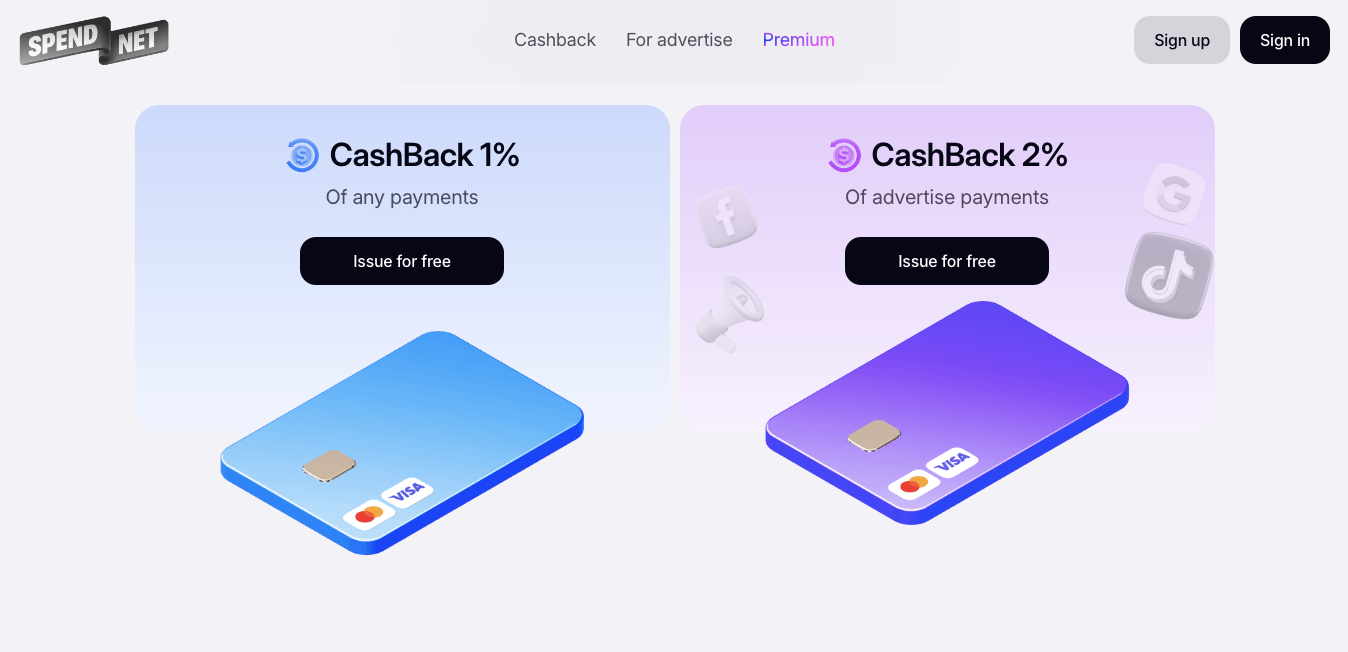
    Spend.net is a global fintech platform offering virtual Visa and Mastercard cards with built-in 1% cashback on all online purchases. Whether you’re paying for Netflix, running Facebook ads, or buying SaaS tools, Spend.net is built for uninterrupted access to international digital services.

    What sets it apart? Cashback is automatic – no activation, no hoops to jump through, and applies to everything from subscriptions to e-commerce purchases. Users can also tweak the top-up fee when adding funds, giving them more control over transaction costs. On average, fees sit at around 2%, but this can be adjusted based on the needs of each payment.

    All cards come with 3D Secure by default, which helps prevent fraud and unauthorised charges. That’s especially important when dealing with sensitive platforms like ad networks or subscription services.

    Key features:

    • Security: 3D Secure enabled
    • Funding: Supports USDT, BTC
    • Easy onboarding: Google sign-in or email registration
    • Customer support: 24/7 live chat in the user dashboard
    How to pay for Netflix, Google, and Amazon from Africa
    1. Chipper Cash

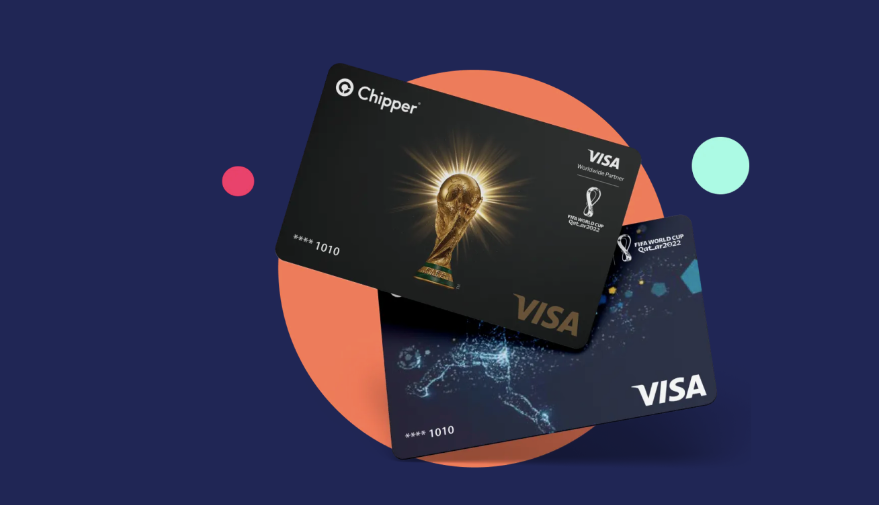
    Operating across 21 African countries, Chipper Cash offers a virtual Visa card specifically tailored for the region. It’s especially popular in Nigeria, where users can hold balances in both Naira and USD.

    The card enables seamless payments on global platforms—from streaming sites to cloud software. Thanks to its multi-currency wallet, users can top up in local currency and spend in dollars, avoiding unnecessary conversion fees or the need for a foreign bank account.

    Top-ups are done via the internal Chipper wallet and transferred instantly to the card—no delays, no added charges. This is a huge plus when timing is critical, such as funding ad campaigns or maintaining active subscriptions.

    Key features:

    • Security: Identity verification, 2FA
    • Funding: Internal wallet, instant transfer with zero fees
    • Registration: Via mobile app, document verification required
    • Support: Help centre, phone and email support
    How to pay for Netflix, Google, and Amazon from Africa
    1. Geegpay

    Initially built for African freelancers paid in USD, Geegpay has grown into a full-fledged virtual card provider supporting all types of digital transactions. The platform offers Visa debit cards tied to a multi-currency wallet that supports both USD and Naira.

    With built-in FX tools, Geegpay allows users to manage currency conversions and transfers in real time. It’s ideal for anyone juggling USD expenses and income in local currency.

    The platform also supports p2p transfers, letting users send money to each other, convert currencies, and top up cards—all from within the Geegpay ecosystem. These internal processes are fast and carry low fees, bypassing the need for third-party banks or exchanges.

    Key features:

    • Security: ID verification with selfie confirmation
    • Funding: Multi-currency wallet with internal FX tools
    • Registration: Through mobile app, card setup under “Cards” section
    • Support: In-app chat (available after verification)
    How to pay for Netflix, Google, and Amazon from Africa

    For many in Africa, virtual USD cards aren’t just a payment tool, they’re a digital lifeline. Whether you’re streaming your favourite show, running a small business, or freelancing for clients abroad, platforms like Spend.net, Chipper Cash, and Geegpay provide vital access to the global economy.

    Each provider offers its own strengths:

    • Spend.net focuses on cashback and flexible fees
    • Chipper Cash simplifies currency management and removes friction
    • Geegpay supports remote work with a scalable ecosystem

    What unites them is a commitment to inclusion, empowering users with tools to engage with the world, no matter where they’re based. Understanding how these cards work isn’t just about convenience. It’s about enabling digital freedom, unlocking new income streams, and building a more connected financial future.

    And that, quite frankly, changes everything.
  • Operating Systems Explained in Simple Terms

    Operating Systems Explained in Simple Terms

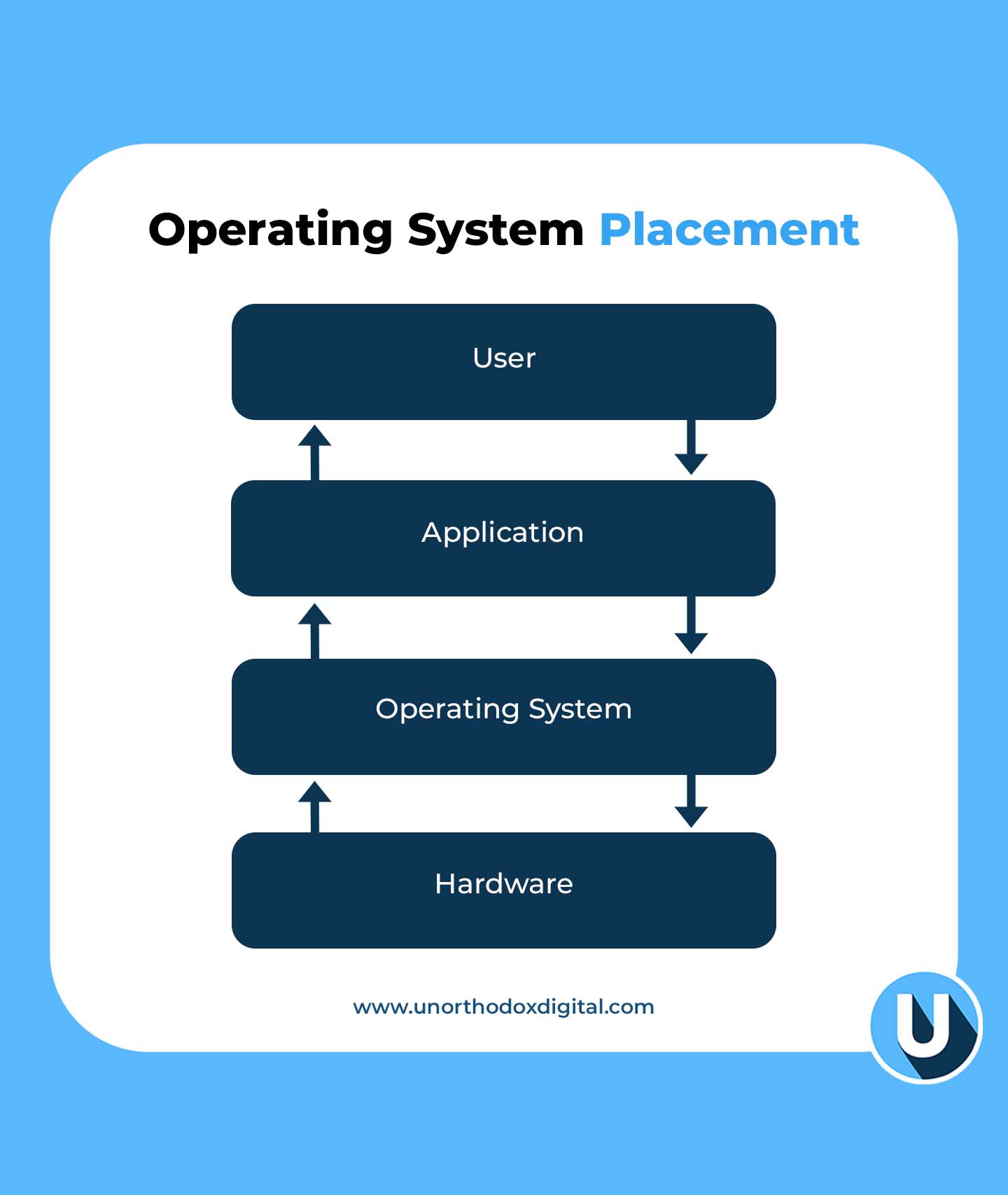
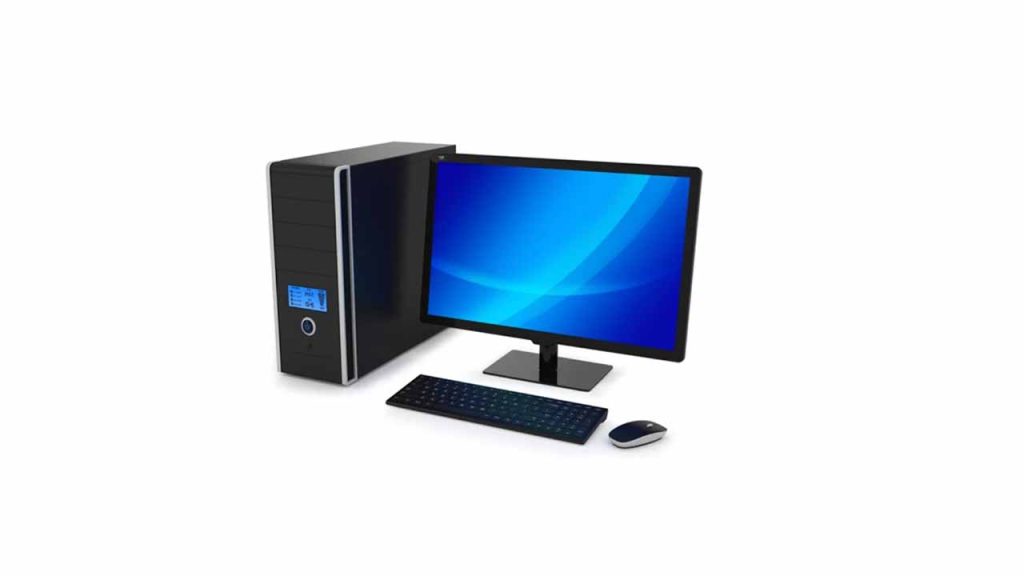
    Let’s say your computer is like a big school. Inside this school, there are students (apps), teachers (files), and lots of classrooms (hardware like memory, keyboard, etc). But someone needs to make sure everyone knows where to go, follows the rules, and uses the resources fairly. That someone is the Operating System, or OS.

    What is an Operating System?

    An operating system is the main boss of your computer. It controls how everything works together. Without it, your computer would just sit there—doing nothing—like a robot without instructions.

    A Simple Way to Think About It:

    If your computer was a restaurant:

    • The apps are chefs.
    • The ingredients are your files and data.
    • The kitchen tools (like stoves and ovens) are your hardware.
    • And the Operating System? It’s the kitchen manager making sure everything runs smoothly—no fires, no mess, and every chef gets what they need.

    Why Do We Need an Operating System?

    Here’s what the OS does behind the scenes:

    FunctionWhat It DoesSimple Example
    Manages programsRuns your apps and tells them when to start/stopWhen you open YouTube and switch to Word, the OS keeps them both working
    Handles memoryGives space to programs in RAMLike assigning lockers to students
    Controls hardwareTalks to devices like printers and keyboardsYou press a key, the OS tells the computer what letter you want
    Provides a user interfaceShows you icons, windows, and buttonsThat screen you click and type on? That’s the OS in action
    Keeps things secureProtects files and appsLike a security guard making sure no one breaks into your locker

    You might not see all of this happening, but the OS is always working in the background, like a superhero in disguise.

    What Are Some Popular Operating Systems?

    You’ve probably heard of these:

    OS NameWhere You See It
    WindowsMost office and home computers
    macOSApple laptops and desktops
    LinuxServers, some advanced personal computers
    AndroidMost smartphones (Samsung, Tecno, Infinix, etc.)
    iOSiPhones and iPads

    Each one has its strengths and fits different needs, just like different cars for different roads.

    What is an Operating System?

    What Does an Operating System Actually Do?

    Let’s zoom in on its main responsibilities.

    1. Process Management

    When you open a game and a browser at the same time, the OS decides how much power each one gets. It’s like a referee making sure every player follows the rules and no one cheats.

    2. Memory Management

    Your computer has a limited amount of memory (RAM), so the OS decides which app gets how much. If there’s not enough space, it’ll pause one or swap it out temporarily.

    3. File Management

    All your files—pictures, documents, downloads—are kept in folders. The OS helps you:

    • Create files
    • Save them
    • Move them
    • Delete them

    It also makes sure two apps don’t try to edit the same file at the same time.

    4. Device Management

    Have you ever printed something or plugged in a USB? The OS is behind that, making sure:

    • Your printer gets the file
    • Your USB drive shows up
    • Your mouse and keyboard work smoothly

    5. Security

    Before you log in with your password, the OS checks it. It also keeps apps from snooping around where they shouldn’t.

    6. User Interface

    That desktop with icons and folders? The OS creates that. Without it, you’d be typing commands like a hacker in a movie just to open Chrome.

    Different Types of Operating Systems (With Simple Comparisons)

    Let’s break this down into a simple table to help you remember:

    Type of OSWhat It DoesEveryday Example
    Batch OSHandles big jobs in groups (no user interaction)Like a teacher grading all homework at once without stopping
    Time-Sharing OSLets many users share computer timeLike taking turns playing games on a PlayStation
    Distributed OSUses many computers to do one jobLike a group project where each student handles a piece
    Network OSManages computers connected in a networkLike a teacher giving assignments to students in different classrooms
    Real-Time OSResponds instantlyUsed in robots, medical machines, or autopilots
    Multiprocessing OSUses many CPUs at onceLike several chefs cooking the same meal together
    Single-user OSOne person at a timeYour laptop at home
    Multi-user OSMany people use it at onceA school computer lab
    Embedded OSBuilt into small devicesLike your microwave or smartwatch
    Cluster OSConnects multiple machines as one powerful systemLike a team of supercomputers acting like a single brain

    So, How Do You Choose the Right Operating System?

    It depends on what you’re using your device for.

    FactorWhy It MattersTip
    PriceSome OS are free, others cost moneyLinux = free, Windows/macOS = paid
    Ease of UseSome are more user-friendlymacOS is easy for beginners
    App CompatibilityYou need apps that work with the OSGamers often choose Windows
    SecuritySome OS protect your data bettermacOS and Linux are known for security
    SupportCan you get help when it breaks?Windows has more tutorials and help forums

    If you’re just browsing the internet and watching YouTube, Android or Windows is great. If you’re doing coding or server stuff, Linux might be your best friend.

    Real-Life Scenarios to Understand the OS Better

    Let’s say:

    • You open WhatsApp → OS finds the app, opens it, and keeps it running.
    • You plug in headphones → OS switches audio from speaker to headphones.
    • Your phone rings during a game → OS pauses the game and shows you the call.

    All of this happens in seconds—and you barely notice. But without the OS, your computer or phone would be like a fancy brick.

    What If There Was No Operating System?

    Imagine:

    • No icons to click
    • No apps to open
    • No way to type, play music, or browse the internet

    You’d have to write code just to open a file. That’s how it was in the super old days. Luckily, modern OS handles all the hard stuff so you don’t have to.

    Fun Fact: What Is a System Call?

    A system call is like raising your hand in class.

    When an app (like Chrome) needs to do something important—like access the internet—it asks the OS through a “system call.” The OS then checks:

    • Is this app allowed to do that?
    • Is the resource (like network or file) available?

    If yes, the OS lets it happen. If not, it says, “Try again later.”

    Quick Recap Table

    Key TermSimple Meaning
    OS (Operating System)The boss of your device
    AppA worker that needs help from the OS
    HardwareThe physical parts of the device (like keyboard, screen)
    MemoryTemporary space to run things
    FileA piece of saved information (like a photo or doc)
    InterfaceWhat you see and click
    SecurityLocks and guards for your files
    System CallAn app politely asking the OS for something

    Understanding operating systems doesn’t have to be hard. They’re just the behind-the-scenes managers that help your devices actually do things. Whether you’re texting, watching a video, writing an essay, or printing your homework, the OS is working quietly in the background making sure everything clicks.

    So next time your laptop freezes or your phone updates its system, you’ll know exactly what’s going on. And maybe—even just a little—you’ll appreciate your operating system like the silent helper it is.

  • How to Use a Phone Number to Track Someone’s Location

    How to Use a Phone Number to Track Someone’s Location

    Let’s say you’re trying to find your cousin because they promised to meet you but aren’t picking up their phone. Or maybe your mom misplaced her phone again, and it’s on silent. Wouldn’t it be cool if you could just type in their phone number and find out where they are?

    Well, that’s what this guide is all about. I’ll show you how you can track someone’s location using their phone number—with tools that are both helpful and legal. No complicated tech talk, no confusing steps. Just real, clear help.

    Is It Really Possible to Track Someone by Their Phone Number?

    Yes, but with a big asterisk: you usually need permission or access to the person’s device at least once. And no, you can’t just Google someone’s number and magically see where they are like a spy movie. But with the right apps or tools—and if it’s someone you know—it’s totally doable.

    Let’s break it down.

    Why Would Someone Want to Track a Person’s Phone?

    People use phone tracking for everyday reasons, like:

    • Finding a lost or stolen phone
    • Keeping kids safe when they’re out alone
    • Checking if a loved one made it home
    • Helping older family members who might get lost
    • Tracking employees in the field

    If any of those sound familiar, keep reading—you’re in the right place.

    The Two Main Ways to Track a Location by Phone Number

    There are two big ways people usually go about this:

    1. With Tracking Apps (like mSpy, Life360, etc.)
    2. With Built-In Tools (like Google’s “Find My Device” or Apple’s “Find My”)

    Let’s take a closer look at each.

    1. Using Tracking Apps: The Supercharged Option

    These apps are like mini-detectives that live on your phone. Once installed on someone’s device (with their permission or knowledge), they let you see where the phone is anytime.

    Here’s a quick comparison of the most popular ones:

    AppBest ForStandout FeaturesPrice (Monthly)
    mSpyParents, employersReal-time tracking, social media monitoring$48.99 (monthly)
    Scannero.ioGlobal number trackingTrack via number directly, no jailbreak$1.19 (24-hour trial)
    Life360FamiliesLive location, driving reportsFree / $4.99 for premium
    SpyicStealth trackingHidden tracking, calls & messages$10.83+
    GeoZillaMultiple device trackingBattery alerts, crash detectionFree / $4.99+

    Let’s go over the top three in more detail.

    mSpy

    mSpy is like a digital babysitter. It tracks where someone is, shows call logs, and even alerts you if they leave a specific area (like school or home).

    How it works:

    • You install it on the phone you want to track.
    • It runs quietly in the background.
    • You log in to your dashboard and see real-time updates.

    Good to know: You’ll need physical access to the phone during setup. So it’s best for parents monitoring kids or companies with company-issued devices.

    Life360

    Life360 is more of a “we’re all in this together” app. Families create a group (called a “Circle”), and everyone can see each other’s location.

    Why people love it:

    • It shows driving habits (like speeding or hard braking).
    • You can set alerts for when someone arrives somewhere.
    • It works on both Android and iPhone.

    Bonus: There’s a free version with decent features!

    Scannero.io

    The Scannero Phone Tracker is interesting because it doesn’t need an app installed on your phone or theirs. You enter a number, send a special link, and once the person clicks it—you get their location.

    Important note: This only works if they click the link. So this is better for checking in on someone with their consent, not for secret tracking.
    How to Use a Phone Number to Track Someone’s Location

    2. Using Free Built-In Tools (for Android and iPhone)

    If you’ve ever misplaced your phone and used “Find My iPhone” or “Find My Device,” then congrats—you’ve already used phone tracking!

    These are free, built-in features made by Google and Apple.

    Here’s a side-by-side:

    FeatureAndroid (Google)iPhone (Apple)
    NameFind My DeviceFind My
    Real-time trackingYesYes
    Remote lock & wipeYesYes
    Requires loginGoogle accountApple ID
    PlatformAndroid onlyApple only

    How to Use Them

    For Android:

    1. Go to Find My Device
    2. Sign in with the Google account linked to the phone
    3. You’ll see the phone’s location on a map

    For iPhone:

    1. Go to iCloud.com
    2. Sign in with your Apple ID
    3. Click on “Find iPhone”
    4. You’ll see the phone’s location, plus the option to lock or erase it

    These are lifesavers if your phone goes missing—or if you’re helping someone who’s lost theirs.

    FAQs

    Can I track someone without them knowing?

    Technically, yes, with some stealth apps like Spyic or mSpy. But legally? Only if you own the device or have their permission. Otherwise, it’s a no-go in most countries.

    Can I track someone with just a number and no app?

    Not directly. Services like Scannero.io can help, but they still require the person to click a tracking link.

    Is it legal to track somebody’s phone number?

    As long as you’re tracking:

    • Your own device
    • A device you own (like a child’s phone)
    • With consent

    …it’s usually legal. But always double-check your local laws just to be sure.

    What to Watch Out For

    • Scams: If a website says it can track anyone’s location just from a number instantly—without any permission—be careful. That’s a big red flag.

    • Battery Drain: Some apps (especially free ones) can use up battery fast.

    • Privacy: Use these tools responsibly. Tracking should always be about safety, not spying.

    So, What’s the Best Option?

    Here’s a simple cheat sheet:

    Your SituationBest Tool
    Lost Android phoneFind My Device
    Lost iPhoneApple’s Find My
    Keeping track of kids or employeesmSpy or Life360
    One-time check with consentScannero.io
    Track multiple family membersLife360 or GeoZilla

    So now you know: yes, you can use a phone number to track someone’s location—but it’s not magic. You’ll usually need their cooperation or access to their phone, and you’ll need the right tool for the job.

    Think of these apps and services like a safety net. Whether it’s helping your little brother make it home from school or finding your phone in the couch cushions (again), tracking technology is a pretty helpful backup.

    And hey, now that you know how it works, you’re basically the “tech whiz” in your circle. Use that power wisely.

  • Guide to Requesting MTN MoMo Statements in Ghana

    Guide to Requesting MTN MoMo Statements in Ghana

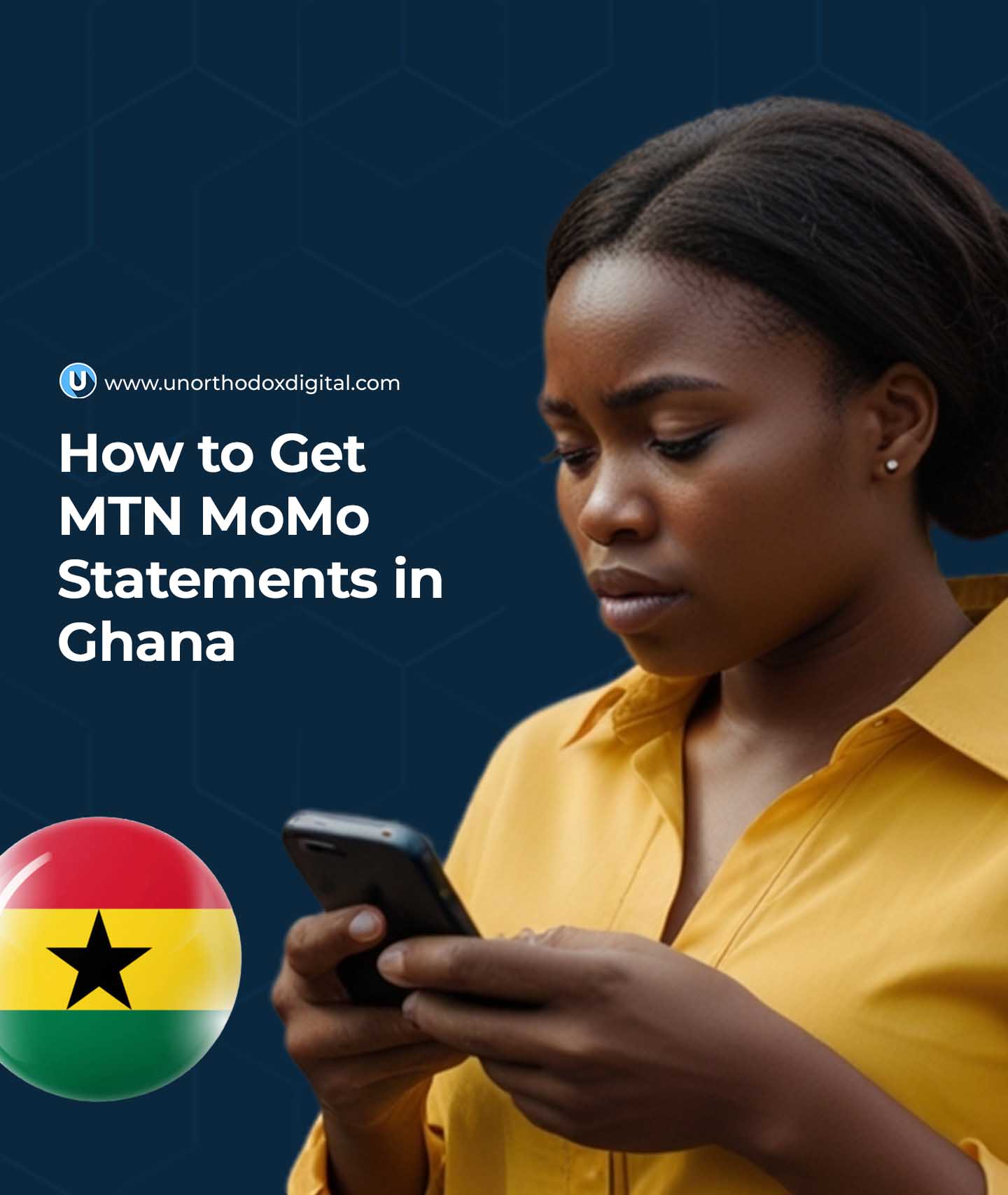
    Get your MTN MoMo (Mobile money) statement in Ghana for 7 to 180 days using the shortcode *170#, MyMoMo app, or the myMTN app.

    Let’s say you’ve been using MTN Mobile Money (MoMo) to send and receive money, buy airtime, or pay bills. After a while, you might start wondering: “Where’s all my money going?” or “I need proof of this payment!”

    That’s where your MTN MoMo Statement comes in. Think of it like your money’s report card. It shows you exactly how much money came in, how much went out, when it happened, and what it was for.

    In this guide, we’ll walk through how to get that statement—step by step—without stress. Whether you’re a regular MoMo user or a merchant/agent, this guide has you covered.

    What Is an MTN MoMo Statement?

    It’s a detailed list of all your MoMo transactions within a period of time. This includes:

    Transaction TypeExample
    Money sentSending money to your cousin in Kumasi
    Money receivedGetting a payment from your friend
    Airtime/dataBuying airtime or bundles for yourself or others
    Bill paymentsPaying ECG, DStv, etc.
    WithdrawalsTaking cash out from an agent
    DepositsPutting money into your MoMo account

    You’ll receive the statement in PDF format by email, and you can use it for budgeting, loan applications, audits, or just to double-check your spending.
    Who Can Request a MoMo Statement?

    There are two types of MoMo users:

    1. Regular users (like you and me)
    2. Merchants or agents (those who use MoMo to run a business)

    The good news? Both can get MoMo statements, but the process is slightly different.

    How Long Back Can You Go?

    Here’s how far back you can request statements:

    User TypeTime Limit
    Regular userUp to 3 years
    Merchant/AgentUp to 2 years

    But each statement can only cover a maximum of 180 days (6 months) at a time.

    Guide to Requesting MTN MoMo Statements in Ghana

    How to Request Your MTN MoMo Statement (Regular User)

    Let’s say you’re a regular user. You’ve been buying airtime and sending money here and there. Now you want to see where your cash has been going. Here are three easy ways to request your statement:
    Option 1: Using the MTN USSD Code (*170#)

    This is the easiest method. Here’s what to do:

    1. Dial *170# on your phone.
    2. Choose option 6 (My Wallet).
    3. Select 3 (Statements).
    4. Tap 1 (Statement Request).
    5. Enter your MoMo PIN (that 4-digit code you always use).
    6. Type in your email address and confirm it.
    7. Choose the duration you want:
      • 7 days
      • 30 days
      • 60 days
      • 180 days
      • Or select “Specify Date” if you want a custom range (format: 01 01 2024 for Jan 1, 2024).
    8. Confirm by typing 1.

    Done! Now wait a few minutes for the email from MTN with your statement attached.

    Option 2: Using the MyMoMo App

    If you’ve got a smartphone and don’t feel like typing codes, the MyMoMo app works great too.

    Here’s how:

    1. Open the MyMoMo app.
    2. Tap on Statements.
    3. Select a duration (30, 60, or 180 days), or pick a custom range using the calendar.
    4. Tap Get Statement.
    5. Your PDF statement will be ready. You can save it or send it to yourself via WhatsApp, email, or even Google Drive.

    Option 3: Using the myMTN App

    Already have the myMTN app? You can use it too:

    1. Open the app and go to the MoMo section.
    2. Tap Statement.
    3. Enter your email and follow the prompts.
    4. Choose the date range and submit.

    Same result: You’ll get your statement in your inbox shortly.

    How to Request a MoMo Statement (Merchants/Agents)

    If you’re running a MoMo business (like being an agent or merchant), here’s your route:

    1. Dial *170# using your agent/merchant SIM.
    2. Select My Wallet.
    3. Tap on Statements.
    4. Choose 2 (Merchant/Agent Statement).
    5. Select either My Agent Account or My Merchant Account.
    6. Enter the email address where the statement should be sent.
    7. Pick a start and end date (maximum: 180 days).
    8. Type 1 to confirm.

    Your statement will arrive via email. If there are no linked accounts, the system will let you know.

    Why Would You Even Need a MoMo Statement?

    Here are some common situations:

    SituationWhy the Statement Helps
    Applying for a loanShows proof of regular income or cash flow
    BudgetingHelps you understand where your money goes
    Fighting fraudYou can spot strange transactions
    Tax filing or auditsGives a paper trail of your transactions
    Record-keeping for businessShows payment history to suppliers/customers

    Things You Can’t Do with a MoMo Statement

    Let’s clear up some myths:

    Can I delete a transaction I don’t like?
    Nope. MoMo statements are read-only. Once a transaction is recorded, it can’t be changed or erased.

    Can I get a statement for someone else’s MoMo account?
    Not directly. You can only request statements for the number you’re using. If it’s someone else’s number, they have to request it themselves.

    Quick Summary Table

    FeatureDetails
    Max date range per request180 days
    Full history available3 years (users), 2 years (merchants/agents)
    Delivery methodEmail in PDF format
    Access methodUSSD (*170#), MyMoMo app, myMTN app
    Who can request itOnly the account holder

    Always double-check your email address before submitting your request. If you type it wrong, you won’t get the statement—and you’ll have to start over.

    Also, it’s a good idea to save your statement PDF somewhere safe (like your Google Drive or your email inbox), especially if you’re using it for business or official paperwork.

    If you ever get stuck or your statement doesn’t arrive, you can walk into any MTN service center for help. And now that you know how to request it like a pro, you’ve got one less thing to worry about.

  • Telecel Broadband Coverage, Prices and Packages in Ghana

    Telecel Broadband Coverage, Prices and Packages in Ghana

    Quick Summary

    Plan TypePrice Range (GHS)Data (GB)ValidityBest For
    Flexi Offers100+Depends on inputNo expiry or 30 daysLight/budget users
    One Family Packages180 – 104547 – 103530 daysHouseholds, up to 4 users
    Standard Data Plans120 – 68026 – 62130–45 daysRegular consistent usage
    Add-On Bundles6 – 2601 GB – UnlimitedVariesTopping up or heavy usage

    What Is Telecel Broadband?

    Let’s start simple: Telecel Broadband is like giving your house or office a super-fast internet pipe. Instead of relying on mobile data like your phone does, it uses fibre-optic cables—which are like glass highways for data that travel much faster than regular wires.

    That means smoother streaming, quicker downloads, better video calls, and fewer “ugh, this is taking forever” moments.

    It can reach speeds up to 300 Mbps. Just to compare, MTN’s broadband maxes out at about 60 Mbps. That’s like comparing a motorbike to a sports car.

    Real-Life Speed Example

    At one location in East Legon, a speed test on Wi-Fi showed:

    • Download: 25.72 Mbps
    • Upload: 17.51 Mbps
    • Ping: 6 ms (good for gaming or Zoom calls)

    That’s good, especially over Wi-Fi. If you plug your laptop in with a cable, it can go even faster.

    Is Telecel Broadband Available in My Area?

    Good question! Before you get excited about the plans, you need to check if Telecel covers your location.

    Here’s How:

    1. Go to the Telecel Broadband page
    2. Turn on your phone or computer’s location
    3. Click “Check Availability”

    If that doesn’t work:

    • Click “Click here to find your location” and enter it manually.
    • If it says “Available,” you’re good to go.
    • Hit Proceed, then choose the type of broadband you want:
      • Residential: for homes
      • One Business: for small/medium offices
      • FTTB (Fibre To The Building): for large businesses

    How to Apply for Telecel Broadband

    Once you confirm availability, you have two options:

    Option 1: Online

    1. Choose the plan (residential, business, etc.)
    2. Fill out the online form
    3. Click Next and follow the instructions
    4. Telecel will call you to schedule an installation appointment

    Option 2: Walk-In

    • Visit any Telecel office
    • Take your Ghana Card and GPS address
    • Installation is currently free (as of October 2024)
    Telecel Broadband Coverage, Prices and Packages in Ghana

    Telecel Broadband Packages

    Let’s break them into groups so it’s easier to understand.

    1. Flexi Offers

    Think of this like pay-as-you-go broadband.

    TypeMinimum Price (GHS)Validity
    Non-Expiry100Doesn’t expire
    30-Day Offer10030 days

    You choose how much you want to spend. Great if you’re on a budget or don’t use the internet often.

    2. One Family Packages

    This is for homes where multiple people use the internet. It supports up to 4 mobile devices and includes bonus voice and SMS too.

    PackagePrice (GHS)Data (GB)
    One Family Small18047 GB
    One Family Medium330210 GB
    One Family Large550475 GB
    One Family Extra Large10451035 GB

    If you have Netflix binge-watchers, gamers, or work-from-home folks, this is your best bet.

    3. Standard Data Plans

    These are your regular monthly internet bundles. If you renew before it expires, your unused data rolls over and stays valid for 45 days. Sweet deal!

    PackagePrice (GHS)Data (GB)
    Browser12026 GB
    Streamer22080 GB
    Webmaster270104 GB
    Downloader410290 GB
    Office680621 GB

    Use these if your usage is pretty consistent every month.

    4. Add-On Bundles

    Already used up your main bundle? These are like mini top-ups.

    PackagePrice (GHS)Data
    Mini Basic255 GB
    Mini Pro5011 GB
    Pay As You Go61 GB
    Bolt-on Lite8030 GB
    Bolt-on Extra150135 GB
    Bolt-on Super260300 GB
    Unlimited Weekend30Unlimited (Weekend only)
    Unlimited Daily40Unlimited (1 day)
    Unlimited Holiday20Unlimited (1 holiday)

    Bonus Tip: The Too Moorch deal gives you 100% bonus data when you spend GHS 150/month. That’s double the value.

    How to Buy Telecel Broadband Data

    You have two main options:

    Option 1: Using USSD

    This is super fast and doesn’t need internet.

    1. Dial *900#
    2. Select Broadband Account
    3. Choose Fixed Broadband
    4. Tap Buy Bundle
    5. Select your package and confirm

    You’ll get a message once the data is added.

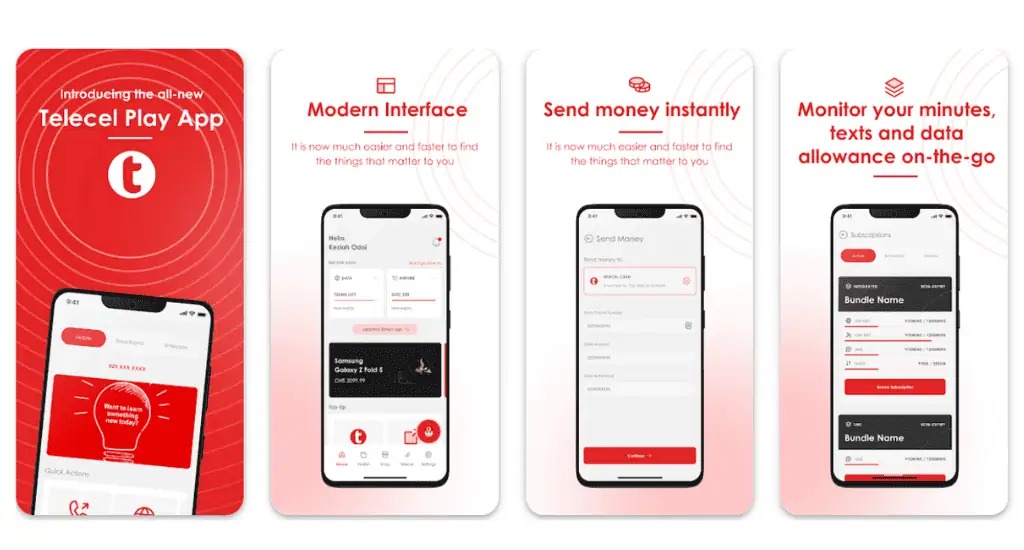
    Option 2: Using the Telecel Play App

    1. Open the Telecel Play app
    2. Tap on Telecel > Broadband
    3. Pick Fixed Broadband Packages
    4. Choose the one you want (for Flexi, enter the amount)
    5. Follow the steps to pay and confirm

    Easy and convenient if you already use the app for other things.

    How to Check Your Data Balance

    It’s always good to know how much data you’ve got left.

    1. Dial *900#
    2. Select Broadband Account
    3. Tap Check Balance

    Done!

    FAQs

    Q: How do I log into my Telecel router?

    Connect to Wi-Fi, open your browser, and type the IP address (it’s usually on a sticker on the router). Enter the default username and password.

    Q: What’s my broadband Wi-Fi name and password?

    Check the back of your router or the manual.

    Q: Do these bundles expire?

    Yes, most last 30 days. Flexi’s non-expiry ones don’t expire.

    Q: Can I move my broadband to a new house?

    Yes, as long as the new place has Telecel coverage.

    Telecel Broadband gives you solid internet options whether you’re a light user, a big family, or a business. The plans are flexible, the speeds are solid, and the pricing is fair. Just make sure it’s available in your area before you jump in.

    And once you’ve picked your plan, buying data and checking balance is just a few taps or dial codes away. Simple, fast, and reliable—just how internet should be.

  • Telecel Ghana Internet Settings for Android & iOS Devices

    Telecel Ghana Internet Settings for Android & iOS Devices

    If you’ve just switched to Telecel Ghana or are having trouble connecting to the internet on your Android or iOS device, don’t worry! Getting your internet working smoothly is just a few steps away. In this guide, we’ll break down exactly how to set up the internet settings on your device—whether you’re using an Android phone or an iPhone—so you can start browsing, streaming, or chatting without any hiccups.

    What Are APN Settings?

    Before we dive into the setup process, let’s talk about APN settings. APN stands for Access Point Name. It’s basically the way your phone connects to the mobile internet network. Imagine you’re trying to enter a building, and the APN settings are like the security guard at the door. Without the right credentials (the correct APN), you won’t be able to get in and use the internet.

    Each mobile network has its own APN settings, and Telecel Ghana has specific settings that need to be entered for your phone to connect properly to the internet. So, let’s get started!

    Why Are APN Settings Important?

    When you get the APN settings right, your phone can easily access the internet, send and receive MMS (Multimedia Messaging Service) messages (like photos and videos), and stay connected without issues. Without the correct settings, your phone might struggle to connect to mobile data, or you might face slow speeds.

    But don’t worry, it’s easy to get this right, and we’re going to show you how.

    Telecel Ghana Internet Settings for Android & iOS

    How to Get Telecel Ghana Internet Settings

    There are two simple ways to get your internet settings on Telecel Ghana:

    1. Automatic Setup via Customer Care
    2. Manual Setup (for those who prefer to do it themselves)

    Let’s look at both.

    1. Automatic Setup

    This method is super easy and quick. All you have to do is call Telecel’s customer care service. Here’s how:

    1. Dial 100 on your phone (this is the Telecel customer care number).
    2. Choose your preferred language.
    3. Select Option 1 for Mobile Services.
    4. Select Option 4 for Internet Problems.
    5. Then, choose Option 2 for Internet Settings.

    Once you do this, Telecel will send the correct settings to your phone. After you receive the settings, restart your phone, and you should be good to go. However, if your internet still isn’t working, let’s move on to setting things up manually.

    2. Manual Setup

    If you prefer to manually enter the APN settings, follow the steps below based on whether you’re using an Android phone or an iPhone.

    For Android Users

    Let’s go through how to set up the internet for Android devices. We’ll use a Samsung phone as an example, but the steps are similar for other Android devices.

    Steps to Set Up Telecel Internet on Android:

    1. Open Settings: Go to the Settings app on your phone.
    2. Network & Internet: Select Connections or Network & Internet (the exact wording may vary depending on your phone).
    3. Mobile Networks: Tap on Mobile Networks.
    4. Access Point Names: Tap Access Point Names (this is where you enter the APN settings).
    5. Add New APN: Tap on Add to create a new APN profile.

    Now, enter the following details exactly as shown:

    FieldValue
    NameTelecel
    APNinternet
    MCC620
    MNC02
    APN Typedefault,supl,email
    APN ProtocolIPv4
    APN Roaming ProtocolIPv4
    BearerUnspecified
    Mobile Virtual Network TypeNone
    1. Save the Settings: Tap the three dots in the top-right corner and select Save.
    2. Select the New APN: After saving, tap the new APN profile to select it.
    3. Restart Your Device: Restart your phone to apply the settings.

    That’s it! Your Android device should now be able to connect to the internet using Telecel Ghana.

    For iOS Users (iPhone)

    Setting up internet on your iPhone with Telecel Ghana is also easy. Follow these steps:

    Steps to Set Up Telecel Internet on iPhone:

    1. Open Settings: Go to Settings on your iPhone.
    2. Mobile Data: Tap Mobile Data or Cellular (the wording may vary based on your iOS version).
    3. Mobile Data Network: Tap on Mobile Data Network (or Cellular Data Network).
    4. Enter APN Settings: In the APN field, type internet.
    5. Leave Username and Password Blank: Leave the Username and Password fields empty.
    6. Save and Exit: Exit the settings, and your iPhone will save the changes automatically.
    7. Restart Your Device: Restart your iPhone to activate the new settings.

    Once you restart your device, you should have full access to the internet with Telecel.

    How to Set Up Telecel Ghana MMS Settings

    MMS (Multimedia Messaging Service) allows you to send and receive multimedia messages like photos, videos, and audio. If you’re having trouble sending or receiving MMS messages on Telecel, you’ll need to set up the MMS settings on your phone. Here’s how you can do that for both Android and iPhone.

    For Android Users (Samsung Example)

    1. Open Settings: Go to Settings on your phone.
    2. Connections: Select Connections or Network & Internet.
    3. Mobile Networks: Tap Mobile Networks.
    4. Access Point Names: Tap Access Point Names.
    5. Add New MMS APN: Tap Add to create a new MMS profile.

    Now, enter these details:

    FieldValue
    NameTelecel Ghana MMS
    APNmms
    MMSChttp://mms.onetouch.com.gh/mmsc
    MMS Proxy172.24.97.1
    MMS Port8080
    MCC620
    MNC02
    APN Typemms
    APN ProtocolIPv4
    APN Roaming ProtocolIPv4
    BearerUnspecified
    Mobile Virtual Network TypeNone
    1. Save Settings: Tap the three dots in the top-right corner and select Save.
    2. Select the MMS Profile: Select the new MMS APN profile.
    3. Restart Your Device: Restart your phone to apply the MMS settings.

    For iPhone Users

    1. Open Settings: Go to Settings on your iPhone.
    2. Messages: Scroll down and tap Messages.
    3. MMS Messaging: Make sure MMS Messaging is turned on.
    4. Exit Settings: The settings will automatically save, but you may need to restart your device for everything to work perfectly.

    What to Do If Telecel Ghana Internet Isn’t Working

    If you’ve followed the steps, but your internet still isn’t working, don’t panic! Here are a few things you can try to fix the issue:

    1. Double-Check the APN Settings: Make sure you’ve entered the APN settings correctly. A small mistake in one of the fields can stop your internet from working.
    2. Restart Your Device: Sometimes, a simple restart can fix the issue.
    3. Check Your Coverage Area: Make sure you’re in an area with good network coverage. If you’re in a low-coverage area, your internet speed may be slow.
    4. Switch to 4G/LTE: If your phone supports 4G or LTE, make sure it’s enabled in your settings to get the fastest internet speed.
    5. Contact Telecel Support: If all else fails, reach out to Telecel customer care for assistance.

    Now you know exactly how to set up Telecel Ghana internet and MMS settings on both Android and iOS devices! It’s really not that complicated once you understand the steps. If you follow the instructions carefully, you’ll be browsing, messaging, and enjoying your phone in no time.

    If you’re still having issues, don’t hesitate to contact Telecel support—they’ll help get everything working smoothly.

    Happy browsing!

  • How to Quickly Borrow Telecel Airtime in Ghana

    How to Quickly Borrow Telecel Airtime in Ghana

    Quick Summary

    Here’s everything at a glance:

    FeatureDetails
    Code to borrow airtime*505# or *700*8#
    App methodTelecel Play app > Airtime Topup > SOS
    Who can borrowUsers active for 3+ months with regular recharges
    RepaymentAutomatic on next recharge
    Service fee10% of borrowed amount
    Can you buy data?Yes, with borrowed airtime
    Borrowing limitBased on usage & repayment history

    How to Quickly Borrow Telecel Airtime in Ghana

    You’re in the middle of an important phone call—maybe you’re ordering food, chatting with your mum, or about to send mobile money—and suddenly, your airtime runs out. Frustrating, right?

    But guess what? If you’re using Telecel in Ghana, there’s a simple way to fix that problem in seconds. It’s called the SOS Credit service, and I’m going to walk you through it like you’re my younger cousin who just got their first phone. It’s that easy.

    Let’s dive in, step by step, and by the end, you’ll be a pro at borrowing airtime on Telecel—even if you’ve never done it before.

    What’s SOS Credit?

    First things first. SOS Credit is Telecel’s way of saying, “Hey, we’ve got your back when your airtime finishes.” It lets you borrow airtime now and pay it back later when you recharge.

    Think of it like when your friend lends you GHS 5 to buy Fan Ice because you forgot your wallet. You still get the Fan Ice today, but you’ll return the money tomorrow.

    Who Can Use SOS Credit?

    Now, before you try to borrow airtime, there are a few things Telecel checks to make sure you qualify. It’s a bit like needing to pass the ball to someone you trust on your football team.

    Here’s what you need:

    RequirementWhat it means
    Active for 3+ monthsYou’ve been using your Telecel SIM for at least 90 days
    Recharge regularlyYou top up now and then, not once in a blue moon
    No unpaid SOS loansYou’ve paid back any airtime you borrowed before

    So if you just got your SIM card last week, you might need to chill for a bit before you can use SOS Credit.

    How to Borrow Telecel Airtime in Ghana

    Two Easy Ways to Borrow Airtime from Telecel

    Alright, now let’s get to the fun part. There are two ways to borrow airtime: using a USSD code or the Telecel Play app. We’ll go over both, step by step.

    Option 1: Using USSD Code (*505# or *700*8#)

    This is the fastest way—especially if your data is off or your phone is acting slow.

    Steps:

    1. Open your dialer (where you usually type phone numbers).
    2. Dial *505# and press the call button.
    3. You’ll see a menu with airtime amounts to borrow. Pick the one you want.
    4. You’ll get a message confirming the airtime was added.

    Done! You can now make that call, send that text, or buy data.

    Bonus Option: You can also dial *700#, choose option 8, and follow similar steps.

    Option 2: Using the Telecel Play App

    If you like using apps or you’ve already downloaded Telecel Play, this is another simple way.

    Steps:

    1. Open the Telecel Play app.
    2. Scroll and tap on Airtime Topup.
    3. Choose SOS.
    4. Pick how much airtime you want to borrow.
    5. Tap Confirm Payment.

    You’ll instantly see the borrowed airtime in your balance. The app also keeps track of how much you owe if you forget.

    Tip: If the app says something like “We can’t process your request right now”, just use the USSD method instead. It almost always works.

    How Much Airtime Can You Borrow?

    Now you might be wondering, “Can I borrow any amount I want?” Not exactly.

    Your SOS Credit Limit is like an allowance. It depends on how much you usually spend and how good you are at paying back what you borrow.

    Here’s a rough idea of how it works:

    Your BehaviorYour Borrowing Power
    You recharge often and pay back fastYou can borrow more airtime
    You recharge rarely or don’t repayYour limit will be low (or zero)

    So, if you normally top up GHS 10 every few days and you pay back on time, Telecel might let you borrow GHS 5, GHS 10, or more. But if you ghost them after borrowing, your limit will shrink.

    How Do You Pay Back SOS Credit?

    Good news—you don’t need to do anything extra to repay. Telecel does it automatically.

    Here’s how it works:

    Let’s say you borrow GHS 5. When you recharge again, Telecel will take back:

    • The GHS 5 you borrowed
    • Plus 10% service fee, which is GHS 0.50

    So your next top-up will look like this:

    You RechargeWhat Telecel TakesWhat’s Left for You
    GHS 10GHS 5 + GHS 0.50GHS 4.50
    GHS 8GHS 5 + GHS 0.50GHS 2.50

    You see? It’s automatic and clear. But remember, if you recharge less than what you owe, Telecel might keep all of it and wait until your balance fully clears.

    What Can You Do with Borrowed Airtime?

    Once you borrow, you can use the airtime like any regular top-up. That means:

    • Making calls
    • Sending SMS
    • Buying data bundles
    • Paying for shortcodes (like TV subscriptions, if they use airtime)

    And yes, you can buy data with borrowed airtime. That’s a common question, and the answer is a solid YES.

    Helpful Tips to Stay Eligible

    Now, if you want to keep using SOS Credit smoothly, here are some friendly tips:

    • Recharge at least once every two weeks—even if it’s small
    • Pay back your borrowed airtime quickly
    • Don’t borrow and disappear; Telecel remembers!

    Think of it like being in good standing with a trusted shop. If you borrow and pay back on time, they’ll trust you with more next time.

    Why This Feature Is a Life Saver

    Imagine you’re stranded somewhere with no airtime and you need to call a friend, or your mobile money app needs a little airtime to work. Instead of panicking or begging someone to send you credit, just dial *505# and boom—you’re back online.

    It’s especially useful at night, during holidays, or in places where buying airtime physically isn’t possible. And the fact that repayment is automatic makes life even easier.

    Borrowing airtime on Telecel is one of the simplest things you can do on your phone once you get the hang of it. Whether you use *505#, *700#, or the Telecel Play app, it only takes a few taps to reconnect.

    So next time you run out of airtime, do not panic. Just borrow some SOS credit, handle your business, and pay it back later.

  • The Main Characteristics of a Computer System

    The Main Characteristics of a Computer System

    Computers are everywhere—at home, in schools, in offices, and even in our pockets. But have you ever wondered what makes a computer so powerful? Why does it seem to handle tasks effortlessly while humans need breaks? Let’s dive into the main characteristics of a computer system in a way that’s easy to understand, even if you’re new to the topic.

    What Is a Computer System?

    At its core, a computer system is an electronic machine that takes in data (input), processes it using a set of instructions, and then gives back useful information (output). Think of it like a super-smart assistant that follows commands perfectly and never gets tired. The brain of the computer, known as the Central Processing Unit (CPU), is responsible for carrying out these tasks.

    A typical computer system consists of:

    • Input Devices – Devices like a keyboard or mouse that help users send information to the computer.
    • Processing Unit (CPU) – The brain of the computer, where all calculations and decisions happen.
    • Memory (RAM & Storage) – RAM helps the computer think quickly, while storage (like a hard drive) saves files for future use.
    • Output Devices – Screens, printers, and speakers that display or present the processed data.

    Now, let’s break down what makes a computer unique and why we rely on them so much.

    1. Speed

    Imagine solving a large multiplication problem—how long would it take you? A few seconds, maybe even a minute. But a computer can do millions of calculations in the blink of an eye! The speed of a computer is measured in Gigahertz (GHz), meaning it can process billions of instructions per second.

    Measurement UnitSpeed
    Millisecond1/1,000th of a second
    Microsecond1/1,000,000th of a second
    Nanosecond1/1,000,000,000th of a second

    Computers save time, which is why they are used for complex tasks like weather forecasting, space exploration, and financial transactions.

    2. Accuracy

    Computers don’t make mistakes on their own. If given the right instructions, they will always give the right answer. The only time errors occur is when a human enters incorrect data (this is called Garbage In, Garbage Out – GIGO). Unlike humans, computers don’t get tired or distracted, which makes them highly reliable.

    3. Diligence

    If you had to solve math problems for 24 hours straight, you’d eventually get tired. But a computer? It never gets bored, tired, or distracted. It can run for days, weeks, or even years without needing rest. This ability is why computers are used in hospitals, space missions, and security systems.

    4. Automation

    Once programmed, a computer can run tasks without human help. For example, when you set an alarm on your phone, it rings at the right time automatically. Businesses use automation for batch processing, where large amounts of data are handled efficiently without manual intervention. Artificial intelligence also plays a role by enabling systems to learn patterns and make decisions, further reducing the need for human input. Businesses use automation for:

    • Online transactions
    • Email sorting (spam filters)
    • Self-driving cars

    Computers follow instructions step by step, ensuring tasks are completed as expected.

    5. Versatility

    A computer isn’t limited to one job—it can do many things at once! You can listen to music, browse the internet, and type a document all at the same time. This is known as multitasking.

    Some real-world examples of computer versatility include:

    • Video editing while downloading files
    • Playing games while chatting online
    • Running business software while analyzing data

    Computers handle multiple tasks effortlessly, making them useful for both personal and professional work.

    6. Memory & Storage

    Computers have different types of memory:

    Memory TypePurpose
    RAM (Random Access Memory)Temporary storage for quick access
    Hard Drive (HDD/SSD)Long-term data storage
    Cache MemorySuper-fast memory inside the CPU

    A computer can store millions of files, pictures, and videos. Today’s computers measure storage in terabytes (TB)—that’s over a million megabytes! Unlike humans, computers don’t forget where they stored data, making them great at remembering information for future use.

    7. Reliability

    Computers consistently give the same results when given the same input. Whether it’s 10 AM or midnight, the answer to 2 + 2 will always be 4. This reliability makes computers essential for:

    • Banking transactions
    • Weather predictions
    • Scientific experiments

    As long as the software is correctly programmed, computers will always be accurate and reliable.

    8. Connectivity

    Modern computers can connect to the internet, allowing them to share information across the world in seconds. This feature is why we have:

    • Online learning
    • Video calls
    • Global communication

    Without connectivity, we wouldn’t have access to instant news, social media, or cloud storage services.

    9. Security

    Computers have strong security measures to protect data from hackers and viruses. Features like passwords, encryption, and antivirus software help keep personal and business information safe.

    Security FeaturePurpose
    PasswordsPrevents unauthorized access
    EncryptionProtects sensitive data
    FirewallsBlocks harmful websites

    With proper security, computers can be trusted to store sensitive information like medical records and financial details.

    10. Artificial Intelligence

    Computers are getting smarter! Artificial Intelligence (AI) allows them to learn from experience and make decisions. Think about how your phone suggests words as you type—that’s AI in action!

    Some common AI applications include:

    • Voice assistants (Siri, Alexa)
    • Face recognition
    • Self-driving cars

    AI helps computers go beyond simple calculations, making them even more useful in daily life.

    Computers have changed the way we live, work, and communicate. Their speed, accuracy, reliability, and multitasking abilities make them one of the most powerful tools ever created. Whether you’re writing an essay, streaming a movie, or managing a business, you can always count on a computer to get the job done efficiently.

    So, the next time you turn on your laptop or phone, take a moment to appreciate just how amazing these machines really are!

  • How to Buy a Smartphone with MTN Pick and Pay Later

    How to Buy a Smartphone with MTN Pick and Pay Later

    Quick Summary

    • MTN Pick and Pay Later allows you to get a smartphone now and pay in smaller amounts over time.
    • Eligibility depends on your MTN usage and MoMo transaction history.
    • Registration is done via *170# without visiting a store.
    • Phones available include Samsung Galaxy A05, A15, and A25.
    • Interest rates are fixed and displayed before purchase.
    • Late payments lead to phone locking until dues are settled.

    What Is MTN Pick and Pay Later?

    MTN Pick and Pay Later is a simple way to buy a smartphone without paying the full amount upfront. If you’re an eligible MTN Ghana customer, you can pick a device, pay part of the price immediately, and cover the rest in smaller payments over four or six months using MTN Mobile Money (MoMo).

    Think of it like buying a school bag on credit—you pay a little now and the rest later, but you still get to use the bag immediately. The same applies here: you get the phone now and pay in installments.

    How to Buy a Smartphone with MTN Pick and Pay Later

    Who Can Use MTN Pick and Pay Later?

    Not everyone can use this service. MTN has a system to check if you qualify, mainly based on how you use your MTN line and Mobile Money. Here’s what you need:

    • Be an active MTN Ghana customer.
    • Have a history of using MTN services regularly.
    • Use MTN Mobile Money frequently and responsibly.
    • Maintain a good payment record.

    If you meet these requirements, MTN considers you a reliable customer and allows you to buy a phone through this service.

    How to Sign Up for MTN Pick and Pay Later

    Getting started is easy, and you don’t even have to visit a store first. Just follow these steps:

    1. Dial *170# on your MTN phone.
    2. Select Financial Services from the menu.
    3. Choose Loans.
    4. Select Device Pick and Pay Later.
    5. Tap on Device Lending.
    6. Read and accept the Terms & Conditions.
    7. Select Get a Device.
    8. Enter your MoMo PIN to confirm.
    9. Follow the instructions to make your initial payment.

    Once MTN confirms your payment, you can pick up your new phone from one of these MTN service centers:

    MTN Service Centers
    Accra Mall
    Junction Mall
    West Hills Mall
    Osu Supreme
    Achimota Mall

    Remember, you must bring your Ghana Card when collecting your device.

    What Phones Can You Get with MTN Pick and Pay Later?

    The available smartphones may change based on stock and your eligibility. Right now, MTN offers Samsung devices such as:

    Available Smartphones
    Samsung Galaxy A05
    Samsung Galaxy A15
    Samsung Galaxy A25
    How to Buy a Smartphone with MTN Pick and Pay Later

    How Much Interest Do You Pay?

    The total cost of your phone includes a fixed interest rate, which depends on the device and payment plan you choose. When you request a device using the MoMo shortcode, MTN will show you the exact interest amount before you confirm.

    What Happens If You Miss a Payment?

    If you don’t make your payment on time, MTN gives you a 24-hour grace period to catch up. If you still don’t pay, your phone will be locked, making it unusable until you clear the outstanding balance.

    If you’re looking for a new smartphone but can’t pay the full price upfront, MTN Pick and Pay Later is a great way to spread out the cost while staying connected.

    How to Buy a Smartphone with MTN Pick and Pay Later
  • How The Point-to-Point Topology Works

    How The Point-to-Point Topology Works

    When you send a text message to your best friend, do you ever think about how it gets from your phone to theirs? The message doesn’t magically appear—it travels through a network, following specific rules. This process is guided by network topologies, which define how devices are arranged and communicate. One of the simplest forms is the point-to-point topology, which acts like a direct bridge between two places, ensuring smooth and private communication.

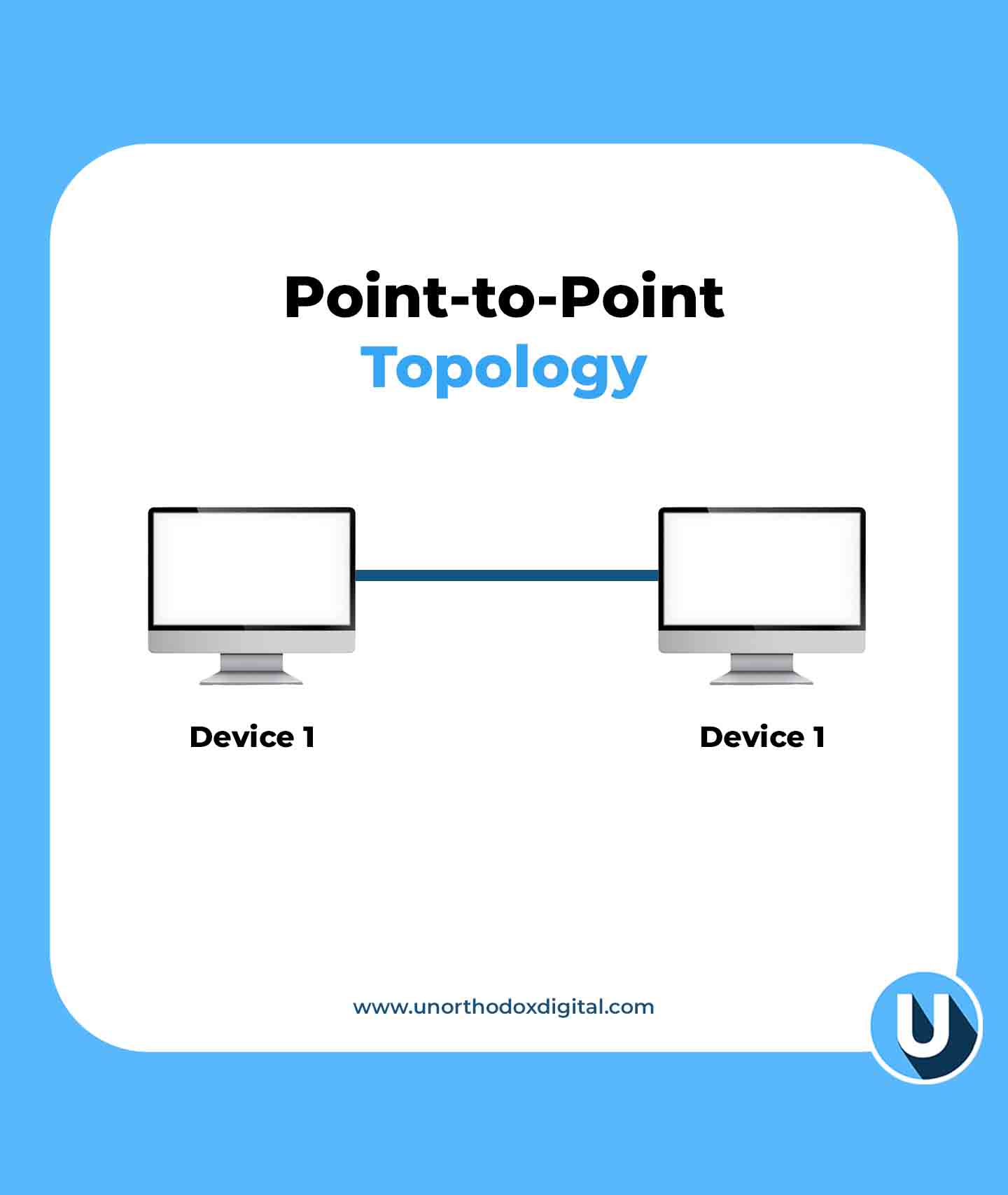
    What Is Point-to-Point Topology?

    Imagine you have a can-and-string telephone connecting you and a friend. There’s one string, and only you two can talk to each other. No one else can listen in unless they tap into your string. This is a simple example of topologies in networking, where different connection structures determine how devices communicate. The point-to-point topology follows this concept—it’s a direct connection between two devices, with no interference from others.

    In networking, this means two devices are linked directly, either with a physical cable or through a wireless signal. Information moves back and forth in a dedicated path, making communication fast and reliable.

    How Does It Work?

    Let’s break it down step by step:

    1. Two devices are connected – This could be two computers, a computer and a printer, or two routers. There’s no third party involved.
    2. Data travels between them – Just like passing a note to a friend sitting next to you, information moves directly from one device to the other.
    3. It’s a private line – Since no other devices share the connection, the data is secure and moves without congestion.
    4. It can be wired or wireless – Devices can be connected using cables (like Ethernet) or wireless signals (like Bluetooth or infrared).

    Real-Life Examples

    To make things clearer, let’s look at some real-world examples of point-to-point connections:

    ExampleDescription
    Telephone call (landline)When you call someone using an old-fashioned landline, the connection is direct between two phones.
    Bluetooth headphone connectionYour phone connects directly to your wireless headphones without involving other devices.
    Direct printer connectionSome printers connect to a single computer via USB or a dedicated wireless link.
    Two computers with a crossover cableIn older network setups, two computers could be linked directly with an Ethernet crossover cable.
    Point-to-Point Topology (Types of Network Topologies)
    Point-to-Point Topology

    Advantages of Point-to-Point Topology

    1. Simple and easy to set up – With just two devices, there’s no complex setup or extra hardware needed.
    2. Fast communication – Since no other devices share the connection, data moves quickly between the two points.
    3. Secure connection – No other devices are involved, reducing the chances of hacking or data leaks.
    4. No network traffic congestion – Unlike bigger networks where many devices share bandwidth, a point-to-point link stays dedicated.

    Disadvantages of Point-to-Point Topology

    1. Limited scalability – It only connects two devices. If you need more, you’ll have to create multiple links.
    2. More cables (in wired setups) – If you connect many devices this way, you’ll end up with a lot of wires.
    3. Can be expensive – If every device needs its own dedicated link, the cost of wiring or maintaining connections increases.

    Where Is It Used?

    Even though larger networks often use more complex topologies, point-to-point connections still have their place. Here are some common areas where this setup is used:

    • In home networks – If you connect your laptop directly to your modem via an Ethernet cable, that’s a point-to-point link.
    • Satellite communication – When a satellite links directly to a ground station, it uses a point-to-point connection.
    • Leased lines for businesses – Companies sometimes pay for dedicated point-to-point connections between offices to ensure reliable communication.
    • Bridges in networking – Sometimes, two distant parts of a network are linked with a dedicated wireless bridge.

    Comparing Point-to-Point With Other Topologies

    To see how point-to-point topology stacks up, let’s compare it to other types:

    Topology TypeConnection StyleProsCons
    Point-to-PointOne-to-one directFast, private, no congestionLimited to two devices
    StarOne central device connects all othersEasy to manage, scalableIf the central device fails, everything stops
    BusAll devices share a single cableSimple setup, cost-effectiveIf the main cable fails, the whole network goes down
    MeshEvery device connects to every other deviceHighly reliable, no single point of failureExpensive and complex to set up

    Point-to-point topology is one of the simplest and most efficient ways for two devices to communicate. Whether it’s a direct cable link between two computers or a Bluetooth connection between your phone and earbuds, this setup ensures fast, reliable, and private communication. While it’s not the best choice for large networks, it’s still widely used where dedicated connections are needed.

    The next time you make a phone call or send a file directly to a friend, take a moment to appreciate the point-to-point connection working behind the scenes. It’s simple, effective, and still an essential part of modern networking.

  • Types of Network Topologies and How They Work

    Types of Network Topologies and How They Work

    Network topologies define how devices connect in a network. This guide explains different types, their structures, and how they function.

    Imagine you’re setting up a town where all the houses need to be connected with roads. The way you design those roads—whether they all lead to a central square, form a circular route, or crisscross everywhere—determines how easily people can travel and communicate.

    Network topology works the same way, but instead of roads and houses, we’re talking about cables and devices in a computer network.

    What is Network Topology?

    Network topology is how computers and devices (like routers, switches, and servers) are connected in a network. It determines how data travels between them and affects the speed, reliability, and efficiency of communication.

    Physical vs. Logical Topology

    • Physical Topology: This is how devices are physically arranged and connected using cables or wireless signals.
    • Logical Topology: This describes how data actually moves through the network, regardless of the physical layout.

    Now, let’s explore different types of network topology with simple explanations and relatable examples.

    1. Point-to-Point Topology

    The Point-to-Point Topology is the simplest form of a network—just two devices directly connected to each other.

    Example: Imagine two people using walkie-talkies. One talks, the other listens, and they take turns. That’s a point-to-point connection.

    AdvantagesDisadvantages
    Simple setupLimited to just two devices
    Fast communicationNo flexibility to add more devices
    Point-to-Point Topology (Types of Network Topologies)
    Point-to-Point Topology

    2. Bus Topology

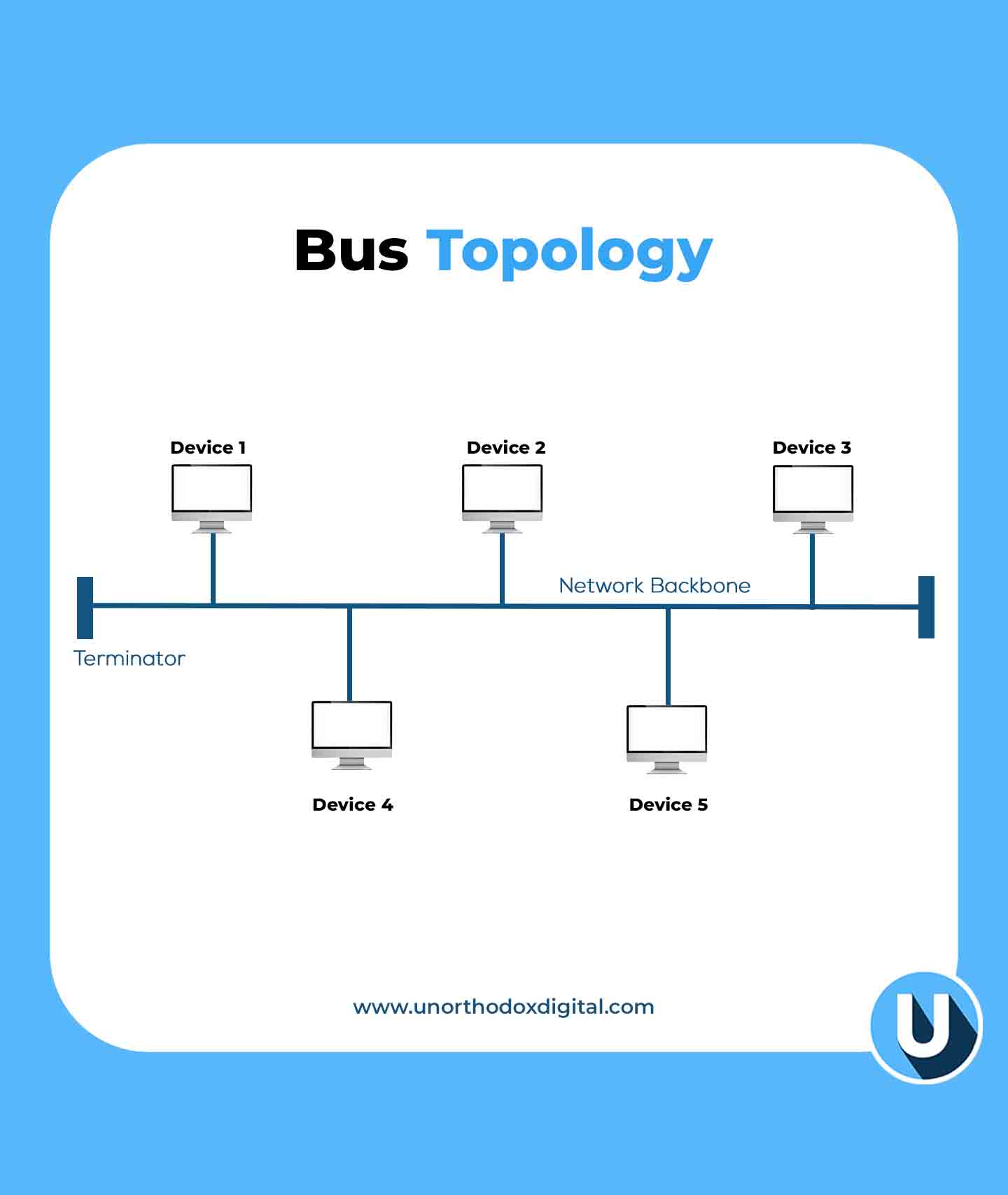
    In the Bus Topology, all devices are connected to a single main cable (called a backbone), and data travels in both directions.

    Example: Think of a public bus route. If one bus stop (device) has a problem, other stops might be affected.

    AdvantagesDisadvantages
    Cost-effective (less cable needed)If the main cable fails, the whole network goes down
    Easy to expandPerformance slows down with more devices
    Bus Topology (Types of Network Topologies)
    Bus Topology

    3. Star Topology

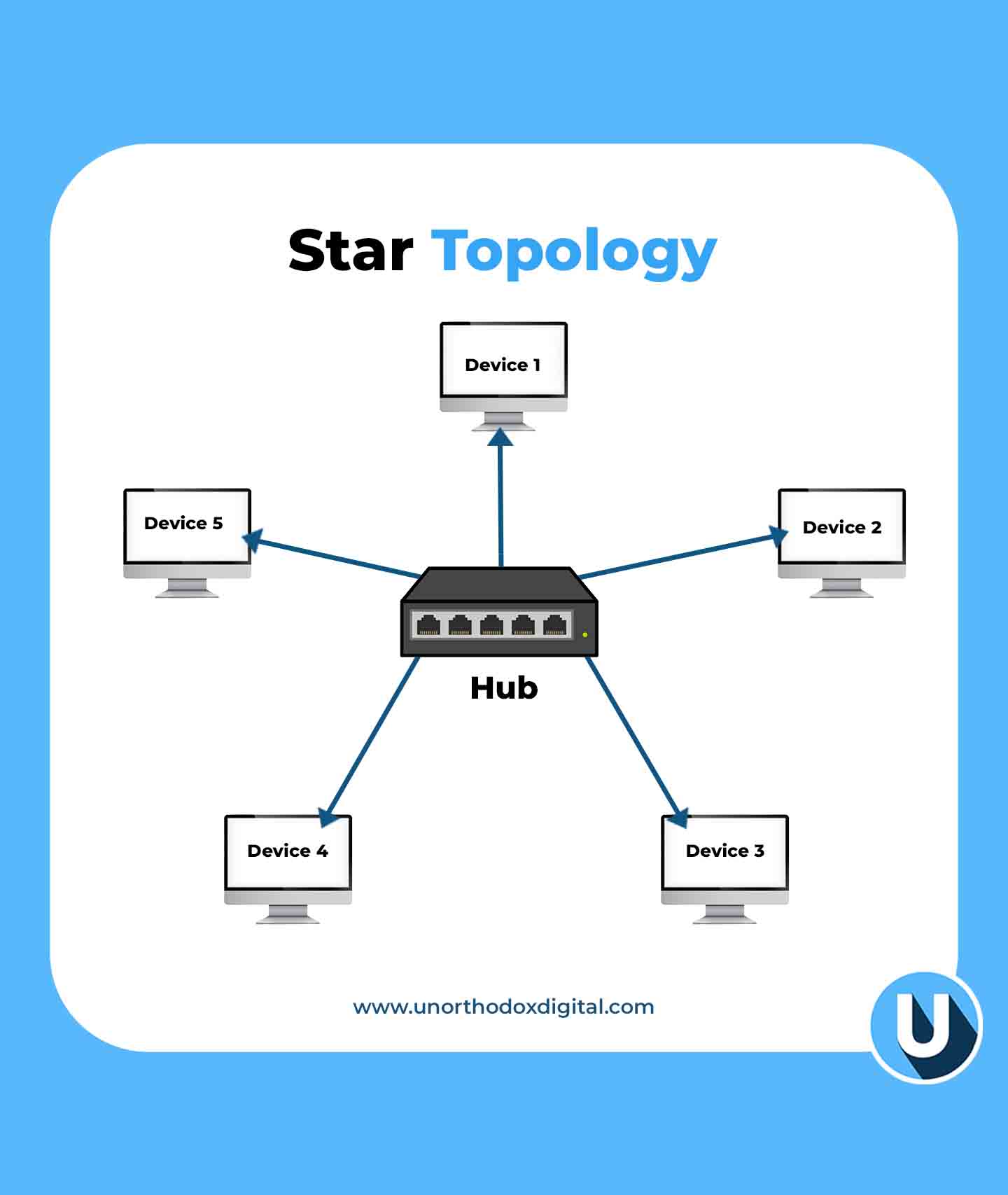
    In the Star Topology, all devices connect to a central hub or switch, which acts like a traffic controller for data.

    Example: Imagine an airport where all flights must go through a central control tower. If the tower is down, flights can’t take off.

    AdvantagesDisadvantages
    Easy to manage and troubleshootIf the central hub fails, the whole network stops working
    Adding or removing devices is simpleMore cabling required
    Star Topology (Types of Network Topologies)
    Star Topology

    4. Ring Topology

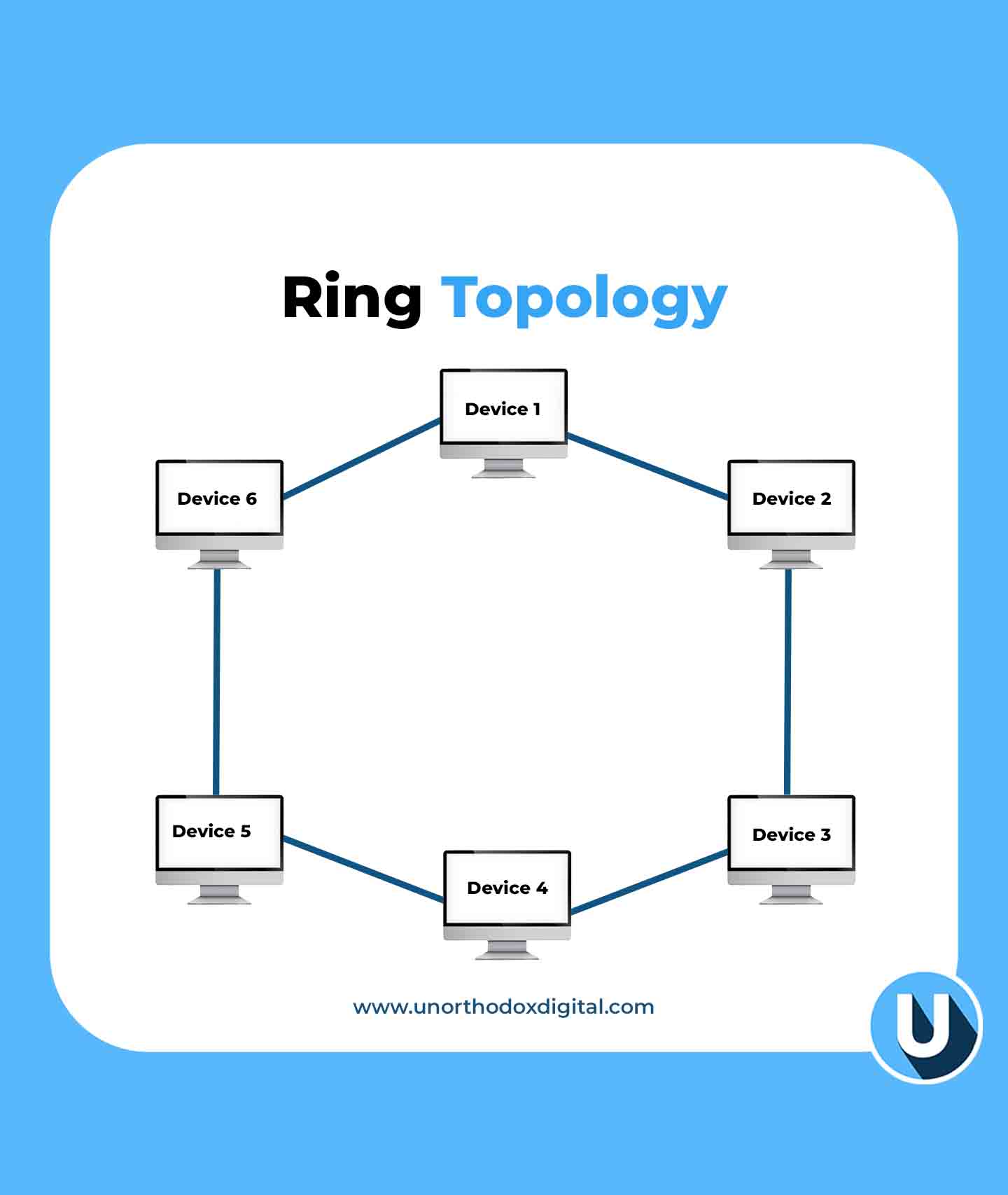
    This setup, known as a Ring Topology, connects each device to two others, forming a circular data path. Data travels in one direction (or both in a dual-ring setup), ensuring a structured and efficient flow.

    Example: Think of a relay race where a baton (data) is passed from runner to runner (device) until it reaches the destination.

    AdvantagesDisadvantages
    No data collisionsIf one device fails, the entire network can break
    Predictable data flowAdding new devices can disrupt the network
    Ring Topology (Types of Network Topologies)
    Ring Topology

    5. Mesh Topology

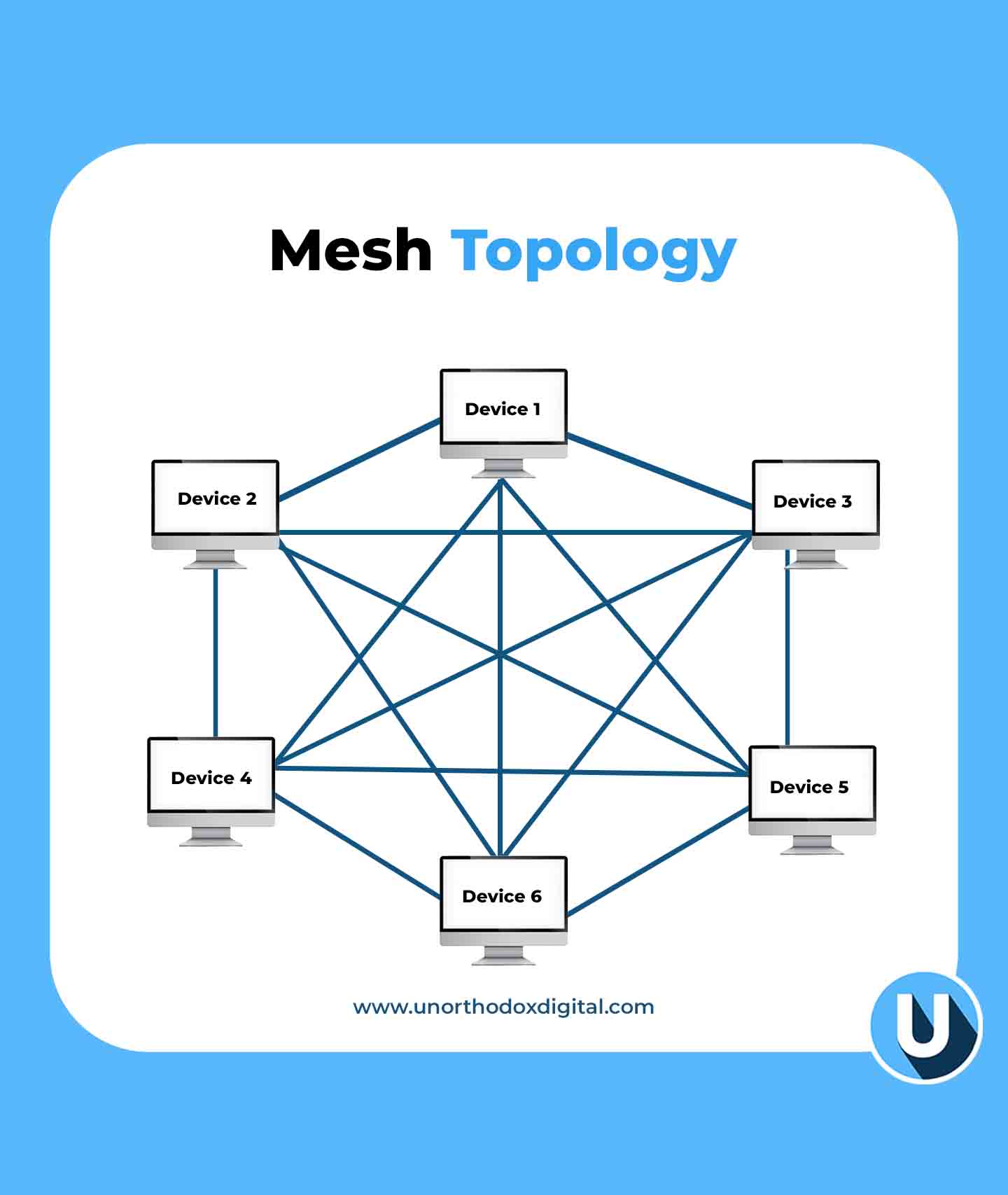
    In the Mesh Topology, every device is connected to every other device, creating multiple paths for data.

    Example: Think of a spider web. If one strand breaks, there are still plenty of other ways for the spider to move around.

    AdvantagesDisadvantages
    Very reliable (data can take multiple routes)Expensive and complex to set up
    If one link fails, data can still reach its destinationRequires a lot of cabling
    Mesh Topology (Types of Network Topologies)
    Mesh Topology

    6. Tree Topology

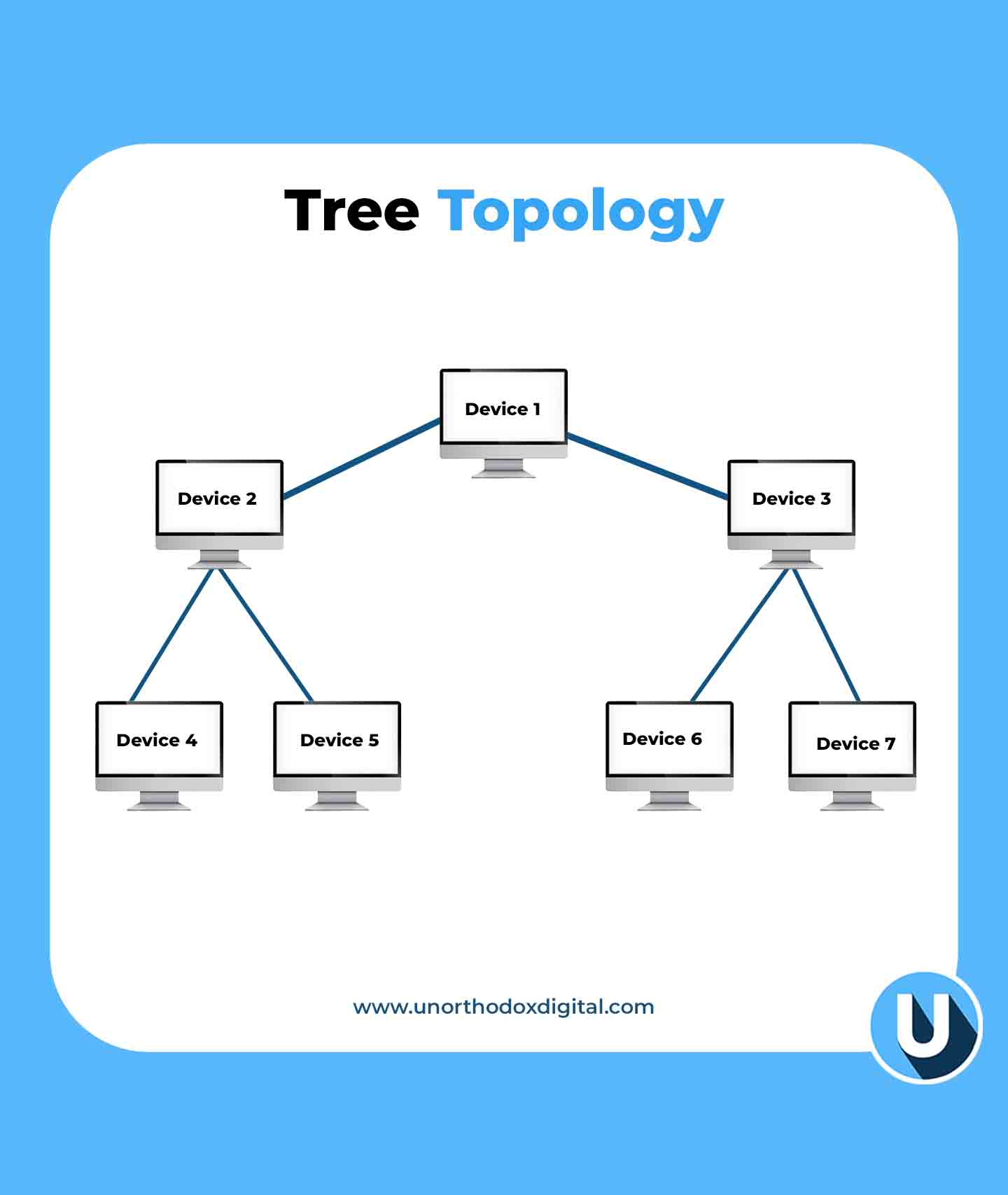
    The Tree Topology is a mix of star and bus topologies, with multiple branches stemming from a central hub.

    Example: Think of a big family tree. The oldest generation (main hub) connects to multiple generations (sub-hubs and devices).

    AdvantagesDisadvantages
    Easy to expand and manageIf the main hub fails, the entire network can go down
    Well-structured hierarchyRequires more cabling and configuration
    Tree Topology (Types of Network Topologies)
    Tree Topology

    7. Hybrid Topology

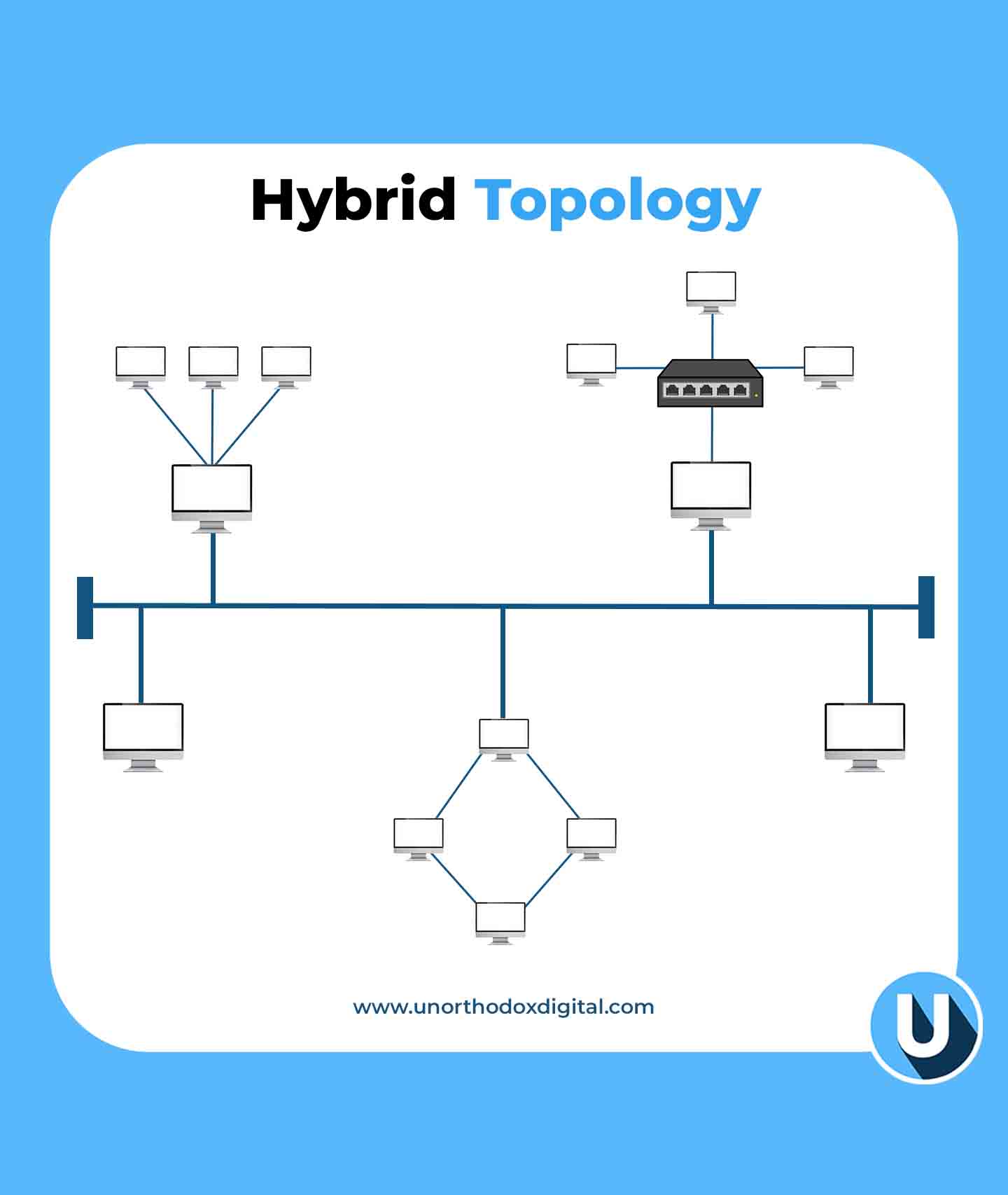
    The Hybrid Topology is a combination of two or more topologies, depending on the needs of the network.

    Example: A university might have a star topology in classrooms, a bus topology in dormitories, and a mesh topology for research labs.

    AdvantagesDisadvantages
    Highly flexible and scalableComplex to design and maintain
    Best for large organizationsExpensive setup
    Hybrid Topology (Types of Network Topologies)
    Hybrid Topology

    Why Does Network Topology Matter?

    Choosing the right network topology is important because it affects:

    • Performance: A good layout ensures fast and efficient communication.
    • Reliability: Some topologies provide backup routes if a connection fails.
    • Cost: More complex topologies need more cables and hardware.
    • Scalability: Some layouts make it easier to add new devices without disrupting the network.

    Network topology might sound technical, but at its core, it’s just about how devices talk to each other. Whether it’s a simple point-to-point connection or a complex hybrid setup, the right choice depends on what you need. Just like choosing the best road layout for a town, picking the right network topology ensures smooth communication and efficiency.

    Frequently Asked Questions (FAQs)

    Is it possible to use multiple network topologies together?

    Yes, a network can combine different topologies in a hybrid setup. This approach enhances flexibility, performance, and reliability by leveraging the strengths of multiple structures.

    What factors should be considered when selecting a network topology?

    The choice of topology depends on factors such as network size, budget, performance requirements, scalability, and reliability. Evaluating these elements helps in selecting the most efficient structure.

    Which network topology is the most cost-effective and easiest to implement?

    Bus topology is the simplest and most affordable to set up, as it connects all devices using a single main cable. However, it is better suited for smaller networks due to its limitations.

    Why do large networks often use hybrid topology?

    Hybrid topology is widely used in large networks because it integrates multiple topologies, allowing for greater flexibility and optimization based on specific networking requirements.

    What is the most suitable topology for large-scale networks?

    For large-scale networks, mesh and tree topologies are commonly used. Mesh topology ensures high reliability through redundant connections, while tree topology supports scalability and efficient data management.

  • Kenyan Court Orders Marketforce to Pay $16,000 for Wrongful Termination

    Kenyan Court Orders Marketforce to Pay $16,000 for Wrongful Termination

    Marketforce Technologies, once a promising name in Africa’s B2B e-commerce space, has been ordered by a Kenyan court to pay KES 2.1 million ($16,000) to a former employee for wrongful termination.

    This ruling comes nearly a year after the Y Combinator-backed startup shut down its flagship marketplace, RejaReja, casting uncertainty over its future. Meanwhile, co-founder Tesh Mbaabu has moved on, launching a new social commerce platform called Chpter.

    Tom Maina Chege, a former product manager at Marketforce, took the company to court after being laid off in July 2023. He argued that the termination was unlawful because the required 30-day notice period wasn’t fully observed, and the company failed to inform the Labour Office as required by Kenya’s Employment Act of 2007. At the time, Chege was earning a monthly salary of KES 200,000 ($1,550). He sought compensation for unpaid leave, notice pay, severance pay, salary arrears, and general damages, amounting to KES 1,560,870 ($12,000).

    Since Marketforce did not contest the case, Judge C.N. Baari ruled in favor of Chege, declaring the redundancy both procedurally and substantively unfair. The court awarded him KES 1,316,547 ($10,000) in terminal dues and an additional KES 800,000 ($6,000) to cover compensation and legal costs.

    This legal battle brings to light Marketforce’s deeper struggles, which former employees say started in late 2022. Mass staff departures disrupted operations and weakened relationships with major distributors. One former employee, speaking anonymously, explained how Marketforce had a credit arrangement with major manufacturers, allowing them to acquire stock and pay later. However, as internal challenges mounted and key employees left, these agreements fell apart.

    At the same time, Marketforce faced severe cash flow issues, leading to delayed salaries and pay cuts of up to 50% for non-tech employees. Despite securing over $40 million in funding from investors like Reflect Ventures, Greenhouse Capital, and Century Oak Capital, the company’s sudden exit from the B2B e-commerce sector in 2024 has left its current state unclear.

    While Marketforce’s fate remains uncertain, its co-founder Tesh Mbaabu has moved forward with Chpter, a social commerce platform helping businesses sell via social media. In September 2024, Chpter raised $1.2 million in a pre-seed funding round led by Pani, an Africa-focused investment firm co-founded by former Cellulant CEO Ken Njoroge. The company has also joined the Safaricom Spark and Norrsken Accelerator programs.

    Whether Marketforce will attempt a comeback is still unknown, but for now, its focus seems to have shifted elsewhere.

  • Jiji Expands Beyond Africa with Bangladesh as the Next Stop

    Jiji Expands Beyond Africa with Bangladesh as the Next Stop

    Jiji, the African e-commerce giant, is taking a big leap beyond the continent.

    The company has set its sights on Bangladesh, a country with a booming middle class and rising mobile connectivity. It’s a move that shows Jiji is ready to go global, targeting high-growth emerging markets outside Africa. And the numbers back up their decision—Bangladesh’s e-commerce market is on track to hit $13 billion by 2027, according to Payments and Commerce Market Intelligence (PCMI).

    Right now, Jiji operates in seven African countries: Ethiopia, Ghana, Kenya, Nigeria, Tanzania, Uganda, and Senegal. Expanding into Bangladesh feels like the next logical step. The country has 131 million internet users, and more people are getting comfortable shopping online. That’s a massive audience for Jiji, which already has 12 million active users every month.

    “With a solid financial foundation and a scalable business model, we have grown into a profitable leader in Africa’s e-commerce space,” a Jiji spokesperson told TechCabal. “Our success in Africa has shown us how to navigate fast-growing markets, and we believe Bangladesh has the same potential for Jiji to thrive, helping to grow the e-commerce sector.”

    Bangladesh has been making strategic moves to fuel e-commerce growth. Government policies, such as the Information and Communication Technology (ICT) Act of 2006, provide a legal framework for online transactions while addressing cybersecurity issues. There are also national ICT policies designed to shape the country’s digital economy, including e-commerce.

    These efforts, combined with a growing middle class, have made Bangladesh a promising market. A PCMI survey from 2024 revealed that 79% of Bangladeshi consumers have shopped online, and 47% feel comfortable making digital payments.

    However, Jiji won’t have the market to itself. It will be going up against big names like Daraz, Bikroy, and Ajkerdeal—companies that already have strong brand recognition and consumer trust. To win over Bangladeshi shoppers, Jiji will need to stand out with localized offerings and strategic partnerships, much like it did in Africa.

    Since its launch in 2014, Jiji has found success by adapting to market needs. In Nigeria, it gained traction by offering free listings to first-time users and preloading its app on budget-friendly smartphones through partnerships with phone manufacturers. In 2016, the company struck a deal with Airtel to allow users to browse the platform without using data.

    Jiji’s aggressive expansion strategy has also played a key role in its growth. In 2019, the company raised $21 million and acquired OLX Africa, taking over operations in Nigeria, Kenya, Ghana, Uganda, and Tanzania. This gave Jiji access to a combined market of 300 million people. In 2021, Jiji acquired Cars45, a platform for buying and selling used cars in Nigeria, Kenya, and Ghana. The next year, it took over Tonaton, its main competitor in Ghana.

    The strategy has worked well in Africa, and Jiji is now hoping to replicate that success in Asia. The question is: can it carve out space in Bangladesh’s competitive e-commerce landscape? Time will tell, but if history is any indication, Jiji knows how to play the long game.

  • Why Paystack Sent a Legal Warning to Zap Africa

    Why Paystack Sent a Legal Warning to Zap Africa

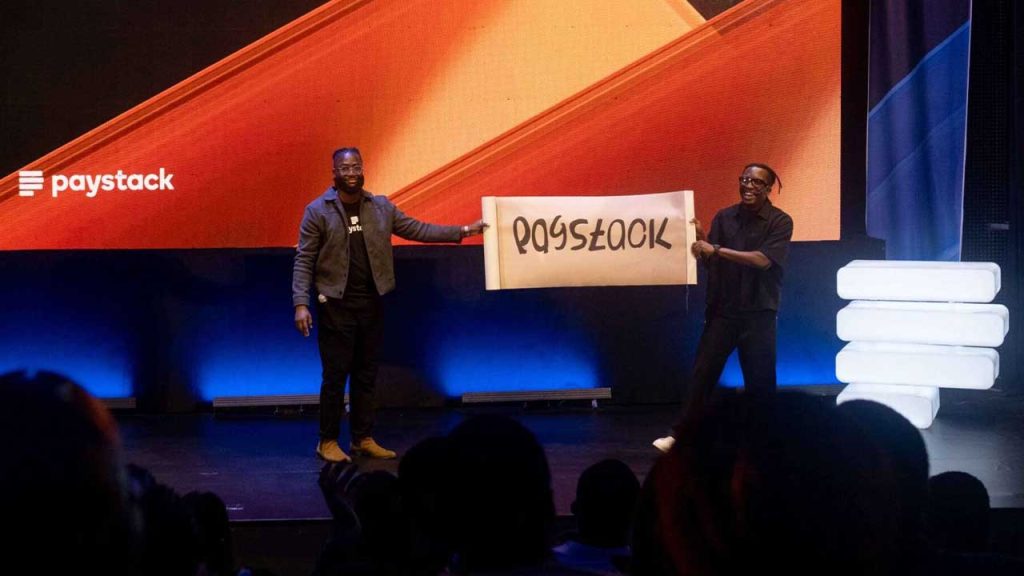
    Paystack, the African payments company owned by Stripe, has sent a cease and desist notice to crypto startup Zap Africa after launching its new consumer product, Zap by Paystack.

    This legal move comes in response to Zap Africa’s claims that Paystack failed to check whether “Zap” was already in use before branding their product.

    The announcement of Paystack’s new offering stirred up a debate online, with Zap Africa accusing the payments giant of neglecting due diligence. But according to a source within Paystack, the company did its homework before moving forward with the name.

    “We’re confident that we filed for trademark and that we filed in the right category,” the source told Condia. “We registered the [Zap] trademark across multiple classes, including financial services — a class where Zap Africa has no filing registration.”

    Documents reviewed by Condia confirm that Paystack applied for a trademark on December 4, 2023, covering six different categories, including financial affairs, monetary services, insurance, and estate affairs. Meanwhile, a search of Nigeria’s Corporate Affairs Commission (CAC) registry shows that many businesses already use “Zap” in their names.

    Zap Africa has also raised concerns that Paystack’s use of “Zap” is confusing its customers. However, the Paystack source dismissed this argument, pointing out that “Zap” is a common word used by multiple businesses in different industries.

    “Zap” is a common term widely used in everyday language, making it difficult to associate exclusively with a single brand,” the source explained. “Over 40 companies listed on the CAC website include ‘Zap’ in their business names. Records from the Trademarks, Patents, and Designs Registry in Nigeria also show that the word ‘Zap’ has been in use for well over a decade. In fact, a trademark containing ‘Zap’ was filed as early as 2008 by an entirely different entity. So, the name is not exclusive to Zap Africa.”

    It’s clear that this dispute is far from over, and how it unfolds could set a precedent for naming rights in Nigeria’s business landscape.

  • Thousands Demand Justice After Tragic Death of Tech Leader TeeJay Opayele

    Thousands Demand Justice After Tragic Death of Tech Leader TeeJay Opayele

    The tragic death of Adetunji ‘TeeJay’ Opayele has sparked an outpouring of public outrage, with over 57,000 people signing a change.org petition demanding a full investigation and legal accountability.

    On March 4, 2025, Opayele was on his way home from the gym, riding his power bike along Ozumba Mbadiwe in Victoria Island, Lagos. According to eyewitnesses, Biola Adams-Odutayo, driving a vehicle with license plate LND 418 JR, allegedly merged onto the expressway without checking for oncoming traffic, leading to a devastating collision.

    A Shocking Turn of Events

    The petition details disturbing allegations about what happened next. Despite Opayele wearing full safety gear, he was knocked unconscious. Witnesses say Adams-Odutayo, who is a Sales Head at HygeiaHMO, refused to leave her car, ignored multiple pleas for help, and remained on a phone call for over 30 minutes while Opayele lay on the ground, still breathing but unresponsive. One witness even claimed that when they asked her to assist, they were told, “She doesn’t want blood to stain her car.”

    Eyewitnesses also allege that multiple hospitals refused to treat Opayele after bystanders finally transported him for medical attention. Sadly, he was pronounced dead in the early hours of March 5.

    Adding to the controversy, Adams-Odutayo reportedly entered the same hospital, requested a drip, claimed she was in shock, and then attempted to leave unnoticed.

    A Respected Figure in Tech

    Beyond his role at Bumpa, where he worked to support small businesses with digital tools, Opayele was a well-known figure in Nigeria’s tech space. His sudden death has left many in shock, igniting discussions about accountability on the roads and the treatment of victims in such incidents.

    His community is now calling for justice, insisting that Adams-Odutayo’s charge be upgraded from reckless driving to manslaughter. Supporters are also urging government officials to step in, fearing that social influence could be used to manipulate legal outcomes.

    Justice and Public Frustration

    Adams-Odutayo reportedly spent just one night in detention before being granted bail set at ₦1 million, which she immediately paid. Many see this as yet another example of how wealth and connections can allow people to escape consequences, fueling growing frustration over the country’s justice system.

    The petition continues to gain momentum, with citizens demanding that the Lagos State Government take real action and ensure accountability. Meanwhile, investigations into the case are said to be ongoing.

    Disclaimer: This report is based on the change.org petition and publicly reported accounts. Legal proceedings are still underway.

  • MTN South Africa Makes History with Africa’s First Satellite Phone Call

    MTN South Africa Makes History with Africa’s First Satellite Phone Call

    MTN South Africa and Lynk Global just pulled off something big—they made Africa’s first phone call via satellite.

    This could be a game-changer for people in remote areas who struggle with poor network coverage.

    Think about it: If you live in a big city, you rarely worry about dropped calls. But in rural areas, building cell towers is expensive and not always practical. That’s where satellites—especially low-earth orbit (LEO) satellites—come in. They can beam network signals directly to your phone, no extra equipment needed.

    The test call happened in Vryburg, a town in South Africa’s North West province. And here’s the cool part—it was made using a regular smartphone. No fancy satellite phone, no extra gadgets. Just a normal phone connecting to an LEO satellite. MTN South Africa’s CEO, Charles Molapisi, said the trial was part of the company’s mission to improve network access in hard-to-reach areas. The test had the green light from South Africa’s telecom regulator, ICASA, which means it was all official.

    MTN isn’t the only company looking at satellites for better coverage. They’ve been in talks with big names like Omnispace, OneWeb, Starlink, and AST SpaceMobile. Other telecom giants like Vodacom and Cell C are also moving in the same direction. In 2023, Vodacom teamed up with Amazon’s Project Kuiper to explore satellite connectivity. Meanwhile, Starlink, the company owned by Elon Musk’s SpaceX, recently announced its direct-to-cell service, which lets standard phones connect directly to its satellites.

    If satellite connectivity becomes widely available, it could unlock a massive market. According to GSMA Intelligence, telcos across Sub-Saharan Africa could tap into a $30 billion opportunity by 2035. That’s a huge deal, especially for regions where traditional network expansion has been slow or impossible. For now, the technology is still being tested, but this successful call is proof that satellite-powered mobile networks aren’t just science fiction—they’re becoming reality. If things go as planned, making a call from the middle of nowhere might soon be as easy as calling from downtown Johannesburg or Lagos.

  • Kenyan Fintech Lipa Later Struggles After Failed Fundraising

    Kenyan Fintech Lipa Later Struggles After Failed Fundraising

    Kenyan buy-now-pay-later (BNPL) fintech Lipa Later has officially entered administration as of March 24, 2025, following months of financial trouble and unsuccessful fundraising efforts.

    The move means the company’s directors no longer have control over its assets or operations, with decision-making now in the hands of Joy Vipinchandra Bhatt from Moore JVB Consulting LLP, the appointed administrator. A gazette notice confirming this was seen by TechCabal.

    Lipa Later’s financial struggles have been ongoing since its last successful funding round in September 2023, when it secured $3.4 million in debt financing. Since then, the company has been unable to attract fresh capital, leading to difficulties in paying employees and suppliers. As the company navigates administration, creditors have until April 23 to submit their claims.

    “We are currently engaging all key stakeholders of the company to elicit their cooperation in order to achieve the best possible outcome for the company,” Bhatt said.

    Employees have borne the brunt of the crisis, with at least five staff members revealing to TechCabal that they had not received their salaries for several months as of December 2024. Suppliers have also been affected, including London-based consultancy Africa Foresight Group (AFG), which took legal action against Lipa Later over an unpaid $13,516 consultancy fee. Court documents indicate that the dispute dates back to April 2022 when AFG was contracted to prepare a market report. Lipa Later withheld payment, arguing that the work did not meet expectations. However, in December 2024, Kenya’s High Court ruled against Lipa Later, stating the company had admitted to the debt in internal correspondence.

    “It is therefore clear to me that the amount demanded in the statutory demand is, in fact, not disputed, and the debtor (Lipa Later) is estopped from claiming so having admitted to the debt,” Justice Mong’are stated in the ruling.

    The court also determined that Lipa Later did not provide sufficient evidence to show a genuine dispute over the debt.

    Lipa Later’s struggles are a sharp contrast to its earlier success when it was seen as a rising star in the fintech space. The company raised $12 million in seed funding in January 2022 from investors like Cauris and Lateral Frontiers. Prior to that, it secured backing from Orbit Startups in 2021 and Founders Factory Africa in 2019. Despite this early investor confidence, Lipa Later failed to raise additional funding in 2024. A top executive, speaking anonymously, claimed that a major funding deal was close in late 2024 but ultimately fell through.

    Financial concerns surrounding the company grew after it acquired struggling e-commerce platform Sky.Garden in December 2023 for KES 250 million ($1.9 million). At the time, Lipa Later was already facing financial pressure, and the acquisition raised questions about whether it could sustain its operations.

    Now, the company’s future depends on whether the administrator can successfully restructure the business or find a buyer willing to take a chance on its BNPL model.

  • MyFoodAngels Goes Green with Sustainable Packaging and Refill Options

    MyFoodAngels Goes Green with Sustainable Packaging and Refill Options

    MyFoodAngels, the grocery delivery startup known for farm-fresh foods and personalized meal recommendations, is taking a big step towards sustainability by rolling out eco-friendly packaging.

    The company has been experimenting with ways to cut down on plastic use while staying aligned with global sustainable development goals. According to CEO Olapeju Umah, one major concern is the waste generated by single-use packaging.

    “Imagine someone bought five kegs of five-litre palm oil from us over the last five months,” Umah explained. “That would leave them with more kegs to trash.”

    To tackle this, MyFoodAngels is introducing reusable packaging and refill options. Customers who opt for palm oil refills, for example, can save money—getting a litre for ₦3,850 instead of ₦4,000. When checking out on the website, they can choose to refill their existing container rather than buying a new one each time.

    MyFoodAngels

    Another initiative is the crate return system for eggs. Instead of accumulating unnecessary egg crates at home, customers can return them after use. “You do not need more egg crates at home to add to the previous ones. We will supply you and take back our crates,” Umah said.

    Looking ahead, the company is also testing biodegradable plastics as a long-term solution, aiming to be the first grocery delivery platform in Nigeria to make a full pivot to sustainable packaging. While palm oil and eggs are the first products to benefit from these changes, MyFoodAngels is working on similar solutions for other grocery items.

    Beyond sustainability, the company has been growing fast. Its gross merchandise value (GMV) has quadrupled in the past year, and in 2024 alone, it served over 50,000 customers. MyFoodAngels has built a strong presence in Lagos by working closely with local farmers and running an in-house palm oil milling operation. Its supply chain delivers fresh groceries like tomatoes, bell peppers, palm oil, and protein directly to both restaurants and individual customers.

    Now, the startup is seeking $500,000 in funding to expand beyond Lagos, develop new products in the fisheries sector, and launch its mobile app, which is currently in beta testing. The app is expected to simplify the ordering process and drive even more growth.

  • How to Use the Telecel Play App in Ghana

    How to Use the Telecel Play App in Ghana

    The Telecel Play app is like your personal control center for everything Telecel.

    You can buy data, check your balance, send money, or even book a ride with ease. If you’ve ever wondered, “How do I manage my Telecel account without stress?”—this guide is for you!

    What Is the Telecel Play App?

    Think of the Telecel Play app as a remote control for your Telecel mobile services. Instead of dialing codes or visiting an agent, you can do everything right from your phone. Here’s what it helps you with:

    • Buy data and voice bundles
    • Send and receive money with Telecel Cash
    • Pay utility bills (electricity, water, DStv, GOtv, etc.)
    • Manage subscriptions and track usage
    • Book a Yango ride
    • Access special deals and loyalty rewards

    There’s also a web version of the app, but it’s mainly for broadband users and businesses.

    How to Use the Telecel Play App in Ghana

    How to Download the Telecel Play App

    Getting the app is as easy as downloading any other app. Just follow these steps:

    1. Open the Google Play Store (for Android users) or the Apple App Store (for iPhone users).
    2. Type Telecel Play Ghana in the search bar.
    3. Look for the official app and tap Install (on Android) or Get (on iPhone).
    4. Wait a few moments for the installation to complete.

    That’s it! You’re ready to set up your account.

    How to Sign Up on the Telecel Play App

    Once the app is installed, follow these steps to create an account:

    1. Open the app.
    2. Tap I don’t have an account (if you’re new) or I already have an account (if you’ve signed up before).
    3. Select your account type:
      • Mobile (for regular phone users)
      • Broadband (for fixed internet users)
    4. Enter your Telecel mobile number or broadband user ID.
    5. You’ll receive a one-time password (OTP) via SMS. Enter the code and tap Next.
    6. Create a secure password or set up biometric login (fingerprint or Face ID).
    7. Log in with your new details.

    And that’s it—you’re in! Now, let’s explore what you can do with the app.

    How to Use the Telecel Play App in Ghana

    What Can You Do on the Telecel Play App?

    The app is packed with features that make managing your mobile account super convenient. Here’s a breakdown:

    1. Buy Voice and Data Bundles

    Running out of airtime or data? No problem. The app lets you buy bundles in just a few taps.

    Bundle TypeDescription
    FlexiChoose exactly how much airtime or data you need.
    No ExpiryYour data or airtime won’t expire. Use it whenever you want.
    Special OffersExclusive promotions available only on the app.
    Roaming BundlesStay connected when traveling outside Ghana.
    Made4MePersonalized data and voice deals based on your usage.

    You can also track your remaining balance from the homepage.

    2. Send and Receive Money with Telecel Cash

    Telecel Cash is built into the app, so you can:

    • Send money to friends and family.
    • Withdraw cash from an agent.
    • Pay bills (electricity, water, DStv, GOtv, etc.).
    • Buy airtime and data directly from your wallet.
    • Check your transaction history.

    It’s like having a mobile bank in your pocket!

    3. Manage Your Account and Settings

    Want to personalize your experience? The settings menu lets you:

    • Turn notifications on/off so you’re only alerted about what matters.
    • Switch app themes to light or dark mode.
    • Change language preferences to use the app in a language you’re comfortable with.
    • Enhance security with PINs or biometrics.
    • Contact customer support directly from the app.

    4. Pay Bills and Access Extra Services

    Forget long queues! You can pay utility bills with just a few taps. The app also provides access to:

    • Yango Ride – Book a ride directly from the app.
    • Betway – Access sports betting services.
    • Red Loyalty Rewards – Earn and redeem points for using Telecel services.
    • SOS Airtime – Borrow airtime when you run low.

    Need Help? Use TERi, the Virtual Assistant

    At the bottom right of the app, you’ll see TERi, a chatbot that can answer your questions instantly. Whether you need help buying a bundle or checking your balance, TERi has you covered.

    How to Use the Telecel Play App in Ghana

    The Telecel Play app makes managing your mobile account effortless. Whether you’re buying data, sending money, or booking a ride, everything is in one place. If you haven’t downloaded it yet, now’s the time to do it. Once you start using it, you’ll wonder how you ever managed without it!

    Got questions? Open the app and give TERi a try!

  • Payhippo Becomes Rivy and Gets $4M to Support Solar Energy

    Payhippo Becomes Rivy and Gets $4M to Support Solar Energy

    Nigerian fintech company Payhippo has officially rebranded to Rivy, signaling a major shift from SME lending to clean energy financing.

    Along with this transformation, Rivy has secured $4 million in pre-Series A funding to expand its renewable energy financing efforts across Africa.

    The funding round was led by climate-focused investors All On and EchoVC Eco, with an even split of $2 million in debt and $2 million in equity. This investment underscores growing confidence in Rivy’s vision of tackling Africa’s energy challenges through accessible financing solutions.

    According to Rivy’s CEO, Dami Olawoye, the company’s mission is rooted in addressing Africa’s massive energy gap. “Renewable energy is not just a necessity for today, but an investment in Africa’s future. With over 600 million people in sub-Saharan Africa lacking access to reliable electricity, clean energy solutions are crucial to driving economic growth, improving livelihoods, and combating climate change,” he said.

    Rivy’s pivot toward clean energy financing started in 2023 and aligns with the urgent need for reliable electricity in sub-Saharan Africa. Many households and businesses either lack access to power entirely or struggle with high costs. By offering financing solutions for solar micro-grids, clean-tech equipment, and access to carbon markets, Rivy is making renewable energy more attainable.

    Payhippo Becomes Rivy and Gets $4M to Support Solar Energy
    Image Source: Rivy

    The company’s model enables individuals, households, and businesses to finance their transition to solar energy. Oluseye Bassir, Investment Manager at All On, emphasized the importance of such financing in scaling clean energy adoption. “Rivy empowers individuals and SMEs with the financing needed to adopt solar power. Such financing is crucial for accelerating the adoption of clean energy in underserved and unserved communities across Nigeria.”

    The market for solar energy in Nigeria is vast, with significant potential to improve energy access and reduce dependence on costly and unreliable alternatives. Rivy’s approach is geared toward unlocking this potential by increasing loan disbursements and helping communities transition to sustainable energy sources.

    Investors see Rivy as a key player in Africa’s clean energy movement. Taiwo Ketiku, Principal at EchoVC Eco, reinforced this sentiment: “We’re thrilled to back Rivy as they scale their efforts in Nigeria’s renewable energy sector. Rivy’s approach is exactly what Africa needs to address its energy access challenges, syndicate reach to households and businesses, and build a sustainable, low-carbon future.”

    With this fresh round of funding, Rivy is set to scale operations, expand its financing reach, and contribute to both economic growth and carbon reduction efforts.

  • Russia’s AvtoVAZ Wants to Bring Lada Cars to Nigeria, but Can It Compete?

    Russia’s AvtoVAZ Wants to Bring Lada Cars to Nigeria, but Can It Compete?

    Russia’s biggest automaker, AvtoVAZ, is making a bold move into Nigeria as part of its strategy to expand beyond its home turf.

    The company, which is mostly owned by the Russian government, has its sights set on the Lekki Free Trade Zone in Lagos, where it plans to set up a spare parts hub and service center before the end of 2025. This marks its most ambitious effort yet in West Africa’s largest economy.

    But AvtoVAZ isn’t stopping there. The automaker is also in talks with the Nigerian government to establish a local assembly plant, a move that could strengthen its foothold in a market where most car buyers opt for used vehicles over new ones.

    The company’s push into Nigeria comes at a time when competition is heating up back home. Chinese automakers have been expanding their footprint in Russia, with Great Wall Motors planning to increase production from 150,000 to 200,000 units by 2025. At the same time, major players like Hyundai and Renault are reportedly eyeing a return to Russia once a ceasefire in the ongoing conflict with Ukraine is secured.

    Looking for fresh opportunities, AvtoVAZ sees Nigeria’s auto industry as an untapped goldmine. Demand for vehicles in the country is huge—about 720,000 units per year—but local production only accounts for a tiny fraction of that, around 14,000 units annually.

    One area where AvtoVAZ hopes to make an impact is Nigeria’s growing interest in alternative fuel vehicles. The company plans to partner with a Russian engineering firm to set up a compressed natural gas (CNG) conversion plant. This will allow Lada cars to come with factory-fitted or locally converted gas-powered engines.

    “If you bring CNG cars to Nigeria, you don’t pay any duties, which is why we are in talks with the relevant agencies,” said Adewole Opeyemi, AvtoVAZ’s official representative in Nigeria. “Some Lada cars will arrive with factory-fitted gas-powered engines, while others will be converted locally by Russian specialists.”

    AvtoVAZ, known for its Lada brand of budget-friendly cars, SUVs, and commercial vehicles, has been doing business in Africa since 1999. Over the years, it has shipped around 100,000 cars to the continent, with its first major partnership being in Egypt, where Lada models were assembled at a local Suzuki plant.

    In 2022, the company announced plans to export 20,000 vehicles in 2023, with a strong focus on the African market. Since then, it has been working on reestablishing itself on the continent, with Ethiopia emerging as a key destination. In 2023, AvtoVAZ signed a letter of intent with Ethio Engineering Group to begin local production of Lada vehicles.

    “We are witnessing a new wave of diplomatic cooperation between Russia and African countries. Nigeria, as the region’s biggest market, simply cannot be overlooked,” said Artem Aglichev, AvtoVAZ’s Head of Product Marketing. “Opportunities are opening up for us, and we’re ready to explore them.”

    Despite Nigeria’s potential, the local auto industry is still largely dependent on imports, particularly second-hand vehicles. Domestic manufacturers like Innoson Vehicle Manufacturing, Peugeot Automobile Nigeria (PAN), Coscharis Motors, and GAC Motors operate in the market, but foreign brands still dominate. Toyota leads the pack with a 16.1% market share, largely due to its reputation for reliability and easy-to-find spare parts. Japanese brands like Toyota and Honda control nearly a third of the market, while Hyundai and Kia have gained traction with stylish designs and competitive pricing.

    “As a state-owned company, we fully understand the regulatory requirements and are committed to local assembly,” Aglichev added. “Nigeria has been a strong player in this field since the 1950s, with skilled labor, logistical capabilities, and economic feasibility. This is a logical and reasonable step, and we are confidently moving forward.”

    Still, AvtoVAZ faces significant challenges. Navigating Nigeria’s regulatory landscape won’t be easy, and breaking into a market dominated by used cars and well-established brands will take time. The big question is whether Lada’s low-cost models can win over Nigerian buyers who are accustomed to pre-owned imports.

  • MTN and Airtel Join Forces to Cut Costs and Expand Coverage in Nigeria and Uganda

    MTN and Airtel Join Forces to Cut Costs and Expand Coverage in Nigeria and Uganda

    MTN Group and Airtel Africa are teaming up to share network infrastructure in Nigeria and Uganda.

    This move is all about cutting costs and expanding coverage, especially in areas that don’t yet have strong mobile networks. It’s not every day you see two big competitors working together like this, but with economic challenges and currency devaluation hitting profits, telecom giants are rethinking how they operate.

    Nigeria is the biggest market for both companies, but it hasn’t been smooth sailing. MTN Group makes 40% of its revenue there, while Airtel Africa pulls in 34.4% from the country. The problem? The naira’s devaluation has made everything more expensive, from setting up towers to maintaining fiber networks. Instead of each company building its own infrastructure, they’re now looking to share resources—towers, base stations, and fiber-optic networks—to keep costs under control while improving service quality.

    MTN Group CEO Ralph Mupita pointed out that demand for data and digital financial services keeps growing across Africa. In Nigeria, MTN’s market share hit 51% in January, with over 3 million new subscribers bringing its total to 87.5 million. Airtel Nigeria also saw an increase, going from 56.6 million subscribers in December 2024 to 57.6 million by January 2025.

    “We continue to see strong structural demand for digital and financial services across our markets,” Mupita said. “To meet this demand, we continue to invest in coverage and capacity to ensure high-quality connectivity for our customers.”

    Before signing this deal with Airtel, MTN Nigeria had been in talks with 9mobile, a struggling telecom operator that has been losing customers. That potential agreement, which is still under discussion, would allow 9mobile to use MTN’s network in certain areas while MTN would gain access to 9mobile’s spectrum.

    This new partnership fits right in with regulatory requirements. When the Nigerian Communications Commission (NCC) approved telecom tariff hikes in January, it told operators they had to roll out additional infrastructure within three months to improve service. Since the new tariffs kicked in this February, that means telecoms have just two months left to meet the deadline.

    MTN and Airtel aren’t stopping at Nigeria and Uganda. They’re looking at other African markets too—places like Congo-Brazzaville, Rwanda, and Zambia—where they could also share networks. The companies are considering different approaches, from radio access network (RAN) sharing to joint investments in fiber infrastructure.

    “As we compete fiercely in the market on the strength of our brand, services, and offerings, we are building common infrastructure within the permissible regulatory framework,” Airtel Africa CEO Sunil Taldar said. “This allows us to provide a more robust and extensive digital highway while avoiding the costly duplication of infrastructure.”

    If this collaboration works well, it could pave the way for more network-sharing deals across Africa, helping telecom operators manage costs while expanding their reach.

  • Mysten Labs Co-founder’s $1.3M Fund to Train Africa’s Next Top Software Engineers

    Mysten Labs Co-founder’s $1.3M Fund to Train Africa’s Next Top Software Engineers

    Adeniyi Abiodun, Mysten Labs co-founder, and his wife, Gloria, are funding Africa’s next generation of software engineers.

    They’ve set up a $1.3 million endowment fund to help tackle the shortage of skilled tech talent in the region, a problem that could slow down Africa’s booming startup scene.

    Over the next five years, the fund will be managed by Inurere Foundation and will provide student loans to aspiring software engineers enrolled in Semicolon Africa’s Techpreneurship programme. Semicolon, a Nigerian workforce development company, has already trained over 800 engineers and aims to equip more students with in-demand programming skills, including Move, a language used for smart contract development. Meedl Africa, a fintech company, will handle loan disbursement.

    Students can borrow around ₦5 million ($3,300) at a 12% annual interest rate. These repayments will be reinvested into the fund, ensuring a continuous cycle of support for future students. Ashley Immanuel, COO of Semicolon, explained the impact of this structure: “Funds are recycled, meaning many more learners can be trained over time. This fund, which isn’t seeking a financial return, can attract other funding sources to offer affordable interest rates. Nigerian financial providers are interested in student loans, but with MPR at 27.5%, their rates are too high. Blending that ‘expensive’ capital with endowment funds can make loans more affordable.”

    Africa’s tech industry is growing fast, but a lack of trained blockchain engineers threatens to slow things down. For Abiodun, this initiative isn’t just about business—it’s personal. Before launching Mysten Labs, he worked as an engineer at JP Morgan, HSBC, Oracle, and Meta’s Novi, the now-defunct digital wallet project that supported the Libra stablecoin.

    “Supporting Nigerian students while inviting more builders to learn the programming language that has defined my career is immensely rewarding,” Abiodun said. “With the rise of AI and blockchain, we are committed to ensuring African students are high-level contributors to the global tech workforce.”

    The need for skilled tech professionals is only going to grow. Africa’s digital economy is projected to reach $712 billion by 2050, and the demand for software engineers will continue to rise. Sam Immanuel, CEO of Semicolon Africa, believes this fund could inspire similar efforts to bridge the education financing gap.

    “We hope that more individuals—and companies—will follow in the Abioduns’ footsteps and invest in funds, like this endowment, that will engender sustainable talent development across the continent,” he said.

  • UBA’s Profitable 2024 Overshadowed by ₦1.14 Billion Fraud Loss

    UBA’s Profitable 2024 Overshadowed by ₦1.14 Billion Fraud Loss

    UBA lost ₦1.14 billion to fraud in 2024 but still recorded a ₦766.6 billion after-tax profit according to its latest audited financial statements.

    The losses stemmed mainly from electronic fraud and unauthorized transfers, reinforcing the ongoing challenge Nigerian banks face in combating financial crimes.

    UBA reported that fraudulent activities were tied to transactions worth ₦4.9 billion ($3.15 million) in 2024, with about 23% of those resulting in actual financial losses. Electronic fraud was the biggest culprit, leading to losses of ₦805 million ($518,000), while fraudulent transfers cost the bank ₦314 million ($202,000), accounting for 88% of the total value lost in such incidents.

    While these losses are minimal compared to UBA’s record-breaking annual profit, they serve as a reminder that even the most successful financial institutions are not immune to fraud. The bank’s profit after tax jumped by 26% from ₦607.7 billion ($391 million) in 2023, demonstrating strong financial performance despite these setbacks.

    This disclosure is UBA’s first since 2012, coming at a time when Nigerian banks are under growing pressure to tighten security measures. In Q3 2024 alone, Nigerian banks collectively lost ₦10.1 billion ($6.7 million) to fraud, though this was a notable 76.4% drop from the previous quarter, as reported by the Financial Institutions Training Centre (FITC). However, fraudsters are becoming more sophisticated, making it an ongoing battle for banks. The FITC report also highlighted a sharp increase in external fraud involvement, which rose by 70.4% between Q2 and Q3 2024, while staff-related fraud jumped by 54% during the same period.

    UBA, which is one of the top banks in Nigeria, maintained in its financial statements that “there is no fraud involving management or other employees who could have any significant role in the bank’s internal control.”

    This surge in fraud cases comes amid broader concerns in Nigeria’s financial sector. In January, the Central Bank of Nigeria instructed NIBSS to debit the settlement accounts of commercial banks that receive fraudulent funds, a move aimed at encouraging stricter internal controls and reducing illicit transactions.

    UBA’s decision to publicly disclose its fraud losses signals a shift towards greater transparency in Nigeria’s banking sector. Many banks still prefer to keep such incidents under wraps to avoid reputational damage. In 2023, only 60 out of 163 financial institutions in Nigeria reported fraud cases, according to the Nigeria Inter-Bank Settlement System (NIBSS). As financial crimes become more sophisticated, banks and regulators face the dual challenge of tightening security measures while maintaining customer confidence.

  • SpaceX Working on Faster Starlink Dish That Could Hit Gigabit Speeds

    SpaceX Working on Faster Starlink Dish That Could Hit Gigabit Speeds

    SpaceX is gearing up to launch a next-generation Starlink dish that promises significantly faster internet speeds, potentially reaching up to 1Gbps—far beyond the current 200Mbps limit. This could be a game-changer for users in rural and underserved areas who rely on satellite internet.

    A new Starlink dish was recently mentioned during a webinar for resellers, according to someone who attended the session. While details remain limited, this confirms that SpaceX is actively working on the technology to boost Starlink’s speed and performance.

    What This Means

    Right now, Starlink offers solid speeds, but it’s not always a true alternative to fiber networks. A jump to gigabit speeds could change that. Imagine having fiber-like internet in places where fiber simply isn’t available—this could make a huge difference for businesses, remote workers, and even households looking for a more reliable connection.

    Of course, there’s a catch. Users will likely need to purchase new hardware to take advantage of the speed upgrade. That means an additional cost on top of the monthly subscription.

    How SpaceX Plans to Do It

    To make gigabit speeds possible, SpaceX is focusing on two key upgrades:

    • Expanding Starlink’s radio spectrum usage – This would allow for greater data transmission capacity.
    • Deploying upgraded Starlink satellites – The upcoming V3 Starlink satellites will be launched using SpaceX’s massive Starship rocket, which is still in development.

    However, all of this depends on regulatory approvals. SpaceX has applied for permission from the U.S. Federal Communications Commission (FCC) to make these upgrades, but it’s still waiting for the green light.

    SpaceX President Gwynne Shotwell hinted at these improvements last year, saying, “Next generation, we’ll have smaller beams, more capacity per beam, lower latency. Starlink speeds will reach as high as 2 gigabits.”

    Satellite industry analyst Tim Farrar also noted that even existing Starlink users may see some speed improvements, thanks to potential changes in power limits and satellite positioning that SpaceX is working on.

    Before rolling out to regular customers, SpaceX may introduce the gigabit-capable dish to business users first. The company is also working on a new high-performance dish for enterprise buyers.

    Additionally, this upgraded model will follow the recently introduced Starlink Mini dish, which currently costs $499 in the U.S.

  • DStv Ghana Prices Jump 15% in April – Full Breakdown

    DStv Ghana Prices Jump 15% in April – Full Breakdown

    MultiChoice Ghana, the company behind DStv, is set to increase subscription prices again, with adjustments kicking in from April 1, 2025. This time, the price hike averages around 15% across all packages.

    If this feels familiar, that’s because it is. This will be the third increase in less than a year, following two adjustments in 2024 that didn’t sit well with subscribers.

    The new prices for each package are as follows:

    PackageCurrent PriceNew Price
    Premium750 GHC865 GHC
    Compact330 GHC380 GHC
    Compact Plus495 GHC570 GHC
    Family165 GHC190 GHC
    Access85 GHC99 GHC
    DStv Lite50 GHC59 GHC
  • Verve and Temu Partnership Signals Tougher Competition for Jumia

    Verve and Temu Partnership Signals Tougher Competition for Jumia

    African Verve cardholders now have an easier way to shop on Temu and pay in their local currencies, thanks to a new partnership between Verve International and the Chinese e-commerce platform. This move is a big win for shoppers who’ve struggled with international payment restrictions when buying from global online stores.

    This isn’t Verve’s first major deal in e-commerce. Last year, the payment network teamed up with AliExpress, allowing customers to shop without needing a dollar card. At the time, an Interswitch executive hinted, “Temu is next.” Now, that promise has been fulfilled, putting Temu in direct competition with Jumia, Africa’s biggest homegrown e-commerce platform.

    Making Global Shopping Easier

    Temu has quickly become one of the largest online marketplaces, offering budget-friendly deals on fashion, electronics, home goods, and more. By enabling Verve payments, it’s removing a major barrier for African shoppers—no more worrying about currency conversions or needing internationally issued cards.

    For Verve, this is another step in its global reach. The payment provider is already accepted on big-name platforms like Google, Netflix, Uber, and Spotify. Expanding to Temu further strengthens its position in cross-border commerce. Verve International’s Managing Director, Vincent Ogbunude, called the partnership a major milestone, saying, “Our recent addition of Temu to our growing network is a pointer to our relentless and unwavering commitment to break down barriers in global/cross border commerce.”

    What This Means for Jumia

    Jumia has long been Africa’s leading online marketplace, but with AliExpress and Temu both now accepting Verve, competition is heating up. Temu’s low prices and frequent free shipping deals make it an appealing alternative for budget-conscious shoppers.

    Jumia, on the other hand, has been refining its strategy. Last year, it pulled out of South Africa and Tunisia to focus on markets with stronger growth potential. As it works towards profitability, it will need to find ways to stand out against rising international competition.

    This deal with Temu likely won’t be Verve’s last. The company has been steadily expanding its international presence, and as more global brands look to tap into Africa’s growing e-commerce market, Verve will likely add even more platforms to its payment network.

    For African shoppers, this means more options, fewer payment hurdles, and a smoother experience when buying from international stores.

  • Paystack Introduces Zap for Seamless Bank Transactions

    Paystack Introduces Zap for Seamless Bank Transactions

    Paystack just dropped a new product, and if you’re tired of clunky bank apps or high transaction fees, this one’s worth paying attention to. It’s called Zap, a consumer app designed for instant and secure bank transfers—no card networks involved.

    They made the announcement during a live stream on their YouTube page, keeping things direct and transparent, just how they like it.

    Right now, the digital payments space is packed. You’ve got mobile money, digital wallets, and bank apps all fighting for attention. But Zap is taking a different approach. Instead of routing payments through card networks, which can add extra fees and sometimes slow things down, it sticks to good old bank transfers. That means lower costs and fewer middlemen.

    How does Zap work?

    Zap isn’t reinventing the wheel—it’s just making it run smoother. Here’s what to expect:

    FeatureWhat It Means for You
    Instant Bank TransfersNo waiting around—money moves in real-time.
    Secure TransactionsBuilt on Paystack’s existing system, which already processes millions of payments daily.
    Easy to UseNo complicated setup, just straightforward money transfers.

    Where is it available?

    Right now, Zap is live in Nigeria. But Paystack isn’t stopping there—they have plans to roll it out in other markets soon.

    Africa’s digital payments space is booming. More people want quick, reliable ways to send and receive money without dealing with unnecessary fees or complicated apps. Zap is banking on the idea that consumers want a smoother, cheaper experience without the usual friction that comes with traditional banking apps. If it takes off, it could push other fintech players to rethink their approach too.

    For now, if you’re in Nigeria and want a no-fuss way to send and receive money, Zap might be worth checking out.

  • How to Cancel a Wrong Telecel Cash Payment in Ghana

    How to Cancel a Wrong Telecel Cash Payment in Ghana

    Quick Summary

    • USSD Code (*110#): Fastest method; go to Self-Service, select reversal, enter details, and confirm.
    • Telecel Play App: Use the TERi chatbot to request a reversal.
    • Customer Care (100): Call and provide transaction details for assistance.
    • Contact the Recipient: If possible, ask the recipient for a refund.
    • Reversal Time: Telecel-to-Telecel transactions take 24 hours; other networks may take up to 5 working days.
    • Important Notes: Minimum reversal amount is GHS 20; only one request per day; act within 24-72 hours.

    Sending money to the wrong person or entering the wrong amount on Telecel Cash can be frustrating. But don’t worry—there’s a way to fix it! Whether you sent money to the wrong number, overpaid, or simply made a mistake, this guide will walk you through the steps to cancel or reverse the transaction.

    Let’s break it down step by step in the simplest way possible, so you can get your money back without stress.

    Quick Overview of Telecel Cash Reversal Options

    MethodBest ForSpeed
    USSD Code (*110#)Quick and easy self-service reversalsFastest
    Telecel Play AppTech-savvy users who prefer appsModerate
    Customer Care (100)If USSD and app failCan take longer
    Contacting the RecipientIf the recipient is cooperativeVaries

    Now, let’s dive into each method in detail.

    Method 1: Using the USSD Code (*110#)

    This is the fastest and easiest way to reverse a wrong Telecel Cash transaction. Here’s how:

    1. Dial *110# on your phone.
    2. Select “Self-Service.”
    3. Choose the type of reversal:
      • Select Self-Reversal for transactions between Telecel Cash accounts or voucher transactions.
      • Select Request Reversal if the money was sent to a different network.
    4. Enter your T-Cash PIN.
    5. Provide the transaction details:
      • Enter the transaction ID (found in your Telecel Cash confirmation SMS). Ignore any leading zeros.
    6. Confirm the details. A pop-up will show the transaction amount, date, and time.
    7. Submit your request. You’ll get an SMS from Telecel confirming that they’re working on your request.

    Heads up: Telecel might call you for more details before approving the reversal. If you don’t respond or provide unclear answers, your request may be denied.

    Method 2: Using the Telecel Play App

    If you prefer using an app, the Telecel Play app offers a chatbot named “TERi” that can help with reversals.

    1. Open the Telecel Play app and log in.
    2. Tap on TERi (Chatbot) at the bottom right corner.
    3. Select Telecel Cash Self-Reversal.
    4. Choose the type of transaction you want to reverse.
    5. Enter the Telecel number used for the transaction.
    6. Enter the OTP (One-Time Password) sent to your phone.
    7. Select the transaction ID you wish to reverse. If it doesn’t appear, enter it manually.
    8. Confirm the transaction details and submit.

    You’ll receive an SMS once Telecel has received your request. If you experience errors, try using the USSD method or contact customer care.

    Method 3: Calling Telecel Customer Care

    If the USSD and app methods don’t work, you can speak directly to a Telecel customer care representative.

    1. Dial 100 on your Telecel line.
    2. Choose your preferred language.
    3. Press 5 for Telecel Cash services.
    4. Press 4 to speak to an agent.
    5. Provide these details:
      • Your Ghana Card (for identity verification)
      • The mobile number used for the transaction
      • The transaction details (ID, amount, recipient’s number)

    The agent will process your request and send you an SMS confirmation. If the case requires further investigation, it may take some time to resolve.

    Method 4: Contacting the Recipient

    Sometimes, the simplest way to fix a wrong transaction is by reaching out to the recipient directly. If you accidentally sent money to the wrong person, call or text them and politely explain the mistake.

    This method is entirely dependent on the recipient’s willingness to return the money. If they refuse or ignore your request, you’ll have to rely on Telecel’s official reversal process.

    How to Cancel a Wrong Telecel Cash Payment in Ghana

    How Long Does a Telecel Cash Reversal Take?

    Transaction TypeReversal Time
    Telecel to Telecel24 hours
    Telecel to other networksUp to 5 working days

    What If Your Reversal Request Is Denied?

    If your request is denied, try these steps:

    1. Double-check your details (transaction ID, recipient’s number, amount) and submit the request again.
    2. Call Telecel customer care at 100 and escalate the issue.
    3. Visit a Telecel office if the problem isn’t resolved over the phone.

    Important Notes:

    • You cannot reverse transactions below GHS 20.
    • You can only request one reversal per day.
    • Requests should be made within 24 to 72 hours for the best chances of success.

    Mistakes happen, but Telecel gives you multiple ways to correct them. If you act fast and follow the right steps, you have a good chance of getting your money back. Start with the USSD method for a quick fix, and if that doesn’t work, try the app or call customer service.

    Got your money back? Great! If not, stay persistent and make sure to double-check your transaction details next time. Also, explore our list of other useful Telecel short codes for quick solutions.

  • Enza Secures $6M to Revolutionize Payment Systems for African Banks

    Enza Secures $6M to Revolutionize Payment Systems for African Banks

    Dubai-based fintech startup Enza has just secured $6 million in seed funding to help African banks and fintechs improve their payment infrastructure.

    Founded in 2022 by ex-Network International executives Hany Fekry and Hamish Houston, the company is stepping in to ensure traditional banks don’t get left behind in the fast-moving fintech revolution.

    Fintech startups have shaken up Africa’s financial sector, offering fast, digital-first solutions that have left traditional banks struggling to keep up. Enza wants to change that by giving banks the tools they need to compete, not just survive.

    How Enza Works

    Enza’s platform is designed to support both sides of the payment process—issuing and acceptance. This means banks and fintechs can offer local payment solutions, including:

    • Card payments
    • Real-time transactions
    • Other digital payment methods

    Rather than just focusing on merchant payments (like most processors do), Enza provides a full-scale solution that integrates seamlessly with existing financial systems. The company is starting with Egypt, Nigeria, and South Africa—three of Africa’s largest financial markets.

    Why Payments Matter for Financial Inclusion

    For small businesses across Africa, the ability to accept digital payments is often the first step toward financial growth. Enza’s strategy is built around two key benefits:

    Key BenefitHow It Helps
    Lower Costs for BusinessesMakes it easier for small businesses to accept digital payments.
    Smarter BankingUses payment data to help banks offer lending, savings, and insurance products.

    “Payments are the gateway, but the value is in the data and services you can layer on top,” said Enza executive director Andrew Key.

    “Banks have realized they gave up too much ground to fintechs. We want to give them the tech to compete and win it back,” added co-founder Hamish Houston.

    Even though fintech giants like Flutterwave and Moniepoint have made huge strides, banks still play a critical role in Africa’s financial ecosystem. They’re highly regulated and remain the backbone of payment networks. Enza helps them regain visibility and control over transactions while staying connected to major global and regional payment schemes like Visa, Mastercard, and others.

    Enza is already making an impact, with:

    • Over 10 million monthly contracted transactions across six African markets, including Nigeria, Ghana, and South Africa.
    • 35-40% month-over-month transaction growth, with plans to double volumes in two years.
    • Funding from Algebra Ventures and Quona Capital to expand its team and roll out new banking solutions across Africa.

    “We founded Enza to solve real infrastructure problems,” said CEO Hany Fekry. “We want African communities to access financial products as easily as people in Europe or the U.S.”

    With strong growth and investor backing, Enza is well on its way to reshaping Africa’s banking landscape. By giving banks the right tools, they’re making sure financial institutions can thrive in a world that’s increasingly going digital.

  • How Nigeria’s $40M Startup Fund Aims to Fuel Tech Innovation

    How Nigeria’s $40M Startup Fund Aims to Fuel Tech Innovation

    The Nigerian government is stepping up its support for tech startups with a new $40 million fund aimed at early-stage companies.

    For years, Nigeria’s booming tech scene has relied on private investors, but this move signals a more structured government-backed approach to fueling innovation.

    Nigeria has been the dominant startup hub in Africa, attracting over $2 billion in funding between 2015 and 2022. This fund is a major step under the 2022 Nigeria Startup Act, designed to keep the momentum going and provide a clear investment framework for emerging companies.

    The Breakdown

    So, where’s the money coming from? Here’s how it’s structured:

    SourceContribution
    Japan International Cooperation Agency (JICA)$20 million
    Nigeria Sovereign Investment Authority (NSIA)$20 million

    The NSIA, which manages over $2 billion in Nigeria’s sovereign wealth, will be in charge of the fund as outlined in the startup law. According to Kashifu Inuwa Abdullahi, the head of the National Information Technology Development Agency (NITDA), the final agreement is set to be signed next month.

    Putting It Into Perspective

    Nigeria has already produced some of Africa’s biggest tech successes. Companies like Paystack (acquired by Stripe), Flutterwave, Andela, and Opay all reached billion-dollar valuations, largely driven by their operations in Nigeria. The startup law aims to build on this by creating a smoother, more predictable path for new startups to thrive.

    What’s Already Happening

    One major outcome of the startup law is the formal registration of around 13,000 businesses as startups under NITDA’s guidelines. These registered startups enjoy perks such as:

    • A three-year income tax exemption
    • Tax credits for their investors

    These incentives are designed to ease financial pressures on new businesses and encourage more investment in Nigeria’s growing tech ecosystem.

    What Comes Next

    While the fund is a promising step, awareness remains a challenge. Many entrepreneurs across Nigeria still don’t know about these opportunities. To address this, NITDA plans to visit all 36 states and Abuja before the end of the year, ensuring that startups nationwide can access the fund and other benefits.

    With structured government backing, tax incentives, and a growing pool of startups, Nigeria’s tech ecosystem is set for another big leap forward. The key question now is whether awareness efforts will be enough to help entrepreneurs take full advantage of these opportunities.

  • Flutterwave Partners with Affinity Bank to Launch Pay With Bank Transfer in Ghana

    Flutterwave Partners with Affinity Bank to Launch Pay With Bank Transfer in Ghana

    Flutterwave, Africa’s top payments technology company, is making moves in Ghana again.

    This time, they’ve integrated Pay With Bank Transfer in partnership with Affinity Bank, giving businesses another seamless way to receive payments.

    If you’ve been paying attention to Ghana’s payment trends, you’ll know bank transfers are on the rise. In 2023 alone, Ghanaians made over 115 million bank transfer payments. That’s a big deal. While Mobile Money (MoMo) still dominates, this shift suggests people are looking for more options.

    For businesses using Flutterwave, this integration means they can now accept payments via bank transfers, making transactions smoother and more flexible for customers.

    With this new feature, businesses in Ghana can:

    • Accept bank transfers as a payment method, making transactions faster and more secure.
    • Reduce reliance on cash and mobile money.
    • Give customers more options, which can lead to more sales.

    Flutterwave’s leadership is clear on why this move matters:

    “We are excited to extend our services to the Ghanaian market. By making payment options like Pay With Bank Transfer available for everyday use, we are expanding access to payments and enabling local businesses to thrive.” — Olugbenga Agboola, Flutterwave Founder & CEO

    “By delivering essential payment options like Pay With Bank Transfer, we’re providing an easy way for businesses in Ghana to increase revenue opportunities and grow.” — Geoffrey Fiador, Manager, Country Operations & Partnerships, Flutterwave

    This update comes shortly after Flutterwave secured approval from the Bank of Ghana to offer inward remittance services. That’s another step toward making digital payments more accessible across Africa.

    With a presence in over 34 countries, Flutterwave is cementing its role as a major fintech player, helping businesses bridge the gap between traditional and digital payments. If Ghana’s growing adoption of bank transfers is any indication, this is just the beginning.

  • Unity Bank Taps Ebenezer Kolawole as Acting CEO Ahead of Providus Deal

    Unity Bank Taps Ebenezer Kolawole as Acting CEO Ahead of Providus Deal

    Unity Bank has just made a big leadership change. Ebenezer Kolawole is stepping in as the Acting Managing Director/Chief Executive Officer, taking over from Oluwatomi Somefun, who retired after leading the bank for ten years.

    The Central Bank of Nigeria (CBN) has given its approval for this move, and it was officially announced at the bank’s 18th Annual General Meeting (AGM) in Lagos.

    Kolawole is taking charge at a crucial time. Unity Bank is gearing up for a merger with Providus Bank Limited, a move that could reshape its future. Originally formed in 2006 through the merger of nine banks, Unity Bank has had its fair share of financial struggles, dealing with high levels of bad loans and recurring losses.

    The bank’s financial report for 2023, which came out in February 2025, painted a tough picture. It recorded a loss after tax of ₦62.6 billion, erasing the profit it had made the previous year. More concerning is the fact that the bank’s liabilities outweighed its assets by ₦326.9 billion, and its capital adequacy ratio stood at -76.14%, far below CBN’s requirements. Simply put, the bank is under serious financial strain. Kolawole’s first order of business? Stabilizing operations, especially after CBN’s ₦750 billion financial injection, which was released in two phases to keep the bank afloat.

    Who is Ebenezer Kolawole?

    Kolawole isn’t new to the world of financial management. With over 30 years of experience, he has worked at several major institutions, including Caribbean Finance Limited, Ecobank, Standard Trust Bank (STB), and United Bank for Africa (UBA). In fact, he played a key role in the STB/UBA merger, which gives him valuable experience as Unity Bank moves toward its own merger with Providus Bank. He has also held leadership positions at Mainstreet Bank and even ventured into the telecom sector with Globacom.

    Since joining Unity Bank in 2015 as Chief Financial Officer (CFO), Kolawole has steadily climbed the ranks. He was later promoted to Executive Director, where he oversaw Finance, Operations, and Information Technology. His work has been instrumental in the bank’s transformation strategy and cost-cutting efforts, making him a natural fit for this leadership role.

    With Unity Bank facing some of its biggest challenges yet, all eyes will be on Kolawole to see how he steers the bank forward, especially with the upcoming merger and financial restructuring on the horizon.

  • Vendease Tweaks Salaries and Seeks Fresh Funding Amid Financial Challenges

    Vendease Tweaks Salaries and Seeks Fresh Funding Amid Financial Challenges

    Vendease, the Nigerian foodtech startup, is shaking things up in a big way.

    In a bid to cut costs and boost profitability, the company has switched to a performance-based salary system while also looking for fresh investment. If you’ve been following the African tech space, you’ll know that times have been tough for many startups, and Vendease is no exception.

    What’s Changing with Salaries?

    Earlier this year, Vendease laid off nearly half of its workforce—about 120 employees. Now, for those who remain, the company has introduced a phased salary recovery plan. According to internal documents obtained by TechCrunch, here’s how the new system works:

    PeriodSalary Payout (as a % of previous salary)
    February 2024Flat ₦140,000 (~$90) for all employees
    March – May 202430% of former salary
    June – August 202460% of former salary
    September – November 202490% of former salary
    December 2024Full salary (if targets are met)

    On top of that, any unpaid salary portions will be converted into share options under Vendease’s Equity Share Option Plan (ESOP). Half of these shares will vest over ten months, while the rest will take three years. But here’s the catch—employees can only cash out based on the fair market value set by the board.

    A Shift in Strategy

    Vendease isn’t just changing how it pays employees; it’s also adjusting its business model. The startup, which raised $30 million in its Series A funding round from investors like Partech Africa and TLcom Capital, is moving away from directly managing logistics and warehousing. Instead, it’s doubling down on software, AI-driven efficiencies, and financial discipline.

    According to the company, these changes have already helped it break even. But it still needs fresh capital to keep going. With about 150 employees left, Vendease is betting big on internal restructuring and technology to sustain operations. A major focus is its payments and credit marketplace, which could prove more profitable than its traditional procurement services.

    Currency Struggles and BNPL Expansion

    Since launching in 2019, Vendease has helped over 2,000 customers move around 400,000 metric tonnes of food, saving them significant procurement costs. But despite tripling its naira revenue since 2022, the company has been hit hard by currency devaluation. Inflation and rising costs have made profitability an even bigger challenge.

    One of its lifelines has been its buy now, pay later (BNPL) offering, which provides short-term credit to food businesses. Over the past two years, Vendease has issued more than $70 million in credit, boasting a default rate of under 1%—a rare feat in Nigeria’s lending space.

    Vendease’s CFO, Mohamed Chaudry, who came on board in January 2024, has been championing BNPL as a key path to profitability. But even with this focus, the company still needs more cash to fund its next growth phase.

    Fundraising and Potential Acquisition Talks

    Right now, Vendease is talking to both existing and new investors to raise a bridge round. According to TechCrunch, this money won’t go toward daily operations but rather to support technology growth and expansion.

    The big question remains: will these changes be enough? With its restructuring efforts in full swing, the next few months will be crucial in determining whether Vendease’s strategy can secure its long-term future. If it plays its cards right, it might just navigate these financial headwinds and come out stronger.

  • How to Retrieve Lost ECG Prepaid Token After Payment

    How to Retrieve Lost ECG Prepaid Token After Payment

    Quick Summary

    If you lose your ECG prepaid token after purchasing via Mobile Money, expressPay, or other platforms, retrieve it through the ECG PowerApp, customer service, or an ECG district office.

    Be ready to provide your meter number, MoMo transaction ID, and amount purchased. You can also call ECG using the number +233 302 611 611, and reach out via email, and social media.

    Steps to Retrieve a Lost ECG Prepaid Token

    1. Check Your SMS Messages

    Before taking further steps, check your text messages from ECG or your mobile network provider. The token is usually sent as an SMS after a successful purchase.

    2. Use the ECG PowerApp

    If you used the ECG PowerApp for the transaction, you can retrieve your token by:

    • Opening the app and logging in.
    • Checking your transaction history for the last purchase.

    3. Contact ECG Customer Service

    If you can’t find the token, contact ECG customer support for assistance through any of these methods:

    • Call Center: Dial 0302 611 611 for assistance.
    • WhatsApp: Send a message to +233 302 611 611 for help.
    • Email: Contact ECG at [email protected], [email protected], or [email protected].
    • Social Media: Message ECG on their official social media pages.
    • Visit an ECG District Office: If other methods fail, visit your nearest ECG office with your transaction details.

    4. Provide the Necessary Details

    When contacting ECG, have the following information ready to speed up the retrieval process:

    • Meter number (to identify your prepaid account).
    • Mobile Money number (used for the payment).
    • ECG Transaction ID (if available).
    • MoMo transaction ID (found in your Mobile Money transaction history).
    • Amount purchased and date of transaction.
    How to Retrieve Lost ECG Prepaid Token After Payment

    Although rare, it is still possible to lose your token after topping up your ECG prepaid meter. You can easily retrieve it by checking your SMS, using the ECG PowerApp, or contacting ECG through their call center, social media, or email. Always keep a record of your transaction details to make the process smoother.

  • How to Buy ECG Prepaid with Mobile Money in Ghana

    How to Buy ECG Prepaid with Mobile Money in Ghana

    You can easily buy ECG prepaid with MoMo by dialing *226#, using the ECG PowerApp, or through MTN, Telecel, and AT Ghana services.

    Keeping your electricity prepaid meter topped up shouldn’t feel like a chore. Thanks to mobile money (MoMo), you don’t have to stand in long queues or scramble for a vendor late at night when the lights go off. Whether you’re using the ECG Power App, a USSD code, or your mobile network provider’s MoMo service, this guide will walk you through the process in the simplest way possible.

    By the end of this article, you’ll know exactly how to buy ECG prepaid with MoMo, troubleshoot common issues, and keep your electricity running smoothly. Let’s dive in!

    Buying ECG Prepaid Using the ECG Power App

    The ECG Power App is a straightforward way to purchase prepaid electricity. Here’s how to use it:

    1. Download and Install the ECG Power App
      • If you haven’t already, download the ECG Power App from the Google Play Store or Apple App Store.
      • Open the app and register or log in with your details.
    2. Add Your Meter (If Not Already Added)
      • Tap on the Meters tab at the bottom of the screen.
      • Swipe through and select Add Prepaid Meter.
      • Enter your meter number and follow the prompts to register it.
    3. Buy Prepaid Credit
      • In the Meters section, select the meter you want to top up.
      • Tap Buy Credit.
      • Enter the amount you want to purchase.
      • Select Top Up.
    4. Choose a Payment Method
      • Select your preferred MoMo wallet (MTN, AirtelTigo, or Telecel).
      • If you haven’t added a wallet, tap the + icon to link one.
    5. Confirm and Complete Payment
      • Review your transaction details and tap This Is Correct.
      • Wait for the MoMo prompt and enter your PIN.
      • Tap I Have Paid to confirm.
    6. Receive Your Token
      • After payment, tap Check Status to view your token number.
      • ECG will also send a confirmation SMS with the token.
      • If your credit doesn’t load automatically, enter the token manually into your meter.
    How to Buy ECG Prepaid with Mobile Money in Ghana

    Buying ECG Prepaid Using the ECG USSD Code (*226#)

    If you don’t have access to the app, you can use ECG’s USSD code to buy prepaid. First, ensure your MoMo wallet is linked by logging into the ECG Power App and adding it. Then, follow these steps:

    1. Dial *226# on your phone.
    2. Select Pay Prepaid/Postpaid.
    3. Choose your meter or select Add Meter to register a new one.
    4. Enter the amount you want to purchase.
    5. Select your MoMo wallet.
    6. Enter 1 to confirm transaction details.
    7. Enter your MoMo PIN.
    8. Select 1 to approve the payment.
    9. Wait for an SMS confirmation and the token from ECG.

    Buying ECG Prepaid Through Mobile Network Providers

    Each mobile network in Ghana (MTN, Telecel, and AT Ghana) allows you to buy ECG prepaid directly through their MoMo platforms. Here’s how:

    Buying ECG Prepaid with MTN MoMo

    1. Dial *170# on your phone.
    2. Select MoMoPay & Pay Bills.
    3. Choose Pay Bill.
    4. Select Utilities.
    5. Choose ECG.
    6. Select Pay ECG Bill.
      • If your meter is not linked, select ECG Link Meter to add it.
    7. Choose your meter.
    8. Enter the amount you want to buy.
    9. Enter your MoMo PIN to confirm.
    10. Wait for ECG’s SMS with your token.

    Buying ECG Prepaid with Telecel T-Cash

    1. Dial *110#.
    2. Select Make Payments.
    3. Choose Pay Bill.
    4. Select Utilities.
    5. Choose ECG.
    6. Select Make Payment.
      • If your meter is not linked, select Add Meter first.
    7. Choose your meter.
    8. Enter the amount to buy.
    9. Enter your PIN to confirm.
    10. Wait for the SMS confirmation and ECG token.

    Buying ECG Prepaid with ATMoney

    1. Dial *110#.
    2. Select Pay Bill.
    3. Choose Pay Bill again.
    4. Select Utilities.
    5. Choose ECG.
    6. Select Prepaid.
    7. Choose Pay Bill.
      • If your meter is not linked, select Add a Meter first.
    8. Choose your meter.
    9. Enter the amount.
    10. Enter your PIN to confirm.

    Note: Some users experience failed transactions with ATMoney. If this happens, try using ECG’s direct payment options.

    How to Buy ECG Prepaid with Mobile Money in Ghana

    Troubleshooting Common Issues

    IssueSolution
    No token received after paymentCheck the ECG app or dial *226# to retrieve your token. If still missing, contact ECG support.
    Payment deducted but no credit addedWait a few minutes and check again. If unresolved, call ECG customer service with your transaction details.
    Token not loading onto the meterEnsure you’re entering the correct token. If it still doesn’t work, restart the meter or contact ECG.

    Tips to Manage Your Electricity Usage

    • Track your balance: Use the ECG Power App to check your remaining credit.
    • Set usage limits: The app’s Daily Consumption Calculator helps identify power-hungry appliances.
    • Unplug devices: Leaving appliances on standby mode still uses electricity.
    • Use energy-efficient appliances: LED bulbs and inverter air conditioners save power.

    Safety and Security Tips

    • Always double-check your meter number before making a payment.
    • Never share your MoMo PIN with anyone.
    • Beware of fraud: ECG will never ask for your MoMo PIN via SMS or call.
    • Save receipts: Keep transaction records for reference in case of issues.

    Retrieving Lost ECG Prepaid Tokens After Payment

    You can retrieve your ECG prepaid token through the ECG PowerApp, customer service, or by visiting an ECG district office. Have your meter number, MoMo transaction ID, and purchase amount ready. You can also reach ECG for assistance via phone call at (+233 302 611 611), email, or social media.

    Frequently Asked Questions (FAQs)

    Does MoMo charge a transaction fee for ECG prepaid purchases?

    No, ECG does not charge a transaction fee for prepaid purchases via MoMo.

    How long does it take for my purchase to show up?

    Purchases usually reflect immediately. In rare cases, it may take a few minutes due to network delays.

    What should I do if my ECG prepaid payment doesn’t go through?

    If your payment goes through but you don’t receive credit, contact ECG at +233 302 611 611 with your transaction ID and meter details.

    Now that you know how to buy ECG prepaid with mobile money, keeping your electricity running is easier than ever. Whether you prefer using the ECG app, USSD codes, or your network provider’s MoMo service, you have multiple hassle-free options. Try it out and say goodbye to last-minute power cut panic!

  • How to Book Appointments Online with Home Affairs in South Africa

    How to Book Appointments Online with Home Affairs in South Africa

    Quick Summary

    Booking an appointment with Home Affairs online in South Africa allows you to avoid long queues and save time. Follow these steps to book your appointment:

    1. Visit the Official Website – Go to the South African Home Affairs Website.
    2. Create an Account – Register with your ID number and email.
    3. Log In – Use your credentials to access the system.
    4. Choose a Service – Select Smart ID, passport, or other services.
    5. Pick a Branch – Choose a nearby Home Affairs office.
    6. Select Date & Time – Choose an available appointment slot.
    7. Confirm Details – Double-check all information.
    8. Make Payment (If Required) – Pay online for services like passports.
    9. Receive Confirmation – Check your email for booking details.
    10. Attend the Appointment – Arrive early with necessary documents.

    How to Book Appointments Online with Home Affairs in South Africa

    Booking an appointment with Home Affairs in South Africa no longer means standing in long, frustrating queues. Thanks to the Home Affairs online booking system, you can schedule your visit ahead of time and avoid unnecessary delays. If you’re applying for a Smart ID, renewing a passport, or handling other official matters, this guide will walk you through the process step by step.

    Let’s break it down in a way that’s easy to follow, like having a chat with a friend.

    What is Home Affairs Online Booking?

    The Home Affairs online booking system is an official platform that allows South Africans to schedule appointments for services such as:

    • Applying for or renewing a Smart ID card
    • Getting or renewing a passport
    • Registering a birth, marriage, or death
    • Other Home Affairs services requiring in-person visits

    Instead of showing up at a Home Affairs branch and waiting in a long line, you pick a date and time that works for you, making the process more efficient.

    Step-by-Step Guide to Booking an Appointment Online

    Follow these steps to schedule your appointment quickly and easily.

    Step 1: Visit the Official Home Affairs Website

    Start by opening your web browser and going to the Department of Home Affairs (DHA) website.

    Be sure to double-check that you’re on the official site to avoid scams.

    Step 2: Create an Account (If You Don’t Have One)

    If this is your first time using the system, you’ll need to register for an account:

    • Click on the “eHomeAffairs” option.
    • Enter your ID number, email address, and create a secure password.
    • Follow the prompts to verify your email.

    Once registered, you can log in anytime to manage your bookings.

    Step 3: Log In to the Online Booking System

    Use your registered email and password to log in. If you ever forget your password, you can reset it through the “Forgot Password” link.

    Step 4: Choose the Service You Need

    Once logged in, navigate to the booking section and select the service you need. The most common options include:

    Service TypeWhat It Covers
    Smart ID CardFirst-time application, replacement for lost or damaged ID
    PassportNew passport, renewal, replacement for lost passport
    Birth RegistrationRegistering a newborn, getting a birth certificate
    Marriage ServicesMarriage registration, applying for a marriage certificate
    Death RegistrationRegistering a death, obtaining a death certificate

    Select the service that applies to you.

    Step 5: Pick a Home Affairs Branch

    You’ll be asked to choose a Home Affairs office where you’ll attend your appointment. Try to select a branch close to you to make things easier. Keep in mind that some branches get fully booked quickly, so you might have to look at nearby options if your first choice isn’t available.

    Step 6: Select a Date and Time

    The system will show you available appointment slots. Choose a date and time that fits your schedule.

    Tip: Mornings tend to have fewer delays, so book an early slot if possible!

    Step 7: Confirm Your Details

    Before you proceed, review everything carefully:

    ✔ Your name and ID number are correct.
    ✔ The service type matches what you need.
    ✔ The branch, date, and time are what you selected.

    If everything looks good, click Confirm Appointment.

    Step 8: Make Payment (If Required)

    Some services require payment. If you’re applying for a passport or Smart ID, you’ll need to pay online. The system will guide you through secure payment options.

    ServiceFee (Approximate)
    Smart ID (First-time)Free
    Smart ID (Replacement)R140
    Passport (Adult)R600
    Passport (Child)R400

    Tip: Keep a copy of your payment confirmation as proof.

    Step 9: Receive Appointment Confirmation

    After booking, you’ll get an email confirmation with your appointment details and a reference number. Save this email because you’ll need it when you arrive at Home Affairs.

    Step 10: Go to Your Appointment

    On the day of your appointment, arrive at least 15 minutes early and bring:

    • Your ID book or birth certificate (if applicable)
    • Any supporting documents required for your service
    • Your appointment reference number
    • A printed payment confirmation (if you paid online)

    Once you check in, the Home Affairs staff will assist you with your application.

    How to Book an Appointment Online with Home Affairs in South Africa

    Frequently Asked Questions (FAQs)

    1. Can I reschedule my appointment?

    Yes, you can reschedule by logging into your account and selecting a new date and time.

    2. What if I miss my appointment?

    If you miss your appointment, you’ll need to book a new one online. Home Affairs does not allow walk-ins for missed bookings.

    3. Can I book for someone else?

    Yes, parents or guardians can book for their children, and family members can assist elderly relatives.

    4. What if my preferred branch is fully booked?

    Try selecting a nearby branch with available slots.

    5. Do I need to print my appointment confirmation?

    It’s best to have a printed or digital copy on your phone.

    The Home Affairs online booking system is a game changer, making it easier to handle essential documents without spending hours in line. By following this simple guide, you can book your appointment quickly and avoid unnecessary stress.

    So, if you’ve been putting off your Smart ID or passport renewal, now’s the time to schedule your visit hassle-free!

  • How to Apply for a Smart ID Online in South Africa

    How to Apply for a Smart ID Online in South Africa

    Quick Summary

    Applying for a Smart ID online in South Africa is simple:

    1. Register on eHomeAffairs – Register on the Official Department of Home Affairs Website.
    2. Fill out the application form – Provide your personal details.
    3. Book a biometric appointment – Choose a participating bank branch.
    4. Pay the application fee – R140 (free for first-time applicants).
    5. Visit the bank for biometrics – Fingerprints and photo will be taken.
    6. Wait for processing – Usually takes 10-14 working days.
    7. Collect your Smart ID – Pick it up from the same bank.

    Now, let’s go into the details.

    What Is a Smart ID, and Why Do You Need One?

    A Smart ID is South Africa’s modern version of the traditional green barcoded ID book. It’s a more secure card with embedded technology that helps prevent fraud. If you’re 16 or older, you need one—it’s essential for opening a bank account, applying for jobs, and proving who you are.

    Who Can Apply for a Smart ID Online?

    You can apply online if you meet these conditions:

    • You’re a South African citizen.
    • You’re applying for your first Smart ID or replacing a lost or damaged one.
    • You’re 16 years or older.
    • You have internet access to complete the online process.

    Now, let’s go step by step.

    Step 1: Register on the Department of Home Affairs Website

    The first thing you need to do is create an account on the Department of Home Affairs eHomeAffairs portal. Here’s how:

    1. Go to the official website: Visit the ehomeAffairs website (always use the official site to avoid scams!).
    2. Click on ‘Register’: You’ll need to provide your ID number, email address, and phone number.
    3. Create a password: Make sure it’s something secure but easy to remember.
    4. Verify your account: A confirmation email will be sent to you—click the link inside to activate your account.

    Once your account is set up, you’re ready for the next step.

    Step 2: Fill Out the Smart ID Online Application Form

    Now that you’re registered, log in and complete the application form. Here’s what to expect:

    • Personal Details: Full name, date of birth, and contact information.
    • Address: Where you currently live.
    • Reason for Application: First-time application, replacement, or renewal.

    Tip: Double-check all the information before you submit—mistakes could cause delays!

    Step 3: Book an Appointment for Biometrics

    After submitting your application, you’ll need to schedule an appointment at a participating bank branch to complete the process. Why? Because the government needs to take your fingerprints and a photo to verify your identity.

    Where Can You Go for Biometrics?

    Not all banks offer this service, but some branches of Absa, FNB, Nedbank, and Standard Bank participate. The online system will show you available options.

    How to Book Your Appointment:

    1. Select your preferred bank branch.
    2. Choose a date and time that works for you.
    3. Confirm your booking.

    Important: You must go to the bank in person for this step—no online shortcuts here!

    Step 4: Pay the Application Fee

    Applying for a Smart ID isn’t free (unless it’s your first time). Here’s what you need to know:

    Application TypeCost (ZAR)
    First-time Smart IDFree
    Replacement (Lost/Damaged)R140

    How to Pay:

    You can pay online using:

    Credit or debit card.
    EFT (Electronic Funds Transfer) if your bank supports it.

    Once you’ve paid, save the proof of payment—you’ll need it later.

    Step 5: Visit the Bank for Biometrics

    Now comes the only in-person step: your visit to the bank.

    What Happens at the Bank?

    • They’ll scan your fingerprints.
    • They’ll take a digital photo.
    • You’ll confirm your details one last time.

    What to Bring:

    • Your proof of payment (if applicable).
    • Your current ID book (if replacing it).
    • Any additional documents the system requested.

    After this, the bank sends your application to Home Affairs for processing.

    Step 6: Wait for Processing

    Once your biometrics are captured, your application is officially in motion! Processing usually takes 10-14 working days, but it can sometimes be faster or slower depending on demand.

    Want to check your application status? Log in to eHomeAffairs and track your progress.

    Step 7: Collect Your Smart ID

    Once your Smart ID is ready, you’ll get a notification. Pick it up from the same bank where you did your biometrics.

    What to Bring When Collecting:

    • Your old ID book (if applicable).
    • The SMS or email notification that says your ID is ready.
    • Any other requested documents.

    Note: Only YOU can collect your Smart ID—no one else can pick it up on your behalf!

    How to Apply for a Smart ID Online in South Africa

    FAQs

    QuestionAnswer
    Can I apply online if I don’t have internet?No, you’ll need to visit a Home Affairs office instead.
    What if I don’t have a bank account?You can still apply, but you must visit a Home Affairs office for biometrics.
    How long does it take to get a Smart ID?Usually 10-14 working days after biometric capture.
    Can I change my appointment date?Yes, log in to eHomeAffairs and reschedule.

    Applying for a Smart ID online in South Africa is a huge time-saver. Instead of waiting in long queues at Home Affairs, you can complete most of the process from your phone or computer. The only time you need to leave home is for biometrics—and even that is at a bank, not a government office!

    By following these simple steps, you’ll have your Smart ID in no time. If you’re ready to start, head over to the eHomeAffairs website and get going!

    Have questions? Drop them in the comments, and I’ll be happy to help!

  • MTN Nigeria Short Codes You Should Know

    MTN Nigeria Short Codes You Should Know

    If you use MTN Nigeria, you’ve probably seen or used short codes—those simple numbers you dial on your phone to get things done quickly.

    Think of them as magic keys that unlock different services without needing the internet or customer care agents. Whether you want to check your airtime, buy data, or even borrow credit, there’s a short code for that!

    In this guide, we’ll break everything down in a way that’s super easy to understand. By the end, you’ll know exactly which codes to use, when to use them, and why they matter. Let’s dive in!

    What Are MTN Short Codes?

    MTN short codes (also known as USSD codes) are quick commands you dial on your phone to perform different tasks. Instead of stressing over customer care or searching for options in an app, just punch in a few numbers, and boom—you’re sorted!

    Imagine your phone is like a remote control, and these codes are buttons that get things done instantly. Need airtime? Press the right “button” (dial the right code), and your problem is solved in seconds.

    Essential MTN Short Codes You Should Know

    Here’s a handy table with some of the most useful MTN short codes:

    ActionUSSD Code
    Recharge Airtime*311*Voucher PIN#
    Check Airtime Balance*310#
    Borrow Airtime*303#
    Buy Data*312#
    Share Data*321#
    Check Data Balance*323#
    MTN Value-added Services*305#
    Link NIN to MTN Line*785#

    Now let’s break down some of these codes further so you can understand exactly how they work.

    MTN Nigeria Short Codes You Should Know

    How to Recharge Airtime on MTN

    Running low on airtime? No problem! Here’s how to top up in seconds:

    1. Buy an MTN recharge card.
    2. Scratch off the silver coating to reveal the PIN.
    3. Dial *311*PIN# and hit send.
    4. You’ll get a confirmation message that your airtime has been credited.

    If you prefer buying airtime online or through your bank, this short code won’t be necessary. But when you have a scratch card, this is the fastest way to load it!

    How to Check Your MTN Airtime Balance

    Not sure how much credit you have left? Dial *310#, and your balance will pop up on your screen. You’ll also get an SMS with the details.

    It’s always smart to check your balance before making calls or browsing the internet to avoid surprises.

    How to Borrow Airtime on MTN

    Sometimes, you need airtime urgently, but your wallet says, “Not today!” That’s where MTN’s “XtraTime” service comes in—you can borrow airtime and pay later.

    Steps to Borrow Airtime:

    1. Dial *303#.
    2. Select the amount you want to borrow (MTN will show you how much you qualify for).
    3. Confirm your request.
    4. The borrowed amount will be credited to your account, minus a small service charge.

    Remember, the next time you recharge, MTN will automatically deduct what you owe!

    How to Buy Data on MTN

    Want to browse the internet, stream videos, or chat on WhatsApp? You’ll need data! Here’s how to buy a data bundle:

    1. Dial *312#.
    2. Choose from the list of available data plans.
    3. Select your preferred plan and confirm.
    4. You’ll receive an SMS confirming your purchase.

    Simple, right? Now you’re all set to surf the web without stress.

    How to Share Data with Friends and Family

    Got extra data? You can share it with friends using MTN Data Gifting.

    To Transfer Data:

    1. Dial *321#.
    2. Select “Gift Data.”
    3. Enter the recipient’s MTN number.
    4. Choose the amount of data you want to send.
    5. Confirm your transfer.

    Boom! Your friend now has data, thanks to you.

    How to Check Your Data Balance

    If you want to know how much data you have left, just dial *323#, and MTN will send you a message with your current data balance. This helps you manage your internet usage so you don’t run out unexpectedly.

    How to Link Your NIN to Your MTN Line

    In Nigeria, linking your National Identification Number (NIN) to your MTN line is a must. If you haven’t done this yet, here’s how:

    1. Dial *785#.
    2. Enter your 11-digit NIN.
    3. Confirm the submission.
    4. You’ll get a message confirming that your NIN has been linked.

    If you run into any issues, you may need to visit an MTN office to complete the process.

    Other Important MTN Short Codes

    Some short codes haven’t changed and still serve their usual functions:

    ServiceUSSD Code
    Check Your MTN Phone Number*123*1*1# or *663#
    Verify SIM Registration or NIN Linkage*996#
    Manage Do-Not-Disturb (DND) Settings2442
    Mobile Number Portability (Porting)3232

    Why MTN Short Codes Matter

    Short codes save you time. Imagine you need to borrow airtime but don’t know the code—you’d have to search online, ask a friend, or call customer care. With this guide, you have all the essential codes in one place, so you can get things done fast.

    Now that you know the most important MTN short codes, navigating your mobile services should be a breeze. Whether it’s buying airtime, checking your balance, or linking your NIN, you now have the “cheat codes” to do it all effortlessly.

    Bookmark this page or save these codes somewhere handy—you never know when you’ll need them. And if you found this helpful, share it with someone who might need it too!

    Stay connected and enjoy your MTN experience!

  • 9Mobile Short Codes You Need in Nigeria

    9Mobile Short Codes You Need in Nigeria

    If you use 9Mobile in Nigeria, you’ve probably dialed one of those shortcodes to check your balance, buy data, or borrow airtime.

    But did you know that some of these codes have changed? Whether you’re a longtime user or just got a new 9Mobile SIM, knowing the right USSD codes can save you time and frustration.

    In this guide, I’ll walk you through the essential 9Mobile shortcodes you need to know. Think of it like having a cheat sheet for all your mobile needs.

    Why Did 9Mobile Change Some of Its USSD Codes?

    The Nigerian Communications Commission (NCC) recently standardized USSD codes across all mobile networks. This means that codes for common services like checking your balance or recharging now follow a universal format, making them easier to remember. So, if you tried an old code and it didn’t work, you’re not alone—it’s just part of the update!

    Quick Reference Table for 9Mobile Short Codes

    ServiceUSSD Code
    Recharge Airtime*311*Voucher PIN#
    Check Airtime Balance*310#
    Borrow Airtime*303#
    Buy Data*312#
    Check Data Balance*323#
    Share Data*321#
    Access Value-Added Services*305#
    Link NIN to 9Mobile*996#
    Activate Do-Not-Disturb (DND)2442
    Check SIM Registration/NIN Linkage*996#
    Mobile Number Portability (MNP)3232
    9Mobile Short Codes You Need in Nigeria

    Essential 9Mobile Short Codes You Should Know

    Here’s a breakdown of the key 9Mobile USSD codes and what they do:

    1. Recharging Your Line

    Want to load airtime? The new code is:

    • Dial: *311*Voucher PIN#
    • Example: If your recharge card PIN is 123456789012345, dial *311*123456789012345# and press send.

    2. Checking Your Airtime Balance

    Need to see how much credit you have left?

    • Dial: *310#
    • What happens? You’ll see your balance pop up on your screen instantly.

    3. Borrowing Airtime

    Running low and need airtime fast? Borrow some!

    • Dial: *303#
    • What happens? Follow the on-screen instructions to borrow credit.

    4. Buying Data Bundles

    Want to subscribe to a data plan? Use this code:

    • Dial: *312#
    • What happens? You’ll see different data plan options and can choose the one that suits you.

    5. Checking Your Data Balance

    Not sure how much data you have left? Check it here:

    • Dial: *323#
    • What happens? You’ll receive an SMS with your remaining data balance.

    6. Sharing Data with Friends and Family

    Want to send some data to another 9Mobile user?

    • Dial: *321#
    • What happens? You’ll get instructions to share data with another number.

    7. Accessing 9Mobile Value-Added Services

    Need extra services like caller tunes or entertainment packs?

    • Dial: *305#
    • What happens? A menu of available value-added services will appear.

    8. Linking Your NIN to Your 9Mobile Line

    With the NIN-SIM linkage requirement in Nigeria, you need this code:

    • Dial: *996#
    • What happens? You’ll follow the prompts to link your National Identification Number (NIN) to your 9Mobile SIM.

    9. Do-Not-Disturb (DND) Complaints

    Tired of spam messages and marketing calls? Activate DND:

    • Dial: 2442
    • What happens? You’ll be able to block unwanted promotional messages.

    10. Checking SIM Registration or NIN-SIM Link Status

    Not sure if your SIM registration is complete?

    • Dial: *996#
    • What happens? You’ll get details about your SIM registration and NIN linkage.

    11. Mobile Number Portability (MNP)

    Want to switch to another network while keeping your number?

    • Dial: 3232
    • What happens? You’ll get details on how to port your number.

    Now that you know the most important 9Mobile shortcodes, navigating your mobile services should be a breeze. Keep this guide handy—you never know when you might need to check your balance, borrow airtime, or buy data on the go. And remember, if a code isn’t working, it might have changed, so always check for updates!

  • How to Buy Telecel’s Unlimited Voice Bundle in Ghana

    How to Buy Telecel’s Unlimited Voice Bundle in Ghana

    Dial *200# to buy Telecel’s Unlimited Voice Bundle in Ghana and enjoy unlimited calls on Telecel for GHS 1.5 daily, GHS 10 biweekly, or GHS 15 monthly.

    Imagine you have a magic phone that lets you talk to your friends and family as much as you want without worrying about running out of airtime. Sounds great, right? That’s exactly what Telecel’s Unlimited Voice Bundle does for its users in Ghana. If you love chatting and hate interruptions, this bundle is for you!

    In this guide, I’ll show you how to buy the Unlimited Voice Bundle easily, whether you’re paying with airtime or Telecel Cash. By the end, you’ll be able to subscribe like a pro!

    What is Telecel’s Unlimited Voice Bundle?

    Telecel’s Unlimited Voice Bundle lets you make unlimited calls to other Telecel users in Ghana at a super affordable price. Whether you need it for a day, two weeks, or a whole month, there’s an option for you.

    Here are the available bundles:

    Bundle DurationPrice (GHS)Calls to Telecel Numbers
    1 Day1.5Unlimited
    14 Days10Unlimited
    30 Days15Unlimited

    Now that you know what you get, let’s talk about how to buy it.

    How to Buy Telecel’s Unlimited Voice Bundle with Airtime

    If you have airtime loaded on your Telecel line, follow these simple steps to subscribe:

    1. Dial *200# on your phone.
    2. Select Option 5 for “Unlimited Voice/Supreme.”
    3. Choose the bundle you want:
      • Option 1 for GHS 1.5 (1-day unlimited calls)
      • Option 2 for GHS 10 (14-day unlimited calls)
      • Option 3 for GHS 15 (30-day unlimited calls)
    4. Press 1 to Confirm your selection.
    5. Choose Airtime as your payment option.
    6. You’re all set! Start making unlimited calls immediately.

    Why Use Airtime?

    • Quick and easy if you already have airtime.
    • No need to enter any extra details.
    • Works even if you don’t have Telecel Cash.

    How to Buy Telecel’s Unlimited Voice Bundle with Telecel Cash

    If you prefer to pay using Telecel Cash, here’s how to do it:

    1. Dial *110# on your phone.
    2. Select Option 3 (Airtime and Bundles).
    3. Choose Option 4 (Voice Offers).
    4. If buying for yourself, select Option 1 (Self). To buy for someone else, select Option 2.
    5. Choose Option 5 for “Unlimited Voice/Supreme.”
    6. Pick your preferred bundle:
      • Option 1 for GHS 1.5 (1-day unlimited calls)
      • Option 2 for GHS 10 (14-day unlimited calls)
      • Option 3 for GHS 15 (30-day unlimited calls)
    7. Enter your T-Cash PIN to complete the purchase.
    8. Done! Your unlimited calls are activated.

    Why Use Telecel Cash?

    • Saves your airtime for other things like data bundles.
    • Safer if you don’t like keeping too much airtime on your phone.
    • You can easily buy for yourself or someone else.

    Which Payment Method is Best for You?

    Payment MethodProsCons
    AirtimeFast and straightforwardRequires enough airtime balance
    Telecel CashSafer and flexibleNeeds a Telecel Cash account and PIN

    Tips to Get the Most Out of Your Unlimited Calls

    1. Check Your Balance: Dial *200# to confirm your active bundle.
    2. Set a Reminder: If you use the 1-day or 14-day bundle, mark your calendar so you remember to renew it.
    3. Use It Wisely: The bundle only works for calls to other Telecel numbers, so make sure your friends and family are also on Telecel!
    4. Buy in Advance: If you know you’ll need the bundle for a long time, the 30-day option is the best value for money.
    How to Buy Telecel’s Unlimited Voice Bundle in Ghana

    Frequently Asked Questions (FAQs)

    1. Can I use this bundle to call numbers on other networks?

    No, the unlimited calls only apply to Telecel-to-Telecel numbers.

    2. What happens if I run out of airtime before confirming the purchase?

    Your transaction won’t go through. Make sure you have enough airtime or use Telecel Cash instead.

    3. Can I buy the bundle for someone else?

    Yes! If using Telecel Cash, select Option 2 when asked who the bundle is for.

    Telecel’s Unlimited Voice Bundle is a great deal if you make a lot of calls to other Telecel users. Whether you pay with airtime or Telecel Cash, subscribing is simple and takes less than a minute. Now that you know how to get it, go ahead and talk as much as you want without worrying about extra charges!

  • All Glo Short Codes You Need in Nigeria

    All Glo Short Codes You Need in Nigeria

    Glo short codes make it easy for users in Nigeria to check airtime, buy data, or borrow credit when needed.

    If you use Glo in Nigeria, you probably want quick and easy ways to check your airtime, buy data, or even borrow credit when you’re low on cash.

    That’s where short codes come in! Think of them as magic numbers you dial to get things done in seconds. But recently, many of Glo’s old codes changed, so if you’ve been dialing the same codes for years, it’s time for an update.

    This guide will break down all the important Glo short codes you need to know—whether you want to recharge, check your balance, share data, or link your NIN. Let’s dive in!

    Updated Glo Short Codes

    Glo, like other mobile networks in Nigeria, has updated many of its USSD codes. Here are the most important ones you need:

    ServiceShort Code
    Airtime Recharge on Glo*311*Voucher PIN#
    Check Airtime Balance*310#
    Borrow Airtime*303#
    Buy Data*312#
    Share Data*321#
    Check Data Balance*323#
    Access Value-added Services*305#
    Verify NIN on Glo LineDial *996#

    How These Codes Work

    • Airtime Recharge (*311*Voucher PIN#): Buy a Glo recharge card, scratch it, and dial this code with the PIN to top up instantly.
    • Check Airtime Balance (*310#): Want to see how much credit you have left? Just dial *310# and your balance will pop up.
    • Borrow Airtime (*303#): Out of credit? Dial *303# and follow the instructions to borrow airtime and pay it back later.
    • Buy Data (*312#): Need internet? Dial *312# to see different data plans and pick the one that fits your budget.
    • Share Data (*321#): If you have extra data and want to send some to a friend, dial *321# and follow the prompts.
    • Check Data Balance (*323#): To check how much data you have left, simply dial *323#.
    • Value-Added Services (*305#): If you want access to Glo’s extra services like call tunes, news updates, or premium content, dial *305#.
    • Link Your NIN (Send SMS to 109): The Nigerian government requires all SIM cards to be linked to a National Identification Number (NIN). To do this, send UPDATENIN NIN FirstName LastName to 109.
    All Glo Short Codes You Need in Nigeria

    Glo Short Codes That Haven’t Changed

    Some Glo codes are still the same. If you were using these before, you don’t need to relearn them:

    ServiceShort Code
    Verify SIM Registration/NIN Linkage*996#
    Manage Do-Not-Disturb (DND)2442
    Mobile Number Portability (Porting)3232

    When You Might Need These Codes

    • SIM Registration Check (*996#): If you’re unsure whether your SIM is properly registered, dial 996 to verify.
    • Do-Not-Disturb (2442): Tired of annoying spam messages? Dial 2442 to activate or manage DND settings.
    • Porting (3232): Want to switch to another network but keep your Glo number? Dial 3232 to start the porting process.

    FAQs About Glo Short Codes

    1. What happens if I dial an old USSD code?

    If you use an outdated Glo short code, you might get an error message or be redirected to the new one. It’s best to use the updated codes to avoid confusion.

    2. Can I borrow both airtime and data on Glo?

    Yes! While *303# is for borrowing airtime, Glo also allows some users to borrow data. Just dial *312# to check if you’re eligible.

    3. How do I know if my NIN is linked?

    Simply dial *996# to check if your NIN is linked to your Glo line.

    4. Can I share my data with more than one person?

    Yes! With *321#, you can send data to multiple people, as long as you have enough to share.

    5. What should I do if a USSD code doesn’t work?

    Make sure you have network coverage and enough balance for the service. If it still doesn’t work, restart your phone or contact Glo customer support.

    Knowing your Glo short codes make it easy to manage your mobile services in seconds. Whether you’re recharging, buying data, or checking your balance, these codes save you time and effort. Bookmark this guide or save the table so you always have the codes handy!

    Now that you know all the important Glo short codes, which one do you think you’ll use the most?

  • How To Check Your Airtel Number in Nigeria

    How To Check Your Airtel Number in Nigeria

    If you’ve forgotten your Airtel number in Nigeria, dial *121*3*4# to retrieve it instantly. This guide explains alternative methods too.

    Ever found yourself needing to give someone your Airtel number but suddenly realizing you have no idea what it is? Maybe you just bought a new SIM, or you don’t use the number often enough to remember it. Don’t worry—you’re not alone! A lot of people have multiple SIM cards, and it’s easy to forget which number belongs to which one. You can also check all Airtel codes to find other useful USSD shortcuts for your Airtel line.

    Luckily, Airtel makes it super easy to check your number in just a few seconds. This guide will walk you through the different ways to find your Airtel number quickly and effortlessly. Let’s dive in!

    1. Use a USSD Code (The Fastest Method!)

    The simplest and quickest way to check your Airtel number is by dialing a special USSD code. Here’s how:

    1. Open your phone’s dialer.
    2. Dial *121*3*4#.
    3. Press the call button.
    4. Your Airtel number will instantly pop up on your screen.
    5. Jot it down or take a screenshot so you don’t forget!

    This method is perfect when you need your number on the spot without any hassle.

    2. Check Through the Airtel Menu

    If you prefer a step-by-step approach or can’t remember the USSD code above, you can navigate through Airtel’s service menu:

    1. Dial *121# on your Airtel line.
    2. Select Option 3 (‘My Account’).
    3. Choose Option 4 (‘My Number’).
    4. Your Airtel phone number will be displayed on your screen.

    It’s a slightly longer process, but still very easy to follow.

    3. Call or Text a Friend

    Sometimes, the simplest solutions are the best! If you have airtime, you can use your phone to check your Airtel number by doing one of the following:

    • Call a friend: Just dial their number, and once they pick up, ask them to tell you your number.
    • Send an SMS: Text a friend and ask them to send your number back to you.

    If you don’t have airtime, don’t worry—Airtel has a way for you to still reach out to someone.

    How To Check Your Airtel Number in Nigeria

    4. Use Airtel’s “Call Me Back” Feature (If You Have No Airtime)

    If you’re out of airtime and can’t call or text, Airtel allows you to send a free “Call Me Back” message. Here’s how:

    1. Dial *140*Friend’s Number#.
    2. Your friend will receive a message asking them to call you back.
    3. Once they call, ask them to read out your number.

    It’s a handy trick when you’re in a pinch!

    5. Check Your SIM Pack

    If you still have the original SIM pack your Airtel line came in, your phone number is printed on it. Look for the part where the SIM was attached—it usually has the number listed there.

    Quick Comparison of Methods

    MethodRequires Airtime?Steps InvolvedSpeed
    USSD Code *121*3*4#No1 stepFast
    Airtel Menu *121#No3 stepsMedium
    Calling a FriendYes1 stepFast
    Sending an SMSYes1 stepFast
    “Call Me Back” *140*Number#No1 stepFast
    Checking SIM PackNo1 stepInstant

    Now that you know how to check your Airtel number in Nigeria, you’ll never have to struggle with remembering it again. The fastest method is the USSD code *121*3*4#, but if you ever forget it, calling or texting a friend works just as well. If you’re out of airtime, the “Call Me Back” feature is a lifesaver.

    Save this guide for later, or better yet, write your Airtel number down somewhere handy so you always have it when you need it!

  • Airtel Short Codes You Should Know in Nigeria

    Airtel Short Codes You Should Know in Nigeria

    Why Do You Need Airtel Short Codes?

    Imagine needing airtime urgently, but you’re out of credit and have no physical recharge card. Or maybe you want to check your data balance before an important Zoom call. That’s where Airtel short codes come in. These codes are like magic keys—they help you quickly access Airtel services without calling customer care or searching online.

    But here’s the catch: The Nigerian Communications Commission (NCC) changed many of these USSD codes to make them uniform across all networks. That means some of the codes you’ve used for years are now different.

    No worries, though! In this guide, I’ll walk you through all the important Airtel short codes you should know, breaking them down so they’re easy to remember.

    Updated Airtel USSD Codes (New Codes You Must Know)

    Airtel users now have a new set of short codes for everyday actions like recharging, checking balance, borrowing airtime, and more. Here’s a handy table with the updated codes:

    ServiceNew Code
    Recharge Airtime*311*PIN#
    Check Account Balance*310#
    Buy Data Plan*312#
    Check Data Balance*323#
    Borrow Airtime/Data*303#
    Share Service/Me2U*321#
    Stop Services*305#
    Link NIN to SIM*996#
    Do not Disturb*2442#
    Call Airtel Call CenterDial 300

    Breaking Down These Codes (So They Stick in Your Memory!)

    If you’re wondering, How do I remember all these? Don’t worry—I’ve got you! Let’s go over them one by one in a way that makes sense.

    1. Recharging Airtime – *311*PIN#

    You buy a recharge card, scratch off the silver panel, and find a 16-digit PIN. Dial 311PIN# and hit call. Your airtime is loaded instantly!

    2. Checking Airtime Balance – *310#

    Want to know how much credit you have left? Just dial *310#, and your balance will pop up on your screen. Simple!

    3. Buying Data – *312#

    Whether you’re streaming, chatting, or browsing, data is a must. Dial *312# to see different data plans, choose one, and boom—you’re connected.

    4. Checking Data Balance – *323#

    Not sure how much data you have left? Avoid getting cut off mid-video by dialing *323# to check your remaining data balance.

    5. Borrowing Airtime – *303#

    Ever been stuck without airtime and can’t top up immediately? Dial *303# to borrow credit and pay back later. Think of it as a mini loan from Airtel.

    6. Sharing Data – *321#

    Want to be a lifesaver? Share your data with family or friends by dialing *321#. It’s a great way to keep loved ones connected!

    7. Stop Services – 305#

    Want to cancel caller tunes, sports updates, or news alerts? Dial *305# to manage and stop Airtel’s extra services.

    8. Linking Your NIN – *996#

    The Nigerian government requires everyone to link their National Identification Number (NIN) to their SIM card. If you haven’t done it yet, just dial *996# and follow the steps.

    Airtel Short Codes You Should Know in Nigeria

    USSD Codes That Stayed the Same

    Not all codes changed! Some remained exactly as they were before. Here’s a quick list:

    ServiceUSSD Code
    SIM Registration/NIN-SIM Link Verification*996#
    Do-Not-Disturb (DND) to Stop Spam SMS*2442#

    Why These Changes Matter

    The NCC made these changes so that all Nigerian networks—MTN, Glo, Airtel, and 9mobile—use the same USSD codes. This means if you ever switch networks, you won’t have to learn new codes all over again. Pretty smart, right?

    Now that you know the latest Airtel short codes, using your phone just got a whole lot easier! Whether you’re recharging, checking your balance, buying data, or linking your NIN, these simple codes save you time and effort.

    Bookmark this guide or take a screenshot so you always have these codes handy. And if you ever forget, just check back here!

  • How to Get Your TIN Number in Nigeria Fast

    How to Get Your TIN Number in Nigeria Fast

    If you’re planning to open a business, apply for a government loan, or even just open a bank account in Nigeria, you need a Tax Identification Number (TIN).

    It’s like a unique ID that helps the government track taxes and ensures you’re eligible for certain financial transactions. But don’t worry—it’s not as complicated as it sounds! This guide breaks down everything you need to know in a simple, easy-to-follow way.

    What is a TIN, and Why Do You Need It?

    A Tax Identification Number (TIN) is a unique number issued by the Federal Inland Revenue Service (FIRS) to individuals and businesses for tax purposes. Think of it like a student ID, but instead of tracking your school activities, it tracks tax payments and financial transactions.

    Here’s why you need a TIN:

    • Opening a Business Bank Account – Banks require a TIN before setting up a corporate account.
    • Applying for Government Loans – If you’re hoping to get financial assistance from the government, you must have a TIN.
    • Filing and Paying Taxes – Whether you run a business or work for yourself, having a TIN keeps you compliant with tax laws.
    • Registering a Business – If you want to legally operate a business, you’ll need a TIN to complete the process.
    • Engaging in Import/Export Activities – Businesses that import or export goods need a TIN to obtain licenses.

    Who Needs a TIN in Nigeria?

    Anyone involved in financial activities needs a TIN. That includes:

    • Individuals who earn taxable income
    • Freelancers and self-employed professionals
    • Business owners
    • Companies registered with the Corporate Affairs Commission (CAC)
    • Importers and exporters

    Documents Required for TIN Application

    The documents you need depend on whether you’re applying as an individual, a business, or an incorporated company. Here’s a breakdown:

    CategoryRequired Documents
    Individuals– Valid ID (National ID, Driver’s License, or Passport)
                          - Recent utility bill (Electricity bill, water bill, etc.)  
                          - Completed TIN application form |

    | Registered Businesses | – Business registration certificate
    – Utility bill
    – Completed TIN application form | | Incorporated Companies | – Certificate of Incorporation
    – Memorandum and Articles of Association (MEMART)
    – Particulars of directors and share capital statement |

    Make sure all your documents are accurate and up to date to avoid delays.

    How to Get Your TIN in Nigeria Fast: Step-by-Step Guide

    There are two main ways to apply for a TIN—online and in person. The online process is faster and more convenient.

    For Individuals

    1. Visit the Joint Tax Board (JTB) Website – Go to JTB TIN Registration portal and click on “Register For TIN (Individual).”
    2. Fill Out the Application Form – Provide your personal details, such as your name, date of birth, BVN (Bank Verification Number), and NIN (National Identification Number).
    3. Upload Your Documents – Attach a scanned copy of your ID and a recent utility bill.
    4. Submit the Application – Review your details and submit the form.
    5. Get Your TIN – If your application is approved, you’ll receive your TIN via email or SMS within a few days.

    👉 Tip: If you already have a BVN or NIN, you might already have a TIN assigned to you. You can check on the JTB’s TIN Verification Portal before applying.

    For Businesses and Companies

    1. Visit the FIRS Tax Office or JTB Website – Go to Register For TIN (Non-Individual) on the JTB TIN Registration Portal or visit the nearest Federal Inland Revenue Service (FIRS) office.
    2. Provide Business Details – Enter your business name, registration number, and company address.
    3. Upload Required Documents – Submit copies of your CAC registration certificate, MEMART, and director details.
    4. Submit the Application – Double-check all details and send in your application.
    5. Receive Your TIN – If everything is in order, your TIN will be issued within 7–10 business days.

    👉 Tip: If there’s a delay, follow up with the FIRS office where you applied.

    How to Get Your TIN Number in Nigeria Fast

    How to Verify Your TIN

    Once you’ve gotten your TIN, you should confirm that it’s valid and properly registered. Here’s how:

    1. Go to the FIRS Trade Portal – Click on the TIN Verification Portal.
    2. Enter Your TIN and Email Address – Provide your details in the verification form.
    3. Complete the Security Check – Solve the CAPTCHA to verify you’re not a robot.
    4. Click “Validate” – If your TIN is valid, you’ll receive a confirmation message and an email with final registration details.

    Common TIN Application Issues & How to Fix Them

    Even though the process is straightforward, some applicants face issues. Here’s how to solve them:

    IssuePossible CauseSolution
    Delayed ProcessingHigh application volumeFollow up with FIRS office
    Incorrect DetailsMistyped name or ID numberDouble-check and reapply
    Missing DocumentsIncomplete submissionEnsure all documents are provided
    No Response After SubmissionSystem error or wrong emailVisit FIRS office to confirm status

    Final Tips for a Smooth TIN Application

    To make sure you get your TIN without any stress, keep these tips in mind:

    Provide Accurate Information – Errors can delay processing. Double-check all entries.

    Use Online Platforms – Applying online is usually faster than going in person.

    Keep Copies of Your Documents – Always save digital and physical copies of your submitted documents.

    Follow Up If Needed – If you don’t get a response within the expected timeframe, contact the FIRS office.

    Verify Your TIN – Check the JTB portal to ensure your TIN is active before using it for transactions.

    Getting a TIN in Nigeria doesn’t have to be complicated. Whether you’re an individual or a business, following the right steps can make the process fast and stress-free. By applying online, ensuring your documents are accurate, and verifying your TIN after registration, you’ll be ready to access essential financial services without any issues. If you haven’t gotten your TIN yet, now is the time to do it!

    Need more help? Visit the Federal Inland Revenue Service (FIRS) website or your nearest tax office for additional support.

  • USSD Codes for Zenith, Polaris, First & Union Banks in Nigeria

    USSD Codes for Zenith, Polaris, First & Union Banks in Nigeria

    Imagine you need to send money urgently, but there’s no internet, no bank nearby, and you’re stuck in a long queue somewhere. That’s where USSD codes come in—they’re like magic shortcuts for your banking needs. With just a few taps on your phone, you can check your balance, transfer money, or even buy airtime. No need for fancy apps or an internet connection—just your phone and the right code!

    In this guide, we’ll break down the USSD codes for four major Nigerian banks—Zenith Bank, Polaris Bank, First Bank, and Union Bank—so you can handle your banking anytime, anywhere. Let’s dive in!

    Zenith Bank USSD Codes

    Zenith Bank keeps things simple with its *966# banking service. Think of this as the key to unlocking all your transactions. Once registered, you can use these quick codes:

    ServiceUSSD Code
    Check Account Balance*966*00#
    Airtime Purchase (Self)*966*Amount#
    Airtime Purchase (Others)*966*Amount*Mobile Number#
    Transfer to Zenith Bank*966*Amount*Account Number#
    Transfer to Other Banks*966*Amount*Account Number#
    Open an Account*966*0#
    Update BVN*966*BVN#
    Pay Bills*966*7*Amount*Customer ID#
    Pay Zenith Billers*966*6*Biller code*Amount#
    Deactivate Your Account *966*911#
    Deactivate Mobile Banking Profile *966*20*0#
    Password and PIN reset*966*60#

    How It Works: Let’s say you want to send N5,000 to a friend with a Zenith Bank account. Just dial *966*5000*1234567890#, follow the prompts, and boom—your friend gets the money instantly!

    Polaris Bank USSD Codes

    Polaris Bank (formerly Skye Bank) operates its USSD banking via *833#. It’s fast, convenient, and works on any phone.

    ServiceUSSD Code
    Check Account Balance*833*6#
    Airtime Purchase (Self)*833*Amount#
    Airtime Purchase (Others)*833*Amount*Phone Number#
    Transfer to Polaris Bank*833*Amount*Account Number#
    Transfer to Other Banks*833*3# (Follow Prompts)
    Open an Account*833*1#
    Pay Bills*833*2#

    Example: Need to buy airtime for your sibling? Dial *833*200*08123456789# and they’ll receive N200 credit instantly. No need to visit a recharge vendor!

    First Bank USSD Codes

    First Bank, one of Nigeria’s oldest and most trusted banks, runs its mobile banking on *894#. Whether you’re sending money or checking your balance, these codes make it effortless.

    ServiceUSSD Code
    Check Account Balance*894*00#
    Airtime Purchase (Self)*894*Amount#
    Airtime Purchase (Others)*894*Amount*Phone Number#
    Transfer to First Bank*894*Amount*Account Number#
    Transfer to Other Banks*894*Amount*Account Number#
    Open an Account*894*0#
    Buy Data*894*2#
    Buy Data (Others)*894*2*Phone Number# 
    Deactivate Mobile Number*894*911#

    Example: You’re at the market, and you suddenly realize you don’t have enough cash. Instead of running to the ATM, just dial *894*5000*0987654321# to send N5,000 to the vendor’s account and complete your purchase hassle-free.

    USSD Codes for Zenith, Polaris, First & Union Banks in Nigeria

    Union Bank USSD Codes

    Union Bank’s *826# service ensures that customers can bank on the go, whether it’s transferring money or checking balances.

    ServiceUSSD Code
    Check balance*826*4#
    Buy airtime for yourself*826*Amount#
    Buy airtime for others*826*Amount*3rd party mobile No#
    Transfer money to Union Bank*826*1*Amount*Account No#
    Transfer money to other banks*826*2*Amount*Account no#
    Cardless withdrawal*826*7*amount#
    Locate a branch/Union Direct Agent*826*19#
    Request a debit card*826*21#
    Request a loan*826*41#
    Data purchase*826*9#
    Pay merchants (mCash)*826*22*merchantcode*amount#
    Data capture after enrolment*826*3*account no#
    Card management (block and unblock card)*826*21#
    Limit increase*826*8#
    Block your account from your phone number*826*6#
    Block your account from other phone numbers*826*6*mobile number#

    Example: Your friend who uses Union Bank needs urgent cash,say N10,000, and you only have your phone. Dial *826*1*10000*1234567890#, confirm the transfer, and they get the money in seconds.

    Why USSD Banking is a Game-Changer

    If you’ve ever been stuck in a situation where internet banking wasn’t an option, you’ll understand why USSD banking is a lifesaver. Here’s why it’s so popular:

    • Works on Any Phone: Whether you have a smartphone or an old-school Nokia, USSD banking gets the job done.
    • No Internet Needed: You can send money, buy airtime, or check your balance without a data connection.
    • Fast and Secure: Transactions happen in seconds, and you always confirm with your PIN, keeping your money safe.
    • Available 24/7: No bank closing hours, no downtime—just quick and easy banking whenever you need it.

    Banking doesn’t have to be complicated. With these USSD codes, managing your money is as easy as sending a text message. Whether you bank with Zenith, Polaris, First Bank, or Union Bank, you now have the power to check balances, send money, and buy airtime at your fingertips.

    So the next time you’re caught without cash or an internet connection, just punch in the right code and handle your banking with ease! If you didn’t find your bank in this list, we previously covered the USSD codes for Nigerian banks like GT Bank, UBA and FCMB here.

  • Quick USSD Codes for FCMB, GTB, UBA & Fidelity Bank in Nigeria

    Quick USSD Codes for FCMB, GTB, UBA & Fidelity Bank in Nigeria

    Imagine you’re in a rush, your internet is down, and you need to send money, check your balance, or pay a bill. What do you do? Instead of stressing over mobile banking apps or long queues at the bank, you can use USSD codes—quick, simple, and available on any mobile phone, even without internet access. These codes make financial management effortless, allowing you to handle transactions securely and efficiently on the go.

    USSD (Unstructured Supplementary Service Data) codes are short, dialable codes that let you perform banking tasks instantly. In this guide, we’ll walk through the USSD codes for four major Nigerian banks: FCMB, GTB, UBA, and Fidelity Bank—and break them down in a way that’s easy to understand and use.

    GTB (Guaranty Trust Bank) USSD Codes – *737#

    GT Bank’s USSD banking service revolves around *737#, making banking effortless. Here’s what you can do:

    ActionUSSD Code
    Check account balance*737*6*1#
    Transfer money (GTB to GTB)*737*1*Amount*Recipient’s Account Number#
    Transfer money (GTB to other banks)*737*2*Amount*Recipient’s Account Number#
    Buy airtime for yourself*737*Amount#
    Buy airtime for others*737*Amount*Recipient’s Number#
    Pay bills*737*50*Amount*Unique Reference Number#
    Open a new account*737*0#
    Block your account (in case of fraud)*737*51*74#

    How it Works:

    Say you want to send ₦5,000 to a friend’s GTB account. Just dial:

    *737*1*5000*1234567890#

    Follow the prompt, enter your PIN, and boom—it’s done!

    FCMB (First City Monument Bank) USSD Codes – *329#

    FCMB’s mobile banking is all about simplicity. Here’s what you can do with their *329# USSD service:

    ActionUSSD Code
    Check account balance*329*0#
    Transfer money*329*Amount*Recipient’s Account Number#
    Buy airtime for yourself*329*Amount#
    Buy airtime for others*329*Amount*Recipient’s Number#
    Pay bills*329*Amount*Merchant Code#
    Buy Data*329*1*Mobile Number#
    Reset PIN*329*0#
    Check Account Balance*329*00#

    Example:

    If you need to recharge ₦1,000 for your younger sibling, dial:

    *329*1000*08123456789#

    No need to run to a recharge vendor—it’s done instantly!

    UBA (United Bank for Africa) USSD Codes – *919#

    UBA’s USSD banking *919# ensures you’re always in control. Here’s how it works:

    ActionUSSD Code
    Check account balance*919*00#
    Transfer money (UBA to UBA)*919*3*Account Number*Amount#
    Transfer money (UBA to other banks)*919*4*Account Number*Amount#
    Buy airtime for yourself*919*Amount#
    Buy airtime for others*919*Phone Number*Amount#
    Pay bills*919*5# (Follow prompts)
    Open an account*919*20#
    Flight Payment*919*12#

    Example:

    Need to send ₦10,000 to a friend using another bank? Dial:

    *919*4*1234567890*10000#

    Confirm with your PIN, and your friend gets the money immediately!

    Fidelity Bank USSD Codes – *770#

    Fidelity Bank’s USSD *770# ensures you’re always a few taps away from your money.

    ActionUSSD Code
    Check account balance*770*0#
    Transfer money*770*Recipient’s Account Number*Amount#
    Buy airtime for yourself*770*Amount#
    Buy airtime for others*770*Recipient’s Number*Amount#
    Pay bills*770*Merchant Code*Amount#
    Open an account*770*01#
    BVN*770*7#
    Update BVN Details*770*7*1#

    Example:

    If you want to check your account balance, just dial:

    *770*0#

    You’ll receive an SMS with your current balance in seconds.

    Quick USSD Codes for FCMB, GTB, UBA & Fidelity Bank in Nigeria

    Why Use USSD Banking?

    Still wondering why USSD codes matter? Here’s why they’re a game-changer:

    • No internet required – Works on any mobile phone, anywhere.
    • Super fast – No need to open apps or visit a bank.
    • Always available – 24/7 access, even at midnight.
    • Safe & secure – Requires your PIN to confirm transactions.

    Banking doesn’t have to be stressful. With these USSD codes, you can send money, check balances, and pay bills in seconds—whether you’re at home, at work, or on the move. So, the next time you need to handle banking on the fly, just dial the right code and get it done instantly!

  • What Is an APK File? Everything You Need to Know

    What Is an APK File? Everything You Need to Know

    If you’ve ever downloaded an app on an Android phone, you’ve used an APK file—even if you didn’t realize it. But what exactly is an APK file? How does it work? And why should you care?

    Think of an APK file like a lunchbox that holds everything needed to make an app work. Whether you download an app from the Google Play Store or install one manually, it all comes down to APK files. Let’s break it down in simple terms so you’ll never be confused about APKs again.

    What Does APK Mean?

    APK stands for Android Package (or sometimes Android Package Kit). It’s the file format that Android uses to install apps, just like Windows uses .exe files for programs or macOS uses .dmg files.

    How Does an APK Work?

    When you download an app from the Play Store, your phone is actually downloading an APK file in the background and using it to install the app. You usually don’t see this process happening, but it’s how apps get on your device.

    If you want to install an app that’s not available on the Play Store, you can download its APK file and install it manually. This is called sideloading, which we’ll discuss more later.

    What’s Inside an APK File?

    An APK file is like a zip folder containing everything an app needs to run. Inside, you’ll find:

    ComponentPurpose
    Manifest File (AndroidManifest.xml)Provides essential app information, like its name and permissions.
    DEX Files (classes.dex)Contain the actual code that makes the app work.
    Resources (res/ folder)Stores images, sounds, and other visuals used in the app.
    Libraries (lib/ folder)Includes additional code that helps the app function on different devices.
    META-INF FolderHolds security and verification information.

    How to Open and Install an APK File

    If you want to install an APK file manually, follow these steps:

    1. Download the APK file – Only get it from a trusted source.
    2. Enable installation from unknown sources – Go to Settings > Apps & Notifications > Special App Access > Install Unknown Apps and allow your browser or file manager to install APKs.
    3. Open the APK file – Tap the file and select ‘Install’.
    4. Wait for installation – Once done, you can open the app and use it like any other.

    Can You Open an APK on a PC?

    You can’t run an APK on a Windows or Mac computer by default. However, you can use an Android emulator like BlueStacks or NoxPlayer to run APK files on your PC.

    Why Would You Install an APK File Manually?

    There are several reasons you might want to install an APK outside of the Google Play Store:

    1. Get New App Versions Early – Some app updates take weeks to roll out. With an APK, you can install the latest version instantly.
    2. Install Apps Not Available in Your Region – Some apps are restricted in certain countries, but you can still install them with an APK.
    3. Access Apps Not on the Play Store – Some apps get removed from Google Play but are still safe to use.

    However, downloading APKs from unknown sources comes with risks, so always get them from reputable sites.

    Are APK Files Safe?

    Not all APK files are safe. Since APKs let you install apps outside the Play Store, hackers sometimes use fake APKs to spread malware. Here’s how to stay safe:

    • Download from trusted sites – Use reputable sources like APKMirror or the app’s official website.
    • Check app permissions – If an APK asks for unnecessary permissions (like a flashlight app wanting access to your contacts), it might be suspicious.
    • Scan APKs before installing – Use antivirus apps like VirusTotal to check for malware.

    What Is Base.APK?

    You may have come across a file called base.apk on your phone. This is the original APK file that Android uses to install an app. It’s hidden in the system folders, so you don’t normally need to worry about it.

    An APK file is the backbone of every Android app. Whether you download apps from Google Play or sideload them manually, you’re dealing with APKs. While they offer great flexibility, always be cautious when downloading them from outside the Play Store to avoid security risks.

    Now that you understand APK files, you’ll never look at app installations the same way again!

  • How to Flash Your Android Phone Without a PC

    How to Flash Your Android Phone Without a PC

    Flashing your Android phone without a computer might sound like a high-tech hacker move, but it’s actually something you can do yourself if you follow the right steps.

    Think of it like giving your Samsung or Xiaomi phone a fresh start, like resetting a video game when things aren’t going your way. Whether your device is sluggish, buggy, or you want a new custom ROM, this guide will walk you through everything in a simple, easy-to-follow way. Let’s get started!

    What Does Flashing Mean?

    Flashing your phone means installing a new version of its operating system (called a ROM) or fixing software issues by replacing the current system files. It’s like wiping off an old chalkboard and drawing something new. Sometimes, flashing is needed to:

    • Fix software issues and crashes.
    • Remove bloatware that slows your phone down.
    • Install a custom ROM for more features and better performance.

    And the best part? You don’t need a computer to do it!

    Things to Do Before Flashing

    Before we jump in, there are a few important steps to take. Skipping these could lead to losing your data or even bricking your phone (which means turning it into an expensive paperweight).

    1. Back Up Your Data

    Flashing erases everything, so you’ll want to back up your contacts, messages, photos, and apps. Here’s how:

    Data TypeHow to Back Up
    ContactsSync with Google Account
    PhotosUse Google Photos, OneDrive, or an SD card
    MessagesUse SMS Backup & Restore app
    Apps & SettingsUse your phone’s built-in backup feature

    2. Charge Your Phone

    Your phone should have at least 70% battery to avoid shutting down in the middle of flashing, which could cause major issues.

    3. Enable Developer Options

    Developer Options give you access to settings that aren’t usually available. Here’s how to enable them:

    1. Go to Settings > About Phone.
    2. Find Build Number and tap it 7 times until you see “You are now a developer!”
    3. Go back to Settings, and you’ll see Developer Options.

    4. Enable OEM Unlocking and USB Debugging

    Still in Developer Options:

    • Turn on OEM Unlocking (this allows you to unlock your bootloader).
    • Turn on USB Debugging (this lets your phone communicate with external tools).

    Steps to Flash Your Android Phone Without a PC

    1. Download Required Files

    You’ll need:

    • Custom Recovery (like TWRP) to install the new ROM.
    • A new ROM (official firmware or a custom ROM like LineageOS).

    Make sure the files match your phone model exactly!

    2. Move Files to Your Phone

    Once downloaded, move the files to your phone’s internal storage or SD card so they’re easy to find later.

    3. Boot into Recovery Mode

    This step lets you access special tools for flashing your phone. Here’s how:

    1. Power off your phone.
    2. Press and hold Volume Up + Power (or Volume Down + Power depending on your phone model).
    3. Keep holding until the Recovery Mode menu appears.

    4. Backup Your Current ROM (Optional but Recommended)

    If anything goes wrong, you can restore your phone to how it was.

    • In TWRP recovery, select Backup and choose System, Data, and Boot.
    • Swipe to start the backup process.

    5. Wipe Data and Cache

    Before flashing the new ROM, you need to clean out the old files:

    • In recovery mode, select Wipe > Advanced Wipe.
    • Check Dalvik Cache, System, Data, and Cache.
    • Swipe to confirm the wipe.

    6. Flash the New ROM

    Now comes the main part!

    1. Go back to the main recovery menu.
    2. Select Install.
    3. Navigate to where you saved the ROM file.
    4. Tap it and swipe to flash.

    Wait a few minutes while the ROM installs.

    7. Reboot Your Phone

    After installation, go back to the main menu and tap Reboot System. Your phone will restart, and the first boot might take 5-10 minutes—that’s normal!

    What to Expect After Flashing

    • Your phone will feel fresh and clean.
    • You may need to reinstall apps and log into your accounts.
    • If you flashed a custom ROM, you’ll have new features and a different interface.

    Troubleshooting Common Problems

    ProblemSolution
    Phone stuck on logoTry booting into recovery mode and wiping cache and data.
    Can’t boot into recoveryCheck if you installed a compatible TWRP version.
    No SIM detectionFlash the correct modem firmware for your ROM.

    Flashing your Android phone without a PC might seem intimidating, but once you understand the steps, it’s pretty straightforward. Just remember to back up your data, download the right files, and follow each step carefully.

    Now go ahead—breathe new life into your phone and enjoy the freedom of customizing your Android experience!

  • How to Book an STC Bus Ticket Online in Ghana

    How to Book an STC Bus Ticket Online in Ghana

    Traveling by bus in Ghana can be an easy and enjoyable experience, especially with the State Transport Corporation (STC).

    STC buses are known for their comfort, reliability, and excellent customer service. The best part? You don’t have to stand in long queues at the bus terminal to buy your ticket. Instead, you can book it online from your phone or computer in just a few minutes.

    In this guide, we’ll walk you through the simple steps to book an STC bus ticket online, answer common questions, and give you some extra tips to make your trip smoother.

    Why Book Your STC Bus Ticket Online?

    Before we dive into the steps, let’s look at why online booking is a great option:

    • No Long Queues: You don’t have to waste time standing in line at the station.
    • Convenience: Book your ticket from anywhere—home, office, or even while on the go.
    • Secure Payments: Pay safely using mobile money or bank card.
    • Choose Your Seat: Some STC buses allow you to select your preferred seat.

    Now, let’s get into how you can book your ticket online.

    How to Book an STC Bus Ticket Online in Ghana

    Step-by-Step Guide to Booking Your STC Bus Ticket Online

    1. Visit the STC Ticketing Website

    Open your web browser and go to stcticketing.gov.gh. This is the official website for booking STC tickets online.

    2. Enter Your Travel Details

    On the homepage, you’ll see fields where you need to enter:

    • Traveling From: Type in your current location (e.g., Accra, Kumasi, Takoradi).
    • Traveling To: Enter your destination.
    • Departure Date: Select the date you want to travel.

    3. Search for Available Buses

    After entering your details, click the Search button. The system will show you a list of available buses for your chosen date, along with the departure times and ticket prices.

    Bus TypeDeparture TimeFare (GHS)
    Express6:00 AM100
    Standard9:00 AM80
    VIP12:00 PM150

    If there are no buses available for your selected date, the system will notify you.

    4. Choose Your Bus and Seat

    Select the bus that suits your schedule and budget. Some buses allow you to pick your seat from a seating chart.

    5. Make Payment

    To confirm your booking, you’ll need to pay for your ticket. STC accepts payments through:

    • Mobile Money (MTN, Vodafone, AirtelTigo)
    • Debit/Credit Card

    Follow the on-screen instructions to complete your payment.

    6. Receive Your Ticket

    Once payment is successful, STC will send your ticket receipt to the email or mobile number you provided. Your ticket will contain important details like:

    • Booking reference number
    • Bus departure time
    • Seat number (if applicable)
    • Bus terminal location

    Make sure to save this ticket or print it out for your trip.

    What to Do If You Encounter Issues

    Sometimes, things don’t go as planned. If you have trouble booking your ticket online or have any questions, you can visit an STC office or call customer support.

    STC Physical Offices & Contact Information

    Here are some key STC offices where you can get assistance:

    STC Main Office (Accra)

    STC Kumasi Branch

    • Location: Adum Oforikrom Terminal, Workshop and Administration
    • Phone: 0557943607 / 0573100383 / 0573100390

    Tudu Station (Accra)

    • Location: Opposite Kimbu Senior High School, Central Business District
    • Phone: 0573100340

    Tips for a Smooth Travel Experience

    • Arrive Early: Even with an online ticket, it’s best to get to the terminal at least 30 minutes before departure.
    • Carry a Valid ID: Some trips may require identification for verification.
    • Keep Your Phone Charged: You might need to show your e-ticket on your phone.
    • Double-Check Your Travel Date & Time: Mistakes can happen, so always confirm your details before making payment.
    How to Book an STC Bus Ticket Online in Ghana

    Booking an STC bus ticket online in Ghana is fast, easy, and convenient. With just a few clicks, you can secure your seat and avoid the hassle of long queues at the terminal. Whether you’re traveling for business, school, or leisure, this online system makes planning your trip stress-free.

    Now that you know how to book your ticket, go ahead and give it a try for your next journey. Safe travels!

  • How To Reset MTN MoMo PIN If You Forget It In Nigeria

    How To Reset MTN MoMo PIN If You Forget It In Nigeria

    Learn how to reset your MTN MoMo PIN in Nigeria using *671# with simple steps for secure access to your account.

    Forgetting your MTN MoMo PIN can be frustrating, but don’t worry—you can reset it quickly and easily. Think of it like forgetting the key to your piggy bank. You wouldn’t throw the whole piggy bank away, right? Instead, you’d find a way to get a new key. That’s exactly what we’re going to do with your MoMo PIN.

    In this guide, I’ll show you the simple steps to reset your MTN MoMo PIN in Nigeria, plus a few tips to keep it safe in the future.

    What is an MTN MoMo PIN, and Why is it Important?

    Your MTN MoMo PIN is a four-digit number that protects your mobile money account. It’s like the secret code you use to unlock a treasure chest. Without it, no one (not even you!) can access your MoMo wallet.

    If you enter the wrong PIN too many times, your account may be blocked for security reasons. That’s why it’s important to reset your PIN as soon as you forget it.

    Steps to Reset Your MTN MoMo PIN in Nigeria

    MTN makes it easy to reset your MoMo PIN using a simple USSD code. Follow these steps:

    1. Dial *671# on your MTN line.
      Think of this as knocking on the MoMo door—it gets you started!
    2. Select option 8 for ‘Account Management’.
      This is like choosing the right tool for the job. You’re telling the system that you want to manage your account.
    3. Choose option 3 to reset your PIN.
      This is where you get to set up a new PIN. Just follow the prompts on your screen.
    4. Enter a new four-digit PIN.
      Pick something you’ll remember but that’s hard for others to guess. Avoid birthdays or easy sequences like 1234.
    5. Confirm your new PIN.
      Enter it again to make sure there are no mistakes. Think of this as double-checking a padlock before walking away.

    Once you complete these steps, your new PIN is ready to use. Easy, right?

    What If You Can’t Reset Your PIN Using USSD?

    Sometimes, things don’t go as planned. If you run into any issues while trying to reset your MoMo PIN, here’s what to do:

    ProblemSolution
    You forgot your phone number is linked to MoMoDial *671# to check if your number is registered.
    USSD code isn’t workingEnsure you have good network coverage and enough airtime.
    Your account is lockedCall MTN customer support at 180 for assistance.
    You didn’t receive a confirmation messageWait a few minutes and try again.
    How To Reset MTN MoMo PIN If You Forget It In Nigeria

    Tips to Keep Your MoMo PIN Safe

    Now that you have a new PIN, let’s make sure you don’t forget it or let it fall into the wrong hands.

    1. Memorize it, don’t write it down.
      Think of your PIN like the secret ingredient in your favorite recipe—keep it safe!
    2. Avoid using easy-to-guess numbers.
      No birthdays, phone numbers, or repeating numbers like 0000.
    3. Change your PIN regularly.
      Just like changing passwords, updating your PIN now and then keeps your account secure.
    4. Never share your PIN.
      Not with friends, family, or even people claiming to be from MTN. MTN will NEVER ask for your PIN.
    5. Be careful where you enter your PIN.
      If someone is standing too close while you’re entering your PIN, wait until they move away.

    Forgetting your MTN MoMo PIN doesn’t have to be stressful. With the simple USSD code *671#, you can reset your PIN in just a few steps. If you ever have trouble, MTN’s customer support is there to help.

    Now that you know how to reset your MoMo PIN, you can enjoy worry-free mobile money transactions. Just remember to keep your PIN safe and secure!

    Got any more questions? Drop them in the comments, and let’s chat!

  • How to Renew NHIS Membership on Your Phone in Ghana

    How to Renew NHIS Membership on Your Phone in Ghana

    Learn how to renew your NHIS (National Health Insurance Scheme) membership in Ghana quickly by dialing *929# on your phone for renewal.

    Renewing your National Health Insurance Scheme (NHIS) membership in Ghana used to mean long, frustrating queues at NHIS offices. But not anymore! Now, you can do it quickly and easily from your phone, no matter where you are.

    If you’ve ever wondered how to renew your NHIS membership without the stress, this guide will walk you through the entire process in a way that’s simple and easy to follow. By the end, you’ll be renewing your NHIS membership like a pro!

    Why Renew Your NHIS Membership?

    The NHIS gives you access to healthcare services at hospitals, clinics, and pharmacies without paying out-of-pocket for every visit. But here’s the catch: if you don’t renew your membership on time, you lose access to these benefits.

    So, if you want to keep enjoying free or affordable healthcare, renewing your NHIS membership every year is a must. And the good news? You can do it right from your phone, using just a few taps.

    What You Need Before Renewing

    Before you start, make sure you have:

    • A phone with a working AirtelTigo, MTN, or Telecel SIM card
    • Enough money in your mobile money account to pay the renewal fee
    • Your NHIS card number (the 8-digit number found on your NHIS membership ID, just below your date of birth)

    Step-by-Step Guide to Renewing NHIS Membership on Your Phone

    Follow these steps to renew your NHIS membership using your phone:

    Step 1: Dial the NHIS Renewal Code

    • Open your phone’s dialer and type *929#, then press the call button.

    Step 2: Select ‘Renew Membership’

    • You’ll see a menu on your screen with different options.
    • Choose Option 2 (Renew Membership) and press send.

    Step 3: Choose NHIS Card

    • Next, select Option 1 (NHIS Card) when prompted.

    Step 4: Enter Your NHIS Card Number

    • Type in your 8-digit NHIS card number (this is on your membership ID, just below your date of birth).
    • Double-check the number and enter it again to confirm.

    Step 5: Make Payment

    • Follow the on-screen prompts to complete payment using your MTN Mobile Money, AirtelTigo Money, or Telecel Cash.

    Step 6: Confirmation

    • Once payment is successful, you’ll receive an SMS confirming your renewal.

    And that’s it! Your NHIS membership is now active for another year.

    How Much Does NHIS Renewal Cost?

    The renewal cost depends on your age and category. Here’s a breakdown:

    CategoryRenewal Fee (GHS)
    Children (Below 18)6.00
    Adults (18 – 69)28.00
    The Aged (70+)6.00
    SSNIT Contributors6.00
    How to Renew NHIS Membership on Your Phone in Ghana

    Important Things to Know About NHIS Renewal

    • Renewal is valid for one year. You’ll need to renew it every year to continue enjoying NHIS benefits.
    • Renew early to avoid delays. If you renew at least one month before expiry, your coverage will remain uninterrupted.
    • If your membership has expired for more than three months, renewal might take up to one month before it becomes active again.

    Extra NHIS Services You Can Access with *929#

    Besides renewal, the *929# short code allows you to:

    • Check your NHIS policy validity (to confirm if your membership is active)
    • Check NHIS medicine list (to see which medicines are covered)
    • Check benefit package (to know the services covered by NHIS)

    Why This Mobile Renewal System is a Game-Changer

    Before this system, renewing NHIS meant traveling to an NHIS office, standing in long queues, and waiting hours just to pay a renewal fee. Now, with a simple short code, you can renew your membership in minutes—no stress, no long waits, and no transport costs.

    If you haven’t renewed your NHIS yet, don’t wait until you need it for a hospital visit. Dial *929# today and renew from the comfort of your home. Stay covered, stay healthy!

  • The 5 Best-Selling Gift Cards in Sweden

    The 5 Best-Selling Gift Cards in Sweden

    Gift cards are a super convenient way to give someone a present while letting them pick what they truly want.

    In Sweden, some gift cards are more popular than others because they offer a lot of options for spending. Whether it’s for shopping, entertainment, or even books, these top five best-selling gift cards are favorites among Swedes. Let’s break them down in a way that makes sense, even if you’ve never used a gift card before.

    1. Apple Gift Card

    The Apple Gift Card (previously known as the iTunes Gift Card) is a big hit in Sweden. It lets users buy apps, music, TV shows, games, movies, and more from Apple’s digital stores. If you have an iPhone, iPad, or Mac, this gift card is like a magic key to loads of entertainment.

    Why People Love It:

    • It can be used on multiple Apple services, including the App Store, Apple Music, and iCloud.
    • It’s great for kids, teens, and adults who love tech and entertainment.
    • It’s delivered digitally, so there’s no waiting.

    Denominations and Value Comparison:

    Apple Gift Card (SEK)Approximate Value in Nigeria (NGN)
    100 SEK5,700 NGN
    500 SEK29,500 NGN

    2. Amazon Gift Card

    Amazon is one of the biggest online retailers in the world, and its gift card is always in demand. In Sweden, an Amazon gift card is a great way to shop for everything from books to electronics and even groceries.

    Why People Love It:

    • It can be used to buy almost anything on Amazon.
    • It makes online shopping easy and flexible.
    • You can even sell it for cash if you don’t want to use it.

    Denominations and Value Comparison:

    Amazon Gift Card (SEK)Approximate Value in Euros (€)
    100 SEK€9.00
    250 SEK€23.00
    300 SEK€32.00

    3. Åhléns Gift Card

    Åhléns is one of Sweden’s biggest department stores, selling fashion, home goods, beauty products, and more. If you’re looking for a gift that gives someone a variety of shopping choices, this is a great option.

    Why People Love It:

    • It works at all Åhléns stores across Sweden.
    • It’s valid for two years, so there’s plenty of time to use it.
    • It can be bought with cryptocurrencies like Bitcoin, Ethereum, and Litecoin.

    Denominations Available:

    • Starts from 100 SEK and goes up from there.
    • Can only be used in Sweden.

    4. Zalando Gift Card

    Zalando is a popular online fashion retailer that sells clothing, shoes, and accessories from many different brands. If someone loves shopping for stylish outfits, a Zalando gift card is perfect.

    Why People Love It:

    • It’s accepted for all Zalando purchases in Sweden.
    • It doesn’t expire, so you can use it anytime.
    • It’s great for fashion lovers who want to choose their own clothes.

    Denominations and Value Comparison:

    Zalando Gift Card (SEK)Approximate Value in Euros (€)
    100 SEK€9.50
    500 SEK€46.00
    1000 SEK€92.00

    5. Bokus Play Gift Card

    Bokus Play is an audiobook and e-book subscription service, making its gift card a fantastic choice for book lovers. Whether someone enjoys fiction, non-fiction, or textbooks, Bokus has something for everyone.

    Why People Love It:

    • It lets users buy or subscribe to audiobooks and e-books.
    • It’s a great gift for students, professionals, or anyone who loves reading.
    • It can be purchased using Bitcoin and other cryptocurrencies.

    Denominations Available:

    • From 1 SEK to 1000 SEK, based on Bitcoin price equivalents.
    The 5 Best-Selling Gift Cards in Sweden

    Gift cards are an easy and flexible way to give presents, and these five are the top sellers in Sweden for a reason. Whether you’re shopping for a tech lover, an online shopper, a fashion enthusiast, a home decor fan, or a bookworm, there’s a perfect option available. The best part? These gift cards don’t just work for personal use—they can also be resold or traded, making them even more valuable. Now that you know the best-selling gift cards in Sweden, which one would you choose?

  • How to Transfer MTN Airtime in South Africa Instantly

    How to Transfer MTN Airtime in South Africa Instantly

    Learn how to transfer MTN airtime in South Africa instantly using simple USSD codes or SMS, with step-by-step instructions.

    Have you ever needed to send airtime to a friend or family member on MTN but weren’t sure how? Maybe your sibling ran out of airtime while chatting, or a friend needed an urgent top-up. Whatever the case, transferring airtime on MTN in South Africa is quick and easy. In this guide, I’ll walk you through the different ways to transfer airtime instantly. No complicated jargon—just simple steps you can follow right away!

    What You Need to Know Before Transferring Airtime

    Before we dive into the methods, here are some key points about MTN airtime transfers:

    • You can only transfer airtime to another MTN number.
    • The minimum transfer amount is R2.
    • The maximum transfer per transaction is R1,000.
    • You can transfer up to R10,000 per month.
    • The recipient can receive a maximum of R200 per day and R1,000 per month.
    • Transfers are free—no extra charges!

    Method 1: Transfer Airtime Using USSD

    One of the fastest ways to send airtime is through USSD. You don’t need an internet connection, just your phone’s dialer.

    Steps:

    1. Dial *136*3# on your MTN phone.
    2. Follow the prompts to enter the recipient’s number and the amount you want to send.
    3. Confirm the transaction.
    4. You and the recipient will receive an SMS confirmation.

    Quick Shortcut: If you want to skip the menu and send airtime instantly, use this direct code:

    *136*6328*RecipientNumber*Amount#

    Example: To send R10 to 0831234567, dial:

    *136*6328*0831234567*10#

    Simple, right? Now let’s move on to the next method.

    Method 2: Transfer Airtime Using the myMTN App

    If you prefer apps over USSD, the myMTN app makes it easy to transfer airtime. Here’s how:

    Steps:

    1. Download and install the myMTN app from the Google Play Store or Apple App Store.
    2. Open the app and log in with your MTN number.
    3. On the home screen, tap Airtime Share.
    4. Enter the recipient’s MTN number and the amount you want to send.
    5. Confirm the transfer using your app PIN.
    6. The recipient will receive an SMS notification.

    The myMTN app is a great option if you send airtime frequently and want to keep track of your transactions.

    Method 3: Transfer Airtime as a PayAsYouGo Customer

    If you’re an MTN PayAsYouGo user, you can send airtime just like regular MTN users. But here’s something to note: the airtime you transfer will be deducted from your available balance.

    Steps:

    1. Ensure you have enough airtime in your balance.
    2. Use the USSD method (*136*3#) or the myMTN app to complete the transfer.
    3. After the transfer, you’ll receive an SMS with the transaction details and your remaining balance.

    Important: If you have an airtime expiry wallet, transfers will be deducted from that first before your main balance.

    How to Request Airtime from Another MTN User

    Running low on airtime and need someone to send you some? You can request airtime using the Me2U Request feature.

    Steps:

    1. Dial *136*3# and select the option to request airtime.
    2. Enter the MTN number of the person you’re requesting from.
    3. They will receive an SMS request and can approve the transfer.

    Quick Shortcut: Use this code to request airtime directly:

    *136*6328*SenderNumber#

    Example: To request airtime from 0837654321, dial:

    *136*6328*0837654321#
    How to Transfer MTN Airtime in South Africa

    MTN Airtime Transfer Limits and Rules

    To keep things clear, here’s a table summarizing the key limits:

    Transfer LimitAmount
    Minimum transferR2
    Maximum per transactionR1,000
    Maximum per dayR1,000
    Maximum per monthR10,000
    Max amount recipient can receive per dayR200
    Max amount recipient can receive per monthR1,000

    Frequently Asked Questions (FAQs)

    1. How do I check my airtime balance on MTN?

    Dial *136*1# to check your airtime balance instantly.

    2. Is there a fee for transferring airtime?

    No, MTN airtime transfers are free.

    3. Can I transfer airtime to a non-MTN number?

    No, you can only transfer airtime to another MTN user.

    4. What happens if I enter the wrong number?

    Unfortunately, airtime transfers are non-reversible, so always double-check the recipient’s number before confirming.

    5. Can I transfer bonus airtime?

    No, you can only transfer main account airtime, not bonus or promotional airtime.

    Transferring MTN airtime in South Africa is simple, whether you use USSD or the myMTN app. Now that you know how it works, you’ll never have to worry about helping out a friend or family member who’s run out of airtime. Try it out today and stay connected!

    If you found this guide helpful, share it with others who might need it. Happy airtime sharing!

  • How to Use Airtime to Buy a Voucher in South Africa

    How to Use Airtime to Buy a Voucher in South Africa

    Buying a voucher using airtime in South Africa is like using pocket money to get what you need—except in this case, your mobile phone balance does the job.

    Whether you’re topping up data, paying for services, or even buying prepaid electricity, this method is simple, quick, and convenient. If you’ve ever wondered how it works, this guide will break it down in a way that makes complete sense. By the end, you’ll be able to do it confidently, just like sending a text message.

    Why Buy Vouchers with Airtime?

    Before we get into the steps, let’s quickly talk about why using airtime to buy vouchers is a smart option:

    BenefitWhy It Matters
    ConvenienceNo need for a bank card or cash. Just use your airtime balance.
    Instant AccessBuy vouchers anytime, anywhere, even without internet access.
    No Extra FeesAvoid transaction fees that often come with other payment methods.
    Works in Rural AreasEven in places with no banking services, you can still buy vouchers easily.

    This method is perfect for people who don’t have access to bank accounts, don’t want to deal with extra charges, or just prefer a simpler way to make payments.

    Step-by-Step Guide to Buying a Voucher with Airtime

    Step 1: Check Your Airtime Balance

    Before you start, make sure you have enough airtime to cover the cost of the voucher. To check your balance, dial the USSD code for your mobile network:

    NetworkUSSD Code to Check Balance
    Vodacom*100#
    MTN*136#
    Cell C*101#
    Telkom*188#

    If you don’t have enough airtime, you’ll need to top up before continuing.

    Step 2: Choose a Voucher Provider

    Different providers sell vouchers for various services. Decide what kind of voucher you need—mobile data, airtime, prepaid electricity, or even gaming credits. Some common providers include:

    • Vodacom
    • MTN
    • Cell C
    • Telkom
    • Electricity providers (like Eskom)

    Each provider has its own way of selling vouchers, but the process is quite similar.

    Step 3: Dial the USSD Code for Purchasing Vouchers

    Once you know which voucher you want, dial the right USSD code to start the process:

    ProviderUSSD Code for Voucher Purchase
    Vodacom*135#
    MTN*136#
    Cell C*147#
    Telkom*180#

    After dialing, a menu will appear on your screen with different voucher options.

    Step 4: Select Your Voucher

    Using the on-screen menu, navigate to the voucher you need. Most USSD menus work by responding with a number to choose an option. For example, you might see something like this:

    1. R5 Airtime Voucher
    2. R10 Airtime Voucher
    3. R20 Data Voucher
    4. Prepaid Electricity
    5. More Options

    Simply enter the number that matches the voucher you want.

    Step 5: Confirm the Purchase

    Before finalizing the transaction, double-check the details:

    • Is the voucher amount correct?
    • Are you using the right airtime balance?
    • Do you understand any terms or expiry dates?

    If everything looks good, confirm the purchase by following the prompts.

    Step 6: Receive Your Voucher Code

    Once the transaction is complete, you’ll get a confirmation SMS with your voucher details. This message will include:

    • The voucher code
    • How to redeem the voucher
    • Expiry date (if applicable)

    Make sure to save this SMS or write down the code somewhere safe.

    How to Use Airtime to Buy a Voucher in South Africa

    FAQs

    1. What if I don’t receive my voucher SMS?

    Sometimes there’s a short delay. Wait a few minutes and check your messages again. If it doesn’t arrive, try these steps:

    • Restart your phone.
    • Check if your airtime was deducted.
    • Contact your mobile network’s customer service.

    2. Can I buy a voucher if I’m out of airtime?

    No, you must have enough airtime before you start the process. If you’re out of airtime, borrow some using these codes:

    NetworkAirtime Advance Code
    Vodacom*135#
    MTN*136#
    Cell C*147#
    Telkom*180#

    You’ll need to repay the borrowed airtime when you next recharge.

    3. Can I use airtime to buy other things online?

    Yes! Some platforms let you pay for digital services using airtime. Look out for services like:

    • Google Play Store purchases (on some networks)
    • Streaming services (if they allow airtime billing)
    • Online gaming vouchers

    4. Are there limits to how much airtime I can use for vouchers?

    Yes, different networks have daily or monthly limits on airtime transactions. If you hit a limit, you’ll need to wait or use another payment method.

    Using airtime to buy vouchers in South Africa is an easy and hassle-free way to pay for services without needing cash or a bank card. Whether you’re getting a data top-up, paying for electricity, or buying a gaming voucher, the process is straightforward and quick. Now that you know exactly how to do it, try it out the next time you need a voucher—you might be surprised at how simple it is!

  • Top 5 Ways to Pay for Apple Music Without a Nigerian Bank Card

    Top 5 Ways to Pay for Apple Music Without a Nigerian Bank Card

    So, you want to enjoy Apple Music, but your Nigerian debit card keeps getting declined? Frustrating, right? Don’t worry—you’re not alone, and luckily, there are easy workarounds. Whether it’s Apple rejecting your card or Nigerian banks blocking international transactions, you can still subscribe without the headache.

    Below are five simple ways to pay for Apple Music without a Nigerian bank card. Each method is reliable, and I’ll walk you through them like we’re chatting over a cup of coffee. Let’s dive in!

    1. Use Family Sharing

    Did you know you can get Apple Music without making the payment yourself? With Apple’s Family Sharing, someone with an accepted payment method (like a relative abroad) can add you to their plan. It’s like when your parents used to pay for cable TV, and you got to enjoy all the channels.

    How It Works:

    • Ask a family member or trusted friend with a working Apple Music subscription to add you to their Apple Music Family Plan.
    • They can add up to six people under one subscription.
    • Once you’re in, you get full access without needing a bank card.
    • Just make sure they’re cool with covering your share or agree to reimburse them some other way.
    PlanMonthly CostNumber of Users
    Individual₦9001
    Family₦1,400Up to 6
    Student₦4501

    The Family Plan is not only convenient, but it’s also cheaper per person if split properly. If you can join a group, you’re saving money while avoiding the payment stress.

    2. Pay with Apple Gift Cards

    Think of Apple gift cards as prepaid vouchers for Apple Music. They work just like a mobile recharge card—you buy a code, load it into your account, and boom! Your subscription is covered.

    How It Works:

    1. Buy an Apple/iTunes gift card from platforms like Prestmit, Konga, or Cardtonic.
    2. The seller will send you a 16-digit code.
    3. Open your iPhone or iPad and go to the App Store.
    4. Tap your profile, select Redeem Gift Card or Code, and enter the digits.
    5. Your account balance updates, and Apple deducts your subscription from there.

    Gift cards are a one-time purchase, meaning no auto-renewals. If you don’t want recurring deductions, this is a great option.

    3. Use a Virtual Dollar Card

    Nigerian banks might block your card, but virtual dollar cards bypass that issue. These are online prepaid cards loaded with USD, which work like regular debit cards for international transactions.

    How It Works:

    1. Sign up for a virtual dollar card from services like Chipper Cash, Geegpay, or Grey.
    2. Fund your card with naira—it converts to dollars.
    3. Use the virtual card details to pay for Apple Music like you would with a normal debit card.
    PlatformSupports Apple Music?Deposit Methods
    Chipper CashYesBank transfer, crypto
    GeegpayYesBank transfer
    PaydayYesBank transfer, mobile money

    This is one of the most seamless methods since you’re essentially paying the way Apple expects—through a card that works internationally.

    4. Pay with MTN Airtime

    Yes, you read that right. MTN lets you pay for Apple Music directly from your airtime balance. If you’re an MTN subscriber, this could be the most convenient method for you.

    How It Works:

    1. Ensure you have at least ₦1,000 airtime on your MTN line.
    2. Send “MUSIC” to 8000 via SMS.
    3. MTN will deduct the subscription fee directly from your balance.
    4. You’ll receive a confirmation SMS, and your Apple Music will be activated.

    The only catch? Not all MTN users are eligible, so you’ll need to check if it works for your line first.

    5. Use an International Payment Service (Wise, Payoneer, etc.)

    If you have a Payoneer or Wise (formerly TransferWise) account, you can generate a virtual international bank card that works for Apple Music.

    How It Works:

    1. Sign up for an account on Wise or Payoneer.
    2. Get a foreign virtual card (USD, EUR, or GBP).
    3. Fund the card through a bank transfer.
    4. Use the card details to subscribe to Apple Music.

    This is a great long-term solution if you plan to make multiple international transactions, not just for Apple Music.

    Final Thoughts

    There you have it—five easy ways to pay for Apple Music in Nigeria without a local debit card. No more declined payments, no more frustration. Here’s a quick recap:

    MethodProsCons
    Family SharingCheapest if shared with othersRequires a family member with a working card
    Gift CardsOne-time payment, no auto-renewalNeeds to be repurchased manually
    Virtual Dollar CardWorks for multiple subscriptionsMay have extra charges
    MTN AirtimeSimple and accessibleNot available for all users
    International Payment ServicesWorks for multiple servicesRequires account setup

    So, which one works best for you? If you have a friend or family member with an Apple Music subscription, Family Sharing is the easiest. If you prefer a one-time purchase, go for gift cards. If you need a recurring payment method, try virtual dollar cards or Wise/Payoneer.

    No more missing out on your favorite songs—pick the best method for you and start streaming today!

  • Top 10 High-Income Tech Skills Nigerians Can Learn Without a Degree

    Top 10 High-Income Tech Skills Nigerians Can Learn Without a Degree

    The world is changing fast, and technology is leading the way. The good news? You don’t need a university degree to cash in on this tech boom.

    If you have a laptop (or even just a smartphone to start), internet access, and a willingness to learn, you can master high-income tech skills that can earn you serious money.

    Let’s break down the top 10 tech skills that pay well, are in high demand, and don’t require a degree.

    1. Web Development

    Think of web development as building houses—but online. Every business needs a website, and someone has to build it. Web developers create and maintain websites using languages like HTML, CSS, and JavaScript. With free and paid resources like FreeCodeCamp and Udemy, you can start learning today.

    How much can you earn?

    Entry-level developers in Nigeria can earn ₦150,000 to ₦500,000 per month, while experienced developers can make much more.

    2. Graphic Design

    If you’ve ever admired a cool logo, a social media post, or a flyer, that’s the work of a graphic designer. Graphic designers use tools like Canva, Photoshop, and Illustrator to create visuals for businesses, influencers, and brands.

    Who needs graphic designers?

    • Businesses for branding and marketing
    • Content creators for social media designs
    • Companies for advertising materials

    3. Digital Marketing

    Ever wondered how businesses get people to buy their products online? That’s where digital marketing comes in. It includes social media marketing, email marketing, SEO (Search Engine Optimization), and paid ads.

    Why it’s a great skill:

    • Every business wants to sell more
    • You can work from anywhere
    • It pays well—entry-level roles start from ₦100,000 to ₦400,000 per month

    4. UI/UX Design

    UI/UX designers make apps and websites easy to use and visually appealing. If you’ve ever quit using an app because it was confusing, it means the UI/UX design wasn’t great.

    Tools to learn:

    • Figma (free and beginner-friendly)
    • Adobe XD
    • Sketch

    5. Video Editing

    With platforms like YouTube, Instagram, and TikTok booming, video content is king. Good video editors are in high demand to help content creators and businesses make their videos look professional.

    What you’ll need:

    • Software like Adobe Premiere Pro or CapCut
    • Creativity to tell great stories through video
    • Attention to detail

    6. Cybersecurity

    Hackers are everywhere, and businesses need to protect their data. Cybersecurity tech specialists help keep information safe by preventing cyberattacks. This field pays well and is growing fast.

    Where can you learn?

    • Cybrary (free cybersecurity courses)
    • TryHackMe (interactive training)
    • YouTube tutorials

    7. Data Analysis

    Data analysts help companies make sense of numbers. Businesses use data to make better decisions—like what products to sell more of or which ads work best.

    What tools do you need?

    ToolPurpose
    ExcelBasic data analysis
    SQLWorking with databases
    PythonAdvanced data processing
    Power BICreating visual reports

    8. Copywriting

    Copywriting is writing words that sell. Every website, social media ad, or marketing email was written by a copywriter. This skill is perfect if you love writing and can persuade people to take action.

    Where is copywriting used?

    • Websites and landing pages
    • Ads and sales pages
    • Social media posts

    9. Cloud Computing

    Cloud computing is like renting a computer on the internet. Companies like Amazon, Google, and Microsoft offer cloud services so businesses don’t have to buy expensive servers.

    Certifications that help (but aren’t required):

    • AWS Certified Cloud Practitioner
    • Google Associate Cloud Engineer
    • Microsoft Azure Fundamentals

    10. Mobile App Development

    We all use apps like WhatsApp, Instagram, and banking apps. Mobile app developers create and maintain these apps. You can specialize in:

    • Android development (using Kotlin or Java)
    • iOS development (using Swift)
    • Cross-platform development (using Flutter or React Native)

    How much can you make?

    Freelance app developers can earn ₦500,000 to ₦1,500,000+ per project, depending on the complexity.

    Getting Started: No Degree? No Problem!

    Now that you know these high-income skills, the next step is learning and practicing. Here’s how to start:

    1. Pick one skill. Don’t try to learn everything at once—choose one that excites you.
    2. Find free resources. YouTube, Coursera, and Udemy offer great beginner courses.
    3. Practice daily. Build projects, create a portfolio, or take on small jobs.
    4. Network and market yourself. Join LinkedIn, Twitter, and Facebook groups where professionals share job opportunities.

    Tech skills can open doors to opportunities in Nigeria and beyond. With determination and consistent practice, you can start earning in months—without a degree. The best time to start is now!

  • How to Get a Loan from AirtelTigo in Ghana Fast

    How to Get a Loan from AirtelTigo in Ghana Fast

    This article explains how to borrow money from AirtelTigo in Ghana fast using its Fido Loan and Speed Loan options.

    If you’re an AirtelTigo user in Ghana and need quick cash, AirtelTigo’s loan service has got you covered. Whether you need money for an emergency, a last-minute bill, or just to hold you over until payday, this guide will show you exactly how to get a loan fast using AirtelTigo Money.

    Let’s break it down step by step so it’s super easy to understand.

    What is the AirtelTigo Loan?

    AirtelTigo, in partnership with Speed Microfinance Limited, offers short-term loans to eligible users through AirtelTigo Money (AT Money). These loans can be used for anything you need—whether it’s settling a bill, covering transport costs, or making a quick purchase.

    Here’s how it works:

    • You borrow money through your AT Money account.
    • You repay the loan within 30 days.
    • There’s a small interest charge on the amount borrowed.

    The money is deposited into your AirtelTigo Money wallet within an hour after approval, so it’s a quick and convenient option when you need funds fast.

    Who Can Apply for an AirtelTigo Loan?

    Not everyone is eligible for an AirtelTigo loan. You must meet these basic requirements:

    RequirementDetails
    AgeYou must be at least 18 years old.
    AT Money AccountYour AT Money wallet must be active and registered in your name.
    Ghana CardYour AirtelTigo SIM must be linked to your Ghana Card.

    If you meet these criteria, you’re good to go!

    How to Borrow Money from AirtelTigo Money

    Applying for an AirtelTigo loan is easy and takes just a few minutes. Follow these steps:

    1. Dial *110# on your AirtelTigo line.
    2. Select “Savings and Loans.”
    3. Choose “Loans and Pay Back Loan.”
    4. Select “Speed Loan.”
    5. Follow the prompts to complete your loan request.
    6. If approved, you’ll receive an SMS confirmation, and the money will be credited to your AT Money wallet within 60 minutes.

    That’s it! No paperwork, no long waiting times—just a quick loan when you need it.

    How Much Can You Borrow?

    The amount you can borrow depends on your AirtelTigo Money transaction history. If you regularly use AT Money for payments and transfers, you’re more likely to qualify for a higher loan amount.

    AirtelTigo Loan Interest Rate and Fees

    Just like any loan, borrowing from AirtelTigo comes with interest. Here’s a simple breakdown:

    Loan Amount (GH₵)Interest (5.9%)Total Repayment (GH₵)
    502.9552.95
    1005.90105.90
    20011.80211.80
    50029.50529.50

    If you don’t repay your loan on time, AirtelTigo will charge a penalty fee of 15.5% on the outstanding amount. So, it’s best to pay back your loan on time to avoid extra charges.

    How to Get a Loan from AirtelTigo in Ghana Fast

    How to Repay Your AirtelTigo Loan

    There are two ways to repay your AirtelTigo loan: manual repayment and automatic deduction.

    1. Manual Repayment

    If you want to repay the loan yourself, follow these steps:

    1. Dial *110# on your AirtelTigo line.
    2. Select “Savings and Loans.”
    3. Choose “Loans and Pay Back Loan.”
    4. Select “Speed Loan.”
    5. Follow the prompts to repay the loan.

    If you took a Fido Loan, you can repay it through AirtelTigo Money by selecting “Pay Back Fido Loan” in the loan repayment menu.

    2. Automatic Deduction

    AirtelTigo also makes repayment easy by automatically deducting the loan amount from your AT Money wallet on the due date. Just make sure you have enough money in your wallet when the time comes!

    Tips to Increase Your Loan Limit

    Want to borrow more next time? Here’s how to improve your loan limit:

    • Use AirtelTigo Money Regularly: The more you use AT Money for transactions, the better your chances of getting a higher loan limit.
    • Repay on Time: Paying back your loans promptly builds trust and increases your borrowing limit.
    • Keep Your Account Active: If your AT Money account is dormant, you may not qualify for a loan.

    AirtelTigo loans are a lifesaver when you need quick cash. They’re fast, convenient, and easy to apply for. Just remember to borrow responsibly and repay on time to avoid penalties.

    Now that you know how to get a loan from AirtelTigo in Ghana fast, you can confidently access emergency funds whenever you need them!

    Need help? If you experience any issues, contact AirtelTigo customer support by dialing 100 or visiting an AirtelTigo shop near you.

  • How to Get MTN’s Sunday Special Offer in Ghana

    How to Get MTN’s Sunday Special Offer in Ghana

    Enjoy budget-friendly calls, SMS, and data every Sunday—exclusive to prepaid users. Dial *550# to activate or cancel anytime.

    Imagine waking up on a Sunday morning, grabbing your phone, and knowing you have extra airtime, SMS, and data to chat, call, or browse at a super low price. That’s exactly what MTN’s Sunday Special offer gives you! If you’re an MTN prepaid user in Ghana, this is your golden ticket to making the most of your Sundays without breaking the bank.

    Let’s walk through everything you need to know about the MTN Sunday Special: what it is, how to subscribe, how to manage your package, and why it’s a deal worth grabbing.

    What is MTN’s Sunday Special Offer?

    MTN’s Sunday Special is a promotional bundle that gives prepaid customers discounted rates for calls, SMS, and data, but only on Sundays. If you love talking to friends, sending texts, or browsing the internet, this offer helps you do all that for much less.

    Key things to know:

    • The bundle is only for prepaid MTN customers.
    • It automatically renews every week unless you unsubscribe or don’t have enough airtime.
    • You can activate more than one package in a week.
    • The offer is valid for two consecutive Sundays after activation.

    Here are the available packages:

    Price (GHS)SMSVoice (Minutes)Data
    0.761020
    1.41103720MB
    2.63107050MB

    Each package gives you a mix of talk time, SMS, and data. You choose what works best for you!

    How to Subscribe to MTN’s Sunday Special Offer

    Subscribing is simple. Just follow these easy steps:

    1. Make sure you have enough airtime. You need at least GHS 0.76 to get the smallest package.
    2. Dial *550# on your phone. This opens the MTN special offers menu.
    3. Select option 8 for “More.” This takes you to additional promotions.
    4. Choose “Sunday Special.” You’re now in the right place!
    5. Pick your preferred package. If you want more options, enter 99 for the next page.
    6. Press # to continue. This confirms your selection.
    7. Enter 1 to accept. The cost will be deducted from your airtime, and you’ll get a confirmation SMS.

    That’s it! Your Sunday Special bundle is now active.

    How to Check Your Sunday Special Balance

    After subscribing, you might want to check how much airtime, SMS, or data you have left. Here’s how:

    • Dial *124# and press call.
    • Your remaining balance will be displayed on your screen.

    How to Unsubscribe from the MTN Sunday Special Offer

    If you ever want to stop using the Sunday Special bundle, follow these steps:

    1. Dial *550# again.
    2. Select “More” (option 8).
    3. Go to the “Sunday Special” menu.
    4. Scroll until you find “Unsub.” and select it.
    5. You will receive a message confirming your unsubscription.

    Once you unsubscribe, your package won’t renew automatically. If you change your mind, you can subscribe again at any time.

    How to Get MTN’s Sunday Special Offer in Ghana

    FAQs About MTN’s Sunday Special

    1. Does the MTN Sunday Special bundle expire?

    Yes. The bundle expires at 11:59 PM on the Sunday after activation.

    2. Can I use the bundle on any day apart from Sunday?

    No. The Sunday Special package is only valid on Sundays.

    3. Can I subscribe to more than one package?

    Yes! You can buy multiple Sunday Special packages within the same week if you need more talk time, SMS, or data.

    4. Can I change my Sunday Special package?

    Yes. If you want a different package, you’ll need to unsubscribe from your current one and then subscribe to a new package.

    5. What happens if I don’t have enough airtime for renewal?

    If your balance is too low, your Sunday Special bundle won’t renew. You’ll need to manually subscribe again after recharging.

    Why You Should Try the MTN Sunday Special Offer

    If you love staying connected but don’t want to spend too much, the MTN Sunday Special is a great deal. Here’s why:

    • It’s affordable. You get more value for less money.
    • It’s flexible. Choose the package that fits your needs.
    • It’s easy to use. Activating and checking your balance is simple.
    • It renews automatically. No need to resubscribe every week (unless you want to stop).

    So, if you haven’t tried it yet, give it a shot! Dial *550# and activate your Sunday Special today.

    Now you know everything about the MTN Sunday Special offer in Ghana. Whether you want to chat, text, or browse, this bundle gives you a pocket-friendly way to do it all. Happy Sunday saving!

  • How to Buy AirtelTigo’s Made for Me Bundle in Ghana

    How to Buy AirtelTigo’s Made for Me Bundle in Ghana

    Get personalized data and voice bundles with AirtelTigo’s Made for Me. Dial *533# now to discover your exclusive offers.

    If you use AirtelTigo in Ghana, you’ve probably heard of the “Made for Me” bundle. But what is it, and why should you care? Think of it like your favorite meal at a restaurant, made just the way you like it—except this time, it’s a mobile bundle customized just for you!

    AirtelTigo’s “Made for Me” bundle gives you special data and voice packages based on your phone usage habits. The goal? To help you save money while getting the best value for your calls and internet browsing.

    In this guide, I’ll walk you through everything you need to know, step by step. Whether you’re a first-time user or just want a refresher, you’re in the right place.

    What is the AirtelTigo Made for Me Bundle?

    AirtelTigo’s “Made for Me” bundle is a personalized offer that gives you tailor-made data and call deals. The system analyzes your past usage and offers packages that suit your needs. This means that two people may get different offers because the plan is based on individual phone habits.

    Why You’ll Love It:

    • It’s tailored to your needs – No one-size-fits-all pricing.
    • Saves you money – You get better deals compared to regular bundles.
    • Convenient – No need to search for the best bundle; the best one is selected for you!

    Now, let’s get into how you can activate it.

    How to Buy AirtelTigo’s Made for Me Bundle (Step-by-Step)

    Buying this bundle is super easy. Just follow these simple steps:

    Step 1: Dial the Special Code

    On your AirtelTigo line, open your phone’s dialer and dial *533#. This is the USSD code that gives you access to your personalized offers.

    Step 2: View Your Offers

    After dialing, a menu will pop up showing your unique “Made for Me” offers. These offers may include:

    OptionOffer Type
    1Data Only
    2Voice Only
    3Combo (Data + Calls)

    Choose the option that best suits your needs by entering the corresponding number.

    Step 3: Select Your Preferred Package

    Once you choose an offer type, you’ll see different packages with prices and benefits. These may look something like this:

    PackagePrice (GHS)Data (MB/GB)Call Minutes
    15.001GB20 mins
    210.002.5GB50 mins
    320.005GB100 mins

    Select the package that fits your budget and needs by entering the corresponding number.

    Step 4: Choose a Payment Method

    AirtelTigo offers multiple ways to pay for your “Made for Me” bundle:

    • Airtime Balance – If you have enough airtime, you can pay directly.
    • ATMoney (AirtelTigo Money) – A more secure and convenient option for those with a mobile money wallet.

    Simply select your preferred payment method from the menu.

    Step 5: Confirm and Pay

    If you’re using ATMoney, you’ll be prompted to enter your Mobile Money PIN to approve the transaction. If paying with airtime, the system will deduct the amount automatically.

    Step 6: Wait for a Confirmation SMS

    Once the transaction is successful, AirtelTigo will send you an SMS confirming your purchase. You can now start enjoying your data or call time!

    How to Buy AirtelTigo’s Made for Me Bundle in Ghana

    Frequently Asked Questions (FAQs)

    1. How often do the “Made for Me” offers change?

    The offers are updated periodically based on your recent usage. If you notice a different package today compared to last week, it’s because the system is adjusting to match your needs.

    2. Can I share my “Made for Me” bundle with someone else?

    No, these offers are exclusive to your AirtelTigo number and cannot be shared or transferred.

    3. Can I buy more than one “Made for Me” bundle per day?

    No, you can only activate one “Made for Me” bundle within a 24-hour period. Once you purchase one, you’ll have to wait until the next day to buy another.

    4. What if I don’t like my offer?

    If you don’t find the offers appealing, you can wait until they refresh or check AirtelTigo’s regular data and call bundles by dialing *111#.

    5. How do I check my balance?

    To check your remaining data or call minutes, dial *124# and you’ll see your balance on the screen.

    6. How do I check my AirtelTigo number??

    To check your AirtelTigo number, dial *703# on your phone and press the call button.

    AirtelTigo’s “Made for Me” bundle is a smart way to get the best deals on data and call minutes without any hassle. It’s like having a personal shopper for your mobile needs—only better because it saves you money!

    By following the simple steps outlined above, you’ll never have to stress about getting the right bundle again. Try it today and see how much you can save!