Author: Dzifa Dogbe

  • How to Use a Phone Number to Track Someone’s Location

    How to Use a Phone Number to Track Someone’s Location

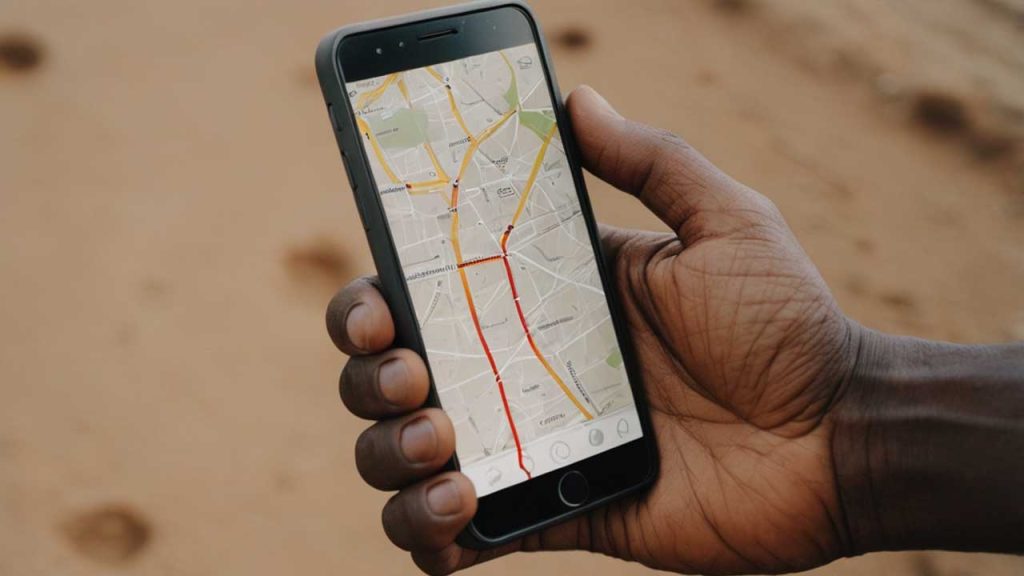
    Let’s say you’re trying to find your cousin because they promised to meet you but aren’t picking up their phone. Or maybe your mom misplaced her phone again, and it’s on silent. Wouldn’t it be cool if you could just type in their phone number and find out where they are?

    Well, that’s what this guide is all about. I’ll show you how you can track someone’s location using their phone number—with tools that are both helpful and legal. No complicated tech talk, no confusing steps. Just real, clear help.

    Is It Really Possible to Track Someone by Their Phone Number?

    Yes, but with a big asterisk: you usually need permission or access to the person’s device at least once. And no, you can’t just Google someone’s number and magically see where they are like a spy movie. But with the right apps or tools—and if it’s someone you know—it’s totally doable.

    Let’s break it down.

    Why Would Someone Want to Track a Person’s Phone?

    People use phone tracking for everyday reasons, like:

    • Finding a lost or stolen phone
    • Keeping kids safe when they’re out alone
    • Checking if a loved one made it home
    • Helping older family members who might get lost
    • Tracking employees in the field

    If any of those sound familiar, keep reading—you’re in the right place.

    The Two Main Ways to Track a Location by Phone Number

    There are two big ways people usually go about this:

    1. With Tracking Apps (like mSpy, Life360, etc.)
    2. With Built-In Tools (like Google’s “Find My Device” or Apple’s “Find My”)

    Let’s take a closer look at each.

    1. Using Tracking Apps: The Supercharged Option

    These apps are like mini-detectives that live on your phone. Once installed on someone’s device (with their permission or knowledge), they let you see where the phone is anytime.

    Here’s a quick comparison of the most popular ones:

    AppBest ForStandout FeaturesPrice (Monthly)
    mSpyParents, employersReal-time tracking, social media monitoring$48.99 (monthly)
    Scannero.ioGlobal number trackingTrack via number directly, no jailbreak$1.19 (24-hour trial)
    Life360FamiliesLive location, driving reportsFree / $4.99 for premium
    SpyicStealth trackingHidden tracking, calls & messages$10.83+
    GeoZillaMultiple device trackingBattery alerts, crash detectionFree / $4.99+

    Let’s go over the top three in more detail.

    mSpy

    mSpy is like a digital babysitter. It tracks where someone is, shows call logs, and even alerts you if they leave a specific area (like school or home).

    How it works:

    • You install it on the phone you want to track.
    • It runs quietly in the background.
    • You log in to your dashboard and see real-time updates.

    Good to know: You’ll need physical access to the phone during setup. So it’s best for parents monitoring kids or companies with company-issued devices.

    Life360

    Life360 is more of a “we’re all in this together” app. Families create a group (called a “Circle”), and everyone can see each other’s location.

    Why people love it:

    • It shows driving habits (like speeding or hard braking).
    • You can set alerts for when someone arrives somewhere.
    • It works on both Android and iPhone.

    Bonus: There’s a free version with decent features!

    Scannero.io

    The Scannero Phone Tracker is interesting because it doesn’t need an app installed on your phone or theirs. You enter a number, send a special link, and once the person clicks it—you get their location.

    Important note: This only works if they click the link. So this is better for checking in on someone with their consent, not for secret tracking.
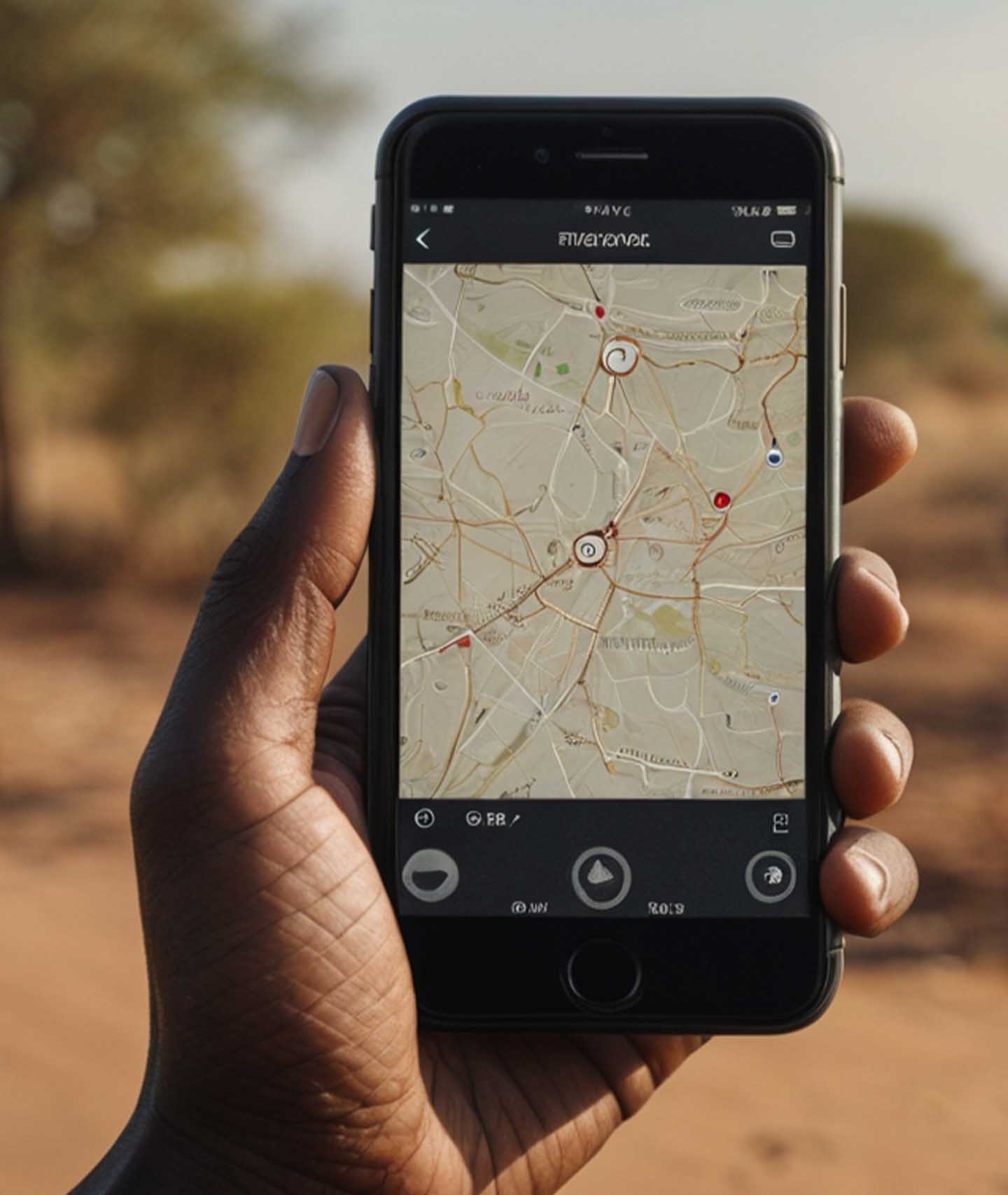
    How to Use a Phone Number to Track Someone’s Location

    2. Using Free Built-In Tools (for Android and iPhone)

    If you’ve ever misplaced your phone and used “Find My iPhone” or “Find My Device,” then congrats—you’ve already used phone tracking!

    These are free, built-in features made by Google and Apple.

    Here’s a side-by-side:

    FeatureAndroid (Google)iPhone (Apple)
    NameFind My DeviceFind My
    Real-time trackingYesYes
    Remote lock & wipeYesYes
    Requires loginGoogle accountApple ID
    PlatformAndroid onlyApple only

    How to Use Them

    For Android:

    1. Go to Find My Device
    2. Sign in with the Google account linked to the phone
    3. You’ll see the phone’s location on a map

    For iPhone:

    1. Go to iCloud.com
    2. Sign in with your Apple ID
    3. Click on “Find iPhone”
    4. You’ll see the phone’s location, plus the option to lock or erase it

    These are lifesavers if your phone goes missing—or if you’re helping someone who’s lost theirs.

    FAQs

    Can I track someone without them knowing?

    Technically, yes, with some stealth apps like Spyic or mSpy. But legally? Only if you own the device or have their permission. Otherwise, it’s a no-go in most countries.

    Can I track someone with just a number and no app?

    Not directly. Services like Scannero.io can help, but they still require the person to click a tracking link.

    Is it legal to track somebody’s phone number?

    As long as you’re tracking:

    • Your own device
    • A device you own (like a child’s phone)
    • With consent

    …it’s usually legal. But always double-check your local laws just to be sure.

    What to Watch Out For

    • Scams: If a website says it can track anyone’s location just from a number instantly—without any permission—be careful. That’s a big red flag.
    • Battery Drain: Some apps (especially free ones) can use up battery fast.
    • Privacy: Use these tools responsibly. Tracking should always be about safety, not spying.

    So, What’s the Best Option?

    Here’s a simple cheat sheet:

    Your SituationBest Tool
    Lost Android phoneFind My Device
    Lost iPhoneApple’s Find My
    Keeping track of kids or employeesmSpy or Life360
    One-time check with consentScannero.io
    Track multiple family membersLife360 or GeoZilla

    So now you know: yes, you can use a phone number to track someone’s location—but it’s not magic. You’ll usually need their cooperation or access to their phone, and you’ll need the right tool for the job.

    Think of these apps and services like a safety net. Whether it’s helping your little brother make it home from school or finding your phone in the couch cushions (again), tracking technology is a pretty helpful backup.

    And hey, now that you know how it works, you’re basically the “tech whiz” in your circle. Use that power wisely.

  • DStv Ghana Prices Jump 15% in April – Full Breakdown

    DStv Ghana Prices Jump 15% in April – Full Breakdown

    MultiChoice Ghana, the company behind DStv, is set to increase subscription prices again, with adjustments kicking in from April 1, 2025. This time, the price hike averages around 15% across all packages.

    If this feels familiar, that’s because it is. This will be the third increase in less than a year, following two adjustments in 2024 that didn’t sit well with subscribers.

    The new prices for each package are as follows:

    PackageCurrent PriceNew Price
    Premium750 GHC865 GHC
    Compact330 GHC380 GHC
    Compact Plus495 GHC570 GHC
    Family165 GHC190 GHC
    Access85 GHC99 GHC
    DStv Lite50 GHC59 GHC

    MultiChoice says rising operational costs and economic pressures are behind the decision.

    Not surprisingly, consumer groups aren’t happy. CUTS International, a consumer advocacy group, has criticized the company’s approach, particularly the short notice given to subscribers.

    “Short notices erode trust and burden consumers,” a CUTS spokesperson said, calling for DStv to be more transparent and give customers more time to prepare for these changes.

    This price hike also comes at a time when many Ghanaians are already dealing with inflation and a weakening currency. With streaming services offering more affordable alternatives, DStv could be putting its own customer loyalty to the test.

  • Enza Secures $6M to Revolutionize Payment Systems for African Banks

    Enza Secures $6M to Revolutionize Payment Systems for African Banks

    Dubai-based fintech startup Enza has just secured $6 million in seed funding to help African banks and fintechs improve their payment infrastructure.

    Founded in 2022 by ex-Network International executives Hany Fekry and Hamish Houston, the company is stepping in to ensure traditional banks don’t get left behind in the fast-moving fintech revolution.

    Fintech startups have shaken up Africa’s financial sector, offering fast, digital-first solutions that have left traditional banks struggling to keep up. Enza wants to change that by giving banks the tools they need to compete, not just survive.

    How Enza Works

    Enza’s platform is designed to support both sides of the payment process—issuing and acceptance. This means banks and fintechs can offer local payment solutions, including:

    • Card payments
    • Real-time transactions
    • Other digital payment methods

    Rather than just focusing on merchant payments (like most processors do), Enza provides a full-scale solution that integrates seamlessly with existing financial systems. The company is starting with Egypt, Nigeria, and South Africa—three of Africa’s largest financial markets.

    Why Payments Matter for Financial Inclusion

    For small businesses across Africa, the ability to accept digital payments is often the first step toward financial growth. Enza’s strategy is built around two key benefits:

    Key BenefitHow It Helps
    Lower Costs for BusinessesMakes it easier for small businesses to accept digital payments.
    Smarter BankingUses payment data to help banks offer lending, savings, and insurance products.

    “Payments are the gateway, but the value is in the data and services you can layer on top,” said Enza executive director Andrew Key.

    “Banks have realized they gave up too much ground to fintechs. We want to give them the tech to compete and win it back,” added co-founder Hamish Houston.

    Even though fintech giants like Flutterwave and Moniepoint have made huge strides, banks still play a critical role in Africa’s financial ecosystem. They’re highly regulated and remain the backbone of payment networks. Enza helps them regain visibility and control over transactions while staying connected to major global and regional payment schemes like Visa, Mastercard, and others.

    Enza is already making an impact, with:

    • Over 10 million monthly contracted transactions across six African markets, including Nigeria, Ghana, and South Africa.
    • 35-40% month-over-month transaction growth, with plans to double volumes in two years.
    • Funding from Algebra Ventures and Quona Capital to expand its team and roll out new banking solutions across Africa.

    “We founded Enza to solve real infrastructure problems,” said CEO Hany Fekry. “We want African communities to access financial products as easily as people in Europe or the U.S.”

    With strong growth and investor backing, Enza is well on its way to reshaping Africa’s banking landscape. By giving banks the right tools, they’re making sure financial institutions can thrive in a world that’s increasingly going digital.

  • 9Mobile Short Codes You Need in Nigeria

    9Mobile Short Codes You Need in Nigeria

    If you use 9Mobile in Nigeria, you’ve probably dialed one of those shortcodes to check your balance, buy data, or borrow airtime.

    But did you know that some of these codes have changed? Whether you’re a longtime user or just got a new 9Mobile SIM, knowing the right USSD codes can save you time and frustration.

    In this guide, I’ll walk you through the essential 9Mobile shortcodes you need to know. Think of it like having a cheat sheet for all your mobile needs.

    Why Did 9Mobile Change Some of Its USSD Codes?

    The Nigerian Communications Commission (NCC) recently standardized USSD codes across all mobile networks. This means that codes for common services like checking your balance or recharging now follow a universal format, making them easier to remember. So, if you tried an old code and it didn’t work, you’re not alone—it’s just part of the update!

    Quick Reference Table for 9Mobile Short Codes

    ServiceUSSD Code
    Recharge Airtime*311*Voucher PIN#
    Check Airtime Balance*310#
    Borrow Airtime*303#
    Buy Data*312#
    Check Data Balance*323#
    Share Data*321#
    Access Value-Added Services*305#
    Link NIN to 9Mobile*996#
    Activate Do-Not-Disturb (DND)2442
    Check SIM Registration/NIN Linkage*996#
    Mobile Number Portability (MNP)3232
    9Mobile Short Codes You Need in Nigeria

    Essential 9Mobile Short Codes You Should Know

    Here’s a breakdown of the key 9Mobile USSD codes and what they do:

    1. Recharging Your Line

    Want to load airtime? The new code is:

    • Dial: *311*Voucher PIN#
    • Example: If your recharge card PIN is 123456789012345, dial *311*123456789012345# and press send.

    2. Checking Your Airtime Balance

    Need to see how much credit you have left?

    • Dial: *310#
    • What happens? You’ll see your balance pop up on your screen instantly.

    3. Borrowing Airtime

    Running low and need airtime fast? Borrow some!

    • Dial: *303#
    • What happens? Follow the on-screen instructions to borrow credit.

    4. Buying Data Bundles

    Want to subscribe to a data plan? Use this code:

    • Dial: *312#
    • What happens? You’ll see different data plan options and can choose the one that suits you.

    5. Checking Your Data Balance

    Not sure how much data you have left? Check it here:

    • Dial: *323#
    • What happens? You’ll receive an SMS with your remaining data balance.

    6. Sharing Data with Friends and Family

    Want to send some data to another 9Mobile user?

    • Dial: *321#
    • What happens? You’ll get instructions to share data with another number.

    7. Accessing 9Mobile Value-Added Services

    Need extra services like caller tunes or entertainment packs?

    • Dial: *305#
    • What happens? A menu of available value-added services will appear.

    8. Linking Your NIN to Your 9Mobile Line

    With the NIN-SIM linkage requirement in Nigeria, you need this code:

    • Dial: *996#
    • What happens? You’ll follow the prompts to link your National Identification Number (NIN) to your 9Mobile SIM.

    9. Do-Not-Disturb (DND) Complaints

    Tired of spam messages and marketing calls? Activate DND:

    • Dial: 2442
    • What happens? You’ll be able to block unwanted promotional messages.

    10. Checking SIM Registration or NIN-SIM Link Status

    Not sure if your SIM registration is complete?

    • Dial: *996#
    • What happens? You’ll get details about your SIM registration and NIN linkage.

    11. Mobile Number Portability (MNP)

    Want to switch to another network while keeping your number?

    • Dial: 3232
    • What happens? You’ll get details on how to port your number.

    Now that you know the most important 9Mobile shortcodes, navigating your mobile services should be a breeze. Keep this guide handy—you never know when you might need to check your balance, borrow airtime, or buy data on the go. And remember, if a code isn’t working, it might have changed, so always check for updates!

  • USSD Codes for Zenith, Polaris, First & Union Banks in Nigeria

    USSD Codes for Zenith, Polaris, First & Union Banks in Nigeria

    Imagine you need to send money urgently, but there’s no internet, no bank nearby, and you’re stuck in a long queue somewhere. That’s where USSD codes come in—they’re like magic shortcuts for your banking needs. With just a few taps on your phone, you can check your balance, transfer money, or even buy airtime. No need for fancy apps or an internet connection—just your phone and the right code!

    In this guide, we’ll break down the USSD codes for four major Nigerian banks—Zenith Bank, Polaris Bank, First Bank, and Union Bank—so you can handle your banking anytime, anywhere. Let’s dive in!

    Zenith Bank USSD Codes

    Zenith Bank keeps things simple with its *966# banking service. Think of this as the key to unlocking all your transactions. Once registered, you can use these quick codes:

    ServiceUSSD Code
    Check Account Balance*966*00#
    Airtime Purchase (Self)*966*Amount#
    Airtime Purchase (Others)*966*Amount*Mobile Number#
    Transfer to Zenith Bank*966*Amount*Account Number#
    Transfer to Other Banks*966*Amount*Account Number#
    Open an Account*966*0#
    Update BVN*966*BVN#
    Pay Bills*966*7*Amount*Customer ID#
    Pay Zenith Billers*966*6*Biller code*Amount#
    Deactivate Your Account *966*911#
    Deactivate Mobile Banking Profile *966*20*0#
    Password and PIN reset*966*60#

    How It Works: Let’s say you want to send N5,000 to a friend with a Zenith Bank account. Just dial *966*5000*1234567890#, follow the prompts, and boom—your friend gets the money instantly!

    Polaris Bank USSD Codes

    Polaris Bank (formerly Skye Bank) operates its USSD banking via *833#. It’s fast, convenient, and works on any phone.

    ServiceUSSD Code
    Check Account Balance*833*6#
    Airtime Purchase (Self)*833*Amount#
    Airtime Purchase (Others)*833*Amount*Phone Number#
    Transfer to Polaris Bank*833*Amount*Account Number#
    Transfer to Other Banks*833*3# (Follow Prompts)
    Open an Account*833*1#
    Pay Bills*833*2#

    Example: Need to buy airtime for your sibling? Dial *833*200*08123456789# and they’ll receive N200 credit instantly. No need to visit a recharge vendor!

    First Bank USSD Codes

    First Bank, one of Nigeria’s oldest and most trusted banks, runs its mobile banking on *894#. Whether you’re sending money or checking your balance, these codes make it effortless.

    ServiceUSSD Code
    Check Account Balance*894*00#
    Airtime Purchase (Self)*894*Amount#
    Airtime Purchase (Others)*894*Amount*Phone Number#
    Transfer to First Bank*894*Amount*Account Number#
    Transfer to Other Banks*894*Amount*Account Number#
    Open an Account*894*0#
    Buy Data*894*2#
    Buy Data (Others)*894*2*Phone Number# 
    Deactivate Mobile Number*894*911#

    Example: You’re at the market, and you suddenly realize you don’t have enough cash. Instead of running to the ATM, just dial *894*5000*0987654321# to send N5,000 to the vendor’s account and complete your purchase hassle-free.

    USSD Codes for Zenith, Polaris, First & Union Banks in Nigeria

    Union Bank USSD Codes

    Union Bank’s *826# service ensures that customers can bank on the go, whether it’s transferring money or checking balances.

    ServiceUSSD Code
    Check balance*826*4#
    Buy airtime for yourself*826*Amount#
    Buy airtime for others*826*Amount*3rd party mobile No#
    Transfer money to Union Bank*826*1*Amount*Account No#
    Transfer money to other banks*826*2*Amount*Account no#
    Cardless withdrawal*826*7*amount#
    Locate a branch/Union Direct Agent*826*19#
    Request a debit card*826*21#
    Request a loan*826*41#
    Data purchase*826*9#
    Pay merchants (mCash)*826*22*merchantcode*amount#
    Data capture after enrolment*826*3*account no#
    Card management (block and unblock card)*826*21#
    Limit increase*826*8#
    Block your account from your phone number*826*6#
    Block your account from other phone numbers*826*6*mobile number#

    Example: Your friend who uses Union Bank needs urgent cash,say N10,000, and you only have your phone. Dial *826*1*10000*1234567890#, confirm the transfer, and they get the money in seconds.

    Why USSD Banking is a Game-Changer

    If you’ve ever been stuck in a situation where internet banking wasn’t an option, you’ll understand why USSD banking is a lifesaver. Here’s why it’s so popular:

    • Works on Any Phone: Whether you have a smartphone or an old-school Nokia, USSD banking gets the job done.
    • No Internet Needed: You can send money, buy airtime, or check your balance without a data connection.
    • Fast and Secure: Transactions happen in seconds, and you always confirm with your PIN, keeping your money safe.
    • Available 24/7: No bank closing hours, no downtime—just quick and easy banking whenever you need it.

    Banking doesn’t have to be complicated. With these USSD codes, managing your money is as easy as sending a text message. Whether you bank with Zenith, Polaris, First Bank, or Union Bank, you now have the power to check balances, send money, and buy airtime at your fingertips.

    So the next time you’re caught without cash or an internet connection, just punch in the right code and handle your banking with ease! If you didn’t find your bank in this list, we previously covered the USSD codes for Nigerian banks like GT Bank, UBA and FCMB here.

  • How to Buy an SMS Bundle on MTN Ghana

    How to Buy an SMS Bundle on MTN Ghana

    Buy MTN SMS bundles in Ghana from GHS 0.62 for 20 SMS to GHS 11.29 for 900 SMS. Dial *138# now.

    Staying connected is essential, and sometimes, a good old-fashioned SMS is the best way to reach someone. Maybe you need to text a friend, send a reminder, or chat with someone who doesn’t use social media. Whatever the reason, buying an SMS bundle on MTN Ghana is a smart way to save money instead of paying per text. But how do you get one?

    Don’t worry, I’ve got you covered. This guide will walk you through the entire process—step by step—in the simplest way possible. By the end, you’ll be an expert at buying SMS bundles, checking your balance, and even exploring other MTN offers that include SMS. Let’s dive in!

    Why Buy an SMS Bundle?

    If you send SMS messages often, buying a bundle is a great idea. Instead of paying GHS 0.0658 per SMS, you get a much better deal with an SMS bundle. Here’s a quick look at the available options:

    Price (GHS)Number of SMS
    0.6220
    1.2550
    2.52150
    6.27400
    11.29900

    See? You get more value when you buy in bulk!

    How to Buy an MTN SMS Bundle

    Now, let’s go through the steps to buy an SMS bundle on MTN Ghana. Follow these instructions carefully:

    1. Dial *138# on your MTN phone and press the call button.
    2. Select ‘Proceed to Buy Bundle’ from the menu.
    3. Select 99 for ‘More’ (MTN likes to keep things hidden, but we know the way!).
    4. Select 7 for ‘More’ again.
    5. Choose ‘Buy Combo Bundle’ (this is where SMS bundles live).
    6. Select ‘Buy for Self’ (if you’re buying for your own number).
    7. Pick ‘SMS Bundles’ from the list.
    8. Choose your preferred SMS bundle from the pricing options.
    9. Select ‘Buy’ to confirm your choice.
    10. Choose a payment method—either airtime or Mobile Money (MoMo).
    11. If using Mobile Money, wait for the prompt and enter your PIN to confirm payment.
    12. Once approved, you’ll receive a confirmation SMS with your new SMS balance.

    That’s it! You’re all set to start texting at a lower cost.

    How to Check Your MTN SMS Balance

    After buying an SMS bundle, you might want to check how many messages you have left. Here’s how:

    • Dial *124#, and a pop-up notification will show your available SMS balance.
    • Use the MyMTN App, where your balances for SMS, data, and airtime are displayed on the homepage.

    Other MTN Offers That Include SMS Bundles

    If you’re looking for bundles that give you a mix of SMS, data, and voice minutes, MTN has some great options. Here are a few worth checking out:

    Bundle NameSMS IncludedExtra Features
    AFA Bundle10-25 SMSData + Voice
    Sunday Special10 SMSValid for two Sundays
    SME Plus44-131 SMSDesigned for businesses
    Association Bundle50-100 SMSFor groups and associations
    MTN Mashup50 SMSVoice + Data + Free SMS

    If you need a more flexible plan, one of these combo bundles might be a better fit for you!

    How to Buy an SMS Bundle on MTN Ghana

    Frequently Asked Questions (FAQs)

    1. Does the MTN SMS bundle expire?

    Yes, all MTN SMS bundles expire 30 days after purchase. Make sure to use your messages before they expire.

    2. Can I borrow an SMS bundle on MTN?

    No, MTN does not allow you to borrow an SMS bundle directly. However, you can borrow airtime on MTN Ghana using *506# and then use that credit to buy an SMS bundle.

    3. Can I convert my SMS bundle into a data bundle?

    No, SMS bundles cannot be converted into data or voice minutes. Once you buy an SMS bundle, it can only be used for sending text messages.

    Buying an SMS bundle on MTN Ghana is easy when you know the steps. Whether you need to send a quick text to a friend or manage a business with bulk messaging, MTN has options to fit your needs. Now that you’re equipped with all the knowledge, go ahead and grab the SMS bundle that works for you!

    If this guide was helpful, don’t keep it to yourself—share it with someone who might need it too!

  • Fixed Deposits vs. Treasury Bills: What You Need to Know

    Fixed Deposits vs. Treasury Bills: What You Need to Know

    When it comes to saving and growing your money, two common options people consider are Fixed Deposits (FDs) and Treasury Bills (T-Bills). Both are safe ways to invest, but they work differently. If you’ve ever wondered which one is better for you, this article breaks it all down in simple terms. Let’s dive in!

    What Are Fixed Deposits?

    A Fixed Deposit (FD) is like a savings account but with a twist—you agree to keep your money in the bank for a set period, and in return, the bank pays you a fixed interest rate.

    How It Works

    Imagine you have $1,000, and you give it to a bank, telling them, “Keep this for six months, and I won’t touch it.” The bank agrees and promises to pay you interest—let’s say 10% per year. After six months, you get your $1,000 back plus some extra money (interest) for letting them use your cash.

    Key Features of Fixed Deposits

    FeatureDescription
    SafetyLow risk—your money is protected unless the bank collapses (which is rare).
    ReturnsFixed interest rate, meaning you know exactly how much you’ll earn.
    Lock-in PeriodYour money is locked for a specific time—breaking it early might result in penalties.
    Who Offers It?Banks and financial institutions.

    What Are Treasury Bills?

    A Treasury Bill (T-Bill) is a short-term loan you give to the government. In return, the government promises to pay you back more than what you gave them. It’s a way for the government to raise money, and for you, it’s a safe way to invest.

    How It Works

    Let’s say you buy a T-Bill for $950, and after three months, the government pays you back $1,000. The $50 difference is your profit—it’s like getting paid for letting the government use your money for a while.

    Key Features of Treasury Bills

    FeatureDescription
    SafetyVery low risk—the government guarantees your money back.
    ReturnsDiscounted price—you pay less upfront and get full value later.
    Lock-in PeriodShort-term, usually from 91 days to a year.
    Who Offers It?The government through central banks.

    Comparing Fixed Deposits and Treasury Bills

    Now that you understand both, let’s compare them side by side.

    FeatureFixed DepositsTreasury Bills
    Risk LevelVery lowExtremely low (backed by the government)
    ReturnsFixed interest rateDiscounted price with profit upon maturity
    Minimum InvestmentVaries by bankUsually higher, varies by country
    Time CommitmentCan be months to yearsShort-term (91 days to 1 year)
    Early WithdrawalPossible, but with penaltiesNot allowed until maturity
    Fixed Deposits vs. Treasury Bills- What You Need to Know

    Which One Should You Choose?

    The right choice depends on your goals and needs. Here’s when you might prefer one over the other:

    • Choose a Fixed Deposit if:
      • You want guaranteed returns without surprises.
      • You can leave your money untouched for a set period.
      • You’re okay with penalties if you withdraw early.
    • Choose Treasury Bills if:
      • You want short-term, safe investments.
      • You don’t need to access your money until maturity.
      • You like the idea of lending to the government for a fixed return.

    Both Fixed Deposits and Treasury Bills are great ways to grow your money safely. If you want a predictable interest rate, Fixed Deposits are a solid choice. If you prefer short-term investments and don’t mind waiting for your full return, Treasury Bills are worth considering. Understanding how they work helps you make smarter financial decisions!

  • How to Activate MTN Weekend Bundle in Ghana

    How to Activate MTN Weekend Bundle in Ghana

    If you love streaming movies, scrolling through social media, or catching up on YouTube videos, weekends are probably your favorite time to do it. But let’s be real—regular data bundles can be expensive, and nobody wants to run out of data right when a video is buffering. That’s where the MTN Weekend Bundle comes in!

    MTN Ghana offers a special Weekend Bundle that gives you unlimited browsing at an affordable price. Whether you’re working from home, binge-watching your favorite shows, or just chatting with friends, this package ensures you stay connected all weekend long.

    What is the MTN Weekend Bundle?

    The MTN Weekend Bundle is a special offer available for MTN Fibre Broadband users. For GHS 34.50, you get unlimited internet access from midnight on Saturday to 11:59 PM on Sunday. That means two full days of browsing, streaming, and downloading without worrying about running out of data.

    How to Activate the MTN Weekend Bundle

    Activating the MTN Weekend Bundle is simple and takes just a few steps. Follow the guide below to get started:

    Step-by-Step Guide to Activate the MTN Weekend Bundle

    StepAction
    1Dial *5057# on your linked MTN mobile number.
    2Select Promo Offers from the menu.
    3Choose Weekend UNLT @ GHS 34.5.
    4Select option 1 to confirm the offer.
    5Choose a payment method (we recommend Mobile Money).
    6Enter your MTN Mobile Money PIN to authorize payment.
    7Choose option 1 to approve the transaction.
    8Wait for an SMS confirmation that your bundle has been activated.

    Once you’ve received the confirmation message, you’re all set! You can now enjoy unlimited internet access all weekend.

    When Does the MTN Weekend Bundle Expire?

    The MTN Weekend Bundle starts at 12:00 AM on Saturday and ends at 11:59 PM on Sunday. After this period, any unused data will not roll over—so be sure to make the most of it while it lasts!

    How to Activate MTN Weekend Bundle in Ghana

    Frequently Asked Questions (FAQs)

    1. Can I activate the MTN Weekend Bundle in advance?

    No, you can only activate the Weekend Bundle when the offer is available. If you try to purchase it outside the weekend window, the option might not appear in the menu.

    2. Is there a difference between the MTN Weekend Bundle and the Holiday Offer?

    Yes! Here’s a quick comparison:

    OfferPriceValidity Period
    Weekend BundleGHS 34.50Midnight on Saturday to 11:59 PM on Sunday
    Holiday OfferGHS 23.00Available only on Ghanaian statutory holidays

    While the Weekend Bundle is available every weekend, the Holiday Offer is only active on specific public holidays.

    3. Can I use the MTN Weekend Bundle on my phone?

    No, this bundle is strictly for MTN Fibre Broadband users. If you need a weekend data package for your phone, you’ll have to check out MTN’s other mobile data offers.

    4. What happens if I run out of data before the weekend ends?

    Good news—you won’t run out of data because this is an unlimited plan! Once you activate the package, you get unrestricted access to the internet for the entire weekend.

    5. Can I share my MTN Weekend Bundle with others?

    Yes! If your MTN Fibre Broadband supports multiple devices, your family and friends can connect and enjoy unlimited browsing as well.

    The MTN Weekend Bundle is a great way to enjoy fast, affordable internet without stressing about data limits. Whether you’re working, watching movies, or just catching up on social media, this package ensures you stay connected all weekend. Just follow the simple steps to activate it, and you’re good to go!

    If you have any issues with activation, you can contact MTN Ghana’s customer support for assistance. Enjoy your unlimited internet weekend!

  • 12 Secure Platforms for Sending Money to Ghana

    12 Secure Platforms for Sending Money to Ghana

    Sending money to Ghana should be simple, safe, and fast. Whether you’re supporting family, paying for services, or handling business transactions, choosing the right platform matters. But with so many options, how do you know which one to pick? No worries—I’ve got you covered. Let’s break it down in a way that makes sense, just like explaining a game plan to a friend.

    What Makes a Good Money Transfer Platform?

    Before diving into the list, here’s what we should look for in a good money transfer service:

    • Security – Your money should be safe from fraud and scams.
    • Speed – Some transfers are instant, while others take days.
    • Fees – Look for low or no fees.
    • Exchange Rates – Some services give better rates than others.
    • Ease of Use – It should be simple to send money without headaches.
    • Payment Methods – Options should include bank transfers, mobile wallets, and cash pickups.

    Now, let’s explore 12 secure platforms that make sending money to Ghana easy and reliable.

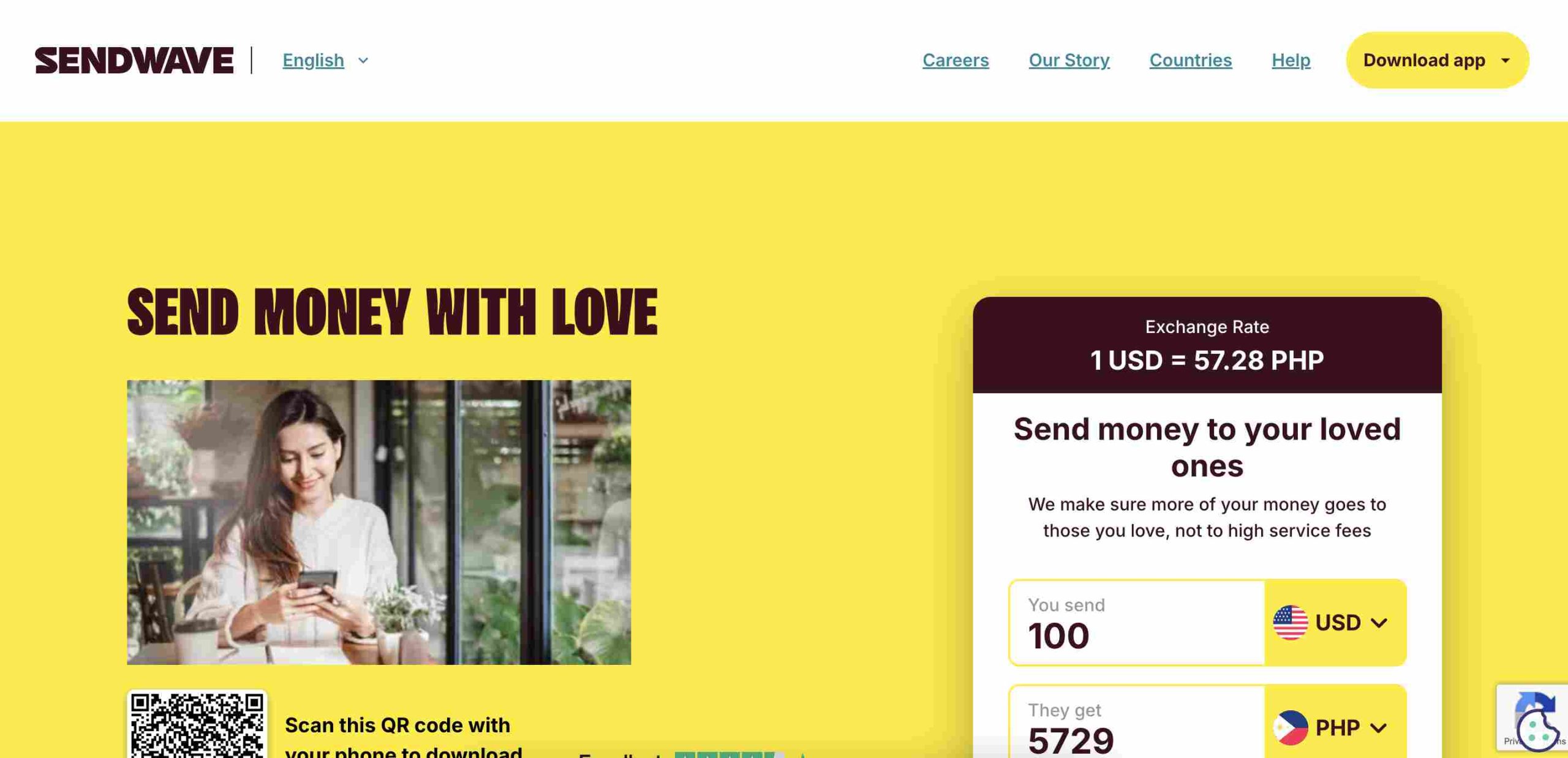
    1. Sendwave

    Sendwave

    Why it’s great:

    • No fees for transfers.
    • Fast transfers, often within minutes.
    • Sendwave works with mobile money services like MTN and Vodafone Cash.
    • Easy to use with a mobile app.

    Best for: People who want quick, fee-free transfers straight to a mobile wallet.

    2. TransferGo

    Why it’s great:

    • Fast transfers, sometimes as quick as 30 minutes.
    • TransferGo offers competitive exchange rates.
    • Supports bank deposits.

    Best for: Those who need quick transfers to a bank account with good exchange rates.

    3. WorldRemit

    Why it’s great:

    • World Remit supports bank deposits, mobile money, and cash pickups.
    • Fast delivery, often within minutes.
    • Reasonable fees with competitive exchange rates.

    Best for: Sending money in multiple ways, especially for cash pickups and mobile wallets.

    4. Remitly

    Why it’s great:

    • Express (instant) and Economy (cheaper but slower) options.
    • Supports mobile money, bank deposits, and cash pickup.
    • Remitly offers promotional exchange rates for first-time users.

    Best for: First-time senders looking for a good deal and reliable delivery options.

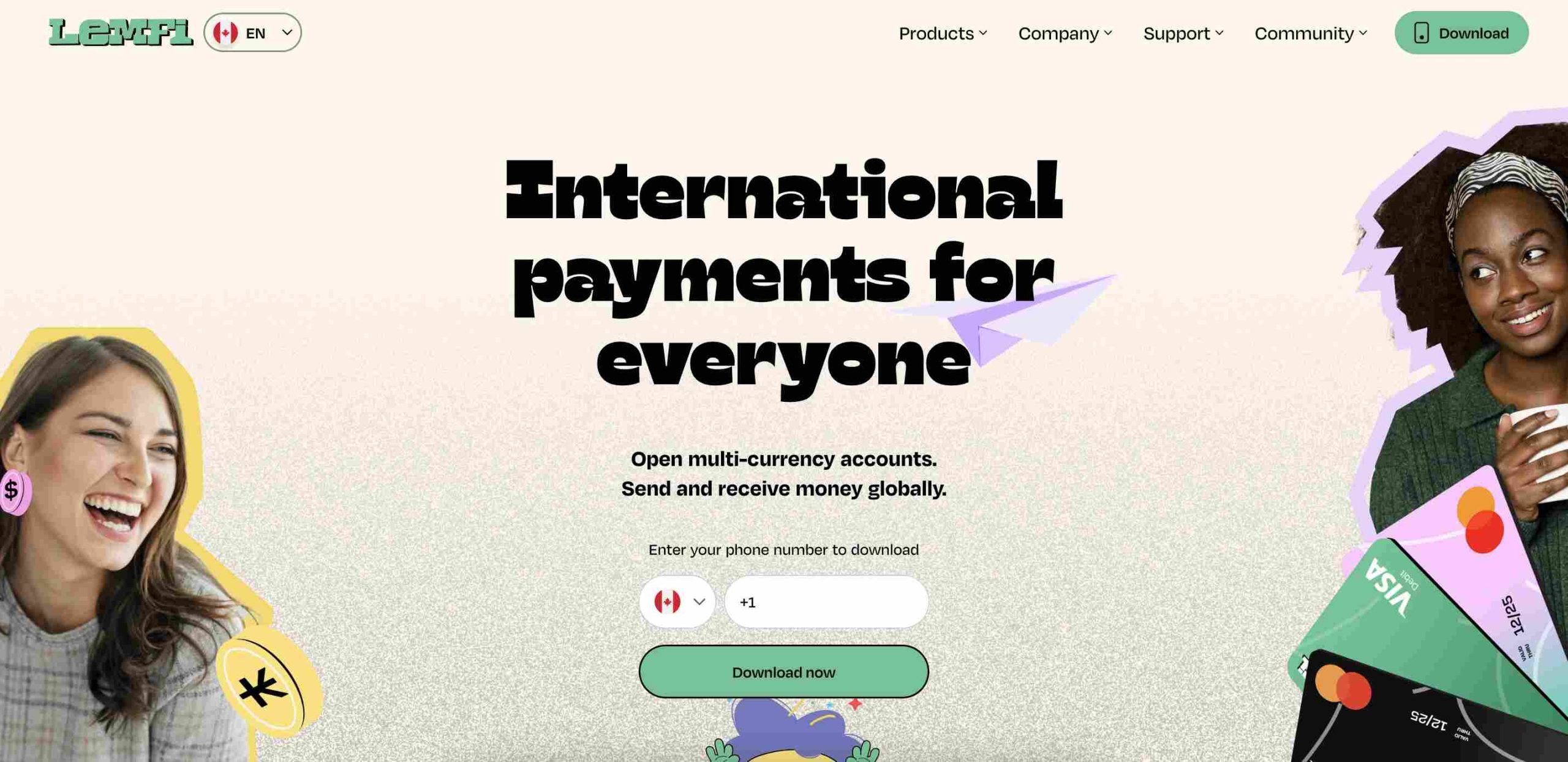
    5. LemFi

    LemFi

    Why it’s great:

    • There are zero fees on transactions on LemFi.
    • Supports multiple currencies.
    • Works well for Africans in the diaspora sending money home.

    Best for: People looking for fee-free international transfers with multi-currency support.

    6. Western Union

    Why it’s great:

    • Large global network with thousands of locations.
    • Western Union supports bank deposits, cash pickup, and mobile money.
    • Flexible payment options, including credit/debit cards and bank transfers.

    Best for: Sending money to someone who prefers picking up cash in person.

    7. Remitbee

    RemitBee

    Why it’s great:

    • No fees for bank transfers over $500.
    • Good exchange rates compared to banks.
    • Remitbee is great for Canadians sending money abroad.

    Best for: People in Canada who want affordable and reliable transfers.

    8. MoneyGram

    Why it’s great:

    • MoneyGram is fast and available worldwide.
    • Supports cash pickup, mobile money, and bank deposits.
    • Available in many retail locations, making it easy to send money.

    Best for: Those who prefer in-person transactions or need fast cash pickups.

    9. Paysend

    Why it’s great:

    • Flat transfer fee of about $2.
    • Paysend supports direct transfers to bank accounts and mobile wallets.
    • Fast transactions, often within minutes.

    Best for: Those who want low-cost international transfers with simple pricing.

    10. Skrill

    Why it’s great:

    • Allows sending money using a digital wallet.
    • Low-cost transactions compared to traditional banks.
    • Skrill works well for online purchases and payments as well.

    Best for: Digital-savvy users who want a multi-purpose wallet for sending money and online transactions.

    11. Taptap Send

    Taptap Send

    Why it’s great:

    • There are no fees on transfers on Taptap Send.
    • Direct deposits to mobile money accounts.
    • Simple mobile app for easy transfers.

    Best for: Mobile money users who want a fee-free option for fast transfers.

    12. ACE Money Transfer

    Why it’s great:

    • Competitive exchange rates.
    • Multiple payout options: bank deposits, mobile wallets, and cash pickup.
    • ACE Money Transfer is trusted by many African users.

    Best for: Those who want flexible payout options with good exchange rates.

    Comparing the Best Options

    Here’s a quick comparison to help you choose the right service:

    PlatformFeesSpeedPayment MethodsBest For
    SendwaveNoFastMobile moneyInstant, fee-free transfers
    TransferGoLowFastBank depositsQuick bank transfers
    WorldRemitLowFastBank, mobile, cashMultiple transfer options
    RemitlyLowVariesBank, mobile, cashFirst-time users & flexible options
    LemFiNoFastMulti-currencyNo-fee transfers
    Western UnionVariesFastBank, mobile, cashCash pickups worldwide
    RemitbeeNo (over $500)FastBank depositsCanadians sending money
    MoneyGramVariesFastBank, mobile, cashIn-person and urgent transfers
    Paysend$2FastBank, mobileLow-cost transfers
    SkrillLowFastDigital walletOnline payments & money transfers
    Taptap SendNoFastMobile moneyFee-free mobile money transfers
    ACE Money TransferLowFastBank, mobile, cashCompetitive exchange rates

    Choosing the right platform depends on what matters most to you—whether it’s speed, fees, or payout options. If you want no-fee mobile transfers, Sendwave or Taptap Send are great choices. Need a good exchange rate? TransferGo or ACE Money Transfer could be your best bet. And if cash pickup is important, Western Union or MoneyGram might work better.

    No matter which one you choose, rest easy knowing these are all secure and trusted ways to send money to Ghana.

  • Inside Computer Village: Nigeria’s Popular Tech Market

    Inside Computer Village: Nigeria’s Popular Tech Market

    Imagine stepping into a place where every corner buzzes with energy, where the latest gadgets, spare parts, and tech experts all come together in one chaotic but fascinating space. That’s Computer Village for you—the biggest ICT (Information and Communications Technology) accessories market in Africa, right in the heart of Ikeja, Lagos.

    Computer Village isn’t just a marketplace; it’s a city within a city. From dawn to dusk, traders, technicians, and customers fill its streets, making deals, fixing devices, and hunting for the best tech bargains. Whether you need a new phone, a laptop charger, or someone to fix your cracked screen, this is the place to go.

    It wasn’t always here, though. In the early 1990s, the market was in Surulere before moving to its current location in Otigba, Ikeja. Over time, it has grown into the powerhouse it is today, attracting traders and buyers from all over Nigeria and even beyond.

    What Can You Find in Computer Village?

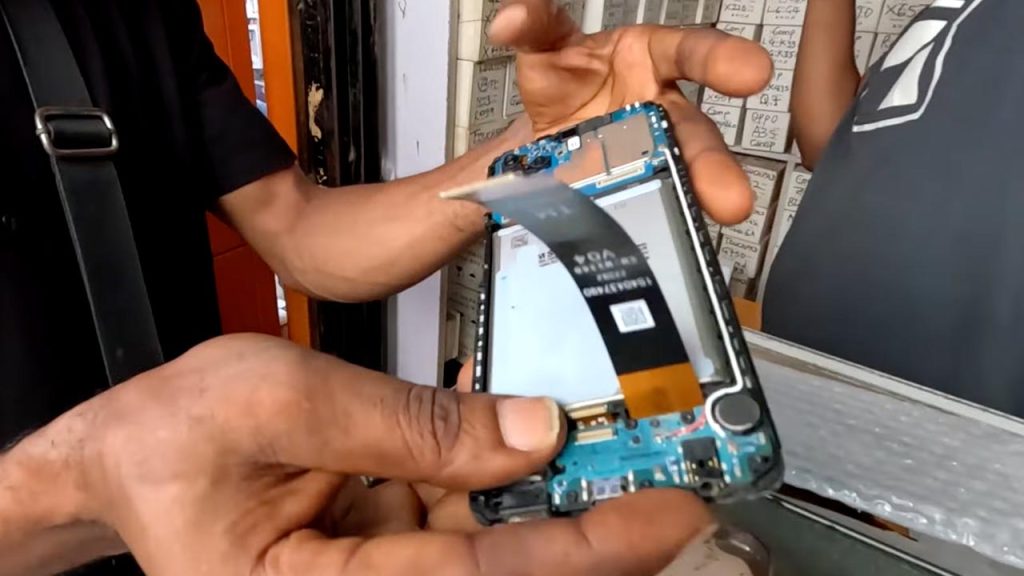
    At Computer Village, almost anything tech-related is up for grabs. You’ll find brand-new gadgets, fairly used (London-used) devices, spare parts, and software solutions. But the market isn’t just about sales; it’s also a hub for repairs. There are skilled engineers and technicians who specialize in fixing mobile phones and computers—whether it’s a software glitch or a hardware problem. If your phone screen suddenly goes blank, chances are you’ll find someone here who can fix it in minutes.

    How the Market Works

    One thing that makes Computer Village unique is its open competition. No single dealer controls prices; instead, sellers compete, which means buyers can often negotiate and find great deals. If you walk through the market, you’ll hear traders calling out prices and offering discounts. But don’t just go for the first deal—bargaining is key here.

    Another interesting thing is that there’s almost no barrier to entry. If you have tech skills or want to start selling gadgets, you can jump into the market. That’s why many young entrepreneurs and engineers see it as a great place to build their businesses.

    The Good, The Bad, and The Controversial

    Like any major marketplace, Computer Village has its downsides. With so many traders, it’s not surprising that a few bad eggs try to take advantage of customers. Some people have lost money to fake products, unqualified repairmen, or outright scams. Stories of stolen phones being resold in the market have also raised concerns. However, organizations like the Computer and Allied Products Dealers Association of Nigeria (CAPDAN) are working to regulate activities and ensure customers can trust who they are buying from.

    The Future of Computer Village

    The Lagos State Government has plans to relocate the market to Katangowa, a larger space where traders can operate in a more organized environment. While this move is still in the works, one thing is certain—Computer Village isn’t going anywhere in terms of influence. As technology continues to grow in Nigeria, this market will keep evolving, providing jobs, business opportunities, and solutions to millions.

    Computer Village is more than just a market—it’s a tech hub, a repair center, and a business incubator all rolled into one. It’s a place where someone can start with a single stall and grow into a major tech dealer. If you’ve never been there, visiting might just give you a whole new appreciation for Nigeria’s tech scene.

  • The 7 Best-Selling Gift Cards in Italy

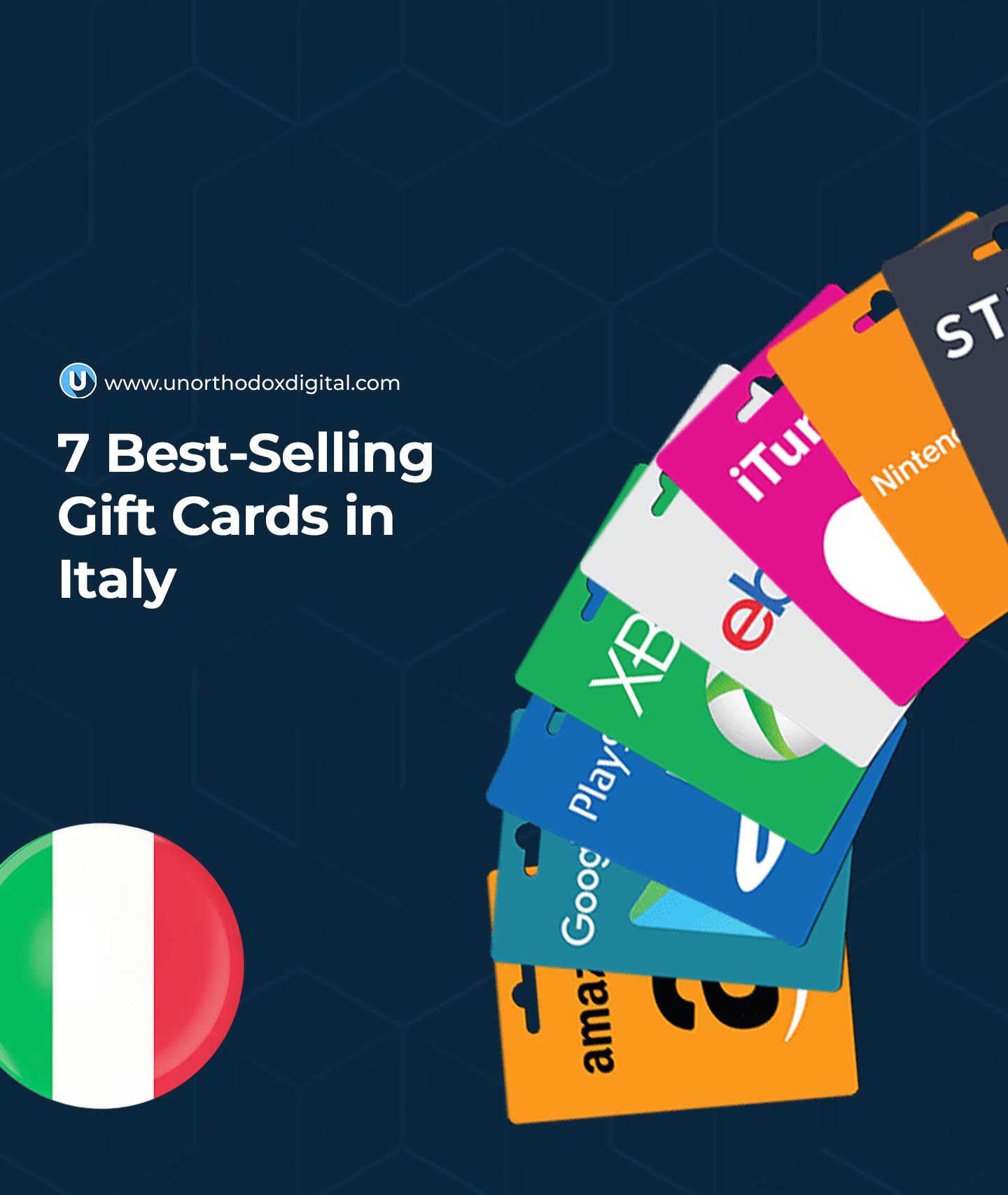
    The 7 Best-Selling Gift Cards in Italy

    Gift cards have become one of the easiest and most flexible ways to give gifts. Instead of guessing what someone wants, a gift card lets them pick exactly what they like. And in Italy, certain gift cards are flying off the shelves because they’re just that useful!

    If you’ve ever wondered what the most popular gift cards in Italy are, you’re in the right place. Whether you’re shopping for a birthday, holiday, or just a little treat for someone, these seven gift cards are the top picks. Let’s dive in!

    1. Amazon Gift Card

    Amazon gift cards are a huge hit because they let people buy, well, almost anything! From books to electronics, home essentials to fashion, Amazon.it has it all. If you’re unsure what to buy for someone, an Amazon gift card is the safest bet because it works like cash on the site.

    Why People Love It:

    • Can be used for millions of products
    • Available in both physical and digital formats
    • Doesn’t expire

    Available Amounts:

    MinimumMaximum
    €5€500

    2. Eataly Gift Card

    If you have a foodie in your life, an Eataly gift card is a fantastic option. Eataly is a famous Italian food market that sells high-quality pasta, sauces, wines, cheeses, and more. With locations in cities like Rome, Milan, and Bologna, it’s the go-to place for Italian culinary lovers.

    Why People Love It:

    • Can be used for gourmet groceries or meals at Eataly’s restaurants
    • Perfect for Italian cuisine lovers
    • Available in different amounts for any budget

    Available Amounts:

    MinimumMaximum
    €10€250

    3. eBay Gift Card

    An eBay gift card is great for people who love finding unique, rare, or discounted items. Whether it’s vintage fashion, gadgets, or collectibles, eBay has a massive selection of new and used products.

    Why People Love It:

    • Perfect for bargain hunters and collectors
    • Can be used for both new and second-hand items
    • Never expires

    Available Amounts:

    MinimumMaximum
    €10€100

    4. Apple Gift Card

    Previously known as the iTunes gift card, the Apple gift card is perfect for anyone who loves music, movies, apps, or games. It works across all Apple services, including the App Store, Apple Music, and Apple TV+.

    Why People Love It:

    • Can be used for a wide range of digital content
    • Works for subscriptions, in-app purchases, and more
    • Available in various denominations

    Available Amounts:

    MinimumMaximum
    €10€100

    5. Netflix Gift Card

    A Netflix gift card is the perfect present for someone who loves binge-watching movies and TV shows. It can be used to pay for a subscription or add credit to an existing Netflix account.

    Why People Love It:

    • Works for new and existing Netflix subscribers
    • No expiration date
    • Covers different subscription plans

    Available Amounts:

    MinimumMaximum
    €15€100

    6. Steam Gift Card

    For anyone who loves video games, a Steam gift card is a perfect choice. Steam is the largest online platform for PC gaming, offering thousands of titles from indie gems to blockbuster games.

    Why People Love It:

    • Can be used for games, add-ons, and in-game purchases
    • Works for both casual and hardcore gamers
    • Can be redeemed globally

    Available Amounts:

    MinimumMaximum
    €5€100

    7. Starbucks Gift Card

    If you know someone who can’t start their day without coffee, a Starbucks gift card is an easy way to brighten their day. It can be used for coffee, snacks, or even Starbucks merchandise.

    Why People Love It:

    • Works at Starbucks locations across Italy
    • Can be reloaded for continued use
    • Perfect for small, thoughtful gifts

    Available Amounts:

    MinimumMaximum
    €5€50
    Best-Selling Gift Cards in Italy

    Frequently Asked Questions (FAQs)

    1. Where Can I Buy Gift Cards in Italy?

    Gift cards are available at major supermarkets, online stores, and even some gas stations. Popular places include:

    • Supermarkets: Coop, Conad, Esselunga
    • Online: Amazon.it, eBay.it
    • Electronics Stores: MediaWorld, Unieuro

    2. Do Gift Cards Expire?

    Most gift cards, especially from major brands like Amazon, Netflix, and Apple, do not expire. However, it’s always best to check the terms and conditions.

    3. Can I Use a Gift Card Online?

    Yes! Almost all gift cards listed above can be used for online purchases, making them convenient for shopping, entertainment, and gaming.

    4. Are Visa Gift Cards Available in Italy?

    Yes, Visa gift cards can be purchased in Italy and work like prepaid debit cards. They can be used anywhere Visa is accepted.

    5. Can I Exchange Gift Cards for Cash?

    While official retailers do not allow cash exchanges, some online platforms allow users to sell unwanted gift cards.

    Gift cards are an easy and thoughtful way to give someone the freedom to choose what they want. Whether they love shopping, food, entertainment, or gaming, there’s a perfect gift card for everyone. Next time you’re looking for a present in Italy, consider one of these top-selling gift cards!

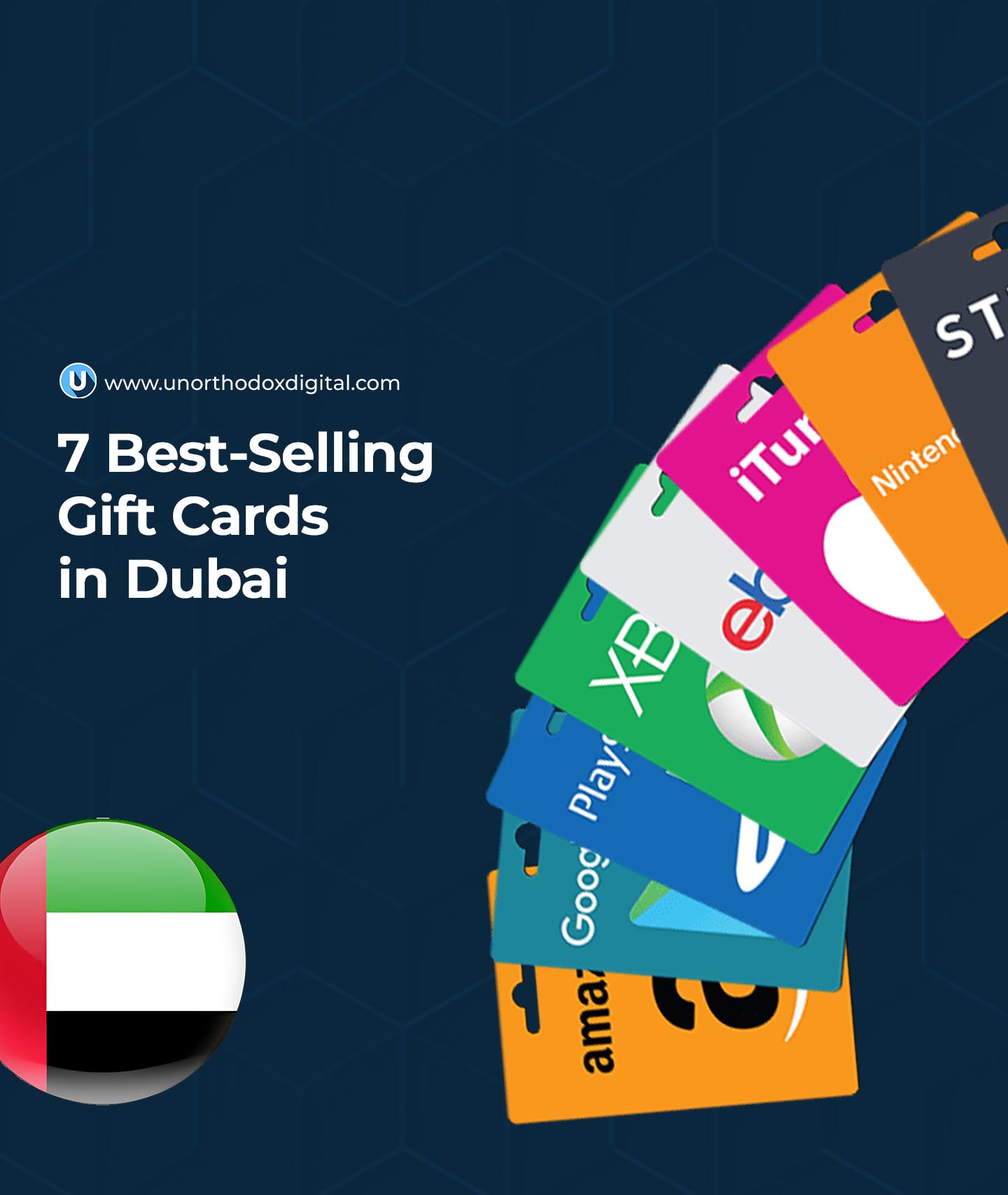
  • The 7 Best-Selling Gift Cards in Dubai

    The 7 Best-Selling Gift Cards in Dubai

    Dubai is a city of luxury, adventure, and endless shopping opportunities. Whether you’re a resident or a visitor, gift cards are a fantastic way to enjoy everything the city has to offer. But with so many options, which ones are the best? In this guide, we’ll break down the seven best-selling gift cards in Dubai, what makes them popular, and where you can use them. By the end, you’ll know exactly which gift card suits your needs—whether you want to shop, dine, or explore Dubai’s top attractions.

    1. Mall of the Emirates Gift Card

    Dubai is known for its world-class malls, and the Mall of the Emirates is one of the best. This shopping paradise is home to luxury brands, entertainment centers, and delicious restaurants. With a Mall of the Emirates gift card, you can:

    • Shop at high-end fashion stores like Gucci, Prada, and Zara.
    • Enjoy entertainment like Ski Dubai, an indoor ski resort.
    • Watch the latest blockbuster movies at VOX Cinemas.
    • Dine at top-tier restaurants serving cuisines from around the world.

    This gift card is ideal for anyone who loves shopping or wants to experience the best of Dubai’s retail and entertainment scene.

    2. Virgin Megastore Gift Card

    If you’re into music, gadgets, books, and entertainment, the Virgin Megastore gift card is a must-have. Virgin Megastore has multiple locations across Dubai and offers:

    • The latest electronic gadgets and accessories.
    • A wide selection of books, from bestsellers to classics.
    • Vinyl records, CDs, and music-related merchandise.
    • Gaming consoles, accessories, and video games.

    This is the perfect gift card for tech lovers, music fans, and book enthusiasts.

    3. Amazon UAE Gift Card

    Amazon has everything, and with an Amazon UAE gift card, you can shop for just about anything online. This card is especially useful for:

    • Expats or new residents who need household essentials.
    • People who want to shop conveniently without visiting a store.
    • Gifting someone the freedom to buy what they truly want.

    From electronics to clothing, home decor to groceries, an Amazon UAE gift card is a flexible option that suits almost anyone.

    4. Apple Gift Card

    For Apple users, an Apple gift card is one of the best options in Dubai. It can be used to:

    • Buy iPhones, MacBooks, and accessories.
    • Pay for Apple Music, Apple TV+, and iCloud storage.
    • Purchase apps and games from the App Store.

    If you know someone who owns an iPhone, iPad, or Mac, this is the perfect way to help them upgrade their tech or pay for their subscriptions.

    5. Google Play Gift Card

    For Android users, the Google Play gift card is a fantastic choice. It allows users to:

    • Purchase apps, games, and in-app content.
    • Subscribe to streaming services and digital magazines.
    • Rent or buy movies, e-books, and audiobooks.

    This is a great option for anyone who uses Android devices or Google services.

    6. Dubai Mall Gift Card

    Dubai Mall is one of the largest shopping centers in the world, and a Dubai Mall gift card opens up a world of possibilities. With this card, you can:

    • Shop at high-end and budget-friendly retail stores.
    • Dine at a variety of restaurants and cafes.
    • Visit the Dubai Aquarium & Underwater Zoo.
    • Enjoy entertainment like the VR Park and Dubai Ice Rink.

    Whether you’re looking for a day of shopping or a fun-filled experience, this gift card covers it all.

    7. VOX Cinemas Gift Card

    For movie lovers, a VOX Cinemas gift card is a fantastic way to enjoy the latest films in style. It offers access to:

    • Regular movie screenings in standard, 3D, or IMAX.
    • Luxury cinema experiences with reclining seats and gourmet snacks.
    • Family-friendly screenings and kids’ movies.
    • Special movie events and premiers.

    If you or someone you know loves going to the movies, this is the perfect gift card.

    Comparison Table of Best-Selling Gift Cards in Dubai

    Gift CardBest ForWhere to Use
    Mall of the EmiratesShopping, dining, entertainmentMall of the Emirates
    Virgin MegastoreTech, music, books, gadgetsVirgin Megastore branches
    Amazon UAEOnline shopping, home essentialsAmazon UAE website
    AppleApple products, apps, subscriptionsApple stores, App Store
    Google PlayAndroid apps, games, digital contentGoogle Play Store
    Dubai MallShopping, entertainment, diningDubai Mall
    VOX CinemasMovies, luxury cinema experiencesVOX Cinemas
    Best-Selling Gift Cards in Dubai

    FAQs About Gift Cards in Dubai

    1. What Are the Best Gift Cards to Use in Dubai?

    The best gift cards in Dubai depend on what you’re looking for. If you love shopping, go for the Mall of the Emirates or Dubai Mall gift cards. Tech enthusiasts will appreciate Apple or Google Play cards, while entertainment lovers might prefer Virgin Megastore or VOX Cinemas gift cards. Amazon UAE is the most flexible option for general shopping.

    2. Where Can I Buy These Gift Cards in Dubai?

    You can buy these gift cards from their official stores, shopping malls, or online platforms. Some supermarkets and electronic stores also sell them. Always purchase from trusted sources to avoid scams.

    3. Can I Buy Dubai Gift Cards in Nigeria?

    Yes, you can. If you want to send a Dubai gift card to someone or plan to visit Dubai, you can buy these gift cards from online platforms that specialize in international gift cards.

    Gift cards are a great way to enjoy Dubai’s shopping, entertainment, and tech services without carrying cash. Whether you’re looking for the perfect gift or just want to make purchases easier, the seven options listed above are the best-selling and most useful ones in Dubai. Now that you know your options, which one would you go for?

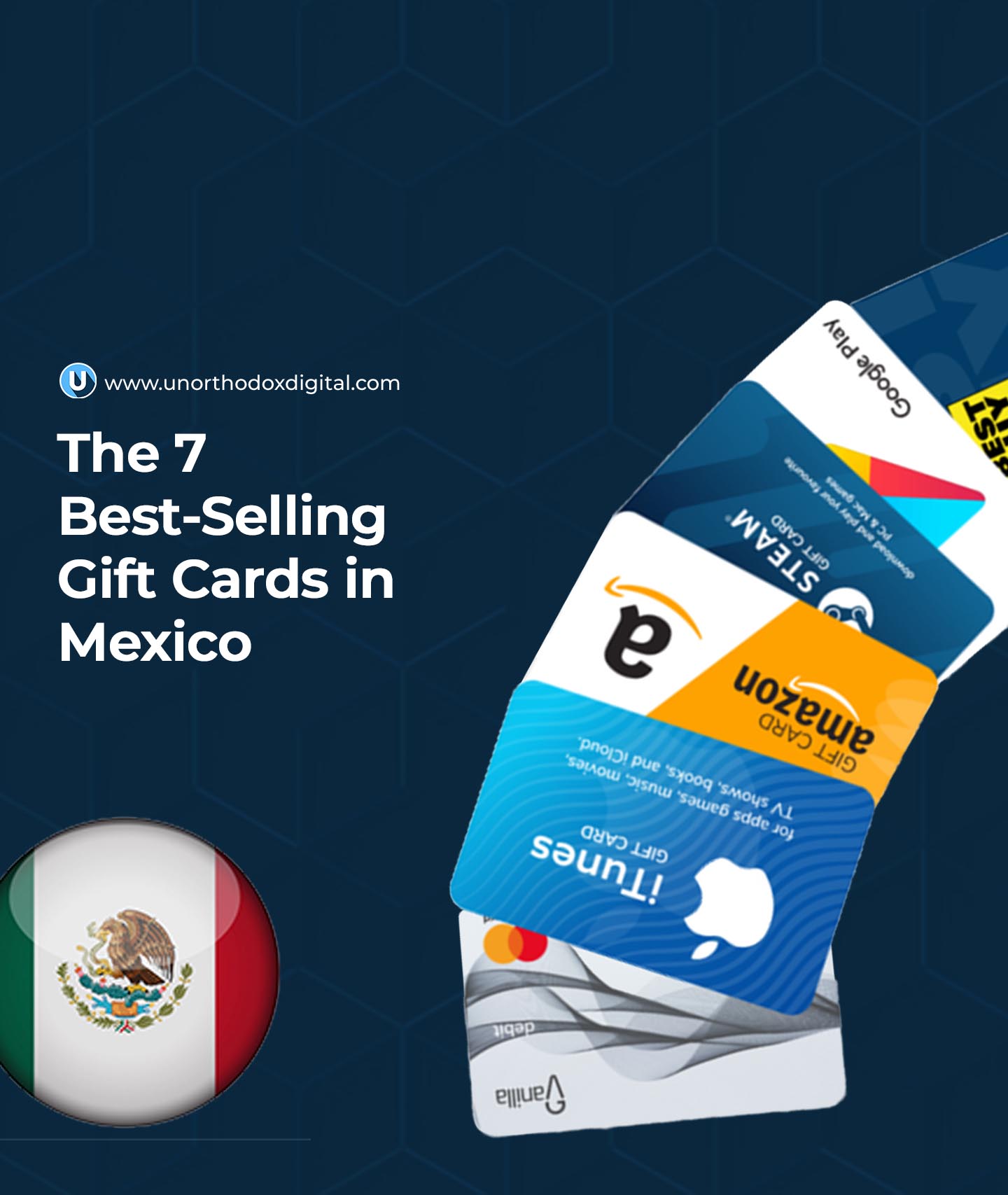
  • The 7 Best-Selling Gift Cards in Mexico

    The 7 Best-Selling Gift Cards in Mexico

    Gift cards make life easier. Whether you need a last-minute present or want to give someone the freedom to pick their own gift, they’re a perfect choice. But with so many options, which ones do people in Mexico love the most? Let’s dive into the seven best-selling gift cards in Mexico and why they’re so popular.

    1. Apple & iTunes Gift Card

    If you know someone who’s always glued to their iPhone, an Apple & iTunes gift card is a no-brainer. This card gives them access to:

    • Apps – From productivity tools to fun games, they can download whatever suits their needs.
    • Music & Movies – Whether they love reggaeton, pop, or indie films, they can stream their favorites.
    • iCloud Storage – If their phone is always full, they can upgrade their storage without spending their own money.

    Another big plus? Apple Pay is growing in Mexico, so they might even use the balance toward a new iPhone, iPad, or MacBook. And since the credit never expires, they can use it whenever they want.

    2. Cinepolis Gift Card

    Going to the movies is always a treat, and a Cinepolis gift card makes it even better. Cinepolis is the biggest cinema chain in Mexico, so your recipient can use their card at hundreds of locations. They can watch:

    • The latest Hollywood hits
    • Big Mexican blockbusters
    • International films

    The best part? There are no fees or expiration dates. They can use it all at once for a fun night out or save it for multiple trips.

    3. Steam Gift Card

    If you have a gamer in your life, a Steam gift card is a fantastic pick. Steam is the world’s largest digital gaming platform, offering thousands of PC games, including:

    • Action-packed shooters
    • Strategy games
    • Indie gems

    Instead of trying to guess which game they want, a Steam card lets them choose exactly what they like. They can also buy in-game items and downloadable content (DLC) to enhance their experience.

    4. Elektra Gift Card

    Elektra is one of Mexico’s biggest electronics and home appliance retailers. Their gift cards are perfect for anyone looking to upgrade their tech or home essentials. With an Elektra card, they can buy:

    • Smartphones – iPhones, Samsungs, and other top brands
    • Laptops & Tablets – Perfect for work or school
    • Home Appliances – From refrigerators to washing machines

    Since big-ticket items can be pricey, an Elektra gift card allows the recipient to save up for a major purchase or grab smaller essentials at their own pace.

    5. Google Play Gift Card

    Not everyone is an Apple fan. For those who prefer Android, a Google Play gift card is the way to go. It works just like the Apple & iTunes card but is designed for Android users. They can use it for:

    • Apps & Games – Downloading their favorite games or productivity tools
    • Movies & TV Shows – Watching the latest releases
    • E-books & Audiobooks – Reading or listening to their favorite titles

    This card is a great choice for Android lovers who enjoy digital entertainment.

    6. Walmart Gift Card

    A Walmart Mexico gift card is one of the most practical options because Walmart sells just about everything. With this card, the recipient can shop for:

    • Groceries – Fresh fruits, veggies, and pantry staples
    • Clothes – Affordable fashion for the whole family
    • Electronics & Home Goods – TVs, kitchenware, and furniture

    Whether they need essentials or want to indulge in something fun, a Walmart card gives them endless options.

    7. Soriana Gift Card

    Soriana is another major supermarket chain in Mexico, and their gift cards are incredibly useful. They work like Walmart gift cards but focus more on grocery shopping. A Soriana card is perfect for:

    • Weekly grocery runs
    • Household essentials – Cleaning supplies, toiletries, and more
    • Health & wellness items – Vitamins, medicine, and personal care products

    With over 500 locations across Mexico, finding a store to use this card is never a problem.

    Comparing the Top Gift Cards

    Gift CardBest ForCan Be Used For
    Apple & iTunesApple usersApps, music, movies, iCloud storage
    CinepolisMovie loversMovie tickets, snacks
    SteamGamersGames, in-game content
    ElektraTech & home shoppersElectronics, appliances
    Google PlayAndroid usersApps, games, books, movies
    WalmartEveryday shoppingGroceries, electronics, clothes
    SorianaGrocery shoppingFood, cleaning supplies, medicine

    Gift cards are one of the best presents because they let people choose what they really want. Whether it’s entertainment, gaming, tech, or everyday essentials, these seven gift cards are the most popular in Mexico for a reason. Next time you’re looking for a thoughtful yet flexible gift, you can’t go wrong with one of these options!

    The 7 Best-Selling Gift Cards in Mexico

    FAQs

    Where Can I Purchase Gift Cards in Mexico?

    You can buy both physical and digital gift cards in Mexico. Major retailers such as Walmart, Soriana, and department stores have dedicated sections for physical gift cards. Additionally, many brands sell digital gift cards through their official websites.

    How Do I Buy a Mexico Gift Card Online?

    Many well-known Mexican brands, like Cinepolis, offer digital gift cards on their websites, which can be sent via email or printed for later use. Online marketplaces such as Amazon Mexico and trusted platforms like Cardtonic also provide a variety of Mexican e-gift cards for different brands.

    Are Visa Gift Cards Available in Mexico?

    Yes, Visa gift cards are accessible through certain Mexican banks, including Banorte. These prepaid cards function like regular Visa debit cards and can be used for both local and international transactions wherever Visa is accepted.

    Do Mexican Gift Cards Have Any Restrictions?

    Most gift cards in Mexico do not come with strict limitations. They are usually valid for both online and in-store purchases, and many do not expire or carry extra fees. However, some brands may have specific terms, such as requiring activation before first use, balance expiration rules, or fees for reloading funds. Always check the terms and conditions before purchasing.

    Can I Exchange a Mexican Gift Card for Cash?

    Mexican gift cards generally cannot be redeemed for cash. However, if you have a card for a store you don’t shop at, you may be able to sell it on a gift card exchange platform like Prestmit and Cardtonic to receive cash in return.

  • How to Unlock Free Data on MTN Nigeria

    How to Unlock Free Data on MTN Nigeria

    Who doesn’t love free data? Whether you want to stream, chat, or scroll endlessly, getting free data on MTN Nigeria can save you money while keeping you connected. The best part? It’s totally possible if you know where to look.

    In this guide, I’ll break down how to unlock free data on MTN using simple, legit methods that anyone can follow. Think of it like finding hidden treasure—except the treasure is extra data for browsing, downloading, or gaming. Let’s dive in.

    1. MTN Promotions: The Easiest Way to Get Free Data

    MTN regularly runs special promotions that give users free data. These promos might require you to recharge a specific amount, buy certain bundles, or participate in a contest.

    How to Find MTN Promotions:

    • Dial *121# and check the available offers.
    • Follow MTN Nigeria on social media (Twitter, Facebook, Instagram).
    • Visit the MTN website to see current deals.

    Example: Last year, MTN introduced a promo where users who recharged ₦500 or more got 1GB of free data. If you don’t check often, you might miss out on offers like this!

    2. MTN Welcome Back Offer: Data for Returning Customers

    If you haven’t used your MTN SIM in a while, you might qualify for the MTN Welcome Back Offer, which includes free data bonuses.

    How to Check Eligibility:

    1. Insert your old MTN SIM into your phone.
    2. Dial *131# and look for special offers.
    3. Recharge your line with at least ₦100 and check if you get a data reward.

    Bonus Tip: If you don’t use your SIM for 30 days, MTN might send you a special offer to encourage you to reactivate it!

    3. MTN Referral Program: Invite Friends, Get Free Data

    MTN sometimes runs referral programs where both you and your friend get free data when they join the network.

    How It Works:

    1. MTN gives you a unique referral code.
    2. Share the code with friends or family.
    3. Once they register and meet the requirements (like buying a data plan), you both receive free data.

    Check MTN’s website or social media pages for updates on active referral programs.

    4. MTN Data Bonuses for Recharges

    MTN has a habit of rewarding customers who recharge their lines with data bonuses.

    Recharge AmountBonus DataValidity
    ₦200100MB3 Days
    ₦500500MB7 Days
    ₦10001GB7 Days

    To check if your recharge qualifies for a bonus, dial *131*4#.

    5. MTN Loyalty Rewards: Data for Long-Term Users

    If you’ve been using MTN for a while, you might qualify for loyalty rewards through MTN Pulse Points or other special promotions.

    How to Check and Redeem Your Loyalty Points:

    • Dial *406# and check for offers under “Pulse Points.”
    • Redeem points for free data or discounts.

    6. Data Gifting & Sharing: Get Free Data from Friends

    Did you know MTN lets you ask friends for data? If someone you know has extra data, they can send it to you.

    How to Request or Receive Data from a Friend:

    • To request data from a friend on MTN, you can dial *312*8# or *321*2#. Then, select option 3 and enter your friend’s number to send a request for data.

    Sometimes, MTN gives extra data for first-time data sharers—so it’s worth trying!

    How to Unlock Free Data on MTN Nigeria

    7. Free Data from MTN Apps and Partnerships

    MTN has partnerships with certain apps that reward you with free data.

    Examples include:

    • MyMTN App: Download and register on the MyMTN app, and you might get a free data bonus.
    • Opera Mini & Phoenix Browser: Sometimes, MTN partners with these browsers to offer free browsing packages.
    • Task-Based Apps: Some apps offer free data for completing surveys, watching ads, or referring users.

    Check the MyMTN app or dial *460# for available app-based data bonuses.

    8. MTN Free YouTube Night Data

    If you love watching YouTube, you can take advantage of MTN’s free YouTube Night bonus that comes with some data plans.

    How to Get It:

    • Buy a qualifying data bundle (e.g., 1.5GB for ₦500).
    • Get free YouTube data to use at night (11 PM – 6 AM).
    • Dial *131# and look under “Night Bundles” to check eligibility.

    Frequently Asked Questions (FAQs)

    Is MTN free data legit?

    Yes, MTN offers legit free data through promotions, loyalty rewards, and special offers. Always check official sources to avoid scams.

    Can I transfer my free data to someone else?

    Most free data bonuses cannot be transferred, but standard purchased data can be gifted.

    How do I check my free data balance?

    Dial 1314# to see your free data balance and validity.

    Do I need to pay anything to unlock free data?

    No! MTN’s free data offers are legit rewards for customers. However, some offers may require minimal actions like recharging your line or referring a friend.

    By following these methods, you can unlock free data on MTN Nigeria and enjoy more browsing without extra costs. Keep checking MTN’s updates so you never miss a free data opportunity!

  • 15 Ways to Make Money on Facebook in Nigeria Now

    15 Ways to Make Money on Facebook in Nigeria Now

    If you’ve ever wondered how people are making money on Facebook in Nigeria, you’re in the right place. Whether you’re just scrolling through your timeline or posting for fun, Facebook can actually be a goldmine if you know what you’re doing. Let’s break down 15 ways you can start making money today.

    1. Earn Money by Completing Tasks and Referrals on Hawkit

    Hawkit is a platform where you can get paid for simple tasks like liking posts, sharing content, or referring friends. It’s like being rewarded for things you already do on social media. If you refer others, you can earn even more.

    2. Profit from Buying and Selling on Facebook Marketplace

    Think of Facebook Marketplace like an online shop where you can sell anything—clothes, gadgets, furniture, even cars. If you find cheap items in your area, you can flip them for a profit. Just take clear photos, write a good description, and set a fair price.

    3. Make Money Through Virtual Events and Live Tipping

    If you have a skill—like singing, cooking, or giving advice—you can host live events on Facebook. People can send you tips using features like Facebook Stars or external platforms like Buy Me a Coffee.

    4. Build and Monetize a Valuable Facebook Page

    Creating a popular Facebook Page can open doors to multiple income streams. If you post engaging content and build a loyal audience, you can make money through ads, sponsorships, and promotions. Just pick a niche that interests you—like comedy, fashion, or tech—and stay consistent.

    5. Leverage Influencer Marketing to Secure Brand Deals

    Brands love working with people who have an audience. If you have a good number of followers and high engagement, companies will pay you to promote their products. This could be in the form of sponsored posts, reviews, or shoutouts.

    6. Generate Revenue Through Crowdfunding and Fan Support

    If you have a project—like a creative idea or a community cause—you can ask your followers for financial support. Platforms like GoFundMe or Patreon can help you collect donations from those who appreciate your work.

    7. Drive Traffic to Affiliate Links for Commissions

    Affiliate marketing allows you to earn a commission when people buy products through your unique referral links. You can post reviews, tutorials, or recommendations on your Facebook page, linking to products from platforms like Jumia, Konga, or Amazon.

    8. Offer Community Management as a Paid Service

    If you’re good at keeping conversations lively and engaging online, businesses will pay you to manage their Facebook pages or groups. Your job will be to interact with customers, post updates, and keep things running smoothly.

    9. Sell Digital Products Like E-Books, Courses, or Templates

    Have knowledge in a particular field? Package it into an e-book, an online course, or ready-made templates (like CV designs or business plans). You can sell these directly through Facebook groups, pages, or Messenger, or list them on a platform like Selar in Nigeria.

    10. Monetize Facebook Reels with In-Stream Ads

    Facebook pays content creators who make engaging short videos. If your videos meet the platform’s requirements, you can earn from in-stream ads. Just create fun or informative content, and the more views you get, the more money you make.

    11. Resell Facebook Accounts or Pages with High Engagement

    Some businesses want an already active audience rather than starting from scratch. If you can grow a Facebook page or group to thousands of active followers, you can sell it for a good price.

    Page SizeEstimated Selling Price (₦)
    5,000 – 10,000 followers₦20,000 – ₦50,000
    10,000 – 50,000 followers₦50,000 – ₦150,000
    50,000+ followers₦150,000 and above

    12. Earn from Exclusive Memberships in Facebook Groups

    If you have valuable content—like business advice, investment tips, or industry secrets—you can create a private Facebook group and charge a membership fee. People are willing to pay for exclusive information and networking opportunities.

    13. Partner with Brands for Sponsored Facebook Content

    This is similar to influencer marketing but on a larger scale. Companies might ask you to post sponsored articles, videos, or even run their ads on your page. The bigger your audience, the more you can charge.

    14. Launch and Promote Your Own Business Using Facebook

    Facebook isn’t just a place for fun—it’s a powerful tool for running a business. Whether you’re selling physical products, running an online store, or offering services, Facebook helps you reach customers through pages, groups, and ads.

    15. Offer Facebook Ad Management Services to Businesses

    Many businesses don’t know how to run Facebook ads effectively. If you learn the basics of Facebook advertising, you can manage ads for companies and charge them a fee for your expertise.

    Service OfferedPotential Earnings (₦ per campaign)
    Ad setup and management₦10,000 – ₦50,000
    Facebook ads training₦20,000 – ₦100,000
    Full social media marketing₦50,000+ per month

    Facebook is more than just a social media platform—it’s a money-making machine if you use it wisely. Whether you’re selling products, offering services, or creating content, there’s a way for you to make money. Pick one or two methods that match your skills and start today!
    How to Make Money on Facebook in Nigeria Now

    FAQs

    Can I get paid on Facebook in Nigeria?

    Yes, you can get paid on Facebook in Nigeria through various monetization options like in-stream ads, Facebook Stars, brand partnerships, affiliate marketing, and selling products or services. However, some features, like in-stream ads, require eligibility based on Facebook’s Partner Monetization Policies, and earnings are usually processed via PayPal or bank transfers, depending on the method used.

    How do I start getting paid on Facebook?

    To start earning on Facebook, follow these steps:

    1. Create and grow your page or profile – Build a strong audience with engaging content.
    2. Check Facebook’s monetization eligibility – Visit the Creator Studio and ensure your page meets the requirements.
    3. Enable monetization features – Apply for in-stream ads, Facebook Stars, or other revenue streams.
    4. Explore other income options – Consider affiliate marketing, brand collaborations, and direct sales.
    5. Stay active and consistent – Post regularly to keep your audience engaged and increase your earning potential.

    How much does Facebook pay for 1,000 views in Nigeria?

    The amount Facebook pays for 1,000 views varies based on factors like audience location, content type, and engagement. On average, in-stream ads generate around $0.20 to $3 per 1,000 views, but Nigerian creators often earn on the lower end of this range due to lower ad rates in the region.

    How many followers do I need to get paid on Facebook?

    The number of followers required depends on the monetization method:

    • In-stream ads – At least 10,000 followers and 600,000 minutes of watch time in the last 60 days.
    • Facebook Stars – No minimum follower requirement, but you need an engaged audience.
    • Brand collaborations and affiliate marketing – No strict limit, but at least 1,000 to 5,000 followers improves your chances.
    • Selling products/services – No follower requirement, but more followers mean better sales potential.

    How much does 1,000 views pay on Facebook?

    The earnings per 1,000 views depend on factors like video length, audience demographics, and ad engagement. On average, creators in Nigeria can earn between $0.20 and $3 per 1,000 views, but rates fluctuate based on advertiser demand.

    What kind of Facebook page can earn money?

    Almost any Facebook page can earn money if it provides valuable content and engages an audience. Some of the most profitable page types include:

    • Entertainment and viral content – Memes, short videos, and trending topics.
    • Educational pages – Tutorials, DIY tips, and business insights.
    • Gaming pages – Live streaming and gameplay videos.
    • E-commerce and business pagesSelling products and services.
    • Influencer and personal brands – Partnering with brands for sponsorships.
    • News and media pages – Monetizing with in-stream ads.

    Success depends on creating engaging content, growing a loyal audience, and leveraging multiple income streams.

  • 5 Best Cuba Gift Cards to Buy Right Now

    5 Best Cuba Gift Cards to Buy Right Now

    Gift cards are a fantastic way to send value to someone without worrying about bank transfers, currency conversions, or restrictions on international payments. If you have friends, family, or colleagues in Cuba, you might be wondering which gift cards are actually useful there. Don’t worry—I’ve got you covered! Here are the five best gift cards that people in Cuba can use right now, along with why they’re great choices and how to get them.

    1. Amazon Gift Card – Best for Online Shopping

    Amazon is one of the largest online stores in the world, offering everything from books and clothes to electronics and home appliances. Even though Cuba has some restrictions on direct shipping, an Amazon gift card is still valuable.

    Why It’s Great:

    • Huge variety of products to choose from.
    • Can be used for personal purchases or reselling items for profit.
    • Available in different amounts, usually ranging from $15 to $100.

    How to Use It in Cuba:

    Not all Amazon sellers ship to Cuba, but there’s a workaround! Many people in Cuba use third-party shipping companies that allow them to order from Amazon and receive deliveries through countries like Mexico or Panama.

    DenominationsWhere to BuyDelivery Method
    $15 – $100Online retailersEmail delivery

    2. La Epoca Gift Card – Best for Fashion Lovers

    If your recipient is into fashion, a La Epoca gift card is a perfect choice. La Epoca is one of Havana’s most well-known clothing stores, offering trendy outfits for men, women, and children.

    Why It’s Great:

    • A local store, so there are no international restrictions.
    • Perfect for buying stylish clothes, shoes, and accessories.
    • Available in denominations of $10 to $100.

    How to Use It in Cuba:

    You can buy a La Epoca gift card online through the store’s official website and send it via email to your recipient. They can then use it at the physical store in Havana.

    3. Netflix Gift Card – Best for Entertainment Lovers

    Netflix is one of the most popular streaming services worldwide, and yes, people in Cuba watch Netflix too! A Netflix gift card allows your recipient to pay for their subscription without needing a credit or debit card—which can sometimes be a challenge in Cuba.

    Why It’s Great:

    • Provides access to thousands of movies, TV shows, and documentaries.
    • Works globally, including Cuba.
    • Available in amounts from $15 to $200.

    How to Use It in Cuba:

    The gift card can be redeemed directly on the Netflix website to extend an existing subscription or start a new one.

    DenominationsWhere to BuyDelivery Method
    $15 – $200Online retailersEmail delivery

    4. Spotify Gift Card – Best for Music Lovers

    Music is a universal language, and Spotify is one of the best ways to enjoy it. A Spotify gift card lets users in Cuba upgrade to a Premium subscription, which means ad-free music, unlimited skips, and offline listening.

    Why It’s Great:

    • Unlocks full Spotify Premium features.
    • Ideal for anyone who loves music or podcasts.
    • Available in denominations of $10 to $60.

    How to Use It in Cuba:

    Your recipient can redeem the card on the Spotify website and use it to pay for their Premium subscription.

    5. Google Play Gift Card – Best for Android Users

    For anyone using an Android phone or tablet, a Google Play gift card is an excellent option. It gives access to paid apps, movies, books, games, and in-app purchases.

    Why It’s Great:

    • Perfect for app lovers, gamers, and movie fans.
    • No need for a credit card to buy digital content.
    • Available in amounts from $5 to $200.

    How to Use It in Cuba:

    Once received, the card can be redeemed in the Google Play Store for purchases.

    DenominationsWhere to BuyDelivery Method
    $5 – $200Online retailersEmail delivery
    5 Best Cuba Gift Cards to Buy Right Now

    FAQs

    Which gift cards are available in Cuba?

    The most commonly used gift cards in Cuba include Amazon, La Epoca, Netflix, Spotify, and Google Play. While direct purchases may sometimes be tricky, these options provide useful workarounds.

    Is a Steam card available in Cuba?

    Yes, but it depends on the user’s gaming setup. Steam gift cards allow purchases of PC games and software, but accessing Steam in Cuba may require a VPN.

    What other gift cards work in Cuba?

    Some other options include iTunes, eBay, and Walmart gift cards, but they may have restrictions similar to Amazon.

    Does Cuba have iTunes gift cards?

    Yes Cuba has iTunes gift cards. iTunes gift cards can be used to buy music, movies, and apps from the Apple Store. However, like other international gift cards, users may need to create an account with a supported country’s details.

    If you’re looking for the best gift cards for someone in Cuba, these five options are great choices. Whether they love shopping, fashion, music, or streaming movies, there’s something for everyone. Just make sure to check whether they need a workaround (like third-party shipping for Amazon) to use their gift card without issues.

    Now that you know the best Cuba gift card options, you can confidently pick the right one and send a thoughtful gift today!

  • How To Activate MTN Share in Nigeria

    How To Activate MTN Share in Nigeria

    If you’ve ever wanted to send airtime from your MTN line to a friend or family member, MTN Share (formerly Share ‘N’ Sell) is the feature for you! This service lets you transfer airtime from your MTN balance to another MTN user—quick, easy, and free of charge. Whether you’re helping a friend in need or just sharing some extra airtime, this guide will walk you through everything step by step.

    What You Need to Know Before You Start

    Before you can use MTN Share, there’s one important thing to do: change your default PIN. MTN sets every customer’s transfer PIN to 0000 by default, but you must change it to something secure before making any transfers.

    How to Change Your MTN Share PIN

    There are two ways to change your PIN: via SMS or USSD. Here’s how:

    MethodSteps
    SMSSend an SMS with 0000 NewPIN NewPIN to 321. Example: Send 0000 1234 1234 to 321.
    USSDDial *321*0000*NewPIN*NewPIN# and press OK. Example: *321*0000*1234*1234#.

    Once you’ve changed your PIN successfully, MTN will send you a confirmation message.

    How to Transfer Airtime Using MTN Share

    You can transfer airtime using SMS or USSD. Let’s go through both methods.

    Method 1: Transfer Airtime via SMS

    1. Open your messaging app.
    2. Send an SMS with the format: Transfer RecipientNumber Amount PIN to 321.
      • Example: To send ₦1,500 to 08031234567, type Transfer 08031234567 1500 1234 and send it to 321.
    3. You’ll receive a confirmation message asking you to reply with YES to complete the transaction.

    Method 2: Transfer Airtime via USSD

    1. Dial *321*RecipientNumber*Amount*PIN# and press OK.
      • Example: *321*08031234567*1500*1234#.
    2. You’ll receive a confirmation message once the transfer is successful.

    Important MTN Share Rules & Limits

    Before you start sending airtime left and right, here are some important rules you should know:

    RuleDetails
    Minimum Transfer Amount₦50 per transaction
    Maximum Transfer Amount per Transaction₦10,000
    Daily Transfer Limit₦100,000 total per day
    Transfer DenominationsYou can only transfer whole Naira amounts (e.g., ₦71, not ₦71.99).
    Postpaid CustomersYou can only transfer airtime if your account is in a positive balance.
    Transaction LimitNo limit on the number of transactions per day, as long as you stay within ₦100,000 total.
    How To Activate MTN Share in Nigeria

    Common Issues & How to Fix Them

    1. Forgotten Your Transfer PIN?

    If you forget your PIN, dial MTN Customer Care by calling 300 and request a PIN reset.

    2. Not Enough Airtime?

    Ensure you have enough balance before transferring. If you don’t, the transfer will fail.

    3. Incorrect PIN?

    If you enter the wrong PIN multiple times, MTN may temporarily block your transfer feature for security reasons. Double-check your PIN before trying again.

    4. Wrong Recipient Number?

    Once airtime is transferred, it CANNOT be reversed. Always double-check the number before confirming the transaction.

    Why Use MTN Share?

    • Fast and convenient – No need for recharge cards when you can send airtime instantly.
    • No extra charges – MTN Share is completely free.
    • Works for both prepaid and postpaid customers – As long as postpaid users have a positive balance.

    MTN Share is a handy feature that makes it easy to send airtime to friends, family, or even yourself (if you have multiple MTN lines). By following these steps, you can activate and use MTN Share effortlessly. Now that you know how to transfer airtime, go ahead and try it out!

  • How to Claim MTN Loyalty Rewards Points in Ghana

    How to Claim MTN Loyalty Rewards Points in Ghana

    MTN Ghana rewards its loyal customers with points every time they use MTN services like making calls, sending SMS, browsing the internet, or using Mobile Money (MoMo). If you’ve been racking up these points, you might be wondering how to turn them into something useful—like free airtime, data bundles, or even discounts at partner stores. Don’t worry, I’ve got you covered! In this guide, I’ll walk you through the easy steps to check your balance and redeem your rewards quickly.

    What Are MTN Loyalty Rewards Points?

    MTN Rewards is a loyalty program that gives you points based on your activity on the MTN network. The more you use MTN services, the more points you earn. You can redeem these points for:

    Reward TypeDescription
    AirtimeUse your points to get free call credit.
    Data BundlesExchange points for internet bundles.
    DiscountsGet special offers at partner stores.

    These points accumulate automatically, so you don’t have to sign up separately. However, they do expire at the end of each year, so it’s a good idea to redeem them before they reset.
    How to Check Your MTN Rewards Points Balance

    Before redeeming your points, you need to check how many you have. Here’s how to do it:

    Using USSD Code:

    1. Dial *550# on your MTN phone.
    2. Select Option 7 for MTN Rewards.
    3. Select 99 for “More.”
    4. Choose Check Points Balance.
    5. Wait for an SMS showing your total points.

    Using the MyMTN App:

    1. Open the MyMTN app (download it if you don’t have it).
    2. Tap Shop at the bottom.
    3. Select Rewards to see your points balance.

    Once you know your balance, you’re ready to redeem your points!

    How to Redeem Your MTN Loyalty Points

    You can redeem your points using two methods: the USSD code or the MyMTN app.

    Method 1: Redeeming Points via USSD

    Follow these steps to claim your reward:

    1. Dial *550# on your phone.
    2. Select Option 7 for MTN Rewards.
    3. Choose 99 for “More.”
    4. Select Redeem Points.
    5. Pick your preferred reward:
      • Airtime
      • Data Bundles
      • Other Rewards (partner discounts)
    6. Select a validity period (e.g., daily, weekly, or monthly package).
    7. Choose your preferred package based on your available points.
    8. Confirm the transaction by selecting 1.
    9. You’ll receive an SMS within 48 hours confirming your reward.

    Method 2: Redeeming Points via MyMTN App

    If you prefer using an app, follow these steps:

    1. Open the MyMTN app and log in.
    2. Tap Shop at the bottom of the screen.
    3. Select Rewards to view your points balance.
    4. Under Redeem Points, choose your preferred reward.
    5. Pick a validity period and package based on your points balance.
    6. Confirm the transaction.
    7. You’ll receive a confirmation message once the redemption is successful.

    3 Tips to Maximize Your MTN Rewards

    Want to get the most out of your MTN loyalty points? Keep these tips in mind:

    TipExplanation
    Use MTN Services OftenThe more you make calls, browse, or use MoMo, the more points you earn.
    Check Your Points Balance RegularlyThis helps you plan your redemptions and avoid missing out on rewards.
    Redeem Before They ExpirePoints reset every December 20, so claim your rewards before the deadline.
    How to Claim MTN Loyalty Rewards Points in Ghana

    Frequently Asked Questions (FAQs)

    Do MTN Loyalty Points Expire?

    Yes, all unredeemed points expire on December 20 every year. New points start accumulating from January 1.

    Can I Convert My MTN Points to Cash?

    No, you cannot convert points to cash. However, you can redeem them for airtime, data, or discounts.

    Can I Transfer My MTN Points to Someone Else?

    Yes, MTN allows you to transfer your points to another MTN user.

    Claiming your MTN Loyalty Rewards Points in Ghana is quick and easy. Whether you prefer using a USSD code or the MyMTN app, you can redeem your points for airtime, data, or exclusive discounts. Keep using MTN services regularly, track your points, and redeem them before they expire to enjoy all the benefits!

    Now go ahead—check your points and claim your well-deserved rewards today!

  • How to Reverse Airtime Back to Your MTN Mobile Money Account

    How to Reverse Airtime Back to Your MTN Mobile Money Account

    Have you ever accidentally purchased airtime instead of transferring money through your MTN MoMo wallet? Don’t panic! MTN has made it super easy to reverse airtime purchases and get the funds back into your MoMo wallet. Whether you’re new to MTN or you’ve been using it for years, understanding how to do an airtime reversal can save you time and frustration. This article will break it all down in a simple and easy-to-follow way—no complicated tech terms, just clear steps anyone can follow.

    What You Need to Know Before Reversing Airtime

    Before diving into the process of reversing airtime, let’s get a few important details straight. Here are some things you should know:

    1. You Have 72 Hours to Reverse: If you made the wrong purchase, don’t wait too long to request a reversal. MTN only allows reversals within 72 hours (3 days) of the transaction.
    2. One Reversal Per Week: You can only reverse one airtime purchase per week. So, if you’ve already reversed airtime this week, you’ll need to wait until next week for another reversal.
    3. The Minimum Reversal Amount: To reverse airtime, the minimum amount eligible for a reversal is GHS 10. Unfortunately, if you purchased less than this amount, you won’t be able to reverse it.
    4. Full Reversals Only: MTN only allows full reversals. You can’t reverse just part of the airtime you bought. So, if you purchased GHS 20 worth of airtime, the entire GHS 20 will be refunded—not a smaller portion.
    5. You Must Not Have Used the Airtime: If you’ve used any part of the airtime, you need to top up your account to make sure the full amount is still available in your airtime balance before you can reverse it.
    6. Reversals Apply Only to MoMo Purchases: Airtime purchased through your MoMo wallet or from an MTN number can be reversed. However, airtime wrongly sent to other networks (like Vodafone or Airtel) cannot be reversed. Additionally, airtime bought from an agent cannot be reversed.

    Knowing these details will help you avoid any confusion later on.

    How to Reverse Airtime Using the MTN MoMo USSD Code

    One of the easiest ways to reverse airtime is by using the MTN MoMo USSD code. If you prefer not to use an app and want a quick method, follow these simple steps:

    Step-by-Step Guide for the USSD Code:

    1. Dial the USSD Code: Start by dialing *170# on your phone to access the MoMo menu.
    2. Choose the Wallet Option: Once the MoMo menu appears, select Option 6 (Wallet).
    3. Proceed to Next Step: You’ll then be asked to press # to move to the next screen.
    4. Select ‘Reversals’: From the menu options, choose Option 8 (Reversals).
    5. Choose ‘Airtime Reversal’: After that, select Airtime Reversal.
    6. Select the Transaction to Reverse: You’ll now see a list of your recent transactions. Select the airtime purchase you want to reverse.
    7. Confirm the Reversal: The system will ask you to confirm the transaction. Select 1 to confirm and initiate the reversal.

    How to Reverse Airtime Using the MyMTN App

    If you prefer using an app, MTN has made it just as easy to reverse airtime through the MyMTN App. Here’s how to do it:

    Step-by-Step Guide for the MyMTN App:

    1. Open the MyMTN App: Start by opening the MyMTN App on your phone. Make sure you’re logged in.
    2. Select ‘More’: Once inside the app, tap the More button at the bottom-right corner of the screen.
    3. Choose ‘Airtime Reversal’: In the new menu, you’ll see an option called Airtime Reversal. Select this option.
    4. Pick the Transaction: A list of your recent transactions will appear. Choose the airtime purchase you wish to reverse.
    5. Confirm the Reversal: After selecting the transaction, tap Top-up and then confirm the reversal.
    6. Wait for Confirmation: The system will process your reversal, and once complete, you will receive a confirmation message.

    What to Do if You Encounter Problems

    Sometimes things don’t go as planned. If you run into an issue while reversing your airtime, here’s what you can do:

    Error Message: “Y’ello, Kindly note that 054XXXXXXX has less than …”

    If you see this error message, it means that the recipient’s balance is too low for the reversal to go through. Don’t worry—MTN customer care can help.

    • Contact Customer Service: If you face this issue, contact MTN customer support immediately. They’ll log the complaint for you, and the airtime should be reversed within 24-48 hours.

    How to reverse airtime back to MTN mobile money account

    What Happens After a Successful Reversal?

    Once your airtime has been successfully reversed, the amount (plus a bonus) will be credited back to your MoMo wallet. MTN typically credits a 50% bonus (formerly 100%) of the airtime purchased through your MoMo wallet.

    Example: If you bought GHS 20 worth of airtime, you’ll get a GHS 20 refund back to your MoMo wallet, plus a GHS 10 bonus—making a total of GHS 30 back in your MoMo account.

    Frequently Asked Questions (FAQs)

    1. Is There a Charge for Airtime Reversals?

    No, MTN does not charge any fees for reversing airtime. The full amount of airtime you purchased will be refunded back into your MoMo wallet.

    2. Can I Reverse the MTN Airtime I Wrongly Transferred?

    Yes! If you mistakenly transferred airtime to the wrong person, you can reverse it. However, the airtime must still be unused. If the recipient used the airtime, the reversal will not be possible.

    3. Is There a Limit on the Amount of Airtime I Can Reverse?

    Yes, there is a minimum limit of GHS 10 for any airtime reversal. This means you can only reverse purchases that are GHS 10 or more.

    4. Can I Reverse Part of My Airtime Purchase?

    No, MTN only allows full airtime reversals. If you bought GHS 50 worth of airtime, you must reverse the full amount. Partial reversals are not allowed.

    Things to Keep in Mind

    • Double-Check Your Transactions: Always double-check the details before confirming any airtime purchases or transfers to avoid errors.
    • Don’t Use the Airtime: If you realize you made a mistake, don’t use the airtime. If any part of the airtime is used, you won’t be able to reverse it.

    Reversing airtime on MTN is a simple process that can help you get your money back into your MoMo wallet if you made a mistake. Whether you’re using the USSD code or the MyMTN App, the process is straightforward and quick—just remember to act within 72 hours and ensure the airtime hasn’t been used.

    By following the steps outlined in this guide, you’ll be able to reverse any airtime purchase with ease and get your funds back in no time. And remember, if you ever run into any trouble, MTN customer service is always there to help you out.

    Now that you know the ins and outs of reversing airtime on MTN, you can confidently handle any mistakes and keep your MoMo wallet in check!

  • AirtelTigo Money Registration: Step-by-Step Guide

    AirtelTigo Money Registration: Step-by-Step Guide

    Imagine being able to send money, buy airtime, and pay bills—all from your phone—without needing to visit a bank. That’s exactly what AirtelTigo Money (AT Money) allows you to do. If you’ve ever wondered how to register, don’t worry! This guide will walk you through the process in the simplest way possible, making sure you don’t miss a step.

    What is AirtelTigo Money?

    AirtelTigo Money (AT Money) is like a digital wallet sitting right in your phone. It lets you send and receive money, buy airtime and data, pay for goods and services, and even handle bill payments. Whether you’re splitting a lunch bill with a friend or paying your electricity bill, AT Money makes it easy.
    It started in 2011 as Tigo Cash, but after Airtel and Tigo merged in 2017, it became AirtelTigo Money. Today, it’s one of Ghana’s most convenient mobile money services.

    What You Need to Register for AirtelTigo Money

    Before you jump into the registration process, make sure you meet these requirements:

    • You must be at least 18 years old
    • You need a valid national ID (Ghana Card, Passport, Voter ID, etc.)
    • You must own a registered AirtelTigo SIM card

    If you have all three, you’re ready to go!

    How to register for AirtelTigo money

    How to Register for AirtelTigo Money

    AirtelTigo makes it easy to register in two ways: through your phone or at an AirtelTigo office. Let’s break them down step by step.

    Method 1: Register Using Your Phone (USSD Code)

    If you prefer handling things from the comfort of your home, this method is for you. Here’s how you do it:

    • Dial *110# on your AirtelTigo line.
    • Select Register from the options.
    • Choose Self AT Money Registration.
    • Wait for a confirmation SMS about your registration status.

    Set Up Your PIN

    Once you’re registered, you’ll need to set up your PIN to keep your money safe:

    • Dial *110# again.
    • Select Option 1 (Yes) to confirm registration.
    • Enter a 4-digit PIN (Avoid easy guesses like 1234 or 1111).
    • Confirm the PIN by entering it again.
    • Provide an alternate phone number for PIN recovery.
    • Enter a secret word that you can remember easily (this helps with account recovery if needed).

    And that’s it! You’ll get a final SMS confirming that your AirtelTigo Money wallet is ready to use.

    Pro Tip: If you face any issues during self-registration, simply call AirtelTigo customer service or visit an agent for help.

    Method 2: Register at an AirtelTigo Office

    Not comfortable doing it yourself? No problem! Just visit any AirtelTigo office or agent with your valid national ID. A customer care agent will assist you with the registration process.

    You’ll provide your personal details, set up a 4-digit PIN, and within minutes, you’ll be good to go!

    AirtelTigo Money Charges: What You Should Know

    Let’s talk money! While sending money to another AirtelTigo user is free, there are charges for other transactions. Here’s what you should expect:

    Amount (GHS)Charge
    0 – 50p0.5 GHS
    51 – 10001%
    1001 – 199910 GHS
    2000+20 GHS

    E-Levy Charges: If you send more than GHS 100 in a day, you’ll be charged 1% for e-levy, even if you’re sending money to another AirtelTigo number.

    Frequently Asked Questions (FAQs)

    What is the AirtelTigo Money shortcode for merchants?

    If you’re a business owner, you can access your merchant account by dialing *464#.

    Can I send money from AirtelTigo Money to other networks?

    Yes! Thanks to Ghana’s mobile interoperability system, you can send money from AT Money to other networks like MTN MoMo and Telecel Cash.

    How can I reset my AirtelTigo Money PIN if I forget it?

    If you forget your PIN, don’t panic! Just dial *110#, select Reset PIN, and follow the instructions. You may need your secret word or an alternate number for verification.

    AirtelTigo Money makes life easier by allowing you to handle transactions straight from your phone. Whether you’re paying for groceries, sending cash to family, or buying data, it’s a reliable and convenient service.

    Dial *110# now to get started and enjoy seamless mobile money transactions! Just remember—never share your PIN with anyone to keep your account safe from fraudsters.

    Now that you know how to register, go ahead and activate your AirtelTigo Money wallet today!

  • MTN Ghana Shares: How to Buy and Invest Successfully

    MTN Ghana Shares: How to Buy and Invest Successfully

    So, you’ve heard that MTN Ghana allows people to buy shares, and you’re curious about how to get in on it. Maybe you’re thinking, “Is this really for me? Do I need to be some kind of stock market genius?” The good news is—you don’t! Buying MTN shares is easier than you think, and by the time you finish reading this, you’ll know exactly how to do it.

    What Are Shares, and Why Should You Care?

    Imagine you and your friends want to start a small business selling snacks. You all contribute money, and each of you owns a piece of the business. That piece? That’s basically what a share is! When you buy MTN Ghana shares, you’re buying a tiny part of the company.

    And why is this exciting? Well, if MTN continues to do well, your shares can increase in value. Plus, MTN may give you a little bonus called dividends—extra money just for owning shares! Not a bad deal, right?

    MTN Ghana Shares: What You Need to Know

    • MTN is currently the only telecom company in Ghana offering shares to the public.
    • The share price changes over time. In 2018, the price started at GHS 0.75 per share. By April 2024, it was GHS 1.56.
    • You can buy shares through MTN Mobile Money (MoMo) or a licensed brokerage firm.

    Two Ways to Buy MTN Shares

    MTN has made buying shares super convenient. You can either use your phone with MoMo or go through a brokerage firm. Let’s break both down.

    Method 1: Buying MTN Shares via Mobile Money (MoMo)

    This is the easiest method, especially if you already use MoMo. Here’s how:

    1. Dial *170# on your phone.
    2. Select Financial Services, then Trade Shares.
    3. Enter your MoMo PIN.
    4. You’ll receive an SMS with a link to register.
    5. Click on the link, sign up, and select your account type.
    6. Once registered, you can buy shares directly from your MoMo wallet.

    Your shares will be stored in your Central Securities Depository (CSD) account with the Ghana Stock Exchange. That’s basically your digital piggy bank for shares!

    Method 2: Buying MTN Shares Through a Brokerage Firm

    A brokerage firm is like a middleman that helps you buy and sell shares. If you want a more traditional way to invest, this is a solid option.

    Here’s how to do it:

    1. Choose a brokerage firm. Some licensed brokers in Ghana include IC Securities, Fidelity Bank, CalBank, and Black Star Brokerage Limited.
    2. Open an account. You’ll need to provide some personal details like your name, address, and a valid ID.
    3. Fund your account. You can transfer money via bank, MoMo, or even a debit/credit card.
    4. Buy your MTN shares. Use the broker’s online platform or speak with them directly to place your order.
    5. Get confirmation. Your broker will send you a confirmation once your shares are successfully purchased.

    Why Buy MTN Shares?

    Great question! Here are a few reasons:

    • You become a part-owner of MTN Ghana.
    • You earn dividends. Twice a year, MTN gives shareholders a portion of their profits.
    • Your shares can increase in value over time. If MTN continues to grow, your investment grows too.
    How to buy MTN shares in Ghana

    Common Questions About Buying MTN Shares

    How many MTN shares can I buy?

    There’s no limit! You can buy as many as you want, but the minimum is 10 shares.

    Does MTN pay dividends?

    Yes! Shareholders receive dividends twice a year, depending on how well the company performs.

    Can I sell my MTN shares later?

    Absolutely! If you ever want to cash out, you can sell your shares through your brokerage firm or the Ghana Stock Exchange.

    Should You Invest?

    Like any investment, buying shares comes with risks. The stock price can go up or down, so it’s always a good idea to do your research and think about your long-term goals.

    But if you’re looking for a straightforward way to start investing, MTN Ghana shares are a great option. Whether you use MoMo for a quick and easy purchase or go through a brokerage firm for a more traditional experience, you’re taking a smart step towards growing your money.

    So, are you ready to become a shareholder? Give it a shot—your future self might thank you!

  • How to Open Foreign Bank Accounts in South Africa With Grey

    How to Open Foreign Bank Accounts in South Africa With Grey

    Need an Easy Way to Receive International Payments?

    Imagine you’re a freelancer in South Africa, and a client from the U.S. wants to pay you in dollars. Or maybe you run an online store, and international customers prefer paying in euros or pounds. Normally, you’d deal with slow bank transfers, high fees, and exchange rate confusion. But what if you had a simple way to receive and manage foreign currencies right from South Africa?

    That’s where Grey comes in! Grey lets you open a US, UK, or EU foreign bank account from South Africa, making it easy to receive international payments, exchange currencies, and withdraw in South African Rand (ZAR)—all without the usual banking headaches.

    Let’s dive into how you can open a Grey foreign account today!

    What is Grey, and Why Should You Use It?

    Grey is a fintech platform that provides foreign bank accounts without the hassle of traditional banks. With Grey, you can open a USD, GBP, or EUR account in minutes—no need to travel or deal with complicated paperwork.

    Here’s what you can do with a Grey foreign account:

    • Receive money from international clients easily
    • Convert foreign currency to ZAR at competitive rates
    • Withdraw to your local South African bank account instantly
    • Use virtual cards for online payments in different currencies

    Basically, it’s like having a bank account in the U.S., U.K., or Europe—without leaving South Africa!

    Why Open a Foreign Bank Account With Grey?

    Grey makes international banking simple, fast, and affordable. Here’s why South Africans are using Grey:

    • Get paid like a local in multiple currencies – Receive payments in USD, GBP, or EUR directly into your foreign bank account.
    • Instant withdrawals to South African Rand (ZAR) – No more long wait times to access your funds.
    • No hidden fees – Traditional banks charge unnecessary fees, but Grey is transparent and cost-effective.
    • Virtual cards for international payments – Need to pay for global services like Netflix, Amazon, or Spotify? Grey makes it easy.
    • Perfect for freelancers, remote workers, and businesses – If you earn or spend in foreign currencies, Grey helps you save time and money.

    How to Open a Foreign Bank Account in South Africa With Grey (3 Simple Steps!)

    Unlike traditional banks that require tons of paperwork, Grey’s process is fully online and takes just a few minutes. Here’s how to get started:

    Step 1: Sign Up on Grey

    Visit Grey’s website or download the Grey mobile app. Create an account using your name, email, and phone number—it’s just like signing up for any other online service.

    Step 2: Complete KYC Verification

    To keep everything secure, Grey requires a quick verification process. You’ll need to:

    • Upload a government-issued ID (South African ID, Passport, or Driver’s License)
    • Take a quick selfie for identity verification
    • Provide proof of address (like a bank statement or utility bill)

    This process ensures that your account is secure and compliant with regulations.

    Step 3: Get Your Foreign Bank Account

    Once verified, Grey provides you with a foreign bank account (USD, GBP, or EUR), and you’re good to go! Now, you can send and receive international payments like a pro.

    How to Use Your Grey Foreign Bank Account

    Now that you have your foreign account, here’s how to make the most of it:

    1. Receive Payments From Anywhere

    Freelancers, remote workers, and businesses can share their Grey account details with international clients and get paid seamlessly.

    2. Convert and Withdraw Money Easily

    Got paid $500 in your Grey USD account? Convert it to ZAR at competitive exchange rates and withdraw it instantly to your local South African bank account.

    3. Make International Payments

    Need to buy software, subscribe to services, or shop online? Use Grey’s virtual cards to make payments in foreign currencies without restrictions.

    Frequently Asked Questions About Grey

    1. Is Grey a Bank?

    No, Grey is a fintech platform that partners with licensed financial institutions to provide foreign bank accounts and payment services.

    2. Is Grey Safe?

    Yes! Grey uses encryption, identity verification, and other security measures to protect your money and personal data.

    3. How Long Does It Take to Open an Account?

    Signing up takes just a few minutes, and KYC verification is usually completed within a few hours.

    4. Are There Any Hidden Fees?

    Nope! Grey is transparent with its fees, and you’ll always see the exchange rates before making a conversion.

    Why You Should Open a Grey Foreign Account Today

    If you earn or spend money in multiple currencies, Grey is the easiest way to manage international transactions from South Africa.

    No paperwork.
    No hidden fees.
    Works anywhere in South Africa.
    Instant withdrawals.

    Ready to simplify your international banking? Sign up on Grey today and start managing your foreign payments effortlessly!

  • How to Load a Glo Card Using USSD Code & More

    How to Load a Glo Card Using USSD Code & More

    This article explains how to load a Glo card in Nigeria using the USSD code *311*Voucher PIN# and other available methods.

    Stuck with a Glo recharge card and unsure how to load it? No worries! Whether you’re new to Glo or just need a refresher, this guide will walk you through the easiest ways to load your Glo airtime. We’ll cover USSD codes, online methods, and even some troubleshooting tips—so by the end, you’ll know exactly how to recharge your Glo line like a pro.

    How to Load a Glo Recharge Card Using USSD

    The most common way to recharge your Glo line is through a USSD code. This method works on all mobile phones, whether it’s a basic feature phone or the latest smartphone.

    Step-by-Step Guide:

    1. Scratch the silver panel on your Glo recharge card to reveal the 15-digit PIN.
    2. Dial *311*Voucher PIN# on your phone (replace “PIN” with the actual numbers on your card).
    3. Press OK/Send and wait for a confirmation message.
    4. Dial *310# to check your new balance.

    Example: If your Glo recharge card PIN is 123456789012345, you’ll dial:

    *311*123456789012345#

    That’s it! Your Glo line is now recharged.

    Alternative Recharge Methods

    If you don’t have a physical recharge card, don’t worry! There are other ways to add airtime to your Glo number.

    1. Online Recharge (Via Bank USSD or Website)

    If you prefer a cashless method, you can recharge Glo airtime directly from your bank or the Glo website.

    • Via Bank USSD: Dial *805#, select your bank, and enter the amount you want to recharge.
    • Via Glo Website:
      1. Visit www.gloworld.com.
      2. Click on Recharge Now.
      3. Enter your Glo phone number and amount.
      4. Choose a payment method and complete the transaction.

    How to Load Glo Card Using the Glo 4X Code

    Want four times the value of your recharge? Use the special Glo 4X recharge code:

    1. Buy a Glo recharge card.
    2. Dial *323*PIN# (replace “PIN” with your 15-digit recharge code).
    3. Press OK/Send and enjoy 4X your recharge amount!

    For example, if you recharge ₦500, you’ll receive ₦2,000 in airtime bonuses.

    Loading a Glo Card Using USSD Code & More

    Common Issues & How to Fix Them

    Even though recharging Glo airtime is simple, sometimes things go wrong. Here are some common problems and how to solve them.

    1. Invalid Recharge Code

    • Double-check that you entered the correct 15-digit PIN.
    • Make sure you scratched the card properly and didn’t misread any numbers.
    • Ensure you’re dialing *311*Voucher PIN# and not another code.

    2. Airtime Not Credited

    • Sometimes, there’s a delay due to network issues. Wait a few minutes and check your balance by dialing *310#.
    • If the airtime is still missing, contact Glo customer support by dialing 121.

    3. Recharging a Glo Card on the Wrong Network

    • Glo recharge cards only work on Glo lines. If you mistakenly try loading it on another network, you’ll get an error message.
    • Always confirm your SIM card before entering the recharge code.

    FAQs

    What is the USSD code to load Glo recharge card?

    The code to load a Glo recharge card is *311*Voucher PIN#.

    How do I recharge Glo airtime with a bank USSD code?

    Dial *805#, select your bank, and follow the instructions to complete your recharge.

    What is the Glo 4X recharge code?

    To get 4X your airtime, use *323*PIN# instead of the regular recharge code.

    Can I recharge my Glo line online?

    Yes! You can recharge via the Glo website or through your bank’s mobile app.

    Now that you know how to load a Glo recharge card, you can stay connected anytime, anywhere. Whether you prefer using a physical recharge card, a bank USSD code, or online methods, Glo makes it easy to top up your line.

    Next time someone asks, “How do I load a Glo card?” you’ll have the answer ready. Happy recharging!

  • How to Buy MTN’s Kokrokoo Bundle

    How to Buy MTN’s Kokrokoo Bundle

    Ever wished you could get cheap data and talk time just when you need it most? Well, MTN’s Kokrokoo Bundle is like a secret morning treasure! For just GHS 1.24, you get 400MB of data and 20 minutes of voice calls, available daily from 5 AM to 8 AM. That’s perfect for catching up on messages, streaming music, or making quick morning calls.

    But how do you buy it? Don’t worry—it’s super easy! I’ll walk you through the steps, like explaining to a friend, so you can start enjoying this early bird offer right away.

    Method 1: Buying the Kokrokoo Bundle Using a USSD Code

    This method is great if you want something quick and don’t have internet access. Here’s how you do it:

    1. Dial *138# on your MTN line.
    2. A menu will pop up. Select 1 to proceed with buying a bundle.
    3. Look for “Kokrokoo Bundle” and select it.
    4. A message will appear showing the terms. Choose 1 to confirm.
    5. Next, select 1 to buy for yourself (or choose another option if buying for someone else).
    6. Select 1 for the GHS 1.24 package.
    7. Choose 1 to confirm the purchase.
    8. Pick your preferred payment method (MTN MoMo is the easiest).
    9. If you chose MoMo, enter your PIN to complete the payment.
    10. You’ll receive an SMS confirming your Kokrokoo bundle purchase!

    Quick Tip: An Even Faster Shortcut!

    You can also buy the Kokrokoo bundle directly through MTN MoMo by dialing *170#, selecting the right option, and following the prompts. This saves you a few extra clicks!

    Method 2: Buying the Kokrokoo Bundle Using the MTN Mobile App

    If you prefer using an app instead of dialing codes, MTN’s mobile app has you covered. Here’s what to do:

    1. Open the MTN Mobile App (download it if you haven’t already).
    2. Tap on Shop (it’s at the bottom left).
    3. Select Data from the menu.
    4. Choose Others.
    5. Find Kokrokoo Bundle and tap it.
    6. Select the package (GHS 1.24 for 400MB + 20 minutes).
    7. Choose your number and tap Next.
    8. Pick your payment method (MoMo, Airtime, etc.).
    9. If using MoMo, you’ll receive a prompt—just approve it to complete the purchase.
    10. You’ll get a confirmation message that your bundle is active.

    Why Use the MTN App?

    • No need to memorize codes.
    • A clean, simple interface makes it easy to find your data bundles.
    • You can track your usage and balances in real time!
    MTN Kokrokoo Bundle

    How to Check Your Kokrokoo Bundle Balance

    Now that you’ve activated the bundle, how do you check how much data or talk time you have left? Simple!

    Option 1: Using a USSD Code

    1. Dial *124# to see your general data balance.
    2. If you have multiple active data plans, dial *138#, then:
      • Select 1 to proceed.
      • Choose 99 for More options.
      • Select 7 for More again.
      • Tap on Check Bundle Balance.
    3. You’ll receive a pop-up showing your remaining Kokrokoo bundle balance.

    Option 2: Using the MTN App

    • Open the MTN App and go to the Balances section.
    • Tap on Data to view all your active bundles, including Kokrokoo.

    Frequently Asked Questions (FAQs)

    1. Does the MTN Kokrokoo bundle expire?

    Yes, but only at 8 AM! Any unused data or talk time vanishes, so make sure to use it within the active period.

    2. Can I buy the Kokrokoo bundle for someone else?

    Absolutely! Just follow the USSD method above, and instead of selecting “Buy for Self,” choose the option to buy for another MTN number.

    3. What happens if I already have another active data plan?

    No worries! From 5 AM to 8 AM, your internet will automatically switch to the Kokrokoo bundle. After 8 AM, it will go back to your normal data plan.

    4. Can I buy the bundle at any time of the day?

    Yes! You can purchase it at any time, but remember, you can only use it between 5 AM and 8 AM.

    Is the Kokrokoo Bundle Worth It?

    If you’re an early riser who loves catching up on social media, reading emails, or making quick calls in the morning, the Kokrokoo Bundle is an absolute steal—perfect for continuing your browsing after using MTN Midnight Bundles.

    For just GHS 1.24, you get enough data to scroll through TikTok, watch YouTube tutorials, or even send a couple of voice notes without stressing about your main data balance. Plus, those 20 free minutes of calls? Perfect for checking in with friends, family, or even making business calls before the day gets hectic.

    So, why not give it a try? Activate your MTN Kokrokoo Bundle today and make your mornings brighter!