Author: Enyonam Dzodzodzi

  • The Main Characteristics of a Computer System

    The Main Characteristics of a Computer System

    Computers are everywhere—at home, in schools, in offices, and even in our pockets. But have you ever wondered what makes a computer so powerful? Why does it seem to handle tasks effortlessly while humans need breaks? Let’s dive into the main characteristics of a computer system in a way that’s easy to understand, even if you’re new to the topic.

    What Is a Computer System?

    At its core, a computer system is an electronic machine that takes in data (input), processes it using a set of instructions, and then gives back useful information (output). Think of it like a super-smart assistant that follows commands perfectly and never gets tired. The brain of the computer, known as the Central Processing Unit (CPU), is responsible for carrying out these tasks.

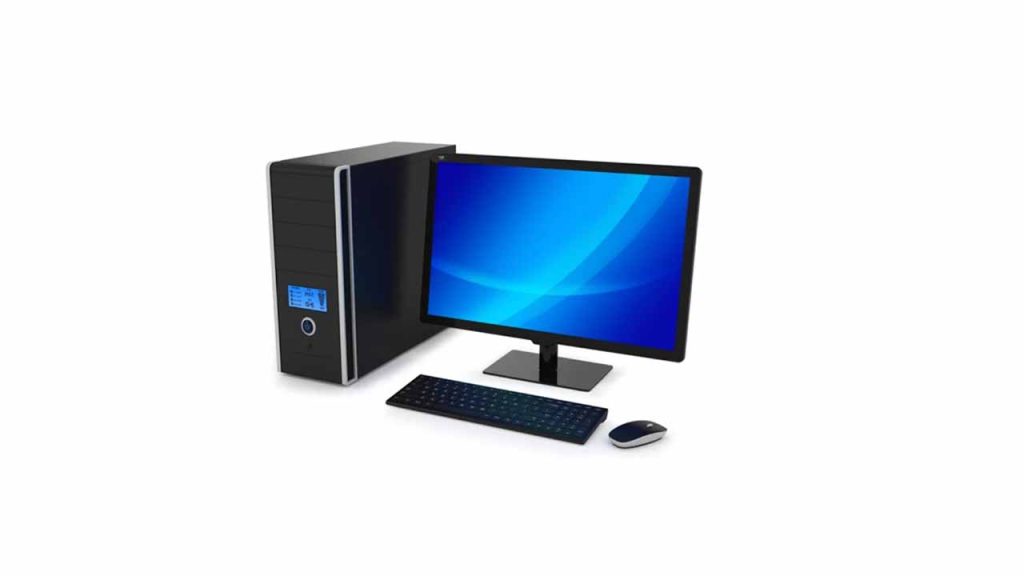
    A typical computer system consists of:

    • Input Devices – Devices like a keyboard or mouse that help users send information to the computer.
    • Processing Unit (CPU) – The brain of the computer, where all calculations and decisions happen.
    • Memory (RAM & Storage) – RAM helps the computer think quickly, while storage (like a hard drive) saves files for future use.
    • Output Devices – Screens, printers, and speakers that display or present the processed data.

    Now, let’s break down what makes a computer unique and why we rely on them so much.

    1. Speed

    Imagine solving a large multiplication problem—how long would it take you? A few seconds, maybe even a minute. But a computer can do millions of calculations in the blink of an eye! The speed of a computer is measured in Gigahertz (GHz), meaning it can process billions of instructions per second.

    Measurement UnitSpeed
    Millisecond1/1,000th of a second
    Microsecond1/1,000,000th of a second
    Nanosecond1/1,000,000,000th of a second

    Computers save time, which is why they are used for complex tasks like weather forecasting, space exploration, and financial transactions.

    2. Accuracy

    Computers don’t make mistakes on their own. If given the right instructions, they will always give the right answer. The only time errors occur is when a human enters incorrect data (this is called Garbage In, Garbage Out – GIGO). Unlike humans, computers don’t get tired or distracted, which makes them highly reliable.

    3. Diligence

    If you had to solve math problems for 24 hours straight, you’d eventually get tired. But a computer? It never gets bored, tired, or distracted. It can run for days, weeks, or even years without needing rest. This ability is why computers are used in hospitals, space missions, and security systems.

    4. Automation

    Once programmed, a computer can run tasks without human help. For example, when you set an alarm on your phone, it rings at the right time automatically. Businesses use automation for batch processing, where large amounts of data are handled efficiently without manual intervention. Artificial intelligence also plays a role by enabling systems to learn patterns and make decisions, further reducing the need for human input. Businesses use automation for:

    • Online transactions
    • Email sorting (spam filters)
    • Self-driving cars

    Computers follow instructions step by step, ensuring tasks are completed as expected.

    5. Versatility

    A computer isn’t limited to one job—it can do many things at once! You can listen to music, browse the internet, and type a document all at the same time. This is known as multitasking.

    Some real-world examples of computer versatility include:

    • Video editing while downloading files
    • Playing games while chatting online
    • Running business software while analyzing data

    Computers handle multiple tasks effortlessly, making them useful for both personal and professional work.

    6. Memory & Storage

    Computers have different types of memory:

    Memory TypePurpose
    RAM (Random Access Memory)Temporary storage for quick access
    Hard Drive (HDD/SSD)Long-term data storage
    Cache MemorySuper-fast memory inside the CPU

    A computer can store millions of files, pictures, and videos. Today’s computers measure storage in terabytes (TB)—that’s over a million megabytes! Unlike humans, computers don’t forget where they stored data, making them great at remembering information for future use.

    7. Reliability

    Computers consistently give the same results when given the same input. Whether it’s 10 AM or midnight, the answer to 2 + 2 will always be 4. This reliability makes computers essential for:

    • Banking transactions
    • Weather predictions
    • Scientific experiments

    As long as the software is correctly programmed, computers will always be accurate and reliable.

    8. Connectivity

    Modern computers can connect to the internet, allowing them to share information across the world in seconds. This feature is why we have:

    • Online learning
    • Video calls
    • Global communication

    Without connectivity, we wouldn’t have access to instant news, social media, or cloud storage services.

    9. Security

    Computers have strong security measures to protect data from hackers and viruses. Features like passwords, encryption, and antivirus software help keep personal and business information safe.

    Security FeaturePurpose
    PasswordsPrevents unauthorized access
    EncryptionProtects sensitive data
    FirewallsBlocks harmful websites

    With proper security, computers can be trusted to store sensitive information like medical records and financial details.

    10. Artificial Intelligence

    Computers are getting smarter! Artificial Intelligence (AI) allows them to learn from experience and make decisions. Think about how your phone suggests words as you type—that’s AI in action!

    Some common AI applications include:

    • Voice assistants (Siri, Alexa)
    • Face recognition
    • Self-driving cars

    AI helps computers go beyond simple calculations, making them even more useful in daily life.

    Computers have changed the way we live, work, and communicate. Their speed, accuracy, reliability, and multitasking abilities make them one of the most powerful tools ever created. Whether you’re writing an essay, streaming a movie, or managing a business, you can always count on a computer to get the job done efficiently.

    So, the next time you turn on your laptop or phone, take a moment to appreciate just how amazing these machines really are!


  • SpaceX Working on Faster Starlink Dish That Could Hit Gigabit Speeds

    SpaceX Working on Faster Starlink Dish That Could Hit Gigabit Speeds

    SpaceX is gearing up to launch a next-generation Starlink dish that promises significantly faster internet speeds, potentially reaching up to 1Gbps—far beyond the current 200Mbps limit. This could be a game-changer for users in rural and underserved areas who rely on satellite internet.

    A new Starlink dish was recently mentioned during a webinar for resellers, according to someone who attended the session. While details remain limited, this confirms that SpaceX is actively working on the technology to boost Starlink’s speed and performance.

    What This Means

    Right now, Starlink offers solid speeds, but it’s not always a true alternative to fiber networks. A jump to gigabit speeds could change that. Imagine having fiber-like internet in places where fiber simply isn’t available—this could make a huge difference for businesses, remote workers, and even households looking for a more reliable connection.

    Of course, there’s a catch. Users will likely need to purchase new hardware to take advantage of the speed upgrade. That means an additional cost on top of the monthly subscription.

    How SpaceX Plans to Do It

    To make gigabit speeds possible, SpaceX is focusing on two key upgrades:

    • Expanding Starlink’s radio spectrum usage – This would allow for greater data transmission capacity.
    • Deploying upgraded Starlink satellites – The upcoming V3 Starlink satellites will be launched using SpaceX’s massive Starship rocket, which is still in development.

    However, all of this depends on regulatory approvals. SpaceX has applied for permission from the U.S. Federal Communications Commission (FCC) to make these upgrades, but it’s still waiting for the green light.

    SpaceX President Gwynne Shotwell hinted at these improvements last year, saying, “Next generation, we’ll have smaller beams, more capacity per beam, lower latency. Starlink speeds will reach as high as 2 gigabits.”

    Satellite industry analyst Tim Farrar also noted that even existing Starlink users may see some speed improvements, thanks to potential changes in power limits and satellite positioning that SpaceX is working on.

    Before rolling out to regular customers, SpaceX may introduce the gigabit-capable dish to business users first. The company is also working on a new high-performance dish for enterprise buyers.

    Additionally, this upgraded model will follow the recently introduced Starlink Mini dish, which currently costs $499 in the U.S.

  • How to Cancel a Wrong Telecel Cash Payment in Ghana

    How to Cancel a Wrong Telecel Cash Payment in Ghana

    Quick Summary

    • USSD Code (*110#): Fastest method; go to Self-Service, select reversal, enter details, and confirm.
    • Telecel Play App: Use the TERi chatbot to request a reversal.
    • Customer Care (100): Call and provide transaction details for assistance.
    • Contact the Recipient: If possible, ask the recipient for a refund.
    • Reversal Time: Telecel-to-Telecel transactions take 24 hours; other networks may take up to 5 working days.
    • Important Notes: Minimum reversal amount is GHS 20; only one request per day; act within 24-72 hours.

    Sending money to the wrong person or entering the wrong amount on Telecel Cash can be frustrating. But don’t worry—there’s a way to fix it! Whether you sent money to the wrong number, overpaid, or simply made a mistake, this guide will walk you through the steps to cancel or reverse the transaction.

    Let’s break it down step by step in the simplest way possible, so you can get your money back without stress.

    Quick Overview of Telecel Cash Reversal Options

    MethodBest ForSpeed
    USSD Code (*110#)Quick and easy self-service reversalsFastest
    Telecel Play AppTech-savvy users who prefer appsModerate
    Customer Care (100)If USSD and app failCan take longer
    Contacting the RecipientIf the recipient is cooperativeVaries

    Now, let’s dive into each method in detail.

    Method 1: Using the USSD Code (*110#)

    This is the fastest and easiest way to reverse a wrong Telecel Cash transaction. Here’s how:

    1. Dial *110# on your phone.
    2. Select “Self-Service.”
    3. Choose the type of reversal:
      • Select Self-Reversal for transactions between Telecel Cash accounts or voucher transactions.
      • Select Request Reversal if the money was sent to a different network.
    4. Enter your T-Cash PIN.
    5. Provide the transaction details:
      • Enter the transaction ID (found in your Telecel Cash confirmation SMS). Ignore any leading zeros.
    6. Confirm the details. A pop-up will show the transaction amount, date, and time.
    7. Submit your request. You’ll get an SMS from Telecel confirming that they’re working on your request.

    Heads up: Telecel might call you for more details before approving the reversal. If you don’t respond or provide unclear answers, your request may be denied.

    Method 2: Using the Telecel Play App

    If you prefer using an app, the Telecel Play app offers a chatbot named “TERi” that can help with reversals.

    1. Open the Telecel Play app and log in.
    2. Tap on TERi (Chatbot) at the bottom right corner.
    3. Select Telecel Cash Self-Reversal.
    4. Choose the type of transaction you want to reverse.
    5. Enter the Telecel number used for the transaction.
    6. Enter the OTP (One-Time Password) sent to your phone.
    7. Select the transaction ID you wish to reverse. If it doesn’t appear, enter it manually.
    8. Confirm the transaction details and submit.

    You’ll receive an SMS once Telecel has received your request. If you experience errors, try using the USSD method or contact customer care.

    Method 3: Calling Telecel Customer Care

    If the USSD and app methods don’t work, you can speak directly to a Telecel customer care representative.

    1. Dial 100 on your Telecel line.
    2. Choose your preferred language.
    3. Press 5 for Telecel Cash services.
    4. Press 4 to speak to an agent.
    5. Provide these details:
      • Your Ghana Card (for identity verification)
      • The mobile number used for the transaction
      • The transaction details (ID, amount, recipient’s number)

    The agent will process your request and send you an SMS confirmation. If the case requires further investigation, it may take some time to resolve.

    Method 4: Contacting the Recipient

    Sometimes, the simplest way to fix a wrong transaction is by reaching out to the recipient directly. If you accidentally sent money to the wrong person, call or text them and politely explain the mistake.

    This method is entirely dependent on the recipient’s willingness to return the money. If they refuse or ignore your request, you’ll have to rely on Telecel’s official reversal process.

    How to Cancel a Wrong Telecel Cash Payment in Ghana

    How Long Does a Telecel Cash Reversal Take?

    Transaction TypeReversal Time
    Telecel to Telecel24 hours
    Telecel to other networksUp to 5 working days

    What If Your Reversal Request Is Denied?

    If your request is denied, try these steps:

    1. Double-check your details (transaction ID, recipient’s number, amount) and submit the request again.
    2. Call Telecel customer care at 100 and escalate the issue.
    3. Visit a Telecel office if the problem isn’t resolved over the phone.

    Important Notes:

    • You cannot reverse transactions below GHS 20.
    • You can only request one reversal per day.
    • Requests should be made within 24 to 72 hours for the best chances of success.

    Mistakes happen, but Telecel gives you multiple ways to correct them. If you act fast and follow the right steps, you have a good chance of getting your money back. Start with the USSD method for a quick fix, and if that doesn’t work, try the app or call customer service.

    Got your money back? Great! If not, stay persistent and make sure to double-check your transaction details next time. Also, explore our list of other useful Telecel short codes for quick solutions.

  • How to Retrieve Lost ECG Prepaid Token After Payment

    How to Retrieve Lost ECG Prepaid Token After Payment

    Quick Summary

    If you lose your ECG prepaid token after purchasing via Mobile Money, expressPay, or other platforms, retrieve it through the ECG PowerApp, customer service, or an ECG district office.

    Be ready to provide your meter number, MoMo transaction ID, and amount purchased. You can also call ECG using the number +233 302 611 611, and reach out via email, and social media.

    Steps to Retrieve a Lost ECG Prepaid Token

    1. Check Your SMS Messages

    Before taking further steps, check your text messages from ECG or your mobile network provider. The token is usually sent as an SMS after a successful purchase.

    2. Use the ECG PowerApp

    If you used the ECG PowerApp for the transaction, you can retrieve your token by:

    • Opening the app and logging in.
    • Checking your transaction history for the last purchase.

    3. Contact ECG Customer Service

    If you can’t find the token, contact ECG customer support for assistance through any of these methods:

    • Call Center: Dial 0302 611 611 for assistance.
    • WhatsApp: Send a message to +233 302 611 611 for help.
    • Email: Contact ECG at [email protected], [email protected], or [email protected].
    • Social Media: Message ECG on their official social media pages.
    • Visit an ECG District Office: If other methods fail, visit your nearest ECG office with your transaction details.

    4. Provide the Necessary Details

    When contacting ECG, have the following information ready to speed up the retrieval process:

    • Meter number (to identify your prepaid account).
    • Mobile Money number (used for the payment).
    • ECG Transaction ID (if available).
    • MoMo transaction ID (found in your Mobile Money transaction history).
    • Amount purchased and date of transaction.
    How to Retrieve Lost ECG Prepaid Token After Payment

    Although rare, it is still possible to lose your token after topping up your ECG prepaid meter. You can easily retrieve it by checking your SMS, using the ECG PowerApp, or contacting ECG through their call center, social media, or email. Always keep a record of your transaction details to make the process smoother.

  • How to Book Appointments Online with Home Affairs in South Africa

    How to Book Appointments Online with Home Affairs in South Africa

    Quick Summary

    Booking an appointment with Home Affairs online in South Africa allows you to avoid long queues and save time. Follow these steps to book your appointment:

    1. Visit the Official Website – Go to the South African Home Affairs Website.
    2. Create an Account – Register with your ID number and email.
    3. Log In – Use your credentials to access the system.
    4. Choose a Service – Select Smart ID, passport, or other services.
    5. Pick a Branch – Choose a nearby Home Affairs office.
    6. Select Date & Time – Choose an available appointment slot.
    7. Confirm Details – Double-check all information.
    8. Make Payment (If Required) – Pay online for services like passports.
    9. Receive Confirmation – Check your email for booking details.
    10. Attend the Appointment – Arrive early with necessary documents.

    How to Book Appointments Online with Home Affairs in South Africa

    Booking an appointment with Home Affairs in South Africa no longer means standing in long, frustrating queues. Thanks to the Home Affairs online booking system, you can schedule your visit ahead of time and avoid unnecessary delays. If you’re applying for a Smart ID, renewing a passport, or handling other official matters, this guide will walk you through the process step by step.

    Let’s break it down in a way that’s easy to follow, like having a chat with a friend.

    What is Home Affairs Online Booking?

    The Home Affairs online booking system is an official platform that allows South Africans to schedule appointments for services such as:

    • Applying for or renewing a Smart ID card
    • Getting or renewing a passport
    • Registering a birth, marriage, or death
    • Other Home Affairs services requiring in-person visits

    Instead of showing up at a Home Affairs branch and waiting in a long line, you pick a date and time that works for you, making the process more efficient.

    Step-by-Step Guide to Booking an Appointment Online

    Follow these steps to schedule your appointment quickly and easily.

    Step 1: Visit the Official Home Affairs Website

    Start by opening your web browser and going to the Department of Home Affairs (DHA) website.

    Be sure to double-check that you’re on the official site to avoid scams.

    Step 2: Create an Account (If You Don’t Have One)

    If this is your first time using the system, you’ll need to register for an account:

    • Click on the “eHomeAffairs” option.
    • Enter your ID number, email address, and create a secure password.
    • Follow the prompts to verify your email.

    Once registered, you can log in anytime to manage your bookings.

    Step 3: Log In to the Online Booking System

    Use your registered email and password to log in. If you ever forget your password, you can reset it through the “Forgot Password” link.

    Step 4: Choose the Service You Need

    Once logged in, navigate to the booking section and select the service you need. The most common options include:

    Service TypeWhat It Covers
    Smart ID CardFirst-time application, replacement for lost or damaged ID
    PassportNew passport, renewal, replacement for lost passport
    Birth RegistrationRegistering a newborn, getting a birth certificate
    Marriage ServicesMarriage registration, applying for a marriage certificate
    Death RegistrationRegistering a death, obtaining a death certificate

    Select the service that applies to you.

    Step 5: Pick a Home Affairs Branch

    You’ll be asked to choose a Home Affairs office where you’ll attend your appointment. Try to select a branch close to you to make things easier. Keep in mind that some branches get fully booked quickly, so you might have to look at nearby options if your first choice isn’t available.

    Step 6: Select a Date and Time

    The system will show you available appointment slots. Choose a date and time that fits your schedule.

    Tip: Mornings tend to have fewer delays, so book an early slot if possible!

    Step 7: Confirm Your Details

    Before you proceed, review everything carefully:

    ✔ Your name and ID number are correct.
    ✔ The service type matches what you need.
    ✔ The branch, date, and time are what you selected.

    If everything looks good, click Confirm Appointment.

    Step 8: Make Payment (If Required)

    Some services require payment. If you’re applying for a passport or Smart ID, you’ll need to pay online. The system will guide you through secure payment options.

    ServiceFee (Approximate)
    Smart ID (First-time)Free
    Smart ID (Replacement)R140
    Passport (Adult)R600
    Passport (Child)R400

    Tip: Keep a copy of your payment confirmation as proof.

    Step 9: Receive Appointment Confirmation

    After booking, you’ll get an email confirmation with your appointment details and a reference number. Save this email because you’ll need it when you arrive at Home Affairs.

    Step 10: Go to Your Appointment

    On the day of your appointment, arrive at least 15 minutes early and bring:

    • Your ID book or birth certificate (if applicable)
    • Any supporting documents required for your service
    • Your appointment reference number
    • A printed payment confirmation (if you paid online)

    Once you check in, the Home Affairs staff will assist you with your application.

    How to Book an Appointment Online with Home Affairs in South Africa

    Frequently Asked Questions (FAQs)

    1. Can I reschedule my appointment?

    Yes, you can reschedule by logging into your account and selecting a new date and time.

    2. What if I miss my appointment?

    If you miss your appointment, you’ll need to book a new one online. Home Affairs does not allow walk-ins for missed bookings.

    3. Can I book for someone else?

    Yes, parents or guardians can book for their children, and family members can assist elderly relatives.

    4. What if my preferred branch is fully booked?

    Try selecting a nearby branch with available slots.

    5. Do I need to print my appointment confirmation?

    It’s best to have a printed or digital copy on your phone.

    The Home Affairs online booking system is a game changer, making it easier to handle essential documents without spending hours in line. By following this simple guide, you can book your appointment quickly and avoid unnecessary stress.

    So, if you’ve been putting off your Smart ID or passport renewal, now’s the time to schedule your visit hassle-free!

  • How to Buy AirtelTigo’s Made for Me Bundle in Ghana

    How to Buy AirtelTigo’s Made for Me Bundle in Ghana

    Get personalized data and voice bundles with AirtelTigo’s Made for Me. Dial *533# now to discover your exclusive offers.

    If you use AirtelTigo in Ghana, you’ve probably heard of the “Made for Me” bundle. But what is it, and why should you care? Think of it like your favorite meal at a restaurant, made just the way you like it—except this time, it’s a mobile bundle customized just for you!

    AirtelTigo’s “Made for Me” bundle gives you special data and voice packages based on your phone usage habits. The goal? To help you save money while getting the best value for your calls and internet browsing.

    In this guide, I’ll walk you through everything you need to know, step by step. Whether you’re a first-time user or just want a refresher, you’re in the right place.

    What is the AirtelTigo Made for Me Bundle?

    AirtelTigo’s “Made for Me” bundle is a personalized offer that gives you tailor-made data and call deals. The system analyzes your past usage and offers packages that suit your needs. This means that two people may get different offers because the plan is based on individual phone habits.

    Why You’ll Love It:

    • It’s tailored to your needs – No one-size-fits-all pricing.
    • Saves you money – You get better deals compared to regular bundles.
    • Convenient – No need to search for the best bundle; the best one is selected for you!

    Now, let’s get into how you can activate it.

    How to Buy AirtelTigo’s Made for Me Bundle (Step-by-Step)

    Buying this bundle is super easy. Just follow these simple steps:

    Step 1: Dial the Special Code

    On your AirtelTigo line, open your phone’s dialer and dial *533#. This is the USSD code that gives you access to your personalized offers.

    Step 2: View Your Offers

    After dialing, a menu will pop up showing your unique “Made for Me” offers. These offers may include:

    OptionOffer Type
    1Data Only
    2Voice Only
    3Combo (Data + Calls)

    Choose the option that best suits your needs by entering the corresponding number.

    Step 3: Select Your Preferred Package

    Once you choose an offer type, you’ll see different packages with prices and benefits. These may look something like this:

    PackagePrice (GHS)Data (MB/GB)Call Minutes
    15.001GB20 mins
    210.002.5GB50 mins
    320.005GB100 mins

    Select the package that fits your budget and needs by entering the corresponding number.

    Step 4: Choose a Payment Method

    AirtelTigo offers multiple ways to pay for your “Made for Me” bundle:

    • Airtime Balance – If you have enough airtime, you can pay directly.
    • ATMoney (AirtelTigo Money) – A more secure and convenient option for those with a mobile money wallet.

    Simply select your preferred payment method from the menu.

    Step 5: Confirm and Pay

    If you’re using ATMoney, you’ll be prompted to enter your Mobile Money PIN to approve the transaction. If paying with airtime, the system will deduct the amount automatically.

    Step 6: Wait for a Confirmation SMS

    Once the transaction is successful, AirtelTigo will send you an SMS confirming your purchase. You can now start enjoying your data or call time!

    How to Buy AirtelTigo’s Made for Me Bundle in Ghana

    Frequently Asked Questions (FAQs)

    1. How often do the “Made for Me” offers change?

    The offers are updated periodically based on your recent usage. If you notice a different package today compared to last week, it’s because the system is adjusting to match your needs.

    2. Can I share my “Made for Me” bundle with someone else?

    No, these offers are exclusive to your AirtelTigo number and cannot be shared or transferred.

    3. Can I buy more than one “Made for Me” bundle per day?

    No, you can only activate one “Made for Me” bundle within a 24-hour period. Once you purchase one, you’ll have to wait until the next day to buy another.

    4. What if I don’t like my offer?

    If you don’t find the offers appealing, you can wait until they refresh or check AirtelTigo’s regular data and call bundles by dialing *111#.

    5. How do I check my balance?

    To check your remaining data or call minutes, dial *124# and you’ll see your balance on the screen.

    6. How do I check my AirtelTigo number??

    To check your AirtelTigo number, dial *703# on your phone and press the call button.

    AirtelTigo’s “Made for Me” bundle is a smart way to get the best deals on data and call minutes without any hassle. It’s like having a personal shopper for your mobile needs—only better because it saves you money!

    By following the simple steps outlined above, you’ll never have to stress about getting the right bundle again. Try it today and see how much you can save!

  • How to Reactivate Your MTN SIM in Ghana

    How to Reactivate Your MTN SIM in Ghana

    Did your MTN SIM card stop working? Maybe you forgot to re-register it, or it was inactive for too long. Either way, you probably need it back—whether for making calls, sending messages, or just keeping your number active. Don’t worry, getting your MTN SIM reactivated is easier than you might think! Let’s walk through the process step by step.

    Why Your MTN SIM Might Be Deactivated

    Before we jump into reactivating your SIM, let’s look at the common reasons why your number might be deactivated:

    ReasonExplanation
    SIM Not Re-RegisteredThe Ghanaian government requires all SIMs to be linked to a Ghana Card. If you missed the deadline, your SIM was deactivated.
    Long Period of InactivityIf you haven’t used your SIM for months, MTN might deactivate it.
    Unpaid Bills (for Postpaid Users)Postpaid customers who fail to pay their bills may face deactivation.
    Wrongful DeactivationSometimes, a SIM may be deactivated due to system errors or mistakes.

    Now that you know why your SIM might be inactive, let’s bring it back to life.

    How to Reactivate Your MTN SIM Online

    The good news is that you don’t always have to visit an MTN office. MTN Ghana has made the process easier with its E-Request Customer Portal. Here’s how you can reactivate your SIM from the comfort of your home:

    Step 1: Visit the MTN E-Request Portal

    Step 2: Enter Your Deactivated Number

    • Type in your MTN number that was deactivated.
    • Click on Request OTP (One-Time Password).
    • You’ll receive an OTP via email or SMS if your number is still partially active.

    Step 3: Verify Your Identity

    • Enter the OTP in the space provided.
    • Click Verify to access the portal.

    Step 4: Fill Out the Reactivation Form

    Once verified, you need to fill out the Terminated Number Reactivation Request Form. Here’s what you’ll need to provide:

    Required InformationDetails
    First Name & SurnameMust match your Ghana Card details.
    Deactivated MTN NumberThe number you want to reactivate.
    Date of BirthEnsure it matches your Ghana Card records.
    Ghana Card NumberRequired for verification.
    SIM Serial NumberFound at the back of your SIM pack.
    Email AddressMTN will use this to contact you.
    Alternative MTN NumberA backup number in case they need to reach you.

    Step 5: Submit Your Request

    • Double-check your details to ensure accuracy.
    • Click on Submit Request.
    • MTN will review your application and contact you via email within 72 hours.

    What If You Can’t Access the Online Portal?

    If you face issues with the online portal or don’t receive an OTP, you may need to visit an MTN service center for assistance.

    How to Reactivate Your SIM at an MTN Office

    If the online method doesn’t work, follow these steps:

    1. Visit the nearest MTN service center – Locate an official MTN office in your area.
    2. Go with your Ghana Card – This is the main form of ID required for verification.
    3. Provide your SIM details – The customer service team may ask for your SIM serial number.
    4. Complete biometric verification – If your SIM was deactivated due to incomplete registration, they’ll need to capture your fingerprints.
    5. Wait for activation – If everything is correct, your SIM should be reactivated within 24 to 72 hours.
    How to Reactivate Your MTN SIM in Ghana

    Frequently Asked Questions (FAQs)

    1. How do I check my MTN SIM status?

    • Dial *404# on your phone to check if your SIM is active or deactivated.

    2. How long does SIM reactivation take?

    • MTN usually processes reactivation requests within 72 hours. However, it may take longer if additional verification is needed.

    3. What if I lost my Ghana Card?

    • You’ll need to get a replacement from the National Identification Authority (NIA) before attempting SIM reactivation.

    4. Can I reactivate my MTN SIM after a year of inactivity?

    • If your SIM has been inactive for too long, MTN may have permanently recycled your number. If that happens, you might have to get a new SIM.

    Reactivating your MTN SIM in Ghana isn’t as complicated as it seems. Whether you choose the online method or visit an MTN office, following these steps should get your SIM back up and running in no time. If you’re unsure about anything, don’t hesitate to reach out to MTN customer care for help. Now, go ahead and get your number working again!

  • How to Buy Telecel Weekend Bundle in Ghana

    How to Buy Telecel Weekend Bundle in Ghana

    What is the Telecel Bossu Weekend Bundle?

    Imagine you’ve got a weekend ahead, and you need enough data and talk time to stay connected without breaking the bank. That’s where Telecel’s Bossu Weekend Bundle comes in! It’s a special offer that gives you 4GB of data and 100 minutes of talk time to call any network in Ghana. The best part? It costs just GHS 6 and is valid from Saturday to Sunday.

    But there’s a small catch—you don’t get all the data and minutes at once. Telecel splits them between the two days:

    DayData AllowanceTalk Time
    Saturday2GB50 minutes
    Sunday2GB50 minutes

    So, if you’re planning to stream movies or chat with friends for hours, you’ll need to pace yourself!

    How to Buy the Telecel Bossu Weekend Bundle

    There are two easy ways to buy the Telecel Weekend Bundle:

    1. Using a USSD code (for those who prefer dialing codes)
    2. Through the Telecel Play App (for those who like apps)

    Method 1: Buying via USSD Code

    USSD codes are simple and don’t require internet access. Just follow these steps:

    1. Dial *5588# on your Telecel number.
    2. A menu will pop up—select “Bossu Weekend” from the list.
    3. Enter 1 to confirm your purchase.
    4. Choose your payment method:
      • Airtime (deducted from your phone credit)
      • Telecel Cash (Telecel’s mobile money service)
    5. If you select Telecel Cash, enter your PIN to authorize the payment.
    6. Decide whether you want:
      • Automatic Renewal – The bundle will renew every weekend, and any unused data or minutes will roll over.
      • One-Time Purchase – The bundle applies only to the current weekend, and leftover data won’t roll over.
    7. You’ll receive a confirmation SMS once the bundle is activated.

    Pro Tip: If you often run out of data on weekends, choose the Automatic Renewal option so you never miss out!

    Method 2: Buying via the Telecel Play App

    If you prefer using apps, the Telecel Play App makes purchasing your bundle super easy. Just follow these steps:

    1. Open the Telecel Play App on your smartphone.
    2. Tap “Telecel” at the bottom of the screen.
    3. Select “Data Offers” from the menu.
    4. Scroll through the offers until you find “Bossu Weekend” and tap on it.
    5. Tap “Proceed to Payment.”
    6. Enter your payment details and tap “Next.”
    7. You’ll receive a One-Time Password (OTP) via SMS—enter it and tap “Confirm.”
    8. If paying via Telecel Cash, enter your PIN to complete the transaction.
    9. You’ll get an SMS confirming your bundle purchase.

    Did You Know? The Telecel Play App also lets you track your data usage and explore other cool bundles!

    How to Check Your Telecel Bossu Weekend Balance

    Want to see how much data or talk time you have left? No problem! To check your data balance on Telecel, just dial *126#, and you’ll get a message showing all your available balances, including your Bossu Weekend bundle.

    How to Buy Telecel Weekend Bundle in Ghana

    FAQs About the Telecel Weekend Bundle

    1. Can I buy the Bossu Weekend bundle on Friday?

    No, the bundle is only available for purchase on Saturdays and Sundays.

    2. What happens if I don’t use all my data or minutes?

    • If you selected Automatic Renewal, your unused data and minutes will roll over to the next weekend.
    • If you chose One-Time Purchase, any leftover data and minutes expire on Sunday night.

    3. Can I buy the bundle more than once in a weekend?

    No, you can only activate the Bossu Weekend Bundle once per weekend.

    4. What if my purchase fails?

    • Make sure you have at least GHS 6 airtime or enough funds in your Telecel Cash account.
    • If the problem persists, restart your phone and try again.
    • Still not working? Call Telecel Customer Care at 100.

    If you love staying connected over the weekend without worrying about running out of data or call minutes, Telecel’s Bossu Weekend Bundle is a great deal. For just GHS 6, you get enough talk time and data to keep up with your friends, watch videos, or scroll through social media. Whether you use the USSD code or the Telecel Play App, buying the bundle is quick and hassle-free.

    Give it a try this weekend—you won’t regret it!

  • How to Activate Telecel’s IDD Bundle in Ghana

    How to Activate Telecel’s IDD Bundle in Ghana

    Staying in touch with friends and family abroad can be expensive, but Telecel’s International Direct Dialing (IDD) bundles make it much more affordable. Whether you’re calling a sibling in Canada, a business partner in Nigeria, or a friend in France, these bundles help you keep the conversation going without draining your airtime.

    In this guide, we’ll break down everything you need to know about activating Telecel’s IDD bundle in Ghana. We’ll keep it simple but clear, so by the end, you’ll know exactly what to do. Let’s get started!

    What is an IDD Bundle?

    An IDD (International Direct Dialing) bundle is a special package that allows you to make international calls at a reduced rate. Instead of paying high per-minute charges, you buy a bundle with a set number of minutes for specific countries.

    Think of it like a prepaid food voucher. If you walk into a restaurant with GHS 20, you might only get a few dishes. But if you buy a meal combo with the same amount, you could get more value for your money. That’s exactly how IDD bundles work – more talk time for less money!

    How to Activate Telecel’s IDD Bundle

    You can activate Telecel’s IDD bundle using two simple methods:

    1. USSD Code (For those who prefer quick, keypad-based options)
    2. Telecel Play App (For users who like digital convenience)

    Let’s go through both step by step.

    Method 1: Using the USSD Code

    1. Dial *150# on your Telecel line.
    2. Select IDD Packages from the menu.
    3. Choose the region (e.g., USA & Canada, Africa, Asia, or Europe).
    4. Pick a package based on your calling needs.
    5. Enter 1 to confirm your selection.
    6. Choose your payment method (Airtime or T-Cash).
    7. If using T-Cash, enter your PIN when prompted.
    8. Select a subscription option (one-time or auto-renewal).
    9. Once successful, you’ll receive a confirmation message.

    Method 2: Using the Telecel Play App

    1. Open the Telecel Play App (Download it if you don’t have it yet!).
    2. Log in and go to Airtime & Bundles.
    3. Select Mobile Bundles.
    4. Choose IDD Bundles.
    5. Pick a region and select your preferred package.
    6. Tap Proceed to Payment.
    7. Enter your payment details and tap Next.
    8. Input the OTP code sent to your phone and confirm.
    9. If using T-Cash, enter your PIN to finalize the purchase.
    10. You’ll receive a confirmation message once the purchase is complete.

    Telecel IDD Bundle Options

    To help you choose the right bundle, here’s a breakdown of Telecel’s IDD packages:

    IDD Bundle Pricing and Minutes

    RegionPackagePrice (GHS)Voice Minutes
    USA & CanadaAmerica Daily230
    America Weekly580
    America Monthly 110170
    America Monthly 220360
    AfricaAfrica Monthly 1104
    Africa Monthly 2208
    Africa Monthly 33012
    AsiaAsia Lite Weekly515
    Asia Lite Monthly 11030
    Asia Lite Monthly 22065
    Asia Plus Monthly 11025
    Asia Plus Monthly 22060
    Asia Plus Monthly 340130
    EuropeEurope Lite 1104
    Europe Lite 2198
    Europe Lite 33013
    Europe Plus 1186
    Europe Plus 23412
    Europe Plus 35419
    How to Activate Telecel’s IDD Bundle in Ghana

    Countries Covered by Telecel IDD Bundles

    Here are the countries you can call with these bundles:

    RegionCountries Included
    USA & CanadaUSA, Canada
    AfricaNigeria, Togo, Burkina Faso, Benin, Mali, Ivory Coast, Niger, Liberia, Sierra Leone, Egypt, Kenya
    Asia LiteChina, India
    Asia PlusKorea, Singapore, Bangladesh, Switzerland, Australia, Malaysia
    Europe LiteItaly, France, Netherlands, Spain, Belgium
    Europe PlusUK, Germany, Italy, France, Netherlands, Spain, Belgium

    How to Check Your Balance or Unsubscribe

    If you need to check your remaining minutes or opt out of the bundle, here’s what to do:

    Check Balance

    • Dial *150# and select Check Balance.

    Unsubscribe

    • Dial *150#, select IDD Packages, and choose Unsubscribe.

    Now you know exactly how to activate Telecel’s IDD bundle, choose the best package for your needs, and manage your subscription. Whether you prefer using the quick USSD code or the Telecel Play app, staying connected with loved ones abroad is now easier and more affordable.

    So go ahead, activate your bundle, and start making those international calls without worrying about high costs!

    FAQs

    How do I activate an international call bundle on Telecel?

    To enjoy the lowest call rates to the UK, USA, and Germany with Telecel’s IDD bundles, dial *150# to subscribe.

    How do I activate a voice bundle on Telecel?

    Dial *200# to activate a voice bundle, which applies only to Telecel-to-Telecel calls.

    How can I buy a bundle on Telecel?

    To purchase a bundle, dial *110#, select option 3 (Airtime and Bundles), and follow the prompts.

    How do I check my Telecel IDD balance?

    Dial *150# and select “Check IDD & Roaming Balance.” Your remaining balance will be displayed in a pop-up message.

  • Top 10+ BNPL Startups in Africa You Need to Know

    Top 10+ BNPL Startups in Africa You Need to Know

    Buy Now, Pay Later (BNPL) services are transforming how Africans shop, making it easier for people to afford everyday items without paying the full price upfront.

    Instead of waiting months to save up, BNPL allows customers to get what they need now and spread the payments over time. While global platforms like Fingerhut have long offered similar installment-based shopping options, Africa’s BNPL startups are now making waves in this growing industry. Let’s explore the top BNPL startups in Africa driving this change.

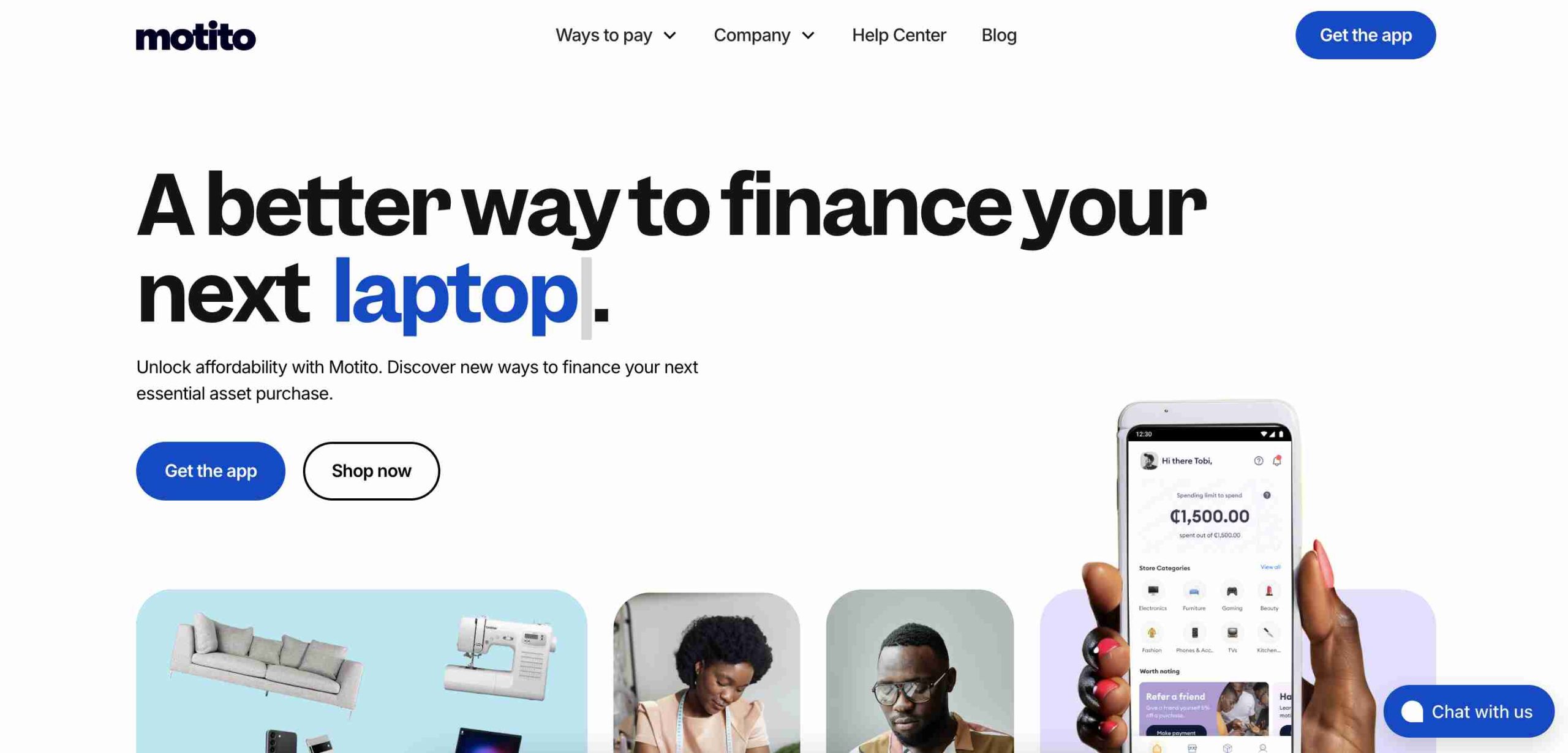
    1. Motito

    Motito

    Founded in 2021, Motito is a fast-rising BNPL platform that enables shoppers to purchase a wide range of products, from fashion to electronics, and pay in installments. Customers can choose flexible repayment options that match their budget, making big purchases more manageable.

    Why Motito Stands Out:

    • Quick approval process
    • Easy-to-use platform
    • Multiple payment plans
    • Partnerships with local merchants

    Motito’s ability to collaborate with retailers has made it a top choice among African shoppers.

    2. CDcare

    CDcare was founded in 2020 by Oluwatobi Odukoya and Ayodeji Farohun to help Nigerians acquire electronics and smartphones without paying the full cost upfront. The platform requires a small deposit, after which users can pay the balance in monthly installments.

    What Makes CDcare Special:

    • Ideal for buying smartphones and electronics
    • Simple tracking of installment payments
    • Affordable options for premium devices
    • Growing popularity among tech-savvy Nigerians

    3. Payflex

    Based in South Africa and founded in 2017, Payflex has revolutionized online shopping by allowing customers to split payments into four interest-free installments. This makes it easier for people to afford items without financial strain.

    FeatureDetails
    Founded2017
    LocationSouth Africa
    Installments4 interest-free payments
    Growth Rate119% over 5 years

    Payflex’s strong performance is backed by $500K in funding and a growing base of satisfied customers.

    4. Mobicred

    Mobicred, founded in 2013, is one of South Africa’s oldest BNPL platforms. Instead of a fixed installment plan, it offers customers a revolving credit facility, allowing them to make multiple purchases and repay at their own pace.

    Key Benefits of Mobicred:

    • Access to thousands of retailers
    • Single monthly repayment option
    • Credit limit that resets as payments are made

    This approach has made Mobicred a go-to option for South Africans looking for flexible credit solutions.

    5. Carbon

    Carbon started as a digital bank in Nigeria but later introduced BNPL services. Since 2016, it has helped users make purchases both online and in-store with a four-installment, zero-interest payment plan.

    What Makes Carbon Unique:

    • Interest-free installment plans
    • User-friendly app
    • Expanding network of partner stores
    • Supports financial inclusion in Nigeria

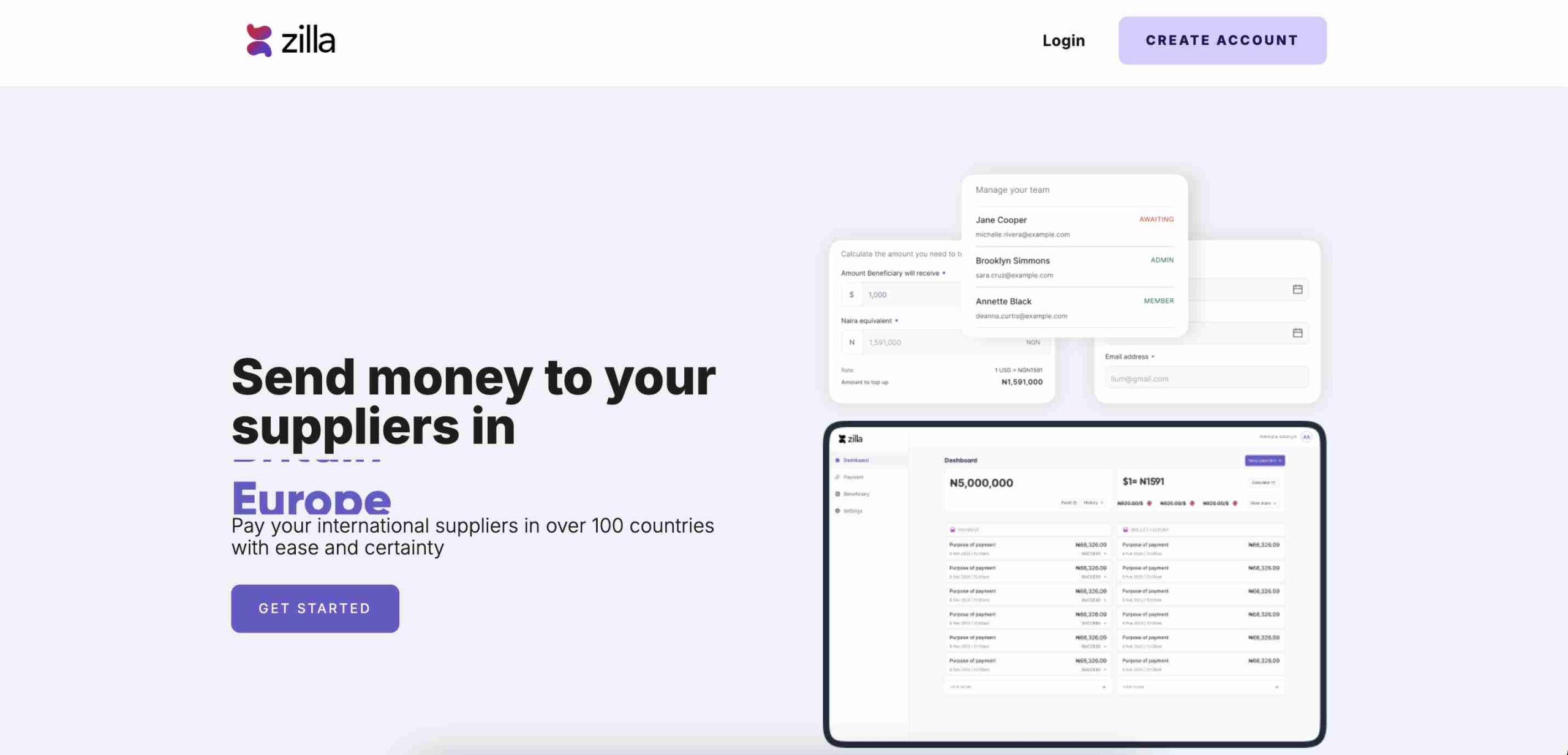
    6. Zilla

    Zilla

    Launched in 2020 in Lagos, Zilla simplifies BNPL by allowing shoppers to split payments into smaller chunks, reducing financial stress. Merchants also benefit from increased sales as more customers can afford to shop.

    Why People Love Zilla:

    • Boosts sales for merchants
    • Flexible installment plans
    • Popular among small and big retailers
    • Strong presence in Nigeria’s e-commerce space

    7. Lipa Later

    Lipa Later is a leading BNPL provider in East Africa, founded in 2018 in Nairobi, Kenya. The company operates in Kenya, Uganda, and Rwanda, offering installment payments for electronics and household goods.

    FeatureDetails
    Founded2018
    HeadquartersNairobi, Kenya
    CountriesKenya, Uganda, Rwanda
    FocusElectronics, household items

    Lipa Later’s strategic partnerships with e-commerce platforms have made it a major player in East Africa.

    8. CredPal

    CredPal, founded in 2018, is one of Nigeria’s top BNPL platforms. It works by allowing customers to make purchases using credit at the point of sale, which they can pay off later in flexible installments.

    What Makes CredPal a Market Leader:

    • Large network of merchants
    • Easy access to credit
    • Expanding services beyond Nigeria

    CredPal continues to attract users looking for simple and reliable financing options.

    9. EasyBuy

    EasyBuy, founded in 2019, specializes in helping Nigerians afford smartphones and electronics through installment payments. It has built a strong reputation by partnering with phone retailers to offer installment plans directly in stores.

    EasyBuy’s Key Features:

    • Focuses on smartphones and gadgets
    • In-store financing available
    • Accessible to a wide range of income levels

    10. PayJustNow

    PayJustNow is a major BNPL provider in South Africa, offering shoppers a way to divide their payments into three equal, interest-free installments. Since its launch in 2019, the platform has gained popularity for its ease of use and focus on responsible spending. In 2022, Weaver Fintech acquired PayJustNow, boosting its expansion and market presence. The service is available at numerous online and physical stores, giving consumers greater flexibility in managing their purchases.

    Why PayJustNow Is Gaining Traction:

    • Seamless payment process
    • Attractive to younger demographics
    • Helps businesses increase customer spending

    11. LayUp

    LayUp

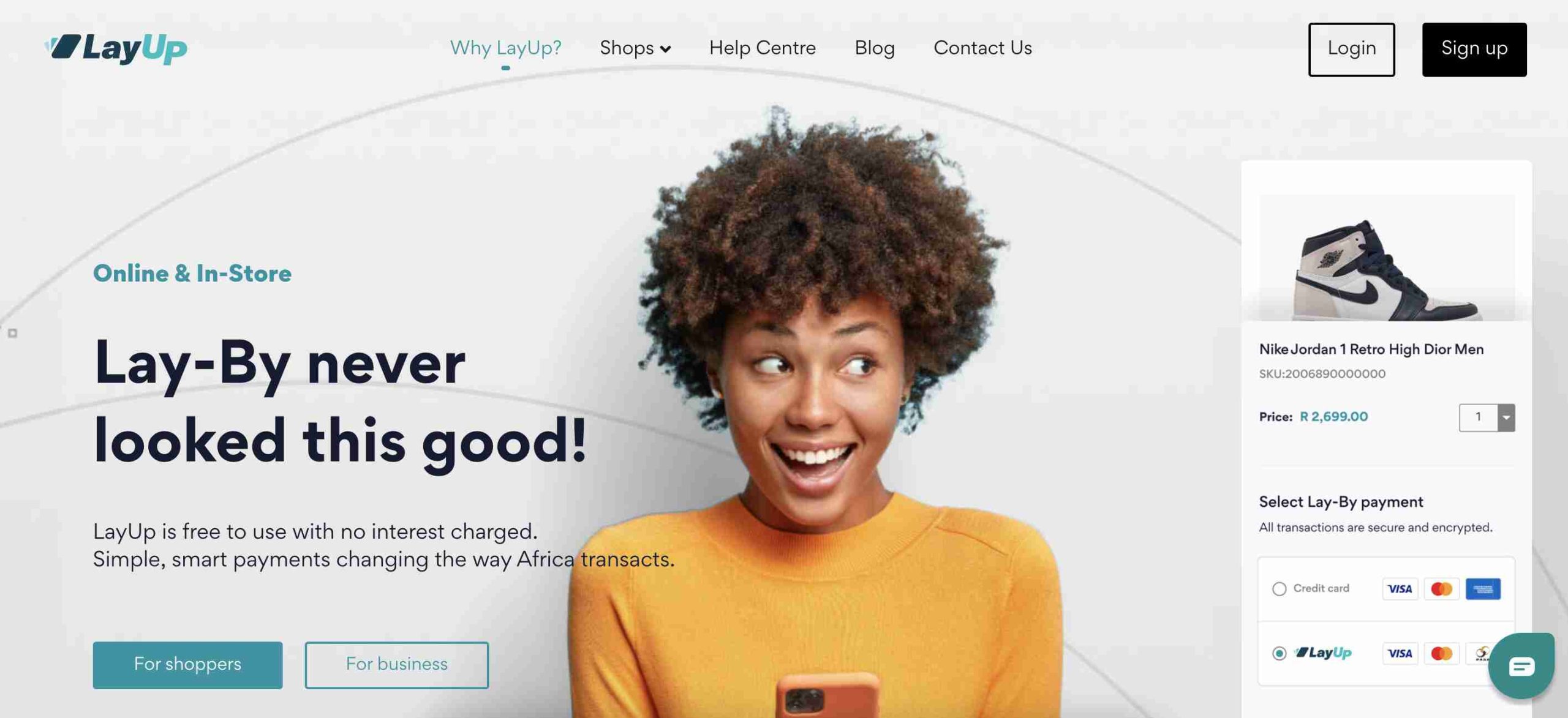
    LayUp is a South African BNPL provider that simplifies payments for consumers. Founded in 2019, the platform enables customers to pay in interest-free installments, offering better financial control. LayUp has grown by integrating its service into various industries, including healthcare, education, and retail. Unlike many BNPL services focused on everyday shopping, LayUp prioritizes essential purchases, making financial flexibility available for critical expenses beyond consumer goods.

    The Future of BNPL in Africa

    BNPL services in Africa are growing fast, making shopping more affordable for millions of people. With companies expanding into more regions and improving their offerings, customers can expect even more flexible and accessible payment solutions.

    As financial technology (fintech) continues to evolve, BNPL is set to play a bigger role in bridging the credit gap in Africa, making essential goods and services more accessible to everyone. Whether you’re looking for a new smartphone, household appliances, or even fashion items, there’s a BNPL provider ready to help you buy now and pay later!

  • The 7 Best-Selling Gift Cards in Japan

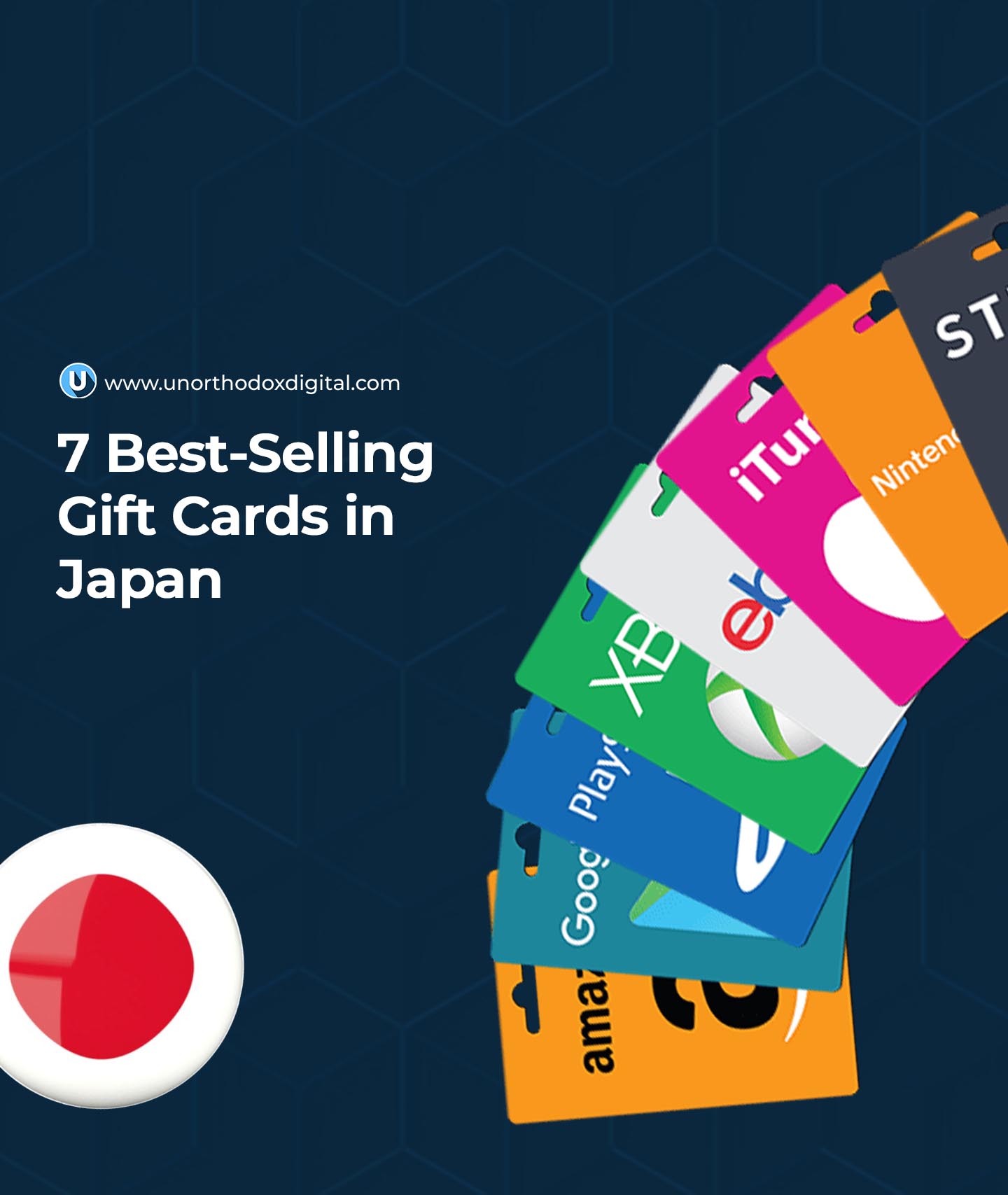
    The 7 Best-Selling Gift Cards in Japan

    Gift cards are a big deal in Japan! Whether you’re a tourist looking for convenient shopping options, a student trying to budget, or just someone who loves giving (or receiving) great gifts, there’s a gift card for you.

    Japan has some of the most popular and useful gift cards in the world, covering everything from online shopping and fashion to gourmet coffee and luxury department stores. In this guide, we’ll break down the seven best-selling gift cards in Japan, explaining why they’re so popular and how they can be used. Let’s dive in!

    1. Amazon Gift Card

    If there’s one gift card almost everyone in Japan loves, it’s the Amazon Japan gift card. Why? Because Amazon Japan sells just about everything. Whether you need electronics, books, daily essentials, or Japan-exclusive items, this card makes shopping easy. It’s a top pick for students, busy professionals, and even travelers who want to buy souvenirs online and have them shipped directly home.

    Where to use: Amazon Japan website (online only)
    Best for: Online shoppers, students, and gift-givers who aren’t sure what to buy

    2. Apple Gift Card

    Love Apple products? Then this one’s for you! The Apple Gift Card in Japan isn’t just for buying iPhones and MacBooks—it’s also perfect for grabbing digital goodies like apps, music, books, and games from the Japanese App Store. Plus, Japan has some exclusive Apple accessories, such as unique iPhone cases and stylish Apple Watch bands that aren’t sold elsewhere.

    Where to use: Apple Store, App Store, iTunes
    Best for: Apple users, gamers, and music lovers

    3. Daimaru Matsuzakaya Gift Card

    Department store shopping is a big part of Japanese culture, and Daimaru and Matsuzakaya are two of the most famous names in the game. Their gift cards can be used at any of their stores across Japan, letting you buy high-quality clothing, home goods, luxury items, and gourmet foods. If you’re looking for an authentic Japanese shopping experience, this card is a great pick.

    Where to use: Daimaru and Matsuzakaya department stores
    Best for: Tourists, luxury shoppers, and those looking for high-end Japanese goods

    4. Rakuten Gift Card

    Rakuten is Japan’s largest online marketplace, kind of like a mix between Amazon and eBay. A Rakuten gift card unlocks access to a massive variety of products, from fashion and electronics to books and household essentials. Plus, Rakuten partners with many stores across Japan, so you can even use the card in physical shops.

    Where to use: Rakuten website, Rakuten-affiliated stores
    Best for: Online shoppers, bargain hunters, and frequent travelers

    5. Takashimaya Gift Card

    If you want to shop in style, Takashimaya is the place to go. This upscale department store chain is known for its premium fashion brands, elegant home decor, and exclusive Japanese cosmetics. A Takashimaya gift card is perfect for someone who enjoys high-end shopping or wants to experience Japan’s famous luxury department stores firsthand.

    Where to use: Takashimaya department stores
    Best for: Luxury shoppers, fashion lovers, and cosmetics enthusiasts

    Best-Selling Gift Cards in Japan

    6. Starbucks Gift Card

    Yes, Starbucks is everywhere, including Japan! But Japan takes Starbucks to the next level with its unique, region-exclusive drinks, beautiful merchandise, and world-famous Starbucks Reserve locations in Tokyo and Kyoto. A Starbucks Japan gift card is a must-have for coffee lovers who want to enjoy a premium caffeine fix while exploring the country.

    Where to use: Starbucks stores across Japan
    Best for: Coffee lovers, travelers, and casual shoppers

    7. Uniqlo Gift Card

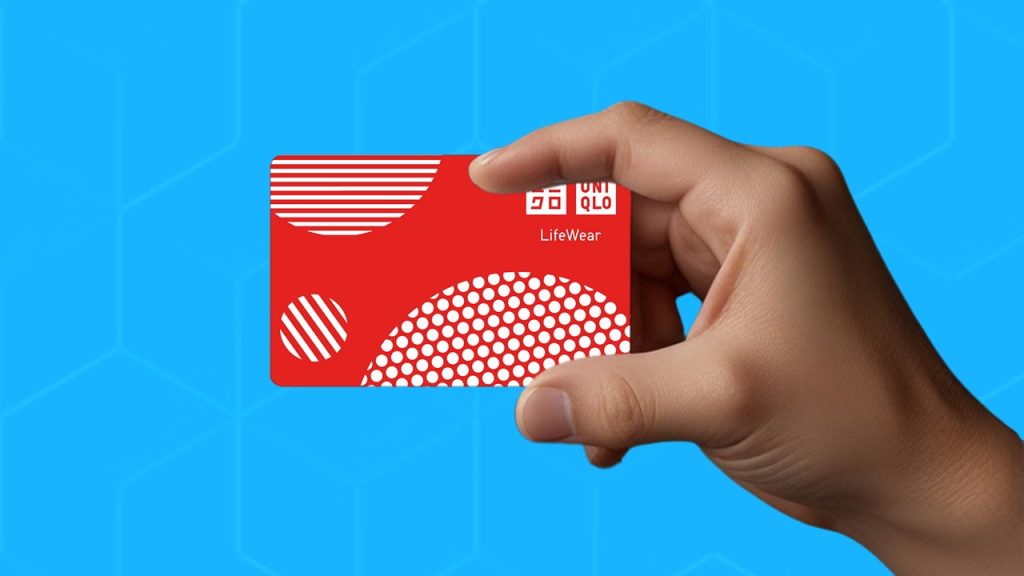
    Uniqlo is Japan’s most famous clothing brand, known for its affordable, high-quality basics. A Uniqlo gift card lets you stock up on stylish essentials like their iconic Ultra Light Down jackets, comfortable Heattech innerwear, and trendy seasonal collections. Whether you’re in Japan for a short visit or staying long-term, this gift card is incredibly useful.

    Where to use: Uniqlo stores and online shop
    Best for: Fashion lovers, budget shoppers, and practical dressers

    Quick Comparison Table

    Gift CardBest ForWhere to Use
    Amazon Gift CardOnline shoppers, studentsAmazon Japan (online)
    Apple Gift CardApple users, gamersApple Store, App Store, iTunes
    Daimaru Matsuzakaya Gift CardTourists, luxury shoppersDaimaru and Matsuzakaya department stores
    Rakuten Gift CardOnline shoppers, bargain huntersRakuten website and partner stores
    Takashimaya Gift CardLuxury shoppers, fashion loversTakashimaya department stores
    Starbucks Gift CardCoffee lovers, travelersStarbucks Japan stores
    Uniqlo Gift CardFashion lovers, budget shoppersUniqlo stores and online shop

    Frequently Asked Questions

    Where Can I Buy These Gift Cards in Japan?

    Most of these gift cards can be purchased at major convenience stores (like 7-Eleven and FamilyMart), department stores, and official brand websites.

    Can I Use Japanese Gift Cards Outside of Japan?

    It depends on the card. Amazon Japan and Rakuten cards are usually region-locked, meaning they only work on the Japanese versions of the sites. However, Apple Gift Cards might work internationally, depending on your Apple ID region.

    Are There Visa Gift Cards in Japan?

    Yes! Visa gift cards are available in Japan and can be used almost anywhere that accepts Visa payments.

    What’s the Best Gift Card for Tourists?

    If you’re visiting Japan, the Amazon, Rakuten, and Uniqlo gift cards are great choices since they offer practical items and unique Japanese products. Starbucks is also a solid pick for coffee lovers.

    Gift cards in Japan are not just about convenience—they’re also a fun way to explore different aspects of Japanese shopping culture. Whether you’re buying one for yourself or as a gift, you can’t go wrong with any of these seven best-selling options. Happy shopping!

  • The 7 Best-Selling Gift Cards in South Africa

    The 7 Best-Selling Gift Cards in South Africa

    Gift cards have become one of the easiest and most thoughtful ways to give someone a present without worrying if they’ll like it. Instead of stressing over the perfect gift, you can hand them a gift card and let them pick exactly what they want. Sounds like a win-win, right?

    In South Africa, some gift cards are more popular than others. Whether it’s for entertainment, shopping, or even healthcare, these are the top seven best-selling gift cards that people love.

    1. Xbox Gift Card

    If you know someone who loves video games, an Xbox gift card is like handing them a golden ticket to the gaming universe. With this card, they can buy games, apps, movies, and even subscriptions for Xbox services. The best part? There’s no expiration date, so they can use it whenever they want.

    What can it be used for?

    • Buying new games and downloadable content
    • Purchasing Xbox Live Gold and Game Pass subscriptions
    • Renting or buying movies and TV shows
    FeatureDetails
    UseGames, apps, movies, subscriptions
    ExpirationNever expires
    AvailabilityOnline and retail stores

    2. Google Play Gift Card

    For anyone who owns an Android phone or uses Google services, the Google Play gift card is a perfect choice. It allows the recipient to buy apps, games, movies, books, and more from the Google Play Store. Since Google is a widely recognized brand, this card is one of the most accessible and secure digital gift options in South Africa.

    Why it’s popular:

    • Works on all Android devices
    • No need for a credit card
    • No expiration date

    3. Woolworths Gift Card

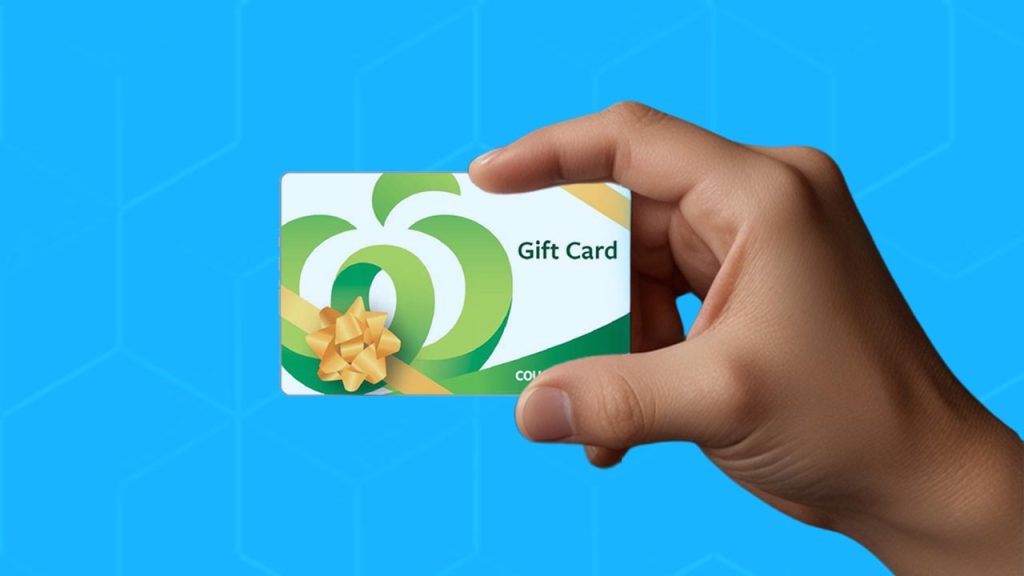
    If you want to give someone the freedom to shop for premium groceries, clothing, or homeware, the Woolworths gift card is a great pick. Woolworths is known for its high-quality products, and this card ensures that the recipient can buy what they need, whether it’s fresh food, stylish outfits, or home essentials.

    What makes it special?

    • Available in different price ranges
    • Can be used in physical stores and online
    • No need to rush—it has a long validity period

    4. Pick n Pay Gift Card

    Sometimes, the best gift is letting someone choose exactly what they need, and that’s where the Pick n Pay gift card comes in. With this card, they can shop across different categories, including groceries, clothing, and household goods. Pick n Pay also has various store formats, such as Boxer and TM Supermarkets, making this card versatile.

    FeatureDetails
    UseFood, clothing, household items, liquor
    StoresPick n Pay, Boxer, TM Supermarkets
    ExpirationValid for multiple years

    5. Netflix Gift Card

    Who doesn’t love a good movie night? With a Netflix gift card, you’re giving someone access to thousands of movies, TV shows, and exclusive Netflix originals. It’s perfect for movie lovers, and since the card doesn’t expire, they can redeem it whenever they’re ready for a binge-watch session.

    Why people love it:

    • Works on any Netflix subscription
    • No expiration date
    • No need for a credit card

    6. Edgars Gift Card

    For fashion lovers, an Edgars gift card is a fantastic choice. This card allows recipients to shop at Edgars, Legit, Beaver Canoe, and Style stores, giving them access to a variety of fashion, beauty products, and accessories. With a validity of three years, they have plenty of time to pick the perfect item.

    Why it stands out:

    • Accepted in multiple fashion stores
    • Can be used for clothes, shoes, and beauty products
    • Three-year validity period
    Best-Selling Gift Cards in South Africa

    7. Clicks Gift Card

    If you want to give a thoughtful and practical gift, the Clicks gift card is an excellent option. Clicks is one of South Africa’s leading health and beauty retailers, and this card allows recipients to purchase medication, skincare products, toiletries, and even clinical services. Health is wealth, and with this card, you’re giving someone the gift of self-care.

    What makes it unique?

    • Usable for health and beauty products
    • Accepted in all Clicks stores
    • Can be used for clinical services

    Frequently Asked Questions (FAQs):

    1. What Gift Cards Are Available in South Africa?

    There are many options, including Woolworths, Pick n Pay, Netflix, Xbox, Google Play, Edgars, and Clicks gift cards. Each offers something unique, whether it’s entertainment, shopping, or healthcare.

    2. Do Gift Cards Expire in South Africa?

    According to the Consumer Protection Act (CPA), most gift cards must have a minimum validity of three years from the date of purchase. However, some brands offer cards with no expiration at all.

    3. Can I Use a South African Gift Card Online?

    It depends on the retailer. Some gift cards, like Google Play and Netflix, are designed for online use, while others, like Pick n Pay and Clicks, are primarily for in-store shopping.

    4. Where Can I Buy Gift Cards in South Africa?

    You can find gift cards at major retail stores, supermarkets, and even online platforms. Some common places include Woolworths, Pick n Pay, Edgars, Clicks, and tech stores for Xbox and Google Play gift cards.

    5. How Much Does a Google Play Gift Card Cost in South Africa?

    Google Play gift cards are available in different price ranges, typically starting from R50 up to R5,000. You can choose the amount based on your budget and needs.

    Gift cards make gifting simple, stress-free, and practical. Whether you’re buying for a gamer, a fashion lover, a movie buff, or someone who loves to shop for daily essentials, there’s a gift card for everyone. The seven best-selling gift cards in South Africa cover a variety of needs, making them a perfect choice for any occasion. Next time you’re wondering what to give someone, consider one of these top options!

  • Codes to Check Airtime & Data Balance on MTN, Airtel, GLO & 9Mobile in Nigeria

    Codes to Check Airtime & Data Balance on MTN, Airtel, GLO & 9Mobile in Nigeria

    Ever run out of airtime or data at the worst possible moment? We’ve all been there. Whether you’re streaming your favorite show, in the middle of an important call, or just browsing the web, knowing how to quickly check your balance is essential. In this guide, we’ll break it all down so simply that even a curious 5th grader could follow along!

    How to Check Airtime and Data Balance on Any Network in Nigeria

    There are several ways to check your airtime and data balance, and we’ll go through all of them:

    1. USSD Codes – The quickest and most common method
    2. SMS – Just send a message and get your balance as a reply
    3. Mobile Apps – Use the official network apps
    4. Customer Support – Call your network provider
    5. Website and Chatbots – Some networks let you check online

    Let’s break it down by network.

    MTN: Checking Your Airtime & Data Balance

    MTN is Nigeria’s largest telecom provider, so if you’re using an MTN line, here’s how to check your data and airtime balance on MTN in Nigeria:

    MethodSteps
    USSD CodeDial *310# for airtime balance and *323# for data balance.
    SMSSend “2” to 312 for data balance.
    MyMTN AppDownload the MyMTN app, log in, and see your balance on the homepage.
    Zigi ChatbotVisit the MTN website and chat with Zigi to check your balance.
    WhatsAppUse MTN’s WhatsApp chatbot to request your balance.

    Airtel: Checking Your Airtime & Data Balance

    Airtel has updated its USSD codes, so here’s how to check your balance:

    MethodSteps
    USSD CodeDial *310# for airtime balance and *323# for data balance.
    My Airtel AppDownload My Airtel App, register, and log in to view your balance.

    GLO: Checking Your Airtime & Data Balance

    GLO, known for its generous data plans, also has multiple ways to check your balance:

    MethodSteps
    USSD CodeDial *310# for airtime balance and *323# for data balance.
    SMSSend “INFO” to 127 for data balance.
    Glo Café AppDownload the Glo Café App, log in, and check your balance.
    Self-Care PortalVisit the Glo Self-Care Portal, sign up/log in, and check your balance online.

    9Mobile: Checking Your Airtime & Data Balance

    9Mobile (formerly Etisalat) has simplified its balance-checking process. Here’s how:

    MethodSteps
    USSD CodeDial *310# for airtime balance and *323# for data balance.
    SMSSend “BAL” to 228 for airtime balance and “INFO” to 228 for data balance.
    9Mobile AppDownload the 9Mobile App (ig9ite) and log in to view your balance.
    Codes to Check Airtime & Data Balance on MTN, Airtel, GLO & 9Mobile in Nigeria

    Frequently Asked Questions

    1. What if I forget the USSD code?

    No worries! Just remember:

    • *310# for airtime balance (All networks)
    • *323# for data balance (All networks)

    Or save this guide for quick access!

    2. Are there any charges for checking my balance?

    No, checking your airtime or data balance is completely free on all Nigerian networks.

    3. What if the USSD code isn’t working?

    • Restart your phone and try again.
    • Check if you have network coverage.
    • Contact your network’s customer support.

    4. How often should I check my balance?

    It depends! If you use a lot of data or make frequent calls, checking daily helps avoid unexpected cut-offs. Otherwise, a few times a week should be fine.

    Now, you’ll never be caught off guard by an empty balance! Whether you prefer using USSD codes, SMS, mobile apps, or customer support, you have multiple ways to stay on top of your airtime and data. Keep this guide handy, and you’ll always know how much credit or data you have left. Happy browsing!

  • The 10 Best-Selling Gift Cards in the USA

    The 10 Best-Selling Gift Cards in the USA

    Gift cards have become one of the easiest and most popular ways to give someone a present. They offer flexibility, convenience, and the ability to choose exactly what you want. Whether it’s for shopping, entertainment, dining, or even travel, gift cards make life easier. In the U.S., some gift cards are more in demand than others, and we’re going to dive into the top 10 best-selling ones.

    What is a Gift Card?

    A gift card is like a prepaid debit card that allows you to buy products or services from a specific store, restaurant, or online platform. Instead of handing someone cash, you give them a gift card, and they can use it to shop for whatever they like. Gift cards come in two main types:

    • Physical Gift Cards: These are plastic cards that you can buy from stores or online retailers. They work like credit or debit cards but with a fixed balance.
    • Digital Gift Cards (E-Gift Cards): These are electronic codes sent via email, making them a quick and secure option. They are widely used for online shopping and streaming services.

    Top 10 Best-Selling Gift Cards in the USA

    Now, let’s get into the list of the most popular gift cards in the U.S. These are the ones people buy and use the most.

    1. Amazon Gift Card

    Amazon is the biggest online retailer, so it’s no surprise that its gift card is the most popular. Whether you want books, electronics, clothes, or even groceries, an Amazon gift card gives you endless choices.

    Why it’s popular:

    • Can be used to buy almost anything
    • No expiration date
    • Available in both physical and digital formats

    2. Visa Gift Card

    Unlike store-specific cards, a Visa gift card can be used anywhere Visa is accepted, making it almost as good as cash.

    Why it’s popular:

    • Can be used at millions of locations
    • Great for people who want flexibility
    • No need to stick to a single store

    3. Walmart Gift Card

    Walmart is a go-to store for groceries, household items, clothing, and more. A Walmart gift card is a practical choice for many.

    Why it’s popular:

    • Works at any Walmart store and online
    • No extra fees
    • Useful for everyday shopping

    4. Apple Gift Card

    Apple lovers use this card to buy iPhones, iPads, accessories, apps, music, and even subscriptions like Apple Music or iCloud storage.

    Why it’s popular:

    • Perfect for Apple product users
    • Can be used on apps, devices, and more
    • Never expires

    5. Starbucks Gift Card

    For coffee lovers, a Starbucks gift card is always a hit. It covers drinks, snacks, and even merchandise at any Starbucks location.

    Why it’s popular:

    • Convenient for daily coffee drinkers
    • Reloadable and easy to use
    • Can be used in-store or through the app

    6. Google Play Gift Card

    Android users love Google Play gift cards because they let them buy apps, games, movies, books, and subscriptions like YouTube Premium.

    Why it’s popular:

    • Ideal for app and media purchases
    • No credit card required for online spending
    • No expiration date

    7. Xbox Gift Card

    Gamers can use an Xbox gift card to buy games, add-ons, and even subscriptions like Xbox Game Pass.

    Why it’s popular:

    • Great for gaming enthusiasts
    • Works for in-game purchases
    • Can be used for Xbox Live subscriptions

    8. PlayStation Gift Card

    Similar to the Xbox gift card, the PlayStation gift card is widely used for buying games, add-ons, and PlayStation Plus memberships.

    Why it’s popular:

    • Perfect for PlayStation gamers
    • Can be used for digital purchases
    • Available in different denominations

    9. Target Gift Card

    Target is another major U.S. retailer offering everything from groceries to electronics. A Target gift card is a practical and versatile choice.

    Why it’s popular:

    • Works online and in stores
    • No fees or expiration dates
    • Accepted for a variety of purchases

    10. Netflix Gift Card

    With streaming services being more popular than ever, a Netflix gift card is a fantastic option. It can be used to pay for monthly subscriptions.

    Why it’s popular:

    • Great for binge-watchers
    • No need for a credit card
    • Works for any Netflix plan
    The 10 Best-Selling Gift Cards in the USA

    Comparison of Popular Gift Cards

    To help you choose the best gift card, here’s a quick comparison:

    Gift CardWhere It Can Be UsedPhysical/DigitalExpiration
    AmazonAmazon onlineBothNo
    VisaAnywhere Visa is acceptedPhysicalVaries
    WalmartWalmart stores & onlineBothNo
    AppleApple store & servicesBothNo
    StarbucksStarbucks stores & appBothNo
    Google PlayGoogle Play StoreDigitalNo
    XboxXbox StoreDigitalNo
    PlayStationPlayStation StoreDigitalNo
    TargetTarget stores & onlineBothNo
    NetflixNetflix subscriptionDigitalNo

    Choosing the Right Gift Card

    If you’re wondering which gift card to buy, consider these factors:

    • Who is it for? A gamer might love an Xbox or PlayStation gift card, while a movie lover would prefer a Netflix card.
    • Where will they use it? If they shop everywhere, a Visa gift card might be the best.
    • Do they use a specific brand? Apple and Google Play gift cards are great for brand-loyal users.

    Gift cards continue to be a top choice for gifting in the U.S. because they offer convenience and flexibility. Whether you want to treat someone to coffee, shopping, gaming, or entertainment, there’s a gift card that fits. Now that you know the best-selling ones, you can pick the perfect gift without second-guessing!

  • How to Check and Deactivate Call Forwarding on MTN Nigeria

    How to Check and Deactivate Call Forwarding on MTN Nigeria

    Ever had that moment when your phone seems to have a mind of its own, sending calls to another number without your permission? Or maybe you’ve wondered why some calls never reach you but end up somewhere else? Well, you’re about to become an expert in managing call forwarding on your MTN line!

    What is Call Forwarding, Anyway?

    Think of call forwarding like having a personal secretary for your phone. When someone calls you, this “secretary” (the call forwarding service) can send the call to a different phone number based on rules you set up. It’s like telling your friends, “If you can’t find me in the classroom, I’ll be in the library!”

    Why Should You Care About Call Forwarding?

    Sometimes call forwarding can be super helpful – like when you’re expecting an important call but your phone’s battery is dying, so you forward calls to your other phone. But there are times when you might want to turn it off:

    • You might be missing important calls without realizing it
    • Your phone bill could be higher than usual because forwarded calls cost extra
    • You could be sending calls to an old number you don’t use anymore

    Types of Call Forwarding on MTN Nigeria

    Let’s break down the different types of call forwarding available. Think of these as different “rules” you can set up for your phone secretary:

    Type of ForwardingWhat It DoesActivation CodeWhen to Use It
    All CallsForwards every single call**21*number#When you’re temporarily using another phone
    No AnswerForwards calls only when you don’t pick up**61*number#When you might be busy but don’t want to miss calls
    BusyForwards calls when your line is busy**67*number#When you’re on another call
    Not ReachableForwards calls when your phone is off or out of network**62*number#When you’re in areas with poor network

    How to Check if Call Forwarding is Active

    Here’s a little secret many people don’t know: sometimes call forwarding might be active on your phone without you even realizing it! To check if any call forwarding is active, you can:

    1. Watch for these signs:
    • Calls rarely come through directly to your phone
    • You notice a small icon (usually an arrow) in your phone’s status bar
    • People tell you they reached a different number when trying to call you
    1. Ask MTN customer service to check your line settings

    The Ultimate Guide to Deactivating Call Forwarding

    Now, here’s the part you’ve been waiting for – how to turn off call forwarding! It’s easier than solving a math problem, I promise.

    The Master Code: ##002

    Think of ##002# as the “reset button” for all your call forwarding settings. It’s like telling your phone secretary, “Thanks for your help, but I’ll take my calls directly now!” When you dial this code:

    1. Open your phone’s dialer (where you type phone numbers)
    2. Type ##002#
    3. Press the call button
    4. Wait for the confirmation message

    Deactivating Specific Types of Call Forwarding

    If you want to be more selective about which call forwarding services to turn off, here’s what you need to know:

    • To cancel all-calls forwarding: ##21#
    • To cancel no-answer forwarding: ##61#
    • To cancel busy-call forwarding: ##67#
    • To cancel not-reachable forwarding: ##62#
    How to Check and Deactivate Call Forwarding on MTN Nigeria

    Pro Tips for Managing Call Forwarding

    Here are some expert tips that will make you a call forwarding wizard:

    1. Regular Check-ups: Make it a habit to check your call forwarding status once a month, just like you’d check your homework for mistakes.
    2. Network Issues: If you’re having trouble deactivating call forwarding, try moving to an area with better network coverage before trying again.
    3. Keep Track: Write down any forwarding numbers you set up, so you know exactly what to deactivate later.
    4. Customer Service: If you’re still having trouble, don’t hesitate to contact MTN customer service by dialing 180. They’re like your backup teachers when you need extra help!

    Common Problems and Solutions

    Sometimes things don’t work exactly as planned. Here are some common issues and how to fix them:

    1. Deactivation Code Not Working
    • Make sure you have good network coverage
    • Try restarting your phone
    • Double-check that you typed the code correctly
    1. Still Receiving Voicemail Messages
    • Remember that voicemail is a separate service
    • You might need to deactivate voicemail separately
    1. Confirmation Message Not Showing
    • Wait a few minutes and try again
    • Check if you have enough airtime
    • Ensure your SIM card is properly inserted

    Managing call forwarding doesn’t have to be complicated. Just like learning to ride a bike, once you understand the basics, it becomes second nature. Remember, you’re in control of your calls, and now you have all the tools you need to manage them effectively.

    Keep this guide handy, and don’t be afraid to experiment with different call forwarding options. Just remember: when in doubt, ##002# is your friend – it’s like having an “undo” button for all call forwarding settings!

  • How To Cancel Your MTN Caller Tunes in Nigeria

    How To Cancel Your MTN Caller Tunes in Nigeria

    Have you ever called someone and instead of hearing the usual ringing sound, you’re met with a song or jingle? That’s a caller tune! It might be fun for a while, but if you’ve subscribed to an MTN caller tune and now want to get rid of it, you’re in the right place. Maybe you’re tired of the song, want to save money, or just prefer the default ringing sound. Whatever the reason, I’ll walk you through several easy ways to cancel your MTN caller tunes in Nigeria.

    What is a Caller Tune?

    A caller tune (also called a ring-back tone) is the sound that a caller hears while waiting for you to pick up their call. Instead of the normal “ring ring” sound, they hear music or a recorded message. MTN offers this as a paid service, and while it can be entertaining, many people eventually want to cancel it.

    Why Would You Want to Cancel Your MTN Caller Tune?

    • Saving Money: Caller tunes come with a subscription fee, and canceling it means one less charge on your account.
    • Privacy: Not everyone wants their callers to hear their music preferences.
    • Annoyance: Sometimes, a caller tune can get old, or you might not even remember subscribing to it.
    • Accidental Subscription: Some people realize they subscribed by mistake and just want to opt out.

    How to Cancel MTN Caller Tunes

    There are multiple ways to cancel an MTN caller tune, so you can choose the one that’s easiest for you.

    Method 1: Cancel via USSD Code

    USSD codes are simple and quick. Follow these steps:

    1. Dial *123# on your phone.
    2. Navigate through the menu and select the option for “Caller Tunes.”
    3. Look for the option that allows you to “Cancel Caller Tunes.”
    4. Follow the on-screen instructions to confirm the cancellation.

    Your caller tune should be removed instantly or within a few minutes. If it doesn’t work, try restarting your phone and checking again.

    Method 2: Cancel via SMS

    If you prefer sending a message, this method is for you:

    1. Open your SMS app.
    2. Type “STOP” in the message body.
    3. Send it to 4100 (this is MTN’s official caller tunes cancellation number).
    4. You should receive a confirmation message once your caller tune is canceled.

    Method 3: Cancel via MTN Mobile App

    MTN has an official app that lets you manage all your subscriptions. Here’s how to use it:

    1. Download and install the MTN NG app from the Google Play Store or Apple App Store.
    2. Log in with your MTN number.
    3. Navigate to Caller Tunes Settings.
    4. Look for the “Cancel Subscription” option and tap on it.
    5. Follow any prompts to confirm the cancellation.

    Method 4: Call MTN Customer Care

    If the other methods don’t work, or you prefer speaking to a person, you can call MTN’s customer service:

    1. Dial 300 on your MTN line.
    2. Follow the voice prompts and select the option to speak with a representative.
    3. Request cancellation of your caller tune.
    4. The agent will assist you in removing the service from your account.

    Method 5: Cancel via Website

    MTN also provides an online platform for managing services.

    1. Visit the MTN Website.
    2. Log into your account.
    3. Navigate to “Caller Tunes” settings.
    4. Select the option to cancel the service.

    Quick Comparison of Cancellation Methods

    MethodStepsSpeed
    USSD CodeDial *123# and follow promptsInstant
    SMSSend “STOP” to 4100A few minutes
    MTN AppManage through settingsInstant or within minutes
    Customer CareCall 300 and request cancellationVaries, depending on wait time
    WebsiteLog in and manage subscriptionsInstant or within minutes

    Common Issues and Fixes

    Here are some issues you might face and how to fix them:

    IssuePossible Fix
    Caller tune is still active after cancelingRestart your phone and check again. If it persists, retry the cancellation method.
    USSD or SMS method didn’t workTry an alternative method like the MTN app or calling customer care.
    Not sure if you have a caller tuneDial *123# and check your subscriptions.
    Error message when cancelingEnsure you have enough credit balance if needed, or contact customer support.
    How To Cancel Your MTN Caller Tunes in Nigeria

    Frequently Asked Questions

    Will canceling my caller tune affect my ability to receive calls?

    No. It only removes the music or tone that plays when someone calls you. You’ll still receive calls as usual.

    Can I cancel my caller tune for free?

    Yes! Canceling your caller tune does not require any airtime or charges.

    I canceled my caller tune, but it’s still playing. What should I do?

    Give it a little time, restart your phone, and check again. If the problem continues, try another cancellation method or contact MTN.

    How do I avoid accidental subscriptions in the future?

    Be careful when responding to promotional messages or dialing shortcodes. If you receive an SMS about caller tunes, ignore it unless you intentionally want to subscribe.

    Canceling your MTN caller tune is quick and easy, whether you use USSD, SMS, the MTN app, or customer support. If you no longer enjoy your caller tune or want to save money, follow any of the steps above and take back control of your phone. Now, when someone calls, they’ll hear the good old-fashioned ringing sound instead of music or a jingle you no longer want!

  • How to Enjoy Free Browsing on MTN Ghana

    How to Enjoy Free Browsing on MTN Ghana

    The cost of internet data keeps rising, but what if you could browse for free on MTN Ghana? While MTN doesn’t officially offer unlimited free browsing, there are several ways you can get free data through rewards, promotions, and smart usage. This guide breaks it down step by step in a simple, practical way so you can stay connected without spending extra money.

    Ways to Access Free Browsing on MTN Ghana

    MTN Ghana provides various ways to earn and enjoy free data. Let’s explore them in detail:

    1. MTN Rewards – Earn Free Data for Being a Loyal User

    MTN Rewards is a loyalty program that gives you points when you use your MTN number for calls, data, and Mobile Money transactions. You can exchange these points for free data.

    How to Check Your MTN Rewards Points:
    1. Dial *550#.
    2. Select MTN Rewards.
    3. Select 99 for More.
    4. Select Check Point Balance.
    5. You will receive an SMS with your available points.
    How to Redeem Free Data Using MTN Rewards Points:
    1. Dial *550#.
    2. Select MTN Rewards.
    3. Select 99 for More.
    4. Select Redeem Points.
    5. Select Data Bundle.
    6. Choose a package (daily, weekly, or monthly).
    7. Select the data amount based on your points.
    8. Confirm your selection.
    9. You’ll receive an SMS confirming your free data credit.
    Points RequiredData Bundle
    500 Points50MB
    1000 Points100MB
    2500 Points250MB
    5000 Points500MB
    10,000 Points1GB

    2. myMTN App – Get Free 500MB Just for Signing In

    MTN offers a simple way to earn free browsing data through the myMTN Ghana app.

    How to Get 500MB Free Data:
    1. Download the myMTN Ghana app from the Google Play Store or Apple App Store.
    2. Open the app and sign in with your MTN number.
    3. Once you successfully log in for the first time, you’ll receive 500MB free data.
    4. The free data is valid for three days.

    3. Ayoba App – 1GB Free Every Month

    MTN partners with Ayoba, a messaging app similar to WhatsApp. If you’re an MTN user, you automatically get 1GB of free data every month to use on the Ayoba app.

    How to Access Free 1GB on Ayoba:
    1. Download the Ayoba App from the Play Store or App Store.
    2. Register with your MTN number.
    3. Enjoy 1GB of free data monthly (limited to 250MB per day).
    4. The data can only be used within the Ayoba app.
    MTN Free Data OptionAmount of Free DataHow to Get ItValidity
    MTN RewardsUp to 2.5GBRedeem pointsVaries
    myMTN App500MBFirst-time login3 Days
    Ayoba App1GB (250MB/day)Use Ayoba app1 Month

    How to Make Your Free Data Last Longer

    Getting free data is great, but making it last even longer is even better! Here’s how:

    1. Use Data-Saving Modes – Apps like YouTube, Facebook, and Instagram have data-saver settings. Turn them on!
    2. Reduce Streaming Quality – Lowering video resolution from HD to 480p can save huge amounts of data.
    3. Restrict Background Data – Prevent apps from using data in the background by turning off auto-sync and updates.
    4. Set Data Limits – Use your phone’s settings to limit data usage and avoid unnecessary consumption.
    5. Connect to Wi-Fi When Possible – Always switch to Wi-Fi when available to preserve your mobile data.
    How to Enjoy Free Browsing on MTN Ghana

    FAQs About Free Browsing on MTN Ghana

    1. Can I get unlimited free browsing on MTN Ghana?

    No, MTN Ghana doesn’t provide unlimited free browsing. However, you can take advantage of promotions, rewards, and partner apps to enjoy free data.

    2. Does MTN’s free data expire?

    Yes. Ayoba’s free data lasts for a month, myMTN’s 500MB expires in three days, and MTN Rewards data has different expiry options (daily, weekly, monthly).

    3. How can I borrow data on MTN Ghana?

    If you run out of data, you can borrow using MTN XtraTime:

    • Dial *506#.
    • Follow the prompts to borrow data (up to your available limit).
    • The borrowed data will be deducted from your next recharge.

    Staying connected doesn’t have to break the bank. By using MTN Rewards, the myMTN app, and Ayoba, you can enjoy free browsing on MTN Ghana. Be smart with your data, use saving techniques, and maximize every free MB you get. Try out these methods today and browse without stress!

  • How to Activate MTN Just4U Bundle in Ghana

    How to Activate MTN Just4U Bundle in Ghana

    Imagine walking into a store where everything on the shelves is customized just for you—your favorite snacks, drinks, and even discounts based on what you love to buy. That’s exactly what MTN’s Just4U bundles do for your mobile data and airtime needs.

    If you’ve ever wondered why some people get cheaper data offers while yours seem different, it’s because MTN Just4U is a personalized service. It gives each user a special set of offers based on their data, call, and airtime usage patterns. In this guide, I’ll show you exactly how to activate your Just4U bundle using simple, clear steps. Let’s dive in!

    What Is MTN Just4U and How Does It Work?

    MTN Just4U is a special offer designed to give you tailored data and airtime packages based on how you use your phone. If you buy data frequently, you might get special discounts on data. If you make lots of calls, you could see better call bundles.

    Think of it like a VIP treatment where MTN studies your habits and rewards you with exclusive deals that fit your needs. The best part? These offers are often cheaper than regular bundles.

    But here’s the catch—Just4U offers change from time to time. What you see today might be different tomorrow, so always check back for new deals.

    How to Activate MTN Just4U Bundle in Ghana

    There are three main ways to activate MTN Just4U bundles:

    1. Using the USSD Code (Quick and easy, no internet needed)
    2. Via the MyMTN App (Best if you prefer a visual experience)
    3. Through MTN MoMo (Convenient if you want to pay directly from your MoMo account)

    Let’s break each method down step by step.

    Method 1: Activating Just4U via USSD Code

    This is the simplest way, and all you need is your phone.

    Steps:

    1. Dial *141# on your MTN number.
    2. A menu will pop up showing your personalized Just4U offers.
    3. Select the package you want.
    4. Confirm your purchase by selecting Option 1.
    5. Wait for an SMS confirming your purchase and enjoy your bundle!

    This method is great because it works on any phone—smartphones and basic feature phones alike. No internet required!

    Method 2: Activating Just4U via the MyMTN App

    If you prefer using apps and want a visual way to select your offers, the MyMTN App is the best option.

    Steps:

    1. Open the MyMTN App (download it from the Play Store or App Store if you don’t have it).
    2. On the home screen, tap on “Just4U” under Quick Access.
    3. You’ll see your personalized Just4U offers.
    4. Select your preferred package.
    5. Scroll down and tap “Pay” to confirm your purchase.
    6. Wait for an SMS confirming your purchase.

    This method is user-friendly and allows you to see multiple offers at once, making it easier to compare options before buying.

    Method 3: Activating Just4U via MTN MoMo

    If you prefer paying directly from your MTN Mobile Money (MoMo) account, this method is perfect.

    Steps:

    1. Dial *170# to access the MoMo menu.
    2. Select Option 3: Airtime & Bundles.
    3. Choose Option 2: Just4U.
    4. Select your preferred Just4U bundle.
    5. Confirm your purchase and wait for a payment prompt.
    6. Enter your MoMo PIN to complete the transaction.
    7. You’ll receive an SMS confirmation with your credited data or airtime.

    If you’re someone who keeps most of your money in MoMo, this method makes purchasing Just4U bundles super convenient.

    How to Activate MTN Just4U Bundle in Ghana

    How Long Do MTN Just4U Bundles Last?

    MTN Just4U bundles have expiration dates, and they vary depending on the type of bundle you choose. Some are valid for a day, while others last a week.

    Bundle TypeValidity Period
    Daily Just4U Offer24 Hours
    Weekly Just4U Offer7 Days
    Special OffersVaries

    One important thing to note is unused data does NOT roll over. If you don’t use your bundle before it expires, it’s gone. So, always check the validity period when purchasing.

    Frequently Asked Questions (FAQs)

    1. Is MTN Just4U Available for Everyone?

    No. Just4U is only available for MTN prepaid users. Also, the offers are different for each user, meaning what you see might not be the same as what your friend gets.

    2. Can I Buy More Than One Just4U Offer at a Time?

    Yes, you can buy multiple Just4U bundles, but each will have its own expiration date. Be mindful of when they expire!
    3. What If I Don’t See Any Just4U Offers?

    If you dial *141# and don’t see any offers, it could mean:

    • You haven’t been using your MTN number actively.
    • Your previous Just4U offers expired, and new ones haven’t been generated yet.
    • MTN hasn’t assigned you a new personalized offer at the moment.

    Try checking back later or using the MyMTN App for updates.

    MTN Just4U is a fantastic way to get personalized, discounted bundles based on your usage. Whether you use USSD, the MyMTN App, or MoMo, activating a Just4U bundle is quick and easy. Just remember:

    • Offers vary from person to person.
    • Bundles expire, so use them before they’re gone.
    • If you don’t see any offers, keep using your MTN number actively and check back later.

    Now that you know how to activate MTN Just4U in Ghana, go ahead and grab the best deal for yourself. Happy browsing!

  • AirtelTigo Midnight Bundle: Subscription Code, Price & Benefits

    AirtelTigo Midnight Bundle: Subscription Code, Price & Benefits

    If you’re someone who enjoys staying up late, streaming videos, or downloading large files at night, AirtelTigo’s Midnight Bundle is a great way to save on data costs. This special bundle offers affordable internet access from 12 AM to 4 AM, allowing you to enjoy a seamless browsing experience at a fraction of the cost. In this guide, we’ll break down everything you need to know about AirtelTigo’s Midnight Bundle, including the subscription process, pricing, benefits, and how to check your balance.

    What is the AirtelTigo Midnight Bundle?

    The AirtelTigo Midnight Bundle, also called the Night Bundle, is a special data package designed for late-night internet users. It provides users with large amounts of data at a lower cost, making it ideal for activities like streaming, downloading, and heavy browsing between midnight and 4 AM.

    Available AirtelTigo Midnight Bundles

    Here’s a look at the available Midnight Bundle packages:

    PriceData VolumeCall Minutes
    GHS 34.5 GB100 minutes
    GHS 57.5 GBUnlimited

    Key Features of the AirtelTigo Midnight Bundle:

    • Affordable pricing: Get more data for less money compared to regular data plans.
    • Large data allocation: Perfect for downloading, streaming, and other data-heavy activities.
    • Call benefits: Includes free AirtelTigo-to-AirtelTigo call minutes.
    • No expiration: If you don’t finish your data in one night, you can continue using it the next night (within the 12 AM – 4 AM window).
    • Multiple purchases allowed: You can buy the bundle multiple times if you need more data.

    How to Subscribe to the AirtelTigo Midnight Bundle

    There are two ways to purchase the Midnight Bundle: using a USSD code or via the My AirtelTigo App.

    Method 1: Using USSD Code

    1. Dial *111# on your AirtelTigo line.
    2. Select Option 4 for “Sika Kokoo & Other Data Bundles.”
    3. Choose “Night Pack.”
    4. Select your preferred bundle (GHS 3 for 4.5GB or GHS 5 for 7.5GB).
    5. Select 1 to buy for yourself or choose another option if purchasing for someone else.
    6. Choose a payment method (Airtime or Mobile Money).
    7. Confirm your purchase.

    Method 2: Using My AirtelTigo App

    1. Open the My AirtelTigo App (download it if you don’t have it).
    2. Scroll down and select “Internet.”
    3. Swipe through and select “Night Bundles.”
    4. Choose your preferred bundle (4.5GB or 7.5GB).
    5. Select a payment method (Airtime or Mobile Money).
    6. Tap “Buy Internet” to confirm.

    How to Check Your AirtelTigo Midnight Bundle Balance

    To keep track of your remaining data and call minutes:

    Option 1: Using USSD Code

    • Dial *504# and wait for an SMS notification showing your data balance.

    Option 2: Using My AirtelTigo App

    • Open the app and tap “Internet” to view all your data balances.
    How to subscribe to AirtelTigo’s Midnight bundle

    Frequently Asked Questions

    Does the AirtelTigo Midnight Bundle expire?

    No, the data does not expire. However, you can only use it between 12 AM and 4 AM. If you have leftover data, you can continue using it the next night within the same time window.

    Can I purchase the AirtelTigo Midnight Bundle at any time?

    Yes, you can buy the bundle at any time of the day, but it will only be usable between 12 AM and 4 AM.

    Can I use the AirtelTigo Midnight Bundle during the day?

    No, the bundle is strictly available for use between 12 AM and 4 AM. If you need data for daytime use, consider purchasing a different data package.

    Can I buy multiple Midnight Bundles in one night?

    Yes, you can purchase multiple bundles if you need more data. For example, if you need 15GB, you can buy the 7.5GB bundle twice.

    AirtelTigo’s Midnight Bundle is an excellent option for night owls who want high-speed internet at a low cost. Whether you’re streaming, downloading, or just browsing, these affordable data plans give you the freedom to do more without worrying about high data charges. With easy subscription methods and no data expiration, it’s a convenient choice for anyone who needs reliable night-time internet access.

    Now that you know how to subscribe, check your balance, and maximize your data, you can take full advantage of AirtelTigo’s Midnight Bundle for all your late-night online activities!

  • How to Quickly Check Your AirtelTigo Data Balance

    How to Quickly Check Your AirtelTigo Data Balance

    Picture this: You’re in the middle of streaming your favorite song or sending an important email, and suddenly—bam!—your internet stops working. You check your phone, but there’s no sign of what went wrong. Could it be? Yep, your data is gone.

    We’ve all been there, and it’s frustrating. That’s why knowing how to quickly check your AirtelTigo data balance is a lifesaver. Whether you’re using a smartphone or a simple feature phone, checking your data balance is easy. In this guide, I’ll walk you through the fastest ways to do it—step by step—so you never get caught off guard again.

    Method 1: Using the USSD Code (Fastest Way!)

    If you want to check your AirtelTigo data balance in the simplest way possible, USSD codes are your best friend. No need for the internet, no need to install an app—just a few taps, and you’re good to go.

    Here’s how:

    1. Open your phone’s dialer (just like you’re making a call).
    2. Dial *504# and hit the call button.
    3. Wait a few seconds for a message to pop up saying your data balance will be sent via SMS.
    4. Check your messages—you’ll receive a text with your current data balance details.

    That’s it! Quick, right? This method works on any phone, whether it’s a basic Nokia or the latest iPhone.

    Method 2: Using the My AirtelTigo Mobile App

    If you love using apps and prefer a more detailed view of your data usage, the My AirtelTigo app is a great option. However, keep in mind that this method requires an internet connection (so make sure you’re on WiFi if you’re low on data!).

    Follow these steps:

    1. Download the My AirtelTigo app from the Google Play Store or Apple App Store.
    2. Open the app and log in using your AirtelTigo phone number.
    3. Tap on Balance Details to see your data balance.
    4. A new screen will show you a full breakdown of your data usage and available balance.

    This method is perfect if you want more insights into your data consumption.

    Bonus: How to Check Your Data Usage History

    Ever wondered where all your data went? Did you binge-watch too many videos, or did an app quietly eat up your MBs in the background? AirtelTigo lets you track your usage so you can stay in control.

    Here’s how to check:

    1. Dial *100# and press call.
    2. Select Option 3 for Usage & Subscription History.
    3. Choose Data to see details of your internet consumption.
    4. You’ll get an SMS with a breakdown of your data usage for social media, browsing, and total usage.

    This is super useful if you’re trying to manage your data better and avoid running out unexpectedly.

    How to Quickly Check Your AirtelTigo Data Balance

    FAQs:

    Q: Is it free to check my AirtelTigo data balance?

    A: Yes! Checking your balance with *504# or the AirtelTigo app is completely free. However, using the app requires an internet connection.

    Q: Can I check multiple data bundles at once?

    A: Absolutely. The USSD code *504# and the My AirtelTigo app will both show you all active data bundles on your line.

    Q: What if I don’t receive an SMS after dialing 504#?

    A: This is rare, but if it happens, try again after a few minutes. If you still don’t get a response, restart your phone or contact AirtelTigo customer care.

    Staying on top of your data balance is key to avoiding unwanted surprises. Whether you use the USSD code for quick checks or the AirtelTigo app for a detailed view, you now have all the tools to stay connected without stress.

    So next time you’re about to stream a movie or start a video call, take a second to check your data balance—you’ll thank yourself later!

    Now, go ahead and give it a try. Dial *504# right now and see how easy it is!

  • Complete Guide to MTN Offers in Ghana

    Complete Guide to MTN Offers in Ghana

    If you use MTN in Ghana, you probably know there are tons of offers for data, calls, and even mobile money services. But with so many choices, how do you find the best deal? Don’t worry—I’ve got you covered! This guide will break down all the MTN offers in Ghana in a way that’s super easy to understand. Let’s dive in!

    MTN Data Bundles

    MTN offers different data packages to fit your browsing needs. Whether you just want to chat on WhatsApp, stream movies, or work online, there’s a bundle for you.

    1. Basic Data Bundles (No Expiry)

    • These bundles don’t expire, so you can use them whenever you want.
    • Prices range from GHS 0.03 to GHS 350 (1.06MB to 92.88GB).
    • How to buy:
      1. Dial *138#
      2. Select “Buy Data Bundle”
      3. Choose “For Self” or “For Others”
      4. Pick your preferred data package
      5. Pay with MoMo or airtime

    2. MTN Zone Bundle

    • The MTN Zone Bundle is a discounted data package that lasts only 24 hours.
    • Only available through airtime.
    • How to activate:
      1. Dial *135#
      2. If it’s your first time, select “Activate”
      3. Choose “Zone Bundles”
      4. Select the data plan you want

    3. Midnight Bundle

    • Use the MTN Midnight Bundle from 12 a.m. to 5 a.m.
    • Two options:
      • Flexi (GHS 0.03 to GHS 2.99 for up to 5.16GB)
      • Standard (GHS 3 for 7.27GB)
    • How to activate:
      1. Dial *138#
      2. Select “Midnight Bundles”
      3. Pick your data plan and pay

    4. Turbonet Bundles

    • Designed for MTN Turbonet users (a high-speed internet router).
    • Connects up to 32 people at once.
    • How to subscribe: Dial *5057# and follow the prompts.

    5. Social Media Bundles

    • For WhatsApp, Facebook, Instagram, Twitter, TikTok, and more.
    • How to buy:
      1. Dial *138#
      2. Select “More Options”
      3. Choose “Social Media Bundles”
      4. Pick your package and confirm payment

    6. MTN MashUp (Y’ello Combo)

    • The MTN Mashup Bundle is a mix of data and talk time
    • Get extra bonuses for social media and SMS.
    • How to activate: Dial *567# and follow the prompts.

    7. Just4U

    • Personalized offers just for you!
    • Dial *141# to see your exclusive deals.

    8. Kokrokoo Bundle

    • Use the MTN Kokrokoo Bundle between 5 a.m. and 8 a.m.
    • Cost: GHS 1.24 for 400MB
    • How to activate: Dial *138# and select “Kokrokoo Bundles.”

    9. MTN Fibre Broadband

    • Designed for MTN Fibre Broadband users (a high-speed internet router).
    • Connects up to 32 people at once.
    • How to buy data: Dial *170# → Airtime Bundles → Fixed Broadband or *5057# → Data Bundle

    MTN Voice Bundles

    Love making calls? MTN has budget-friendly packages for you.

    1. AFA Bundle (For Farmers & Traders)

    • On the MTN AFA Bundle, you can call all networks for GHS 6 per month.
    • Requires registration with an agent.
    • After registration, dial *1848# to buy the bundle.

    2. Free After One

    • Pay for the first minute of your call and get extra free minutes.
    • Two options:
      • FA1: 10 free minutes + 70MB data
      • FA1 Extra: 60 free minutes + 70MB data
    • How to activate: Dial *550# and select “Free After One.”

    3. MTN Jara

    • MTN Jara is currently available only in Volta, Oti, Bono, Northern, and similar regions.
    • Call and text all networks for GHS 0.76 daily.
    • Dial *550# to sign up.

    4. Sunday Special

    • Valid for two Sundays.
    • Includes voice minutes, data, and SMS.
    • How to activate: Dial *550# and choose “Sunday Special.”
    MTN Offers in Ghana

    MTN Special Promotions

    1. Number for Life

    • Keep your number even if you don’t use it for a while.
    • Dial *550# and select “Number for Life” to reserve your number.

    2. MTN Rewards

    • Earn points for using MTN services and redeem them for data, airtime, and other perks.
    • To check your points:
      1. Dial *550#
      2. Select “MTN Rewards”
      3. Choose “Check Points” or “Redeem Points”

    3. Roaming Offers

    • Get discounted rates on calls, SMS, and data while traveling.
    • Dial *550# and select “Roaming Offers.

    4. Family & Friends Plan

    • Lower call rates for your favorite numbers.
    • Add up to 10 numbers (8 MTN, 1 other network, 1 international).

    MTN Financial Services (MoMo Offers)

    MTN MoMo isn’t just for sending money—it also offers loans, savings, and more!

    1. Loans

    Need quick cash? MTN partners with banks to provide instant mobile loans.

    • Types of loans:
      • QwikLoan & XpressLoan: GHS 50 – GHS 1000
      • Ahomka Loan: Small emergency loans
      • MoMo Advance: A short-term overdraft for MoMo users
    • How to apply:
      1. Dial *170#
      2. Select “Financial Services”
      3. Choose “Loans” and follow the prompts

    2. MoMo Savings & Investment

    • Save money and earn interest on your MoMo wallet.
    • Dial *170# and select “Financial Services”.

    MTN Ghana has a package for everyone—whether you need affordable data, cheap call bundles, or financial services. Now that you know the best MTN offers, you can pick the ones that fit your lifestyle and budget!
  • Netflix Plans in South Africa: Pricing and Comparison

    Netflix Plans in South Africa: Pricing and Comparison

    Netflix is like the go-to place for movies, series, and documentaries, right? Whether you’re a fan of thrilling dramas, laugh-out-loud comedies, or binge-worthy shows, Netflix has something for everyone. But before you can dive into that massive collection of content, you have to pick the right Netflix plan. This choice affects how much you pay each month, the quality of what you watch, and how many people can watch at once.

    So, let’s break it all down and explore the Netflix plans available in South Africa, their pricing, and what you get with each one.

    Netflix’s 4 Plans: Which One is Right for You?

    Netflix offers four main subscription plans, each designed to meet different needs. The plans are easy to understand, but they offer different features like video quality, how many screens you can watch on at once, and how much you’ll pay.

    1. Mobile Plan (480p) – ZAR 49/month This plan is the most affordable and designed for people who only want to watch Netflix on their phones or tablets. If you’re someone who enjoys watching on-the-go (think during your daily commute or waiting for a friend), the Mobile Plan is for you.
      • Video Quality: 480p (Standard Definition)
      • Supported Devices: Mobile phones and tablets
      • Simultaneous Streams: 1
      While the video quality isn’t the sharpest, it’s fine if you’re watching on a small screen. And at only ZAR 49 a month, it’s a pretty solid deal.
    2. Basic Plan (720p) – ZAR 99/month The Basic Plan is a bit of a step-up. It gives you HD quality (720p), which means the picture looks sharper compared to the Mobile Plan. If you like to watch on your TV or computer (not just your phone), this plan works for you.
      • Video Quality: 720p (HD)
      • Supported Devices: TV, computer, mobile phone, tablet
      • Simultaneous Streams: 1
      While the Basic Plan doesn’t let you watch on multiple devices at once, it’s still a good option for individuals or small households.
    3. Standard Plan (1080p) – ZAR 159/month The Standard Plan is for people who want Full HD (1080p). This means better picture quality, especially on larger screens like a TV. Plus, it lets two devices stream at once. So, if you and your sibling or partner like to watch Netflix at the same time but on different screens, this plan works perfectly.
      • Video Quality: 1080p (Full HD)
      • Supported Devices: TV, computer, mobile phone, tablet
      • Simultaneous Streams: 2
      At ZAR 159 a month, it’s not the cheapest, but the quality upgrade from the Basic Plan makes it a great middle option for small families or people who like to watch on different devices.
    4. Premium Plan (4K + HDR) – ZAR 199/month If you want the best of the best, the Premium Plan is the way to go. With 4K resolution and HDR (High Dynamic Range), your shows and movies will look incredibly sharp and vivid, especially on big screens. Plus, it supports up to 4 devices streaming at once, making it perfect for larger households.
      • Video Quality: 4K Ultra HD + HDR
      • Supported Devices: TV, computer, mobile phone, tablet
      • Simultaneous Streams: 4
      This plan is the most expensive at ZAR 199, but if you’re all about super-clear pictures and enjoy watching with family or friends at the same time, it’s worth the price.

    A Simple Breakdown of Netflix’s Plans in South Africa

    PlanPrice per monthVideo QualityDevices AllowedSimultaneous Streams
    MobileZAR 49480p (SD)Mobile only1
    BasicZAR 99720p (HD)TV, computer, mobile, tablet1
    StandardZAR 1591080p (Full HD)TV, computer, mobile, tablet2
    PremiumZAR 1994K + HDRTV, computer, mobile, tablet4

    Which Netflix Plan Should You Choose?

    Your choice depends on your needs, budget, and how you like to watch Netflix. Here’s a quick guide to help you choose:

    • If you’re on a tight budget and watch on your phone: The Mobile Plan (ZAR 49) is perfect for you. It’s super affordable and gives you Netflix anywhere you go.
    • If you’re watching on a larger screen like a TV and want HD quality: The Basic Plan (ZAR 99) is a good middle option. It’s affordable and gives you HD quality on a TV, computer, or tablet, but remember, it only lets you stream on one device at a time.
    • If you’re in a small household or share Netflix with one other person: The Standard Plan (ZAR 159) offers Full HD quality and lets you stream on two devices at the same time. Great if you and a friend or family member want to watch different shows at once.
    • If you have a big family or want the best quality: The Premium Plan (ZAR 199) is the top choice. With 4K + HDR quality and the ability to stream on up to 4 devices at once, you can enjoy Netflix with your family or friends without any hiccups.

    A Reliable Internet Connection Makes All the Difference

    Now, no matter which plan you choose, one thing is super important: your internet connection. Streaming Netflix, especially in HD or 4K, requires a good internet connection. If your connection is slow, you might experience buffering (when your show stops to load) or poor video quality. So, it’s important to make sure your internet speed matches your plan. For higher quality (like 1080p or 4K), you’ll need a faster internet connection.

    • For Mobile and Basic Plans (480p and 720p): A standard connection should be fine.
    • For Standard and Premium Plans (1080p and 4K): You’ll need a faster, more reliable connection to avoid buffering.

    Some Pros and Cons of Each Plan

    Let’s take a quick look at the advantages and drawbacks of each plan:

    Mobile Plan (480p)

    • Pros: Super affordable, great for watching on a small screen, perfect for one person.
    • Cons: Limited to mobile devices, lower video quality (not HD).

    Basic Plan (720p)

    • Pros: Affordable, good for watching on bigger screens like TVs, decent quality.
    • Cons: Only one stream at a time, no 4K or HDR.

    Standard Plan (1080p)

    • Pros: Full HD quality, supports 2 devices at once, good balance of price and features.
    • Cons: Higher price than Basic, still no 4K.

    Premium Plan (4K + HDR)

    • Pros: Best quality with 4K + HDR, can stream on 4 devices at once.
    • Cons: The most expensive, requires a fast internet connection.
    Netflix Plans in South Africa- Pricing and Comparison

    A Quick Note About Netflix’s Changes

    In some countries, Netflix has been experimenting with new plans, like ones that have ads or cost less. But in South Africa, Netflix still focuses on ad-free plans. So, you don’t have to worry about any ads popping up during your favourite shows, at least for now.

    Choosing the right Netflix plan comes down to how you watch, where you watch, and how much you want to spend. If you’re just starting with Netflix or watching mostly on your phone, the Mobile Plan could be perfect. But if you want to share Netflix with a couple of people, the Standard Plan or Premium Plan might be better suited for you.

    No matter what you choose, Netflix offers a variety of plans that make it easy to find something that fits your lifestyle. Now you’re ready to dive into the world of Netflix and enjoy your favourite shows with just the right plan!