Author: Bismark Akotuah

  • Guide to Requesting MTN MoMo Statements in Ghana

    Guide to Requesting MTN MoMo Statements in Ghana

    Get your MTN MoMo (Mobile money) statement in Ghana for 7 to 180 days using the shortcode *170#, MyMoMo app, or the myMTN app.

    Let’s say you’ve been using MTN Mobile Money (MoMo) to send and receive money, buy airtime, or pay bills. After a while, you might start wondering: “Where’s all my money going?” or “I need proof of this payment!”

    That’s where your MTN MoMo Statement comes in. Think of it like your money’s report card. It shows you exactly how much money came in, how much went out, when it happened, and what it was for.

    In this guide, we’ll walk through how to get that statement—step by step—without stress. Whether you’re a regular MoMo user or a merchant/agent, this guide has you covered.

    What Is an MTN MoMo Statement?

    It’s a detailed list of all your MoMo transactions within a period of time. This includes:

    Transaction TypeExample
    Money sentSending money to your cousin in Kumasi
    Money receivedGetting a payment from your friend
    Airtime/dataBuying airtime or bundles for yourself or others
    Bill paymentsPaying ECG, DStv, etc.
    WithdrawalsTaking cash out from an agent
    DepositsPutting money into your MoMo account

    You’ll receive the statement in PDF format by email, and you can use it for budgeting, loan applications, audits, or just to double-check your spending.

    Who Can Request a MoMo Statement?

    There are two types of MoMo users:

    1. Regular users (like you and me)
    2. Merchants or agents (those who use MoMo to run a business)

    The good news? Both can get MoMo statements, but the process is slightly different.

    How Long Back Can You Go?

    Here’s how far back you can request statements:

    User TypeTime Limit
    Regular userUp to 3 years
    Merchant/AgentUp to 2 years

    But each statement can only cover a maximum of 180 days (6 months) at a time.
    Guide to Requesting MTN MoMo Statements in Ghana

    How to Request Your MTN MoMo Statement (Regular User)

    Let’s say you’re a regular user. You’ve been buying airtime and sending money here and there. Now you want to see where your cash has been going. Here are three easy ways to request your statement:

    Option 1: Using the MTN USSD Code (*170#)

    This is the easiest method. Here’s what to do:

    1. Dial *170# on your phone.
    2. Choose option 6 (My Wallet).
    3. Select 3 (Statements).
    4. Tap 1 (Statement Request).
    5. Enter your MoMo PIN (that 4-digit code you always use).
    6. Type in your email address and confirm it.
    7. Choose the duration you want:
      • 7 days
      • 30 days
      • 60 days
      • 180 days
      • Or select “Specify Date” if you want a custom range (format: 01 01 2024 for Jan 1, 2024).
    8. Confirm by typing 1.

    Done! Now wait a few minutes for the email from MTN with your statement attached.

    Option 2: Using the MyMoMo App

    If you’ve got a smartphone and don’t feel like typing codes, the MyMoMo app works great too.

    Here’s how:

    1. Open the MyMoMo app.
    2. Tap on Statements.
    3. Select a duration (30, 60, or 180 days), or pick a custom range using the calendar.
    4. Tap Get Statement.
    5. Your PDF statement will be ready. You can save it or send it to yourself via WhatsApp, email, or even Google Drive.

    Option 3: Using the myMTN App

    Already have the myMTN app? You can use it too:

    1. Open the app and go to the MoMo section.
    2. Tap Statement.
    3. Enter your email and follow the prompts.
    4. Choose the date range and submit.

    Same result: You’ll get your statement in your inbox shortly.

    How to Request a MoMo Statement (Merchants/Agents)

    If you’re running a MoMo business (like being an agent or merchant), here’s your route:

    1. Dial *170# using your agent/merchant SIM.
    2. Select My Wallet.
    3. Tap on Statements.
    4. Choose 2 (Merchant/Agent Statement).
    5. Select either My Agent Account or My Merchant Account.
    6. Enter the email address where the statement should be sent.
    7. Pick a start and end date (maximum: 180 days).
    8. Type 1 to confirm.

    Your statement will arrive via email. If there are no linked accounts, the system will let you know.

    Why Would You Even Need a MoMo Statement?

    Here are some common situations:

    SituationWhy the Statement Helps
    Applying for a loanShows proof of regular income or cash flow
    BudgetingHelps you understand where your money goes
    Fighting fraudYou can spot strange transactions
    Tax filing or auditsGives a paper trail of your transactions
    Record-keeping for businessShows payment history to suppliers/customers

    Things You Can’t Do with a MoMo Statement

    Let’s clear up some myths:

    Can I delete a transaction I don’t like?
    Nope. MoMo statements are read-only. Once a transaction is recorded, it can’t be changed or erased.

    Can I get a statement for someone else’s MoMo account?
    Not directly. You can only request statements for the number you’re using. If it’s someone else’s number, they have to request it themselves.

    Quick Summary Table

    FeatureDetails
    Max date range per request180 days
    Full history available3 years (users), 2 years (merchants/agents)
    Delivery methodEmail in PDF format
    Access methodUSSD (*170#), MyMoMo app, myMTN app
    Who can request itOnly the account holder

    Always double-check your email address before submitting your request. If you type it wrong, you won’t get the statement—and you’ll have to start over.

    Also, it’s a good idea to save your statement PDF somewhere safe (like your Google Drive or your email inbox), especially if you’re using it for business or official paperwork.

    If you ever get stuck or your statement doesn’t arrive, you can walk into any MTN service center for help. And now that you know how to request it like a pro, you’ve got one less thing to worry about.


  • MTN South Africa Makes History with Africa’s First Satellite Phone Call

    MTN South Africa Makes History with Africa’s First Satellite Phone Call

    MTN South Africa and Lynk Global just pulled off something big—they made Africa’s first phone call via satellite.

    This could be a game-changer for people in remote areas who struggle with poor network coverage.

    Think about it: If you live in a big city, you rarely worry about dropped calls. But in rural areas, building cell towers is expensive and not always practical. That’s where satellites—especially low-earth orbit (LEO) satellites—come in. They can beam network signals directly to your phone, no extra equipment needed.

    The test call happened in Vryburg, a town in South Africa’s North West province. And here’s the cool part—it was made using a regular smartphone. No fancy satellite phone, no extra gadgets. Just a normal phone connecting to an LEO satellite. MTN South Africa’s CEO, Charles Molapisi, said the trial was part of the company’s mission to improve network access in hard-to-reach areas. The test had the green light from South Africa’s telecom regulator, ICASA, which means it was all official.

    MTN isn’t the only company looking at satellites for better coverage. They’ve been in talks with big names like Omnispace, OneWeb, Starlink, and AST SpaceMobile. Other telecom giants like Vodacom and Cell C are also moving in the same direction. In 2023, Vodacom teamed up with Amazon’s Project Kuiper to explore satellite connectivity. Meanwhile, Starlink, the company owned by Elon Musk’s SpaceX, recently announced its direct-to-cell service, which lets standard phones connect directly to its satellites.

    If satellite connectivity becomes widely available, it could unlock a massive market. According to GSMA Intelligence, telcos across Sub-Saharan Africa could tap into a $30 billion opportunity by 2035. That’s a huge deal, especially for regions where traditional network expansion has been slow or impossible. For now, the technology is still being tested, but this successful call is proof that satellite-powered mobile networks aren’t just science fiction—they’re becoming reality. If things go as planned, making a call from the middle of nowhere might soon be as easy as calling from downtown Johannesburg or Lagos.

  • Russia’s AvtoVAZ Wants to Bring Lada Cars to Nigeria, but Can It Compete?

    Russia’s AvtoVAZ Wants to Bring Lada Cars to Nigeria, but Can It Compete?

    Russia’s biggest automaker, AvtoVAZ, is making a bold move into Nigeria as part of its strategy to expand beyond its home turf.

    The company, which is mostly owned by the Russian government, has its sights set on the Lekki Free Trade Zone in Lagos, where it plans to set up a spare parts hub and service center before the end of 2025. This marks its most ambitious effort yet in West Africa’s largest economy.

    But AvtoVAZ isn’t stopping there. The automaker is also in talks with the Nigerian government to establish a local assembly plant, a move that could strengthen its foothold in a market where most car buyers opt for used vehicles over new ones.

    The company’s push into Nigeria comes at a time when competition is heating up back home. Chinese automakers have been expanding their footprint in Russia, with Great Wall Motors planning to increase production from 150,000 to 200,000 units by 2025. At the same time, major players like Hyundai and Renault are reportedly eyeing a return to Russia once a ceasefire in the ongoing conflict with Ukraine is secured.

    Looking for fresh opportunities, AvtoVAZ sees Nigeria’s auto industry as an untapped goldmine. Demand for vehicles in the country is huge—about 720,000 units per year—but local production only accounts for a tiny fraction of that, around 14,000 units annually.

    One area where AvtoVAZ hopes to make an impact is Nigeria’s growing interest in alternative fuel vehicles. The company plans to partner with a Russian engineering firm to set up a compressed natural gas (CNG) conversion plant. This will allow Lada cars to come with factory-fitted or locally converted gas-powered engines.

    “If you bring CNG cars to Nigeria, you don’t pay any duties, which is why we are in talks with the relevant agencies,” said Adewole Opeyemi, AvtoVAZ’s official representative in Nigeria. “Some Lada cars will arrive with factory-fitted gas-powered engines, while others will be converted locally by Russian specialists.”

    AvtoVAZ, known for its Lada brand of budget-friendly cars, SUVs, and commercial vehicles, has been doing business in Africa since 1999. Over the years, it has shipped around 100,000 cars to the continent, with its first major partnership being in Egypt, where Lada models were assembled at a local Suzuki plant.

    In 2022, the company announced plans to export 20,000 vehicles in 2023, with a strong focus on the African market. Since then, it has been working on reestablishing itself on the continent, with Ethiopia emerging as a key destination. In 2023, AvtoVAZ signed a letter of intent with Ethio Engineering Group to begin local production of Lada vehicles.

    “We are witnessing a new wave of diplomatic cooperation between Russia and African countries. Nigeria, as the region’s biggest market, simply cannot be overlooked,” said Artem Aglichev, AvtoVAZ’s Head of Product Marketing. “Opportunities are opening up for us, and we’re ready to explore them.”

    Despite Nigeria’s potential, the local auto industry is still largely dependent on imports, particularly second-hand vehicles. Domestic manufacturers like Innoson Vehicle Manufacturing, Peugeot Automobile Nigeria (PAN), Coscharis Motors, and GAC Motors operate in the market, but foreign brands still dominate. Toyota leads the pack with a 16.1% market share, largely due to its reputation for reliability and easy-to-find spare parts. Japanese brands like Toyota and Honda control nearly a third of the market, while Hyundai and Kia have gained traction with stylish designs and competitive pricing.

    “As a state-owned company, we fully understand the regulatory requirements and are committed to local assembly,” Aglichev added. “Nigeria has been a strong player in this field since the 1950s, with skilled labor, logistical capabilities, and economic feasibility. This is a logical and reasonable step, and we are confidently moving forward.”

    Still, AvtoVAZ faces significant challenges. Navigating Nigeria’s regulatory landscape won’t be easy, and breaking into a market dominated by used cars and well-established brands will take time. The big question is whether Lada’s low-cost models can win over Nigerian buyers who are accustomed to pre-owned imports.

  • Verve and Temu Partnership Signals Tougher Competition for Jumia

    Verve and Temu Partnership Signals Tougher Competition for Jumia

    African Verve cardholders now have an easier way to shop on Temu and pay in their local currencies, thanks to a new partnership between Verve International and the Chinese e-commerce platform. This move is a big win for shoppers who’ve struggled with international payment restrictions when buying from global online stores.

    This isn’t Verve’s first major deal in e-commerce. Last year, the payment network teamed up with AliExpress, allowing customers to shop without needing a dollar card. At the time, an Interswitch executive hinted, “Temu is next.” Now, that promise has been fulfilled, putting Temu in direct competition with Jumia, Africa’s biggest homegrown e-commerce platform.

    Making Global Shopping Easier

    Temu has quickly become one of the largest online marketplaces, offering budget-friendly deals on fashion, electronics, home goods, and more. By enabling Verve payments, it’s removing a major barrier for African shoppers—no more worrying about currency conversions or needing internationally issued cards.

    For Verve, this is another step in its global reach. The payment provider is already accepted on big-name platforms like Google, Netflix, Uber, and Spotify. Expanding to Temu further strengthens its position in cross-border commerce. Verve International’s Managing Director, Vincent Ogbunude, called the partnership a major milestone, saying, “Our recent addition of Temu to our growing network is a pointer to our relentless and unwavering commitment to break down barriers in global/cross border commerce.”

    What This Means for Jumia

    Jumia has long been Africa’s leading online marketplace, but with AliExpress and Temu both now accepting Verve, competition is heating up. Temu’s low prices and frequent free shipping deals make it an appealing alternative for budget-conscious shoppers.

    Jumia, on the other hand, has been refining its strategy. Last year, it pulled out of South Africa and Tunisia to focus on markets with stronger growth potential. As it works towards profitability, it will need to find ways to stand out against rising international competition.

    This deal with Temu likely won’t be Verve’s last. The company has been steadily expanding its international presence, and as more global brands look to tap into Africa’s growing e-commerce market, Verve will likely add even more platforms to its payment network.

    For African shoppers, this means more options, fewer payment hurdles, and a smoother experience when buying from international stores.

  • Airtel Short Codes You Should Know in Nigeria

    Airtel Short Codes You Should Know in Nigeria

    Why Do You Need Airtel Short Codes?

    Imagine needing airtime urgently, but you’re out of credit and have no physical recharge card. Or maybe you want to check your data balance before an important Zoom call. That’s where Airtel short codes come in. These codes are like magic keys—they help you quickly access Airtel services without calling customer care or searching online.

    But here’s the catch: The Nigerian Communications Commission (NCC) changed many of these USSD codes to make them uniform across all networks. That means some of the codes you’ve used for years are now different.

    No worries, though! In this guide, I’ll walk you through all the important Airtel short codes you should know, breaking them down so they’re easy to remember.

    Updated Airtel USSD Codes (New Codes You Must Know)

    Airtel users now have a new set of short codes for everyday actions like recharging, checking balance, borrowing airtime, and more. Here’s a handy table with the updated codes:

    ServiceNew Code
    Recharge Airtime*311*PIN#
    Check Account Balance*310#
    Buy Data Plan*312#
    Check Data Balance*323#
    Borrow Airtime/Data*303#
    Share Service/Me2U*321#
    Stop Services*305#
    Link NIN to SIM*996#
    Do not Disturb*2442#
    Call Airtel Call CenterDial 300

    Breaking Down These Codes (So They Stick in Your Memory!)

    If you’re wondering, How do I remember all these? Don’t worry—I’ve got you! Let’s go over them one by one in a way that makes sense.

    1. Recharging Airtime – *311*PIN#

    You buy a recharge card, scratch off the silver panel, and find a 16-digit PIN. Dial 311PIN# and hit call. Your airtime is loaded instantly!

    2. Checking Airtime Balance – *310#

    Want to know how much credit you have left? Just dial *310#, and your balance will pop up on your screen. Simple!

    3. Buying Data – *312#

    Whether you’re streaming, chatting, or browsing, data is a must. Dial *312# to see different data plans, choose one, and boom—you’re connected.

    4. Checking Data Balance – *323#

    Not sure how much data you have left? Avoid getting cut off mid-video by dialing *323# to check your remaining data balance.

    5. Borrowing Airtime – *303#

    Ever been stuck without airtime and can’t top up immediately? Dial *303# to borrow credit and pay back later. Think of it as a mini loan from Airtel.

    6. Sharing Data – *321#

    Want to be a lifesaver? Share your data with family or friends by dialing *321#. It’s a great way to keep loved ones connected!

    7. Stop Services – 305#

    Want to cancel caller tunes, sports updates, or news alerts? Dial *305# to manage and stop Airtel’s extra services.

    8. Linking Your NIN – *996#

    The Nigerian government requires everyone to link their National Identification Number (NIN) to their SIM card. If you haven’t done it yet, just dial *996# and follow the steps.

    Airtel Short Codes You Should Know in Nigeria

    USSD Codes That Stayed the Same

    Not all codes changed! Some remained exactly as they were before. Here’s a quick list:

    ServiceUSSD Code
    SIM Registration/NIN-SIM Link Verification*996#
    Do-Not-Disturb (DND) to Stop Spam SMS*2442#

    Why These Changes Matter

    The NCC made these changes so that all Nigerian networks—MTN, Glo, Airtel, and 9mobile—use the same USSD codes. This means if you ever switch networks, you won’t have to learn new codes all over again. Pretty smart, right?

    Now that you know the latest Airtel short codes, using your phone just got a whole lot easier! Whether you’re recharging, checking your balance, buying data, or linking your NIN, these simple codes save you time and effort.

    Bookmark this guide or take a screenshot so you always have these codes handy. And if you ever forget, just check back here!

  • Top 5 Ways to Pay for Apple Music Without a Nigerian Bank Card

    Top 5 Ways to Pay for Apple Music Without a Nigerian Bank Card

    So, you want to enjoy Apple Music, but your Nigerian debit card keeps getting declined? Frustrating, right? Don’t worry—you’re not alone, and luckily, there are easy workarounds. Whether it’s Apple rejecting your card or Nigerian banks blocking international transactions, you can still subscribe without the headache.

    Below are five simple ways to pay for Apple Music without a Nigerian bank card. Each method is reliable, and I’ll walk you through them like we’re chatting over a cup of coffee. Let’s dive in!

    1. Use Family Sharing

    Did you know you can get Apple Music without making the payment yourself? With Apple’s Family Sharing, someone with an accepted payment method (like a relative abroad) can add you to their plan. It’s like when your parents used to pay for cable TV, and you got to enjoy all the channels.

    How It Works:

    • Ask a family member or trusted friend with a working Apple Music subscription to add you to their Apple Music Family Plan.
    • They can add up to six people under one subscription.
    • Once you’re in, you get full access without needing a bank card.
    • Just make sure they’re cool with covering your share or agree to reimburse them some other way.
    PlanMonthly CostNumber of Users
    Individual₦9001
    Family₦1,400Up to 6
    Student₦4501

    The Family Plan is not only convenient, but it’s also cheaper per person if split properly. If you can join a group, you’re saving money while avoiding the payment stress.

    2. Pay with Apple Gift Cards

    Think of Apple gift cards as prepaid vouchers for Apple Music. They work just like a mobile recharge card—you buy a code, load it into your account, and boom! Your subscription is covered.

    How It Works:

    1. Buy an Apple/iTunes gift card from platforms like Prestmit, Konga, or Cardtonic.
    2. The seller will send you a 16-digit code.
    3. Open your iPhone or iPad and go to the App Store.
    4. Tap your profile, select Redeem Gift Card or Code, and enter the digits.
    5. Your account balance updates, and Apple deducts your subscription from there.

    Gift cards are a one-time purchase, meaning no auto-renewals. If you don’t want recurring deductions, this is a great option.

    3. Use a Virtual Dollar Card

    Nigerian banks might block your card, but virtual dollar cards bypass that issue. These are online prepaid cards loaded with USD, which work like regular debit cards for international transactions.

    How It Works:

    1. Sign up for a virtual dollar card from services like Chipper Cash, Geegpay, or Grey.
    2. Fund your card with naira—it converts to dollars.
    3. Use the virtual card details to pay for Apple Music like you would with a normal debit card.
    PlatformSupports Apple Music?Deposit Methods
    Chipper CashYesBank transfer, crypto
    GeegpayYesBank transfer
    PaydayYesBank transfer, mobile money

    This is one of the most seamless methods since you’re essentially paying the way Apple expects—through a card that works internationally.

    4. Pay with MTN Airtime

    Yes, you read that right. MTN lets you pay for Apple Music directly from your airtime balance. If you’re an MTN subscriber, this could be the most convenient method for you.

    How It Works:

    1. Ensure you have at least ₦1,000 airtime on your MTN line.
    2. Send “MUSIC” to 8000 via SMS.
    3. MTN will deduct the subscription fee directly from your balance.
    4. You’ll receive a confirmation SMS, and your Apple Music will be activated.

    The only catch? Not all MTN users are eligible, so you’ll need to check if it works for your line first.

    5. Use an International Payment Service (Wise, Payoneer, etc.)

    If you have a Payoneer or Wise (formerly TransferWise) account, you can generate a virtual international bank card that works for Apple Music.

    How It Works:

    1. Sign up for an account on Wise or Payoneer.
    2. Get a foreign virtual card (USD, EUR, or GBP).
    3. Fund the card through a bank transfer.
    4. Use the card details to subscribe to Apple Music.

    This is a great long-term solution if you plan to make multiple international transactions, not just for Apple Music.

    Final Thoughts

    There you have it—five easy ways to pay for Apple Music in Nigeria without a local debit card. No more declined payments, no more frustration. Here’s a quick recap:

    MethodProsCons
    Family SharingCheapest if shared with othersRequires a family member with a working card
    Gift CardsOne-time payment, no auto-renewalNeeds to be repurchased manually
    Virtual Dollar CardWorks for multiple subscriptionsMay have extra charges
    MTN AirtimeSimple and accessibleNot available for all users
    International Payment ServicesWorks for multiple servicesRequires account setup

    So, which one works best for you? If you have a friend or family member with an Apple Music subscription, Family Sharing is the easiest. If you prefer a one-time purchase, go for gift cards. If you need a recurring payment method, try virtual dollar cards or Wise/Payoneer.

    No more missing out on your favorite songs—pick the best method for you and start streaming today!

  • How to Buy Data on Telecel Ghana Without Hassle

    How to Buy Data on Telecel Ghana Without Hassle

    Buy affordable Telecel Ghana data bundles with *700#. Check your balance with *126#. Enjoy fast, reliable internet for seamless browsing.

    Buying data on Telecel Ghana is quick and easy—if you know the right steps. Whether you’re a first-time user or just looking for the simplest way to top up, this guide will walk you through the process in a way that makes sense. Think of it like ordering your favorite snack—you pick what you want, choose how to pay, and within seconds, it’s yours. Let’s dive in.

    Three Easy Ways to Buy Data on Telecel Ghana

    Telecel gives you three main options to buy data:

    1. USSD Code – A simple dial-and-select method.
    2. Telecel Play App – A smartphone-friendly way to purchase data.
    3. T-Cash – A mobile money option for seamless transactions.

    Let’s break each method down step by step.

    Method 1: Buying Data Using the USSD Code

    This is the fastest and most straightforward method. If you can dial a number, you can buy data. Here’s how:

    1. Dial *700# on your phone.
    2. Select “Buy Data” from the menu.
    3. Choose the type of data bundle you want.
    4. Enter the amount of data you wish to buy (for Flexi bundles).
    5. Pick a package that suits your needs.
    6. Select a payment method: Airtime or Telecel Cash.
    7. Confirm your purchase and wait for a confirmation message.

    That’s it! Your data is ready to use. If you paid via Telecel Cash, you may need to enter your PIN to confirm the payment.

    Method 2: Buying Data Using the Telecel Play App

    If you love apps and want a more visual experience, the Telecel Play App is for you. Follow these simple steps:

    1. Open the Telecel Play App on your phone.
    2. Tap “Telecel” at the bottom-right corner.
    3. Go to “Data Offers” under the “Offers” section.
    4. Select your preferred data package.
    5. Tap “Proceed to Payment”.
    6. Choose the recipient (your number or another Telecel number).
    7. Select a payment method and enter the required details.
    8. Input the OTP (One-Time Password) sent to your number.
    9. Tap “Confirm” to finalize your purchase.

    You’ll receive a notification confirming your transaction. Done!

    How to Buy Data on Telecel Ghana Without Hassle

    Method 3: Buying Data Using T-Cash

    T-Cash is Telecel’s mobile money service, and it lets you buy data quickly without needing airtime. Here’s how:

    1. Dial *110# on your phone.
    2. Select “Airtime and Bundles”.
    3. Choose “Data Bundles”.
    4. Select “Buy for Self” if you’re purchasing for your own number.
    5. Pick a data package that fits your budget.
    6. Choose T-Cash as your payment method.
    7. Enter your T-Cash PIN to confirm.
    8. Wait for an SMS confirming your purchase.

    That’s all! Your data is now active.

    Telecel Data Packages at a Glance

    Telecel offers various data bundles based on different needs. Whether you want a one-time plan, a no-expiry plan, or a night bundle, there’s something for you.

    Flexi Bundles

    These bundles let you buy as much or as little data as you want, from GHS 0.02 to GHS 999.99.

    Night Bundles

    These are ideal for late-night browsing (12:00 AM – 5:00 AM). They never expire.

    Data SizePrice (GHS)
    3.5 GB2
    9 GB3

    Non-Expiry Bundles

    If you don’t want your data to expire, check out these bundles:

    Data SizePrice (GHS)
    20 MB0.5
    45 MB1
    100 MB2
    500 MB5
    800 MB10
    1.5 GB20
    4 GB50
    9 GB100
    30 GB200
    90 GB300
    190 GB400

    Special Offers

    Telecel also provides exclusive one-day deals that are available on the Telecel Play App or via T-Cash.

    Data SizePrice (GHS)
    450 MB2.5
    800 MB3.5
    1.3 GB4.5

    Smart Tips to Make Your Data Last Longer

    Buying data is great, but saving it is even better! Here are some tricks to stretch your data usage:

    • Use Wi-Fi when possible – Connect to free Wi-Fi at home, school, or work to save mobile data.
    • Limit background data usage – Stop apps from consuming data in the background by adjusting settings.
    • Reduce video streaming quality – Lower the resolution when watching videos on YouTube or Netflix.
    • Enable data-saving mode – Many apps (like Chrome) have settings to reduce data usage.

    FAQs About Buying Data on Telecel Ghana

    1. How do I check my data balance?

    Dial *126#, and your current data balance will appear on your screen.

    2. Can I share my data with another Telecel user?

    No, but you can buy a new data bundle for them using USSD, the Telecel Play App, or T-Cash.

    3. Does Telecel offer free data?

    Yes! Telecel runs promotions from time to time. For example, downloading the Telecel Play App rewards new users with 1 GB of free data.

    Now that you know how to buy data on Telecel Ghana, staying connected should be effortless. Whether you prefer the quick USSD method, the feature-rich Telecel Play App, or the seamless T-Cash option, there’s a method that works for you. Here’s a list of essential Telecel short codes you might find useful.

    So, go ahead—buy your data, browse, stream, and stay in touch without hassle!

  • MTN TurboNet: Pricing, Plans, And Coverage Areas in Ghana

    MTN TurboNet: Pricing, Plans, And Coverage Areas in Ghana

    What is MTN TurboNet?

    MTN TurboNet is a high-speed 4G router designed to provide reliable internet access for homes and small businesses. Think of it as a supercharged Wi-Fi box that runs on MTN’s 4G network instead of fiber cables. If you live in an area with strong MTN 4G coverage, this device can give you fast internet without the need for complex installations.

    Unlike regular mobile internet, TurboNet comes with a special MTN data SIM that delivers better speed and stability. In ideal conditions, you can get speeds of up to 150 Mbps, which is fast enough to stream HD movies, play online games, and handle video calls without buffering.

    Why Choose MTN TurboNet?

    • Super Fast Internet – Up to 150 Mbps speeds.
    • Plug-and-Play – No need for complicated setup.
    • Supports Many Devices – Connect up to 32 devices at once.
    • Comes with an External Antenna – Improves signal reception for better speeds.

    MTN TurboNet Pricing and Plans

    MTN offers different data packages for TurboNet users, so you can choose one based on your internet needs. Below is a table showing the current data plans:

    Data BundlePrice (GHS)
    4.30 GB43
    8.69 GB87
    91.82 GB253
    350.54 GB516

    These plans cater to different types of users:

    • Light users – The 4.30 GB or 8.69 GB plans work well if you only browse the web and use social media.
    • Heavy users – If you stream movies, work from home, or play online games, the 91.82 GB or 350.54 GB plans are better options.

    Where to Buy MTN TurboNet

    You can buy the MTN TurboNet router from any MTN Service Centre across Ghana. The device currently costs GHS 1,200, and it comes with a free MTN 4G SIM card and 5GB of data, valid for six months.

    You can also buy the TurboNet from third-party sellers on Jumia, Jiji, and other online marketplaces. However, prices from these sellers can range between GHS 1,500 and GHS 2,500, so be cautious and verify the authenticity before making a purchase.

    How to Set Up Your MTN TurboNet

    Setting up your TurboNet is quick and simple. Here’s what to do:

    1. Insert the SIM Card – Ensure the device is turned off before inserting the special TurboNet SIM.
      • Important: Do not use micro or nano SIM cards as they may damage the device.
    2. Plug It In – Connect the power adapter to the router and switch it on.
    3. Connect Your Device – There are two ways to do this:
      • Wi-Fi: Press the WLAN button to enable wireless connections. The default Wi-Fi name (SSID) and password are printed on the bottom of the router.
      • LAN Cable: Use an Ethernet cable to connect directly to a laptop or desktop for a wired connection.
    4. Improve Signal Strength – Attach the external antennas that come with the router for better signal reception.

    That’s it! Your TurboNet is now ready to use.

    MTN TurboNet- Pricing, Plans, And Coverage Areas

    How to Buy Data for MTN TurboNet

    Before buying data, you need to link your TurboNet SIM to your personal MTN number. This is usually done by the vendor when you purchase the device.

    Buying Data via USSD Code

    1. Dial *5057# on your linked MTN number.
    2. Select “Data Bundle”.
    3. Choose your preferred data package.
    4. Confirm the purchase.
    5. Select your payment method (Mobile Airtime or MoMo).
    6. You’ll receive an SMS confirming your purchase.

    Buying Data via MyMTN App

    1. Open the MyMTN App.
    2. Select “Data Bundle”.
    3. Choose “Fibre & TurboNet Bundles”.
    4. Select your TurboNet account.
    5. Pick a data package and payment method.
    6. Click “Pay” to complete the transaction.

    How to Check Your MTN TurboNet Balance

    To check how much data you have left:

    1. Dial *5057# on your linked MTN number.
    2. Select “Check Balance”.
    3. Choose “Data Balance”.
    4. Your remaining data balance will appear on the screen, and you’ll also receive an SMS notification.

    MTN TurboNet Coverage Areas

    MTN TurboNet works best in areas with strong MTN 4G coverage. The device is currently available in major cities and towns across Ghana, including:

    • Accra – (Osu, Madina, East Legon, Tema, etc.)
    • Kumasi – (Adum, Asokwa, Bantama, etc.)
    • Takoradi – (Market Circle, Anaji, etc.)
    • Tamale – (Sakasaka, Lamashegu, etc.)

    For the best experience, check your 4G signal strength before purchasing TurboNet.

    Frequently Asked Questions (FAQs)

    1. How do I reset my MTN TurboNet password?

    If you forget your Wi-Fi password or want to change it:

    • Open a web browser and enter http://192.168.8.1 (Huawei routers) or http://192.168.0.1 (ZTE routers).
    • Login with “admin” as the default password.
    • Navigate to Settings and update your Wi-Fi password.

    2. Can I use any SIM card in the TurboNet device?

    No. The TurboNet router only works with an MTN TurboNet SIM card, which is specially designed for the service.

    3. Do I need to link my MTN number to my TurboNet?

    Yes. You must link your personal MTN number to your TurboNet SIM at an MTN Service Centre or with a verified vendor before you can buy data.

    MTN TurboNet is a great option for those who need fast, reliable, and easy-to-use internet at home or work. Whether you’re streaming, gaming, or working remotely, it provides a convenient alternative to fiber broadband. Just make sure you check the 4G coverage in your area before getting one!

  • How to Reverse a Wrong AirtelTigo Money Transfer in Ghana

    How to Reverse a Wrong AirtelTigo Money Transfer in Ghana

    Mistakenly sending money to the wrong person is frustrating, but if you’ve transferred money through AirtelTigo Money (AT Money) in Ghana, you still have a chance to get it back. Let’s walk through the steps you need to take, using simple and clear explanations so you know exactly what to do.

    Before You Start: Key Things to Know

    Before you attempt a reversal, here are some important things to keep in mind:

    ConditionCan You Reverse?
    The recipient has withdrawn or spent the money❌ No
    More than 30 days have passed since the transaction❌ No
    The recipient refuses to cooperate❌ No
    The money was sent to another AT Money account✅ Yes
    The money was sent to a different mobile network⚠️ Possible, but takes longer

    If your situation allows for a reversal, here’s how to go about it.

    Option 1: Self-Reversal (If You Sent Money to an AT Money Account)

    If you sent money to another AirtelTigo Money user, you can try a self-reversal. This method is quick and works best if you act fast.

    Steps to Reverse the Transaction Yourself:

    1. Dial *110# on your AirtelTigo line.
    2. Select “My Account.”
    3. Choose “Reversals.”
    4. Select “Reverse Transaction.”
    5. Choose “AT Money.”
    6. Select “Last 5 Transactions.”
      • If the transaction is not among the last five, select “Other Transactions” and enter the transaction ID.
    7. Pick the transaction you want to reverse.
    8. Confirm the reversal request.
    9. Enter your AT Money PIN to finalize the process.
    10. You’ll receive a confirmation message that your reversal request is being processed.

    What Happens Next?

    • The recipient will receive a notification asking them to approve the reversal.
    • If they agree, the money will be returned to your account.
    • If they refuse, the money will be frozen and cannot be withdrawn.

    What If the Recipient is Unsure?

    If the recipient doesn’t know how to approve the reversal, tell them to:

    1. Dial *110#.
    2. Select “My Account.”
    3. Choose “Approve Pending Reversal.”
    4. Select the transaction.
    5. Enter their AT Money PIN to complete the reversal.

    If they follow these steps, the money will be returned to you.

    Option 2: Contact AirtelTigo Customer Support

    If you’re unable to reverse the transaction yourself, your next step is to contact AirtelTigo’s customer support team. This works best if the recipient hasn’t withdrawn the money yet.

    What You Need Before Calling:

    Make sure you have these details ready:

    Required InformationExample
    Recipient’s phone number027XXXXXXX
    Your AirtelTigo number026XXXXXXX
    Amount sentGHS 100
    Date and time of transaction5th March, 2:30 PM
    Transaction IDATXXXXXXX

    How to Contact Customer Support:

    1. Dial 100 on your AirtelTigo number.
    2. Select your preferred language.
    3. Choose Option 2 for AT Money.
    4. Select Option 5 for AT Money PIN Reset & Money Reversal.
    5. You will be connected to a customer service agent who will guide you through the process.

    What Happens Next?

    • AirtelTigo will investigate the transaction.
    • If the recipient hasn’t withdrawn the money, they will freeze it and process the reversal.
    • If the recipient has already withdrawn it, AirtelTigo cannot force them to return it.

    Option 3: Contact the Recipient Directly

    Sometimes, the simplest way is to just talk to the recipient. If you sent money to the wrong person, try calling or texting them politely to explain the mistake and ask them to return the money.

    Tips for Contacting the Recipient:

    • Be polite and explain the situation clearly.
    • Offer to guide them through the process of sending the money back.
    • If they refuse, let them know that AirtelTigo may freeze the funds if a dispute is raised.

    This method relies on the recipient’s honesty. If they are unwilling to return the money, you’ll need to rely on the other reversal options.

    How to Reverse a Wrong AirtelTigo Money Transfer in Ghana

    How Long Does a Reversal Take?

    The time needed to process your reversal depends on the type of transaction:

    Transaction TypeReversal Time
    AT Money to AT MoneyUp to 24 hours (excluding weekends & holidays)
    AT Money to other networksUp to 5 working days
    AT Money to an agent (wrong agent code)Up to 3 working days

    Mistakenly sending money to the wrong number can be stressful, but you do have options to get it back. The faster you act, the better your chances. If you can’t reverse it yourself, contact AirtelTigo support or try speaking with the recipient directly.

    Whenever you send money in the future, double-check the recipient’s number before confirming the transaction to avoid this headache altogether!

  • How to Register Your Telecel SIM in Ghana

    How to Register Your Telecel SIM in Ghana

    Dial *404# to start your Telecel SIM registration in Ghana with a Ghana Card, GPS address, and biometric verification.

    If you just got a Telecel SIM in Ghana, you’ll need to register it before you can make calls, send texts, or use mobile data. This isn’t just a formality—it’s required by the National Communications Authority (NCA) to help prevent fraud and ensure security. Don’t worry, though! The process is simple, and I’ll walk you through it step by step.

    Why Do You Need to Register Your Telecel SIM?

    Think of SIM registration like setting up a new bank account. The company needs to know it’s really you to prevent someone else from using your number for illegal activities. Registering your Telecel SIM ensures:

    • Your number is securely linked to you.
    • You can use all Telecel services without interruptions.
    • Authorities can track down fraudsters using unregistered SIMs.

    Now, let’s get into how you can get your Telecel SIM registered.

    What You Need to Register Your Telecel SIM

    Before you start, make sure you have everything required. Here’s a quick checklist:

    RequirementDetails
    Telecel Ghana SIMMust be an unregistered SIM from Telecel.
    Ghana CardYour national ID is mandatory.
    Ghana Post AddressYour digital address for verification.

    Without these, you won’t be able to complete your registration.

    Where to Register Your Telecel SIM

    You have two main options to register your SIM:

    1. Through an Authorized Telecel Agent
    2. By Visiting a Telecel Office

    Both methods are simple, but let’s break them down.

    Option 1: Registering Through an Authorized Agent

    If you prefer convenience, visiting an authorized agent is your best bet. These agents are located in various spots around Ghana, making registration easy.

    Steps:

    1. Visit a Telecel agent near you.
    2. Provide your Ghana Card.
    3. Share your personal details, including your full name and date of birth.
    4. The agent will capture your biometric data (fingerprints, facial scan, etc.).
    5. Once verified, your SIM will be activated and ready to use.

    Option 2: Registering at a Telecel Office

    Prefer a more official process? You can register at any Telecel office.

    Steps:

    1. Locate the nearest Telecel office.
    2. Present your Ghana Card and Ghana Post Address.
    3. A Telecel staff member will take your details and biometric data.
    4. Once your registration is verified, your SIM will be fully activated.

    How to Re-register an Existing Telecel SIM

    If you’ve been using a Telecel SIM but haven’t re-registered it, you need to complete the new biometric registration process. Here’s how:

    1. Link Your Ghana Card to Your SIM:
      • Dial *404# on your Telecel number.
      • Enter your name, Ghana Card number, and date of birth.
      • You’ll receive a confirmation with a unique code.
    2. Complete Biometric Registration:
      • Visit a Telecel agent or office with your Ghana Card and unique code.
      • Provide your Ghana Post Address.
      • Get your biometrics captured.

    Tip: If you recently bought your SIM and already registered with a Ghana Card, you don’t need to re-register.

    How to Check If Your Telecel SIM Is Successfully Registered

    Want to confirm if everything is set? Here’s how:

    1. Dial *400# on your Telecel phone.
    2. A pop-up message will display:
      • Your name
      • ID type (Ghana Card)
      • Unique code
      • BCAP status (If it says “Yes,” your registration is successful!)

    If BCAP says “No,” you may need to complete the process again. (BCAP stands for Biometric Capture)

    How to Register Your Telecel SIM in Ghana

    Frequently Asked Questions (FAQs)

    How much does a Telecel SIM cost?

    A Telecel SIM costs GHC 10 when purchased from a Telecel office. Prices may be different if you buy from an agent or third-party seller.

    Is SIM registration free?

    Yes! Registering your Telecel SIM is completely free.

    How do I check which Ghana Card is linked to my Telecel SIM?

    Dial *400# to see the details linked to your SIM.

    Can I register my Telecel SIM online?

    No, Telecel SIM registration must be done in person at an agent location or Telecel office.

    Registering your Telecel SIM in Ghana is easy and necessary. Whether you’re setting up a new SIM or re-registering an existing one, following these steps will keep your number active and compliant with national regulations. Take a few minutes today to get it done—your future self will thank you!

  • How to Check Your Apple Gift Card Balance

    How to Check Your Apple Gift Card Balance

    Apple gift cards are a great way to buy apps, music, movies, and even Apple devices. But before making a purchase, you might want to check how much money is left on your card. Whether you received the card as a gift or bought it yourself, checking your balance is quick and easy. In this guide, I’ll walk you through the process step by step, using simple terms so anyone can follow along.

    What Is an Apple Gift Card?

    An Apple gift card is like a prepaid debit card, but specifically for Apple products and services. It comes in two types:

    1. Physical Apple Gift Card – A plastic card you can hold in your hand, just like a bank or credit card. You scratch off the back to reveal the code.
    2. Digital Apple Gift Card – An e-card sent to your email with a code you enter online when making purchases.

    Both types let you buy apps, movies, music, subscriptions, and even Apple hardware like iPhones and iPads.

    How to Check Your Apple Gift Card Balance Without Redeeming It

    You don’t have to redeem your Apple gift card to see its balance. Apple allows you to check how much money is left without adding it to your account. Here’s how:

    Method 1: Checking Online (Fastest & Easiest Way)

    1. Visit Apple’s Gift Card Website – Go to Apple’s official gift card balance page.
    2. Sign in with Your Apple ID – If prompted, enter your Apple ID and password.
    3. Enter Your Gift Card Code – Carefully type in the code from the back of your physical card or the email if you have a digital card.
    4. Click “Check Balance” – Apple will instantly show your remaining balance.

    Method 2: Checking on an iPhone, iPad, or Mac

    If you prefer checking through your Apple device, follow these steps:

    1. Open the App Store – On your iPhone, iPad, or Mac, open the App Store app.
    2. Tap Your Profile Picture – You’ll find this in the upper-right corner of the screen.
    3. Select “Redeem Gift Card or Code” – Don’t worry, you’re not redeeming yet.
    4. Enter the Gift Card Code – Type the code manually or use your camera to scan it.
    5. Check the Balance – Before you redeem, Apple will show you how much money is left.

    Method 3: Calling Apple Support

    If you have trouble checking online, you can call Apple Support:

    1. Dial 1-800-MY-APPLE (1-800-692-7753).
    2. Follow the voice prompts and select the option for gift card inquiries.
    3. Provide the gift card code when requested.
    4. The support agent will tell you your balance.

    Where Can You Use an Apple Gift Card?

    Apple gift cards are incredibly flexible and can be used for:

    Purchase TypeExamples
    Digital PurchasesApps, music, movies, iCloud storage, Apple Music subscriptions
    Apple DevicesiPhones, iPads, MacBooks, accessories
    Apple ServicesApple TV+, Apple Arcade, in-app purchases

    The only place you can’t use an Apple gift card is at non-Apple retailers.

    How to Add Your Apple Gift Card Balance to Your Apple ID

    If you want to keep your balance stored in your Apple ID for future purchases, follow these steps:

    1. Go to Settings on your iPhone or iPad.
    2. Tap [Your Name] > Payment & Shipping.
    3. Select Apple Account Balance and tap Add Funds.
    4. Enter the gift card code and tap Done.

    Now, whenever you make a purchase, Apple will use your balance first before charging another payment method.

    How to Check Your Apple Gift Card Balance

    What If My Apple Gift Card Code Isn’t Working?

    If your card isn’t working, try these troubleshooting steps:

    • Double-check the code – Some letters and numbers look alike (e.g., 0 vs. O, 1 vs. I).
    • Make sure it hasn’t already been redeemed – Once added to an Apple ID, a gift card can’t be used again.
    • Check for region restrictions – Apple gift cards are country-specific, so a U.S. card won’t work in the U.K.
    • Contact Apple Support – If you’re sure the code is valid but still won’t work, reach out to Apple for help.

    Checking your Apple gift card balance is easy, whether you do it online, through your device, or by calling Apple Support. By following these steps, you’ll always know how much you have left to spend. If you run into any issues, Apple’s customer support is just a call away. Now that you know how to check your balance, you can enjoy your Apple gift card without any surprises!

  • How To Link Your NIN To Glo And 9Mobile Number in Nigeria

    How To Link Your NIN To Glo And 9Mobile Number in Nigeria

    In Nigeria, linking your National Identification Number (NIN) to your phone number is no longer optional—it’s a must.

    If you don’t do it, your line could be blocked, and nobody wants that! Whether you’re using Glo or 9Mobile, this guide will walk you through the process in the simplest way possible. Think of it like registering your phone number under your real name to prove it’s yours. Let’s dive in.

    Why Do You Need To Link Your NIN?

    The government requires all SIM cards to be linked to an NIN to improve security and curb fraud. Your NIN is like your fingerprint in the digital world—it proves who you are. Without linking it, you might lose access to essential services like calls, SMS, and mobile banking. So, if you haven’t done it yet, now’s the time!

    What You Need To Get Started

    Before linking your NIN, make sure you have the following:

    RequirementDetails
    A registered SIM cardYour Glo or 9Mobile line must be registered in your name.
    A valid NINIf you don’t have one, visit a NIMC center to register.
    A mobile phoneYou need it to dial USSD codes or access online portals.
    Airtime (for USSD)Some methods may require a small service fee.

    Now, let’s look at how to link your NIN to your Glo or 9Mobile number.

    How To Link Your NIN To Your Glo Number

    There are three main ways to link your NIN to your Glo line: via USSD, online, or at a physical service center.

    1. Link Your NIN to Glo Using USSD

    This is the quickest method. Here’s what to do:

    1. Dial *109*NIN# on your Glo line (replace “NIN” with your actual National Identification Number).
    2. Press send and wait for a confirmation message.
    3. If successful, you’re done! If not, try again or use another method.

    2. Link Your NIN to Glo Online

    Glo also provides an online platform to make the process easy. Follow these steps:

    1. Visit the official Glo NIN linking portal.
    2. Enter your Glo phone number.
    3. An OTP (One-Time Password) will be sent to your phone—enter it to verify.
    4. Enter your NIN and submit.
    5. You’ll get a confirmation message once it’s successfully linked.

    3. Visit a Glo Experience Center

    If the online or USSD method isn’t working for you, you can visit any Glo service center. Just bring:

    • Your NIN slip
    • Your registered Glo SIM card
    • A valid ID card (optional, but useful)

    The staff will help you complete the process.

    How To Link Your NIN To Your 9Mobile Number

    Like Glo, 9Mobile also offers different ways to link your NIN: USSD, online, and at a service center.

    1. Link Your NIN to 9Mobile Using USSD

    1. Dial *996# on your 9Mobile line.
    2. Select Option 2
    3. Enter your 11-digit NIN when prompted.
    4. Press send and wait for a confirmation message.
    5. If successful, your NIN is now linked to your number.

    2. Link Your NIN to 9Mobile Online

    1. Visit the 9Mobile NIN portal.
    2. Enter your 9Mobile phone number.
    3. An OTP will be sent to your phone—enter it to verify.
    4. Input your NIN and submit.
    5. You will receive a confirmation message once completed.

    3. Visit a 9Mobile Service Center

    If the USSD and online methods don’t work, go to a 9Mobile service center with:

    • Your NIN slip
    • Your registered 9Mobile SIM card
    • A valid ID (optional, but helpful)

    A customer service representative will help you link your NIN.

    How To Retrieve Your NIN If You’ve Forgotten It

    If you don’t remember your NIN, you can retrieve it using this simple code:

    • Dial *346# from the phone number linked to your NIN.
    • Follow the prompts to get your 11-digit NIN.
    • Note that this service might cost a small fee.

    What Happens After Linking Your NIN?

    Once you’ve linked your NIN, the telecom provider will verify it with the National Identity Management Commission (NIMC). If everything checks out, your number will remain active. If there’s an issue, you may receive an SMS asking you to re-submit or visit a service center.

    How To Link Your NIN To Glo And 9Mobile Number in Nigeria

    FAQs About Linking NIN to Glo and 9Mobile

    Q: Can I link my NIN to multiple numbers?

    Yes! If you have multiple phone numbers, you must link each one to your NIN separately.

    Q: What if my NIN linking fails?

    Try again using another method. If the issue persists, visit your telecommunications service provider’s office.

    Q: Is there a deadline for linking NIN to SIM?

    Yes, but deadlines may be extended. To avoid disconnection, link yours as soon as possible.

    Q: Can someone else link my NIN for me?

    No, you must do it yourself or visit a service center with proper identification.

    Linking your NIN to your Glo or 9Mobile number is a simple but essential task. Whether you use USSD, an online portal, or visit a service center, the process is quick and ensures your line remains active. If you haven’t done it yet, take a few minutes now to complete it—it’s one less thing to worry about!

  • How to Easily Apply for Your Tax Identification Number in Nigeria

    How to Easily Apply for Your Tax Identification Number in Nigeria

    If you live in Nigeria and earn money, whether as an individual or a business, you need a Tax Identification Number (TIN).

    It’s like an ID card for taxes, helping the government track who is paying and ensuring you can access important services. Without a TIN, you might run into trouble when trying to open a business bank account, apply for government contracts, or even get tax incentives. But don’t worry—getting your TIN is free, and the process is simpler than you might think!

    What is a Tax Identification Number (TIN)?

    A TIN is a unique number assigned to individuals and businesses for tax purposes. Think of it like a student ID at school—you need it to prove you’re registered and to access resources. In this case, your TIN allows you to pay taxes, get tax benefits, and do business legally in Nigeria.

    Who Needs a TIN in Nigeria?

    You need a TIN if you:

    • Own a business (registered or unregistered)
    • Work and pay taxes
    • Want to open a business bank account
    • Apply for a government contract or loan
    • Import or export goods

    Basically, if money is involved and the government needs to track it, a TIN is necessary.

    What Documents Do You Need?

    Before you start the application, gather the right documents based on who you are:

    Applicant TypeRequired Documents
    IndividualsNational ID card, international passport, or driver’s license, utility bill, completed TIN application form
    Registered BusinessesBusiness name registration certificate, utility bill, completed TIN application form
    Incorporated CompaniesCertificate of incorporation, Memorandum & Articles of Association, particulars of directors, share capital statement

    How to Apply for a TIN as an Individual

    If you’re applying as an individual, the process is simple and can be done online. Here’s a step-by-step breakdown:

    1. Visit the Joint Tax Board (JTB) Website
      Go to the Joint Tax Board website.
    2. Fill Out the Online Form
      Provide personal details like your name, address, and Bank Verification Number (BVN) or National Identification Number (NIN).
    3. Upload Required Documents
      You’ll need a form of identification (passport, driver’s license, or national ID) and a recent utility bill to prove your address.
    4. Submit Your Application
      Double-check everything, then hit submit. Your details will be reviewed, and you’ll get a confirmation email.
    5. Wait for Your TIN
      If everything checks out, your TIN will be generated within a few business days. You can check the status on the JTB website.

    How to Apply for a TIN as a Business

    Businesses have a slightly different process since they must register with the Federal Inland Revenue Service (FIRS). Here’s how:

    1. Go to the FIRS TIN Registration Portal
      Visit the Joint Tax Board website and select “Register for TIN (Non-individual).”
    2. Provide Business Information
      Enter your business name, registration number, address, and other key details.
    3. Upload Required Documents
      Businesses need to upload their certificate of incorporation, Memorandum & Articles of Association, and a utility bill.
    4. Submit and Wait for Review
      FIRS will review your application, which usually takes around 10 business days. In some cases, it can take longer.
    5. Get Your TIN
      Once approved, your business will be issued a TIN, which you can verify online.

    How to Verify Your TIN

    You can verify using your TIN number, Registration number, or Phone number. If you’ve already applied and want to check your TIN, follow these steps:

    1. Visit FIRS Trade Portal
    2. Select TIN from the drop-down menu
    3. Enter your TIN Number
    4. Click “Search”
    5. If your TIN is valid, a confirmation message will appear

    Why is a TIN Important?

    Having a TIN isn’t just about taxes—it unlocks several benefits:

    BenefitWhy It Matters
    Opening a Business Bank AccountMost banks require a TIN to create a corporate account.
    Government Loans & ContractsYou can’t apply for certain grants, loans, or contracts without it.
    Tax Clearance CertificateEssential for business transactions and legal compliance.
    Trade LicensesNeeded for import/export businesses and large transactions.
    How to Easily Apply for Your Tax Identification Number in Nigeria

    Common Questions About TIN Application

    1. Is getting a TIN free?

    Yes! You don’t have to pay anyone to get a TIN—it’s completely free.

    2. How long does it take to get a TIN?

    For individuals, it takes a few days. For businesses, it can take up to 10 business days or longer.

    3. Can I apply without a BVN or NIN?

    No. You need at least one of them to register online.

    4. Do I need a TIN if I don’t own a business?

    If you earn taxable income, it’s advisable to get one.

    Applying for a TIN in Nigeria is an important step for individuals and businesses alike. It’s free, straightforward, and necessary for financial and legal transactions. Whether you’re starting a business or just need to stay tax-compliant, having a TIN makes everything smoother.

    If you haven’t gotten yours yet, now’s the time to do it. Visit the JTB website, follow the steps, and get your TIN hassle-free!

  • 10+ Must-Have Xiaomi Smartphones in Nigeria Right Now

    10+ Must-Have Xiaomi Smartphones in Nigeria Right Now

    Xiaomi has become one of the most popular smartphone brands in Nigeria, offering a wide range of phones to cater to different needs and budgets. Whether you’re a student looking for an affordable option, a gamer seeking top-tier performance, or someone just looking for a reliable phone, Xiaomi has something for everyone.

    In this article, we’ll explore the best Xiaomi smartphones available in Nigeria right now. We’ll go over the most important features, pros, and cons, and help you understand which phone might be perfect for you. Let’s dive into it!

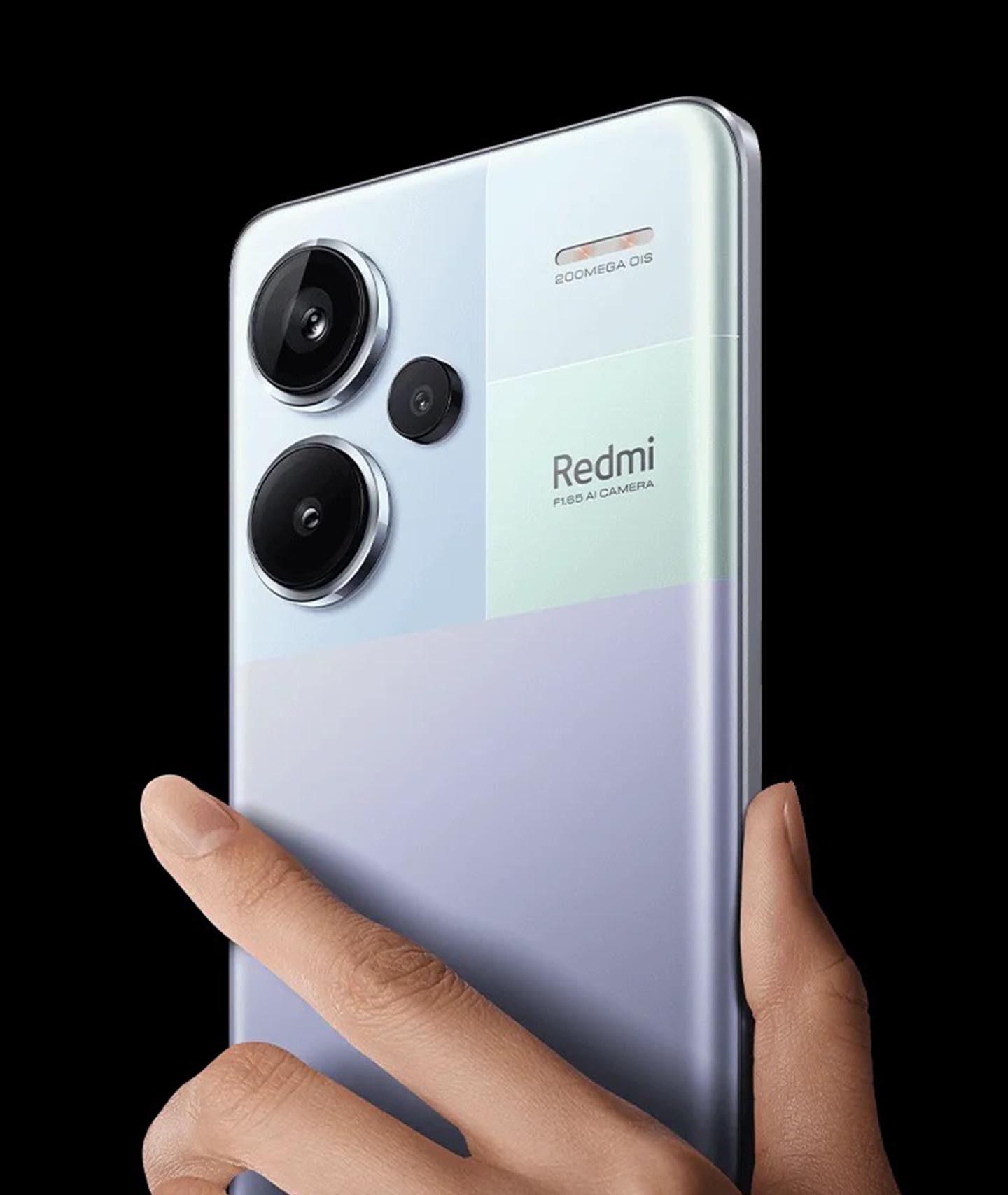
    1. Xiaomi Redmi Note 13 Pro+ 5G

    Redmi Note 13 Pro+ 5G

    Price: ₦690,300

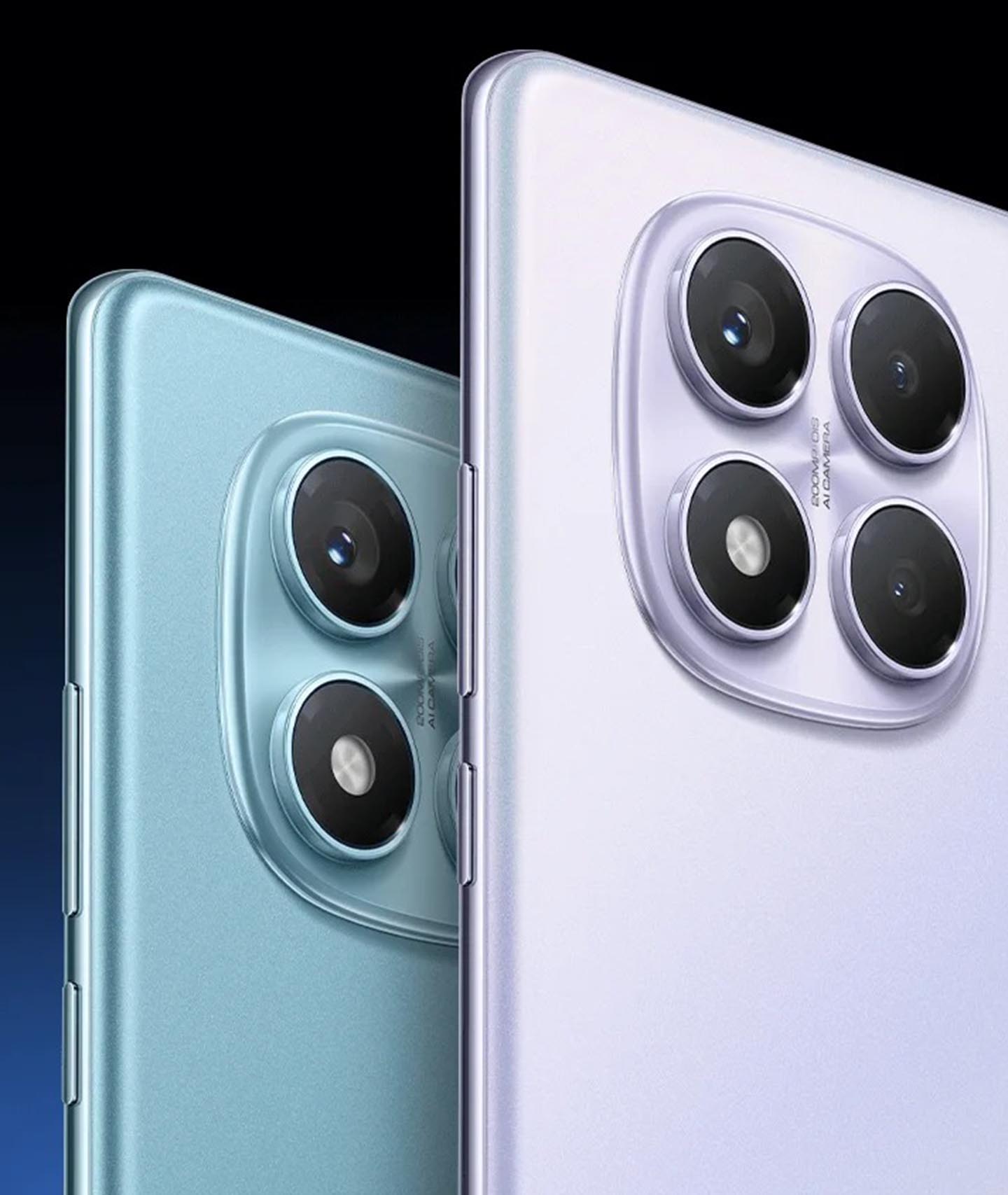
    The Redmi Note 13 Pro+ is a stunning mid-range phone with excellent features. It combines a premium design, a big, curved AMOLED display, and impressive performance. This phone has a 200MP camera, which sounds amazing, right? While it can take fantastic photos in good lighting, it might struggle a bit in low-light situations. But don’t worry! For everyday photos, it works perfectly fine.

    Pros:

    • Gorgeous curved AMOLED display
    • Powerful Dimensity 7200 Ultra processor
    • Fast 120W charging
    • 200MP main camera for sharp daytime photos
    • IP68 water resistance—your phone won’t get ruined by a little splash!

    Cons:

    • Still running Android 13, not the latest Android 14
    • Camera struggles in low light
    • Price might feel high for some users considering the camera’s limitations

    2. Xiaomi Redmi Note 11 Pro+ 5G

    Price: ₦370,000

    The Redmi Note 11 Pro+ 5G is all about giving you a big screen and smooth performance at an affordable price. It comes with a 120Hz AMOLED display, making everything look extra smooth and vibrant. It also features 67W fast charging to get you back up to 100% in no time.

    While the 108MP camera takes beautiful photos in good light, it’s not great at night. But don’t worry too much—this phone excels in everyday tasks and has a solid battery life to back it up.

    Pros:

    • Stunning 120Hz AMOLED display
    • Solid 5G performance
    • 67W fast charging—very quick charging!
    • Great speakers for a rich sound experience

    Cons:

    • 108MP camera isn’t great in low light
    • Average secondary cameras (ultrawide and macro)
    • MIUI (Xiaomi’s software) can be a bit messy at times

    3. Xiaomi Redmi Note 12 Pro 5G

    Price: ₦280,000

    The Redmi Note 12 Pro 5G has a small form factor but packs powerful features. It features a 120W charging system and has a Dimensity 1080 chip, so it’s fast and reliable for gaming and other tasks. The display quality is top-notch for the price, but the camera quality, especially zooming, isn’t as good as some competitors.

    Pros:

    • Gorgeous display—one of the best in this price range
    • 120W fast charging—you’ll love how quickly your phone charges
    • Smooth performance thanks to the Dimensity 1080 chip
    • 5G connectivity for fast internet speeds

    Cons:

    • Camera zoom capabilities aren’t great
    • Speaker quality could be better
    • Lacks an IP rating (water resistance)

    4. Xiaomi Poco X4 Pro 5G

    Price: ₦230,000

    If you’re looking for a solid mid-range phone, the Poco X4 Pro 5G is a great choice. It’s equipped with a 120Hz AMOLED display and a powerful 5000mAh battery that lasts all day. The 67W fast charging ensures you’re up and running in no time.

    Although it’s a great phone overall, the cameras could use a little improvement, especially in low light. It’s also not the best choice for hardcore gamers, but it’s more than enough for casual use.

    Pros:

    • Bright 120Hz AMOLED display
    • Long-lasting 5000mAh battery
    • 67W fast charging for super quick top-ups
    • Splash-resistant design for added protection

    Cons:

    • Cameras aren’t great in low light or close-up shots
    • Software can feel cluttered with bloatware
    • Not ideal for heavy gamers

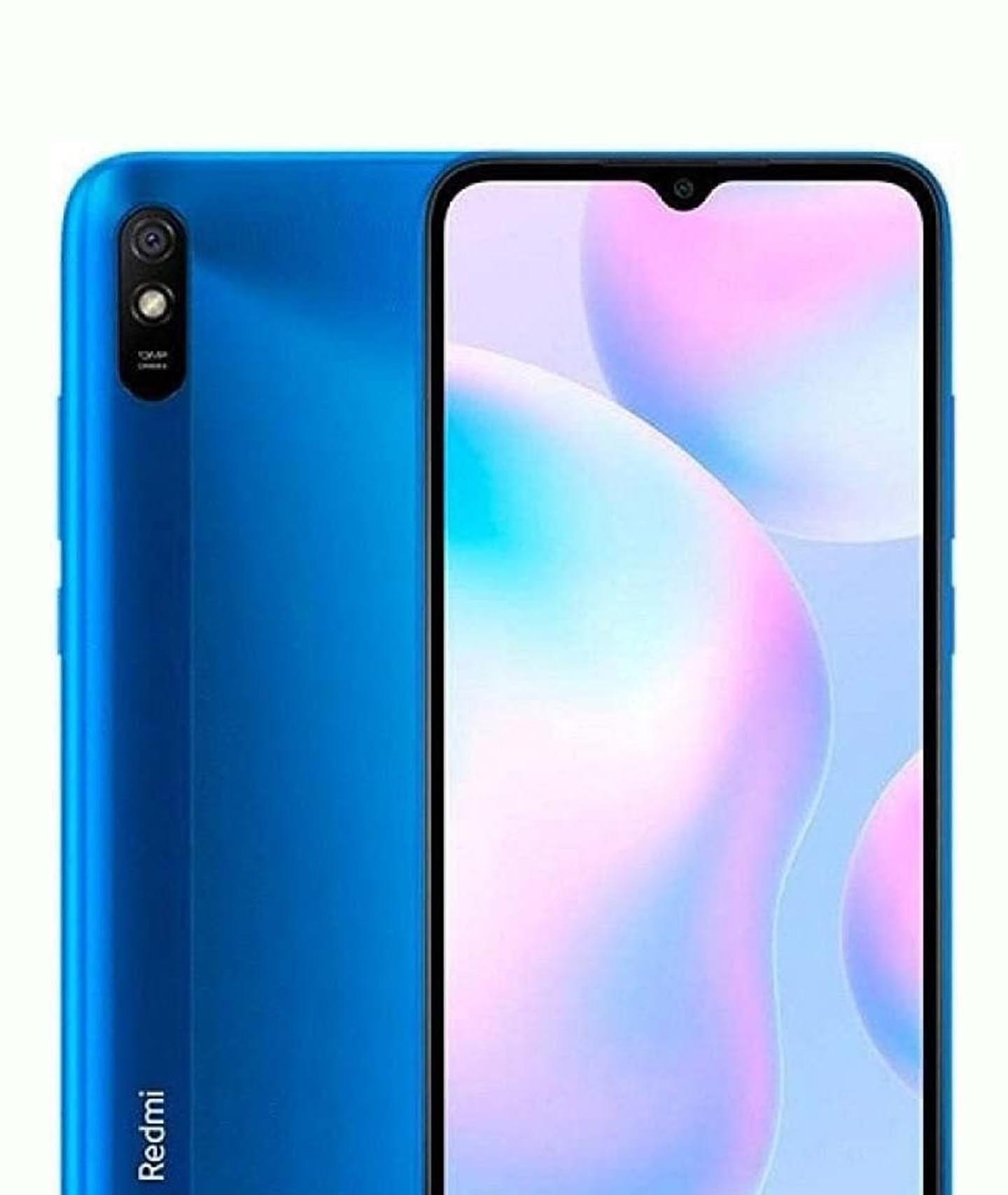
    5. Xiaomi Redmi 9A

    Xiaomi Redmi 9A

    Price: ₦95,000

    The Redmi 9A is one of the most affordable smartphones on the market, and it still offers a lot of value for the price. It has a 5020mAh battery that lasts all day, and the large 6.53-inch display is perfect for basic tasks like calls, browsing, and watching videos.

    However, the phone doesn’t have the power for heavy multitasking, and the performance can slow down if you have too many apps open at once. Still, it’s a great budget option for users who need something simple.

    Pros:

    • Huge 5020mAh battery for long-lasting power
    • Large 6.53-inch display for comfortable use
    • Expandable storage—add more space if you need it

    Cons:

    • Limited 2GB RAM—multitasking can be slow
    • Old Android 10 version (instead of the lighter Android Go)
    • Slow 10W charging
    • Uses an older Micro-USB port instead of newer USB-C

    6. Xiaomi Redmi 11 Prime 5G

    Price: ₦195,800

    For those who want an affordable 5G phone, the Redmi 11 Prime 5G is a solid choice. It’s powered by the Dimensity 700 chip, making it great for everyday tasks, and the 5000mAh battery will last a full day without issues.

    Although it offers 5G, the 90Hz LCD display is not as vibrant as AMOLED screens, and the 50MP camera doesn’t live up to expectations for photography lovers.

    Pros:

    • Affordable 5G phone
    • Decent performance for everyday use
    • Long-lasting 5000mAh battery
    • Expandable storage via microSD card

    Cons:

    • LCD display isn’t as vibrant as AMOLED
    • Some bloatware in the software
    • The 50MP camera is decent but not impressive

    7. Xiaomi Redmi 13C

    Price: ₦170,000

    The Redmi 13C is a budget-friendly phone with solid features. It has a 5000mAh battery and runs on the MediaTek Helio G85 chipset. With Android 13, it offers a smooth experience, and the camera setup, though basic, is good for casual photography.

    It’s perfect for someone who just needs a reliable phone without breaking the bank.

    Pros:

    • Long-lasting 5000mAh battery
    • Affordable 5G on a budget
    • Solid ergonomic build
    • Expandable storage (128GB option)

    Cons:

    • Slow charging speed
    • Average cameras
    • Pre-installed apps that can clutter the interface
    • HD display isn’t as sharp as other phones
    Best Xiaomi Redmi Smartphones in Nigeria

    8. Xiaomi Black Shark 5 Pro

    Price: ₦470,700

    For gaming enthusiasts, the Xiaomi Black Shark 5 Pro is a beast. Powered by the Snapdragon 8 Gen 1 chip and paired with 12GB of RAM, it handles even the most demanding games with ease. Plus, it comes with pop-up physical triggers that enhance your gaming experience.

    However, the phone tends to get hot during extended gaming sessions, and the battery life can be affected by the powerful components.

    Pros:

    • Incredible gaming performance with Snapdragon 8 Gen 1
    • 144Hz refresh rate display for smooth visuals
    • 120W fast charging to quickly juice up the phone
    • Excellent stereo speakers

    Cons:

    • Gets uncomfortably hot during gaming
    • Battery life could be better
    • Smaller 6.67-inch display may feel too small for some gamers

    9. Xiaomi Mi Mix Fold 3 5G

    Price: ₦1,800,610

    The Mi Mix Fold 3 is Xiaomi’s third-generation foldable phone, and it’s as impressive as it sounds. The design is sleek and functional, with a 5x telephoto lens that gives you fantastic zoom shots. It also has a 67W fast charging feature, making it practical despite being a foldable.

    While it has a Snapdragon 8 Gen 2 chip, it’s not perfect—it lacks waterproofing and can overheat with extended use.

    Pros:

    • Beautiful foldable design
    • Snapdragon 8 Gen 2 for smooth performance
    • Wireless charging for convenience
    • Fantastic 5x telephoto zoom camera

    Cons:

    • No waterproofing
    • The display can be slow to respond sometimes
    • No autofocus on the ultrawide camera

    10. Xiaomi Mi 12 Pro 5G

    Price: ₦480,000

    The Mi 12 Pro 5G is a flagship phone that combines a premium design with powerful performance. It has an OLED display that’s vibrant and clear, making everything look amazing. With 120W fast charging, you can quickly charge up and keep using it for gaming, browsing, and more.

    However, the camera system could be better, especially in low-light conditions.

    Pros:

    • Beautiful OLED display
    • 120W fast charging—you’ll love how quick it charges
    • Excellent 5G connectivity

    Cons:

    • The camera system isn’t the best in low light
    • Speaker quality could be better

    11. Xiaomi Redmi Note 14 Pro

    Xiaomi Redmi Note 14 Pro

    Price: ₦480,000

    The Redmi Note 14 Pro is a mid-range phone that delivers solid performance with a sleek design. It features a 6.67″ AMOLED display with a high refresh rate, making scrolling and gaming smooth. The 5,000mAh battery ensures all-day use, and with 67W fast charging, you won’t have to wait long to power up.

    However, the camera struggles a bit in low-light conditions, and MIUI comes with some pre-installed bloatware.

    Pros:

    • 6.67″ AMOLED display with a high refresh rate for smooth visuals
    • 5,000mAh battery lasts all day
    • 45W turbo-charging gets you back up quickly

    Cons:

    • Low-light camera performance could be better
    • MIUI has some bloatware

    There you have it—a detailed look at the best Xiaomi phones available in Nigeria right now. Whether you’re on a tight budget or looking for something high-end, Xiaomi has options that suit every need. From the Redmi 9A for budget-conscious users to the Mi Mix Fold 3 for those who want the latest in foldable tech, there’s a phone for you.

    Take your time to decide which one fits your needs, and remember: Xiaomi phones pack a lot of value for the price. Happy shopping!

    FAQs

    Q: Are Xiaomi phones affordable?

    A: Yes, Xiaomi phones are known for their budget-friendly pricing. However, it’s worth considering how this affects long-term support and customer service availability.

    Q: How do I remove bloatware from Xiaomi phones?

    A: MIUI isn’t as optimized as Google’s stock Android or Samsung’s interface, but you can manage pre-installed apps in several ways:

    1. Disabling Apps: Some pre-installed apps can be disabled to remove them from view and free up resources, though they won’t be fully deleted.
    2. Using a Third-Party Launcher: Installing a custom launcher from the Play Store can provide a cleaner experience and hide unwanted apps.
    3. Installing a Custom ROM: Advanced users can unlock root access and flash a new version of Android, but this is risky and may void the warranty.

    To remove bloatware without rooting:

    • Enable developer options and USB debugging on your Xiaomi phone.
    • Download Xiaomi ADB/Fastboot Tools on your PC.
    • Connect your phone to the PC and allow USB debugging.
    • Use the tool to uninstall or disable unwanted apps.
    • Restart your phone for changes to take effect.

    Note: Xiaomi doesn’t allow the Mi Browser to be uninstalled, only disabled. Some apps may also return after system updates, requiring you to disable them again.

    Q: Do Xiaomi phones come with earbuds?

    A: Most Xiaomi phones do not include earbuds in the box. However, Xiaomi sells separate options like the Xiaomi Buds 3 and Buds 3T Pro.

    Q: Do Xiaomi phones support Google apps?

    A: Yes, Xiaomi phones sold globally come with Google Mobile Services, including Google Maps, Play Store, and Google Pay. However, models imported from China may lack these services due to regional restrictions.

  • How to Convert MTN Points to Data in Nigeria

    How to Convert MTN Points to Data in Nigeria

    If you’ve been using MTN Pulse in Nigeria, you’ve probably heard of Pulse Points, also called MTN Points. These points are basically MTN’s way of saying, “Thanks for using our services!” But instead of just letting them sit there, did you know you can convert them into data? Yes! You can turn those points into extra data for browsing, streaming, and chatting.

    In this guide, I’ll walk you through everything you need to know about MTN Points—how to earn them, check your balance, and most importantly, convert them into data. Let’s dive in!

    What Are MTN Points?

    MTN Points (or Pulse Points) are loyalty rewards given to customers on the MTN Pulse tariff plan. You earn these points by performing certain activities like making calls, buying data, or using the MyMTN NG app. These points can then be redeemed for free data.

    Here’s a quick breakdown of how you earn MTN Points:

    ActivityPoints Earned
    Making calls on MTN PulseEarns points per minute
    Buying data bundlesEarns points per purchase
    Using the MyMTN NG appEarns points for transactions
    Staying on the MTN Pulse planRequired to keep earning points

    The more you use MTN Pulse, the more points you earn. But remember, these points expire after a year, so don’t let them go to waste!

    How to Check Your MTN Points Balance

    Before you can redeem your points for data, you need to check how many you have. Here’s how:

    Method 1: Using USSD Code

    1. Dial *406# on your phone.
    2. Select Pulse Points (Option 7).
    3. Select Pulse Points Balance (Option 4).
    4. Your total Pulse Points will be displayed on your screen.

    Method 2: Using the MyMTN NG App

    1. Open the MyMTN NG app (download it if you don’t have it).
    2. Log in with your MTN number.
    3. Navigate to the Pulse Points section to see your balance.

    Checking your balance regularly helps ensure you use your points before they expire.

    How to Convert MTN Points to Data

    Now that you know your balance, let’s get to the good part—converting your MTN Points to data. There are two main ways to do this: via USSD or SMS.

    Method 1: Using USSD Code

    Follow these simple steps:

    1. Dial *406# on your MTN line.
    2. Select Pulse Points (Option 7).
    3. Select Redeem Data Bundles (Option 1).
    4. Choose the type of data bundle you want:
      • Daily Plan
      • Weekly Plan
      • Monthly Plan
    5. Follow the prompts to confirm your selection.
    6. You will receive a confirmation message, and your data bundle will be activated.

    Method 2: Using SMS

    If you prefer SMS, follow these steps:

    1. Type the keyword for your preferred data bundle (e.g., “1GB” for 1GB of data).
    2. Send the keyword as an SMS to 312.
    3. You’ll receive a confirmation message once your data is activated.

    Tip: The SMS method works best if you already know the correct bundle keyword. You can find these keywords on MTN’s official website or customer support.

    How to Convert MTN Points to Data in Nigeria

    Important Terms & Conditions

    Before converting your points, keep these rules in mind:

    • You must be on the MTN Pulse tariff plan to earn and redeem Pulse Points.
    • Points expire after 12 months, so use them before they disappear.
    • You won’t earn new points for converting your existing points to data.
    • Switching from MTN Pulse to another plan will cause you to lose all accumulated points.
    • You can combine your Pulse Points with airtime if your points aren’t enough for a data bundle.

    Pro Tips to Maximize Your MTN Points

    Want to get the most out of your MTN Points? Here are some expert tips:

    TipBenefit
    Make calls of at least 5 minutes dailyEarns more points faster
    Buy data bundles regularlyIncreases point accumulation
    Use the MyMTN NG app for transactionsEarns extra points
    Check your balance oftenPrevents points from expiring

    If you’ve been using MTN Pulse but ignoring your Pulse Points, you’re leaving free data on the table! Now that you know how to check your balance and convert your points, you can start enjoying extra data without spending extra money.

    Try it out today—dial *406#, check your points, and redeem them for data. Happy browsing!

  • 6+ Nigerian EV Companies Changing the Game

    6+ Nigerian EV Companies Changing the Game

    Electric vehicles (EVs) are taking over the world, and Nigeria is no exception. With rising fuel costs and increasing environmental concerns, Nigerian companies are stepping up to build EVs that are practical, affordable, and suited for local conditions. Whether it’s electric motorcycles for delivery riders, taxis for city commuters, or cargo vans for businesses, these companies are making serious moves. Here’s a closer look at some of the Nigerian EV companies leading the charge.

    1. MAX

    Nigerian EV Companies Changing the Game (MAX)
    • Founded: 2015
    • Total Funding: $39.6 million
    • Flagship EV: MAX M3 Electric Bike
    • Range: 80-110 km per charge
    • Top Speed: 85 km/h

    MAX started as a logistics company but shifted focus to EVs when the government banned commercial motorcycles in some Nigerian cities. Their MAX M3 electric bike is designed for commercial use, offering a smooth ride and a decent travel range. The company also provides financing options, making it easier for transport operators to own EV bikes. With over 45,000 users on its platform, MAX is setting the pace for electric two-wheelers in Nigeria.

    2. Jet Motor Company

    Nigerian EV Companies Changing the Game (Jet Motor Company)
    • Founded: 2018
    • Total Funding: $9 million
    • Flagship EV: Jet EV Van
    • Range: 300 km per charge
    • Battery Capacity: 107.8 kWh

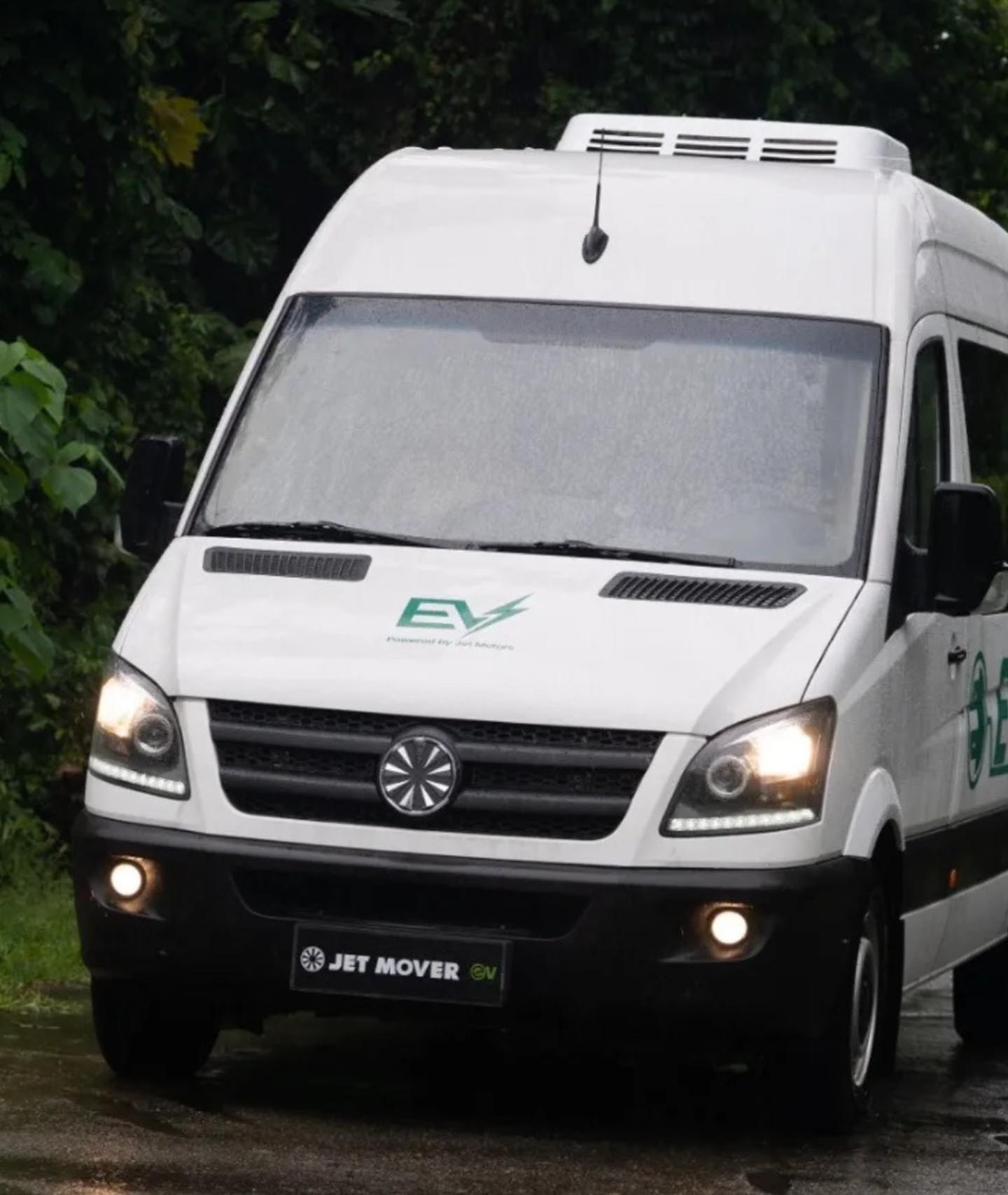
    Jet Motor Company wants to be the “Tesla of Africa.” It has already supplied electric vans to the Nigerian government and logistics giant GIGL. Designed to handle Nigeria’s rough roads, the Jet EV comes with reinforced shock absorbers, bigger tires, and higher ground clearance. With more companies looking for cleaner transportation options, Jet Motor Company is poised for bigger things.

    3. Siltech

    Nigerian EV Companies Changing the Game (Siltech)
    • Founded: 2016
    • Total Funding: $3 million
    • Flagship EV: Falcon Three-Wheeler
    • Range: 300 km per charge

    Siltech focuses on three-wheeled EVs, perfect for delivery services and short-distance transport. It recently partnered with Glovo to provide electric delivery bikes in Lagos. The company has also set up 10 EV service centers, making it easier for users to charge or swap their batteries. With plans to scale up production, Siltech could soon become a household name in Nigeria’s EV space.

    4. Trekk Scooters

    Nigerian EV Companies Changing the Game (Trekk Scooters)
    • Founded by: Isaac Oyedokun, Praise Sakanwi, Jean-Noël Bayi
    • Available In: Select Nigerian universities

    Trekk Scooters is an innovative startup offering electric scooter-sharing services in Nigerian universities like Lagos State University and Pan-Atlantic University. Users can rent scooters through a mobile app, making it a convenient option for short commutes. To ensure safety, Trekk scooters are geo-fenced, preventing them from being used outside designated areas. While still in its early stages, this concept could revolutionize urban mobility in Nigeria.

    5. Possible EVs

    Nigerian EV Companies Changing the Game (Possible EVs)
    • Founded: 2021
    • Total Funding: $5 million
    • Flagship Service: EV Taxi
    • Range: 400 km per charge

    Possible EVs launched Nigeria’s first electric taxi service to challenge misconceptions about EVs. Their taxis are currently being tested in Abuja, with plans to expand to Lagos and Akwa Ibom. With a strong focus on affordability and reliability, this company is on a mission to make electric taxis mainstream.

    6. EMVC

    Nigerian EV Companies Changing the Game (EMVC)
    • Founded by: Prince Mustapha Audu
    • Flagship EVs: Adoja M1 & Adoja M2
    • Range: 250 km per charge

    EMVC is one of the few Nigerian companies producing four-wheeled EVs. Their Adoja M2 model features air conditioning, a reverse camera, and a solid range of 250 km per charge. Unlike many local EV startups focused on two or three-wheelers, EMVC is trying to make full-sized electric cars a reality in Nigeria.

    Challenges Facing Nigerian EV Companies

    While these companies are making impressive progress, they still face some hurdles:

    ChallengeExplanation
    High Production CostsEV batteries make up nearly 50% of the total cost, making it expensive to produce four-wheeled EVs.
    Charging InfrastructureNigeria still lacks widespread EV charging stations, limiting adoption.
    Government SupportUnlike global EV giants like Tesla, Nigerian startups receive little financial backing from the government.
    Consumer AwarenessMany Nigerians are still skeptical about EVs due to concerns about reliability and range.

    The Future of EVs in Nigeria

    Despite these challenges, Nigeria’s EV industry is growing fast. The government has drafted a national EV action plan, which, if implemented, could help local startups scale production and improve infrastructure. With the right support, these companies could position Nigeria as a key player in Africa’s electric vehicle market.

    The Nigerian EV industry is still young, but the companies listed above are proving that clean and sustainable transportation is possible. Whether it’s electric motorcycles, vans, scooters, or taxis, each of these startups is solving real problems and shaping the future of mobility in Nigeria. If the industry continues to grow, Nigeria could soon be a leader in Africa’s EV revolution.

  • How to Check MTN 5G Router Data Balance in Nigeria

    How to Check MTN 5G Router Data Balance in Nigeria

    So, you got yourself an MTN 5G router? That’s great! It’s fast, reliable, and makes streaming, gaming, and working from home a breeze. But like any internet plan, you need to keep an eye on your data balance to avoid running out at the worst possible time (like during a live football match or an important Zoom meeting!).

    If you’re wondering how to check your MTN 5G router data balance in Nigeria, don’t worry—I’ve got you covered. By the time you’re done reading this, you’ll know exactly what to do, and it’ll be as easy as checking the time on your phone.

    Method 1: Using the MTN USSD Code

    This is the easiest way to check your router’s data balance. The good news? You don’t even need to remove the SIM card from your router. You just need a phone linked to the router’s SIM. Here’s how:

    Step-by-Step Guide

    1. Link your phone to your router’s SIM (if you haven’t done so before)
      • Dial *131*500# on your phone.
      • Select Option 1 (Link Device) and send.
      • Enter the phone number of the SIM inside the router (e.g., 080XXXXXXXX).
      • You’ll get a confirmation message saying the linking was successful.
    2. Check your data balance
      • Dial *131*500# again.
      • Select Option 4 (Check Device Balance) or Option 3 (Broadband Balance).
      • Choose your router’s number from the list.
      • Your remaining data balance will be displayed on your screen.

    Quick Summary Table

    ActionUSSD Code & Options
    Link your phone to the router*131*500# > Option 1 > Enter router SIM number
    Check data balance*131*500# > Option 4 (Device Balance) or Option 3 (Broadband Balance)

    Method 2: Using the MyMTN App

    If you love having everything in one place, the MyMTN app is a great option for checking your router’s data balance. Here’s how:

    Step-by-Step Guide

    1. Download and install the MyMTN app from the Google Play Store or Apple App Store.
    2. Log in using the router’s SIM number.
    3. Go to the “Check Data Balance” section, and your remaining data will be displayed.

    Quick Summary Table

    ActionSteps
    Download MyMTN AppFrom Play Store or App Store
    Log inUse router SIM number
    Check Data BalanceGo to “Check Data Balance” section
    How to Check MTN 5G Router Data Balance in Nigeria

    Which Method Should You Use?

    • For quick checks → Use the USSD code.
    • If you want an all-in-one solution → Use the MyMTN app.

    Now you know how to check your MTN 5G router data balance like a pro! No more running out of data unexpectedly. Try one of these methods and keep surfing without interruptions.

  • How to Link Your NIN to MTN in Nigeria

    How to Link Your NIN to MTN in Nigeria

    If you use an MTN line in Nigeria, you’ve probably heard about the government’s directive to link your National Identification Number (NIN) to your SIM card. This requirement is part of a national effort to improve security and track fraudulent activities. If you haven’t linked your NIN yet, don’t worry! This guide will walk you through the process step by step in the simplest way possible.

    What is NIN and Why is it Important?

    NIN stands for National Identification Number. It’s an 11-digit number issued by the National Identity Management Commission (NIMC) to every Nigerian who registers for it. Think of it like a digital fingerprint—it’s unique to you and connects your personal details, including your name, age, fingerprints, and other important records.

    In 2020, the Nigerian government made it mandatory for all mobile network users to link their NIN to their phone numbers. Why? Because it helps curb fraud, improve national security, and ensure that only properly registered individuals have access to mobile services. If you don’t link your NIN, your MTN line could be blocked.

    What You Need Before Linking Your NIN

    Before you start, make sure you have the following:

    1. An MTN SIM card (registered in your name)
    2. Your NIN (if you don’t have one, you’ll need to register for it at a NIN enrollment center)
    3. A Virtual NIN (VNIN) (MTN now requires this for linking instead of the regular NIN)

    How to Get Your NIN: If you’ve registered for a NIN but don’t remember it, dial *346# on your MTN line and select “NIN Retrieval.” A pop-up will display your NIN (this service costs N20).

    How to Generate Your VNIN: Dial *346# and select “Virtual NIN.” Enter your NIN, and your VNIN will be sent via text.

    How to Link Your NIN to MTN

    You can link your NIN to your MTN number in two ways:

    1. Using the MTN NIN Portal
    2. Via USSD Code

    Method 1: Linking NIN to MTN via the MTN Portal

    Follow these simple steps:

    1. Visit the MTN NIN portal
    2. Enter your MTN phone number and your VNIN
    3. Follow the prompts to verify your details
    4. Enter the OTP (One-Time Password) sent to your phone
    5. Submit the request and wait for confirmation

    This method is easy and works best if you have internet access.

    Method 2: Linking NIN to MTN via USSD Code

    If you don’t have internet access, you can link your NIN using a simple USSD code:

    1. Dial *996# on your MTN line
    2. Select option 1 (Submit Virtual NIN)
    3. Enter your VNIN and follow the prompts
    4. Wait for confirmation

    That’s it! You should receive a message confirming that your NIN has been successfully linked.

    How to Link Your NIN to MTN in Nigeria

    Troubleshooting Common Issues

    Even though the process is straightforward, some users run into issues. Here’s how to fix them:

    IssueSolution
    I don’t have a NINVisit a NIMC enrollment center with a valid ID to register for one.
    My SIM is not registeredVisit an MTN service center to register your SIM before linking.
    My line is barredTry linking your NIN. If unsuccessful, contact MTN customer support or visit an MTN office.
    My NIN isn’t linkingEnsure you are using your VNIN instead of your regular NIN. If the issue persists, visit an MTN service center.
    I’ve linked my NIN, but it’s still not workingWait a few hours or contact MTN customer support.

    Why You Should Link Your NIN to Your MTN Line

    Still wondering why this is important? Here are the key reasons:

    • Avoid Disconnection: If you don’t link your NIN, your MTN line might be blocked, meaning you won’t be able to make or receive calls.
    • Stay Secure: The government is using NIN-SIM linkage to reduce fraud and improve security.
    • Easier Identification: Your NIN makes it easier for banks, government agencies, and telecom providers to verify your identity.

    Linking your NIN to your MTN line is simple and quick, whether you use the MTN portal or the USSD code. Make sure you have your VNIN ready, follow the steps above, and complete the process today to keep your line active.

    If you run into any issues, MTN customer care is available to assist you. So don’t wait—link your NIN now and keep your MTN line running smoothly!

  • How To Hide Your Number on MTN Nigeria

    How To Hide Your Number on MTN Nigeria

    Ever wanted to make a call without revealing your phone number? Maybe you’re planning a surprise or just prefer some privacy. Whatever your reason, hiding your number on MTN Nigeria is easier than you think. This guide will walk you through simple and effective methods to keep your number private when making calls. Let’s get started!

    Why Would You Want to Hide Your Number?

    Before diving into the methods, let’s quickly talk about why you might want to hide your number:

    • Privacy Protection: You may not want strangers or businesses to have your number.
    • Surprises & Pranks: Need to call a friend without ruining the surprise? This trick comes in handy.
    • Business & Professional Use: Sometimes, professionals need to keep their personal numbers private.

    Now that we know the why, let’s get to the how.

    Methods to Hide Your Number on MTN Nigeria

    MTN offers multiple ways to make your number invisible to the person you’re calling. Below are three easy methods you can use:

    Method 1: Using MTN Caller ID Blocking Code

    This is the quickest and easiest method. Just dial a simple code before the number you want to call.

    How to Use It:

    1. Open your phone’s dialer.
    2. Dial #31# followed by the recipient’s number.
      • Example: #31#08012345678
    3. Press the call button.

    Your number will now appear as “Private Number” or “Unknown” on the recipient’s phone.

    Limitations:

    • May not work for international calls.
    • Some people may have settings that block private numbers.

    Method 2: Permanent Caller ID Blocking via Phone Settings

    If you always want your number to be hidden, you can change your phone’s settings.

    Steps for Android Users:

    1. Open the Phone app.
    2. Tap the three-dot menu (⋮) > Settings.
    3. Select Call Settings or Additional Settings.
    4. Tap Caller ID.
    5. Choose Hide Number.

    Steps for iPhone Users:

    1. Go to Settings.
    2. Scroll down and tap Phone.
    3. Select Show My Caller ID.
    4. Toggle off the switch to hide your number.

    Limitations:

    • Some networks may not support this feature.
    • You may need to manually enable it again if you reset your phone.

    Method 3: Using Third-Party Apps

    There are apps available that let you mask your number for specific calls.

    Recommended Apps:

    App NameFeaturesAvailability
    DingtoneVirtual numbers & caller ID blockingAndroid & iOS
    TextMeTemporary numbers for callsAndroid & iOS
    HushedPrivate calling & textingAndroid & iOS

    How to Use These Apps:

    1. Download the app from the Play Store or App Store.
    2. Create an account.
    3. Follow the instructions to make calls while keeping your number private.

    Limitations:

    • Some apps require a paid subscription.
    • Not all apps work with MTN.

    Troubleshooting & Common Issues

    Even with these methods, you might run into some hiccups. Here are some solutions:

    IssuePossible Solution
    Caller ID is still showingDouble-check that you dialed #31# before the number.
    Feature not workingRestart your phone and try again.
    Some contacts still see your numberThey may have settings that block hidden numbers.

    Privacy & Security Tips

    Hiding your number is great, but here are some extra tips to stay safe:

    • Use It Responsibly: Don’t use this feature for harassment or scams.
    • Know When It Won’t Work: Emergency numbers will always see your caller ID.
    • Avoid Unknown Callers: If someone is hiding their number when calling you, be cautious before answering.
    How To Hide Your Number on MTN Nigeria

    Legal & Ethical Considerations

    Hiding your number is perfectly legal in Nigeria, but there are some ethical considerations:

    • Respect Others’ Privacy: Don’t use private calls to bother or mislead people.
    • Be Aware of Call Traceability: Law enforcement agencies can still trace calls if necessary.
    • Check MTN Policies: MTN may change policies at any time, so stay updated.

    By now, you know exactly how to hide your number on MTN Nigeria using codes, phone settings, or apps. Whether you need it for privacy, business, or just a little fun, you now have full control over your caller ID.

    Just remember—with great power comes great responsibility! Use this feature wisely and always respect the privacy of others.

    Happy calling!

  • How To Play Aviator on 1xBet and Bet9ja NG

    How To Play Aviator on 1xBet and Bet9ja NG

    The popular crash game Aviator has found its way into prominent platforms like Bet9ja NG and 1xBet. Aviator offers something new for Nigerian punters seeking something different from the classic slots, roulette, and card games.

    Aviator is all about time and excitement, unlike other casino games where you fight against the house or other players. This guide covers certain information you should be aware of if you want to play Aviator on 1xBet or Bet9ja in Nigeria.

    Understanding the Aviator Game

    In the exciting crash-style game Aviator, you wager, witness a virtual aircraft take flight, and then decide when to pay out before it disappears. The amount of time the aircraft stays in the air determines your probable winnings. However, if you wait too long and the plane crashes, you lose everything.

    This is how the Aviator game works.

    1. Place your bets: You have to determine how much money you want to stake before every game starts. Aviator’s dual betting feature—which lets you make two simultaneous bets—is one of its cool features. You can cash out one bet early for a safe win while letting the other bet ride for a bigger risk (and reward).
    1. Monitor the progress: Once the round gets underway, a little red aircraft shows on the screen and starts to ascend. A multiplier begins ticking from 1x as it soars higher. This multiplier shows your profits if you cash out at that point.
    1. Cash out: This is when the actual fun comes in! You can cash out whenever the aircraft vanishes. The possible payoff increases with increasing patience but if you wait too long, you walk away with nothing.

    Features That Make Aviator Exciting

    FeaturesDescription
    Auto Bet & Auto Cash OutIn every round, the auto bet lets the game place bets for you automatically. The auto cash-out allows you to choose a multiplier at which your wager will be paid out automatically.
    Fair and Transparent GameplayAviator relies on provably fair technology—that is, the result of each round is random and cannot be controlled.
    Live Multiplayer & Chat FeatureAviator lets you see real-time bets and cash-outs of other players. You may even converse with other players, exchange tactics, and find out who is most likely to take the biggest chances. 

    Tips and Strategies for Playing Aviator on Bet9ja and 1xBet

    While the game is based on chance, there are smart strategies you can use to improve your odds and maximize your winnings. Some of them are listed below.

    1. Start Small and Observe the Game

    Jumping in with large bets is risky. A smart approach is starting with modest stakes and seeing how the game unfolds. Observe the average multipliers throughout numerous rounds at which the aircraft falls. This will enable you to see patterns and guide your timing for cashing out.

    2. Create a Target Multiplier

    Have a predefined multiplier at which you will pay out rather than acting impulsively. If you choose to always pay out at 2x or 3x, for instance, you remove emotions from the game and follow a plan that will enable you to win regularly over time.

    3. Use Auto Cash-Out

    An auto cash-out function is available on Aviator in Bet9ja and 1xBet, which allows you to choose a multiplier at which your wager will be automatically withdrawn. This is a good strategy for those who prefer not to engage in unwarranted risk. Set it at a reasonable level (e.g., 2x to 3x) to secure steady profits.

    4. Manage Your Bankroll Wisely

    One of the biggest mistakes players make is betting too much at once. To stay in the game longer and avoid losing everything quickly, set a budget and stick to it. 

    How to Play Aviator on Bet9ja

    How to Play Aviator on Bet9ja
    How to Play Aviator on Bet9ja

    Ready to play Aviator on Bet9ja NG? Let us walk you through the entire process, step by step.

    • Visit the official Bet9ja website to register for an account.
    • Use your Bet9ja Aviator login details to access your account and make your first deposit.
    • Click on the Aviator game icon to open it.
    • You will see choices for placing bets before the round begins after the game launches. 
    • As the virtual plane ascends and the multiplier increases, decide the optimal moment to cash out before the plane flies away to secure your winnings.

    How to Play Aviator on 1xBet

    How to Play Aviator on 1xBet
    How to Play Aviator on 1xBet

    Though the approach is somewhat similar to Bet9ja, let’s go over the particular steps to get you playing the Aviator game 1xBet.

    • Create an account on the 1xBet official website using one of the registration methods.
    • Go to the “Deposit” area to make your initial deposit using any of the available choices.
    • Launching the game by clicking on the aviator game link.
    • One Aviator hack for 1xBet is to try the demos to become acquainted with the game principles before making any money bets. 
    • When ready, choose your wager amount and choose whether to make single or many bets.

    We have gone over what you need to know about playing Aviator on 1xBet and Bet9ja. Just follow the registration procedure we have described for your selected platform if you are ready to start playing. Remember to keep to a strategy, play responsibly, and most importantly—have fun playing!

  • MTN Ghana Rates for Local and International Calls

    MTN Ghana Rates for Local and International Calls

    Staying connected is important, whether you’re calling a friend across the street or a family member overseas. If you’re an MTN Ghana user, you might be wondering: How much do calls cost? What’s the best way to save money? Let’s break it all down in simple, clear terms.

    Local Call Rates

    MTN Ghana charges for calls per minute, whether you’re calling another MTN number or a different network within Ghana. Here’s what you need to know:

    Regular Call Rates

    These are the standard rates deducted from your airtime when you make a call without a special bundle or offer:

    Call TypeRate per Minute (GHS)
    MTN to MTN0.1440
    MTN to Other Networks (Telecel, AT)0.1464

    Special Call Rates

    If you want better deals, MTN offers special call packages that give you more minutes at a lower cost. Here are some of the popular ones:

    OfferDurationTotal Cost (GHS)Rate per Minute (GHS)
    MTN Free After OneCharged for only the first minute0.3539Only the first minute is charged
    Sunday Special20 mins0.760.038
    37 mins1.410.038
    70 mins2.630.038
    MTN Jara20 mins0.760.038
    37 mins1.410.038
    70 mins2.630.038
    Pulse0.47 mins – 76.93 mins0.07 – 4.990.0454
    35.22 mins – 164.15 mins5 – 9.990.0426
    73.35 mins – 513.28 mins10 – 29.990.0409

    Tip: If you make a lot of calls, these special offers can save you a lot of money!

    Roaming Call Rates

    What if you travel outside Ghana but still want to use your MTN number? That’s called roaming, and MTN charges different rates based on the country you’re in.

    Here’s what you need to know:

    ZoneCall TypeRate per Minute (GHS)
    Zone 1Calls made from MTN Ghana to a foreign network (MOC)2.3258
    Calls received on your MTN Ghana number from a foreign number (MTC)0.8986
    Zone 2Calls made from MTN Ghana to a foreign network (MOC)4.2286
    Calls received on your MTN Ghana number from a foreign number (MTC)1.0042
    • MOC (Mobile Originating Calls): Calls you make while roaming.
    • MTC (Mobile Terminating Calls): Calls you receive while roaming.

    Tip: Roaming can be expensive! If you travel frequently, consider using an international calling bundle or a local SIM card in the country you visit.

    International Direct Dialling (IDD) Rates

    What if you’re in Ghana and want to call another country? That’s called International Direct Dialling (IDD), and MTN offers special bundles for this too.

    MTN IDD Bundle for the USA, Canada, China, and India

    Price (GHS)MinutesValidityRate per Minute (GHS)
    2.50303 days0.0833
    6.22707 days0.0889
    12.4315015 days0.0829

    If you want to call other countries, you’ll be charged from your regular airtime. The exact rate varies by country, so it’s best to dial MTN’s toll-free number 100 to check the specific rate before calling.

    Tip: If you make frequent international calls, these IDD bundles are a great way to cut costs!

    MTN Ghana Rates for Local and International Calls

    How to Check MTN Call Rates & Subscribe to Offers

    If you’re unsure about the rates or want to activate a package, here’s what you can do:

    • Dial 100 – Speak to an MTN agent for up-to-date rates.
    • Use the MTN App – Check offers and activate bundles easily.
    • Dial MTN shortcodes:

    MTN Ghana offers various call rates and packages to fit different needs, whether you’re making local calls, roaming, or dialing internationally.

    • If you make short calls, the MTN Free After One plan might work best.
    • If you call a lot on weekends, the Sunday Special gives great value.
    • If you travel, check roaming rates before you go.
    • If you make international calls often, the IDD bundle is a great way to save money.

    Since call rates can change, it’s always a good idea to check with MTN before making long calls. Stay connected, stay informed, and make the most of your airtime!

    Need Help? Call 100 for customer service or visit MTN Ghana’s website for more details.

  • MTN UP2U Data Bundle: How to Activate & Use

    MTN UP2U Data Bundle: How to Activate & Use

    Imagine you’re part of a big family, and your parents buy a giant box of chocolates for everyone to share. Instead of giving each person their own box, they let everyone take chocolates from the big box as needed. This way, everyone gets their fair share, and it’s more convenient than managing individual boxes. That’s similar to how the MTN UP2U Data Bundle, officially known as MTN Group Share, works for businesses and organizations in Ghana.

    What is MTN Group Share?

    MTN Group Share is a service designed for businesses and organizations to manage their communication resources—like voice minutes, SMS, and data—in a shared pool. Instead of providing separate bundles to each employee, the organization purchases a bulk package at discounted rates and distributes it as needed among its members. This approach ensures efficient use of resources and cost savings.

    How Does MTN Group Share Work?

    Let’s break it down step by step:

    1. Bulk Purchase: The organization buys a large amount of voice minutes, SMS, and data from MTN at discounted prices.
    2. Shared Pool Creation: These purchased resources are stored in a central pool accessible to all authorized members of the organization.
    3. Administration: An appointed administrator within the organization manages this pool. They can allocate specific amounts to individuals or allow members to draw from the pool as needed.
    4. Monthly Reloads: The pool is replenished monthly based on the organization’s chosen package, ensuring continuous access to necessary resources.

    This system is like having a communal pantry where everyone can take what they need, and it’s restocked regularly to keep up with demand.

    Benefits of MTN Group Share

    Why would an organization choose MTN Group Share? Here are some key advantages:

    • Cost Savings: Buying in bulk often comes with discounts, reducing the overall expenditure on communication services.
    • Flexibility: Resources can be allocated based on individual needs, ensuring that heavy users have enough, while lighter users don’t waste unused resources.
    • Simplified Management: With a centralized system, tracking and managing usage becomes more straightforward, reducing administrative hassles.
    • Secure Connectivity: The service includes APN (Access Point Name) services, providing a secure internet environment for sensitive business operations.

    How to Register for MTN Group Share

    If your organization is interested in adopting this service, here’s how you can get started:

    1. Contact MTN Business Support: Reach out via email at [email protected] or WhatsApp/call 0244308111.
    2. Visit an MTN Office: Discuss your organization’s specific needs in person with MTN representatives.
    3. Consult Your Account Manager: If you already have an MTN Business Account Manager, they can assist with the setup process.

    During registration, MTN will guide you through signing agreements, determining the appropriate bundle size, and setting up portal access for resource management.

    Note: As of now, the MTN Group Share service is temporarily on hold due to feature enhancements, and MTN is not onboarding new customers to this service.

    How to Activate & Use MTN UP2U Data Bundle

    Packages and Pricing

    MTN Group Share offers customizable packages that include voice minutes, SMS, data bundles, and APN services. These packages are designed to be flexible, allowing organizations to tailor them to their specific needs.

    Here’s a breakdown of the rates:

    PackageRate (GH₵)
    Voice0.092
    SMS0.046
    Data (<10 GB)0.041
    Data (10-50 GB)0.0062
    Data (50-100 GB)0.0031

    Note: These rates are subject to change. It’s advisable to contact MTN directly for the most current pricing.

    Managing Your Resources

    Once registered, your organization will receive login credentials to the MTN Group Share portal. This portal allows the administrator to:

    • Allocate Resources: Distribute voice minutes, SMS, and data to employees based on their roles and needs.
    • Monitor Usage: Keep track of how resources are being used to ensure efficiency and prevent misuse.
    • Add or Remove Users: Easily manage who has access to the shared resources, accommodating new hires or removing former employees.

    This self-service approach empowers organizations to have full control over their communication resources without relying heavily on external support.

    Important Considerations

    Before diving in, here are some essential points to keep in mind:

    • Non-Commercial Use: The MTN Group Share service is designed exclusively for businesses and organizations. Reselling or using the service for commercial purposes is prohibited and can lead to termination.
    • No USSD Codes: Unlike individual data bundles, the Group Share service doesn’t operate through USSD codes. All management is done via the web portal provided upon registration.
    • Service Availability: Currently, the service is on hold for new customers due to ongoing enhancements. Existing users should stay in touch with their MTN representatives for updates.

    Frequently Asked Questions

    Q: Can individuals subscribe to the MTN Group Share service?

    No, this service is tailored for organizations and isn’t available for individual subscriptions.

    Q: How does the monthly reload work?

    Each month, the organization’s chosen bundle is automatically replenished, ensuring continuous access to communication resources.

    Q: What happens if our organization exceeds the allocated resources?

    The administrator can monitor usage through the portal and adjust allocations as needed. If additional resources are required, they can be purchased to supplement the existing pool.

  • How to Buy an MTN IDD Bundle in Ghana

    How to Buy an MTN IDD Bundle in Ghana

    Staying connected with family, friends, or business partners abroad can be expensive. But what if you could make international calls without worrying about high costs? That’s where MTN’s International Direct Dial (IDD) bundles come in! These bundles let you call selected countries at affordable rates. Whether you’re chatting with a loved one in Canada, discussing business in the USA, or checking in with family in China or India, MTN has you covered. Let’s break down how to buy an IDD bundle in the simplest way possible.

    What Is an MTN IDD Bundle?

    Think of an IDD bundle as a special ticket that gives you discounted minutes to make international calls. Instead of using your regular airtime and paying high rates per minute, you buy a bundle that gives you more minutes for less money. MTN offers different bundles to suit different needs, whether you make frequent long calls or just need a few minutes now and then.

    MTN IDD Bundle Options

    Here are the available MTN IDD bundles and their prices:

    Price (GHS)MinutesValidity (Days)
    2.50303
    6.22707
    12.4315015

    Now, let’s go step by step on how you can buy one.

    3 Easy Ways to Buy an MTN IDD Bundle

    There are three simple ways to purchase an IDD bundle:

    1. Using the USSD code (*138#)
    2. Through the MyMTN App
    3. Via MTN MoMo (*170#)

    Let’s go through each method in a way that even a 5th grader would understand.

    1. Buying an MTN IDD Bundle via USSD Code (*138#)

    This method is like ordering your favorite snack by dialing a code on your phone. Here’s how to do it:

    1. Dial *138# on your phone.
    2. Select “1” to proceed to buy a bundle.
    3. Scroll down and enter “99” for more options.
    4. Choose “IDD Bundles” from the list.
    5. Select “Buy for Self” (or “Buy for Others” if you’re purchasing for someone else).
    6. Pick a country (Canada, China, USA, or India).
    7. Select the bundle you want (based on the price and minutes available).
    8. Confirm your purchase.
    9. Choose your payment method (Airtime or Mobile Money).
    10. If paying with MoMo, enter your PIN when prompted.

    Boom! You’re now ready to make international calls.

    2. Buying an MTN IDD Bundle via MyMTN App

    If you love using apps, this method is for you. The MyMTN App is like a small shop where you can buy bundles, check balances, and do more with just a few taps. Here’s how:

    1. Open the MyMTN App (Download it if you don’t have it yet!).
    2. Tap “Shop” at the bottom of the home screen.
    3. Select “Call Abroad” to find IDD bundles.
    4. Choose your phone number if buying for yourself.
    5. Pick the destination country.
    6. Select the bundle that fits your needs.
    7. Choose a payment method (Airtime or Mobile Money).
    8. Scroll down and tap “Pay” to complete your purchase.

    That’s it! You can now start making international calls instantly.

    3. Buying an MTN IDD Bundle via MTN MoMo (*170#)

    If you’re a Mobile Money (MoMo) user, you can buy an IDD bundle directly from your MoMo account. Here’s how:

    1. Dial *170# on your phone.
    2. Select “Airtime & Bundles.”
    3. Choose “Internet Bundles.”
    4. Enter “99” for more options and select “IDD Bundles.”
    5. Choose “Buy for Self” (or “Buy for Others” if needed).
    6. Pick the destination country.
    7. Select your preferred bundle.
    8. Confirm your purchase.
    9. Enter your MoMo PIN to complete the transaction.

    And just like that, your IDD bundle is activated!

    How to Buy an MTN IDD Bundle in Ghana

    How to Check Your Remaining IDD Bundle Balance

    Want to know how many minutes you have left? Here’s what to do:

    1. Dial *138#.
    2. Select “1” to proceed to buy a bundle.
    3. Enter “99” for more options.
    4. Choose “IDD Bundles.”
    5. Select “Check IDD Bundle Balance.”
    6. Your remaining minutes will be displayed on your screen.

    Can I Buy More Than One IDD Bundle?

    Yes! If you run out of minutes before your bundle expires, you can buy another one. The minutes will add up, so you don’t have to wait for one bundle to expire before purchasing another.

    Frequently Asked Questions (FAQs)

    1. What happens if I don’t use all my minutes before the expiry date?

    Unfortunately, unused minutes do not roll over. Be sure to use them before the bundle expires.

    2. Can I use my IDD bundle to call other countries apart from Canada, China, the USA, and India?

    No. The IDD bundle is specifically for these four countries. If you need to call other places, your call will be charged from your regular airtime.

    3. Can I buy an IDD bundle for someone else?

    Yes! When buying, just select “Buy for Others” and enter the recipient’s number.

    4. How do I know which bundle to choose?

    It depends on how much you plan to talk. If you make short calls occasionally, the GHS 2.50 bundle might be enough. But if you chat often, the GHS 12.43 bundle gives you the most value.

    MTN’s IDD bundles make international calling easy, affordable, and convenient. Whether you’re keeping in touch with family, checking in with friends, or handling business abroad, there’s a bundle that fits your needs. With three simple ways to buy—USSD, MyMTN App, and MoMo—you can stay connected no matter where you are.

    So go ahead, grab an IDD bundle today, and make that call! You’ve got this!

  • Raenest To Expand Cross-Border Payment Solutions with $11M Series A Investment

    Raenest To Expand Cross-Border Payment Solutions with $11M Series A Investment

    Raenest, a Nigerian fintech specializing in cross-border payments, has secured $11 million in a Series A funding round, bringing its total funding to $14.3 million. The investment will support its expansion into new markets and the introduction of additional financial tools.

    The round was led by QED Investors, with backing from Norrsken22, Ventures Platform, P1 Ventures, and Seedstars. This follows Raenest’s earlier funding rounds, including a $700,000 pre-seed round in 2022 and a $2.6 million seed round in 2023.

    Expansion Plans and New Features

    With operations in Kenya, Ghana, Tanzania, and Uganda, Raenest is now eyeing launches in Egypt and the U.S. The company also plans to roll out new offerings such as expense management, savings, and investment tools to enhance its multi-currency payment solutions.

    This investment reflects the growing confidence in African fintech startups. In January 2025 alone, African startups secured $289 million in funding—a staggering 240% increase from the previous year. Notable fintech investments include Moniepoint’s $10 million from Visa and LemFi’s $53 million round.

    From Employer of Record to Fintech Powerhouse

    Since its launch in 2022, Raenest has transitioned from an Employer of Record (EOR) to a full-fledged fintech platform. It helps freelancers and businesses receive international payments, convert currencies, and manage multi-currency wallets. Users can open global bank accounts, access physical and virtual dollar cards, and transact in USD, EUR, and GBP.

    Through its consumer-focused product, Geegpay, Raenest enables freelancers, content creators, and solopreneurs to receive payments from platforms like Upwork, Fiverr, and Gusto. The company reports serving over 700,000 users and processing more than $1 billion in transactions.

    Addressing Africa’s Cross-Border Payment Challenges

    Africa’s gig economy is expanding at an annual rate of 20%, yet freelancers and businesses continue to face challenges with cross-border payments. Investors see Raenest as a key player in bridging this gap.

    “Africa’s gig economy is growing at an impressive 20% year-on-year, yet cross-border payment challenges persist for workers and businesses alike. Our investment in Raenest reflects our belief that they are unlocking new opportunities by transforming how Africa’s global workforce connects to the world economy,” said Lexi Novitske, General Partner of Norrsken22.

    Business Banking and Competitive Edge

    In March 2024, Raenest launched its business banking service, quickly positioning itself as a go-to alternative for African startups that lost access to Mercury, a U.S.-based banking provider. According to CEO Alade, the company is profitable and serves around 300 businesses, including Moniepoint, Helium Health, Fez Delivery, and Matta. Since its launch, Raenest’s business banking arm has processed over $100 million in transactions.

    Raenest operates in an increasingly competitive cross-border payment space, facing off against Cleva, Grey, and LemFi. However, its ability to serve both businesses and individuals gives it a unique position in the market. While its primary focus has been on Africans living within the continent, Raenest is now looking to extend its reach to Africans in the diaspora as well.

    “The mission is to become a trusted financial platform that makes it easier for people to manage their funds globally,” Alade said.

    With its latest funding, Raenest is poised to scale further, reinforcing its role in Africa’s evolving digital payments landscape.

  • How to Send a ‘Please Call Me’ on MTN, Cell C, Vodacom, & Telkom in South Africa

    How to Send a ‘Please Call Me’ on MTN, Cell C, Vodacom, & Telkom in South Africa

    Ever been out of airtime but really needed to call someone? Maybe you just needed a quick chat with a friend, or you had to let a family member know something urgent. That’s where the “Please Call Me” service comes in handy! It’s a free way to ask someone to call you back when you can’t make a call yourself.

    The best part? All major networks in South Africa—MTN, Vodacom, Telkom, and Cell C—offer this feature. In this guide, I’ll walk you through exactly how to send a “Please Call Me” on each network in the easiest way possible. Let’s get into it!

    What Is a “Please Call Me” Message?

    A “Please Call Me” message is a free SMS that you can send to someone when you don’t have airtime. It simply tells them to call you back. Think of it like knocking on someone’s door when you can’t enter their house—you’re letting them know you’re there and need their attention.

    Each mobile network in South Africa has a unique code you can dial to send this message. Let’s go through each one step by step.

    How to Send a “Please Call Me” on MTN

    Follow these steps to send a “Please Call Me” on MTN:

    1. Dial *121*recipient’s number# (For example: *121*0831234567#)
    2. Press call/send.
    3. The recipient will get a message saying “Please Call Me” with your phone number attached.
    4. MTN allows you to send up to 5 “Please Call Me” messages per day.

    How to Send a “Please Call Me” on Vodacom

    Follow these steps to send a “Please Call Me” on Vodacom:

    1. Dial *140*recipient’s number# (For example: *140*0767124511#)
    2. Press call/send.
    3. The recipient will receive a message with your number and the text “Please Call Me.”

    Vodacom allows you to send up to 10 “Please Call Me” messages per day.

    How to Send 'Please Call Me' on Any Network in South Africa

    How to Send a “Please Call Me” on Telkom

    Follow these steps to send a “Please Call Me” on Telkom:

    1. Dial *140*recipient’s number# (For example: *140*0814557562#)
    2. Press call/send.
    3. The recipient will receive a “Please Call Me” SMS with your phone number.

    Telkom also allows up to 10 “Please Call Me” messages per day.

    How to Send a “Please Call Me” on Cell C

    Follow these steps to send a “Please Call Me” on Cell C:

    1. Dial *111*recipient’s number# (For example: *111*0841435391#)
    2. Press call/send.
    3. The recipient will receive a message asking them to call you back.

    Cell C allows you to send up to 10 “Please Call Me” messages per day.

    Extra Tips & Things to Keep in Mind

    • You can send “Please Call Me” messages to any number, even if they’re on a different network.
    • This service is completely free, so you won’t be charged for sending the message.
    • If you’ve reached your daily limit, you’ll have to wait until the next day to send more.
    • “Please Call Me” messages are useful in emergencies when you have no airtime.
    • Some networks may not allow international “Please Call Me” messages.

    Why Use “Please Call Me”?

    Still wondering why this service is so popular? Here are some real-life situations where “Please Call Me” can save the day:

    You run out of airtime – You’re about to call someone, but your airtime is finished. Instead of stressing, just send a “Please Call Me” and wait for them to call you.

    Emergency situations – Maybe you need to reach someone urgently but have no data or airtime. This is a quick way to let them know you need help.

    You’re borrowing someone’s phone – If you don’t have your phone with you but need to contact someone, you can use this trick on a borrowed phone (as long as it’s on your network).

    The “Please Call Me” service is one of the most useful features offered by South African mobile networks. Whether you’re out of airtime, in an emergency, or just need someone to call you back, this free service is a lifesaver.

    Now that you know exactly how to send a “Please Call Me” on MTN, Vodacom, Telkom, and Cell C, you’ll never be stuck without a way to communicate. Try it out the next time you need a callback!

    Did this guide help you? Share it with friends who might need it too!

  • How to Activate and Use MTN Data Zone Bundle

    How to Activate and Use MTN Data Zone Bundle

    Learn how to activate, buy, and manage your MTN Data Zone Bundle in Ghana using the *135# shortcode with our easy guide.

    Ever found yourself with no data or stuck with expensive calls when you need them most? We’ve all been there, right? Luckily, MTN Ghana has a solution that can help you save some cash and stay connected with the MTN Data Zone Bundle. Whether you’re chatting with friends, browsing the web, or checking social media, this bundle has some cool perks. Let me walk you through everything you need to know—step by step—on how to activate and use this bundle like a pro!

    What Is the MTN Data Zone Bundle?

    Before we dive into the “how-to,” let’s quickly go over what this bundle is all about. The MTN Data Zone Bundle is a super handy way to get discounts on calls and cheap data, which can save you a lot of money. With the Zone Bundle, you get up to 75% off on your call rates, so it’s perfect if you need to make those quick calls without burning through your airtime. Plus, it lets you grab affordable data bundles that can last you the whole day, but remember—they expire after 24 hours. So, use them wisely!
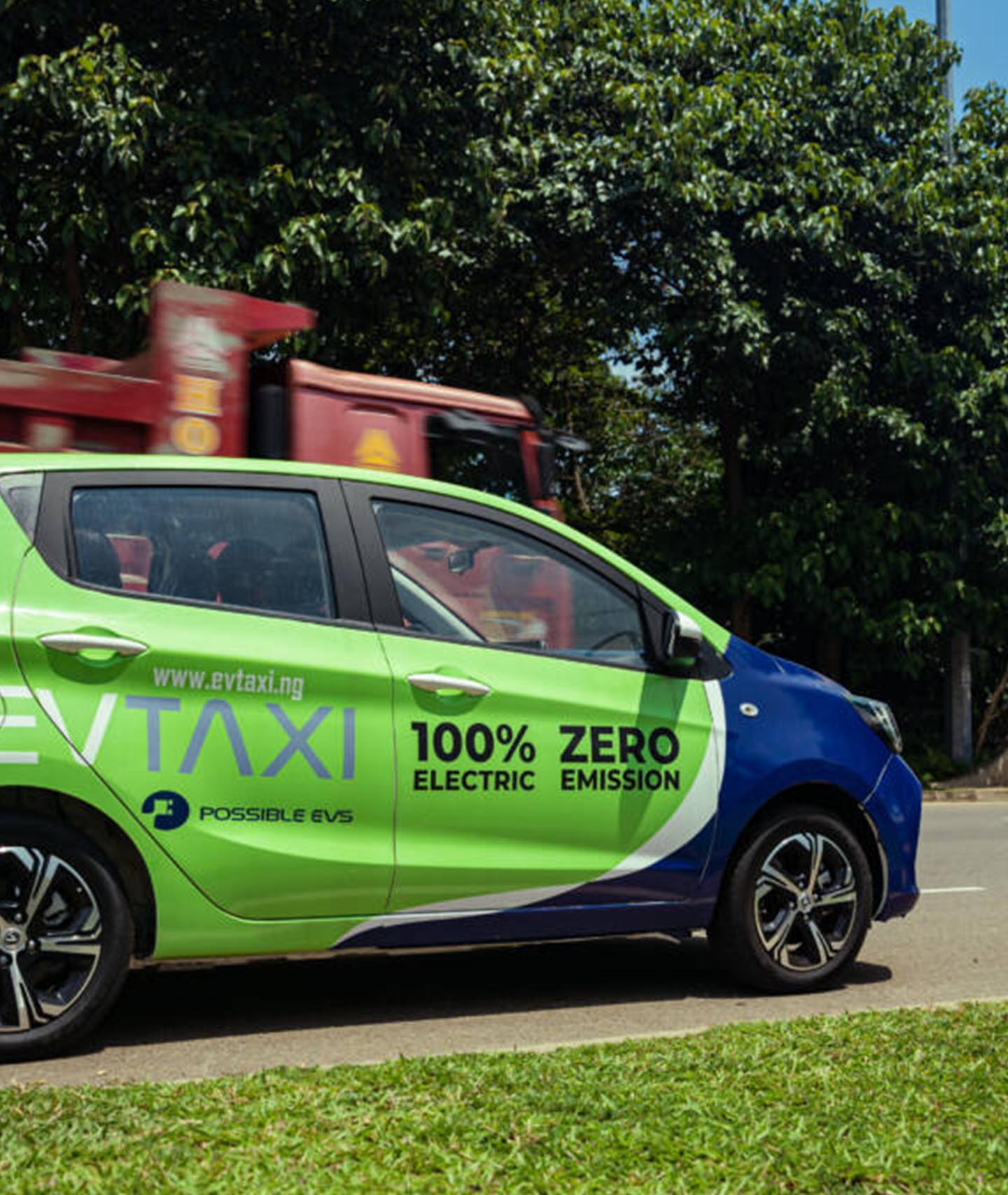
    What Do You Need to Get Started?

    To start using the MTN Data Zone Bundle, you need a few basic things:

    1. A registered MTN number – This means your number should be registered under your name (simple stuff!).
    2. A bit of airtime – You need to have enough balance on your phone to buy the bundle, so top-up your airtime first.
    3. A little patience – Don’t worry; it’ll only take a few minutes to set up!

    Got these things ready? Awesome, let’s get into the fun part: activating and using the bundle.

    How to Activate the MTN Data Zone Bundle

    Activating the MTN Data Zone Bundle is super simple. If you’ve ever used USSD codes before, you’ll be right at home here! Follow these steps:

    1. Dial *135# on your phone.
      This is the magic code that opens up the MTN Zone menu.
    2. Select “Activate.”
      Once you dial *135#, you’ll see a menu pop up on your screen. Choose the Activate option.
    3. Wait for the confirmation message.
      After you activate it, you should get a message confirming that you’ve successfully joined the MTN Zone Bundle. Simple, right?

    That’s it! You’re officially in the MTN Zone, and now you’re ready to buy your data bundle and enjoy those sweet savings.

    MTN Data Zone Bundle Activation

    How to Buy MTN Data Zone Bundles

    Now that you’ve activated the MTN Zone, let’s grab some data! Here’s how you can buy data bundles through the MTN Zone:

    1. Dial *135# again.
    2. Yes, you’ll dial the same *135# to access the MTN Zone menu again.
    3. Choose “Zone Bundles.”
      From the list, select the Zone Bundles option. This will take you to the data offers available.
    4. Select “Data Zone Bundles.”
      Once you’re in the Zone Bundles section, choose Data Zone Bundles to view the different data options.
    5. Pick the data bundle that suits you.
      You’ll see a list of data bundles with their prices and the amount of data you get. For example, you might see options like 281MB for GHS 2.09 or 692MB for GHS 4.19. Choose the one that fits your needs!
    6. Confirm your purchase.
      After selecting your bundle, it will ask you to confirm the purchase. Select Yes to buy your data.

    Once you’ve confirmed, your data bundle will be activated, and you’ll receive a text message with all the details of your new bundle. Yay, you’re all set!

    How to Check Your MTN Data Zone Balance

    It’s always good to know how much data you’ve used and how much is left, right? Here’s how you can check your MTN Data Zone balance:

    1. Dial *135# again.
    2. Choose “Zone Bundles.”
    3. Select “Zone Balance” from the options.
      This will show you how much data you have left in your MTN Data Zone Bundle.

    After that, you’ll get a message showing your remaining balance. If you’re running low, you can always buy more data bundles, so you’re never caught without.
    MTN Data Zone Bundle Pricing

    Now, let’s talk about the prices. MTN has recently updated the Zone Bundles, so the options are a little different than before. Here are the current offers:

    • 281MB for GHS 2.09 (Good for browsing or light social media use)
    • 425MB for GHS 3.19 (Perfect for browsing and checking emails)
    • 692MB for GHS 4.19 (Great if you need to stream videos or download apps)

    You can buy these bundles whenever you want, and they’re valid for 24 hours from the time of purchase, so use them up within a day!

    MTN Data Zone Bundle

    Some Important Things to Know About MTN Data Zone Bundles

    Before you start using the MTN Zone Bundle, here are a few quick things to keep in mind:

    • Expiry: Your data will expire after 24 hours. Make sure to use it up before it disappears!
    • Non-transferable: You can’t share your data or airtime with others. It’s all for you!
    • No MoMo payments: You can’t use MTN Mobile Money (MoMo) to pay for your Zone Bundles. Just make sure you’ve got enough airtime.
    • Unlimited? The MTN Zone Bundle isn’t unlimited, but it’s still a pretty great deal for the price.

    Frequently Asked Questions (FAQs)

    1. Can I share my MTN Zone Bundle with others?

    Unfortunately, you can’t share your MTN Zone Bundle with other people. It’s a personal bundle just for you!

    2. Is there an unlimited data option in the MTN Zone?

    Nope, the MTN Zone Bundle doesn’t offer unlimited data. But it’s still a great deal for the amount of data you get!

    3. What if I want 1GB of data?

    Currently, there’s no 1GB data bundle in the MTN Zone. But don’t worry! You can check out other data options through the *138# or *141# codes for different bundles.

    The MTN Data Zone Bundle is a great way to save money on data and calls when you’re low on airtime. It’s affordable, easy to use, and gives you great discounts on calls, plus cheap data bundles for your daily needs. Whether you’re making calls or browsing the web, this bundle helps you stay connected without the stress of running out of credit.
    So, next time you find yourself needing some extra data or airtime, remember: MTN’s Zone Bundle has your back. Just dial *135#, pick your bundle, and you’re good to go!

    Enjoy the savings, and stay connected!