Staying connected with friends and family is important, but let’s be honest—airtime runs out fast, especially when you love long conversations. MTN Ghana has a special offer that lets you talk more while spending less. It’s called MTN Free After 1, and if you’re an MTN user, you need to know how it works!
In this guide, I’ll break it down in the simplest way possible. Whether you’re new to MTN or just hearing about this offer, by the time you finish reading, you’ll know exactly how to activate it, how it works, and why it’s a smart deal. Let’s dive in!
What is MTN Free After 1?
MTN Free After 1 (also known as Nkomode) is a voice offer that lets you enjoy free call minutes after paying for just the first minute of your call.
Sounds good, right? Here’s how it works:
You pay for the first minute of your call (GHS 0.3539).
After that, you get free minutes to continue your conversation.
You can call any network in Ghana without extra charges.
This means that with the Free After 1 Extra package, if your call goes beyond 10 minutes, you’ll pay for just another minute before enjoying another set of free minutes.
How to Activate MTN Free After 1
Activating the MTN Free After 1 offer is quick and easy. Just follow these steps:
Dial *550# on your MTN phone.
Select option 6 (Free After 1 Extra).
Choose your preferred package (Free After 1 or Free After 1 Extra).
Confirm activation, and you’ll receive a message that your subscription is successful.
And that’s it! The next time you make a call, you’ll be charged for only the first minute, and the rest will be free, depending on your chosen package.
How to Cancel MTN Free After 1
Maybe you tried the offer and decided it’s not for you, or you just want to switch to another plan. Here’s how to cancel it:
Dial *550# on your MTN phone.
Select option 6 (Free After 1 Extra).
Choose your active package (Free After 1 or Free After 1 Extra).
Select “Deactivate” to cancel the offer.
You’ll receive a message confirming that the service has been deactivated.
This offer is perfect for people who love talking without checking their airtime balance every few minutes. Here’s why you should consider it:
1. Save Money on Calls
Instead of paying per minute, you only pay for the first minute and get up to 60 minutes free. That’s a huge saving!
2. Talk Without Worries
No need to cut your calls short just to save airtime. Chat as long as you want without stress.
3. Bonus Data
Each time you subscribe, you get 70MB of free data valid for one day—perfect for quick browsing or checking messages online.
4. Call Any Network
Unlike some offers that work only for on-net calls, MTN Free After 1 works for all networks in Ghana.
FAQs
1. Can I Use This Offer for International Calls?
No. The Free After 1 offer is only for local calls within Ghana. International calls are billed separately.
2. Can I Use Free After 1 on Every Call?
Yes! As long as your subscription is active, every call you make follows the Free After 1 billing system.
3. Does the Offer Expire?
Your subscription remains active until you cancel it. However, the bonus 70MB data expires after one day.
4. What Happens If I Don’t Have Enough Airtime for the First Minute?
The call won’t connect. You need at least GHS 0.3539 to start a call on this plan.
5. Can I Switch Between Free After 1 and Free After 1 Extra?
Yes! You can switch between the two packages by following the activation steps and choosing your preferred option.
MTN’s Free After 1 is a great way to enjoy long calls while saving airtime. Whether you prefer 10 free minutes or 60 free minutes, this deal makes staying connected more affordable. If you make frequent calls, this offer is definitely worth activating.
Now that you know how it works, go ahead and try it out! Dial 550# and activate your preferred package today. Happy calling!
Running out of airtime or data when you need it most can be frustrating. Whether you’re in the middle of an important call or about to send an urgent message, not having credit can leave you stranded. Thankfully, AirtelTigo offers a simple solution: borrowing airtime or data. This guide will walk you through the process step by step, making it easy to understand—even if you’ve never done it before. Let’s dive in!
Who Can Borrow Airtime or Data on AirtelTigo?
Before you try to borrow airtime or data, you need to meet AirtelTigo’s eligibility requirements. Here’s what you need to qualify:
Eligibility Requirement
Details
Active Subscription
Must be an AirtelTigo user for at least 90 days
Top-Up History
Must have recharged at least GHS 2.00 in the last 30 days
No Outstanding Debt
All previously borrowed airtime or data must be fully repaid
If you don’t meet these conditions, you won’t be able to borrow airtime or data until you do.
How to Borrow Airtime on AirtelTigo
There are two easy ways to borrow airtime: using a USSD code or the AirtelTigo mobile app.
Method 1: Borrowing Airtime Using a USSD Code
This is the fastest way to borrow airtime, even if you don’t have internet access. Just follow these simple steps:
Dial *588# on your phone.
Follow the on-screen instructions.
You will receive an SMS confirming the amount of airtime credited to your account.
That’s it! The airtime is now available for calls, SMS, or other services.
Method 2: Borrowing Airtime Using the AirtelTigo App
If you prefer using an app, follow these steps:
Open the AirtelTigo App on your phone.
Select Airtime from the menu.
Swipe to the Borrow Airtime section and tap it.
Choose the amount you want to borrow.
Tap Borrow Airtime and confirm by selecting Recharge.
Your account will be credited immediately with the borrowed airtime.
How to Borrow Data on AirtelTigo
Just like airtime, borrowing data is straightforward and can be done using a USSD code or the AirtelTigo app.
Method 1: Borrowing Data Using a USSD Code
Dial *554# on your phone.
Follow the on-screen instructions.
A notification will confirm the amount of data credited to your account.
You can now continue browsing, streaming, or chatting online!
Method 2: Borrowing Data Using the AirtelTigo App
Open the AirtelTigo App on your phone.
Scroll down and select Internet.
Tap on Borrow Data.
Choose the data amount you need.
Confirm by selecting Proceed.
Your borrowed data will be credited instantly.
How Much Airtime or Data Can You Borrow?
The amount you can borrow depends on your account activity, repayment history, and frequency of borrowing.
Borrowing Method
Airtime Amount
Data Amount
USSD Code (*588# / *554#)
Automatically assigned
Automatically assigned
AirtelTigo App
Choose from available options
Choose from available options
If you want more control over the amount you borrow, using the AirtelTigo app is the better option.
How Much Does Borrowing Airtime or Data Cost?
AirtelTigo charges a 20% service fee on borrowed amounts. Here’s how it works:
Amount Borrowed
Total Payable (Including 20% Fee)
GHS 1.00
GHS 1.20
GHS 2.00
GHS 2.40
GHS 5.00
GHS 6.00
For example, if you borrow GHS 1.00 of airtime, you’ll need to pay back GHS 1.20 on your next top-up.
How to Repay Borrowed Airtime or Data
Repayment is automatic! The next time you recharge your account, AirtelTigo will deduct the borrowed amount plus the 20% service fee. Make sure to top up with enough credit to cover the deduction.
Why Should You Use the AirtelTigo App to Borrow?
While the USSD code method is quick, using the AirtelTigo App gives you more benefits:
You can see all available borrowing options.
You choose the exact amount you want to borrow.
It’s easier to track your borrowed airtime and data history.
If you haven’t already, download the AirtelTigo App from the Google Play Store or Apple App Store.
Borrowing airtime or data on AirtelTigo is a lifesaver when you run out at the worst time. Whether you use the USSD code for a quick fix or the AirtelTigo app for more control, you now know exactly how to get connected again in seconds. Just remember to top up regularly and repay on time to stay eligible for future borrowing!
Now, go ahead and try it out—you’ll never be caught off guard without airtime or data again!
Staying connected is important, whether you’re calling a friend across the street or a family member overseas. If you’re an MTN Ghana user, you might be wondering: How much do calls cost? What’s the best way to save money? Let’s break it all down in simple, clear terms.
Local Call Rates
MTN Ghana charges for calls per minute, whether you’re calling another MTN number or a different network within Ghana. Here’s what you need to know:
Regular Call Rates
These are the standard rates deducted from your airtime when you make a call without a special bundle or offer:
Call Type
Rate per Minute (GHS)
MTN to MTN
0.1440
MTN to Other Networks (Telecel, AT)
0.1464
Special Call Rates
If you want better deals, MTN offers special call packages that give you more minutes at a lower cost. Here are some of the popular ones:
Tip: If you make a lot of calls, these special offers can save you a lot of money!
Roaming Call Rates
What if you travel outside Ghana but still want to use your MTN number? That’s called roaming, and MTN charges different rates based on the country you’re in.
Here’s what you need to know:
Zone
Call Type
Rate per Minute (GHS)
Zone 1
Calls made from MTN Ghana to a foreign network (MOC)
2.3258
Calls received on your MTN Ghana number from a foreign number (MTC)
0.8986
Zone 2
Calls made from MTN Ghana to a foreign network (MOC)
4.2286
Calls received on your MTN Ghana number from a foreign number (MTC)
1.0042
MOC (Mobile Originating Calls): Calls you make while roaming.
MTC (Mobile Terminating Calls): Calls you receive while roaming.
Tip: Roaming can be expensive! If you travel frequently, consider using an international calling bundle or a local SIM card in the country you visit.
International Direct Dialling (IDD) Rates
What if you’re in Ghana and want to call another country? That’s called International Direct Dialling (IDD), and MTN offers special bundles for this too.
MTN IDD Bundle for the USA, Canada, China, and India
Price (GHS)
Minutes
Validity
Rate per Minute (GHS)
2.50
30
3 days
0.0833
6.22
70
7 days
0.0889
12.43
150
15 days
0.0829
If you want to call other countries, you’ll be charged from your regular airtime. The exact rate varies by country, so it’s best to dial MTN’s toll-free number 100 to check the specific rate before calling.
Tip: If you make frequent international calls, these IDD bundles are a great way to cut costs!
How to Check MTN Call Rates & Subscribe to Offers
If you’re unsure about the rates or want to activate a package, here’s what you can do:
Dial 100 – Speak to an MTN agent for up-to-date rates.
Use the MTN App – Check offers and activate bundles easily.
Dial MTN shortcodes:
MTN Ghana offers various call rates and packages to fit different needs, whether you’re making local calls, roaming, or dialing internationally.
If you make short calls, the MTN Free After One plan might work best.
If you call a lot on weekends, the Sunday Special gives great value.
If you travel, check roaming rates before you go.
If you make international calls often, the IDD bundle is a great way to save money.
Since call rates can change, it’s always a good idea to check with MTN before making long calls. Stay connected, stay informed, and make the most of your airtime!
Need Help? Call 100 for customer service or visit MTN Ghana’s website for more details.
Imagine you’re part of a big family, and your parents buy a giant box of chocolates for everyone to share. Instead of giving each person their own box, they let everyone take chocolates from the big box as needed. This way, everyone gets their fair share, and it’s more convenient than managing individual boxes. That’s similar to how the MTN UP2U Data Bundle, officially known as MTN Group Share, works for businesses and organizations in Ghana.
What is MTN Group Share?
MTN Group Share is a service designed for businesses and organizations to manage their communication resources—like voice minutes, SMS, and data—in a shared pool. Instead of providing separate bundles to each employee, the organization purchases a bulk package at discounted rates and distributes it as needed among its members. This approach ensures efficient use of resources and cost savings.
How Does MTN Group Share Work?
Let’s break it down step by step:
Bulk Purchase: The organization buys a large amount of voice minutes, SMS, and data from MTN at discounted prices.
Shared Pool Creation: These purchased resources are stored in a central pool accessible to all authorized members of the organization.
Administration: An appointed administrator within the organization manages this pool. They can allocate specific amounts to individuals or allow members to draw from the pool as needed.
Monthly Reloads: The pool is replenished monthly based on the organization’s chosen package, ensuring continuous access to necessary resources.
This system is like having a communal pantry where everyone can take what they need, and it’s restocked regularly to keep up with demand.
Benefits of MTN Group Share
Why would an organization choose MTN Group Share? Here are some key advantages:
Cost Savings: Buying in bulk often comes with discounts, reducing the overall expenditure on communication services.
Flexibility: Resources can be allocated based on individual needs, ensuring that heavy users have enough, while lighter users don’t waste unused resources.
Simplified Management: With a centralized system, tracking and managing usage becomes more straightforward, reducing administrative hassles.
Secure Connectivity: The service includes APN (Access Point Name) services, providing a secure internet environment for sensitive business operations.
How to Register for MTN Group Share
If your organization is interested in adopting this service, here’s how you can get started:
Visit an MTN Office: Discuss your organization’s specific needs in person with MTN representatives.
Consult Your Account Manager: If you already have an MTN Business Account Manager, they can assist with the setup process.
During registration, MTN will guide you through signing agreements, determining the appropriate bundle size, and setting up portal access for resource management.
Note: As of now, the MTN Group Share service is temporarily on hold due to feature enhancements, and MTN is not onboarding new customers to this service.
Packages and Pricing
MTN Group Share offers customizable packages that include voice minutes, SMS, data bundles, and APN services. These packages are designed to be flexible, allowing organizations to tailor them to their specific needs.
Here’s a breakdown of the rates:
Package
Rate (GH₵)
Voice
0.092
SMS
0.046
Data (<10 GB)
0.041
Data (10-50 GB)
0.0062
Data (50-100 GB)
0.0031
Note: These rates are subject to change. It’s advisable to contact MTN directly for the most current pricing.
Managing Your Resources
Once registered, your organization will receive login credentials to the MTN Group Share portal. This portal allows the administrator to:
Allocate Resources: Distribute voice minutes, SMS, and data to employees based on their roles and needs.
Monitor Usage: Keep track of how resources are being used to ensure efficiency and prevent misuse.
Add or Remove Users: Easily manage who has access to the shared resources, accommodating new hires or removing former employees.
This self-service approach empowers organizations to have full control over their communication resources without relying heavily on external support.
Important Considerations
Before diving in, here are some essential points to keep in mind:
Non-Commercial Use: The MTN Group Share service is designed exclusively for businesses and organizations. Reselling or using the service for commercial purposes is prohibited and can lead to termination.
No USSD Codes: Unlike individual data bundles, the Group Share service doesn’t operate through USSD codes. All management is done via the web portal provided upon registration.
Service Availability: Currently, the service is on hold for new customers due to ongoing enhancements. Existing users should stay in touch with their MTN representatives for updates.
Frequently Asked Questions
Q: Can individuals subscribe to the MTN Group Share service?
No, this service is tailored for organizations and isn’t available for individual subscriptions.
Q: How does the monthly reload work?
Each month, the organization’s chosen bundle is automatically replenished, ensuring continuous access to communication resources.
Q: What happens if our organization exceeds the allocated resources?
The administrator can monitor usage through the portal and adjust allocations as needed. If additional resources are required, they can be purchased to supplement the existing pool.
Imagine walking into a store where everything on the shelves is customized just for you—your favorite snacks, drinks, and even discounts based on what you love to buy. That’s exactly what MTN’s Just4U bundles do for your mobile data and airtime needs.
If you’ve ever wondered why some people get cheaper data offers while yours seem different, it’s because MTN Just4U is a personalized service. It gives each user a special set of offers based on their data, call, and airtime usage patterns. In this guide, I’ll show you exactly how to activate your Just4U bundle using simple, clear steps. Let’s dive in!
What Is MTN Just4U and How Does It Work?
MTN Just4U is a special offer designed to give you tailored data and airtime packages based on how you use your phone. If you buy data frequently, you might get special discounts on data. If you make lots of calls, you could see better call bundles.
Think of it like a VIP treatment where MTN studies your habits and rewards you with exclusive deals that fit your needs. The best part? These offers are often cheaper than regular bundles.
But here’s the catch—Just4U offers change from time to time. What you see today might be different tomorrow, so always check back for new deals.
How to Activate MTN Just4U Bundle in Ghana
There are three main ways to activate MTN Just4U bundles:
Using the USSD Code (Quick and easy, no internet needed)
Via the MyMTN App (Best if you prefer a visual experience)
Through MTN MoMo (Convenient if you want to pay directly from your MoMo account)
Let’s break each method down step by step.
Method 1: Activating Just4U via USSD Code
This is the simplest way, and all you need is your phone.
Steps:
Dial *141# on your MTN number.
A menu will pop up showing your personalized Just4U offers.
Select the package you want.
Confirm your purchase by selecting Option 1.
Wait for an SMS confirming your purchase and enjoy your bundle!
This method is great because it works on any phone—smartphones and basic feature phones alike. No internet required!
Method 2: Activating Just4U via the MyMTN App
If you prefer using apps and want a visual way to select your offers, the MyMTN App is the best option.
Steps:
Open the MyMTN App (download it from the Play Store or App Store if you don’t have it).
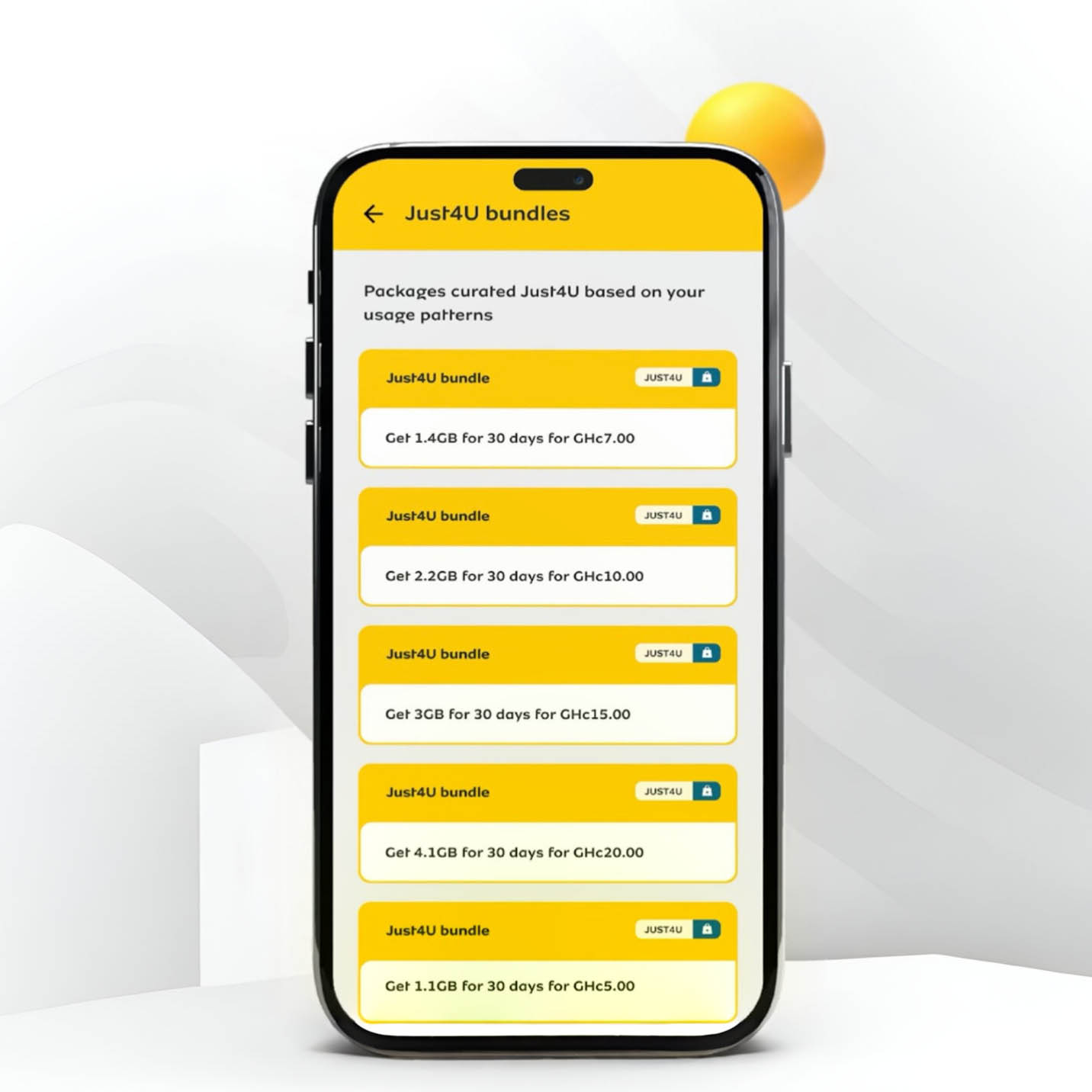
On the home screen, tap on “Just4U” under Quick Access.
You’ll see your personalized Just4U offers.
Select your preferred package.
Scroll down and tap “Pay” to confirm your purchase.
Wait for an SMS confirming your purchase.
This method is user-friendly and allows you to see multiple offers at once, making it easier to compare options before buying.
Method 3: Activating Just4U via MTN MoMo
If you prefer paying directly from your MTN Mobile Money (MoMo) account, this method is perfect.
Steps:
Dial *170# to access the MoMo menu.
Select Option 3: Airtime & Bundles.
Choose Option 2: Just4U.
Select your preferred Just4U bundle.
Confirm your purchase and wait for a payment prompt.
Enter your MoMo PIN to complete the transaction.
You’ll receive an SMS confirmation with your credited data or airtime.
If you’re someone who keeps most of your money in MoMo, this method makes purchasing Just4U bundles super convenient.
How Long Do MTN Just4U Bundles Last?
MTN Just4U bundles have expiration dates, and they vary depending on the type of bundle you choose. Some are valid for a day, while others last a week.
Bundle Type
Validity Period
Daily Just4U Offer
24 Hours
Weekly Just4U Offer
7 Days
Special Offers
Varies
One important thing to note is unused data does NOT roll over. If you don’t use your bundle before it expires, it’s gone. So, always check the validity period when purchasing.
Frequently Asked Questions (FAQs)
1. Is MTN Just4U Available for Everyone?
No. Just4U is only available for MTN prepaid users. Also, the offers are different for each user, meaning what you see might not be the same as what your friend gets.
2. Can I Buy More Than One Just4U Offer at a Time?
Yes, you can buy multiple Just4U bundles, but each will have its own expiration date. Be mindful of when they expire!
3. What If I Don’t See Any Just4U Offers?
If you dial *141# and don’t see any offers, it could mean:
You haven’t been using your MTN number actively.
Your previous Just4U offers expired, and new ones haven’t been generated yet.
MTN hasn’t assigned you a new personalized offer at the moment.
Try checking back later or using the MyMTN App for updates.
MTN Just4U is a fantastic way to get personalized, discounted bundles based on your usage. Whether you use USSD, the MyMTN App, or MoMo, activating a Just4U bundle is quick and easy. Just remember:
Offers vary from person to person.
Bundles expire, so use them before they’re gone.
If you don’t see any offers, keep using your MTN number actively and check back later.
Now that you know how to activate MTN Just4U in Ghana, go ahead and grab the best deal for yourself. Happy browsing!
Have you ever accidentally purchased airtime instead of transferring money through your MTN MoMo wallet? Don’t panic! MTN has made it super easy to reverse airtime purchases and get the funds back into your MoMo wallet. Whether you’re new to MTN or you’ve been using it for years, understanding how to do an airtime reversal can save you time and frustration. This article will break it all down in a simple and easy-to-follow way—no complicated tech terms, just clear steps anyone can follow.
What You Need to Know Before Reversing Airtime
Before diving into the process of reversing airtime, let’s get a few important details straight. Here are some things you should know:
You Have 72 Hours to Reverse: If you made the wrong purchase, don’t wait too long to request a reversal. MTN only allows reversals within 72 hours (3 days) of the transaction.
One Reversal Per Week: You can only reverse one airtime purchase per week. So, if you’ve already reversed airtime this week, you’ll need to wait until next week for another reversal.
The Minimum Reversal Amount: To reverse airtime, the minimum amount eligible for a reversal is GHS 10. Unfortunately, if you purchased less than this amount, you won’t be able to reverse it.
Full Reversals Only: MTN only allows full reversals. You can’t reverse just part of the airtime you bought. So, if you purchased GHS 20 worth of airtime, the entire GHS 20 will be refunded—not a smaller portion.
You Must Not Have Used the Airtime: If you’ve used any part of the airtime, you need to top up your account to make sure the full amount is still available in your airtime balance before you can reverse it.
Reversals Apply Only to MoMo Purchases: Airtime purchased through your MoMo wallet or from an MTN number can be reversed. However, airtime wrongly sent to other networks (like Vodafone or Airtel) cannot be reversed. Additionally, airtime bought from an agent cannot be reversed.
Knowing these details will help you avoid any confusion later on.
How to Reverse Airtime Using the MTN MoMo USSD Code
One of the easiest ways to reverse airtime is by using the MTN MoMo USSD code. If you prefer not to use an app and want a quick method, follow these simple steps:
Step-by-Step Guide for the USSD Code:
Dial the USSD Code: Start by dialing *170# on your phone to access the MoMo menu.
Choose the Wallet Option: Once the MoMo menu appears, select Option 6 (Wallet).
Proceed to Next Step: You’ll then be asked to press # to move to the next screen.
Select ‘Reversals’: From the menu options, choose Option 8 (Reversals).
Choose ‘Airtime Reversal’: After that, select Airtime Reversal.
Select the Transaction to Reverse: You’ll now see a list of your recent transactions. Select the airtime purchase you want to reverse.
Confirm the Reversal: The system will ask you to confirm the transaction. Select 1 to confirm and initiate the reversal.
How to Reverse Airtime Using the MyMTN App
If you prefer using an app, MTN has made it just as easy to reverse airtime through the MyMTN App. Here’s how to do it:
Step-by-Step Guide for the MyMTN App:
Open the MyMTN App: Start by opening the MyMTN App on your phone. Make sure you’re logged in.
Select ‘More’: Once inside the app, tap the More button at the bottom-right corner of the screen.
Choose ‘Airtime Reversal’: In the new menu, you’ll see an option called Airtime Reversal. Select this option.
Pick the Transaction: A list of your recent transactions will appear. Choose the airtime purchase you wish to reverse.
Confirm the Reversal: After selecting the transaction, tap Top-up and then confirm the reversal.
Wait for Confirmation: The system will process your reversal, and once complete, you will receive a confirmation message.
What to Do if You Encounter Problems
Sometimes things don’t go as planned. If you run into an issue while reversing your airtime, here’s what you can do:
Error Message: “Y’ello, Kindly note that 054XXXXXXX has less than …”
If you see this error message, it means that the recipient’s balance is too low for the reversal to go through. Don’t worry—MTN customer care can help.
Contact Customer Service: If you face this issue, contact MTN customer support immediately. They’ll log the complaint for you, and the airtime should be reversed within 24-48 hours.
What Happens After a Successful Reversal?
Once your airtime has been successfully reversed, the amount (plus a bonus) will be credited back to your MoMo wallet. MTN typically credits a 50% bonus (formerly 100%) of the airtime purchased through your MoMo wallet.
Example: If you bought GHS 20 worth of airtime, you’ll get a GHS 20 refund back to your MoMo wallet, plus a GHS 10 bonus—making a total of GHS 30 back in your MoMo account.
Frequently Asked Questions (FAQs)
1. Is There a Charge for Airtime Reversals?
No, MTN does not charge any fees for reversing airtime. The full amount of airtime you purchased will be refunded back into your MoMo wallet.
2. Can I Reverse the MTN Airtime I Wrongly Transferred?
Yes! If you mistakenly transferred airtime to the wrong person, you can reverse it. However, the airtime must still be unused. If the recipient used the airtime, the reversal will not be possible.
3. Is There a Limit on the Amount of Airtime I Can Reverse?
Yes, there is a minimum limit of GHS 10 for any airtime reversal. This means you can only reverse purchases that are GHS 10 or more.
4. Can I Reverse Part of My Airtime Purchase?
No, MTN only allows full airtime reversals. If you bought GHS 50 worth of airtime, you must reverse the full amount. Partial reversals are not allowed.
Things to Keep in Mind
Double-Check Your Transactions: Always double-check the details before confirming any airtime purchases or transfers to avoid errors.
Don’t Use the Airtime: If you realize you made a mistake, don’t use the airtime. If any part of the airtime is used, you won’t be able to reverse it.
Reversing airtime on MTN is a simple process that can help you get your money back into your MoMo wallet if you made a mistake. Whether you’re using the USSD code or the MyMTN App, the process is straightforward and quick—just remember to act within 72 hours and ensure the airtime hasn’t been used.
By following the steps outlined in this guide, you’ll be able to reverse any airtime purchase with ease and get your funds back in no time. And remember, if you ever run into any trouble, MTN customer service is always there to help you out.
Now that you know the ins and outs of reversing airtime on MTN, you can confidently handle any mistakes and keep your MoMo wallet in check!
Imagine carrying your own personal Wi-Fi connection wherever you go. No need to rely on slow public Wi-Fi or burn through your phone’s data. That’s exactly what the MTN Ghana MiFi offers—a portable internet solution that keeps you connected anytime, anywhere. But how much does it cost, and which data plan gives you the best value? Let’s break it all down in a way that’s easy to understand.
What is the MTN Ghana MiFi?
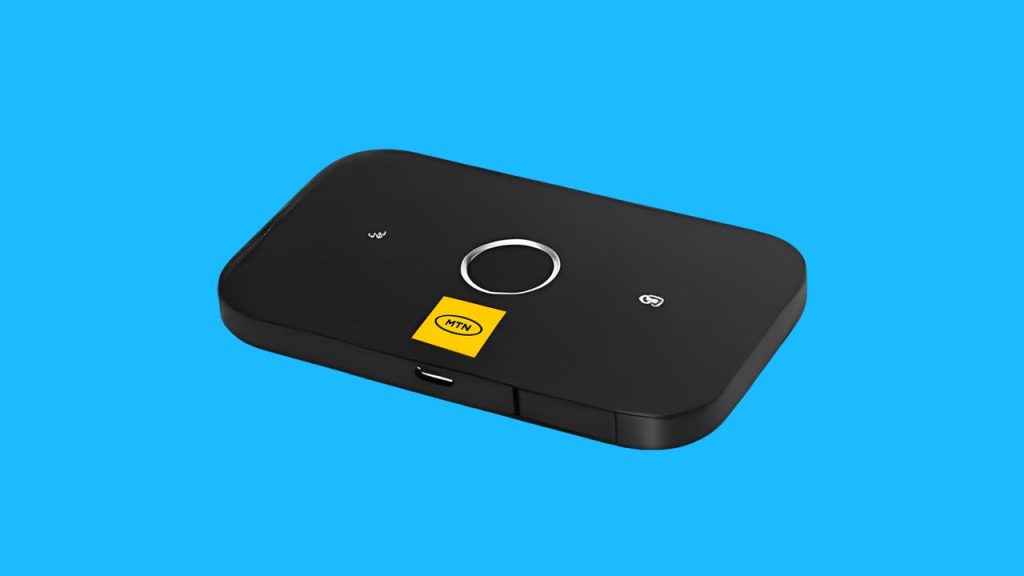
MTN’s MiFi is a small, battery-powered wireless router that connects to MTN’s mobile network and creates a Wi-Fi hotspot. It allows multiple devices—like your phone, tablet, or laptop—to access the internet at the same time. Unlike home broadband, which stays in one place, a MiFi is portable, so you can take it wherever there’s MTN network coverage.
The price of the MTN MiFi depends on the model you choose. Generally, you can expect to pay between GHS 300 and GHS 650.
MiFi Type
Price Range (GHS)
3G MiFi
300 – 400
4G MiFi
500 – 650
These prices can change depending on where you buy it. If you purchase directly from an MTN service center, you’re guaranteed an authentic product. In Ghana, you may also find MiFi devices on Jiji, Jumia, or other online stores, but be sure to verify that they are genuine MTN products before buying.
Best MTN Ghana MiFi Data Plans
Once you have your MiFi, the next step is choosing the right data plan. MTN Ghana offers different options depending on how much data you need and how long you want it to last.
1. Regular Data Bundles
If you want straightforward, no-expiry data, this is the best option. These bundles don’t expire, so you can use them until they run out.
Data Amount
Price (GHS)
1.5GB
10
3GB
20
10GB
100
20GB
200
2. Just4U & Zone Bundles
These are discounted bundles that offer extra data at lower prices. The catch? They do expire after a set period.
Data Amount
Price (GHS)
Validity
2GB
5
24 hours
5GB
15
3 days
10GB
50
7 days
3. MTN MashUp
If you use both calls and data, MashUp bundles give you a mix of both.
Data & Call Credit
Price (GHS)
1GB + 25 minutes
10
2GB + 50 minutes
20
5GB + 150 minutes
50
Which Plan is Best for You?
Casual users (checking emails, social media) → Regular small bundles (e.g., 3GB for GHS 20).
Heavy streamers/gamers → 10GB or 20GB bundle for uninterrupted use.
Select your preferred package and confirm payment.
How to Check Your MTN MiFi Data Balance
Keeping track of your data usage helps you avoid running out unexpectedly. Here are three ways to check your balance:
1. Through the myMTN App
Connect your phone to the MiFi’s Wi-Fi.
Open the myMTN app.
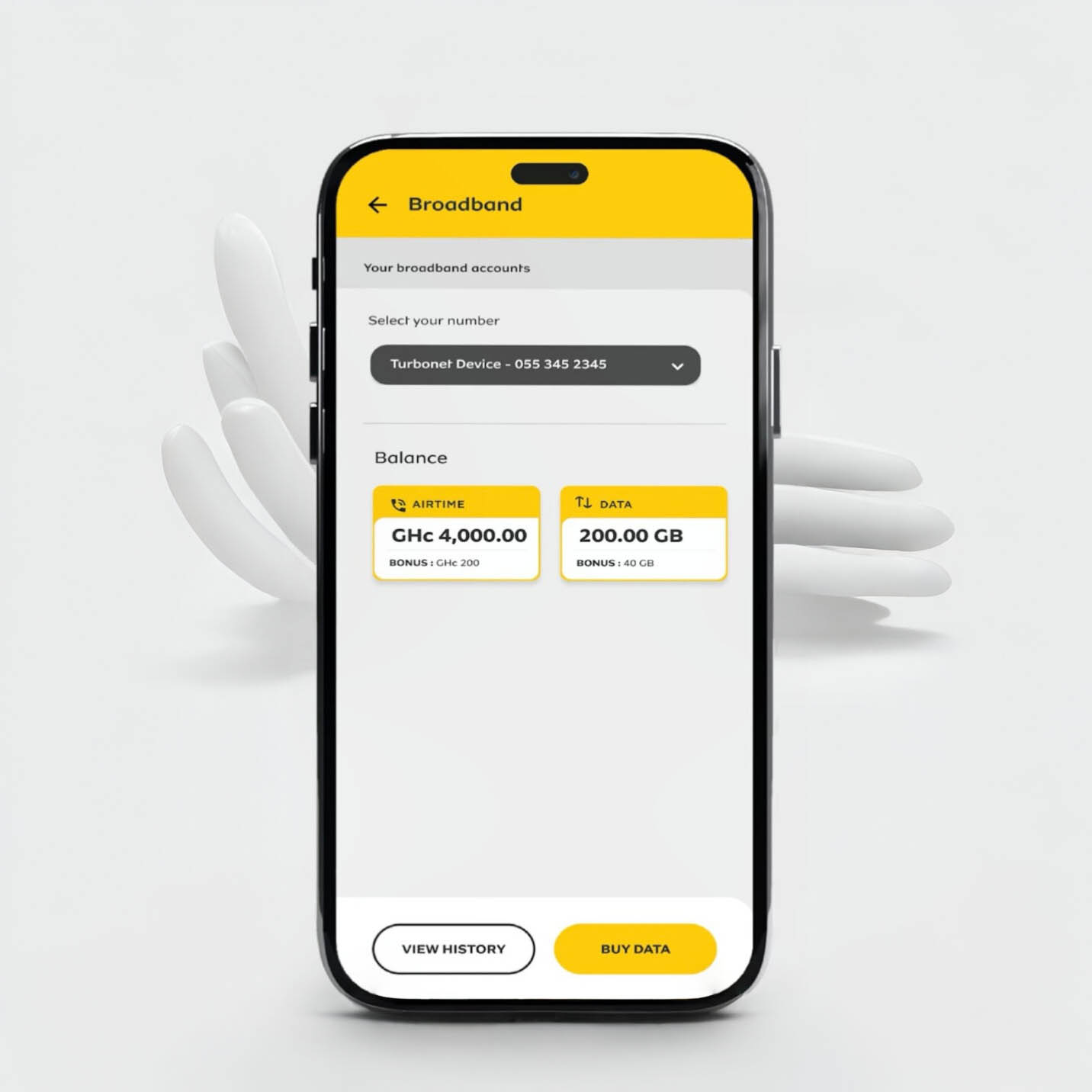
Your balance appears under the DATA section.
2. Using USSD Code
Remove the SIM from the MiFi and insert it into a phone.
Dial *124#.
Your remaining data balance will be displayed.
3. Through the MiFi Admin Portal
Open a web browser and type in the MiFi’s IP address.
Log into the admin dashboard.
Enter *124# in the USSD section.
Your data balance will be displayed.
Is the MTN MiFi Fast Enough?
The MiFi’s speed depends on where you are and how strong MTN’s network is in that area. On average, you can expect 10-15 Mbps speeds, which is enough for:
Browsing and emails ✔
Streaming YouTube & Netflix (standard quality) ✔
Online meetings & video calls ✔
Ultra HD video streaming ❌
Large downloads at high speed ❌
Frequently Asked Questions (FAQs)
1. Does MTN MiFi Data Expire?
Yes, but only certain bundles expire. Just4U and Zone bundles have expiration dates, but regular data bundles do not.
2. Where Can I Find My MiFi’s Username & Password?
Check under the battery cover of your MiFi device. It’s printed on a sticker.
3. Is MTN MiFi Faster Than a Phone Hotspot?
Yes! MiFi devices are designed for better internet sharing, while phone hotspots can drain battery life quickly and may not be as stable.
MTN Ghana’s MiFi is a fantastic option if you need portable internet that supports multiple devices. Whether you need it for work, entertainment, or everyday browsing, knowing the costs and best data plans helps you make the right choice. If you’re looking for reliable, on-the-go internet, the MTN MiFi is worth considering!
Staying connected with family, friends, or business partners abroad can be expensive. But what if you could make international calls without worrying about high costs? That’s where MTN’s International Direct Dial (IDD) bundles come in! These bundles let you call selected countries at affordable rates. Whether you’re chatting with a loved one in Canada, discussing business in the USA, or checking in with family in China or India, MTN has you covered. Let’s break down how to buy an IDD bundle in the simplest way possible.
What Is an MTN IDD Bundle?
Think of an IDD bundle as a special ticket that gives you discounted minutes to make international calls. Instead of using your regular airtime and paying high rates per minute, you buy a bundle that gives you more minutes for less money. MTN offers different bundles to suit different needs, whether you make frequent long calls or just need a few minutes now and then.
MTN IDD Bundle Options
Here are the available MTN IDD bundles and their prices:
Price (GHS)
Minutes
Validity (Days)
2.50
30
3
6.22
70
7
12.43
150
15
Now, let’s go step by step on how you can buy one.
3 Easy Ways to Buy an MTN IDD Bundle
There are three simple ways to purchase an IDD bundle:
If you love using apps, this method is for you. The MyMTN App is like a small shop where you can buy bundles, check balances, and do more with just a few taps. Here’s how:
Open the MyMTN App (Download it if you don’t have it yet!).
Tap “Shop” at the bottom of the home screen.
Select “Call Abroad” to find IDD bundles.
Choose your phone number if buying for yourself.
Pick the destination country.
Select the bundle that fits your needs.
Choose a payment method (Airtime or Mobile Money).
Scroll down and tap “Pay” to complete your purchase.
That’s it! You can now start making international calls instantly.
3. Buying an MTN IDD Bundle via MTN MoMo (*170#)
If you’re a Mobile Money (MoMo) user, you can buy an IDD bundle directly from your MoMo account. Here’s how:
Dial *170# on your phone.
Select “Airtime & Bundles.”
Choose “Internet Bundles.”
Enter “99” for more options and select “IDD Bundles.”
Choose “Buy for Self” (or “Buy for Others” if needed).
Pick the destination country.
Select your preferred bundle.
Confirm your purchase.
Enter your MoMo PIN to complete the transaction.
And just like that, your IDD bundle is activated!
How to Check Your Remaining IDD Bundle Balance
Want to know how many minutes you have left? Here’s what to do:
Dial *138#.
Select “1” to proceed to buy a bundle.
Enter “99” for more options.
Choose “IDD Bundles.”
Select “Check IDD Bundle Balance.”
Your remaining minutes will be displayed on your screen.
Can I Buy More Than One IDD Bundle?
Yes! If you run out of minutes before your bundle expires, you can buy another one. The minutes will add up, so you don’t have to wait for one bundle to expire before purchasing another.
Frequently Asked Questions (FAQs)
1. What happens if I don’t use all my minutes before the expiry date?
Unfortunately, unused minutes do not roll over. Be sure to use them before the bundle expires.
2. Can I use my IDD bundle to call other countries apart from Canada, China, the USA, and India?
No. The IDD bundle is specifically for these four countries. If you need to call other places, your call will be charged from your regular airtime.
3. Can I buy an IDD bundle for someone else?
Yes! When buying, just select “Buy for Others” and enter the recipient’s number.
4. How do I know which bundle to choose?
It depends on how much you plan to talk. If you make short calls occasionally, the GHS 2.50 bundle might be enough. But if you chat often, the GHS 12.43 bundle gives you the most value.
MTN’s IDD bundles make international calling easy, affordable, and convenient. Whether you’re keeping in touch with family, checking in with friends, or handling business abroad, there’s a bundle that fits your needs. With three simple ways to buy—USSD, MyMTN App, and MoMo—you can stay connected no matter where you are.
So go ahead, grab an IDD bundle today, and make that call! You’ve got this!
Imagine you need cash urgently, but there’s no MoMo agent in sight. You start stressing out, wondering where to find one. What if I told you there’s an easier way? You can withdraw your MTN Mobile Money (MoMo) straight from an ATM—no bank card needed! Sounds great, right? This guide will walk you through the entire process step by step, making sure you understand everything like a pro.
What is MTN MoMo ATM Withdrawal?
MTN Mobile Money ATM withdrawal is a feature that lets you withdraw cash from your MoMo wallet at select ATMs without needing a physical bank card. Instead, you generate a special code on your phone, use it at the ATM, and voila! Your money is in your hands.
What You’ll Need
Before heading to the ATM, make sure you have the following:
A registered MTN MoMo account with enough balance.
A supported ATM from an MTN partner bank (we’ll list them later).
Step-by-Step Guide to Withdrawing MTN MoMo at an ATM
This process happens in two parts: first, you generate a withdrawal code on your phone, then you complete the transaction at an ATM. Let’s go through both parts in detail.
Part 1: Generating the Withdrawal Token on Your Phone
Follow these steps to start the withdrawal process:
Dial *170# on your MTN line.
Select option 5 for Financial Services.
Choose Bank Services from the menu.
Select ATM CashOut.
Tap on Generate Token.
Enter any four-digit secret code of your choice (you’ll use this later at the ATM, so note it down!).
Enter the amount you want to withdraw.
Wait for a prompt to enter your MoMo PIN to confirm the transaction.
You will receive a nine-digit token via SMS.
Quick Fix: Didn’t receive a prompt to enter your MoMo PIN? No worries! Simply dial *170# again, select My Wallet (option 6), go to My Approvals, and approve the pending transaction.
Part 2: Completing the Withdrawal at the ATM
Once you have your token, it’s time to get your cash! Follow these steps at the ATM:
Enter the four-digit secret code you created earlier.
Input the exact amount you selected on your phone.
The ATM will process your request and dispense your cash!
Tip: If you can’t find the MoMo option on the ATM, ask a bank staff or security guard for guidance.
MTN MoMo ATM Withdrawal Charges
MTN MoMo ATM withdrawals come with charges similar to agent withdrawals. Here’s a general breakdown:
Amount Withdrawn (GHS)
Estimated Fee (GHS)
5 – 50
0.50 – 2.00
51 – 100
2.50 – 5.00
101 – 400
6.00 – 20.00
Charges may vary slightly based on MTN’s current rates.
Which Banks Support MTN MoMo ATM Withdrawals?
Not every bank allows MoMo ATM withdrawals, so make sure you visit a supported ATM. Here’s a list of banks in Ghana where you can withdraw MTN MoMo:
Ecobank
ABSA
Zenith Bank
UBA
Access Bank
ADB
Bank of Africa
GT Bank
CBG
Fidelity Bank
FBN
GCB
First Atlantic Bank
Republic Bank
UMB
CAL Bank
Prudential Bank
FNB
OmniBSIC
Stanbic Bank
If you’re unsure whether an ATM supports MoMo withdrawals, look for the MTN Mobile Money option on the screen before proceeding.
FAQs
1. Do I need a bank account to withdraw MTN MoMo at an ATM?
Nope! You don’t need a bank account. As long as you have an MTN MoMo wallet, you can withdraw cash from a supported ATM.
2. What happens if I enter the wrong token or secret code?
If you enter the wrong token or secret code too many times, the transaction may be blocked for security reasons. If this happens, generate a new token and try again.
3. Is there a minimum and maximum withdrawal amount?
Yes. The minimum amount you can withdraw is GHS 5, and the maximum is GHS 400 per transaction.
4. What if my transaction fails but my money is deducted?
If your money is deducted but the ATM doesn’t dispense cash, contact MTN Customer Care at 100 or visit the nearest MTN office to report the issue.
MTN MoMo ATM withdrawals are a lifesaver when you need cash but can’t find an agent. The process is simple: generate a token on your phone, head to a supported ATM, enter the details, and grab your cash. Easy, right?
So, next time you’re in a hurry and need cash, remember this guide—you’ve got the know-how to withdraw MTN MoMo like a pro!
Imagine you’re out and about, and suddenly you need cash—maybe your favorite snack vendor only takes mobile money, or your transport fare runs out at the worst time. Wouldn’t it be great if you could borrow a little extra right from your phone, no long forms or stress involved? Well, with MTN Mobile Money Loans, you can do just that!
In this guide, we’ll break down everything you need to know about borrowing money using MTN’s mobile loan services, explaining it in a way that’s easy to follow, whether you’re new to this or just need a refresher.
What Is MTN Qwikloan?
MTN Qwikloan is a short-term loan service that allows MTN Mobile Money (MoMo) users to borrow cash instantly—anywhere, anytime. You can borrow between GHS 25 and GHS 1,000, and you’ll have 30 days to pay it back with a 6.9% interest rate. That means if you borrow GHS 100, you’ll pay back GHS 106.90 after a month.
There’s no need for paperwork, bank visits, or collateral—just your MTN MoMo account and a good track record.
Who Can Get an MTN Qwikloan? (Eligibility Requirements)
Not everyone qualifies for an MTN Qwikloan right away. To be eligible, you need to:
Maintain a good credit history (if you’ve borrowed before, make sure you paid on time!)
If you tick all these boxes, you’re good to go!
How to Borrow Money from MTN (Step-by-Step Guide)
Getting a loan is as easy as dialing a short code and following a few prompts. Here’s how:
Dial *170# on your MTN phone
Select “Financial Services”
Choose “Loans”
Select “Qwikloan”
Tap “Get a Loan”
Enter your MoMo PIN to confirm
Choose the loan amount you need (within the available range)
Confirm the loan amount and repayment terms
Agree to the terms and conditions
Select the reason for your loan (e.g., emergency, business, bills)
That’s it! You’ll receive an SMS confirmation and the money will be instantly credited to your MoMo wallet.
How to Repay Your MTN Qwikloan
Paying back your loan on time is crucial because it helps you qualify for higher loan amounts in the future. MTN gives you 30 days to repay, and you have two ways to do it:
1. Manual Repayment
Want to repay early? No problem! Follow these steps:
Deposit the loan amount + interest into your MoMo wallet
Dial *170#
Go to “Financial Services”
Select “Loans”
Tap “Qwikloan”
Choose “Repay My Loan”
Enter your MoMo PIN to confirm
Select full payment or part payment
Confirm the repayment
You’ll receive an SMS confirmation once your loan is successfully repaid.
2. Automatic Deduction
If you don’t manually repay, MTN will automatically deduct the loan amount (plus interest) from your MoMo wallet on the due date. Make sure you have enough funds in your account to avoid penalties!
What Happens If You Don’t Repay on Time?
Late repayments come with consequences, and you definitely don’t want to ignore them:
Your interest rate increases from 6.9% to 12.5%
You might be disqualified from borrowing again
Your credit score drops, making it harder to get loans elsewhere
So, always repay on time to keep your options open!
Other MTN Loan Options
Besides Qwikloan, MTN has partnered with other financial institutions to offer more loan choices:
1. XpressLoan
Provided by Ecobank Ghana & Jumo
Works like Qwikloan with a 6.9% interest rate
No paperwork or collateral required
2. Ahomka Loan
Introduced during COVID-19 to help people with short-term loans
Same 30-day repayment period and 6.9% interest
3. MTN XtraCash
Offers small, short-term loans (GHS 50 or less)
Must be repaid within 7 days
Late payments attract a 10% penalty
MTN also offers a pick-now-pay-later service for buying phones and tablets, where you pay in installments over 6-12 months.
3 Tips to Increase Your Loan Limit
Want to borrow higher amounts? Follow these tips:
Use MoMo regularly – The more transactions you make, the more MTN trusts you.
Link your MoMo account to your Ghana Card – It boosts your credibility.
Repay loans on time – A clean track record means higher loan offers!
FAQs
1. What’s the maximum loan amount I can get?
The highest amount for Qwikloan is GHS 1,000.
2. Can I apply for multiple loans at the same time?
No, you must repay your current loan before applying for another.
3. What happens if I don’t repay my loan?
Your interest rate increases to 12.5% and you may be blocked from borrowing in the future.
MTN Mobile Money Loans are a lifesaver when you need quick cash without stress. Whether it’s for an emergency, small business, or just covering expenses before payday, these loans are fast, easy, and convenient.
Just remember: borrow only what you can repay and always pay on time to keep your loan options open. Need cash now? Dial *170# and get started!
If you’re someone who enjoys staying up late, streaming videos, or downloading large files at night, AirtelTigo’s Midnight Bundle is a great way to save on data costs. This special bundle offers affordable internet access from 12 AM to 4 AM, allowing you to enjoy a seamless browsing experience at a fraction of the cost. In this guide, we’ll break down everything you need to know about AirtelTigo’s Midnight Bundle, including the subscription process, pricing, benefits, and how to check your balance.
What is the AirtelTigo Midnight Bundle?
The AirtelTigo Midnight Bundle, also called the Night Bundle, is a special data package designed for late-night internet users. It provides users with large amounts of data at a lower cost, making it ideal for activities like streaming, downloading, and heavy browsing between midnight and 4 AM.
Available AirtelTigo Midnight Bundles
Here’s a look at the available Midnight Bundle packages:
Price
Data Volume
Call Minutes
GHS 3
4.5 GB
100 minutes
GHS 5
7.5 GB
Unlimited
Key Features of the AirtelTigo Midnight Bundle:
Affordable pricing: Get more data for less money compared to regular data plans.
Large data allocation: Perfect for downloading, streaming, and other data-heavy activities.
Call benefits: Includes free AirtelTigo-to-AirtelTigo call minutes.
No expiration: If you don’t finish your data in one night, you can continue using it the next night (within the 12 AM – 4 AM window).
Multiple purchases allowed: You can buy the bundle multiple times if you need more data.
How to Subscribe to the AirtelTigo Midnight Bundle
There are two ways to purchase the Midnight Bundle: using a USSD code or via the My AirtelTigo App.
Select Option 4 for “Sika Kokoo & Other Data Bundles.”
Choose “Night Pack.”
Select your preferred bundle (GHS 3 for 4.5GB or GHS 5 for 7.5GB).
Select 1 to buy for yourself or choose another option if purchasing for someone else.
Choose a payment method (Airtime or Mobile Money).
Confirm your purchase.
Method 2: Using My AirtelTigo App
Open the My AirtelTigo App (download it if you don’t have it).
Scroll down and select “Internet.”
Swipe through and select “Night Bundles.”
Choose your preferred bundle (4.5GB or 7.5GB).
Select a payment method (Airtime or Mobile Money).
Tap “Buy Internet” to confirm.
How to Check Your AirtelTigo Midnight Bundle Balance
To keep track of your remaining data and call minutes:
Option 1: Using USSD Code
Dial *504# and wait for an SMS notification showing your data balance.
Option 2: Using My AirtelTigo App
Open the app and tap “Internet” to view all your data balances.
Frequently Asked Questions
Does the AirtelTigo Midnight Bundle expire?
No, the data does not expire. However, you can only use it between 12 AM and 4 AM. If you have leftover data, you can continue using it the next night within the same time window.
Can I purchase the AirtelTigo Midnight Bundle at any time?
Yes, you can buy the bundle at any time of the day, but it will only be usable between 12 AM and 4 AM.
Can I use the AirtelTigo Midnight Bundle during the day?
No, the bundle is strictly available for use between 12 AM and 4 AM. If you need data for daytime use, consider purchasing a different data package.
Can I buy multiple Midnight Bundles in one night?
Yes, you can purchase multiple bundles if you need more data. For example, if you need 15GB, you can buy the 7.5GB bundle twice.
AirtelTigo’s Midnight Bundle is an excellent option for night owls who want high-speed internet at a low cost. Whether you’re streaming, downloading, or just browsing, these affordable data plans give you the freedom to do more without worrying about high data charges. With easy subscription methods and no data expiration, it’s a convenient choice for anyone who needs reliable night-time internet access.
Now that you know how to subscribe, check your balance, and maximize your data, you can take full advantage of AirtelTigo’s Midnight Bundle for all your late-night online activities!
MTN Mobile Money, or MoMo, is one of the easiest ways to send, receive, and store money in Ghana. Whether you’re paying for groceries, sending money to family, or withdrawing cash, MoMo makes it simple. But with every service, there are costs involved. In this guide, we’ll break down all the fees you might encounter when using MTN MoMo—no complicated jargon, just clear, useful info.
1. Depositing Money: It’s Free!
Good news! You don’t pay anything to deposit money into your MTN Mobile Money wallet. Whether you add GHS 1 or GHS 10,000, it’s completely free.
2. Withdrawing Money: What’s the Cost?
While putting money into your MTN Mobile Money wallet is free, taking it out isn’t. Here’s a simple table showing how much you’ll pay when you withdraw cash:
Amount (GHS)
Withdrawal Fee
50 and below
GHS 0.50
51 – 1,999
1% of the amount
2,000 and above
GHS 20
So, if you withdraw GHS 500, you’ll pay 1%, which is GHS 5.
So, if you send GHS 500 from your MTN Mobile Money wallet to a Telecel user, you’ll pay 0.75%, which is GHS 3.75.
4. Bank Transfers: Free or Not?
If your MoMo number is linked to your Ghana Card and your bank account, transferring money to and from your bank is completely free. If not, here’s what you’ll pay:
Amount (GHS)
Bank Transfer Fee
0.01 – 50
GHS 0.38
50 – 1,000
0.75% of the amount
Above 1,000
GHS 7.5
5. Bill Payments: No Extra Fees
Using MTN Mobile Money to pay for electricity, water, school fees, or TV subscriptions? That’s free! You won’t pay extra for making bill payments.
6. Transaction Reversals: Also Free!
If you send money to the wrong number by mistake, don’t panic. You can request a reversal, and it won’t cost you anything. Just make sure to report the issue quickly.
7. E-Levy: A Government Tax on Transfers
The Ghanaian government charges an Electronic Levy (E-Levy) on some MoMo transactions. Here’s how it works:
Amount (GHS)
E-Levy Charge
Up to 100
No Charge
Above 100
1% of the amount
For example, if you transfer GHS 200, the E-Levy charge is GHS 2 (1% of 100, since the first GHS 100 is free).
8. MTN Mobile Money Limits: How Much Can You Hold or Send?
Depending on the type of MoMo account you have, there are limits on how much money you can store and send daily.
Maximum Account Balance
Account Type
Old Limit (GHS)
New Limit (GHS)
Minimum KYC
3,000
5,000
Medium KYC
25,000
40,000
Enhanced KYC
50,000
75,000
Daily Transaction Limit
Account Type
Old Limit (GHS)
New Limit (GHS)
Minimum KYC
2,000
3,000
Medium KYC
10,000
15,000
Enhanced KYC
15,000
25,000
Monthly Transaction Limit
Account Type
Old Limit (GHS)
New Limit (GHS)
Minimum KYC
6,000
10,000
Medium KYC
Unlimited
Unlimited
Enhanced KYC
Unlimited
Unlimited
If you want higher limits, you can upgrade your account by providing additional details like your Ghana Card, proof of address, and next of kin information.
9. MTN MoMo Agent Commissions
MTN Mobile Money agents earn commissions whenever customers withdraw money. Here’s how much they make:
Amount (GHS)
Old Commission
New Commission
50 and below
GHS 0.20
GHS 0.20
51 – 999
0.4% of amount
0.4% of amount
1,000 – 1,999
GHS 4
0.4% of amount
2,000 and above
GHS 4
GHS 8
10. How Much Does MTN Charge to Withdraw GHS 10,000?
If you withdraw GHS 10,000 from your MoMo wallet, MTN charges GHS 20. However, some agents may ask for extra fees before processing large withdrawals.
MTN Mobile Money is a great tool for handling money easily, but understanding the charges helps you avoid surprises. Keep these fees in mind so you can save money and make the best use of your MoMo wallet. Whether you’re sending cash, paying bills, or withdrawing funds, knowing what to expect makes all the difference.
Want to get started with MTN MoMo? Check out our guide on how to register and set up your MoMo account hassle-free!
Imagine being able to send money, buy airtime, and pay bills—all from your phone—without needing to visit a bank. That’s exactly what AirtelTigo Money (AT Money) allows you to do. If you’ve ever wondered how to register, don’t worry! This guide will walk you through the process in the simplest way possible, making sure you don’t miss a step.
What is AirtelTigo Money?
AirtelTigo Money (AT Money) is like a digital wallet sitting right in your phone. It lets you send and receive money, buy airtime and data, pay for goods and services, and even handle bill payments. Whether you’re splitting a lunch bill with a friend or paying your electricity bill, AT Money makes it easy.
It started in 2011 as Tigo Cash, but after Airtel and Tigo merged in 2017, it became AirtelTigo Money. Today, it’s one of Ghana’s most convenient mobile money services.
What You Need to Register for AirtelTigo Money
Before you jump into the registration process, make sure you meet these requirements:
You must be at least 18 years old
You need a valid national ID (Ghana Card, Passport, Voter ID, etc.)
AirtelTigo makes it easy to register in two ways: through your phone or at an AirtelTigo office. Let’s break them down step by step.
Method 1: Register Using Your Phone (USSD Code)
If you prefer handling things from the comfort of your home, this method is for you. Here’s how you do it:
Dial *110# on your AirtelTigo line.
Select Register from the options.
Choose Self AT Money Registration.
Wait for a confirmation SMS about your registration status.
Set Up Your PIN
Once you’re registered, you’ll need to set up your PIN to keep your money safe:
Dial *110# again.
Select Option 1 (Yes) to confirm registration.
Enter a 4-digit PIN (Avoid easy guesses like 1234 or 1111).
Confirm the PIN by entering it again.
Provide an alternate phone number for PIN recovery.
Enter a secret word that you can remember easily (this helps with account recovery if needed).
And that’s it! You’ll get a final SMS confirming that your AirtelTigo Money wallet is ready to use.
Pro Tip: If you face any issues during self-registration, simply call AirtelTigo customer service or visit an agent for help.
Method 2: Register at an AirtelTigo Office
Not comfortable doing it yourself? No problem! Just visit any AirtelTigo office or agent with your valid national ID. A customer care agent will assist you with the registration process.
You’ll provide your personal details, set up a 4-digit PIN, and within minutes, you’ll be good to go!
AirtelTigo Money Charges: What You Should Know
Let’s talk money! While sending money to another AirtelTigo user is free, there are charges for other transactions. Here’s what you should expect:
Amount (GHS)
Charge
0 – 50p
0.5 GHS
51 – 1000
1%
1001 – 1999
10 GHS
2000+
20 GHS
E-Levy Charges: If you send more than GHS 100 in a day, you’ll be charged 1% for e-levy, even if you’re sending money to another AirtelTigo number.
Frequently Asked Questions (FAQs)
What is the AirtelTigo Money shortcode for merchants?
If you’re a business owner, you can access your merchant account by dialing *464#.
Can I send money from AirtelTigo Money to other networks?
Yes! Thanks to Ghana’s mobile interoperability system, you can send money from AT Money to other networks like MTN MoMo and Telecel Cash.
How can I reset my AirtelTigo Money PIN if I forget it?
If you forget your PIN, don’t panic! Just dial *110#, select Reset PIN, and follow the instructions. You may need your secret word or an alternate number for verification.
AirtelTigo Money makes life easier by allowing you to handle transactions straight from your phone. Whether you’re paying for groceries, sending cash to family, or buying data, it’s a reliable and convenient service.
Dial *110# now to get started and enjoy seamless mobile money transactions! Just remember—never share your PIN with anyone to keep your account safe from fraudsters.
Now that you know how to register, go ahead and activate your AirtelTigo Money wallet today!
If you’ve got an MTN SIM card in Ghana, you need to register it—no ifs, ands, or buts. Whether you’re getting a new SIM or making sure your old one is properly registered, this guide will walk you through every step in the simplest way possible. Think of it like setting up a new phone—easy when you know what to do, but frustrating if you don’t. Let’s make sure you get it right the first time!
Why Do You Need to Register Your MTN SIM Card?
Registering your SIM card isn’t just some random rule—it’s a government requirement. The goal is to keep mobile networks secure and prevent fraud. If you don’t register, your SIM will eventually get blocked, meaning no calls, no texts, no data—nothing. That’s not a situation you want to be in!
What You Need for MTN SIM Registration
Before heading to an MTN office or agent, make sure you have:
Your Ghana Card (ECOWAS card) – No other ID will work!
Your digital address – You can find this using Ghana Post GPS
That’s it! If you have these three things, you’re good to go.
Step 1: Linking Your Ghana Card to Your MTN SIM
Before you can complete biometric verification, you need to link your SIM to your Ghana Card. You can do this in two ways: using a USSD code or through the myMTN app.
Method 1: Using the USSD Code (Easiest Method)
Dial *404# on your phone.
Follow the prompts and enter:
Your full name (as it appears on your Ghana Card)
Your Ghana Card number (skip the hyphens)
Your date of birth
You’ll get a confirmation message with a unique code.
Method 2: Using the myMTN App
If you prefer using an app, follow these steps:
Open the myMTN app (download it from Google Play Store or Apple App Store if you don’t have it).
Tap More, then My Account.
Select SIM Registration and agree to the Terms of Service.
Confirm that you are the owner of the SIM.
Enter your phone number and verify with an OTP (One-Time Password).
Enter your name and Ghana Card number.
You’ll get a notification confirming the linking process.
Note: If you’re registering a brand-new SIM, the linking process is automatic since it’s required before activation.
Step 2: Completing Biometric Verification
Linking your SIM isn’t enough—you still need to verify your identity through biometric registration. This part must be done in person at an MTN office or an authorized agent.
Here’s what to do:
Visit any MTN service center or an authorized MTN agent.
Provide your MTN SIM card, Ghana Card, and digital address.
The agent will scan your fingerprints and take other biometric details.
Once complete, they’ll confirm that your SIM is now fully registered.
You’ll receive a confirmation message, and your SIM is now good to go!
Step 3: Checking Your SIM Registration Status
Not sure if everything went through successfully? Here’s how to check:
B-Cap (Biometric Capture) status (if it says “Yes,” you’re fully registered)
If the B-Cap status is “No,” you need to visit an MTN office to complete biometric verification.
FAQs
Can I Register My MTN SIM by Myself?
No. MTN used to have a self-registration app, but it’s no longer available for customers. You must visit an authorized agent for biometric verification.
How Much Does SIM Registration Cost?
Officially, registering an MTN SIM is free when you buy a new SIM. However, some agents may charge between GHS 30 – GHS 35 for verification and Mobile Money (MoMo) registration.
What Happens if I Don’t Register My SIM?
If you don’t register your SIM, MTN will block it. You won’t be able to make calls, send texts, or use data. If you miss the final deadline set by the government, your number could be permanently deactivated.
Registering your MTN Ghana SIM card isn’t as complicated as it might seem. Just follow these steps:
Link your SIM to your Ghana Card using *404# or the myMTN app.
Visit an MTN office or agent for biometric verification.
Check your registration status by dialing *400#.
That’s it! Now, you can enjoy your MTN service without any worries. If you found this guide helpful, share it with someone who might need it!
Have you ever loaded airtime, only to see it vanish before you even make a call? You’re not alone. Many MTN Ghana users find their airtime disappearing like magic, often because of hidden subscriptions they didn’t even realize they had. From caller tunes to daily news updates, these services can silently drain your balance.
But don’t worry! In this guide, I’ll show you exactly how to cancel any MTN Ghana subscription—step by step—so you can finally stop wasting money on things you don’t need. It’s super simple, and you’ll feel great knowing your airtime is safe.
Why Your Airtime Keeps Disappearing
You might think your airtime is running out because of calls or data usage, but there’s a sneaky culprit—automatic subscriptions! These can include:
Caller tunes (those songs people hear when they call you)
Daily news or horoscope updates
Sports alerts
Trivia games
Mobile insurance
Phonebook backup services
Some of these services might have been activated accidentally, while others could have been bundled with something else you signed up for. The good news? You can cancel them all in seconds.
The Magic Code to Cancel MTN Ghana Subscriptions
MTN has a simple way to manage subscriptions, and it all starts with this shortcode: *175#.
Think of this as your “reset button” to take back control of your airtime. Here’s how to use it:
Step-by-Step Guide to Unsubscribing from MTN Services
Dial 175# on your phone (just like you would when checking your balance).
A menu will pop up. Select Option 1 for “My Subscriptions.”
You’ll see a list of all active subscriptions linked to your number.
Choose the subscription you want to cancel, or select “Unsubscribe All” to remove everything at once.
Confirm your deactivation by selecting “Yes.”
You’ll receive an SMS confirming that the subscription has been canceled.
That’s it! No more unwanted deductions from your airtime.
Extra Tip: How to Prevent Accidental Subscriptions
Stopping subscriptions is great, but preventing them from coming back is even better. Here’s how to avoid unwanted sign-ups in the future:
Be careful when clicking pop-ups – Some ads and messages trick you into subscribing without realizing it.
Check messages from MTN carefully – Sometimes, they send offers that activate services if you reply.
Avoid dialing random shortcodes – Some promotions require you to dial a code that automatically signs you up for a service.
By staying alert, you can keep your airtime safe from sneaky deductions.
Frequently Asked Questions (FAQ)s:
Q: How do I check all my active subscriptions?
Dial *175# and select “My Subscriptions” to see everything you’re currently subscribed to.
Q: What if I still get charged after canceling?
Sometimes, cancellations take a few minutes to process. If you’re still being charged after a few hours, try dialing *175# again to confirm.
Q: Can I stop all subscriptions at once?
Yes! Just select “Unsubscribe All” when managing your subscriptions, and MTN will cancel everything in one go.
Q: Will canceling affect my ability to make calls or browse the internet?
Not at all! Canceling subscriptions only stops paid services you don’t need. Your regular airtime usage for calls and data remains the same.
No more frustrating airtime losses! Now that you know how to cancel any MTN Ghana subscription in seconds, you’re in control. Just remember the magic code *175# and check your subscriptions regularly to avoid surprises.
Try it now, and enjoy keeping your airtime where it belongs—with you!
So, you’ve heard that MTN Ghana allows people to buy shares, and you’re curious about how to get in on it. Maybe you’re thinking, “Is this really for me? Do I need to be some kind of stock market genius?” The good news is—you don’t! Buying MTN shares is easier than you think, and by the time you finish reading this, you’ll know exactly how to do it.
What Are Shares, and Why Should You Care?
Imagine you and your friends want to start a small business selling snacks. You all contribute money, and each of you owns a piece of the business. That piece? That’s basically what a share is! When you buy MTN Ghana shares, you’re buying a tiny part of the company.
And why is this exciting? Well, if MTN continues to do well, your shares can increase in value. Plus, MTN may give you a little bonus called dividends—extra money just for owning shares! Not a bad deal, right?
MTN Ghana Shares: What You Need to Know
MTN is currently the only telecom company in Ghana offering shares to the public.
The share price changes over time. In 2018, the price started at GHS 0.75 per share. By April 2024, it was GHS 1.56.
You can buy shares through MTN Mobile Money (MoMo) or a licensed brokerage firm.
Two Ways to Buy MTN Shares
MTN has made buying shares super convenient. You can either use your phone with MoMo or go through a brokerage firm. Let’s break both down.
Method 1: Buying MTN Shares via Mobile Money (MoMo)
This is the easiest method, especially if you already use MoMo. Here’s how:
Click on the link, sign up, and select your account type.
Once registered, you can buy shares directly from your MoMo wallet.
Your shares will be stored in your Central Securities Depository (CSD) account with the Ghana Stock Exchange. That’s basically your digital piggy bank for shares!
Method 2: Buying MTN Shares Through a Brokerage Firm
A brokerage firm is like a middleman that helps you buy and sell shares. If you want a more traditional way to invest, this is a solid option.
Here’s how to do it:
Choose a brokerage firm. Some licensed brokers in Ghana include IC Securities, Fidelity Bank, CalBank, and Black Star Brokerage Limited.
Open an account. You’ll need to provide some personal details like your name, address, and a valid ID.
Fund your account. You can transfer money via bank, MoMo, or even a debit/credit card.
Buy your MTN shares. Use the broker’s online platform or speak with them directly to place your order.
Get confirmation. Your broker will send you a confirmation once your shares are successfully purchased.
You earn dividends. Twice a year, MTN gives shareholders a portion of their profits.
Your shares can increase in value over time. If MTN continues to grow, your investment grows too.
Common Questions About Buying MTN Shares
How many MTN shares can I buy?
There’s no limit! You can buy as many as you want, but the minimum is 10 shares.
Does MTN pay dividends?
Yes! Shareholders receive dividends twice a year, depending on how well the company performs.
Can I sell my MTN shares later?
Absolutely! If you ever want to cash out, you can sell your shares through your brokerage firm or the Ghana Stock Exchange.
Should You Invest?
Like any investment, buying shares comes with risks. The stock price can go up or down, so it’s always a good idea to do your research and think about your long-term goals.
But if you’re looking for a straightforward way to start investing, MTN Ghana shares are a great option. Whether you use MoMo for a quick and easy purchase or go through a brokerage firm for a more traditional experience, you’re taking a smart step towards growing your money.
So, are you ready to become a shareholder? Give it a shot—your future self might thank you!
Imagine never having to worry about running out of data. No more surprise messages saying, “You have 10MB left!” or scrambling to buy a new bundle in the middle of an important Zoom call or Netflix binge. Sounds like a dream, right? Well, if you’re an MTN user, you might just be in luck! MTN offers an unlimited data plan—but it’s not as straightforward as you might think. Let’s break it all down in the simplest way possible.
What Is MTN’s Unlimited Data Plan?
MTN’s unlimited data plan is exactly what it sounds like: a plan that gives you internet access without any data caps for a whole month. However, before you get too excited, there’s one important catch—you can only get it through MTN Fibre Broadband. That means it’s not available for regular prepaid or pay-as-you-go users. Instead, it’s meant for people who have installed MTN’s Fibre Broadband at home or work.
Why Would You Want Unlimited Data?
Think about how much data you use in a month. Between YouTube videos, Instagram scrolling, work meetings, and downloading your favorite shows, it adds up quickly. Instead of buying multiple data bundles and running out at the worst times, an unlimited plan gives you peace of mind. No limits, no surprises—just endless browsing, streaming, and downloading.
How to Get MTN’s Unlimited Data Plan
Alright, so you’re interested. How do you actually get this magical, never-ending data? Here’s the step-by-step process:
Step 1: Get MTN Fibre Broadband Installed
First things first, you must have MTN Fibre Broadband. If you don’t already have it, you’ll need to check if MTN offers Fibre Broadband in your area and get it installed at your home or workplace. You can visit an MTN office or check their website to apply.
Step 2: Choose How You Want to Buy the Plan
Once you have Fibre Broadband set up, you can purchase an unlimited data plan in three ways:
Yes, the plan lasts 30 days. You’ll need to renew it every month.
3. Can I Get Unlimited Data on My Phone?
No, this plan is only for MTN Fibre Broadband users. If you’re using a regular prepaid or pay-as-you-go plan, this won’t work.
4. How Do I Pay for MTN Unlimited Data?
You can pay through:
The myMTN App
MTN Mobile Money (MoMo)
USSD code *5057#
If you’re tired of running out of data and want a hassle-free, unlimited internet experience, MTN’s unlimited Fibre Broadband plan is a solid choice. Just make sure you have Fibre Broadband installed first. Once you do, buying unlimited data is as easy as dialing a code or using the myMTN app.
So, what are you waiting for? If MTN Fibre is available in your area, unlock unlimited data today and browse without limits!
Imagine never having to fumble with tiny SIM cards again. No more searching for a paperclip to pop out your SIM tray. No more worrying about losing or damaging your SIM card. Sounds good, right? That’s exactly what MTN eSIM offers—a completely digital way to stay connected. If you’re curious about how to get started, don’t worry. I’ve got you covered with this step-by-step guide, explained in a way that makes sense.
What Exactly Is an MTN eSIM? (And Why Should You Care?)
An eSIM (embedded SIM) is like an invisible SIM card built into your phone. Instead of a physical chip, your device uses a digital profile to connect to MTN’s network. That means no more swapping SIM cards when you travel, and you can even have multiple numbers on one phone—perfect for separating work and personal calls.
Now, you might be wondering: Do I really need this? Well, if you love convenience, flexibility, and a clutter-free experience, then yes, an eSIM is for you.
Step 1: Check If Your Phone Supports eSIM
Before anything else, let’s see if your phone is eSIM-ready. Here’s how:
Dial #06# on your phone.
If you see a 32-digit EID number, congratulations! Your phone is compatible.
If you don’t see an EID, your phone doesn’t support eSIM. (Time for an upgrade? Maybe!)
For iPhone users, another way to check is to go to Settings > Cellular > Add eSIM. If you see that option, you’re good to go. Android users can check under Settings > About Phone > SIM Status for a similar option.
Step 2: Gather What You Need
Before you start the application process, make sure you have:
MTN will send you a 6-digit code. Enter it to verify your identity.
Fill out the eSIM Request form and hit submit.
MTN will confirm your request via SMS. Processing takes up to 72 hours, so keep an eye on your messages.
Option 2: Apply via the MTN eSIM Portal
If you don’t have the MyMTN App, no worries! Here’s how to apply online:
Visit the MTN eSIM Request Portal.
Enter your MTN mobile number and click Request OTP.
Enter the 6-digit OTP sent to your phone to verify your identity.
Complete the eSIM Request form and submit it.
Just like with the app method, MTN will process your request within 72 hours.
Step 4: Activating Your MTN eSIM
Once MTN approves your request, they’ll send you an email with two important things:
A step-by-step installation guide (super helpful)
A QR code (this is how you activate your eSIM)
Here’s what you do:
Open your phone’s Settings.
Select Cellular (iOS) or SIM Manager (Android).
Choose Add eSIM and scan the QR code from MTN’s email.
Once scanned, reply “Done Scanning” to the email, and MTN will finalize the activation.
And just like that, your eSIM is up and running!
Why You Might Love an MTN eSIM
Still on the fence? Here are some cool benefits of using an MTN eSIM:
Convenience
No more swapping SIM cards or visiting stores to get a new one. Everything is digital and hassle-free.
Enhanced Security
Since the eSIM is built into your phone, it can’t be removed or stolen like a physical SIM. If your phone gets lost, you can simply deactivate the eSIM remotely.
Multiple Profiles
Want to keep your work and personal numbers separate? No problem! eSIMs let you have multiple numbers on one device.
Works on Smart Devices
Use your eSIM not just on your phone, but also on compatible tablets and smartwatches.
Any Downsides?
Nothing is perfect, right? Here are a couple of things to consider:
Not all phones support eSIM yet. If your device isn’t compatible, you’ll need a traditional SIM.
If you switch phones often, transferring an eSIM isn’t as simple as swapping a physical SIM. You may need to visit an MTN service center for help.
Bonus: Free Data for New eSIM Users!
Good news—MTN rewards new eSIM subscribers with 10GB of free data. That’s a nice little bonus just for making the switch!
How Much Does It Cost?
Absolutely nothing! Applying for and activating your MTN eSIM is completely free for all MTN subscribers.
Ready to Switch?
If you’re tired of dealing with physical SIM cards and want a smoother, more flexible mobile experience, now’s the time to make the switch. Just follow the steps in this guide, and you’ll be enjoying the benefits of eSIM in no time.
If you’re looking for fast and reliable internet in Ghana, you’ve probably come across two major options from MTN: MTN Turbonet and MTN Fibre Broadband. But which one should you go for? Well, it depends on what you need!
Think of it like this: One is like a fast, portable Wi-Fi hotspot (Turbonet), while the other is like a powerful underground internet pipeline connected directly to your home or office (Fibre Broadband). Still confused? Don’t worry! We’ll break it all down in a simple, friendly way so you can make the best choice.
What’s the Difference Between MTN Turbonet and MTN Fibre Broadband?
At their core, both options provide internet, but they work in very different ways:
Feature
MTN Turbonet
MTN Fibre Broadband
How it Works
Uses a 4G or 5G router to connect wirelessly
Uses underground fibre optic cables
Portability
Portable – you can take it anywhere with MTN coverage
Fixed – installed in one location
Speed
Up to 150Mbps (depends on 4G/5G signal strength)
Up to 60Mbps (but more stable)
Price
GH₵1,500 – GH₵2,500 (router cost)
GH₵150 (installation fee)
Best For
People who move around or don’t have fibre access
Homes and offices that need stable internet
Now, let’s dive deeper into each category so you can decide which one is best for you.
Speed & Reliability: Which One is Faster?
If all you care about is speed, Turbonet seems like the winner with its potential to hit 150Mbps. But here’s the catch:
MTN Turbonet speeds depend on your location. If you’re in an area with weak 4G or 5G coverage, you might get speeds as low as 30Mbps.
MTN Fibre Broadband has lower max speeds (60Mbps), but it’s stable. Because fibre cables are not affected by things like bad weather or network congestion, you’ll get consistent speeds no matter what.
So, if you live in a place with strong 4G/5G signals, Turbonet can be super fast. But if you prefer a steady, no-surprises connection, Fibre Broadband is the way to go.
Portability: Can You Take It Anywhere?
This one is easy!
MTN Turbonet is portable. It’s like a Wi-Fi box that you can move around, as long as you stay within MTN’s network.
MTN Fibre Broadband is fixed. Once installed, it stays in one place—just like your water or electricity connection.
If you need internet in different locations (e.g., home and office), Turbonet is your best bet.
Cost: Which One is More Affordable?
Let’s talk money.
MTN Turbonet costs between GH₵1,500 and GH₵2,500 (depending on the model you choose). You only pay this once, but then you’ll need to buy data regularly.
MTN Fibre Broadband has a low installation fee of GH₵150. After that, you just pay for your data, which is generally cheaper per GB than Turbonet.
If you don’t want to spend too much upfront, Fibre Broadband is more affordable. But if you want flexibility, Turbonet is worth the higher initial cost.
Data Packages: Which One Gives You More for Less?
Let’s compare the data plans:
Price (GHS)
MTN Turbonet (GB)
MTN Fibre Broadband (GB)
25
2.41GB
4.17GB
87
8.69GB
14.54GB
253
91.82GB
158.02GB
516
350.54GB
522.74GB
Fibre Broadband clearly gives you more data for your money. It also has unlimited data plans, which Turbonet doesn’t offer. So, if you download a lot of movies, work from home, or run a business, Fibre Broadband is the better deal.
Power Supply: Will It Work During a Blackout?
Ghana’s power supply can be unpredictable, so what happens when the lights go out?
MTN Turbonet comes with a backup battery that lasts about 10-12 hours.
MTN Fibre Broadband needs a direct power source—so when there’s no electricity, there’s no internet.
If power cuts are common in your area and you need internet at all times, Turbonet is the safer option.
Which One Should You Choose?
Still unsure? Here’s a simple way to decide:
Choose MTN Turbonet if:
You move around a lot or need internet in multiple places.
You live in an area with strong 4G/5G coverage.
You want a backup internet option in case of power outages.
Choose MTN Fibre Broadband if:
You need a stable, reliable connection with unlimited data options.
You don’t plan on moving the connection around.
You want cheaper data packages in the long run.
FAQs
1. Can I use MTN Turbonet anywhere in Ghana?
Yes! As long as you are within MTN’s 4G/5G coverage area, Turbonet will work.
2. How do I check if MTN Fibre Broadband is available in my area?
You can check on the MTN Ghana website or visit an MTN store near you.
3. Can I use normal MTN data bundles on Turbonet?
No, Turbonet requires special Turbonet data bundles.
4. What happens if I move houses with Fibre Broadband?
Since Fibre Broadband is fixed, you’ll need to check if your new home has fibre coverage. If not, you might have to switch to Turbonet or a different internet service provider.
At the end of the day, both MTN Turbonet and MTN Fibre Broadband are great internet options—it just depends on what you need.
If you want portability and potential high speeds, go for Turbonet.
If you want stable, reliable internet with cheaper data, pick Fibre Broadband.
Imagine never worrying about airtime while chatting with your best friend or catching up with family. Sounds great, right? Well, if you’re using MTN Ghana, you can actually make free calls—yes, free! No tricks, no complicated hacks, just legit offers from MTN that let you talk without constantly reloading airtime.
In this guide, I’ll walk you through exactly how to enjoy these free call offers in the simplest way possible. Whether you’re new to MTN or a longtime user, by the end of this article, you’ll know exactly how to call for free, just like a pro.
1. The MTN Free Call Offers
MTN Ghana offers two main ways to make free calls:
Magic Number (Akwaaba Offer) – Perfect for new SIM users, letting you call one special MTN number for free.
Free After One (Nkomode Offer) – Lets you talk for free to any local network after paying for just the first minute.
Both of these are straightforward to activate and can save you a lot of airtime. Let’s break them down.
2. Magic Number: Unlimited Free Calls to One Person
This offer is like having a ‘best friend’ number that you can call as much as you want—without paying a pesewa! But, there’s a small catch:
The free calls last for six months after activating your SIM.
You can only pick one MTN number to call for free.
How to Activate the Magic Number Offer:
Dial *550# on your MTN number.
Select option 8 (More options).
Choose option 1 for “Magic Number.”
Select MTN Free Call Offer.
Enter the MTN number you want to call for free.
Done! You can now call this number free for six months.
Example: Let’s say you just bought a new MTN SIM and activated it today. You can add your mom’s MTN number as your Magic Number, and for the next six months, you can call her anytime without spending a cedi!
3. Free After One (Nkomode): Pay for a Minute, Talk for Longer
This is a fantastic option for everyone—not just new users. It works like this:
You pay for the first minute of your call.
After that, you get extra free minutes to continue talking.
You also receive free mobile data to browse the internet.
There are two versions of this offer:
Free After 1 (FA1) – After paying for the first minute, you get 10 free minutes on that call + 70MB of data (valid for one day).
Free After 1 Extra (FA1 Extra) – You pay for the first minute after every 10 minutes, and in return, you get 60 extra free minutes + 70MB of data (valid for one day).
How to Activate Free After One (Nkomode):
Dial *550# on your MTN number.
Select Free After One.
Choose your preferred package (FA1 or FA1 Extra).
Confirm by selecting Activate.
You’ll receive a confirmation message, and the charge for the first minute will be deducted from your airtime.
Example: Imagine you’re calling your friend to catch up. You pay for the first minute, and suddenly, you get an extra 10 minutes for free. That means more time to chat without worrying about your balance running out.
4. Do These Free Call Offers Expire?
Magic Number: Yes, it expires six months after you activate your new SIM.
Free After One: No, this does not expire! You can keep using it as long as you stay subscribed to the package.
This means if you’re a new MTN user, you can enjoy Magic Number for six months and also use Free After One for as long as you want.
Imagine you’re standing in line at a shop, waiting to send money to a friend. You glance at your watch—this queue is taking forever. Now, imagine if you were the one running a MoMo business, making it super easy for people to send and receive money while earning a steady income yourself. Sounds good, right?
If you’re curious about how to start an MTN Mobile Money (MoMo) agent business in Ghana, you’re in the right place. Let’s break it down step by step in a way that makes sense.
What is an MTN MoMo Agent?
An MTN MoMo agent is someone who helps customers deposit and withdraw money using MTN’s mobile money service. Think of it as running a mini-bank—people come to you to send cash, receive payments, and sometimes even pay bills. In return, you earn a commission for every transaction.
What You Need to Become a MoMo Agent
Before you get started, there are some basic requirements. Here’s what you’ll need:
1. A Registered Business
MTN doesn’t just hand out MoMo agent SIMs to anyone. You need to have a registered business. This means having a business certificate or permit from the Registrar General’s Department or your local municipal office.
Tip: If you’re just starting and don’t have a certificate, you can use a business constitution or write an application letter to MTN.
2. A Valid Ghana Card
This is the official national ID, and you’ll need it to prove you own the business.
3. A Physical Location
You need a proper structure for your MoMo business. This could be a shop, a kiosk, or a MoMo booth. MTN will inspect your location, so make sure it looks professional and secure.
4. Startup Capital
While registering as a MoMo agent is free, you’ll need at least GHS 4,000 as working capital. This ensures you have enough money to handle transactions.
How to Register as an MTN MoMo Agent
There are three main ways to register:
1. USSD Registration (Quickest Option)
Want a simple way to start? Just grab your phone and follow these steps:
Dial *5051#
Select “Register”
Choose your region
MTN will send you an SMS with a reference number
Within 72 hours, an MTN agent will contact you for the next steps, including an inspection of your business location
Click Sign Up, enter your phone number, and verify with an OTP code
Create a username and password
Choose a security question for account recovery
Log in and navigate to “Request SIM”
Select Merchant (MoMo Pay) and complete the form
MTN will review your request, schedule an online training session, and later invite you to their office to collect your agent SIM.
3. Register at an MTN Office
If you prefer face-to-face assistance, visit an MTN branch with your documents. You’ll need to fill out three forms:
Merchant/Agent Form – Business details (name, registration number, etc.)
Account Handler Form – Personal details (name, date of birth, etc.)
Merchant/Agent Agreement – Terms of your partnership with MTN
Once processed, you’ll receive your MoMo agent SIM and be ready to start your business!
Best Locations for a MoMo Business
Where you set up your MoMo business can make or break its success. Here’s what to look for:
Busy areas: Markets, bus stations, and shopping centers attract lots of customers.
Less competition: Avoid areas overcrowded with MoMo agents. MTN requires at least a 50-100 meter distance between agents.
Visibility & accessibility: Set up in an easy-to-spot location with good foot traffic.
Security: Choose well-lit, safe areas with nearby security services.
Complementary businesses: Positioning your MoMo booth near grocery stores, prepaid electricity centers, or eateries can bring in more customers.
Challenges MoMo Agents Face
Starting a MoMo business is great, but it’s not always smooth sailing. Here are some common challenges and how to handle them:
Fraud & Scams – Fraudsters may pose as MTN officials. Always verify before making transactions or sharing information.
Network Issues – Sometimes, transactions get delayed due to system downtimes. Keep customers informed and have a backup plan.
Cash Flow Problems – If you don’t have enough money (either cash or electronic), you might struggle to serve customers. Plan your liquidity wisely.
How Much Do MoMo Agents Earn?
MTN pays MoMo agents based on transactions. Here’s a breakdown:
Cash-Out Commissions:
Below GHS 50 → GHS 0.20 per transaction
GHS 50 – GHS 2,000 → 0.4% of the transaction amount
GHS 2,000 and above → GHS 8 per transaction
Example: If you process GHS 1,000 in cash-out transactions daily, that’s GHS 4 per day or GHS 120 per month—just from one type of transaction!
Frequently Asked Questions (FAQs)
1. Who can become an MTN MoMo agent?
Anyone with a registered business, a Ghana Card, and a proper location can apply.
2. How long does it take to get an agent SIM?
Usually 15 to 20 working days, depending on how quickly you meet the requirements.
3. Is MoMo agent registration free?
Yes, but you’ll need at least GHS 4,000 as startup capital.
4. Can I run a MoMo business from home?
No, MTN requires agents to have a physical location like a shop or booth.
Starting an MTN MoMo agent business in Ghana is a great way to earn money while providing an essential service to your community. If you follow the steps above, get the right documents, and choose a good location, you’ll be on your way to success.
Staying connected through text messages is still important, whether it’s for a quick “Hey, where are you?” or sending reminders to friends and family. If you use AirtelTigo in Ghana and need SMS bundles, you might be wondering how to get one. Well, here’s the thing: AirtelTigo doesn’t offer standalone SMS bundles, but they do have something called the Too Much Pack, which gives you SMS along with voice minutes and data.
So, if you’re looking to buy an SMS bundle, this guide will show you the quick and easy way to do it—step by step, without any confusion. Let’s dive in!
What Is the AirtelTigo Too Much Pack?
Think of the Too Much Pack as a combo deal. Instead of just buying SMS, you get a package of benefits that includes:
International Direct Dialing (IDD) minutes on higher plans
It’s like ordering a meal at a restaurant—you don’t just get rice; you get rice, chicken, and maybe even a drink. More value for your money!
AirtelTigo Too Much Pack Options
Here’s a breakdown of the different Too Much Pack options you can buy:
Price (GHS)
On-net Minutes
SMS (AirtelTigo Only)
Data
Off-net Minutes
IDD Minutes
Expiry (Days)
0.50
185 mins
–
–
–
–
1
1.00
90 mins
100 SMS
15MB
4 mins
–
1
3.50
145 mins
60 SMS
80MB
10 mins
–
7
5.00
925 mins
100 SMS
185MB
15 mins
3 mins
7
10.00
1855 mins
100 SMS
370MB
45 mins
5 mins
30
20.00
2785 mins
100 SMS
695MB
95 mins
10 mins
30
As you can see, the SMS you get depends on the package you choose. The higher the package, the more benefits you get!
How to Buy the AirtelTigo Too Much Pack (Step-by-Step Guide)
You have two easy ways to buy the Too Much Pack: using a shortcode or through the AirtelTigo mobile app. Let’s go through both options.
Method 1: Buying with a USSD Code
This is the quickest way to subscribe—just dial a code and follow the steps. Here’s how:
Dial *111# on your AirtelTigo phone. This brings up the main menu.
Enter 0 to go to the next page.
Select Voice & Combo Bundles from the options.
Choose Too Much Packs from the next menu.
Pick your payment method—either Airtime or AirtelTigo Money (AT Money). If you use AT Money, you get a 5% discount!
Select your validity period (Daily, Weekly, or Monthly).
Choose the Too Much Pack you want based on your budget and needs.
Confirm your purchase (if using AT Money, enter your PIN to complete the payment).
That’s it! You’re all set with your SMS bundle plus extra perks!
Method 2: Buying via the AirtelTigo Mobile App
If you prefer apps over dialing codes, you can also purchase the Too Much Pack through the AirtelTigo app. Here’s how:
Open the AirtelTigo mobile app (download it if you don’t have it yet).
Tap on Products at the bottom left of the homepage.
Choose Voice & Combo Bundles from the menu.
Swipe through the options and select Too Much Packs.
Pick the bundle that suits you best.
Tap Buy Combo and choose to pay with Airtime or AT Money.
Done! You’ve successfully subscribed.
How to Check Your SMS Balance
After purchasing the Too Much Pack, you might want to know how many SMS messages you have left.
To check your SMS balance, dial *504# and wait for a text message showing your remaining SMS, call minutes, and data balance.
FAQs (Frequently Asked Questions)
Can I buy just an SMS bundle on AirtelTigo?
No, AirtelTigo doesn’t sell standalone SMS bundles. The Too Much Pack is your best option for getting SMS, along with call minutes and data.
Does the SMS in the Too Much Pack work for all networks?
No, the SMS in the Too Much Pack can only be used to send messages to other AirtelTigo numbers.
What if I run out of SMS before my bundle expires?
You can buy another Too Much Pack or use regular airtime to send SMS at the standard rate.
How do I access all AirtelTigo services?
Just dial *111#, and you’ll see all the available options, including data bundles, call packages, and more.
The AirtelTigoToo Much Pack is an affordable way to stay connected with text messages, calls, and data—all in one bundle. While you can’t buy SMS separately, this package gives you more value for your money.
So, the next time you need an SMS bundle, just dial *111# or use the AirtelTigo app to grab a Too Much Pack that works for you!
Mistakes happen. Maybe you meant to send GHS 50 but accidentally sent GHS 500. Or maybe you typed in a friend’s number but ended up sending money to a total stranger. It’s frustrating, right? The good news is that if you act fast, you might be able to get your money back.
MTN Ghana has a process for reversing incorrect Mobile Money (MoMo) transactions, but it’s not instant. You need to follow the right steps and act quickly. In this guide, we’ll break it all down in a simple and easy-to-follow way—like explaining it to a friend who just started using MoMo.
What You Should Know About MoMo Reversals
Before we dive into the step-by-step process, here are a few key things to keep in mind:
You have up to 30 days to report a mistaken transaction. After that, a reversal may not be possible.
If the recipient has already spent or withdrawn the money, getting it back becomes tricky.
The process isn’t instant—it can take up to 15 working days for MTN to investigate and process the reversal.
Not all transactions are reversible. Payments to businesses or service providers (like ECG or Ghana Water) are usually final.
So, if you realize you’ve sent money to the wrong number, don’t wait—take action immediately!
How to Reverse an MTN MoMo Transaction
There are three main ways to try and get your money back:
Method 1: Using the USSD Code (Quickest Option)
This is the fastest way to report a wrong transaction, and you can do it directly from your phone. Follow these steps:
Dial *170# on your phone.
Select Option 6 (My Wallet).
Choose Report Fraud.
Select New Reversal Process.
Enter the recipient’s phone number (the person who received the money).
Confirm that you actually sent the money.
Enter the exact amount that was sent.
Enter the date of the transaction.
Wait for an SMS confirmation from MTN that your report has been received.
Method 2: Calling MTN Customer Care (Best for Complex Cases)
If you prefer speaking to a real person, or if the USSD method doesn’t work, calling MTN customer care is a great option.
Press (*) to speak to a customer service representative.
Provide the following details:
Your phone number
The recipient’s phone number
The date and time of the transaction
The exact amount sent
The transaction ID (if available)
After your report is lodged, you will receive an SMS confirming your complaint.
Now, you wait. MTN will investigate the case, and if the transaction meets the conditions for a reversal, they’ll process it.
Method 3: Contacting the Recipient (If They’re Honest)
Sometimes, the simplest solution is to just call the person who received your money and ask for a refund.
Here’s how to handle the conversation:
Stay calm and polite. No one likes to be accused of theft right away.
Explain that you sent the money by mistake and ask if they can send it back.
If they refuse, remind them that MTN has a process for reversals and that keeping the money might not end well for them.
This method only works if the recipient is honest and willing to cooperate. If they refuse, you’ll have to rely on MTN’s official reversal process.
How Long Does a Reversal Take?
MTN takes up to 15 working days to investigate and process reversals.
Why so long? Because they need to:
Verify that the claim is valid.
Confirm that the recipient hasn’t withdrawn the money.
Contact the recipient and ensure they have enough balance to reverse the transaction.
If the recipient has already used the money, you might have to wait longer until they deposit funds back into their account.
When Can’t a Transaction Be Reversed?
Not all transactions can be undone. A reversal won’t work if:
More than 30 days have passed since the transaction.
The recipient has already withdrawn or spent the money.
The payment was made to a business or service provider (like ECG or DSTV).
The case is disputed, and MTN cannot verify wrongdoing.
So, your best chance of getting your money back is to report the issue immediately!
FAQs
Can I reverse a MoMo payment to a business?
No, payments to businesses or service providers (like ECG, Ghana Water, or DSTV) are usually final. Always double-check before confirming such payments.
What if the recipient refuses to return the money?
If the recipient refuses, MTN will investigate. If they find that the money was wrongly sent and the recipient has enough balance, they’ll process the reversal. However, if the money has already been withdrawn, it becomes difficult to recover.
Can I reverse a MoMo transaction linked to a bank?
It’s not straightforward. If your MoMo transaction was linked to a bank, you should call MTNand your bank immediately for assistance.
Sending money via MoMo is super convenient, but mistakes happen. That’s why you should always double-check the number and amount before pressing send. If you do make an error, don’t panic—just follow the right steps quickly, and you might be able to get your money back.
Need to reach MTN Ghana’s customer care? Whether it’s a missing data bundle, a Mobile Money (MoMo) issue, or a general inquiry, MTN provides multiple ways to get support. Here’s a quick guide to help you connect with them easily.
1. Call MTN Ghana’s Customer Care Number
For instant support, calling MTN is the fastest option:
Q: How do I speak directly to an MTN Ghana customer service agent?
A: Dial 100 from an MTN number or +233 244 300 000 from another network, then follow the prompts.
Q: How long does it take for MTN to respond to emails?
A: Typically 24-48 hours, depending on request volume.
Q: Can I chat with MTN customer care on WhatsApp?
A: Yes, try +233 554 300 000, but responses are mostly automated.
MTN Ghana offers multiple ways to get help—calling 100 is best for urgent issues, while email, social media, and the myMTN app work well for less urgent matters. And if all else fails, a visit to an MTN service center should resolve things.
If you’re an MTN user in Ghana and want to save money on calls and texts, you’re in the right place! MTN Jara is a special offer that gives you extra minutes and SMS at a discounted price. But here’s the catch—it’s only available in certain regions. Don’t worry, though! I’ll walk you through everything you need to know, step by step, in a way that’s super easy to understand. By the end of this guide, you’ll be able to subscribe to MTN Jara like a pro!
What is MTN Jara?
Think of MTN Jara as a VIP deal for prepaid MTN users in Ghana. It’s like getting a secret menu at your favorite restaurant—except instead of food, you get cheaper calls and texts. If you live in or travel to certain regions, you can activate MTN Jara and enjoy huge savings on your mobile expenses.
Who Can Use MTN Jara?
MTN Jara isn’t available everywhere in Ghana. Right now, it’s only for prepaid customers in these regions:
Volta
Oti
Upper East
Upper West
Bono
Bono East
Ahafo
Northern
North East
Savannah
If you’re in these areas, congratulations! You can activate MTN Jara and start saving. If not, well, at least you know what to look forward to if you ever move or visit these places.
MTN Jara Packages and Pricing
MTN Jara isn’t just one plan—it comes in different sizes, kind of like choosing between a small, medium, or large meal at a restaurant. Here’s what you can get:
Package
Cost (GHS)
What You Get
Small
0.76
20 minutes + 10 SMS
Medium
1.41
37 minutes + 10 SMS
Large
2.63
70 minutes + 10 SMS
The best part? These minutes and SMS work on ALL networks, so you can call or text anyone without worrying about extra charges.
How to Subscribe to MTN Jara
Activating MTN Jara is super easy. You don’t need to download an app, visit an office, or do anything complicated. Just follow these steps:
Step-by-Step Guide to Subscribe:
Dial *550# on your MTN line.
Select “Jara” from the options that appear.
Choose your preferred package (small, medium, or large).
Confirm your purchase and wait for a confirmation message.
That’s it! Once you get the confirmation message, your Jara bundle is active, and you can start enjoying cheaper calls and texts immediately.
Important Things to Know About MTN Jara
Before you start making calls like crazy, here are a few key things to keep in mind:
1. Auto-Renewal
MTN Jara renews automatically every day, as long as you have enough credit. If you want to keep enjoying the benefits, make sure you always have enough balance for your chosen package.
2. Unused Minutes and SMS Roll Over
If you don’t use all your minutes or SMS in one day, don’t worry—they don’t disappear! They roll over to the next day, as long as you renew your subscription within 48 hours. But if you don’t renew, any leftover minutes or SMS will expire at 11:59 PM on the second day.
3. Subscription Works From Monday to Saturday
MTN Jara is available every day except Sunday. If you subscribe on a Saturday, your unused minutes and texts will still be available on Sunday, but you won’t be able to renew until Monday.
How to Unsubscribe from MTN Jara
Maybe you want to take a break from MTN Jara, or maybe you don’t need it anymore. Whatever the reason, unsubscribing is just as easy as subscribing.
Two Ways to Unsubscribe:
Send “STOP” to 550 via SMS. You’ll get a confirmation message letting you know you’ve been unsubscribed.
Run out of credit—If you don’t have enough credit when the auto-renewal tries to happen, your subscription will automatically end.
Frequently Asked Questions
1. Does MTN Jara work everywhere in Ghana?
No, it’s only available in selected regions (Volta, Oti, Bono, etc.). If you’re outside these areas, you won’t be able to activate it.
2. Can I use my Jara minutes to call any network?
Yes! Unlike some other bundles that only work for MTN-to-MTN calls, MTN Jara allows you to call any network in Ghana.
3. What happens if I don’t renew my subscription?
Your unused minutes and SMS will expire at 11:59 PM on the second day if you don’t renew within 48 hours.
4. How do I check my Jara balance?
Dial *124# to check your balance and see how many minutes and SMS you have left.
MTN Jara is a fantastic way to save money on calls and texts, especially if you’re in one of the eligible regions. It’s easy to activate, affordable, and works on all networks. Just dial *550# to get started, choose your preferred package, and enjoy cheaper communication!
So, what are you waiting for? If you live in an MTN Jara region, go ahead and activate it now—you’ll thank yourself later!
Picture this: You’re in the middle of streaming your favorite song or sending an important email, and suddenly—bam!—your internet stops working. You check your phone, but there’s no sign of what went wrong. Could it be? Yep, your data is gone.
We’ve all been there, and it’s frustrating. That’s why knowing how to quickly check your AirtelTigo data balance is a lifesaver. Whether you’re using a smartphone or a simple feature phone, checking your data balance is easy. In this guide, I’ll walk you through the fastest ways to do it—step by step—so you never get caught off guard again.
Method 1: Using the USSD Code (Fastest Way!)
If you want to check your AirtelTigo data balance in the simplest way possible, USSD codes are your best friend. No need for the internet, no need to install an app—just a few taps, and you’re good to go.
Here’s how:
Open your phone’s dialer (just like you’re making a call).
Dial *504# and hit the call button.
Wait a few seconds for a message to pop up saying your data balance will be sent via SMS.
Check your messages—you’ll receive a text with your current data balance details.
That’s it! Quick, right? This method works on any phone, whether it’s a basic Nokia or the latest iPhone.
Method 2: Using the My AirtelTigo Mobile App
If you love using apps and prefer a more detailed view of your data usage, the My AirtelTigo app is a great option. However, keep in mind that this method requires an internet connection (so make sure you’re on WiFi if you’re low on data!).
Follow these steps:
Download the My AirtelTigo app from the Google Play Store or Apple App Store.
Open the app and log in using your AirtelTigo phone number.
Tap on Balance Details to see your data balance.
A new screen will show you a full breakdown of your data usage and available balance.
This method is perfect if you want more insights into your data consumption.
Bonus: How to Check Your Data Usage History
Ever wondered where all your data went? Did you binge-watch too many videos, or did an app quietly eat up your MBs in the background? AirtelTigo lets you track your usage so you can stay in control.
Here’s how to check:
Dial *100# and press call.
Select Option 3 for Usage & Subscription History.
Choose Data to see details of your internet consumption.
You’ll get an SMS with a breakdown of your data usage for social media, browsing, and total usage.
This is super useful if you’re trying to manage your data better and avoid running out unexpectedly.
FAQs:
Q: Is it free to check my AirtelTigo data balance?
A: Yes! Checking your balance with *504# or the AirtelTigo app is completely free. However, using the app requires an internet connection.
Q: Can I check multiple data bundles at once?
A: Absolutely. The USSD code *504# and the My AirtelTigo app will both show you all active data bundles on your line.
Q: What if I don’t receive an SMS after dialing 504#?
A: This is rare, but if it happens, try again after a few minutes. If you still don’t get a response, restart your phone or contact AirtelTigo customer care.
Staying on top of your data balance is key to avoiding unwanted surprises. Whether you use the USSD code for quick checks or the AirtelTigo app for a detailed view, you now have all the tools to stay connected without stress.
So next time you’re about to stream a movie or start a video call, take a second to check your data balance—you’ll thank yourself later!
Now, go ahead and give it a try. Dial *504# right now and see how easy it is!
Learn how to borrow airtime or data from MTN Ghana using *506# and stay connected with minimal fees.
Have you ever been in a situation where you’re trying to make an urgent call or stream your favorite music, but your airtime or data runs out? It can be super frustrating, especially when you don’t have any credit left and you need to stay connected. But don’t worry! MTN Ghana has got you covered with a service called XtraTime, which lets you borrow both airtime and data. That means, even if you’re out of credit, you can still make calls, send texts, or browse the web until you top up your balance.
Let’s walk through how you can easily borrow airtime and data from MTN. Trust me, it’s way simpler than you think!
What is MTN XtraTime?
MTN XtraTime is a super helpful service that allows you to borrow airtime or data when you’re running low. Whether you’re making an important call or need to finish that last bit of browsing, XtraTime has your back. However, there are a few things to know before you can start using this service.
Who Can Borrow Airtime or Data on MTN?
Before you start borrowing, make sure you meet the following criteria:
Registered MTN SIM: You need to be using an MTN SIM that’s properly registered.
Prepaid Customer: The service is available to prepaid or pay-as-you-go customers.
On the MTN Network for 3 Months: You should have been using MTN for at least three months.
Low Balance: If you have less than GHS 4 worth of airtime or data, you’re eligible to borrow.
No Unpaid Loans: If you have an outstanding loan from a previous XtraTime borrowing, you need to clear that first.
How to Borrow Airtime on MTN?
Imagine you’ve run out of airtime and need to make a quick call. Here’s what you need to do:
Dial the Code: On your phone, dial *506#. This is the magic number that gets you into the MTN XtraTime service.
Select Airtime Option: After dialing, you’ll see a menu with different options. Choose the one that says “Borrow Airtime” or, if you’re unsure, select Option 3 to see more choices.
Pick the Amount: You’ll be shown different amounts of airtime that you can borrow. Select the one that suits your needs. Don’t worry; there’s something for everyone!
Confirm Your Borrowing: Once you’ve selected your amount, MTN will ask you to confirm. Just press 1 to confirm your choice.
Get Your Airtime: Within a few seconds, you’ll get a message confirming the airtime has been added to your balance. You’re all set!
How to Borrow Data on MTN?
Now, let’s say you need some extra data to finish browsing or watching a video. Borrowing data from MTN is just as simple as borrowing airtime. Here’s how:
Dial the Code: Dial *506# to access the XtraTime service.
Select Data Option: Choose “Request Data Advance” from the menu.
Pick Your Data Bundle: You’ll see a list of data bundles you can borrow. Pick the one that fits your needs. Whether it’s a small amount for checking social media or a bigger bundle for streaming, MTN has you covered.
Confirm the Data Borrowing: After choosing your preferred bundle, you’ll need to confirm by pressing 1.
Receive Your Data: Just like with airtime, MTN will send you a message confirming that your data has been added to your account. Now you can browse to your heart’s content!
How Much Can You Borrow?
The amount of airtime or data you can borrow depends on a few things:
How Much You Use: If you often buy a lot of airtime or data, you’ll have a higher limit to borrow.
Your Repayment History: If you’ve been quick to repay your previous loans, MTN will trust you more and give you the option to borrow more in the future.
Your Limit: Everyone has a specific borrowing limit, which can grow over time if you’re a loyal MTN customer.
So, while you might not be able to borrow a huge amount at first, the more you use and repay XtraTime, the more you can borrow in the future.
How Much Does Borrowing Cost?
While XtraTime is super helpful, it’s not entirely free. MTN charges a small 10% service fee on everything you borrow.
For example, if you borrow GHS 1 worth of airtime, you’ll need to pay back GHS 1.10 when you recharge. If you borrow GHS 10 worth of data, the total cost will be GHS 11.
Here’s a quick tip: When you select the amount to borrow, always double-check the total cost before confirming your transaction. MTN will show you how much you’ll need to repay, so you can decide if it’s okay with you.
How Do You Pay Back the Borrowed Airtime or Data?
You don’t have to worry about remembering to repay your loan. MTN makes it easy by automatically deducting what you owe from your next airtime or data recharge. So, when you top up your balance, the borrowed amount will be deducted first. If you borrow data, the equivalent airtime will be deducted from your next recharge.
For example, if you borrow 500MB of data for GHS 3, plus a service fee of GHS 0.30, you’ll repay the total of GHS 3.30 the next time you top up.
Can You Borrow 1GB of Data?
Yes, but there’s a catch! Borrowing 1GB or more of data is usually reserved for long-time, loyal customers who frequently use the service. Your limit depends on how active you are on MTN’s network and your borrowing history. The more you use XtraTime and pay back on time, the higher your limit will get.
Borrowing airtime or data on MTN in Ghana is a quick and easy way to stay connected when you need it most. With just a few simple steps, you can borrow airtime for calls or get some extra data for browsing, all without having to wait for a top-up.
So next time you’re caught without airtime or data, just dial *506#, follow the simple prompts, and you’re good to go! Don’t forget to repay your loan the next time you recharge to keep your borrowing limit growing.
Imagine you’re a freelance writer in Ghana, and a client in the U.S. wants to pay you in dollars. Or maybe you’re an online shopper who finds the perfect gadget, but the seller only accepts payments in euros. If you’ve ever struggled with getting paid internationally or making purchases in foreign currencies, you’re not alone. That’s where foreign bank accounts come in, and Grey makes the process super easy.
Whether you’re a freelancer, remote worker, business owner, or just someone who deals with money from different countries, having a foreign bank account can save you a ton of stress (and fees!). But how do you open one in Ghana without the usual bank headaches? Let’s break it down.
What is Grey, and Why Should You Care?
Grey is like your digital passport to international banking. It allows you to open a US, UK, or EU foreign bank account while living in Ghana. That means you can receive money from clients, employers, or family abroad without struggling with high transfer fees, long delays, or hidden charges.
Think of it like having a local bank account in those countries—without ever stepping foot there. The best part? It’s all online, and you don’t need to visit a physical bank or deal with stacks of paperwork.
Why Open a Foreign Bank Account With Grey?
Here’s why people in Ghana love using Grey for foreign banking:
Get paid from anywhere – If you work with international clients, you can receive payments in USD, GBP, or EUR without hassle.
Instant withdrawals – Convert your funds to Ghanaian Cedis (GHS) and withdraw straight to your local bank or mobile money.
No hidden fees – Traditional banks love sneaky charges. Grey keeps it transparent.
Virtual cards – Want to shop or pay for online services in dollars or euros? Grey’s got you covered.
Works for freelancers, remote workers, and businesses – Whether you’re a content creator, software developer, or running an e-commerce store, Grey simplifies international transactions.
How to Open a Foreign Bank Account in Ghana With Grey (In 3 Easy Steps!)
Unlike traditional banks, where opening an account can take days or weeks, Grey lets you do everything online in just a few minutes. Here’s how:
Step 1: Sign Up on Grey
Go to Grey’s website or download the Grey mobile app. You’ll need to enter some basic details like your name, email, and phone number. It’s as easy as signing up for social media.
Step 2: Complete Your KYC (Know Your Customer) Verification
To keep everything secure, Grey needs to verify your identity. Don’t worry—it’s simple. You’ll need to:
Upload a government-issued ID (like your Ghana Card, Passport, or Driver’s License).
Take a quick selfie to confirm it’s really you.
Provide proof of address (a utility bill or bank statement works).
This step is important to prevent fraud and comply with financial regulations.
Step 3: Get Your Foreign Bank Account Details
Once your account is verified, Grey provides you with foreign account details in the currency you choose (USD, GBP, or EUR). Now, you can send and receive money like a local in over 40 countries!
How Do You Use Your Grey Foreign Account?
Now that you have your foreign bank account, what can you do with it?
1. Receive Payments From Anywhere
If you work with international companies, just share your Grey account details with them. They can send money directly to your foreign account just like they would for someone in the U.S. or UK.
2. Withdraw Money to Your Local Bank or Mobile Money
Let’s say you receive a $500 payment in your Grey USD account. You can convert it to Ghanaian Cedis (GHS) and withdraw it instantly to your local bank or MTN Mobile Money, Telecel Cash, or AirtelTigo Money.
3. Pay for International Services
Want to pay for Netflix, Adobe, or buy something from an online store that only accepts dollars or euros? Use Grey’s virtual cards to make payments without worrying about exchange rates or bank restrictions.
Common Questions People Ask About Grey
1. Is Grey a Bank?
Nope! Grey isn’t a traditional bank. It’s a fintech company that partners with regulated financial institutions to provide foreign bank accounts and payment solutions.
2. Is Grey Safe?
Yes! Grey follows strict security measures, including encryption and KYC verification, to keep your money and data safe.
3. How Long Does It Take to Open an Account?
It usually takes just a few minutes to sign up, and KYC verification can take anywhere from a few minutes to a few hours.
4. Are There Any Hidden Fees?
Nope. Grey is transparent about fees, and you can check exchange rates before converting your money.
Why You Should Get a Grey Foreign Account Today
If you’re tired of struggling with expensive and slow international payments, Grey is the solution you need. It’s fast, simple, and saves you from all the usual banking frustrations.
✅ No paperwork. ✅ No hidden fees. ✅ Works from anywhere in Ghana. ✅ Instant withdrawals.
If you use MTN in Ghana, you probably know there are tons of offers for data, calls, and even mobile money services. But with so many choices, how do you find the best deal? Don’t worry—I’ve got you covered! This guide will break down all the MTN offers in Ghana in a way that’s super easy to understand. Let’s dive in!
MTN Data Bundles
MTN offers different data packages to fit your browsing needs. Whether you just want to chat on WhatsApp, stream movies, or work online, there’s a bundle for you.
1. Basic Data Bundles (No Expiry)
These bundles don’t expire, so you can use them whenever you want.
Prices range from GHS 0.03 to GHS 350 (1.06MB to 92.88GB).
How to buy:
Dial *138#
Select “Buy Data Bundle”
Choose “For Self” or “For Others”
Pick your preferred data package
Pay with MoMo or airtime
2. MTN Zone Bundle
The MTN Zone Bundle is a discounted data package that lasts only 24 hours.
MTN Ghana has a package for everyone—whether you need affordable data, cheap call bundles, or financial services. Now that you know the best MTN offers, you can pick the ones that fit your lifestyle and budget!
So, you’re looking to grab the AirtelTigo 30 GB data bundle, right? You’ve heard that it’s a fantastic deal, and you want to know exactly how to get it. Well, here’s the thing: the 30 GB bundle is no longer available, but don’t worry—there’s still a way to get lots of data with AirtelTigo. In this article, I’ll walk you through the details of how you can check if you’re eligible for AirtelTigo’s exclusive offers, how to buy the best available data bundles, and how to make sure you’re getting the most out of your internet.
Understanding the AirtelTigo Data Bundles
Before we dive into the steps for getting your data, let’s quickly go over the data packages AirtelTigo currently offers. That way, you’ll know exactly what’s available.
AirtelTigo Data Packages Available Right Now
15 GB for GHS 30 – Valid for 10 days
10 GB for GHS 20 – Valid for 5 days
5 GB for GHS 10 – Valid for 3 days
These options are perfect if you’re someone who loves to stream, game, or simply browse the internet. And while the 30 GB bundle isn’t available anymore, these packages still offer great value for your money.
Is the 30 GB Bundle Gone Forever?
Yep, the AirtelTigo 30 GB data offer is no longer available. But don’t panic! The good news is that you can still get a 15 GB bundle, which can be purchased twice if you want a total of 30 GB (though the 30 GB won’t be valid for 30 days like before). So, if you’re someone who loves streaming or downloading, these new packages should have you covered.
Step-by-Step: How to Check Your Eligibility for the 15 GB Data Bundle
Now, let’s talk about how to get started. The first thing you’ll need to do is check if you’re eligible for the 15 GB data bundle. AirtelTigo offers this bundle to selected customers, so it’s not available to everyone—yet! Here’s how you can check:
1. Dial *499#
This is the magic number. Dial it, and the system will tell you if you’re eligible for the bundle. Don’t worry, you won’t be charged for dialing this number.
2. Wait for a Text Message
Once you’ve dialed *499#, you’ll receive a text message. This text will confirm whether you’re eligible to get the bundle. If you’re eligible, you’ll be good to go. If not, don’t stress—it might just be a matter of time until you become eligible.
3. What if You’re Not Eligible?
If you’re not eligible for the bundle yet, don’t give up! The eligibility is decided randomly by AirtelTigo’s system. To increase your chances, just keep using your AirtelTigo number regularly, and stay connected. Over time, you may get selected for the bundle.
4. Check for Other Offers
If you’re not eligible for the 15 GB bundle, there might be other offers available to you. AirtelTigo sometimes has different promotions running, so it’s a good idea to keep an eye on their website or dial *499# from time to time to see if something new pops up.
How to Buy the AirtelTigo 15 GB Data Bundle
If you get that “You’re eligible!” message, congratulations! You can now go ahead and purchase the 15 GB bundle. Here’s how to do it:
1. Dial *499# Again
Dial *499# once more, and this time, you’ll see options on your screen. It’s as simple as following the prompts to get your data.
2. Select Option 1 for the 15 GB Data Bundle
Once you’ve dialed *499# and seen the options, choose Option 1 to select the 15 GB data bundle.
3. Choose Your Payment Method
AirtelTigo gives you a couple of ways to pay for your data bundle. You can either use your airtime balance or pay through AirtelTigo Money (if you have an account set up). Pick whichever option is easiest for you.
4. Confirm Your Purchase
Once you’ve selected your payment method, you’ll be asked to confirm your purchase. Double-check everything, and once you confirm, the data will be added to your account.
5. Start Enjoying Your Data!
That’s it! You’ll receive a confirmation SMS saying your data is ready to use. Enjoy surfing the web, streaming videos, or whatever else you do with your data.
What if You Want More Than 15 GB?
So, let’s say you’re really craving 30 GB of data. If you’re eligible for the 15 GB offer, you can actually purchase it twice! By doing so, you’ll have 30 GB of data, though the validity period won’t extend. It’s still a pretty good option if you really need a lot of data.
However, if you don’t want to deal with buying multiple bundles, there’s an alternative. AirtelTigo offers a 30 GB BigTime bundle for GHS 200. This bundle lasts for 30 days, so it might be the perfect option if you need lots of data without the worry of buying smaller bundles.
Keep an Eye on Your AirtelTigo Offers
The AirtelTigo 30 GB data bundle is no longer available, but don’t worry! There are still great options out there for getting plenty of data, like the 15 GB bundle. Whether you’re eligible or not, the most important thing is to stay connected, keep using your AirtelTigo number, and check for offers regularly.
Remember, these bundles are perfect for people who need a lot of data for things like streaming movies, playing games, or working from home. By following the steps above, you’ll be able to get the best AirtelTigo data package that suits your needs.
So, go ahead and dial *499# to see what’s available to you today. And hey, if you’re not eligible yet, don’t worry—your time will come! Keep enjoying your AirtelTigo services, and soon, you’ll be surfing the web with ease.
Are you looking to grab an hourly data bundle from MTN Ghana? If so, you might have already realized that MTN doesn’t actually offer an hourly data bundle. But don’t worry—there are still plenty of affordable data bundles MTN offers that work for all kinds of internet needs, and in this article, I’m going to tell you all about them!
In this easy-to-follow guide, I’ll explain some of the best alternatives to an hourly bundle, like the Midnight bundle, Kokrokoo, and Social Media bundles. I’ll also show you exactly how to activate these packages, step-by-step, so you can be surfing the web in no time. Let’s dive in!
Why Doesn’t MTN Ghana Have an Hourly Bundle?
You may be wondering, “Why doesn’t MTN Ghana offer an hourly data bundle?” The truth is, MTN doesn’t have a specific package that’s priced just for each hour. But here’s the cool part: They still have bundles that are really affordable and give you plenty of data for your browsing, even though they’re not structured by the hour.
Instead of an hourly bundle, MTN offers data packages that last for different periods of time, with some bundles designed for specific hours of the day. These bundles are super flexible and can be activated whenever you need them.
Let’s Explore the MTN Data Bundles You Can Activate
Since there isn’t an hourly bundle, let’s look at the great alternatives you can use throughout the day to stay connected. I’m going to break down these bundles, so you can pick the one that fits your needs best.
1. Midnight Bundle (12 AM – 5 AM)
One of the most popular bundles MTN Ghana offers is the Midnight Bundle. This special package gives you access to internet data from 12 AM to 5 AM. It’s perfect for night owls who love browsing the web late into the night or for those who want to do some serious downloading while they sleep.
Here’s how it works:
Flexi Option: You choose how much data you want! For example:
GHS 0.01 = 17.67 MB
GHS 2.99 = 5.16 GB
Standard Option: Fixed price for 7.27 MB at GHS 3.
How to Activate the Midnight Bundle:
Dial *138#
Choose the Midnight bundle option.
Pick the plan that works best for you (either the Flexi or Standard package).
You can use this bundle until 5 AM, and if you don’t use up all your data, you can save it for the next night!
This bundle is really great if you want to get things done during the quiet hours, like binge-watching your favorite shows, downloading files, or browsing social media without using up all your daytime data.
2. Kokrokoo Bundle (5 AM – 8 AM)
If you’re an early bird and need some data to kick-start your day, the Kokrokoo Bundle is for you! This package is available between 5 AM and 8 AM, so it’s perfect for checking emails, scrolling through your social media feed, or catching up on the news in the morning.
Here’s what you get with the Kokrokoo Bundle:
GHS 1.24 gets you 400 MB of data and 30 minutes of free on-net calls. How cool is that?
How to Activate the Kokrokoo Bundle:
Dial *138#
Select the Kokrokoo option.
Once activated, you’ll have 400 MB of data and 30 minutes of talk time to use between 5 AM and 8 AM.
This is a perfect choice if you don’t want to burn through your daytime data first thing in the morning. It’s also a good option if you’re someone who loves to make early morning calls or video chats with friends and family.
3. Social Media Bundles (Unlimited Social Media Browsing)
We all know how much time we spend scrolling through social media these days—whether it’s Facebook, Instagram, WhatsApp, Twitter, or TikTok. MTN Ghana has got you covered with Social Media Bundles that allow you to stay connected without worrying about your regular data usage.
Here’s what MTN offers:
Flexi option: You can choose your own data amount, and the bundle can be customized based on your needs.
Standard options: These are affordable, set-priced bundles:
GHS 1 = 70.87 MB
GHS 5 = 354.36 MB
GHS 10 = 708.72 MB
How to Activate the Social Media Bundles:
Dial *138#
Enter 99 for More options.
Select Social Media bundles from the list and choose the one that fits your social browsing habits.
Whether you want to post an update on Facebook, reply to messages on WhatsApp, or scroll through TikTok videos, these bundles give you plenty of data for just social media usage. Perfect for when you’re just interested in catching up on your feeds without burning through your main data.
How to Check Your Data Balance
It’s always good to keep an eye on how much data you have left, especially if you’re using one of these bundles. To check how much data you have remaining, you can do the following:
You’ll get a text message with the details of how much data you have left on your active bundles.
This way, you’ll always know when to top-up or when you can switch to a different bundle.
A Quick Recap: MTN’s Best Data Alternatives to the Hourly Bundle
Even though MTN Ghana doesn’t offer a specific hourly data bundle, they’ve got some awesome alternatives that will still keep you connected at all hours of the day.
Midnight Bundle: Data from 12 AM – 5 AM. Ideal for late-night browsing or downloading.
Kokrokoo Bundle: Data from 5 AM – 8 AM. Perfect for early morning browsing and calling.
Social Media Bundles: Keep your social feeds updated without using up your regular data.
Stay Connected with MTN’s Affordable Bundles
While MTN Ghana doesn’t have an hourly bundle per se, their other bundles are an excellent way to get affordable, flexible data throughout the day. Whether you’re an early riser, a night owl, or a social media enthusiast, MTN has a data package that will suit your needs.
Just follow the steps I’ve shared to activate the bundles, and you’ll be browsing, chatting, and streaming with ease. Don’t forget to check your data balance often, and you’ll always know exactly when it’s time to grab another bundle. So go ahead, pick the bundle that fits your lifestyle, and enjoy the internet with MTN Ghana!
Ever wished you could get cheap data and talk time just when you need it most? Well, MTN’s Kokrokoo Bundle is like a secret morning treasure! For just GHS 1.24, you get 400MB of data and 20 minutes of voice calls, available daily from 5 AM to 8 AM. That’s perfect for catching up on messages, streaming music, or making quick morning calls.
But how do you buy it? Don’t worry—it’s super easy! I’ll walk you through the steps, like explaining to a friend, so you can start enjoying this early bird offer right away.
Method 1: Buying the Kokrokoo Bundle Using a USSD Code
This method is great if you want something quick and don’t have internet access. Here’s how you do it:
Dial *138# on your MTN line.
A menu will pop up. Select 1 to proceed with buying a bundle.
Look for “Kokrokoo Bundle” and select it.
A message will appear showing the terms. Choose 1 to confirm.
Next, select 1 to buy for yourself (or choose another option if buying for someone else).
Select 1 for the GHS 1.24 package.
Choose 1 to confirm the purchase.
Pick your preferred payment method (MTN MoMo is the easiest).
If you chose MoMo, enter your PIN to complete the payment.
You’ll receive an SMS confirming your Kokrokoo bundle purchase!
Quick Tip: An Even Faster Shortcut!
You can also buy the Kokrokoo bundle directly through MTN MoMo by dialing *170#, selecting the right option, and following the prompts. This saves you a few extra clicks!
Method 2: Buying the Kokrokoo Bundle Using the MTN Mobile App
If you prefer using an app instead of dialing codes, MTN’s mobile app has you covered. Here’s what to do:
Open the MTN Mobile App (download it if you haven’t already).
Tap on Shop (it’s at the bottom left).
Select Data from the menu.
Choose Others.
Find Kokrokoo Bundle and tap it.
Select the package (GHS 1.24 for 400MB + 20 minutes).
Choose your number and tap Next.
Pick your payment method (MoMo, Airtime, etc.).
If using MoMo, you’ll receive a prompt—just approve it to complete the purchase.
You’ll get a confirmation message that your bundle is active.
Why Use the MTN App?
No need to memorize codes.
A clean, simple interface makes it easy to find your data bundles.
You can track your usage and balances in real time!
How to Check Your Kokrokoo Bundle Balance
Now that you’ve activated the bundle, how do you check how much data or talk time you have left? Simple!
Option 1: Using a USSD Code
Dial *124# to see your general data balance.
If you have multiple active data plans, dial *138#, then:
Select 1 to proceed.
Choose 99 for More options.
Select 7 for More again.
Tap on Check Bundle Balance.
You’ll receive a pop-up showing your remaining Kokrokoo bundle balance.
Option 2: Using the MTN App
Open the MTN App and go to the Balances section.
Tap on Data to view all your active bundles, including Kokrokoo.
Frequently Asked Questions (FAQs)
1. Does the MTN Kokrokoo bundle expire?
Yes, but only at 8 AM! Any unused data or talk time vanishes, so make sure to use it within the active period.
2. Can I buy the Kokrokoo bundle for someone else?
Absolutely! Just follow the USSD method above, and instead of selecting “Buy for Self,” choose the option to buy for another MTN number.
3. What happens if I already have another active data plan?
No worries! From 5 AM to 8 AM, your internet will automatically switch to the Kokrokoo bundle. After 8 AM, it will go back to your normal data plan.
4. Can I buy the bundle at any time of the day?
Yes! You can purchase it at any time, but remember, you can only use it between 5 AM and 8 AM.
Is the Kokrokoo Bundle Worth It?
If you’re an early riser who loves catching up on social media, reading emails, or making quick calls in the morning, the Kokrokoo Bundle is an absolute steal—perfect for continuing your browsing after using MTN Midnight Bundles.
For just GHS 1.24, you get enough data to scroll through TikTok, watch YouTube tutorials, or even send a couple of voice notes without stressing about your main data balance. Plus, those 20 free minutes of calls? Perfect for checking in with friends, family, or even making business calls before the day gets hectic.
So, why not give it a try? Activate your MTN Kokrokoo Bundle today and make your mornings brighter!
If you’re a night owl who loves streaming, downloading, or browsing when the world is quiet, MTN’s Midnight Bundle is a game-changer.
This affordable data plan gives you more for less between 12 a.m. and 5 a.m., making it perfect for students, remote workers, and anyone who enjoys uninterrupted late-night internet access. The best part? You can buy it in seconds using *138# or the MyMTN app. Here’s everything you need to know.
Flexi Bundle – This lets you choose how much data to buy, starting from as little as GHS 0.01 for 17.67 MB, up to GHS 2.99 for 5.16 GB.
Standard Bundle – This is a fixed package priced at GHS 3, giving you 7.27 GB of data.
You can buy as many as you need in a single night, and any unused data rolls over to the next day. Pretty cool, right?
How to Buy MTN Midnight Bundle
You have two simple ways to purchase the Midnight Bundle: via USSD code or the MyMTN app.
Option 1: Using USSD Code (*138#)
This is the best method if you don’t have internet access. Follow these steps:
Dial *138# on your phone.
Select 1 to proceed with buying a bundle.
Choose Midnight Bundles from the menu.
Press 1 to agree to the terms.
Select Buy for Self (or choose another option if buying for someone else).
Pick your preferred bundle option:
Flexi – Enter the amount you want to spend.
Standard – Select the GHS 3 package.
Confirm your purchase.
Select your payment method (MoMo, airtime, etc.).
Complete the payment, and you’ll receive a confirmation message.
Quick and easy!
Option 2: Using the MyMTN App
If you have internet access, this method gives you a smoother experience with a visual interface.
Open the MyMTN app on your phone.
Tap Shop at the bottom menu.
Select Data.
Scroll down and choose Others.
Tap Midnight Bundle and select either Flexi or Standard.
If choosing Flexi, enter the amount you want to buy and press Continue.
Choose Me (your number) and tap Next.
Select your payment method and complete the purchase.
Boom! Your Midnight Bundle is ready to use.
How to Check Your Midnight Data Balance
Keeping track of your data usage is just as easy. You can check your balance using either USSD or the MyMTN app.
Option 1: USSD Code
Dial *138#.
Select 1 to proceed.
Choose 99 for more options.
Select 7 for additional options.
Choose Check Bundle Balance.
A pop-up will display your data balance, including the Midnight Bundle.
Option 2: MyMTN App
Open the MyMTN app.
Tap on Data under the Balances section.
Your Midnight Bundle balance will be displayed along with your other data balances.
Easy, right?
Frequently Asked Questions (FAQs)
1. When can I use the Midnight Bundle?
The MTN Midnight bundle is only valid between 12 a.m. and 5 a.m.
2. Can I buy multiple Midnight Bundles in one night?
Yes, you can purchase multiple bundles if you need more data.
3. Does the MTN Midnight Bundle expire?
No, unused data rolls over to the next day.
4. Can I use the Midnight Bundle during the day?
No, the data can only be used between 12 a.m. and 5 a.m.
MTN’s Midnight Bundle is a fantastic way to enjoy affordable, high-speed data when the network is less congested. Whether you’re downloading movies, attending late-night Zoom calls, or simply scrolling through social media, this bundle has you covered. Just dial *138# or use the MyMTN app to get started!
Now go ahead and grab your Midnight Bundle—happy browsing!
Welcome to the Ultimate myMTN Ghana App Guide, where we’ll walk you through everything you need to know about using this handy app.
Whether you’re looking to buy data, manage your MoMo transactions, or find out how to get the best deals, this guide has got you covered. So, let’s dive in and make your mobile experience with MTN a breeze!
What is the myMTN Ghana App?
Think of the myMTN Ghana app as your personal MTN assistant right in your pocket. It’s a super helpful app for both Android and iOS devices that gives you access to all of MTN Ghana’s products and services. Whether you want to top up your airtime, check your data balance, manage your Mobile Money (MoMo), or even enjoy some cool entertainment, this app makes it all easy. Plus, it’s free to download and use!
How to Get Started: Install and Log In
Getting started with the myMTN Ghana app is quick and simple. Here’s what you need to do:
Download the App
For Android: Go to the Google Play Store and search for “myMTN Ghana.”
For iOS: Head to the Apple App Store and search for “myMTN Ghana.”
Log In
Open the app after it’s installed and tap on “Get Started”.
Enter your MTN mobile number.
You’ll receive a verification code (also known as OTP) via SMS. Enter that code into the app.
That’s it! You’re now logged in and ready to explore all the cool features.
What Can You Do with the myMTN Ghana App?
Now that you’re logged in, let’s talk about all the things you can do with the app. Whether you need more data for streaming or want to send money through MoMo, everything is at your fingertips!
1. Buy Data Bundles
If you’re always running out of data or looking for a specific package, the myMTN app makes it super easy to buy data. You can choose from:
Regular Data Bundles: For everyday internet use.
Mashup: The MTN Mashup Bundle is a flexible bundle that gives you both talk time and data.
Just4U: Just as the name implies, the Just4U bundle provides subscribers with specially customized offers just for you, based on your usage.
Social Media Data: If you love scrolling through social media apps like Instagram, Twitter, or Facebook, these bundles are perfect for you.
Call Abroad Offers: Stay connected with family and friends around the world! Whether it’s Canada, the USA, or India, there are special deals just for international calls.
Airtime Transfers: Send airtime to anyone, anytime—whether it’s another MTN number or a different network.
3. Mobile Money (MoMo) Services
Even though MTN has a dedicated MoMo app, the myMTN app lets you manage your MoMo account too. Here’s what you can do:
Check Your MoMo Balance: Keep track of how much money you have in your MoMo wallet.
Send Money: Transfer money to other MTN MoMo accounts, different mobile networks, or directly to a bank.
Withdraw Money: You can easily cash out your MoMo balance at an MTN service center.
Get Your Transaction History: Review your past transactions and even get detailed statements sent to your email.
4. Business Services
Running a business or thinking of starting one? The myMTN Ghana app also offers special services for businesses:
SME Plus: This is designed for small and medium businesses. It includes special voice, data, and SMS bundles, as well as free calls during certain hours.
Business Hub: Access useful tools for businesses, like Webwiz for website management or Business Messenger for easy communication.
5. Entertainment
The app isn’t just about work—it’s about fun too! You can enjoy entertainment services like:
Vuclip Videos: Watch movies and TV shows directly from the app.
Socca Chat: Stay updated with soccer news and chat with fellow fans.
Bookmate: Read eBooks from a huge library of titles.
6. Help and Support
Got a question or need help? The app’s Help and Support section makes it easy to reach out to MTN:
Contact Us: Get in touch with customer support via phone, email, or social media.
Find a Store: Need to visit an MTN office? The app shows you the nearest MTN stores, complete with their locations and contact details.
7. Other Cool Features
The app also offers a few more features that make it even better:
Request Broadband: Need fast internet at home? Request MTN fibre broadband and check if it’s available in your area.
Get an e-SIM: No physical SIM card needed—just request an e-SIM if your phone supports it.
Manage Subscriptions: View and manage all your subscriptions, like Caller Tunez, Data, or any MTN service.
Managing Your Account: Keeping Things in Check
One of the best things about the myMTN Ghana app is how easy it is to manage your account. You can check your data balance, voice minutes, and airtime right from the homepage. And if you ever run low on something, you can top up quickly or buy new bundles.
You can also view your usage history to see how much data you’ve used over the past week or month. This helps you stay on track and avoid surprises when it’s time to renew your bundles.
Troubleshooting: When Things Don’t Go as Planned
Sometimes, things don’t go smoothly—no app is perfect, right? If you ever run into trouble, here are a few things you can try:
Restart Your Device: A simple restart can sometimes fix minor issues.
Update the App: Check for updates in the app store. MTN often releases bug fixes or improvements.
Reinstall the App: If the app isn’t opening, try deleting it and installing it again.
Free Up Space: Make sure your phone has enough storage to run the app properly.
If these steps don’t solve the problem, you can always reach out to MTN customer support via the app.
Why You Should Use the myMTN Ghana App
The myMTN Ghana app is an easy way to stay in control of your MTN services. It helps you:
Save Time: Instead of calling customer service or going to a store, you can handle everything right from your phone.
Access Exclusive Deals: From special data bundles to business offers, there’s always something just for you.
Stay Updated: You can quickly check your balance, track your usage, and manage your services with ease.
And that’s it! With the myMTN Ghana app, you have everything you need to manage your MTN services in one place. It’s easy to use, packed with features, and designed to make your life simpler. Whether you’re a regular user, a business owner, or just someone who wants to save time, this app is your one-stop-shop for all things MTN.
So, next time you need to check your balance, buy a data bundle, or make a MoMo transfer, just pull up the myMTN Ghana app and get it done in seconds. It’s like having a mini MTN store in your pocket—how cool is that?
Learn how to activate, buy, and manage your MTN Data Zone Bundle in Ghana using the *135# shortcode with our easy guide.
Ever found yourself with no data or stuck with expensive calls when you need them most? We’ve all been there, right? Luckily, MTN Ghana has a solution that can help you save some cash and stay connected with the MTN Data Zone Bundle. Whether you’re chatting with friends, browsing the web, or checking social media, this bundle has some cool perks. Let me walk you through everything you need to know—step by step—on how to activate and use this bundle like a pro!
What Is the MTN Data Zone Bundle?
Before we dive into the “how-to,” let’s quickly go over what this bundle is all about. The MTN Data Zone Bundle is a super handy way to get discounts on calls and cheap data, which can save you a lot of money. With the Zone Bundle, you get up to 75% off on your call rates, so it’s perfect if you need to make those quick calls without burning through your airtime. Plus, it lets you grab affordable data bundles that can last you the whole day, but remember—they expire after 24 hours. So, use them wisely!
What Do You Need to Get Started?
To start using the MTN Data Zone Bundle, you need a few basic things:
A registered MTN number – This means your number should be registered under your name (simple stuff!).
A bit of airtime – You need to have enough balance on your phone to buy the bundle, so top-up your airtime first.
A little patience – Don’t worry; it’ll only take a few minutes to set up!
Got these things ready? Awesome, let’s get into the fun part: activating and using the bundle.
How to Activate the MTN Data Zone Bundle
Activating the MTN Data Zone Bundle is super simple. If you’ve ever used USSD codes before, you’ll be right at home here! Follow these steps:
Dial *135# on your phone. This is the magic code that opens up the MTN Zone menu.
Select “Activate.” Once you dial *135#, you’ll see a menu pop up on your screen. Choose the Activate option.
Wait for the confirmation message. After you activate it, you should get a message confirming that you’ve successfully joined the MTN Zone Bundle. Simple, right?
That’s it! You’re officially in the MTN Zone, and now you’re ready to buy your data bundle and enjoy those sweet savings.
How to Buy MTN Data Zone Bundles
Now that you’ve activated the MTN Zone, let’s grab some data! Here’s how you can buy data bundles through the MTN Zone:
Dial *135# again.
Yes, you’ll dial the same *135# to access the MTN Zone menu again.
Choose “Zone Bundles.” From the list, select the Zone Bundles option. This will take you to the data offers available.
Select “Data Zone Bundles.” Once you’re in the Zone Bundles section, choose Data Zone Bundles to view the different data options.
Pick the data bundle that suits you. You’ll see a list of data bundles with their prices and the amount of data you get. For example, you might see options like 281MB for GHS 2.09 or 692MB for GHS 4.19. Choose the one that fits your needs!
Confirm your purchase. After selecting your bundle, it will ask you to confirm the purchase. Select Yes to buy your data.
Once you’ve confirmed, your data bundle will be activated, and you’ll receive a text message with all the details of your new bundle. Yay, you’re all set!
How to Check Your MTN Data Zone Balance
It’s always good to know how much data you’ve used and how much is left, right? Here’s how you can check your MTN Data Zone balance:
Dial *135# again.
Choose “Zone Bundles.”
Select “Zone Balance” from the options. This will show you how much data you have left in your MTN Data Zone Bundle.
After that, you’ll get a message showing your remaining balance. If you’re running low, you can always buy more data bundles, so you’re never caught without.
MTN Data Zone Bundle Pricing
Now, let’s talk about the prices. MTN has recently updated the Zone Bundles, so the options are a little different than before. Here are the current offers:
281MB for GHS 2.09 (Good for browsing or light social media use)
425MB for GHS 3.19 (Perfect for browsing and checking emails)
692MB for GHS 4.19 (Great if you need to stream videos or download apps)
You can buy these bundles whenever you want, and they’re valid for 24 hours from the time of purchase, so use them up within a day!
Some Important Things to Know About MTN Data Zone Bundles
Before you start using the MTN Zone Bundle, here are a few quick things to keep in mind:
Expiry: Your data will expire after 24 hours. Make sure to use it up before it disappears!
Non-transferable: You can’t share your data or airtime with others. It’s all for you!
No MoMo payments: You can’t use MTN Mobile Money (MoMo) to pay for your Zone Bundles. Just make sure you’ve got enough airtime.
Unlimited? The MTN Zone Bundle isn’t unlimited, but it’s still a pretty great deal for the price.
Frequently Asked Questions (FAQs)
1. Can I share my MTN Zone Bundle with others?
Unfortunately, you can’t share your MTN Zone Bundle with other people. It’s a personal bundle just for you!
2. Is there an unlimited data option in the MTN Zone?
Nope, the MTN Zone Bundle doesn’t offer unlimited data. But it’s still a great deal for the amount of data you get!
3. What if I want 1GB of data?
Currently, there’s no 1GB data bundle in the MTN Zone. But don’t worry! You can check out other data options through the *138# or *141# codes for different bundles.
The MTN Data Zone Bundle is a great way to save money on data and calls when you’re low on airtime. It’s affordable, easy to use, and gives you great discounts on calls, plus cheap data bundles for your daily needs. Whether you’re making calls or browsing the web, this bundle helps you stay connected without the stress of running out of credit.
So, next time you find yourself needing some extra data or airtime, remember: MTN’s Zone Bundle has your back. Just dial *135#, pick your bundle, and you’re good to go!
If you’re setting up MTN internet on your phone, you need the right Access Point Name (APN) settings. Follow this guide to configure your device for seamless browsing, whether you use Android or iPhone.
MTN Ghana APN Settings Summary
Setting
Value
Name
MTN
APN
internet
MCC
620
MNC
01
APN Type
default, supl, email
APN Protocol
IPv4
APN Roaming Protocol
IPv4
Bearer
Unspecified
Setting Up MTN Internet on Android
Go to Settings > Network & Internet.
Tap Mobile Network > Advanced > Access Point Names (APN).
Tap the + sign to add a new APN.
Enter the APN settings from the table above.
Save the settings and set this APN as default.
Restart your phone if necessary.
Setting Up MTN Internet on iPhone
Go to Settings > Mobile Data > Mobile Data Network.
Under APN, enter internet.
Leave Username and Password blank.
Exit settings (changes are saved automatically).
Restart your iPhone if needed.
MTN Ghana MMS Settings
Setting
Value
Name
MTN Ghana MMS
APN
mtn mms internet
MMSC
172.17.3.7
MMS Proxy
172.17.3.5
MMS Port
8080
MCC
620
MNC
01
APN Type
mms
APN Protocol
IPv4
APN Roaming Protocol
IPv4
Setting Up MMS on Android
Go to Settings > Mobile Network > Access Point Names.
Add a new APN and enter the MMS settings above.
Save and set it as default.
Setting Up MMS on iPhone
Go to Settings > Messages.
Enable MMS Messaging.
How to Improve MTN Internet Speed in Ghana
Update your phone’s software to ensure optimal performance.
Clear cache to free up storage and improve speed.
Close background apps to reduce bandwidth usage.
Use a signal booster if you’re in a low-signal area.
Frequently Asked Questions (FAQs)
1. What’s the APN for MTN Ghana?
The APN is internet.
2. How Do I Know if My SIM Is 4G-Enabled?
Check Settings > Mobile Network > Preferred Network Type. If you see 4G or LTE, your SIM supports 4G.
MTN Fibre Broadband is one of the most popular internet options in Ghana. If you’re looking for a fast and reliable internet connection, this might be the solution you’ve been searching for. But what exactly is MTN Fibre Broadband, how much does it cost, and where can you use it? Let’s break it all down in a way that’s easy to understand!
What is MTN Fibre Broadband?
Imagine that the internet is like a big highway for data to travel. MTN Fibre Broadband uses something called fibre optic cables—thin strands of glass or plastic—to send this data super fast. These cables work by using light signals to carry data, which makes them incredibly fast and reliable. Unlike other types of internet, fibre optic cables are great at keeping the speed high, even if you’re far away from the source.
How is it Different from Other Internet Options?
You may have heard of MTN’s Turbonet router or pocket MiFi, which also give you internet access. But they’re a bit different from MTN Fibre Broadband. Here’s a quick comparison to help you understand:
MTN is constantly expanding the areas where Fibre Broadband is available. It’s a great option if you live in cities, but if you’re outside of the big cities, it might not be available just yet. Here are some of the areas where you can get MTN Fibre Broadband:
Greater Accra: Adenta, East Legon, Labone, Cantonments, and more
Kumasi: Atasomanso
Other Locations: Check the MTN website for updates and new areas!
Before you commit, it’s always a good idea to check availability in your area on the MTN website or through their myMTN app.
MTN Fibre Broadband Pricing and Plans
MTN offers several Fibre Broadband packages to suit different needs. Whether you’re a casual user who just needs to check emails or a heavy user who streams videos all day, there’s a plan for you. Let’s dive into the main options.
1. Akwaaba Offer (For New Users)
This is a special deal for people who are new to MTN Fibre Broadband. You get installation and a data bundle, and there are a few options to choose from:
This plan offers specific amounts of data at fixed prices. Choose the one that fits your usage needs:
5.24GB for GHS 30
8.75GB for GHS 48
9.31GB for GHS 150
195.97GB for GHS 300
3. Unlimited Bundles
If you don’t want to worry about running out of data, this plan gives you unlimited access, though your speed will depend on the package you choose:
10Mbps for GHS 754.40
20Mbps for GHS 1,104
30Mbps for GHS 1,972.25
45Mbps for GHS 4,059.50
60Mbps for GHS 4,634.50
4. Flexi Bundle
The Flexi Bundle is super flexible. You can buy any amount of data you want, starting from GHS 25 to GHS 5,000. It’s a great option if you have unique needs or want to customize your plan.
How Fast is MTN Fibre Broadband?
MTN Fibre Broadband gives you a super fast internet connection. With speeds up to 60 Mbps, it’s perfect for things like streaming movies, playing games online, and working from home. In fact, tests have shown download speeds of around 55.05 Mbps and upload speeds of 62.21 Mbps—that’s pretty fast!
If you go for the Unlimited Bundle, you’ll get speeds that vary depending on which plan you choose. The slowest speed is 10Mbps, which is still pretty good for browsing and video calls. The fastest is 60Mbps, which is great for heavy usage.
How to Get MTN Fibre Broadband
Getting MTN Fibre Broadband is easy—here’s how to do it:
Visit the MTN Broadband Website: Check if Fibre Broadband is available in your area.
Use the myMTN App: You can also request broadband through the app. Just launch it, go to More, then select Request Broadband and follow the steps.
Call MTN: You can also call MTN customer service to find out more and get started.
Once you’re ready to go, installation costs GHS 150, but there are often promotions where this fee is bundled into the cost of the plan, so you might not have to pay it separately.
How to Buy Data on MTN Fibre Broadband
There are a few ways to buy data for your Fibre Broadband:
Through the myMTN App:
Open the app, select Data Bundles, then choose Fibre and Turbonet Bundles.
Pick your plan, choose your payment method, and you’re all set!
Checking your data balance is simple! You can either:
Open the myMTN app and look for your balance under Balances.
Dial *5057#, then select Check Balance.
Troubleshooting: How to Connect to MTN Fibre Broadband
Connecting to MTN Fibre Broadband is pretty easy. Just follow these steps:
Turn on the WiFi on your device (like your phone or laptop).
Find the name of your Broadband or Router in the WiFi options.
Select it and enter the password to connect.
And that’s it—you’re online and ready to browse!
MTN Fibre Broadband is a great choice for anyone looking for fast, reliable internet in Ghana. With flexible pricing, fast speeds, and the convenience of multiple ways to buy data, it’s a top contender for your home or office internet. Whether you’re just browsing, streaming movies, or working from home, MTN Fibre Broadband has a plan that’s right for you.
So, check if it’s available in your area, choose the right package for you, and enjoy fast, seamless internet!
Have you ever wanted to send some of your mobile data to a friend or family member on MTN? Maybe your sibling ran out of data while streaming their favorite show, or your best friend just needs a little extra for WhatsApp. If you’re wondering how to transfer data from MTN to MTN in Ghana, here’s the deal—you can’t. But don’t worry, there’s still a way to help!
Wait… MTN Data Transfer Isn’t Available?
That’s right. MTN Ghana no longer allows direct data transfers between users. It might sound disappointing, especially if you’ve done it in the past, but MTN has made sure there’s still a simple way to share data with others. Instead of transferring, you can buy data bundles directly for someone else. It works just as well, and the best part? It’s super easy.
How to Buy Data for Another MTN User in Ghana
Think of it as buying airtime for someone, but instead, you’re sending them data. Whether your friend needs a small bundle for a quick internet check or a big package for heavy browsing, here’s how you can do it:
Method 1: Using USSD Code (138#)
This is the fastest way to send data. Just follow these steps:
Dial *138# on your phone.
Select “Proceed to Buy Bundle.”
Choose “Buy Data Bundle.”
Select option 2 to buy for someone else.
Enter the recipient’s phone number and confirm it.
Pick the data bundle you want to buy.
Confirm your selection.
Choose your payment method (MoMo or airtime balance).
If you’re using MoMo, enter your PIN when prompted.
You’ll receive a confirmation message once the purchase is successful.
Easy, right? Now, your friend has data, and they can keep browsing without interruption!
Method 2: Using the MyMTN App
If you prefer using an app instead of dialing codes, MTN has got you covered.
Open the MyMTN App (Download it from the Google Play Store or App Store if you don’t have it yet).
You’ll get a confirmation message once the transaction is successful.
MTN Data Bundles You Can Buy for Others
MTN Ghana offers different types of data packages you can gift to friends and family:
Standard Data Bundles – These are your regular data packages that work for browsing, social media, and streaming.
MTN Mashup – The MTN Mashup bundle is a combination of data and voice minutes. Perfect if the person needs both internet and call time.
AFA Bundle – The AFA Bundle is a combination of data, voice minutes, and SMS. Ideal for people who love texting and calling as much as they browse.
FAQs About MTN Data Transfers
1. Can I transfer my MTN data bonus to another user?
No, MTN doesn’t allow you to share bonus data with others.
2. Can I share my MTN data with someone on another network?
No, data sharing only works within MTN. You can’t send data to AirtelTigo or Vodafone users.
3. What if I send data to the wrong number?
Unfortunately, data purchases are non-refundable. Double-check the recipient’s number before confirming the transaction.
Even though MTN Ghana no longer offers direct data transfers, you can still help your loved ones stay connected by buying data for them. It’s quick, easy, and just as effective. Next time a friend runs out of data, you’ll know exactly what to do!
So, go ahead—be the hero your friends and family need. Happy browsing!
Imagine you and your friends have a secret club where calling each other costs way less than usual. That’s kind of what MTN Ghana’s AFA Bundle is like—but for professionals! It’s a special bundle offered by MTN in partnership with Prepeez Limited, designed to help people like farmers, traders, healthcare workers, and drivers stay connected affordably.
With the AFA Bundle, once you’re signed up, you get extra minutes to call other registered members in your group, plus data, SMS, and voice minutes to use however you like. And the best part? It’s pretty cheap!
AFA Bundle Packages and Pricing
You can choose between weekly and monthly bundles, with or without data. Here’s a simple breakdown:
Package
Cost (GHS)
On-net Minutes
Off-net Minutes
CUG Minutes*
SMS
Data
Weekly (No Data)
3
60
7
200
10
–
Weekly (With Data)
3
45
7
200
10
100MB
Monthly (No Data)
10
250
30
500
25
–
Monthly (With Data)
10
180
30
500
25
250MB
*CUG (Closed User Group) minutes let you call other AFA bundle users at no extra cost.
Quick Example:
Think of CUG minutes like a family plan. If you and your coworkers all sign up for AFA, you can talk to each other a lot more without worrying about running out of airtime.
How to Register for the AFA Bundle
Here’s where it gets a bit tricky. You can’t just dial a code and sign up like before. Now, you need to register through Prepeez Limited or an AFA agent.
Registration Steps:
Contact Prepeez Limited directly (if you can reach them). Their phone number is 030 397 0927, and their email is [email protected].
If you don’t hear back from them, you can register through an AFA agent for a small fee (between GHS 10 and GHS 20).
Be careful—only use agents recommended by people you trust to avoid scams.
How to Buy an AFA Bundle
Once you’re registered, buying a bundle is super easy:
Dial *1848#.
Choose “Buy AFA Bundle.”
Select the package you want (weekly or monthly, with or without data).
You’ll get a confirmation SMS once your purchase is successful.
How to Become an AFA Agent
Want to make some extra cash? You can become an AFA agent and help others sign up while earning commissions.
Unfortunately, MTN doesn’t handle this directly—it’s managed by Prepeez Limited. Since reaching them can be difficult, your best bet is to visit an MTN office for more details.
Frequently Asked Questions (FAQs)
1. Can I share my AFA bundle with other MTN users?
Nope! The AFA bundles can not be shared. They are strictly for the use of the one who purchased it.
2. Does unused data or minutes roll over?
No, any unused balance for the MTN AFA bundle does not roll over. It expires at the end of the subscription period.
3. How do I check my AFA bundle balance?
To check your AFA bundle balance, just dial *124#, and your remaining balance will pop up on your screen.
4. Can I buy multiple AFA bundles in a month?
Yes, you can buy as many AFA bundles you need! There are no restrictions when buying more than one bundle in a month.
The MTN AFA bundle is a great way to save money while staying connected. Whether you’re a market trader calling suppliers, a farmer coordinating with buyers, or a driver staying in touch with customers, this bundle keeps your communication costs low.
Just be sure to register with a trusted source and choose the best package for your needs. Ready to get started? Dial *1848# after registering and enjoy your affordable calls and data!
Transferring MTN credit is a quick and handy way to share airtime with friends and family, especially when they’re running low and need to make that urgent call or send a text. Whether you’re helping out a buddy or just moving some airtime between your own numbers, the process is straightforward. Let’s break it down in a super simple way so anyone can follow along. Ready? Let’s go!
What Are Your Options for Transferring MTN Credit?
MTN offers three main methods for transferring credit:
myMTN App – If you’re a smartphone user, this app makes life easy.
MTN Me2U Service – A shortcode-based method for quick transfers.
We’ll walk through all three methods step by step so you can choose the one that works best for you.
Method 1: Using the myMTN App
The myMTN app is a free app available on both the Google Play Store and the Apple App Store. If you haven’t downloaded it yet, don’t worry—it only takes a few minutes.
Steps to Transfer Credit via the myMTN App:
Download and Open the App: If you haven’t already, search for “myMTN” in your app store and install it. Open the app and log in with your MTN number.
Go to the “Shop” Section: Tap on “Shop” in the app menu.
Select “Airtime” and Choose “New Recipient”: Enter the recipient’s phone number and tap “Next.”
Enter the Amount: Specify how much airtime you want to transfer and press “Next.”
Choose a Payment Method: Select your preferred payment method (e.g., MoMo or airtime balance).
Confirm and Pay: If you’re using MoMo, you’ll get a prompt to enter your PIN. Once the transaction is complete, you’ll receive a confirmation message.
And that’s it! Easy, right?
Method 2: MTN Me2U Service
The MTN Me2U service is a great option for transferring credit directly using a USSD code. All you need is the Me2U code (*198#) and your four-digit PIN. If you’ve never used Me2U before, don’t worry—we’ll guide you through setting it up.
Steps to Use the MTN Me2U Service:
Dial *198#: Open your phone’s dialer and call the shortcode.
Activate the Service (First-Time Users): If it’s your first time using Me2U, select “Activate” and create a four-digit PIN. This PIN keeps your transfers secure, so make it something easy to remember but hard for others to guess.
Start the Transfer: Dial *198# again and select “Transfer.”
Enter the Recipient’s Number: Carefully type in the phone number of the person you’re sending credit to.
Input the Amount: Enter the amount of airtime you want to send.
Add the Decimal Value: If the amount includes pesewas, type them in. For example, enter “50” for 50 pesewas or “0” if it’s a whole number like 5 GHC.
Enter Your PIN: Input the PIN you created earlier.
Confirm the Transfer: Press 1 to confirm. You’ll get a confirmation message once it’s done.
Important Note:
There’s a small fee of 10 pesewas for each Me2U transfer, so keep that in mind!
Method 3: Using MTN MoMo
If you already use MTN Mobile Money (MoMo), you can easily transfer airtime directly from your wallet. This is especially handy if you don’t have enough airtime in your balance but have money in your MoMo account.
Steps to Transfer Credit via MoMo:
Dial *170#: This is the main code for accessing MTN Mobile Money services.
Select “Airtime & Bundles” and Choose “Airtime”: Follow the menu prompts.
Choose “Others” to Send Airtime to Another Number: This lets you transfer credit to someone else.
Enter the Amount: Type in the airtime amount you want to send.
Enter the Recipient’s Number: Double-check the number to make sure it’s correct.
Confirm the Details: You’ll be asked to review the transaction. Press 1 to confirm.
Enter Your MoMo PIN: Input your PIN to complete the transfer.
Transaction Complete: You’ll receive a confirmation message. And that’s it!
Can You Transfer Credit to Other Networks?
Yes! MTN allows you to send airtime to users on other networks like AirtelTigo and Telecel. The process is similar to transferring airtime to another MTN user, but you need to specify the recipient’s network.
Steps for Transferring Credit to Other Networks:
Use the myMTN App or MoMo Code: Follow the same steps outlined above.
Select “Other Networks”: When asked to choose a network, pick the one the recipient is using.
Enter the Recipient’s Number and Amount: Double-check the details to avoid mistakes.
Complete the Payment: Depending on your payment method, enter your PIN to finalize the transaction.
Quick Tips to Avoid Mistakes
Double-Check Numbers: Always confirm the recipient’s phone number before sending credit. Once it’s gone, you can’t reverse it.
Keep Your PIN Secure: Never share your MoMo or Me2U PIN with anyone.
Confirm Details: Take a moment to review the transfer details before hitting “Confirm.”
Beware of Scammers: If anyone claims they need your PIN for a “service” or “promotion,” it’s a scam. Hang up or ignore them.
Frequently Asked Questions (FAQs)
1. How do I transfer credit from MTN to MTN?
You can transfer credit from MTN to MTN in three simple ways:
Using the MyMTN App: Download and open the app, go to “Shop,” select “Airtime,” enter the recipient’s phone number and amount, then confirm payment.
Using the MTN Me2U Code: Dial *198#, select “Transfer,” enter the recipient’s number, amount, and your Me2U PIN, then confirm the transaction.
Using MTN Mobile Money (MoMo): Dial *170#, select “Airtime & Bundles” > “Airtime,” choose “Others,” enter the amount and recipient’s number, then confirm with your MoMo PIN.
2. How do I transfer MTN airtime to another MTN number?
You can transfer MTN airtime to another number via:
MTN Me2U Service: Dial *198#, create or use your existing Me2U PIN, and follow the prompts to transfer the airtime.
Mobile Money: Dial *170#, navigate to “Airtime & Bundles” > “Airtime,” then follow the steps to send airtime to another MTN number.
MyMTN App: Open the app, go to “Shop,” select “Airtime,” enter the recipient’s details and amount, and confirm the transaction.
3. How can I transfer airtime from MTN to MTN without PIN?
Unfortunately, a PIN is required to transfer airtime via the MTN Me2U service (*198#). However, if you use the MyMTN App or Mobile Money, you won’t need a separate Me2U PIN; you only need to authenticate with your MoMo PIN or app credentials. This makes it easier if you don’t have a Me2U PIN set up.
4. How to transfer MTN data to another MTN number in Ghana?
Select the option for “Data Bundles” or “Data Gifting.”
Choose “Buy for Others” or “Gift Data.”
Enter the recipient’s MTN number.
Select the data bundle you want to transfer and confirm the purchase.
Alternatively, you can use the MyMTN App to gift data by navigating to the “Data” section and following the prompts.
And there you have it—three simple ways to transfer MTN credit in Ghana! Whether you’re using the MyMTN app, Me2U service, or Mobile Money, MTN makes it easy to share airtime with those who need it. Just follow the steps above, and you’ll be a pro in no time. For more handy tips, check out our article where we’ve listed all the essential MTN short codes you need to know!
If you’re an AirtelTigo user, you already know how handy it is to get things done with just a few simple taps on your phone. But did you know you can save time by using some super useful short codes? Short codes are special numbers you dial to quickly access services like checking your balance, sending money, or even buying data—all without having to dig through menus or apps. Pretty cool, right?
In this article, we’ll break down all the key AirtelTigo short codes you need to know so you can breeze through your phone tasks. Whether you’re making calls, managing data, or checking your account balance, these short codes will make life so much easier.
What Are Short Codes?
Think of short codes like secret shortcuts that let you get to what you need quickly. Imagine you’re at a restaurant, and instead of telling the waiter your order in long sentences, you just point at the menu item number. That’s what short codes do for your phone—they take you straight to the right service, saving you time and effort. They’re like your quick-pass ticket to doing stuff faster on your AirtelTigo phone.
The Most Important AirtelTigo Short Codes
Here’s a list of all the most useful short codes you’ll need. Don’t worry, we’ll explain each one in detail so you’ll know exactly what to use when you need it.
General AirtelTigo Short Codes
These codes are great for basic services like checking your balance, managing your account, and accessing customer support.
Service
Short Code
Know Your Number
*703# or 100*1*3#
AirtelTigo Premier Packs
*703# or *111*7*2#
Customer Care
100
Check Number Registration
*400#
Check SIMs Linked to Your Ghana Card
*402*1#
Access All Products
*111#
Self-Service Menu
*100#
Insurance Services
*550#
AirtelTigo Number Reservation
*100# → Option 0 → Option 6
Manage Paid Subscriptions
*100# → Option3 → Option 5
AirtelTigo Call & Voice Service Short Codes
Need to make calls or manage your voice services? These codes are here to help:
Service
Short Code
Check Balance
*124#
Recharge Airtime
*134*XXX XXX XXXX#
Unlimited On-Net Calls
*111*3*3#
Sunday Offer
*111*4*6#
Add Special Number
*450*2#
Welcome Voice Bundle
*450*1#
Fuse Voice Only
*111*2# → Option 1
International Call Bundle
*111*5#
SOS Credit
*130# or *588#
AirtelTigo Data Bundle Short Codes
Need data? These codes let you manage your data bundles with ease.
So, you might be wondering: Why should I bother remembering all these codes?
Well, using short codes is faster and more efficient. Imagine you’re in the middle of something important—maybe you’re texting a friend or watching a video—and you suddenly need to check your balance or buy data. Instead of opening an app or browsing through the menu, you just dial a quick code, and boom, you’re done!
Short codes also help you save time and avoid frustration, especially when you need to get something done quickly. Plus, they make your phone feel like a super-powered tool that’s always ready to help.
Some Handy Examples
Let’s say you’re out of credit and need to send money to a friend. Instead of going through your banking app or searching through the AirtelTigo app, all you need to do is dial *110# to access AirtelTigo Money. From there, you can easily send money to any AirtelTigo number with just a few more taps. Simple!
Or, imagine you’re enjoying a late-night Netflix binge, and suddenly your data runs out. No need to stress—just dial *111*3*2# to activate the unlimited night data plan (11 pm – 5 am), and you’re back to streaming in no time!
How to Remember These Codes
It might seem like a lot of short codes to remember, but don’t worry! Here’s how you can keep track:
Bookmark the List: You can save this article in your bookmarks so you can always come back to it when you need a quick reference.
Write It Down: Some people prefer writing down their most-used short codes on a piece of paper or in a note on their phone.
Practice: The more you use these codes, the easier it will be to remember them. Try using a new code every time you need a service!
AirtelTigo short codes are an easy, fast, and efficient way to manage your phone services. From checking your balance to sending money, all these shortcuts make it simple to do what you need in just a few seconds. Now that you know the key short codes, you can navigate your phone like a pro, saving time and making everything more convenient.
So next time you need to check your data balance or make a quick payment, just remember: there’s a short code for that! Happy dialing!
If you use MTN in Ghana, you’ve probably noticed that everything you need is just a short code away. But remembering all those codes? That’s another story. Don’t worry—this guide breaks everything down into simple categories so you’ll never be scratching your head again. Let’s dive in and make your life easier!
What Are Short Codes and Why Should You Care?
Think of short codes as tiny keys that unlock MTN’s services. Instead of heading to an MTN office or navigating a confusing app, you can dial a simple code to do things like buy airtime, check your data balance, or transfer money. It’s like having a remote control for your phone services. Pretty neat, right?
MTN Short Codes for Voice Calls and Airtime
Note that (02XXXXXXXX) represents a phone number. Some MTN Ghana phone numbers begin with 05 by the way so take note.
Think of this as your ultimate cheat sheet. Whether you’re buying data, transferring money, or just checking your balance, these codes are your shortcuts to a hassle-free experience. Bookmark this guide so you’re never stuck wondering what to do.
MTN short codes are like magic spells for your phone. The more you know, the easier life gets. Now that you’ve got this guide, you’re practically an MTN pro.
To activate the MTN Mashup bundle, dial *567#, select Mashup for Self or Others, and enjoy flexible airtime and data options.
Let’s talk about the MTN Mashup Bundle! Whether you’re the kind of person who loves chatting for hours or you’re all about surfing the internet, this bundle has got your back. It’s super easy to use, and the best part? It’s affordable and doesn’t expire. So, let’s dive in and break it all down step by step—like we’re just sitting together and figuring this out.
What Is the MTN Mashup Bundle?
The MTN Mashup Bundle, also known as Pulse, is a special package that gives you both data and call minutes in one neat deal. You get to decide how much you want to spend, with prices starting from GHS 1 to GHS 30. And guess what? You’ll also get some free SMS and access to social media platforms like WhatsApp, Instagram, Facebook, TikTok, and more. Cool, right?
Why Should You Care About the MTN Mashup Bundle?
Here’s why the Mashup Bundle is a great deal:
Affordable: You can start with as little as GHS 1.
Flexible Packages: Want data? Got it. Want call minutes? Done. Need both? Even better.
No Expiry: Use your bundle at your own pace.
Extra Perks: Free access to social media and a free SMS bundle.
Now that we’ve hyped it up, let’s show you how to activate it.
How to Activate the MTN Mashup Bundle (The Easy Way)
Option 1: Using the USSD Code (*567#)
The USSD code *567# is your magic wand for activating the Mashup Bundle. Here’s how it works:
Dial *567# on your phone.
Select Mashup for Self (or Mashup for Others if you’re buying it for a friend).
Choose the amount you want to spend (e.g., GHS 1, GHS 5, GHS 10).
Pick your package:
Fixed packages (e.g., GHS 1, GHS 5, etc.)
Flexi offers (custom amounts from GHS 0.07 to GHS 29.99).
Confirm your choice.
Choose your payment method (e.g., MoMo or airtime).
Follow the payment prompts—and you’re done!
Option 2: Using the MyMTN App
If you’re more of an app person, the MyMTN app makes things even smoother. Here’s how:
Download and open the MyMTN app (available on Google Play Store and Apple App Store).
Go to the Shop section and select Mashup.
Pick your package—Fixed or Flexi.
Choose your number or enter the recipient’s number.
Select your payment method and authorize the payment.
Boom, you’re good to go.
What’s in the MTN Mashup Packages?
Here’s a quick look at what you’ll get for your money:
GHS 1: 13.10 MB + 15.42 minutes OR 43.67 MB data only.
GHS 5: 73.92 MB + 82.17 minutes OR 246.43 MB data only.
GHS 10: 155.12 MB + 171.15 minutes OR 517.06 MB data only.
GHS 30: 2.63 GB (data only).
Bonus: All packages come with free WhatsApp access, and the higher bundles include Instagram, TikTok, and Facebook data.
Buying a Mashup Bundle for Someone Else
Want to surprise a friend or family member? It’s simple:
Dial *567#.
Select Mashup for Others.
Enter their phone number.
Choose the amount/package you want to send.
Confirm your selection and make the payment.
You can also do this on the MyMTN app by selecting Shop > Mashup > Add a Recipient and following the steps.
Checking Your Mashup Balance
Now, you might be wondering: how do I keep track of what’s left in my bundle?
Dial *567#.
Select 99 for More Options.
Choose Check Balance.
Your balance will show up on your screen and will also be sent to you via SMS.
How to Stop or Deactivate the Mashup Bundle
Not feeling the Mashup anymore? You can deactivate it in seconds:
Send STOP as an SMS to 567.
You’ll get a confirmation message that you’ve unsubscribed.
And don’t worry, you can always re-subscribe anytime by dialing *567#.
Cool Extra Features
The MTN Mashup Bundle comes with some sweet bonuses that you don’t want to miss:
Pulse Loyalty Offers: Get discounts on movie tickets at Silverbird Cinema or meals at Potbelly Shack. Just dial *567# and select Pulse Loyalty to access these offers.
Convert Minutes to Data: Have more call minutes than you need? Convert them to data! Simply dial *567#, select Convert Minutes to Data, and follow the prompts.
Promo Points: Earn points every time you buy a Mashup bundle. Accumulate enough points, and you can win monthly prizes. To check your points, dial *567#, select 99 for More, and choose Check Promo Points.
Why the Mashup Bundle Is a Game-Changer
Here’s the bottom line: the MTN Mashup Bundle makes life easier. Whether you’re streaming videos, scrolling through TikTok, chatting on WhatsApp, or catching up with family over calls, this bundle has something for everyone.
It’s flexible, budget-friendly, and loaded with extras. So, go ahead, give it a try, and enjoy the best of both worlds: data and call minutes.
Got questions? Just dial *567#, and MTN’s got you covered!
Embarking on a journey to invest in Ghana’s burgeoning real estate market? Look no further! Below is a curated list of top real estate developers in Ghana, each offering unique strengths and opportunities for discerning investors. But first, let’s delve into key considerations when entering the realm of real estate investment in Ghana.
What to Consider When Starting a Real Estate Business in Ghana
Legal Requirements: Familiarize yourself with Ghana’s legal framework for real estate business, including registration, permits, and regulations governing property transactions.
Market Research: Conduct thorough market research to understand demand, trends, and competition in specific locations and property types.
Financial Planning: Develop a comprehensive financial plan, including budgeting, financing options, and risk assessment, to ensure the sustainability of your real estate venture.
Networking: Build strong relationships with local stakeholders, including investors, developers, real estate agents, and government authorities, to leverage opportunities and navigate challenges effectively.
Top 15 Reliable Real Estate Developers In Ghana
1. Kwarleyz Group
Kwarleyz Group stands as a beacon of innovation and excellence in Ghana’s real estate landscape, led by visionary entrepreneur Nana Kwame Bediako. Comprising five subsidiaries – Wonda World Estates, Petronia City Development, New Africa Construction, Belfast City and Property Management Services, and New Africa Foundation – Kwarleyz Group has spearheaded numerous landmark projects that have reshaped the skyline of Accra, Ghana.
With a legacy spanning over three decades, Regimanuel Gray has earned a reputation for excellence in delivering turnkey projects that resonate with the Ghanaian lifestyle. From meticulously planned residential communities to commercial developments, Regimanuel Gray continues to set the standard for quality and innovation in Ghana’s real estate sector.
Crafted by the esteemed Westhills Ridge Company, Eden Heights offers an unparalleled living experience characterized by luxurious spaces and world-class amenities. Beyond exquisite residences, this development encompasses multifunctional recreational infrastructure, including tennis courts and soccer fields, providing residents with a holistic lifestyle tailored to modern demands.
4. Goldkey Properties
Embodied by luxury and assurance, Goldkey Properties stands as a beacon of opulence in Ghana’s real estate landscape. With a commitment to thoroughness and exquisite layout, Goldkey Properties’ developments epitomize elegance and sophistication, catering to discerning individuals seeking the epitome of refined living.
5. Clifton Homes
Synonymous with stylish, high-specification homes, Clifton Homes has carved a niche for itself in Ghana’s real estate market since 2010. Focused on customer satisfaction and innovation, Clifton Homes offers residences that seamlessly blend modern design with practicality, providing homeowners with an elevated standard of living at competitive prices.
6. Lakeside Estate
Honored with the prestigious CIMG Real Estate Company of 2021 award, Lakeside Estate stands as a testament to excellence and reliability in the industry. With a 20-year track record of delivering luxury homes in sought-after locations, Lakeside Estate remains a trusted choice for those seeking quality and prestige in their real estate investments.
7. Devtraco Plus
Boasting over three decades of experience, Devtraco Plus has established itself as a premier provider of premium-quality dwellings and exceptional service. With a vision to carve out a market for its offerings in Accra’s prominent zones, Devtraco Plus continues to prioritize customer satisfaction, setting the standard for excellence in the Ghanaian real estate sector.
8. Trasacco Estates Development Company
With a commitment to creativity and innovation, Trasacco Estates Development Company has invested over USD 350 million in shaping Ghana’s real estate landscape. Catering to diverse customer needs, Trasacco Estates Development Company’s projects epitomize luxury and sophistication, offering an unparalleled living experience to residents across the country.
9. Imperial Homes
Renowned for luxury and customer care, Imperial Homes stands as a trusted name in Ghana’s real estate industry. With a dedicated team of professionals, Imperial Homes delivers residential, commercial, and retail properties in prime locations across Accra, ensuring quality and safety at every step of the process.
Armed with over 20 years of combined international experience, Vaal Real Estate is at the forefront of redefining modern living standards in Ghana. With a vision to build better modern homes that meet international architectural standards, Vaal Real Estate aims to emerge as a leader in the rapidly evolving Ghanaian real estate market.
Exemplifying elegance and service excellence, Earlbeam Realty is synonymous with classic homes in Accra. Backed by a two-year warranty on furnishings, Earlbeam Realty’s projects in Dzorwulu and East Legon Hills reflect a commitment to providing timeless residences that serve as symbols of wealth and status in the Ghanaian society.
Saka Homes Ghana is renowned for its commitment to excellence and affordability in the real estate sector. With a portfolio of residential and commercial developments across the country, Saka Homes Ghana aims to provide comfortable and modern living spaces for all.
13. Greenpark Properties
Greenpark Properties is dedicated to promoting sustainable and eco-friendly real estate solutions in Ghana. Specializing in green building practices and energy-efficient designs, Greenpark Properties offers environmentally conscious developments that prioritize both luxury and conservation.
14. Royal Estates Group
Royal Estates Group is a leading real estate developer known for its premium residential and commercial projects. With a focus on architectural elegance and modern amenities, Royal Estates Group delivers timeless properties that redefine luxury living in Ghana.
15. Quao Realty
Quao Realty is committed to creating vibrant and thriving communities through its residential and mixed-use developments. With a focus on lush landscaping and serene environments, Quao Realty offers residents a tranquil escape from the hustle and bustle of city life.
Q1. How can I start a real estate business in Ghana?
To start a real estate business in Ghana, you need to comply with legal requirements, conduct market research, develop a financial plan, and build a strong network of stakeholders.
Q2. Who is considered the best real estate developer in Ghana?
The title of the best real estate developer in Ghana is subjective and varies based on factors such as reputation, track record, and customer satisfaction. However, some notable developers include Devtraco Plus, Lakeside Estate, and Clifton Homes.
Q3. What is the richest real estate in Ghana?
The richest real estate in Ghana comprises prime locations in major cities like Accra and Kumasi, including areas such as Cantonments, Airport Residential Area, East Legon, and Dzorwulu, known for their high property values and luxury amenities.
Q4. What is the oldest real estate company in Ghana?
The oldest real estate company in Ghana is Regimanuel Gray Estate, which has been operating for over three decades and is renowned for its legacy of delivering quality homes and turnkey projects.
Q5. Who is the biggest real estate developer in Ghana?
Determining the biggest real estate developer in Ghana involves assessing factors such as the scale of projects, market presence, and financial strength. Developers like Trasacco Estates Development and Westhills Ridge Company are among the largest players in the Ghanaian real estate landscape.
Q6. Who is the real estate mogul in Ghana?
Ghana’s real estate landscape features several prominent figures known for their contributions to the industry. These include seasoned developers, investors, and entrepreneurs such as Nana Kwame Bediako, known as “Cheddar,” for his significant real estate investments and developments.
Q7. Who is the most successful real estate person in Ghana?
The title of the most successful real estate person in Ghana is subjective and depends on various factors, including achievements, impact, and contributions to the industry. Individuals like Nana Kwame Bediako and Samuel Amegayibor have made significant strides in Ghana’s real estate sector.
Q8. Who owns the most valuable real estate assets in Ghana?
The ownership of the most valuable real estate assets in Ghana is diverse and includes individuals, corporations, and institutional investors with portfolios comprising prime properties in strategic locations across the country.
Q9. Who is the best real estate businessman in Ghana?
Determining the best real estate businessman in Ghana involves considering factors such as entrepreneurial success, leadership, and industry influence. Notable figures include developers, investors, and entrepreneurs who have demonstrated excellence and innovation in the real estate sector.
Africa’s tech industry is witnessing remarkable growth, with women playing pivotal roles in driving innovation and progress. From Nigeria to South Africa, these women are breaking barriers and reshaping the continent’s digital landscape. Here, we present a consolidated list of 30 influential African women in technology, highlighting their diverse contributions and the countries they hail from.
1. Funke Opeke (Nigeria)
Funke Opeke, as the Founder and CEO of MainOne, has spearheaded a transformative venture that significantly enhanced internet connectivity across West Africa. Through MainOne’s groundbreaking submarine cable system, Opeke’s leadership has ushered in a new era of high-speed, reliable internet access, empowering communities and businesses alike. Her visionary efforts have not only bridged the digital divide but have also catalyzed innovation and economic growth throughout the region. Opeke’s unwavering commitment to excellence continues to shape the technological landscape of Africa, leaving an enduring legacy of progress and connectivity.
2. Omowale David-Ashiru (Nigeria)
Omowale David-Ashiru, in her role as Vice President of Global Operations at Andela, serves as a guiding force in nurturing African developers into future tech leaders. Through her mentorship initiatives, she empowers individuals with the skills and knowledge needed to thrive in the ever-evolving tech industry. David-Ashiru’s dedication to cultivating talent not only strengthens Andela’s global impact but also fosters innovation and excellence within Africa’s tech ecosystem. Her strategic leadership and commitment to mentorship continue to inspire a new generation of tech professionals, driving forward progress and innovation across the continent.
3. Nisha Maharaj (South Africa)
Nisha, CEO of Niche Integrated Solutions, is acclaimed internationally as a software expert and esteemed industry leader. Her illustrious career boasts accolades like the ‘Business Woman’s Association, SA’ award, ‘Africa’s Most Influential Woman,’ and finalist recognition in prestigious events including Fairlady Women of the Future South Africa and Women4Africa UK. With executive tenure at top financial institutions like Nedbank, Standard Bank, Wesbank, Investec Bank, and Altech, Nisha’s profound expertise and leadership prowess in the tech sector are undeniable.
4. Ethel Cofie (Ghana)
As the CEO of EDEL Technology Consulting, Ethel Cofie is dedicated to empowering women in the tech industry through comprehensive educational initiatives and personalized mentorship programs. Her visionary leadership not only fosters professional growth but also cultivates a supportive community where women can thrive and excel. Through her strategic guidance, Cofie is reshaping the landscape of tech entrepreneurship, paving the way for greater diversity and inclusion in the field.
5. Ifeoluwa Dare-Johnson (Nigeria)
Ifeoluwa Dare-Johnson, a tech consultant and developer, has distinguished herself by spearheading initiatives to narrow the technology gap in rural communities, thereby improving their access to digital resources. As the founder and CEO of Healthtracka, she has introduced a groundbreaking platform that enables convenient at-home health testing with secure online results, revolutionizing healthcare accessibility and empowering individuals to take control of their well-being.
6. Dr. Juliet Ehimuan (Nigeria)
Dr. Juliet Ehimuan, former Google Director, is driving African business empowerment through her initiative, Beyond Limits Africa. Leveraging her extensive experience and expertise, she equips businesses with the tools and resources needed to thrive in a dynamic digital landscape. Ehimuan’s commitment to fostering entrepreneurship and innovation is reshaping the African business ecosystem, paving the way for sustainable growth and prosperity.
7. Bilikiss Adebiyi Abiola (Nigeria)
Bilikiss Adebiyi Abiola’s groundbreaking venture, WeCyclers, is revolutionizing recycling practices in Nigeria through its innovative mobile waste collection platform. By harnessing technology, WeCyclers not only encourages recycling but also addresses environmental challenges and promotes sustainable living. Abiola’s visionary approach to waste management is paving the way for a cleaner, greener future in Nigeria, while also creating economic opportunities for local communities.
8. Adeola Shasanya (Nigeria)
Adeola Shasanya, co-founder of Afro-Tech Girls, is dedicated to inspiring and empowering young African women to embark on rewarding careers in the tech industry. Through mentorship programs and educational initiatives, Shasanya equips aspiring technologists with the skills and confidence needed to succeed in a rapidly evolving digital landscape. Her advocacy for diversity and inclusion is shaping the future of tech by fostering a vibrant and inclusive community of female innovators and leaders across Africa.
9. Karen Nadasen (South Africa)
Karen Nadasen, CEO of PayU South Africa, leads with distinction in the fintech sector, driving growth and innovation in e-commerce and digital payments. Chairing the Ecommerce Forum of South Africa (EFSA), she fosters competitiveness among online retailers and champions financial inclusion. Nadasen is a vocal advocate for diversity in tech, recognized as a Top Woman in Tech for her influential role in fintech.
10. Temi Giwa-Tubosun (Nigeria)
Temi Giwa-Tubosun’s groundbreaking initiative, LifeBank, utilizes technology to ensure timely delivery of life-saving blood supplies to hospitals across Nigeria. Through innovative solutions, LifeBank addresses critical gaps in healthcare logistics, saving countless lives and improving healthcare outcomes. Giwa-Tubosun’s visionary approach not only revolutionizes blood donation and distribution but also underscores the transformative potential of technology in healthcare delivery. Her dedication to leveraging technology for social impact has earned her widespread acclaim and recognition as a leading innovator in the healthcare sector.
11. Hawa Traore (Mali)
Hawa Traore, as CEO of Teliman, spearheads a transformative shift in Mali’s mobility sector by introducing innovative on-demand services. Through Teliman’s platform, Traore enhances accessibility and efficiency in transportation, catalyzing socio-economic development and improving the lives of Malians. Her visionary leadership and commitment to leveraging technology for social good mark her as a trailblazer in Mali’s evolving mobility landscape.
12. Yasmin Belo-Osagie (Nigeria)
As the co-founder of She Leads Africa, Yasmin Belo-Osagie empowers young African women by providing support and resources for their professional development. Through innovative programs and mentorship initiatives, Belo-Osagie fosters leadership skills and entrepreneurial spirit, enabling women to thrive in diverse industries. Her dedication to advancing women’s careers and promoting gender equality makes her a catalyst for positive change across the continent.
13. Nneile Nkholise (South Africa)
Nneile, through iMed Tech, fosters young African women’s development, envisioning them as future healthcare research leaders. Specializing in medical prosthetics and bio-implants, iMed Tech innovates in medical technology, with Nneile recognized as a top female innovator in Africa, championing women’s leadership in healthcare. Her work advances healthcare solutions and creates opportunities for women in the sector.
14. Abiola Rasaq (Nigeria)
Abiola Rasaq, as a QA Lead, cultivates a vibrant community of software testers through her platform, The Bug Detective. Her leadership and guidance empower testers to excel in their roles, fostering collaboration and continuous improvement within the software testing community. Rasaq’s dedication to quality assurance drives excellence in software development, ensuring robust and reliable digital solutions for users worldwide.
15. Ire Aderinokun (Nigeria)
Ire Aderinokun, a Google Developer Expert, advocates for web development and cryptocurrency infrastructure advancement in Africa. Her expertise and advocacy efforts drive innovation and accessibility, empowering individuals and businesses to leverage these technologies for economic growth and financial inclusion across the continent. Aderinokun’s dedication to fostering digital literacy and innovation marks her as a leader in Africa’s tech ecosystem.
16. Tara Fela-Durotoye (Nigeria)
Tara Fela-Durotoye’s e-commerce platform revolutionizes the accessibility of beauty products in Nigeria. Through her innovative approach, she democratizes the beauty industry, providing easy access to a wide range of products to consumers across the country. Fela-Durotoye’s platform empowers individuals to express themselves and enhance their well-being through quality beauty products, marking a significant shift in the Nigerian market.
17. Magatte Wade (Senegal)
Magatte Wade, through Skin Is Skin, champions economic inclusion in the beauty industry by leveraging technology. Her initiative promotes diversity and accessibility, fostering a more inclusive marketplace while celebrating the beauty of all skin types. Wade’s innovative approach to business and social impact underscores the transformative potential of technology in driving positive change.
18. Nunu Ntshingila (South Africa)
As Meta’s African Regional Director, Nunu Ntshingila spearheads initiatives to boost digital literacy and foster business growth via social media platforms. Her strategic leadership harnesses the power of social media to empower individuals and businesses across the continent, driving innovation and economic development.
19. Jihan Abass (Kenya)
Jihan Abass, the founder of Lami, revolutionizes the insurance sector in Kenya by digitizing services, thereby enhancing accessibility and efficiency. Through her innovative approach, Abass democratizes insurance products, ensuring they are more readily available to a wider audience while streamlining processes for greater convenience.
20. Lady Marieme Jamme (Senegal)
Lady Marieme Jamme, founder of iamtheCODE, empowers marginalized women by providing coding education, enabling them to thrive in the tech industry. Her initiative not only equips women with essential skills but also fosters inclusion and diversity in the digital workforce. Jamme’s dedication to bridging the gender gap in tech creates pathways for social and economic empowerment for women worldwide.
21. Odunayo Eweniyi (Nigeria)
Odunayo Eweniyi, co-founder of PiggyVest, advocates for financial empowerment among African women through fintech solutions. Her platform revolutionizes saving and investment practices, democratizing access to financial services and promoting economic independence for women across the continent.
22. Rapelang Rabana (South Africa)
Rapelang Rabana, renowned internationally for her pioneering efforts, established Rekindle Learning, a technology company providing innovative educational platforms. Her mission revolves around optimizing learning efficacy through cutting-edge mobile and web solutions.
23. Yvonne Khamati (Kenya)
Diplomat Yvonne Khamati champions fair tech policies to foster sustainable development in Africa. Through her advocacy efforts, Khamati promotes equitable access to technology and advocates for policies that prioritize environmental sustainability and social inclusion. Her diplomatic expertise and commitment to shaping ethical tech practices are instrumental in driving positive change and progress across the continent.
24. Isabel dos Santos (Angola)
Isabel dos Santos, an investor, plays a pivotal role in enhancing technology infrastructure development in Angola and beyond. Through strategic investments and initiatives, dos Santos catalyzes innovation and digital transformation, driving economic growth and connectivity across regions. Her commitment to leveraging technology for development underscores the importance of private sector involvement in shaping the future of emerging markets.
25. Charlette N’Guessan (Ghana)
Charlette N’Guessan, CEO of BACE Group, advances security in Africa through innovative facial recognition technology. Her groundbreaking solutions address pressing security challenges, safeguarding individuals and organizations across the continent. N’Guessan’s visionary leadership and technological expertise position her as a trailblazer in leveraging cutting-edge technology for societal benefit and safety.
26. Ivy Barley (Ghana)
Ivy Barley, co-founder of Developers in Vogue, empowers African women by providing training and mentorship for successful tech careers. Through her initiative, Barley champions diversity and inclusion in the tech industry, fostering a vibrant community of female technologists driving innovation across the continent. Her dedication to mentorship and skill development creates pathways for women to excel and thrive in the digital economy.
27. Regina Honu (Ghana)
Regina Honu, founder of Soronko Academy, leads the way in providing coding education for girls in West Africa. Her pioneering efforts break down barriers, empowering young women with valuable digital skills and opportunities. Honu’s visionary initiative promotes inclusivity and bridges the gender gap in tech, catalyzing positive change and innovation in the region.
28. Miishe Addy (Ghana)
Miishe Addy, co-founder of Jetstream Africa, revolutionizes logistics in Africa’s supply chain through technological optimization. Her innovative solutions streamline operations, enhancing efficiency and connectivity across the continent. Addy’s pioneering work exemplifies the transformative potential of technology in driving economic growth and development in Africa.
29. Farida Bedwei (Ghana)
Farida Bedwei, co-founder of Logiciel, defies odds by developing banking systems despite her battle with cerebral palsy. Her resilience and expertise in the field have positioned her as a trailblazer, inspiring countless individuals in the tech industry. Bedwei’s remarkable achievements underscore the power of determination and innovation in overcoming challenges.
30. Nthabiseng Mosia (South Africa)
Nthabiseng Mosia, a South African-Ghanaian entrepreneur, co-founded Easy Solar in Sierra Leone, addressing fintech and energy challenges. Under her leadership, Easy Solar has empowered nearly one million people with energy solutions in Liberia and Sierra Leone. A strong advocate for African women’s empowerment, Mosia is dedicated to community-centered solutions for Africa’s development challenges.
These women are not just leaders; they are pioneers, setting the pace for innovation and change across the continent. They exemplify how skill, passion, and determination can influence industries and inspire the next generation of tech enthusiasts in Africa.
Frequently Asked Questions (FAQs)
Q: What makes these African women influential in tech?
Their innovations, leadership, and contributions to their respective fields not only drive technological advancement but also inspire other women to pursue careers in technology.
Q: How can other women aspiring to enter the tech industry learn from these leaders?
Aspiring tech professionals can learn from these leaders by following their careers, attending talks or webinars they participate in, and reading about their approaches to solving complex problems.
Q: Why is diversity important in technology?
Diversity fosters innovation by incorporating a range of perspectives that lead to better solutions and products. It also creates a more inclusive and equitable industry.
Q: How do these women impact technology in Africa?
They provide solutions that address specific challenges, contribute to economic growth, and lead initiatives that encourage more inclusive participation in tech.
Q: What can be done to support more women in tech across Africa?
Supporting more women in tech can be achieved by creating more educational opportunities in STEM, offering mentorships, funding women-led startups, and establishing policies that encourage diversity in the workplace.
In recent years, Ghana has seen a significant surge in ecommerce activities, with numerous websites emerging to cater to the growing demand for online shopping.
From electronics and fashion to groceries and household goods, these platforms offer a wide range of products, making shopping convenient for everyone. Here’s a look at the top 10 ecommerce websites in Ghana that are leading the charge in transforming the country’s digital marketplace.
1. Tonaton
Tonaton, one of Ghana’s largest marketplaces, offers a wide variety of items, including electronics, vehicles, properties, and jobs. What makes Tonaton particularly appealing is its user-friendly interface and the assurance of safety in transactions, making it one of the best online shopping sites in Ghana.
2. Jiji Ghana
As a prominent classifieds marketplace, Jiji Ghana enables users to buy and sell items from and to each other. Its straightforward interface and a vast array of listings ranging from personal belongings to business supplies make Jiji a go-to online marketplace in Ghana.
3. BestPrice Ghana
BestPrice Ghana stands out for offering competitive pricing on electronics and home appliances. This platform is perfect for shoppers looking to compare prices and secure the best deals available in the market, thereby reinforcing its position as a leading ecommerce website in Ghana.
4. Kola Market
Relatively new to the scene, Kola Market is making waves with its fresh approach to online shopping. It offers a diverse range of products including food items, which is somewhat less common in Ghanaian ecommerce. Kola Market is quickly becoming known for its convenience and quality service.
5. Jumia Ghana
Jumia Ghana is part of the larger Jumia Group, which operates across several African countries. It offers a vast product selection that ranges from electronics to beauty products, making it one of the most comprehensive online shopping sites in Ghana. Jumia’s regular promotions and discounts serve as a major attraction for consumers.
6. Electroland
Specializing in electronics and home appliances, Electroland provides an extensive catalog from popular brands. Known for reliability and quality, it is a prime destination for consumers looking to buy trusted electronics with warranty protection.
7. GHBasket.com
GHBasket.com caters to everyday needs by offering a range of products from groceries to office supplies. Its commitment to timely deliveries and customer service makes it a preferred choice among ecommerce sites in Ghana.
8. Maxmart Online
As the online arm of the popular Maxmart retail chain, Maxmart Online brings supermarket shopping to your fingertips. It’s especially valuable for those looking to do their grocery shopping online, combining the convenience of internet shopping with the reliability of a well-established retail brand.
9. Ishtari
Ishtari is a prominent player in Ghana’s e-commerce landscape, offering a diverse range of products to online shoppers. With its user-friendly interface and reliable delivery services, Ishtari has carved a niche for itself in the market. From electronics and gadgets to fashion and home essentials, Ishtari caters to the varied needs of its customers, providing them with a seamless shopping experience. With a commitment to quality and customer satisfaction, Ishtari continues to gain traction as one of the top choices for online shopping in Ghana.
10. Ubuy Ghana
Ubuy extends beyond the local Ghanaian market to offer a platform where Ghanaians can purchase products from international markets. This global approach provides access to items that are not readily available locally, making Ubuy Ghana an intriguing option for those seeking unique or specific products.
Frequently Asked Questions (FAQs)
Q1: What are the best online shopping sites in Ghana?
The best online shopping sites in Ghana include Jumia Ghana, Tonaton, and Melcom for their wide range of products and reliable customer service.
Q2: Which ecommerce website in Ghana is best for electronics?
For electronics, Electroland and BestPrice Ghana are highly recommended for their specialized focus and competitive pricing.
Q3: Where can I find the best deals for household goods online in Ghana?
Maxmart Online and GHBasket.com are excellent choices for household goods, offering a variety of products at competitive prices with convenient delivery options.
Q4: Are there any online marketplaces in Ghana that allow buying and selling between individuals?
Tonaton and Jiji Ghana are popular platforms for peer-to-peer transactions, providing a space for individuals to buy and sell items directly.
Q5: What makes an ecommerce site successful in Ghana?
A successful ecommerce site in Ghana provides a user-friendly interface, diverse product range, competitive pricing, reliable delivery, and excellent customer service.
The ecommerce landscape in Ghana is dynamic and full of potential. These top 10 ecommerce sites are not just providing services but are enhancing the shopping experience, making them integral to everyday life in Ghana. Whether you’re outfitting your home, upgrading your tech, or just in need of a few groceries, these platforms help you do it all from the comfort of your home.
Dial the USSD code *170# in Ghana to reset your MTN MoMo PIN if you forget it. Select ‘My Wallet’ → ‘Change & Reset PIN’ → ‘Reset’.
In the digital age, the convenience of mobile money services like MTN Mobile Money, commonly known as MoMo, has transformed financial transactions in numerous countries. However, like any secure service, it requires a PIN (Personal Identification Number), and forgetting this PIN can disrupt your ability to carry out transactions. Fortunately, resetting your MTN MoMo PIN is straightforward and can be done without needing to visit an agent.
This guide will walk you through the steps to reset your PIN using the MyMTN App and the USSD code, ensuring you can continue to enjoy seamless mobile money services.
Resetting Your MTN MoMo PIN Using the MyMTN App
The MyMTN App offers a user-friendly interface for managing your MoMo transactions. Here’s how you can reset your PIN through the app:
Launch the MyMTN App: Open the app on your mobile device.
Access the MoMo Feature: Select the MoMo option from the main menu to access your mobile money account.
Authentication: For security, you will be prompted to enter your current MoMo PIN. Following this, an OTP (One-Time Password) will be sent to your registered number for further validation.
Navigate to Wallet Settings: Choose ‘My Wallet’ and then select ‘Change Pin’.
Change Your PIN: You will be asked to enter your current PIN again followed by your new PIN choice. Confirm the new PIN by entering it a second time to complete the process.
How To Change MTN Mobile Money PIN in Ghana via USSD:
For those who prefer using USSD codes or do not have access to the MyMTN App, here is how you can reset your PIN:
Adding a Recovery Number:
Dial the USSD Code: Start by dialing *170# from your MTN mobile number.
Wallet Menu: Select option 6 for ‘My Wallet’, then choose option 6 again for ‘Change & Reset PIN’.
Reset PIN: Choose option 2 for ‘Reset Pin’, then option 1 for ‘Self PIN Reset’.
Add Recovery Contact: Select option 1 to add a recovery contact, enter your MoMo PIN to confirm, and complete the process with the OTP sent via SMS. A confirmation SMS will be received once the contact is added.
To Reset the PIN:
Access the Reset Menu: Dial *170#, choose option 6 for ‘My Wallet’, followed by option 6 for ‘Change & Reset PIN’, and then option 2 to reset the pin.
Self PIN Reset: Select option 1 for ‘Self PIN Reset’ and then option 4 for ‘PIN Reset’. Follow the prompts to complete the reset process.
These methods provide a secure and convenient way to regain control of your MTN MoMo account if you forget your PIN.
How To Keep Your MTN MoMo PIN Secure in Ghana
Never Share Your PIN – Keep your MoMo PIN private and do not disclose it to anyone, including MTN staff or family members.
Use a Strong, Unique PIN – Avoid using easily guessable numbers like birthdates or repetitive sequences (e.g., 1234, 0000).
Change Your PIN Regularly – Update your PIN periodically to reduce the risk of unauthorized access.
Beware of Scams and Phishing – Do not enter your PIN on suspicious links, and avoid responding to unknown callers claiming to be MTN representatives.
Keep Your Phone Secure – Lock your phone with a password or fingerprint and avoid leaving it unattended, especially in public places.
Frequently Asked Questions (FAQs)
Q1: Why is MTN Mobile Money called MoMo?
MTN Mobile Money is affectionately called MoMo, which is short for Mobile Money. This nickname reflects its role as a quick and mobile-centric money management and transaction service.
Q2: How do I recover my MTN PIN?
To recover your MTN PIN, you can use the MyMTN App or the USSD service to reset it. Follow the detailed steps provided in this guide to reset your PIN securely.
Q3: What is the code for MTN Mobile Money in Ghana?
The primary USSD code for MTN Mobile Money in Ghana is *170#. This code provides access to various MoMo services including transfers, bill payments, and PIN management.
Q4: How many digits is an MTN Mobile Money PIN?
An MTN Mobile Money PIN typically consists of 4 digits. This PIN is crucial for securing your transactions and protecting your account.
Q5: How do I reactivate my MTN MoMo account?
To reactivate your MTN MoMo account, you may need to visit an MTN service center or contact customer service for specific reactivation procedures, which might include identity verification and updating your details.
Q6: How to unlock a mobile money PIN?
If your mobile money PIN is locked, resetting your PIN via the MyMTN App or using the USSD reset option can unlock it. Ensure you have a recovery contact set up for easier resetting.
Q7: How do I reset my MoMo PIN online?
You can reset your MoMo PIN online through the MyMTN App by accessing the MoMo features within the app and following the steps to change or reset your PIN.
Q8: Can I request a new MoMo PIN with MTN’S E-Request Portal?
Yes, you can request a new MoMo PIN using the MTN E-Request Portal. Fill out the Mobile Money PIN Reset Form, verify your OTP, and submit the request. After submission, send the ticket number to MTN Ghana’s WhatsApp at +233554300000 for further assistance.
These steps and guidelines should help MTN Mobile Money (MoMo) users in Ghana and manage their accounts more effectively, ensuring they can continue enjoying the convenience of MoMo services without interruption.
As the global push towards sustainability intensifies, Africa is stepping into the limelight with significant strides in renewable technology. Rich in solar, wind, hydro, and geothermal resources, the continent is uniquely positioned to pioneer innovative green solutions. This article highlights the top ten African countries leading the charge in renewable technology, showcasing their initiatives, achievements, and future potential.
1. Kenya
Kenya is a trailblazer in geothermal energy, harnessing volcanic activity along the Great Rift Valley. The Olkaria Geothermal Plant, one of the largest of its kind in the world, exemplifies Kenya’s commitment to expanding its geothermal capabilities, which supply a significant portion of the nation’s energy needs.
2. Morocco
Morocco is making remarkable headway in solar energy with the Ouarzazate Solar Power Station, also known as Noor, which is one of the largest solar farms globally. This ambitious project is part of Morocco’s plan to derive over 40% of its energy from renewable sources by 2030.
3. South Africa
South Africa’s renewable energy sector is rapidly growing, driven by the Renewable Energy Independent Power Producer Procurement Programme (REIPPPP). The country is increasingly investing in both solar and wind projects, aiming to reduce its reliance on coal and enhance energy security.
4. Egypt
With its sunny weather and high wind speeds, Egypt is ideal for both solar and wind power. The Benban Solar Park, which aims to be one of the largest solar installations worldwide, and the Zaafarana wind farm, are pivotal in Egypt’s energy transformation efforts.
5. Ethiopia
Ethiopia is investing heavily in hydropower with the Grand Ethiopian Renaissance Dam (GERD), set to be the largest hydroelectric power plant in Africa upon completion. Ethiopia’s vast hydropower initiatives are crucial for its plans to become a major electricity exporter in Africa.
6. Ghana
Ghana is emerging as a leader in solar energy within West Africa, with policies that support solar technology adoption among residential and commercial users. The country’s ambitious solar programs aim to increase energy reliability and support sustainable development.
7. Nigeria
Despite its oil-rich resources, Nigeria is advancing in renewable energy, particularly solar, to address its significant power shortages. Various initiatives, including rural solar power projects, are pivotal in increasing energy access to its large population.
8. Tanzania
Tanzania is focusing on diversifying its energy mix through renewable sources, particularly hydropower and solar energy. Projects like the Kikuletwa Hydropower Station renovation demonstrate Tanzania’s commitment to increasing its renewable energy capacity.
9. Namibia
With one of the highest rates of solar irradiance in the world, Namibia is well-positioned to become a solar energy leader. The country is working on increasing solar power installations to capitalize on this abundant natural resource, aiming for greater energy self-sufficiency.
10. Rwanda
Rwanda’s renewable energy sector is boosted by government initiatives and international partnerships. The country’s focus on small-scale solar projects and methane power plants exemplifies its innovative approaches to achieving its energy goals.
Why These Countries Stand Out
These nations are not only rich in natural resources conducive to renewable energy production but are also committed to sustainable energy policies and projects that support both local energy needs and broader environmental goals. Their efforts are supported by international investments and partnerships, enhancing their capacity to innovate and implement large-scale renewable energy solutions.
Frequently Asked Questions (FAQs)
Q1: What makes these African countries leaders in renewable tech?
These countries possess abundant natural resources, supportive government policies, active involvement in international renewable energy initiatives, and strong public-private partnerships.
Q2: How do renewable technologies impact these countries’ economies?
Renewable technologies reduce energy import costs, create jobs in new industries, and provide more stable and affordable energy supplies, which improve overall economic stability and growth.
Q3: What are the main challenges these countries face in expanding renewable tech?
Challenges include financing large-scale projects, integrating renewable systems into existing power grids, and the need for technical expertise and infrastructure development.
Q4: How significant is international cooperation in these renewable projects?
International cooperation is crucial, providing financial, technical, and logistical support that helps these countries achieve their ambitious renewable energy goals.
Q5: What future developments are expected in the renewable tech sector in these countries?
Future developments include expanding existing renewable projects, exploring new renewable resources, increasing regional power trade, and enhancing technologies to improve energy storage and efficiency.
The commitment of these ten African countries to renewable technology not only sets a precedent for the continent but also contributes significantly to global environmental sustainability efforts. As they continue to innovate and expand their renewable energy capabilities, they offer valuable insights and opportunities for the rest of the world in the transition towards a greener future.
Check call forwarding on MTN Ghana by dialing *#62# for unreachable calls and *#67# for busy lines. Learn deactivation steps.
Ever had someone call you, only for them to say, “Your line was forwarding to another number”—and you had no idea? That’s call forwarding at work! But don’t worry, if you’re an MTN user in Ghana and want to check if it’s active or turn it off, you’re in the right place. This guide will walk you through it step by step in a simple, no-confusion way.
What is Call Forwarding on MTN?
Call forwarding (or call divert) is a feature that sends your incoming calls to another number or voicemail when you’re unavailable. It’s useful when:
Your phone is off or has no signal.
You’re busy on another call.
You don’t pick up after a few rings.
You want all calls immediately redirected.
But if it’s on without you knowing, it could mean missing important calls. Let’s find out how to check if it’s active.
How to Check if Call Forwarding is Active on MTN
MTN makes it super easy to check if call forwarding is on. Just dial these codes:
Dial *#21# – Checks if all calls are being forwarded.
Dial *#61# – Checks if unanswered calls are being forwarded.
Dial *#62# – Checks if calls are forwarded when your phone is off or unreachable.
Dial *#67# – Checks if calls are forwarded when your line is busy.
Once you dial, you’ll see a message on your screen showing if call forwarding is enabled.
If everything says “Not Forwarded,” you’re good to go! If you see a number there, that means your calls are being redirected.
How to Deactivate Call Forwarding on MTN
So, you’ve checked and found out your calls are forwarding, but you don’t want them to? Here’s how to turn it off.
Method 1: Using USSD Codes
USSD codes are the fastest way to stop call forwarding. Just dial the right code and press call:
##21# – Cancels all call forwarding.
##61# – Cancels forwarding for unanswered calls.
##62# – Cancels forwarding when the phone is off or unreachable.
##67# – Cancels forwarding when your line is busy.
Once you dial the code, you’ll get a message confirming that call forwarding is turned off.
Method 2: Using Phone Settings
If you prefer not to use codes, you can also turn off call forwarding in your phone settings.
For iPhone:
Open Settings.
Scroll down and tap Phone.
Tap Call Forwarding.
If it’s on, toggle it off.
For Android (Samsung, Tecno, Infinix, etc.):
Open the Phone app.
Tap the three-dot menu (top-right corner) and select Settings.
Find Call Forwarding under “Supplementary Services” or “Call Settings”.
Select each forwarding type and tap Disable.
That’s it! Your calls should now come straight to you without any redirection.
Call Forwarding vs. Call Barring – What’s the Difference?
It’s easy to mix these up, but they’re not the same:
Call Forwarding sends your incoming calls to another number.
Call Barring blocks incoming or outgoing calls completely.
If you were looking to stop unwanted calls instead, you may need to check call barring settings instead of call forwarding.
FAQs
1. Does call forwarding cost money on MTN?
No, activating call forwarding itself is free. But if your calls are forwarded to another number, you’ll be charged as if you made the call.
2. Can I forward calls to an international number?
Yes, but keep in mind that international forwarding may come with higher charges.
3. What if I have issues deactivating call forwarding?
If the codes don’t work, try restarting your phone. If it’s still active, call MTN Customer Care by dialing 100 for assistance.
Call forwarding is useful when you need it, but it can be annoying when it’s on without your knowledge. Now you know how to check and disable it in just a few seconds. Whether you use the quick USSD codes or your phone’s settings, you’re in full control of your incoming calls. No more surprises!
Need more tips? Keep this guide handy or share it with someone who might need it!
Multi TV, a free-to-air satellite service available in Ghana, offers a variety of channels across genres such as news, entertainment, and sports without a subscription fee. This guide provides step-by-step instructions on how to install your Multi TV setup, configure the decoder, and scan for channels.
What You Need for Multi TV Installation
Before you start the installation, ensure you have the following items:
A Multi TV approved decoder
A satellite dish with an LNB (A low-noise block downconverter)
Coaxial cables
A satellite finder (optional, for precision)
Step-by-Step Multi TV Decoder Installation and Setup
Assemble the Satellite Dish: Follow the manufacturer’s instructions to assemble your satellite dish. If you are replacing a dish, ensure the new dish is aimed at the same angle and direction as the old one for optimal signal strength.
Install the Dish: Mount the dish on your roof or on a sturdy pole. Use a satellite finder to locate the optimal signal from the Astra 2B satellite at 28.2 degrees East. Ensure the dish is securely attached and stable.
Connect the Decoder:
Attach the coaxial cable to the LNB on your satellite dish.
Run the other end of the coaxial cable into your house and connect it to the ‘LNB IN’ port on your Multi TV decoder.
Power and Scan:
Connect your Multi TV decoder to the power supply and turn it on.
Attach the decoder to your television using an HDMI or RCA cable.
Follow the on-screen setup instructions. When prompted, select ‘Auto Scan’ to allow the decoder to search for all available channels. This process may take a few minutes.
Channel and Frequency Adjustment: If you’re missing channels or experience poor quality, re-adjust the satellite dish slightly or manually enter the following frequencies to re-scan:
Frequency: 12525
Polarization: Vertical
Symbol Rate: 27000
FEC: 3/4
Tips for Optimal Setup
Clear Line of Sight: Ensure there are no obstructions such as trees or buildings in the direction your dish faces.
Stable Mounting: Check that the dish is firmly secured to withstand weather conditions such as strong winds.
Regular Maintenance: Periodically check your setup to ensure the dish is correctly aligned and the cables are not worn out.
Troubleshooting Common Issues
No Signal: This often results from a poorly aligned dish or bad weather. Re-align your dish if necessary.
Channel Loss: Perform a channel rescan if you suddenly lose channels. Ensure your decoder software is up-to-date.
Enjoy Your Multi TV Experience
Once the installation is complete, you can enjoy various channels offered by Multi TV. Regularly update your decoder settings as needed to receive all available channels and service upgrades.
Frequently Asked Questions (FAQs)
Q1: How much is Multi TV in Ghana?
Multi TV itself, being a free-to-air service, does not cost anything monthly. However, you will need to purchase the necessary equipment such as a decoder and a satellite dish. The cost for the equipment and installation can vary depending on the vendor, typically ranging from GHC 150 to GHC 300.
Q2: Is Multi TV free in Ghana?
Yes, Multi TV is a free-to-air satellite service in Ghana, which means there are no monthly subscription fees. Once you have the necessary equipment installed, you can access all the available channels without any ongoing costs.
Q3: What are the channels on Multi TV HD+?
Multi TV HD+ offers a variety of channels, including but not limited to Joy Prime, Adom TV, Joy News, Fire TV, Cine Plus, and more. The platform also hosts several international channels across genres like news, sports, entertainment, and kids’ programming.
Q4: Which satellite is Multi TV on?
Multi TV broadcasts from the Astra 2B satellite at 28.2 degrees East, sharing the space with other broadcasters that target the African region.
Q5: What is the code for MultiTV?
There isn’t a specific “code” for MultiTV like a pin, but setting up the decoder involves entering certain parameters such as the frequency, symbol rate, and FEC. Commonly used parameters include a frequency of 12525 MHz, a symbol rate of 27000, and FEC of 3/4.
Q6: Which TV satellite is available in Ghana?
In Ghana, apart from the Astra 2B satellite used by Multi TV, other available satellites include SES, Eutelsat, and Intelsat, which offer various services ranging from free-to-air to premium content.
Q7: How to install satellite TV channels?
To install satellite TV channels:
Install your satellite dish and align it with the correct satellite (e.g., Astra 2B for Multi TV).
Connect the dish to the decoder using a coaxial cable.
Connect the decoder to your TV.
Scan for channels using the decoder’s installation menu, typically found under settings where you can select ‘Auto Scan’ or ‘Blind Scan’ to search and save available channels.
Q8: How do you set up multiple TVs?
To set up multiple TVs on one satellite dish:
Use a multi-output LNB on your satellite dish.
Run separate coaxial cables from each output of the LNB to different decoders connected to each TV.
Configure each decoder independently to receive and display channels.
Q9: What is the frequency of the LNB?
The frequency of an LNB (Low Noise Block) typically refers to the local oscillator frequency needed to down-convert the signal from the satellite. Common LNB frequencies are 9.75 GHz for Low Band and 10.6 GHz for High Band in a Universal LNB, which is widely used across many satellite services.
By following these detailed steps, you can ensure a successful setup of your Multi TV system, offering you access to a wide range of programming without a monthly fee.
In Ghana, the Electricity Company of Ghana (ECG) plays a critical role in the nation’s development by supplying and managing electricity to millions of customers. Understanding why ECG sometimes interrupts this service, particularly during rainstorms, is crucial for every Ghanaian. This article aims to demystify the operational strategies behind ECG’s decision-making and offer a deeper understanding of their services.
Understanding the Interruption of Power Supply
One of the most frequent inquiries from ECG’s customers revolves around why there is often a power cut when rain is imminent. The primary reason for this proactive measure is safety. Rainstorms are usually accompanied by lightning and strong winds, which pose significant risks to power lines and the overall electricity distribution infrastructure. By temporarily cutting power, ECG aims to prevent potential hazards such as electrical fires, system short circuits, and damage to the electrical grid. This preventative action is essential to ensure public safety and protect the electrical network from extensive damage, which could lead to longer unplanned outages.
ECG’s Operations: Beyond Light Delivery
ECG’s responsibilities extend far beyond simply delivering electricity. They are also tasked with maintaining and repairing electrical infrastructure, ensuring the efficient distribution of power, and managing billing and customer service. This includes the installation of meters, responding to service calls, and upgrading old lines to meet increasing demands or replace weathered components.
The company operates throughout the week, including Saturdays, though the availability of all services might vary. Customer service centers may have specific operating hours, while emergency teams are on call 24/7 to manage any urgent issues that arise outside of normal working hours.
ECG’s Infrastructure and Service Challenges
Like many utility providers globally, ECG faces several challenges related to infrastructure and service delivery. Ghana does not have light all the time; outages can be due to maintenance, unexpected faults, or limitations in generating capacity, especially during peak periods or extreme weather conditions.
Cost and Access to Services
Concerning the cost of access to ECG’s services, the price of an ECG meter and the process to obtain one are common queries. The cost can vary based on the type of meter and the specific needs of the household or business. It typically takes a few weeks to complete the process, from application to installation, depending on demand and logistical factors.
Prepaid Meters and Mobile Money Integration
ECG has embraced technology to enhance customer experience, particularly through the use of prepaid meters. Customers can load credit onto their prepaid meters by purchasing electricity tokens from authorized vendors, ECG offices, or through mobile money services.
To use mobile money services such as *226# or other USSD codes provided by mobile operators, customers simply dial the code and follow the prompts to complete their purchase. This integration of mobile technology has made it more convenient for customers to manage their electricity usage and stay connected.
The ECG PowerApp: A Tool for Convenience
The ECG PowerApp is another technological advancement aimed at improving service delivery. While there have been questions about its functionality, the app generally allows users to check their balance, load credit, and monitor their consumption directly from their smartphones. This tool is designed to enhance the ease of managing utility expenses and to provide a direct line of communication between ECG and its customers.
Frequently Asked Questions (FAQs)
Q1: Why does ECG take the light when it wants to rain?
ECG preemptively cuts off power during rainstorms to prevent accidents that could be caused by lightning strikes or strong winds damaging the electrical infrastructure.
Q2: Does ECG work on Saturdays in Ghana?
Yes, ECG operates on Saturdays, though some specific services might have restricted hours.
Q3: What work does ECG do in Ghana?
ECG is responsible for distributing electricity, maintaining and repairing electrical infrastructure, meter installation, billing, and customer service.
Q4: What does ECG stand for?
ECG stands for Electricity Company of Ghana.
Q5: Does Ghana have light all the time?
No, Ghana experiences occasional power outages due to various factors including maintenance, infrastructure faults, and limited generation capacity.
Q6: How much is an ECG meter in Ghana?
The cost of an ECG meter varies depending on the type and specific customer requirements.
Q7: How long does it take to get an ECG meter?
It generally takes a few weeks from application to installation, depending on logistical factors and demand.
Q8: How to load credit on a prepaid meter?
Credit can be loaded onto a prepaid meter by purchasing electricity tokens from authorized vendors or via mobile money services.
Q9: How to use *226# to buy prepaid?
Dial *226# on your phone, follow the prompts to select the electricity purchase option, and complete your transaction.
Q10: How to recharge a prepaid meter with momo?
To recharge using mobile money, select the payment option via your mobile money provider, enter your meter number, and follow the prompts to complete the transaction.
Q11: Does the ECG App even work?
Yes, the ECG app is designed to help customers manage their accounts, though its effectiveness can vary depending on technical issues or updates.
Q12: How do I top up my prepaid smart meter?
Top up your prepaid smart meter by purchasing a credit token from an ECG office, authorized vendor, or through mobile money, then enter the token into your meter.
This comprehensive overview of ECG’s operations and challenges sheds light on the intricacies of electricity management in Ghana, illustrating how the company is adapting to meet the needs of its diverse customer base while overcoming the challenges of a dynamic and demanding environment.
As technology continues to evolve at an unprecedented pace, Africa is not just watching from the sidelines; it’s actively participating and, in some cases, leading the way.
The continent’s tech landscape is burgeoning, driven by vibrant startups, significant investments, and a young, tech-savvy population. In 2025, several African countries are standing out as leaders in tech innovation, creating ecosystems that foster technological advancements and attract global attention. Here’s a look at the top 10 African countries making significant strides in the tech industry.
1. Nigeria
Nigeria’s reputation as the “Giant of Africa” extends into its tech innovation, with Lagos often dubbed the Silicon Valley of Africa. The country’s thriving ecosystem is supported by numerous tech hubs, accelerators, and venture capital presence, fueling growth in fintech, agritech, and health tech sectors.
2. South Africa
South Africa remains a powerhouse in the continent’s tech scene, particularly in Cape Town and Johannesburg. The country excels in software development and has a robust infrastructure that supports significant tech conferences and multinational companies investing in local talent.
3. Kenya
Kenya is pivotal in mobile technology, being the birthplace of mobile money with M-Pesa. Nairobi, its capital, is a tech hub with a slew of startups focusing on innovative solutions to everyday problems, supported by active incubators and government backing.
4. Rwanda
Rwanda’s rapid transformation into a tech-friendly nation is underpinned by government initiatives aimed at creating a digital economy. Kigali is becoming a magnet for tech entrepreneurs, thanks to its business-friendly environment and commitment to becoming a tech hub.
5. Egypt
Egypt’s tech industry is booming, driven by a significant youth population and governmental support in digital transformation. Cairo is home to a growing number of tech startups and has a strong focus on nurturing tech talent and innovation in connectivity technologies.
6. Ghana
Ghana is making a name for itself with a focus on technology education and startup support. Accra hosts several tech hubs that are instrumental in the country’s burgeoning status as a leader in technology-driven solutions.
7. Morocco
Morocco is leveraging its strategic location to serve as a bridge between Europe and Africa in tech advancements. The country is investing heavily in tech parks and education, with a significant focus on renewable energy technologies and smart city solutions.
8. Senegal
Senegal’s tech scene is anchored by Dakar, which hosts numerous tech events and startup incubators. The country is recognized for its innovations in digital finance and agricultural technologies, supported by a progressive regulatory framework.
9. Uganda
Uganda may be smaller than some of its neighbors, but it is mighty in its tech ambitions. The country has a vibrant community of young innovators and has made significant strides in mobile technologies and health innovations.
10. Tanzania
Tanzania is focusing on harnessing technology to boost its agricultural and manufacturing sectors. Its tech hubs in Dar es Salaam are becoming key players in the region, fostering innovations that aim to improve daily life and economic growth.
Why These Countries Stand Out
These nations are not just adopting technology but are adapting it to meet local needs, thereby driving genuine innovation. Their governments are implementing policies that favor tech growth, such as improved broadband access, tech education in schools, and support for tech startups. These efforts are complemented by a dynamic young workforce eager to innovate and solve real-world problems.
Frequently Asked Questions (FAQs)
Q1: What makes these countries leaders in tech innovation?
These countries have strong governmental support, vibrant tech ecosystems with hubs and accelerators, significant investment in tech, and a focus on adapting technology to solve local challenges.
Q2: How do these countries compare to global tech leaders?
While they may not yet match the scale of Silicon Valley or other global tech capitals, these countries are rapidly growing and are increasingly recognized on international platforms for their innovative contributions.
Q3: What are the main sectors these countries innovate in?
Key sectors include fintech, agritech, health tech, mobile technology, renewable energy, and digital finance.
Q4: How do these innovations impact their economies?
Tech innovations drive economic growth by creating jobs, attracting foreign investment, and improving the overall efficiency and competitiveness of the economies.
Q5: Are there opportunities for foreign investors and tech professionals?
As we look towards the future, it’s clear that Africa’s tech scene is not just catching up but is poised to redefine global tech narratives. These top 10 countries are at the forefront of this transformation, making them exciting places to watch, work, and invest in the coming years.
In the age of global connectivity, efficient mail delivery systems are crucial for personal and professional communication. In Ghana, where traditional mailing practices often mingle with modern technological advancements, choosing the right mail delivery service can significantly impact your daily life. This guide delves into how Scuttle Box, an innovative solution, is changing the landscape of home mail delivery across the country.
The Evolution of Mail Delivery in Ghana
Traditionally, mail delivery in Ghana has been dominated by the use of P.O. Boxes, where mail is delivered to a central location and individuals collect it at their convenience. However, with the rise of e-commerce and an increase in personal and business correspondence, the demand for direct home delivery services has soared. Enter Scuttle Box, a dynamic service designed to meet these modern demands by providing efficient, reliable mail delivery directly to your doorstep.
What is Scuttle Box?
Scuttle Box is a revolutionary mail delivery service tailored to cater to the needs of both homes and businesses. Unlike traditional P.O. Boxes that require you to pick up your mail from a postal facility, Scuttle Box ensures that your parcels and letters are delivered right to your home or office. This service is particularly advantageous for those who prefer the convenience of home delivery or those who may not have easy access to a local post office.
How Scuttle Box Works
To use Scuttle Box, you first need to sign up for the service via their website. Once registered, you are assigned a unique Scuttle Box address that you can use for all your mailing needs. When mail or packages arrive at Scuttle Box’s central processing facility, they are sorted and delivered to your specified address, ensuring that you receive your mail promptly and securely.
Convenience: Eliminates the need to visit a post office to collect your mail.
Security: Offers enhanced security for your parcels and sensitive documents.
Speed: Ensures faster delivery times compared to traditional mail services.
Tracking: Provides real-time tracking of your mail and packages.
Comparing Scuttle Box and Traditional P.O. Boxes
While both Scuttle Box and traditional P.O. Boxes serve the fundamental purpose of receiving mail, the key difference lies in the method of delivery. Scuttle Box is designed for direct delivery to your location, making it a more convenient option for many users. In contrast, P.O. Boxes typically require you to visit the post office to pick up your mail.
Pricing and Availability
Scuttle Box offers various subscription plans based on the volume of mail and delivery frequency. As of the time of writing, the price for a personal subscription is GHC 25 per month, and for business subscriptions, it is GHC 350 per year. Please note that these prices may change over time. For the most current pricing details and to choose a plan that best suits your needs, it is recommended to visit the Scuttle Box official website or contact their customer service.
Setting Up Your Scuttle Box
Getting started with Scuttle Box is straightforward:
Mail in Ghana can be delivered to P.O. Boxes at post offices or directly to your home through services like Scuttle Box.
Q2: What is the difference between Scuttle Box and P.O. Box?
Scuttle Box delivers mail directly to your address, while a P.O. Box involves collecting mail from the post office.
Q3: Does the Post Office deliver to your door in Ghana?
Yes, but this is typically limited to specific services and areas. Scuttle Box offers a more consistent home delivery solution.
Q4: How do I get a shipping address in Ghana?
You can use a P.O. Box or sign up for a service like Scuttle Box that provides a unique address for direct delivery.
Q5: How much is Post Office delivery?
Costs vary depending on the size and weight of the package and the type of service chosen.
Q6: Can I put a Post Office as a delivery address?
Yes, you can list a P.O. Box as your delivery address.
Q7: What is the Scuttle Box price in Ghana?
Scuttle Box offers various pricing plans based on service levels; visit their website for the most current pricing.
Q8: How to get a post office box in Ghana?
Apply at any post office with identification and payment for the service.
Q9: Can a foreigner get a Ghana P.O. Box?
Yes, foreigners can apply for a P.O. Box in Ghana by providing the necessary or required identification.
Q10: Is Scuttle Box for just offices?
No, Scuttle Box is available for both home and office use.
Q11: Can Scuttle Box be used for homes?
Absolutely, Scuttle Box is designed to deliver directly to residential addresses.
Q12: What is required to get a P.O. Box in Ghana?
You will need to provide valid identification and pay a rental fee at your local post office.
Scuttle Box is transforming the way Ghanaians receive their mail, blending traditional practices with modern convenience. Whether you’re a business needing efficient document delivery or a private citizen expecting parcels at home, Scuttle Box provides a reliable, secure, and convenient service tailored to meet diverse mail delivery needs.
In the digital era, your phone number is as crucial as your home address. It connects you to the world and vice versa. Whether you’re signing up for an app, accessing online banking, or coordinating a meetup, your phone number often plays a vital role. But let’s face it, remembering a phone number isn’t always our top priority, especially if you’re juggling multiple ones or have recently switched providers.
In Ghana, where mobile connectivity is a lifeline for both personal and professional interactions, knowing how to quickly retrieve your number can save you both time and embarrassment. Whether you’re a subscriber to MTN, Telecel (formerly Vodafone), or AT (formerly known as AirtelTigo), each network offers a simple USSD (Unstructured Supplementary Service Data) code to help you identify your number in a snap. Let’s dive into how you can do this for each network.
How To Check Your MTN Phone Number in Ghana
Checking your MTN number:
Open your phone’s dialer.
Dial the USSD code *156#.
Choose the option to view your number if prompted.Your MTN number will then be displayed on the screen.
This service is straightforward and free, ensuring that MTN’s broad customer base can access their numbers without fuss.
Hit the call button. Your number will be promptly displayed.
AirtelTigo offers a seamless blend of services from the former Airtel and Tigo networks, and their USSD service is a testament to their efficient customer service.
Why USSD Codes are a Game Changer
USSD codes are crucial in regions with diverse technological access and varying levels of tech savvy among users. These codes do not require internet access and can be used on the simplest of phones, making them widely accessible. They provide instant connections to numerous services, making everyday tasks simpler and ensuring that everyone can manage their connections with ease.
Tips for Managing Your Phone Number
While USSD codes offer a quick fix, managing your phone number efficiently involves a few more steps:
Save it in your phone: Store your own number in your contact list under “Me” or your name.
Keep a written or digital note: Sometimes, having a physical or digital backup can be handy, especially during travel or when switching devices.
Regularly update your contacts: Ensure your family and friends have your current number, especially if you change networks or numbers.
Leveraging Your Phone Number in Today’s Digital Age
Your phone number is increasingly becoming a tool for identity verification. It’s tied to social media, essential services, and more. With fraud on the rise, keeping your phone number secure and knowing how to access it quickly is more important than ever.
Frequently Asked Questions (FAQs)
Q1: Are there any charges associated with using these USSD codes to check my number?
No, all three major networks—MTN, Telecel, and AirtelTigo—offer this service for free.
Q2: Can I use these codes on any mobile device?
Yes, these USSD codes can be used on any mobile device, from basic feature phones to advanced smartphones.
Q3: What if I enter the USSD code incorrectly?
If you enter the code incorrectly, the request will fail to process. Simply enter the correct USSD code again.
Q4: Can I use these codes while roaming?
Yes, these codes generally work while roaming, although it’s always good to check with your service provider about any potential fees or limitations while abroad.
Q5: Why is it important to know my phone number in Ghana?
Knowing your phone number is essential for connecting with others, using services that require phone verification, and managing your mobile account effectively.
Remembering your phone number should be as effortless as dialing it. With the simple USSD codes provided by MTN, Telecel, and AirtelTigo, every customer in Ghana can access their mobile number swiftly and easily. Keep this guide handy, and never find yourself scrambling for your number again. Whether for personal use or professional needs, staying connected starts with knowing your number.
In today’s global market, logistics is the backbone of commerce, facilitating the smooth movement of goods from one point to another. For small businesses in Accra, choosing the right logistics partner can be crucial to operational efficiency and customer satisfaction. This article outlines the top 10 logistics companies in Accra, Ghana, which are well-suited to meet the needs of small businesses.
1. Greenline Logistics
Greenline Logistics stands out for its commitment to providing tailored services that cater to the specific needs of small businesses. The company specializes in both domestic and international freight, offering reliable and timely deliveries. Their customer service is responsive, and they provide real-time tracking features that ensure clients can always know the whereabouts of their shipments.
Dankach Shipping and Logistics offers a comprehensive suite of services that include freight forwarding, customs clearance, and warehousing. They are known for their flexibility and ability to handle complex logistics challenges, making them a favored choice for businesses that require a versatile logistics partner.
GBH Logistics excels in providing cost-effective solutions without compromising on service quality. Their operations are optimized to support quick turnarounds and high accuracy levels, which is ideal for small businesses looking to enhance their supply chain efficiency.
4. ALG Transport and Logistics
ALG Transport and Logistics is known for its robust distribution network across Ghana. They offer specialized logistic services that include perishable goods handling and oversized cargo, providing small businesses with a reliable partner for unique shipping needs.
5. Bethel Logistics
Bethel Logistics has carved a niche for itself with its exceptional customer-centric services. They provide detailed logistics planning and execution that aligns perfectly with the strategic goals of small enterprises. Their proactive approach in handling customs and regulatory compliance eases the complexities involved in international trade.
ALS Global Shipping & Logistics offers a global reach with a local touch, making them an ideal partner for small businesses looking to expand beyond local borders. Their extensive network ensures that shipments are handled efficiently, regardless of their destination.
7. Miracle Logistics
Miracle Logistics specializes in time-sensitive deliveries. Their expedited shipping services ensure that urgent shipments are prioritized, which is particularly beneficial for businesses dealing in time-critical sectors.
8. McDan Shipping Company
McDan Shipping Company, one of the most established logistics firms in Ghana, provides a wide range of services that include air, sea, and land freight. Their deep industry knowledge and comprehensive logistics capabilities make them a reliable choice for small businesses.
GIG Logistics Ghana is known for its innovative use of technology in logistics. They offer a user-friendly platform that allows small businesses to manage and monitor their logistics operations effortlessly. This tech-forward approach helps in reducing errors and improving overall efficiency.
Flatline Courier & Logistics focuses on parcel delivery services with a personal touch. They are particularly adept at handling last-mile deliveries, ensuring that products reach their customers in a timely and safe manner. Their service is highly personalized, which suits small businesses that value close customer relations.
Frequently Asked Questions (FAQs)
Q1: What should small businesses look for when choosing a logistics company in Accra?
Small businesses should prioritize reliability, cost-effectiveness, and the ability to meet specific logistical needs. Companies that offer real-time tracking, flexible services, and excellent customer support are usually good choices.
Q2: Are these companies equipped to handle international shipments?
Yes, most of the companies listed, such as ALS Global Shipping & Logistics and McDan Shipping Company, offer both domestic and international logistics services, ensuring that they can cater to businesses looking to operate on a global scale.
Q3: How can small businesses benefit from partnering with a logistics company?
Partnering with a logistics company can help small businesses improve their supply chain efficiency, reduce overhead costs associated with shipping and storage, and enhance customer satisfaction through faster and more reliable delivery services.
Q4: Can these logistics companies handle online business shipping needs?
Yes, companies like GIG Logistics Ghana and Flatline Courier & Logistics are well-equipped to support online businesses with efficient parcel tracking systems, e-commerce integration capabilities, and reliable last-mile delivery services.
Q5: Are there logistics options for perishable goods?
Yes, companies like ALG Transport and Logistics offer specialized services for perishable goods, ensuring that these items are transported under the right conditions and reach their destination in optimal condition.
Selecting the right logistics partner is critical for small businesses in Accra to navigate the complexities of today’s fast-paced market environment. The companies listed above provide varied and specialized services that can help small enterprises achieve their logistical goals effectively.
Dial *703# to check your AirtelTigo (AT) number in Ghana. This USSD code lets you instantly view your phone number.
Have you ever been asked for your phone number on the spot and realized, with a mild panic, that you can’t recall it? You’re not alone! It happens to the best of us, especially if you’re juggling multiple numbers or have recently switched networks. For AT (formerly known as AirtelTigo) customers in Ghana, there’s a quick and easy way to retrieve your number without having to scramble through your wallet for a piece of saved paper. Here’s a step-by-step guide on how to find your AirtelTigo number using a simple USSD code.
The Importance of Knowing Your Phone Number
Your phone number is essentially your mobile identity; it’s how people and services connect with you. It’s needed for everything from signing up for apps to linking digital banking services. Moreover, in emergency situations or when setting up vital services, knowing your number offhand can save time and streamline the process.
Retrieving Your AirtelTigo (AT) Number: A Simple USSD Solution
AirtelTigo has made it extremely easy for its subscribers to view their phone numbers via a USSD code. This is particularly useful for new subscribers who might not have their number memorized or for those who switch between multiple numbers.
To check your AirtelTigo (AT) phone number in Ghana, follow these steps:
Open your phone’s calling app: This is the app you typically use to dial out phone numbers.
Dial the USSD code: Enter *703# on your phone and press the call button. This is the code to check AirtelTigo phone number.
View your phone number: Your AirtelTigo number will be displayed on the screen. You can note it down or just remember it for future use.
This method is quick, straightforward, and, importantly, free of charge. It’s accessible to all AirtelTigo customers, whether you’re on a pay-as-you-go plan or a monthly subscription.
Why USSD Codes Matter
USSD codes are a crucial feature of the GSM network services, providing a real-time and instant communication channel between the service providers and their customers. These codes are used for various purposes, from checking balances and subscribing to data plans to retrieving your own phone number. They do not require an internet connection and are accessible on even the simplest of mobile phones, making them highly inclusive.
Tips for Managing Your AirtelTigo Number
While checking your number via USSD is easy, keeping your number handy can be just as simple. Consider saving your number in your phone’s contact list under ‘My Number’ or a similar name. Alternatively, keeping a backup written down in a safe, memorable place can also prevent any future number-amnesia moments.
Leveraging Your Phone Number for More
In today’s digital age, your phone number is linked to more than just phone calls and texts. It is increasingly used as a verification tool for online accounts and services. It can enhance your security by serving as a recovery option for many digital services, making its memorization and management more critical than ever.
Frequently Asked Questions (FAQs)
Q1: What is the USSD code to check my AirtelTigo (AT) phone number in Ghana?
You can check your AirtelTigo phone number by dialing *703#.
Q2: Is there a charge for using this service?
No, AirtelTigo does not charge any fees for using the USSD code to check your phone number. It’s completely free.
Q3: Can I use this code on any handset?
Yes, the USSD code to check your AirtelTigo number can be used on any mobile device, from feature phones to the latest smartphones.
Q4: What should I do if the code doesn’t work?
If the USSD code doesn’t work on your first try, attempt it again as there may be a network delay. If repeated attempts fail, contact AirtelTigo customer service for assistance.
Q5: Why is it important to know my own phone number?
Your phone number is crucial for identity verification, signing up for services, and ensuring you can be contacted or can contact others in both personal and professional capacities.
Being able to quickly retrieve and know your AirtelTigo phone number in Ghana is more than just a convenience—it’s a necessity in our connected world. Whether you’re filling out forms, signing up for a new app, or facilitating quick exchanges of contact information, knowing your number is key. The USSD code provided by AirtelTigo makes this process seamless and hassle-free, ensuring that you’re always ready and connected, no matter the situation.
Navigating the world of business can often feel like trying to solve a complex puzzle. For entrepreneurs and business enthusiasts in Ghana, one essential piece of this puzzle is verifying the registration status of a company. This process not only ensures compliance with local laws but also builds trust with customers and partners. Here’s your guide to efficiently checking whether a business is registered in Ghana, keeping the process straightforward and ensuring that you can focus more on your business strategy than bureaucratic hurdles.
Understanding the Importance of Business Verification
Before diving into the “how,” let’s clarify the “why.” Verifying a business in Ghana is crucial for several reasons:
Legal Compliance: Ensures that the business adheres to the Ghanaian laws applicable to registered businesses.
Trust and Credibility: A registered business is seen as more credible in the eyes of partners, investors, and customers.
Financial Security: Registered businesses are more likely to secure loans and financial support from banks and other financial institutions.
How to Verify a Business in Ghana
The process of verifying a business in Ghana is managed by the Registrar General’s Department (RGD), which is the main body responsible for the registration of companies and businesses. Here’s how you can conduct a verification:
Step 1: Access the RGD Website
Start by visiting the official Registrar General’s Department website. This digital platform is the hub for all queries related to business operations in Ghana.
Step 2: Use the Online Search Tool
The RGD website offers an online search tool where you can enter the name of the company you want to check. It’s important to have the correct name as registered or at least the company registration number if you know it.
Step 3: Analyze the Search Results
Once you input the business name or number, the search tool will provide details about the company if it is registered. These details often include the registration status, the type of business, date of incorporation, and the registered office address.
Step 4: Obtain an Official Extract
For a more formal verification, you can request an official extract from the RGD, which serves as a legal document proving a company’s registration details and status. This might be necessary for legal or more formal business purposes.
Alternative Verification Methods
Aside from the main digital search, there are other ways you can verify a business in Ghana:
Physical Verification at RGD: You can visit the nearest Registrar General’s Department office to conduct a physical search. This might be helpful if you encounter issues with the online system or need additional information that the website does not provide.
Consulting Legal and Business Professionals: If you’re looking at a significant investment or partnership, consulting with legal and business professionals might be prudent. They can perform due diligence that includes but goes beyond just registration verification.
Keeping Up with Updates
Business laws and registration processes can evolve, so keeping up-to-date with any changes made by the Registrar General’s Department is crucial. Regular visits to their website or subscribing to updates can help you stay informed.
Frequently Asked Questions (FAQs)
Q1: What information do I need to verify a company’s registration in Ghana?
You need the exact registered name of the company or its registration number. This information ensures that the search results are accurate.
Q2: Is there a fee to verify a company’s registration online in Ghana?
Accessing basic registration information on the RGD website is typically free, but obtaining detailed reports or official extracts may require a fee.
Q3: How reliable are the details provided by the RGD’s online search tool?
The details provided are generally reliable as they are sourced directly from the RGD’s official records. However, for the most current and comprehensive details, obtaining an official extract is recommended.
Q4: Can I verify the registration of any business type in Ghana?
Yes, the RGD’s search tool allows you to verify different types of businesses, including sole proprietorships, limited liability companies, and public corporations.
Q5: What should I do if I can’t find the company I’m looking for on the RGD website?
First, ensure that you’ve entered the correct company name or registration number. If the company still doesn’t appear, it may not be registered, or there could be a technical issue with the website. In such cases, contacting or visiting an RGD office may provide further assistance.
Q6: How much does it cost to register a business in Ghana?
The cost of registering a business in Ghana varies depending on the type of business entity. For instance, registering a Private Company Limited by Shares might cost approximately GHC 330, a Company Limited by Guarantee might be around GHC 270, and a Sole Proprietorship might be about GHC 60. These fees can vary slightly based on additional services like expedited processing or other administrative fees.
Q7: How many days does it take to register a business in Ghana?
Typically, the process to register a business in Ghana can take from 1 to 2 weeks. This timeframe can vary depending on the type of business entity being registered and the completeness of the submitted documents. Using expedited services can reduce the waiting period.
Q8: How many types of business registration are there in Ghana?
In Ghana, you can register various types of business entities, including:
Private Company Limited by Shares: A limited liability entity where the shareholders’ liability is limited to their investment in share capital. This is also referred to as (Limited Liability Company) LLC.
Company Unlimited by Shares: A less common form where there is no limit to the shareholders’ liability.
Company Limited by Guarantee: Typically used for non-profits, where members’ liability is limited to amounts they agree to contribute in case of liquidation.
External Company: A foreign company that has established a business presence in Ghana.
Partnership: A business owned by two or more individuals or entities.
Sole Proprietorship Business: A business owned and operated by one individual who is personally liable for all business debts.
Q9: Can I register my business name by myself in Ghana?
Yes, you can register your business name by yourself in Ghana through the Registrar General’s Department. The process involves conducting a name search, filling out the appropriate forms, and paying the required fees.
Q10: Can I register my business as an LLC in Ghana?
Yes, in Ghana, you can register your business as a Limited Liability Company (LLC). This type of entity provides limited liability to its shareholders, meaning that their personal assets are protected from business liabilities. It is suitable for businesses looking for investment or those wanting to limit the owners’ financial risk.
Q11: What is the most popular form of business ownership in Ghana?
The most popular form of business ownership in Ghana is the Private Company Limited by Shares. This type of business structure is favored due to the liability protection it offers to its owners (shareholders) and its flexibility in terms of ownership and management. It is particularly attractive to small and medium-sized enterprises that wish to limit their risk while maintaining control over the business.
Understanding how to verify a company’s registration in Ghana empowers you to make informed decisions in your business dealings, ensuring that your ventures stand on solid legal ground. Whether you’re an established business or a curious entrepreneur, mastering this process is key to navigating the business landscape in Ghana effectively.
Dial *127# to check your Telecel number in Ghana. Use this USSD code to instantly retrieve your phone number.
In today’s fast-paced world, keeping track of all the small details can be tricky—even something as simple as your phone number. For Telecel customers in Ghana (formerly known as Vodafone), there’s an easy way to check your phone number whenever you find yourself drawing a blank. This guide will walk you through how to quickly retrieve your Telecel number using a USSD code and provide additional useful tips about managing your Telecel account.
Why It’s Important to Know Your Number
Your mobile phone number is more than just a series of digits—it’s a key that unlocks a variety of services and connections. From setting up account recoveries to making transactions or simply staying in touch with loved ones, your phone number plays a crucial role. Not remembering it can be more than just inconvenient; it can sometimes mean missing out on important opportunities.
Easy Steps to Retrieve Your Telecel Number
Telecel Ghana has provided a straightforward solution for its customers to retrieve their phone numbers via a USSD code. This quick method ensures that even the newest subscriber can access their phone number anytime without hassle.
Here’s how you can check your Telecel phone number:
Open Your Phone’s Dialer: This is the app you use to dial phone numbers.
Enter the USSD Code: Dial *127# and press the call button. This is the “code to check Telecel phone number.”
Receive Your Number Instantly: Once you dial this code, your phone number will be displayed on your phone’s screen. You can note it down or simply remember it as needed.
This USSD service is free of charge, making it accessible for all Telecel customers regardless of their subscription type.
Benefits of USSD Codes in Telecommunications
USSD (Unstructured Supplementary Service Data) codes are crucial in telecommunications, especially in regions with varied internet connectivity. These codes provide instant access to a host of services without needing an internet connection. They are easy to use and offer a direct line of communication between the customer and the service provider for services such as balance inquiries, special offers, data subscription activations, and more.
Keeping Your Phone Number at Hand
While checking your number through USSD is simple, keeping your number easily accessible can save you the trouble of having to check it repeatedly. Here are a few suggestions:
Save Your Number in Your Contacts: Store your own number under a contact name like “Me” or your full name. This way, you can quickly share it or view it when needed.
Keep a Note: Sometimes, the old-fashioned way works best. Write your number down in a personal planner or store it in a digital note-taking app on your phone.
Technology and Your Telecel Number
As technology evolves, so do the ways we use our phone numbers. Today, your Telecel number can be linked to various apps and services that enhance your digital lifestyle, from mobile banking to social media platforms. Ensuring you know your number and manage it securely is more important than ever.
Frequently Asked Questions (FAQs)
Q1: What is the code to check my Telecel number in Ghana?
You can check your Telecel number by dialing the USSD code *127#.
Q2: Does it cost anything to use the USSD service to check my number?
No, checking your Telecel number using the USSD code *127# is completely free.
Q3: Can I use this code on any phone model?
Yes, the USSD code to check your Telecel number works on all phone models, including both feature phones and smartphones.
Q4: What should I do if the USSD code doesn’t work?
If the USSD code doesn’t work, first ensure you are entering it correctly. If the problem persists, consider contacting Telecel Customer Service for assistance.
Q5: Why is it important to know my Telecel number?
Knowing your Telecel number is essential for activating and using various services and for verification purposes across different platforms.
Whether you’re a new Telecel user in Ghana or someone who just needs a quick reminder of your number, knowing how to retrieve your Telecel number is fundamental. It ensures that you stay connected and make the most of the services available to you. Keep this guide handy for any time you need to quickly access your Telecel phone number—it’s as easy as dialing *127#.
Check your MTN Ghana number easily by dialing *156#, checking your SIM case, calling a friend, or MTN’s toll-free 100.
Have you ever found yourself in the awkward situation where you’re filling out a form, and suddenly, you need to provide your phone number, but you just can’t remember it? Or perhaps you’ve just gotten a new SIM card and the number hasn’t quite stuck in your memory yet. If you’re an MTN Ghana user, there’s an easy solution to this. Here’s a quick guide on how to retrieve your phone number using a simple USSD code.
Why Knowing Your MTN Number Is Important
Your mobile number is more than just a string of digits—it’s your identity in the mobile world. It’s essential for everything from registering for online services to staying connected with friends and family. Especially in today’s digital age, where our phone numbers tie into everything from our social media accounts to banking services, having this number at your fingertips is crucial.
The Simple Step to Retrieve Your MTN Number
MTN Ghana has provided a convenient USSD code to help customers check their phone numbers easily. This service is handy, especially for new subscribers who may not have memorized their numbers yet or existing customers who have multiple lines.
To check your MTN phone number, simply follow these steps:
Access the Phone App: Open the dialer app on your mobile phone where you usually enter telephone numbers.
Dial the USSD Code: Enter the short code *156# and press the call or send button.
Follow the On-Screen Prompts: Upon dialing the code, a menu will appear on your screen. Choose the option to view your number. Your MTN number will then be displayed on the screen.
This method is not only straightforward but also free of charge, making it accessible for all MTN users regardless of their mobile plan.
Benefits of Using USSD Codes
USSD (Unstructured Supplementary Service Data) codes are a vital feature of mobile networks in Ghana. They provide a direct line of communication between the service provider and the user for various services, including balance checks, data bundle subscriptions, and more. The “code to check MTN phone number” is just one example of how these codes make mobile usage more convenient.
Using USSD codes means that you don’t need an internet connection, which is particularly useful in areas with unreliable internet service. The response is almost instantaneous, and the simplicity ensures that anyone, regardless of their tech savviness, can use it.
What Else Should You Know?
While checking your MTN number is a breeze, it’s also a good practice to save it for easy access. You can find your number on your SIM card case—taking a picture and adding it to your favorites can help. Some people also save their number under “Me” or their name in their contacts list, while others jot it down in a personal planner or digital note-taking app.
Frequently Asked Questions (FAQs)
Q1: Is there a fee for using the USSD code to check your MTN number?
Yes, the USSD code works on any mobile device that has MTN service, from basic feature phones to the latest smartphones.
Q3: How often can I use the USSD code to check my number?
You can use the USSD code as often as necessary. There are no restrictions on the number of times you can check your MTN number.
Q4: What should I do if the USSD code does not work?
If the USSD code doesn’t work, it might be a temporary network issue. Try again after some time. If the problem persists, contact MTN Customer Care for assistance.
Q5: Are there any other methods to check my MTN number?
The primary method to check your MTN number in Ghana is through the USSD code mentioned. However, if you have the original SIM card packet, your phone number is often printed on the holder the SIM came in.
Remembering your phone number shouldn’t have to be a hassle. With MTN Ghana’s USSD code service, you’re just a few taps away from knowing your number at any time. It’s quick, easy, and free, ensuring you’re always connected and ready to fill out any form without a hitch. Whether you’re a new user or just need a quick reminder, keep this guide handy for when you need it most.
The technology landscape in Ghana is rapidly evolving, with women at the forefront of innovation and leadership. The following 15 Ghanaian women have made remarkable contributions to the tech industry, not only advancing technological growth but also inspiring a new generation of women in tech. Here’s a closer look at their achievements and the impact they have made.
1. Ivy Barley
Co-founder of Developers in Vogue, Ivy Barley has been instrumental in creating opportunities for African women in technology. Her organization focuses on training and mentoring young women, helping them to build successful careers in tech.
2. Regina Honu
As the CEO of Soronko Solutions, Regina Honu is dedicated to teaching young girls to code. She founded the Soronko Academy, the first coding and human-centered design school for children and young adults in West Africa.
3. Miishe Addy
Miishe Addy co-founded Jetstream Africa, a platform that leverages technology to streamline logistics in the supply chain across Africa. Her work focuses on making exports out of Africa more efficient and scalable.
4. Farida Bedwei
Farida Bedwei is a celebrated software engineer who co-founded Logiciel, a company that develops banking systems for the microfinance industry. Despite battling cerebral palsy from a young age, she has emerged as one of Ghana’s most influential tech figures.
5. Jemila Abdulai
Creative and Managing Director of Circumspecte, Jemila Abdulai combines digital technology, social media, and data to optimize strategic communications. Her platform is a hub for insightful cultural, business, and policy-related content.
6. Ethel Cofie
Founder and CEO of Edel Technology Consulting, Ethel Cofie is recognized as one of the top female IT leaders in Africa. She also founded Women in Tech Africa, an initiative aimed at supporting and increasing women’s participation in tech.
7. Anne Amuzu
As one of the co-founders of Nandimobile, Anne Amuzu helps companies leverage technology to improve customer service. Her company has won several awards for its innovative solutions in communications and technology.
8. Emma Maame Efua Tandoh
Founder of Outbox Technologies, Emma Maame Efua Tandoh is known for her work in software development and digital marketing. She focuses on creating technological solutions that drive social change.
9. Anita Wiafe-Asinor
Anita Wiafe-Asinor is the CEO of OML Africa, an HR and management consulting firm that integrates traditional HR practices with innovative tech solutions to transform workplace productivity and culture.
10. Rosy Fynn
Former CEO of BusyInternet and a Harvard graduate, Rosy Fynn is recognized for her role in transforming one of Ghana’s prominent ISPs into a digital-first company. She has a strong focus on using tech to improve everyday services.
11. Lucy Quist
Lucy Quist is a trailblazer in the telecommunications industry and the former CEO of Airtel Ghana. Known for her leadership skills and passion for STEM education, she advocates for greater participation of young people in technology.
12. Angela Kyerematen-Jimoh
As IBM’s first female Country Director in Africa, Angela Kyerematen-Jimoh broke significant barriers in the tech industry. She is currently the Regional Head of IBM Africa, where she continues to drive technological innovation across the continent.
13. Evelyn Accadu Opany
Evelyn is a renowned IT Consultant and Systems Analyst with a keen focus on integrating IT solutions in business processes. She has significantly contributed to enhancing operational efficiencies in various organizations through technology.
14. Dorothy K. Gordon
Dorothy K. Gordon is known for championing technology for development. As the Director-General of the Ghana-India Kofi Annan Centre of Excellence in ICT, she has been instrumental in promoting tech education and digital innovation.
15. Estelle Akofio-Sowah
As the Country Manager for Google Ghana, Estelle Akofio-Sowah has played a vital role in expanding internet access and helping small businesses leverage the digital world to grow and thrive.
Frequently Asked Questions (FAQs)
Q: What common challenges do these women face in the tech industry?
Challenges include gender bias, limited access to funding, and fewer networking opportunities compared to their male counterparts.
Q: How are these women inspiring the next generation?
Through mentorship programs, public speaking, and by leading by example, these women are paving the way for more females to enter and succeed in the tech field.
Q: Why is it important to highlight female tech leaders in Ghana?
Showcasing their achievements challenges stereotypes and encourages societal acceptance and support for women in tech, helping to close the gender gap in the industry.
Q: What can organizations do to support more women in tech?
Organizations can create inclusive policies, provide training and mentorship programs, and actively promote women to leadership positions.
Q: How do these leaders impact Ghana’s tech industry?
They contribute to innovation, create job opportunities, and improve the tech ecosystem, driving both economic growth and technological advancement in Ghana.
The achievements of these fifteen influential Ghanaian women in technology illustrate the vibrant potential of female tech talent in Africa. Their contributions not only foster innovation but also build a more inclusive tech community that can inspire future generations to pursue technology with fervor and confidence.