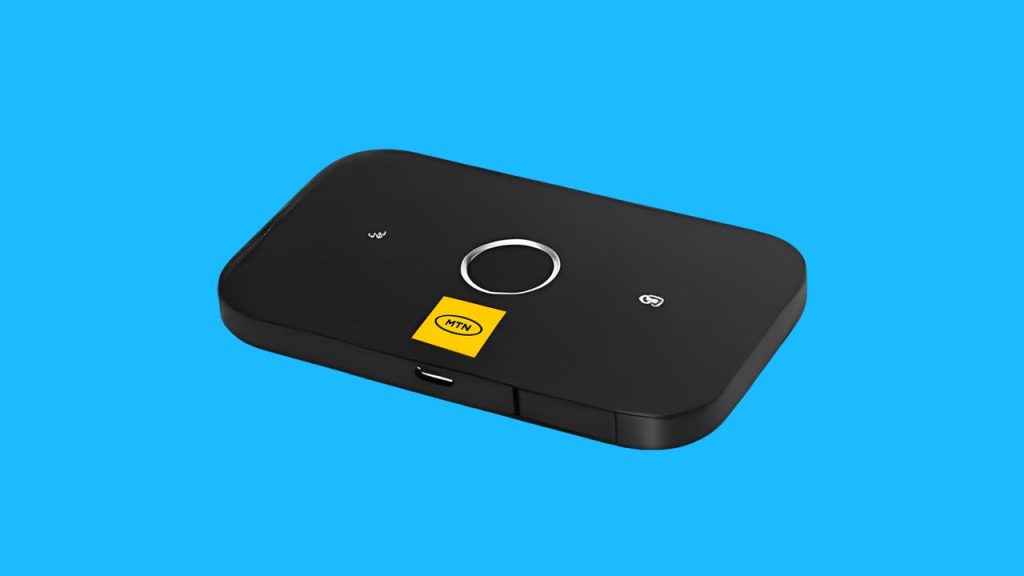
Category: MTN

Discover everything about MTN in Africa, from mobile plans and bundles to network updates, customer service, and latest promotions.

  • MTN Ghana MiFi: How Much It Costs & Best Data Plans

    MTN Ghana MiFi: How Much It Costs & Best Data Plans

    Imagine carrying your own personal Wi-Fi connection wherever you go. No need to rely on slow public Wi-Fi or burn through your phone’s data. That’s exactly what the MTN Ghana MiFi offers—a portable internet solution that keeps you connected anytime, anywhere. But how much does it cost, and which data plan gives you the best value? Let’s break it all down in a way that’s easy to understand.

    What is the MTN Ghana MiFi?

    MTN’s MiFi is a small, battery-powered wireless router that connects to MTN’s mobile network and creates a Wi-Fi hotspot. It allows multiple devices—like your phone, tablet, or laptop—to access the internet at the same time. Unlike home broadband, which stays in one place, a MiFi is portable, so you can take it wherever there’s MTN network coverage.

    Here’s a quick look at what the MTN MiFi offers:

    FeatureDetails
    Device Type3G & 4G MiFi routers
    Number of DevicesSupports up to 10 devices
    SpeedAverages 10-15 Mbps
    Battery Life6-8 hours per charge
    ConnectivityUses an MTN SIM card

    How Much Does MTN Ghana MiFi Cost?

    The price of the MTN MiFi depends on the model you choose. Generally, you can expect to pay between GHS 300 and GHS 650.

    MiFi TypePrice Range (GHS)
    3G MiFi300 – 400
    4G MiFi500 – 650

    These prices can change depending on where you buy it. If you purchase directly from an MTN service center, you’re guaranteed an authentic product. In Ghana, you may also find MiFi devices on Jiji, Jumia, or other online stores, but be sure to verify that they are genuine MTN products before buying.

    Best MTN Ghana MiFi Data Plans

    Once you have your MiFi, the next step is choosing the right data plan. MTN Ghana offers different options depending on how much data you need and how long you want it to last.

    1. Regular Data Bundles

    If you want straightforward, no-expiry data, this is the best option. These bundles don’t expire, so you can use them until they run out.

    Data AmountPrice (GHS)
    1.5GB10
    3GB20
    10GB100
    20GB200

    2. Just4U & Zone Bundles

    These are discounted bundles that offer extra data at lower prices. The catch? They do expire after a set period.

    Data AmountPrice (GHS)Validity
    2GB524 hours
    5GB153 days
    10GB507 days

    3. MTN MashUp

    If you use both calls and data, MashUp bundles give you a mix of both.

    Data & Call CreditPrice (GHS)
    1GB + 25 minutes10
    2GB + 50 minutes20
    5GB + 150 minutes50

    Which Plan is Best for You?

    • Casual users (checking emails, social media) → Regular small bundles (e.g., 3GB for GHS 20).
    • Heavy streamers/gamers → 10GB or 20GB bundle for uninterrupted use.
    • Budget usersJust4U or Zone bundles when available for cheaper rates.
    • Call & data usersMTN MashUp offers a mix of both.

    How to Buy Data for Your MTN MiFi

    There are three easy ways to purchase data for your MiFi:

    1. Using USSD Code

    1. Dial *138# on another MTN number.
    2. Select Buy Data Bundle.
    3. Choose Buy for Others.
    4. Enter your MiFi’s number.
    5. Pick your preferred data package.
    6. Select payment method and confirm.

    2. Using the myMTN App

    1. Open the myMTN app.
    2. Go to Shop > Data.
    3. Select Data Bundles.
    4. Enter your MiFi’s number as the recipient.
    5. Choose a data package and confirm payment.

    3. Using Mobile Money (MoMo)

    1. Dial *170#.
    2. Select Airtime & Bundles > Internet Bundles.
    3. Choose Buy Data Bundle > Buy for Others.
    4. Enter your MiFi’s number.
    5. Select your preferred package and confirm payment.

    How to Check Your MTN MiFi Data Balance

    Keeping track of your data usage helps you avoid running out unexpectedly. Here are three ways to check your balance:

    1. Through the myMTN App

    1. Connect your phone to the MiFi’s Wi-Fi.
    2. Open the myMTN app.
    3. Your balance appears under the DATA section.

    2. Using USSD Code

    1. Remove the SIM from the MiFi and insert it into a phone.
    2. Dial *124#.
    3. Your remaining data balance will be displayed.

    3. Through the MiFi Admin Portal

    1. Open a web browser and type in the MiFi’s IP address.
    2. Log into the admin dashboard.
    3. Enter *124# in the USSD section.
    4. Your data balance will be displayed.

    Is the MTN MiFi Fast Enough?

    The MiFi’s speed depends on where you are and how strong MTN’s network is in that area. On average, you can expect 10-15 Mbps speeds, which is enough for:

    • Browsing and emails ✔
    • Streaming YouTube & Netflix (standard quality) ✔
    • Online meetings & video calls ✔
    • Ultra HD video streaming ❌
    • Large downloads at high speed ❌

    Frequently Asked Questions (FAQs)

    1. Does MTN MiFi Data Expire?

    Yes, but only certain bundles expire. Just4U and Zone bundles have expiration dates, but regular data bundles do not.

    2. Where Can I Find My MiFi’s Username & Password?

    Check under the battery cover of your MiFi device. It’s printed on a sticker.

    3. Is MTN MiFi Faster Than a Phone Hotspot?

    Yes! MiFi devices are designed for better internet sharing, while phone hotspots can drain battery life quickly and may not be as stable.

    MTN Ghana’s MiFi is a fantastic option if you need portable internet that supports multiple devices. Whether you need it for work, entertainment, or everyday browsing, knowing the costs and best data plans helps you make the right choice. If you’re looking for reliable, on-the-go internet, the MTN MiFi is worth considering!

  • How to Buy an MTN IDD Bundle in Ghana

    How to Buy an MTN IDD Bundle in Ghana

    Staying connected with family, friends, or business partners abroad can be expensive. But what if you could make international calls without worrying about high costs? That’s where MTN’s International Direct Dial (IDD) bundles come in! These bundles let you call selected countries at affordable rates. Whether you’re chatting with a loved one in Canada, discussing business in the USA, or checking in with family in China or India, MTN has you covered. Let’s break down how to buy an IDD bundle in the simplest way possible.

    What Is an MTN IDD Bundle?

    Think of an IDD bundle as a special ticket that gives you discounted minutes to make international calls. Instead of using your regular airtime and paying high rates per minute, you buy a bundle that gives you more minutes for less money. MTN offers different bundles to suit different needs, whether you make frequent long calls or just need a few minutes now and then.

    MTN IDD Bundle Options

    Here are the available MTN IDD bundles and their prices:

    Price (GHS)MinutesValidity (Days)
    2.50303
    6.22707
    12.4315015

    Now, let’s go step by step on how you can buy one.

    3 Easy Ways to Buy an MTN IDD Bundle

    There are three simple ways to purchase an IDD bundle:

    1. Using the USSD code (*138#)
    2. Through the MyMTN App
    3. Via MTN MoMo (*170#)

    Let’s go through each method in a way that even a 5th grader would understand.

    1. Buying an MTN IDD Bundle via USSD Code (*138#)

    This method is like ordering your favorite snack by dialing a code on your phone. Here’s how to do it:

    1. Dial *138# on your phone.
    2. Select “1” to proceed to buy a bundle.
    3. Scroll down and enter “99” for more options.
    4. Choose “IDD Bundles” from the list.
    5. Select “Buy for Self” (or “Buy for Others” if you’re purchasing for someone else).
    6. Pick a country (Canada, China, USA, or India).
    7. Select the bundle you want (based on the price and minutes available).
    8. Confirm your purchase.
    9. Choose your payment method (Airtime or Mobile Money).
    10. If paying with MoMo, enter your PIN when prompted.

    Boom! You’re now ready to make international calls.

    2. Buying an MTN IDD Bundle via MyMTN App

    If you love using apps, this method is for you. The MyMTN App is like a small shop where you can buy bundles, check balances, and do more with just a few taps. Here’s how:

    1. Open the MyMTN App (Download it if you don’t have it yet!).
    2. Tap “Shop” at the bottom of the home screen.
    3. Select “Call Abroad” to find IDD bundles.
    4. Choose your phone number if buying for yourself.
    5. Pick the destination country.
    6. Select the bundle that fits your needs.
    7. Choose a payment method (Airtime or Mobile Money).
    8. Scroll down and tap “Pay” to complete your purchase.

    That’s it! You can now start making international calls instantly.

    3. Buying an MTN IDD Bundle via MTN MoMo (*170#)

    If you’re a Mobile Money (MoMo) user, you can buy an IDD bundle directly from your MoMo account. Here’s how:

    1. Dial *170# on your phone.
    2. Select “Airtime & Bundles.”
    3. Choose “Internet Bundles.”
    4. Enter “99” for more options and select “IDD Bundles.”
    5. Choose “Buy for Self” (or “Buy for Others” if needed).
    6. Pick the destination country.
    7. Select your preferred bundle.
    8. Confirm your purchase.
    9. Enter your MoMo PIN to complete the transaction.

    And just like that, your IDD bundle is activated!

    How to Buy an MTN IDD Bundle in Ghana

    How to Check Your Remaining IDD Bundle Balance

    Want to know how many minutes you have left? Here’s what to do:

    1. Dial *138#.
    2. Select “1” to proceed to buy a bundle.
    3. Enter “99” for more options.
    4. Choose “IDD Bundles.”
    5. Select “Check IDD Bundle Balance.”
    6. Your remaining minutes will be displayed on your screen.

    Can I Buy More Than One IDD Bundle?

    Yes! If you run out of minutes before your bundle expires, you can buy another one. The minutes will add up, so you don’t have to wait for one bundle to expire before purchasing another.

    Frequently Asked Questions (FAQs)

    1. What happens if I don’t use all my minutes before the expiry date?

    Unfortunately, unused minutes do not roll over. Be sure to use them before the bundle expires.

    2. Can I use my IDD bundle to call other countries apart from Canada, China, the USA, and India?

    No. The IDD bundle is specifically for these four countries. If you need to call other places, your call will be charged from your regular airtime.

    3. Can I buy an IDD bundle for someone else?

    Yes! When buying, just select “Buy for Others” and enter the recipient’s number.

    4. How do I know which bundle to choose?

    It depends on how much you plan to talk. If you make short calls occasionally, the GHS 2.50 bundle might be enough. But if you chat often, the GHS 12.43 bundle gives you the most value.

    MTN’s IDD bundles make international calling easy, affordable, and convenient. Whether you’re keeping in touch with family, checking in with friends, or handling business abroad, there’s a bundle that fits your needs. With three simple ways to buy—USSD, MyMTN App, and MoMo—you can stay connected no matter where you are.

    So go ahead, grab an IDD bundle today, and make that call! You’ve got this!

  • How to Withdraw MTN MoMo from an ATM in Ghana

    How to Withdraw MTN MoMo from an ATM in Ghana

    Imagine you need cash urgently, but there’s no MoMo agent in sight. You start stressing out, wondering where to find one. What if I told you there’s an easier way? You can withdraw your MTN Mobile Money (MoMo) straight from an ATM—no bank card needed! Sounds great, right? This guide will walk you through the entire process step by step, making sure you understand everything like a pro.

    What is MTN MoMo ATM Withdrawal?

    MTN Mobile Money ATM withdrawal is a feature that lets you withdraw cash from your MoMo wallet at select ATMs without needing a physical bank card. Instead, you generate a special code on your phone, use it at the ATM, and voila! Your money is in your hands.

    What You’ll Need

    Before heading to the ATM, make sure you have the following:

    • A registered MTN MoMo account with enough balance.
    • A mobile phone to generate the withdrawal code.
    • A supported ATM from an MTN partner bank (we’ll list them later).

    Step-by-Step Guide to Withdrawing MTN MoMo at an ATM

    This process happens in two parts: first, you generate a withdrawal code on your phone, then you complete the transaction at an ATM. Let’s go through both parts in detail.

    Part 1: Generating the Withdrawal Token on Your Phone

    Follow these steps to start the withdrawal process:

    1. Dial *170# on your MTN line.
    2. Select option 5 for Financial Services.
    3. Choose Bank Services from the menu.
    4. Select ATM CashOut.
    5. Tap on Generate Token.
    6. Enter any four-digit secret code of your choice (you’ll use this later at the ATM, so note it down!).
    7. Enter the amount you want to withdraw.
    8. Wait for a prompt to enter your MoMo PIN to confirm the transaction.
    9. You will receive a nine-digit token via SMS.

    Quick Fix: Didn’t receive a prompt to enter your MoMo PIN? No worries! Simply dial *170# again, select My Wallet (option 6), go to My Approvals, and approve the pending transaction.

    Part 2: Completing the Withdrawal at the ATM

    Once you have your token, it’s time to get your cash! Follow these steps at the ATM:

    1. Select Cardless Services or Mobile Money Services on the ATM screen.
    2. Choose MTN Mobile Money.
    3. Enter the nine-digit token you received via SMS.
    4. Enter the four-digit secret code you created earlier.
    5. Input the exact amount you selected on your phone.
    6. The ATM will process your request and dispense your cash!

    Tip: If you can’t find the MoMo option on the ATM, ask a bank staff or security guard for guidance.

    How to Withdraw MTN MoMo from an ATM in Ghana

    MTN MoMo ATM Withdrawal Charges

    MTN MoMo ATM withdrawals come with charges similar to agent withdrawals. Here’s a general breakdown:

    Amount Withdrawn (GHS)Estimated Fee (GHS)
    5 – 500.50 – 2.00
    51 – 1002.50 – 5.00
    101 – 4006.00 – 20.00

    Charges may vary slightly based on MTN’s current rates.

    Which Banks Support MTN MoMo ATM Withdrawals?

    Not every bank allows MoMo ATM withdrawals, so make sure you visit a supported ATM. Here’s a list of banks in Ghana where you can withdraw MTN MoMo:

    • Ecobank
    • ABSA
    • Zenith Bank
    • UBA
    • Access Bank
    • ADB
    • Bank of Africa
    • GT Bank
    • CBG
    • Fidelity Bank
    • FBN
    • GCB
    • First Atlantic Bank
    • Republic Bank
    • UMB
    • CAL Bank
    • Prudential Bank
    • FNB
    • OmniBSIC
    • Stanbic Bank

    If you’re unsure whether an ATM supports MoMo withdrawals, look for the MTN Mobile Money option on the screen before proceeding.

    How to Withdraw MTN MoMo from an ATM in Ghana

    FAQs

    1. Do I need a bank account to withdraw MTN MoMo at an ATM?

    Nope! You don’t need a bank account. As long as you have an MTN MoMo wallet, you can withdraw cash from a supported ATM.

    2. What happens if I enter the wrong token or secret code?

    If you enter the wrong token or secret code too many times, the transaction may be blocked for security reasons. If this happens, generate a new token and try again.

    3. Is there a minimum and maximum withdrawal amount?

    Yes. The minimum amount you can withdraw is GHS 5, and the maximum is GHS 400 per transaction.

    4. What if my transaction fails but my money is deducted?

    If your money is deducted but the ATM doesn’t dispense cash, contact MTN Customer Care at 100 or visit the nearest MTN office to report the issue.

    MTN MoMo ATM withdrawals are a lifesaver when you need cash but can’t find an agent. The process is simple: generate a token on your phone, head to a supported ATM, enter the details, and grab your cash. Easy, right?

    So, next time you’re in a hurry and need cash, remember this guide—you’ve got the know-how to withdraw MTN MoMo like a pro!

  • MTN Mobile Money Loans: Borrowing Cash in Minutes!

    MTN Mobile Money Loans: Borrowing Cash in Minutes!

    Imagine you’re out and about, and suddenly you need cash—maybe your favorite snack vendor only takes mobile money, or your transport fare runs out at the worst time. Wouldn’t it be great if you could borrow a little extra right from your phone, no long forms or stress involved? Well, with MTN Mobile Money Loans, you can do just that!

    In this guide, we’ll break down everything you need to know about borrowing money using MTN’s mobile loan services, explaining it in a way that’s easy to follow, whether you’re new to this or just need a refresher.

    What Is MTN Qwikloan?

    MTN Qwikloan is a short-term loan service that allows MTN Mobile Money (MoMo) users to borrow cash instantly—anywhere, anytime. You can borrow between GHS 25 and GHS 1,000, and you’ll have 30 days to pay it back with a 6.9% interest rate. That means if you borrow GHS 100, you’ll pay back GHS 106.90 after a month.

    There’s no need for paperwork, bank visits, or collateral—just your MTN MoMo account and a good track record.

    Who Can Get an MTN Qwikloan? (Eligibility Requirements)

    Not everyone qualifies for an MTN Qwikloan right away. To be eligible, you need to:

    • Be at least 18 years old
    • Have a registered MTN Ghana SIM card
    • Have been using MTN for at least six months
    • Be an active MoMo user for at least three months
    • Maintain a good credit history (if you’ve borrowed before, make sure you paid on time!)

    If you tick all these boxes, you’re good to go!

    How to Borrow Money from MTN (Step-by-Step Guide)

    Getting a loan is as easy as dialing a short code and following a few prompts. Here’s how:

    1. Dial *170# on your MTN phone
    2. Select “Financial Services”
    3. Choose “Loans”
    4. Select “Qwikloan”
    5. Tap “Get a Loan”
    6. Enter your MoMo PIN to confirm
    7. Choose the loan amount you need (within the available range)
    8. Confirm the loan amount and repayment terms
    9. Agree to the terms and conditions
    10. Select the reason for your loan (e.g., emergency, business, bills)

    That’s it! You’ll receive an SMS confirmation and the money will be instantly credited to your MoMo wallet.

    How to Repay Your MTN Qwikloan

    Paying back your loan on time is crucial because it helps you qualify for higher loan amounts in the future. MTN gives you 30 days to repay, and you have two ways to do it:

    1. Manual Repayment

    Want to repay early? No problem! Follow these steps:

    1. Deposit the loan amount + interest into your MoMo wallet
    2. Dial *170#
    3. Go to “Financial Services”
    4. Select “Loans”
    5. Tap “Qwikloan”
    6. Choose “Repay My Loan”
    7. Enter your MoMo PIN to confirm
    8. Select full payment or part payment
    9. Confirm the repayment

    You’ll receive an SMS confirmation once your loan is successfully repaid.

    2. Automatic Deduction

    If you don’t manually repay, MTN will automatically deduct the loan amount (plus interest) from your MoMo wallet on the due date. Make sure you have enough funds in your account to avoid penalties!

    What Happens If You Don’t Repay on Time?

    Late repayments come with consequences, and you definitely don’t want to ignore them:

    • Your interest rate increases from 6.9% to 12.5%
    • You might be disqualified from borrowing again
    • Your credit score drops, making it harder to get loans elsewhere

    So, always repay on time to keep your options open!

    How to borrow money or take loans from MTN Ghana

    Other MTN Loan Options

    Besides Qwikloan, MTN has partnered with other financial institutions to offer more loan choices:

    1. XpressLoan

    • Provided by Ecobank Ghana & Jumo
    • Works like Qwikloan with a 6.9% interest rate
    • No paperwork or collateral required

    2. Ahomka Loan

    • Introduced during COVID-19 to help people with short-term loans
    • Same 30-day repayment period and 6.9% interest

    3. MTN XtraCash

    • Offers small, short-term loans (GHS 50 or less)
    • Must be repaid within 7 days
    • Late payments attract a 10% penalty

    MTN also offers a pick-now-pay-later service for buying phones and tablets, where you pay in installments over 6-12 months.

    3 Tips to Increase Your Loan Limit

    Want to borrow higher amounts? Follow these tips:

    1. Use MoMo regularly – The more transactions you make, the more MTN trusts you.
    2. Link your MoMo account to your Ghana Card – It boosts your credibility.
    3. Repay loans on time – A clean track record means higher loan offers!

    FAQs

    1. What’s the maximum loan amount I can get?

    The highest amount for Qwikloan is GHS 1,000.

    2. Can I apply for multiple loans at the same time?

    No, you must repay your current loan before applying for another.

    3. What happens if I don’t repay my loan?

    Your interest rate increases to 12.5% and you may be blocked from borrowing in the future.

    MTN Mobile Money Loans are a lifesaver when you need quick cash without stress. Whether it’s for an emergency, small business, or just covering expenses before payday, these loans are fast, easy, and convenient.

    Just remember: borrow only what you can repay and always pay on time to keep your loan options open. Need cash now? Dial *170# and get started!

  • MTN Mobile Money: Charges & Fees in Ghana

    MTN Mobile Money: Charges & Fees in Ghana

    MTN Mobile Money, or MoMo, is one of the easiest ways to send, receive, and store money in Ghana. Whether you’re paying for groceries, sending money to family, or withdrawing cash, MoMo makes it simple. But with every service, there are costs involved. In this guide, we’ll break down all the fees you might encounter when using MTN MoMo—no complicated jargon, just clear, useful info.

    1. Depositing Money: It’s Free!

    Good news! You don’t pay anything to deposit money into your MTN Mobile Money wallet. Whether you add GHS 1 or GHS 10,000, it’s completely free.

    2. Withdrawing Money: What’s the Cost?

    While putting money into your MTN Mobile Money wallet is free, taking it out isn’t. Here’s a simple table showing how much you’ll pay when you withdraw cash:

    Amount (GHS)Withdrawal Fee
    50 and belowGHS 0.50
    51 – 1,9991% of the amount
    2,000 and aboveGHS 20

    So, if you withdraw GHS 500, you’ll pay 1%, which is GHS 5.

    3. Transferring Money: What’s the Charge?

    Sending money from your MoMo wallet to another wallet—whether it’s MTN or another network—comes with a fee. Let’s break it down.

    MTN to MTN Transfers

    Amount (GHS)Transfer Fee
    0.01 – 100Free
    101 – 9990.75% of the amount
    1,000 and aboveGHS 7.5

    MTN to Other Networks (Telecel, AT, etc.)

    Amount (GHS)Transfer Fee
    0.01 – 10000.75% of the amount
    Above 1,000GHS 7.5

    So, if you send GHS 500 from your MTN Mobile Money wallet to a Telecel user, you’ll pay 0.75%, which is GHS 3.75.

    4. Bank Transfers: Free or Not?

    If your MoMo number is linked to your Ghana Card and your bank account, transferring money to and from your bank is completely free. If not, here’s what you’ll pay:

    Amount (GHS)Bank Transfer Fee
    0.01 – 50GHS 0.38
    50 – 1,0000.75% of the amount
    Above 1,000GHS 7.5
    MTN mobile money charges in Ghana

    5. Bill Payments: No Extra Fees

    Using MTN Mobile Money to pay for electricity, water, school fees, or TV subscriptions? That’s free! You won’t pay extra for making bill payments.

    6. Transaction Reversals: Also Free!

    If you send money to the wrong number by mistake, don’t panic. You can request a reversal, and it won’t cost you anything. Just make sure to report the issue quickly.

    7. E-Levy: A Government Tax on Transfers

    The Ghanaian government charges an Electronic Levy (E-Levy) on some MoMo transactions. Here’s how it works:

    Amount (GHS)E-Levy Charge
    Up to 100No Charge
    Above 1001% of the amount

    For example, if you transfer GHS 200, the E-Levy charge is GHS 2 (1% of 100, since the first GHS 100 is free).

    8. MTN Mobile Money Limits: How Much Can You Hold or Send?

    Depending on the type of MoMo account you have, there are limits on how much money you can store and send daily.

    Maximum Account Balance

    Account TypeOld Limit (GHS)New Limit (GHS)
    Minimum KYC3,0005,000
    Medium KYC25,00040,000
    Enhanced KYC50,00075,000

    Daily Transaction Limit

    Account TypeOld Limit (GHS)New Limit (GHS)
    Minimum KYC2,0003,000
    Medium KYC10,00015,000
    Enhanced KYC15,00025,000

    Monthly Transaction Limit

    Account TypeOld Limit (GHS)New Limit (GHS)
    Minimum KYC6,00010,000
    Medium KYCUnlimitedUnlimited
    Enhanced KYCUnlimitedUnlimited

    If you want higher limits, you can upgrade your account by providing additional details like your Ghana Card, proof of address, and next of kin information.

    9. MTN MoMo Agent Commissions

    MTN Mobile Money agents earn commissions whenever customers withdraw money. Here’s how much they make:

    Amount (GHS)Old CommissionNew Commission
    50 and belowGHS 0.20GHS 0.20
    51 – 9990.4% of amount0.4% of amount
    1,000 – 1,999GHS 40.4% of amount
    2,000 and aboveGHS 4GHS 8

    10. How Much Does MTN Charge to Withdraw GHS 10,000?

    If you withdraw GHS 10,000 from your MoMo wallet, MTN charges GHS 20. However, some agents may ask for extra fees before processing large withdrawals.

    MTN Mobile Money is a great tool for handling money easily, but understanding the charges helps you avoid surprises. Keep these fees in mind so you can save money and make the best use of your MoMo wallet. Whether you’re sending cash, paying bills, or withdrawing funds, knowing what to expect makes all the difference.

    Want to get started with MTN MoMo? Check out our guide on how to register and set up your MoMo account hassle-free!

  • Guide to Register Your MTN Ghana SIM Card

    Guide to Register Your MTN Ghana SIM Card

    If you’ve got an MTN SIM card in Ghana, you need to register it—no ifs, ands, or buts. Whether you’re getting a new SIM or making sure your old one is properly registered, this guide will walk you through every step in the simplest way possible. Think of it like setting up a new phone—easy when you know what to do, but frustrating if you don’t. Let’s make sure you get it right the first time!

    Why Do You Need to Register Your MTN SIM Card?

    Registering your SIM card isn’t just some random rule—it’s a government requirement. The goal is to keep mobile networks secure and prevent fraud. If you don’t register, your SIM will eventually get blocked, meaning no calls, no texts, no data—nothing. That’s not a situation you want to be in!

    What You Need for MTN SIM Registration

    Before heading to an MTN office or agent, make sure you have:

    • A new or existing MTN SIM card
    • Your Ghana Card (ECOWAS card) – No other ID will work!
    • Your digital address – You can find this using Ghana Post GPS

    That’s it! If you have these three things, you’re good to go.

    Step 1: Linking Your Ghana Card to Your MTN SIM

    Before you can complete biometric verification, you need to link your SIM to your Ghana Card. You can do this in two ways: using a USSD code or through the myMTN app.

    Method 1: Using the USSD Code (Easiest Method)

    1. Dial *404# on your phone.
    2. Follow the prompts and enter:
      • Your full name (as it appears on your Ghana Card)
      • Your Ghana Card number (skip the hyphens)
      • Your date of birth
    3. You’ll get a confirmation message with a unique code.

    Method 2: Using the myMTN App

    If you prefer using an app, follow these steps:

    1. Open the myMTN app (download it from Google Play Store or Apple App Store if you don’t have it).
    2. Tap More, then My Account.
    3. Select SIM Registration and agree to the Terms of Service.
    4. Confirm that you are the owner of the SIM.
    5. Enter your phone number and verify with an OTP (One-Time Password).
    6. Enter your name and Ghana Card number.
    7. You’ll get a notification confirming the linking process.

    Note: If you’re registering a brand-new SIM, the linking process is automatic since it’s required before activation.

    Step 2: Completing Biometric Verification

    Linking your SIM isn’t enough—you still need to verify your identity through biometric registration. This part must be done in person at an MTN office or an authorized agent.

    Here’s what to do:

    1. Visit any MTN service center or an authorized MTN agent.
    2. Provide your MTN SIM card, Ghana Card, and digital address.
    3. The agent will scan your fingerprints and take other biometric details.
    4. Once complete, they’ll confirm that your SIM is now fully registered.
    5. You’ll receive a confirmation message, and your SIM is now good to go!

    Step 3: Checking Your SIM Registration Status

    Not sure if everything went through successfully? Here’s how to check:

    • Dial *400# on your MTN number.
    • A message will pop up showing:
      • Your registered name
      • Your unique registration code
      • B-Cap (Biometric Capture) status (if it says “Yes,” you’re fully registered)

    If the B-Cap status is “No,” you need to visit an MTN office to complete biometric verification.

    How to register MTN Ghana SIM card

    FAQs

    Can I Register My MTN SIM by Myself?

    No. MTN used to have a self-registration app, but it’s no longer available for customers. You must visit an authorized agent for biometric verification.

    How Much Does SIM Registration Cost?

    Officially, registering an MTN SIM is free when you buy a new SIM. However, some agents may charge between GHS 30 – GHS 35 for verification and Mobile Money (MoMo) registration.

    What Happens if I Don’t Register My SIM?

    If you don’t register your SIM, MTN will block it. You won’t be able to make calls, send texts, or use data. If you miss the final deadline set by the government, your number could be permanently deactivated.

    Registering your MTN Ghana SIM card isn’t as complicated as it might seem. Just follow these steps:

    1. Link your SIM to your Ghana Card using *404# or the myMTN app.
    2. Visit an MTN office or agent for biometric verification.
    3. Check your registration status by dialing *400#.

    That’s it! Now, you can enjoy your MTN service without any worries. If you found this guide helpful, share it with someone who might need it!

  • How to Cancel Any MTN Ghana Subscription in Seconds

    How to Cancel Any MTN Ghana Subscription in Seconds

    Have you ever loaded airtime, only to see it vanish before you even make a call? You’re not alone. Many MTN Ghana users find their airtime disappearing like magic, often because of hidden subscriptions they didn’t even realize they had. From caller tunes to daily news updates, these services can silently drain your balance.

    But don’t worry! In this guide, I’ll show you exactly how to cancel any MTN Ghana subscription—step by step—so you can finally stop wasting money on things you don’t need. It’s super simple, and you’ll feel great knowing your airtime is safe.

    Why Your Airtime Keeps Disappearing

    You might think your airtime is running out because of calls or data usage, but there’s a sneaky culprit—automatic subscriptions! These can include:

    • Caller tunes (those songs people hear when they call you)
    • Daily news or horoscope updates
    • Sports alerts
    • Trivia games
    • Mobile insurance
    • Phonebook backup services

    Some of these services might have been activated accidentally, while others could have been bundled with something else you signed up for. The good news? You can cancel them all in seconds.

    The Magic Code to Cancel MTN Ghana Subscriptions

    MTN has a simple way to manage subscriptions, and it all starts with this shortcode: *175#.

    Think of this as your “reset button” to take back control of your airtime. Here’s how to use it:

    Step-by-Step Guide to Unsubscribing from MTN Services

    1. Dial 175# on your phone (just like you would when checking your balance).
    2. A menu will pop up. Select Option 1 for “My Subscriptions.”
    3. You’ll see a list of all active subscriptions linked to your number.
    4. Choose the subscription you want to cancel, or select “Unsubscribe All” to remove everything at once.
    5. Confirm your deactivation by selecting “Yes.”
    6. You’ll receive an SMS confirming that the subscription has been canceled.

    That’s it! No more unwanted deductions from your airtime.

    How to Cancel Any MTN Ghana Subscription

    Extra Tip: How to Prevent Accidental Subscriptions

    Stopping subscriptions is great, but preventing them from coming back is even better. Here’s how to avoid unwanted sign-ups in the future:

    • Be careful when clicking pop-ups – Some ads and messages trick you into subscribing without realizing it.
    • Check messages from MTN carefully – Sometimes, they send offers that activate services if you reply.
    • Avoid dialing random shortcodes – Some promotions require you to dial a code that automatically signs you up for a service.

    By staying alert, you can keep your airtime safe from sneaky deductions.

    Frequently Asked Questions (FAQ)s:

    Q: How do I check all my active subscriptions?

    Dial *175# and select “My Subscriptions” to see everything you’re currently subscribed to.

    Q: What if I still get charged after canceling?

    Sometimes, cancellations take a few minutes to process. If you’re still being charged after a few hours, try dialing *175# again to confirm.

    Q: Can I stop all subscriptions at once?

    Yes! Just select “Unsubscribe All” when managing your subscriptions, and MTN will cancel everything in one go.

    Q: Will canceling affect my ability to make calls or browse the internet?

    Not at all! Canceling subscriptions only stops paid services you don’t need. Your regular airtime usage for calls and data remains the same.

    No more frustrating airtime losses! Now that you know how to cancel any MTN Ghana subscription in seconds, you’re in control. Just remember the magic code *175# and check your subscriptions regularly to avoid surprises.

    Try it now, and enjoy keeping your airtime where it belongs—with you!

  • MTN Ghana Shares: How to Buy and Invest Successfully

    MTN Ghana Shares: How to Buy and Invest Successfully

    So, you’ve heard that MTN Ghana allows people to buy shares, and you’re curious about how to get in on it. Maybe you’re thinking, “Is this really for me? Do I need to be some kind of stock market genius?” The good news is—you don’t! Buying MTN shares is easier than you think, and by the time you finish reading this, you’ll know exactly how to do it.

    What Are Shares, and Why Should You Care?

    Imagine you and your friends want to start a small business selling snacks. You all contribute money, and each of you owns a piece of the business. That piece? That’s basically what a share is! When you buy MTN Ghana shares, you’re buying a tiny part of the company.

    And why is this exciting? Well, if MTN continues to do well, your shares can increase in value. Plus, MTN may give you a little bonus called dividends—extra money just for owning shares! Not a bad deal, right?

    MTN Ghana Shares: What You Need to Know

    • MTN is currently the only telecom company in Ghana offering shares to the public.
    • The share price changes over time. In 2018, the price started at GHS 0.75 per share. By April 2024, it was GHS 1.56.
    • You can buy shares through MTN Mobile Money (MoMo) or a licensed brokerage firm.

    Two Ways to Buy MTN Shares

    MTN has made buying shares super convenient. You can either use your phone with MoMo or go through a brokerage firm. Let’s break both down.

    Method 1: Buying MTN Shares via Mobile Money (MoMo)

    This is the easiest method, especially if you already use MoMo. Here’s how:

    1. Dial *170# on your phone.
    2. Select Financial Services, then Trade Shares.
    3. Enter your MoMo PIN.
    4. You’ll receive an SMS with a link to register.
    5. Click on the link, sign up, and select your account type.
    6. Once registered, you can buy shares directly from your MoMo wallet.

    Your shares will be stored in your Central Securities Depository (CSD) account with the Ghana Stock Exchange. That’s basically your digital piggy bank for shares!

    Method 2: Buying MTN Shares Through a Brokerage Firm

    A brokerage firm is like a middleman that helps you buy and sell shares. If you want a more traditional way to invest, this is a solid option.

    Here’s how to do it:

    1. Choose a brokerage firm. Some licensed brokers in Ghana include IC Securities, Fidelity Bank, CalBank, and Black Star Brokerage Limited.
    2. Open an account. You’ll need to provide some personal details like your name, address, and a valid ID.
    3. Fund your account. You can transfer money via bank, MoMo, or even a debit/credit card.
    4. Buy your MTN shares. Use the broker’s online platform or speak with them directly to place your order.
    5. Get confirmation. Your broker will send you a confirmation once your shares are successfully purchased.

    Why Buy MTN Shares?

    Great question! Here are a few reasons:

    • You become a part-owner of MTN Ghana.
    • You earn dividends. Twice a year, MTN gives shareholders a portion of their profits.
    • Your shares can increase in value over time. If MTN continues to grow, your investment grows too.
    How to buy MTN shares in Ghana

    Common Questions About Buying MTN Shares

    How many MTN shares can I buy?

    There’s no limit! You can buy as many as you want, but the minimum is 10 shares.

    Does MTN pay dividends?

    Yes! Shareholders receive dividends twice a year, depending on how well the company performs.

    Can I sell my MTN shares later?

    Absolutely! If you ever want to cash out, you can sell your shares through your brokerage firm or the Ghana Stock Exchange.

    Should You Invest?

    Like any investment, buying shares comes with risks. The stock price can go up or down, so it’s always a good idea to do your research and think about your long-term goals.

    But if you’re looking for a straightforward way to start investing, MTN Ghana shares are a great option. Whether you use MoMo for a quick and easy purchase or go through a brokerage firm for a more traditional experience, you’re taking a smart step towards growing your money.

    So, are you ready to become a shareholder? Give it a shot—your future self might thank you!

  • How To Unlock Unlimited Data on MTN Ghana

    How To Unlock Unlimited Data on MTN Ghana

    Imagine never having to worry about running out of data. No more surprise messages saying, “You have 10MB left!” or scrambling to buy a new bundle in the middle of an important Zoom call or Netflix binge. Sounds like a dream, right? Well, if you’re an MTN user, you might just be in luck! MTN offers an unlimited data plan—but it’s not as straightforward as you might think. Let’s break it all down in the simplest way possible.

    What Is MTN’s Unlimited Data Plan?

    MTN’s unlimited data plan is exactly what it sounds like: a plan that gives you internet access without any data caps for a whole month. However, before you get too excited, there’s one important catch—you can only get it through MTN Fibre Broadband. That means it’s not available for regular prepaid or pay-as-you-go users. Instead, it’s meant for people who have installed MTN’s Fibre Broadband at home or work.

    Why Would You Want Unlimited Data?

    Think about how much data you use in a month. Between YouTube videos, Instagram scrolling, work meetings, and downloading your favorite shows, it adds up quickly. Instead of buying multiple data bundles and running out at the worst times, an unlimited plan gives you peace of mind. No limits, no surprises—just endless browsing, streaming, and downloading.

    How to Get MTN’s Unlimited Data Plan

    Alright, so you’re interested. How do you actually get this magical, never-ending data? Here’s the step-by-step process:

    Step 1: Get MTN Fibre Broadband Installed

    First things first, you must have MTN Fibre Broadband. If you don’t already have it, you’ll need to check if MTN offers Fibre Broadband in your area and get it installed at your home or workplace. You can visit an MTN office or check their website to apply.

    Step 2: Choose How You Want to Buy the Plan

    Once you have Fibre Broadband set up, you can purchase an unlimited data plan in three ways:

    1. Through the myMTN App
    2. Using MTN Mobile Money (MoMo)
    3. Via a USSD shortcode

    Let’s go through each method so you can pick the easiest one for you.

    Option 1: Buy Unlimited Data via the myMTN App

    1. Open the myMTN app on your phone. If you don’t have it, download it from the App Store or Google Play.
    2. Tap on Data Bundle.
    3. Select Fibre and Turbonet Bundles.
    4. Choose the Fibre account you want to buy data for.
    5. Select Unlimited Fibre and pick your preferred package.
    6. Choose your payment method: MoMo, airtime, or broadband airtime.
    7. If you’re paying with MoMo, you’ll get a prompt to enter your PIN and confirm the payment.

    That’s it! Once the payment is done, you have unlimited data for the next 30 days.

    Option 2: Buy Unlimited Data via MTN Mobile Money (MoMo)

    If you prefer using MoMo, follow these steps:

    1. Dial *170# on your MTN line.
    2. Select Airtime and Bundles.
    3. Choose Fixed Broadband.
    4. Pick the Fibre Broadband account you want to buy data for.
    5. Select Data Bundles.
    6. Choose UNLIMITED and pick your package.
    7. Confirm your purchase and enter your MoMo PIN to complete the payment.

    Once confirmed, you’re all set with unlimited data!

    Option 3: Buy Unlimited Data Using the Shortcode

    If you don’t want to use an app or MoMo menu, there’s a quicker way:

    1. Dial *5057#.
    2. Select Data Bundles.
    3. Choose UNLIMITED and pick your preferred package.
    4. Select your payment method.
    5. Follow the prompt to complete the payment.

    Easy, right?

    How To Unlock Unlimited Data on MTN Ghana

    How Much Does MTN’s Unlimited Data Cost?

    Now, let’s talk prices. The cost of your unlimited data plan depends on the speed you choose. Here’s a breakdown:

    Speed (Mbps)Price (GHS)
    10 Mbps754.4
    20 Mbps1104
    30 Mbps1972.25
    45 Mbps4059.5
    60 Mbps4634.5

    What Speed Should You Pick?

    • 10 Mbps: Great for light browsing and social media.
    • 20 Mbps: Perfect for HD streaming and video calls.
    • 30 Mbps: Best for multiple users at home using Wi-Fi.
    • 45 Mbps & 60 Mbps: Super-fast speeds for gaming, 4K streaming, and work-from-home setups with heavy usage.

    FAQs:

    1. What’s the code for the MTN Unlimited Data Bundle?

    The USSD code to buy unlimited data is *5057#.

    2. Does the MTN Unlimited Data Plan Expire?

    Yes, the plan lasts 30 days. You’ll need to renew it every month.

    3. Can I Get Unlimited Data on My Phone?

    No, this plan is only for MTN Fibre Broadband users. If you’re using a regular prepaid or pay-as-you-go plan, this won’t work.

    4. How Do I Pay for MTN Unlimited Data?

    You can pay through:

    • The myMTN App
    • MTN Mobile Money (MoMo)
    • USSD code *5057#

    If you’re tired of running out of data and want a hassle-free, unlimited internet experience, MTN’s unlimited Fibre Broadband plan is a solid choice. Just make sure you have Fibre Broadband installed first. Once you do, buying unlimited data is as easy as dialing a code or using the myMTN app.

    So, what are you waiting for? If MTN Fibre is available in your area, unlock unlimited data today and browse without limits!

  • Applying for an MTN eSIM in Ghana? Here’s How

    Applying for an MTN eSIM in Ghana? Here’s How

    Imagine never having to fumble with tiny SIM cards again. No more searching for a paperclip to pop out your SIM tray. No more worrying about losing or damaging your SIM card. Sounds good, right? That’s exactly what MTN eSIM offers—a completely digital way to stay connected. If you’re curious about how to get started, don’t worry. I’ve got you covered with this step-by-step guide, explained in a way that makes sense.

    What Exactly Is an MTN eSIM? (And Why Should You Care?)

    An eSIM (embedded SIM) is like an invisible SIM card built into your phone. Instead of a physical chip, your device uses a digital profile to connect to MTN’s network. That means no more swapping SIM cards when you travel, and you can even have multiple numbers on one phone—perfect for separating work and personal calls.

    Now, you might be wondering: Do I really need this? Well, if you love convenience, flexibility, and a clutter-free experience, then yes, an eSIM is for you.

    Step 1: Check If Your Phone Supports eSIM

    Before anything else, let’s see if your phone is eSIM-ready. Here’s how:

    1. Dial #06# on your phone.
    2. If you see a 32-digit EID number, congratulations! Your phone is compatible.
    3. If you don’t see an EID, your phone doesn’t support eSIM. (Time for an upgrade? Maybe!)

    For iPhone users, another way to check is to go to Settings > Cellular > Add eSIM. If you see that option, you’re good to go. Android users can check under Settings > About Phone > SIM Status for a similar option.

    Step 2: Gather What You Need

    Before you start the application process, make sure you have:

    • An eSIM-compatible device (Check Step 1!)
    • A registered MTN Ghana mobile number
    • Your Ghana Card for identification
    • A valid email address (MTN will send your activation details here)

    Got all that? Great! Let’s move on.

    Step 3: Applying for Your MTN eSIM

    You have two easy ways to apply: through the MyMTN App or the MTN eSIM Request Portal. Pick whichever method works best for you.

    Option 1: Apply via the MyMTN App

    1. Open the MyMTN app on your phone.
    2. Tap on More at the bottom right corner.
    3. Select Get E-SIM to begin the application.
    4. Enter your MTN mobile number and click Request OTP.
    5. MTN will send you a 6-digit code. Enter it to verify your identity.
    6. Fill out the eSIM Request form and hit submit.
    7. MTN will confirm your request via SMS. Processing takes up to 72 hours, so keep an eye on your messages.

    Option 2: Apply via the MTN eSIM Portal

    If you don’t have the MyMTN App, no worries! Here’s how to apply online:

    1. Visit the MTN eSIM Request Portal.
    2. Enter your MTN mobile number and click Request OTP.
    3. Enter the 6-digit OTP sent to your phone to verify your identity.
    4. Complete the eSIM Request form and submit it.
    5. Just like with the app method, MTN will process your request within 72 hours.

    Step 4: Activating Your MTN eSIM

    Once MTN approves your request, they’ll send you an email with two important things:

    1. A step-by-step installation guide (super helpful)
    2. A QR code (this is how you activate your eSIM)

    Here’s what you do:

    • Open your phone’s Settings.
    • Select Cellular (iOS) or SIM Manager (Android).
    • Choose Add eSIM and scan the QR code from MTN’s email.
    • Once scanned, reply “Done Scanning” to the email, and MTN will finalize the activation.

    And just like that, your eSIM is up and running!
    How To Apply for an MTN eSIM in Ghana

    Why You Might Love an MTN eSIM

    Still on the fence? Here are some cool benefits of using an MTN eSIM:

    Convenience

    No more swapping SIM cards or visiting stores to get a new one. Everything is digital and hassle-free.

    Enhanced Security

    Since the eSIM is built into your phone, it can’t be removed or stolen like a physical SIM. If your phone gets lost, you can simply deactivate the eSIM remotely.

    Multiple Profiles

    Want to keep your work and personal numbers separate? No problem! eSIMs let you have multiple numbers on one device.

    Works on Smart Devices

    Use your eSIM not just on your phone, but also on compatible tablets and smartwatches.

    Any Downsides?

    Nothing is perfect, right? Here are a couple of things to consider:

    • Not all phones support eSIM yet. If your device isn’t compatible, you’ll need a traditional SIM.
    • If you switch phones often, transferring an eSIM isn’t as simple as swapping a physical SIM. You may need to visit an MTN service center for help.

    Bonus: Free Data for New eSIM Users!

    Good news—MTN rewards new eSIM subscribers with 10GB of free data. That’s a nice little bonus just for making the switch!

    How Much Does It Cost?

    Absolutely nothing! Applying for and activating your MTN eSIM is completely free for all MTN subscribers.

    Ready to Switch?

    If you’re tired of dealing with physical SIM cards and want a smoother, more flexible mobile experience, now’s the time to make the switch. Just follow the steps in this guide, and you’ll be enjoying the benefits of eSIM in no time.

  • MTN Turbonet vs MTN Fibre Broadband: Which One Is Right for You?

    MTN Turbonet vs MTN Fibre Broadband: Which One Is Right for You?

    If you’re looking for fast and reliable internet in Ghana, you’ve probably come across two major options from MTN: MTN Turbonet and MTN Fibre Broadband. But which one should you go for? Well, it depends on what you need!

    Think of it like this: One is like a fast, portable Wi-Fi hotspot (Turbonet), while the other is like a powerful underground internet pipeline connected directly to your home or office (Fibre Broadband). Still confused? Don’t worry! We’ll break it all down in a simple, friendly way so you can make the best choice.

    What’s the Difference Between MTN Turbonet and MTN Fibre Broadband?

    At their core, both options provide internet, but they work in very different ways:

    FeatureMTN TurbonetMTN Fibre Broadband
    How it WorksUses a 4G or 5G router to connect wirelesslyUses underground fibre optic cables
    PortabilityPortable – you can take it anywhere with MTN coverageFixed – installed in one location
    SpeedUp to 150Mbps (depends on 4G/5G signal strength)Up to 60Mbps (but more stable)
    PriceGH₵1,500 – GH₵2,500 (router cost)GH₵150 (installation fee)
    Best ForPeople who move around or don’t have fibre accessHomes and offices that need stable internet

    Now, let’s dive deeper into each category so you can decide which one is best for you.

    MTN Turbonet vs MTN Fibre Broadband

    Speed & Reliability: Which One is Faster?

    If all you care about is speed, Turbonet seems like the winner with its potential to hit 150Mbps. But here’s the catch:

    • MTN Turbonet speeds depend on your location. If you’re in an area with weak 4G or 5G coverage, you might get speeds as low as 30Mbps.
    • MTN Fibre Broadband has lower max speeds (60Mbps), but it’s stable. Because fibre cables are not affected by things like bad weather or network congestion, you’ll get consistent speeds no matter what.

    So, if you live in a place with strong 4G/5G signals, Turbonet can be super fast. But if you prefer a steady, no-surprises connection, Fibre Broadband is the way to go.

    Portability: Can You Take It Anywhere?

    This one is easy!

    • MTN Turbonet is portable. It’s like a Wi-Fi box that you can move around, as long as you stay within MTN’s network.
    • MTN Fibre Broadband is fixed. Once installed, it stays in one place—just like your water or electricity connection.

    If you need internet in different locations (e.g., home and office), Turbonet is your best bet.

    Cost: Which One is More Affordable?

    Let’s talk money.

    • MTN Turbonet costs between GH₵1,500 and GH₵2,500 (depending on the model you choose). You only pay this once, but then you’ll need to buy data regularly.
    • MTN Fibre Broadband has a low installation fee of GH₵150. After that, you just pay for your data, which is generally cheaper per GB than Turbonet.

    If you don’t want to spend too much upfront, Fibre Broadband is more affordable. But if you want flexibility, Turbonet is worth the higher initial cost.

    Data Packages: Which One Gives You More for Less?

    Let’s compare the data plans:

    Price (GHS)MTN Turbonet (GB)MTN Fibre Broadband (GB)
    252.41GB4.17GB
    878.69GB14.54GB
    25391.82GB158.02GB
    516350.54GB522.74GB

    Fibre Broadband clearly gives you more data for your money. It also has unlimited data plans, which Turbonet doesn’t offer. So, if you download a lot of movies, work from home, or run a business, Fibre Broadband is the better deal.

    Power Supply: Will It Work During a Blackout?

    Ghana’s power supply can be unpredictable, so what happens when the lights go out?

    • MTN Turbonet comes with a backup battery that lasts about 10-12 hours.
    • MTN Fibre Broadband needs a direct power source—so when there’s no electricity, there’s no internet.

    If power cuts are common in your area and you need internet at all times, Turbonet is the safer option.

    MTN Turbonet vs MTN Fibre Broadband

    Which One Should You Choose?

    Still unsure? Here’s a simple way to decide:

    • Choose MTN Turbonet if:
      • You move around a lot or need internet in multiple places.
      • You live in an area with strong 4G/5G coverage.
      • You want a backup internet option in case of power outages.
    • Choose MTN Fibre Broadband if:
      • You need a stable, reliable connection with unlimited data options.
      • You don’t plan on moving the connection around.
      • You want cheaper data packages in the long run.

    FAQs

    1. Can I use MTN Turbonet anywhere in Ghana?

    Yes! As long as you are within MTN’s 4G/5G coverage area, Turbonet will work.

    2. How do I check if MTN Fibre Broadband is available in my area?

    You can check on the MTN Ghana website or visit an MTN store near you.

    3. Can I use normal MTN data bundles on Turbonet?

    No, Turbonet requires special Turbonet data bundles.

    4. What happens if I move houses with Fibre Broadband?

    Since Fibre Broadband is fixed, you’ll need to check if your new home has fibre coverage. If not, you might have to switch to Turbonet or a different internet service provider.

    At the end of the day, both MTN Turbonet and MTN Fibre Broadband are great internet options—it just depends on what you need.

    • If you want portability and potential high speeds, go for Turbonet.
    • If you want stable, reliable internet with cheaper data, pick Fibre Broadband.

  • How to Make Free Calls on MTN Ghana

    How to Make Free Calls on MTN Ghana

    Imagine never worrying about airtime while chatting with your best friend or catching up with family. Sounds great, right? Well, if you’re using MTN Ghana, you can actually make free calls—yes, free! No tricks, no complicated hacks, just legit offers from MTN that let you talk without constantly reloading airtime.

    In this guide, I’ll walk you through exactly how to enjoy these free call offers in the simplest way possible. Whether you’re new to MTN or a longtime user, by the end of this article, you’ll know exactly how to call for free, just like a pro.

    1. The MTN Free Call Offers

    MTN Ghana offers two main ways to make free calls:

    1. Magic Number (Akwaaba Offer) – Perfect for new SIM users, letting you call one special MTN number for free.
    2. Free After One (Nkomode Offer) – Lets you talk for free to any local network after paying for just the first minute.

    Both of these are straightforward to activate and can save you a lot of airtime. Let’s break them down.

    2. Magic Number: Unlimited Free Calls to One Person

    This offer is like having a ‘best friend’ number that you can call as much as you want—without paying a pesewa! But, there’s a small catch:

    • You must be a new MTN Ghana SIM user.
    • The free calls last for six months after activating your SIM.
    • You can only pick one MTN number to call for free.

    How to Activate the Magic Number Offer:

    1. Dial *550# on your MTN number.
    2. Select option 8 (More options).
    3. Choose option 1 for “Magic Number.”
    4. Select MTN Free Call Offer.
    5. Enter the MTN number you want to call for free.
    6. Done! You can now call this number free for six months.

    Example: Let’s say you just bought a new MTN SIM and activated it today. You can add your mom’s MTN number as your Magic Number, and for the next six months, you can call her anytime without spending a cedi!

    How to Make Free Calls on MTN Ghana

    3. Free After One (Nkomode): Pay for a Minute, Talk for Longer

    This is a fantastic option for everyone—not just new users. It works like this:

    • You pay for the first minute of your call.
    • After that, you get extra free minutes to continue talking.
    • You also receive free mobile data to browse the internet.

    There are two versions of this offer:

    1. Free After 1 (FA1) – After paying for the first minute, you get 10 free minutes on that call + 70MB of data (valid for one day).
    2. Free After 1 Extra (FA1 Extra) – You pay for the first minute after every 10 minutes, and in return, you get 60 extra free minutes + 70MB of data (valid for one day).

    How to Activate Free After One (Nkomode):

    1. Dial *550# on your MTN number.
    2. Select Free After One.
    3. Choose your preferred package (FA1 or FA1 Extra).
    4. Confirm by selecting Activate.
    5. You’ll receive a confirmation message, and the charge for the first minute will be deducted from your airtime.

    Example: Imagine you’re calling your friend to catch up. You pay for the first minute, and suddenly, you get an extra 10 minutes for free. That means more time to chat without worrying about your balance running out.

    4. Do These Free Call Offers Expire?

    • Magic Number: Yes, it expires six months after you activate your new SIM.
    • Free After One: No, this does not expire! You can keep using it as long as you stay subscribed to the package.

    This means if you’re a new MTN user, you can enjoy Magic Number for six months and also use Free After One for as long as you want.

  • How to Start an MTN MoMo Agent Business in Ghana

    How to Start an MTN MoMo Agent Business in Ghana

    Imagine you’re standing in line at a shop, waiting to send money to a friend. You glance at your watch—this queue is taking forever. Now, imagine if you were the one running a MoMo business, making it super easy for people to send and receive money while earning a steady income yourself. Sounds good, right?

    If you’re curious about how to start an MTN Mobile Money (MoMo) agent business in Ghana, you’re in the right place. Let’s break it down step by step in a way that makes sense.

    What is an MTN MoMo Agent?

    An MTN MoMo agent is someone who helps customers deposit and withdraw money using MTN’s mobile money service. Think of it as running a mini-bank—people come to you to send cash, receive payments, and sometimes even pay bills. In return, you earn a commission for every transaction.

    What You Need to Become a MoMo Agent

    Before you get started, there are some basic requirements. Here’s what you’ll need:

    1. A Registered Business

    MTN doesn’t just hand out MoMo agent SIMs to anyone. You need to have a registered business. This means having a business certificate or permit from the Registrar General’s Department or your local municipal office.

    Tip: If you’re just starting and don’t have a certificate, you can use a business constitution or write an application letter to MTN.

    2. A Valid Ghana Card

    This is the official national ID, and you’ll need it to prove you own the business.

    3. A Physical Location

    You need a proper structure for your MoMo business. This could be a shop, a kiosk, or a MoMo booth. MTN will inspect your location, so make sure it looks professional and secure.

    4. Startup Capital

    While registering as a MoMo agent is free, you’ll need at least GHS 4,000 as working capital. This ensures you have enough money to handle transactions.

    How to Register as an MTN MoMo Agent

    There are three main ways to register:

    1. USSD Registration (Quickest Option)

    Want a simple way to start? Just grab your phone and follow these steps:

    • Dial *5051#
    • Select “Register”
    • Choose your region
    • MTN will send you an SMS with a reference number
    • Within 72 hours, an MTN agent will contact you for the next steps, including an inspection of your business location

    2. Online Registration

    Prefer to do things online? Follow these steps:

    • Visit the MTN MoMo Merchant Application Website
    • Accept the terms and conditions
    • Click Sign Up, enter your phone number, and verify with an OTP code
    • Create a username and password
    • Choose a security question for account recovery
    • Log in and navigate to “Request SIM”
    • Select Merchant (MoMo Pay) and complete the form

    MTN will review your request, schedule an online training session, and later invite you to their office to collect your agent SIM.

    3. Register at an MTN Office

    If you prefer face-to-face assistance, visit an MTN branch with your documents. You’ll need to fill out three forms:

    1. Merchant/Agent Form – Business details (name, registration number, etc.)
    2. Account Handler Form – Personal details (name, date of birth, etc.)
    3. Merchant/Agent Agreement – Terms of your partnership with MTN

    Once processed, you’ll receive your MoMo agent SIM and be ready to start your business!

    How to Start an MTN MoMo Agent Business in Ghana

    Best Locations for a MoMo Business

    Where you set up your MoMo business can make or break its success. Here’s what to look for:

    Busy areas: Markets, bus stations, and shopping centers attract lots of customers.

    Less competition: Avoid areas overcrowded with MoMo agents. MTN requires at least a 50-100 meter distance between agents.

    Visibility & accessibility: Set up in an easy-to-spot location with good foot traffic.

    Security: Choose well-lit, safe areas with nearby security services.

    Complementary businesses: Positioning your MoMo booth near grocery stores, prepaid electricity centers, or eateries can bring in more customers.

    Challenges MoMo Agents Face

    Starting a MoMo business is great, but it’s not always smooth sailing. Here are some common challenges and how to handle them:

    Fraud & Scams – Fraudsters may pose as MTN officials. Always verify before making transactions or sharing information.

    Network Issues – Sometimes, transactions get delayed due to system downtimes. Keep customers informed and have a backup plan.

    Cash Flow Problems – If you don’t have enough money (either cash or electronic), you might struggle to serve customers. Plan your liquidity wisely.

    How Much Do MoMo Agents Earn?

    MTN pays MoMo agents based on transactions. Here’s a breakdown:

    Cash-Out Commissions:

    • Below GHS 50GHS 0.20 per transaction
    • GHS 50 – GHS 2,0000.4% of the transaction amount
    • GHS 2,000 and aboveGHS 8 per transaction

    Example: If you process GHS 1,000 in cash-out transactions daily, that’s GHS 4 per day or GHS 120 per month—just from one type of transaction!

    Frequently Asked Questions (FAQs)

    1. Who can become an MTN MoMo agent?

    Anyone with a registered business, a Ghana Card, and a proper location can apply.

    2. How long does it take to get an agent SIM?

    Usually 15 to 20 working days, depending on how quickly you meet the requirements.

    3. Is MoMo agent registration free?

    Yes, but you’ll need at least GHS 4,000 as startup capital.

    4. Can I run a MoMo business from home?

    No, MTN requires agents to have a physical location like a shop or booth.

    Starting an MTN MoMo agent business in Ghana is a great way to earn money while providing an essential service to your community. If you follow the steps above, get the right documents, and choose a good location, you’ll be on your way to success.

    Need help? Contact MTN customer support at 100 or chat with their WhatsApp bot, ZiGi, at 0554300000.

    Now, go out there and build your MoMo empire!

  • USSD Codes Every South African Mobile User Needs

    USSD Codes Every South African Mobile User Needs

    Ever been stuck without data, trying to check your airtime, or needing to buy a bundle ASAP? That’s where USSD codes come in—they’re like secret cheat codes for your phone that let you get things done in seconds, no app or internet needed!

    USSD (Unstructured Supplementary Service Data) might sound fancy, but it’s really just a simple way to talk to your mobile network using short number combos with * and #. Need to check your balance? There’s a code for that. Want to send a “Please Call Me” when you’re out of airtime? Yep, there’s a code for that too.

    Even with mobile apps and online banking making recharges easier, USSD codes are still a lifesaver—especially when your internet is down or you’re in a hurry. Whether you’re on Vodacom, MTN, Telkom, or Cell C, knowing the right codes can save you time, money, and stress.

    Below, we’ve gathered the must-know USSD codes for South Africa’s biggest mobile networks, so you’ll always be in control of your airtime, data, and more!

    MTN South Africa USSD Codes (Short Codes)

    MTN South Africa USSD CodesDescription
    *136#Airtime balance summary
    *136*0#Master USSD Menu
    *135*5#Check WASP subscriptions
    *#06#View your device IMEI
    *123*888#View your MSISDN
    *121*number#Please Call Me
    *136*1#Detailed balances
    *136*2#Buy data, voice, or SMS bundles
    *136*3#Buy or send airtime to another user
    *136*4#Change Tariff
    *136*5#Check your account details
    *136*10#Recharge balance with bank card
    *135#International roaming, voicemail, SIM swap, RICA SIM card
    *141*voucher number*cellphone number to be chargedRecharge another prepaid number using a voucher
    *127*number#Request reverse-charged call
    *155#Check digital subscriptions
    *136*5*6622#Out-of-bundle barring
    *136*5*7852#Usage limit management

    Vodacom USSD Codes (Short Codes)

    Vodacom USSD CodesDescription
    *100#Airtime balance summary
    *135#Master USSD menu
    *120#Check WASP subscriptions
    *#06#View your device IMEI
    *111*501#View your MSISDN
    *136*01*Recharge voucher PIN#Recharge Prepaid Airtime
    *140#number#Please Call Me
    *140*02*MSISDN#Request airtime from another user
    *135#Send airtime to another user
    *135#Change Tariff
    *135*082#Airtime Advance

    Cell C USSD Codes (Short Codes)

    Cell C USSD CodesDescription
    *101#Airtime balance
    *147#Master USSD menu
    *133*1#Check WASP subscriptions
    *#06#View your device IMEI
    *147*100#View your device MSISDN
    *102*Recharge voucher PIN#Recharge Prepaid Airtime
    *111*recipient cellphone number#Please Call Me
    *147*01*cellphone number of other useramount#Request airtime from another user
    *147*333*cellphone number to be recharged#Send airtime to another user
    *147*8#Change Tariff

    Telkom USSD Codes (Short Codes)

    Telkom USSD CodesDescription
    *188#Airtime balance summary
    *180#Master USSD menu
    *#06#View your device IMEI
    *1#View your device MSISDN
    *188*Recharge voucher PIN#Recharge Prepaid Airtime
    *140*number#Please Call Me
    *180#Request airtime from another user
    *180#Send airtime to another user
    *180#Change Tariff
  • How to Cancel/Reverse an MTN MoMo Transaction in Ghana

    How to Cancel/Reverse an MTN MoMo Transaction in Ghana

    Mistakes happen. Maybe you meant to send GHS 50 but accidentally sent GHS 500. Or maybe you typed in a friend’s number but ended up sending money to a total stranger. It’s frustrating, right? The good news is that if you act fast, you might be able to get your money back.

    MTN Ghana has a process for reversing incorrect Mobile Money (MoMo) transactions, but it’s not instant. You need to follow the right steps and act quickly. In this guide, we’ll break it all down in a simple and easy-to-follow way—like explaining it to a friend who just started using MoMo.

    What You Should Know About MoMo Reversals

    Before we dive into the step-by-step process, here are a few key things to keep in mind:

    • You have up to 30 days to report a mistaken transaction. After that, a reversal may not be possible.
    • If the recipient has already spent or withdrawn the money, getting it back becomes tricky.
    • The process isn’t instant—it can take up to 15 working days for MTN to investigate and process the reversal.
    • Not all transactions are reversible. Payments to businesses or service providers (like ECG or Ghana Water) are usually final.

    So, if you realize you’ve sent money to the wrong number, don’t wait—take action immediately!

    How to Reverse an MTN MoMo Transaction

    There are three main ways to try and get your money back:

    Method 1: Using the USSD Code (Quickest Option)

    This is the fastest way to report a wrong transaction, and you can do it directly from your phone. Follow these steps:

    1. Dial *170# on your phone.
    2. Select Option 6 (My Wallet).
    3. Choose Report Fraud.
    4. Select New Reversal Process.
    5. Enter the recipient’s phone number (the person who received the money).
    6. Confirm that you actually sent the money.
    7. Enter the exact amount that was sent.
    8. Enter the date of the transaction.
    9. Wait for an SMS confirmation from MTN that your report has been received.

    Method 2: Calling MTN Customer Care (Best for Complex Cases)

    If you prefer speaking to a real person, or if the USSD method doesn’t work, calling MTN customer care is a great option.

    Here’s what to do:

    1. Dial 100 (MTN Customer Care).
    2. Select your preferred language (English, Twi, Ewe, Ga, etc.).
    3. Press 3 for Mobile Money.
    4. Choose Option 1 for information on Mobile Money.
    5. Press (*) to speak to a customer service representative.
    6. Provide the following details:
      • Your phone number
      • The recipient’s phone number
      • The date and time of the transaction
      • The exact amount sent
      • The transaction ID (if available)
    7. After your report is lodged, you will receive an SMS confirming your complaint.

    Now, you wait. MTN will investigate the case, and if the transaction meets the conditions for a reversal, they’ll process it.

    Method 3: Contacting the Recipient (If They’re Honest)

    Sometimes, the simplest solution is to just call the person who received your money and ask for a refund.

    Here’s how to handle the conversation:

    • Stay calm and polite. No one likes to be accused of theft right away.
    • Explain that you sent the money by mistake and ask if they can send it back.
    • If they refuse, remind them that MTN has a process for reversals and that keeping the money might not end well for them.

    This method only works if the recipient is honest and willing to cooperate. If they refuse, you’ll have to rely on MTN’s official reversal process.

    How to Cancel or Reverse an MTN MoMo Transaction in Ghana

    How Long Does a Reversal Take?

    MTN takes up to 15 working days to investigate and process reversals.

    Why so long? Because they need to:

    • Verify that the claim is valid.
    • Confirm that the recipient hasn’t withdrawn the money.
    • Contact the recipient and ensure they have enough balance to reverse the transaction.

    If the recipient has already used the money, you might have to wait longer until they deposit funds back into their account.

    When Can’t a Transaction Be Reversed?

    Not all transactions can be undone. A reversal won’t work if:

    • More than 30 days have passed since the transaction.
    • The recipient has already withdrawn or spent the money.
    • The payment was made to a business or service provider (like ECG or DSTV).
    • The case is disputed, and MTN cannot verify wrongdoing.

    So, your best chance of getting your money back is to report the issue immediately!

    FAQs

    Can I reverse a MoMo payment to a business?

    No, payments to businesses or service providers (like ECG, Ghana Water, or DSTV) are usually final. Always double-check before confirming such payments.

    What if the recipient refuses to return the money?

    If the recipient refuses, MTN will investigate. If they find that the money was wrongly sent and the recipient has enough balance, they’ll process the reversal. However, if the money has already been withdrawn, it becomes difficult to recover.

    Can I reverse a MoMo transaction linked to a bank?

    It’s not straightforward. If your MoMo transaction was linked to a bank, you should call MTN and your bank immediately for assistance.

    Sending money via MoMo is super convenient, but mistakes happen. That’s why you should always double-check the number and amount before pressing send. If you do make an error, don’t panic—just follow the right steps quickly, and you might be able to get your money back.

  • MTN Ghana Customer Care: How to Contact Them for Support

    MTN Ghana Customer Care: How to Contact Them for Support

    Need to reach MTN Ghana’s customer care? Whether it’s a missing data bundle, a Mobile Money (MoMo) issue, or a general inquiry, MTN provides multiple ways to get support. Here’s a quick guide to help you connect with them easily.

    1. Call MTN Ghana’s Customer Care Number

    For instant support, calling MTN is the fastest option:

    • Dial 100 from an MTN number (free of charge).
    • Dial +233 244 300 000 if calling from another network or abroad.

    Follow the voice prompts to speak to an agent or get self-service assistance.

    Tip: To reach an agent quickly, select your preferred language and listen for the option to talk to customer care.

    2. Contact MTN Ghana via Email

    Prefer to send a message? Reach them at:

    For a faster response, include your MTN number, issue details, and relevant screenshots. Replies typically take 24-48 hours.

    3. Use the myMTN Ghana App

    The myMTN Ghana app allows you to chat with support, check your balance, or resolve common issues. To contact customer care:

    1. Open the myMTN Ghana app (download from Play Store or App Store if needed).
    2. Tap More > Contact Us.
    3. Choose Live Chat, Email, or Call.

    You can also chat with Zigi, MTN’s virtual assistant, in the app.

    4. Reach MTN on Social Media

    MTN Ghana is responsive on social media platforms:

    Tip: Twitter (X) and Facebook often get faster responses.

    MTN Ghana Customer Care- How to Contact Them for Support

    5. Use the MTN Ghana Website Contact Form

    You can also send an inquiry via MTN’s website:

    1. Visit MTN Ghana’s website.
    2. Click Contact Us.
    3. Fill in the form and submit it.

    Responses usually arrive within 24 hours.

    6. Chat with Zigi, MTN’s Virtual Assistant

    Zigi, MTN’s chatbot, can help with basic queries like checking your balance, troubleshooting network issues, or explaining services. Find Zigi on:

    • The myMTN App
    • MTN Ghana’s website (chat icon at the bottom right corner)
    • WhatsApp: +233 554 300 000

    Tip: If Zigi can’t help, request to speak with a live agent.

    7. Visit an MTN Ghana Service Center

    For in-person support, find an MTN service center near you for SIM replacements, device repairs, and other complex issues.

    Locate a service center:

    1. Visit the MTN Ghana website.
    2. Use the Store Locator to find the nearest branch.

    Tip: Avoid peak hours (lunchtime) for shorter wait times.

    8. Browse the MTN Ghana Help Centre

    Before contacting support, check the MTN Ghana Help Centre for answers to common questions about:

    • MoMo (Mobile Money)
    • SIM-related issues
    • Network settings
    • Data bundles

    Frequently Asked Questions (FAQs):

    Q: How do I speak directly to an MTN Ghana customer service agent?

    A: Dial 100 from an MTN number or +233 244 300 000 from another network, then follow the prompts.

    Q: How long does it take for MTN to respond to emails?

    A: Typically 24-48 hours, depending on request volume.

    Q: Can I chat with MTN customer care on WhatsApp?

    A: Yes, try +233 554 300 000, but responses are mostly automated.

    MTN Ghana Customer Care- How to Contact Them for Support

    MTN Ghana offers multiple ways to get help—calling 100 is best for urgent issues, while email, social media, and the myMTN app work well for less urgent matters. And if all else fails, a visit to an MTN service center should resolve things.

  • How to Activate MTN Jara in Ghana

    How to Activate MTN Jara in Ghana

    If you’re an MTN user in Ghana and want to save money on calls and texts, you’re in the right place! MTN Jara is a special offer that gives you extra minutes and SMS at a discounted price. But here’s the catch—it’s only available in certain regions. Don’t worry, though! I’ll walk you through everything you need to know, step by step, in a way that’s super easy to understand. By the end of this guide, you’ll be able to subscribe to MTN Jara like a pro!

    What is MTN Jara?

    Think of MTN Jara as a VIP deal for prepaid MTN users in Ghana. It’s like getting a secret menu at your favorite restaurant—except instead of food, you get cheaper calls and texts. If you live in or travel to certain regions, you can activate MTN Jara and enjoy huge savings on your mobile expenses.

    Who Can Use MTN Jara?

    MTN Jara isn’t available everywhere in Ghana. Right now, it’s only for prepaid customers in these regions:

    • Volta
    • Oti
    • Upper East
    • Upper West
    • Bono
    • Bono East
    • Ahafo
    • Northern
    • North East
    • Savannah

    If you’re in these areas, congratulations! You can activate MTN Jara and start saving. If not, well, at least you know what to look forward to if you ever move or visit these places.

    MTN Jara Packages and Pricing

    MTN Jara isn’t just one plan—it comes in different sizes, kind of like choosing between a small, medium, or large meal at a restaurant. Here’s what you can get:

    PackageCost (GHS)What You Get
    Small0.7620 minutes + 10 SMS
    Medium1.4137 minutes + 10 SMS
    Large2.6370 minutes + 10 SMS

    The best part? These minutes and SMS work on ALL networks, so you can call or text anyone without worrying about extra charges.

    How to Subscribe to MTN Jara

    Activating MTN Jara is super easy. You don’t need to download an app, visit an office, or do anything complicated. Just follow these steps:

    Step-by-Step Guide to Subscribe:

    1. Dial *550# on your MTN line.
    2. Select “Jara” from the options that appear.
    3. Choose your preferred package (small, medium, or large).
    4. Confirm your purchase and wait for a confirmation message.

    That’s it! Once you get the confirmation message, your Jara bundle is active, and you can start enjoying cheaper calls and texts immediately.

    How to Activate MTN Jara in Ghana

    Important Things to Know About MTN Jara

    Before you start making calls like crazy, here are a few key things to keep in mind:

    1. Auto-Renewal

    MTN Jara renews automatically every day, as long as you have enough credit. If you want to keep enjoying the benefits, make sure you always have enough balance for your chosen package.

    2. Unused Minutes and SMS Roll Over

    If you don’t use all your minutes or SMS in one day, don’t worry—they don’t disappear! They roll over to the next day, as long as you renew your subscription within 48 hours. But if you don’t renew, any leftover minutes or SMS will expire at 11:59 PM on the second day.

    3. Subscription Works From Monday to Saturday

    MTN Jara is available every day except Sunday. If you subscribe on a Saturday, your unused minutes and texts will still be available on Sunday, but you won’t be able to renew until Monday.

    How to Unsubscribe from MTN Jara

    Maybe you want to take a break from MTN Jara, or maybe you don’t need it anymore. Whatever the reason, unsubscribing is just as easy as subscribing.

    Two Ways to Unsubscribe:

    1. Send “STOP” to 550 via SMS. You’ll get a confirmation message letting you know you’ve been unsubscribed.
    2. Run out of credit—If you don’t have enough credit when the auto-renewal tries to happen, your subscription will automatically end.

    Frequently Asked Questions

    1. Does MTN Jara work everywhere in Ghana?

    No, it’s only available in selected regions (Volta, Oti, Bono, etc.). If you’re outside these areas, you won’t be able to activate it.

    2. Can I use my Jara minutes to call any network?

    Yes! Unlike some other bundles that only work for MTN-to-MTN calls, MTN Jara allows you to call any network in Ghana.

    3. What happens if I don’t renew my subscription?

    Your unused minutes and SMS will expire at 11:59 PM on the second day if you don’t renew within 48 hours.

    4. How do I check my Jara balance?

    Dial *124# to check your balance and see how many minutes and SMS you have left.

    MTN Jara is a fantastic way to save money on calls and texts, especially if you’re in one of the eligible regions. It’s easy to activate, affordable, and works on all networks. Just dial *550# to get started, choose your preferred package, and enjoy cheaper communication!

    So, what are you waiting for? If you live in an MTN Jara region, go ahead and activate it now—you’ll thank yourself later!

  • How to Borrow Airtime or Data on MTN in Ghana

    How to Borrow Airtime or Data on MTN in Ghana

    Learn how to borrow airtime or data from MTN Ghana using *506# and stay connected with minimal fees.

    Have you ever been in a situation where you’re trying to make an urgent call or stream your favorite music, but your airtime or data runs out? It can be super frustrating, especially when you don’t have any credit left and you need to stay connected. But don’t worry! MTN Ghana has got you covered with a service called XtraTime, which lets you borrow both airtime and data. That means, even if you’re out of credit, you can still make calls, send texts, or browse the web until you top up your balance.

    Let’s walk through how you can easily borrow airtime and data from MTN. Trust me, it’s way simpler than you think!

    What is MTN XtraTime?

    MTN XtraTime is a super helpful service that allows you to borrow airtime or data when you’re running low. Whether you’re making an important call or need to finish that last bit of browsing, XtraTime has your back. However, there are a few things to know before you can start using this service.

    Who Can Borrow Airtime or Data on MTN?

    Before you start borrowing, make sure you meet the following criteria:

    • Registered MTN SIM: You need to be using an MTN SIM that’s properly registered.
    • Prepaid Customer: The service is available to prepaid or pay-as-you-go customers.
    • On the MTN Network for 3 Months: You should have been using MTN for at least three months.
    • Low Balance: If you have less than GHS 4 worth of airtime or data, you’re eligible to borrow.
    • No Unpaid Loans: If you have an outstanding loan from a previous XtraTime borrowing, you need to clear that first.

    How to Borrow Airtime on MTN?

    Imagine you’ve run out of airtime and need to make a quick call. Here’s what you need to do:

    1. Dial the Code: On your phone, dial *506#. This is the magic number that gets you into the MTN XtraTime service.
    2. Select Airtime Option: After dialing, you’ll see a menu with different options. Choose the one that says “Borrow Airtime” or, if you’re unsure, select Option 3 to see more choices.
    3. Pick the Amount: You’ll be shown different amounts of airtime that you can borrow. Select the one that suits your needs. Don’t worry; there’s something for everyone!
    4. Confirm Your Borrowing: Once you’ve selected your amount, MTN will ask you to confirm. Just press 1 to confirm your choice.
    5. Get Your Airtime: Within a few seconds, you’ll get a message confirming the airtime has been added to your balance. You’re all set!
    How to Borrow Airtime or Data on MTN in Ghana

    How to Borrow Data on MTN?

    Now, let’s say you need some extra data to finish browsing or watching a video. Borrowing data from MTN is just as simple as borrowing airtime. Here’s how:

    1. Dial the Code: Dial *506# to access the XtraTime service.
    2. Select Data Option: Choose “Request Data Advance” from the menu.
    3. Pick Your Data Bundle: You’ll see a list of data bundles you can borrow. Pick the one that fits your needs. Whether it’s a small amount for checking social media or a bigger bundle for streaming, MTN has you covered.
    4. Confirm the Data Borrowing: After choosing your preferred bundle, you’ll need to confirm by pressing 1.
    5. Receive Your Data: Just like with airtime, MTN will send you a message confirming that your data has been added to your account. Now you can browse to your heart’s content!

    How Much Can You Borrow?

    The amount of airtime or data you can borrow depends on a few things:

    • How Much You Use: If you often buy a lot of airtime or data, you’ll have a higher limit to borrow.
    • Your Repayment History: If you’ve been quick to repay your previous loans, MTN will trust you more and give you the option to borrow more in the future.
    • Your Limit: Everyone has a specific borrowing limit, which can grow over time if you’re a loyal MTN customer.

    So, while you might not be able to borrow a huge amount at first, the more you use and repay XtraTime, the more you can borrow in the future.

    How Much Does Borrowing Cost?

    While XtraTime is super helpful, it’s not entirely free. MTN charges a small 10% service fee on everything you borrow.

    For example, if you borrow GHS 1 worth of airtime, you’ll need to pay back GHS 1.10 when you recharge. If you borrow GHS 10 worth of data, the total cost will be GHS 11.

    Here’s a quick tip: When you select the amount to borrow, always double-check the total cost before confirming your transaction. MTN will show you how much you’ll need to repay, so you can decide if it’s okay with you.

    How Do You Pay Back the Borrowed Airtime or Data?

    You don’t have to worry about remembering to repay your loan. MTN makes it easy by automatically deducting what you owe from your next airtime or data recharge. So, when you top up your balance, the borrowed amount will be deducted first. If you borrow data, the equivalent airtime will be deducted from your next recharge.

    For example, if you borrow 500MB of data for GHS 3, plus a service fee of GHS 0.30, you’ll repay the total of GHS 3.30 the next time you top up.

    Can You Borrow 1GB of Data?

    Yes, but there’s a catch! Borrowing 1GB or more of data is usually reserved for long-time, loyal customers who frequently use the service. Your limit depends on how active you are on MTN’s network and your borrowing history. The more you use XtraTime and pay back on time, the higher your limit will get.

    Borrowing airtime or data on MTN in Ghana is a quick and easy way to stay connected when you need it most. With just a few simple steps, you can borrow airtime for calls or get some extra data for browsing, all without having to wait for a top-up.

    So next time you’re caught without airtime or data, just dial *506#, follow the simple prompts, and you’re good to go! Don’t forget to repay your loan the next time you recharge to keep your borrowing limit growing.

  • Complete Guide to MTN Offers in Ghana

    Complete Guide to MTN Offers in Ghana

    If you use MTN in Ghana, you probably know there are tons of offers for data, calls, and even mobile money services. But with so many choices, how do you find the best deal? Don’t worry—I’ve got you covered! This guide will break down all the MTN offers in Ghana in a way that’s super easy to understand. Let’s dive in!

    MTN Data Bundles

    MTN offers different data packages to fit your browsing needs. Whether you just want to chat on WhatsApp, stream movies, or work online, there’s a bundle for you.

    1. Basic Data Bundles (No Expiry)

    • These bundles don’t expire, so you can use them whenever you want.
    • Prices range from GHS 0.03 to GHS 350 (1.06MB to 92.88GB).
    • How to buy:
      1. Dial *138#
      2. Select “Buy Data Bundle”
      3. Choose “For Self” or “For Others”
      4. Pick your preferred data package
      5. Pay with MoMo or airtime

    2. MTN Zone Bundle

    • The MTN Zone Bundle is a discounted data package that lasts only 24 hours.
    • Only available through airtime.
    • How to activate:
      1. Dial *135#
      2. If it’s your first time, select “Activate”
      3. Choose “Zone Bundles”
      4. Select the data plan you want

    3. Midnight Bundle

    • Use the MTN Midnight Bundle from 12 a.m. to 5 a.m.
    • Two options:
      • Flexi (GHS 0.03 to GHS 2.99 for up to 5.16GB)
      • Standard (GHS 3 for 7.27GB)
    • How to activate:
      1. Dial *138#
      2. Select “Midnight Bundles”
      3. Pick your data plan and pay

    4. Turbonet Bundles

    • Designed for MTN Turbonet users (a high-speed internet router).
    • Connects up to 32 people at once.
    • How to subscribe: Dial *5057# and follow the prompts.

    5. Social Media Bundles

    • For WhatsApp, Facebook, Instagram, Twitter, TikTok, and more.
    • How to buy:
      1. Dial *138#
      2. Select “More Options”
      3. Choose “Social Media Bundles”
      4. Pick your package and confirm payment

    6. MTN MashUp (Y’ello Combo)

    • The MTN Mashup Bundle is a mix of data and talk time
    • Get extra bonuses for social media and SMS.
    • How to activate: Dial *567# and follow the prompts.

    7. Just4U

    • Personalized offers just for you!
    • Dial *141# to see your exclusive deals.

    8. Kokrokoo Bundle

    • Use the MTN Kokrokoo Bundle between 5 a.m. and 8 a.m.
    • Cost: GHS 1.24 for 400MB
    • How to activate: Dial *138# and select “Kokrokoo Bundles.”

    9. MTN Fibre Broadband

    • Designed for MTN Fibre Broadband users (a high-speed internet router).
    • Connects up to 32 people at once.
    • How to buy data: Dial *170# → Airtime Bundles → Fixed Broadband or *5057# → Data Bundle

    MTN Voice Bundles

    Love making calls? MTN has budget-friendly packages for you.

    1. AFA Bundle (For Farmers & Traders)

    • On the MTN AFA Bundle, you can call all networks for GHS 6 per month.
    • Requires registration with an agent.
    • After registration, dial *1848# to buy the bundle.

    2. Free After One

    • Pay for the first minute of your call and get extra free minutes.
    • Two options:
      • FA1: 10 free minutes + 70MB data
      • FA1 Extra: 60 free minutes + 70MB data
    • How to activate: Dial *550# and select “Free After One.”

    3. MTN Jara

    • MTN Jara is currently available only in Volta, Oti, Bono, Northern, and similar regions.
    • Call and text all networks for GHS 0.76 daily.
    • Dial *550# to sign up.

    4. Sunday Special

    • Valid for two Sundays.
    • Includes voice minutes, data, and SMS.
    • How to activate: Dial *550# and choose “Sunday Special.”
    MTN Offers in Ghana

    MTN Special Promotions

    1. Number for Life

    • Keep your number even if you don’t use it for a while.
    • Dial *550# and select “Number for Life” to reserve your number.

    2. MTN Rewards

    • Earn points for using MTN services and redeem them for data, airtime, and other perks.
    • To check your points:
      1. Dial *550#
      2. Select “MTN Rewards”
      3. Choose “Check Points” or “Redeem Points”

    3. Roaming Offers

    • Get discounted rates on calls, SMS, and data while traveling.
    • Dial *550# and select “Roaming Offers.

    4. Family & Friends Plan

    • Lower call rates for your favorite numbers.
    • Add up to 10 numbers (8 MTN, 1 other network, 1 international).

    MTN Financial Services (MoMo Offers)

    MTN MoMo isn’t just for sending money—it also offers loans, savings, and more!

    1. Loans

    Need quick cash? MTN partners with banks to provide instant mobile loans.

    • Types of loans:
      • QwikLoan & XpressLoan: GHS 50 – GHS 1000
      • Ahomka Loan: Small emergency loans
      • MoMo Advance: A short-term overdraft for MoMo users
    • How to apply:
      1. Dial *170#
      2. Select “Financial Services”
      3. Choose “Loans” and follow the prompts

    2. MoMo Savings & Investment

    • Save money and earn interest on your MoMo wallet.
    • Dial *170# and select “Financial Services”.

    MTN Ghana has a package for everyone—whether you need affordable data, cheap call bundles, or financial services. Now that you know the best MTN offers, you can pick the ones that fit your lifestyle and budget!

  • How to Send a ‘Please Call Me’ on MTN, Cell C, Vodacom, & Telkom in South Africa

    How to Send a ‘Please Call Me’ on MTN, Cell C, Vodacom, & Telkom in South Africa

    Ever been out of airtime but really needed to call someone? Maybe you just needed a quick chat with a friend, or you had to let a family member know something urgent. That’s where the “Please Call Me” service comes in handy! It’s a free way to ask someone to call you back when you can’t make a call yourself.

    The best part? All major networks in South Africa—MTN, Vodacom, Telkom, and Cell C—offer this feature. In this guide, I’ll walk you through exactly how to send a “Please Call Me” on each network in the easiest way possible. Let’s get into it!

    What Is a “Please Call Me” Message?

    A “Please Call Me” message is a free SMS that you can send to someone when you don’t have airtime. It simply tells them to call you back. Think of it like knocking on someone’s door when you can’t enter their house—you’re letting them know you’re there and need their attention.

    Each mobile network in South Africa has a unique code you can dial to send this message. Let’s go through each one step by step.

    How to Send a “Please Call Me” on MTN

    Follow these steps to send a “Please Call Me” on MTN:

    1. Dial *121*recipient’s number# (For example: *121*0831234567#)
    2. Press call/send.
    3. The recipient will get a message saying “Please Call Me” with your phone number attached.
    4. MTN allows you to send up to 5 “Please Call Me” messages per day.

    How to Send a “Please Call Me” on Vodacom

    Follow these steps to send a “Please Call Me” on Vodacom:

    1. Dial *140*recipient’s number# (For example: *140*0767124511#)
    2. Press call/send.
    3. The recipient will receive a message with your number and the text “Please Call Me.”

    Vodacom allows you to send up to 10 “Please Call Me” messages per day.

    How to Send 'Please Call Me' on Any Network in South Africa

    How to Send a “Please Call Me” on Telkom

    Follow these steps to send a “Please Call Me” on Telkom:

    1. Dial *140*recipient’s number# (For example: *140*0814557562#)
    2. Press call/send.
    3. The recipient will receive a “Please Call Me” SMS with your phone number.

    Telkom also allows up to 10 “Please Call Me” messages per day.

    How to Send a “Please Call Me” on Cell C

    Follow these steps to send a “Please Call Me” on Cell C:

    1. Dial *111*recipient’s number# (For example: *111*0841435391#)
    2. Press call/send.
    3. The recipient will receive a message asking them to call you back.

    Cell C allows you to send up to 10 “Please Call Me” messages per day.

    Extra Tips & Things to Keep in Mind

    • You can send “Please Call Me” messages to any number, even if they’re on a different network.
    • This service is completely free, so you won’t be charged for sending the message.
    • If you’ve reached your daily limit, you’ll have to wait until the next day to send more.
    • “Please Call Me” messages are useful in emergencies when you have no airtime.
    • Some networks may not allow international “Please Call Me” messages.

    Why Use “Please Call Me”?

    Still wondering why this service is so popular? Here are some real-life situations where “Please Call Me” can save the day:

    You run out of airtime – You’re about to call someone, but your airtime is finished. Instead of stressing, just send a “Please Call Me” and wait for them to call you.

    Emergency situations – Maybe you need to reach someone urgently but have no data or airtime. This is a quick way to let them know you need help.

    You’re borrowing someone’s phone – If you don’t have your phone with you but need to contact someone, you can use this trick on a borrowed phone (as long as it’s on your network).

    The “Please Call Me” service is one of the most useful features offered by South African mobile networks. Whether you’re out of airtime, in an emergency, or just need someone to call you back, this free service is a lifesaver.

    Now that you know exactly how to send a “Please Call Me” on MTN, Vodacom, Telkom, and Cell C, you’ll never be stuck without a way to communicate. Try it out the next time you need a callback!

    Did this guide help you? Share it with friends who might need it too!

  • How to Send a ‘Please Call Me’ on MTN in South Africa

    How to Send a ‘Please Call Me’ on MTN in South Africa

    So, you’re out and about, and your phone battery is running low, or maybe you’re just out of airtime, but you really need someone to call you back. That’s where the “Please Call Me” feature on MTN comes in handy! It’s like sending a quick, friendly tap on the shoulder saying, “Hey, can you give me a call when you get a chance?”

    Here’s how you can send a “Please Call Me” on MTN in South Africa:

    1. Open your phone dialer – the place where you make calls (don’t worry, it’s not hard to find!).
    2. Type in this code: *121* followed by the phone number of the person you want to reach. For example, if you want to ask your friend with the number 0834511923 to call you, you’d dial *121*0834511923#.
    3. Hit the call button – like you’re calling them, but it’s really just sending a request for them to call you!
    4. That’s it! The person you sent it to will receive a message saying “Please Call Me” with your phone number. Easy, right?

    Just keep in mind, you can send up to 5 “Please Call Me” messages on MTN every day. So if you’re out of airtime a few times in the day, you’ve got a bit of room to work with.

    And just like that, you’ve sent a simple request asking for a call back—no airtime needed, just a little tap on the digital shoulder! Simple, right?

    Now you’ve got this down, and you’re ready to stay connected—no matter where you are or what’s going on with your phone.

    Please Call Me on MTN in South Africa
  • How to Activate the MTN Hourly Bundle in Ghana

    How to Activate the MTN Hourly Bundle in Ghana

    Are you looking to grab an hourly data bundle from MTN Ghana? If so, you might have already realized that MTN doesn’t actually offer an hourly data bundle. But don’t worry—there are still plenty of affordable data bundles MTN offers that work for all kinds of internet needs, and in this article, I’m going to tell you all about them!

    In this easy-to-follow guide, I’ll explain some of the best alternatives to an hourly bundle, like the Midnight bundle, Kokrokoo, and Social Media bundles. I’ll also show you exactly how to activate these packages, step-by-step, so you can be surfing the web in no time. Let’s dive in!

    Why Doesn’t MTN Ghana Have an Hourly Bundle?

    You may be wondering, “Why doesn’t MTN Ghana offer an hourly data bundle?” The truth is, MTN doesn’t have a specific package that’s priced just for each hour. But here’s the cool part: They still have bundles that are really affordable and give you plenty of data for your browsing, even though they’re not structured by the hour.

    Instead of an hourly bundle, MTN offers data packages that last for different periods of time, with some bundles designed for specific hours of the day. These bundles are super flexible and can be activated whenever you need them.

    Let’s Explore the MTN Data Bundles You Can Activate

    Since there isn’t an hourly bundle, let’s look at the great alternatives you can use throughout the day to stay connected. I’m going to break down these bundles, so you can pick the one that fits your needs best.

    1. Midnight Bundle (12 AM – 5 AM)

    One of the most popular bundles MTN Ghana offers is the Midnight Bundle. This special package gives you access to internet data from 12 AM to 5 AM. It’s perfect for night owls who love browsing the web late into the night or for those who want to do some serious downloading while they sleep.

    Here’s how it works:

    • Flexi Option: You choose how much data you want! For example:
      • GHS 0.01 = 17.67 MB
      • GHS 2.99 = 5.16 GB
    • Standard Option: Fixed price for 7.27 MB at GHS 3.

    How to Activate the Midnight Bundle:

    • Dial *138#
    • Choose the Midnight bundle option.
    • Pick the plan that works best for you (either the Flexi or Standard package).
    • You can use this bundle until 5 AM, and if you don’t use up all your data, you can save it for the next night!

    This bundle is really great if you want to get things done during the quiet hours, like binge-watching your favorite shows, downloading files, or browsing social media without using up all your daytime data.

    2. Kokrokoo Bundle (5 AM – 8 AM)

    If you’re an early bird and need some data to kick-start your day, the Kokrokoo Bundle is for you! This package is available between 5 AM and 8 AM, so it’s perfect for checking emails, scrolling through your social media feed, or catching up on the news in the morning.

    Here’s what you get with the Kokrokoo Bundle:

    • GHS 1.24 gets you 400 MB of data and 30 minutes of free on-net calls. How cool is that?

    How to Activate the Kokrokoo Bundle:

    • Dial *138#
    • Select the Kokrokoo option.
    • Once activated, you’ll have 400 MB of data and 30 minutes of talk time to use between 5 AM and 8 AM.

    This is a perfect choice if you don’t want to burn through your daytime data first thing in the morning. It’s also a good option if you’re someone who loves to make early morning calls or video chats with friends and family.

    MTN Hourly Bundle in Ghana

    3. Social Media Bundles (Unlimited Social Media Browsing)

    We all know how much time we spend scrolling through social media these days—whether it’s Facebook, Instagram, WhatsApp, Twitter, or TikTok. MTN Ghana has got you covered with Social Media Bundles that allow you to stay connected without worrying about your regular data usage.

    Here’s what MTN offers:

    • Flexi option: You can choose your own data amount, and the bundle can be customized based on your needs.
    • Standard options: These are affordable, set-priced bundles:
      • GHS 1 = 70.87 MB
      • GHS 5 = 354.36 MB
      • GHS 10 = 708.72 MB

    How to Activate the Social Media Bundles:

    • Dial *138#
    • Enter 99 for More options.
    • Select Social Media bundles from the list and choose the one that fits your social browsing habits.

    Whether you want to post an update on Facebook, reply to messages on WhatsApp, or scroll through TikTok videos, these bundles give you plenty of data for just social media usage. Perfect for when you’re just interested in catching up on your feeds without burning through your main data.

    How to Check Your Data Balance

    It’s always good to keep an eye on how much data you have left, especially if you’re using one of these bundles. To check how much data you have remaining, you can do the following:

    This way, you’ll always know when to top-up or when you can switch to a different bundle.

    A Quick Recap: MTN’s Best Data Alternatives to the Hourly Bundle

    Even though MTN Ghana doesn’t offer a specific hourly data bundle, they’ve got some awesome alternatives that will still keep you connected at all hours of the day.

    • Midnight Bundle: Data from 12 AM – 5 AM. Ideal for late-night browsing or downloading.
    • Kokrokoo Bundle: Data from 5 AM – 8 AM. Perfect for early morning browsing and calling.
    • Social Media Bundles: Keep your social feeds updated without using up your regular data.

    Stay Connected with MTN’s Affordable Bundles

    While MTN Ghana doesn’t have an hourly bundle per se, their other bundles are an excellent way to get affordable, flexible data throughout the day. Whether you’re an early riser, a night owl, or a social media enthusiast, MTN has a data package that will suit your needs.

    Just follow the steps I’ve shared to activate the bundles, and you’ll be browsing, chatting, and streaming with ease. Don’t forget to check your data balance often, and you’ll always know exactly when it’s time to grab another bundle. So go ahead, pick the bundle that fits your lifestyle, and enjoy the internet with MTN Ghana!

  • How to Buy MTN’s Kokrokoo Bundle

    How to Buy MTN’s Kokrokoo Bundle

    Ever wished you could get cheap data and talk time just when you need it most? Well, MTN’s Kokrokoo Bundle is like a secret morning treasure! For just GHS 1.24, you get 400MB of data and 20 minutes of voice calls, available daily from 5 AM to 8 AM. That’s perfect for catching up on messages, streaming music, or making quick morning calls.

    But how do you buy it? Don’t worry—it’s super easy! I’ll walk you through the steps, like explaining to a friend, so you can start enjoying this early bird offer right away.

    Method 1: Buying the Kokrokoo Bundle Using a USSD Code

    This method is great if you want something quick and don’t have internet access. Here’s how you do it:

    1. Dial *138# on your MTN line.
    2. A menu will pop up. Select 1 to proceed with buying a bundle.
    3. Look for “Kokrokoo Bundle” and select it.
    4. A message will appear showing the terms. Choose 1 to confirm.
    5. Next, select 1 to buy for yourself (or choose another option if buying for someone else).
    6. Select 1 for the GHS 1.24 package.
    7. Choose 1 to confirm the purchase.
    8. Pick your preferred payment method (MTN MoMo is the easiest).
    9. If you chose MoMo, enter your PIN to complete the payment.
    10. You’ll receive an SMS confirming your Kokrokoo bundle purchase!

    Quick Tip: An Even Faster Shortcut!

    You can also buy the Kokrokoo bundle directly through MTN MoMo by dialing *170#, selecting the right option, and following the prompts. This saves you a few extra clicks!

    Method 2: Buying the Kokrokoo Bundle Using the MTN Mobile App

    If you prefer using an app instead of dialing codes, MTN’s mobile app has you covered. Here’s what to do:

    1. Open the MTN Mobile App (download it if you haven’t already).
    2. Tap on Shop (it’s at the bottom left).
    3. Select Data from the menu.
    4. Choose Others.
    5. Find Kokrokoo Bundle and tap it.
    6. Select the package (GHS 1.24 for 400MB + 20 minutes).
    7. Choose your number and tap Next.
    8. Pick your payment method (MoMo, Airtime, etc.).
    9. If using MoMo, you’ll receive a prompt—just approve it to complete the purchase.
    10. You’ll get a confirmation message that your bundle is active.

    Why Use the MTN App?

    • No need to memorize codes.
    • A clean, simple interface makes it easy to find your data bundles.
    • You can track your usage and balances in real time!
    MTN Kokrokoo Bundle

    How to Check Your Kokrokoo Bundle Balance

    Now that you’ve activated the bundle, how do you check how much data or talk time you have left? Simple!

    Option 1: Using a USSD Code

    1. Dial *124# to see your general data balance.
    2. If you have multiple active data plans, dial *138#, then:
      • Select 1 to proceed.
      • Choose 99 for More options.
      • Select 7 for More again.
      • Tap on Check Bundle Balance.
    3. You’ll receive a pop-up showing your remaining Kokrokoo bundle balance.

    Option 2: Using the MTN App

    • Open the MTN App and go to the Balances section.
    • Tap on Data to view all your active bundles, including Kokrokoo.

    Frequently Asked Questions (FAQs)

    1. Does the MTN Kokrokoo bundle expire?

    Yes, but only at 8 AM! Any unused data or talk time vanishes, so make sure to use it within the active period.

    2. Can I buy the Kokrokoo bundle for someone else?

    Absolutely! Just follow the USSD method above, and instead of selecting “Buy for Self,” choose the option to buy for another MTN number.

    3. What happens if I already have another active data plan?

    No worries! From 5 AM to 8 AM, your internet will automatically switch to the Kokrokoo bundle. After 8 AM, it will go back to your normal data plan.

    4. Can I buy the bundle at any time of the day?

    Yes! You can purchase it at any time, but remember, you can only use it between 5 AM and 8 AM.

    Is the Kokrokoo Bundle Worth It?

    If you’re an early riser who loves catching up on social media, reading emails, or making quick calls in the morning, the Kokrokoo Bundle is an absolute steal—perfect for continuing your browsing after using MTN Midnight Bundles.

    For just GHS 1.24, you get enough data to scroll through TikTok, watch YouTube tutorials, or even send a couple of voice notes without stressing about your main data balance. Plus, those 20 free minutes of calls? Perfect for checking in with friends, family, or even making business calls before the day gets hectic.

    So, why not give it a try? Activate your MTN Kokrokoo Bundle today and make your mornings brighter!

  • How to Buy MTN’s Midnight Bundle in Ghana

    How to Buy MTN’s Midnight Bundle in Ghana

    If you’re a night owl who loves streaming, downloading, or browsing when the world is quiet, MTN’s Midnight Bundle is a game-changer.

    This affordable data plan gives you more for less between 12 a.m. and 5 a.m., making it perfect for students, remote workers, and anyone who enjoys uninterrupted late-night internet access. The best part? You can buy it in seconds using *138# or the MyMTN app. Here’s everything you need to know.

    MTN Midnight Bundle Options

    MTN Ghana offers two types of Midnight Bundles:

    1. Flexi Bundle – This lets you choose how much data to buy, starting from as little as GHS 0.01 for 17.67 MB, up to GHS 2.99 for 5.16 GB.
    2. Standard Bundle – This is a fixed package priced at GHS 3, giving you 7.27 GB of data.

    You can buy as many as you need in a single night, and any unused data rolls over to the next day. Pretty cool, right?

    How to Buy MTN Midnight Bundle

    You have two simple ways to purchase the Midnight Bundle: via USSD code or the MyMTN app.

    Option 1: Using USSD Code (*138#)

    This is the best method if you don’t have internet access. Follow these steps:

    1. Dial *138# on your phone.
    2. Select 1 to proceed with buying a bundle.
    3. Choose Midnight Bundles from the menu.
    4. Press 1 to agree to the terms.
    5. Select Buy for Self (or choose another option if buying for someone else).
    6. Pick your preferred bundle option:
      • Flexi – Enter the amount you want to spend.
      • Standard – Select the GHS 3 package.
    7. Confirm your purchase.
    8. Select your payment method (MoMo, airtime, etc.).
    9. Complete the payment, and you’ll receive a confirmation message.

    Quick and easy!

    How to Buy MTN’s Midnight Bundle in Ghana

    Option 2: Using the MyMTN App

    If you have internet access, this method gives you a smoother experience with a visual interface.

    1. Open the MyMTN app on your phone.
    2. Tap Shop at the bottom menu.
    3. Select Data.
    4. Scroll down and choose Others.
    5. Tap Midnight Bundle and select either Flexi or Standard.
    6. If choosing Flexi, enter the amount you want to buy and press Continue.
    7. Choose Me (your number) and tap Next.
    8. Select your payment method and complete the purchase.

    Boom! Your Midnight Bundle is ready to use.

    How to Check Your Midnight Data Balance

    Keeping track of your data usage is just as easy. You can check your balance using either USSD or the MyMTN app.

    Option 1: USSD Code

    1. Dial *138#.
    2. Select 1 to proceed.
    3. Choose 99 for more options.
    4. Select 7 for additional options.
    5. Choose Check Bundle Balance.
    6. A pop-up will display your data balance, including the Midnight Bundle.

    Option 2: MyMTN App

    1. Open the MyMTN app.
    2. Tap on Data under the Balances section.
    3. Your Midnight Bundle balance will be displayed along with your other data balances.

    Easy, right?

    Frequently Asked Questions (FAQs)

    1. When can I use the Midnight Bundle?

    The MTN Midnight bundle is only valid between 12 a.m. and 5 a.m.

    2. Can I buy multiple Midnight Bundles in one night?

    Yes, you can purchase multiple bundles if you need more data.

    3. Does the MTN Midnight Bundle expire?

    No, unused data rolls over to the next day.

    4. Can I use the Midnight Bundle during the day?

    No, the data can only be used between 12 a.m. and 5 a.m.

    MTN’s Midnight Bundle is a fantastic way to enjoy affordable, high-speed data when the network is less congested. Whether you’re downloading movies, attending late-night Zoom calls, or simply scrolling through social media, this bundle has you covered. Just dial *138# or use the MyMTN app to get started!

    Now go ahead and grab your Midnight Bundle—happy browsing!
  • The Ultimate myMTN Ghana App Guide

    The Ultimate myMTN Ghana App Guide

    Welcome to the Ultimate myMTN Ghana App Guide, where we’ll walk you through everything you need to know about using this handy app.

    Whether you’re looking to buy data, manage your MoMo transactions, or find out how to get the best deals, this guide has got you covered. So, let’s dive in and make your mobile experience with MTN a breeze!
    What is the myMTN Ghana App?

    Think of the myMTN Ghana app as your personal MTN assistant right in your pocket. It’s a super helpful app for both Android and iOS devices that gives you access to all of MTN Ghana’s products and services. Whether you want to top up your airtime, check your data balance, manage your Mobile Money (MoMo), or even enjoy some cool entertainment, this app makes it all easy. Plus, it’s free to download and use!

    myMTN Ghana App 1

    How to Get Started: Install and Log In

    Getting started with the myMTN Ghana app is quick and simple. Here’s what you need to do:

    1. Download the App
    2. Log In
      • Open the app after it’s installed and tap on “Get Started”.
      • Enter your MTN mobile number.
      • You’ll receive a verification code (also known as OTP) via SMS. Enter that code into the app.
      • That’s it! You’re now logged in and ready to explore all the cool features.

    What Can You Do with the myMTN Ghana App?

    Now that you’re logged in, let’s talk about all the things you can do with the app. Whether you need more data for streaming or want to send money through MoMo, everything is at your fingertips!

    1. Buy Data Bundles

    If you’re always running out of data or looking for a specific package, the myMTN app makes it super easy to buy data. You can choose from:

    • Regular Data Bundles: For everyday internet use.
    • Mashup: The MTN Mashup Bundle is a flexible bundle that gives you both talk time and data.
    • Just4U: Just as the name implies, the Just4U bundle provides subscribers with specially customized offers just for you, based on your usage.
    • Social Media Data: If you love scrolling through social media apps like Instagram, Twitter, or Facebook, these bundles are perfect for you.
    • Midnight Data: Use data during the night when it’s cheaper and enjoy unlimited browsing.
    myMTN Ghana App 2

    2. Voice and Airtime Offers

    Need to make a call or send airtime to a friend? The app has you covered with:

    • Voice Bundles: You can easily buy bundles for local or international calls.
    • Call Abroad Offers: Stay connected with family and friends around the world! Whether it’s Canada, the USA, or India, there are special deals just for international calls.
    • Airtime Transfers: Send airtime to anyone, anytime—whether it’s another MTN number or a different network.

    3. Mobile Money (MoMo) Services

    Even though MTN has a dedicated MoMo app, the myMTN app lets you manage your MoMo account too. Here’s what you can do:

    • Check Your MoMo Balance: Keep track of how much money you have in your MoMo wallet.
    • Send Money: Transfer money to other MTN MoMo accounts, different mobile networks, or directly to a bank.
    • Withdraw Money: You can easily cash out your MoMo balance at an MTN service center.
    • Get Your Transaction History: Review your past transactions and even get detailed statements sent to your email.

    4. Business Services

    Running a business or thinking of starting one? The myMTN Ghana app also offers special services for businesses:

    • SME Plus: This is designed for small and medium businesses. It includes special voice, data, and SMS bundles, as well as free calls during certain hours.
    • Business Hub: Access useful tools for businesses, like Webwiz for website management or Business Messenger for easy communication.
    myMTN Ghana App 3

    5. Entertainment

    The app isn’t just about work—it’s about fun too! You can enjoy entertainment services like:

    • Vuclip Videos: Watch movies and TV shows directly from the app.
    • Socca Chat: Stay updated with soccer news and chat with fellow fans.
    • Bookmate: Read eBooks from a huge library of titles.

    6. Help and Support

    Got a question or need help? The app’s Help and Support section makes it easy to reach out to MTN:

    • Contact Us: Get in touch with customer support via phone, email, or social media.
    • Find a Store: Need to visit an MTN office? The app shows you the nearest MTN stores, complete with their locations and contact details.

    7. Other Cool Features

    The app also offers a few more features that make it even better:

    • Request Broadband: Need fast internet at home? Request MTN fibre broadband and check if it’s available in your area.
    • Get an e-SIM: No physical SIM card needed—just request an e-SIM if your phone supports it.
    • Manage Subscriptions: View and manage all your subscriptions, like Caller Tunez, Data, or any MTN service.
    myMTN Ghana App 4

    Managing Your Account: Keeping Things in Check

    One of the best things about the myMTN Ghana app is how easy it is to manage your account. You can check your data balance, voice minutes, and airtime right from the homepage. And if you ever run low on something, you can top up quickly or buy new bundles.

    You can also view your usage history to see how much data you’ve used over the past week or month. This helps you stay on track and avoid surprises when it’s time to renew your bundles.

    Troubleshooting: When Things Don’t Go as Planned

    Sometimes, things don’t go smoothly—no app is perfect, right? If you ever run into trouble, here are a few things you can try:

    1. Restart Your Device: A simple restart can sometimes fix minor issues.
    2. Update the App: Check for updates in the app store. MTN often releases bug fixes or improvements.
    3. Reinstall the App: If the app isn’t opening, try deleting it and installing it again.
    4. Free Up Space: Make sure your phone has enough storage to run the app properly.

    If these steps don’t solve the problem, you can always reach out to MTN customer support via the app.

    myMTN Ghana App 5

    Why You Should Use the myMTN Ghana App

    The myMTN Ghana app is an easy way to stay in control of your MTN services. It helps you:

    • Save Time: Instead of calling customer service or going to a store, you can handle everything right from your phone.
    • Access Exclusive Deals: From special data bundles to business offers, there’s always something just for you.
    • Stay Updated: You can quickly check your balance, track your usage, and manage your services with ease.

    And that’s it! With the myMTN Ghana app, you have everything you need to manage your MTN services in one place. It’s easy to use, packed with features, and designed to make your life simpler. Whether you’re a regular user, a business owner, or just someone who wants to save time, this app is your one-stop-shop for all things MTN.

    So, next time you need to check your balance, buy a data bundle, or make a MoMo transfer, just pull up the myMTN Ghana app and get it done in seconds. It’s like having a mini MTN store in your pocket—how cool is that?

    myMTN Ghana App Guide
  • How to Activate and Use MTN Data Zone Bundle

    How to Activate and Use MTN Data Zone Bundle

    Learn how to activate, buy, and manage your MTN Data Zone Bundle in Ghana using the *135# shortcode with our easy guide.

    Ever found yourself with no data or stuck with expensive calls when you need them most? We’ve all been there, right? Luckily, MTN Ghana has a solution that can help you save some cash and stay connected with the MTN Data Zone Bundle. Whether you’re chatting with friends, browsing the web, or checking social media, this bundle has some cool perks. Let me walk you through everything you need to know—step by step—on how to activate and use this bundle like a pro!

    What Is the MTN Data Zone Bundle?

    Before we dive into the “how-to,” let’s quickly go over what this bundle is all about. The MTN Data Zone Bundle is a super handy way to get discounts on calls and cheap data, which can save you a lot of money. With the Zone Bundle, you get up to 75% off on your call rates, so it’s perfect if you need to make those quick calls without burning through your airtime. Plus, it lets you grab affordable data bundles that can last you the whole day, but remember—they expire after 24 hours. So, use them wisely!

    What Do You Need to Get Started?

    To start using the MTN Data Zone Bundle, you need a few basic things:

    1. A registered MTN number – This means your number should be registered under your name (simple stuff!).
    2. A bit of airtime – You need to have enough balance on your phone to buy the bundle, so top-up your airtime first.
    3. A little patience – Don’t worry; it’ll only take a few minutes to set up!

    Got these things ready? Awesome, let’s get into the fun part: activating and using the bundle.

    How to Activate the MTN Data Zone Bundle

    Activating the MTN Data Zone Bundle is super simple. If you’ve ever used USSD codes before, you’ll be right at home here! Follow these steps:

    1. Dial *135# on your phone.
      This is the magic code that opens up the MTN Zone menu.
    2. Select “Activate.”
      Once you dial *135#, you’ll see a menu pop up on your screen. Choose the Activate option.
    3. Wait for the confirmation message.
      After you activate it, you should get a message confirming that you’ve successfully joined the MTN Zone Bundle. Simple, right?

    That’s it! You’re officially in the MTN Zone, and now you’re ready to buy your data bundle and enjoy those sweet savings.

    MTN Data Zone Bundle Activation

    How to Buy MTN Data Zone Bundles

    Now that you’ve activated the MTN Zone, let’s grab some data! Here’s how you can buy data bundles through the MTN Zone:

    1. Dial *135# again.
    2. Yes, you’ll dial the same *135# to access the MTN Zone menu again.
    3. Choose “Zone Bundles.”
      From the list, select the Zone Bundles option. This will take you to the data offers available.
    4. Select “Data Zone Bundles.”
      Once you’re in the Zone Bundles section, choose Data Zone Bundles to view the different data options.
    5. Pick the data bundle that suits you.
      You’ll see a list of data bundles with their prices and the amount of data you get. For example, you might see options like 281MB for GHS 2.09 or 692MB for GHS 4.19. Choose the one that fits your needs!
    6. Confirm your purchase.
      After selecting your bundle, it will ask you to confirm the purchase. Select Yes to buy your data.

    Once you’ve confirmed, your data bundle will be activated, and you’ll receive a text message with all the details of your new bundle. Yay, you’re all set!

    How to Check Your MTN Data Zone Balance

    It’s always good to know how much data you’ve used and how much is left, right? Here’s how you can check your MTN Data Zone balance:

    1. Dial *135# again.
    2. Choose “Zone Bundles.”
    3. Select “Zone Balance” from the options.
      This will show you how much data you have left in your MTN Data Zone Bundle.

    After that, you’ll get a message showing your remaining balance. If you’re running low, you can always buy more data bundles, so you’re never caught without.

    MTN Data Zone Bundle Pricing

    Now, let’s talk about the prices. MTN has recently updated the Zone Bundles, so the options are a little different than before. Here are the current offers:

    • 281MB for GHS 2.09 (Good for browsing or light social media use)
    • 425MB for GHS 3.19 (Perfect for browsing and checking emails)
    • 692MB for GHS 4.19 (Great if you need to stream videos or download apps)

    You can buy these bundles whenever you want, and they’re valid for 24 hours from the time of purchase, so use them up within a day!

    MTN Data Zone Bundle

    Some Important Things to Know About MTN Data Zone Bundles

    Before you start using the MTN Zone Bundle, here are a few quick things to keep in mind:

    • Expiry: Your data will expire after 24 hours. Make sure to use it up before it disappears!
    • Non-transferable: You can’t share your data or airtime with others. It’s all for you!
    • No MoMo payments: You can’t use MTN Mobile Money (MoMo) to pay for your Zone Bundles. Just make sure you’ve got enough airtime.
    • Unlimited? The MTN Zone Bundle isn’t unlimited, but it’s still a pretty great deal for the price.

    Frequently Asked Questions (FAQs)

    1. Can I share my MTN Zone Bundle with others?

    Unfortunately, you can’t share your MTN Zone Bundle with other people. It’s a personal bundle just for you!

    2. Is there an unlimited data option in the MTN Zone?

    Nope, the MTN Zone Bundle doesn’t offer unlimited data. But it’s still a great deal for the amount of data you get!

    3. What if I want 1GB of data?

    Currently, there’s no 1GB data bundle in the MTN Zone. But don’t worry! You can check out other data options through the *138# or *141# codes for different bundles.

    The MTN Data Zone Bundle is a great way to save money on data and calls when you’re low on airtime. It’s affordable, easy to use, and gives you great discounts on calls, plus cheap data bundles for your daily needs. Whether you’re making calls or browsing the web, this bundle helps you stay connected without the stress of running out of credit.

    So, next time you find yourself needing some extra data or airtime, remember: MTN’s Zone Bundle has your back. Just dial *135#, pick your bundle, and you’re good to go!

    Enjoy the savings, and stay connected!

  • MTN Internet Settings for Android and iPhones in Ghana

    MTN Internet Settings for Android and iPhones in Ghana

    If you’re setting up MTN internet on your phone, you need the right Access Point Name (APN) settings. Follow this guide to configure your device for seamless browsing, whether you use Android or iPhone.

    MTN Ghana APN Settings Summary

    SettingValue
    NameMTN
    APNinternet
    MCC620
    MNC01
    APN Typedefault, supl, email
    APN ProtocolIPv4
    APN Roaming ProtocolIPv4
    BearerUnspecified

    Setting Up MTN Internet on Android

    1. Go to Settings > Network & Internet.
    2. Tap Mobile Network > Advanced > Access Point Names (APN).
    3. Tap the + sign to add a new APN.
    4. Enter the APN settings from the table above.
    5. Save the settings and set this APN as default.
    6. Restart your phone if necessary.

    Setting Up MTN Internet on iPhone

    1. Go to Settings > Mobile Data > Mobile Data Network.
    2. Under APN, enter internet.
    3. Leave Username and Password blank.
    4. Exit settings (changes are saved automatically).
    5. Restart your iPhone if needed.
    MTN Internet Settings for Android and iPhones in Ghana

    MTN Ghana MMS Settings

    SettingValue
    NameMTN Ghana MMS
    APNmtn mms internet
    MMSC172.17.3.7
    MMS Proxy172.17.3.5
    MMS Port8080
    MCC620
    MNC01
    APN Typemms
    APN ProtocolIPv4
    APN Roaming ProtocolIPv4

    Setting Up MMS on Android

    1. Go to Settings > Mobile Network > Access Point Names.
    2. Add a new APN and enter the MMS settings above.
    3. Save and set it as default.

    Setting Up MMS on iPhone

    1. Go to Settings > Messages.
    2. Enable MMS Messaging.

    How to Improve MTN Internet Speed in Ghana

    • Update your phone’s software to ensure optimal performance.
    • Clear cache to free up storage and improve speed.
    • Close background apps to reduce bandwidth usage.
    • Use a signal booster if you’re in a low-signal area.

    Frequently Asked Questions (FAQs)

    1. What’s the APN for MTN Ghana?

    The APN is internet.

    2. How Do I Know if My SIM Is 4G-Enabled?

    Check Settings > Mobile Network > Preferred Network Type. If you see 4G or LTE, your SIM supports 4G.

    By following these steps, you’ll be able to enjoy seamless browsing on MTN Ghana. If you experience any issues, contact MTN customer service for further assistance. Happy browsing!

  • MTN Fibre Broadband: Pricing, Plans, and Coverage Areas

    MTN Fibre Broadband: Pricing, Plans, and Coverage Areas

    MTN Fibre Broadband is one of the most popular internet options in Ghana. If you’re looking for a fast and reliable internet connection, this might be the solution you’ve been searching for. But what exactly is MTN Fibre Broadband, how much does it cost, and where can you use it? Let’s break it all down in a way that’s easy to understand!

    What is MTN Fibre Broadband?

    Imagine that the internet is like a big highway for data to travel. MTN Fibre Broadband uses something called fibre optic cables—thin strands of glass or plastic—to send this data super fast. These cables work by using light signals to carry data, which makes them incredibly fast and reliable. Unlike other types of internet, fibre optic cables are great at keeping the speed high, even if you’re far away from the source.

    How is it Different from Other Internet Options?

    You may have heard of MTN’s Turbonet router or pocket MiFi, which also give you internet access. But they’re a bit different from MTN Fibre Broadband. Here’s a quick comparison to help you understand:

    FeatureMTN Fibre BroadbandMTN TurbonetMTN MiFi
    TechnologyFibre optic cable (requires installation)Wireless, no cables neededWireless, uses a SIM card
    SpeedVery fast, most reliableFast but not as fast as FibreSlower than both Fibre and Turbonet
    MobilityNot portable, fixed locationPortable, can move with youMost portable, fits in your pocket
    Best forHome or office use with stable internetFlexible use, higher speeds than MiFiEasy, on-the-go internet access

    Where is MTN Fibre Broadband Available?

    MTN is constantly expanding the areas where Fibre Broadband is available. It’s a great option if you live in cities, but if you’re outside of the big cities, it might not be available just yet. Here are some of the areas where you can get MTN Fibre Broadband:

    • Greater Accra: Adenta, East Legon, Labone, Cantonments, and more
    • Kumasi: Atasomanso
    • Other Locations: Check the MTN website for updates and new areas!

    Before you commit, it’s always a good idea to check availability in your area on the MTN website or through their myMTN app.

    MTN Fibre Broadband Pricing and Plans

    MTN offers several Fibre Broadband packages to suit different needs. Whether you’re a casual user who just needs to check emails or a heavy user who streams videos all day, there’s a plan for you. Let’s dive into the main options.

    1. Akwaaba Offer (For New Users)

    This is a special deal for people who are new to MTN Fibre Broadband. You get installation and a data bundle, and there are a few options to choose from:

    • Installation + 225.36GB for GHS 345
    • Installation + Unlimited Data for 30 days for GHS 690
    • Installation + 45.21GB for GHS 258.75

    2. Standard Bundles

    This plan offers specific amounts of data at fixed prices. Choose the one that fits your usage needs:

    • 5.24GB for GHS 30
    • 8.75GB for GHS 48
    • 9.31GB for GHS 150
    • 195.97GB for GHS 300

    3. Unlimited Bundles

    If you don’t want to worry about running out of data, this plan gives you unlimited access, though your speed will depend on the package you choose:

    • 10Mbps for GHS 754.40
    • 20Mbps for GHS 1,104
    • 30Mbps for GHS 1,972.25
    • 45Mbps for GHS 4,059.50
    • 60Mbps for GHS 4,634.50

    4. Flexi Bundle

    The Flexi Bundle is super flexible. You can buy any amount of data you want, starting from GHS 25 to GHS 5,000. It’s a great option if you have unique needs or want to customize your plan.

    How Fast is MTN Fibre Broadband?

    MTN Fibre Broadband gives you a super fast internet connection. With speeds up to 60 Mbps, it’s perfect for things like streaming movies, playing games online, and working from home. In fact, tests have shown download speeds of around 55.05 Mbps and upload speeds of 62.21 Mbps—that’s pretty fast!

    If you go for the Unlimited Bundle, you’ll get speeds that vary depending on which plan you choose. The slowest speed is 10Mbps, which is still pretty good for browsing and video calls. The fastest is 60Mbps, which is great for heavy usage.

    How to Get MTN Fibre Broadband

    Getting MTN Fibre Broadband is easy—here’s how to do it:

    1. Visit the MTN Broadband Website: Check if Fibre Broadband is available in your area.
    2. Use the myMTN App: You can also request broadband through the app. Just launch it, go to More, then select Request Broadband and follow the steps.
    3. Call MTN: You can also call MTN customer service to find out more and get started.

    Once you’re ready to go, installation costs GHS 150, but there are often promotions where this fee is bundled into the cost of the plan, so you might not have to pay it separately.

    MTN Fibre Broadband Ghana

    How to Buy Data on MTN Fibre Broadband

    There are a few ways to buy data for your Fibre Broadband:

    1. Through the myMTN App:
      • Open the app, select Data Bundles, then choose Fibre and Turbonet Bundles.
      • Pick your plan, choose your payment method, and you’re all set!
    2. Through Mobile Money:
      • Dial *170# to access the Mobile Money menu.
      • Choose Airtime and Bundles, then select Fixed Broadband and follow the prompts.
    3. Through USSD Code:
      • Dial *5057#, select Data Bundle, and choose your preferred plan.
      • You can pay via Airtime or Mobile Money.

    How to Check Your MTN Fibre Broadband Balance

    Checking your data balance is simple! You can either:

    • Open the myMTN app and look for your balance under Balances.
    • Dial *5057#, then select Check Balance.

    Troubleshooting: How to Connect to MTN Fibre Broadband

    Connecting to MTN Fibre Broadband is pretty easy. Just follow these steps:

    1. Turn on the WiFi on your device (like your phone or laptop).
    2. Find the name of your Broadband or Router in the WiFi options.
    3. Select it and enter the password to connect.

    And that’s it—you’re online and ready to browse!

    MTN Fibre Broadband is a great choice for anyone looking for fast, reliable internet in Ghana. With flexible pricing, fast speeds, and the convenience of multiple ways to buy data, it’s a top contender for your home or office internet. Whether you’re just browsing, streaming movies, or working from home, MTN Fibre Broadband has a plan that’s right for you.

    So, check if it’s available in your area, choose the right package for you, and enjoy fast, seamless internet!

  • How to Check BVN With Phone on Any Network in Nigeria

    How to Check BVN With Phone on Any Network in Nigeria

    Alright, let’s talk about something super important but ridiculously easy to forget—your BVN! If you’ve ever tried to complete a bank transaction and got stuck because you couldn’t remember those 11 digits, you’re not alone. The good news? You don’t need to visit a bank or dig through old messages to find it. You can check your BVN right from your phone, no matter what network you use—MTN, GLO, Airtel, or 9mobile.

    Now, let’s break it down in a way that makes perfect sense.

    What is a BVN, and Why Does It Matter?

    Think of your BVN (Bank Verification Number) as your financial fingerprint. It’s a unique 11-digit number assigned to you when you register with any Nigerian bank. Just like your fingerprints are one-of-a-kind, your Bank Verification Number ensures that only you can access your bank account, no matter how many banks you use. It helps prevent fraud, identity theft, and all that messy stuff banks deal with daily.

    In simple terms: No Bank Verification Number, no banking.

    So, whether you’re opening a new account, applying for a loan, or making a big transfer, you’ll likely need to provide your Bank Verification Number. That’s why it’s important to always have it handy!

    How to Check Your BVN on Any Network

    Here’s the easiest way to check your BVN on any mobile network in Nigeria:

    1. Pick up the phone you used to register for your BVN (this is important—if you try using a different line, it won’t work!).
    2. Dial *565*0# on your phone.
    3. Wait a few seconds for your 11-digit BVN to pop up on your screen.
    4. Write it down or save it somewhere secure (you don’t want to keep paying to check it again and again!).

    That’s it! Super simple, right?

    Heads Up: It’s Not Free

    Checking your BVN costs ₦20 per request, so try not to do it more than necessary. If you’re the forgetful type, take a screenshot, save it in your notes, or write it down in a safe place.

    How to Check BVN With Phone on Any Network

    Common Issues and How to Fix Them

    Sometimes, things don’t go as smoothly as expected. If you run into issues, here’s what might be happening:

    You’re using the wrong phone number – Remember, you must use the number linked to your BVN registration. If you registered your Bank Verification Number with an MTN line, using an Airtel line won’t work.

    You have insufficient balance – If you don’t have at least ₦20 airtime, the request won’t go through. Make sure you have enough credit before dialing the code.

    Network issues – If the code doesn’t work immediately, don’t panic. Wait a bit and try again, especially if your network signal is weak.

    • Your line isn’t registered for BVN – If your phone number was never linked to your Bank Verification Number, you might need to visit your bank to update your details.

    Frequently Asked Questions (FAQs)

    1. Can I check my BVN online?

    No, Bank Verification Numbers aren’t publicly available online for security reasons. However, some banks allow you to check through their mobile apps.

    2. Is my BVN the same across all my bank accounts?

    Yes! No matter how many bank accounts you have, your Bank Verification Number stays the same.

    3. Can I change my BVN?

    Nope. Your Bank Verification Number is yours for life. But if there’s an issue, like a name mismatch, you can update your details at your bank.

    4. Is it safe to share my BVN?

    Not really. Your Bank Verification Number alone won’t let someone steal your money, but combined with other personal details, it could be risky. Only share it when necessary.

    Your BVN is a big deal, but checking it doesn’t have to be. With one simple USSD code (*565*0#), you can find your Bank Verification Number in seconds—no long queues, no stress. Just make sure to use the right phone number, have ₦20 airtime, and keep your Bank Verification Number safe.

    Now that you know how to check your BVN anytime, anywhere, you’ll never have to panic when a bank form asks for it. Easy, right?

  • How to Transfer MTN to MTN Data in Ghana

    How to Transfer MTN to MTN Data in Ghana

    Have you ever wanted to send some of your mobile data to a friend or family member on MTN? Maybe your sibling ran out of data while streaming their favorite show, or your best friend just needs a little extra for WhatsApp. If you’re wondering how to transfer data from MTN to MTN in Ghana, here’s the deal—you can’t. But don’t worry, there’s still a way to help!

    Wait… MTN Data Transfer Isn’t Available?

    That’s right. MTN Ghana no longer allows direct data transfers between users. It might sound disappointing, especially if you’ve done it in the past, but MTN has made sure there’s still a simple way to share data with others. Instead of transferring, you can buy data bundles directly for someone else. It works just as well, and the best part? It’s super easy.

    How to Buy Data for Another MTN User in Ghana

    Think of it as buying airtime for someone, but instead, you’re sending them data. Whether your friend needs a small bundle for a quick internet check or a big package for heavy browsing, here’s how you can do it:

    Method 1: Using USSD Code (138#)

    This is the fastest way to send data. Just follow these steps:

    1. Dial *138# on your phone.
    2. Select “Proceed to Buy Bundle.”
    3. Choose “Buy Data Bundle.”
    4. Select option 2 to buy for someone else.
    5. Enter the recipient’s phone number and confirm it.
    6. Pick the data bundle you want to buy.
    7. Confirm your selection.
    8. Choose your payment method (MoMo or airtime balance).
    9. If you’re using MoMo, enter your PIN when prompted.
    10. You’ll receive a confirmation message once the purchase is successful.

    Easy, right? Now, your friend has data, and they can keep browsing without interruption!

    Method 2: Using the MyMTN App

    If you prefer using an app instead of dialing codes, MTN has got you covered.

    1. Open the MyMTN App (Download it from the Google Play Store or App Store if you don’t have it yet).
    2. Log in with your MTN number.
    3. Navigate to the “Buy Data” section.
    4. Choose “Buy for Others.”
    5. Enter the recipient’s phone number.
    6. Select the data bundle you want to purchase.
    7. Choose your payment method and confirm.
    8. That’s it! The data will be sent instantly.
    How to Transfer MTN to MTN Data in Ghana

    Method 3: Using MoMo USSD Code (170#)

    If you have MTN Mobile Money, you can also buy data for someone using this method:

    1. Dial *170# on your phone.
    2. Select “Buy Airtime & Bundles.”
    3. Choose “Data Bundles.”
    4. Select “Buy for Others.”
    5. Enter the recipient’s MTN number.
    6. Pick a data package.
    7. Confirm your selection and enter your MoMo PIN.
    8. You’ll get a confirmation message once the transaction is successful.

    MTN Data Bundles You Can Buy for Others

    MTN Ghana offers different types of data packages you can gift to friends and family:

    • Standard Data Bundles – These are your regular data packages that work for browsing, social media, and streaming.
    • MTN Mashup – The MTN Mashup bundle is a combination of data and voice minutes. Perfect if the person needs both internet and call time.
    • AFA Bundle – The AFA Bundle is a combination of data, voice minutes, and SMS. Ideal for people who love texting and calling as much as they browse.

    FAQs About MTN Data Transfers

    1. Can I transfer my MTN data bonus to another user?

    No, MTN doesn’t allow you to share bonus data with others.

    2. Can I share my MTN data with someone on another network?

    No, data sharing only works within MTN. You can’t send data to AirtelTigo or Vodafone users.

    3. What if I send data to the wrong number?

    Unfortunately, data purchases are non-refundable. Double-check the recipient’s number before confirming the transaction.

    Even though MTN Ghana no longer offers direct data transfers, you can still help your loved ones stay connected by buying data for them. It’s quick, easy, and just as effective. Next time a friend runs out of data, you’ll know exactly what to do!

    So, go ahead—be the hero your friends and family need. Happy browsing!

  • How MTN Ghana’s AFA Bundle Works

    How MTN Ghana’s AFA Bundle Works

    What is the MTN AFA Bundle?

    Imagine you and your friends have a secret club where calling each other costs way less than usual. That’s kind of what MTN Ghana’s AFA Bundle is like—but for professionals! It’s a special bundle offered by MTN in partnership with Prepeez Limited, designed to help people like farmers, traders, healthcare workers, and drivers stay connected affordably.

    With the AFA Bundle, once you’re signed up, you get extra minutes to call other registered members in your group, plus data, SMS, and voice minutes to use however you like. And the best part? It’s pretty cheap!

    AFA Bundle Packages and Pricing

    You can choose between weekly and monthly bundles, with or without data. Here’s a simple breakdown:

    PackageCost (GHS)On-net MinutesOff-net MinutesCUG Minutes*SMSData
    Weekly (No Data)360720010
    Weekly (With Data)345720010100MB
    Monthly (No Data)102503050025
    Monthly (With Data)101803050025250MB

    *CUG (Closed User Group) minutes let you call other AFA bundle users at no extra cost.

    Quick Example:

    Think of CUG minutes like a family plan. If you and your coworkers all sign up for AFA, you can talk to each other a lot more without worrying about running out of airtime.

    How to Register for the AFA Bundle

    Here’s where it gets a bit tricky. You can’t just dial a code and sign up like before. Now, you need to register through Prepeez Limited or an AFA agent.

    Registration Steps:

    1. Contact Prepeez Limited directly (if you can reach them). Their phone number is 030 397 0927, and their email is [email protected].
    2. If you don’t hear back from them, you can register through an AFA agent for a small fee (between GHS 10 and GHS 20).
    3. Be careful—only use agents recommended by people you trust to avoid scams.

    How to Buy an AFA Bundle

    Once you’re registered, buying a bundle is super easy:

    1. Dial *1848#.
    2. Choose “Buy AFA Bundle.”
    3. Select the package you want (weekly or monthly, with or without data).
    4. Confirm your selection.
    5. Enter your MoMo PIN when prompted for payment.
    6. You’ll get a confirmation SMS once your purchase is successful.

    How to Become an AFA Agent

    Want to make some extra cash? You can become an AFA agent and help others sign up while earning commissions.

    Unfortunately, MTN doesn’t handle this directly—it’s managed by Prepeez Limited. Since reaching them can be difficult, your best bet is to visit an MTN office for more details.

    How to Buy MTN’s AFA Bundle

    Frequently Asked Questions (FAQs)

    1. Can I share my AFA bundle with other MTN users?

    Nope! The AFA bundles can not be shared. They are strictly for the use of the one who purchased it.

    2. Does unused data or minutes roll over?

    No, any unused balance for the MTN AFA bundle does not roll over. It expires at the end of the subscription period.

    3. How do I check my AFA bundle balance?

    To check your AFA bundle balance, just dial *124#, and your remaining balance will pop up on your screen.

    4. Can I buy multiple AFA bundles in a month?

    Yes, you can buy as many AFA bundles you need! There are no restrictions when buying more than one bundle in a month.

    The MTN AFA bundle is a great way to save money while staying connected. Whether you’re a market trader calling suppliers, a farmer coordinating with buyers, or a driver staying in touch with customers, this bundle keeps your communication costs low.

    Just be sure to register with a trusted source and choose the best package for your needs. Ready to get started? Dial *1848# after registering and enjoy your affordable calls and data!

  • How to Easily Transfer MTN Credit in Ghana

    How to Easily Transfer MTN Credit in Ghana

    Transferring MTN credit is a quick and handy way to share airtime with friends and family, especially when they’re running low and need to make that urgent call or send a text. Whether you’re helping out a buddy or just moving some airtime between your own numbers, the process is straightforward. Let’s break it down in a super simple way so anyone can follow along. Ready? Let’s go!

    What Are Your Options for Transferring MTN Credit?

    MTN offers three main methods for transferring credit:

    1. myMTN App – If you’re a smartphone user, this app makes life easy.
    2. MTN Me2U Service – A shortcode-based method for quick transfers.
    3. Mobile Money (MoMo) – Perfect if you already use MTN’s MoMo wallet.

    We’ll walk through all three methods step by step so you can choose the one that works best for you.

    Method 1: Using the myMTN App

    The myMTN app is a free app available on both the Google Play Store and the Apple App Store. If you haven’t downloaded it yet, don’t worry—it only takes a few minutes.

    Steps to Transfer Credit via the myMTN App:

    1. Download and Open the App: If you haven’t already, search for “myMTN” in your app store and install it. Open the app and log in with your MTN number.
    2. Go to the “Shop” Section: Tap on “Shop” in the app menu.
    3. Select “Airtime” and Choose “New Recipient”: Enter the recipient’s phone number and tap “Next.”
    4. Enter the Amount: Specify how much airtime you want to transfer and press “Next.”
    5. Choose a Payment Method: Select your preferred payment method (e.g., MoMo or airtime balance).
    6. Confirm and Pay: If you’re using MoMo, you’ll get a prompt to enter your PIN. Once the transaction is complete, you’ll receive a confirmation message.

    And that’s it! Easy, right?

    Method 2: MTN Me2U Service

    The MTN Me2U service is a great option for transferring credit directly using a USSD code. All you need is the Me2U code (*198#) and your four-digit PIN. If you’ve never used Me2U before, don’t worry—we’ll guide you through setting it up.

    Steps to Use the MTN Me2U Service:

    1. Dial *198#: Open your phone’s dialer and call the shortcode.
    2. Activate the Service (First-Time Users): If it’s your first time using Me2U, select “Activate” and create a four-digit PIN. This PIN keeps your transfers secure, so make it something easy to remember but hard for others to guess.
    3. Start the Transfer: Dial *198# again and select “Transfer.”
    4. Enter the Recipient’s Number: Carefully type in the phone number of the person you’re sending credit to.
    5. Input the Amount: Enter the amount of airtime you want to send.
    6. Add the Decimal Value: If the amount includes pesewas, type them in. For example, enter “50” for 50 pesewas or “0” if it’s a whole number like 5 GHC.
    7. Enter Your PIN: Input the PIN you created earlier.
    8. Confirm the Transfer: Press 1 to confirm. You’ll get a confirmation message once it’s done.

    Important Note:

    There’s a small fee of 10 pesewas for each Me2U transfer, so keep that in mind!

    Ways to Transfer MTN Credit in Ghana

    Method 3: Using MTN MoMo

    If you already use MTN Mobile Money (MoMo), you can easily transfer airtime directly from your wallet. This is especially handy if you don’t have enough airtime in your balance but have money in your MoMo account.

    Steps to Transfer Credit via MoMo:

    1. Dial *170#: This is the main code for accessing MTN Mobile Money services.
    2. Select “Airtime & Bundles” and Choose “Airtime”: Follow the menu prompts.
    3. Choose “Others” to Send Airtime to Another Number: This lets you transfer credit to someone else.
    4. Enter the Amount: Type in the airtime amount you want to send.
    5. Enter the Recipient’s Number: Double-check the number to make sure it’s correct.
    6. Confirm the Details: You’ll be asked to review the transaction. Press 1 to confirm.
    7. Enter Your MoMo PIN: Input your PIN to complete the transfer.
    8. Transaction Complete: You’ll receive a confirmation message. And that’s it!

    Can You Transfer Credit to Other Networks?

    Yes! MTN allows you to send airtime to users on other networks like AirtelTigo and Telecel. The process is similar to transferring airtime to another MTN user, but you need to specify the recipient’s network.

    Steps for Transferring Credit to Other Networks:

    1. Use the myMTN App or MoMo Code: Follow the same steps outlined above.
    2. Select “Other Networks”: When asked to choose a network, pick the one the recipient is using.
    3. Enter the Recipient’s Number and Amount: Double-check the details to avoid mistakes.
    4. Complete the Payment: Depending on your payment method, enter your PIN to finalize the transaction.

    Quick Tips to Avoid Mistakes

    • Double-Check Numbers: Always confirm the recipient’s phone number before sending credit. Once it’s gone, you can’t reverse it.
    • Keep Your PIN Secure: Never share your MoMo or Me2U PIN with anyone.
    • Confirm Details: Take a moment to review the transfer details before hitting “Confirm.”
    • Beware of Scammers: If anyone claims they need your PIN for a “service” or “promotion,” it’s a scam. Hang up or ignore them.

    Frequently Asked Questions (FAQs)

    1. How do I transfer credit from MTN to MTN?

    You can transfer credit from MTN to MTN in three simple ways:

    • Using the MyMTN App: Download and open the app, go to “Shop,” select “Airtime,” enter the recipient’s phone number and amount, then confirm payment.
    • Using the MTN Me2U Code: Dial *198#, select “Transfer,” enter the recipient’s number, amount, and your Me2U PIN, then confirm the transaction.
    • Using MTN Mobile Money (MoMo): Dial *170#, select “Airtime & Bundles” > “Airtime,” choose “Others,” enter the amount and recipient’s number, then confirm with your MoMo PIN.

    2. How do I transfer MTN airtime to another MTN number?

    You can transfer MTN airtime to another number via:

    • MTN Me2U Service: Dial *198#, create or use your existing Me2U PIN, and follow the prompts to transfer the airtime.
    • Mobile Money: Dial *170#, navigate to “Airtime & Bundles” > “Airtime,” then follow the steps to send airtime to another MTN number.
    • MyMTN App: Open the app, go to “Shop,” select “Airtime,” enter the recipient’s details and amount, and confirm the transaction.

    3. How can I transfer airtime from MTN to MTN without PIN?

    Unfortunately, a PIN is required to transfer airtime via the MTN Me2U service (*198#). However, if you use the MyMTN App or Mobile Money, you won’t need a separate Me2U PIN; you only need to authenticate with your MoMo PIN or app credentials. This makes it easier if you don’t have a Me2U PIN set up.

    4. How to transfer MTN data to another MTN number in Ghana?

    To transfer data to another MTN number in Ghana:

    1. Dial *138# on your phone.
    2. Select the option for “Data Bundles” or “Data Gifting.”
    3. Choose “Buy for Others” or “Gift Data.”
    4. Enter the recipient’s MTN number.
    5. Select the data bundle you want to transfer and confirm the purchase.

    Alternatively, you can use the MyMTN App to gift data by navigating to the “Data” section and following the prompts.

    And there you have it—three simple ways to transfer MTN credit in Ghana! Whether you’re using the MyMTN app, Me2U service, or Mobile Money, MTN makes it easy to share airtime with those who need it. Just follow the steps above, and you’ll be a pro in no time. For more handy tips, check out our article where we’ve listed all the essential MTN short codes you need to know!

  • MTN Ghana Short Codes You Should Know

    MTN Ghana Short Codes You Should Know

    If you use MTN in Ghana, you’ve probably noticed that everything you need is just a short code away. But remembering all those codes? That’s another story. Don’t worry—this guide breaks everything down into simple categories so you’ll never be scratching your head again. Let’s dive in and make your life easier!

    What Are Short Codes and Why Should You Care?

    Think of short codes as tiny keys that unlock MTN’s services. Instead of heading to an MTN office or navigating a confusing app, you can dial a simple code to do things like buy airtime, check your data balance, or transfer money. It’s like having a remote control for your phone services. Pretty neat, right?

    MTN Short Codes for Voice Calls and Airtime

    Note that (02XXXXXXXX) represents a phone number. Some MTN Ghana phone numbers begin with 05 by the way so take note.

    ServiceShort Code
    Recharge Airtime for Someone Else*170#
    Borrow Airtime*506#
    Check Your Balance*124#
    Share Airtime (MTN Me2U)*198#
    Activate Free Calls (New Users)*550#
    MTN Free After 1 (Nkomode)*550# → Option 6
    Divert Calls When Busy**67*02XXXXXXXX*11#
    Divert Calls When No Answer**61*02XXXXXXXX*11#
    Divert Calls When Unreachable**62*02XXXXXXXX*11#
    Divert All Calls**21*02XXXXXXXX*11#
    Deactivate All Diversions##21#
    MTN Pay4Me Service*140#
    Caller Tunez (Subscribe)*1355#
    Caller Tunez (Unsubscribe)Send “STOP” to 1355
    MTN Pay4Me (let the recipient cover call cost)15402XXXXXXXX
    Sending a Voicemail108
    Receiving a Voicemail109
    MTN Jara (calls and SMS)*550#
    Check MTN Mashup balance*567# → Option 99 → Option 7

    MTN Short Codes for Internet and Data Bundles

    ServiceShort Code
    Buy Data*138#
    Social Bundles*138# → Option 99 → Option 4
    Midnight Bundles*138# → Option 2
    Video Bundles*138# → Option 99 → Option 5
    Kokrokoo Bundle*138# → Option 3
    Data Usage Summary*156# → Option 3
    Just4U Offers*141#
    MTN Zone Bundles*135#
    Check Data Balance*138# → Option 99 → Option 7 → Option 3
    Activate MTN Mashup/Pulse*567#
    Convert Minutes to Data*567# → Option 3
    Activate MTN Zone Snapi Bundle*135*55*1#
    IDD Bundles*138# → Option 99 → Option 6
    Data Usage Summary*156# → Option 3

    MTN Mobile Money (MoMo) Short Codes

    ServiceShort Code
    Access MoMo Portal*170#
    Transfer Money*170# → Option 1
    MoMoPay & Paybill*170# → Option 2
    Transfer to Other Networks*170# → Option 1 → Option 5
    Get a mobile money ATM token*511#
    Financial Services*170# → Option 5
    Check Wallet Balance*170# → Option 6

    Pro Tip: If you ever suspect mobile money fraud, call 100 immediately to report it.

    General MTN Short Codes

    ServiceShort Code
    Customer Care100
    Access MTN Info Portal*156#
    Check Your Mobile Number*156# → Option 1
    Request Internet Settings*156# → Option 2
    4G SIM Change*156# → Option 4
    Check Promo Points*156# → Option 5
    Number Registration Status*400#
    Exclude from MoMo Interest Payments*595#

    Why Bookmark This Guide?

    Think of this as your ultimate cheat sheet. Whether you’re buying data, transferring money, or just checking your balance, these codes are your shortcuts to a hassle-free experience. Bookmark this guide so you’re never stuck wondering what to do.

    MTN short codes are like magic spells for your phone. The more you know, the easier life gets. Now that you’ve got this guide, you’re practically an MTN pro.

  • How to Activate and Use the MTN Mashup Bundle

    How to Activate and Use the MTN Mashup Bundle

    To activate the MTN Mashup bundle, dial *567#, select Mashup for Self or Others, and enjoy flexible airtime and data options.

    Let’s talk about the MTN Mashup Bundle! Whether you’re the kind of person who loves chatting for hours or you’re all about surfing the internet, this bundle has got your back. It’s super easy to use, and the best part? It’s affordable and doesn’t expire. So, let’s dive in and break it all down step by step—like we’re just sitting together and figuring this out.

    What Is the MTN Mashup Bundle?

    The MTN Mashup Bundle, also known as Pulse, is a special package that gives you both data and call minutes in one neat deal. You get to decide how much you want to spend, with prices starting from GHS 1 to GHS 30. And guess what? You’ll also get some free SMS and access to social media platforms like WhatsApp, Instagram, Facebook, TikTok, and more. Cool, right?

    Why Should You Care About the MTN Mashup Bundle?

    Here’s why the Mashup Bundle is a great deal:

    • Affordable: You can start with as little as GHS 1.
    • Flexible Packages: Want data? Got it. Want call minutes? Done. Need both? Even better.
    • No Expiry: Use your bundle at your own pace.
    • Extra Perks: Free access to social media and a free SMS bundle.

    Now that we’ve hyped it up, let’s show you how to activate it.

    How to Activate the MTN Mashup Bundle (The Easy Way)

    Option 1: Using the USSD Code (*567#)

    The USSD code *567# is your magic wand for activating the Mashup Bundle. Here’s how it works:

    1. Dial *567# on your phone.
    2. Select Mashup for Self (or Mashup for Others if you’re buying it for a friend).
    3. Choose the amount you want to spend (e.g., GHS 1, GHS 5, GHS 10).
    4. Pick your package:
      • Fixed packages (e.g., GHS 1, GHS 5, etc.)
      • Flexi offers (custom amounts from GHS 0.07 to GHS 29.99).
    5. Confirm your choice.
    6. Choose your payment method (e.g., MoMo or airtime).
    7. Follow the payment prompts—and you’re done!
    How to Activate and Use the MTN Mashup Bundle

    Option 2: Using the MyMTN App

    If you’re more of an app person, the MyMTN app makes things even smoother. Here’s how:

    1. Download and open the MyMTN app (available on Google Play Store and Apple App Store).
    2. Go to the Shop section and select Mashup.
    3. Pick your package—Fixed or Flexi.
    4. Choose your number or enter the recipient’s number.
    5. Select your payment method and authorize the payment.

    Boom, you’re good to go.

    What’s in the MTN Mashup Packages?

    Here’s a quick look at what you’ll get for your money:

    • GHS 1: 13.10 MB + 15.42 minutes OR 43.67 MB data only.
    • GHS 5: 73.92 MB + 82.17 minutes OR 246.43 MB data only.
    • GHS 10: 155.12 MB + 171.15 minutes OR 517.06 MB data only.
    • GHS 30: 2.63 GB (data only).

    Bonus: All packages come with free WhatsApp access, and the higher bundles include Instagram, TikTok, and Facebook data.

    Buying a Mashup Bundle for Someone Else

    Want to surprise a friend or family member? It’s simple:

    1. Dial ‪*567#.
    2. Select Mashup for Others.
    3. Enter their phone number.
    4. Choose the amount/package you want to send.
    5. Confirm your selection and make the payment.

    You can also do this on the MyMTN app by selecting Shop > Mashup > Add a Recipient and following the steps.

    Checking Your Mashup Balance

    Now, you might be wondering: how do I keep track of what’s left in my bundle?

    1. Dial ‪*567#.
    2. Select 99 for More Options.
    3. Choose Check Balance.
    4. Your balance will show up on your screen and will also be sent to you via SMS.

    How to Stop or Deactivate the Mashup Bundle

    Not feeling the Mashup anymore? You can deactivate it in seconds:

    • Send STOP as an SMS to 567.
    • You’ll get a confirmation message that you’ve unsubscribed.

    And don’t worry, you can always re-subscribe anytime by dialing *567#.

    Cool Extra Features

    The MTN Mashup Bundle comes with some sweet bonuses that you don’t want to miss:

    1. Pulse Loyalty Offers: Get discounts on movie tickets at Silverbird Cinema or meals at Potbelly Shack. Just dial *567# and select Pulse Loyalty to access these offers.
    2. Convert Minutes to Data: Have more call minutes than you need? Convert them to data! Simply dial *567#, select Convert Minutes to Data, and follow the prompts.
    3. Promo Points: Earn points every time you buy a Mashup bundle. Accumulate enough points, and you can win monthly prizes. To check your points, dial *567#, select 99 for More, and choose Check Promo Points.

    Why the Mashup Bundle Is a Game-Changer

    Here’s the bottom line: the MTN Mashup Bundle makes life easier. Whether you’re streaming videos, scrolling through TikTok, chatting on WhatsApp, or catching up with family over calls, this bundle has something for everyone.

    It’s flexible, budget-friendly, and loaded with extras. So, go ahead, give it a try, and enjoy the best of both worlds: data and call minutes.

    Got questions? Just dial *567#, and MTN’s got you covered!

  • How to Reset MTN MoMo PIN If You Forget It in Ghana

    How to Reset MTN MoMo PIN If You Forget It in Ghana

    Dial the USSD code *170# in Ghana to reset your MTN MoMo PIN if you forget it. Select ‘My Wallet’ → ‘Change & Reset PIN’ → ‘Reset’.

    In the digital age, the convenience of mobile money services like MTN Mobile Money, commonly known as MoMo, has transformed financial transactions in numerous countries. However, like any secure service, it requires a PIN (Personal Identification Number), and forgetting this PIN can disrupt your ability to carry out transactions. Fortunately, resetting your MTN MoMo PIN is straightforward and can be done without needing to visit an agent.

    This guide will walk you through the steps to reset your PIN using the MyMTN App and the USSD code, ensuring you can continue to enjoy seamless mobile money services.

    Resetting Your MTN MoMo PIN Using the MyMTN App

    The MyMTN App offers a user-friendly interface for managing your MoMo transactions. Here’s how you can reset your PIN through the app:

    1. Launch the MyMTN App: Open the app on your mobile device.
    2. Access the MoMo Feature: Select the MoMo option from the main menu to access your mobile money account.
    3. Authentication: For security, you will be prompted to enter your current MoMo PIN. Following this, an OTP (One-Time Password) will be sent to your registered number for further validation.
    4. Navigate to Wallet Settings: Choose ‘My Wallet’ and then select ‘Change Pin’.
    5. Change Your PIN: You will be asked to enter your current PIN again followed by your new PIN choice. Confirm the new PIN by entering it a second time to complete the process.

    How To Change MTN Mobile Money PIN in Ghana via USSD:

    For those who prefer using USSD codes or do not have access to the MyMTN App, here is how you can reset your PIN:

    Adding a Recovery Number:

    1. Dial the USSD Code: Start by dialing *170# from your MTN mobile number.
    2. Wallet Menu: Select option 6 for ‘My Wallet’, then choose option 6 again for ‘Change & Reset PIN’.
    3. Reset PIN: Choose option 2 for ‘Reset Pin’, then option 1 for ‘Self PIN Reset’.
    4. Add Recovery Contact: Select option 1 to add a recovery contact, enter your MoMo PIN to confirm, and complete the process with the OTP sent via SMS. A confirmation SMS will be received once the contact is added.

    To Reset the PIN:

    1. Access the Reset Menu: Dial *170#, choose option 6 for ‘My Wallet’, followed by option 6 for ‘Change & Reset PIN’, and then option 2 to reset the pin.
    2. Self PIN Reset: Select option 1 for ‘Self PIN Reset’ and then option 4 for ‘PIN Reset’. Follow the prompts to complete the reset process.

    These methods provide a secure and convenient way to regain control of your MTN MoMo account if you forget your PIN.

    How To Keep Your MTN MoMo PIN Secure in Ghana

    Never Share Your PIN – Keep your MoMo PIN private and do not disclose it to anyone, including MTN staff or family members.

    Use a Strong, Unique PIN – Avoid using easily guessable numbers like birthdates or repetitive sequences (e.g., 1234, 0000).

    Change Your PIN Regularly – Update your PIN periodically to reduce the risk of unauthorized access.

    Beware of Scams and Phishing – Do not enter your PIN on suspicious links, and avoid responding to unknown callers claiming to be MTN representatives.

    Keep Your Phone Secure – Lock your phone with a password or fingerprint and avoid leaving it unattended, especially in public places.

    Frequently Asked Questions (FAQs)

    Q1: Why is MTN Mobile Money called MoMo?

    MTN Mobile Money is affectionately called MoMo, which is short for Mobile Money. This nickname reflects its role as a quick and mobile-centric money management and transaction service.

    Q2: How do I recover my MTN PIN?

    To recover your MTN PIN, you can use the MyMTN App or the USSD service to reset it. Follow the detailed steps provided in this guide to reset your PIN securely.

    Q3: What is the code for MTN Mobile Money in Ghana?

    The primary USSD code for MTN Mobile Money in Ghana is *170#. This code provides access to various MoMo services including transfers, bill payments, and PIN management.

    Q4: How many digits is an MTN Mobile Money PIN?

    An MTN Mobile Money PIN typically consists of 4 digits. This PIN is crucial for securing your transactions and protecting your account.

    Q5: How do I reactivate my MTN MoMo account?

    To reactivate your MTN MoMo account, you may need to visit an MTN service center or contact customer service for specific reactivation procedures, which might include identity verification and updating your details.

    Q6: How to unlock a mobile money PIN?

    If your mobile money PIN is locked, resetting your PIN via the MyMTN App or using the USSD reset option can unlock it. Ensure you have a recovery contact set up for easier resetting.

    Q7: How do I reset my MoMo PIN online?

    You can reset your MoMo PIN online through the MyMTN App by accessing the MoMo features within the app and following the steps to change or reset your PIN.

    Q8: Can I request a new MoMo PIN with MTN’S E-Request Portal?

    Yes, you can request a new MoMo PIN using the MTN E-Request Portal. Fill out the Mobile Money PIN Reset Form, verify your OTP, and submit the request. After submission, send the ticket number to MTN Ghana’s WhatsApp at +233554300000 for further assistance.

    These steps and guidelines should help MTN Mobile Money (MoMo) users in Ghana and manage their accounts more effectively, ensuring they can continue enjoying the convenience of MoMo services without interruption.

  • How to Check and Deactivate Call Forwarding on MTN in Ghana

    How to Check and Deactivate Call Forwarding on MTN in Ghana

    Check call forwarding on MTN Ghana by dialing *#62# for unreachable calls and *#67# for busy lines. Learn deactivation steps.

    Ever had someone call you, only for them to say, “Your line was forwarding to another number”—and you had no idea? That’s call forwarding at work! But don’t worry, if you’re an MTN user in Ghana and want to check if it’s active or turn it off, you’re in the right place. This guide will walk you through it step by step in a simple, no-confusion way.

    What is Call Forwarding on MTN?

    Call forwarding (or call divert) is a feature that sends your incoming calls to another number or voicemail when you’re unavailable. It’s useful when:

    • Your phone is off or has no signal.
    • You’re busy on another call.
    • You don’t pick up after a few rings.
    • You want all calls immediately redirected.

    But if it’s on without you knowing, it could mean missing important calls. Let’s find out how to check if it’s active.

    How to Check if Call Forwarding is Active on MTN

    MTN makes it super easy to check if call forwarding is on. Just dial these codes:

    • Dial *#21# – Checks if all calls are being forwarded.
    • Dial *#61# – Checks if unanswered calls are being forwarded.
    • Dial *#62# – Checks if calls are forwarded when your phone is off or unreachable.
    • Dial *#67# – Checks if calls are forwarded when your line is busy.

    Once you dial, you’ll see a message on your screen showing if call forwarding is enabled.

    If everything says “Not Forwarded,” you’re good to go! If you see a number there, that means your calls are being redirected.

    How to Deactivate Call Forwarding on MTN

    So, you’ve checked and found out your calls are forwarding, but you don’t want them to? Here’s how to turn it off.

    Method 1: Using USSD Codes

    USSD codes are the fastest way to stop call forwarding. Just dial the right code and press call:

    • ##21# – Cancels all call forwarding.
    • ##61# – Cancels forwarding for unanswered calls.
    • ##62# – Cancels forwarding when the phone is off or unreachable.
    • ##67# – Cancels forwarding when your line is busy.

    Once you dial the code, you’ll get a message confirming that call forwarding is turned off.

    Method 2: Using Phone Settings

    If you prefer not to use codes, you can also turn off call forwarding in your phone settings.

    For iPhone:

    1. Open Settings.
    2. Scroll down and tap Phone.
    3. Tap Call Forwarding.
    4. If it’s on, toggle it off.

    For Android (Samsung, Tecno, Infinix, etc.):

    1. Open the Phone app.
    2. Tap the three-dot menu (top-right corner) and select Settings.
    3. Find Call Forwarding under “Supplementary Services” or “Call Settings”.
    4. Select each forwarding type and tap Disable.

    That’s it! Your calls should now come straight to you without any redirection.

    Call Forwarding vs. Call Barring – What’s the Difference?

    It’s easy to mix these up, but they’re not the same:

    • Call Forwarding sends your incoming calls to another number.
    • Call Barring blocks incoming or outgoing calls completely.

    If you were looking to stop unwanted calls instead, you may need to check call barring settings instead of call forwarding.

    FAQs

    1. Does call forwarding cost money on MTN?

    No, activating call forwarding itself is free. But if your calls are forwarded to another number, you’ll be charged as if you made the call.

    2. Can I forward calls to an international number?

    Yes, but keep in mind that international forwarding may come with higher charges.

    3. What if I have issues deactivating call forwarding?

    If the codes don’t work, try restarting your phone. If it’s still active, call MTN Customer Care by dialing 100 for assistance.

    Call forwarding is useful when you need it, but it can be annoying when it’s on without your knowledge. Now you know how to check and disable it in just a few seconds. Whether you use the quick USSD codes or your phone’s settings, you’re in full control of your incoming calls. No more surprises!

    Need more tips? Keep this guide handy or share it with someone who might need it!

  • How To Check Your MTN, Telecel, and AirtelTigo (AT) Number in Ghana

    How To Check Your MTN, Telecel, and AirtelTigo (AT) Number in Ghana

    In the digital era, your phone number is as crucial as your home address. It connects you to the world and vice versa. Whether you’re signing up for an app, accessing online banking, or coordinating a meetup, your phone number often plays a vital role. But let’s face it, remembering a phone number isn’t always our top priority, especially if you’re juggling multiple ones or have recently switched providers.

    In Ghana, where mobile connectivity is a lifeline for both personal and professional interactions, knowing how to quickly retrieve your number can save you both time and embarrassment. Whether you’re a subscriber to MTN, Telecel (formerly Vodafone), or AT (formerly known as AirtelTigo), each network offers a simple USSD (Unstructured Supplementary Service Data) code to help you identify your number in a snap. Let’s dive into how you can do this for each network.

    How To Check Your MTN Phone Number in Ghana

    Checking your MTN number:

    1. Open your phone’s dialer.
    2. Dial the USSD code *156#.
    3. Choose the option to view your number if prompted. Your MTN number will then be displayed on the screen.

    This service is straightforward and free, ensuring that MTN’s broad customer base can access their numbers without fuss.

    How To Check Your Telecel Phone Number In Ghana

    Checking your Telecel number:

    1. Open the dialer on your mobile phone.
    2. Dial *127#.
    3. Wait for a few seconds. Your Telecel number will appear on your screen.

    Telecel, rebranded from Vodafone, maintains its commitment to providing user-friendly services, and retrieving your number couldn’t be easier.

    How To Check Your AT (AirtelTigo) Phone Number in Ghana

    Checking your AirtelTigo number:

    1. Access the phone dialer.
    2. Input the USSD code *703#.
    3. Hit the call button. Your number will be promptly displayed.

    AirtelTigo offers a seamless blend of services from the former Airtel and Tigo networks, and their USSD service is a testament to their efficient customer service.

    Why USSD Codes are a Game Changer

    USSD codes are crucial in regions with diverse technological access and varying levels of tech savvy among users. These codes do not require internet access and can be used on the simplest of phones, making them widely accessible. They provide instant connections to numerous services, making everyday tasks simpler and ensuring that everyone can manage their connections with ease.

    Tips for Managing Your Phone Number

    While USSD codes offer a quick fix, managing your phone number efficiently involves a few more steps:

    • Save it in your phone: Store your own number in your contact list under “Me” or your name.
    • Keep a written or digital note: Sometimes, having a physical or digital backup can be handy, especially during travel or when switching devices.
    • Regularly update your contacts: Ensure your family and friends have your current number, especially if you change networks or numbers.

    Leveraging Your Phone Number in Today’s Digital Age

    Your phone number is increasingly becoming a tool for identity verification. It’s tied to social media, essential services, and more. With fraud on the rise, keeping your phone number secure and knowing how to access it quickly is more important than ever.

    Frequently Asked Questions (FAQs)

    Q1: Are there any charges associated with using these USSD codes to check my number?

    No, all three major networks—MTN, Telecel, and AirtelTigo—offer this service for free.

    Q2: Can I use these codes on any mobile device?

    Yes, these USSD codes can be used on any mobile device, from basic feature phones to advanced smartphones.

    Q3: What if I enter the USSD code incorrectly?

    If you enter the code incorrectly, the request will fail to process. Simply enter the correct USSD code again.

    Q4: Can I use these codes while roaming?

    Yes, these codes generally work while roaming, although it’s always good to check with your service provider about any potential fees or limitations while abroad.

    Q5: Why is it important to know my phone number in Ghana?

    Knowing your phone number is essential for connecting with others, using services that require phone verification, and managing your mobile account effectively.

    Remembering your phone number should be as effortless as dialing it. With the simple USSD codes provided by MTN, Telecel, and AirtelTigo, every customer in Ghana can access their mobile number swiftly and easily. Keep this guide handy, and never find yourself scrambling for your number again. Whether for personal use or professional needs, staying connected starts with knowing your number.

  • How To Check Your MTN Number in Ghana

    How To Check Your MTN Number in Ghana

    Check your MTN Ghana number easily by dialing *156#, checking your SIM case, calling a friend, or MTN’s toll-free 100.

    Have you ever found yourself in the awkward situation where you’re filling out a form, and suddenly, you need to provide your phone number, but you just can’t remember it? Or perhaps you’ve just gotten a new SIM card and the number hasn’t quite stuck in your memory yet. If you’re an MTN Ghana user, there’s an easy solution to this. Here’s a quick guide on how to retrieve your phone number using a simple USSD code.

    Why Knowing Your MTN Number Is Important

    Your mobile number is more than just a string of digits—it’s your identity in the mobile world. It’s essential for everything from registering for online services to staying connected with friends and family. Especially in today’s digital age, where our phone numbers tie into everything from our social media accounts to banking services, having this number at your fingertips is crucial.

    The Simple Step to Retrieve Your MTN Number

    MTN Ghana has provided a convenient USSD code to help customers check their phone numbers easily. This service is handy, especially for new subscribers who may not have memorized their numbers yet or existing customers who have multiple lines.

    To check your MTN phone number, simply follow these steps:

    1. Access the Phone App: Open the dialer app on your mobile phone where you usually enter telephone numbers.
    2. Dial the USSD Code: Enter the short code *156# and press the call or send button.
    3. Follow the On-Screen Prompts: Upon dialing the code, a menu will appear on your screen. Choose the option to view your number. Your MTN number will then be displayed on the screen.

    This method is not only straightforward but also free of charge, making it accessible for all MTN users regardless of their mobile plan.

    Benefits of Using USSD Codes

    USSD (Unstructured Supplementary Service Data) codes are a vital feature of mobile networks in Ghana. They provide a direct line of communication between the service provider and the user for various services, including balance checks, data bundle subscriptions, and more. The “code to check MTN phone number” is just one example of how these codes make mobile usage more convenient.

    Using USSD codes means that you don’t need an internet connection, which is particularly useful in areas with unreliable internet service. The response is almost instantaneous, and the simplicity ensures that anyone, regardless of their tech savviness, can use it.

    What Else Should You Know?

    While checking your MTN number is a breeze, it’s also a good practice to save it for easy access. You can find your number on your SIM card case—taking a picture and adding it to your favorites can help. Some people also save their number under “Me” or their name in their contacts list, while others jot it down in a personal planner or digital note-taking app.

    Frequently Asked Questions (FAQs)

    Q1: Is there a fee for using the USSD code to check your MTN number?

    No, MTN Ghana does not charge any fees for using the USSD code *156# to check your number. It’s completely free.

    Q2: Can I use this code on any mobile device?

    Yes, the USSD code works on any mobile device that has MTN service, from basic feature phones to the latest smartphones.

    Q3: How often can I use the USSD code to check my number?

    You can use the USSD code as often as necessary. There are no restrictions on the number of times you can check your MTN number.

    Q4: What should I do if the USSD code does not work?

    If the USSD code doesn’t work, it might be a temporary network issue. Try again after some time. If the problem persists, contact MTN Customer Care for assistance.

    Q5: Are there any other methods to check my MTN number?

    The primary method to check your MTN number in Ghana is through the USSD code mentioned. However, if you have the original SIM card packet, your phone number is often printed on the holder the SIM came in.

    Remembering your phone number shouldn’t have to be a hassle. With MTN Ghana’s USSD code service, you’re just a few taps away from knowing your number at any time. It’s quick, easy, and free, ensuring you’re always connected and ready to fill out any form without a hitch. Whether you’re a new user or just need a quick reminder, keep this guide handy for when you need it most.

  • How to Set Up a Mobile Money Wallet for Easy Transactions in Ghana

    How to Set Up a Mobile Money Wallet for Easy Transactions in Ghana

    In today’s fast-paced digital world, mobile wallets have become an indispensable tool for managing personal finances efficiently. Ghana is at the forefront of this technology within Africa, with several providers offering robust mobile money services that make transactions simple, quick, and secure. Here’s a detailed guide on how to set up mobile wallets like MTN Mobile Money, Telecel Cash (formerly Vodafone Cash), and AirtelTigo Money in Ghana, along with tips on managing your transactions securely and the benefits of mobile banking.

    Step-by-Step Guide to Setting Up Your Mobile Wallet

    1. Choose Your Service Provider

    • MTN Mobile Money: Widely used across Ghana, known for its reliability and extensive agent network.
    • Telecel Cash: Offers competitive transaction fees and is widely accepted for payments.
    • AirtelTigo Money: Known for providing innovative services like interest on wallet balances and micro-loans.

    2. Register for an Account

    • Visit any authorized mobile money agent or the nearest branch of your service provider.
    • Provide a valid government-issued ID (Driver’s License, Passport, Voter ID).
    • The agent will set up your account and link it to your mobile number.

    3. Activate Your Mobile Wallet

    • You will receive an SMS from your service provider once your account is set up.
    • Follow the instructions to create your own secure PIN.
    • Change the default PIN sent to you immediately to secure your account.

    4. Loading Money into Your Wallet

    • Deposit cash with any authorized mobile money agent.
    • Transfer money from a bank account to your mobile wallet via internet banking.
    • Receive money from another mobile money user directly into your wallet.

    5. Accessing Your Funds

    • Withdraw cash at any mobile money agent.
    • Pay for goods and services at registered merchants using your mobile number.
    • Send money to other users instantly using the mobile money transfer feature.

    Managing Transactions Securely

    To ensure the security of your transactions, always keep the following in mind:

    • Never share your PIN with anyone. Your PIN is the key to your account.
    • Always confirm the recipient’s number twice before sending money. Transactions are instant and often irreversible.
    • Check SMS confirmations. Always check the confirmation SMS for the correctness of the transaction immediately after completing any operation.
    • Use trusted Wi-Fi networks for transactions. Avoid public Wi-Fi networks when accessing mobile banking or making transactions online.

    Benefits of Mobile Banking in Ghana

    • Convenience: Perform transactions from anywhere, anytime. No need to visit a bank or wait in queues.
    • Safety: Carrying less cash reduces the risk of theft.
    • Speed: Transactions are completed in seconds.
    • Accessibility: Extensive network of agents makes it easy to access your funds across the country.
    • Financial Inclusion: Brings banking services to the unbanked, increasing their access to financial services.

    Frequently Asked Questions (FAQs)

    Q: What do I need to set up a mobile wallet in Ghana?

    You need a valid government-issued ID and a mobile phone number. Registration must be done through an authorized agent or branch of the service provider.

    Q: How secure are mobile money services in Ghana?

    Mobile money services are very secure as long as you protect your PIN and verify transactions carefully. Providers use advanced security measures to protect user data and funds.

    Q: Can I link my mobile wallet to my bank account?

    Yes, most mobile wallets can be linked to a bank account for seamless transfers between your bank and mobile wallet.

    Q: Are there charges for using mobile wallets?

    Yes, transaction fees apply when sending money, withdrawing cash, and sometimes when making payments. Fees vary by provider and transaction type.

    Q: What should I do if I forget my mobile wallet PIN?

    Contact your service provider’s customer care immediately for assistance. Do not attempt to guess your PIN, as multiple incorrect attempts can lead to account suspension.

    Mobile wallets in Ghana offer a practical solution to daily financial transactions, providing speed, security, and convenience that traditional banking methods often fail to match. With the continued growth and improvement in mobile banking technology, more Ghanaians are embracing this modern approach to finance, making mobile wallets an essential part of economic life in Ghana.

  • Stephen Blewett Assumes CEO Role at MTN Ghana

    Stephen Blewett Assumes CEO Role at MTN Ghana

    In a significant transition, Stephen Blewett, an accomplished leader in the telecommunications space, has officially assumed the role of Chief Executive Officer (CEO) at MTN Ghana as of April 2024.

    Blewett steps into this pivotal position succeeding Selorm Adadevoh, who now serves as the Chief Commercial Officer of MTN Group, marking a strategic shift in leadership within the telecommunications giant.

    His appointment comes at a critical juncture as MTN Ghana endeavors to realize its ‘Ambition 2025’ strategy, charting a course toward becoming not just a conventional telecom entity but a holistic digital services provider.

    Before assuming his current role, Stephen Blewett served as the Operations Executive for Markets at MTN, where he supervised the Group’s operations in smaller markets across West and Central Africa. His extensive experience extends beyond MTN, having previously held the role of Chief Operating Officer at Digicel, further amplifying his expertise within the industry.

    Blewett’s journey within MTN has been marked by significant milestones, having held CEO positions at MTN Benin and MTN Cameroon. These roles have endowed him with a profound comprehension of the African telecom landscape, along with its attendant challenges and opportunities.

    Under Stephen Blewett’s stewardship, MTN Ghana is poised to prioritize the enhancement of digital customer experiences, the expansion of the fintech ecosystem, and the propulsion of sustainable growth initiatives. This strategic vision not only underscores the trajectory of MTN Ghana but also aligns with the overarching objectives of MTN Group, which aims to spearhead digital solutions fostering Africa’s advancement.